lock Acura ZDX 2013 Workshop Manual
[x] Cancel search | Manufacturer: ACURA, Model Year: 2013, Model line: ZDX, Model: Acura ZDX 2013Pages: 324, PDF Size: 8.58 MB
Page 126 of 324
125
Continued
Controls
Opening and Closing the WindowsOpening/Closing the Power WindowsThe power windows can be opened and closed when the power mode is in ON,
using the switches on the doors. The driver side switches can be used to open and
close all of the windows.
The power window lock button on the driver side must be switched off (not pushed
in, indicator off) to open and close the windows from anywhere other than the
driver’s seat.
When the power window lock button is pushed in, the indicator comes on and you
can only operate the driver’s window. Turn the power window lock button on when
children are in the vehicle.
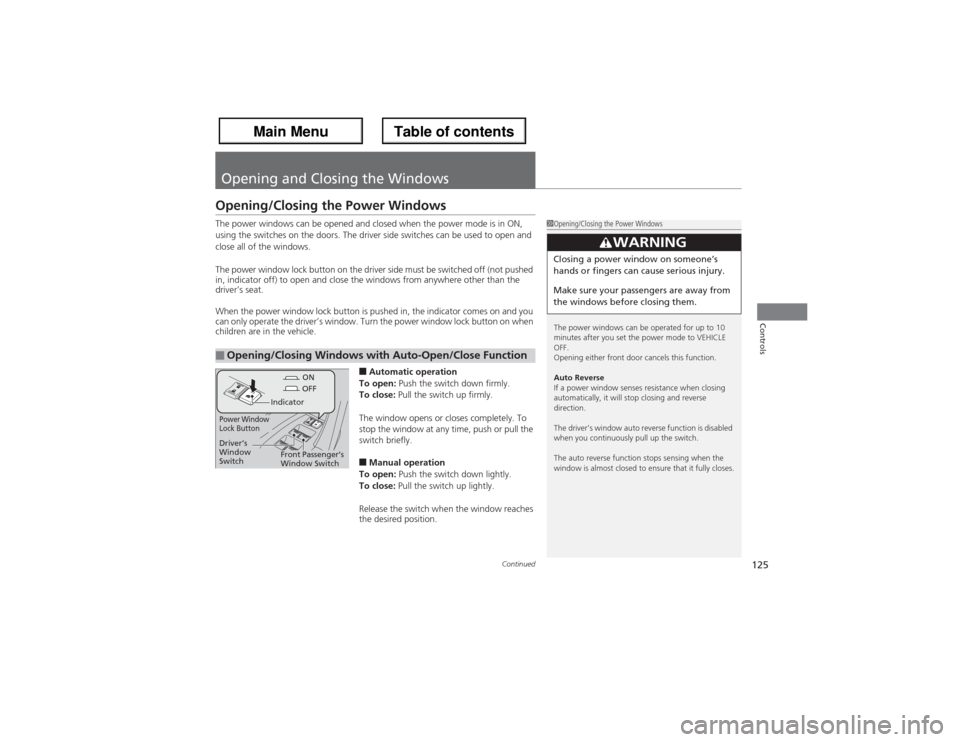
■Automatic operation
To open: Push the switch down firmly.
To close: Pull the switch up firmly.
The window opens or closes completely. To
stop the window at any time, push or pull the
switch briefly.■Manual operation
To open: Push the switch down lightly.
To close: Pull the switch up lightly.
Release the switch when the window reaches
the desired position.
■Opening/Closing Windows with Auto-Open/Close Function
1Opening/Closing the Power Windows
The power windows can be operated for up to 10
minutes after you set the power mode to VEHICLE
OFF.
Opening either front door cancels this function.
Auto Reverse
If a power window senses resistance when closing
automatically, it will stop closing and reverse
direction.
The driver’s window auto reverse function is disabled
when you continuously pull up the switch.
The auto reverse function stops sensing when the
window is almost closed to ensure that it fully closes.
3
WARNING
Closing a power window on someone’s
hands or fingers can cause serious injury.
Make sure your passengers are away from
the windows before closing them.
ON
OFF
Power Window
Lock Button
Indicator
Driver’s
Window
SwitchFront Passenger’s
Window Switch
Page 127 of 324
uuOpening and Closing the WindowsuOpening/Closing the Power Windows
126Controls
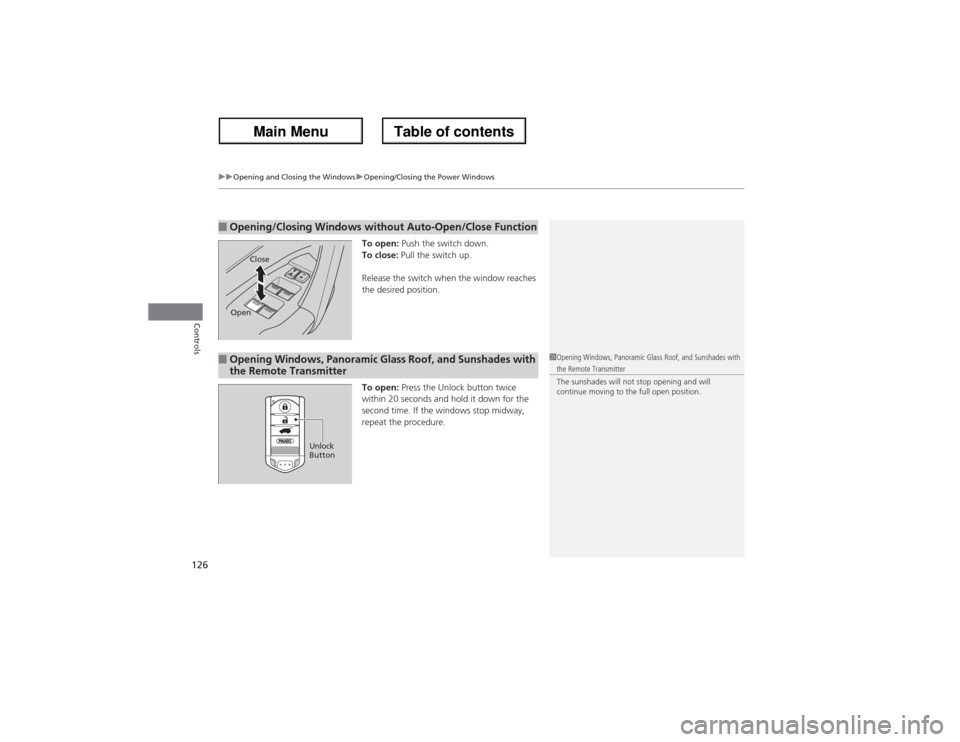
To open: Push the switch down.
To close: Pull the switch up.
Release the switch when the window reaches
the desired position.
To open: Press the Unlock button twice
within 20 seconds and hold it down for the
second time. If the windows stop midway,
repeat the procedure.
■Opening/Closing Windows without Auto-Open/Close Function
Close
Open
■Opening Windows, Panoramic Glass Roof, and Sunshades with
the Remote Transmitter
1Opening Windows, Panoramic Glass Roof, and Sunshades with the Remote Transmitter
The sunshades will not stop opening and will
continue moving to the full open position.
Unlock
Button
Page 128 of 324
127
uuOpening and Closing the WindowsuOpening/Closing the Power Windows
Controls
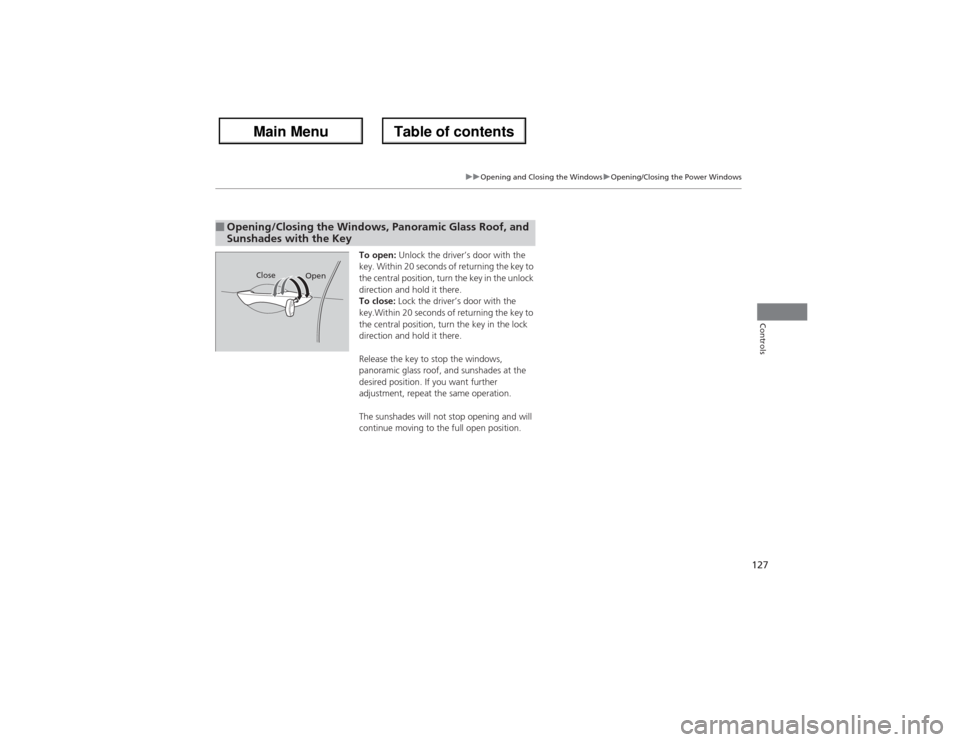
To open: Unlock the driver’s door with the
key. Within 20 seconds of returning the key to
the central position, turn the key in the unlock
direction and hold it there.
To close: Lock the driver’s door with the
key.Within 20 seconds of returning the key to
the central position, turn the key in the lock
direction and hold it there.
Release the key to stop the windows,
panoramic glass roof, and sunshades at the
desired position. If you want further
adjustment, repeat the same operation.
The sunshades will not stop opening and will
continue moving to the full open position.
■Opening/Closing the Windows, Panoramic Glass Roof, and
Sunshades with the Key
Open Close
Page 130 of 324
129
Continued
Controls
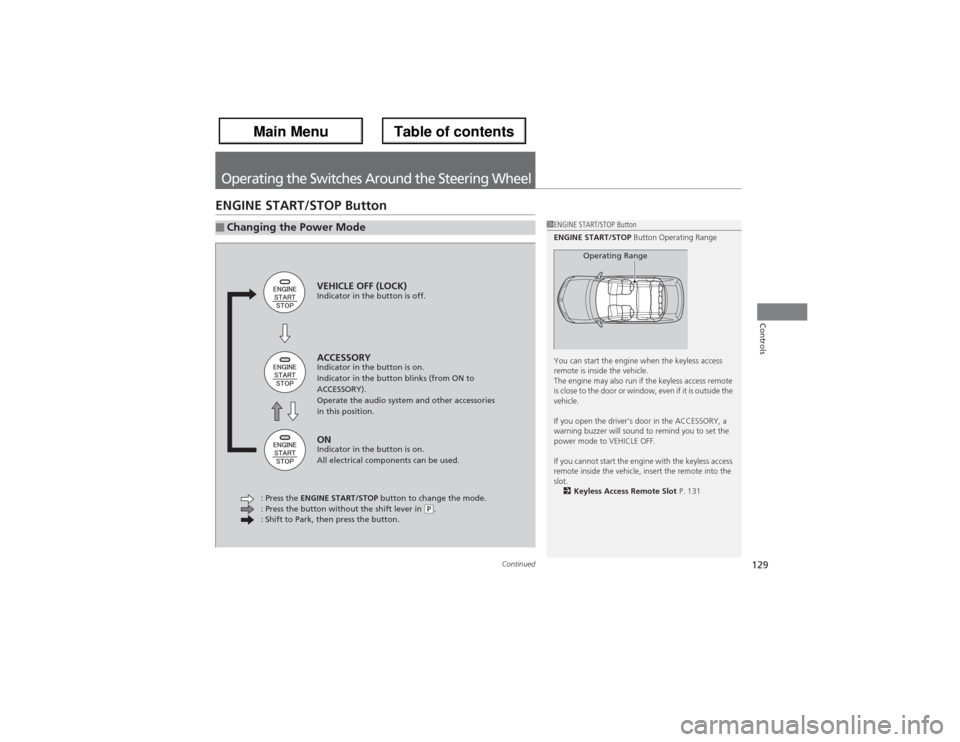
Operating the Switches Around the Steering WheelENGINE START/STOP Button■Changing the Power Mode
1ENGINE START/STOP Button
ENGINE START/STOP Button Operating Range
You can start the engine when the keyless access
remote is inside the vehicle.
The engine may also run if the keyless access remote
is close to the door or window, even if it is outside the
vehicle.
If you open the driver’s door in the ACCESSORY, a
warning buzzer will sound to remind you to set the
power mode to VEHICLE OFF.
If you cannot start the engine with the keyless access
remote inside the vehicle, insert the remote into the
slot.
2Keyless Access Remote Slot P. 131
Operating Range
VEHICLE OFF (LOCK)Indicator in the button is off.ACCESSORYIndicator in the button is on.
Indicator in the button blinks (from ON to
ACCESSORY).
Operate the audio system and other accessories
in this position.ONIndicator in the button is on.
All electrical components can be used.
: Press the ENGINE START/STOP button to change the mode.
: Press the button without the shift lever in
(P.
: Shift to Park, then press the button.
Page 133 of 324
132
uuOperating the Switches Around the Steering WheeluTurn Signals
Controls
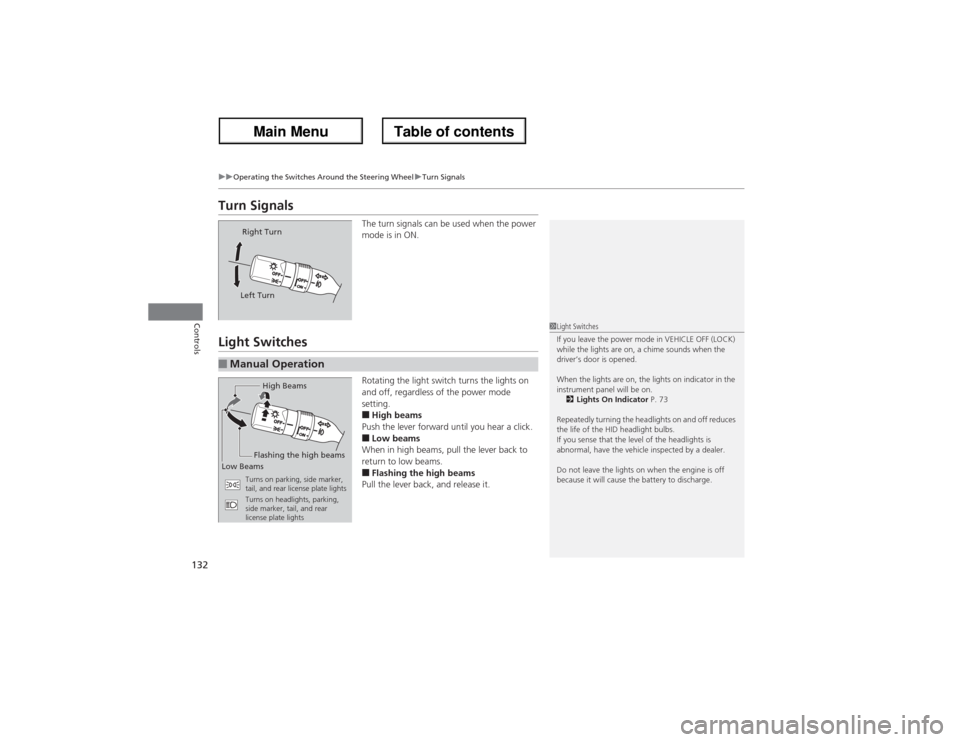
Turn Signals
The turn signals can be used when the power
mode is in ON.
Light Switches
Rotating the light switch turns the lights on
and off, regardless of the power mode
setting.■High beams
Push the lever forward until you hear a click.■Low beams
When in high beams, pull the lever back to
return to low beams.■Flashing the high beams
Pull the lever back, and release it.
Right Turn
Left Turn
■Manual Operation
1Light Switches
If you leave the power mode in VEHICLE OFF (LOCK)
while the lights are on, a chime sounds when the
driver’s door is opened.
When the lights are on, the lights on indicator in the
instrument panel will be on.
2Lights On Indicator P. 73
Repeatedly turning the headlights on and off reduces
the life of the HID headlight bulbs.
If you sense that the level of the headlights is
abnormal, have the vehicle inspected by a dealer.
Do not leave the lights on when the engine is off
because it will cause the battery to discharge.
High Beams
Flashing the high beams
Low Beams
Turns on parking, side marker,
tail, and rear license plate lights
Turns on headlights, parking,
side marker, tail, and rear
license plate lights
Page 134 of 324
133
uuOperating the Switches Around the Steering WheeluLight Switches
Controls
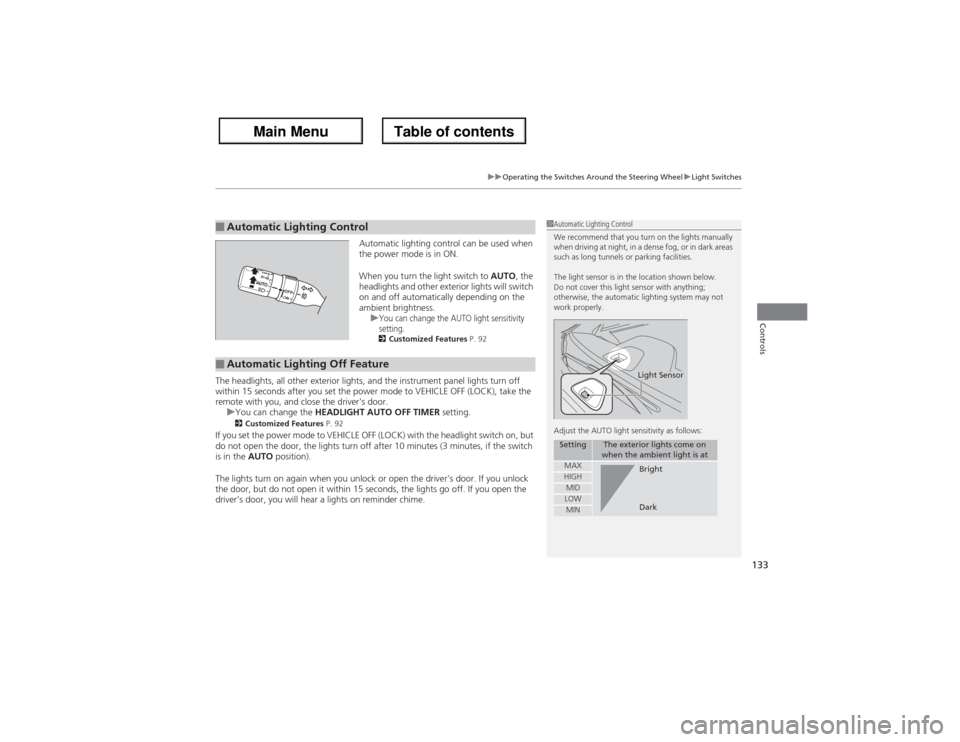
Automatic lighting control can be used when
the power mode is in ON.
When you turn the light switch to AUTO, the
headlights and other exterior lights will switch
on and off automatically depending on the
ambient brightness.
u
You can change the AUTO light sensitivity
setting.2Customized Features P. 92
The headlights, all other exterior lights, and the instrument panel lights turn off
within 15 seconds after you set the power mode to VEHICLE OFF (LOCK), take the
remote with you, and close the driver's door.
uYou can change the HEADLIGHT AUTO OFF TIMER setting.
2Customized Features P. 92
If you set the power mode to VEHICLE OFF (LOCK) with the headlight switch on, but
do not open the door, the lights turn off after 10 minutes (3 minutes, if the switch
is in the AUTO position).
The lights turn on again when you unlock or open the driver’s door. If you unlock
the door, but do not open it within 15 seconds, the lights go off. If you open the
driver’s door, you will hear a lights on reminder chime.■Automatic Lighting Control
1Automatic Lighting Control
We recommend that you turn on the lights manually
when driving at night, in a dense fog, or in dark areas
such as long tunnels or parking facilities.
The light sensor is in the location shown below.
Do not cover this light sensor with anything;
otherwise, the automatic lighting system may not
work properly.
Adjust the AUTO light sensitivity as follows:
Setting
The exterior lights come on
when the ambient light is at
MAXHIGHMIDLOWMIN
Light SensorBright
Dark
■Automatic Lighting Off Feature
Page 135 of 324
134
uuOperating the Switches Around the Steering WheeluFog Lights
Controls
Fog Lights
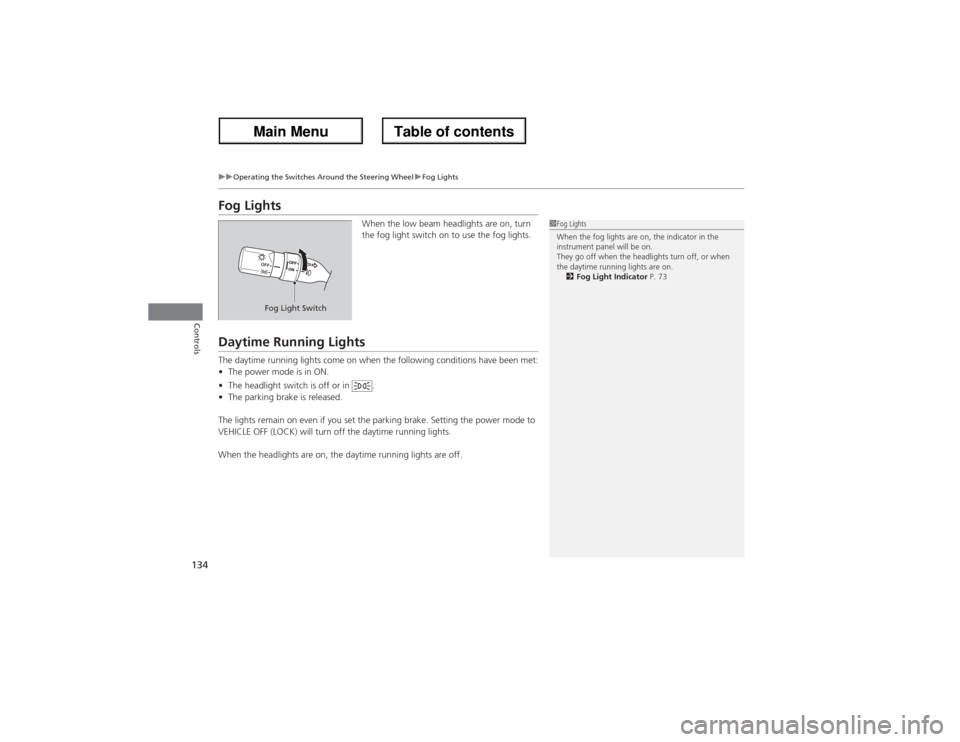
When the low beam headlights are on, turn
the fog light switch on to use the fog lights.
Daytime Running LightsThe daytime running lights come on when the following conditions have been met:
•The power mode is in ON.
•The headlight switch is off or in .
•The parking brake is released.
The lights remain on even if you set the parking brake. Setting the power mode to
VEHICLE OFF (LOCK) will turn off the daytime running lights.
When the headlights are on, the daytime running lights are off.
1Fog Lights
When the fog lights are on, the indicator in the
instrument panel will be on.
They go off when the headlights turn off, or when
the daytime running lights are on.
2Fog Light Indicator P. 73
Fog Light Switch
Page 140 of 324
139
uuOperating the Switches Around the Steering WheeluDriving Position Memory System
Continued
Controls
Driving Position Memory SystemYou can store two driver’s seat (except for power lumbar), steering wheel and
outside mirror positions with the driving position memory system.
When you unlock and open the driver’s door with the keyless access system, the seat
and outside mirrors adjust automatically to one of the two preset positions.
The multi-information display shows you which you used to unlock the vehicle when
you enter.
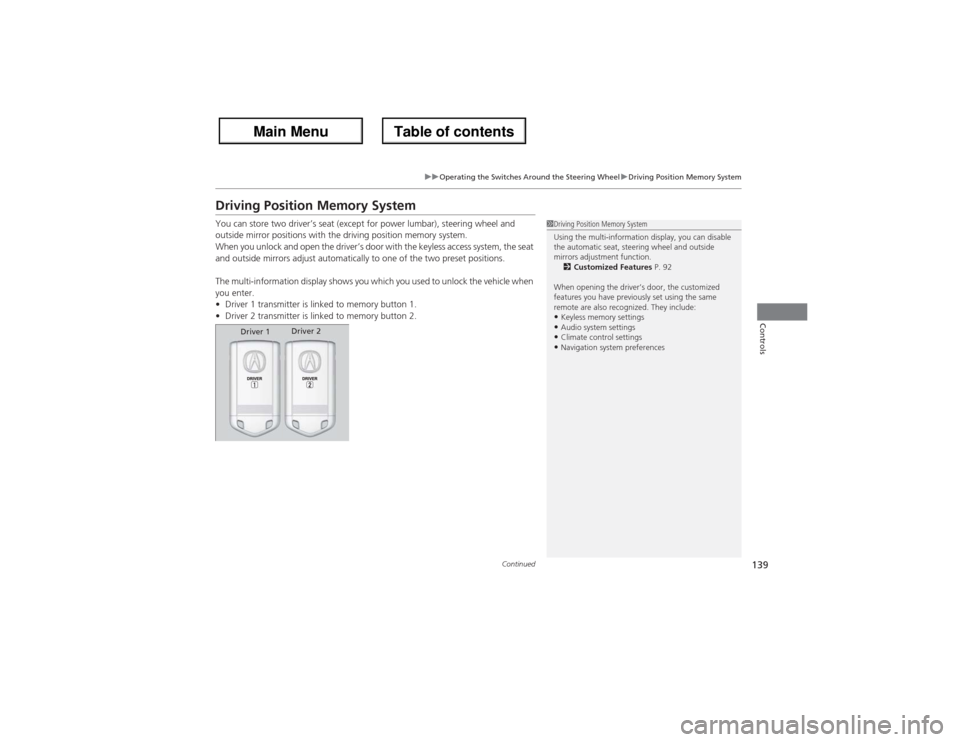
•Driver 1 transmitter is linked to memory button 1.
•Driver 2 transmitter is linked to memory button 2.
1Driving Position Memory System
Using the multi-information display, you can disable
the automatic seat, steering wheel and outside
mirrors adjustment function.
2Customized Features P. 92
When opening the driver’s door, the customized
features you have previously set using the same
remote are also recognized. They include:•Keyless memory settings•Audio system settings•Climate control settings•Navigation system preferences
Driver 1Driver 2
Page 149 of 324
uuAdjusting the SeatsuAdjusting the Seat Positions
148Controls
Head restraints can be removed for cleaning or repair.
To remove a front or rear center head restraint:
Pull the restraint up as far as it will go. Then push the release button, and pull the
restraint up and out.
To remove a rear outer head restraint:
Push the tilt button, then fold the head restraint backward. Push the release button,
then pull the restraint up and out.
To reinstall a head restraint:
Insert the legs back in place, then adjust the head restraint to an appropriate height
while pressing the release button. Pull up on the restraint to make sure it is locked
in position.■Removing and Reinstalling the Head Restraints
1Removing and Reinstalling the Head Restraints
3
WARNING
Failure to reinstall, or correctly reinstall, the
head restraints can result in severe injury
during a crash.
Always replace the head restraints before
driving.
Page 151 of 324
150
uuAdjusting the SeatsuRear Seats
Controls
Rear Seats
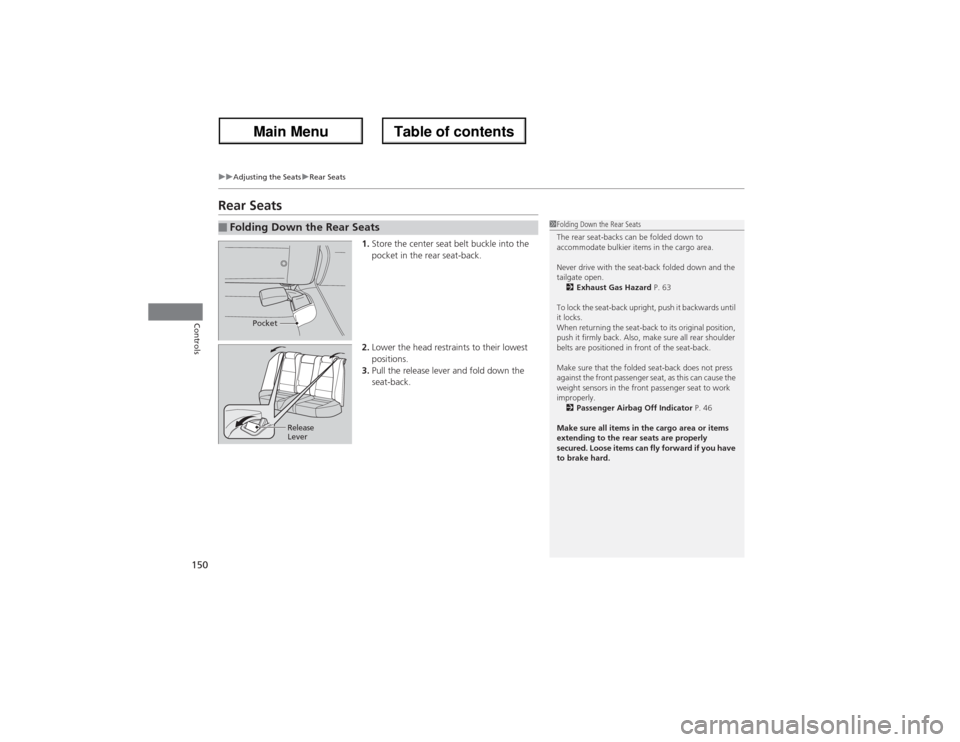
1.Store the center seat belt buckle into the
pocket in the rear seat-back.
2.Lower the head restraints to their lowest
positions.
3.Pull the release lever and fold down the
seat-back.
■Folding Down the Rear Seats
1Folding Down the Rear Seats
The rear seat-backs can be folded down to
accommodate bulkier items in the cargo area.
Never drive with the seat-back folded down and the
tailgate open.
2Exhaust Gas Hazard P. 63
To lock the seat-back upright, push it backwards until
it locks.
When returning the seat-back to its original position,
push it firmly back. Also, make sure all rear shoulder
belts are positioned in front of the seat-back.
Make sure that the folded seat-back does not press
against the front passenger seat, as this can cause the
weight sensors in the front passenger seat to work
improperly.
2Passenger Airbag Off Indicator P. 46
Make sure all items in the cargo area or items
extending to the rear seats are properly
secured. Loose items can fly forward if you have
to brake hard.
Pocket
Release
Lever