seat Acura ZDX 2013 Repair Manual
[x] Cancel search | Manufacturer: ACURA, Model Year: 2013, Model line: ZDX, Model: Acura ZDX 2013Pages: 324, PDF Size: 8.58 MB
Page 149 of 324
uuAdjusting the SeatsuAdjusting the Seat Positions
148Controls
Head restraints can be removed for cleaning or repair.
To remove a front or rear center head restraint:
Pull the restraint up as far as it will go. Then push the release button, and pull the
restraint up and out.
To remove a rear outer head restraint:
Push the tilt button, then fold the head restraint backward. Push the release button,
then pull the restraint up and out.
To reinstall a head restraint:
Insert the legs back in place, then adjust the head restraint to an appropriate height
while pressing the release button. Pull up on the restraint to make sure it is locked
in position.■Removing and Reinstalling the Head Restraints
1Removing and Reinstalling the Head Restraints
3
WARNING
Failure to reinstall, or correctly reinstall, the
head restraints can result in severe injury
during a crash.
Always replace the head restraints before
driving.
Page 150 of 324
149
uuAdjusting the SeatsuAdjusting the Seat Positions
Controls
After all occupants have adjusted their seats and head restraints, and put on their seat
belts, it is very important that they continue to sit upright, well back in their seats, with
their feet on the floor, until the vehicle is safely parked and the engine is off.
Sitting improperly can increase the chance of injury during a crash. For example, if an
occupant slouches, lies down, turns sideways, sits forward, leans forward or sideways,
or puts one or both feet up, the chance of injury during a crash is greatly increased.
In addition, an occupant who is out of position in the front seat can be seriously or
fatally injured in a crash by striking interior parts of the vehicle or being struck by an
inflating front airbag.
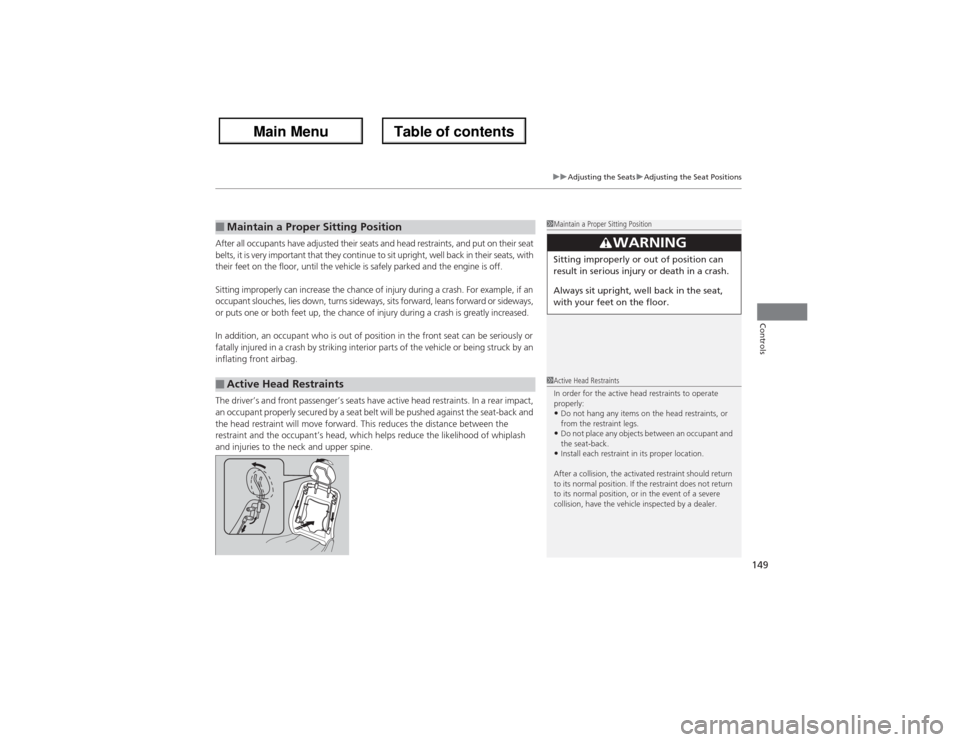
The driver’s and front passenger’s seats have active head restraints. In a rear impact,
an occupant properly secured by a seat belt will be pushed against the seat-back and
the head restraint will move forward. This reduces the distance between the
restraint and the occupant’s head, which helps reduce the likelihood of whiplash
and injuries to the neck and upper spine.■Maintain a Proper Sitting Position■Active Head Restraints
1Maintain a Proper Sitting Position
3
WARNING
Sitting improperly or out of position can
result in serious injury or death in a crash.
Always sit upright, well back in the seat,
with your feet on the floor.1Active Head Restraints
In order for the active head restraints to operate
properly:•Do not hang any items on the head restraints, or
from the restraint legs.•Do not place any objects between an occupant and
the seat-back.•Install each restraint in its proper location.
After a collision, the activated restraint should return
to its normal position. If the restraint does not return
to its normal position, or in the event of a severe
collision, have the vehicle inspected by a dealer.
Page 151 of 324
150
uuAdjusting the SeatsuRear Seats
Controls
Rear Seats
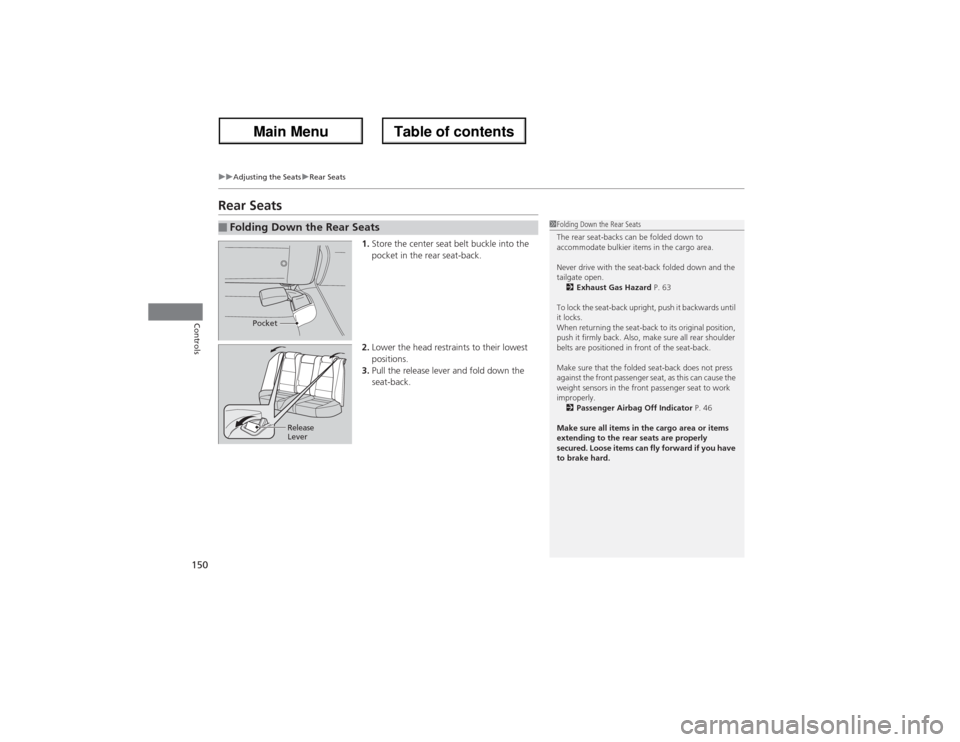
1.Store the center seat belt buckle into the
pocket in the rear seat-back.
2.Lower the head restraints to their lowest
positions.
3.Pull the release lever and fold down the
seat-back.
■Folding Down the Rear Seats
1Folding Down the Rear Seats
The rear seat-backs can be folded down to
accommodate bulkier items in the cargo area.
Never drive with the seat-back folded down and the
tailgate open.
2Exhaust Gas Hazard P. 63
To lock the seat-back upright, push it backwards until
it locks.
When returning the seat-back to its original position,
push it firmly back. Also, make sure all rear shoulder
belts are positioned in front of the seat-back.
Make sure that the folded seat-back does not press
against the front passenger seat, as this can cause the
weight sensors in the front passenger seat to work
improperly.
2Passenger Airbag Off Indicator P. 46
Make sure all items in the cargo area or items
extending to the rear seats are properly
secured. Loose items can fly forward if you have
to brake hard.
Pocket
Release
Lever
Page 152 of 324
151
uuAdjusting the SeatsuArmrest
Controls
Armrest
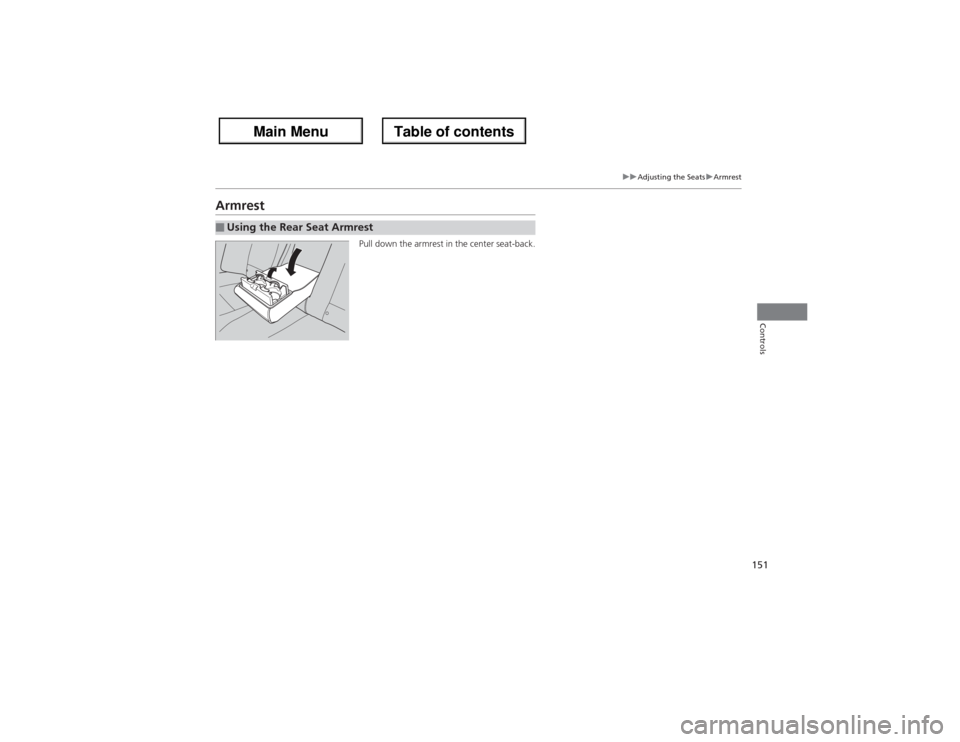
Pull down the armrest in the center seat-back.
■Using the Rear Seat Armrest
Page 155 of 324
154
uuInterior Lights/Interior Convenience ItemsuInterior Convenience Items
Controls
Interior Convenience Items
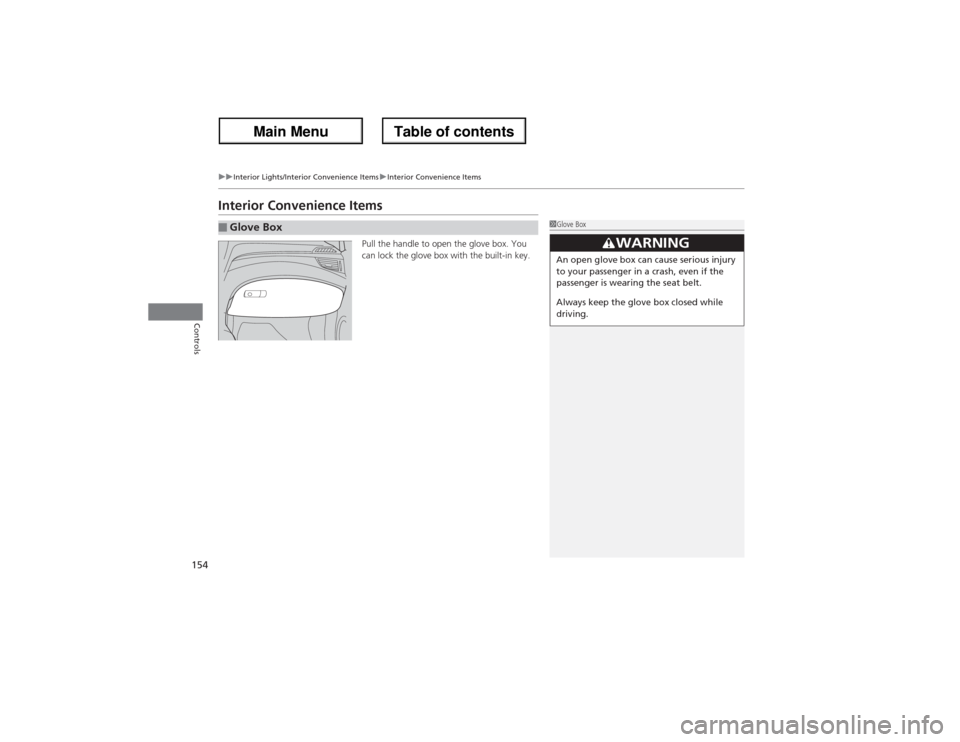
Pull the handle to open the glove box. You
can lock the glove box with the built-in key.
■Glove Box
1Glove Box
3
WARNING
An open glove box can cause serious injury
to your passenger in a crash, even if the
passenger is wearing the seat belt.
Always keep the glove box closed while
driving.
Page 158 of 324
Continued
157
uuInterior Lights/Interior Convenience ItemsuInterior Convenience Items
Controls
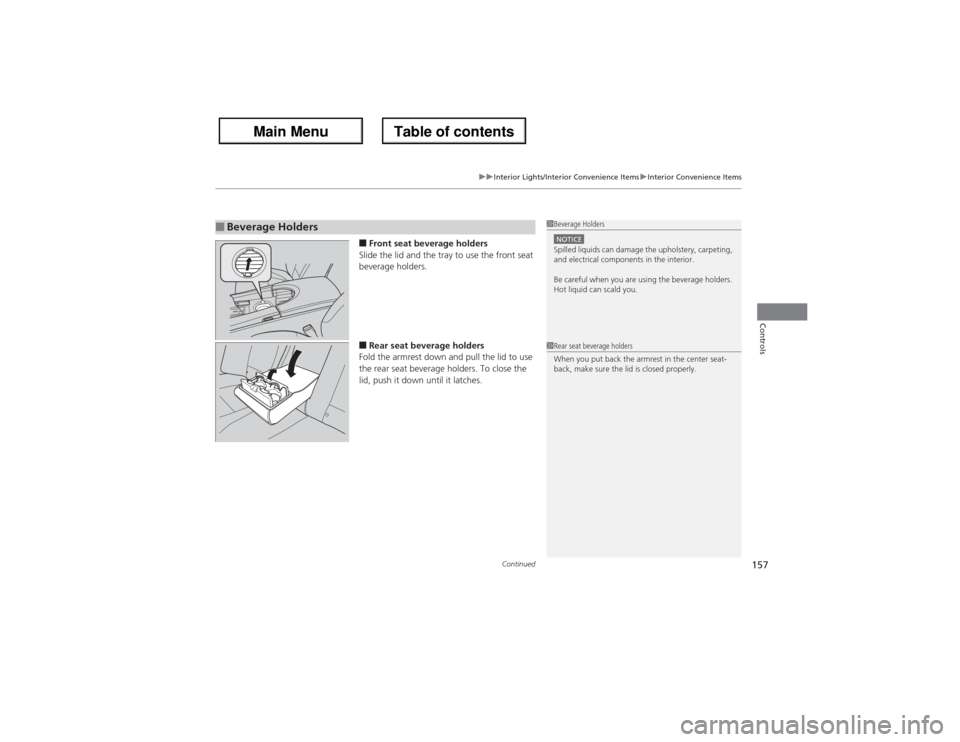
■Front seat beverage holders
Slide the lid and the tray to use the front seat
beverage holders.■Rear seat beverage holders
Fold the armrest down and pull the lid to use
the rear seat beverage holders. To close the
lid, push it down until it latches.
■Beverage Holders
1Beverage HoldersNOTICESpilled liquids can damage the upholstery, carpeting,
and electrical components in the interior.
Be careful when you are using the beverage holders.
Hot liquid can scald you.1Rear seat beverage holders
When you put back the armrest in the center seat-
back, make sure the lid is closed properly.
Page 162 of 324
Continued
161
uuInterior Lights/Interior Convenience ItemsuInterior Convenience Items
Controls
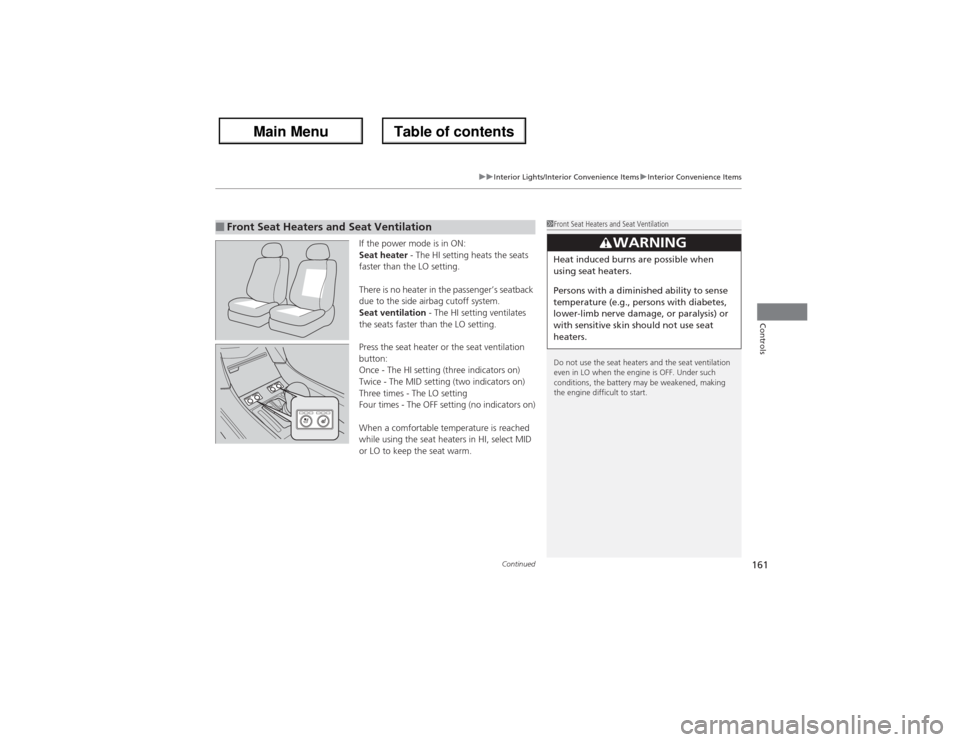
If the power mode is in ON:
Seat heater - The HI setting heats the seats
faster than the LO setting.
There is no heater in the passenger’s seatback
due to the side airbag cutoff system.
Seat ventilation - The HI setting ventilates
the seats faster than the LO setting.
Press the seat heater or the seat ventilation
button:
Once - The HI setting (three indicators on)
Twice - The MID setting (two indicators on)
Three times - The LO setting
Four times - The OFF setting (no indicators on)
When a comfortable temperature is reached
while using the seat heaters in HI, select MID
or LO to keep the seat warm.
■Front Seat Heaters and Seat Ventilation
1Front Seat Heaters and Seat Ventilation
Do not use the seat heaters and the seat ventilation
even in LO when the engine is OFF. Under such
conditions, the battery may be weakened, making
the engine difficult to start.
3
WARNING
Heat induced burns are possible when
using seat heaters.
Persons with a diminished ability to sense
temperature (e.g., persons with diabetes,
lower-limb nerve damage, or paralysis) or
with sensitive skin should not use seat
heaters.
Page 163 of 324
uuInterior Lights/Interior Convenience ItemsuInterior Convenience Items
162Controls
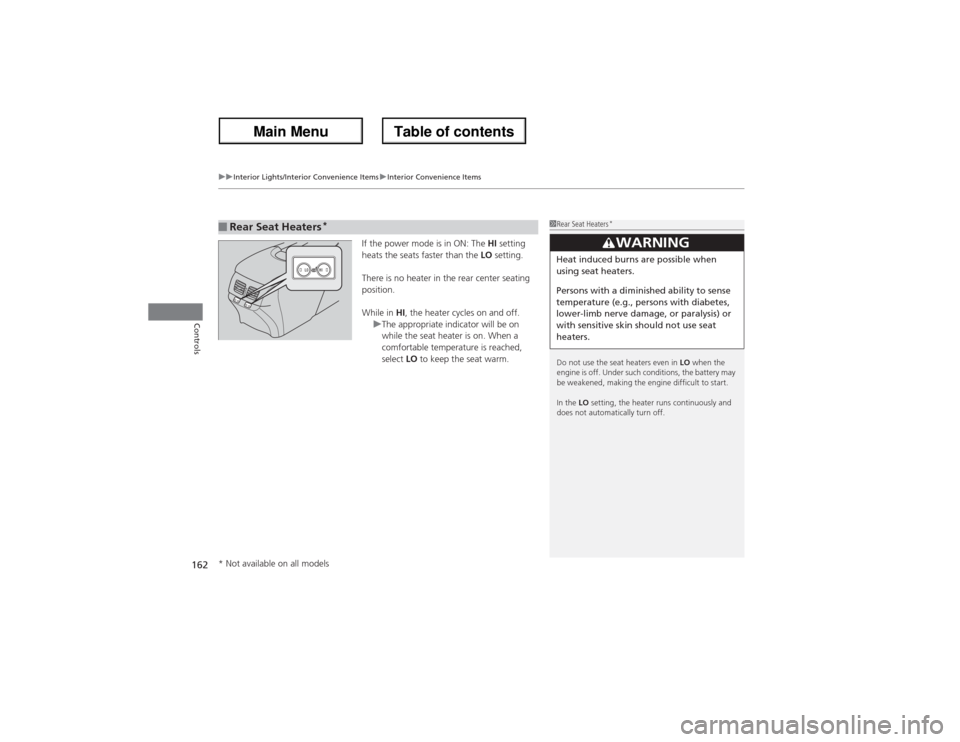
If the power mode is in ON: The HI setting
heats the seats faster than the LO setting.
There is no heater in the rear center seating
position.
While in HI, the heater cycles on and off.
uThe appropriate indicator will be on
while the seat heater is on. When a
comfortable temperature is reached,
select LO to keep the seat warm.
■Rear Seat Heaters
*
1Rear Seat Heaters
*
Do not use the seat heaters even in LO when the
engine is off. Under such conditions, the battery may
be weakened, making the engine difficult to start.
In the LO setting, the heater runs continuously and
does not automatically turn off.
3
WARNING
Heat induced burns are possible when
using seat heaters.
Persons with a diminished ability to sense
temperature (e.g., persons with diabetes,
lower-limb nerve damage, or paralysis) or
with sensitive skin should not use seat
heaters.
* Not available on all models
Page 174 of 324
Continued
173
uuBefore DrivinguDriving Preparation
Driving
•Store or secure all items on board properly.
uCarrying too much cargo, or improperly storing it, can affect your vehicle’s
handling, stability, stopping distance, and tires, and make it unsafe.
2Maximum Load Limit P. 175
•Do not pile items higher than the seat height.
uThey can block your view and may be thrown forward in the event of sudden
braking.
•Do not place anything in the front seat footwells. Make sure to secure the floor
mat.
uAn object or unsecured floor mat can interfere with your brake and accelerator
pedal operation while driving.
•If you have any animals on board, do not let them move around in the vehicle.
uThey may interfere with driving and a crash could occur.
•Securely close and lock all doors and the tailgate.
2Locking/Unlocking the Doors from the Inside P. 113
•Adjust your seating position properly.
uAdjust the head restraint, too.
2Adjusting the Seats P. 144
2Adjusting the Head Restraints P. 146
•Adjust the mirrors and steering wheel properly for your driving.
uAdjust them while sitting in the proper driving position.
2Adjusting the Mirrors P. 142
2Adjusting the Steering Wheel P. 141
■Interior Checks
1Interior Checks
The headlight aim is set by the factory, and does not
need to be adjusted. However, if you regularly carry
heavy items in the cargo area or tow a trailer, have
the aiming readjusted at a dealer or by a qualified
technician.
Page 175 of 324
174
uuBefore DrivinguDriving Preparation
Driving
•Be sure items placed on the floor behind the front seats cannot roll under the
seats.
uThey can interfere with the driver’s ability to operate the pedals, the operation
of the seats, or the operation of the sensors under the seats.
•Everyone in the vehicle must fasten their seat belt.
2Fastening a Seat Belt P. 30
•Make sure that the indicators in the instrument panel come on when you start the
vehicle, and go off soon after.
uAlways have a dealer check the vehicle if a problem is indicated.
2Indicators P. 66