display Alfa Romeo Giulia 2017 Owner's Guide
[x] Cancel search | Manufacturer: ALFA ROMEO, Model Year: 2017, Model line: Giulia, Model: Alfa Romeo Giulia 2017Pages: 268, PDF Size: 18.64 MB
Page 82 of 268
Caution!
If, turning the ignition device to ON, the warning lightdoes not turn on or if it turns on steadily or flashing when travelling (on some versions
together with the message on the display), contact an authorized dealer as soon as possible.
Warning Light What It Means What To Do
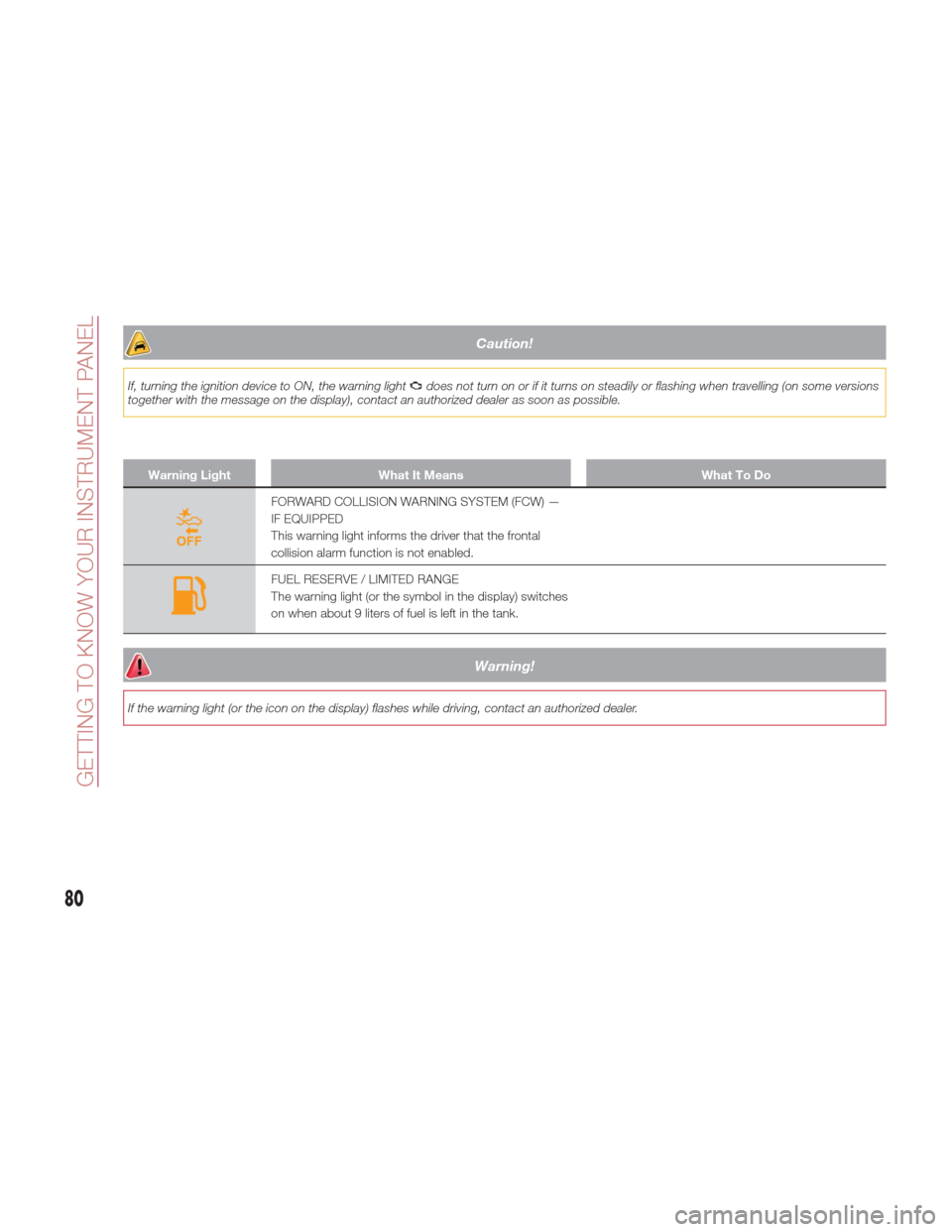
FORWARD COLLISION WARNING SYSTEM (FCW) —
IF EQUIPPED
This warning light informs the driver that the frontal
collision alarm function is not enabled.
FUEL RESERVE / LIMITED RANGE
The warning light (or the symbol in the display) switches
on when about 9 liters of fuel is left in the tank.
Warning!
If the warning light (or the icon on the display) flashes while driving, contact an authorized dealer.
80
GETTING TO KNOW YOUR INSTRUMENT PANEL
Page 83 of 268
Green Telltale Indicator Lights
Warning lightWhat It Means What To Do
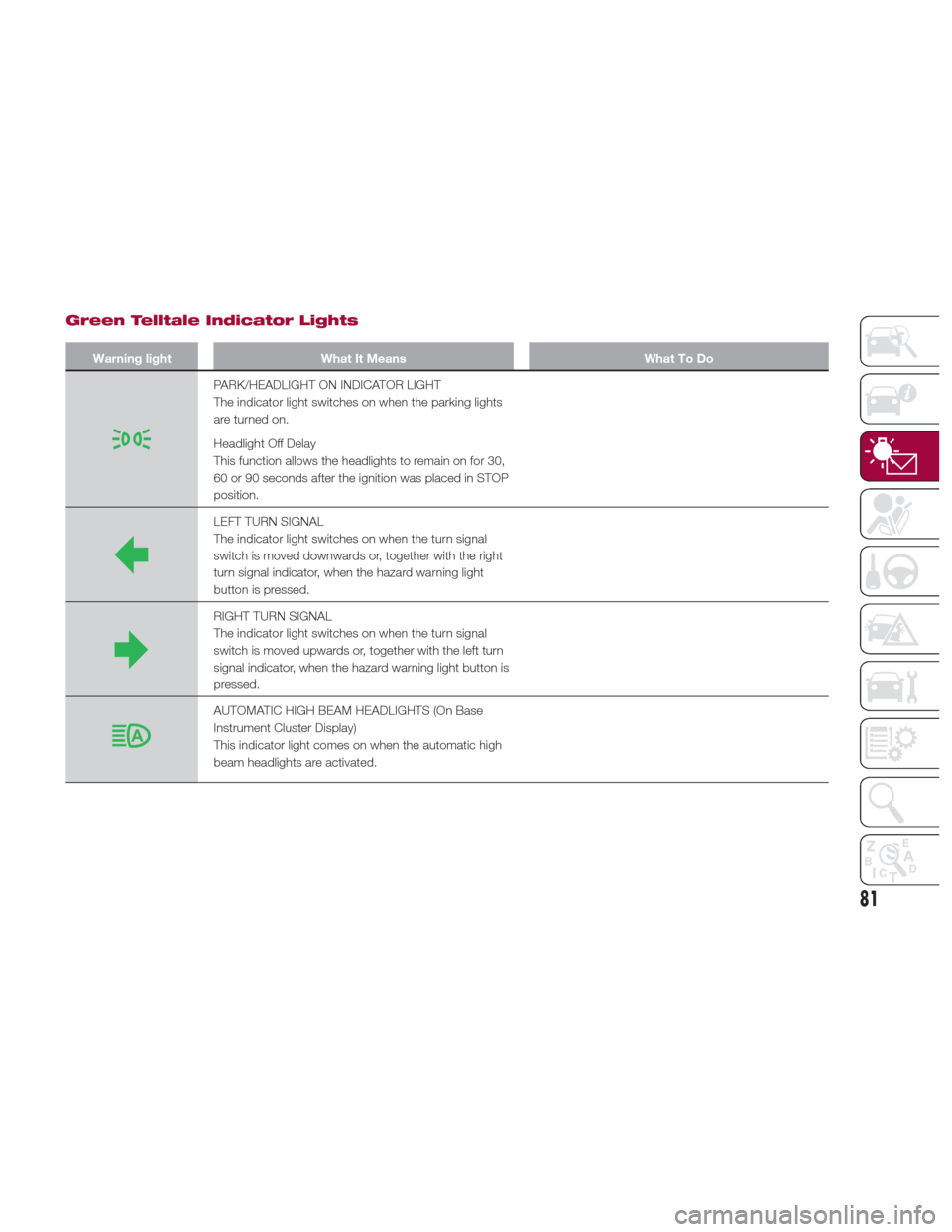
PARK/HEADLIGHT ON INDICATOR LIGHT
The indicator light switches on when the parking lights
are turned on.
Headlight Off Delay
This function allows the headlights to remain on for 30,
60 or 90 seconds after the ignition was placed in STOP
position.
LEFT TURN SIGNAL
The indicator light switches on when the turn signal
switch is moved downwards or, together with the right
turn signal indicator, when the hazard warning light
button is pressed.
RIGHT TURN SIGNAL
The indicator light switches on when the turn signal
switch is moved upwards or, together with the left turn
signal indicator, when the hazard warning light button is
pressed.
AUTOMATIC HIGH BEAM HEADLIGHTS (On Base
Instrument Cluster Display)
This indicator light comes on when the automatic high
beam headlights are activated.
81
Page 84 of 268
Blue Telltale Indicator Light
Warning LightWhat It Means What To Do
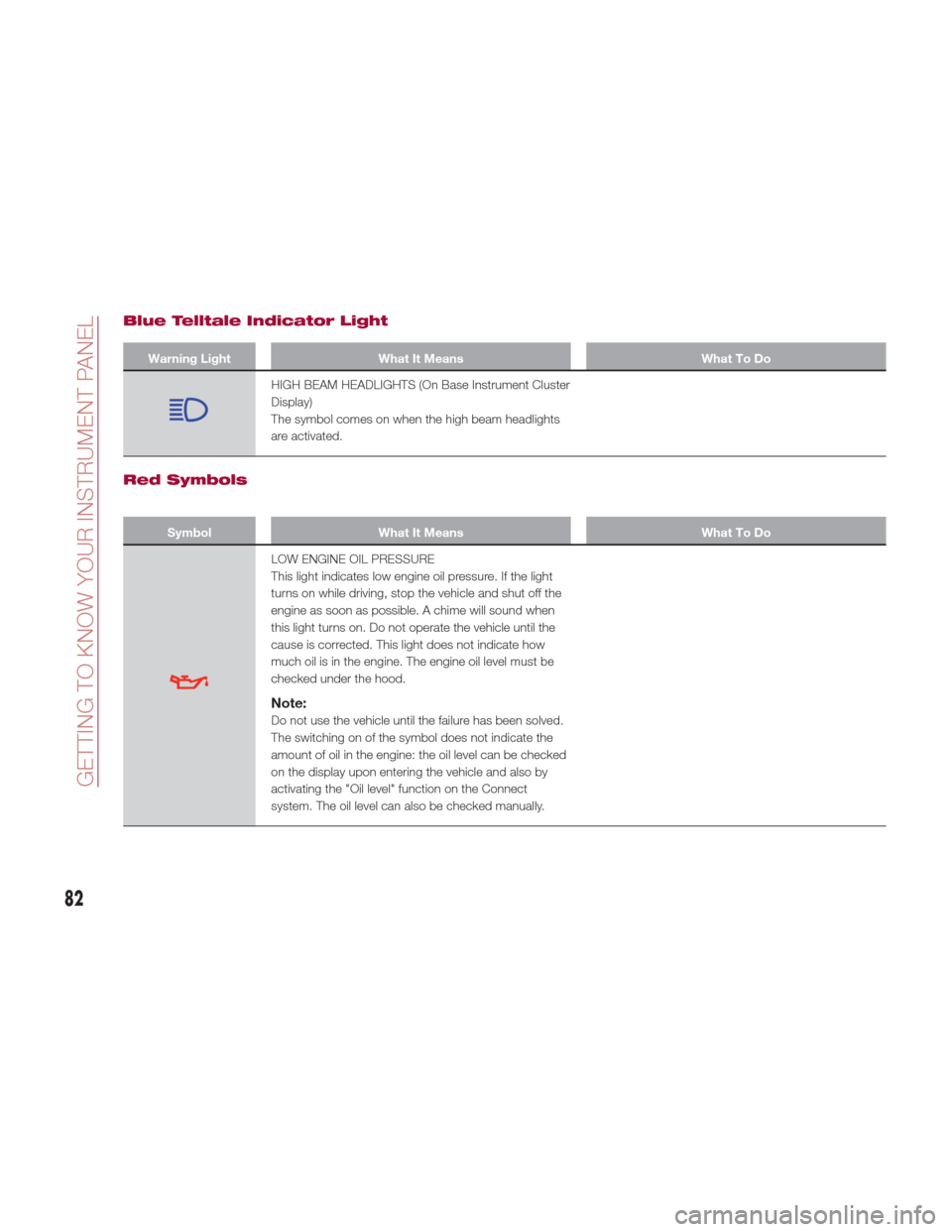
HIGH BEAM HEADLIGHTS (On Base Instrument Cluster
Display)
The symbol comes on when the high beam headlights
are activated.
Red Symbols
SymbolWhat It Means What To Do
LOW ENGINE OIL PRESSURE
This light indicates low engine oil pressure. If the light
turns on while driving, stop the vehicle and shut off the
engine as soon as possible. A chime will sound when
this light turns on. Do not operate the vehicle until the
cause is corrected. This light does not indicate how
much oil is in the engine. The engine oil level must be
checked under the hood.
Note:
Do not use the vehicle until the failure has been solved.
The switching on of the symbol does not indicate the
amount of oil in the engine: the oil level can be checked
on the display upon entering the vehicle and also by
activating the "Oil level" function on the Connect
system. The oil level can also be checked manually.
82
GETTING TO KNOW YOUR INSTRUMENT PANEL
Page 86 of 268
SymbolWhat It Means What To Do
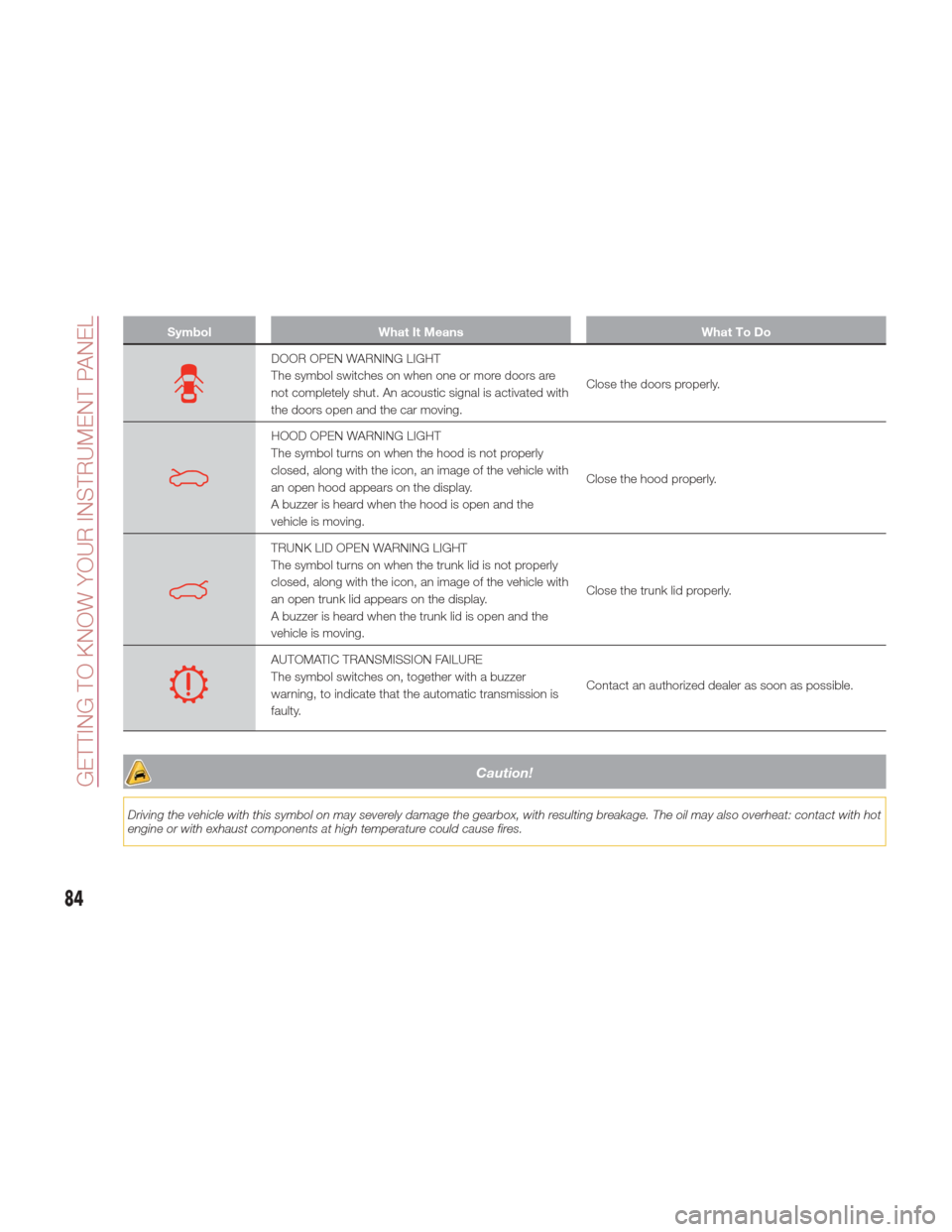
DOOR OPEN WARNING LIGHT
The symbol switches on when one or more doors are
not completely shut. An acoustic signal is activated with
the doors open and the car moving.Close the doors properly.
HOOD OPEN WARNING LIGHT
The symbol turns on when the hood is not properly
closed, along with the icon, an image of the vehicle with
an open hood appears on the display.
A buzzer is heard when the hood is open and the
vehicle is moving.Close the hood properly.
TRUNK LID OPEN WARNING LIGHT
The symbol turns on when the trunk lid is not properly
closed, along with the icon, an image of the vehicle with
an open trunk lid appears on the display.
A buzzer is heard when the trunk lid is open and the
vehicle is moving.Close the trunk lid properly.
AUTOMATIC TRANSMISSION FAILURE
The symbol switches on, together with a buzzer
warning, to indicate that the automatic transmission is
faulty.
Contact an authorized dealer as soon as possible.
Caution!
Driving the vehicle with this symbol on may severely damage the gearbox, with resulting breakage. The oil may also overheat: contact with hot
engine or with exhaust components at high temperature could cause fires.
84
GETTING TO KNOW YOUR INSTRUMENT PANEL
Page 89 of 268
SymbolWhat It Means What To Do
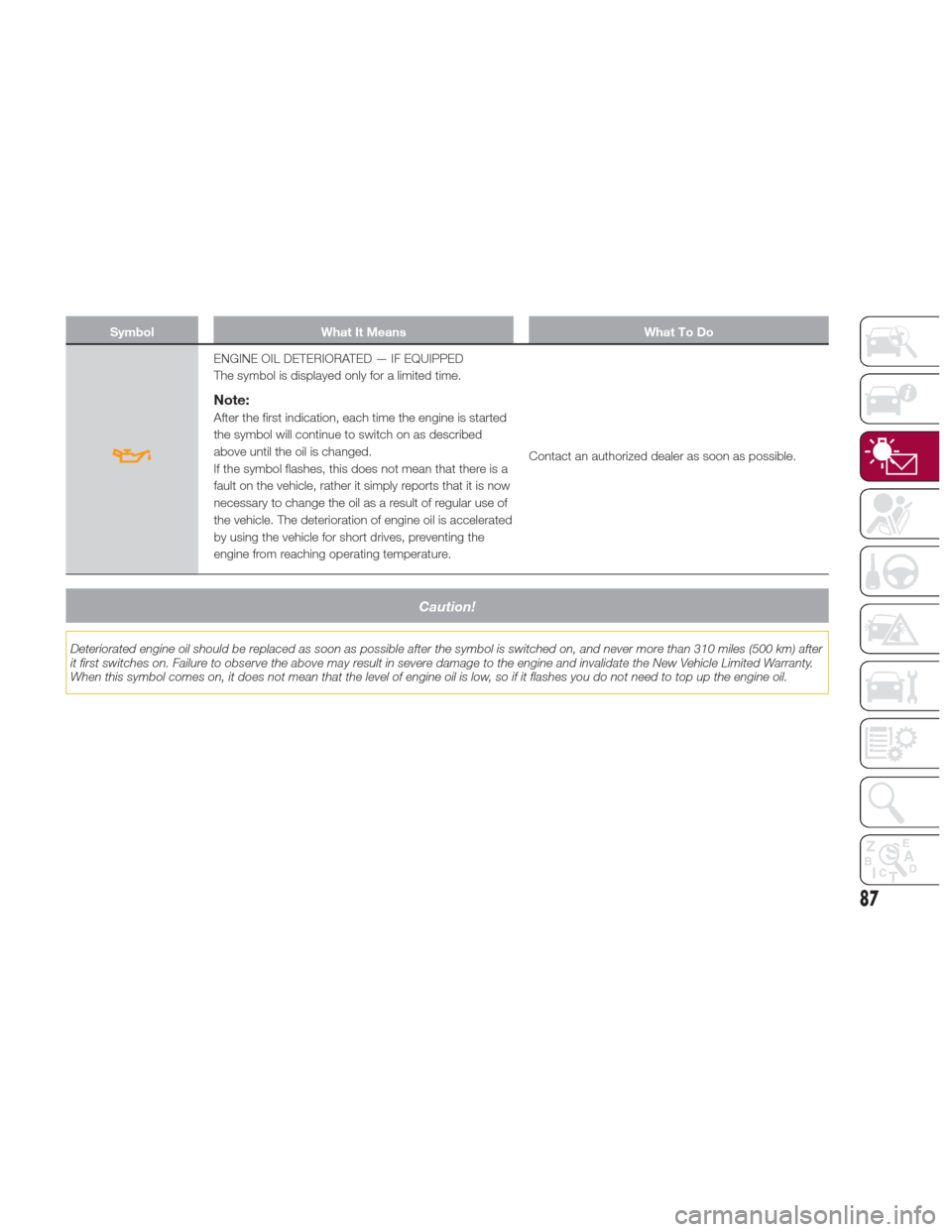
ENGINE OIL DETERIORATED — IF EQUIPPED
The symbol is displayed only for a limited time.
Note:
After the first indication, each time the engine is started
the symbol will continue to switch on as described
above until the oil is changed.
If the symbol flashes, this does not mean that there is a
fault on the vehicle, rather it simply reports that it is now
necessary to change the oil as a result of regular use of
the vehicle. The deterioration of engine oil is accelerated
by using the vehicle for short drives, preventing the
engine from reaching operating temperature.Contact an authorized dealer as soon as possible.
Caution!
Deteriorated engine oil should be replaced as soon as possible after the symbol is switched on, and never more than 310 miles (500 km) after
it first switches on. Failure to observe the above may result in severe damage to the engine and invalidate the New Vehicle Limited Warranty.
When this symbol comes on, it does not mean that the level of engine oil is low, so if it flashes you do not need to top up the engine oil.
87
Page 92 of 268
SymbolWhat It Means What To Do
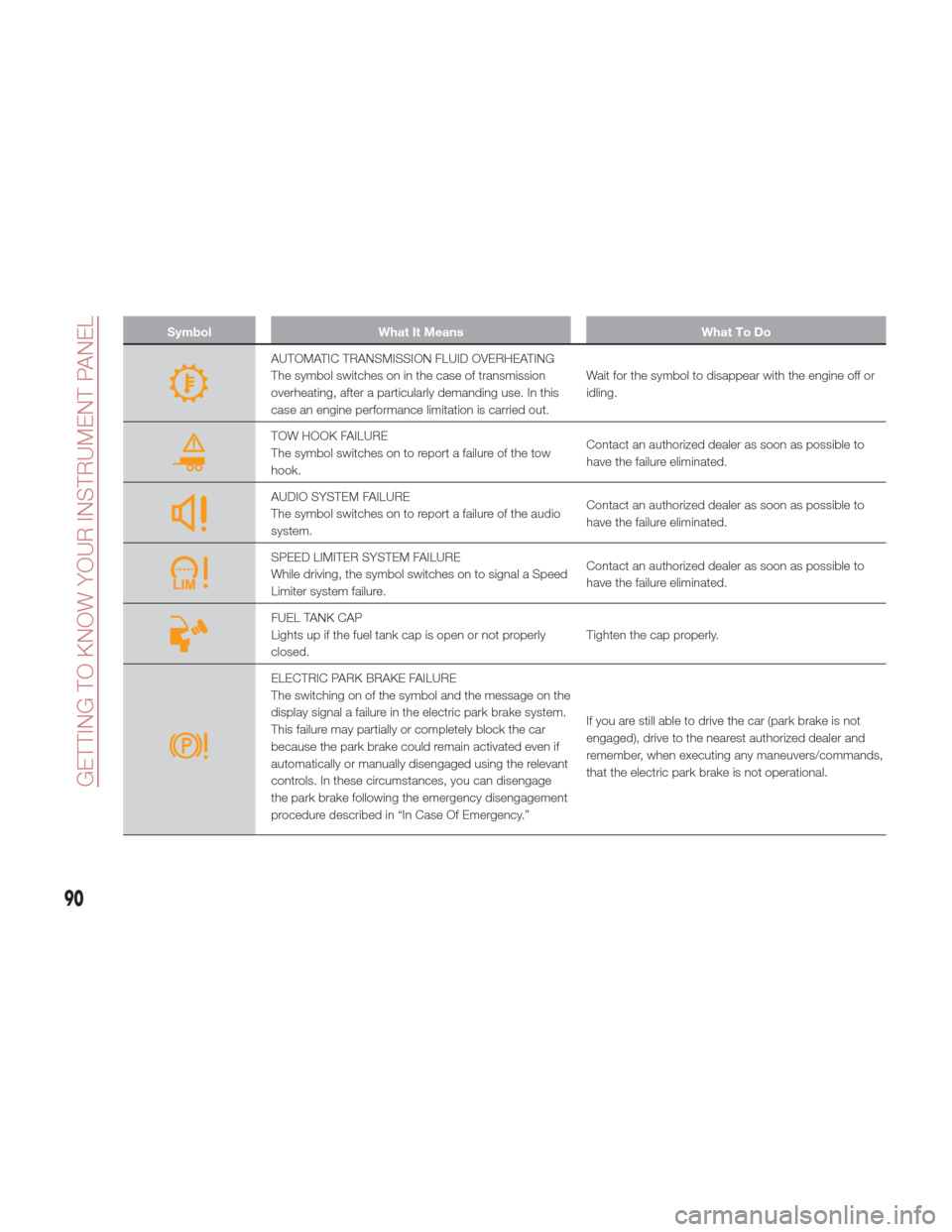
AUTOMATIC TRANSMISSION FLUID OVERHEATING
The symbol switches on in the case of transmission
overheating, after a particularly demanding use. In this
case an engine performance limitation is carried out.Wait for the symbol to disappear with the engine off or
idling.
TOW HOOK FAILURE
The symbol switches on to report a failure of the tow
hook.
Contact an authorized dealer as soon as possible to
have the failure eliminated.
AUDIO SYSTEM FAILURE
The symbol switches on to report a failure of the audio
system.Contact an authorized dealer as soon as possible to
have the failure eliminated.
SPEED LIMITER SYSTEM FAILURE
While driving, the symbol switches on to signal a Speed
Limiter system failure.Contact an authorized dealer as soon as possible to
have the failure eliminated.
FUEL TANK CAP
Lights up if the fuel tank cap is open or not properly
closed.
Tighten the cap properly.
ELECTRIC PARK BRAKE FAILURE
The switching on of the symbol and the message on the
display signal a failure in the electric park brake system.
This failure may partially or completely block the car
because the park brake could remain activated even if
automatically or manually disengaged using the relevant
controls. In these circumstances, you can disengage
the park brake following the emergency disengagement
procedure described in “In Case Of Emergency.”If you are still able to drive the car (park brake is not
engaged), drive to the nearest authorized dealer and
remember, when executing any maneuvers/commands,
that the electric park brake is not operational.
90
GETTING TO KNOW YOUR INSTRUMENT PANEL
Page 99 of 268

and environmental conditions are such
that they wouldn't cause the tires to
slip. When the road and environmental
conditions require better traction, the
vehicle automatically goes to AWD
mode.
The driving mode, RWD or AWD, is
shown on the instrument cluster
display.
Note:If the system failure symbol
switches on, after starting the engine or
while driving, it means that the AWD
system is not working properly. If the
warning message activates frequently, it
is recommended to carry out the
maintenance operations.
Electronic Stability
Control (ESC) System
The ESC system improves the
directional control and stability of the
car in various driving conditions.
The ESC system corrects the car’s
understeer and oversteer, distributing
the brake force on the appropriate
wheels. The torque supplied by the
engine can also be reduced in order to
maintain control of the vehicle.
The ESC system uses sensors installed
on the car to determine the path that
the driver intends to follow and
compares it with the car’s effective
path. When the real path deviates from
the desired path, the ESC system
intervenes to counter the vehicle’s
understeer or oversteer.
Oversteer occurs when the car is
turning more than it should according
to the angle of the steering wheel.
Understeer occurs when the vehicle
is turning less than it should according
to the angle of the steering wheel.
System Intervention
The intervention of the system is
indicated by the flashing of the ESC
warning light on the instrument panel,
to inform the driver that the vehicle
stability and grip are critical.
Warning!
Electronic Stability Control (ESC) cannot
prevent the natural laws of physics from
acting on the vehicle, nor can it increase
the traction afforded by prevailing road
conditions. ESC cannot prevent accidents,
including those resulting from excessive
speed in turns, driving on very slippery
surfaces, or hydroplaning. ESC also cannot
prevent accidents resulting from loss of
vehicle control due to inappropriate driver
input for the conditions. Only a safe,
attentive, and skillful driver can prevent
accidents. The capabilities of an ESC
equipped vehicle must never be exploited
in a reckless or dangerous manner which
could jeopardize the user’s safety or the
safety of others.
Vehicle modifications, or failure to
properly maintain your vehicle, may change
the handling characteristics of your vehicle,
and may negatively affect the performance
of the ESC system. Changes to the
steering system, suspension, braking
system, tire type and size or wheel size
may adversely affect ESC performance.
Improperly inflated and unevenly worn tires
may also degrade ESC performance. Any
vehicle modification or poor vehicle
maintenance that reduces the effectiveness
of the ESC system can increase the risk of
loss of vehicle control, vehicle rollover,
personal injury and death.
Traction Control System
(TCS)
The system automatically operates in
the event of slipping, loss of grip on wet
roads (hydroplaning), and acceleration
on one or both drive wheels on roads
that are slippery, snowy, icy, etc.
Depending on the slipping conditions,
two different control systems are
activated:
If the slipping involves both drive
wheels, the system intervenes, reducing
the power transmitted by the engine.
If the slipping only involves one of the
drive wheels, the Brake Limited
Differential (BLD) function is activated,
automatically braking the wheel which
is slipping (the behavior of a self-locking
differential is simulated). This will
increase the engine torque transferred
to the wheel which isn't slipping.
97
Page 104 of 268
Forward Collision
Warning (FCW) System
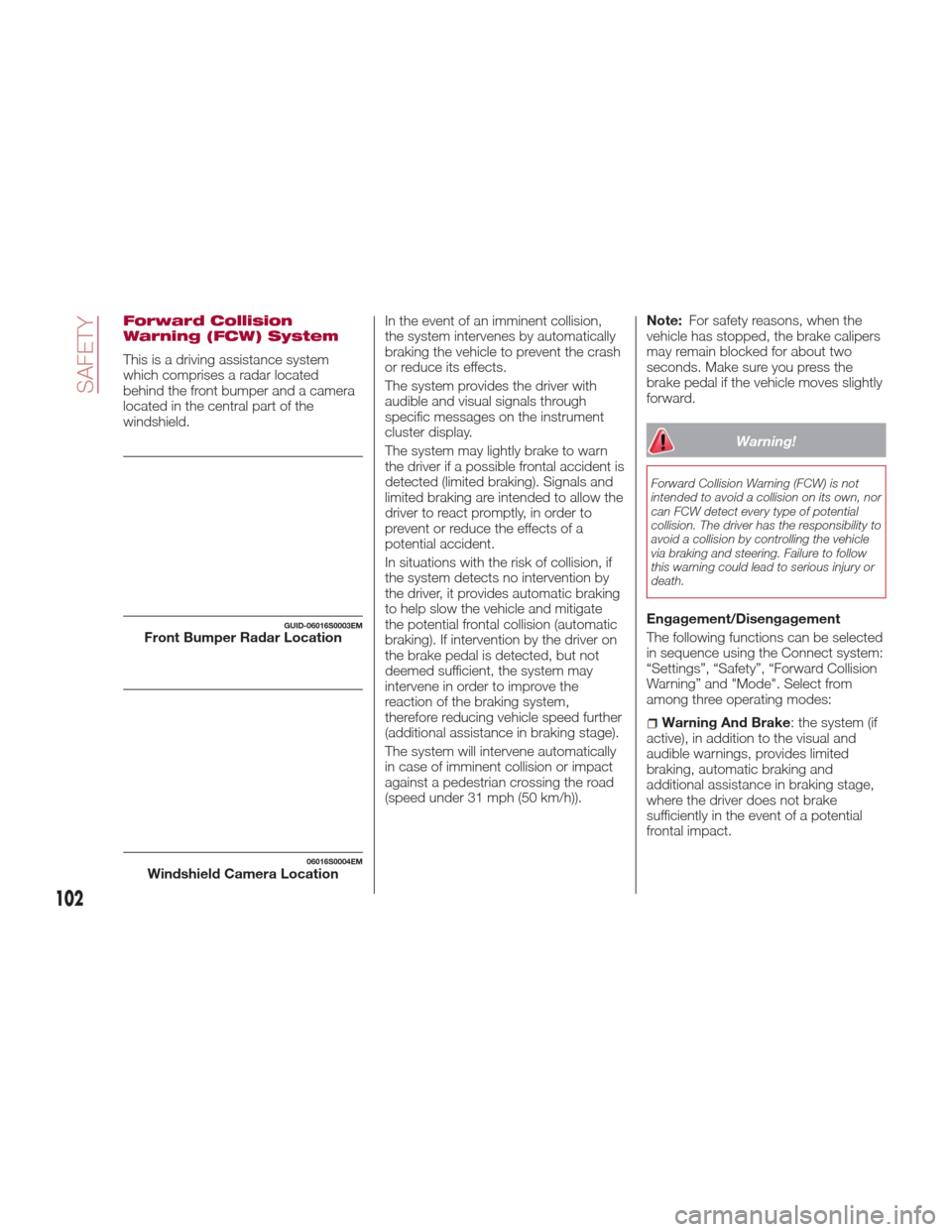
This is a driving assistance system
which comprises a radar located
behind the front bumper and a camera
located in the central part of the
windshield.In the event of an imminent collision,
the system intervenes by automatically
braking the vehicle to prevent the crash
or reduce its effects.
The system provides the driver with
audible and visual signals through
specific messages on the instrument
cluster display.
The system may lightly brake to warn
the driver if a possible frontal accident is
detected (limited braking). Signals and
limited braking are intended to allow the
driver to react promptly, in order to
prevent or reduce the effects of a
potential accident.
In situations with the risk of collision, if
the system detects no intervention by
the driver, it provides automatic braking
to help slow the vehicle and mitigate
the potential frontal collision (automatic
braking). If intervention by the driver on
the brake pedal is detected, but not
deemed sufficient, the system may
intervene in order to improve the
reaction of the braking system,
therefore reducing vehicle speed further
(additional assistance in braking stage).
The system will intervene automatically
in case of imminent collision or impact
against a pedestrian crossing the road
(speed under 31 mph (50 km/h)).Note:
For safety reasons, when the
vehicle has stopped, the brake calipers
may remain blocked for about two
seconds. Make sure you press the
brake pedal if the vehicle moves slightly
forward.
Warning!
Forward Collision Warning (FCW) is not
intended to avoid a collision on its own, nor
can FCW detect every type of potential
collision. The driver has the responsibility to
avoid a collision by controlling the vehicle
via braking and steering. Failure to follow
this warning could lead to serious injury or
death.
Engagement/Disengagement
The following functions can be selected
in sequence using the Connect system:
“Settings”, “Safety”, “Forward Collision
Warning” and "Mode". Select from
among three operating modes:
Warning And Brake : the system (if
active), in addition to the visual and
audible warnings, provides limited
braking, automatic braking and
additional assistance in braking stage,
where the driver does not brake
sufficiently in the event of a potential
frontal impact.
GUID-06016S0003EMFront Bumper Radar Location
06016S0004EMWindshield Camera Location
102
SAFETY
Page 105 of 268
Only Warning: the system, if active,
does not provide limited braking, but
guarantees automatic braking or
additional assistance in braking stage,
where the driver does not brake at all or
not sufficiently in the event of a potential
frontal impact. The visual and audible
warnings are deactivated, and will not
be provided.
Disable: the system does not
provide visual and audible warnings,
limited braking, automatic braking or
additional assistance in braking stage.
The system will therefore provide no
indication of a possible accident.
Activation/Deactivation
The Forward Collision Warning system
is activated whenever the engine is
started regardless of what is shown on
the Connect system.
Following a deactivation, the system will
not warn the driver about the possible
collision with the preceding vehicle,
regardless of the setting selected with
the Connect system.
Note: Each time the engine is started,
the system is activated regardless of
what setting was selected when it was
previously switched off.
This function is not active at a speed
lower than 4 mph (7 km/h) or higher
than 124 mph (200 km/h). The system is active when:
The engine is started.
Is active (on) in the Connect system.
The ignition is in the ON position.
The vehicle speed is between 4 mph
(7 km/h) and 124 mph (200 km/h).
The front seat belts are fastened.
The "Alfa DNA Pro" selector is not in
RACE position (where present).
Changing The System Sensitivity
The sensitivity of the system can be
changed through the Connect system
menu, choosing from one of the
following three options: "Near", "Med"
or "Far". Refer to the description in the
“Connect System Supplement” for how
to change the settings.
The pre-set option is "Med". With this
setting, the system warns the driver of a
possible collision with the vehicle in
front when that vehicle is at a standard
distance, between that of the other two
settings.
With the system sensitivity set to "Far",
the system will warn the driver of a
possible collision with the vehicle in
front when that vehicle is at a greater
distance, thus providing the possibility
of acting on the brakes more lightly and
gradually. This setting provides the
drivers with the maximum possible
reaction time to prevent a potential
accident. With the option set to "Near", the
system will alert the driver of a possible
collision with the vehicle in front when
that vehicle is close. This setting offers
the driver a lower reaction time
compared to the "Med" and "Far"
settings, in the event of a potential
collision, but permits more dynamic
driving of the vehicle.
The system sensitivity setting is kept in
the memory when the engine is
switched off.
System Limited Operation Signal
If the dedicated message is displayed,
a condition limiting the system
operation may have occurred. The
possible reasons of this limitation are
something blocking the camera view or
a fault.
If an obstruction is signaled, clean the
area of the windshield indicated in.
Although the vehicle can still be driven
in normal conditions, the system may
be not completely available.
When the conditions limiting the system
functions end, this will go back to
normal and complete operation. Should
the fault persist, contact an authorized
dealer.
System Failure Signaling
If the system switches off and a
dedicated message is shown on the
display, it means that there is a fault on
the system.
103
Page 106 of 268

In this case, it is still possible to drive
the vehicle, but you are advised to
contact an authorized dealer as soon
as possible.
Radar Indication Not Available
If conditions are such that the radar
cannot detect obstacles correctly, the
system is deactivated and a dedicated
message appears on the display. This
generally occurs in the event of poor
visibility, such as when it is snowing or
raining heavily.
The system can also be temporarily
dimmed due to obstructions such as
mud, dirt or ice on the bumper. In such
cases, a dedicated message will be
shown on the display and the system
will be deactivated. This message can
sometimes appear in conditions of high
reflectivity (e.g. tunnels with reflective
tiles or ice or snow). When the
conditions limiting the system functions
end, this will go back to normal and
complete operation.
In certain particular cases, this
dedicated message could be displayed
when the radar is not detecting any
vehicles or objects within its view range.
If atmospheric conditions are not the
real reason behind this message, check
if the sensor is dirty. It could be
necessary to clean or remove any
obstructions in the area.
If the message appears often, even in
the absence of atmospheric conditions
such as snow, rain, mud or otherobstructions, contact an authorized
dealer for a sensor alignment check.
In the absence of visible obstructions,
manually removing the decorative cover
trim and cleaning the radar surface
could be required. Have this operation
performed at an authorized dealer.
Note:
It is recommended that you do
not install devices, accessories or
aerodynamic attachments in front of the
sensor or darken it in any way, as this
can compromise the correct functioning
of the system.
Frontal Collision Alarm With Active
Braking — If Equipped
If this function is selected, the brakes
are operated to reduce the speed of the
vehicle in the event of potential frontal
impact.
This function applies an additional
braking pressure if the braking pressure
applied by the driver does not suffice to
prevent potential frontal impact.
The function is active with speed above
4 mph (7 km/h).
Driving In Special Conditions
In certain driving conditions, such as,
for example:
Driving close to a bend.
The vehicle ahead is leaving a
roundabout.
Vehicles with small dimensions
and/or not aligned in the driving lane.
Lane change by other vehicles.
Vehicles travelling at right angles to
the vehicle.
System intervention might be
unexpected or delayed. The driver must
therefore be very careful, keeping
control of the vehicle to drive in
complete safety.
Note: In particularly complex traffic
conditions, the driver can deactivate the
system manually through the Connect
system.
Driving Close To A Bend
When entering or leaving a wide bend,
the system may detect a vehicle in front
you, but not driving on the same driving
lane. In cases such as these, the
system may intervene.
06016S0005EMDriving Around Wide Curves
104
SAFETY