ignition Alfa Romeo Giulia 2017 Owner's Guide
[x] Cancel search | Manufacturer: ALFA ROMEO, Model Year: 2017, Model line: Giulia, Model: Alfa Romeo Giulia 2017Pages: 268, PDF Size: 18.64 MB
Page 53 of 268
Caution!
Do not open the sun roof if a roof rack or
crossbars are fitted. Do not open the sun
roof if there is snow or ice on it: you may
damage it.
Closing
From the complete open position, push
the open/close button toward the front
of the vehicle. The roof will close
completely.
The automatic motion can be
interrupted in any position by pushing
the open/close button again.
Vent Opening
To bring the roof into vent position,
push and release the vent button.
This type of vent opening can be
activated regardless of the position of
the sunroof. When starting with the roof
in closed position, pushing the button
automatically causes its vent-opening. If
the roof is already open, the button
must be held until the roof reaches the
vent-opening position.
Pushing vent button again during
automatic movement of the roof will
stop it.
Sun Shade Movement
The sun shades are power operated.
Push the Power Shade open/close
button toward the rear of the vehicle to
open the sun shade.
Push the Power Shade open/close
button toward the front of the vehicle to
close the sun shades.
The automatic motion can be
interrupted in any position by pushing
the Power Shade on/off button again.
Pinch Protect Feature
The sunroof has an anti-pinch safety
system capable of detecting the
presence of an obstacle during the
closing movement. If an obstacle is
detected, the system intervenes and
the movement of the sunroof is
immediately reversed into opening.
Initialization Procedure
Automatic operation of the sunroof
must be initialized again in case of faulty
sunroof operation.
Proceed as follows:
1. Push the open/close button to bring
the roof into the completely closed
position.2. Turn the ignition to the STOP
position and wait at least ten seconds.
3. Turn the ignition to the AVV position.
Refer to “Ignition” in this chapter for
further information.
4. Hold the open/close button down
for at least ten seconds. You should
then hear the mechanical stop of the
roof motor.
5. Within five seconds, hold the
open/close button down. The roof will
perform a complete automatic opening
and closing cycle (to indicate that the
initialization procedure has been
successful). If this does not occur, the
procedure must be restarted from the
beginning.
51
Page 58 of 268
Note:Without starting the engine,
activate the handbrake and place the
ignition in the ON position.
The following operation will delete the
manufacture’s standard codes and
does not need to be repeated during
the subsequent button programming:
Push and hold the outer buttons
(1 and 3). After about 10 seconds, the
lighted indicators will start to flash.
Release both buttons. Note:
Follow the steps below to begin
programming your remote control to
one of the HomeLink buttons:
1. Push and hold the desired
HomeLink button (1, 2 or 3).
2. When the HomeLink indicator
begins to flash slowly, move the
portable remote control one to three
inches from the HomeLink system
(keeping the programmable button
pushed down).
If the indicator does not begin to flash
quickly, change the distance between
the HomeLink and the portable remote
control and try the procedure again.
3. The HomeLink indicator flashes, first
slowly and then quickly. When the
indicator starts to flash quickly, release
both buttons.
Using The Homelink System
The HomeLink system activates the
garage door or gate motor, just like the
portable remote control. The car must
be within the range of the garage door
and the ignition must be in the ON
position. Push the programmed button (1, 2 or
3). While the signal is being transmitted,
the indicator is lit and the system
(garage door, gate, etc.) will respond.
If the HomeLink system does not
operate, the original portable remote
control may be equipped with an
alternative code (refer to “Alternative
Code Synchronization”).
If necessary, the original remote control
can still be used to operate the system.
Alternative Code Synchronization
To check whether the garage door or
gate motor has an alternative code,
proceed as follows:
1. Read the garage door or gate motor
manufacturer manual.
2. The portable remote control seems
to have programmed to the HomeLink
system, but the garage door or gate
can be neither opened or closed.
3. Push the programmed button and
keep it pushed (1, 2 or 3). With an
alternative code system, the indicator
flashes briefly, and then remains off for
two seconds. This sequence is
repeated for 20 seconds.
04246S0006NAGarage Door Opener (Homelink)
Buttons
1 — Homelink Button 1
2 — Homelink Button 2
3 — Homelink Button 3
4 — Homelink Indicator
56
GETTING TO KNOW YOUR VEHICLE
Page 59 of 268
Warning!
Vehicle exhaust contains carbon
monoxide, a dangerous gas. Do not run
your vehicle in the garage while
programming the transceiver. Exhaust gas
can cause serious injury or death.
Your motorized door or gate will open
and close while you are programming the
universal transceiver. Do not program the
transceiver if people, pets or other objects
are in the path of the door or gate. Only
use this transceiver with a garage door
opener that has a “stop and reverse”
feature as required by Federal safety
standards. This includes most garage door
opener models manufactured after 1982.
Do not use a garage door opener without
these safety features. Call toll-free
1-800-355-3515 or, on the Internet at
HomeLink.com for safety information or
assistance.
Note: To program Homelink using an
Alternative Code, the car must be
within range of the garage door.
Activate the handbrake and turn the
ignition to ON, without starting the
engine. Proceed as follows:
1. Locate the “Learn” or “Train” button
on the garage door or gate motor. The
color and position may vary depending
on the manufacturer (consult the
garage door or gate manual). Push the
“Learn” or “Train” button (this normally
activates the setting warning light).
2. Push the desired HomeLink button
(1, 2 or 3). When the HomeLink
indicator begins to flash slowly, move
the portable remote control one to three
inches from the HomeLink system
(keeping the programmable button
pushed down).
3. Within 30 seconds, push the
programmed key (1, 2 or 3) and release
it. Push the programmed button a
second time and release it to conclude
the operation. For some motors, the
operation will probably have to be
repeated a third time to end the setting.
The motor should now be capable of
recognizing the signal transmitted by
HomeLink and then open/close the
door or gate.
Programming A Single Key
It is possible to program another
original remote control on an already
programmed HomeLink key by
canceling the previously stored
frequency.
Warning!
Vehicle exhaust contains carbon
monoxide, a dangerous gas. Do not run
your vehicle in the garage while
programming the transceiver. Exhaust gas
can cause serious injury or death.
Your motorized door or gate will open
and close while you are programming the
universal transceiver. Do not program the
transceiver if people, pets or other objects
are in the path of the door or gate. Only
use this transceiver with a garage door
opener that has a “stop and reverse”
feature as required by Federal safety
standards. This includes most garage door
opener models manufactured after 1982.
Do not use a garage door opener without
these safety features. Call toll-free
1-800-355-3515 or, on the Internet at
HomeLink.com for safety information or
assistance.
57
Page 60 of 268
Note:Activate the handbrake and
place the ignition to ON without starting
the engine.
Proceed as follows:
1. Push the desired HomeLink button
and keep it pushed (1, 2 or 3). Do not
release the button until the last
operation has been performed.
2. When the HomeLink indicator
begins to flash slowly, move the
portable remote control 1 to 3 inches
from the system (keeping the
programmable button pressed down).
If the indicator does not begin to flash
quickly, change the distance between
the HomeLink and the portable remote
control and try the procedure again.
The HomeLink indicator flashes, first
slowly and then quickly. When the
indicator starts to flash quickly, release
both buttons on the remote control.
The system previously programmed to
HomeLink has now been deleted and
the new system is ready to use. This
does not affect the other two HomeLink
buttons in any way. Deleting Programmed Keys
It is recommended to delete HomeLink
programming before selling the car.
All three keys are deleted simultaneously.
Proceed as follows:
1. Push and hold the outer buttons
(1 and 3). After about 10 seconds, the
indicator will start to flash.
2. Release both keys.
Technical Information For After
Sales Service
If you are unable to set up HomeLink
successfully after following the above
instructions, contact After Sales Service
(HomeLink free hotline number
1-800-355-3515 ) with the following
information:
Vehicle make and model, including
manufacturing year and country of
purchase;
Make, model, age and frequency of
use of the original portable remote
control (if known).
Note: For US:
FCC ID: M3N-82135300
For Canada:IC: 7812A-82135300
For Mexico:RLVC-A213-0334
This device complies with Part 15 of the
FCC Rules. Operation is subject to the
following two conditions:
(1) this device may not cause harmful
interference, and (2) this device must
accept any interference received,
including interference that may cause
undesired operation.
Note:Changes or modifications not
expressly approved by the party
responsible for compliance could void
the user's authority to operate the
equipment.
Center Console
The center console storage
compartment is located between the
front seats.
To access the center console storage,
lift the upper part of the center console
as shown below.
04246S0004EMCenter Console
58
GETTING TO KNOW YOUR VEHICLE
Page 66 of 268
INSTRUMENT CLUSTER DISPLAY
Instrument Cluster Display Description
The vehicle is equipped with a driver-interactive display that is located in the instrument cluster.
When one or more of the doors have been opened or closed and the ignition is in the OFF position, the instrument cluster will
display the vehicle mileage for a few seconds.
Reconfigurable Instrument Cluster Display
During operation, the instrument cluster display is divided into multiple sections which show driving data, warnings, and failure
indications.
GUID-05036S0001QVPremium Instrument Cluster Display
64
GETTING TO KNOW YOUR INSTRUMENT PANEL
Page 68 of 268
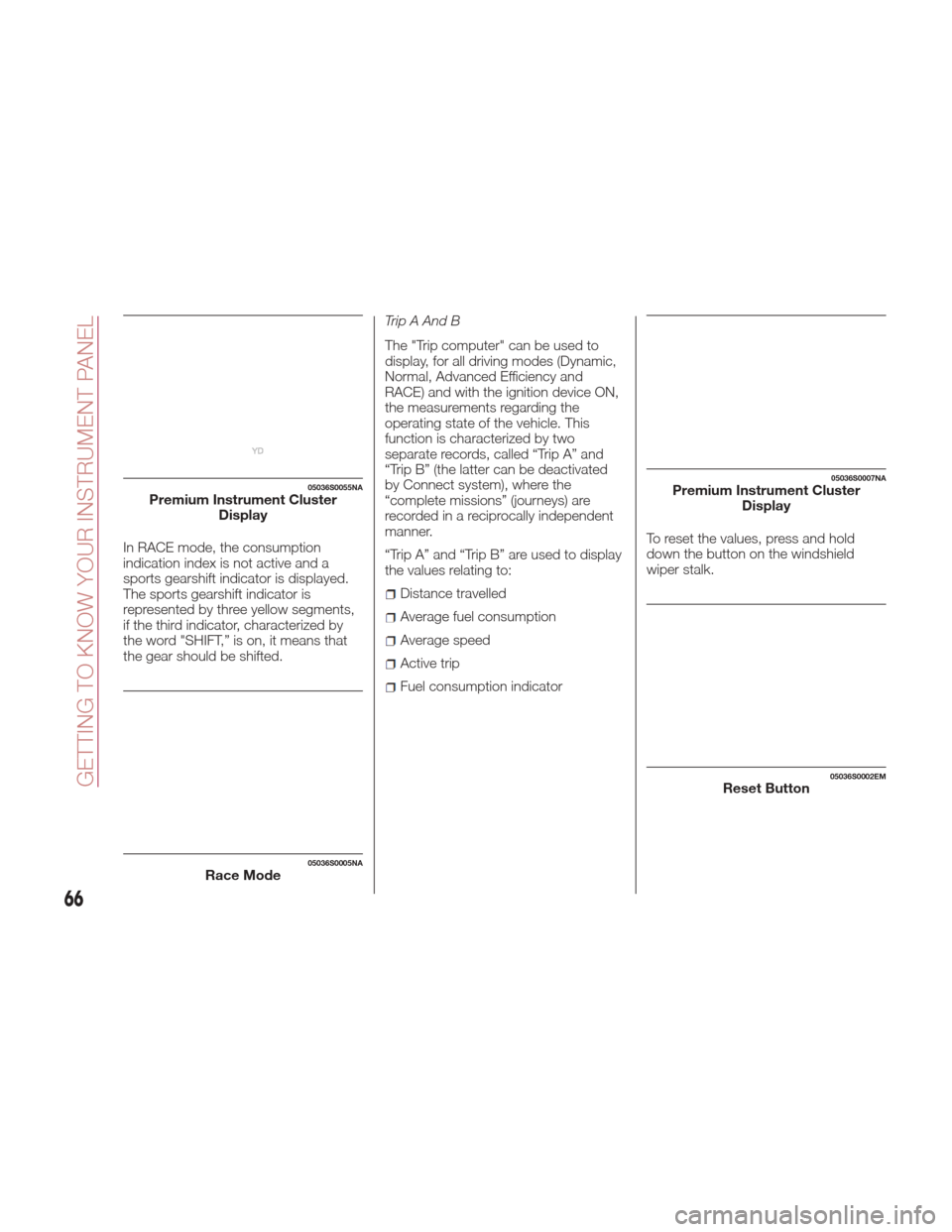
In RACE mode, the consumption
indication index is not active and a
sports gearshift indicator is displayed.
The sports gearshift indicator is
represented by three yellow segments,
if the third indicator, characterized by
the word "SHIFT,” is on, it means that
the gear should be shifted.Trip A And B
The "Trip computer" can be used to
display, for all driving modes (Dynamic,
Normal, Advanced Efficiency and
RACE) and with the ignition device ON,
the measurements regarding the
operating state of the vehicle. This
function is characterized by two
separate records, called “Trip A” and
“Trip B” (the latter can be deactivated
by Connect system), where the
“complete missions” (journeys) are
recorded in a reciprocally independent
manner.
“Trip A” and “Trip B” are used to display
the values relating to:
Distance travelled
Average fuel consumption
Average speed
Active trip
Fuel consumption indicator
To reset the values, press and hold
down the button on the windshield
wiper stalk.
05036S0055NAPremium Instrument Cluster
Display
05036S0005NARace Mode
05036S0007NAPremium Instrument ClusterDisplay
05036S0002EMReset Button
66
GETTING TO KNOW YOUR INSTRUMENT PANEL
Page 74 of 268
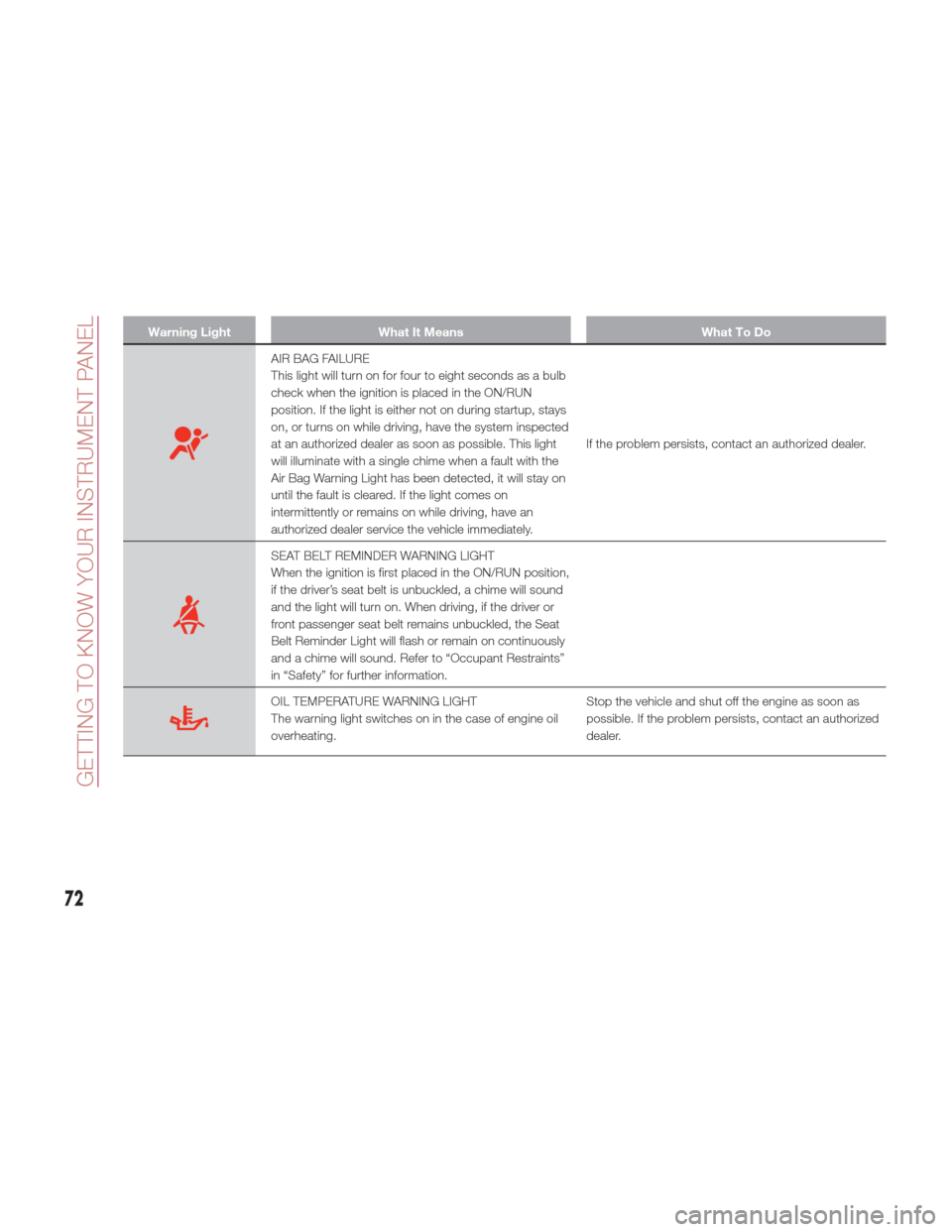
Warning LightWhat It Means What To Do
AIR BAG FAILURE
This light will turn on for four to eight seconds as a bulb
check when the ignition is placed in the ON/RUN
position. If the light is either not on during startup, stays
on, or turns on while driving, have the system inspected
at an authorized dealer as soon as possible. This light
will illuminate with a single chime when a fault with the
Air Bag Warning Light has been detected, it will stay on
until the fault is cleared. If the light comes on
intermittently or remains on while driving, have an
authorized dealer service the vehicle immediately.If the problem persists, contact an authorized dealer.
SEAT BELT REMINDER WARNING LIGHT
When the ignition is first placed in the ON/RUN position,
if the driver’s seat belt is unbuckled, a chime will sound
and the light will turn on. When driving, if the driver or
front passenger seat belt remains unbuckled, the Seat
Belt Reminder Light will flash or remain on continuously
and a chime will sound. Refer to “Occupant Restraints”
in “Safety” for further information.
OIL TEMPERATURE WARNING LIGHT
The warning light switches on in the case of engine oil
overheating.
Stop the vehicle and shut off the engine as soon as
possible. If the problem persists, contact an authorized
dealer.
72
GETTING TO KNOW YOUR INSTRUMENT PANEL
Page 75 of 268
Warning!
The fault of the warning light is signaled by the switching on of the icon on the instrument panel. In this case, the warning light may not
indicate any faults with the restraint systems. Before proceeding, contact an authorized dealer to have the system checked immediately.
If the warning light does not switch on when the ignition device is moved to ON or if it stays on when driving (together with the message on
the display), there might be a fault in the restraint systems; in this case, the air bags or pretensioners may not deploy in the event of an
accident or, in a lower number of cases, they could deploy erroneously. Before proceeding, contact an authorized dealer to have the system
checked immediately.
Caution!
If the symbol switches on when driving, stop the vehicle and the engine immediately.
73
Page 76 of 268
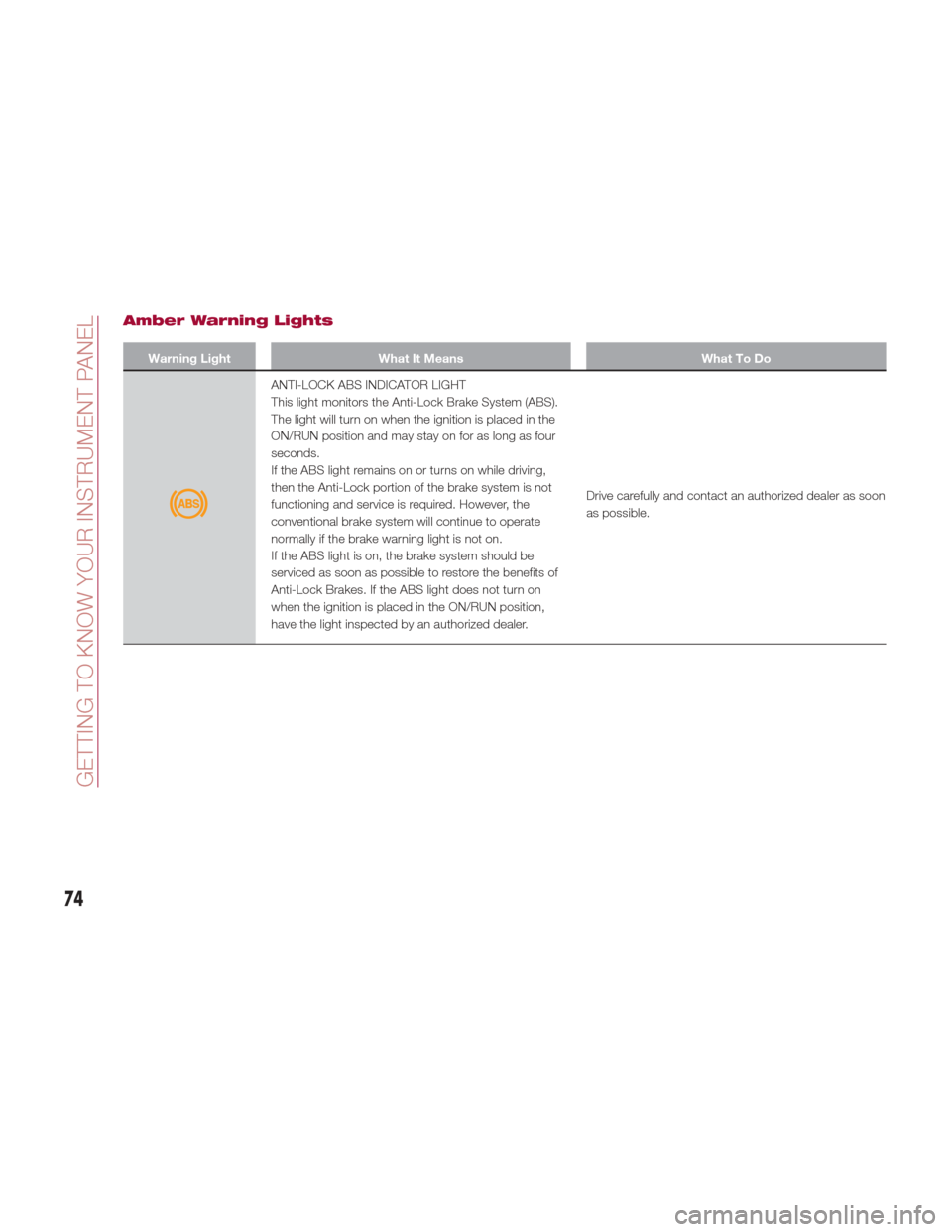
Amber Warning Lights
Warning LightWhat It Means What To Do
ANTI-LOCK ABS INDICATOR LIGHT
This light monitors the Anti-Lock Brake System (ABS).
The light will turn on when the ignition is placed in the
ON/RUN position and may stay on for as long as four
seconds.
If the ABS light remains on or turns on while driving,
then the Anti-Lock portion of the brake system is not
functioning and service is required. However, the
conventional brake system will continue to operate
normally if the brake warning light is not on.
If the ABS light is on, the brake system should be
serviced as soon as possible to restore the benefits of
Anti-Lock Brakes. If the ABS light does not turn on
when the ignition is placed in the ON/RUN position,
have the light inspected by an authorized dealer.Drive carefully and contact an authorized dealer as soon
as possible.
74
GETTING TO KNOW YOUR INSTRUMENT PANEL
Page 80 of 268
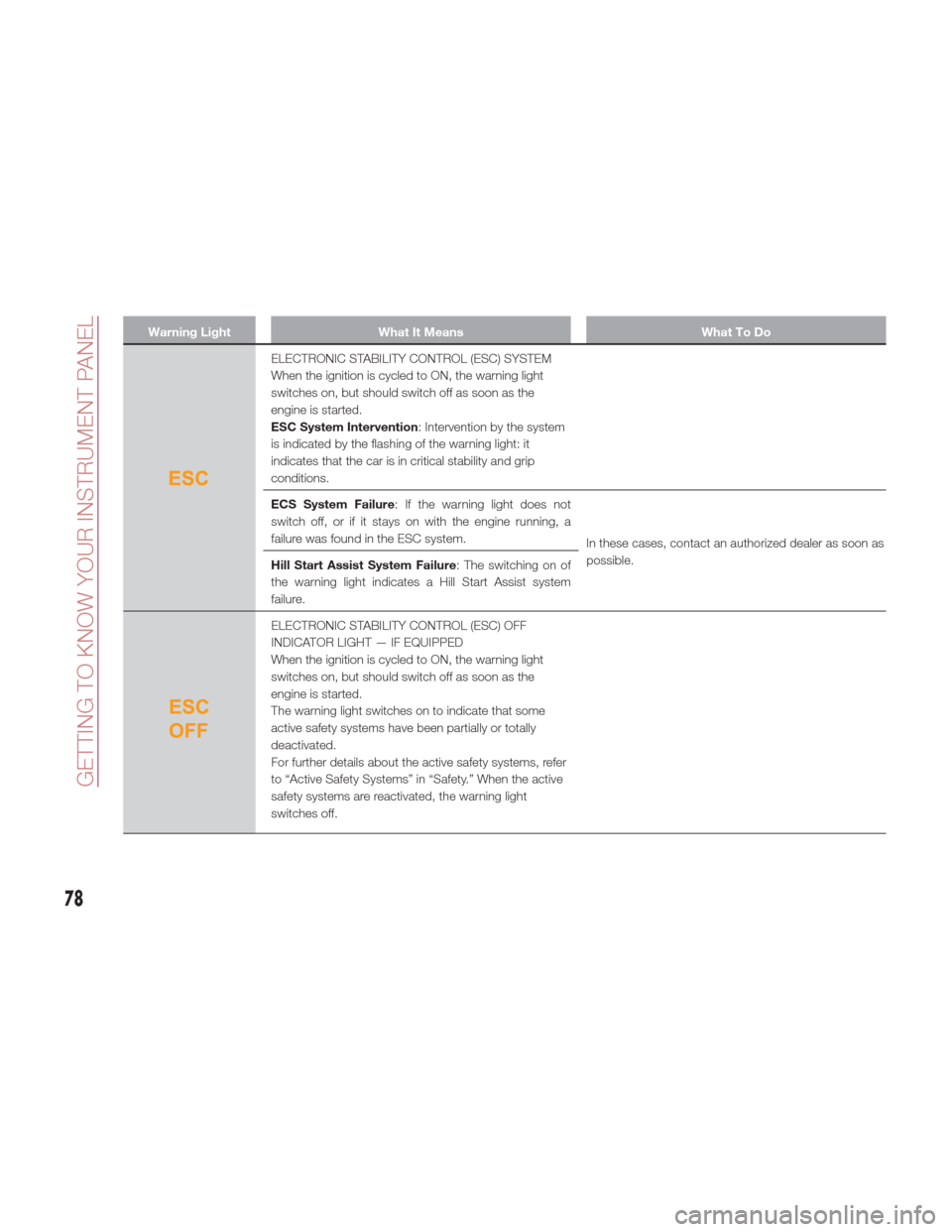
Warning LightWhat It Means What To Do
ELECTRONIC STABILITY CONTROL (ESC) SYSTEM
When the ignition is cycled to ON, the warning light
switches on, but should switch off as soon as the
engine is started.
ESC System Intervention: Intervention by the system
is indicated by the flashing of the warning light: it
indicates that the car is in critical stability and grip
conditions.
ECS System Failure : If the warning light does not
switch off, or if it stays on with the engine running, a
failure was found in the ESC system. In these cases, contact an authorized dealer as soon as
possible.
Hill Start Assist System Failure : The switching on of
the warning light indicates a Hill Start Assist system
failure.
ELECTRONIC STABILITY CONTROL (ESC) OFF
INDICATOR LIGHT — IF EQUIPPED
When the ignition is cycled to ON, the warning light
switches on, but should switch off as soon as the
engine is started.
The warning light switches on to indicate that some
active safety systems have been partially or totally
deactivated.
For further details about the active safety systems, refer
to “Active Safety Systems” in “Safety.” When the active
safety systems are reactivated, the warning light
switches off.
78
GETTING TO KNOW YOUR INSTRUMENT PANEL