phone ALFA ROMEO GIULIA 2022 User Guide
[x] Cancel search | Manufacturer: ALFA ROMEO, Model Year: 2022, Model line: GIULIA, Model: ALFA ROMEO GIULIA 2022Pages: 248, PDF Size: 9.71 MB
Page 72 of 248
GETTING TO KNOW YOUR INSTRUMENT PANEL
70
To access and change the setting, turn and push
the Rotary Pad or press the desired setting on the
touchscreen.
Clock & Date
The following settings can be modified under the
“Clock & Date” menu:
Sync With GPS Time (if equipped): activates or
deactivates the clock synchronization through
the GPS. If the function is deactivated, the
options Set Time and Set Date are enabled
Set Time: set the time manually
Time Format: set the time format to either a
12-hour or a 24-hour clock
Set Date: set the date manually
Restore Clock & Date Settings: restores the
factory settings
To access and change the setting, turn and push
the Rotary Pad or press the desired setting on the
touchscreen.
Cluster
The following settings can be modified when this
mode is selected:
Warning Buzzer Volume: set the volume of the
warning buzzer on seven levels
Trip B: activate or deactivate the Trip function
Show Phone Info: activate/deactivate
repetition of the phone function screens also
on the instrument panel display
Show Audio Info: activate/deactivate
repetition of the audio function screens (Radio
and Media) also on the instrument panel
display
Show Nav Info (if equipped): activate/
deactivate repetition of the navigator function
screens also on the instrument panel display
Digital speed on all screens: activate/deacti -
vating of digital speed on the instrument panel
display screens other than the main screen
Consumption Bar: activate/deactivate the
consumption baron the display screens of the
instrument panel where it is available
Performance pages: choose, for each driving
mode, one of the two alternative contents
displayed in the screen
Custom areas: select which content to display
in each of the three customizable areas on the
display of the instrument panel: time, date,
outside temperature, radio information,
compass
Restore Cluster Settings: deletes the current
settings and restores the factory settings
To access and change the setting, turn and push
the Rotary Pad or press the desired setting on the
touchscreen.
WARNING LIGHTS AND
MESSAGES ON THE
INSTRUMENT PANEL
The following pages consist of warning lights and
messages.
NOTE:
The warning light turns on together with a
dedicated message and/or chime when
applicable. These indications are precau -
tionary and as such must not be considered as
exhaustive and/or alternative to the information contained in the Owner’s Manual,
which you are advised to read carefully in all
cases. Always refer to the information in this
section in the event of a failure indication.
The failure indicators appearing on the display
are divided into two categories: very serious
and less serious faults. Serious faults are
indicated by a repeated and prolonged
warning "cycle.” Less serious faults are
indicated by a warning "cycle" with a shorter
duration. You can stop the warning cycle in
both cases by pushing the button located on
the windshield wiper stalk. The instrument
panel warning light will stay on until the cause
of the failure is eliminated.
RED WARNING LIGHTS
Air Bag Warning Light
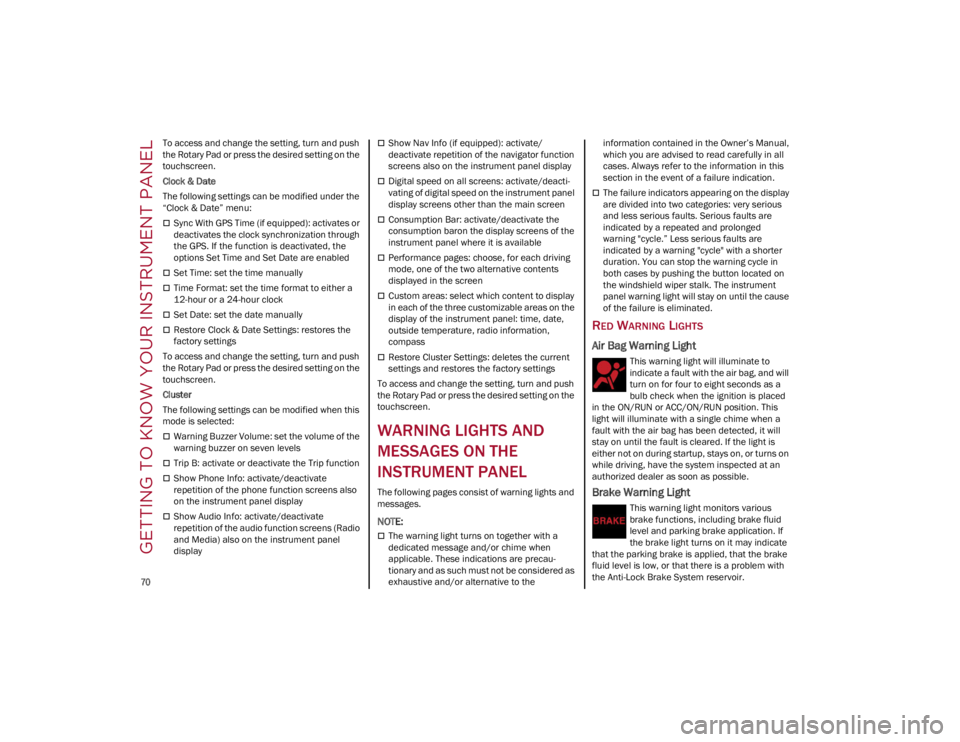
This warning light will illuminate to
indicate a fault with the air bag, and will
turn on for four to eight seconds as a
bulb check when the ignition is placed
in the ON/RUN or ACC/ON/RUN position. This
light will illuminate with a single chime when a
fault with the air bag has been detected, it will
stay on until the fault is cleared. If the light is
either not on during startup, stays on, or turns on
while driving, have the system inspected at an
authorized dealer as soon as possible.
Brake Warning Light
This warning light monitors various
brake functions, including brake fluid
level and parking brake application. If
the brake light turns on it may indicate
that the parking brake is applied, that the brake
fluid level is low, or that there is a problem with
the Anti-Lock Brake System reservoir.
22_GA_OM_EN_USC_t.book Page 70
Page 171 of 248
169
Have a flat tire or a burnt-out bulb?
At times, a problem such as these may interfere
with your driving experience.
The section on emergencies can help you to deal
with critical situations independently.
In an emergency, we recommend that you call the
phone number found in the Warranty Book.
You may also consider contacting an authorized
dealer.
HAZARD WARNING
FLASHERS
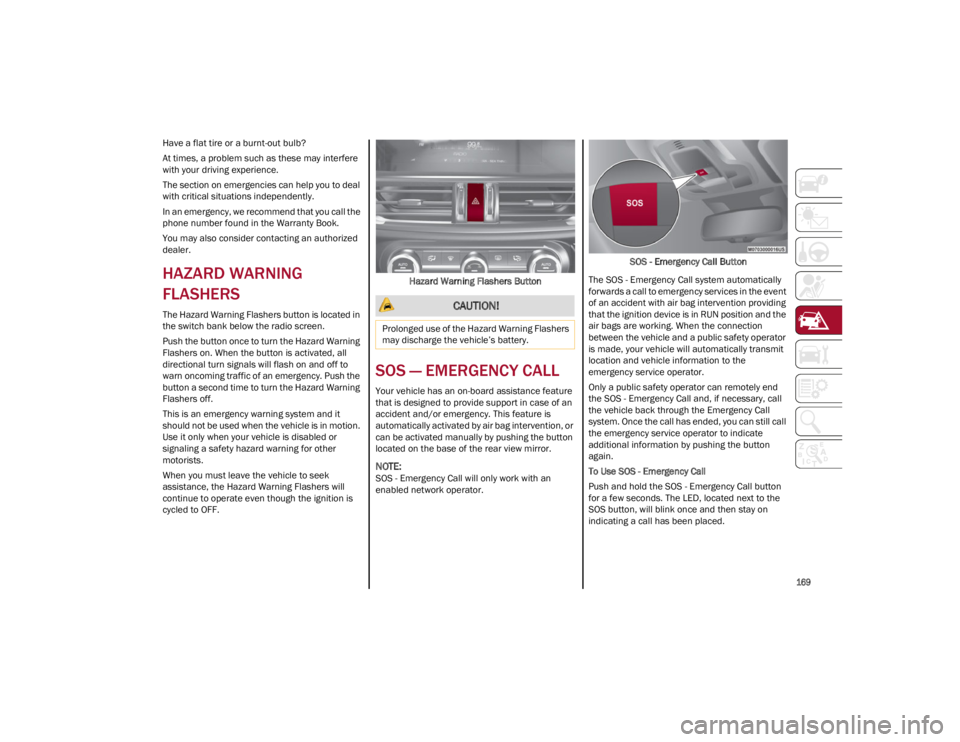
The Hazard Warning Flashers button is located in
the switch bank below the radio screen.
Push the button once to turn the Hazard Warning
Flashers on. When the button is activated, all
directional turn signals will flash on and off to
warn oncoming traffic of an emergency. Push the
button a second time to turn the Hazard Warning
Flashers off.
This is an emergency warning system and it
should not be used when the vehicle is in motion.
Use it only when your vehicle is disabled or
signaling a safety hazard warning for other
motorists.
When you must leave the vehicle to seek
assistance, the Hazard Warning Flashers will
continue to operate even though the ignition is
cycled to OFF.Hazard Warning Flashers Button
SOS — EMERGENCY CALL
Your vehicle has an on-board assistance feature
that is designed to provide support in case of an
accident and/or emergency. This feature is
automatically activated by air bag intervention, or
can be activated manually by pushing the button
located on the base of the rear view mirror.
NOTE:
SOS - Emergency Call will only work with an
enabled network operator.
SOS - Emergency Call Button
The SOS - Emergency Call system automatically
forwards a call to emergency services in the event
of an accident with air bag intervention providing
that the ignition device is in RUN position and the
air bags are working. When the connection
between the vehicle and a public safety operator
is made, your vehicle will automatically transmit
location and vehicle information to the
emergency service operator.
Only a public safety operator can remotely end
the SOS - Emergency Call and, if necessary, call
the vehicle back through the Emergency Call
system. Once the call has ended, you can still call
the emergency service operator to indicate
additional information by pushing the button
again.
To Use SOS - Emergency Call
Push and hold the SOS - Emergency Call button
for a few seconds. The LED, located next to the
SOS button, will blink once and then stay on
indicating a call has been placed.
CAUTION!
Prolonged use of the Hazard Warning Flashers
may discharge the vehicle’s battery.
22_GA_OM_EN_USC_t.book Page 169
Page 172 of 248
IN CASE OF EMERGENCY
170
NOTE:
If the SOS - Emergency Call button is accidentally
pushed, there is a 10 second delay before the call
is placed. The system will issue a verbal alert that
a call is about to be made. To cancel the call
connection, push the SOS - Emergency Call
button again.
Once a connection between the vehicle and an
emergency service operator is made, the SOS -
Emergency Call system will transmit the following
important vehicle information to the operator:
Indication that the occupant placed an SOS -
Emergency Call.
The Vehicle Identification Number (VIN).
The last known GPS coordinates of the vehicle.
You will then be able to speak with the emergency
service operator to determine if additional help is
needed.
The SOS - Emergency Call has priority over other
audio sources, which will be muted. If you have a
phone connected via Bluetooth®, it is discon -
nected and reconnected at the end of the SOS -
Emergency Call. Voice prompts will guide you
during the SOS - Emergency Call. If a connection
is made between an emergency service operator
and your vehicle, emergency service operators
may record conversations and sounds within your
vehicle once a connection is made, and by using
the service you consent to having this information
shared.
NOTE:
If you have not subscribed to the SOS service or if
the service is not available or has expired, the
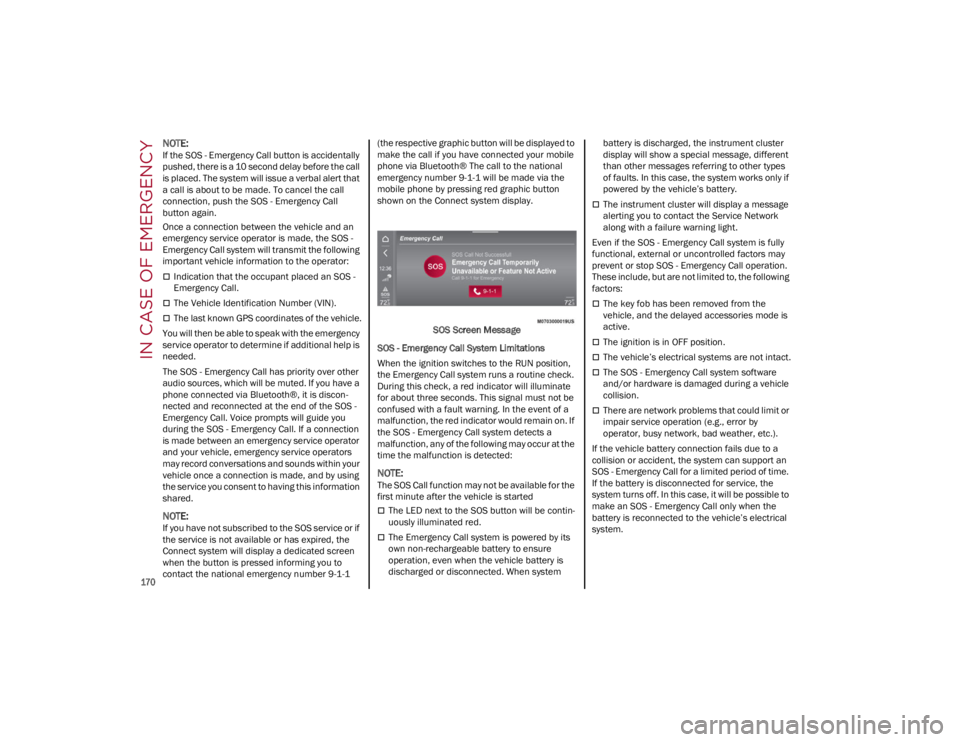
Connect system will display a dedicated screen
when the button is pressed informing you to
contact the national emergency number 9-1-1 (the respective graphic button will be displayed to
make the call if you have connected your mobile
phone via Bluetooth® The call to the national
emergency number 9-1-1 will be made via the
mobile phone by pressing red graphic button
shown on the Connect system display.
SOS Screen Message
SOS - Emergency Call System Limitations
When the ignition switches to the RUN position,
the Emergency Call system runs a routine check.
During this check, a red indicator will illuminate
for about three seconds. This signal must not be
confused with a fault warning. In the event of a
malfunction, the red indicator would remain on. If
the SOS - Emergency Call system detects a
malfunction, any of the following may occur at the
time the malfunction is detected:
NOTE:
The SOS Call function may not be available for the
first minute after the vehicle is started
The LED next to the SOS button will be contin -
uously illuminated red.
The Emergency Call system is powered by its
own non-rechargeable battery to ensure
operation, even when the vehicle battery is
discharged or disconnected. When system battery is discharged, the instrument cluster
display will show a special message, different
than other messages referring to other types
of faults. In this case, the system works only if
powered by the vehicle’s battery.
The instrument cluster will display a message
alerting you to contact the Service Network
along with a failure warning light.
Even if the SOS - Emergency Call system is fully
functional, external or uncontrolled factors may
prevent or stop SOS - Emergency Call operation.
These include, but are not limited to, the following
factors:
The key fob has been removed from the
vehicle, and the delayed accessories mode is
active.
The ignition is in OFF position.
The vehicle’s electrical systems are not intact.
The SOS - Emergency Call system software
and/or hardware is damaged during a vehicle
collision.
There are network problems that could limit or
impair service operation (e.g., error by
operator, busy network, bad weather, etc.).
If the vehicle battery connection fails due to a
collision or accident, the system can support an
SOS - Emergency Call for a limited period of time.
If the battery is disconnected for service, the
system turns off. In this case, it will be possible to
make an SOS - Emergency Call only when the
battery is reconnected to the vehicle’s electrical
system.
22_GA_OM_EN_USC_t.book Page 170
Page 180 of 248
IN CASE OF EMERGENCY
178
If frequent jump starting is required to start your
vehicle, you should have the battery and charging
system inspected at an authorized dealer.
BUMP STARTING
Never jump start the engine by pushing, towing or
coasting downhill.
NOTE:
You cannot start a vehicle with an automatic
transmission by pushing it.
IF YOUR ENGINE
OVERHEATS
Engine overheating may occur in situations of
extreme environmental temperatures, frequent
engine stops/starts, or driving in heavy traffic. If
the engine becomes overheated, the Engine
Temperature Warning Light in the instrument
cluster will illuminate along with a dedicated
message
Ú
page 70.
If the vehicle is overheating, it will need to be
serviced by an authorized dealer. In any of the following situations, you can reduce
the potential for overheating by taking the
appropriate action.
On the highways — slow down.
In city traffic — while stopped, place the
transmission in NEUTRAL, but do not increase
engine idle speed.
NOTE:
There are steps that you can take to slow down
an impending overheat condition:
If your Air Conditioner (A/C) is on, turn it off.
The A/C system adds heat to the engine
cooling system and turning the A/C off can
help remove this heat.
You can also turn the temperature control to
maximum heat, the mode control to floor and
the blower control to high. This allows the
heater core to act as a supplement to the
radiator and aids in removing heat from the
engine cooling system.
If Steam Is Coming From The Engine
Compartment
Do not go near the front of the vehicle. Stop the
engine. Wait until the steam dissipates. Then,
open the hood and start the engine.
If Neither Coolant Nor Steam Is Escaping
Open the hood and idle the engine until it cools.
NOTE:
If the cooling fan does not operate while the
engine is running, the engine temperature will
increase. Stop the engine and contact an
authorized dealer.
If the engine continues to overheat or
frequently overheats, have the cooling system
inspected. The engine could be seriously
damaged unless repairs are made. Contact an
authorized dealer.
CAUTION!
Accessories plugged into the vehicle power
outlets draw power from the vehicle’s battery,
even when not in use (i.e., cellular phones,
etc.). Eventually, if plugged in long enough
without engine operation, the vehicle’s battery
will discharge sufficiently to degrade battery
life and/or prevent the engine from starting.
WARNING!
You or others can be badly burned by hot
engine coolant (antifreeze) or steam from your
radiator. If you see or hear steam coming from
under the hood, do not open the hood until
the radiator has had time to cool. Never try to
open a cooling system pressure cap when the
radiator or coolant bottle is hot.
CAUTION!
Driving with a hot cooling system could
damage your vehicle. If temperature gauge
reads “H”, pull over and stop the vehicle. Idle
the vehicle with the air conditioner turned off
until the pointer drops back into the normal
range. If the pointer remains on the “H”, turn
the engine off immediately, and call for
service.
22_GA_OM_EN_USC_t.book Page 178
Page 238 of 248
236
CUSTOMER ASSISTANCE
SUGGESTIONS FOR
OBTAINING SERVICE FOR
YOUR VEHICLE
PREPARE FOR THE APPOINTMENT
All work to be performed may not be covered by
the warranty. Discuss additional charges with the
service manager. Keep a maintenance log of your
vehicle's service history, as this can often provide
a clue to the current problem.
PREPARE A LIST
Make a written list of your vehicle's problems or
the specific work you want done. If you've had an
accident or work done that is not on your
maintenance log, let the service advisor know.
BE REASONABLE WITH REQUESTS
If you list a number of items and you must have
your vehicle by the end of the day, discuss the
situation with the service advisor and list the
items in order of priority. At many authorized
dealers, you may obtain a rental vehicle
(additional charges may apply). If you need a
rental, it is advisable to make these
arrangements when you call for an appointment.
IF YOU NEED ASSISTANCE
FCA US LLC and its authorized dealers are vitally
interested in your satisfaction. We want you to be
happy with our products and services.
Warranty service must be done by an authorized
dealer. We strongly recommend that you take the
vehicle to an authorized dealer. They know your
vehicle the best, and are most concerned that you get prompt and high quality service. FCA US
LLC's authorized dealers have the facilities,
factory-trained technicians, special tools, and the
latest information to ensure the vehicle is fixed
correctly and in a timely manner.
This is why you should always talk to an
authorized dealer’s service manager first. If for
some reason you are still not satisfied, talk to the
general manager or owner of the authorized
dealer. They want to know if you need assistance.
If an authorized dealer is unable to resolve the
concern, you may contact FCA US LLC's Customer
Assistance center.
Any communication to FCA US LLC’s customer
center should include the following information:
Owner's name and address
Owner's telephone number (mobile, home and
office)
Authorized dealer name
Vehicle Identification Number (VIN)
Vehicle delivery date and mileage
ALFA ROMEO CUSTOMER CENTER
P.O. Box 21–8004
Auburn Hills, MI 48321–8004
Phone: 1-844-Alfa-USA (1-844-253-2872)
ALFA ROMEO CUSTOMER CARE
(C
ANADA)
P.O. Box 1621
Windsor, Ontario N9A 4H6
Phone: 1-877-230-0563 (English)
Phone: 1-877-515-9112 (French)
CUSTOMER ASSISTANCE FOR THE
H
EARING OR SPEECH IMPAIRED
(TDD/TTY)
To assist customers who have hearing difficulties,
FCA US LLC has installed special TDD (Telecom -
munication Devices for the Deaf) equipment at its
customer center. Any hearing or speech impaired
customer, who has access to a TDD or a conven -
tional teletypewriter (TTY) in the United States,
can communicate with FCA US LLC by dialing
1-800-380-2479.
Canadian residents with hearing difficulties that
require assistance can use the special needs
relay service offered by Bell Canada. For TTY
teletypewriter users, dial 711 and for Voice
callers, dial 1-800-855-0511 to connect with a
Bell Relay Service operator.
SERVICE CONTRACT
You may have purchased a service contract for a
vehicle to help protect you from the high cost of
unexpected repairs after FCA US LLC's New
Vehicle Limited Warranty expires. The Mopar®
Vehicle Protection plans are the ONLY vehicle
extended protection plans authorized, endorsed
and backed by FCA US LLC to provide additional
protection beyond your vehicle’s warranty. If you
purchased a Mopar® Vehicle Protection Plan, you
will receive Plan Provisions and an Owner Identifi -
cation Card in the mail within three weeks of the
vehicle delivery date. If you have any questions
about the service contract, call the FCA US LLC’s
Service Contract National Customer Hotline at
1-800-521-9922 (Canadian residents, call
1-877-230-0563 English / 1-877-515-9112
French).
22_GA_OM_EN_USC_t.book Page 236
Page 240 of 248
CUSTOMER ASSISTANCE
238
PUBLICATION ORDER
FORMS
To order the following manuals, you may use
either the website or the phone numbers listed
below.
Service Manuals
These comprehensive Service Manuals provide a
complete working knowledge of the vehicle,
system, and/or components and is written in
straightforward language with illustrations,
diagrams, and charts.
Diagnostic Procedure Manuals
Diagnostic Procedure Manuals are filled with
diagrams, charts and detailed illustrations. These
manuals make it easy to find and fix problems on
computer-controlled vehicle systems and
features. They show exactly how to find and
correct problems, using step-by-step trouble-
shooting and drivability procedures, proven
diagnostic tests and a complete list of all tools
and equipment.
To order a hard copy of your Service or Diagnostic
Procedure manuals, visit:
www.techauthority.com
(US and Canada).
Owner's Manuals
These Owner's Manuals have been prepared with
the assistance of service and engineering
specialists to acquaint you with specific FCA
vehicles.
To access your Owner's Information online, visit
www.mopar.com/om (US) or
www.owners.mopar.ca (Canada).
Or
Call Tech Authority toll free at:
1-800-890-4038 (US)
Owner's Manuals, Radio Manuals and Warranty
Information Books can be ordered through
Archway at:
1-800-387-1143 (Canada)
GENERAL INFORMATION
The following regulatory statement applies to all
Radio Frequency (RF) devices equipped in this
vehicle:
This device complies with Part 15 of the FCC
Rules and with Innovation, Science and
Economic Development Canada license-exempt
RSS standard(s). Operation is subject to the
following two conditions:
1. This device may not cause harmful interfer -
ence, and
2. This device must accept any interference received, including interference that may
cause undesired operation.
Le présent appareil est conforme aux CNR
d`Innovation, Science and Economic
Development applicables aux appareils radio
exempts de licence. L'exploitation est autorisée
aux deux conditions suivantes:
1. l'appareil ne doit pas produire de brouillage, et
2. l'utilisateur de l'appareil doit accepter tout brouillage radioélectrique subi, même si le
brouillage est susceptible d'en compromettre
le fonctionnement. La operación de este equipo está sujeta a las
siguientes dos condiciones:
1. es posible que este equipo o dispositivo no
cause interferencia perjudicial y
2. este equipo o dispositivo debe aceptar cual -
quier interferencia, incluyendo la que pueda
causar su operación no deseada.
RF Exposure Requirements
To comply with FCC RF exposure compliance
requirements, the device must be installed and
operated to provide a separation distance of at
least 20 cm from all persons.
This equipment complies with Canada radiation
exposure limits set forth for an uncontrolled
environment. This equipment should be installed
and operated with minimum distance 20 cm
between the radiator and your body.
NOTE:Changes or modifications not expressly approved
by the party responsible for compliance could void
the user’s authority to operate the equipment.
Déclaration d’exposition aux radiations
Cet équipement est conforme aux limites
d’exposition aux rayonnements ISED établies
pour un environnement non contrôlé. Cet
équipement doit être installé et utilisé avec un
minimum de 20 cm de distance entre la source
de rayonnement et votre corps
NOTA:
Des changements ou des modifications n’ayant
pas été expressément approuvés par la partie
responsable de la conformité pourraient
révoquer l’autorisation d’utilisation de
l’équipement.
22_GA_OM_EN_USC_t.book Page 238
Page 244 of 248

242
INDEX
R
Radial Ply Tires ...........................................214
Radio Transmitters And Mobile Phones ....... 4
Rear Camera ..............................................122
Rear Cross Path .........................................132
Reformulated Gasoline .............................. 230
Refueling Procedure ..................................124
Refueling The Vehicle ................................ 123
Refuelling.................................................... 231
Reminder, Seat Belt ...................................144
Remote ControlStarting System........................................ 23
Remote Keyless Entry .................................. 19
Remote Starting Exit Remote Start Mode .......................... 23
Remote Starting System ....................... 23, 81
Remote Trunk Release ................................ 61
Replacement Bulbs...........................202, 204
Replacement Tires ..................................... 215
Reporting Safety Defects ...........................237
Restraints, Child .........................................157
Rims And Tires ...........................................206
S
Safety Checks Inside Vehicle ....................166
Safety Checks Outside Vehicle.................. 167
Safety Defects, Reporting ..........................237
Safety Information, Tire .............................206
Safety Tips ..................................................165
Safety, Exhaust Gas ...................................167
Saving Fuel .................................................126
Scheduled Servicing ..................................182
Scheduled Servicing Program (2.0 T4
MAir Engine Versions) ................................ 183 Scheduled Servicing Program (2.9 V6
Gasoline Engine Versions) ........................ 185
Seat Belt Reminder ......................................71
Seat Belts.......................................... 144, 166
Child Restraints ..................................... 157
Energy Management Feature ............... 148
Front Seat ..................................... 144, 145
Inspection .............................................. 166
Lap/Shoulder Belt Untwisting .............. 146
Lap/Shoulder Belts ............................... 145
Pregnant Women................................... 148
Pretensioners ........................................ 148
Rear Seat ............................................... 145
Reminder ............................................... 144
Seat Belt Pretensioner .......................... 148
Untwisting Procedure ............................ 146
Seats ............................................... 30, 31, 33 Adjustment ................................. 30, 31, 33
Head Restraints .......................................35
Heated ...................................................... 35
Power ........................................................33
Security Alarm............................................... 24
Service Assistance .................................... 236
Service Contract ........................................ 236
Service Manuals ........................................ 238
Servicing Procedures ................................ 192
Shoulder Belts ........................................... 145
Signals, Turn ........................................74, 167
Snow Chains .............................................. 218
Snow Tires.................................................. 218
Spare Tires ................................................. 216 Speed Control
Accel/Decel .............................................. 99
Accel/Decel (ACC Only) ......................... 102
Cancel....................................................... 99Distance Setting (ACC Only) .................. 103
Resume .................................................... 99
Set ............................................................ 98
Speed Control (Cruise Control) ................... 97
Starting Button....................................................... 22Cold Weather ........................................... 82
Remote ..................................................... 23
Starting The Engine ..................................... 81
Steering Tilt Column ............................................... 28
Wheel, Heated ......................................... 29
Wheel, Tilt ................................................ 28
Steering System ......................................... 226
Stop/Start System ....................................... 94
Storage Console .................................................... 55
Glove Compartment ................................ 55
Suggestions For Driving............................. 126
Sun Roof .................................................58, 60
Sun Visor ...................................................... 37
Supplemental Restraint System –
Air Bag ........................................................ 150
Suspension ................................................ 226
Symbol Glossary .......................................... 14
Symbols ........................................................... 6
System, Remote Starting ............................ 23
22_GA_OM_EN_USC_t.book Page 242
Page 247 of 248

This Owner’s Manual illustrates and describes the operation of features and equipme\
nt that are either standard or optional
on this vehicle. This manual may also include a description of features and equipment tha\
t are no longer available or were
not ordered on this vehicle. Please disregard any features and equipment\
described in this manual that are not on this
vehicle. FCA US LLC reserves the right to make changes in design and specifications, and/or make additions to or
improvements to its products without imposing any obligation upon itself\
to install them on products previously manufactured.
With respect to any vehicles sold in Canada, the name FCA US LLC shall be deemed to be deleted and the name FCA
Canada Inc. used in substitution therefore.
This Owner’s Manual is intended to familiarize you with the important features of your vehicle. Your most up-to-date Owner’s
Manual, Navigation/Uconnect manuals and Warranty Booklet can be found by visiting the website on the back cover.
U.S. Residents: If you are the first registered retail owner of your vehicle, you may obtain a complimentary printed copy of
the Warranty Booklet by calling 844-253-2872 or by contacting your dealer. Replacement kits can be purchased by visiting
www.techauthority.com.
Canadian Residents: If you are the first registered retail owner of your vehicle, you may obtain a complimentary printed
copy of the Warranty Booklet or purchase a replacement kit by calling 1-800-387-1143 or by contacting your dealer. The driver’s primary responsibility is the safe operation of the vehicle. Driving w\
hile distracted can result in loss of vehicle
control, resulting in an accident and personal injury. FCA US LLC strongly recommends that the driver use extreme caution
when using any device or feature that may take their attention off the road. Use of any electrical devices, such as cellular
telephones, computers, portable radios, vehicle navigation or other devi\
ces, by the driver while the vehicle is moving is
dangerous and could lead to a serious accident. Texting while driving is also dangerous and should never be done while
the vehicle is moving. If you find yourself unable to devote your full attention to vehicle operation, pull off the road to a safe
location and stop your vehicle. Some states or provinces prohibit the us\
e of cellular telephones or texting while driving. It is
always the driver’s responsibility to comply with all local laws.
This Owner’s Manual has been prepared to help you get acquainted with your new Alfa Romeo
brand vehicle and to
provide a convenient reference source for common questions.
Not all features shown in this manual may apply to your vehicle. For additional information, visit www.alfaromeousa.com
(U.S.), www.alfaromeo.ca (Canada) or your local Alfa Romeo brand dealer.
WARNING : Operating, servicing and maintaining a passenger vehicle or off-highway motor
vehicle can expose you to chemicals including engine exhaust, carbon monoxide, phthalates,
and lead, which are known to the State of California to cause cancer and\
birth defects or other
reproductive harm. To minimize exposure, avoid breathing exhaust, do not idle the engine
except as necessary, service your vehicle in a well-ventilated area and wear gloves or
wash your hands frequently when servicing your vehicle. For more informa\
tion go to
www.P65Warnings.ca.gov/passenger-vehicle .
DRIVING AND ALCOHOL
Drunk driving is one of the most frequent causes of accidents. Your driving ability can be seriously impaired with blood
alcohol levels far below the legal minimum. If you are drinking, don’t drive. Ride with a designated non-drinking driver, call
a cab, a rideshare, a friend, or use public transportation.
WARNING
Driving after drinking can lead to an accident. Your perceptions are less sharp, your reflexes are slower and your judgment
is impaired when you have been drinking. Never drink and then drive.