ignition Alfa Romeo Giulietta 2016 Owner's Guide
[x] Cancel search | Manufacturer: ALFA ROMEO, Model Year: 2016, Model line: Giulietta, Model: Alfa Romeo Giulietta 2016Pages: 288, PDF Size: 7.34 MB
Page 81 of 288
PARKING SENSORS
(for versions/markets, where provided)
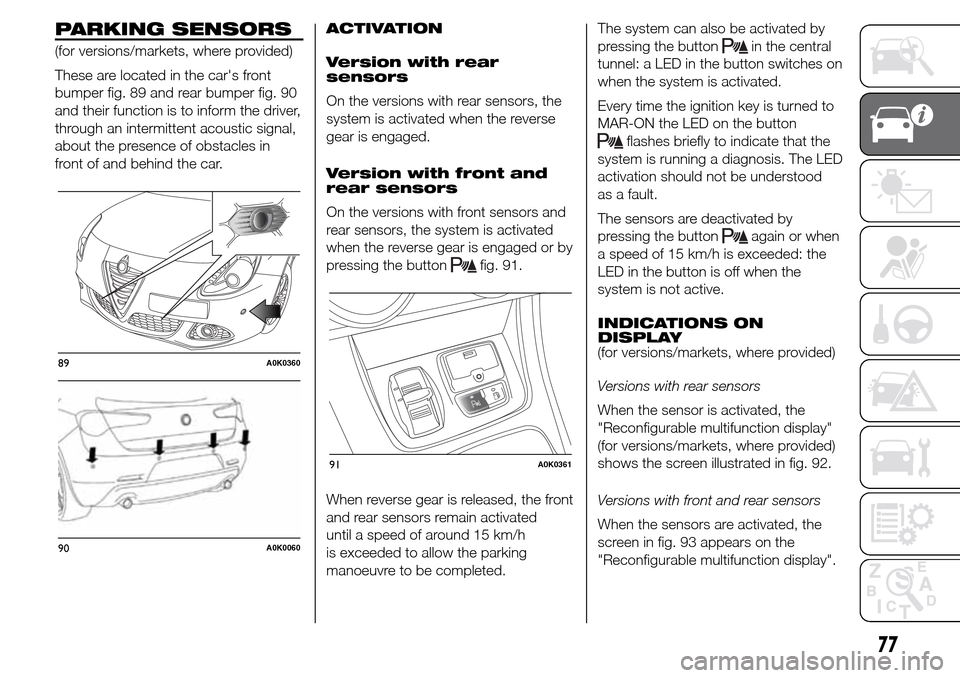
These are located in the car's front
bumper fig. 89 and rear bumper fig. 90
and their function is to inform the driver,
through an intermittent acoustic signal,
about the presence of obstacles in
front of and behind the car.ACTIVATION
Version with rear
sensors
On the versions with rear sensors, the
system is activated when the reverse
gear is engaged.
Version with front and
rear sensors
On the versions with front sensors and
rear sensors, the system is activated
when the reverse gear is engaged or by
pressing the button
fig. 91.
When reverse gear is released, the front
and rear sensors remain activated
until a speed of around 15 km/h
is exceeded to allow the parking
manoeuvre to be completed.The system can also be activated by
pressing the button
in the central
tunnel: a LED in the button switches on
when the system is activated.
Every time the ignition key is turned to
MAR-ON the LED on the button
flashes briefly to indicate that the
system is running a diagnosis. The LED
activation should not be understood
as a fault.
The sensors are deactivated by
pressing the button
again or when
a speed of 15 km/h is exceeded: the
LED in the button is off when the
system is not active.
INDICATIONS ON
DISPLAY
(for versions/markets, where provided)
Versions with rear sensors
When the sensor is activated, the
"Reconfigurable multifunction display"
(for versions/markets, where provided)
shows the screen illustrated in fig. 92.
Versions with front and rear sensors
When the sensors are activated, the
screen in fig. 93 appears on the
"Reconfigurable multifunction display".
89A0K0360
90A0K0060
91A0K0361
77
Page 88 of 288
DISPLAY
The car may be provided with a
multifunction or reconfigurable
multifunction display that shows useful
information to the driver, according
to the previous settings, when driving.
With the ignition key removed, the
display lights up and shows the time
and total odometer reading (in km
or miles) for a few seconds when a
door is opened/closed.
MULTIFUNCTION
DISPLAY "STANDARD"
SCREEN
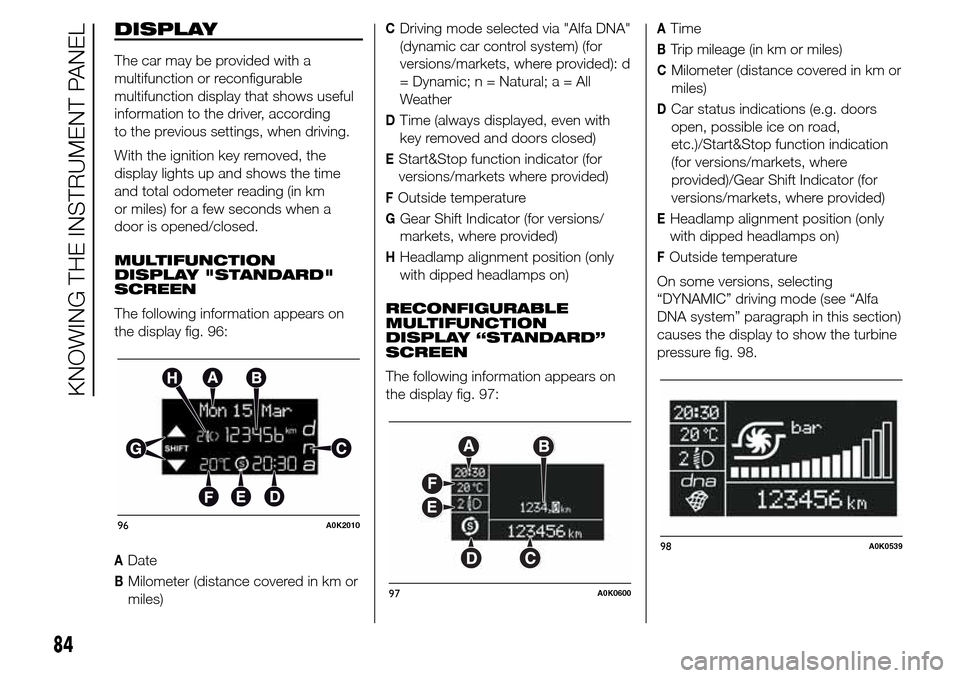
The following information appears on
the display fig. 96:
ADate
BMilometer (distance covered in km or
miles)
CDriving mode selected via "Alfa DNA"
(dynamic car control system) (for
versions/markets, where provided): d
= Dynamic; n = Natural;a=All
Weather
DTime (always displayed, even with
key removed and doors closed)
EStart&Stop function indicator (for
versions/markets where provided)
FOutside temperature
GGear Shift Indicator (for versions/
markets, where provided)
HHeadlamp alignment position (only
with dipped headlamps on)
RECONFIGURABLE
MULTIFUNCTION
DISPLAY “STANDARD”
SCREEN
The following information appears on
the display fig. 97:
ATime
BTrip mileage (in km or miles)
CMilometer (distance covered in km or
miles)
DCar status indications (e.g. doors
open, possible ice on road,
etc.)/Start&Stop function indication
(for versions/markets, where
provided)/Gear Shift Indicator (for
versions/markets, where provided)
EHeadlamp alignment position (only
with dipped headlamps on)
FOutside temperature
On some versions, selecting
“DYNAMIC” driving mode (see “Alfa
DNA system” paragraph in this section)
causes the display to show the turbine
pressure fig. 98.
96A0K2010
97A0K0600
98A0K0539
84
KNOWING THE INSTRUMENT PANEL
Page 89 of 288
GEAR SHIFT INDICATOR
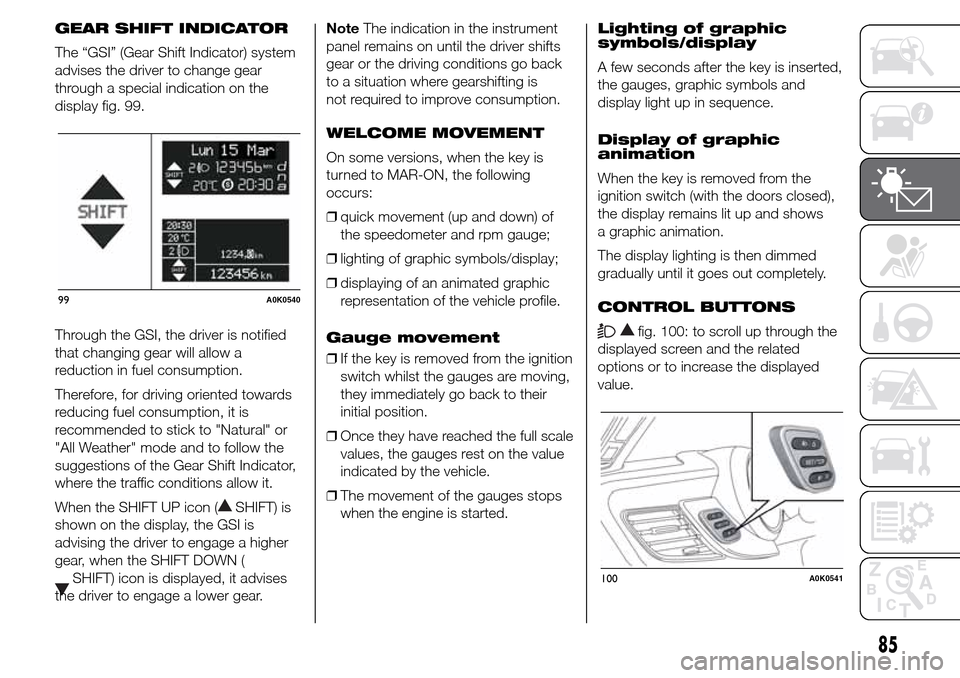
The “GSI” (Gear Shift Indicator) system
advises the driver to change gear
through a special indication on the
display fig. 99.
Through the GSI, the driver is notified
that changing gear will allow a
reduction in fuel consumption.
Therefore, for driving oriented towards
reducing fuel consumption, it is
recommended to stick to "Natural" or
"All Weather" mode and to follow the
suggestions of the Gear Shift Indicator,
where the traffic conditions allow it.
When the SHIFT UP icon (
SHIFT) is
shown on the display, the GSI is
advising the driver to engage a higher
gear, when the SHIFT DOWN (
SHIFT) icon is displayed, it advises
the driver to engage a lower gear.NoteThe indication in the instrument
panel remains on until the driver shifts
gear or the driving conditions go back
to a situation where gearshifting is
not required to improve consumption.
WELCOME MOVEMENT
On some versions, when the key is
turned to MAR-ON, the following
occurs:
❒quick movement (up and down) of
the speedometer and rpm gauge;
❒lighting of graphic symbols/display;
❒displaying of an animated graphic
representation of the vehicle profile.
Gauge movement
❒If the key is removed from the ignition
switch whilst the gauges are moving,
they immediately go back to their
initial position.
❒Once they have reached the full scale
values, the gauges rest on the value
indicated by the vehicle.
❒The movement of the gauges stops
when the engine is started.Lighting of graphic
symbols/display
A few seconds after the key is inserted,
the gauges, graphic symbols and
display light up in sequence.
Display of graphic
animation
When the key is removed from the
ignition switch (with the doors closed),
the display remains lit up and shows
a graphic animation.
The display lighting is then dimmed
gradually until it goes out completely.
CONTROL BUTTONS
fig. 100: to scroll up through the
displayed screen and the related
options or to increase the displayed
value.
99A0K0540
100A0K0541
85
Page 95 of 288
Warnings volume
(Adjusting the
alert/warning acoustic
signal volume)
With this function it is possible to adjust
(to eight levels) the volume of the
acoustic signal which sounds in the
event of alerts and warning.
To set the desired volume proceed as
follows:
❒press the SET/
button briefly,
making the display flash the
previously set volume "level";
❒press the
orbutton to
make the adjustment;
❒briefly press the SET/
button to
go back to the menu screen or hold
the button down to go back to the
standard screen without saving.
Belt reminder
(Reactivation of SBR
buzzer)
(for versions/markets, where provided)
This function can be displayed only
after an Alfa Romeo Dealership has
deactivated the SBR system (see
paragraph “SBR system” in the “Safety”
chapter).To reactivate this function, proceed as
follows:
❒press the SET/
button briefly, the
display shows "OFF" flashing. Press
the
orbutton and "On"
will appear;
❒briefly press the SET/
button to
go back to the previous screen or
hold the button down to go back to
the standard screen without saving.
Service (Scheduled
servicing)
This function allows you to display the
information about km/mileage intervals
or, for versions/markets, where
provided, time intervals for car
servicing.
To consult this information, proceed as
follows:
❒briefly press the SET/
button: the
display shows when servicing is due
in km/mi or days (where provided)
or mi or days (where provided)
according to the previous setting (see
paragraph "Units of measurement");
❒briefly press the SET/
button to
go back to the menu screen or hold
the button down to go back to the
standard screen.IMPORTANT The “Scheduled Servicing
Plan” includes car maintenance at
fixed intervals (refer to the "Maintenance
and care" chapter). This is displayed
automatically, with ignition key at
MAR-ON, 2000 km (or equivalent value
in miles) before servicing or, where
provided, 30 days before servicing. It is
also displayed each time the key is
turned to MAR-ON or, for
versions/markets, where provided,
every 200 km (or equivalent value in
miles). Below this threshold servicing
indications are more frequent. The
display will be in km or miles according
to the unit of measurement set. When
the next scheduled service is
approaching, the word “Service” will
appear on the display, followed by the
number of kilometres/miles or days
(where provided) left, when the key is
turned to MAR-ON. Go to an Alfa
Romeo Dealership, where the
“Scheduled Servicing Plan” operations
will be performed and the message
will be reset.
When the service interval is reached
and for about 1000 km/600 mi or
30 days, a service due message is
displayed.
91
Page 102 of 288
The icons relating to the various
parameters are the following:
❒
"Range";
❒
"Average consumption A” (if
Trip A is active, or “B” if Trip B is
active);
❒
"Distance" (if Trip A is
active, or “B” if Trip B is active);
❒
"Instantaneous consumption";
❒
"Average speed A” (if Trip A
is active, or “B” if Trip B is active);
❒
"Trip time" (if Trip A is active, or
“B” if Trip B is active);
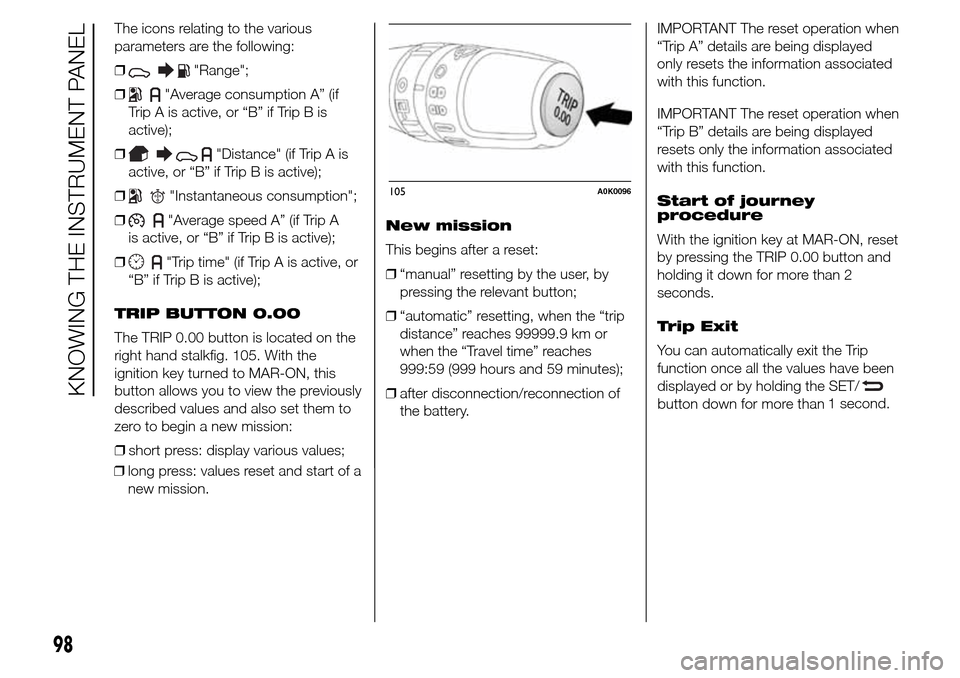
TRIP BUTTON 0.00
The TRIP 0.00 button is located on the
right hand stalkfig. 105. With the
ignition key turned to MAR-ON, this
button allows you to view the previously
described values and also set them to
zero to begin a new mission:
❒short press: display various values;
❒long press: values reset and start of a
new mission.New mission
This begins after a reset:
❒“manual” resetting by the user, by
pressing the relevant button;
❒“automatic” resetting, when the “trip
distance” reaches 99999.9 km or
when the “Travel time” reaches
999:59 (999 hours and 59 minutes);
❒after disconnection/reconnection of
the battery.IMPORTANT The reset operation when
“Trip A” details are being displayed
only resets the information associated
with this function.
IMPORTANT The reset operation when
“Trip B” details are being displayed
resets only the information associated
with this function.
Start of journey
procedure
With the ignition key at MAR-ON, reset
by pressing the TRIP 0.00 button and
holding it down for more than 2
seconds.
Trip Exit
You can automatically exit the Trip
function once all the values have been
displayed or by holding the SET/
button down for more than1 second.
105A0K0096
98
KNOWING THE INSTRUMENT PANEL
Page 105 of 288
Warning lights on
panelWhat it means What to do
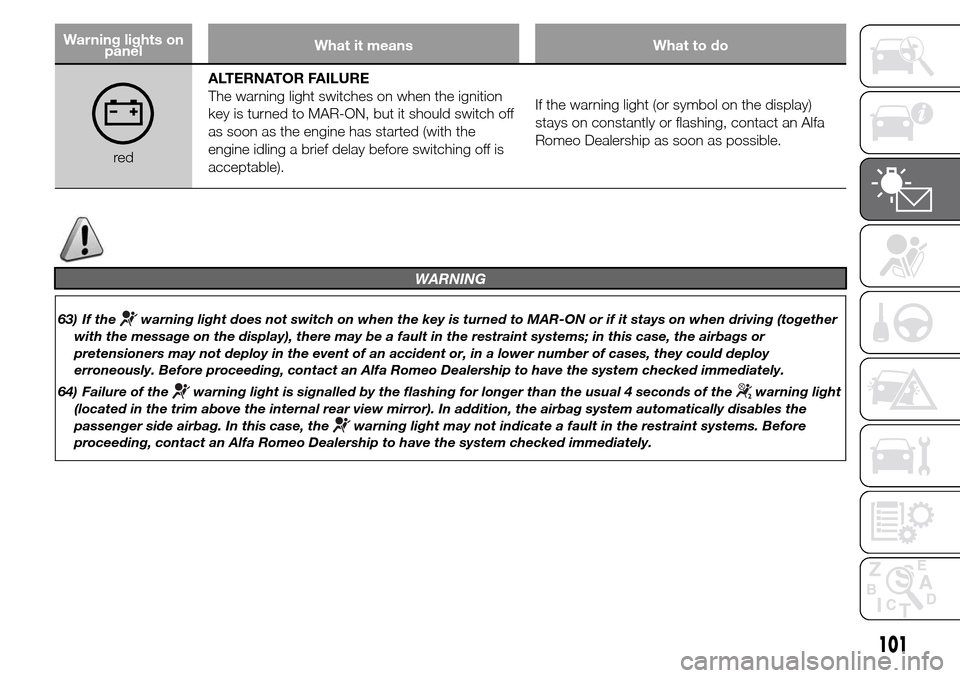
redALTERNATOR FAILURE
The warning light switches on when the ignition
key is turned to MAR-ON, but it should switch off
as soon as the engine has started (with the
engine idling a brief delay before switching off is
acceptable).If the warning light (or symbol on the display)
stays on constantly or flashing, contact an Alfa
Romeo Dealership as soon as possible.
WARNING
63) If thewarning light does not switch on when the key is turned to MAR-ON or if it stays on when driving (together
with the message on the display), there may be a fault in the restraint systems; in this case, the airbags or
pretensioners may not deploy in the event of an accident or, in a lower number of cases, they could deploy
erroneously. Before proceeding, contact an Alfa Romeo Dealership to have the system checked immediately.
64) Failure of the
warning light is signalled by the flashing for longer than the usual 4 seconds of thewarning light
(located in the trim above the internal rear view mirror). In addition, the airbag system automatically disables the
passenger side airbag. In this case, the
warning light may not indicate a fault in the restraint systems. Before
proceeding, contact an Alfa Romeo Dealership to have the system checked immediately.
101
Page 116 of 288
Warning lights on
panelWhat it means What to do
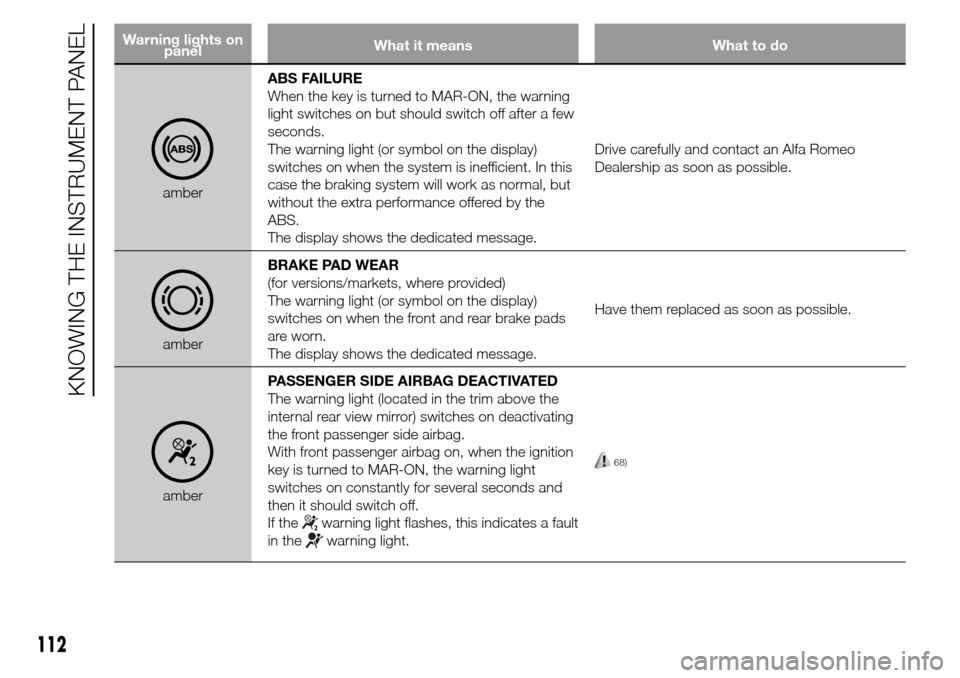
amberABS FAILURE
When the key is turned to MAR-ON, the warning
light switches on but should switch off after a few
seconds.
The warning light (or symbol on the display)
switches on when the system is inefficient. In this
case the braking system will work as normal, but
without the extra performance offered by the
ABS.
The display shows the dedicated message.Drive carefully and contact an Alfa Romeo
Dealership as soon as possible.
amberBRAKE PAD WEAR
(for versions/markets, where provided)
The warning light (or symbol on the display)
switches on when the front and rear brake pads
are worn.
The display shows the dedicated message.Have them replaced as soon as possible.
amberPASSENGER SIDE AIRBAG DEACTIVATED
The warning light (located in the trim above the
internal rear view mirror) switches on deactivating
the front passenger side airbag.
With front passenger airbag on, when the ignition
key is turned to MAR-ON, the warning light
switches on constantly for several seconds and
then it should switch off.
If the
warning light flashes, this indicates a fault
in the
warning light.
68)
112
KNOWING THE INSTRUMENT PANEL
Page 117 of 288
Warning lights on
panelWhat it means What to do
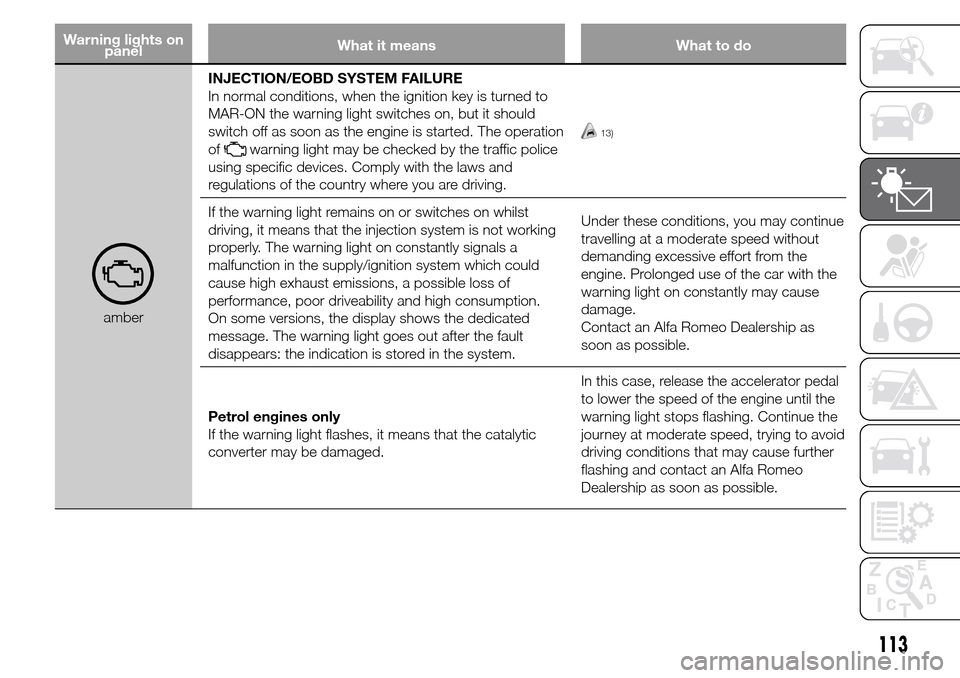
amberINJECTION/EOBD SYSTEM FAILURE
In normal conditions, when the ignition key is turned to
MAR-ON the warning light switches on, but it should
switch off as soon as the engine is started. The operation
of
warning light may be checked by the traffic police
using specific devices. Comply with the laws and
regulations of the country where you are driving.
13)
If the warning light remains on or switches on whilst
driving, it means that the injection system is not working
properly. The warning light on constantly signals a
malfunction in the supply/ignition system which could
cause high exhaust emissions, a possible loss of
performance, poor driveability and high consumption.
On some versions, the display shows the dedicated
message. The warning light goes out after the fault
disappears: the indication is stored in the system.Under these conditions, you may continue
travelling at a moderate speed without
demanding excessive effort from the
engine. Prolonged use of the car with the
warning light on constantly may cause
damage.
Contact an Alfa Romeo Dealership as
soon as possible.
Petrol engines only
If the warning light flashes, it means that the catalytic
converter may be damaged.In this case, release the accelerator pedal
to lower the speed of the engine until the
warning light stops flashing. Continue the
journey at moderate speed, trying to avoid
driving conditions that may cause further
flashing and contact an Alfa Romeo
Dealership as soon as possible.
113
Page 119 of 288
IMPORTANT
13) If, turning the ignition key to MAR-ON, thewarning light does not turn on or if it turns on steadily or flashing
when travelling (on certain versions together with the message on the display), contact an Alfa Romeo Dealership
as soon as possible.
IMPORTANT
14) The presence of water in the fuel supply system circuit may cause severe damage to the injection system and
irregular engine operation. If the
warning light comes on in the instrument panel (together with a message in the
display) contact an Alfa Romeo Dealership as soon as possible to bleed the system. If the above indications come
on immediately after refuelling, water has probably been poured into the tank: turn the engine off immediately and
contact an Alfa Romeo Dealership.
115
Page 123 of 288
Warning lights on
panelWhat it means What to do
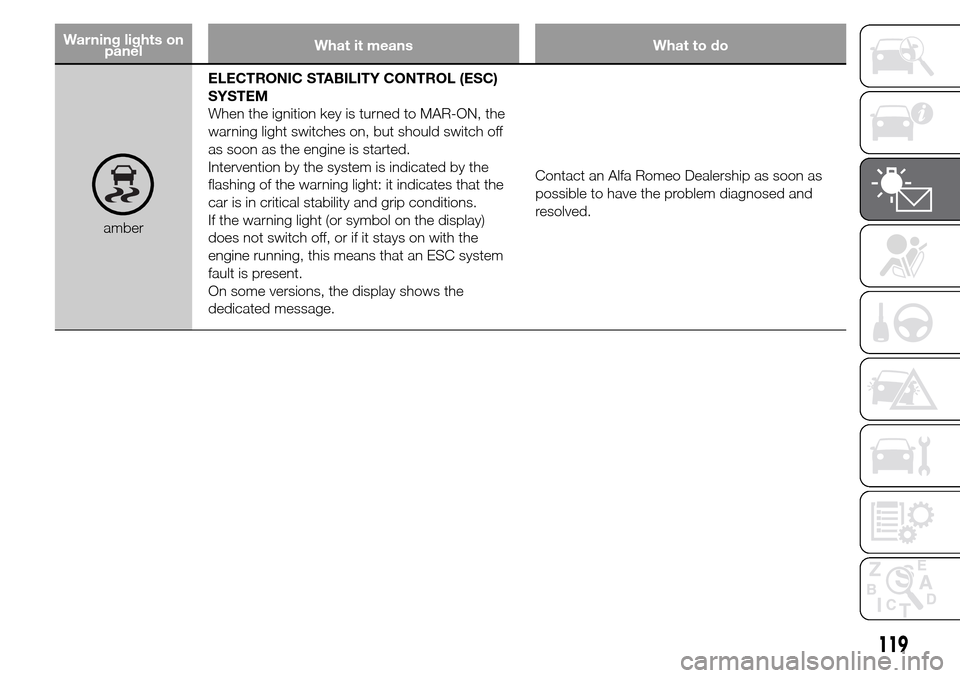
amberELECTRONIC STABILITY CONTROL (ESC)
SYSTEM
When the ignition key is turned to MAR-ON, the
warning light switches on, but should switch off
as soon as the engine is started.
Intervention by the system is indicated by the
flashing of the warning light: it indicates that the
car is in critical stability and grip conditions.
If the warning light (or symbol on the display)
does not switch off, or if it stays on with the
engine running, this means that an ESC system
fault is present.
On some versions, the display shows the
dedicated message.Contact an Alfa Romeo Dealership as soon as
possible to have the problem diagnosed and
resolved.
119