lights Alfa Romeo MiTo 2015 User Guide
[x] Cancel search | Manufacturer: ALFA ROMEO, Model Year: 2015, Model line: MiTo, Model: Alfa Romeo MiTo 2015Pages: 280, PDF Size: 8.52 MB
Page 22 of 280
The failure relating to these lights could be: one or more blown bulbs,
a blown protection fuse or a break in the electrical connection.
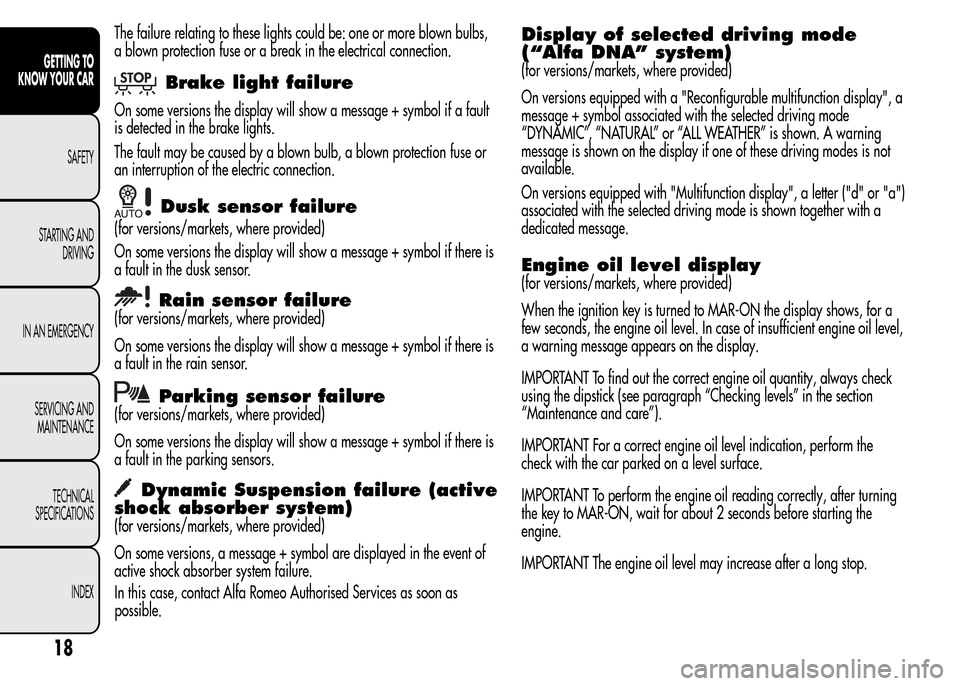
Brake light failure
On some versions the display will show a message + symbol if a fault
is detected in the brake lights.
The fault may be caused by a blown bulb, a blown protection fuse or
an interruption of the electric connection.
Dusk sensor failure
(for versions/markets, where provided)
On some versions the display will show a message + symbol if there is
a fault in the dusk sensor.
Rain sensor failure
(for versions/markets, where provided)
On some versions the display will show a message + symbol if there is
a fault in the rain sensor.
Parking sensor failure
(for versions/markets, where provided)
On some versions the display will show a message + symbol if there is
a fault in the parking sensors.
Dynamic Suspension failure (active
shock absorber system)
(for versions/markets, where provided)
On some versions, a message + symbol are displayed in the event of
active shock absorber system failure.
In this case, contact Alfa Romeo Authorised Services as soon as
possible.
Display of selected driving mode
(“Alfa DNA” system)
(for versions/markets, where provided)
On versions equipped with a "Reconfigurable multifunction display", a
message + symbol associated with the selected driving mode
“DYNAMIC”, “NATURAL” or “ALL WEATHER” is shown. A warning
message is shown on the display if one of these driving modes is not
available.
On versions equipped with "Multifunction display", a letter ("d" or "a")
associated with the selected driving mode is shown together with a
dedicated message.
Engine oil level display
(for versions/markets, where provided)
When the ignition key is turned to MAR-ON the display shows, for a
few seconds, the engine oil level. In case of insufficient engine oil level,
a warning message appears on the display.
IMPORTANT To find out the correct engine oil quantity, always check
using the dipstick (see paragraph “Checking levels” in the section
“Maintenance and care”).
IMPORTANT For a correct engine oil level indication, perform the
check with the car parked on a level surface.
IMPORTANT To perform the engine oil reading correctly, after turning
the key to MAR-ON, wait for about 2 seconds before starting the
engine.
IMPORTANT The engine oil level may increase after a long stop.
18
GETTING TO
KNOW YOUR CAR
SAFETY
STARTING AND
DRIVING
IN AN EMERGENCY
SERVICING AND
MAINTENANCE
TECHNICAL
SPECIFICATIONS
INDEX
Page 23 of 280
WARNING LIGHTS ON TRIM LOCATED
ON INTERNAL REAR VIEW MIRROR
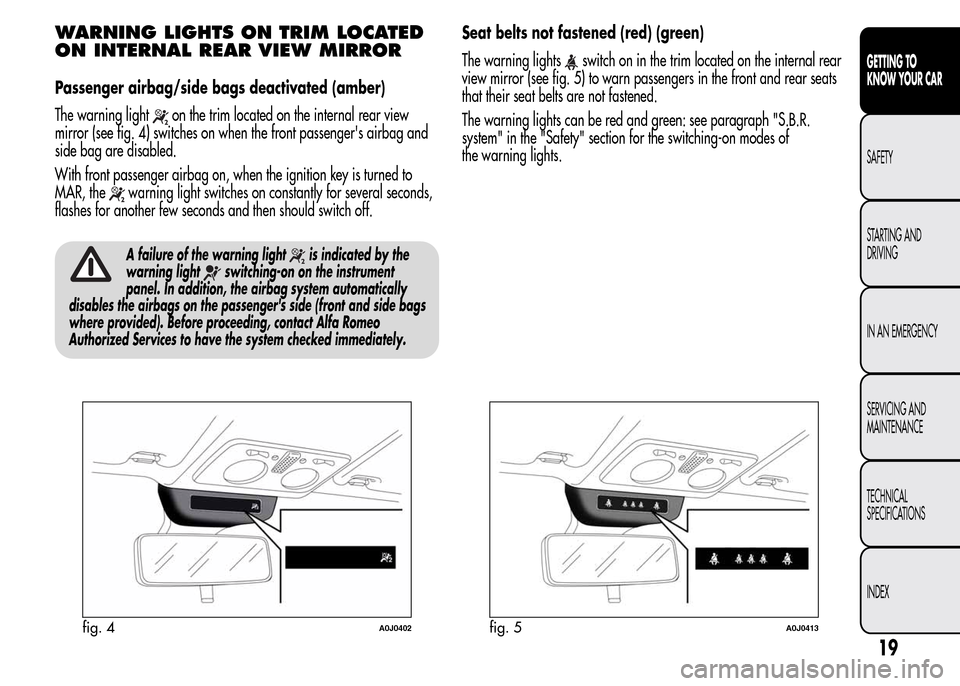
Passenger airbag/side bags deactivated (amber)
The warning light
on the trim located on the internal rear view
mirror (see fig. 4) switches on when the front passenger's airbag and
side bag are disabled.
With front passenger airbag on, when the ignition key is turned to
MAR, the
warning light switches on constantly for several seconds,
flashes for another few seconds and then should switch off.
A failure of the warning lightis indicated by the
warning light
switching-on on the instrument
panel. In addition, the airbag system automatically
disables the airbags on the passenger's side (front and side bags
where provided). Before proceeding, contact Alfa Romeo
Authorized Services to have the system checked immediately.
Seat belts not fastened (red) (green)
The warning lights
switch on in the trim located on the internal rear
view mirror (see fig. 5) to warn passengers in the front and rear seats
that their seat belts are not fastened.
The warning lights can be red and green: see paragraph "S.B.R.
system" in the "Safety" section for the switching-on modes of
the warning lights.
fig. 4A0J0402fig. 5A0J0413
19
GETTING TO
KNOW YOUR CAR
SAFETY
STARTING AND
DRIVING
IN AN EMERGENCY
SERVICING AND
MAINTENANCE
TECHNICAL
SPECIFICATIONS
INDEX
Page 24 of 280
DISPLAY
The car may be provided with a multifunction or reconfigurable
multifunction display that shows useful information to the driver,
according to the previous settings, when driving.
With the ignition key removed, the display lights up and shows the
time and total odometer reading (in km or miles) for a few seconds
when a door is opened/closed.
MULTIFUNCTION DISPLAY
"STANDARD" SCREEN
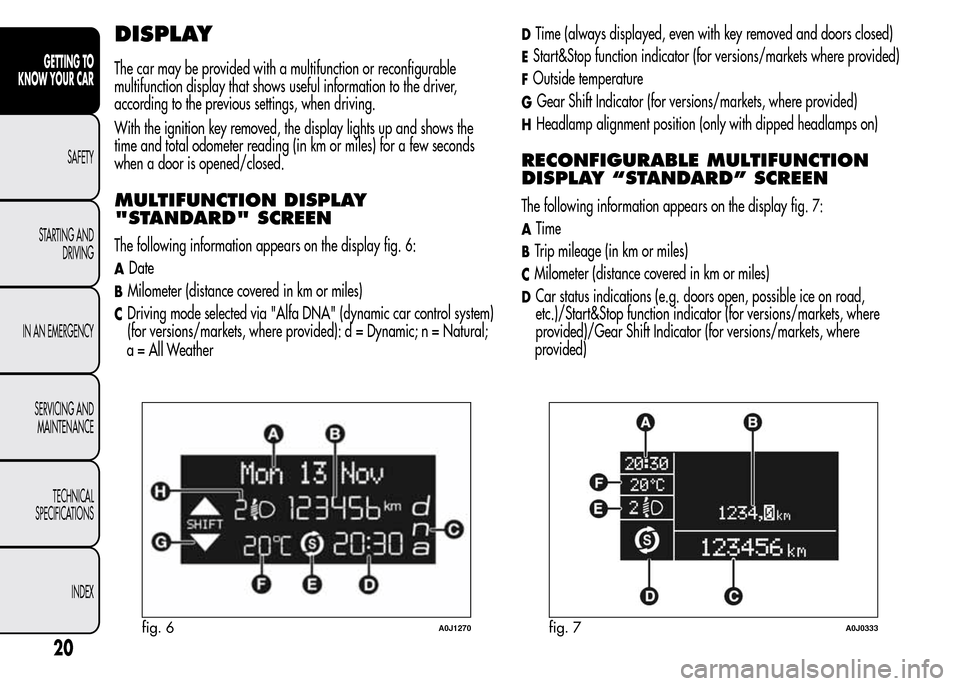
The following information appears on the display fig. 6:
ADate
BMilometer (distance covered in km or miles)
CDriving mode selected via "Alfa DNA" (dynamic car control system)
(for versions/markets, where provided): d = Dynamic; n = Natural;
a = All Weather
DTime (always displayed, even with key removed and doors closed)
EStart&Stop function indicator (for versions/markets where provided)
FOutside temperature
GGear Shift Indicator (for versions/markets, where provided)
HHeadlamp alignment position (only with dipped headlamps on)
RECONFIGURABLE MULTIFUNCTION
DISPLAY “STANDARD” SCREEN
The following information appears on the display fig. 7:
ATime
BTrip mileage (in km or miles)
CMilometer (distance covered in km or miles)
DCar status indications (e.g. doors open, possible ice on road,
etc.)/Start&Stop function indicator (for versions/markets, where
provided)/Gear Shift Indicator (for versions/markets, where
fig. 6A0J1270fig. 7A0J0333
20
GETTING TO
KNOW YOUR CAR
SAFETY
STARTING AND
DRIVING
IN AN EMERGENCY
SERVICING AND
MAINTENANCE
TECHNICAL
SPECIFICATIONS
INDEX
provided)
Page 27 of 280
SETUP MENU
The menu comprises a series of options which can be selected using
the "+" and "–" buttons (or
andfor versions with
Start&Stop system) to access the different selection and setting
operations (Setup) indicated below.
Some options have a submenu. The menu can be activated by briefly
pressing the SET/
button.
The menu comprises the following options:
❒MENU
❒SPEED BEEP
❒LIGHT SENSOR (for versions/markets where provided)
❒RAIN SENSOR (for versions/markets, where provided)
❒TRIP B ACTIVATION/DATA
❒SET TIME
❒SET DATE
❒FIRST PAGE (for versions/markets where provided)
❒SEE RADIO
❒AUTOCLOSE
❒MEASUREMENT UNIT
❒LANGUAGE
❒BUZZER VOLUME
❒BUTTON VOLUME
❒SEAT BELT BEEP/BUZZ
❒SERVICE❒AIRBAG/PASSENGER BAG
❒DAYTIME RUNNING LIGHTS
❒COURTESY LIGHTS
❒MENU EXITSelecting an option from the main
menu without a submenu:
❒press the SET/button briefly to select the main menu setting
you wish to change;
❒press the "+" or "–" buttons (with single presses) to select the new
setting;
❒press the SET/
button briefly to save the new setting and go
back to the previous main menu option.
Selecting an option from the main
menu with a submenu:
❒briefly press the SET/button to display the first submenu
option;
❒press the "+" or "–" buttons (with single presses) to scroll through all
the submenu options;
❒briefly press the SET/
button to select the displayed submenu
option and to open the relevant settings menu;
❒press the "+" or "–" buttons (with single presses) to select the new
setting for this submenu option;
❒press the SET/
button briefly to save the new setting and go
back to the previous submenu option.
23
GETTING TO
KNOW YOUR CAR
SAFETY
STARTING AND
DRIVING
IN AN EMERGENCY
SERVICING AND
MAINTENANCE
TECHNICAL
SPECIFICATIONS
INDEX
Page 28 of 280
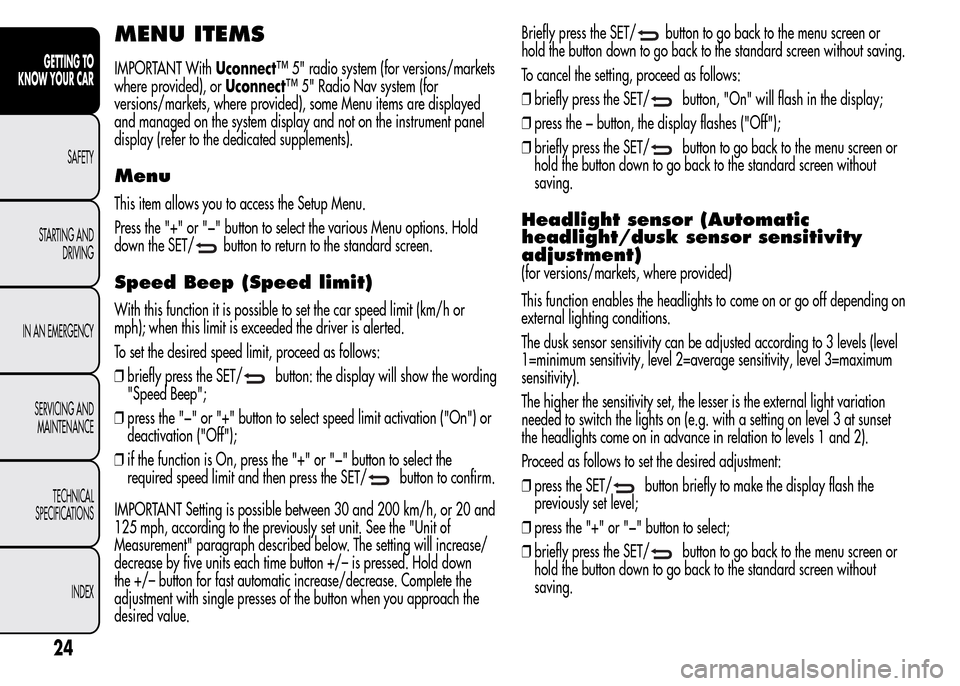
MENU ITEMS
IMPORTANT WithUconnect™ 5" radio system (for versions/markets
where provided), orUconnect™ 5" Radio Nav system (for
versions/markets, where provided), some Menu items are displayed
and managed on the system display and not on the instrument panel
display (refer to the dedicated supplements).
Menu
This item allows you to access the Setup Menu.
Press the "+" or "−" button to select the various Menu options. Hold
down the SET/
button to return to the standard screen.
Speed Beep (Speed limit)
With this function it is possible to set the car speed limit (km/h or
mph); when this limit is exceeded the driver is alerted.
To set the desired speed limit, proceed as follows:
❒briefly press the SET/
button: the display will show the wording
"Speed Beep";
❒press the "−" or "+" button to select speed limit activation ("On") or
deactivation ("Off");
❒if the function is On, press the "+" or "−" button to select the
required speed limit and then press the SET/
button to confirm.
IMPORTANT Setting is possible between 30 and 200 km/h, or 20 and
125 mph, according to the previously set unit. See the "Unit of
Measurement" paragraph described below. The setting will increase/
decrease by five units each time button +/– is pressed. Hold down
the +/– button for fast automatic increase/decrease. Complete the
adjustment with single presses of the button when you approach the
desired value.Briefly press the SET/
button to go back to the menu screen or
hold the button down to go back to the standard screen without saving.
To cancel the setting, proceed as follows:
❒briefly press the SET/
button, "On" will flash in the display;
❒press the − button, the display flashes ("Off");
❒briefly press the SET/
button to go back to the menu screen or
hold the button down to go back to the standard screen without
saving.
Headlight sensor (Automatic
headlight/dusk sensor sensitivity
adjustment)
(for versions/markets, where provided)
This function enables the headlights to come on or go off depending on
external lighting conditions.
The dusk sensor sensitivity can be adjusted according to 3 levels (level
1=minimum sensitivity, level 2=average sensitivity, level 3=maximum
sensitivity).
The higher the sensitivity set, the lesser is the external light variation
needed to switch the lights on (e.g. with a setting on level 3 at sunset
the headlights come on in advance in relation to levels 1 and 2).
Proceed as follows to set the desired adjustment:
❒press the SET/
button briefly to make the display flash the
previously set level;
❒press the "+" or "−" button to select;
❒briefly press the SET/
button to go back to the menu screen or
hold the button down to go back to the standard screen without
saving.
24
GETTING TO
KNOW YOUR CAR
SAFETY
STARTING AND
DRIVING
IN AN EMERGENCY
SERVICING AND
MAINTENANCE
TECHNICAL
SPECIFICATIONS
INDEX
Page 33 of 280
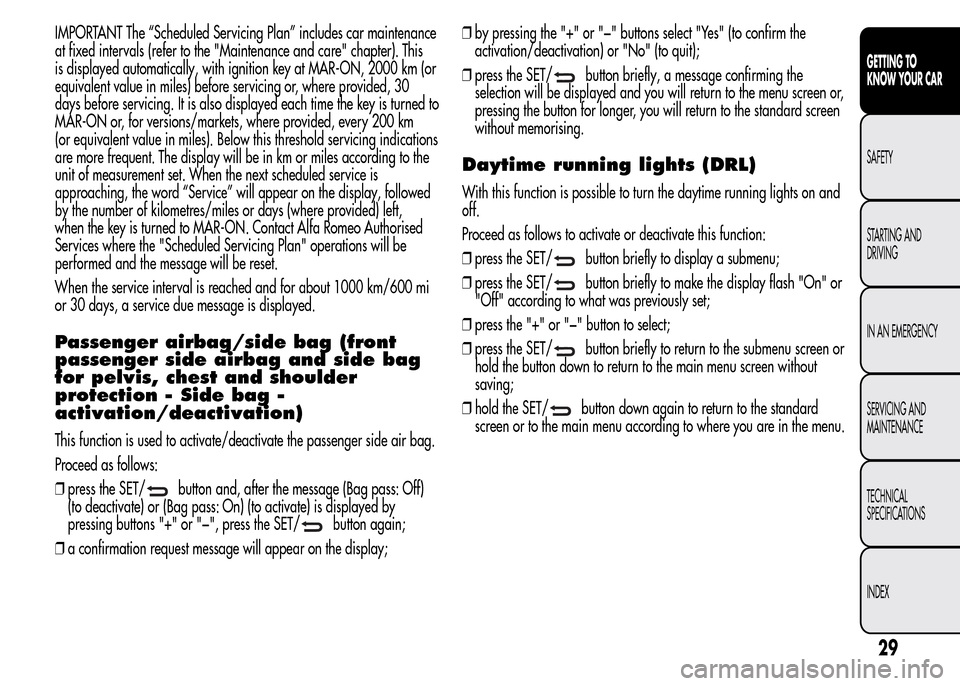
IMPORTANT The “Scheduled Servicing Plan” includes car maintenance
at fixed intervals (refer to the "Maintenance and care" chapter). This
is displayed automatically, with ignition key at MAR-ON, 2000 km (or
equivalent value in miles) before servicing or, where provided, 30
days before servicing. It is also displayed each time the key is turned to
MAR-ON or, for versions/markets, where provided, every 200 km
(or equivalent value in miles). Below this threshold servicing indications
are more frequent. The display will be in km or miles according to the
unit of measurement set. When the next scheduled service is
approaching, the word “Service” will appear on the display, followed
by the number of kilometres/miles or days (where provided) left,
when the key is turned to MAR-ON. Contact Alfa Romeo Authorised
Services where the "Scheduled Servicing Plan" operations will be
performed and the message will be reset.
When the service interval is reached and for about 1000 km/600 mi
or 30 days, a service due message is displayed.
Passenger airbag/side bag (front
passenger side airbag and side bag
for pelvis, chest and shoulder
protection - Side bag -
activation/deactivation)
This function is used to activate/deactivate the passenger side air bag.
Proceed as follows:
❒press the SET/
button and, after the message (Bag pass: Off)
(to deactivate) or (Bag pass: On) (to activate) is displayed by
pressing buttons "+" or "−", press the SET/
button again;
❒a confirmation request message will appear on the display;❒by pressing the "+" or "−" buttons select "Yes" (to confirm the
activation/deactivation) or "No" (to quit);
❒press the SET/
button briefly, a message confirming the
selection will be displayed and you will return to the menu screen or,
pressing the button for longer, you will return to the standard screen
without memorising.
Daytime running lights (DRL)
With this function is possible to turn the daytime running lights on and
off.
Proceed as follows to activate or deactivate this function:
❒press the SET/
button briefly to display a submenu;
❒press the SET/
button briefly to make the display flash "On" or
"Off" according to what was previously set;
❒press the "+" or "−" button to select;
❒press the SET/
button briefly to return to the submenu screen or
hold the button down to return to the main menu screen without
saving;
❒hold the SET/
button down again to return to the standard
screen or to the main menu according to where you are in the menu.
29
GETTING TO
KNOW YOUR CAR
SAFETY
STARTING AND
DRIVING
IN AN EMERGENCY
SERVICING AND
MAINTENANCE
TECHNICAL
SPECIFICATIONS
INDEX
Page 34 of 280
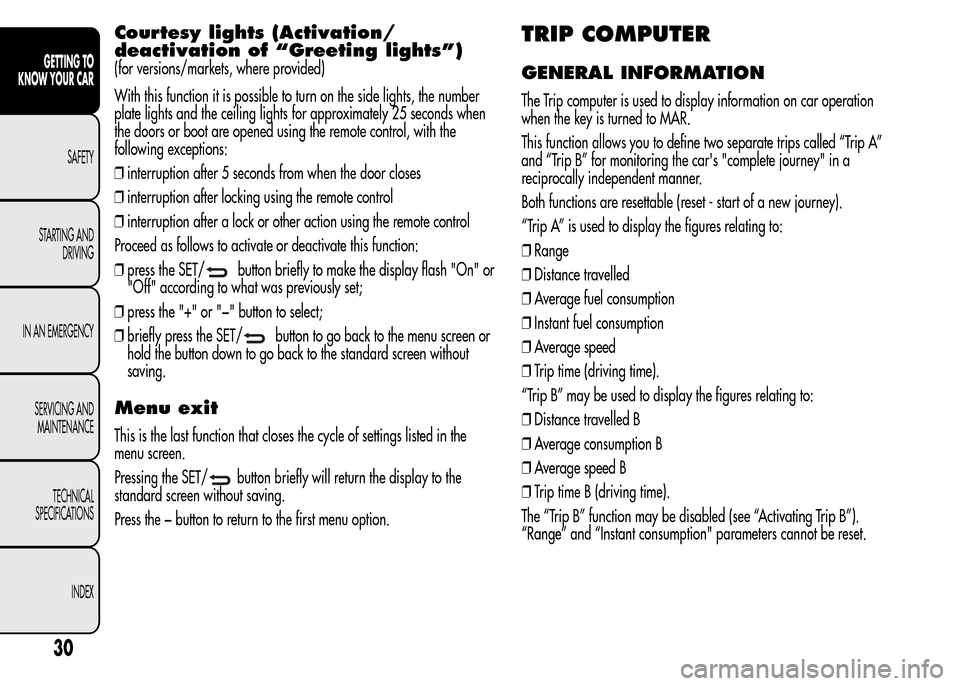
Courtesy lights (Activation/
deactivation of “Greeting lights”)
(for versions/markets, where provided)
With this function it is possible to turn on the side lights, the number
plate lights and the ceiling lights for approximately 25 seconds when
the doors or boot are opened using the remote control, with the
following exceptions:
❒interruption after 5 seconds from when the door closes
❒interruption after locking using the remote control
❒interruption after a lock or other action using the remote control
Proceed as follows to activate or deactivate this function:
❒press the SET/
button briefly to make the display flash "On" or
"Off" according to what was previously set;
❒press the "+" or "−" button to select;
❒briefly press the SET/
button to go back to the menu screen or
hold the button down to go back to the standard screen without
saving.
Menu exit
This is the last function that closes the cycle of settings listed in the
menu screen.
Pressing the SET/
button briefly will return the display to the
standard screen without saving.
Press the − button to return to the first menu option.
TRIP COMPUTER
GENERAL INFORMATION
The Trip computer is used to display information on car operation
when the key is turned to MAR.
This function allows you to define two separate trips called “Trip A”
and “Trip B” for monitoring the car's "complete journey" in a
reciprocally independent manner.
Both functions are resettable (reset - start of a new journey).
“Trip A” is used to display the figures relating to:
❒Range
❒Distance travelled
❒Average fuel consumption
❒Instant fuel consumption
❒Average speed
❒Trip time (driving time).
“Trip B” may be used to display the figures relating to:
❒Distance travelled B
❒Average consumption B
❒Average speed B
❒Trip time B (driving time).
The “Trip B” function may be disabled (see “Activating Trip B”).
“Range” and “Instant consumption" parameters cannot be reset.
30
GETTING TO
KNOW YOUR CAR
SAFETY
STARTING AND
DRIVING
IN AN EMERGENCY
SERVICING AND
MAINTENANCE
TECHNICAL
SPECIFICATIONS
INDEX
Page 40 of 280
Press button B to open/close the metal insert.
Press button B fig. 16 only with the key away from your
body, especially your eyes and from objects which could
get damaged (e.g. your clothes). Do not leave the key
unattended to avoid the button being accidentally pressed while it is
being handled, e.g. by a child.
Unlocking the doors and the tailgate
Briefly press button
: for unlocking of doors and luggage
compartment, timed switching-on of internal roof lights and double
flashing of direction indicators (for versions/markets, where provided).
The doors are unlocked automatically if the fuel cut-off system
intervenes.
Once the doors are locked, if one or more doors or the boot are not
closed correctly, the LED and direction indicators start flashing quickly.
Locking the doors and the tailgate
Briefly press button
: for locking of doors and luggage
compartment, with switching-off of roof light and single flashing of
direction indicators (for versions/markets, where provided).
If one or more doors are open, the doors will not be locked. This is
indicated by a rapid flashing of the direction indicators (for
versions/markets, where provided). If the luggage compartment is
open, the doors will, however, be locked.
When a speed of over 20 km/h is reached, the doors are
automatically locked if this specific function has been set (only on
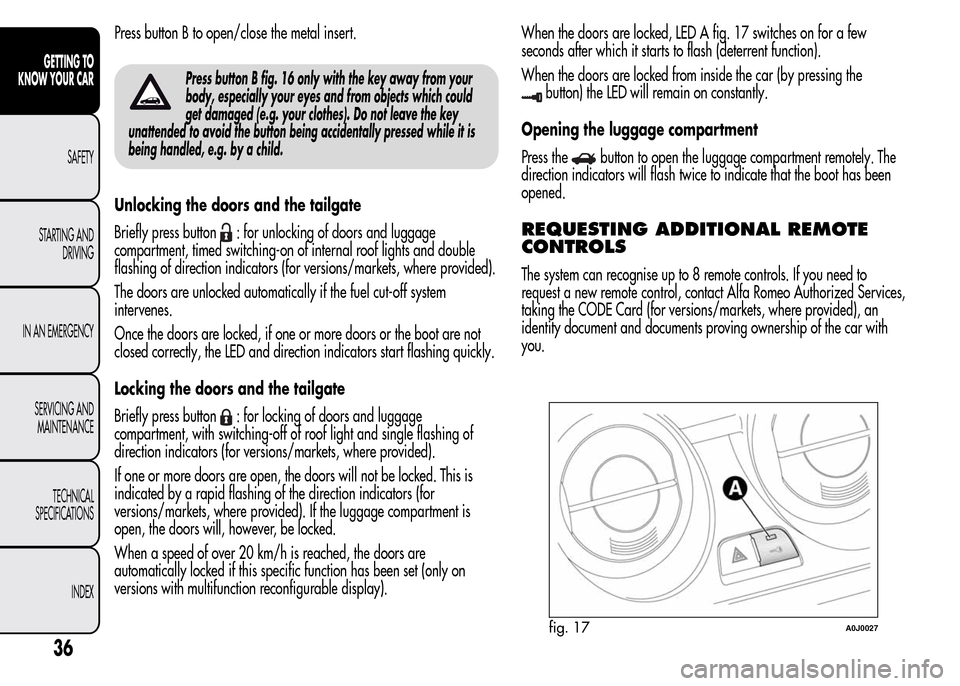
versions with multifunction reconfigurable display).When the doors are locked, LED A fig. 17 switches on for a few
seconds after which it starts to flash (deterrent function).
When the doors are locked from inside the car (by pressing the
button) the LED will remain on constantly.
Opening the luggage compartment
Press the
button to open the luggage compartment remotely. The
direction indicators will flash twice to indicate that the boot has been
opened.
REQUESTING ADDITIONAL REMOTE
CONTROLS
The system can recognise up to 8 remote controls. If you need to
request a new remote control, contact Alfa Romeo Authorized Services,
taking the CODE Card (for versions/markets, where provided), an
identity document and documents proving ownership of the car with
you.
fig. 17A0J0027
36
GETTING TO
KNOW YOUR CAR
SAFETY
STARTING AND
DRIVING
IN AN EMERGENCY
SERVICING AND
MAINTENANCE
TECHNICAL
SPECIFICATIONS
INDEX
Page 63 of 280
ADDITIONAL HEATER
(only diesel versions)
(for versions/markets, where provided)
This allows the passenger compartment to be heated more quickly in
cold weather conditions. The additional heater turns off automatically
after the required comfort conditions are achieved.
Automatic dual zone climate control system
(for versions/markets, where provided)
The additional heater activates automatically when the ignition key is
turned to MAR-ON.
Manual heater and manual climate control
The additional heater activates automatically when knob N is turned to
the end of the red section and the fan is set to at least 1
stspeed.
IMPORTANT The heater only works if the outside temperature and
engine coolant temperature are low. The heater will not activate if the
battery voltage is too low.
EXTERIOR LIGHTS
LEFT STALK
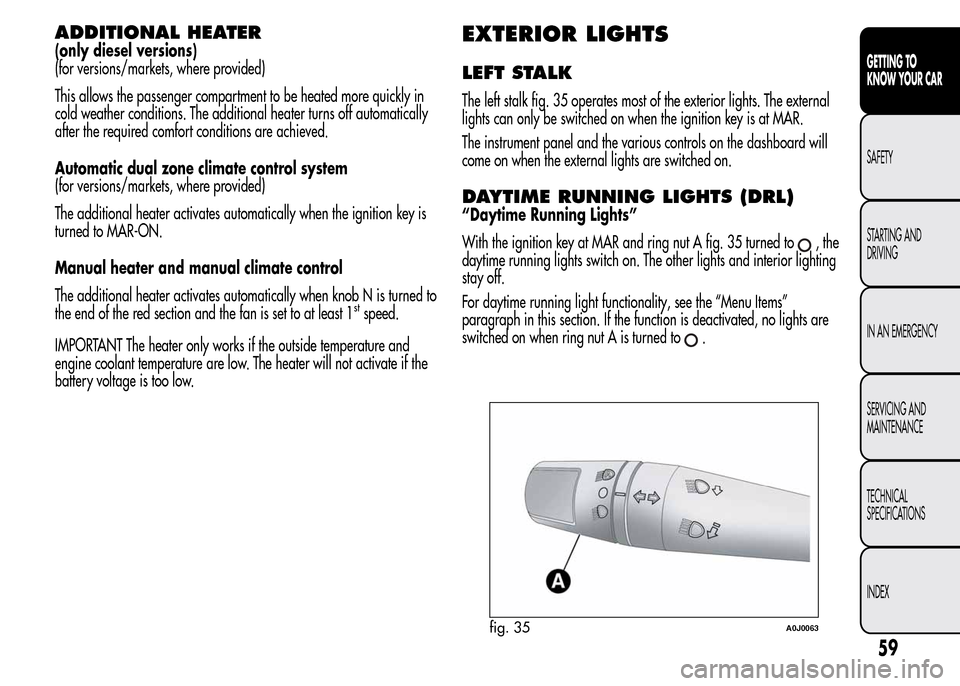
The left stalk fig. 35 operates most of the exterior lights. The external
lights can only be switched on when the ignition key is at MAR.
The instrument panel and the various controls on the dashboard will
come on when the external lights are switched on.
DAYTIME RUNNING LIGHTS (DRL)
“Daytime Running Lights”
With the ignition key at MAR and ring nut A fig. 35 turned to
,the
daytime running lights switch on. The other lights and interior lighting
stay off.
For daytime running light functionality, see the “Menu Items”
paragraph in this section. If the function is deactivated, no lights are
switched on when ring nut A is turned to
.
fig. 35A0J0063
59
GETTING TO
KNOW YOUR CAR
SAFETY
STARTING AND
DRIVING
IN AN EMERGENCY
SERVICING AND
MAINTENANCE
TECHNICAL
SPECIFICATIONS
INDEX
Page 64 of 280
SIDE LIGHTS/DIPPED BEAM
HEADLIGHTS
With the ignition key turned to MAR, turn ring nut A fig. 35 to.
The daytime running lights are switched off and the side lights and
dipped headlights are switched on. The warning light
switches
on on the instrument panel.
PARKING LIGHTS
These lights can only be switched on with ignition key at STOP or
removed, by moving ring nut A first to position
and then to position
.
When the parking lights are switched on, the number plate lights and
the front and rear side lights switch on as well (the daytime running
lights (DRLs) remain off however).
The warning light
switches on on the instrument panel.
When the direction indicator stalk is activated the side for the lights
(left or right) can be selected.
AUTOMATIC LIGHTING CONTROL
(AUTOLIGHT) (Dusk sensor)
(for versions/markets, where provided)
This infrared LED sensor, combined with the rain sensor and located on
the windscreen, detects the variations in outside brightness depending
on the light sensitivity set with the Set-up Menu: the greater the
sensitivity, the less external light is required to activate the exterior
lights.Activation
The dusk sensor activates when ring nut A fig. 35 is turned to
.In
this way the side lights and dipped headlights are activated
automatically according to the external light level.
IMPORTANT The sensor is unable to detect the presence of fog.
Therefore under these circumstances, these lights must be turned on
manually.
When the lights are turned on by the sensor, the fog lights (for
versions/markets, where provided) and the rear fog lights may be
turned on.
When the lights are automatically switched off, the front and rear fog
lights (if activated) are also switched off. The next time the lights are
switched on automatically, the fog lights must be reactivated manually
(if required).
With the sensor active, it is possible to flash the headlights but the
main beam headlights cannot be switched on. If you need to turn these
lights on, turn ring nut A to position
and turn the dipped
headlights on.
When the lights have been activated automatically and are then
switched off by the sensor, the dipped beam headlights are switched
off first, followed by the side lights a few seconds later.
If the sensor is activated but is malfunctioning, the side lights and
dipped beam headlights are switched on irrespective of the outside
light level and the sensor failure is indicated on the instrument panel
display.
It is also possible to deactivate the sensor and switch on these lights if
necessary.
60
GETTING TO
KNOW YOUR CAR
SAFETY
STARTING AND
DRIVING
IN AN EMERGENCY
SERVICING AND
MAINTENANCE
TECHNICAL
SPECIFICATIONS
INDEX