Menu Alfa Romeo MiTo 2016 Owner's Guide
[x] Cancel search | Manufacturer: ALFA ROMEO, Model Year: 2016, Model line: MiTo, Model: Alfa Romeo MiTo 2016Pages: 280, PDF Size: 8.52 MB
Page 252 of 280
With the Mute function activated, it will be ignored when there is
an incoming traffic alert (if the TA function is activated), or if an
emergency alarm is received. The function will be reactivated when
the alert is over.
AUDIO SETTINGS
The functions that can be selected from the audio menu change
depending on the context: AM/FM/CD/AUX (for
versions/markets, where provided).
Press the AUDIO button briefly to change the Audio functions.
After the AUDIO button is first pressed, the display will show the
bass level value for the source activated at that time (e.g. in FM
mode the display will show the wording “FM Bass + 2”).
Use the
orbuttons to scroll through the menu functions. To
change the setting of the function selected use the
orbuttons.
The current status of the function selected will be shown on the
display.
The functions managed by the Menu are:
❒BASS (adjustment of bass tones);
❒TREBLE (adjustment of high tones);
❒BALANCE (right/left balance adjustment);
❒FADER (front/back balance adjustment);
❒LOUDNESS (LOUDNESS function activation/deactivation);
❒EQUALISER (activation and selection of factory-set equaliser
levels);
❒USER EQUALISER (customised equaliser setting).
TONE ADJUSTMENT (bass/treble)
Proceed as follows:
❒Use
orbuttons to set the “Bass” or “Treble” in the AUDIO
menu;
❒press the
orbutton to increase/decrease the bass or
treble.
By pressing the buttons briefly, the levels will change progressively
in steps. By pressing them for longer, the levels will change quickly.
BALANCE ADJUSTMENT
Proceed as follows:
❒Select the “Balance” setting in the AUDIO menu using the
or
button;
❒press the
button to increase the volume of the right speakers
or the
button to increase the volume of the left speakers.
By pressing the buttons briefly, the levels will change progressively
in steps. By pressing them for longer, the levels will change quickly.
Select the value “
0” to set the same level for the right and
left audio outputs.
FADER ADJUSTMENT
Proceed as follows:
❒Select the “Fader” setting in the AUDIO menu using the
or
button;
❒press the
button to increase the sound from the rear speakers
or the
button to increase the sound from the front speakers.
By pressing the buttons briefly, the levels will change progressively
in steps. By pressing them for longer, the levels will change quickly.
248
SOUND-SYSTEM
Page 253 of 280
Select the value “0” to set the same level for the front and
rear audio outputs.
LOUDNESS FUNCTION
The Loudness function improves the volume of the sound whilst
listening at low volumes, increasing the bass and treble.
To activate/deactivate the function, select the Loudness setting of
the AUDIO menu using the
orbuttons.
The condition of the function (on or off) is shown on the display for
a few seconds by the wording “Loudness On” or “Loudness Off”.
PRESET/USER/CLASSIC/ROCK/JAZZ
FUNCTIONS
(equaliser activation/deactivation)
The built-in equaliser can be activated/deactivated. When the
equaliser function is off, the audio settings can only be changed by
adjusting the “Bass” and “Treble” settings, whereas when the
function is on, the acoustic curves can be adjusted.
To deactivate the equaliser, select the “EQ Preset” function using the
buttons
or.
To activate the equaliser, use the
orbuttons to select one of
the adjustments:
❒“FM/AM/CD...EQ User” (adjustment of 7 equaliser bands that
can be changed by the user);
❒“Classic” (equaliser preset for optimal classical music sound);
❒“Rock” (equaliser preset for optimal rock and pop music sound);
❒“Jazz” (equaliser preset for optimal jazz music sound).
When one of the equaliser settings is activated the letters “EQ”
light up.
USER EQ SETTINGS FUNCTION
(equaliser settings only if the USER setting is selected)
To set a personalised equaliser adjustment, set to “User” using the
orbutton and press the MENU button.
A 7-bar graph appears on the display, in which each bar
represents a frequency.
Select the bar to adjust using the
orbuttons; the selected bar
will start to flash and it can be adjusted using the
orbuttons.
To store the setting, press the AUDIO button again. The display will
show the active source at that time followed by the word “USER”. If
the mode is “FM”, for example, the display will show the text “FM
EQ User”.
MENU
MENU button functions
Press the MENU button briefly to activate the Menu function. The
display will show the first menu item that can be adjusted (AF) (“AF
Switching On” on the display).
Use the
orbuttons to scroll through the menu functions. To
change the setting of the function selected use the
orbuttons.
The current status of the function selected will be shown on the
display.
The functions managed by the Menu are:
❒AF SWITCHING (ON/OFF);
❒TRAFFIC INFORMATION (ON/OFF);
❒REGIONAL MODE regional programmes (ON/OFF);
❒MP3 DISPLAY (CD MP3 display settings);
249
SOUND-SYSTEM
Page 254 of 280
❒SPEED VOLUME (speed-dependent automatic volume control);
❒RADIO ON VOLUME (radio volume limit
activation/deactivation);
❒SPEECH VOLUME (telephone volume adjustment) (for
versions/markets, where provided);
❒AUX OFFSET (alignment of the portable device volume to that of
the other sources) (for versions/markets, where provided);
❒RADIO OFF (switching-off mode);
❒SYSTEM RESET
Press the MENU button again to exit the Menu function.
NoteThe AF SWITCHING, TRAFFIC INFORMATION and
REGIONAL MODE adjustments are only possible in FM mode.
AF SWITCHING function
(alternative frequency search)
The radio can operate in two different modes using RDS:
❒“AF Switching On”: search for alternative frequencies active (the
letters “AF” appear on the display);
❒“AF Switching Off”: search for alternative frequencies not active.
Proceed as follows to activate/deactivate the function:
❒press the MENU button and select “AF Switching On”;
❒press the
/buttons to activate/deactivate the function.
When the function is activated, the radio automatically tunes into
the station with the strongest signal broadcasting the same
programme. While driving, the same station can be continuously
listened to without having to change the frequency when you
change zones.Obviously, it must be possible to receive the station that you are
listening to in the area you are driving through.
If the AF function has been activated, “AF” will light up in the
display.
If the AF function has been activated and the radio is not able to
receive the current station, the radio activates the automatic search,
during which “FM Search” appears on the display (only for top-of-
the-range radios).
With the AF function deactivated, the remaining RDS functions,
such as the display of the station name, still remain active.
The AF function can only be activated on FM bands.
TRAFFIC INFORMATION function
(traffic information)
Some stations on the FM band (FM1, FM2 and FMA) can
broadcast information about traffic conditions. In this case the
letters “TA” appear on the display.
Proceed as follows to switch the TA function on/off:
❒press the MENU button briefly and select “Traffic info”;
❒press the
/buttons to activate/deactivate the function.
If the TA function has been activated, the “TA” icon lights up on the
display.
NoteIf the TA function is activated with an audio source other
than Tuner (Radio) (CD, MP3, telephone or Mute/Pause), the radio
can carry out an automatic search and therefore it is possible,
when reactivating the Tuner (Radio) source, that the frequency
tuned into is different from the one previously set.
250
SOUND-SYSTEM
Page 256 of 280
MP3 DISPLAY function
(MP3 CD data display)
This function makes it possible to select the information shown by
the display when listening to a CD containing MP3 tracks.
The function can only be selected if an MP3 CD is inserted: in this
case “MP3 Display” will appear on the display.
To change the function, use the
orbuttons.
The following settings are available:
❒“Title” (track title, if the ID3-TAG is available);
❒“Author” (track author, if the ID3-TAG is available);
❒“Album” (track album, if the ID3-TAG is available);
❒“Folder” name (name assigned to the folder);
❒“File” name (name assigned to the MP3 file).
SPEED VOLUME function
(speed-based volume change)
This function automatically adapts the volume level to the speed of
the car, increasing the volume when the speed increases to
maintain the ratio with the noise level inside the passenger
compartment.
To activate/deactivate the function, press the
/buttons. The
words “Speed volume” appear on the display, followed by the
current status of the function:
❒Off: function deactivated
❒Low: function activated (low sensitivity)
❒High: function activated (high sensitivity).
RADIO ON VOLUME function
(radio volume limit activation/deactivation)
This function makes it possible to activate/deactivate the volume
limits when the radio is turned on.
The display shows the function status:
❒“Radio on vol – Limit on”: when the radio is switched on the
volume level will be:
– if the volume level is equal to or higher than the maximum value,
the radio will switch on at the maximum volume;
– if the volume level is between the minimum and maximum values,
the radio will switch on at the same volume as before it was
switched off.
❒“Radio on vol – Limit off”: the radio will switch on at the volume
level it was at before switching off. The volume may be between
0 and 40.
To change the setting of the selected function, use the
/buttons.
NOTES
❒Using the Menu it is only possible to adjust the
activation/deactivation of the function and not the minimum or
maximum volume value.
❒If the “TA” or “TEL” functions or an external audio source are
activated when the radio is turned on, the radio will switch on at
the volume set for these sources. When the external audio source
is deactivated, the volume can be adjusted between the
minimum and maximum levels.
❒If the battery charge is low, it will not be possible to adjust the
volume between the minimum and maximum levels.
252
SOUND-SYSTEM
Page 257 of 280
PHONE FUNCTION
(telephone volume adjustment)
With Speech volume function present in Menu
This function makes it possible to adjust (settings from 1 to 40), by
turning the ON/OFF left knob/button or pressing the
/buttons, or mute (OFF setting) the volume of the telephone.
The display shows the current function status:
❒“Speech Off”: function deactivated.
❒“Speech volume 23”: function active with volume setting 23.
With Speech volume function not present
on the Menu
When a phone call is received, the audio passes to the car’s audio
system through the radio.
The telephone audio always arrives at a fixed volume, but it can be
adjusted during a conversation using the ON/OFF button/knob.
AUX OFFSET function
(alignment of the portable device volume with that of
the other sources)
(for versions/markets, where provided)
This function enables the alignment of the volume of the AUX
source, depending on its own portable player, with that of the
other sources.
To activate the function, press the MENU button and select “AUX
offset”.
Press the
orbuttons to decrease or increase the volume value
(set from–6to+6).
RADIO OFF function
(on and off mode)
This function is used to set the radio switching-off mode to one of
two different settings.
To activate the function, use the
orbutton.
The selected mode will appear on the display:
❒“00 MIN”: the radio switches off automatically in connection
with the ignition key; the radio switches off automatically as
soon as the key is turned to STOP position;
❒“20 MIN”: the radio switches off independently of the ignition
key; the radio remains switched on for a maximum period of 20
minutes after the key has been turned to STOP position.
SYSTEM RESET function
This function is used to restore all settings to the factory values.
The options are:
❒NO: no restore intervention;
❒YES: the default parameters will be restored. During this
operation, the word “Resetting” appears on the display. At the
end of the operation, the source does not change and the
previous situation will be displayed.
253
SOUND-SYSTEM
Page 258 of 280
PHONE SET-UP
If a hands-free kit is installed on the car, when there is an incoming
phone call the radio audio will be connected to the telephone
output. The telephone audio always arrives at a fixed volume, but it
can be adjusted during a conversation using the ON/OFF
button/knob.
The fixed telephone audio volume can be adjusted using the
"SPEECH VOLUME" function in the Menu (where the function is
provided). The word "PHONE" will appear on the display during
the deactivation of the audio for the phone call.
ANTI-THEFT PROTECTION
The radio is equipped with an anti-theft protection system based on
the exchange of information between the radio and the electronic
control unit (Body Computer) on the car.
This system guarantees maximum safety and avoids the entry of
the secret code each time the radio power supply is disconnected.
If the check has a positive outcome, the radio will start to function,
whereas if the comparison codes are not the same or if the
electronic control unit (Body Computer) is replaced, the device will
ask the user to enter the secret code according to the procedure
described in the paragraph below.Entering the secret code
When the radio is switched on, if the code is requested, the display
will show “Radio code” for about 2 seconds followed by four
dashes “----”.
The code is made up of four numbers from 1 to 6, each
corresponding to one of the dashes.
To enter the first digit of the code, press the corresponding button
of the pre-selected stations (from 1 to 6). Enter the other code
numbers in the same way.
If the four digits are not entered within 20 seconds, the display will
show “Enter code----”.Ifthisoccurs, it is not considered an
incorrect code entry.
After entering the fourth digit (within 20 seconds), the radio will
start to operate.
If an incorrect code is entered, the radio will emit a sound and the
display shows the text "Radio blocked/wait" to notify the user of
the need to enter the correct code.
Each time the user enters an incorrect code, the waiting time will
gradually increase (1 min, 2 min, 4 min, 8 min, 16 min, 30 min, 1
h, 2 h, 4 h, 8 h, 16 h, 24 h) up to a maximum of 24 hours.
The waiting time will be shown on the display with the text “Radio
blocked/wait”. After the text has disappeared it is possible to start
the code entry procedure again.
254
SOUND-SYSTEM
Page 263 of 280
DISPLAY INFORMATION
When the CD player is working, the display will show the
following information:
❒“CD Track 5”: indicates the number of the CD track;
❒“03:42”: indicates the time elapsed since the start of the track (if
the relevant Menu function is activated).
TRACK SELECTION (forward/back)
Briefly press thebutton to play the previous CD track and the
button to play the next track.
The tracks are selected cyclically: the first track is selected after the
last track and vice versa.
If the track has been played for more than 3 seconds, pressing the
button will cause the track to be started again from the
beginning.
In this case, if you want to play the previous track, press the button
twice consecutively.
TRACK FAST FORWARD/REWIND
The fast forward/rewind will stop once the button is released.
PAUSE FUNCTION
To pause the CD player, press thebutton. The text “CD Pause”
appears on the display.
To resume listening to the track, press the
button again.
If another audio source is selected, the pause function is
deactivated.
259
SOUND-SYSTEM
Page 275 of 280
– Chassis marking .............................. 197
– engine marking ............................... 197
– identification data plate ................... 196
Ignition device ..................................... 42
– Steering lock ................................... 42
Installation of electrical/electronic
devices .............................................. 100
Installing a Universal Isofix child seat ..... 120
Interior fittings ...................................... 71
Interiors (cleaning)................................ 194
Jack................................................... 141
Light clusters
– front light clusters (changing a
bulb) .............................................. 154
– rear light clusters (changing a
bulb) .............................................. 156
Lubricants (features).............................. 224
Luggage compartment .......................... 81
– Closing the luggage compartment..... 82
– Emergency luggage compartment
opening .......................................... 82
– Extending the luggage
compartment................................... 83
– Luggage compartment
initialisation .................................... 82
– Opening the luggage
compartment................................... 81Luggage compartment roof light
– bulb replacement............................. 158
Main beam headlights ....................... 61
– bulb replacement............................. 154
Maintenance and care
– heavy-duty use of the car ................. 177
– periodic checks ............................... 177
Menu options ....................................... 24
MSR system ......................................... 90
Multifunction display ............................ 20
Number plate lights
– bulb replacement............................. 157
Parking ............................................. 132
– Handbrake ..................................... 133
Parking lights ....................................... 60
Parking sensors .................................... 101
Performance ........................................ 217
Pollen filter........................................... 186
Power sockets....................................... 72
Preparation for "Isofix" child seat .......... 119
Pretensioners........................................ 112
– Load limiters ................................... 112
Protecting the environment .................... 108
Puddle light
– bulb replacement............................. 160
Radio transmitters and mobile
phones.............................................. 101
Rain sensor .......................................... 63
Raising the car ..................................... 169
Rear fog light ....................................... 70
Rear fog light/reversing light................. 157
Rear view mirrors ................................. 47
– Door mirrors ................................... 47
– Internal mirror ................................. 47
Rear window washer jets ...................... 192
Rear window washer
– rear window washer fluid level ......... 185
Rear window washer/wiper .................. 64
Rear Window Wiper
– blade replacement ........................... 191
– blades ............................................ 189
Reconfigurable multifunction display ...... 20
Refuelling ............................................ 221
Refuelling the car ................................. 107
Rev counter .......................................... 6
Rim Protector (tyres) .............................. 211
Roof lights ........................................... 67
– Courtesy lights ................................ 68
– Front roof light ................................ 67
– Glove compartment light .................. 69
271
GETTING TO KNOW
YOUR CAR
SAFETY
STARTING AND
DRIVING
IN AN EMERGENCY
SERVICING AND
MAINTENANCE
TECHNICAL
SPECIFICATIONS
INDEX
Page 276 of 280
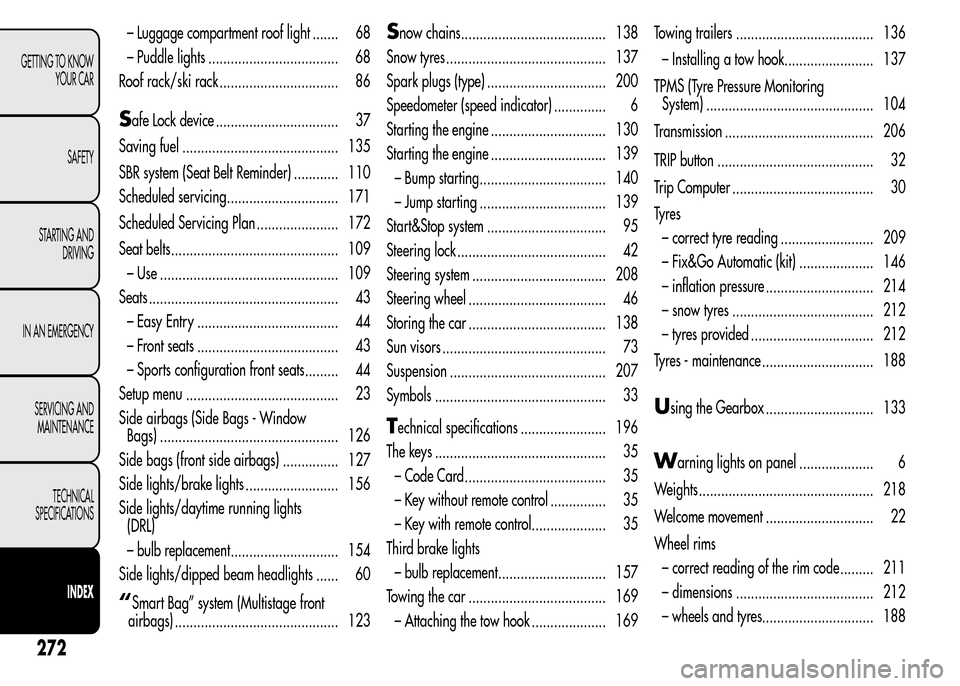
– Luggage compartment roof light ....... 68
– Puddle lights ................................... 68
Roof rack/ski rack ................................ 86
Safe Lock device ................................. 37
Saving fuel .......................................... 135
SBR system (Seat Belt Reminder) ............ 110
Scheduled servicing.............................. 171
Scheduled Servicing Plan ...................... 172
Seat belts............................................. 109
– Use ................................................ 109
Seats ................................................... 43
– Easy Entry ...................................... 44
– Front seats ...................................... 43
– Sports configuration front seats......... 44
Setup menu ......................................... 23
Side airbags (Side Bags - Window
Bags) ................................................ 126
Side bags (front side airbags) ............... 127
Side lights/brake lights ......................... 156
Side lights/daytime running lights
(DRL)
– bulb replacement............................. 154
Side lights/dipped beam headlights ...... 60
“Smart Bag” system (Multistage front
airbags) ............................................ 123
Snow chains....................................... 138
Snow tyres ........................................... 137
Spark plugs (type) ................................ 200
Speedometer (speed indicator) .............. 6
Starting the engine ............................... 130
Starting the engine ............................... 139
– Bump starting.................................. 140
– Jump starting .................................. 139
Start&Stop system ................................ 95
Steering lock ........................................ 42
Steering system .................................... 208
Steering wheel ..................................... 46
Storing the car ..................................... 138
Sun visors ............................................ 73
Suspension .......................................... 207
Symbols .............................................. 33
Technical specifications ....................... 196
The keys .............................................. 35
– Code Card...................................... 35
– Key without remote control ............... 35
– Key with remote control.................... 35
Third brake lights
– bulb replacement............................. 157
Towing the car ..................................... 169
– Attaching the tow hook .................... 169Towing trailers ..................................... 136
– Installing a tow hook........................ 137
TPMS (Tyre Pressure Monitoring
System) ............................................. 104
Transmission ........................................ 206
TRIP button .......................................... 32
Trip Computer ...................................... 30
Ty r e s
– correct tyre reading ......................... 209
– Fix&Go Automatic (kit) .................... 146
– inflation pressure ............................. 214
– snow tyres ...................................... 212
– tyres provided ................................. 212
Tyres - maintenance .............................. 188
Using the Gearbox ............................. 133
Warning lights on panel .................... 6
Weights............................................... 218
Welcome movement ............................. 22
Wheel rims
– correct reading of the rim code ......... 211
– dimensions ..................................... 212
– wheels and tyres.............................. 188
272
GETTING TO KNOW
YOUR CAR
SAFETY
STARTING AND
DRIVING
IN AN EMERGENCY
SERVICING AND
MAINTENANCE
TECHNICAL
SPECIFICATIONS
INDEX