ignition Alfa Romeo Stelvio 2018 User Guide
[x] Cancel search | Manufacturer: ALFA ROMEO, Model Year: 2018, Model line: Stelvio, Model: Alfa Romeo Stelvio 2018Pages: 276, PDF Size: 5.79 MB
Page 39 of 276
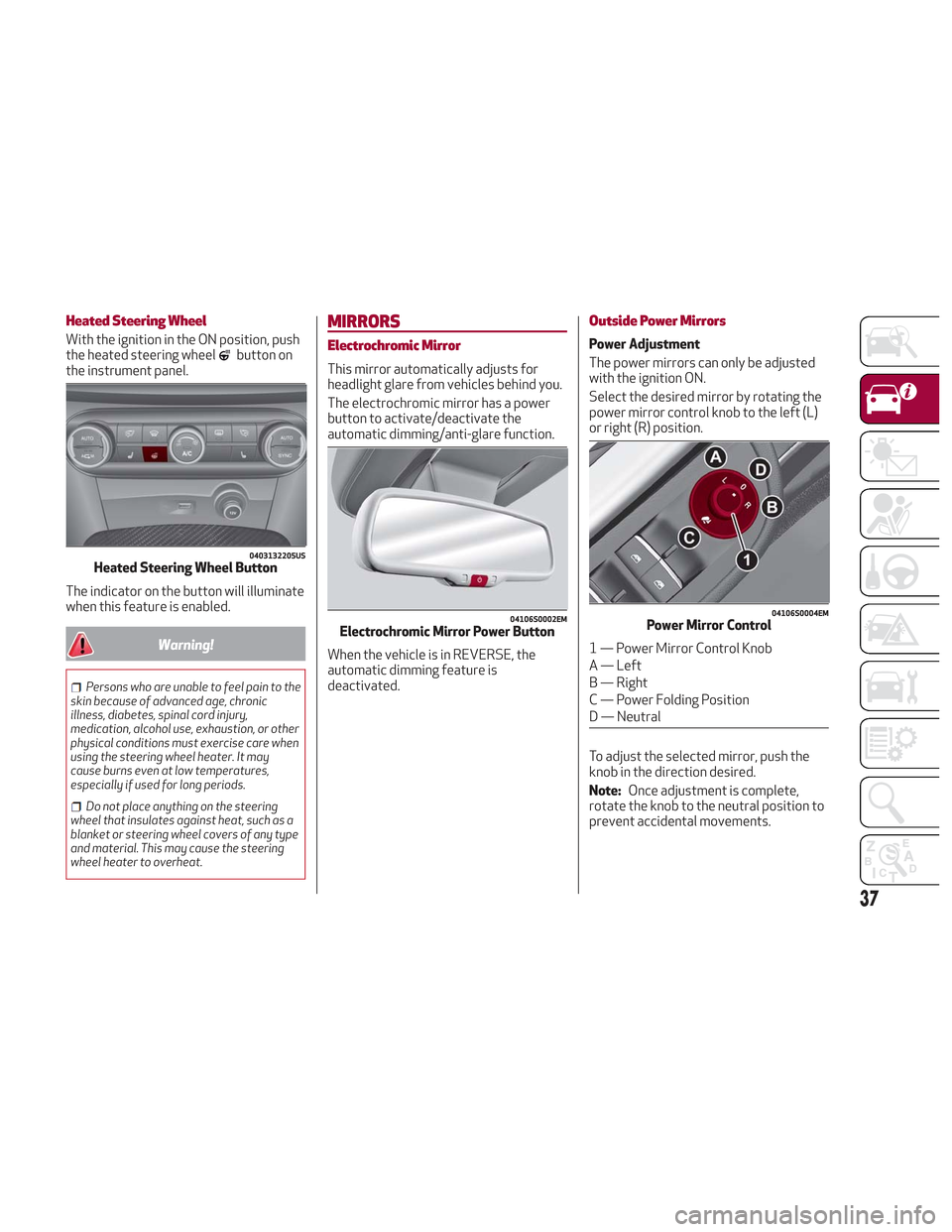
Heated Steering Wheel
With the ignition in the ON position, push
the heated steering wheelbutton on
the instrument panel.
The indicator on the button will illuminate
when this feature is enabled.
Warning!
Persons who are unable to feel pain to the
skin because of advanced age, chronic
illness, diabetes, spinal cord injury,
medication, alcohol use, exhaustion, or other
physical conditions must exercise care when
using the steering wheel heater. It may
cause burns even at low temperatures,
especially if used for long periods.
Do not place anything on the steering
wheel that insulates against heat, such as a
blanket or steering wheel covers of any type
and material. This may cause the steering
wheel heater to overheat.
MIRRORS
Electrochromic Mirror
This mirror automatically adjusts for
headlight glare from vehicles behind you.
The electrochromic mirror has a power
button to activate/deactivate the
automatic dimming/anti-glare function.
When the vehicle is in REVERSE, the
automatic dimming feature is
deactivated.
Outside Power Mirrors
Power Adjustment
The power mirrors can only be adjusted
with the ignition ON.
Select the desired mirror by rotating the
power mirror control knob to the left (L)
or right (R) position.
To adjust the selected mirror, push the
knob in the direction desired.
Note: Once adjustment is complete,
rotate the knob to the neutral position to
prevent accidental movements.
0403132205USHeated Steering Wheel Button
04106S0002EMElectrochromic Mirror Power Button
04106S0004EMPower Mirror Control
1 — Power Mirror Control Knob
A — Left
B — Right
C — Power Folding Position
D — Neutral
37
Page 41 of 276
The exterior lights can be activated only
when the ignition is in the ON mode,
except for the parking lights. Refer to
"Parking Lights" in this section for more
information.
The instrument panel and the various
controls on the dashboard will be
illuminated when the exterior lights are
turned on.
Automatic Headlights
This system automatically turns the
headlights on or off according to ambient
light levels.
Function Activation
From the O (off) position, rotate the light
switch to the
(auto) position.
Note: The function can only operate with
the ignition position cycled to ON.
Function Deactivation
To deactivate the function, rotate the
light switch to a position other than the
(auto) position.
Daytime Running Lights (DRL)
With the ignition cycled to ON, and the
light switch turned to theposition, if
the dusk sensor detects sufficient
external light, the Daytime Running
Lights will turn on automatically while the
other lights remain off.
If the turn signals are operated, the
brightness of the corresponding Daytime
Running Lights will be decreased for as
long as the turn signals are on.
If equipped, the DRL can be
activated/deactivated from the
Information and Entertainment System,
by selecting the following functions in
sequence on the main MENU:
1. “Settings.”
2. “Lights.”
3. “Daytime Lights.”
Note: The Daytime Running Lights
cannot be deactivated in Canadian
markets.
Rear Fog Lights
The rear fog light switch is located within
the headlight switch.
Push the
button, located in the center
of the headlight switch, to turn the rear
fog lights on/off. The rear fog lights turn on only when the
headlights or parking lights are also
turned on. The lights can be turned off by
pushing the
button again or by turning
the headlight switch to the O (off)
position.
When the engine is stopped with the rear
fog lights on, they will be off the next
time the engine is started.
Parking Lights
With the ignition in STOP mode, rotate
the headlight switch to theposition to
turn the parking lights on. All of the
parking lights will turn on for eight
minutes, and opening the door activates
an audible warning.
To leave only the lights on one side
(right/left) illuminated, you must move
the multifunction lever (located on the
left side of the steering wheel) to the side
that you want to remain on. With the
parking lights on, the
warning light on
the instrument panel will illuminate.
Note: Cycling the ignition to ON mode
turns off the parking lights, which were
only illuminated on one side.
39
Page 42 of 276
Headlight Off Delay
The “Headlight Off Delay” function delays
the turning off of the headlights after the
vehicle’s engine has been stopped.
The function can be activated from the
Information and Entertainment System
by selecting the following functions in
sequence on the main menu:
1. “Settings.”
2. “Lights.”
3. “Headlight Off Delay.”
The side lights and the headlights stay on
for a time that can be set between 30,
60, and 90 seconds.
Function Activation
With the headlights on, cycle the ignition
to STOP mode and the timer will start.
Note:To activate this function, the
headlights must be deactivated within
two minutes after the ignition has been
cycled to the STOP mode.
Function Deactivation
This function is deactivated by turning on
the headlights, the side lights, or by
cycling the ignition to ON mode.
Adaptive Headlight System (AFS)
This is a system combined with Xenon
headlights (Bi-Xenon 35 W headlamp if
equipped) which directs the headlights
horizontally, and continuously and
automatically adapts them to the driving
conditions around bends or when
cornering.
The system directs the headlights to light
up the road in the best way, taking into
account the speed of the vehicle and the
bend or corner angle, as well as the speed
of steering.
The adaptive lights are automatically
activated when the vehicle is started.
High Beam Headlights
To activate the fixed high beam
headlights, push the multifunction lever,
located on the left side of the steering
wheel, towards the instrument panel. The
headlight switch must first be turned to
the
(auto) or(on) position.
With high beam headlights on, the
High Beam Indicator on the
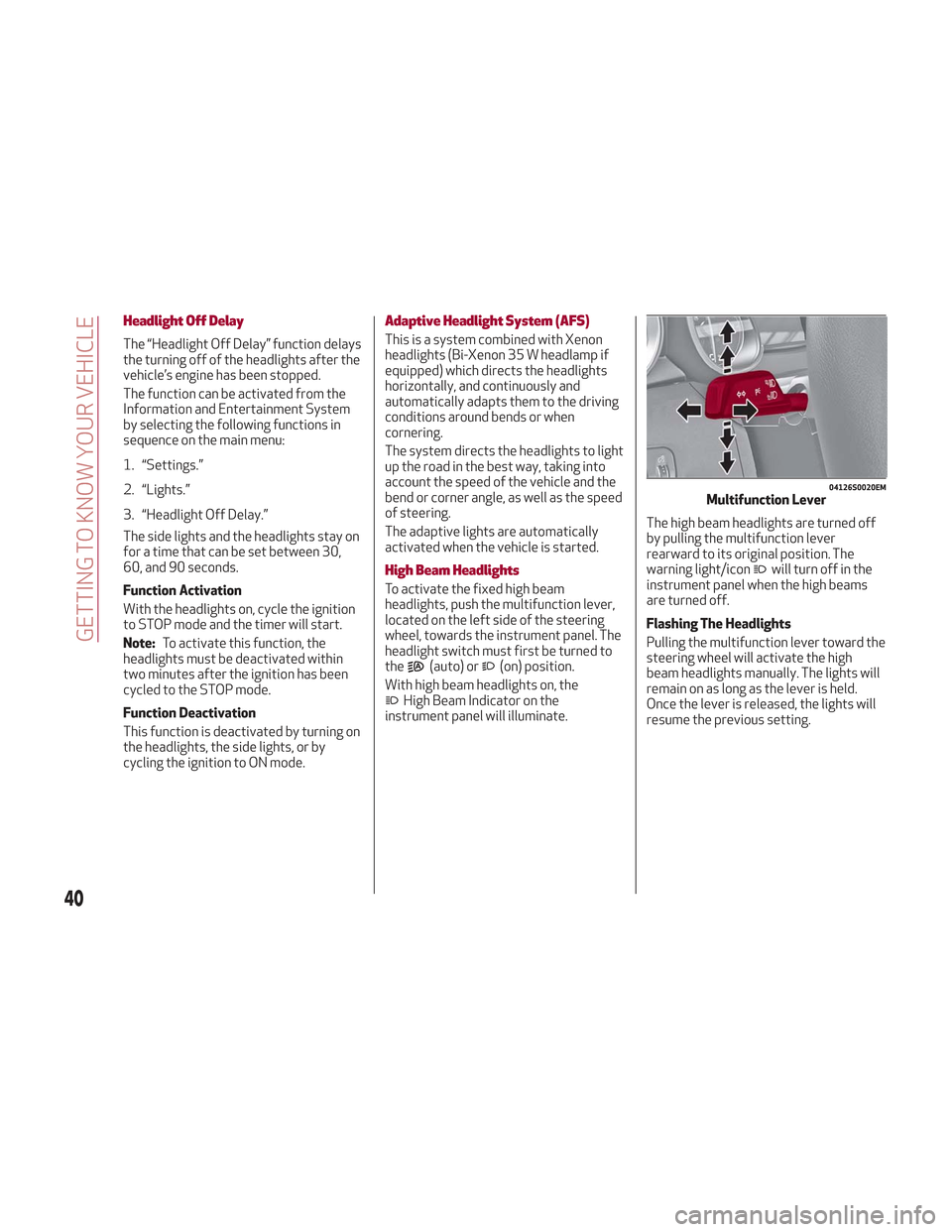
instrument panel will illuminate. The high beam headlights are turned off
by pulling the multifunction lever
rearward to its original position. The
warning light/icon
will turn off in the
instrument panel when the high beams
are turned off.
Flashing The Headlights
Pulling the multifunction lever toward the
steering wheel will activate the high
beam headlights manually. The lights will
remain on as long as the lever is held.
Once the lever is released, the lights will
resume the previous setting.
04126S0020EMMultifunction Lever
40
GETTING TO KNOW YOUR VEHICLE
Page 44 of 276
Note:Before exiting the vehicle, ensure
that the overhead lights are off. This will
prevent the battery from discharging
once the doors are closed. If a light is left
on accidently, the overhead lights will
turn off automatically approximately
15 minutes after the engine has been
cycled OFF.
Overhead Light Timing
On certain models, to assist getting in
and out of the vehicle at night or in
poorly-lit areas, two timed modes have
been provided.
Timing While Getting Into The Vehicle
— The overhead lights turn on according
to the following modes:
Will illuminate for a few seconds when
the doors are unlocked.
Will illuminate for approximately three
minutes when one of the doors is opened.
Will illuminate for a few seconds when
the doors are locked.
Timing is interrupted when the ignition is
cycled to ON mode.
Three Modes Are Available For Turning
Off Overhead Lighting:
When all doors are closed after
entering the vehicle, the three-minute
timer will stop and a seconds timer will
start for the interior lights. This timing
will stop when the ignition is cycled to ON
mode.
When doors are locked (either with key
fob or with key inserted on driver side
door), the overhead light turns off.
The interior lights will turn off after
15 minutes to preserve the battery.
Timing While Getting Out Of The
Vehicle — After cycling the ignition to
STOP mode, the overhead lights will turn
on as follows:
For a few seconds after the engine
stops.
For approximately three minutes when
one of the doors is opened.
For a few seconds when the last door
is closed.
The timing stops automatically when the
doors are locked.
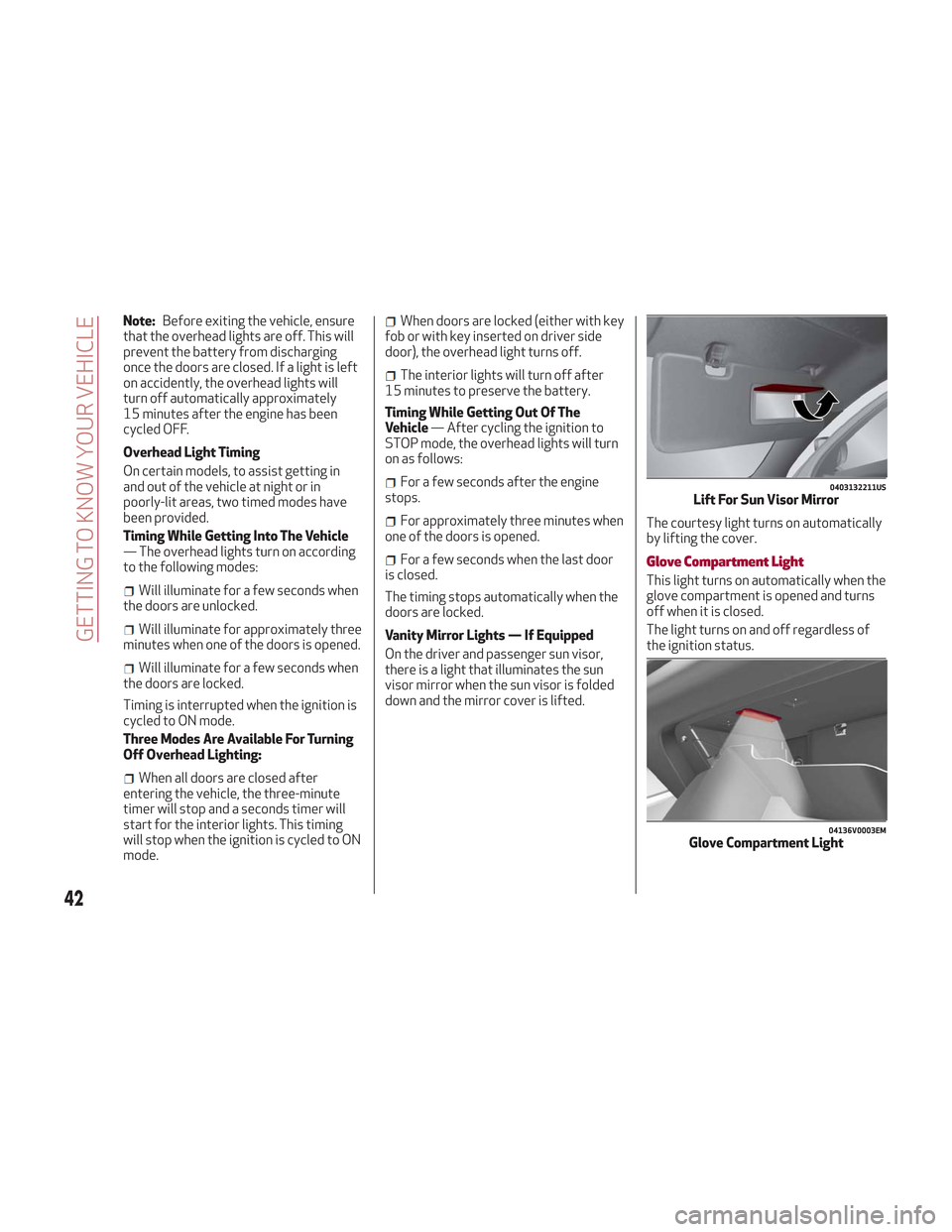
Vanity Mirror Lights — If Equipped
On the driver and passenger sun visor,
there is a light that illuminates the sun
visor mirror when the sun visor is folded
down and the mirror cover is lifted. The courtesy light turns on automatically
by lifting the cover.Glove Compartment Light
This light turns on automatically when the
glove compartment is opened and turns
off when it is closed.
The light turns on and off regardless of
the ignition status.
0403132211USLift For Sun Visor Mirror
04136V0003EMGlove Compartment Light
42
GETTING TO KNOW YOUR VEHICLE
Page 45 of 276
Interior Ambient Lighting
The brightness of the interior passenger
compartment lights can be adjusted
through the Information and
Entertainment System.
To access the adjustment function, on the
main menu select the following items in
sequence:
1. "Settings."
2. "Interior Ambient Lighting."
3. "Lights."
The lights can be adjusted to seven
different levels of brightness.
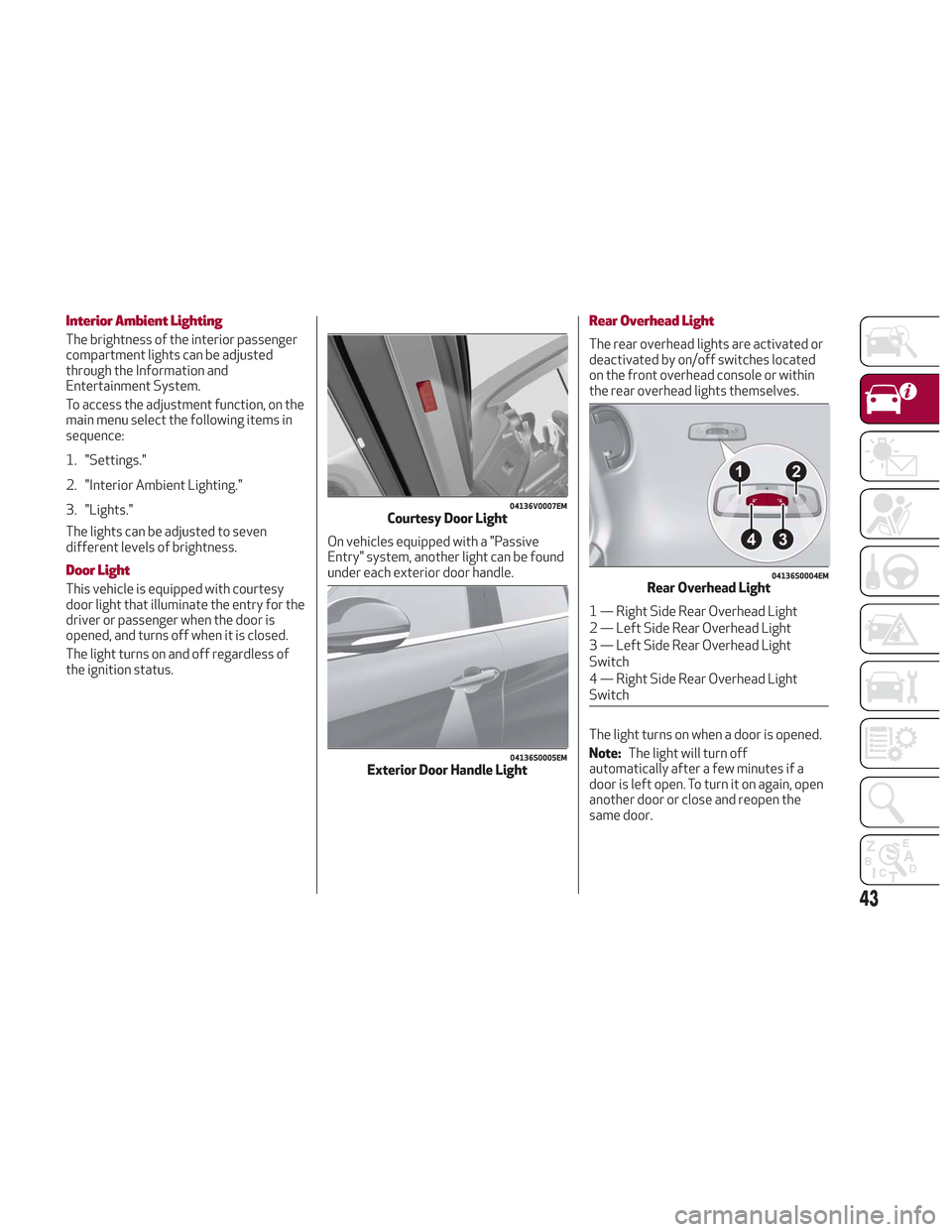
Door Light
This vehicle is equipped with courtesy
door light that illuminate the entry for the
driver or passenger when the door is
opened, and turns off when it is closed.
The light turns on and off regardless of
the ignition status.On vehicles equipped with a "Passive
Entry" system, another light can be found
under each exterior door handle.
Rear Overhead Light
The rear overhead lights are activated or
deactivated by on/off switches located
on the front overhead console or within
the rear overhead lights themselves.
The light turns on when a door is opened.
Note:
The light will turn off
automatically after a few minutes if a
door is left open. To turn it on again, open
another door or close and reopen the
same door.
04136V0007EMCourtesy Door Light
04136S0005EMExterior Door Handle Light
04136S0004EMRear Overhead Light
1 — Right Side Rear Overhead Light
2 — Left Side Rear Overhead Light
3 — Left Side Rear Overhead Light
Switch
4 — Right Side Rear Overhead Light
Switch
43
Page 46 of 276
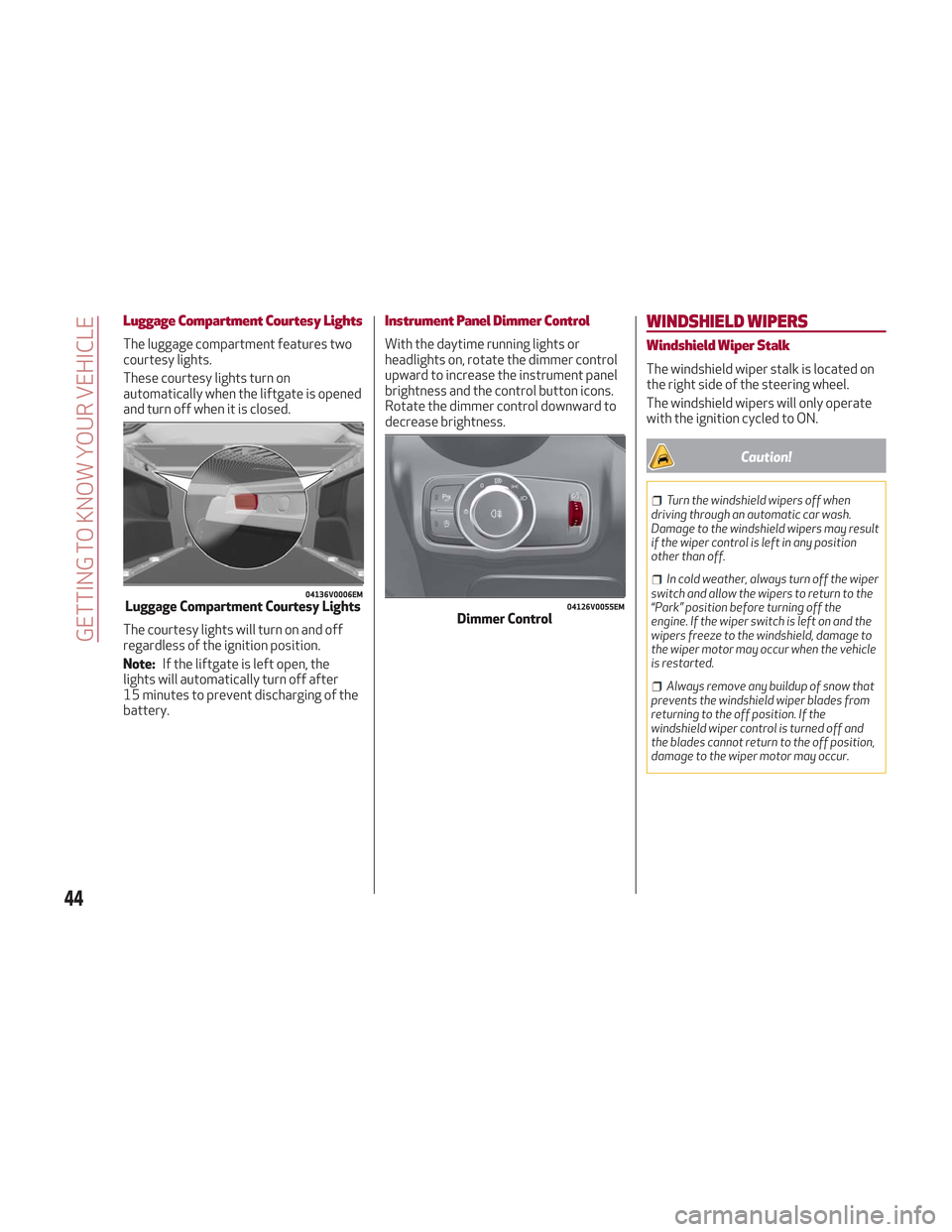
Luggage Compartment Courtesy Lights
The luggage compartment features two
courtesy lights.
These courtesy lights turn on
automatically when the liftgate is opened
and turn off when it is closed.
The courtesy lights will turn on and off
regardless of the ignition position.
Note:If the liftgate is left open, the
lights will automatically turn off after
15 minutes to prevent discharging of the
battery.
Instrument Panel Dimmer Control
With the daytime running lights or
headlights on, rotate the dimmer control
upward to increase the instrument panel
brightness and the control button icons.
Rotate the dimmer control downward to
decrease brightness.
WINDSHIELD WIPERS
Windshield Wiper Stalk
The windshield wiper stalk is located on
the right side of the steering wheel.
The windshield wipers will only operate
with the ignition cycled to ON.
Caution!
Turn the windshield wipers off when
driving through an automatic car wash.
Damage to the windshield wipers may result
if the wiper control is left in any position
other than off.
In cold weather, always turn off the wiper
switch and allow the wipers to return to the
“Park” position before turning off the
engine. If the wiper switch is left on and the
wipers freeze to the windshield, damage to
the wiper motor may occur when the vehicle
is restarted.
Always remove any buildup of snow that
prevents the windshield wiper blades from
returning to the off position. If the
windshield wiper control is turned off and
the blades cannot return to the off position,
damage to the wiper motor may occur.
04136V0006EMLuggage Compartment Courtesy Lights04126V0055EMDimmer Control
44
GETTING TO KNOW YOUR VEHICLE
Page 48 of 276
The sensor has an adjustment range that
varies progressively from wiper still (no
stroke) when the windshield is dry, to
wiper at continuous speed (fast
operation) with intense rain.
Activation
Rotating the wiper switch to position
oractivates the rain sensor.
The activation of the rain sensor system
is done by tapping the wiper stalk
upwards while the switch is in the
orposition.
The variation in sensitivity during rain
sensor operation is also signaled by a
stroke of the wiper (command acquired
and implemented). This stroke is also
executed with the windshield dry.
If the windshield washer is used with the
rain sensor activated, the normal washing
cycle is performed, after which the rain
sensor resumes its normal automatic
operation.
Note: Keep the glass in the sensor area
clean.
Deactivation
Use the wiper switch or cycle the ignition
to STOP mode.
In the event of malfunction of the rain
sensor while it is active, the windshield
wiper operates intermittently at a speed
consistent with the sensitivity setting of
the rain sensor, whether or not there is
rain on the glass for as long as the sensor
failure is indicated on the display. The sensor continues to operate and it is
possible to set the windshield wiper to
continuous mode
or. The failure
indication remains on for as long as the
sensor is active.
The rain sensor is able to recognize and
automatically adjust itself in the
presence of the following conditions:
Presence of dirt on the controlled
surface (e.g. salt, dirt, etc.).
Presence of streaks of water caused
by the worn window wiper blades.
Difference between day and night.
Rear Window Wiper/Washer
Shifting the vehicle into REVERSE with
the windshield wiper operating, activates
a single cycle of the rear window wiper.
Activation of the rear window
wiper/washer can be done by moving the
stalk to one of the following positions:
Pushing the stalk towards the
instrument panel activates the rear
window washer (a brief push activates
one washing cycle, keeping the stalk
pushed washes continuously until the
stalk is released).
Pushing the stalk downward
activates/deactivates continuous rear
wiper operation.
HEADLAMP WASHERS
The windshield wiper stalk operates the
headlight washers when the ignition is in
the ON position and the headlights are
turned on. The windshield wiper stalk is
located on the right side of the steering
column. To use the headlight washers, pull
the stalk toward you and release it. The
headlight washers will spray a timed
high-pressure spray of washer fluid onto
each headlight lens. In addition, the
windshield washers will spray the
windshield and the windshield wipers will
cycle.
46
GETTING TO KNOW YOUR VEHICLE
Page 56 of 276
POWER WINDOWS
Power Window Switches
The power window switches work with
the ignition in the ON position and for
three minutes after the ignition has been
placed in the STOP position. When one of
the front doors is opened, this operation
is disabled.
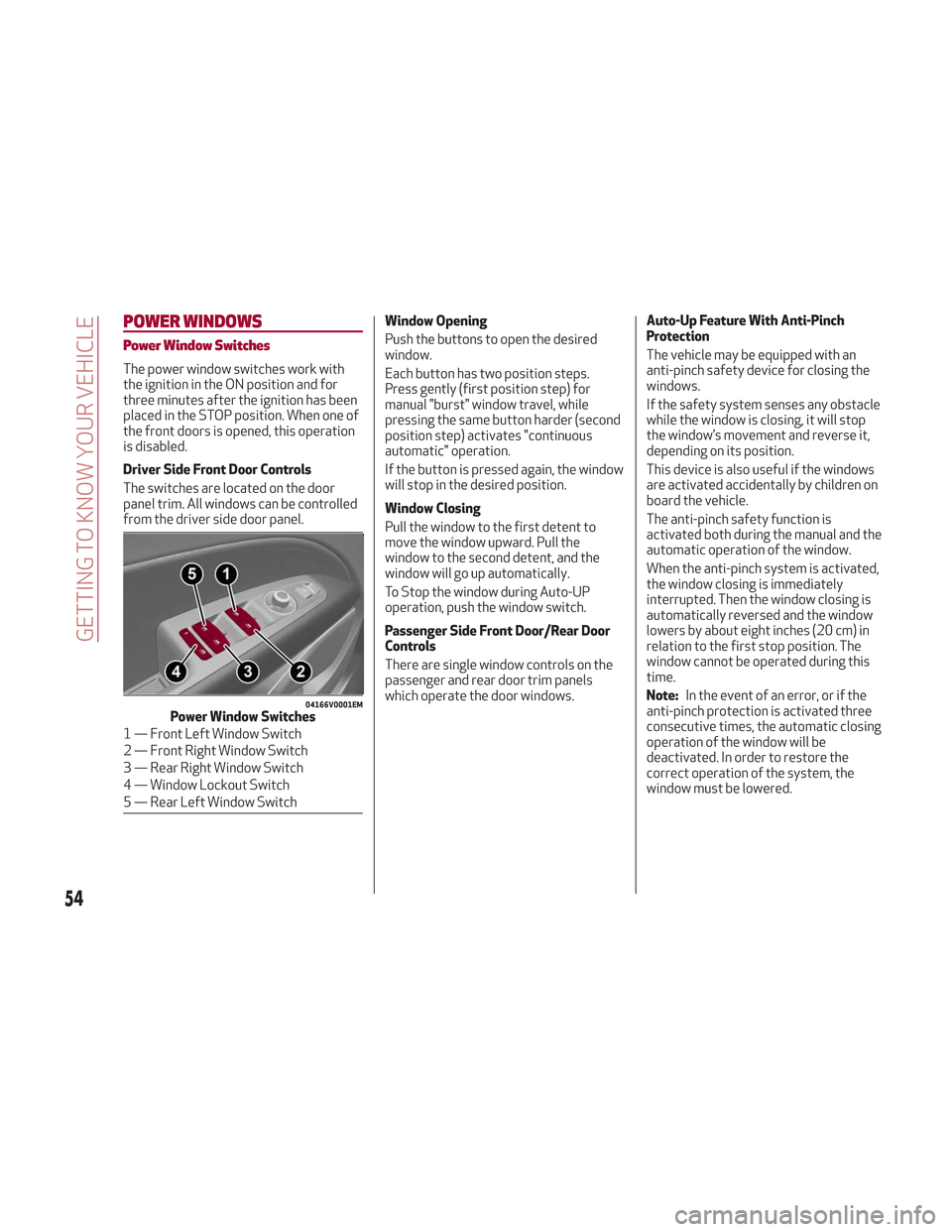
Driver Side Front Door Controls
The switches are located on the door
panel trim. All windows can be controlled
from the driver side door panel.Window Opening
Push the buttons to open the desired
window.
Each button has two position steps.
Press gently (first position step) for
manual "burst" window travel, while
pressing the same button harder (second
position step) activates "continuous
automatic" operation.
If the button is pressed again, the window
will stop in the desired position.
Window Closing
Pull the window to the first detent to
move the window upward. Pull the
window to the second detent, and the
window will go up automatically.
To Stop the window during Auto-UP
operation, push the window switch.
Passenger Side Front Door/Rear Door
Controls
There are single window controls on the
passenger and rear door trim panels
which operate the door windows.Auto-Up Feature With Anti-Pinch
Protection
The vehicle may be equipped with an
anti-pinch safety device for closing the
windows.
If the safety system senses any obstacle
while the window is closing, it will stop
the window’s movement and reverse it,
depending on its position.
This device is also useful if the windows
are activated accidentally by children on
board the vehicle.
The anti-pinch safety function is
activated both during the manual and the
automatic operation of the window.
When the anti-pinch system is activated,
the window closing is immediately
interrupted. Then the window closing is
automatically reversed and the window
lowers by about eight inches (20 cm) in
relation to the first stop position. The
window cannot be operated during this
time.
Note:
In the event of an error, or if the
anti-pinch protection is activated three
consecutive times, the automatic closing
operation of the window will be
deactivated. In order to restore the
correct operation of the system, the
window must be lowered.
04166V0001EMPower Window Switches
1 — Front Left Window Switch
2 — Front Right Window Switch
3 — Rear Right Window Switch
4 — Window Lockout Switch
5 — Rear Left Window Switch
54
GETTING TO KNOW YOUR VEHICLE
Page 57 of 276
Power Window System Initialization
If power supply is interrupted, the
electric window automatic operation
must be re-initialized.
To perform the initialization procedure,
which must be done on each door with the
doors closed, manually fully close the
window to be initialized.
Warning!
Never leave children unattended in a vehicle,
and do not let children play with power
windows. Do not leave the key fob in or near
the vehicle, or in a location accessible to
children. Occupants, particularly unattended
children, can become entrapped by the
windows while operating the power window
switches. Such entrapment may result in
serious injury or death.
POWER SUNROOF — IF
EQUIPPED
Power Sunroof
The power sunroof consists of a single
glass panel and is fitted with a power
sunshade the full length of the panel.
Operation of the sunroof is only possible
with the ignition in ON mode. Refer to
“Ignition System” in this chapter for
further information.
The sunroof has three preset positions:
Fully closed.
Comfort (intermediate opening).
Fully open.
Note: You cannot have the sunshade
closed when the sunroof is open.
Warning!
Never leave children unattended in a
vehicle, or with access to an unlocked
vehicle. Never leave the key fob in or near
the vehicle, or in a location accessible to
children. Do not leave the ignition of a
vehicle equipped with keyless ignition in the
ON mode. Occupants, particularly
unattended children, can become entrapped
by the power sunroof while operating the
power sunroof switch. Such entrapment
may result in serious injury or death.
In a collision, there is a greater risk of
being thrown from a vehicle with an open
sunroof. You could also be seriously injured or killed. Always fasten your seat belt
properly and make sure all passengers are
also properly secured.
Do not allow small children to operate the
sunroof. Never allow your fingers, other
body parts, or any object, to project through
the sunroof opening. Injury may result.
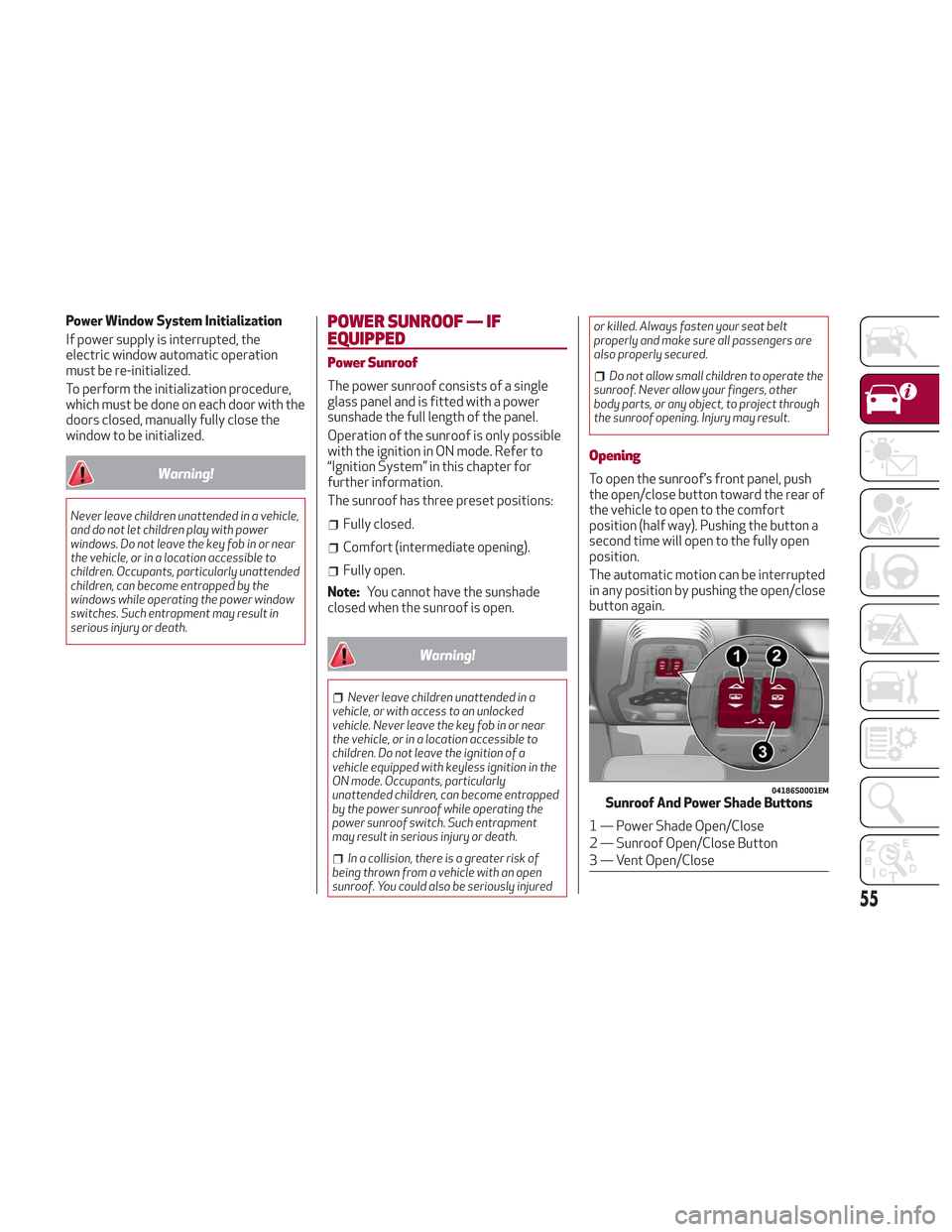
Opening
To open the sunroof’s front panel, push
the open/close button toward the rear of
the vehicle to open to the comfort
position (half way). Pushing the button a
second time will open to the fully open
position.
The automatic motion can be interrupted
in any position by pushing the open/close
button again.
04186S0001EMSunroof And Power Shade Buttons
1 — Power Shade Open/Close
2 — Sunroof Open/Close Button
3 — Vent Open/Close
55
Page 58 of 276
Caution!
Do not open the sun roof if a roof rack or
crossbars are fitted. Do not open the sun
roof if there is snow or ice on it: you may
damage it.
Closing
From the complete open position, push
the open/close button toward the front
of the vehicle. The roof will close
completely.
The automatic motion can be interrupted
in any position by pushing the open/close
button again.
Vent Opening
To bring the roof into vent position, push
and release the vent button.
This type of vent opening can be
activated regardless of the position of
the sunroof. When starting with the roof
in the closed position, pushing the vent
button automatically causes the sunroof
to open to the vent position. If the roof is
already open, the button must be held
until the roof reaches the vent-opening
position.
Pushing the vent button again during
automatic movement of the roof will stop
it.
Power Sun Shade
The sunshade is power operated.
Push the Power Shade open/close button
toward the rear of the vehicle to open the
sun shade.
Push the Power Shade open/close button
toward the front of the vehicle to close
the sun shade.
The automatic motion can be interrupted
in any position by pushing the Power
Shade on/off button again.
Pinch Protect Feature
The sunroof has an anti-pinch safety
system capable of detecting the
presence of an obstacle during the
closing movement. If an obstacle is
detected, the system intervenes and the
movement of the sunroof is immediately
reversed into opening.
Initialization Procedure
Automatic operation of the sunroof must
be initialized again in case of faulty
sunroof operation. It may also be
necessary to initialize the sunroof after
the vehicle’s battery as been
disconnected and then reconnected.Proceed as follows:
1. Push the open/close button to bring
the roof into the completely closed
position.
2. Cycle the ignition to STOP mode and
wait at least ten seconds.
3. Cycle the ignition to AVV mode. Refer
to “Ignition System” in this chapter for
further information.
4. Hold the open/close button down for
at least ten seconds. You should then
hear the mechanical stop of the roof
motor.
5. Within five seconds, hold the
open/close button down. The roof will
perform a complete opening and closing
cycle (to indicate that the initialization
procedure has been successful). If this
does not occur, the procedure must be
restarted from the beginning.
56
GETTING TO KNOW YOUR VEHICLE