turn signal Alfa Romeo Stelvio 2018 Owner's Guide
[x] Cancel search | Manufacturer: ALFA ROMEO, Model Year: 2018, Model line: Stelvio, Model: Alfa Romeo Stelvio 2018Pages: 276, PDF Size: 5.79 MB
Page 165 of 276
Note:After setting the ignition to STOP
and having closed the driver side door,
wait at least one minute before
disconnecting the electrical supply from
the battery. When reconnecting the
electrical supply to the battery, make
sure that the ignition is in the STOP mode
and the driver side door is closed.
SPEED LIMITER
Description
This feature allows the speed of the
vehicle to be limited to speeds, which can
be set by the driver.
The maximum speed can be set with the
vehicle stationary or in motion. The
minimum speed that can be set is 18 mph
(30mk/h).
When this feature is active, the vehicle
speed depends on the pressing of the
accelerator pedal until the programmed
speed limit is reached (see "Speed Limit
Programming" paragraph).
Activation
The feature can be activated/
deactivated through the Information and
Entertainment System.
Activating The Device
To access this feature on the main menu,
select the following items in sequence:
"Settings", "Safety", “Speed Limiter” and
“ON”.
The activation of this feature is signaled
by the displaying of the green symbol
along with the last speed set. The Speed
Limiter feature can remain active
concurrently with the Speed Control
system. If a speed limit below the one
indicated in the Speed Control is
selected, the Speed Control speed will be
lowered to that of the Speed Limiter. This
function remains available in RACE mode.
Speed Limit Programming
The speed limit can be programmed
through the Information and
Entertainment System.
To access the function on the main menu,
select the following items in sequence:
"Settings", "Safety" and "Speed Limiter
Set Speed".
By turning the Rotary Pad, the speed
increases by 5 mph (5 km/h), from a
minimum of 18 mph (30 km/h) to a
maximum of 112 mph (180 km/h).
Exceeding The Programmed Speed
By fully pressing the accelerator pedal,
the programmed speed can be exceeded
even with the device active (e.g. in the
event of overtaking).
The device is disabled until the speed
drops below the set limit, after which it
reactivates automatically.
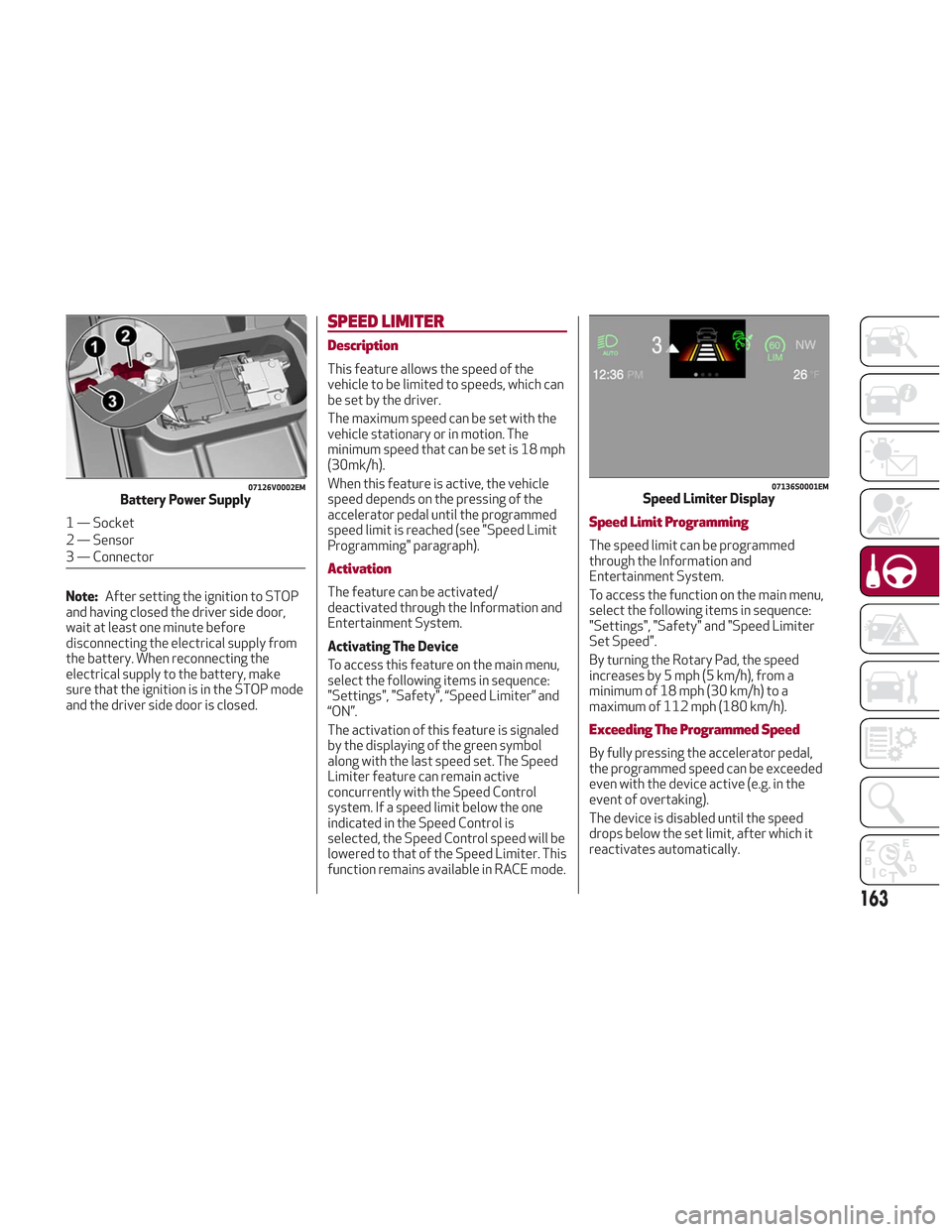
07126V0002EMBattery Power Supply
1 — Socket
2 — Sensor
3 — Connector
07136S0001EMSpeed Limiter Display
163
Page 171 of 276
the button is released. Then, the new
speed will be set.
Decreasing Speed
Once the system has been activated, you
can decrease the speed by lowering the
SET switch. Each time it is operated, the
speed decreases by 1 mph.
By holding the button down, the set
speed will decrease in increments of
5 mph until the button is released. Then,
the new speed will be set.
Note:
Moving the SET switch allows you to
adjust the speed according to the
selected unit of measurement ("US" or
"metric") set on the Information and
Entertainment System (see dedicated
supplement).
When the unit of measurement is set
to metric, holding the SET switch the
speed will change in 10 km/h
increments.
By keeping the accelerator pedal
depressed, the vehicle can continue to
accelerate beyond the set speed. In this
case, use the SET switch to set the
speed to the vehicle’s current speed.
When you push the SET button to
reduce the speed, the braking system
intervenes automatically if the engine
brake does not slow the vehicle down
sufficiently to reach the set speed. The
device holds the set speed uphill and
downhill; however a slight variation is
entirely normal, particularly on slight
inclines.
The transmission could change to a
lower gear when driving downhill, or
when accelerating. This is normal and
necessary to maintain the set speed.
The system will disable while driving
if the brakes overheat.
Accelerating When Overtaking
When driving with ACC activated and
following a vehicle, the system will
provide an additional acceleration up to
the ACC set speed to assist in passing the
vehicle. This additional acceleration is
triggered when the driver utilizes the left
turn signal and will only be active when
passing on the left hand side.
The system detects the direction of
traffic automatically when the vehicle
passes from left-hand traffic to
right-hand traffic. In this case, the
overtaking assist function is only active
when the reference vehicle is overtaken
on the right. The additional acceleration
is deactivated when the driver uses the
right turn signal and returns to the
original lane.
Resuming The Speed
Once the system has been canceled but
not deactivated, to resume a previously
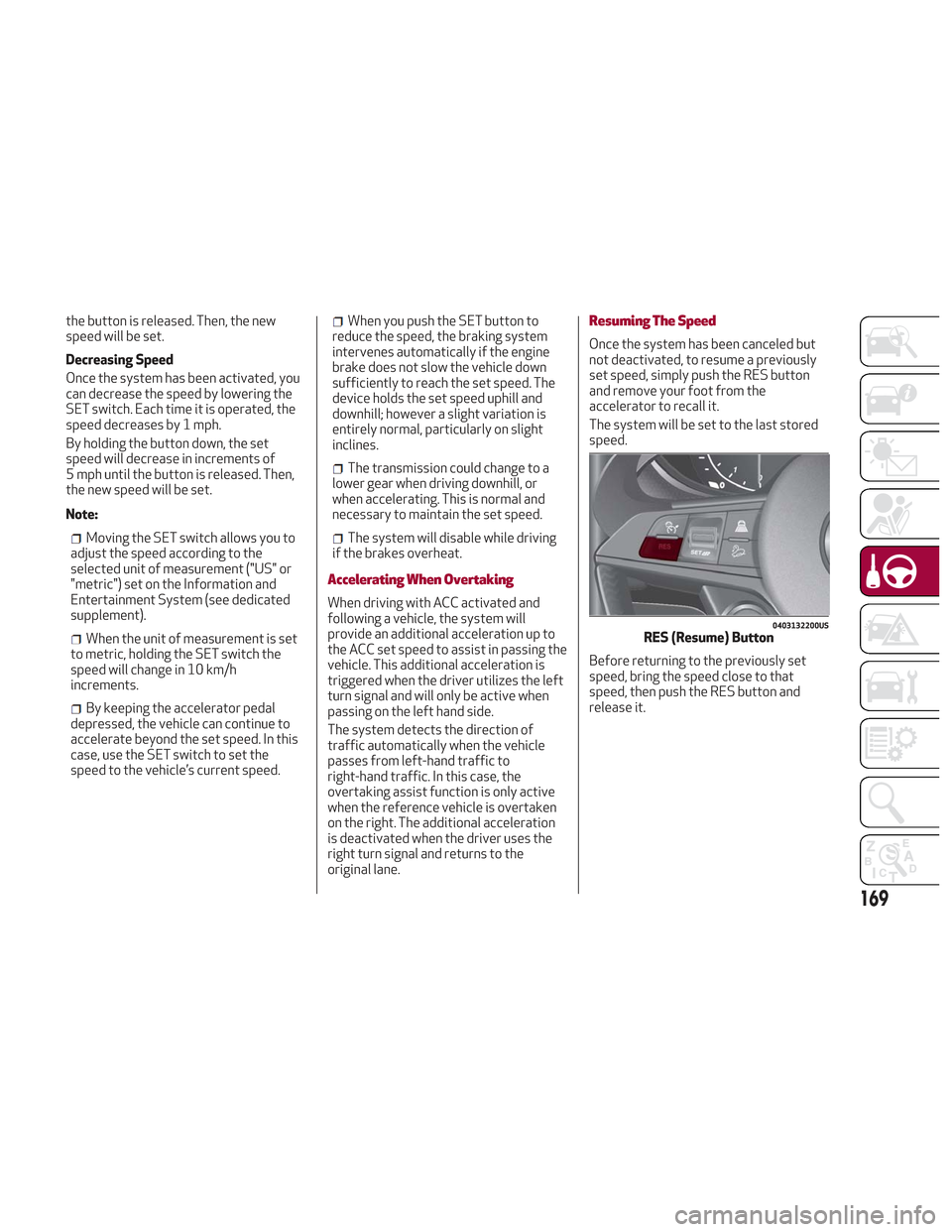
set speed, simply push the RES button
and remove your foot from the
accelerator to recall it.
The system will be set to the last stored
speed.
Before returning to the previously set
speed, bring the speed close to that
speed, then push the RES button and
release it.
0403132200USRES (Resume) Button
169
Page 175 of 276
General Information
The following regulatory statement
applies to all Radio Frequency (RF)
devices equipped in this vehicle:
This device complies with Part 15 of the
FCC Rules and with Industry Canada
license-exempt RSS standard(s).
Operation is subject to the following two
conditions:
1. This device may not cause harmful
interference.
2. This device must accept any
interference received, including
interference that may cause undesired
operation.
Note:Changes or modifications not
expressly approved by the party
responsible for compliance could void the
user’s authority to operate the
equipment.
PARK SENSORS SYSTEM
Vehicles With Front And Rear Parking
Sensors
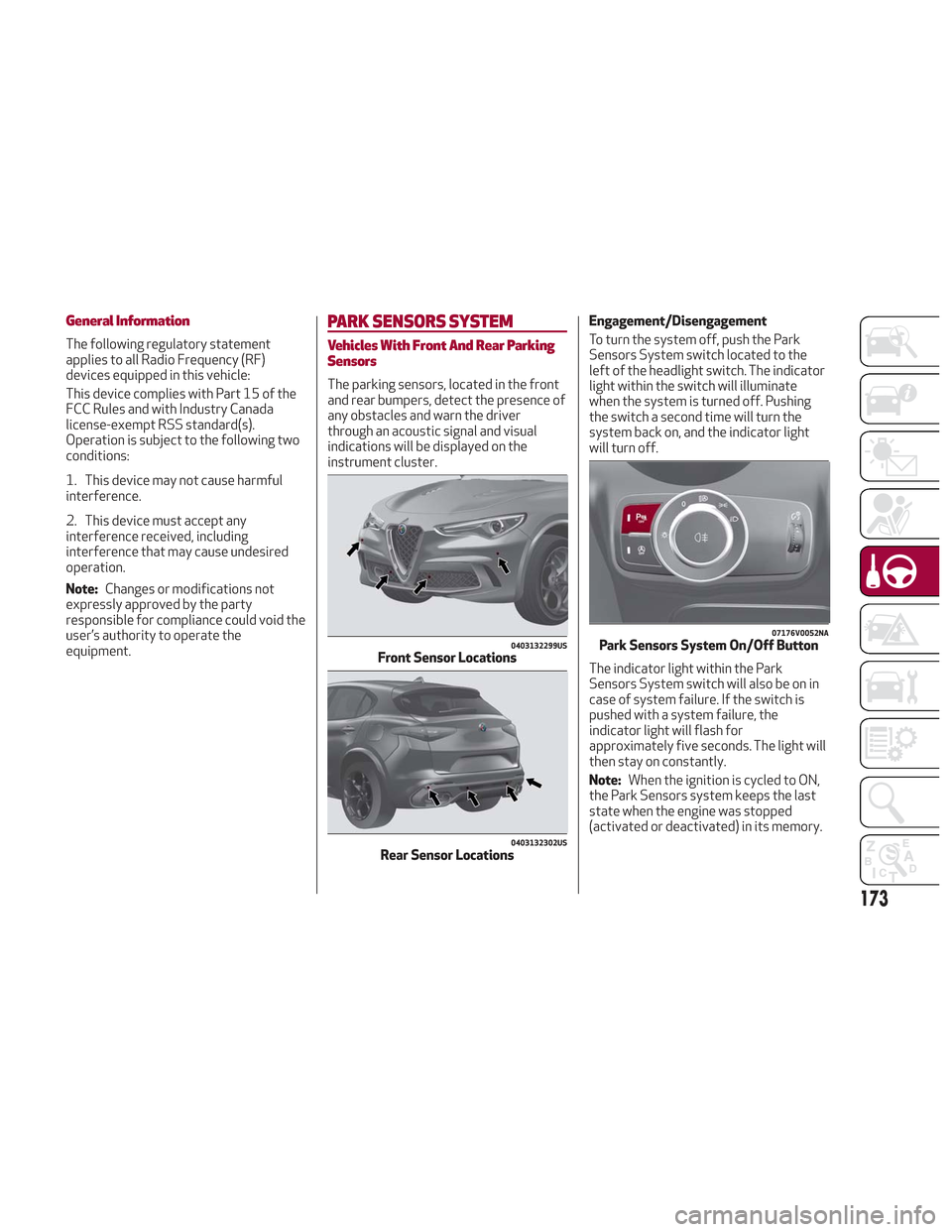
The parking sensors, located in the front
and rear bumpers, detect the presence of
any obstacles and warn the driver
through an acoustic signal and visual
indications will be displayed on the
instrument cluster. Engagement/Disengagement
To turn the system off, push the Park
Sensors System switch located to the
left of the headlight switch. The indicator
light within the switch will illuminate
when the system is turned off. Pushing
the switch a second time will turn the
system back on, and the indicator light
will turn off.
The indicator light within the Park
Sensors System switch will also be on in
case of system failure. If the switch is
pushed with a system failure, the
indicator light will flash for
approximately five seconds. The light will
then stay on constantly.
Note:
When the ignition is cycled to ON,
the Park Sensors system keeps the last
state when the engine was stopped
(activated or deactivated) in its memory.
0403132299USFront Sensor Locations
0403132302USRear Sensor Locations
07176V0052NAPark Sensors System On/Off Button
173
Page 176 of 276
System Activation/Deactivation
When the REVERSE gear is engaged and
the system is on, the front and rear
sensors are activated. If the vehicle
moves from REVERSE to a forward gear,
the rear sensors are deactivated, while
the front sensors remain active until the
speed of 9 mph (15 km/h) is exceeded.
Note:In certain operating conditions, the
system could start detecting an obstacle
only after the vehicle has moved slightly
(a few inches).
Acoustic Signal
In the presence of an obstacle at the
front or the rear of the vehicle, an
acoustic signal with variable frequency
will sound:
The acoustic signal increases in
frequency as the distance between the
vehicle and the obstacle decreases.
The acoustic signal becomes
continuous when the distance between
the vehicle and the obstacle is less than
11 inches (30 cm), and stops if the
distance increases.
The acoustic signal is constant if the
distance between the vehicle and the
obstacle is unchanged.
Note: If the sensors detect several front
and rear obstacles, the closest obstacle
is considered. An intermittent signal will
sound if the obstacles are at the same
distance (front and rear). When the system emits an acoustic
signal, the volume of the Information and
Entertainment System, if activated, is
automatically lowered.
Indication On Display
The driver can select the type of warning
they would like to be displayed through
the Information and Entertainment
System. To access the function on the
main menu, select in the following order:
1. “Settings.”
2. “Driver Assistance.”
3. “ParkSense.”
4. “Mode.”
5. “Sound-Display.”
Visual Indications
The system indicates the presence of an
obstacle by displaying a single red arc in
the detected areas, in relation to the
distance of the object and the position of
the vehicle.
If the obstacle is detected in the front or
rear central area, a single red arc will be
displayed as the obstacle approaches,
first constant, then flashing, in addition
to an acoustic signal.
If the obstacle is detected in the front or
rear left and/or right area, a single red
flashing arc will be shown in the
corresponding area on the display and
the system will emit an acoustic signal,
either at frequent intervals or constantly.If several obstacles are detected
simultaneously in the front and rear area,
the display will show all of them,
regardless of the area in which they were
detected.
In general, the vehicle is closer to the
obstacle when a single or several flashing
arcs are shown on the display and the
acoustic signal becomes continuous.
It is not possible to exit from the display
screen while the vehicle is in REVERSE.
Fault Indication
Parking sensor faults, if any, will be
indicated by a message on the display on
the instrument cluster. Refer to "Warning
Lights And Messages On The Instrument
Panel" in "Getting To Know Your
Instrument Panel" for further
information.
Messages On The Display
In case of system failure, a dedicated
message appears on the instrument
cluster for about 5 seconds.
Cleaning the front or rear sensors
:If
the display shows a message requiring
the sensors to be cleaned, make sure that
the outer surface and the underside of
the front and rear bumpers are free of
debris (e.g. snow, mud, ice, etc.). Once
these areas are clear, place the ignition in
STOP mode. Then, return it to ON mode.
If the message is still displayed, contact
your authorized dealer.
174
STARTING AND OPERATING
Page 178 of 276
LANE DEPARTURE WARNING
(LDW) SYSTEM — IF EQUIPPED
Description
The Lane Departure Warning system uses
a forward looking camera located on the
windshield to detect lane markings and
measure vehicle position within the lane
boundaries.
When one or both lane limits are
detected and the vehicle passes over one
without an activated turn signal, the
system emits a visual as well as an
acoustic signal.
If the vehicle continues to go beyond the
line of the lane without any intervention
from the driver, the surpassed line will
light up on the display (left or right) to
urge the driver to bring the vehicle back
into the limits of the lane.
Caution!
Do not tamper with nor operate on the
camera. Do not close the openings in the
aesthetic cover located under the interior
rear view mirror. In the event of a failure of
the camera, contact your authorized dealer.
The camera may have limited or absent
operation due to weather conditions such
as: heavy rain, hail, thick fog, heavy snow,
formation of ice layers on the windshield.
Camera operation may also be
compromised by the presence of dust,
condensation, dirt or ice on the windshield,
by traffic conditions (e.g. vehicles that are
driving not aligned with yours, vehicle
driving in a transverse or opposite way on
the same lane, bend with a small radius of
curvature), by road surface conditions and
by driving conditions (e.g. off-road driving).
Make sure the windshield is always clean.
Use specific detergents and clean cloths to
avoid scratching the windshield. The camera
operation may also be limited or absent in
some driving, traffic and road surface
conditions.
If the windshield must be replaced due to
scratches, chipping or breakage, contact
exclusively your authorized dealer. Do not
replace the windshield on your own. It is
advisable to replace the windshield if it is
damaged in the area of the camera.
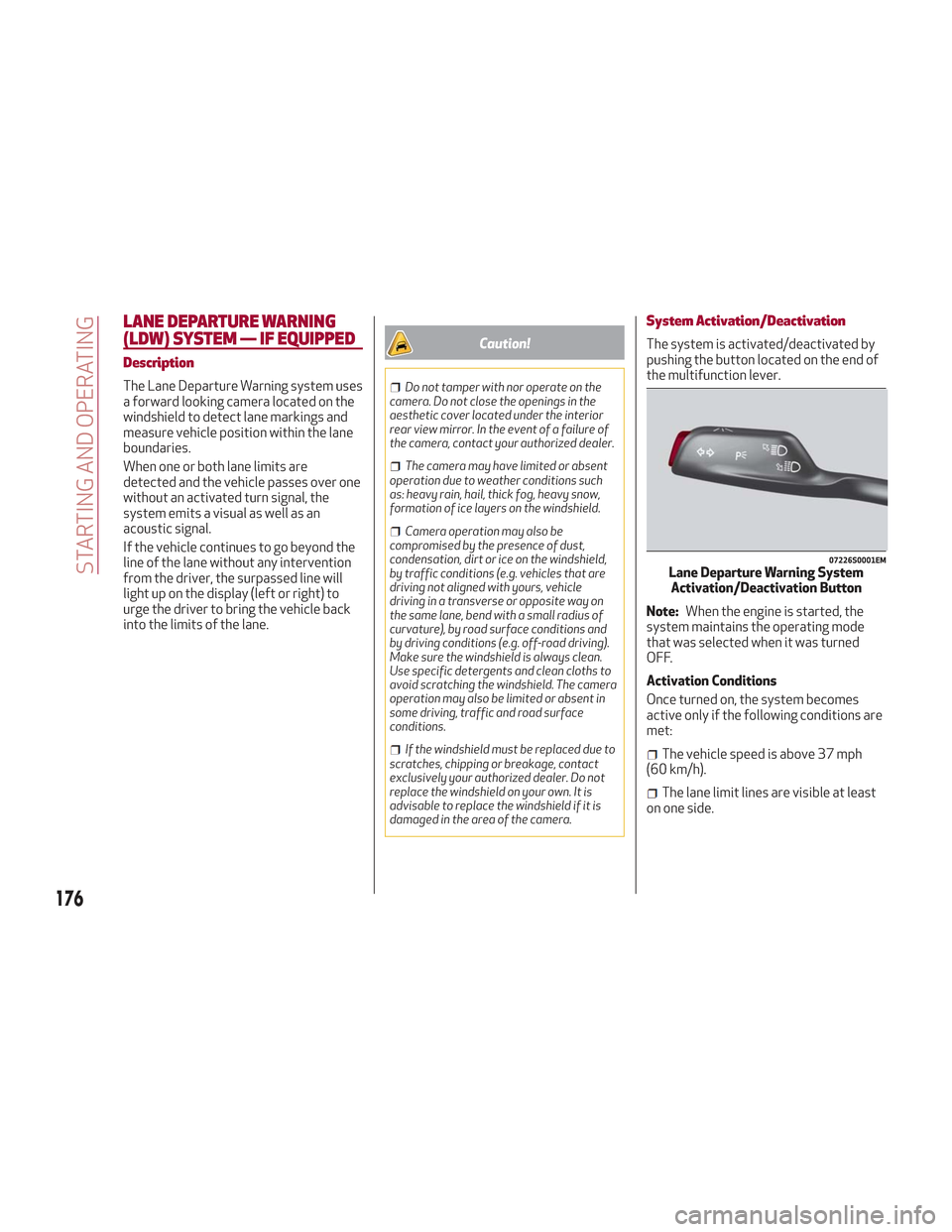
System Activation/Deactivation
The system is activated/deactivated by
pushing the button located on the end of
the multifunction lever.
Note: When the engine is started, the
system maintains the operating mode
that was selected when it was turned
OFF.
Activation Conditions
Once turned on, the system becomes
active only if the following conditions are
met:
The vehicle speed is above 37 mph
(60 km/h).
The lane limit lines are visible at least
on one side.
07226S0001EMLane Departure Warning System Activation/Deactivation Button
176
STARTING AND OPERATING
Page 179 of 276
There are suitable visibility conditions.
The road is straight or with wide radius
bends.
A suitable distance is kept from the
vehicle in front.
The turn signal is not active.
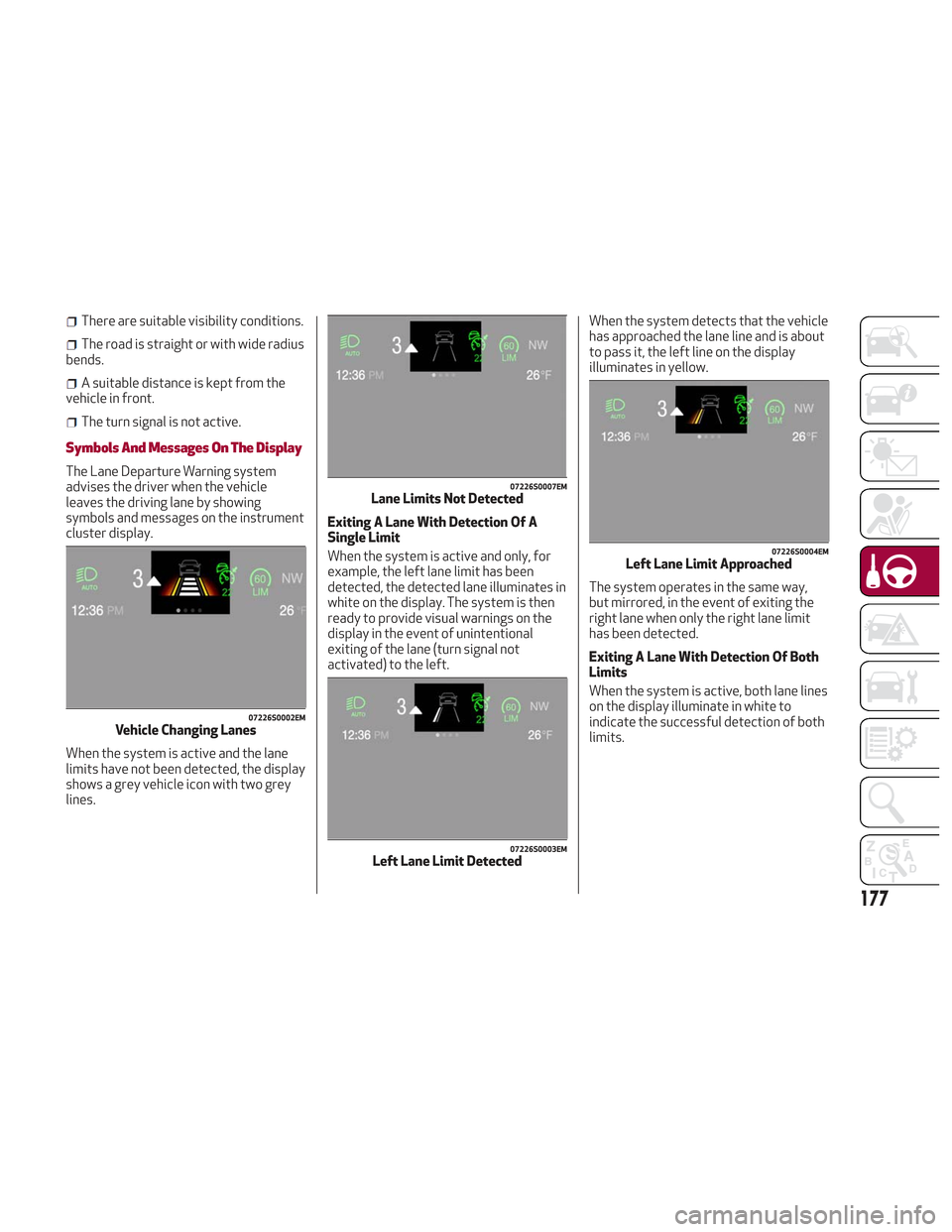
Symbols And Messages On The Display
The Lane Departure Warning system
advises the driver when the vehicle
leaves the driving lane by showing
symbols and messages on the instrument
cluster display.
When the system is active and the lane
limits have not been detected, the display
shows a grey vehicle icon with two grey
lines. Exiting A Lane With Detection Of A
Single Limit
When the system is active and only, for
example, the left lane limit has been
detected, the detected lane illuminates in
white on the display. The system is then
ready to provide visual warnings on the
display in the event of unintentional
exiting of the lane (turn signal not
activated) to the left.When the system detects that the vehicle
has approached the lane line and is about
to pass it, the left line on the display
illuminates in yellow.
The system operates in the same way,
but mirrored, in the event of exiting the
right lane when only the right lane limit
has been detected.
Exiting A Lane With Detection Of Both
Limits
When the system is active, both lane lines
on the display illuminate in white to
indicate the successful detection of both
limits.
07226S0002EMVehicle Changing Lanes
07226S0007EMLane Limits Not Detected
07226S0003EMLeft Lane Limit Detected
07226S0004EMLeft Lane Limit Approached
177
Page 180 of 276
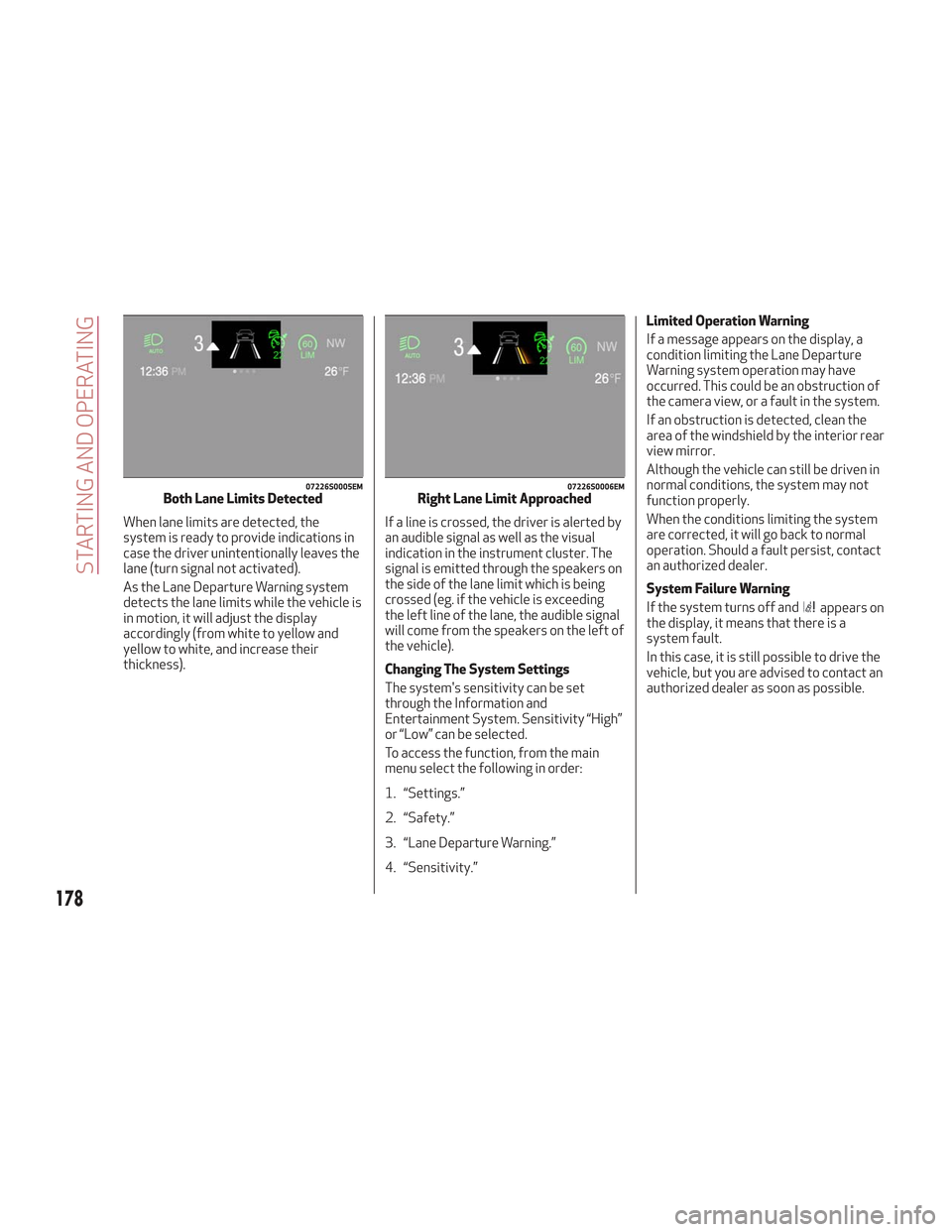
When lane limits are detected, the
system is ready to provide indications in
case the driver unintentionally leaves the
lane (turn signal not activated).
As the Lane Departure Warning system
detects the lane limits while the vehicle is
in motion, it will adjust the display
accordingly (from white to yellow and
yellow to white, and increase their
thickness).If a line is crossed, the driver is alerted by
an audible signal as well as the visual
indication in the instrument cluster. The
signal is emitted through the speakers on
the side of the lane limit which is being
crossed (eg. if the vehicle is exceeding
the left line of the lane, the audible signal
will come from the speakers on the left of
the vehicle).
Changing The System Settings
The system's sensitivity can be set
through the Information and
Entertainment System. Sensitivity “High”
or “Low” can be selected.
To access the function, from the main
menu select the following in order:
1. “Settings.”
2. “Safety.”
3. “Lane Departure Warning.”
4. “Sensitivity.”Limited Operation Warning
If a message appears on the display, a
condition limiting the Lane Departure
Warning system operation may have
occurred. This could be an obstruction of
the camera view, or a fault in the system.
If an obstruction is detected, clean the
area of the windshield by the interior rear
view mirror.
Although the vehicle can still be driven in
normal conditions, the system may not
function properly.
When the conditions limiting the system
are corrected, it will go back to normal
operation. Should a fault persist, contact
an authorized dealer.
System Failure Warning
If the system turns off and
appears on
the display, it means that there is a
system fault.
In this case, it is still possible to drive the
vehicle, but you are advised to contact an
authorized dealer as soon as possible.
07226S0005EMBoth Lane Limits Detected07226S0006EMRight Lane Limit Approached
178
STARTING AND OPERATING
Page 190 of 276
HAZARD WARNING LIGHTS
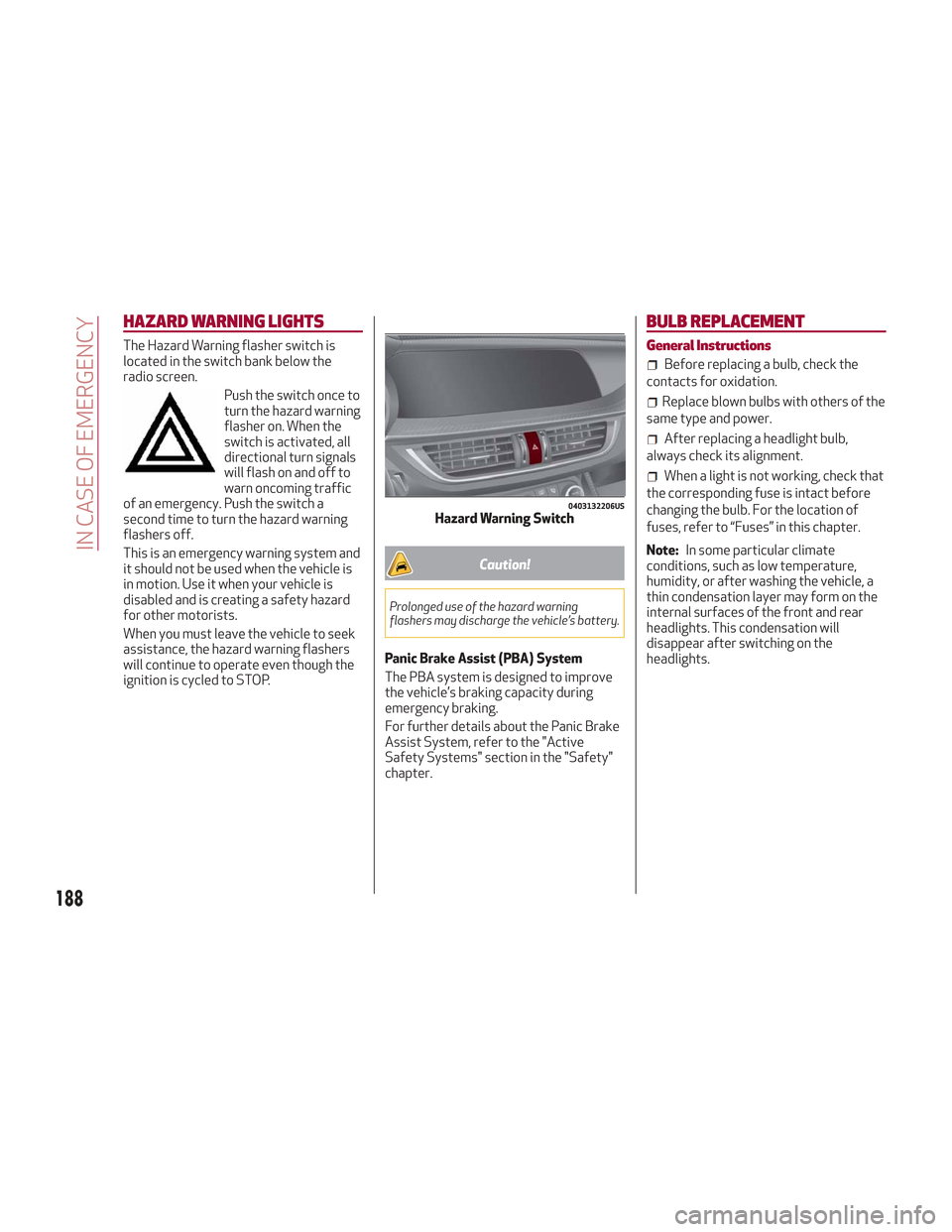
The Hazard Warning flasher switch is
located in the switch bank below the
radio screen.Push the switch once to
turn the hazard warning
flasher on. When the
switch is activated, all
directional turn signals
will flash on and off to
warn oncoming traffic
of an emergency. Push the switch a
second time to turn the hazard warning
flashers off.
This is an emergency warning system and
it should not be used when the vehicle is
in motion. Use it when your vehicle is
disabled and is creating a safety hazard
for other motorists.
When you must leave the vehicle to seek
assistance, the hazard warning flashers
will continue to operate even though the
ignition is cycled to STOP.
Caution!
Prolonged use of the hazard warning
flashers may discharge the vehicle’s battery.
Panic Brake Assist (PBA) System
The PBA system is designed to improve
the vehicle’s braking capacity during
emergency braking.
For further details about the Panic Brake
Assist System, refer to the "Active
Safety Systems" section in the "Safety"
chapter.
BULB REPLACEMENT
General Instructions
Before replacing a bulb, check the
contacts for oxidation.
Replace blown bulbs with others of the
same type and power.
After replacing a headlight bulb,
always check its alignment.
When a light is not working, check that
the corresponding fuse is intact before
changing the bulb. For the location of
fuses, refer to “Fuses” in this chapter.
Note: In some particular climate
conditions, such as low temperature,
humidity, or after washing the vehicle, a
thin condensation layer may form on the
internal surfaces of the front and rear
headlights. This condensation will
disappear after switching on the
headlights.
0403132206USHazard Warning Switch
188
IN CASE OF EMERGENCY
Page 270 of 276
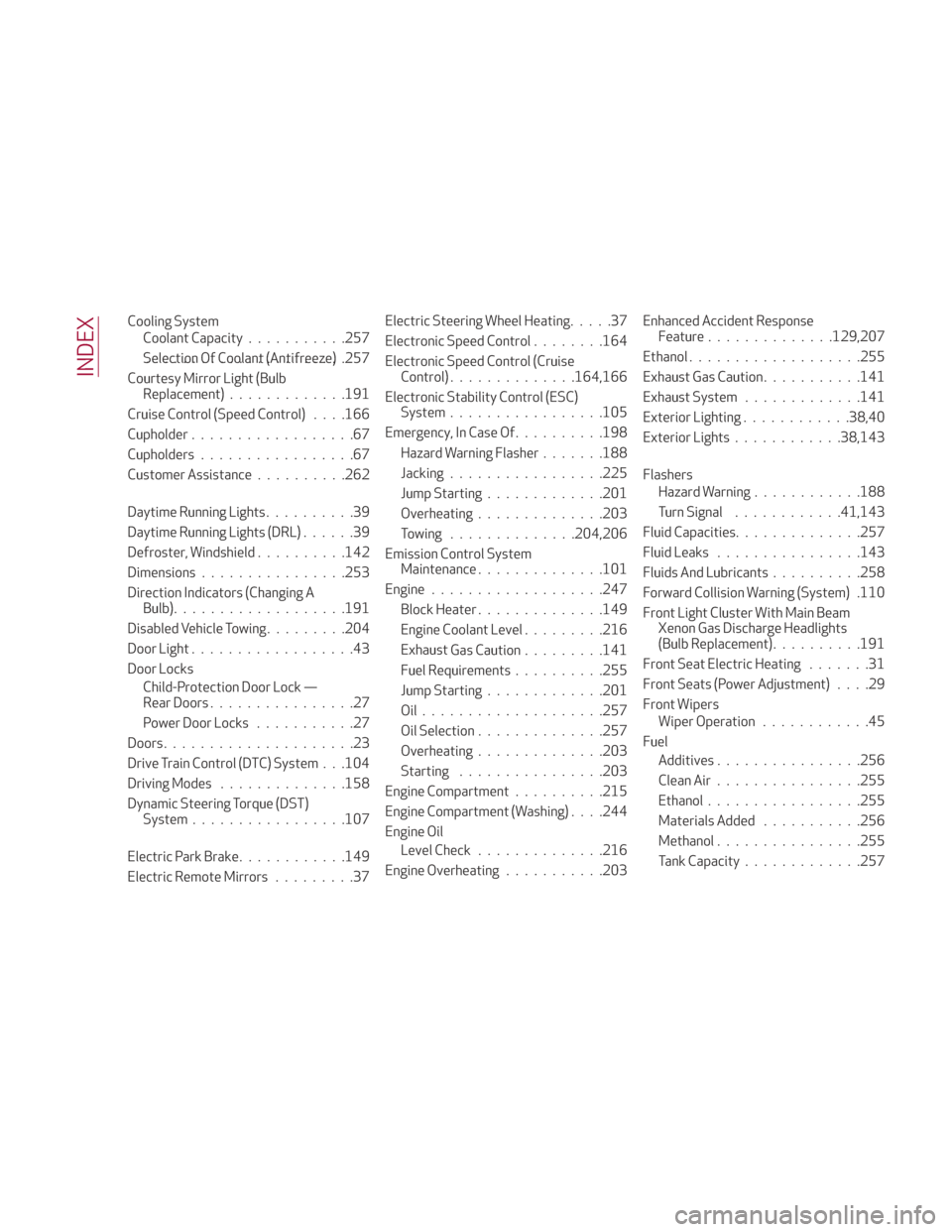
Cooling SystemCoolant Capacity ...........257
Selection Of Coolant (Antifreeze) ..................... .257
Courtesy Mirror Light (Bulb Replacement) .............191
Cruise Control (Speed Control) . . . .166
Cupholder ..................67
Cupholders .................67
Customer Assistance ..........262
Daytime Running Lights ..........39
Daytime Running Lights (DRL) ......39
Defroster, Windshield ..........142
Dimensions ............... .253
Direction Indicators (Changing A Bulb) .................. .191
Disabled Vehicle Towing .........204
Door Light ..................43
Door Locks Child-Protection Door Lock —
Rear Doors ................27
Power Door Locks ...........27
Doors .....................23
Drive Train Control (DTC) System . . .104
Driving Modes ............. .158
Dynamic Steering Torque (DST) System ................ .107
Electric Park Brake ............149
Electric Remote Mirrors .........37Electric Steering Wheel Heating
.....37
Electronic Speed Control ........164
Electronic Speed Control (Cruise Control) ............. .164,166
Electronic Stability Control (ESC) System ................ .105
Emergency, In Case Of ..........198
Hazard Warning Flasher .......188
Jacking ................ .225
Jump Starting .............201
Overheating ............. .203
Towing ..............204,206
Emission Control System Maintenance ............. .101
Engine .................. .247
Block Heater ............. .149
Engine Coolant Level ........
.216
Exhaust
Gas Caution .........141
Fuel Requirements ..........255
Jump Starting .............201
Oil................... .257
Oil Selection ............. .257
Overheating ............. .203
Starting ............... .203
Engine Compartment ..........215
Engine Compartment (Washing) . . . .244
Engine Oil Level Check ............. .216
Engine Overheating ...........203 Enhanced Accident Response
Feature ..............129,207
Ethanol .................. .255
Exhaust Gas Caution ...........141
Exhaust System .............141
Exterior Lighting ............38,40
Exterior Lights ............38,143
Flashers Hazard Warning ............188
Turn Signal ............41,143
Fluid Capacities ..............257
Fluid Leaks ............... .143
Fluids And Lubricants ..........258
Forward Collision Warning (System) .110
Front Light Cluster With Main Beam Xenon Gas Discharge Headlights
(Bulb Replacement) ..........191
Front Seat Electric Heating .......31
Front Seats (Power Adjustment) ....29
Front Wipers Wiper Operation ............45
Fuel Additives ............... .256
Clean Air ............... .255
Ethanol ................ .255
Materials Added ...........256
Methanol ............... .255
Tank Capacity .............257
INDEX
Page 271 of 276
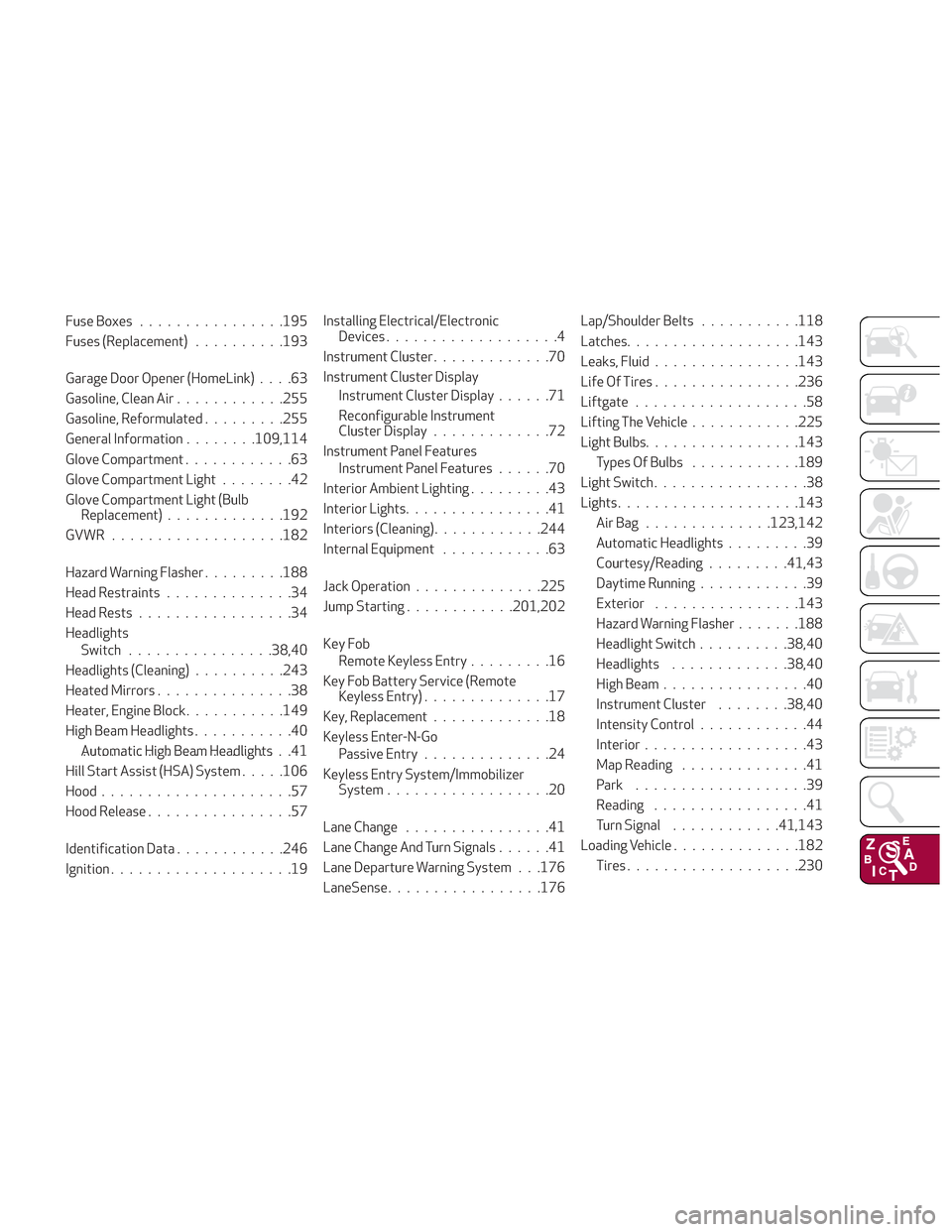
Fuse Boxes............... .195
Fuses (Replacement) ..........193
Garage Door Opener (HomeLink) ....63
Gasoline, Clean Air ............255
Gasoline, Reformulated .........255
General Information ........109,114
Glove Compartment ............63
Glove Compartment Light ........42
Glove Compartment Light (Bulb Replacement) .............192
GVWR .................. .182
Hazard Warning Flasher .........188
Head Restraints ..............34
Head Rests .................34
Headlights Switch ............... .38,40
Headlights (Cleaning) ..........243
Heated Mirrors ...............38
Heater, Engine Block ...........149
High Beam Headlights ...........40
Automatic High Beam Headlights .......................41
Hill Start Assist (HSA) System .....106
Hood .....................57
Hood Release ................57
Identification Data ............246
Ignition ....................19 Installing Electrical/Electronic
Devices ...................4
Instrument Cluster .............70
Instrument Cluster Display Instrument Cluster Display ......71
Reconfigurable Instrument
Cluster Display .............72
Instrument Panel Features Instrument Panel Features ......70
Interior Ambient Lighting .........43
Interior Lights ................41
Interiors (Cleaning) ............244
Internal Equipment ............63
Jack Operation ............. .225
Jump Starting ............201,202
Key Fob Remote Keyless Entry .........16
Key Fob Battery Service (Remote Keyless Entry) ..............17
Key, Replacement .............18
Keyless Enter-N-Go Passive Entry ..............24
K
eyless Entry System/Immobilizer System ..................20
Lane Change ................41
Lane Change And Turn Signals ......41
Lane Departure Warning System . . .176
LaneSense ................ .176Lap/Shoulder Belts
...........118
Latches .................. .143
Leaks, Fluid ............... .143
Life Of Tires ............... .236
Liftgate ...................58
Lifting The Vehicle ............225
Light Bulbs ................ .143
Types Of Bulbs ............189
Light Switch .................38
Lights ................... .143
AirBag ..............123,142
Automatic Headlights .........39
Courtesy/Reading .........41,43
Daytime Running ............39
Exterior ............... .143
Hazard Warning Flasher .......188
Headlight Switch ..........38,40
Headlights .............38,40
High Beam ................40
Instrument Cluster ........38,40
Intensity Control ............44
Interior ..................43
Map Reading ..............41
Park ...................39
Reading .................41
Turn Signal ............41,143
Loading Vehicle ..............182
Tires .................. .230