light ALFA ROMEO STELVIO 2022 Workshop Manual
[x] Cancel search | Manufacturer: ALFA ROMEO, Model Year: 2022, Model line: STELVIO, Model: ALFA ROMEO STELVIO 2022Pages: 256, PDF Size: 10.17 MB
Page 94 of 256
STARTING AND OPERATING
92
ALFA DNA SELECTOR
ALFA DNA SYSTEM
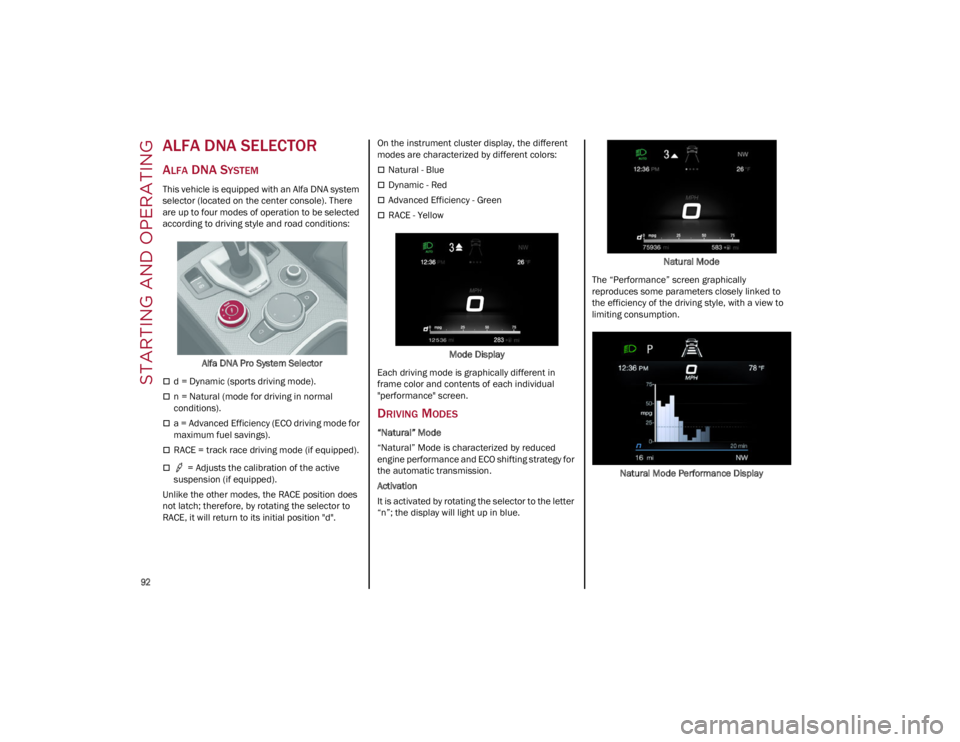
This vehicle is equipped with an Alfa DNA system
selector (located on the center console). There
are up to four modes of operation to be selected
according to driving style and road conditions:Alfa DNA Pro System Selector
d = Dynamic (sports driving mode).
n = Natural (mode for driving in normal
conditions).
a = Advanced Efficiency (ECO driving mode for
maximum fuel savings).
RACE = track race driving mode (if equipped).
= Adjusts the calibration of the active
suspension (if equipped).
Unlike the other modes, the RACE position does
not latch; therefore, by rotating the selector to
RACE, it will return to its initial position "d". On the instrument cluster display, the different
modes are characterized by different colors:
Natural - Blue
Dynamic - Red
Advanced Efficiency - Green
RACE - Yellow
Mode Display
Each driving mode is graphically different in
frame color and contents of each individual
"performance" screen.
DRIVING MODES
“Natural” Mode
“Natural” Mode is characterized by reduced
engine performance and ECO shifting strategy for
the automatic transmission.
Activation
It is activated by rotating the selector to the letter
“n”; the display will light up in blue. Natural Mode
The “Performance” screen graphically
reproduces some parameters closely linked to
the efficiency of the driving style, with a view to
limiting consumption.
Natural Mode Performance Display
22_GU_OM_EN_USC_t.book Page 92
Page 95 of 256
93
“Dynamic” Mode
Activation
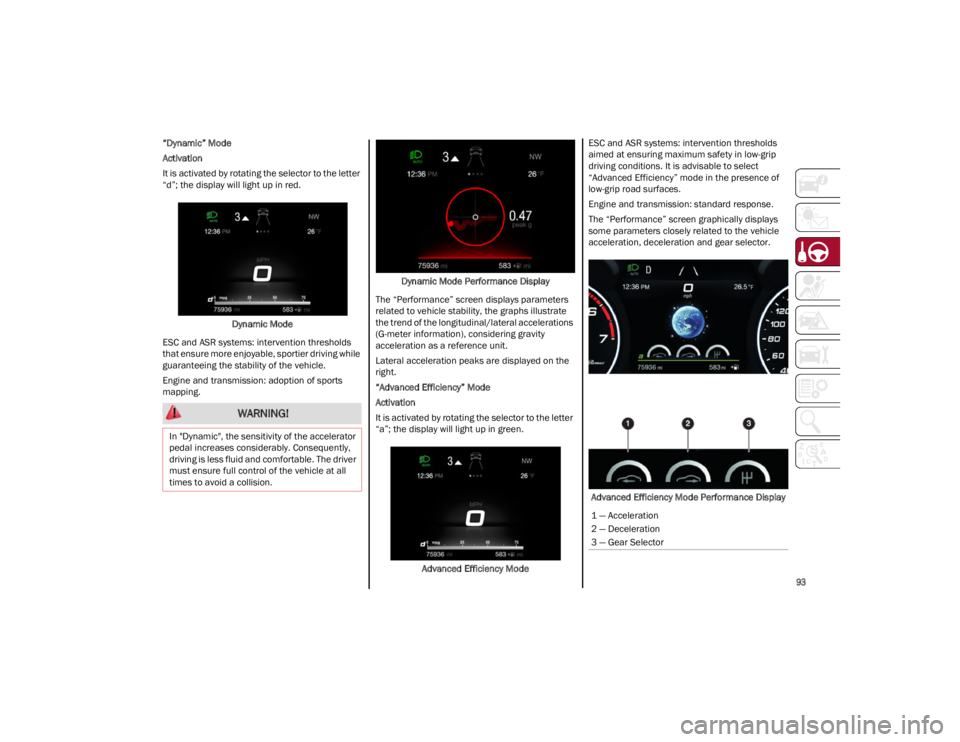
It is activated by rotating the selector to the letter
“d”; the display will light up in red.Dynamic Mode
ESC and ASR systems: intervention thresholds
that ensure more enjoyable, sportier driving while
guaranteeing the stability of the vehicle.
Engine and transmission: adoption of sports
mapping. Dynamic Mode Performance Display
The “Performance” screen displays parameters
related to vehicle stability, the graphs illustrate
the trend of the longitudinal/lateral accelerations
(G-meter information), considering gravity
acceleration as a reference unit.
Lateral acceleration peaks are displayed on the
right.
“Advanced Efficiency” Mode
Activation
It is activated by rotating the selector to the letter
“a”; the display will light up in green.
Advanced Efficiency Mode ESC and ASR systems: intervention thresholds
aimed at ensuring maximum safety in low-grip
driving conditions. It is advisable to select
“Advanced Efficiency” mode in the presence of
low-grip road surfaces.
Engine and transmission: standard response.
The “Performance” screen graphically displays
some parameters closely related to the vehicle
acceleration, deceleration and gear selector.
Advanced Efficiency Mode Performance Display
WARNING!
In "Dynamic", the sensitivity of the accelerator
pedal increases considerably. Consequently,
driving is less fluid and comfortable. The driver
must ensure full control of the vehicle at all
times to avoid a collision.
1 — Acceleration
2 — Deceleration
3 — Gear Selector
22_GU_OM_EN_USC_t.book Page 93
Page 96 of 256
STARTING AND OPERATING
94
“RACE” Mode
Activation
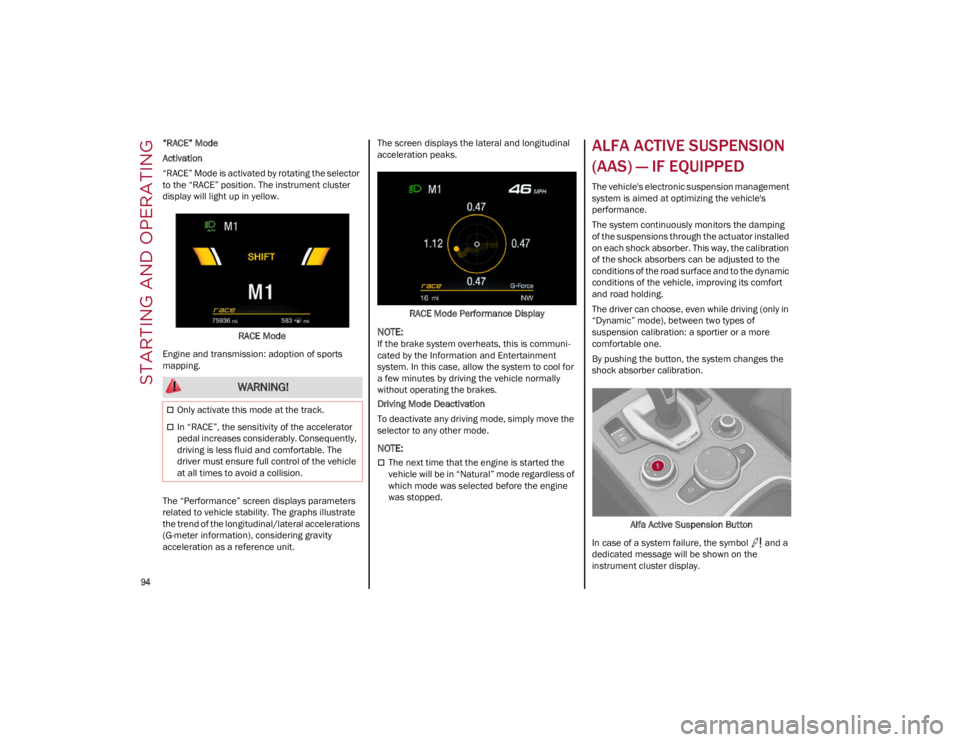
“RACE” Mode is activated by rotating the selector
to the “RACE” position. The instrument cluster
display will light up in yellow.RACE Mode
Engine and transmission: adoption of sports
mapping.
The “Performance” screen displays parameters
related to vehicle stability. The graphs illustrate
the trend of the longitudinal/lateral accelerations
(G-meter information), considering gravity
acceleration as a reference unit. The screen displays the lateral and longitudinal
acceleration peaks.
RACE Mode Performance Display
NOTE:
If the brake system overheats, this is communi -
cated by the Information and Entertainment
system. In this case, allow the system to cool for
a few minutes by driving the vehicle normally
without operating the brakes.
Driving Mode Deactivation
To deactivate any driving mode, simply move the
selector to any other mode.
NOTE:
The next time that the engine is started the
vehicle will be in “Natural” mode regardless of
which mode was selected before the engine
was stopped.
ALFA ACTIVE SUSPENSION
(AAS) — IF EQUIPPED
The vehicle's electronic suspension management
system is aimed at optimizing the vehicle's
performance.
The system continuously monitors the damping
of the suspensions through the actuator installed
on each shock absorber. This way, the calibration
of the shock absorbers can be adjusted to the
conditions of the road surface and to the dynamic
conditions of the vehicle, improving its comfort
and road holding.
The driver can choose, even while driving (only in
“Dynamic” mode), between two types of
suspension calibration: a sportier or a more
comfortable one.
By pushing the button, the system changes the
shock absorber calibration.
Alfa Active Suspension Button
In case of a system failure, the symbol and a
dedicated message will be shown on the
instrument cluster display.
WARNING!
Only activate this mode at the track.
In “RACE”, the sensitivity of the accelerator
pedal increases considerably. Consequently,
driving is less fluid and comfortable. The
driver must ensure full control of the vehicle
at all times to avoid a collision.
22_GU_OM_EN_USC_t.book Page 94
Page 97 of 256
95
STOP/START SYSTEM
The Stop/Start system automatically shuts off the
engine during a vehicle stop if the required
conditions are met. Releasing the brake pedal or
accelerator pedal will automatically restart the
engine.
The function was developed to increase vehicle
efficiency by reducing fuel consumption, gas
emissions, and sound pollution.
NOTE:
When the Stop/Start system stops the engine,
the power steering is also disabled.
OPERATING MODE
Stopping The Engine
With the vehicle at a standstill and brake pedal
pressed, the engine switches off if the gear
selector is in a position other than REVERSE (R).
The system does not operate when the gear
selector is in REVERSE (R), in order to make
parking maneuvers easier.
In the event of stops uphill, engine switching off is
disabled to make the “Hill Start Assist” function
available (works only with running engine).
NOTE:
The engine can only be automatically stopped
after having run at about 6 mph (10 km/h). After
an automatic restart, the vehicle only needs to
exceed a speed of 0.3 mph (0.5 km/h) to stop the
engine.
Engine stopping is signaled by the symbol
lighting up on the instrument cluster display. Restarting The Engine
To restart the engine, release the brake pedal or,
turn the steering wheel slightly (if equipped).
With the brake pressed and the transmission in
automatic mode DRIVE (D), the engine will restart
by shifting to REVERSE (R), to PARK (P) or to
“AutoStick”
Ú
page 88.
With brake pressed if the gear selector is in
“AutoStick” mode, the engine will restart by
shifting to PARK (P) or by moving the selector
to + or -
Ú
page 88.
SYSTEM MANUAL ACTIVATION/
D
EACTIVATION
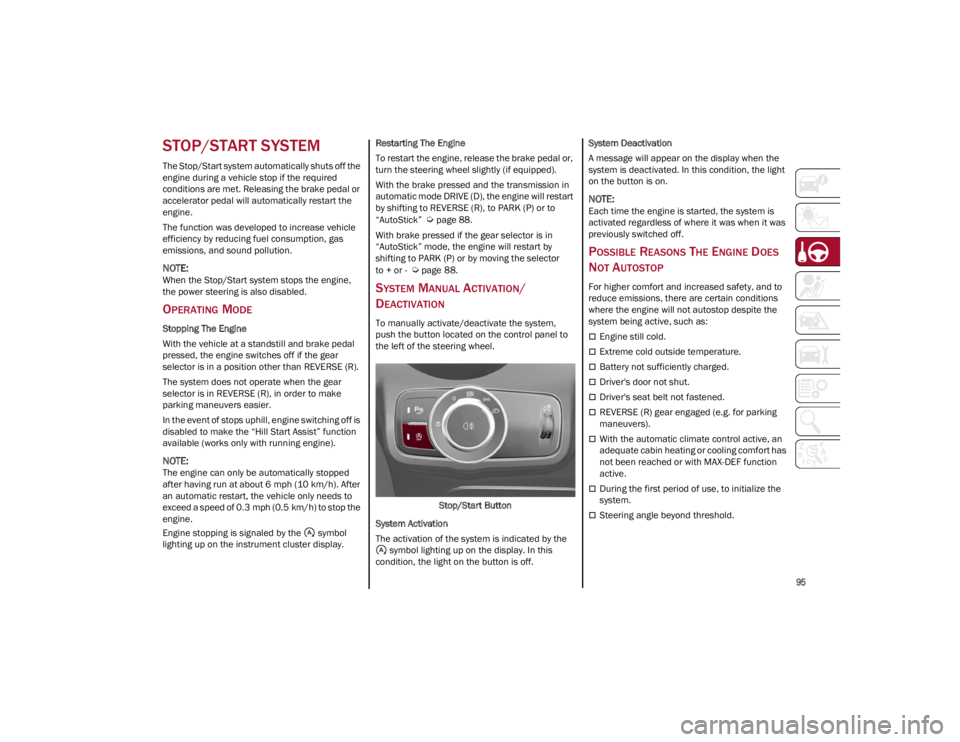
To manually activate/deactivate the system,
push the button located on the control panel to
the left of the steering wheel.
Stop/Start Button
System Activation
The activation of the system is indicated by the symbol lighting up on the display. In this
condition, the light on the button is off. System Deactivation
A message will appear on the display when the
system is deactivated. In this condition, the light
on the button is on.
NOTE:
Each time the engine is started, the system is
activated regardless of where it was when it was
previously switched off.
POSSIBLE REASONS THE ENGINE DOES
N
OT AUTOSTOP
For higher comfort and increased safety, and to
reduce emissions, there are certain conditions
where the engine will not autostop despite the
system being active, such as:
Engine still cold.
Extreme cold outside temperature.
Battery not sufficiently charged.
Driver's door not shut.
Driver's seat belt not fastened.
REVERSE (R) gear engaged (e.g. for parking
maneuvers).
With the automatic climate control active, an
adequate cabin heating or cooling comfort has
not been reached or with MAX-DEF function
active.
During the first period of use, to initialize the
system.
Steering angle beyond threshold.
22_GU_OM_EN_USC_t.book Page 95
Page 100 of 256
STARTING AND OPERATING
98
CRUISE CONTROL
SYSTEMS — IF EQUIPPED
Your vehicle may be equipped with the Cruise
Control system, or the Adaptive Cruise Control
(ACC) system:
Cruise Control will keep your vehicle at a
constant preset speed.
Adaptive Cruise Control (ACC) will adjust the
vehicle speed up to the preset speed to
maintain a distance with the vehicle ahead.
NOTE:
In vehicles equipped with ACC, if ACC is not
enabled, Fixed Speed Cruise Control will not
detect vehicles directly ahead of you. Always
be aware of the feature selected.
Only one Cruise Control feature can operate at
a time. For example, if Fixed Speed Cruise
Control is enabled, Adaptive Cruise Control will
be unavailable, and vice versa.
CRUISE CONTROL
When engaged, the Cruise Control takes over
accelerator operations at speeds greater than
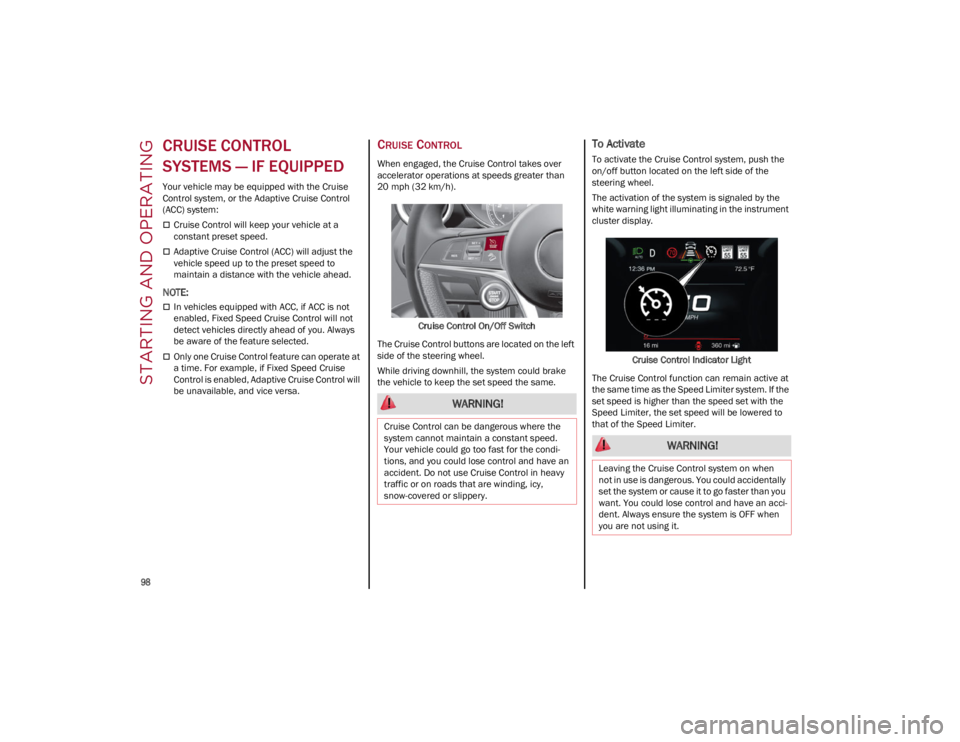
20 mph (32 km/h).Cruise Control On/Off Switch
The Cruise Control buttons are located on the left
side of the steering wheel.
While driving downhill, the system could brake
the vehicle to keep the set speed the same.
To Activate
To activate the Cruise Control system, push the
on/off button located on the left side of the
steering wheel.
The activation of the system is signaled by the
white warning light illuminating in the instrument
cluster display.
Cruise Control Indicator Light
The Cruise Control function can remain active at
the same time as the Speed Limiter system. If the
set speed is higher than the speed set with the
Speed Limiter, the set speed will be lowered to
that of the Speed Limiter.
WARNING!
Cruise Control can be dangerous where the
system cannot maintain a constant speed.
Your vehicle could go too fast for the condi -
tions, and you could lose control and have an
accident. Do not use Cruise Control in heavy
traffic or on roads that are winding, icy,
snow-covered or slippery.
WARNING!
Leaving the Cruise Control system on when
not in use is dangerous. You could accidentally
set the system or cause it to go faster than you
want. You could lose control and have an acci -
dent. Always ensure the system is OFF when
you are not using it.
22_GU_OM_EN_USC_t.book Page 98
Page 101 of 256
99
To Set A Desired Speed
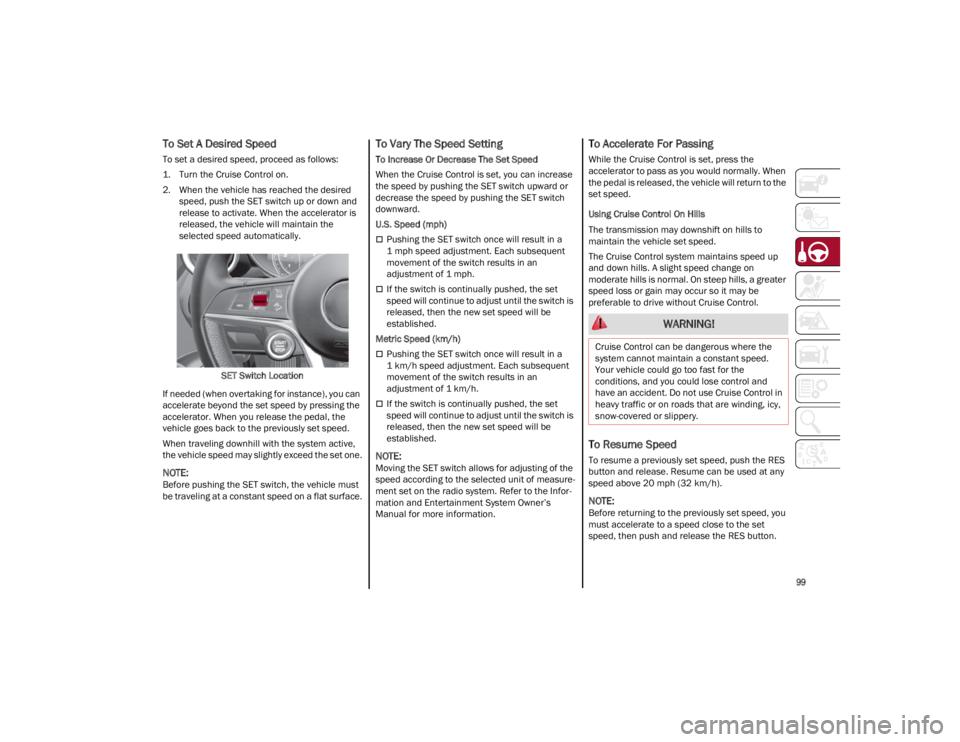
To set a desired speed, proceed as follows:
1. Turn the Cruise Control on.
2. When the vehicle has reached the desiredspeed, push the SET switch up or down and
release to activate. When the accelerator is
released, the vehicle will maintain the
selected speed automatically.
SET Switch Location
If needed (when overtaking for instance), you can
accelerate beyond the set speed by pressing the
accelerator. When you release the pedal, the
vehicle goes back to the previously set speed.
When traveling downhill with the system active,
the vehicle speed may slightly exceed the set one.
NOTE:
Before pushing the SET switch, the vehicle must
be traveling at a constant speed on a flat surface.
To Vary The Speed Setting
To Increase Or Decrease The Set Speed
When the Cruise Control is set, you can increase
the speed by pushing the SET switch upward or
decrease the speed by pushing the SET switch
downward.
U.S. Speed (mph)
Pushing the SET switch once will result in a
1 mph speed adjustment. Each subsequent
movement of the switch results in an
adjustment of 1 mph.
If the switch is continually pushed, the set
speed will continue to adjust until the switch is
released, then the new set speed will be
established.
Metric Speed (km/h)
Pushing the SET switch once will result in a
1 km/h speed adjustment. Each subsequent
movement of the switch results in an
adjustment of 1 km/h.
If the switch is continually pushed, the set
speed will continue to adjust until the switch is
released, then the new set speed will be
established.
NOTE:
Moving the SET switch allows for adjusting of the
speed according to the selected unit of measure -
ment set on the radio system. Refer to the Infor -
mation and Entertainment System Owner’s
Manual for more information.
To Accelerate For Passing
While the Cruise Control is set, press the
accelerator to pass as you would normally. When
the pedal is released, the vehicle will return to the
set speed.
Using Cruise Control On Hills
The transmission may downshift on hills to
maintain the vehicle set speed.
The Cruise Control system maintains speed up
and down hills. A slight speed change on
moderate hills is normal. On steep hills, a greater
speed loss or gain may occur so it may be
preferable to drive without Cruise Control.
To Resume Speed
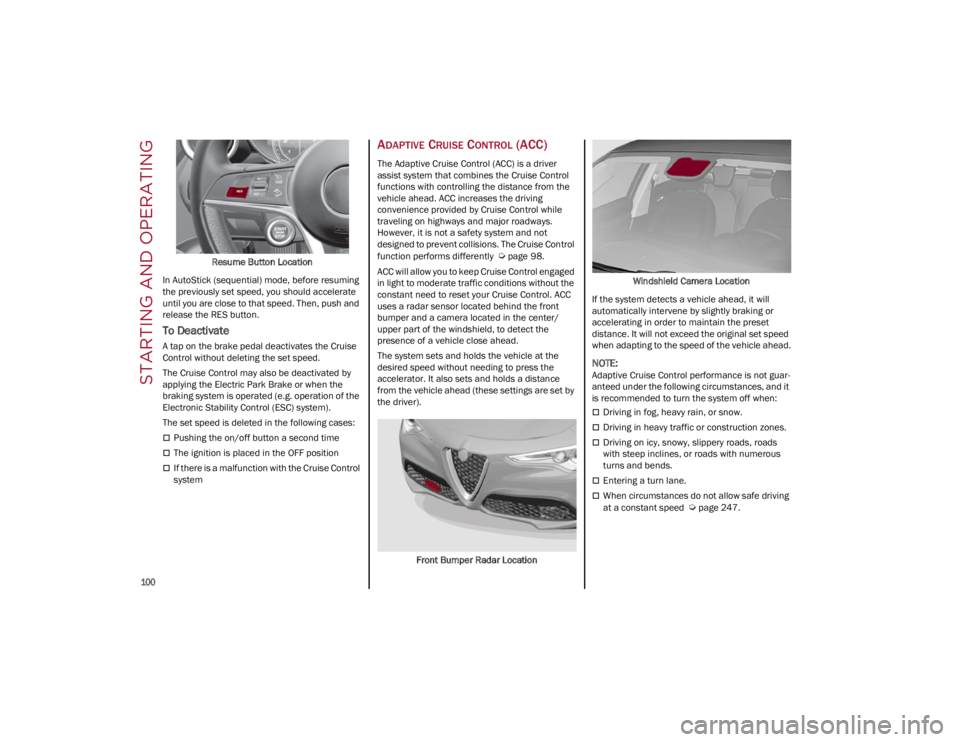
To resume a previously set speed, push the RES
button and release. Resume can be used at any
speed above 20 mph (32 km/h).
NOTE:
Before returning to the previously set speed, you
must accelerate to a speed close to the set
speed, then push and release the RES button.
WARNING!
Cruise Control can be dangerous where the
system cannot maintain a constant speed.
Your vehicle could go too fast for the
conditions, and you could lose control and
have an accident. Do not use Cruise Control in
heavy traffic or on roads that are winding, icy,
snow-covered or slippery.
22_GU_OM_EN_USC_t.book Page 99
Page 102 of 256
STARTING AND OPERATING
100
Resume Button Location
In AutoStick (sequential) mode, before resuming
the previously set speed, you should accelerate
until you are close to that speed. Then, push and
release the RES button.
To Deactivate
A tap on the brake pedal deactivates the Cruise
Control without deleting the set speed.
The Cruise Control may also be deactivated by
applying the Electric Park Brake or when the
braking system is operated (e.g. operation of the
Electronic Stability Control (ESC) system).
The set speed is deleted in the following cases:
Pushing the on/off button a second time
The ignition is placed in the OFF position
If there is a malfunction with the Cruise Control
system
ADAPTIVE CRUISE CONTROL (ACC)
The Adaptive Cruise Control (ACC) is a driver
assist system that combines the Cruise Control
functions with controlling the distance from the
vehicle ahead. ACC increases the driving
convenience provided by Cruise Control while
traveling on highways and major roadways.
However, it is not a safety system and not
designed to prevent collisions. The Cruise Control
function performs differently
Ú
page 98.
ACC will allow you to keep Cruise Control engaged
in light to moderate traffic conditions without the
constant need to reset your Cruise Control. ACC
uses a radar sensor located behind the front
bumper and a camera located in the center/
upper part of the windshield, to detect the
presence of a vehicle close ahead.
The system sets and holds the vehicle at the
desired speed without needing to press the
accelerator. It also sets and holds a distance
from the vehicle ahead (these settings are set by
the driver).
Front Bumper Radar Location Windshield Camera Location
If the system detects a vehicle ahead, it will
automatically intervene by slightly braking or
accelerating in order to maintain the preset
distance. It will not exceed the original set speed
when adapting to the speed of the vehicle ahead.
NOTE:
Adaptive Cruise Control performance is not guar -
anteed under the following circumstances, and it
is recommended to turn the system off when:
Driving in fog, heavy rain, or snow.
Driving in heavy traffic or construction zones.
Driving on icy, snowy, slippery roads, roads
with steep inclines, or roads with numerous
turns and bends.
Entering a turn lane.
When circumstances do not allow safe driving
at a constant speed
Ú
page 247.
22_GU_OM_EN_USC_t.book Page 100
Page 105 of 256
103
(Continued)
When you push the RES/SET button to reduce
the speed, the braking system intervenes
automatically if the engine brake does not slow
the vehicle down sufficiently to reach the set
speed. The device holds the set speed uphill
and downhill; however a slight variation is
entirely normal, particularly on slight inclines.
The transmission could shift to a lower gear
when driving downhill, or when accelerating.
This is normal and necessary to maintain the
set speed.
The system will disable while driving if the
brakes overheat.
To Resume
Once the system has been canceled but not
deactivated, to resume a previously set speed,
simply push the RES/SET switch upward and
remove your foot from the accelerator to recall it.
The system will be set to the last stored speed.
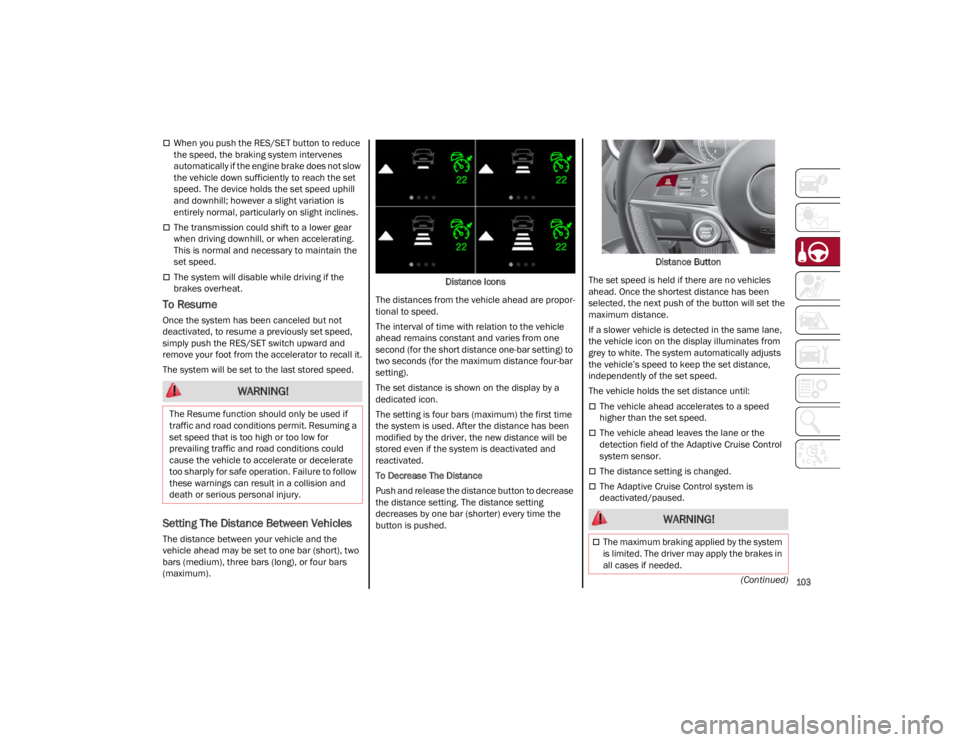
Setting The Distance Between Vehicles
The distance between your vehicle and the
vehicle ahead may be set to one bar (short), two
bars (medium), three bars (long), or four bars
(maximum).Distance Icons
The distances from the vehicle ahead are propor -
tional to speed.
The interval of time with relation to the vehicle
ahead remains constant and varies from one
second (for the short distance one-bar setting) to
two seconds (for the maximum distance four-bar
setting).
The set distance is shown on the display by a
dedicated icon.
The setting is four bars (maximum) the first time
the system is used. After the distance has been
modified by the driver, the new distance will be
stored even if the system is deactivated and
reactivated.
To Decrease The Distance
Push and release the distance button to decrease
the distance setting. The distance setting
decreases by one bar (shorter) every time the
button is pushed. Distance Button
The set speed is held if there are no vehicles
ahead. Once the shortest distance has been
selected, the next push of the button will set the
maximum distance.
If a slower vehicle is detected in the same lane,
the vehicle icon on the display illuminates from
grey to white. The system automatically adjusts
the vehicle’s speed to keep the set distance,
independently of the set speed.
The vehicle holds the set distance until:
The vehicle ahead accelerates to a speed
higher than the set speed.
The vehicle ahead leaves the lane or the
detection field of the Adaptive Cruise Control
system sensor.
The distance setting is changed.
The Adaptive Cruise Control system is
deactivated/paused.
WARNING!
The Resume function should only be used if
traffic and road conditions permit. Resuming a
set speed that is too high or too low for
prevailing traffic and road conditions could
cause the vehicle to accelerate or decelerate
too sharply for safe operation. Failure to follow
these warnings can result in a collision and
death or serious personal injury.
WARNING!
The maximum braking applied by the system
is limited. The driver may apply the brakes in
all cases if needed.
22_GU_OM_EN_USC_t.book Page 103
Page 109 of 256
107
Suspension Conditions
The following operations will suspend the HAS
system:
Steer manually
Press the brake pedal
Disable the ACC device
Activate the turn signals
Push the ACC activation setting button for two
seconds to activate Cruise Control
Place the gear selector in PARK, REVERSE, or
NEUTRAL
Reactivating the ACC system will reactivate HAS
Ú
page 100.
Automatic Deactivation
The system can be deactivated in the following
situations:
If there are narrow bends
When hands are removed from the steering
wheel
If the left or right turn signal is activated
If the driver intentionally changes lanes
without using the turn signal
If the driver’s seat belt is released
If the gear selector is placed in DRIVE
If the “Active Braking” function is activated
Ú
page 145
If the vehicle exits the highway
If the lane markings are not detected by the
camera
If the ACC device is deactivated
If the vehicle speed exceeds 90 mph
(145 km/h)
NOTE:
When the HAS system is turned off, the symbol
on the display turns red and then grey.
Hands on the steering wheel are detected by a
capacitive sensor installed in it.
When the automatic suspension conditions are
over, HAS will be automatically reactivated.
OPERATION
HAS only operates when the driver’s hands are on
the steering wheel.
If the system detects that the driver’s hands have
been removed from the steering wheel, the
system will alert the driver to place their hands
back on the steering wheel
Ú
page 108.
If the vehicle crosses the lane boundary, the
steering wheel will vibrate and the dedicated
screen will appear in the instrument cluster
display.
NOTE:
HAS may take up to five seconds to turn on once
all conditions are met. During this time, a grey
indicator light will appear on the instrument
cluster display and the system will automatically
activate as soon as all of the conditions are met
with no intervention from the driver.
The following conditions must be met before HAS
turns on:
HAS must be enabled by pushing the button on
the steering wheel
The vehicle must be on a highway
ACC must be activated
The right and left lane boundaries must be
visible
The vehicle speed must be between 0 and
90 mph (0 and 145 km/h)
The camera, radar, and radio system must be
functioning properly
The road lane width must be between 8.5 ft
and 13.7 ft (2.6 m and 4.2 m)
The turn signals must not be activated
HAS must be functioning properly
Other operating limits:
If the speed of ACC can be set to a higher value
(top speed 110 mph (180 km/h), HAS is only
available as long as the vehicle speed is equal
to or less than 90 mph (145 km/h).
When the ACC speed is reduced and the
vehicle speed is less than 90 mph (145 km/h),
the system will automatically reactivate.
If the ACC speed is set to 90 mph (145 km/h),
traveling downhill may increase the vehicle
speed. HAS will deactivate until the speed
returns to 90 mph (145 km/h).
INDICATIONS ON THE DISPLAY
The HAS status can always be viewed in the
instrument cluster display.
The system status is indicated by the color of the
symbol on the display.
HAS uses sensors in the steering wheel to detect
if the driver’s hands are on it.
If the driver’s hands are not on the steering
wheel, a series of warnings will appear in the
instrument cluster display to alert the driver to
reposition their hands on the steering wheel. An
acoustic signal will also sound. After a period of
time, HAS will disable if the driver’s hands do not
return to the steering wheel.
22_GU_OM_EN_USC_t.book Page 107
Page 111 of 256
109
LIMITED SYSTEM AVAILABILITY/
O
PERATION
System Availability
External factors and conditions may affect the
proper operation of HAS, such as:
Narrow, winding, curvy streets
Poor visibility (due to heavy rain, snow, fog,
etc.)
Front lights of oncoming vehicles or direct
sunlight or shade
Damage or obstructions caused by mud, ice,
snow, etc.
Bumper damaged or not aligned
Interference with other equipment that causes
electromagnetic waves
Presence of roadwork/road construction sites
If the indications given by the navigation
system (if any) of the radio system are not yet
ready and/or if the navigation system is
recalculating the route
System Limited Operation
HAS may have limited or reduced functionality
when one of the following conditions occur:
Lane markings are not clear or in conditions of
poor visibility (e.g. in heavy rain, snow, fog,
etc.)
Either the camera or radar are damaged,
covered, or obstructed (e.g. by mud, ice, snow,
etc.)
When driving on hills or roads with narrow
bends
Near highway toll booths
When the highway entrance or exit is wider
than 20 ft (6 m)
If the camera is exposed to glare caused by
reflections or direct sunlight
If the navigation system information is
unavailable or being recalculated
NOTE:
If the vehicle approaches a bend that is too
narrow with respect to the current speed, HAS
will disable.
If damage to the windshield occurs, have the
windshield replaced by an authorized dealer as
soon as possible.
TRAFFIC JAM ASSIST (TJA)
SYSTEM — IF EQUIPPED
The Traffic Jam Assist (TJA) system can be
activated on all road types. The system uses a
camera to detect lane markings and keep the
vehicle in the center of the lane. When the system is unable to detect lane
markings, it will still operate using surrounding
traffic. This can occur in congested traffic
scenarios, when the vehicles ahead or
surroundings obstruct the visibility of the lane
markings. When the speed is below 12 mph
(20 km/h), the system can use a lock-on strategy
that allows the vehicle to automatically follow the
vehicle ahead.
The TJA system combines Adaptive Cruise Control
(ACC) functions with Lane Departure Warning
functions to maintain vehicle speed and steering
wheel behavior.
NOTE:
Do not use the TJA system while driving in urban
areas.
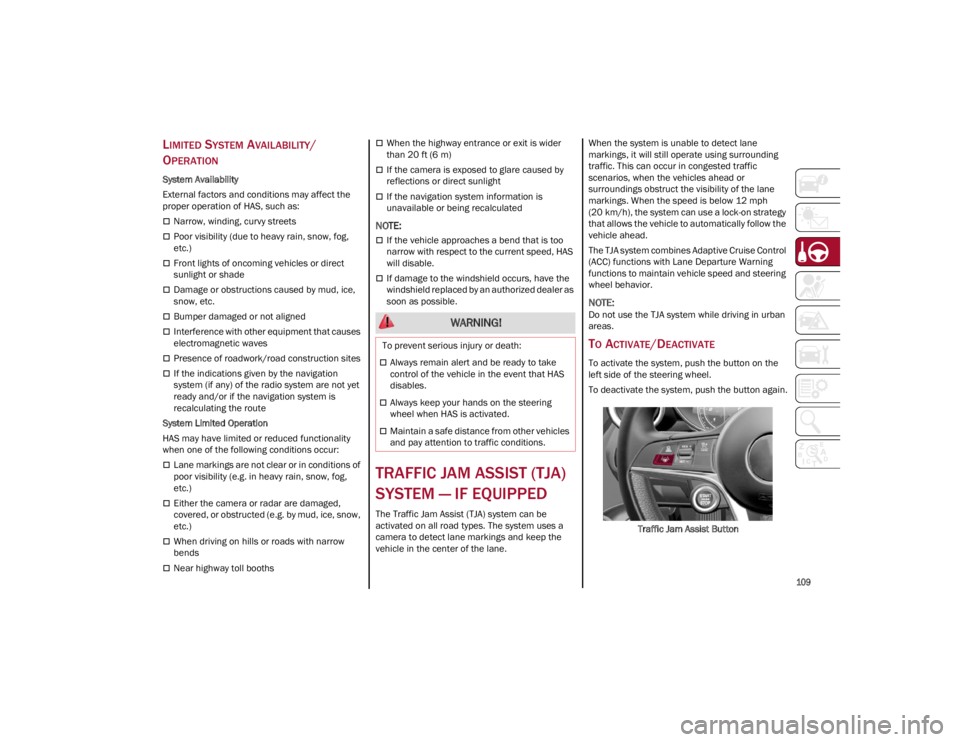
TO ACTIVATE/DEACTIVATE
To activate the system, push the button on the
left side of the steering wheel.
To deactivate the system, push the button again.
Traffic Jam Assist Button
WARNING!
To prevent serious injury or death:
Always remain alert and be ready to take
control of the vehicle in the event that HAS
disables.
Always keep your hands on the steering
wheel when HAS is activated.
Maintain a safe distance from other vehicles
and pay attention to traffic conditions.
22_GU_OM_EN_USC_t.book Page 109