ABS ALFA ROMEO STELVIO 2023 User Guide
[x] Cancel search | Manufacturer: ALFA ROMEO, Model Year: 2023, Model line: STELVIO, Model: ALFA ROMEO STELVIO 2023Pages: 268, PDF Size: 10.36 MB
Page 85 of 268
83
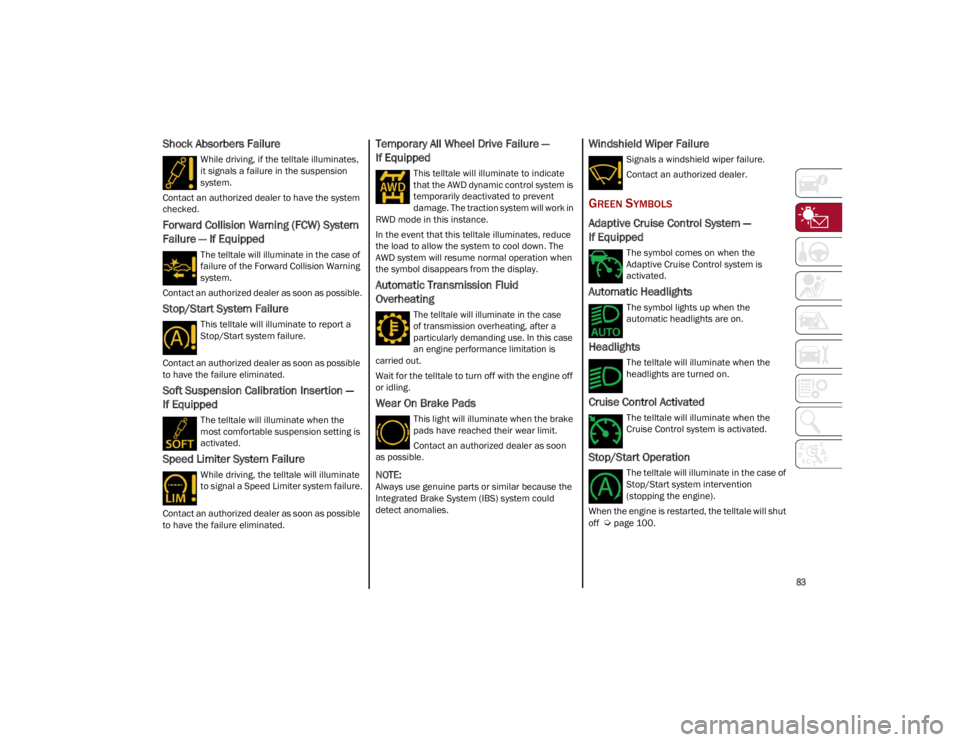
Shock Absorbers Failure
While driving, if the telltale illuminates,
it signals a failure in the suspension
system.
Contact an authorized dealer to have the system
checked.
Forward Collision Warning (FCW) System
Failure — If Equipped
The telltale will illuminate in the case of
failure of the Forward Collision Warning
system.
Contact an authorized dealer as soon as possible.
Stop/Start System Failure
This telltale will illuminate to report a
Stop/Start system failure.
Contact an authorized dealer as soon as possible
to have the failure eliminated.
Soft Suspension Calibration Insertion —
If Equipped
The telltale will illuminate when the
most comfortable suspension setting is
activated.
Speed Limiter System Failure
While driving, the telltale will illuminate
to signal a Speed Limiter system failure.
Contact an authorized dealer as soon as possible
to have the failure eliminated.
Temporary All Wheel Drive Failure —
If Equipped
This telltale will illuminate to indicate
that the AWD dynamic control system is
temporarily deactivated to prevent
damage. The traction system will work in
RWD mode in this instance.
In the event that this telltale illuminates, reduce
the load to allow the system to cool down. The
AWD system will resume normal operation when
the symbol disappears from the display.
Automatic Transmission Fluid
Overheating
The telltale will illuminate in the case
of transmission overheating, after a
particularly demanding use. In this case
an engine performance limitation is
carried out.
Wait for the telltale to turn off with the engine off
or idling.
Wear On Brake Pads
This light will illuminate when the brake
pads have reached their wear limit.
Contact an authorized dealer as soon
as possible.
NOTE:
Always use genuine parts or similar because the
Integrated Brake System (IBS) system could
detect anomalies.
Windshield Wiper Failure
Signals a windshield wiper failure.
Contact an authorized dealer.
GREEN SYMBOLS
Adaptive Cruise Control System —
If Equipped
The symbol comes on when the
Adaptive Cruise Control system is
activated.
Automatic Headlights
The symbol lights up when the
automatic headlights are on.
Headlights
The telltale will illuminate when the
headlights are turned on.
Cruise Control Activated
The telltale will illuminate when the
Cruise Control system is activated.
Stop/Start Operation
The telltale will illuminate in the case of
Stop/Start system intervention
(stopping the engine).
When the engine is restarted, the telltale will shut
off
Ú
page 100.
23_GU_OM_EN_USC_t.book Page 83
Page 90 of 268
STARTING AND OPERATING
88
AFTER STARTING — WARMING UP THE
E
NGINE
Proceed as follows:
Travel slowly, letting the engine run at a
reduced RPM, without accelerating suddenly.
It is recommended to wait until the digital
engine coolant temperature indicator starts to
rise for maximum performance.
STOPPING THE ENGINE
To stop the engine, proceed as follows:
1. Park the vehicle in a position that is not
dangerous for oncoming traffic.
2. Engage the PARK (P) mode.
3. With engine idling, push the ENGINE START/ STOP button on the steering wheel to stop the
engine.
NOTE:
Do not leave the ignition in ACC position when the
engine is off.
To shut off the engine with vehicle speed greater
than 5 mph (8 km/h), you must push and hold
the ignition or push the ENGINE START/STOP
button three times consecutively within a few
seconds. The engine will shut down, and the
ignition will be placed in the ACC position.
With the keyless ignition system, it is possible to
exit the vehicle taking the key fob with you,
without the engine switching off. The vehicle will
inform about the absence of the key on board,
when the doors are closed. After the engine has stopped (cycling from the
ACC to the OFF position) the accessories are still
powered for about three minutes, or until a door
is opened.
When the ignition is in the OFF position, the
window switches remain active for three minutes.
Opening a front door will cancel this function.
After severe driving, idle the engine to allow the
temperature inside the engine compartment to
cool before shutting off the engine.
TURBOCHARGER COOL DOWN
It is recommended before switching the vehicle
off, to keep the engine idling for a few minutes so
that the turbocharger can be suitably lubricated.
This procedure is particularly recommended after
severe driving.
After a full load operation, keep the engine idling
for three to five minutes before switching it off.
This time allows the lubricating oil and the engine
coolant to eliminate the excessive heat from
combustion chamber, bearings, inner
components and turbocharger.
ENGINE BLOCK HEATER —
IF EQUIPPED
The engine block heater warms the engine and
permits quicker starts in cold weather.
Connect the cord to a 110-115 Volt AC electrical
outlet with a grounded, three-wire extension cord.
For ambient temperatures below 0°F (-18°C),
the engine block heater is recommended. For
ambient temperatures below -20°F (-29°C), the
engine block heater is required.
See the following steps to properly use the engine
block heater:
1. Locate the engine block heater cord (access
door on the passenger side wiper cowl).
2. Pull the cord to the front of the vehicle and plug it into a grounded, three-wire extension
cord.
3. After the vehicle is running, properly stow the cord away behind the access door on the
passenger side wiper cowl.
NOTE:
The engine block heater cord is a factory
installed option. If your vehicle is not equipped,
heater cords are available from an authorized
dealer.
The engine block heater will require 110 Volt
AC and 6.5 Amps to activate the heater
element.
The engine block heater must be plugged in at
least one hour to have a warming effect on the
engine and at least four hours to have a
warming effect when ambient temperatures
are below -20°F (-29°C).
WARNING!
Remember to disconnect the engine block
heater cord before driving. Damage to the
110-115 Volt electrical cord could cause
electrocution.
23_GU_OM_EN_USC_t.book Page 88
Page 101 of 268
99
“RACE” Mode
Activation
“RACE” Mode is activated by rotating the selector
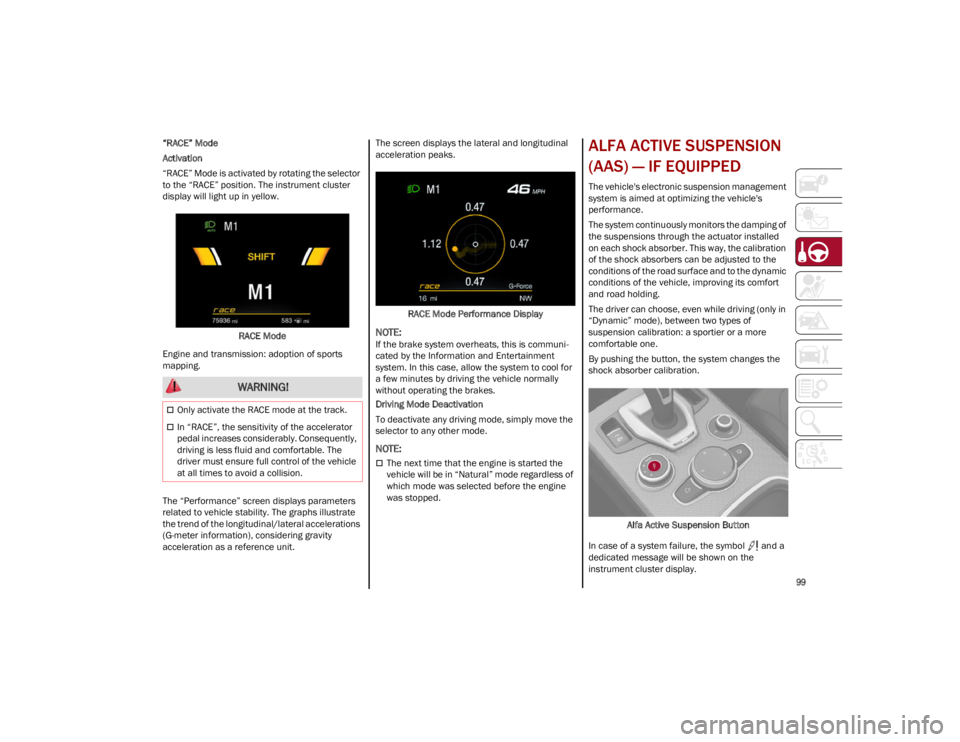
to the “RACE” position. The instrument cluster
display will light up in yellow.RACE Mode
Engine and transmission: adoption of sports
mapping.
The “Performance” screen displays parameters
related to vehicle stability. The graphs illustrate
the trend of the longitudinal/lateral accelerations
(G-meter information), considering gravity
acceleration as a reference unit. The screen displays the lateral and longitudinal
acceleration peaks.
RACE Mode Performance Display
NOTE:
If the brake system overheats, this is communi -
cated by the Information and Entertainment
system. In this case, allow the system to cool for
a few minutes by driving the vehicle normally
without operating the brakes.
Driving Mode Deactivation
To deactivate any driving mode, simply move the
selector to any other mode.
NOTE:
The next time that the engine is started the
vehicle will be in “Natural” mode regardless of
which mode was selected before the engine
was stopped.
ALFA ACTIVE SUSPENSION
(AAS) — IF EQUIPPED
The vehicle's electronic suspension management
system is aimed at optimizing the vehicle's
performance.
The system continuously monitors the damping of
the suspensions through the actuator installed
on each shock absorber. This way, the calibration
of the shock absorbers can be adjusted to the
conditions of the road surface and to the dynamic
conditions of the vehicle, improving its comfort
and road holding.
The driver can choose, even while driving (only in
“Dynamic” mode), between two types of
suspension calibration: a sportier or a more
comfortable one.
By pushing the button, the system changes the
shock absorber calibration.
Alfa Active Suspension Button
In case of a system failure, the symbol and a
dedicated message will be shown on the
instrument cluster display.
WARNING!
Only activate the RACE mode at the track.
In “RACE”, the sensitivity of the accelerator
pedal increases considerably. Consequently,
driving is less fluid and comfortable. The
driver must ensure full control of the vehicle
at all times to avoid a collision.
23_GU_OM_EN_USC_t.book Page 99
Page 108 of 268
STARTING AND OPERATING
106
Activating Adaptive Cruise Control (ACC)
The minimum set speed for the ACC system is
19 mph (30 km/h) and the maximum is 110 mph
(180 km/h).
The system cannot be activated:
When pressing the brake pedal.
When the brakes are overheated.
When the Electric Park Brake has been
operated.
When either PARK, REVERSE or NEUTRAL is
engaged.
When the engine RPM is above a maximum
threshold.
When the vehicle speed is not within the
operational speed range.
When the Electronic Stability Control (ESC)
(or Anti-Lock Brake System (ABS) or other
stability control systems) are operating or
have just operated.
When the ESC system is off.
When the Forward Collision Warning system
(if equipped) is braking automatically.
In the event of a system failure.
When the engine is off.
In case of obstruction of the radar sensor (in
this case the bumper area where it is located
must be cleaned).
If the system is set, the conditions described
above also cause a cancellation or deactivation
of the system. These situations may vary
according to the conditions.
NOTE:
The system will not be deactivated when speeds
higher than those set are reached by pressing the
accelerator pedal above 110 mph (180 km/h). In
these situations, the system may not work
correctly and it is recommended to deactivate it.
The driver should always obey traffic laws and
speed limits. Never drive above applicable speed
limit restrictions.
To Activate/Deactivate
The system has four operating states:
Enabled (speed not set)
Activated (speed set)
Paused
Deactivated
To Activate
To enable the system, push and release the on/
off button located on the left side on the steering
wheel.
On/Off Button
The ACC system:• Does not react to pedestrians, oncoming
vehicles, and stationary objects (e.g., a stopped vehicle in a traffic jam or a disabled vehicle).
• Cannot take street, traffic, and weather
conditions into account, and may be limited upon adverse sight distance conditions.
• Does not always fully recognize complex
dri ving conditions, whi c
h can result in
wrong or missing distance warnings.
• Will bring the vehicle to a complete stop
while following a vehicle ahead and holdthe vehicle for approximately twominutes in the stop position. If thevehicle ahead does not start movingwithin two minutes, the parking brakewill be activated and the ACC system will be canceled.
You should switch off the ACC system:
When driving in fog, heavy rain, heavy snow,
sleet, heavy traffic, and complex driving
situations (i.e., in highway construction
zones).
When entering a turn lane or highway
off-ramp; when driving on roads that are
winding, icy, snow-covered, slippery, or have
steep uphill or downhill slopes.
While towing a trailer.
When circumstances do not allow safe
driving at a constant speed.
WARNING!
23_GU_OM_EN_USC_t.book Page 106
Page 125 of 268
123
(Continued)
PARKSENSE SYSTEM USAGE
P
RECAUTIONS
NOTE:
Some conditions may influence the performance
of the ParkSense system:
Reduced sensor sensitivity could be due to the
presence of ice, snow, mud, or thick paint on
the surface of the sensor.
The sensors may detect a false obstacle (echo
interference) due to mechanical interference,
for example when washing the vehicle or in
extreme weather.
The signals sent by the sensors can be
altered by the presence of ultrasonic systems
(e.g. pneumatic brake systems of trucks or
pneumatic drills) near the vehicle.
System performance can be influenced by the
position of the sensors. For example, due to a
change in the ride setting (caused by wear to
the shock absorbers or suspension), by
changing tires, overloading the vehicle or
operations that require the vehicle to be
lowered.
Be sure not to place bumper stickers or other
adhesives over the sensors as this will affect
system performance.
The presence of a trailer hitch without a trailer.
This may interfere with the operation of the
parking sensors. Before using the ParkSense
system, it is recommended to remove or close
the trailer hitch assembly when the vehicle is
not being used for towing.
LANE DEPARTURE
WARNING (LDW) SYSTEM
LANE DEPARTURE WARNING OPERATION
The Lane Departure Warning system uses a
forward looking camera located on the
windshield to detect lane markings and measure
vehicle position within the lane boundaries.
When one or both lane limits are detected and
the vehicle passes over one without an activated
turn signal, the system emits a visual as well as
an acoustic signal.
If the vehicle continues to go beyond the line of
the lane without any intervention from the driver,
the surpassed line will light up on the display
(left or right) to urge the driver to bring the vehicle
back into the limits of the lane.
CAUTION!
Projecting loads on the roof of the vehicle
may interfere with the correct operation of
the camera. Before starting, make sure the
load is correctly positioned in order not to
cover the camera operating range.
Do not cover the operating range of the
camera with stickers or other objects.
Do not tamper with nor operate on the
camera. Do not close the openings in the
aesthetic cover located under the interior
rearview mirror. In the event of a failure of
the camera, contact an authorized dealer.
The camera may have limited or absent
operation due to weather conditions such as:
heavy rain, hail, thick fog, heavy snow, or
formation of ice layers on the windshield.
Camera operation may also be compromised
by the presence of dust, condensation, dirt
or ice on the windshield, by traffic conditions
(e.g. vehicles that are driving not aligned with
yours, vehicle driving in a transverse or
opposite way on the same lane, bend with a
small radius of curvature), by road surface
conditions and by driving conditions (e.g.
off-road driving). Make sure the windshield is
always clean. Use specific detergents and
clean cloths to avoid scratching the
windshield. The camera operation may also
be limited or absent in some driving, traffic
and road surface conditions.
If the windshield must be replaced due to
scratches, chipping or breakage, contact
exclusively an authorized dealer. Do not
replace the windshield on your own. It is
advisable to replace the windshield if it is
damaged in the area of the camera.
CAUTION!
23_GU_OM_EN_USC_t.book Page 123
Page 130 of 268
STARTING AND OPERATING
128
(Continued)
System Failure Signaling
If the system turns off and appears on the
display, it means that there is a system fault.
In this case, it is still possible to drive the vehicle,
but you are advised to contact an authorized
dealer as soon as possible.
REAR BACK UP CAMERA /
DYNAMIC GRIDLINES
The Rear Back Up Camera is located on the
liftgate, above the rear license plate.
Rear Back Up Camera Location Camera Activation/Deactivation
To activate the Rear Back Up Camera features,
select “Driver Assistance” from the Main Menu of
the radio system. Under Driver Assistance, Rear
Back Up Camera features can be selected:
View
Camera Delay
Camera Guidelines
Selecting “View” will activate the camera view on
the display.
Selecting “Camera Delay” will allow the camera
view to remain on the display shortly after the
vehicle is no longer in REVERSE, followed by the
previously active screen.
Selecting “Camera Guidelines” will activate the
display of the dynamic guidelines that indicate
the route of the vehicle.
When the vehicle is in REVERSE, the radio system
display will show the area behind the vehicle, as
seen by the Rear Back Up Camera, along with a
warning message.
Rear Back Up Camera Display CAUTION!
Projecting loads on the roof of the vehicle
may interfere with the correct operation of
the camera. Before starting, make sure the
load is correctly positioned, in order not to
cover the camera operating range.
If the windshield must be replaced due to
scratches, chips or breakage, contact an
authorized dealer. Do not replace the windshield
on your own; there is risk of malfunction. It is
advisable to replace the windshield if it is
damaged in the area of the camera.
Do not tamper with or operate on the
camera. Do not close the openings in the
aesthetic cover located under the interior
rearview mirror. In the event of a failure of
the camera, contact an authorized dealer
immediately.
Do not cover the operating range of the
camera with stickers or other objects. Also
pay attention to other objects on the hood
(e.g. a layer of snow) and make sure they do
not interfere with the camera.
The camera may have limited or absent
operation due to weather conditions such as:
heavy rain, hail, thick fog, heavy snow, or
formation of ice layers on the windshield.
Camera operation may also be compromised
by the presence of dust, condensation, dirt
or ice on the windshield, traffic conditions
(e.g. vehicles that are driving not aligned with
yours, vehicle driving in a transverse or
opposite way on the same lane, bend with a
small radius of curvature), or road surface
conditions and driving conditions (e.g.
off-road driving). Make sure the windshield is
always clean. Use specific detergents and
clean cloths to avoid scratching the
windshield. The camera operation may also
be limited or absent in some driving, traffic
and road surface conditions.
CAUTION!
23_GU_OM_EN_USC_t.book Page 128
Page 142 of 268
140
(Continued)
SAFETY
This very important section describes the safety
systems that your vehicle may be equipped with,
and provides instructions on how to use them
correctly.
ACTIVE SAFETY SYSTEMS
The vehicle may be equipped with the following
active safety devices:
Anti-Lock Brake System (ABS)
Active Torque Vectoring (ATV) System
Dynamic Steering Torque (DST) System
Drive Train Control (DTC) System
Electronic Stability Control (ESC) System
Hill Descent Control (HDC) System
Hill Start Assist (HSA) System
Panic Brake Assist (PBA) System
Traction Control System (TCS)
For system operation, see the following pages.
ANTI-LOCK BRAKE SYSTEM (ABS)
An integral part of the braking system, the ABS
prevents one or more wheels from locking and
slipping in all road surface conditions, regardless
of the intensity of the braking action. The system
ensures that the vehicle can be controlled even
during emergency braking, allowing the driver to
optimize stopping distances.
The system intervenes during braking when the
wheels are about to lock, typically in emergency
braking or low-grip conditions where locking may
be more frequent. The system also improves control and stability of
the vehicle when braking on a surface where the
grip of the left and right wheels varies, such as in
a corner.
The Electronic Braking Force Distribution (EBD)
system works with the ABS, allowing the brake
force to be distributed between the front and rear
wheels.
System Intervention
The ABS equipped on this vehicle is provided with
the "Brake-By-Wire", Integrated Brake System
(IBS), function. With this system, the command
given by pressing the brake pedal is not
transmitted hydraulically, but electrically.
Therefore, the light pulsation that is felt on the
pedal with the traditional system is no longer
noticeable.
ACTIVE TORQUE VECTORING (ATV)
S
YSTEM — IF EQUIPPED
The dynamic drive control is used to optimize and
balance the drive torque between the wheels of
the same axles. The ATV system improves the grip
in turns, sending more drive torque to the
external wheel.
Given that, in a turn, the external wheels of the
car travel more than the internal ones and
therefore turn faster, sending a higher thrust to
the external rear wheel allows for the car to be
more stable and to not suffer an "understeer"
condition. Understeer occurs when the vehicle is
turning less than appropriate for the steering
wheel position.
WARNING!
The ABS contains sophisticated electronic
equipment that may be susceptible to
interference caused by improperly installed
or high output radio transmitting equipment.
This interference can cause possible loss of
anti-lock braking capability. Installation of
such equipment should be performed by
qualified professionals.
Pumping of the Anti-Lock Brakes will
diminish their effectiveness and may lead to
a collision. Pumping makes the stopping
distance longer. Just press firmly on your
brake pedal when you need to slow down or
stop.
The ABS cannot prevent the natural laws of
physics from acting on the vehicle, nor can it
increase braking or steering efficiency
beyond that afforded by the condition of the
vehicle brakes and tires or the traction
afforded.
The ABS cannot prevent collisions, including
those resulting from excessive speed in
turns, following another vehicle too closely,
or hydroplaning.
The capabilities of an ABS equipped vehicle
must never be exploited in a reckless or
dangerous manner that could jeopardize the
user’s safety or the safety of others.
WARNING!
23_GU_OM_EN_USC_t.book Page 140
Page 145 of 268
143
NOTE:
If the vehicle’s speed exceeds 6 mph (10 km/h),
but remains below 37 mph (60 km/h) and the
accelerator pedal is released, as soon as the
vehicle gets close to the set speed the HDC
system will automatically brake to keep the
vehicle at the set speed.
The driver can cancel HDC system intervention at
any time by pressing the accelerator pedal.
System Deactivation
The HDC system will be deactivated, but remain
available, if any of the following conditions are
met:
The vehicle is traveling on a downhill slope with
a gradient less than 8%, on a level surface, or
on an uphill grade.
PARK (P) mode is engaged.
Disabling The System
The system is disabled if any of the following
conditions are met:
The HDC switch is pressed.
Cruise Control/Adaptive Cruise Control is
activated.
A vehicle speed of 37 mph (60 km/h) is
exceeded.
System deactivation is shown by the icon on
the display turning off.
HILL START ASSIST (HSA) SYSTEM
HSA is an integral part of the Electronic Stability
Control (ESC) system that facilitates starting on
slopes, activating automatically in the following
cases:
Uphill: the vehicle is stationary on a road with a
gradient higher than 5%, the engine is running,
the brake is pressed, and the transmission is
in NEUTRAL (N) or a gear other than REVERSE
(R) is engaged.
Downhill: the vehicle is stationary on a road
with a gradient higher than 5%, the engine is
running, the brake is pressed, and the
transmission is in REVERSE.
When starting to move forward from a complete
stop, the ESC system control unit maintains the
braking pressure on the wheels until the engine
torque necessary for starting is reached, or in any
case for a maximum of two seconds, allowing
your right foot to be moved easily from the brake
pedal to the accelerator.
The system will automatically deactivate after two
seconds without starting, gradually releasing the
braking pressure. During this release stage, it is
possible to hear a typical mechanical brake
release noise, indicating the imminent movement
of the vehicle.
PANIC BRAKE ASSIST (PBA) SYSTEM
The PBA system is designed to improve the
vehicle’s braking capacity during emergency
braking.
The system detects emergency braking by
monitoring the speed and force with which the
brake pedal is pressed, and consequently applies
the optimal brake pressure. This can reduce the
braking distance; the PBA system therefore
complements the ABS.
Maximum assistance from the PBA system is
obtained by pressing the brake pedal very quickly.
In addition, the brake pedal should be pressed
continuously during braking, avoiding
intermittent presses, to get the most out of the
system. Do not reduce pressure on the brake
pedal until braking is no longer necessary.
WARNING!
HDC is only intended to assist the driver in
controlling vehicle speed when descending
hills. The driver must remain attentive to the
driving conditions and is responsible for
maintaining a safe vehicle speed.
WARNING!
There may be situations where the Hill Start
Assist (HSA) will not activate and slight rolling
may occur, such as on minor hills or with a
loaded vehicle, or while pulling a trailer. HSA is
not a substitute for active driving involvement.
It is always the driver’s responsibility to be
attentive to distance to other vehicles, people,
and objects, and most importantly brake
operation to ensure safe operation of the
vehicle under all road conditions. Your
complete attention is always required while
driving to maintain safe control of your vehicle.
Failure to follow these warnings can result in a
collision or serious personal injury.
23_GU_OM_EN_USC_t.book Page 143
Page 146 of 268
SAFETY
144
The PBA system is deactivated when the brake
pedal is released.
TRACTION CONTROL SYSTEM (TCS)
The TCS automatically operates in the event of
slipping, loss of grip on wet roads (hydroplaning),
and acceleration on one or both drive wheels on
roads that are slippery, snowy, icy, etc.
Depending on the slipping conditions, two
different control systems are activated:
If the slipping involves both drive wheels, the
system intervenes, reducing the power
transmitted by the engine.
If the slipping only involves one of the drive
wheels, the Brake Limited Differential (BLD)
function is activated, automatically braking the
wheel which is slipping (the behavior of a
self-locking differential is simulated). This will
increase the engine torque transferred to the
wheel which isn't slipping.System Intervention
The intervention of the system is indicated by the
flashing of the ESC Warning Light on the
instrument panel, to inform the driver that the
vehicle stability and grip are critical.
AUXILIARY DRIVING
SYSTEMS
The following auxiliary driving systems may be
available in this vehicle:
Blind Spot Monitoring (BSM) — if equipped
Active Blind Spot Assist (ABSA) — if equipped
Forward Collision Warning Plus (FCW+)
Tire Pressure Monitoring System (TPMS)
The vehicle may also be fitted with the following
driving assistance systems:
Driver Attention Assist (DAA)
Lane Departure Warning (LDW)
Lane Keeping Assist (LKA)
Highway Assist System (HAS)
Traffic Jam Assist (TJA)
Adaptive Cruise Control (ACC)
Intelligent Speed Control (ISC)
Traffic Sign Recognition (TSR)
For the operation of the DAA, LDW, LKA, HAS, TJA,
ACC, ISC, or TSR systems, see
Ú
page 86.
NOTE:
When driving on two-way roads where there is no
lane dividing center line (e.g. on unpaved roads),
the use of the ABSA, HAS, TJA, and LKA systems is strongly discouraged as the system could
detect the entire road as single-lane dividing
lines.
NOTE:
The driving assistance systems are designed to
aid in driving the car. The driver must always
maintain a sufficient level of attention to the
traffic and road conditions and control the
trajectory of the car.
BLIND SPOT MONITORING (BSM)
S
YSTEM — IF EQUIPPED
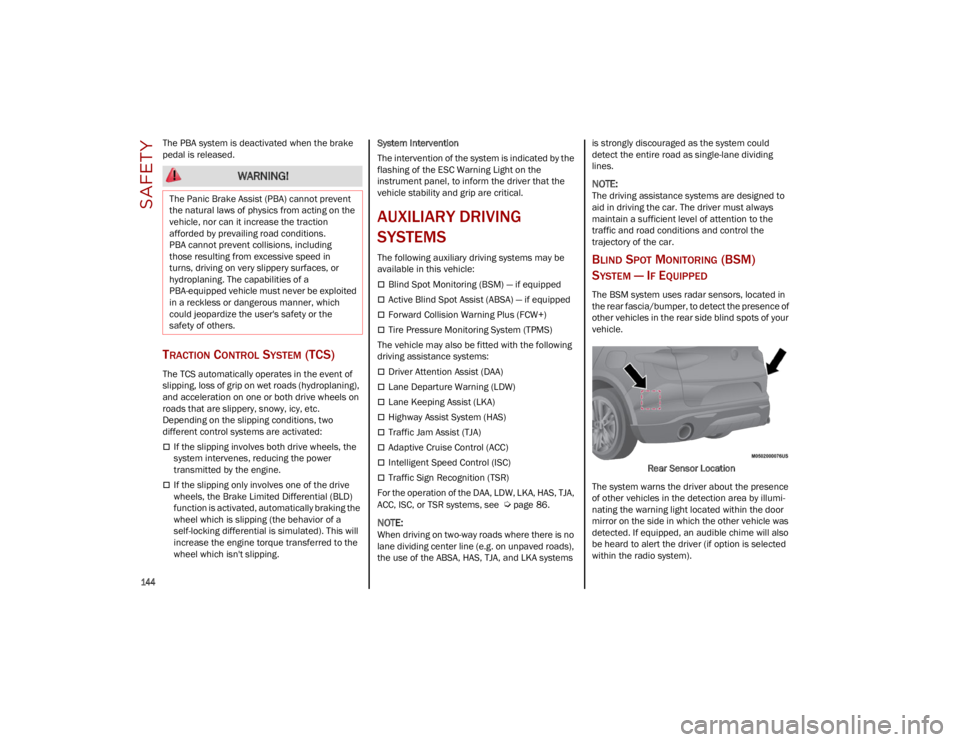
The BSM system uses radar sensors, located in
the rear fascia/bumper, to detect the presence of
other vehicles in the rear side blind spots of your
vehicle.
Rear Sensor Location
The system warns the driver about the presence
of other vehicles in the detection area by illumi -
nating the warning light located within the door
mirror on the side in which the other vehicle was
detected. If equipped, an audible chime will also
be heard to alert the driver (if option is selected
within the radio system).
WARNING!
The Panic Brake Assist (PBA) cannot prevent
the natural laws of physics from acting on the
vehicle, nor can it increase the traction
afforded by prevailing road conditions.
PBA cannot prevent collisions, including
those resulting from excessive speed in
turns, driving on very slippery surfaces, or
hydroplaning. The capabilities of a
PBA-equipped vehicle must never be exploited
in a reckless or dangerous manner, which
could jeopardize the user's safety or the
safety of others.
23_GU_OM_EN_USC_t.book Page 144
Page 148 of 268
SAFETY
146
Rear Cross Path Detection (RCP) System
The Rear Cross Path Detection (RCP) system
assists the driver during reverse maneuvers in
the case of reduced visibility.
The RCP system monitors the rear detection
areas on both sides of the vehicle to detect
objects moving toward the sides of the vehicle,
with a minimum speed between approximately
1 mph (1 km/h) and 2 mph (3 km/h) and objects
moving at a maximum speed of 21 mph
(35 km/h), in areas such as parking lots.
The system activation is signaled to the driver by
an audible warning.
NOTE:
If the sensors are covered by objects or
vehicles, the system may not work as
intended.
For the system to operate correctly, the rear
fascia/bumper area where the radar sensors
are located must stay free from snow, ice and
dirt gathered from the road surface.
Do not cover the rear fascia/bumper area
where the radar sensors are located with any
object (e.g. adhesives, bike rack, etc.).Operating Mode
The system may be activated/deactivated via the
radio system. To access the function, select the
following items on the main menu in sequence:
1. “Driving Assistance”
2. “Blind Spot Alert”
“Blind Spot Alert”, “Visual” Mode
When the system is enabled, the warning light
within the door mirror on the side of the detected
object illuminates.
The visual warning on the mirror will blink if the
driver activates the turn signals, indicating a lane
change.
The warning light will be constant if the driver
stays in the same lane. “Blind Spot Alert” Function Deactivation
When the system is deactivated (“Blind Spot
Alert” mode off), the BSM or RCP systems will
not emit an audible or a visual warning.
The BSM system will store the operating mode
that was active when the engine was stopped.
Each time the engine is started, the operating
mode stored previously will be recalled and used
Ú
page 259.
ACTIVE BLIND SPOT ASSIST (ABSA)
S
YSTEM — IF EQUIPPED
The ABSA system is to help avoid/limit lateral
collisions with cars coming from adjacent lanes
changing the vehicle’s trajectory in order to try to
keep it in the detected lane.
The system warns the driver about the presence
of other vehicles in the detection area by illumi -
nating the warning light located within the door
mirror on the side in which the other vehicle was
detected and by means of an acoustic signal
and/or vibration on the steering wheel and/or
counter-steering torque on the steering wheel
(if the respective item on the “Driver Assistance”
menu is set up and then “Safety” is selected on
the radio system).
When the engine is started, the warning light
illuminates briefly to signal the driver that the
system is active (the warning light comes on even
if the system is activated through the radio
system menu).
WARNING!
Rear Cross Path Detection (RCP) is not a back
up aid system. It is intended to be used to help
a driver detect an oncoming vehicle in a
parking lot situation. Drivers must be careful
when backing up, even when using RCP.
Always check carefully behind your vehicle,
look behind you, and be sure to check for
pedestrians, animals, other vehicles,
obstructions, and blind spots before backing
up. Failure to do so can result in serious injury
or death.
23_GU_OM_EN_USC_t.book Page 146