door lock AUDI A3 2015 User Guide
[x] Cancel search | Manufacturer: AUDI, Model Year: 2015, Model line: A3, Model: AUDI A3 2015Pages: 288, PDF Size: 71.46 MB
Page 42 of 288
40 Opening and clo sing
- For security reasons, the windows can
only be opened with the remote control
key at a maximum distance of 2 meters
from the vehicle .
- Pay attention when using the lock cylin
der to close the windows and the panora
ma sunroof* so that no one is pinched.
Clos ing stops when the key is moved into
the starting pos ition.
Correcting power window malfunctions
After disconnecting the vehicle battery, the
one-touch up and down feature must be acti
vated again .
.. Pull the power window sw itch until the w in
dow is comp lete ly raised.
.,. Release the switch and pull it again for at
least one seco nd.
Panorama sunroof
Description
Applies to vehicles: with pa norama sunroo f
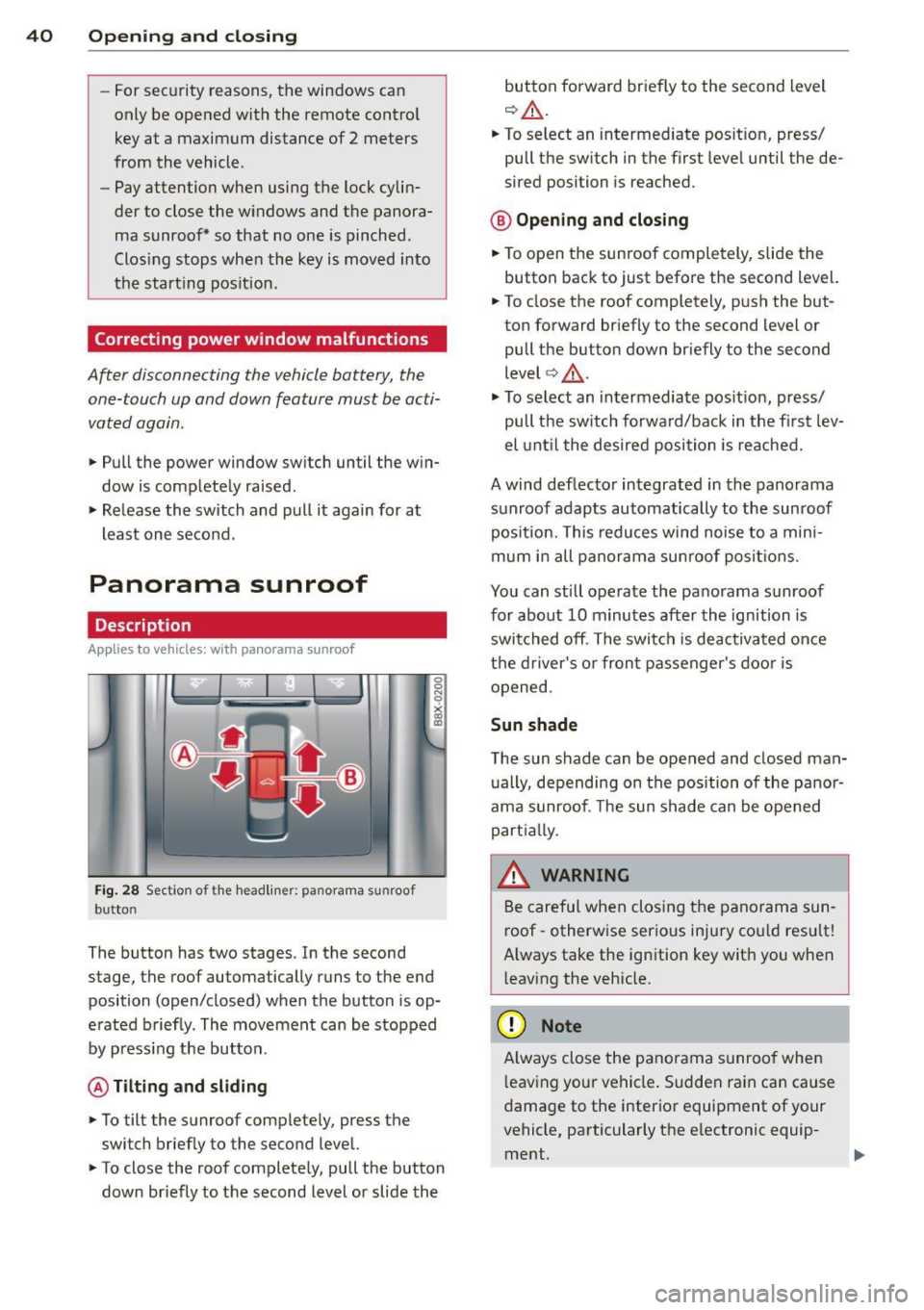
Fig. 28 Section of the head liner: panorama s unroo f
butto n
The button has two stages. In the second
stage, the roof automatically runs to the end
position (open/closed) when the button is op
e rated b riefly. The movement can be stopped
by pressing the button .
@ Tilting and sliding
.. To tilt the sunroof complete ly, press the
switch brief ly to the second leve l.
.. To close the roof complete ly, pull the button
down briefly to the second lev el or slide the button forward br
iefly to the second level
¢ .&_ .
.. To select an intermediate pos it ion, press/
pull the sw itch in the first leve l until the de
sired position is reached.
® Op ening and closing
.. To open the sunroof completely, slide the
button bac k to just before the second level.
.. To close the roof completely, p ush the but
ton forward briefly to the second level or
pull the button down briefly to the second
level ¢.&_ .
.,. To se lect an in termediate pos it ion, press/
pull the sw itch forwa rd/back in the fi rst lev
el unt il the desired po sit ion is reached .
A wind deflector integrated in the panorama
s u nroof adapts automatically to the sunroof
pos ition. This reduces wind noise to a mini
mum i n all panorama sunroof pos itions.
You can still operate the pa no rama s unroof
for about 10 minutes aft er th e ignition is
switched off . T he swi tch is deactivated once
t h e dr iver's o r fron t passenger's door is
opened.
Sun shade
T he sun shade can be opened and closed man
u ally, depending on the position of the panor
ama sunroof. The sun s hade can be opened
part ia lly.
_& WARNING
=
B e carefu l when closing t he pano rama sun -
r oof -otherw ise serio us in ju ry co uld resu lt!
A lways take the ign ition key wit h you when
l eaving the vehicle.
(D Note
A lways close t he panor ama s unroo f whe n
l eav ing your ve hicle . Sudde n rain can cause
d amage to the interio r equipment of your
vehicle, particularly the e lectronic equip-
ment .
ll>
Page 46 of 288
44 Lights and Vision
You can indicate a lane change or a turn when
the emergency flashers are switched on by us
i ng the turn signa l lever. The emergency f lash
ers stop temporarily.
The eme rgency f lashers also work when the
ignition is tu rned off .
(D Tips
You shou ld tu rn on the emergen cy fl ashe rs
when:
- you are the last vehicle st anding in a tr af
fic jam so that any o ther veh icles coming
ca n see you, or when
- you r vehicle has broken down or yo u are
i n an emergency si tua tion, or when
- you r vehicle is bei ng towe d by a tow
tru ck or if yo u are towi ng anothe r vehicle
b ehin d you.
Turn signal and high beam lever
The lever operates the turn signals, the high
beams and the headlight flasher .
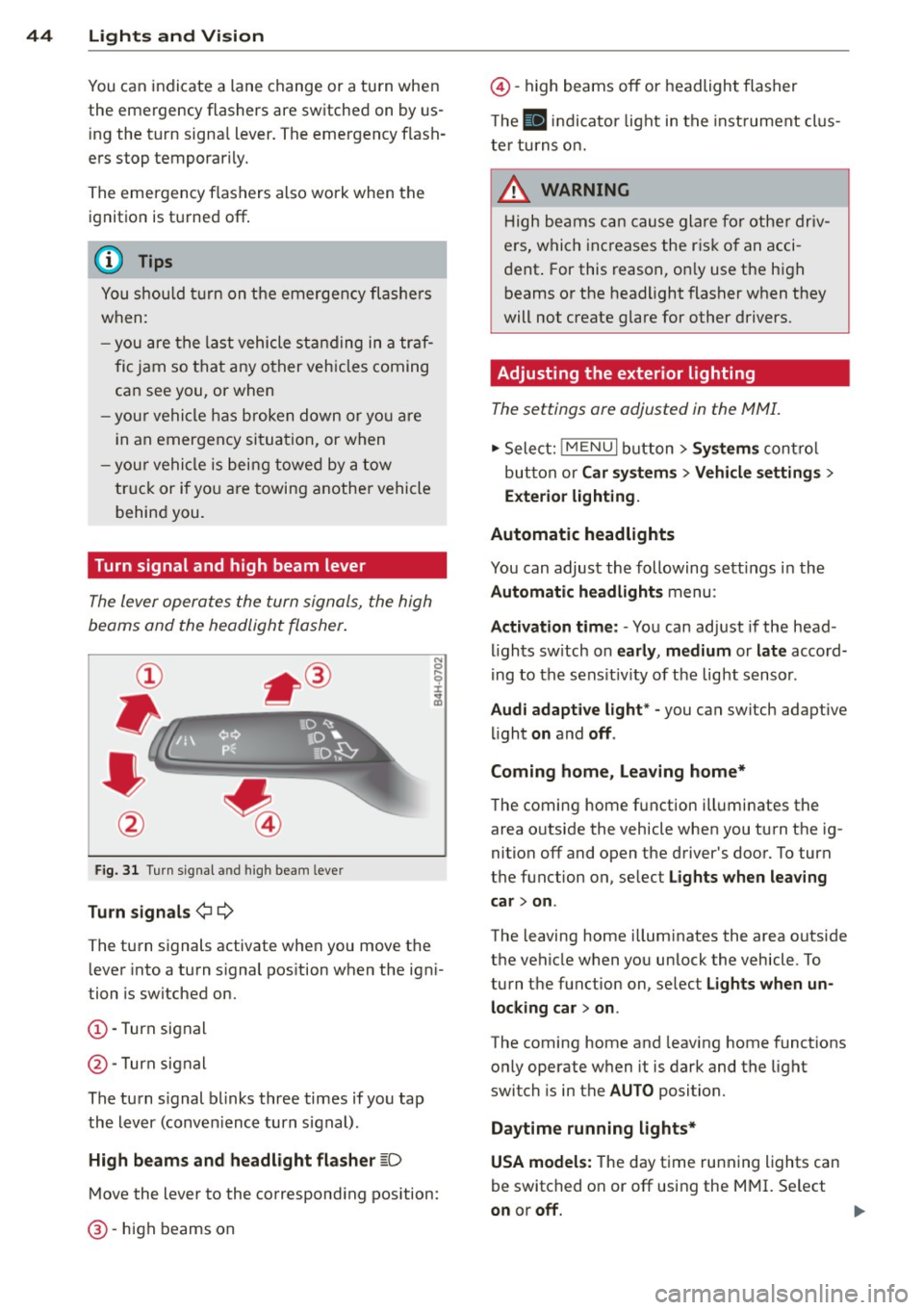
Fig. 31 Turn s ig na l an d high beam leve r
Turn signals ¢¢
The turn signals activate when you move the lever into a turn s ignal pos ition when the ign i
tion is switched on.
(D -Turn signal
@-Turn signal
The turn s ignal b links three times if you tap
the lever (conven ience turn s ignal).
High beam s and headlight flasher
~D
M ove the lever to the correspond ing position:
@ -high beams on
@-high beams off or headlight flasher
T he
II in di cator light in t he inst rument cl us
te r tu rns on.
A WARNING
H igh be ams ca n cause glare for othe r driv
e rs, which inc reases the r is k of an acci
dent . For this reason, on ly use the h igh
beams or the headlight flasher when they
will not create g lare for other drivers.
· Adjusting the exterior lighting
The settings ore adjusted in the MMI.
.,. Select: iME NUI button> Systems control
bu tton or Car system s > Vehicle settings >
Exterior lighting.
Automatic headlights
You can adjust the following sett ings in the
Automatic headlights menu:
Activation time: - You can adjust if the head
ligh ts sw itch on early, medium or late accord
i ng to the sens it iv ity of the light sensor .
Audi adapt ive light * -you can switch adaptive
li ght on and off.
Coming home, Leaving home*
T he coming home f unction ill uminates the
area o utside the vehicle when you turn t he ig
nition off and open the driver's door. To turn
the function on, se lect Lights when leaving
car > on .
The leaving home illum inates the area outside
the vehicle when yo u unlock the vehicle . To
turn the function on, se lect Lights when un
locking car > on .
The coming home and leaving home functions
only operate when it is dark and the light
switch is in the AUTO position.
Daytim e running lights*
USA models: The day time running lights can
be switched on or off using the MMI. Se lect
on or off.
1111>
Page 47 of 288
Canada models: The function cannot be
turned
off. It is activated automatical ly each
time the ignition is switched on .
Interior lighting
Front and rear interior light ing f ront
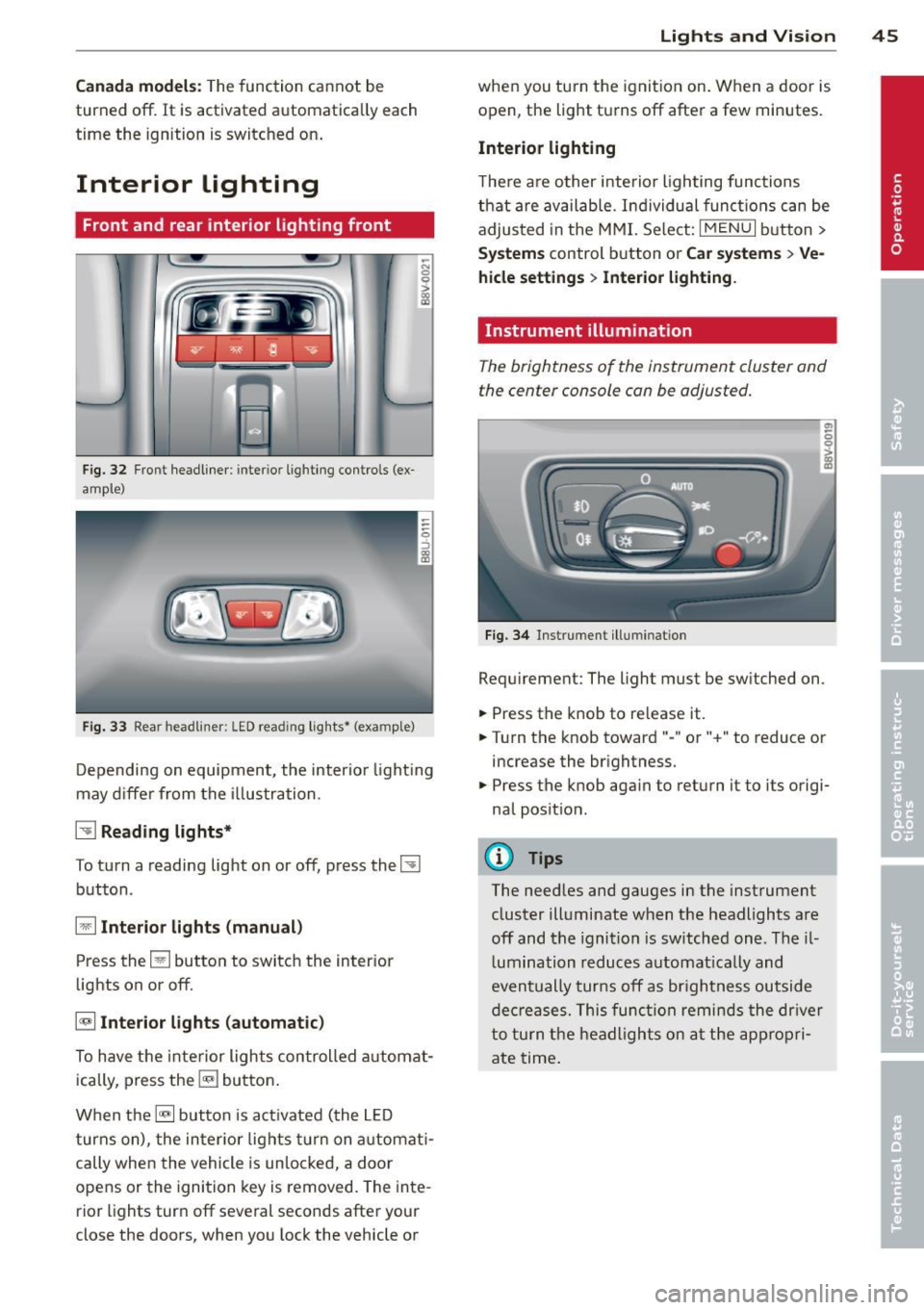
Fig. 32 Fr ont headliner : inter io r lighting controls (ex
ample)
Fig. 33 Rear headliner: LED read ing lights~ (example)
-N 0 0
i
Depending on equipment, the interior lighting
may differ from the illustration .
~ Reading lights*
To turn a reading light on or off, press the~
button .
§J Interior lights (manual)
Press the El button to switch the interior
lights on or
off.
§] Interior lights (automatic)
To have the interior lights controlled automat
ically, press the§] button .
When the§] button is activated (the LED
turns on), the interior lights turn on automat i
cally when the vehicle is un locked, a door
opens or the ignition key is removed. The inte
rior lights turn
off several seconds after your
close the doors, when you lock the vehicle or
Lights and Vision 45
when you turn the ignit ion on. When a door is
open, the light turns
off after a few minutes.
Interior lighting
T here are other interior lighting functions
that are available. Individual functions can be
adjusted in the MMI. Select:
IMENUI button>
Systems control button or Car systems > Ve
hicle settings> Interior lighting.
Instrument illumination
The brightness of the instrument cluster and
the center console con be adjusted.
Fig. 34 Instrument illuminat ion
Requirement: The light must be switched on .
.. Press the knob to release it.
.. Turn the knob toward"-" or"+" to reduce or
increase the brightness.
.. Press the knob again to return it to its origi
nal position .
(!} Tips
The needles and gauges in the instrument
cluster illuminate when the headlights are
off and the ignition is switched one. Theil
lumination reduces automatically and
eventually turns
off as brightness outside
decreases. This function reminds the driver
to turn the headlights on at the appropri
ate time.
Page 50 of 288
48 Lig hts an d Vi sion
paint on the hood or th e windshield wip
er motor.
- You should not drive your vehicle or
press the windshield wiper lever when
the wiper arms are folded away from the
windshield . The windshield wipers would
move back into their original position
and could damage the hood and w ind
shield .
- To help preven t damage to the wiper sys
tem , always loosen blades which are fro
zen to the windsh ield before ope rat ing
wipers .
- To he lp prevent damage to w iper blades,
do not use gasoline, ke rosene, pa int
th inner, or other so lvents on or near the
wiper blades.
- To he lp prevent damage to the wiper
arms or other components , do not at
tempt to move the wipers by hand .
(D Tips
-Commercial hot waxes applied by auto
matic car washes affe ct the cleanability
of the wi ndshield .
- You can also use the servic e pos ition, for
example , if you want to pro tect the
winds hield from i cing by using a cover .
- You cannot activate the service posit ion
when the hood is open.
Mirrors
Adjusting the exterior mirrors
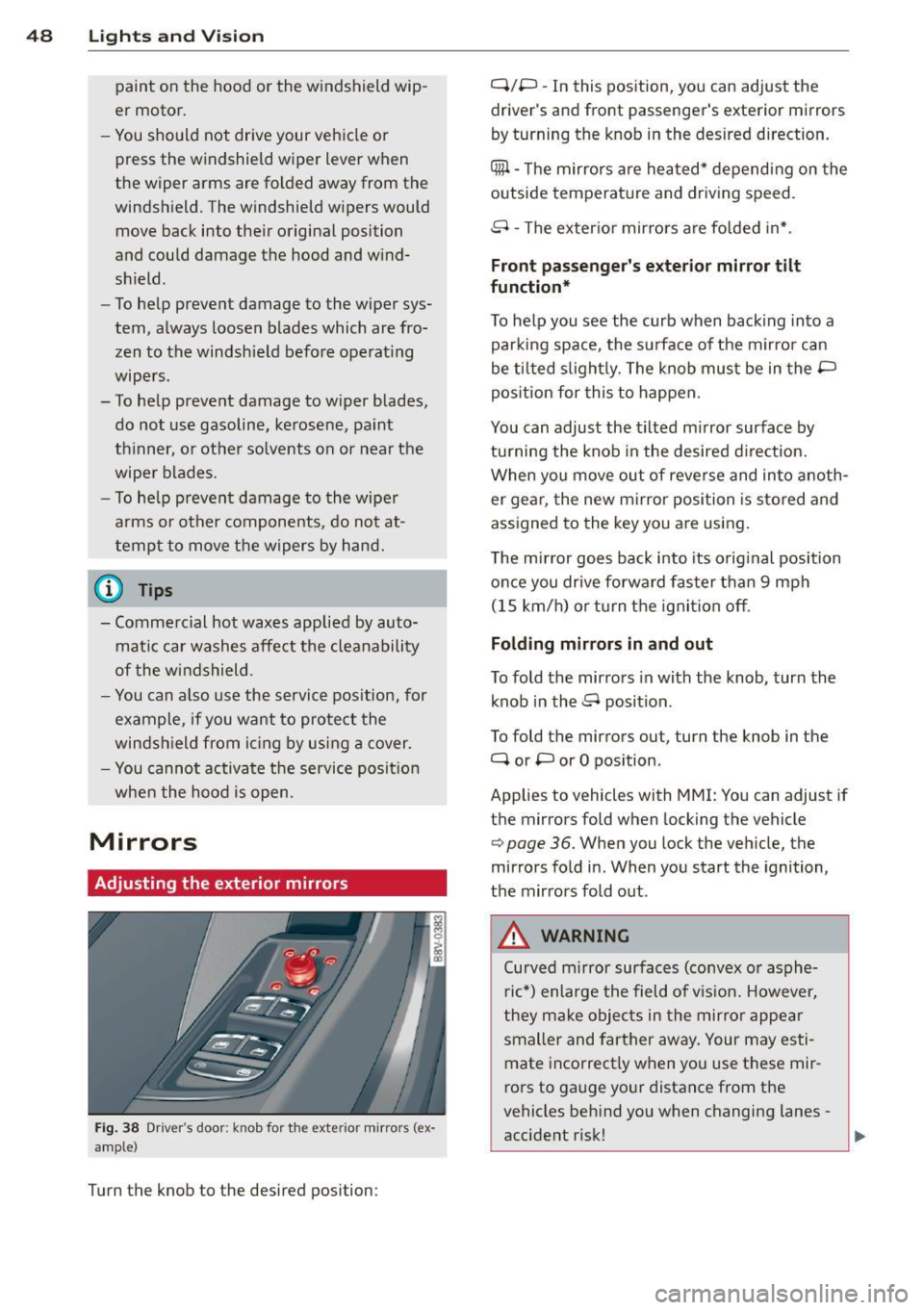
F ig. 38 Driver's door: knob for th e exteri or mirro rs (e x·
amp le )
Turn the knob to the desired position : Q/P
-In this pos ition, yo u can adjust the
driver 's and front passenger 's exter ior mi rrors
by turning the knob in the desi red d irection.
4ill -The m irrors a re heated* depending on the
outside temperature and driv ing speed.
8 -The exter io r mir rors a re fo lded in* .
Front passenger's exterior mirror tilt
function*
T o he lp you see the curb when backing into a
parking space, the surface of the mir ror can
be ti lted s light ly. The knob must be in the P
pos ition for this to happen.
You can adjust the tilted m irror surface by
tu rning the knob in the desired d irect ion.
When you move out of reverse and into anoth
er ge ar, the new m irror position is s tored and
assigned to the key you a re using.
T he m irror goes ba ck into its orig inal position
once you drive forward fas te r than 9 mph
(15 km/h) o r turn the ignition off .
Folding mirrors in and out
To fold the mir ro rs in with the knob, turn the
k nob in the 8 position .
To fold the m irrors ou t, turn the knob in the
Q or P or O pos ition .
Applies to vehicles with MMI: You can adjust if
t h e mirrors fold when locking the vehicle
c> page 36. When you lock the vehicle, the
mir rors fo ld in. When you start the ignition,
t h e mirrors fold out .
A WARNING
-Curved mirror surfaces (convex o r asph e-
r ic *) enlarge the field of v is ion. However,
they ma ke objec ts in the mirror appe ar
smaller and fart her away . Your may es ti
mate incorrect ly when you use t hese mir
rors to gauge yo ur distance from the
vehicles beh ind yo u when changing lanes -
accident r isk!
Page 63 of 288
-Always store objects in the luggage com
partment and use suitable straps, partic
ularly with heavy objects.
- When you transport heavy objects, al
ways remember that a change in the cen
ter of gravity may result in a change in
the vehicle's handling characteristics .
- Follow all warnings
q page 121, Driving
safety.
(D Tips
The tire pressure must be adjusted to the
load -see the tire pressure sticker located
on the driver's side B-pillar.
General information
_& WARNING
Refer to the chapter Driving Safely
qpage 121, Driving safety for important
information, tips, s uggestions and warn
ings that you should read and fo llow for
your own safety and the safety of your pas sengers.
Increasing the size of the luggage
compartment
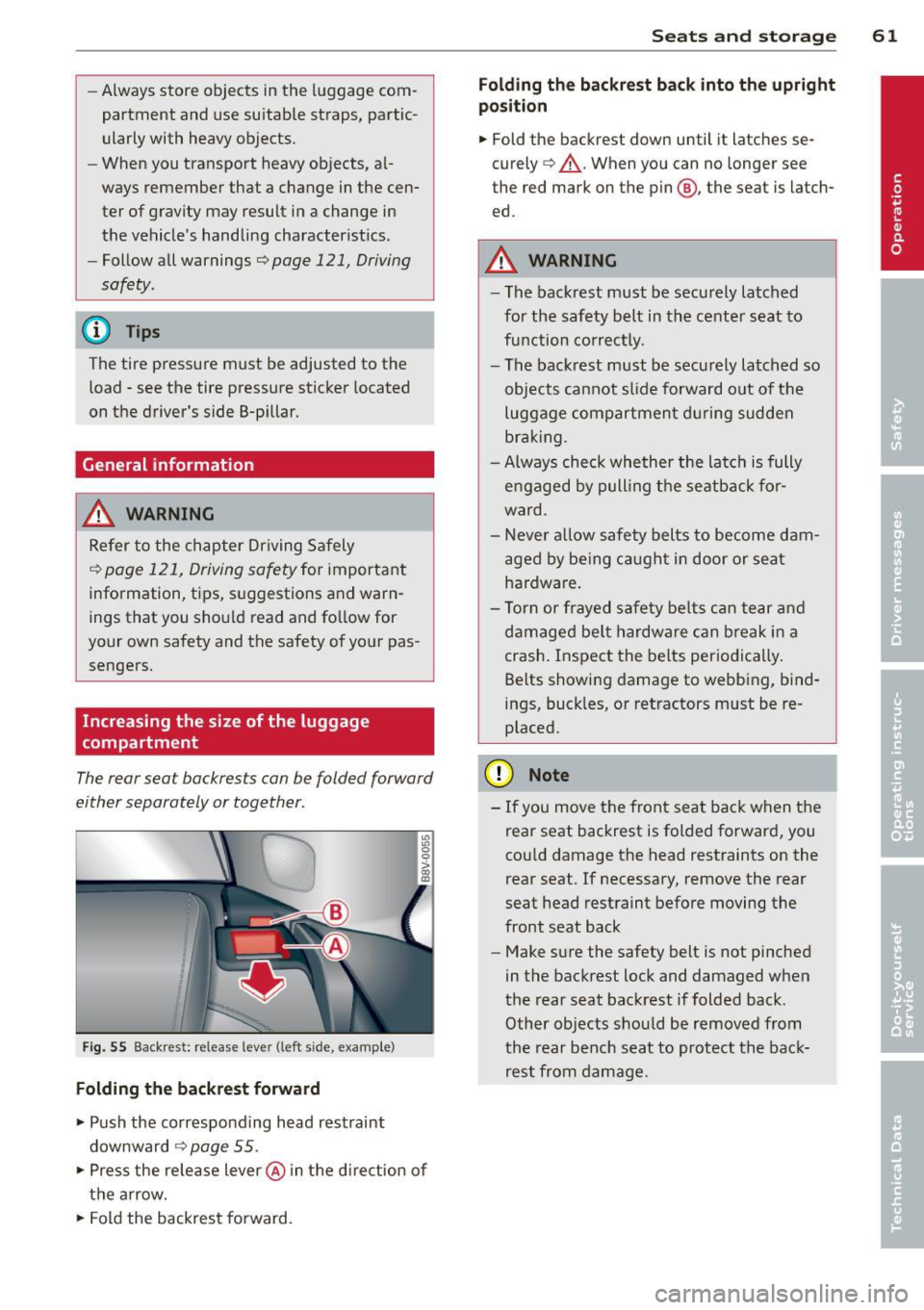
The rear seat backrests can be folded forward
either separately or together .
Fig. 55 Backrest: release lever (left sid e, e)(ample)
Folding the backrest forward
.,. Push the corresponding head restraint
downward
¢ page 55 .
.,. Press the release lever @in the d irection of
the arrow .
.,. Fold the backrest forward.
Seats and storage 61
Folding the backrest back into the upright
position
.,. Fold the backrest down until it latches se
curely
q _&. . When you can no longer see
the red mark on the pin @, the seat is latch
ed.
A WARNING
-- The backrest must be securely latched
for the safety belt in the center seat to
function correctly. -
-The backrest must be securely latched so
objects cannot slide forward out of the
luggage compartment during sudden
braking .
- Always check whether the latch is fully
engaged by pulling the seatback for
ward .
- Never allow safety belts to become dam
aged by being caught in door or seat
hardware .
- Torn or frayed safety belts can tear and
damaged be lt hardware can break in a
crash. Inspect the belts periodically.
Belts showing damage to webbing, bind
ings, buck les, or retractors must be re
placed.
(D Note
- If you move the front seat back when the
rear seat backrest is folded forward, you
cou ld damage the head restraints on the
rear seat. If necessary, remove the rear
seat head restraint before moving the
front seat back
- Make sure the safety belt is not pinched
in the backrest lock and damaged when
the rear seat backrest if folded back.
Other objects should be removed from
the rear bench seat to protect the back
rest from damage.
Page 76 of 288
74 Driving
(D Tips
-After starting a cold engine, there may
be a brief period of increased noise be
cause the oil pressure must first build up in the hydraulic valve adjusters. This is
normal and not a cause for concern.
- If the . indicator light blinks in the in
strument cluster before switching the ig
nition off, the ignition will not switch on
again
Qpage 189.
-If you leave your vehicle with the ignition
switched on, the ignition will switch off
after a certain amount of time. Make
sure that electrical equipment such as
the exterior lights are switched off.
Turning th n ine off using the
button
Applies to vehicles: with conven ience key
.. Bring the vehicle to a fu ll stop.
.. Automatic transmission: Move the selector
lever into the P position.
.. Press the !START ENGINE STOPI button
Q page 73, fig. 66.
If the engine does not stop, proceed as fol
lows
q page 75, Starting the engine if there
is a malfunction .
Steering wheel lock1
)
The steering locks when you turn the engine
off using the
I START ENGINE STOP !* button,
move the selector lever into the P position
(automatic transmission*) and open the driv
er's door.
The locked steering helps prevent vehicle
theft.
Emergency off function
If it is necessary in unusua l circumstances, the
engine can be switched off while the vehicle is
moving at speeds less than 6 mph (10 km/h).
If you press the
I START ENGINE STOP I* but
ton while driving, the message
Pressing
start/stop button again will switch off en-
l) This function is not availa ble in all coun tries.
gine! appears . To switch the engine off, press
the
I START ENGINE STOP !* button twice in a
row briefly or press and hold for longer than
two seconds.
A WARNING
- Never turn off the engine before the ve
hicle has come to a complete stop . The
full function of the brake booster and the
power steering is not guaranteed . You
must use more force to turn or brake, if
necessary. Because you cannot steer and
b rake as you usually would, this could
lead to accidents and serious injuries.
- The brake booster and power steering
only work when the engine is running . If
the engine is off, you have to use more
force when steering or braking. Because
you cannot steer and brake as you usual
ly would, this could lead to crashes and
serious injuries .
- Always take the vehicle key with you
when leaving the vehicle, even for a
short period of time . This applies partic
ularly when children remain in the vehi
cle. Otherwise the children could start
the engine or operate electrical equip
ment such as power windows.
- For safety reasons, you should always
park your vehicle with the selector lever
in P. Otherwise, the vehicle could inad
vertently roll away.
-After the eng ine has been switched off,
the radiator fan can continue to run for
up to 10 minutes -even with the ignition
switched off. It can also switch on again
after some time if the coolant tempera
ture rises as the result of a heat buildup or if the engine is hot and the engine
compartment is additionally heated by
the sun's rays.
0 Note
If the engine has been under heavy load
for an extended period of time, heat builds up in the engine compartment after the ..,_
Page 78 of 288
76 Driving
removed from the vehicle when the engine
was running.
If the convenience key is no lon
ger in the veh icle, you cannot switch the igni
tion on or start the engine once you stop it.
You also cannot lock the vehicle from the out
side .
Press brake pedal
This message appears if you do not press t he
brake peda l to start the engine in a vehicle
with an automatic transmission .
Please engage N or P
This message appears whe n starting or stop
p ing the engine if t he selecto r lever is not in
the Nor P pos ition. The eng ine will not star t/
stop.
Shift to P, otherwis e vehicle can roll away.
Door s do not lock if lev er i s not in P
This message appears for safety reasons
along w ith a warning tone . It appears if the
selecto r lever for the automat ic transm iss io n
is not in the P position when switch ing the ig
ni tion off with the
!S TAR T ENGINE STOPI*
button . Sh ift the sele ctor leve r to t he P posi
tion. Otherwise, the vehicle could ro ll. You al
so cannot lock the vehicle using the locking
sensor on the door handle o r using the con
venience key .
Electromechanical
parking brake
Operation
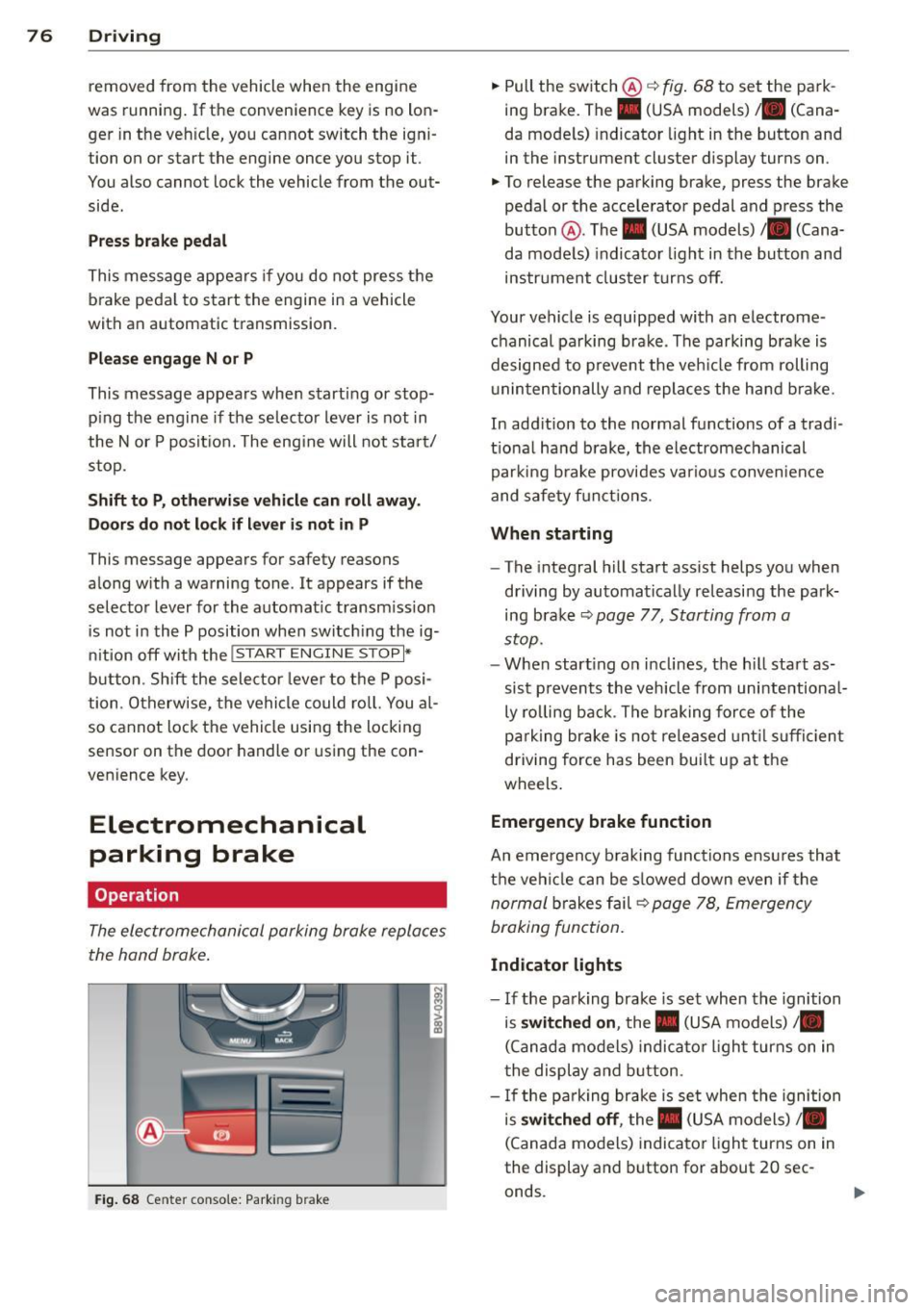
The electromechanical parking brake replaces
the hand brake .
Fig. 68 Center conso le: Park ing brake
.,. Pull the switch @¢ fig. 68 to set the pa rk
ing brake. The. (USA models) . (Cana
da mode ls) indicator light in the button and
in the instrument cluster display turns on .
.,. To release the parking brake, press the brake
pedal or the acce lerator pedal and press the
button @. The . (USA models) /. (Cana
da mode ls) indicato r light in th e button and
ins trument clus ter tur ns off.
Your vehicle is equipped with an electrome
chanical pa rking brak e. The parking bra ke is
designed to p revent the veh icle from rolling
u ninte ntionally and repla ce s the hand b rake.
In add ition to the normal functions of a tradi
tio na l ha nd b rake, the electromechanical
parki ng b rake provides va rious conven ien ce
and safe ty f unct ions .
When starting
-The integral hill start assist helps you when
d riving by au tomatical ly re leasi ng the park
ing bra ke ¢
page 77, Starting from a
stop.
- W hen start ing on i nclines, t he h ill sta rt as
si st preven ts the v ehicl e from unintentiona l
ly ro lling back . T he b raking force of the
p ar king br ake is no t released unt il su ffi cien t
driving force has been bui lt up at the
wheels .
Emergency brake function
An emergency b rak ing functions ensu res that
t h e vehi cle can be s lowed down even if the
n ormal brakes f ail¢ page 78, Emergen cy
braking fun ction.
Indicator lights
- I f the pa rk ing brake is set when the ignition
is
switched on , the. (USA models) /.
(Canad a models) indica to r li ght turns on in
t he display and b utton .
- If the pa rk ing brake is se t when the ignition
is
switched off , the. (USA models) /.
(Canada mo dels) indica tor ligh t turns on in
the display and button for about 20 sec
onds.
Page 79 of 288
& WARNING
-Do not press the accelerator pedal inad
vertently when the vehicle is stationary and the engine is running and a gear is
selected. Otherwise the vehicle will start
to move immediately and could result in
a crash.
- If the power supply fails, the released
parking brake can no longer engage. In
this case, park the vehicle on level ground and secure it by placing these
lector lever in the P position (automatic
transmission). See your authorized Audi dealer or qualified repair facility.
(D Note
If the symbol . in the display or the indi
cator light. (USA models)/ . (Canada
models) in the instrument cluster flashes,
there is a malfunction in the brake system.
Please refer to the detailed description of
the indicator lights¢
page 18.
-If the indicator light . (USA models)/
• (Canada models) or
Ill turns on,
there may be a malfunction in the park
ing brake ¢
page 19.
(D Tips
-You can set the parking brake at any time
-even with the ignition turned
off. To re-
lease the parking brake, the ignition
must be turned on and the brake pedal
must be pressed.
- If driver 's door is opened while the igni
tion is switched on, the parking brake
sets automatically. This prevents unin
tended rolling of the vehicle .
- Occasional noises when the parking
brake is set and released are normal and
are not a cause for concern.
- When the vehicle is parked, the parking
brake goes through a self -test cycle at
regular intervals. Any noises associated
with this are normal.
- If there is a power failure, the parking
brake will not set if it is released, and it
will not release if it is set ¢,&. . See your
Driving 77
authorized Audi dealer or qualified repair
facility.
· Parking
.. Press the brake ped al to stop the vehicle .
.. Pull the switch @ ¢
page 76 , fig . 68 to set
the parking brake.
.. Place the selector lever in the P position .
.. Turn the engine off¢.&_ .
.,. Turn the steering wheel when parking on in
clines so that the wheels will roll into the
curb if the vehicle starts moving.
& WARNING ~ -
-Always take the vehicle key with you
when leaving the vehicle, even for a short period of time. This applies partic
ularly when children remain in the vehi
cle. Otherwise children could start the
engine, release the parking brake or op
erate electrical equipment such as power
windows, which increases the risk of an
accident .
- No one should remain in the vehicle
when it is locked, especially children.
Locked doors make it more difficult for
emergency workers to get into the vehi
cle, which puts lives at risk.
Starting from a stop
The start assist function ensures that the
parking brake is released automatically upon starting.
Stopping and applying the parking brake
.. Pull the switch@¢ page 76, fig . 68 to set
the parking brake.
Starting and automatically releasing the
parking brake
Requirement: The driver's door must be
locked and the driver's safety belt must be
fastened.
.. When you press the accelerator pedal , the
parking brake is automatically released and
your vehicle begins to move.
•
Page 80 of 288
78 Driving
When stopping at a traffic signal or stopping in city traffic, the parking brake can be ap
plied. The vehicle does not have to be held
with the brake pedal. The parking brake elimi nates the tendency to creep when a selector
lever position is engaged . As soon as you
press the accelerator pedal, the parking brake
releases automatically and the vehicle starts
to move.
Starting on slopes
When starting on inclines, the hill start assist
prevents the vehicle from unintentionally roll
ing back. The braking force of the parking
brake is not released until sufficient driving
force has been built up at the wheels.
(D Tips
For safety reasons, the park ing brake is re
leased automatically only when the driv
er 's safety belt is fastened and the driver 's
door is locked.
Emergency braking function
This is used if the convention brake system
fails or locks up.
~ To brake your vehicle in an emergency, pull
the @switch
¢ page 76, fig. 68 and hold it
pulled.
~ As soon as you release the@ switch or ac-
celerate, the braking process stops.
Pulling and holding the @switch while driv
ing at a speed of about 2 mph (3 km/h) or
higher initiates the emergency braking func
tion. The vehicle is braked at all four wheels by activating the braking hydraulics. The brake
performance is similar to heavy braking.¢.&
To help prevent activating the emergency braking by mistake, an audible warning tone
(buzzer) sounds when the @switch is pulled.
E mergency braking stops as soon as the@
switch is released or the accelerator pedal is pressed.
A WARNING
Emergency braking should only be used in
an emergency, when the normal brake
pedal has failed or the brake pedal is ob
structed . During emergency braking, your
vehicle will brake similar to heavy braking .
ESC and the associated components (ABS,
ASR, EDL) cannot overcome the laws of
physics. In corners and when road or
weather conditions are bad, a full brake
application can cause the vehicle to skid or
the rear end to break away, which increas
es the risk of an accident.
Hill hold
Applies to vehicles: wit h Hill Hold
Hill hold makes it easier to start on hills.
Requirement: The driver door must be closed
and the engine must be running.
The system is activated when the brake pedal
is pressed while the vehicle is stationary.
To prevent the vehicle from rolling back when
starting, the brake power is held for a brief
moment after releasing the brake pedal. Dur
ing this time, you can easily begin to move
your vehicle.
A WARNING ......_
- The intelligent technology of Hill Hold
cannot overcome the limitations im
posed by natural physical laws. The in
creased comfort offered by Hill Hold
should not cause you to take safety risks .
- Hill Hold cannot hold the vehicle in all
hill start situations (for example, if the
ground is slippery or icy).
- If you do not begin moving immediately
after releasing the brake pedal, the vehi
cle could begin to roll backward under
certain circumstances. Press the brake
pedal or set the parking brake immedi
ately.
- If the engine "stalls", press the brake
pedal or set the parking brake immedi
ately.
-
Page 109 of 288
lock engages if the lever stays in the N posi
tion longer than approximately 2 seconds
when the brake pedal is not pressed.
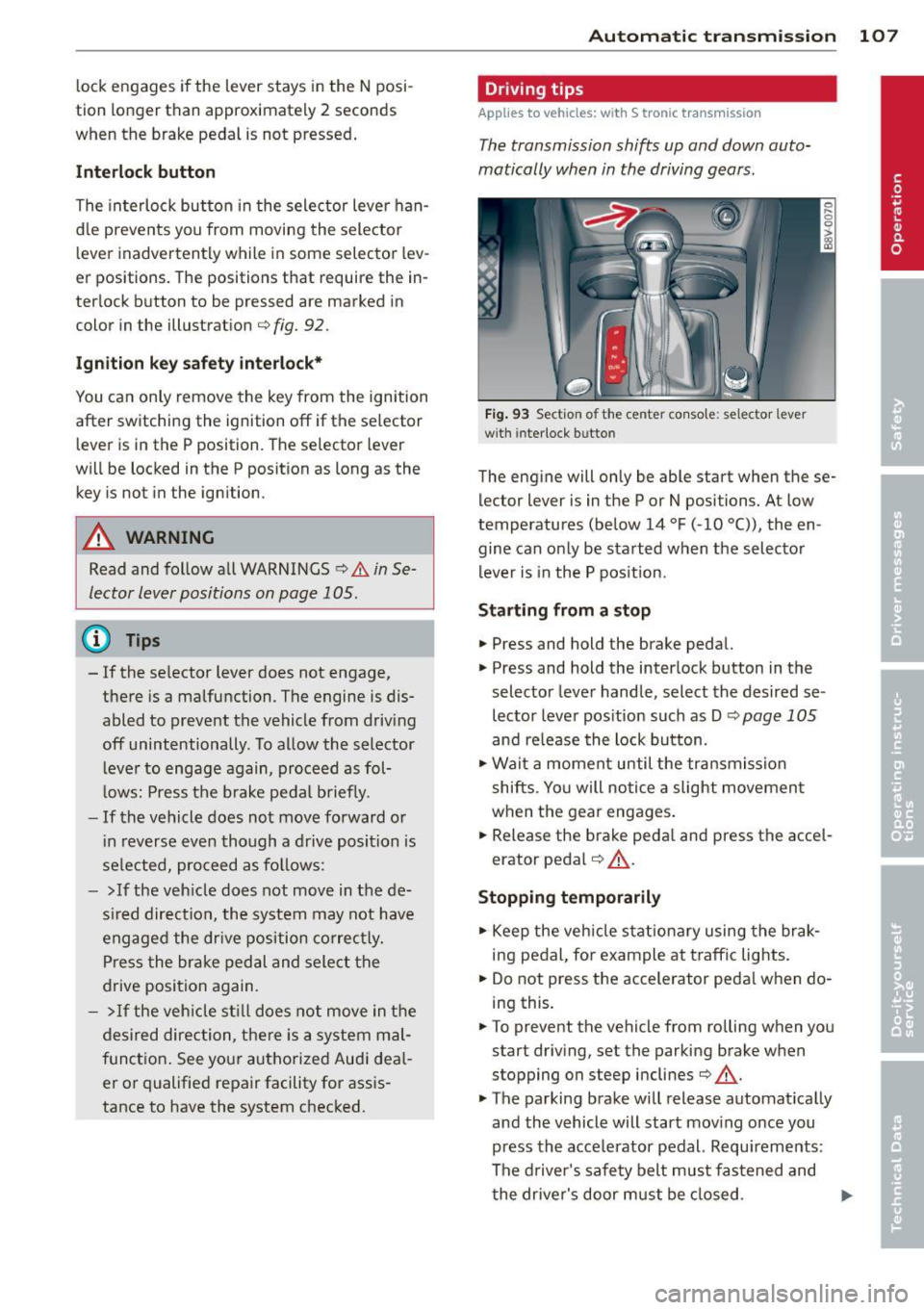
Interlock button
The interlock button in the selector lever han
d le prevents you from moving the selector
l ever inadvertently while in some selector lev
er positions. The positions that require the in
ter lock button to be pressed are marked in
color in the illustration
c;, fig. 92.
Ignition key safety interlock*
You can only remove the key from the ignition
after switching the ignition off if the se lector
lever is in the P position. The selector lever
will be locked in the P position as long as the key is not in the ignition .
A WARNING
Read and follow all WARNINGS c> .&. in Se
lector lever positions on page 105 .
@ Tips
-If the se lector lever does not engage,
there is a malfunction . The engine is dis
abled to prevent the vehicle from driving
off unintentionally . To allow the selector
le ver to engage again, proceed as fol
l ows: Press the brake pedal b riefly.
- If the vehicle does not move forward or
i n reverse even though a drive position is
se lected, proceed as follows:
- >If the veh icle does not move in the de
s ire d direction, the system may not have
engaged the dr ive position correctly.
Press the brake pedal and select the
drive position again.
- > If the vehicle still does not move in the
desired direction, there is a system mal
function. See your authorized Aud i dea l
er or qualified repair facility for assis
tance to have the system checked.
Autom atic transm ission 107
Driving tips
Applies to vehicles: with S tronic transmission
The transmission shifts up and down auto
matically when in the driving gears.
Fig. 93 Section of the center co nsole: selector leve r
w ith inte rlock b utto n
The engine will only be able start when these
lector lever is in the P or N positions. At low
temperatures (below 14 °F (-10 °C)), the en
gine can only be started when the selector
lever is in the P position.
Starting from a stop
.,. Press and hold the brake pedal.
.,. Press and hold the interlock button in the
selector lever handle, select the desired se
lector lever pos ition such as D
c;, page 105
and release the lock button.
.,. Wait a moment until the transmission
shifts . Yo u will notice a slight movement
when the gear engages.
... Release the brake peda l and press the acce l
erator pedal
c;, .&_ .
Stopping temporarily
.,. Keep the vehicle stationary using the brak
ing pedal, for example at traffic lights.
.,. Do not press the accelerator peda l when do
ing this .
.,. To prevent the vehicle from ro lling when you
start driving, set the parking brake when
stopping on steep inclines
c;, .&. -
.,. The parking brake will release automat ically
and the vehicle will start moving once you
press the acce lerator pedal. Requ irements :
The driver's safety belt must fastened and
the driver's door must be closed.
IJll,-