ignition AUDI A3 2015 User Guide
[x] Cancel search | Manufacturer: AUDI, Model Year: 2015, Model line: A3, Model: AUDI A3 2015Pages: 288, PDF Size: 71.46 MB
Page 26 of 288
24 Instruments and indicator lights
You may continue driving for the time being .
Check the oil level as soon as possible
¢ page 212.
-If the engine oil level is too low, add engine
oi l
¢ page 215.
-If the engine oil level is correct and the indi
cator light still turns on, drive at low engine
speed to the nearest authorized Audi dea ler
or qualified repair facility.
_..,. Engine oil sensor
II Oil level sensor: system fault!
The sensor to check the engine oil level has
failed. Drive to an authorized Audi dealer or
qua lified repair faci lity immediately to have
the malfunction corrected.
Q;) Note
Pay attention to the description in the
Owner 's Manual
¢ page 215 and
¢ page 215, Adding engine oil "l::;1:.
Bil Tank system
RD Please refuel
When the indicator light turns first turns on
and this message appears, the tank contains
the following amount of fuel:
- Front wheel drive : approximately 1.8 gal
lons (7 liters)
- All wheel drive: approximately 2.2 gallons
(8 .5 liters)
RD Fuel tank malfunction! Please contact
Service
If the indicator light turns on and this mes
sage appears, there is a ma lfunction in the
tank system.
Drive to your authorized Aud i dealer or quali
fied repair facility immediately to have the
malfunction corrected.
@) For the sake of the environment
Fuel should never enter the sewer system
or come into contact w ith the ground.
(D Tips
More information on refueling is available
on page ¢
page 207.
~ Washer fluid level
m Please add washer fluid
Fill the washer fluid with the ignition switched
off ¢
page 224.
• Windshield wipers
m Windshield wiper: system fault!
There is a malfunction with the windshie ld
wipers .
Drive to your authorized Audi dealer or quali
fied repair facility immediate ly to have the
malfunction corrected.
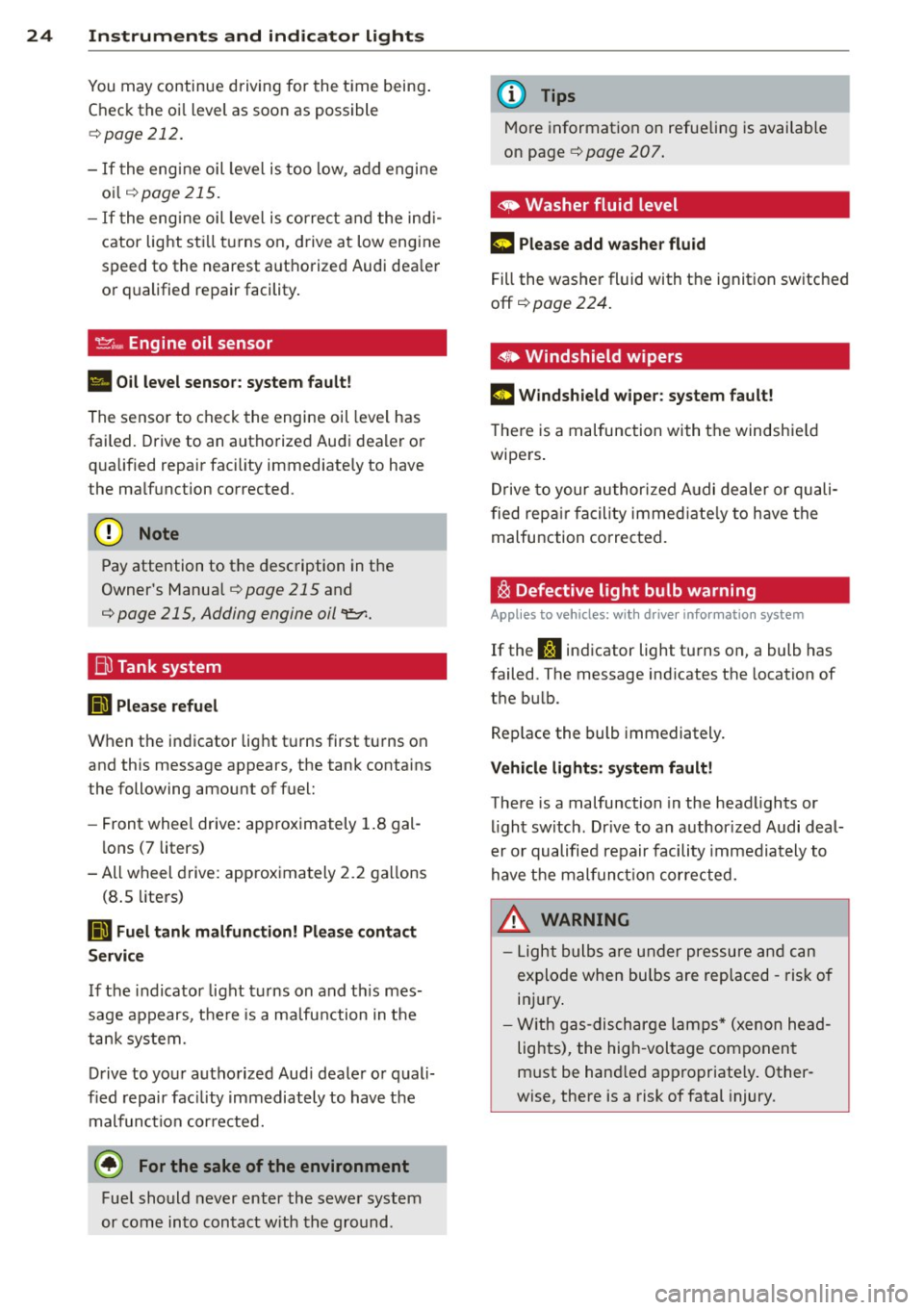
~ Defective light bulb warning
Applies to vehicles: wit h drive r info rmatio n system
If the S:i indicator light turns on, a bulb has
failed. The message ind icates the location of
the bulb .
Replace the bulb immediately.
Vehicle lights: system fault!
There is a malfunction in the headlights or
light switch. Drive to an author ized Audi deal
er or qualified repair facility immediately to
have the malfunction corrected.
_&. WARNING
- Light bulbs are under pressure and can
explode when bu lbs are replaced -risk of
inj ury.
- With gas-discharge lamps* (xenon head
lights), the high -voltage component
must be hand led appropriate ly. Other
wise, there is a risk of fatal injury.
-
Page 27 of 288
~(D Dynamic headlight range control
system
App lies to vehicles: with Xe non lig hts
II Headlight range control system: system
fault!
There is a malfunct ion i n the dynam ic head
light range con trol system, wh ich may cause
g la re for other drivers.
D rive to you r autho rized Aud i dea le r o r quali
fied repair faci lity immediately to have the
mal funct ion cor rected.
l§O Audi adaptive light
Applies to vehicles: with Audi adaptive light
rDI Audi adaptive light: system fault!
There is a malfunct io n in the adaptive lights.
The headlights still function.
Drive to an authorized Aud i dealer or qualified
repair facility immediately to have the mal
function corrected .
@) Light/rain sensor
Applies to vehicles: with light/ra in se nsor
El Automatic headlights: system fault!
El Automatic wipers: system fault!
The light/rain sensor is not working.
F or safety reasons , the low beams are turned
on permanent ly with the switch in
AUTO. You
can continue to turn the lights on and off us
ing the light switch. You can still control all
wiper functions that are independent of the
rain sensor.
Drive to an authorized Audi dea ler or qualified
repair facility immediately to have the mal
function corrected .
Q Adaptive dampers
Applies to vehicles: with Audi drive select
II Suspension: system fault!
There is an adaptive damper malfunction.
Instruments and indicator lights 25
Drive to an authorized A udi dealer or qualified
repair facility immediately to have the mal
function corrected .
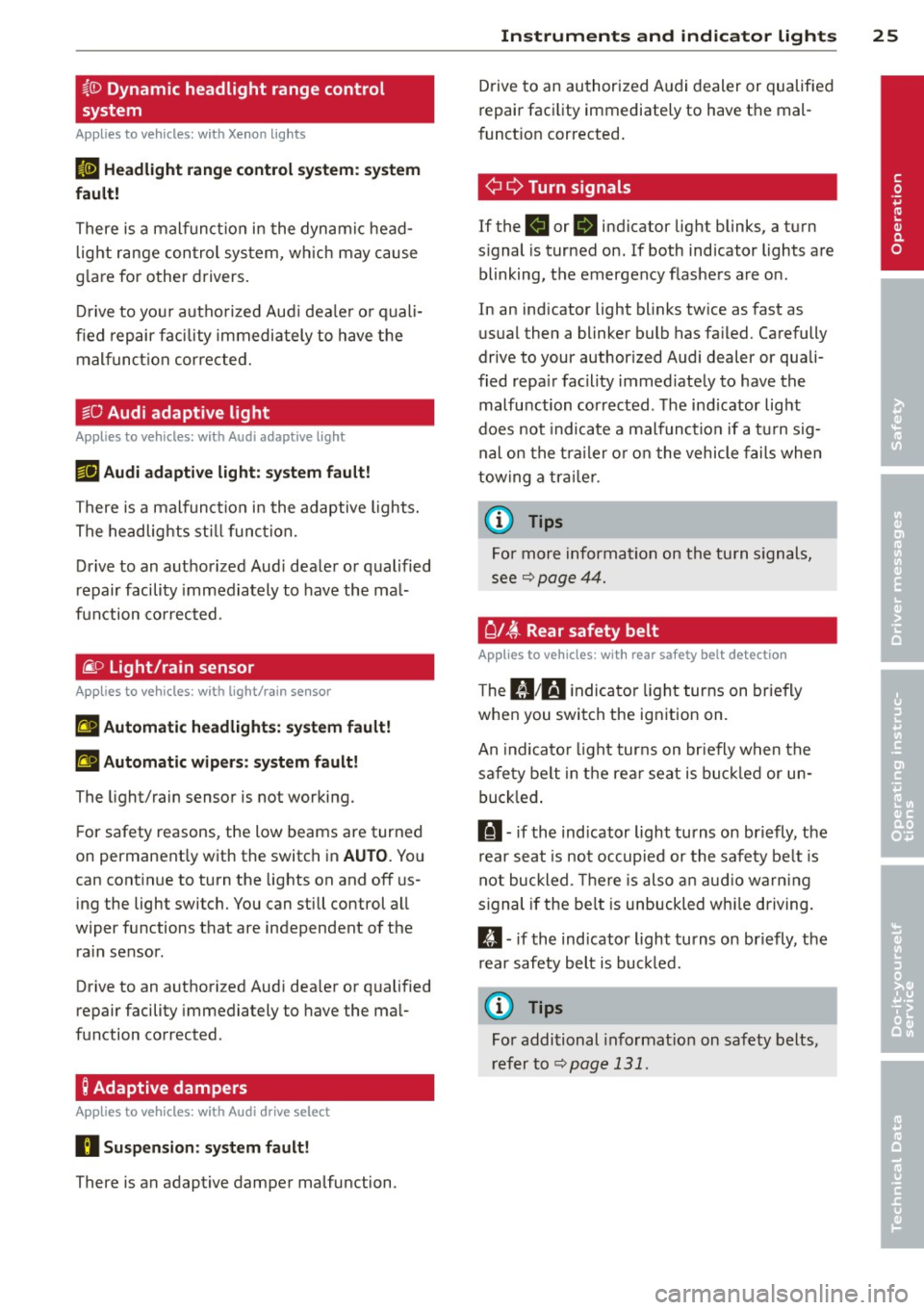
¢i Q Turn signals
If the B or 1B in dicator light blinks, a turn
s ignal is turned on. If both indicator lights are
blinking, the emergency flashers are on.
In an indicator light blinks twice as fast as
usual then a blinker bulb has failed. Carefully
drive to your author ized Audi dealer or quali
fied repa ir facility immed iately to have the
malfu nction corrected . T he indicator light
does not indicate a malfunction if a turn sig
nal on the trailer or on the vehicle fails when
towing a trailer.
(D Tips
For more information on the turn signals,
see
~ page 44.
{d i~ Rear safety belt
App lies to vehicles: with rear safety belt detection
The IJ ;ffl i ndicator light turns on briefly
when you swi tch the ignition on.
An indica tor light turns on briefly when the
safety belt in the rear seat is buckled or un
buckled.
l!I -if the ind icator light turns on briefly, the
r ear seat is not occupied or the safety belt is
not buckled . Th ere is also an audio warning
signal if the be lt is unbuckled whi le driving.
II -if the ind icator light turns on briefly, the
r ear safety belt is buckled.
{D Tips
For additional information on safety belts,
refer to~
page 131.
•
Page 29 of 288
On-board computer display
The on-boa rd comp uter display monitors the
d iffe rent memory levels:
- Sho rt-term memory (on-board computer
1)
- Long-term memory (on-board computer 2)
-Efficiency program
The fo llowing information can be displayed in
on-board computer
1 and 2 one after the oth
er.
- Date
- Estimated range based on current fuel leve l
- T rave l time
- Average consumption
- Average speed
- Distance
- Current fuel consumption
On-board computer D (short -te rm
mem ory )
The sho rt-term memory co llects d riving infor
mation from the time the ignition is switched
on until it is switched off. If you continue driv
ing
w ith in two hours after switc hing the igni
tion off, the new values a re included when cal
culating the cu rrent trip information .
If stop
ped for more the two hours, the short term
memory is automatically erased once you be
g in d riving.
On-board computer fJ (long-term
memory )
Unlike the short-term memory, the long -term
memory is not erased automa tica lly. You can
selec t the time pe riod for evaluat ing t rip in
formation yo urself.
Efficiency program ii
The eff ic iency program can help you to use
l ess fuel ¢
page 28.
(D Tips
-The on-board computer is controlled by
the left but ton fields on the multifunc
tion steering wheel.
- For information on using the other but
ton fields, such as the aud io, telephone*
Dr iver in formation system 2 7
and navigation* f unct ions, see the M MI
owner's manual.
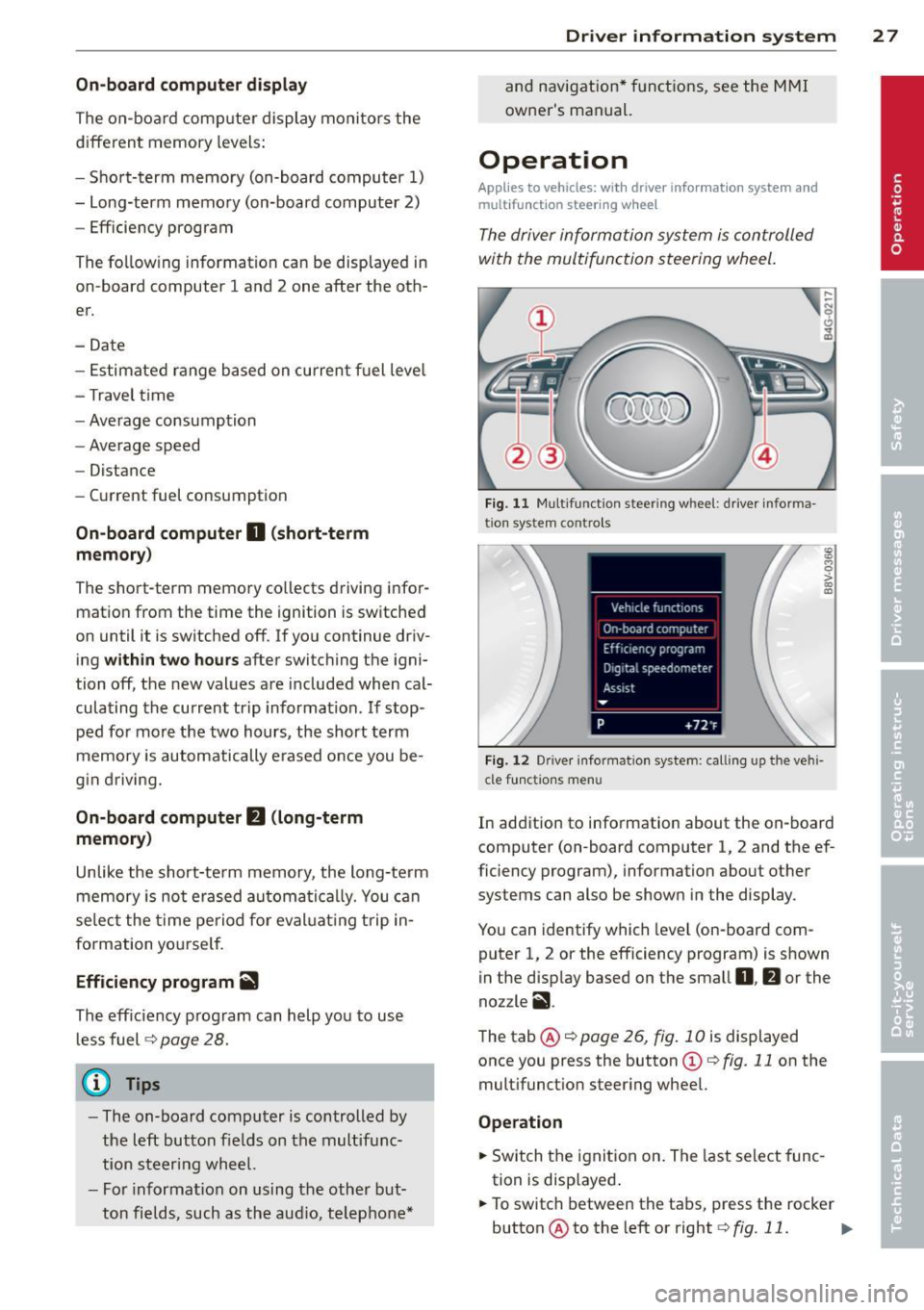
Operation
Applies to vehicles: wi th drive r info rmatio n syste m and
mult if un ction stee ring w hee l
The driver information system is controlled
with the multifunction steering wheel.
F ig. 11 M ul tifunction steer ing whee l: d river informa
tio n system controls
Fi g. 12 Dr ive r info rmatio n system: call ing up the vehi
cle f unctions menu
In addition to information about the on-board
computer (on-board computer 1, 2 and the ef
ficiency program), information about other
systems can also be show n in the display.
You can identify which level (on-board com
puter 1, 2 or the efficiency program) is shown
in the disp lay based on the small
0 , fJ or the
nozzle
ii .
The tab@¢ page 26, fig . 10 is displayed
once you press the button
(D c:> fig. 11 on the
multifunct ion steer ing whee l.
Operation
.,. Switch the ignition on. The last select func
tion is disp layed .
.,. To switch between the tabs, press the rocker
button @to the left or right ¢
fig. 11. ..,.
Page 31 of 288
Other equipment
Applies to vehicles: with driver information system
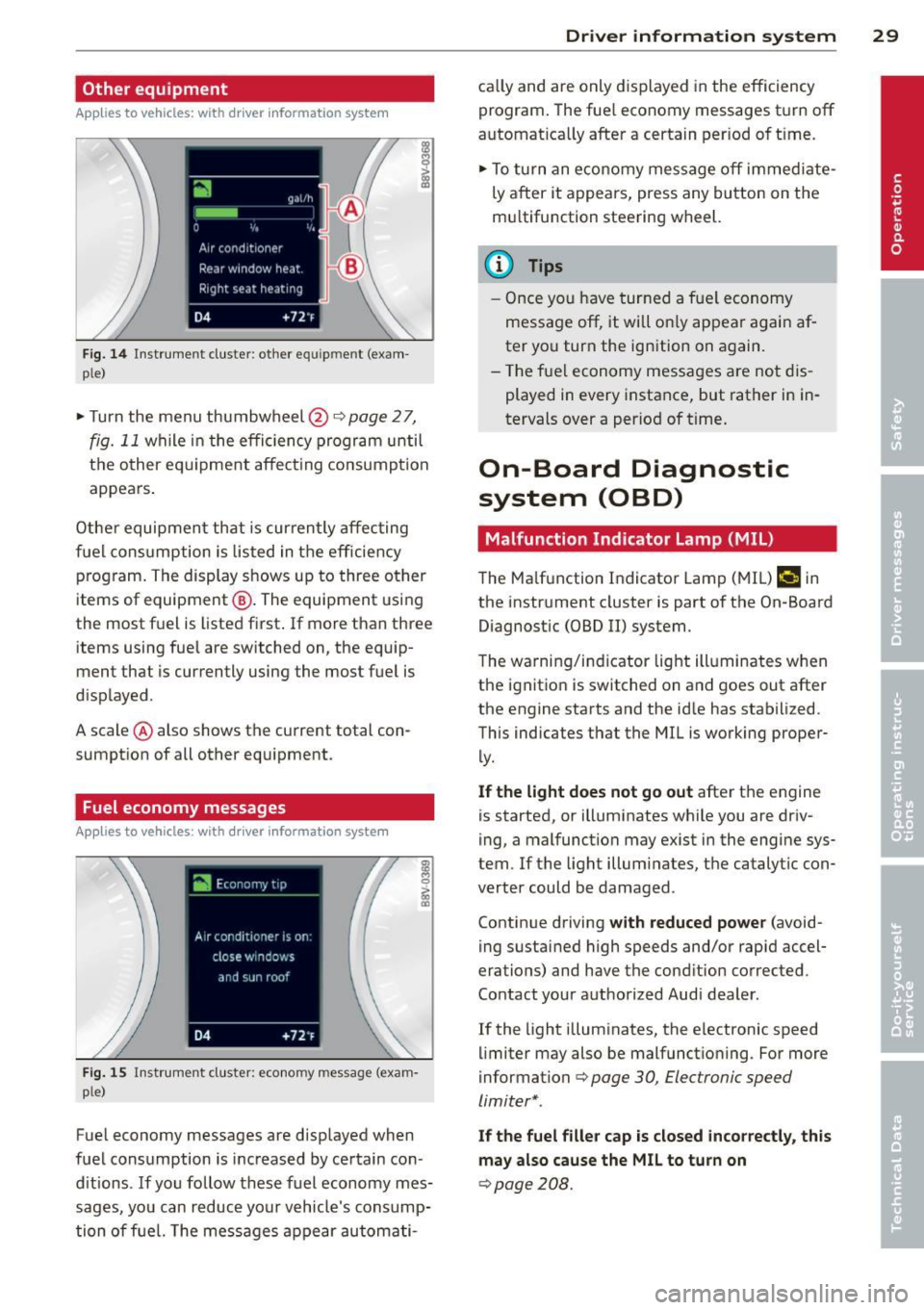
Fig. 1 4 Instrument cluste r: other e quipmen t (e xam
p le)
~ Turn the menu thumbwheel@¢page 27,
fig. 11 while in the efficiency program until
t h e other eq uipme nt affect ing consump tion
appears .
Other equipmen t that is curren tly affecting
fuel cons umption is listed in t he eff iciency
p rog ram. The display shows up to three other
items of equipment @. The equipment using
the most f uel is listed first . If more than thr ee
items us ing fue l are switched on, the equip
ment that is cu rrently using the most fuel is
d isplayed .
A scale @ also shows the current total con
sumpt ion of all other equipment .
Fuel economy messages
Applies to vehicles: with driver information system
Fi g. 15 Instrum ent clus ter: e conomy m essa ge (e xam
p le)
Fue l economy messages are displayed when
fuel consumption is increased by certain con
d itions .
If you follow these fuel economy mes
sages, you can reduce your vehicle's cons ump
tion of fuel. The messages appear automati-
Dr iver in formation system 29
ca lly and are only displayed in the efficiency
program . The fue l economy messages t urn off
automat ica lly after a certain per iod of t ime .
~ To turn an economy message off immed iate
ly a fter it appears, press any button on the
mu ltifunction steer ing wheel.
(D Tips
- Once yo u have tur ned a fuel economy
message off, it will o nly appea r again af
ter you turn the ignition on again.
- T he f ue l economy messages are not dis
played in every instance, but rather in in
tervals over a period of t ime.
On-Board Diagnostic
system (OBD)
Malfunction Indicator Lamp (MIL )
The Ma lfunction Indicator Lamp (MIL) ¢• in
the instr ument cluste r is part of the On-Board
Diagnost ic (O8D
II) system .
T he warning/i ndicator light ill uminates when
the ignit ion is switched on and goes out after
the engine starts and the id le has stabilized .
This indicates that the MIL i s working proper
ly.
If the light does not go out after the engine
is started, or illuminates while you are driv
ing, a malfunction may exist in the engi ne sys
tem.
If t he light illuminates, the ca talytic con
verter could be damaged .
Continue driving
with reduced power (avo id
ing sustained high speeds and/or rapid accel
erations) and have the cond ition corrected .
Contact your authorized Audi dea ler .
I f the light illuminates, the electronic speed
limiter may also be malfunct io ning . For more
informa tion
c> page 30 , Electronic speed
limiter* .
If the fuel filler cap is closed incorrectly, this
may also cause the MIL to turn on
c> page208.
Page 33 of 288
Opening and closing
Central locking
Key set
Fig . 16 Your vehicle key set
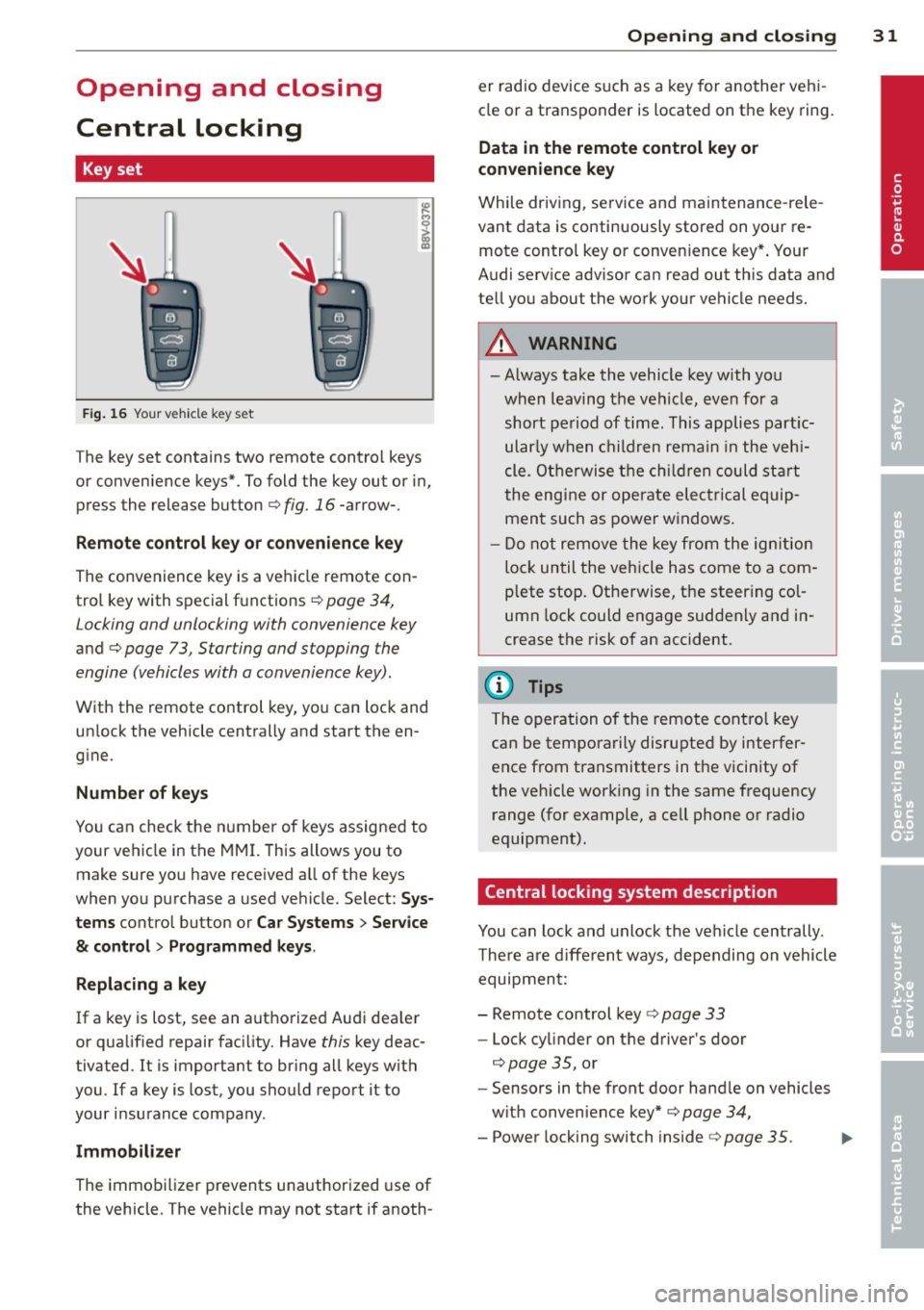
The key set contains two remote contro l keys
or convenience keys*. To fold the key out or in,
press the release button
q fig. 16 -arrow-.
Remote control key or convenience key
The convenience key is a vehicle remote con
trol key with special functions ¢ page 34,
Locking and unlocking with convenience key
and
q page 73 , Starting and stopping the
engine (vehicles with a convenience key).
With the remote control key, you can lock and
un lock the vehicle centrally and start the en
gine.
Number of keys
You can check the number of keys assigned to
your vehicle in the MMI. This allows you to
make sure you have received a ll of the keys
when you purchase a used vehicle. Select: Sys
tems control button or Car Systems
> Service
& control> Programmed keys .
Replacing a key
If a key is lost, see an authorized Audi dea ler
or qualified repair facility. Have this key deac
tivated. It is important to br ing all keys with
you.
If a key is lost, you should report it to
your insurance company .
Immobilizer
The immobilizer prevents unauthorized use of
the vehicle . The vehicle may not start if anoth -
Opening and closing 31
er radio device such as a key for another veh i
cle or a transponder is located on the key ring.
Data in the remote control key or
convenience key
While driving , service and maintenance -rele
vant data is continuously stored on your re
mote control key or convenience key*. Your
Audi serv ice advisor can read out this data and
tell you about the work your vehicle needs.
_& WARNING
- Always take the vehicle key with you
when leaving the vehicle, even for a
short period of time. This applies partic
ularly when children remain in the vehi
cle. Otherwise the children could start
the engine or operate electrical equip
ment such as power windows.
- Do not remove the key from the ignition
lock until the vehicle has come to a com
plete stop. Otherwise, the steering col
umn lock could engage suddenly and in
crease the risk of an accident.
{i) Tips
The operation of the remote control key
can be temporarily disrupted by interfer
ence from transmitters in the vicinity of
the veh icle working in the same frequency
range (for example, a cell phone or radio
equipment).
Central locking system description
You can lock and unlock the vehicle centrally .
There are different ways, depending on vehicle
equipment:
- Remote control key¢ page 33
- Lock cylinder on the driver's door
q page 35, or
- Sensors in the front door handle on vehicles
with convenience key* q page 34,
- Power locking switch inside¢ page 35.
•
Page 34 of 288
32 Opening and closing
Selective unlocking
The doors and rear lid lock when they close.
You can set in the MMI whether
only the driv
er's door or the entire vehicle should lock
when closing
c::> page 36.
Automatic locking (Auto Lock)
The Auto Lock funct ion locks all doors and the
l uggage compartment lid once the speed has
exceeded approximately 9 mph (15 km/h) .
The car is un locked again once the ignition key
is removed. In addition, the vehicle can be un
l ocked if the opening function in the power
locking system switch is used or one of the
door handles is pulled. The Auto Lock function
can be turned off or on in the MMI
c::>page36.
In the event of a crash with airbag dep loy
ment, the doors automatically unlock to allow
access to the vehicle.
Anti -theft alarm system*
If the anti-theft alarm system detects a vehi
cle break-in, audio and visual warning signa ls
are triggered .
The anti-theft alarm system turns on auto mat ica lly when you lock the vehicle.
It deacti
vates when un locking using the remote con
trol key or by touching the sensor on the door
handle (convenience key).
To switch the alarm off, press them button on
the remote control key or convenience key or
switch the ignition on . The alarm also stops
automatically after a certain amount of time.
Turn signals
The turn signals flash twice when you unlock
the vehicle and once when yo u lock the vehi
cle.
If they do not flash, one of the doors, the lug
gage compartment lid or the hood is not
lock ed or the ignition is still sw itched on (the
latter applies to vehicles with a convenience
key) .
Unintentionally locking yourself out
The following situat ions prevent you from
locking your remote control key in the vehicle:
- The vehicle does not lock w ith the cent ral
lock ing switc h if the driver's door is open
c::>page3 5.
-On veh icles with a convenience key*, the lug
gage compartment lid unlocks again after
clos ing if the most recent ly used key is in
the luggage compartment.
Do not lock your veh icle w ith the remote con
trol key or convenience key* until all doors and
the luggage compartment lid are closed. This
helps to prevent from locking yourself out ac
cidentally .
(D Tips
-Do not leave va luab les unattended in the
vehicle. A locked vehicle is not a safe!
- If the LED in the upper edge of the driv
er's door turns on for about 30 seconds
after the vehicle is locked, there is a mal
function in the power locking or the anti
theft alarm system*. Have the problem
corrected by an authorized dealer or
qualif ied repair facility.
- The interior monitor ing of the anti-theft
alarm system* only operates correctly if
the windows and the sunroof* are closed.
Page 40 of 288
38 Openin g and clo sing
Clo sing th e lugg ag e compartm ent lid
.,. Use the inside grip to pull the l uggage com
partment lid down and allow it to drop
gently to close it ¢
fig. 25 ¢ A.
,& WARNING
-After closing the luggage compartment
lid, make sure that it is latched. Other
wise the luggage compartment lid could
suddenly open when driving, which in
creases the risk of an accident.
- Never drive with the luggage compart
ment lid ajar or open, because po isonous
gases can enter the veh icle interior and
create the risk of asphyxiation.
- Never leave you r vehicle unattended, es
pecially with the luggage compartment
lid left open. A child could crawl in to the
car thro ugh t he luggage compartment
and pull the lid shut, becom ing trapped
and unab le to get out. To reduce the risk
of personal injury, never let children play
in or around your vehicle. A lways keep
the rear lid as well as the vehicle doors
closed when not in use.
-Always ensure that no one is w ith in
range of the rear lid when it is moving, in
particular close to the h inges -fingers or
hands can be pinched .
@ Tips
-When the vehicle is locked, the luggage
compartment lid can be unlocked sepa
rately by pressing the~ button on the
remote control key. When the luggage
compartment lid is closed aga in, it locks
automatically.
- In case of an emergency or a faulty han
dle, the luggage compartment lid can be
opened from the inside¢
page 246.
Child safety Lock
Child safety lock
Applies to vehicles: with mechanical child safety lock
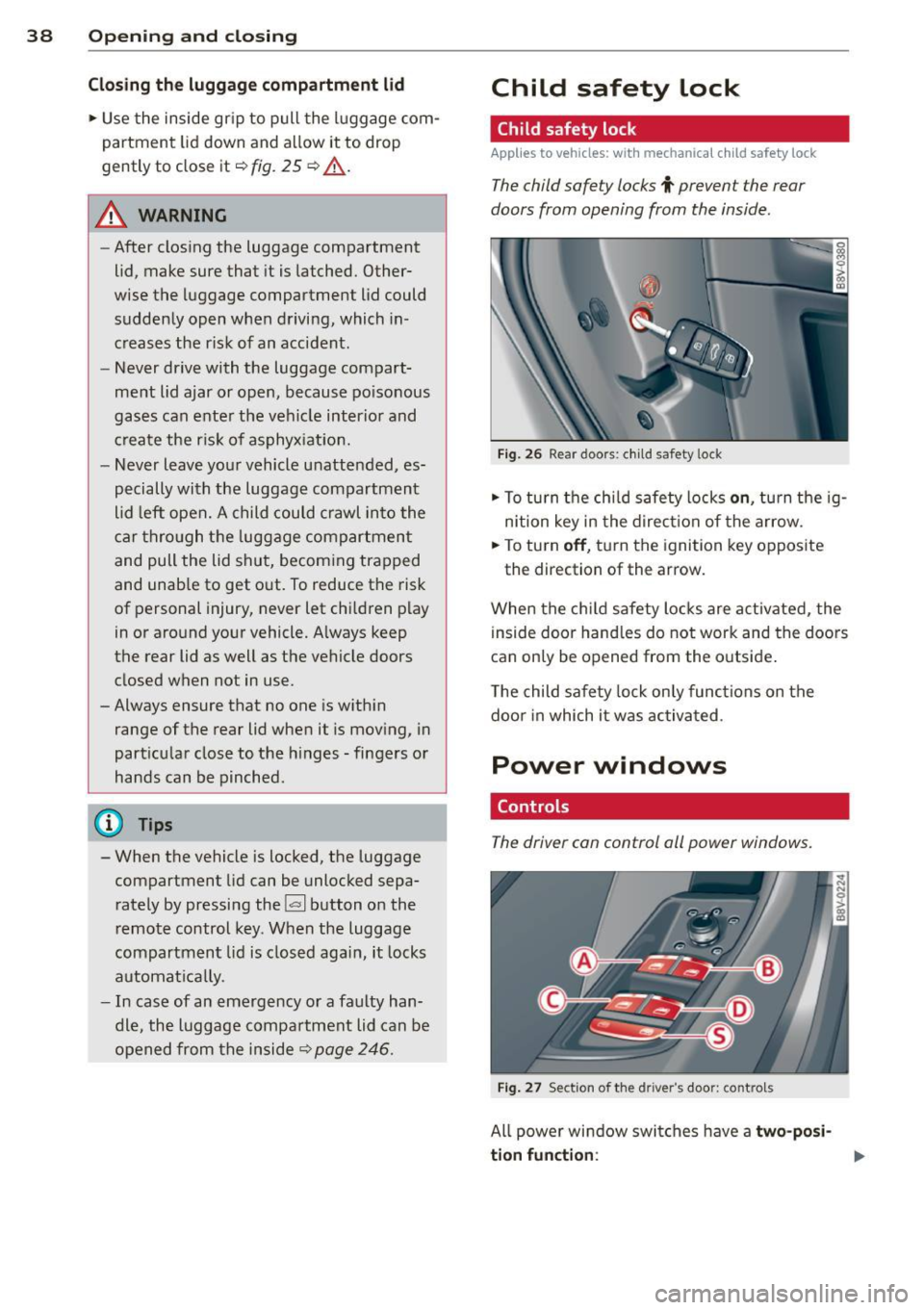
The child safety locks t prevent the rear
doors from opening from the inside .
Fig. 26 Rear doors: chi ld safety lock
.,. To tu rn t he chi ld safety locks o n, turn the ig
n ition key in the d irec tion of the arrow.
.,. To turn
off , turn the ignition key opposite
the direction of the arrow.
When the ch ild safety locks are activated, the
i nside door hand les do not work and the doors
can only be opened from the outside .
The child safety lock only functions on the
doo r in which it was activated .
Power windows
Controls
The driver con control all power windows.
Fig. 27 Sect ion of the dri ver ·s doo r: co ntro ls
All power window switches have a two- posi
ti on f unc tion:
Page 41 of 288
Opening th e windows
"' Press the sw itch to the fir st sto p and hold i t
until the window reaches the desi red posi
tion .
"' Press the switch briefly to the
se cond stop
to automatic ally open the window .
Clos ing th e windows
"' Pull the swi tch to t he fir st sto p and hold it
until the window reaches the desi red posi
tion .
"' Pull the switch briefly to the
sec on d s top to
automatica lly close the window .
Pow er wi nd ow switch es
@ Sw itch c::> fig. 2 7 f or the window in the
driver's door.
@ Sw itch for the window in the fron t pas
senger 's door .
© Switch for the window in the left rear
door.
@ Sw itch for the window in the r ight re ar
door.
® Safety bu tton* .
Child safe ty lock
When the safety button® c::> fig. 2 7 is press
ed, the~ symbol in the button lights up . The
power w indow switches in the rear doors are
switched off.
A WARNING
- Always remove the ignition key when you
leave your vehicle, even for a short peri
od of time . This applies particularly when
children remain in the vehicle . Otherwise
the chi ldren could start the engine or op
erate electrical equ ipment such as power
windows. The power windows continue
to function unt il the driver 's door or
front passenger's door has been opened .
- Pay carefu l attent ion when closing the
window . It could cause injury by pinch
ing.
- When locking the veh icle from outs ide,
the vehicle must be unoccupied s ince the
Opening and clo sin g 39
windows can no longer be opened in an
emergency.
(D Tips
After turning the ignition off you can s till
open and close the windows for approxi mately 10 seconds. The power windows
are not switched off until the driver's door
or front passenger's door has been
opened .
Convenience opening/closing
With the convenience open ing/closing func
tion, you can centrally and eas ily ope n the
windows and the pano rama sunroof* from the
o utside.
Convenienc e opening
"' Press the open button~ on the remote con
trol key u ntil all w indows and the panorama
sunroof* have reached the desired position,
or
"' First unlock the vehicle using the open but
ton
Im on the remote cont ro l key and then
keep the key in the lock on the driver's door
until a ll windows and the and the panorama
sunroof* have reached the desired position .
Conven ience closing
"' Hold the key in the lock on the drive r's door
i n the closed position unt il a ll windows and
the panorama sunroof * are closed.
Adjusting the convenience opening in the
MMI
"' Select: !MENU I > button System s contro l
button or
Car s ystems > Vehicle settings >
C entral locking > Open windows b y press
ing long
or > F ront windo ws on /off or Roof
on /off *.
A WARNING
- Be careful when clos ing the windows and
panorama sunroof* - the re is a risk of in-
Jury.
li1'-
•
Page 42 of 288
40 Opening and clo sing
- For security reasons, the windows can
only be opened with the remote control
key at a maximum distance of 2 meters
from the vehicle .
- Pay attention when using the lock cylin
der to close the windows and the panora
ma sunroof* so that no one is pinched.
Clos ing stops when the key is moved into
the starting pos ition.
Correcting power window malfunctions
After disconnecting the vehicle battery, the
one-touch up and down feature must be acti
vated again .
.. Pull the power window sw itch until the w in
dow is comp lete ly raised.
.,. Release the switch and pull it again for at
least one seco nd.
Panorama sunroof
Description
Applies to vehicles: with pa norama sunroo f
Fig. 28 Section of the head liner: panorama s unroo f
butto n
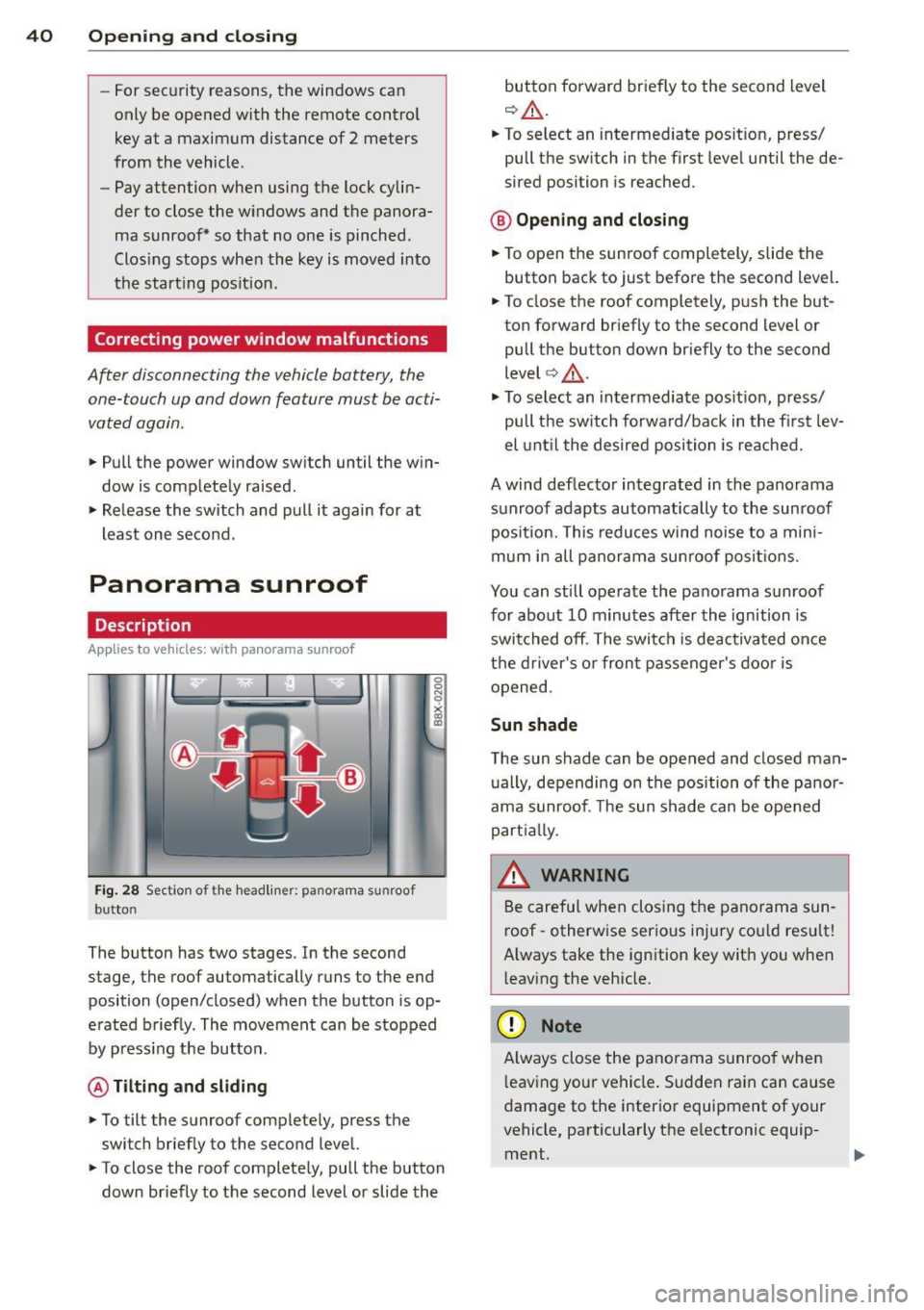
The button has two stages. In the second
stage, the roof automatically runs to the end
position (open/closed) when the button is op
e rated b riefly. The movement can be stopped
by pressing the button .
@ Tilting and sliding
.. To tilt the sunroof complete ly, press the
switch brief ly to the second leve l.
.. To close the roof complete ly, pull the button
down briefly to the second lev el or slide the button forward br
iefly to the second level
¢ .&_ .
.. To select an intermediate pos it ion, press/
pull the sw itch in the first leve l until the de
sired position is reached.
® Op ening and closing
.. To open the sunroof completely, slide the
button bac k to just before the second level.
.. To close the roof completely, p ush the but
ton forward briefly to the second level or
pull the button down briefly to the second
level ¢.&_ .
.,. To se lect an in termediate pos it ion, press/
pull the sw itch forwa rd/back in the fi rst lev
el unt il the desired po sit ion is reached .
A wind deflector integrated in the panorama
s u nroof adapts automatically to the sunroof
pos ition. This reduces wind noise to a mini
mum i n all panorama sunroof pos itions.
You can still operate the pa no rama s unroof
for about 10 minutes aft er th e ignition is
switched off . T he swi tch is deactivated once
t h e dr iver's o r fron t passenger's door is
opened.
Sun shade
T he sun shade can be opened and closed man
u ally, depending on the position of the panor
ama sunroof. The sun s hade can be opened
part ia lly.
_& WARNING
=
B e carefu l when closing t he pano rama sun -
r oof -otherw ise serio us in ju ry co uld resu lt!
A lways take the ign ition key wit h you when
l eaving the vehicle.
(D Note
A lways close t he panor ama s unroo f whe n
l eav ing your ve hicle . Sudde n rain can cause
d amage to the interio r equipment of your
vehicle, particularly the e lectronic equip-
ment .
ll>
Page 44 of 288
42 Lights an d Vi sion
Lights and Vision
Exterior lighting
Switching lights on and off
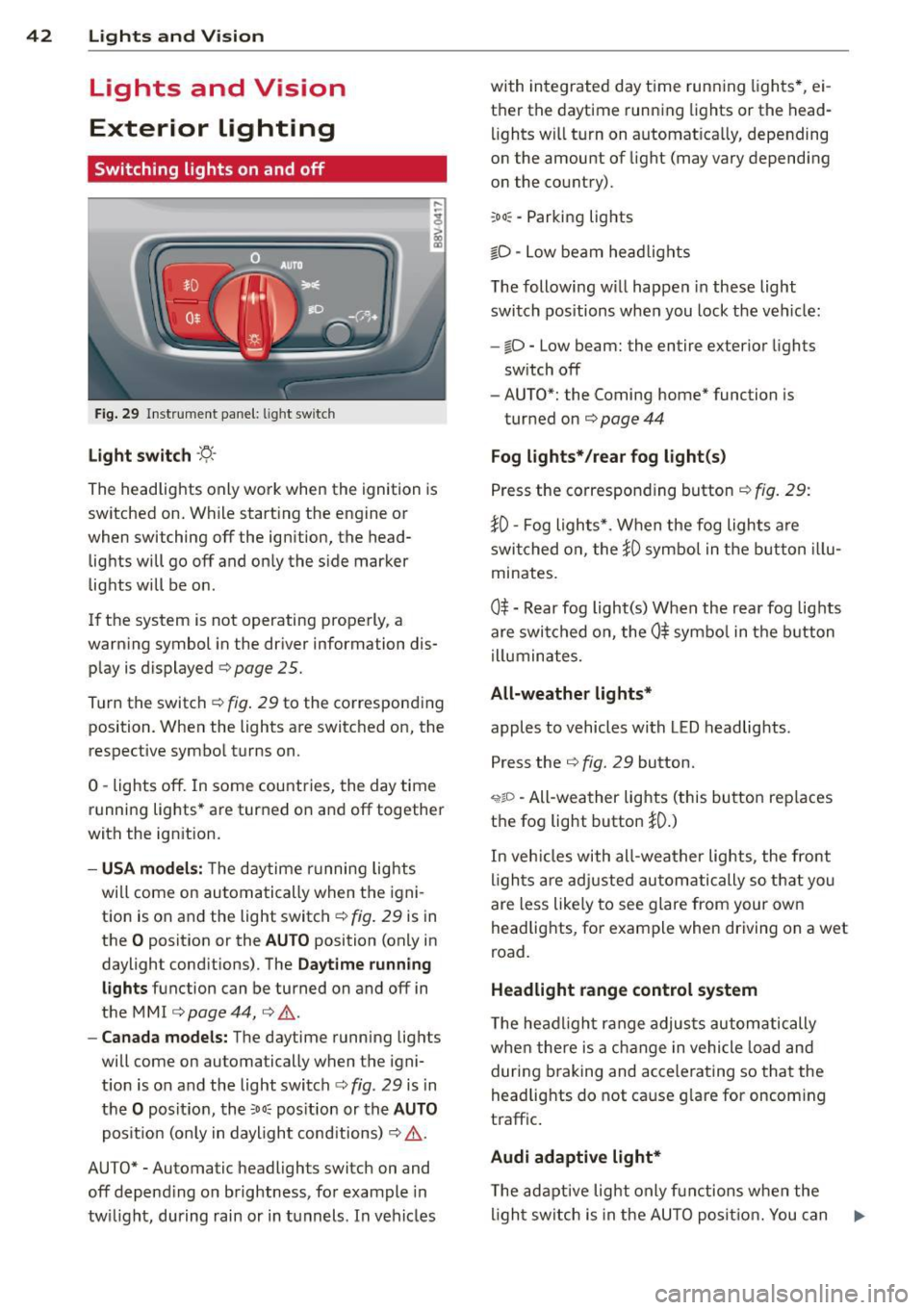
Fig . 29 Instrument pane l: l ig ht switc h
Light swit ch -'tj.-
The headlights only work when the ignition is
switched on. While start ing the engine or
when switching off the ignition, the head
lights will go off and only the side marker
lights will be on .
If the system is not operating properly, a
warning symbol in the driver information dis
play is displayed
¢ page 25.
Turn the switch¢ fig. 29 to the corresponding
position . When the lights are switched on, the
respective symbol turns on.
0 -lights off. In some countries, the day time
running lights* are turned on and off together
with the ignition.
- USA model s: T he daytime running lights
wi ll come on automatically when the igni
tion is on and the light switch¢
fig. 29 is in
the
O position or the AUTO position (only in
daylight conditions) . The
Daytime runn ing
li ghts function can be turned on and off in
the MM I ¢
page 44, ¢ .&. .
- Canad a models: The daytime running lights
will come on automa tically when the igni
t ion is on and the light switch¢
fig. 29 is in
the
O posit ion , the :oo: pos ition or the AUTO
posit ion (only in daylight conditions) ¢,& .
AUTO* -Automatic headligh ts swi tch on and
off depend ing on brightness, for example in
tw il ight, during rain or in tunnels . In vehicles with integrated day time runn
ing lights *, ei
t h er the daytime running lights or the head
lights wi ll turn on automat ically, depending
on the amount of light (may vary depending
on the country).
: oo : -Parking lights
iD -Low beam head lights
T he following w ill happen in these light
switch pos itions when you lock the veh icle:
- iD -Low beam: the entire exterior lights
sw itch off
- AUTO*: the Coming home* function is
turned on ¢
page 44
Fog lights* / rear fog light (s)
Press the corresponding button¢ fig. 29:
}0 -Fog lights*. When the fog lights are
swi tched on, the
}0 symbol in the button illu
minates.
0$ -Rear fog light(s) When the rear fog lights
are switched on, the
Ot symbo l in the b utton
illuminates.
All-weather lights*
apples to vehicles with LED headlights .
Press the
¢ fig. 29 button.
'i'!io -All-weather lights (this button rep laces
the fog light button
}0.)
In veh icles with all-wea ther lights , the front
l igh ts are adj usted automati cally so that yo u
are less like ly to see glare from your own
headlights, for example when driving on a wet
road.
Headlight range control system
T he headlight range adjus ts automatically
when there is a c hange in vehicle load and
during b raking and accelera ting so that the
headlig hts do not ca use g lare for oncom ing
traffic .
Audi adaptive light *
The ad aptive light only functions when the
li gh t switch is in the AU TO posit ion. You can
IJ,-