ABS AUDI A3 2020 Owner´s Manual
[x] Cancel search | Manufacturer: AUDI, Model Year: 2020, Model line: A3, Model: AUDI A3 2020Pages: 400, PDF Size: 107.47 MB
Page 340 of 400
Wheels
system only monitors the tire pressure you have
stored. Refer to the tire pressure label for the
recommended tire pressure for your vehicle
=> page 330, fig. 260.
Tire tread circumference and vibration character-
istics can change and cause a tire pressure warn-
ing if:
— The tire pressure in one or more tires is too low
—The tire has structural damage
— The tire was replaced or the tire pressure was
changed and it was not stored > page 338
— One side of the vehicle is more heavily loaded
than the other
— The wheels on one axle are more heavily loaded
than the others (for example, when towing a
trailer or when driving up and down hills)
— Snow chains are installed
— The spare tire* is installed
— Only one tire was replaced on each axle
Indicator lights
@ - loss of pressure in at least one tire > A\.
Check the tires and replace or repair if necessary.
Check/correct the pressures of all four tires. Then
store the tire pressures in the menu > page 338.
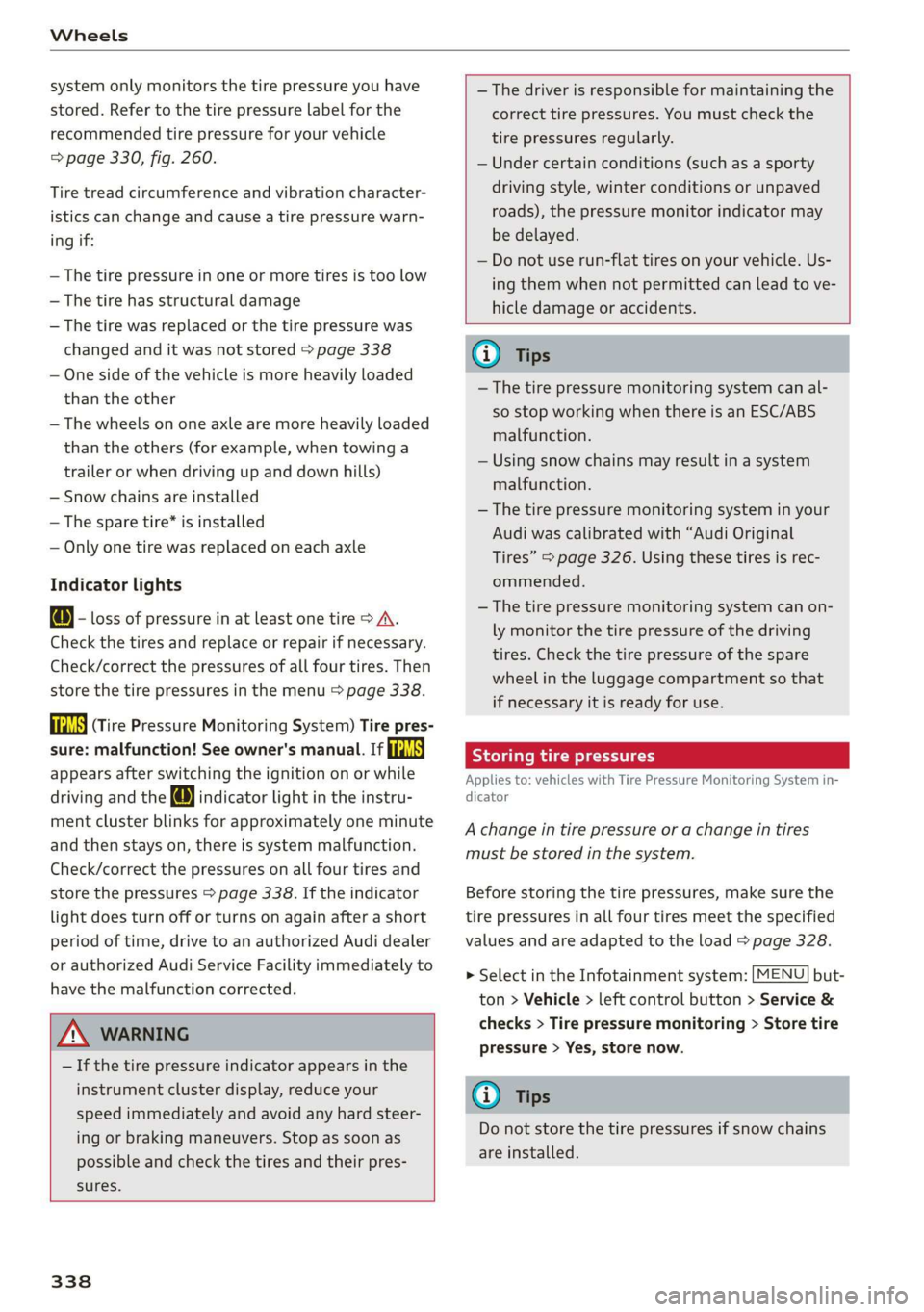
is (Tire Pressure Monitoring System) Tire pres-
sure: malfunction! See owner's manual. If
appears after switching the ignition on or while
driving and the @ indicator light in the instru-
ment cluster blinks for approximately one minute
and then stays on, there is system malfunction.
Check/correct the pressures on all four tires and
store the pressures > page 338. If the indicator
light does turn off or turns on again after a short
period of time, drive to an authorized Audi dealer
or authorized Audi Service Facility immediately to
have the malfunction corrected.
ZX WARNING
— If the tire pressure indicator appears in the
instrument cluster display, reduce your
speed immediately and avoid any hard steer-
ing or braking maneuvers. Stop as soon as
possible and check the tires and their pres-
sures.
338
— The driver is responsible for maintaining the
correct tire pressures. You must check the
tire pressures regularly.
— Under certain conditions (such as a sporty
driving style, winter conditions or unpaved
roads), the pressure monitor indicator may
be delayed.
— Do not use run-flat tires on your vehicle. Us-
ing them when not permitted can lead to ve-
hicle damage or accidents.
(i) Tips
—The tire pressure monitoring system can al-
so stop working when there is an ESC/ABS
malfunction.
— Using snow chains may result in a system
malfunction.
— The tire pressure monitoring system in your
Audi was calibrated with “Audi Original
Tires” > page 326. Using these tires is rec-
ommended.
—The tire pressure monitoring system can on-
ly monitor the tire pressure of the driving
tires. Check the tire pressure of the spare
wheel in the luggage compartment so that
if necessary it is ready for use.
Storing tire pressures
Applies to: vehicles with Tire Pressure Monitoring System in-
dicator
A change in tire pressure or a change in tires
must be stored in the system.
Before storing the tire pressures, make sure the
tire pressures in all four tires meet the specified
values and are adapted to the load > page 328.
> Select in the Infotainment system: [MENU] but-
ton > Vehicle > left control button > Service &
checks > Tire pressure monitoring > Store tire
pressure > Yes, store now.
(i) Tips
Do not store the tire pressures if snow chains
are installed.
Page 347 of 400
8V2012721BK
Care and cleaning
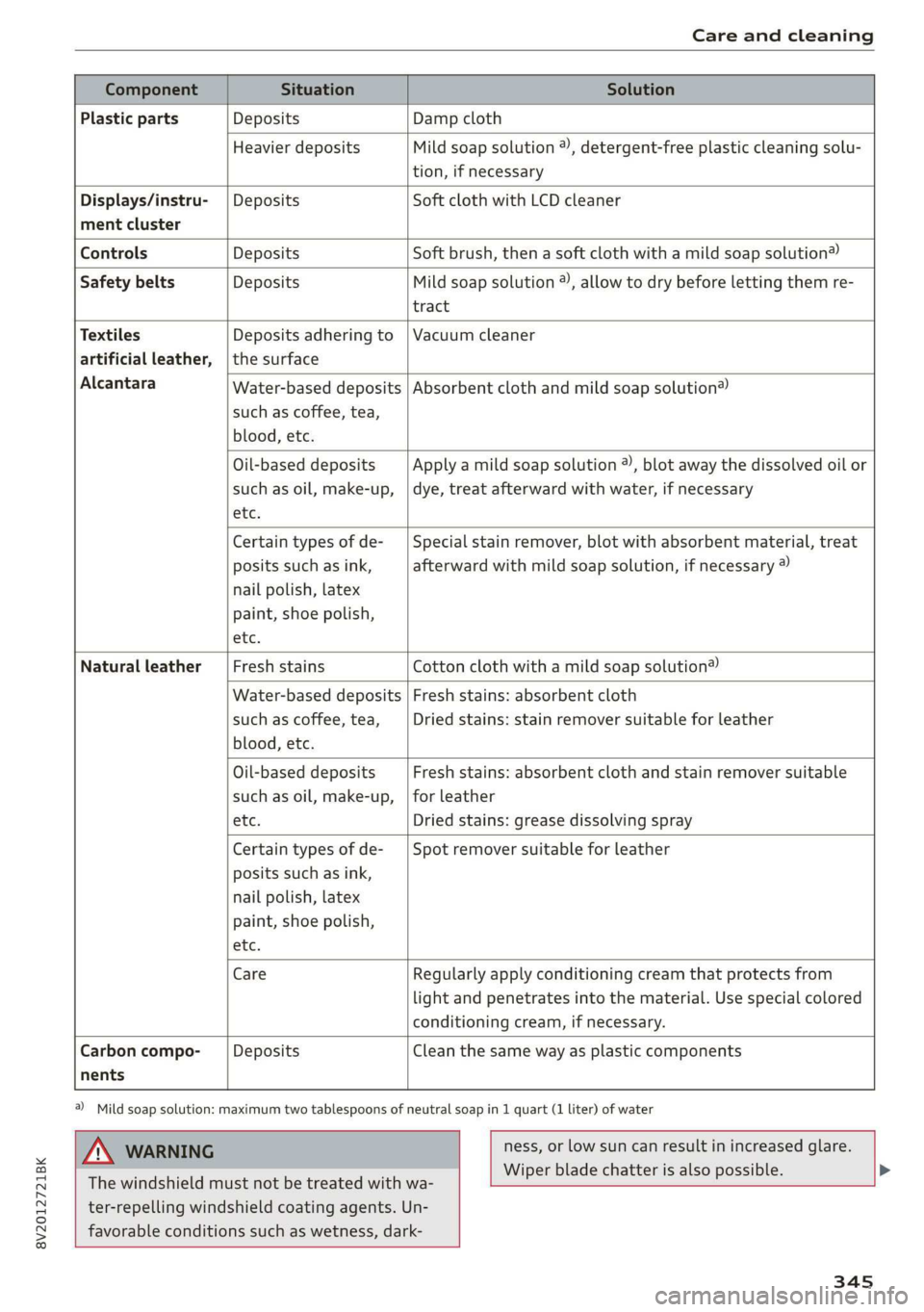
Component Situation Solution
Plastic parts Deposits Damp cloth
Heavier deposits Mild soap solution 2), detergent-free plastic cleaning solu-
tion, if necessary
Water-based deposits
such as coffee, tea,
blood, etc.
Displays/instru- | Deposits Soft cloth with LCD cleaner
ment cluster
Controls Deposits Soft brush, then a soft cloth with a mild soap solution®)
Safety belts Deposits Mild soap solution ®), allow to dry before letting them re-
tract
Textiles Deposits adhering to | Vacuum cleaner
artificial leather, |the surface
Alcantara Absorbent cloth and mild soap solution®
Oil-based deposits
such as oil, make-up,
etc.
Apply a mild soap solution ®), blot away the dissolved oil or
dye, treat afterward with water, if necessary
Certain types of de-
posits such as ink,
nail polish, latex
paint, shoe polish,
etc.
Special stain remover, blot with absorbent material, treat
afterward with mild soap solution, if necessary ®
Natural leather Fresh stains Cotton cloth with a mild soap solution®
Water-based deposits
such as coffee, tea,
blood, etc.
Fresh stains: absorbent cloth
Dried stains: stain remover suitable for leather
Oil-based deposits
such as oil, make-up,
etc.
Fresh stains: absorbent cloth and stain remover suitable
for leather
Dried stains: grease dissolving spray
Certain types of de-
posits such as ink,
nail polish, latex
paint, shoe polish,
etc.
Spot remover suitable for leather
nents
Care Regularly apply conditioning cream that protects from
light and penetrates into the material. Use special colored
conditioning cream, if necessary.
Carbon compo- Deposits Clean the same way as plastic components
a) Mild soap solution: maximum two tablespoons of neutral soap in 1 quart (1 liter) of water
ZA WARNING
The windshield must not be treated with wa-
ter-repelling windshield coating agents. Un-
favorable conditions such as wetness, dark-
ness, or low sun can result in increased glare.
Wiper blade chatter is also possible.
345
Page 351 of 400

8V2012721BK
Emergency assistance
> Lift the cargo floor using the plastic handle @)
until the cargo floor engages behind the tabs
@ in both side panels > fig. 263 (upper image).
> Fold the cargo floor back before closing the
luggage compartment lid.
Vehicle tool kit and cargo floor cover
Applies to: vehicles with version 2
The vehicle tool kit, tire mobility kit* and com-
pressor* are stored in the luggage compartment
under the cargo floor cover @) > fig. 262.
> Engage the plastic hook () in the luggage com-
partment seal > fig. 263.
> Fold the cargo floor back before closing the
luggage compartment lid.
Z\ WARNING
Applies to: vehicles with jack
Improper use of the vehicle jack can cause se-
rious personal injuries.
— Never use the screw driver hex head to tight-
en wheel bolts, since the bolts cannot attain
the necessary tightening torque if you use
the
hex head, potentially causing an acci-
dent.
— The factory-supplied jack is intended only
for your vehicle model. Under no circum-
stances
should it be used to lift heavy
vehicles or other loads; you risk injuring
yourself.
— Never start the engine when the vehicle is
raised, which could cause an accident.
— Support the vehicle securely with appropri-
ate stands if work is to be performed under-
neath the vehicle; otherwise, there is a po-
tential risk for injury.
— Never use the jack supplied with your Audi
on another vehicle, particularly on a heavier
one. The jack is only suitable for use on the
vehicle it came with.
G) Tips
The vehicle jack* does not require any mainte-
nance.
Vehicle tool kit/tire mobility kit/
eyes
Applies to: vehicles with plug-in hybrid drive
0) Bb + 3
> i a
Fig. 264 Luggage compartment: side trim panel
The vehicle tool kit, tire mobility kit and the com-
pressor are located in the side trim panel @) and
in the luggage compartment.
G) Tips
The vehicle must not be operated without the
tire repair set.
Tire mobility kit
Applies to: vehicles with tire mobility kit
> Read and follow the important safety precau-
tions in > page 348.
> Set the parking brake.
> Move the selector lever into the "P" position.
> Check if a repair with the tire mobility kit is pos-
sible > page 349.
Using the tire mobility kit
Applies to: vehicles with tire mobility kit
B8K-1475
Fig. 265 Tire: tire damage that cannot be repaired
349
Page 360 of 400
Emergency assistance
Removing the spare tire
Applies to: vehicles with version 1
> Lift up the cargo floor with the plastic handle
until the cargo floor is clamped behind the tabs
on both side panels @) > fig. 275.
> Applies to: vehicles with subwoofer in the spare
wheel well: Remove the subwoofer*. Check
which subwoofer is installed based on the con-
nector: > page 358.
> Turn the handwheel counter-clockwise and re-
move it.
> Remove the spare tire.
Removing the spare tire
Applies to: vehicles with version 2
>
Lift the cargo floor up using the plastic handle.
> Hang the plastic hook on the luggage compart-
ment weather strip @) 9 fig. 275.
> Turn the handwheel counter-clockwise and re-
move it.
> Remove the spare tire.
Snow chains
For technical reasons, the use of snow chains on
the
compact spare tire is not permitted.
If you have to drive with snow chains and a front
tire fails, mount the spare tire in place of a rear
tire. Install the snow chains on the rear tire that
you removed, and install that in place of the
front tire that failed.
ZX WARNING
— After installing a spare tire, the tire pressure
must be checked as soon as possible. The
tire pressure is available on > page 330,
fig. 260
— Do not drive faster than 50 mph (80 km/h)
with a compact spare tire. Driving faster
than that increases the risk of an accident.
—To reduce the risk of an accident, avoid hard
acceleration or braking and driving fast
around curves with the compact spare tire.
—To reduce the risk of an accident, never drive
with more than one compact spare tire.
— Normal summer or winter tires must not be
mounted on the compact spare wheel rim.
358
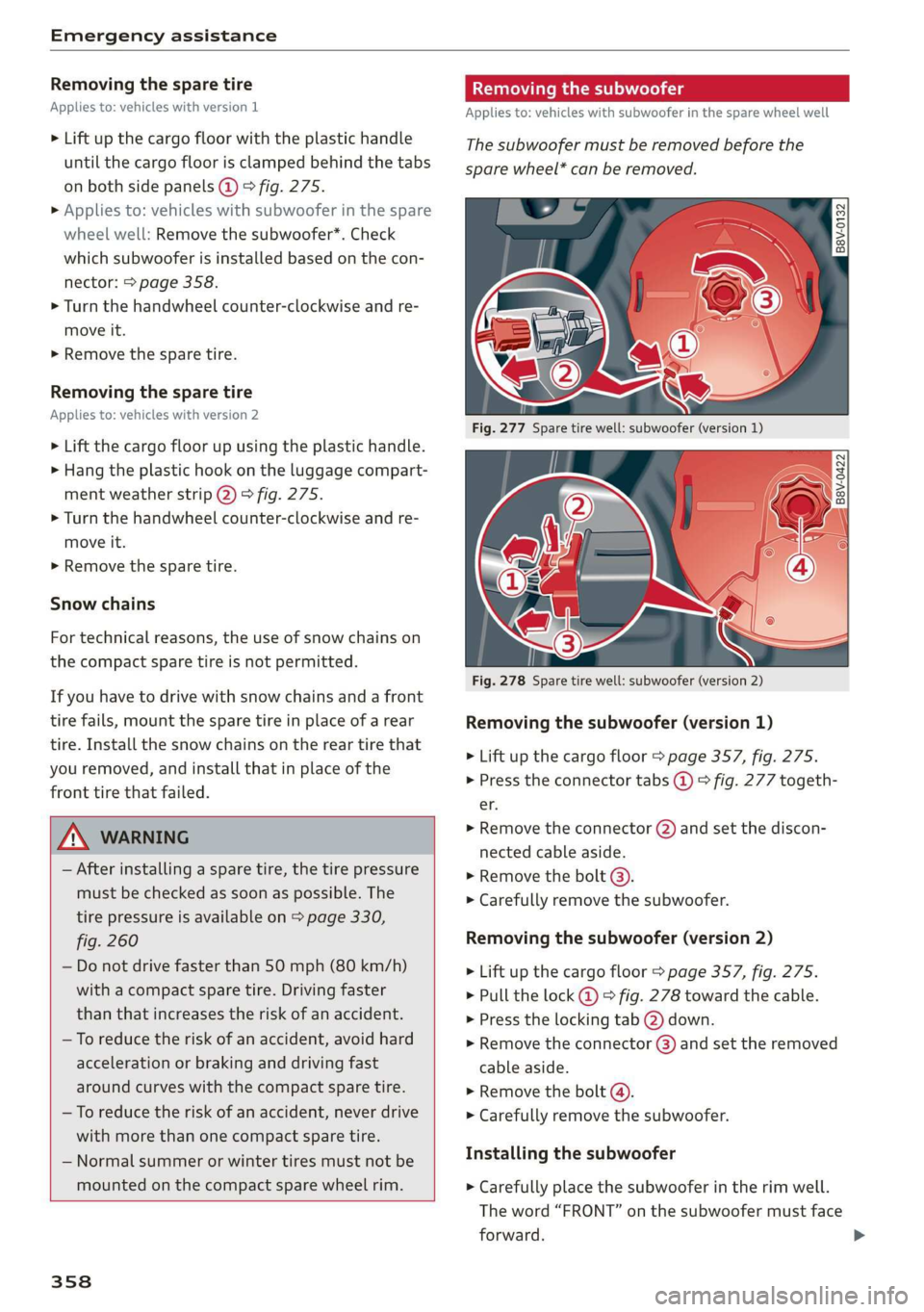
Removing the subwoofer
Applies to: vehicles with subwoofer in the spare wheel well
The subwoofer must be removed before the
spare wheel* can be removed.
Q
|
S| = & EJ
Fig. 278 Spare tire well: subwoofer (version 2)
Removing the subwoofer (version 1)
> Lift up the cargo floor > page 357, fig. 275.
> Press the connector tabs @) © fig. 277 togeth-
ef.
> Remove the connector (2) and set the discon-
nected cable aside.
> Remove the bolt (3).
> Carefully remove the subwoofer.
Removing the subwoofer (version 2)
> Lift up the cargo floor > page 357, fig. 275.
> Pull the lock @) 9 fig. 278 toward the cable.
> Press the locking tab (2) down.
> Remove the connector (3) and set the removed
cable aside.
> Remove the bolt @).
> Carefully remove the subwoofer.
Installing the subwoofer
> Carefully place the subwoofer in the rim well.
The word “FRONT” on the subwoofer must face
forward.
Page 390 of 400
Index
License plate bracket................... 376
Licensing agreements (MMI)............. 235
Lifting jacks + seas a = sees so pars ye saws ee 354
Light/rain sensor
Automatic headlights .................. 43
Switching the rain sensor on/off.......... 49
Lighting
EXt@HiON's « ies.a « econ a 3 Haven § ¢ Haken F naTSS 43
ENCOVION seosins & 6 saewws 2 o omens 7 0 oem ooo BESOIN oo 46
LiGhts = sess ¢ y sews ¥ = eewe Fe eee FE wee Ee 43
Interior/reading lights .............2000 46
Listening to music
refer to Media.................-- 211, 219
LOA s, sncisoss % siesenein x euassene a 5 xaneee mayen 8 4 ox 380
Locking and unlocking
By remote control..............-.000-5 27
With the convenience key.............0. 28
Low beam headlights..................6- 43
Lowering the cargo floor...............-. 62
Luggage compartment.................. 60
COVED ss « 2 acer ¢ sees 9 4 BeeR GE awe GF HS 61
POWEPSOUNGCES cscs « siesecs oo mneven o eas Xv 0 59
Tie-dOWns .. 0.0... eee eee eee 62
also refer to Luggage compartment...... 60
Luggage compartment lid
Mechanically unlocking..............0.. 32
Opening and closing................... 31
Luggage compartment net............... 62
Lumbar'SupPorts wscin so cose se waa oe orice 54
M
Maintenance’: « siws ¢ o ccen so owen ee ween es 374
Maintenance intervals...............005 318
Making an emergency call............... 175
Malfunction Indicator Lamp (MIL)........ 303
Manual shifting................02--0005 76
Map
Opetating: : sacs « : acme ss meme sp eee sys 199
Setting ass + savin ae eae se ease we ee 200
Update... . eee eee eee ee 189
Map update................0 2.0... 202
Massage function...............ee ee eee 54
Media sccsins so covers « 7 sernese © x awcowse © setae 211,.219
Drives... cece eee 212
Supported formats...............00-. 224
Media center...............0 eee eee 220
388
Memory capacity
Directory... 2... cece eee eee eee 179
JUKEBOX’: « eeay « & eee & Mores ¢ Bee Fe aS 213
Memory card
SD card reader (MMI) os. 2 esws oo eew 2 oe 212
Supported types and formats........... 224
MENU, Buttons. oo scence « 6 sovnass 2 @ weansine « 0 cones 146
Menu language
refer to Setting the language........... 230
Menu paths (Owner's Manual)............ 148
Menus/symbolsiecwis se sven + onrwe ¥ a omer 155
MeSSaQ@Siics 6 5 corns oo airs ao ese oo eee a L175
MIPCOTS seers a & mean 2s news oe eee e eReE ae BE 47
COMPASS: ores « « wesene » 4 vamens 4 4 comers a « comme 5 52
Dimming... 0.2.0.0 cece cece eee 48
MMI
refer to Multi Media Interface.......... 146
MMI search
refer to Free text search........... 154, 221
MMI touch): s ssa = s sews = x eee so eee e 149
Mobile device
refer to Telephone...........-..2-.00. 169
Mobile device reminder signal............ 230
MODE. button: ; « sess seen u s pea ee eee ee 20
Monitoring the Advanced Airbag System... 265
MOUNTAIN PASSES’: « saan cs Knee Gs Rees oF KE 89
Mountain roads.......... 0... cee eee eee 89
MP3
refer to Jukebox........-..0-- eee ee eee 213
Multifunction steering wheel
GChanginigwieWStss ¢ s sean so ween 4 & wows « 2 17
OPCKabings, « « wiemus «x seams » 0 weene x a seers 17, 20
Switching tabs..................004 17,20
Voice recognition system............... 19
Multi Media Interface.................. 146
Music
collection
refer'to Jukebox. « « cvs ss ean ce ween ee 213
MUG cco, » © seuss 2 5 eeees ¢ 2 eee eo eee ge eee 234
MYAUGI': x eee s were s Ree oe eR es 183, 193
N
NAV/MAP/BULEOM ss ¢ : eerws 5 2 oes 5 2 eee 189
Navigation. ..... 0... cece cece eee 189
ANNOUNCEMENTS « saws + acum « + eeon & x eee 198
Charging stations.................... 192
Page 395 of 400

8V2012721BK
Steps for determining correct load limit... 334
Stopover (navigation) « w... . . ec. ss exw « 194
Storage Options'as« < sews « = newp + pees oe ve 60
Streaming
refer to Online media................. 215
Subtitles (DVD) scawos 0 = wesw oe ssowe 2 wove 2 222
SUDWOOTED wsny: a x cayea oy ee + x ayer 4 234, 358
SUIVISOTS sway 7s ane @ 2 Ree aE @eeE a NOE ae 49
SUPMOUNG ss ¢ 3 naw a & nays 5% aeIR a bere Has 234
Suspension ....... 0.00.0 cece eee eee eee 92
Swap call... 6... 2. eee eee eee eee 174
Switching tabs
refer to Multifunction
steering wheel................. 17,19, 20
Symbols): « = sees ss gece « ¥ yee ee Seow ee oe 155
Navigation. 5 + sss a 6 semen av ¥ nse 9 6 sae 6 199
also refer to Indicator lights............. 10
Synchronization (climate control system) .... 66
System settings (MMI)..............005 230
Systemrupdate (MMI). « « sicss « «cee soa 234
SystemMVOlUMC iis ss ccwws ao nie a cow owe 235
T
Tachometer ies «2 soe 2 s eases oo ewe 2 ese 14,15
Tail WiGht(S) x: « = wcem: © s somes 2 eee go oe eg 43
Technical data : 2 emp « » meee x o sees s yee y 379
Technical modifications................. 374
Telephone....... 0... eee eee eee eee ee 169
Audi phone box: « « 200 ys eyes ee seen eee 171
Connecting acell phone............... 169
Dialing anumber................-.0.- 173
Options during a phone call............ 174
Playing MUSIC: = 2 scene 2 x ereeee av eras 2 we 214
SettingS ... 0.6... eee eee 180
Temperature display (outside temperature)... 17
Temperature gauge
Coolant... 0... cece eee eee eee eee eee 14
Tether anchors ..........seseeee eee enee 294
Tether strap... 2. eee eee 294
Text MESSAGES cc + nanos © enone wv ameuenD 6 see 175
also refer to Text messages............ 175
Tie-downs ... 0.6... cee ees 62
THM « vxesine © « osnsiion » owzase © 9 agemane 0 of eneraue wo 4 230
tiptronic
refer to Manual shifting................ 76
Tire Mobility System (tire mobility kit) ..... 349
TUROS s ncsaa 2 2 oem © pra a a meee a © oR & @ HB 319
Low-profile tires.................000. 336
Mobility Kits « swe & x acme ¢ ¢ Sos >t eevee ei 349
RepainiSete. so scm s wane ov case 2 o oe 3 oo 348
Replacing......... cece eee eee eee 352
Service life....................0.000. 328
Tire PrOSSUlC as ss mses + waws ye meres a oH 330
Tire pressure monitoring system.... 337,339
Tire pressure table..............000005 331
Tire pressure (trailer towing mode) ...... 113
Treadwear indicators.................. 328
Unidirectional...................50-- 321
Uniform tire quality grading............ 336
Tires and wheels
Glossary of tire and loading terminology. . 322
Tires and vehicle load limits............ 332
Tone (sound)
refer to Adjusting the sound............ 234
oe) Ca 348
Torn or frayed safety belts............... 248
Touch
referto MMI touch................00- 149
Towing
Front:towing lOOps « seas ss ame sv mews a x 368
Rear towing loop ssascrs x anon: x « wmasicn © = oes 368
Tow truckS .... 2... eee eee ee 367
Towing protection monitor.............0. 30
TPMS
Tire pressure monitoring system........ 337
GISOTEPEF TO TIES sree x & sates x % eater ¥ 28 337.
TPMS (tire pressure monitoring system)
Indicator light « sss + «ows ss ease oe wean 341
Tire pressure monitoring system........ 339
Traffic information..................00. 204
Trailer mode (navigation)............... 197
Trailer towing iwi so seca ee eee 2 vam ee aes 113
Trailer towing mode
Tongue weight..............--000000) 113
Trailer load... 6... eee eee eee 113
Treble (sound) ...... 0. cece cece eee eee 234
Trip computer (analog instrument cluster)... 22
Trip computer (Audi virtual cockpit) ........ 22
Trunk lid
Trunk escape latch...............00005 348
Turn signal... 00... cece eee ee eee eee 44
393