instrument cluster AUDI A3 CABRIOLET 2015 Owner's Manual
[x] Cancel search | Manufacturer: AUDI, Model Year: 2015, Model line: A3 CABRIOLET, Model: AUDI A3 CABRIOLET 2015Pages: 302, PDF Size: 73.83 MB
Page 98 of 302
96 Audi pre sense
Warnings
App lies to vehicles: with Audi pre sense front or Audi
adaptive cruise control
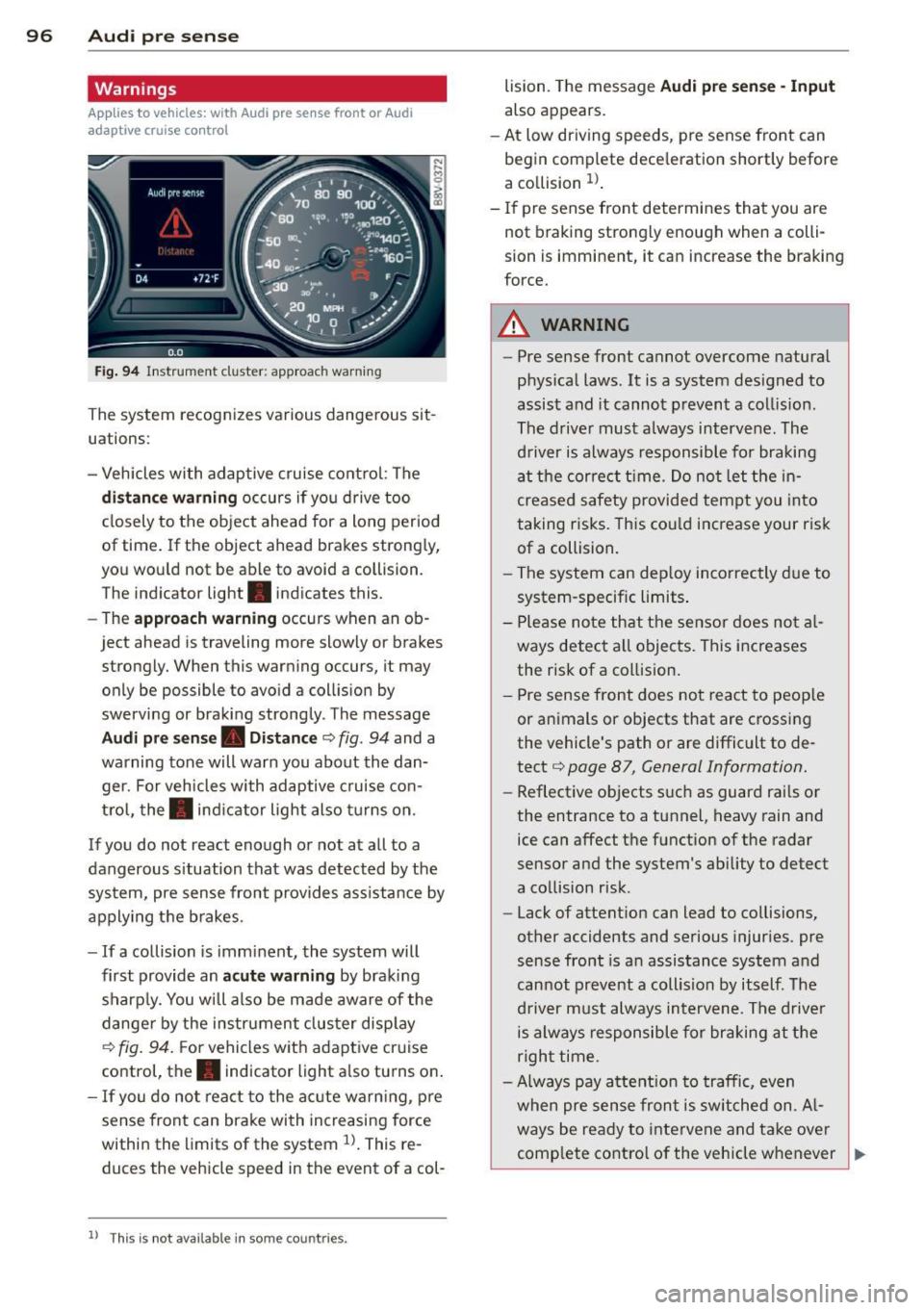
Fig. 94 Instrument cluster: approac h warning
The system recognizes various dangerous sit
uations:
- Vehicles with adaptive cruise control : The
distance warning occurs if you drive too
closely to the object ahead for a long period
of t ime. If the object ahead brakes strongly,
you would not be able to avoid a coll ision.
The indicator light . indicates this.
- The
approach warning occurs when an ob
ject ahead is traveling mo re slowly or brakes
strongly. When this warning occurs, it may only be possible to avoid a collision by
swerving or braking strongly. The message
Audi pre sense. Distance ¢ fig . 94 and a
warning tone will warn you about the dan ger. For vehicles with adaptive cruise con
trol, the. indicator light also turns on.
If you do not react enough or not at all to a
dangerous situation that was detected by the
system, pre sense front provides ass istance by
applying the brakes.
- If a collision is imminent, the system will
first provide an
acute warning by braking
sharply. You will also be made aware of the
danger by the instrument cluster display
¢
fig. 94. F or vehicles with adaptive cruise
control, the. indicator light also turns on.
- If you do not react to the acute warning, pre
sense front can brake with increasing force
within the limits of the system
ll. This re
duc es the vehicle speed in the event of a col-
l l Thi s is not available in som e coun tries .
lision. The message Audi pre sense -Input
also appears.
- At low driving speeds , pre sense front can
begin complete deceleration shortly before
a collision
ll .
- If pre sense front determines that you are
not braking strongly enough when a colli
sion is immin ent, it can increas e the braking
force.
A WARNING
- Pre sense front cannot overcome natural
physical laws. It is a system designed to
assist and it cannot prevent a collision .
The driver must always intervene. The
driver is always responsible for braking
at the correct time. Do not let the in
creased safety provided tempt you into
taking risks. This could increase your risk
of a collision.
- The system can deploy incorrectly due to
system-specific limits .
- Please note that the sensor does not al
ways detect all objects . This increases
the risk of a collision.
- Pre sense front does not react to people
or animals or objects that are crossing
the vehicle's path or are difficult to de
tect ¢
page 87, General Information.
-Reflective objects such as guard rails or
the entrance to a tunnel, heavy rain and
ice can affect the function of the radar
sensor and the system 's ability to detect
a collision risk .
- Lack of attention can lead to collisions,
other accidents and serious injuries. pre
sense front is an assistance system and
cannot prevent a collision by itself . The
driver must always intervene. The driver
is always responsible for braking at the
right time.
- Always pay attention to traffic, even
when pre sense front is switched on. Al-
ways be ready to intervene and take over
complete control of the vehicle whenever
~
Page 102 of 302
100 Audi active lane assist
Switching on and off
App lies to vehicles: with Audi active lane assist
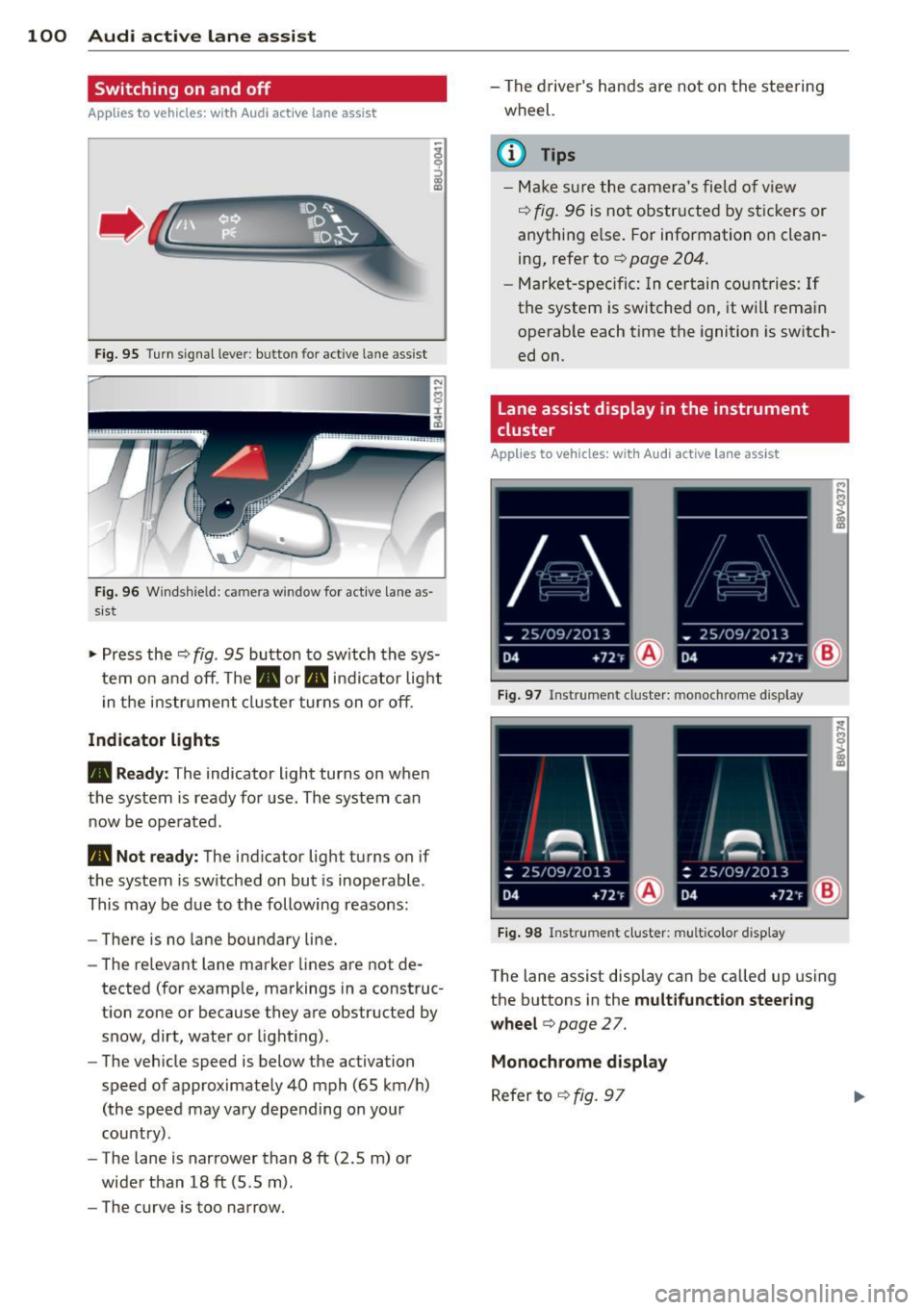
Fig. 95 Tu rn s igna l leve r: butto n fo r act ive lan e ass is t
F ig. 9 6 Windsh ie ld: ca mera window for act ive lane as
sist
-
I
~ Pr ess the ¢ fig. 95 button to sw itch the sys
tem o n and off. The . or. indica tor lig ht
in the i nstru ment clus ter turns on o r off .
Indicator lights
• Ready: The indicator light turns on when
the system is rea dy for use . The system can
now be ope rated .
• Not ready: The ind icator ligh t turns on if
the system is sw itched on but is inoperable .
This may be d ue to the following reasons:
- There is no la ne boundary line.
- The re levant lane marke r lines a re not de-
tected (for examp le, markings in a construc
t ion zone or because they a re obstruc ted by
snow, dirt, water or light ing) .
- The veh icle speed is below the ac tivation
speed of appr oximate ly 40 mph (65 km/ h)
(the speed may vary depending on your
country) .
- The lane is nar rower than 8
ft (2 .5 m) o r
wide r than 18
ft (5 .5 m).
- The curve is too narrow. - T
he driver 's hands are not on the stee ring
wheel.
(D Tips
- Mak e sure th e ca me ra 's fie ld of view
¢
fig. 9 6 is n ot obstr ucte d by st ic kers or
anythi ng e lse. For information on clean
ing , refe r to ¢
page 204.
-Mark et-s pe ci fic: In certain co unt ries: If
the system is switched on, it wi ll rema in
o perab le each time the ignition is sw itch
ed on.
Lane assist display in the instrument
cluster
Applies to vehicles: with Audi active lane assist
Fig. 97 Instrume nt cl uster: monoc hrom e di spl ay
I
Fig. 98 Ins trume nt clust er: mult ic olor d is p lay
T he lane assist disp lay can be called up using
the buttons in the
multifunction steering
wheel
c> page 2 7.
Monochrome display
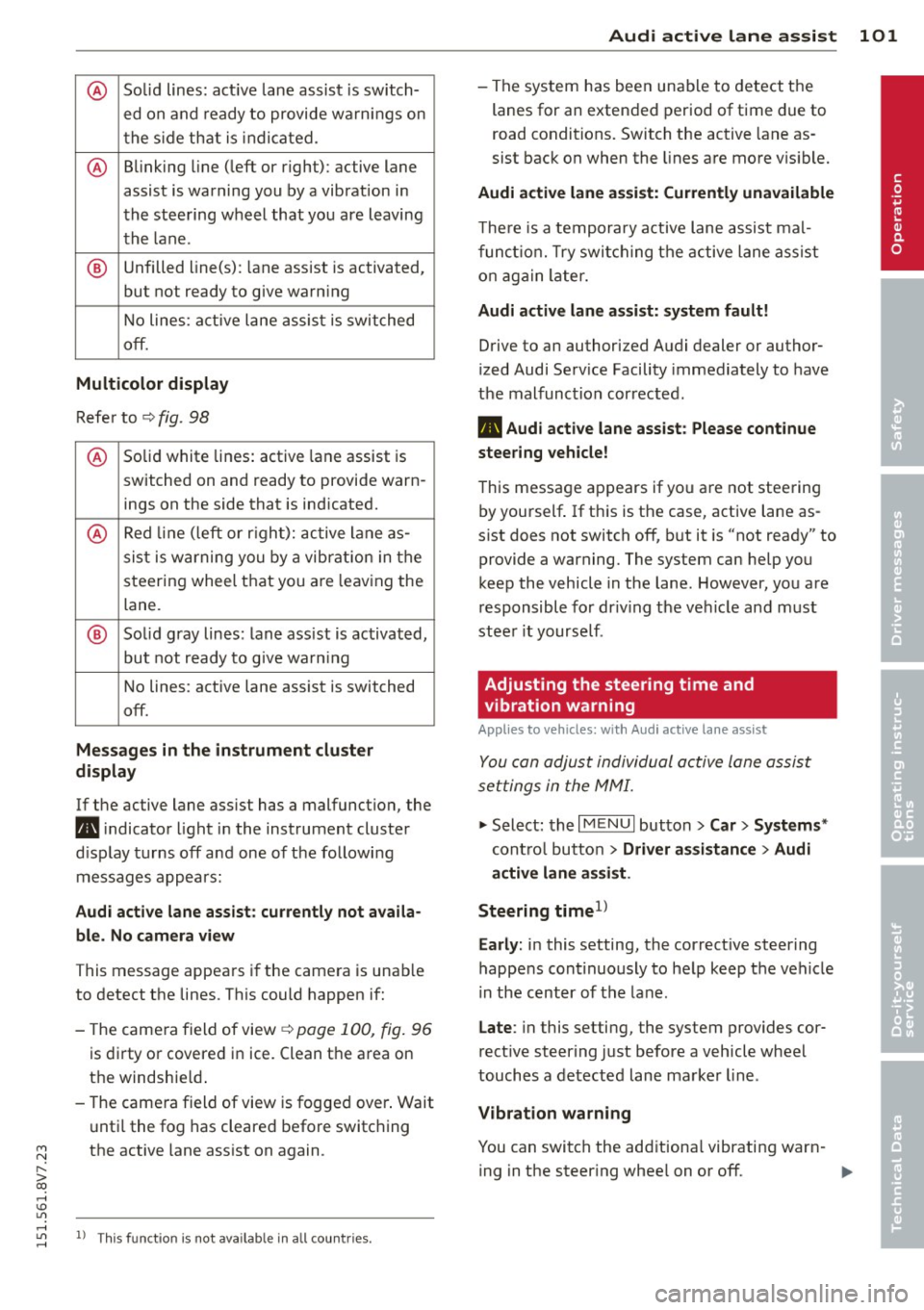
R efer to ¢ fig. 97
Page 103 of 302
M N
" > co ,...., \!) 1.1"1
@ Solid lines: active lane assist is switch-
ed on and ready to provide warnings on
the side that is indicated.
@ Blinking line (left or right): active lane
assist is warning you by a vibration in
the steering wheel that you are leaving
the lane .
® Unfilled line(s): lane assist is activated,
but not ready to give warn ing
No lines: a ctive lane assist is switched
off.
Multicolor display
Refer to ¢ fig. 98
@ Solid white lines: active lane assist is
switched on and ready to provide warn-
ings on the side that is ind icated.
@ Red line (left or rig ht): active lane as-
sist is wa rning you by a vibrat ion in the
steering wheel that you a re leav ing the
lane.
® Solid gray lines: lane ass ist is activated,
but not ready to give warn ing
No lines: active lane assist is switched
off.
Messages in the instrument cluster
display
If the active lane ass ist has a malfunction, the
m, i ndicato r light in the instrument cluster
d isplay turns off and one of the following
messages appears:
Audi active lane assist: currently not availa
ble. No camera view
This message appears if the camera is unab le
to detect the lines . This could happen if:
- The camera field of view
¢ page 100, fig. 96
is dirty or covered in ice. Clean the area on
the windshie ld.
- The camera field of view is fogged over. Wait
until the fog has cleared before switching
the active lane assist on again.
,....,
1.1"1 l) This funct ion is not availab le in all coun tries. ,....,
Audi active lane assist 101
- The system has been unable to detect the
lanes for an extended period of time due to
road conditions. Switch the active lane as
sist back on when the lines are more v is ibl e.
Audi active lane assist: Currently unavailable
The re is a temporary active lane assist mal
function. Try switching the active lane assist
on again later.
Audi active lane assist: system fault!
Drive to an authorized Audi dealer or author
ized Audi Serv ice Facility immediately to have
the malfunction corrected.
m, Audi active lane assist: Please continue
steering vehicle!
This message appears if you are not steering
by yourself . If th is is the case, active lane as
s ist does not switch off, but it is "not ready" to
provide a warning. The system can help you
keep the vehicle in the lane . However, you are
responsible for driv ing the vehicle and must
steer it yourself .
Adjusting the steering time and
vibration warning
App lies to veh icles : w ith Audi ac tive la ne ass ist
You con adjust individual active lone assist
settings in the MMI.
""Select: the I MENU I button >Car > Systems *
control button > Driver assistance > Audi
active lane assist .
Steering time
1>
Early: in this setting, the correct ive steering
happens cont inuously to help keep the veh icle
i n the center of the lane.
Late : in this setting, the system provides cor
rect ive steer ing just before a vehicle wheel
touches a detected lane marker line .
Vibration warning
You can switch the additiona l vibrating warn-
ing in the steer ing whee l on or off. ..,_ •
Page 108 of 302
106 Audi side assist
- Side assist is not active wh ile you are
making the adjus tment.
- Your settings are automatically sto red
and ass igned to the remote control key
being used.
Driver messages
App lies to vehicles: with Audi side assist
If t he side assist switc hes off automat ically, a
message appea rs in the instrument cluster
d is p lay .
@; Audi side assi st : currently unavailable
No sensor vision
The radar sensors' visio n is affected . Do not
cover the area in front of the senso rs with bike
wheels, s tickers, dir t or ot her objects. Clean
the are a in front of the sensors , if ne cessa ry
~ page 104, fig. 102.
@• Audi side assist: currently unavailable
Side assist can not be switched o n temporari ly
beca use there is a mal func tion (for example,
the battery cha rge leve l may be too low) .
@; Audi side assist : System fault!
The system cannot guara ntee that it w ill de
tect ve hicles correctly and it is sw itched
off.
The senso rs have been displaced o r are faulty .
H ave the sys tem checked by an au thor ized
Aud i dea le r or autho rized Aud i S ervice Fac ility
soon .
Page 110 of 302
108 Audi drive select
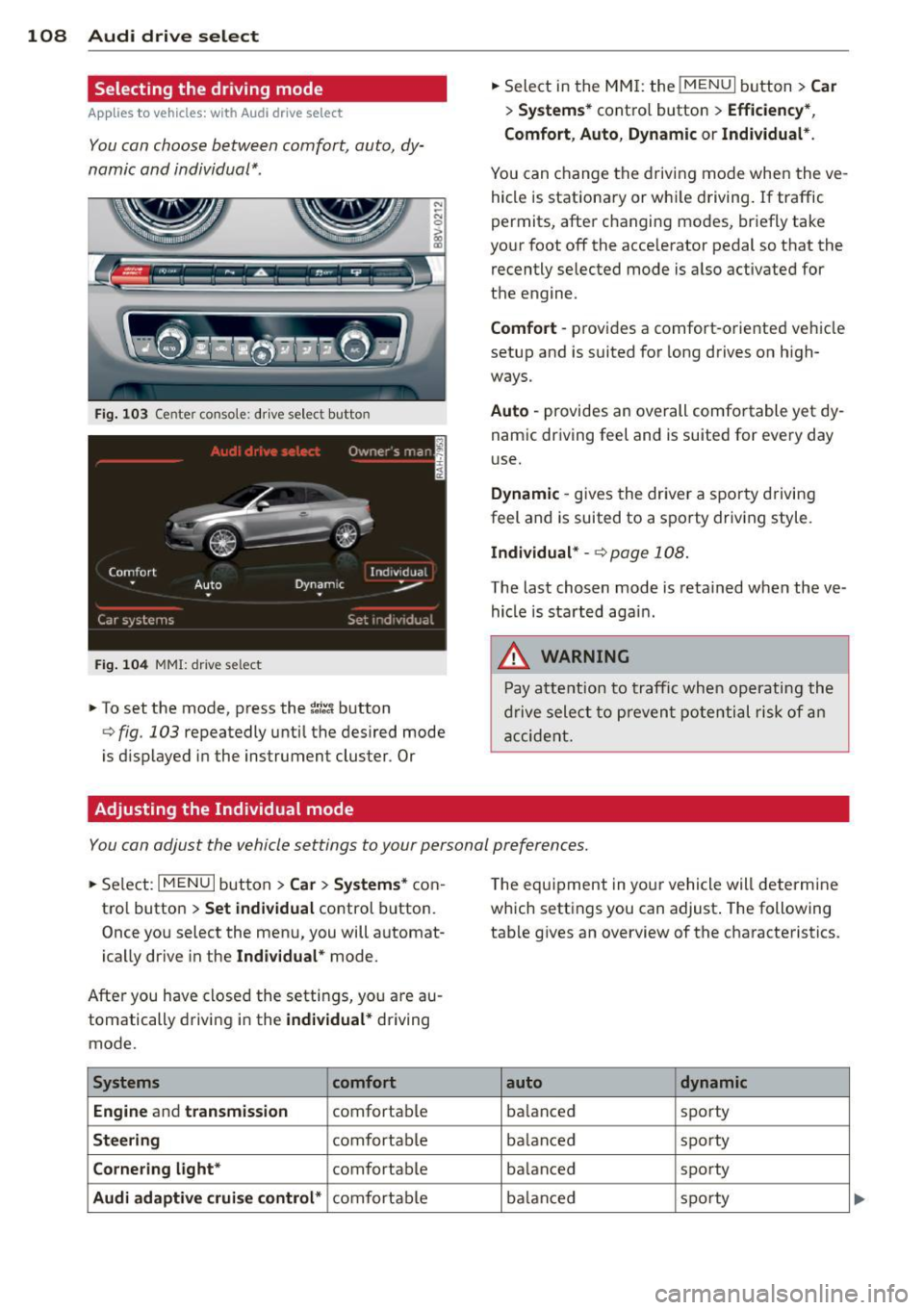
Selecting the driving mode
App lies to vehicles: with Audi drive select
You can choose between comfort, auto, dy
namic and individual* .
Fig. 103 Center console: drive select butto n
Fig. 104 MMI: drive select
.. To set the mode, press the ~;/:a button
<=> fig . 103 repeatedly until the desired mode
is d isplayed in the instrument cluster . Or
Adjusting the Individual mode
.. Select in the MMI: the !MENU I button> Car
> Systems* control button > Efficiency *,
Comfort , Auto , Dynamic
or Individual* .
You can change the driving mode when the ve
hicle is stationary or while driving . If traffic
permits, after changing modes, briefly take
your foot off the acce lerator pedal so that the
recently selected mode is also activated for
the engine.
Comfort -provides a comfort-oriented vehicle
setup and is suited for long drives on high
ways.
Auto -provides an overall comfortable yet dy
nam ic driving feel and is suited for every day
use.
Dynamic -gives the driver a sporty driving
feel and is suited to a spo rty driv ing style.
Individual* -<=>page 108.
The last chosen mode is retained when the ve
hicle is started agai n .
.&, WARNING
-Pay attention to traffic when operating the
dr ive select to prevent potential risk of an
accident.
You can adjust the vehicle settings to your personal preferences .
.. Se lect : I MENU I button >Car > Systems* con
tro l button >
Set individual control button.
Once you select the menu, you will automat
ically drive in the
Indiv idual* mode.
After you have closed the setti ngs, yo u are au
tomatically driving in the
individual* driving
mode.
Systems comfort
Engine
and transmission comfortable
Steering comfortable
Cornering light* comfortable
Audi adaptive cruise control* comfortable T
he equ ipment in you r vehicle will determine
which settings you can adjust . The following
tab le gives an overview of the characteristics .
auto dynamic
balanced sporty
ba lanced sporty
ba lanced sporty
ba lanced sporty
Page 112 of 302
110 Automatic transmission
Automatic
transmission S tronic-transmission
Introduction
Appl ies to vehicles: with S tro nic tr ansmiss ion
Your vehicle is equipped with an electronical
ly-controlled DSG transmission called S tronic.
Two independent clutches transfer the power
between the engine and transmission. It al
lows the vehicle to accelerate without a no
ticeable interruption in traction .
The transmission upshifts or downshifts auto
matically. The driving style continuously influ
ences the selection of the driving program.
When a
moderate driving style is used, the
transmission selects the most economica l
driving mode. The transmission upshifts at a
lower RPM and downshifts at a higher RPM to
improve fuel efficiency.
The transmission switches to a sporty mode
after a kick-down or when the driver uses a
sporty driving style characterized by quick ac
celerator pedal movements, heavy accelera
tion, frequent changes in speed and traveling
at the maximum speed.
If desired, the driver can also select the gears
manually (tiptronic mode) o page 115,
Shifting manually (tiptronic mode).
Selector lever positions
A pp lies to vehicles: with S tro nic tr ansmiss ion
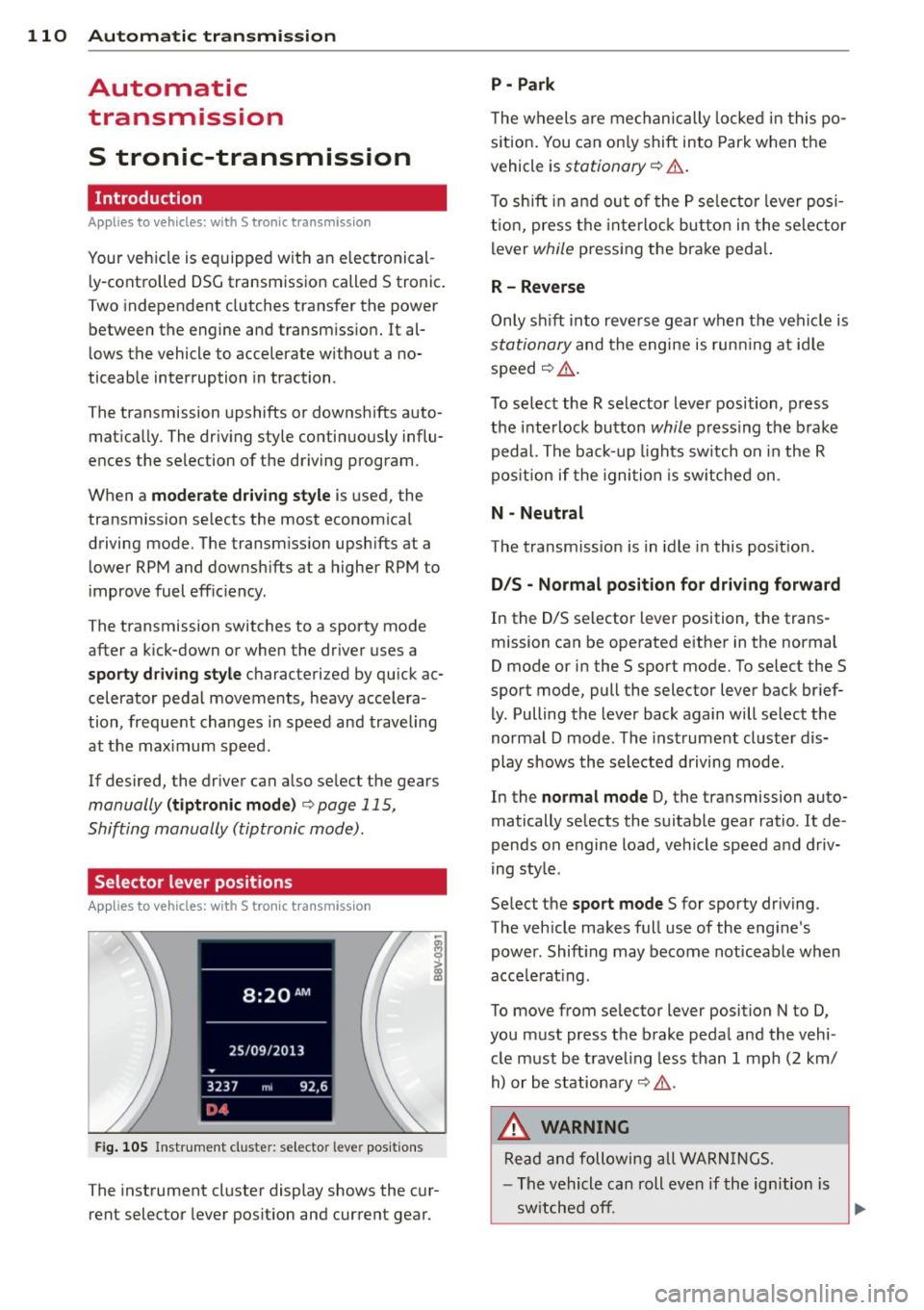
Fig. 105 Instrument cluste r: selector leve r positions
The instrument cluster display shows the cur
rent selector lever position and current gear .
P -Park
The wheels are mechanically locked in this po
s iti on. You can only shift into Park when the
vehicle is
stationary o &..
To shift in and out of the P selector lever posi
tion, press the interlock button in the selector
lever
while pressing the brake peda l.
R- Reverse
Only shift into reverse gear when the vehicle is
stationary and the engine is running at idle
speed
o &. .
To select the R selector lever position, press
the interlock button
while pressing the brake
pedal. The back-up lights switch on in the R
pos ition if the ignition is switched on .
N -Neutral
The transmission is in idle in this position.
D/S - Normal position for driving forward
In the D/S selector lever position, the trans
mission can be operated either in the normal
D mode or in the S sport mode. To select the S
sport mode, pull the selector lever back brief
ly. Pulling the lever back again will select the
normal D mode . The instrument cluster dis
play shows the selected driving mode.
In the
normal mode D, the transmission auto
matically selects the suitable gear ratio.
It de
pends on engine load, vehicle speed and driv
ing style .
Se lect the
sport mode S for sporty driving.
The vehicle makes full use of the engine's
power. Shift ing may become noticeable when
acce lerat ing .
To move from selector lever position N to D,
you must press the brake pedal and the vehi
cle must be traveling less than 1 mph (2 km/
h) or be stationary
o &. .
,&. WARNING
Read and following all WARNINGS.
- The vehicle can roll even if the ignition is
switched
off. .__ _____________ __J~
Page 140 of 302
138 Safety belts
Safety belts
General notes
Always wear safety belts!
Wearing safety belts correctly saves lives!
This chapter explains why safety be lts are nec
essary, how they work and how to adjust and
wear them correctly .
.. Read a ll the information that fo llows and
heed all of the instructions and WARNINGS.
A WARNING
Not wearing safety belts or wearing them
improperly increases the risk of ser ious
personal in jury and death .
- Safety belts are the sing le most effective
means avai lab le to reduce the risk of se
r ious injury and dea th in a utomob ile acci
dents. For your protection and that of
yo ur passenge rs, always co rrectly wear
safety belts when the vehicle is moving.
- Pregnant women, injured, or physically
im paired perso ns m ust also use safety
belts. Lik e all veh icle occup ants, they are
more like ly to be ser iously injured if they
do not wea r safety be lts . The best way to
protect a fetus is to protect the mother -
throughout the entire pregnancy.
Number of seats
Your Audi has a total of four seating positions: two in the front and two in the rear. Each seat
ing position has a safety belt .
A WARNING
Not wearing safety belts or weari ng them
improp erly increases th e risk of ser ious
pe rsonal i njury and deat h.
- Never st rap more than one pe rson, in
cl uding small ch ild ren, into any belt.
It is
e speci ally dange rous to pla ce a safety
belt over a child s itting on yo ur lap.
- N ever le t mo re people ride in the ve hicl e
than there are s afe ty be lts avail able. -
Be s ure everyone riding in the vehicle is
properly restrained w ith a separate safe
ty belt or child restra int.
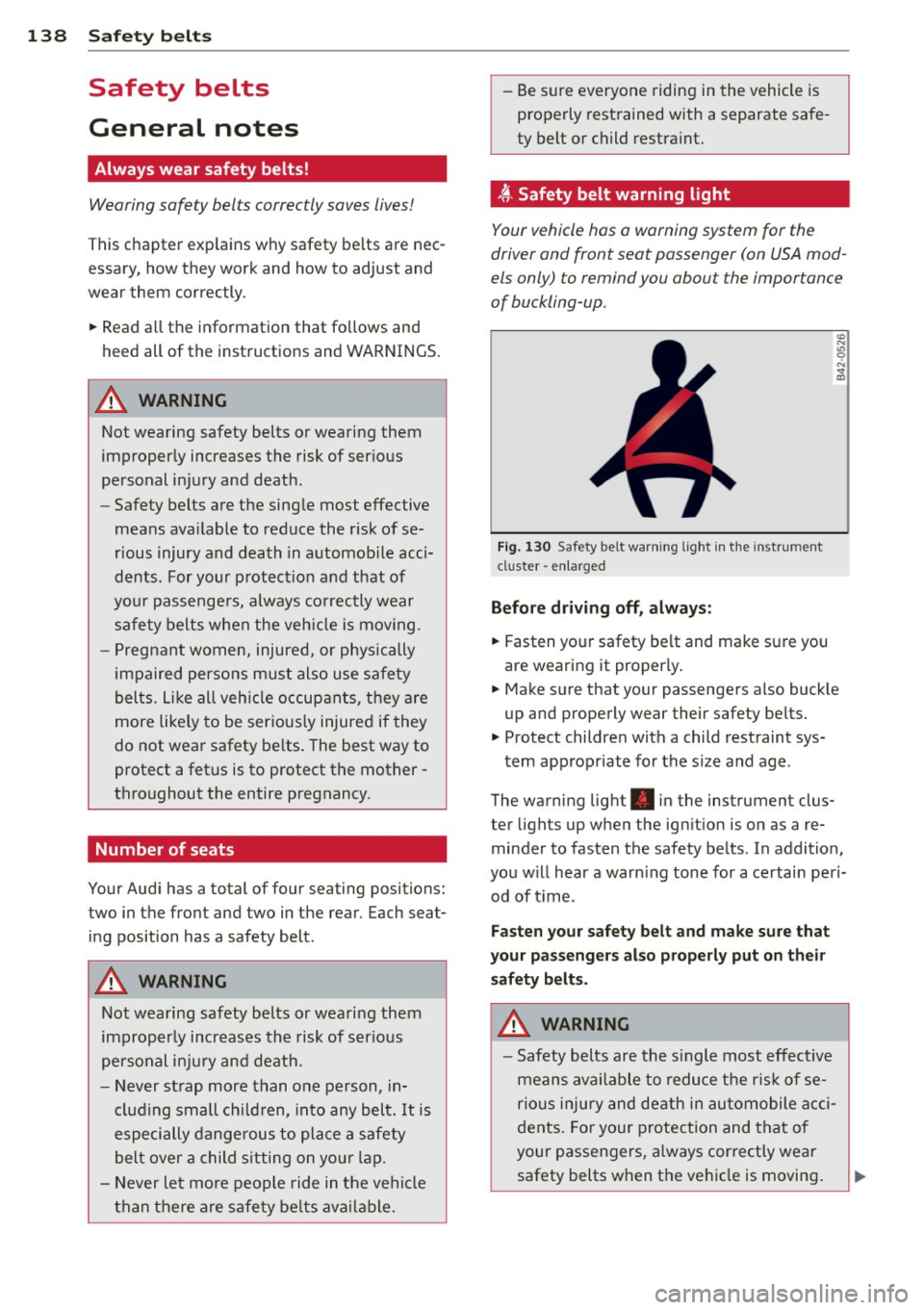
t Safety belt warning light
Your vehicle hos o warning system for the
driver and front seat passenger (on USA mod
els only) to remind you about the importance
of buckling-up .
Fi g. 130 Safety belt warni ng light in the instrument
cluster -en larged
Before driv ing off, alway s:
.. Fasten yo ur safety belt and make su re you
are wearing it properly .
.. Make s ure that your passengers also buck le
up and properly wear their safety be lts.
.. Protect childre n w ith a child restraint sys-
tem app ropriate for the s ize and age.
The warn ing light . in the instrument clus
ter lights up when the ign ition is on as a re
minder to fasten the safety be lts. In addition,
you w ill hear a warn ing tone for a ce rtai n pe ri
od of t ime.
Fasten you r safety belt and make sure that
your pass eng ers also properly put on the ir
s afety belt s.
A WARNING .....=-
-Safety b elts are the s ingle most eff ect ive
means avai lable to reduce t he ri sk of se
rio us inju ry and de ath in au tomobile a cci
dents. Fo r you r protection and that of
your passengers, a lways cor rectly wear
safety belts when t he vehicle is moving .
Page 151 of 302
M N ,....
> co ,...., \!) 1.1'1 ,...., 1.1'1 ,....,
Fo r exa mple, the airbag may depl oy if:
-a small child that is heavier than a typical 1
year-o ld child is on the front passenger seat
(regardless of whether the child is in one of
the chi ld seats listed
page 171), or
- a ch ild who has outgrown child rest raints is
on the front passenger seat.
If the front passenger airbag is turned off, the
P ASS ENGER AIR B AG OFF light comes on in
the instrument cluster and stays on.
If the front passenger airbag deploys, the
Federal Standard requires the airbag to meet
the "low risk" deployment criter ia to reduce
the r isk of injury through interaction with the
airbag. "Low risk" deployment occurs in those
crashes that take place at lower decelerations
as defined in the electronic control unit
r::> page 159, PASSENGER AIR BAG OFF light.
Always remember, a chi ld seat or infant carri
er insta lled on the front seat may be struck
and knocked out of position by the rapidly in
flating passenger's airbag in a frontal colli
sion. The airbag could greatly reduce the ef
fectiveness of the child restraint and even se
riously injure the child during inflat ion.
For this reason, and because the back seat is
the safest place for children - when properly
restrained according to their age and size - we
strongly recommend that children always sit
in the back seat
r::> page 169, Child Safety .
A WARNING
A child in a rearward-facing child seat in
stalled on the front passenger seat will be
ser iously injured and can be killed if the
front airbag inflates -even with an Ad
vanced Airbag System .
- T he inflating airbag will hit the child seat
or infant carrier with great force and wi ll
smash the child seat and child against
the backrest, center armrest, door or roof.
- Always install rear-facing child seats on
the rear seat.
- If you must install a rearward facing
child seat on the front passenger seat
-
A irbag system 149
because of exceptional circumstances
and the
PA SSENGER AIR BAG OFF light
does not come on and stay on, immed i
ately install the rear-fac ing child seat in a
rear seat ing pos ition and have the airbag
system inspected by your A udi dealer.
- Forward-facing child seats installed on the front passenger's seat may interfere
with the dep loyment of the a irbag and
cause serious persona l injury to the
child.
A WARNING
If, in except iona l circumstances, you must
install a forward -facing child restraint on
the front passenger's seat:
- Always ma ke s ure the forward-facing
seat has been designed and certified by its manufacturer for use on a front seat
with a passenger front and s ide a irbag.
- Never put the forward-facing child re
straint up against or very near the instru
ment panel.
- Always move the passenge r seat into its
rearmost pos ition in the seat's fore and
aft ad justment range, as far away from
the airbag as possible before installing
the forward-fac ing ch ild restra int. The
backrest must be adjusted to an upright
position.
- Make sure that the
PASSENGER AIR BAG
OFF
l ight comes on and stays on all the
time wheneve r the ig nit ion is switched
on.
A WARNING
To reduce the ri sk of ser ious injury, ma ke
sure that the
PASSENGER AIR BAG OFF
light wi ll be displayed whenever a child re
straint is insta lled on the front passenger
seat and the ignition is switched on.
- If the PASSENGER AIR BAG OF F light
does not stay on, perform the checks de
scribed
¢ page 158, Monitoring the Ad-
vanced Airbag System.
~
•
•
•
Page 157 of 302
Airbag system 155
-Never remove the front passenger or games device, power inverter or seat
driver seat from the vehicle. heater for child seats) on the front pas-
- Never remove the upholstery from the senger seat if the device is connected to
front passenger seat. the 12-volt socket or the cigarette light-
- Never disassemble or remove parts from er socket. Such devices can influence the
the seat or disconnect wires from it. capacitance registered by the capacitive
- Never carry sharp objects in your pockets passenger detection system, so that in-
•
correct information is provided to the
air-• or put them on the seat. The capacitive
passenger detection mat in the front bag control unit.
passenger seat will not function properly -
If you must use a child restraint on the
if it is punctured . front passenger seat
and the child re-
- Never carry things on your lap or carry straint manufacturer's instructions
re-
objects on the front passenger seat. quire the use of a towel,
foam cushion or
Such objects can influence the capaci- something else to properly position the
tance registered by the capacitive pas- child restraint, make certain that the
senger detection system, so that incor-
PASSENGER AIR BAG OFF light comes
rect information is provided to the airbag on and stays on whenever the child re-
control unit. straint is installed on the front passen-
- Never store items under the front pas- ger seat.
senger seat. Parts of the Advanced Air--
If the
PASSENGER AIR BAG OFF light
bag System under the passenger seat does not come on and stay on, immedi-
could be damaged, preventing them and ately
install child restraint in a rear seat-
the airbag system from working proper- ing position and have
the airbag system
Ly. inspected by your Audi dealer.
- Never place seat covers or replacement
.&_ WARNING upholstery that have not been specifical-
ly approved by Audi on the front seats.
If the front passenger seat gets wet, dry it
- Seat covers can prevent the Advanced
immediately.
Airbag System from recognizing child re- - If liquid soaks into the front passenger
straints or occupants on the front pas-
seat, this can keep the airbag system
senger seat and prevent the side airbag from working properly and may, for in-
in the seat backrest from deploying prop- stance, deactivate the passenger frontal
erly .
airbag. If this happens, the
PASSENGER
-If a seat heater has been retrofitted or AIR BAG OFF light will come on and stay
otherwise added to the front passenger on together with the airbag indicator
seat, never install any child restraint sys- light
fl in the instrument cluster.
tern on this seat. -If liquid is pooled on the seat, but has
- Never use cushions, pillows, blankets, or
not soaked in, this may also keep the air-
similar items on the front passenger bag system from working properly and
seat. The additional layers prevent the cause the passenger frontal airbag to be
capacitive passenger detection system
enabled (turned on), even though there
from accurately measuring the capaci-
is a properly installed child restraint sys-
tance of the child safety seat and/or the
tern on the seat. Wet towels or other wet
person on the seat and thus keep the Ad- things on the seat cushion can have the
M vanced Airbag System from working
same effect. If the front passenger fron-• N
" > co properly. tal airbag is turned on, the PASSENGER
,...., -Never place or use any electrical device AIR BAG OFF light will go out . \!) ..,.,
,...., (such as a laptop, CD player, electronic ..,., ,....,
Page 190 of 302
188 Smart Technology
Smart Technology
Information about
data recorded by
vehicle control
modules
Your vehicle is not equipped with a crash data
recorder. This device is insta lled by some vehi
cle manufacturers to record data about crash
es so tha t it can be analy zed later. Crash data
recorders are also called "Event Data Record
ers (EDR)" .
In some legal jurisdictions, it is not permitted
to access or download data recorded by pre
installed crash data recorders in order to eval
uate a crash without clear consent of the vehi
cle owner .
Your veh icle is not equipped with a crash data
recorder. However it does contain a var iety of
e lectronic control modules for various vehicle
systems such as eng ine funct ion, exhaust
treatment or airbags and safety belts .
These electron ic control modules record vehi
cle data during normal driv ing for diagnosis
and repair purposes. The recording capab ility
of the electron ic control modules is lim ited to
data only- no sound is reco rded.
If t he control
mo dule detects a sys tem m alfu nction or other
change in sta tus, a very lim ited amount of da
ta is recorded for an extreme ly sma ll period of
time . Data t hat is recorded in s uch a case may
include veh icle speed, driving direction, the
load on the brakes and head restraints and
performance in the event of an acc iden t or
other change in status . The stored data can
only be read o r down loaded w ith specia l dev i
ces.
Electronic stabilization
control (ESC)
Description
The E lectronic Stabilization Cont rol (ESC) con
tr ibutes to d river safety. It reduces the risk of
slipp ing and improves driving stability. ESC detects critical situations such as the veh
icle
oversteering and understeering or the whee ls
are spinning . The vehicle is stabilized by ap
plying the brakes or reducing engine torq ue.
Once the ESC is activated, the ind icator light
Bl blinks in the instrument cluster .
The following systems are integrated in the ESC:
Anti -lock braking s ystem (ABS)
ABS prevents the whee ls from locking when
braking . The vehicle can still be steered even
during hard braking . App ly steady pressure to
the brake peda l. Do not pump the peda l. A
puls ing in the brake peda l ind icates that the
system is act ing to stabilize the ve hicle.
Brake assi st sy st e m
The brake assist system can decrease braking
distance .
It increases braking power when the
driver presses the brake peda l quickly in emer
gency s ituations. You m ust press and hold the
brake pedal until the dangerous situation is
over . In vehicles with adaptive cruise control*,
the brake assist system is more sens it ive if the
distance detected to the vehicle ahead is too
small.
Anti-slip regu lation (ASR )
ASR reduces engine power when the drive
wheels begin sp inning and adapts the force to
the road conditions. This makes it easier to
sta rt , accelerate and dr ive up inclines .
Electronic differenti al lock (EDL )
The EDL brakes whee ls that are spinning and
transfers the drive power to the other drive
wheel or wheels if the vehicle is equ ipped with
all wheel drive *). This function is not ava ilable
at h igher speeds .
In extreme cases, EDL automatically sw itches
off to keep t he b rake on the braked wheel
from overheat ing. The ve hicle is still working
co rrect ly. EDL w ill switch o n aga in automat i
ca lly when cond itions have ret urned to no r-
mal. .,._