ECO mode AUDI A3 CABRIOLET 2015 Owners Manual
[x] Cancel search | Manufacturer: AUDI, Model Year: 2015, Model line: A3 CABRIOLET, Model: AUDI A3 CABRIOLET 2015Pages: 302, PDF Size: 73.83 MB
Page 11 of 302
M N ,....
> co ...... \!) 1.1'1
...... 1.1'1 ......
CD
@
®
©
®
®
(J)
®
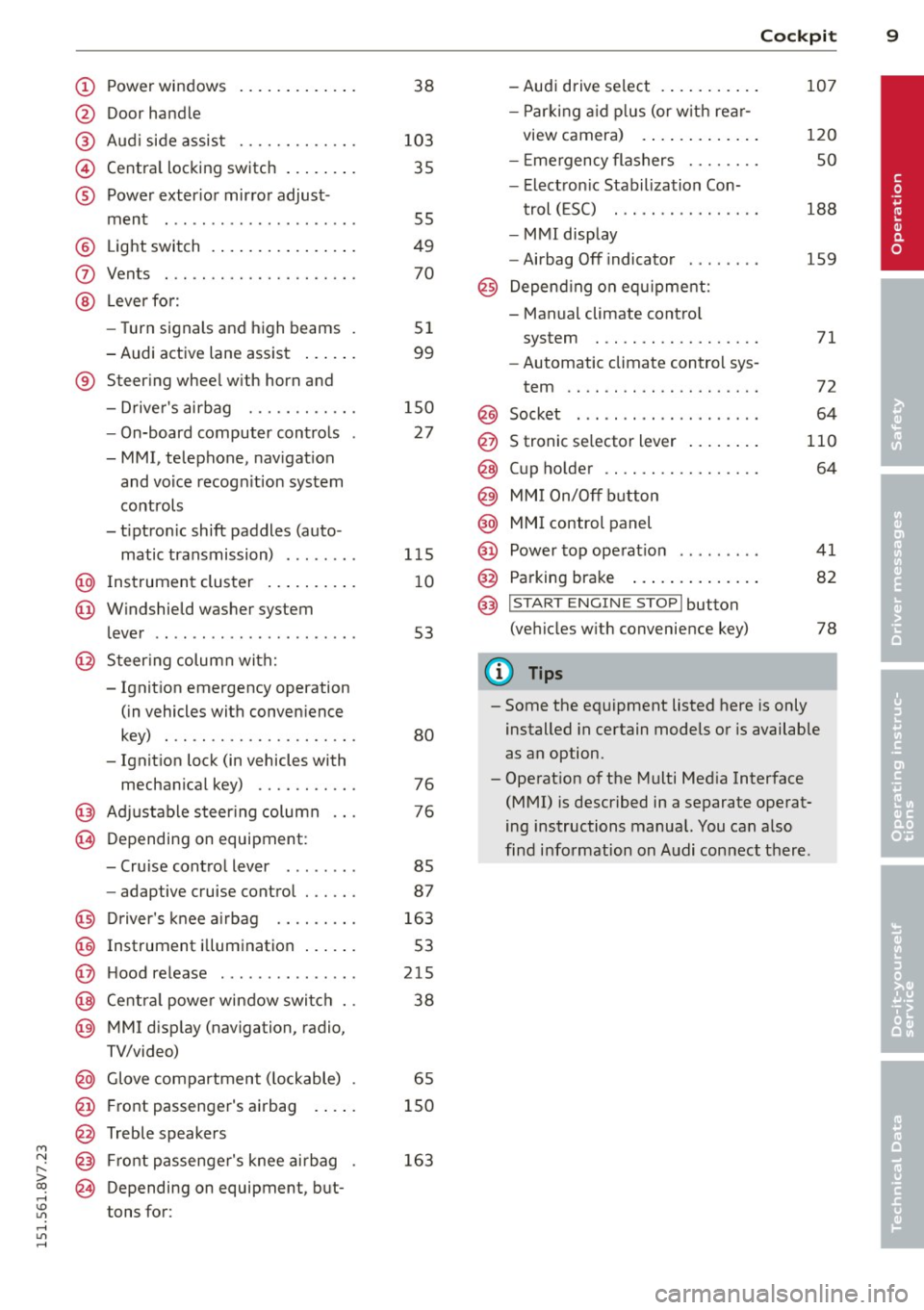
Power windows
Door handle
Aud i side assist ........ .... .
Centra l locking switch ... .. .. .
Powe r exter ior mirror adjust
ment
Light switch . ... .... ... .. .. .
Vents
L eve r fo r:
- Turn signals and high beams .
- Audi active lane assist ... .. .
® Steer ing wheel w ith horn and
- Drive r's airbag ........... .
- On-board computer controls
-MMI, telephone, navigat ion
and voice recogn it ion system
controls
- tiptron ic shift paddles (auto-
matic transmission) ....... .
@ Instrument cluster .. ... .. .. .
@ W indshield washer system
l ever
' .................... .
@ S teer ing column with:
- Ignit ion emergency operation
(in vehicles with conven ience
key) . .. ................. .
- Ignit ion lock (in vehicles with
mechanical key) .......... .
@ Adjustable s teer ing column
@ Depending on equipment:
- Cruise contro l lever ....... . 38
103 35
55
49
70
51
99
150 27
1 15
1 0
53
80
76
76
85
- adaptive cruise contro l . . . . . . 87
@ Driver's knee a irbag . . . . . . . . . 163
@ Instrument i llumination . . . . . . 53
@ H ood re lease . . . . . . . . . . . . . . . 215
@ Centra l power window swi tc h . . 38
@ MMI disp lay (navigation, radio,
TV/video)
@ Glove compartment ( lockable) . 65
@ Front passenger 's airbag . . . . . 150
@ Treble speakers
@ Front passenge r's knee ai rbag .
@ Depending on equipment, b ut
tons for: 163
Cockpi
t 9
-Audi drive select . .. ..... .. .
- P arking a id p lus (or w ith re ar-
view camera) . .. .. .. ..... .
- E mergency flashers ....... .
- Elect ron ic Stabilization Con-
t rol ( ESC) . .. .... ........ .
- MMI display
- Airbag Off indicator .... ... .
@ Depend ing o n equ ipment:
- Manual climate contro l
system
- Automatic climate control sys
tem
.. .. .. .. .. .. .........
Socket
S tronic se lector lever ..... .. .
Cup holder .. .. ............ .
MM I On/Off b utton
@ MMI control panel
@ Power top ope rat ion ... ..... .
@ Parking brake .... .. .. ..... .
@ I S T ART ENGINE STOPI button
(vehicles w ith convenience key)
(D Tips
107
120
so
188
159
71
72
64
110
64
41
82
78
- Some the eq uipment listed here is only
installed in certain models or is available
as an option.
- Operat ion of the Multi Med ia Interface
(MMI) is described in a separate operat
ing instructions manual. You can a lso
find info rmat ion on A udi connect ther e.
•
Page 13 of 302
....,
N
r--. > co
rl I.O
"' rl
"' rl
Tachometer
The tachometer displays the engine speed in
revolutions per minute .
The beginning of the red zone in the tachome
ter indicates the maximum permiss ible en
g ine speed for all gears once the engine has
been broken in and when it is warmed up to
operat ing temperature. You shou ld select the
"D/S" (Drive) selecto r lever pos ition or take
your foot off the accelerator peda l before
reaching th is area .
It is best to avoid high engine speeds, even
when dr iv ing in tiptron ic mode ~
page 115 .
(D Note
The tachometer needle
(D ¢ page 10,
fig. 3
shou ld only be in the red zone brief
ly: otherwise, this increases the risk of en
gine damage.
@) For the sake of the environment
Upshift ing early helps you to save fuel and
reduce operating no ise.
Odometer
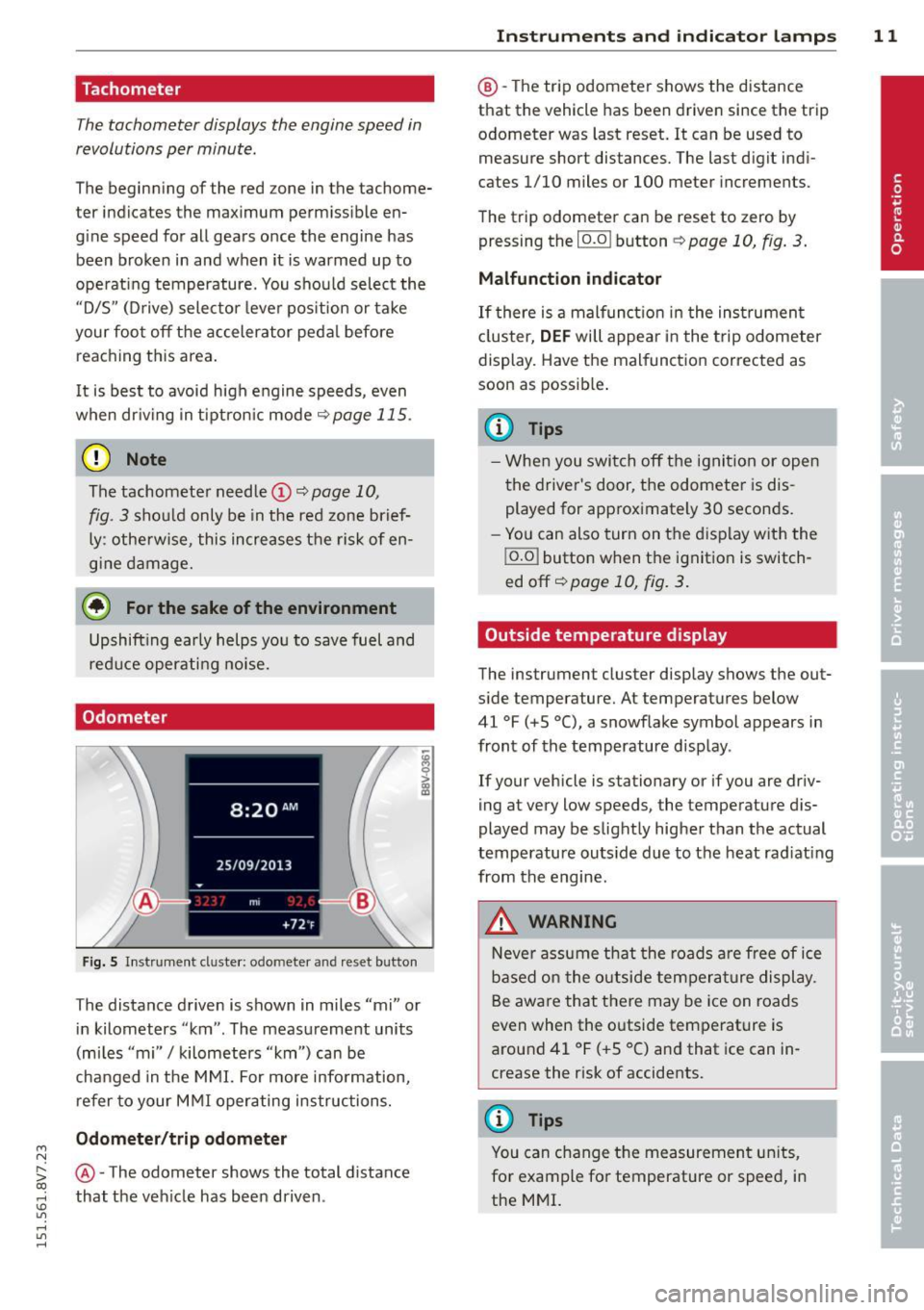
Fig. S In strument cl uster: odo meter an d reset butto n
The distance driven is shown in miles "mi" or
in kilometers "km" . The measurement units
(mi les "mi"
I kilometers "km") can be
changed in the MMI. For more info rmation,
refer to your M MI operating instructions.
Odometer /trip odom eter
@ -The odometer shows the total d ista nee
that the veh icle has been driven .
Instrument s an d indi cat or l amp s 11
@ -The trip odometer shows the distance
that the vehicle has been driven since the trip
odometer was last reset. It can be used to measure short distances. The last digit ind i
cates 1/10 miles or 100 meter increments .
The trip odometer can be reset to zero by pressing the
I o.o I button ¢ page 10, fig. 3.
Malfunction indicator
If there is a malfunct io n in the ins trumen t
cl uster,
DEF will appear in the trip odometer
display. Have the malfunction corrected as
soon as possib le .
(D Tips
- Whe n you switch off the ignit ion or open
the driver's door, the odometer is dis
played for approximately 30 seconds.
- Yo u can also turn on the display with the
j o.o j button when the ignition is switch
ed off~
page 10, fig . 3.
Outside temperature display
The instrument cluster display shows the out
s ide temperature. At temperatu res below
41 °F (+S °C), a snowf lake symbol appears in
front of the temperature display .
If your vehicle is stationary or if you are driv
ing at very low speeds, the temperature d is
played may be slightly higher than the actual
temperatu re outs ide due to the heat rad iating
from the engine.
,&. WARNING
N eve r assume that the roads a re free of ice
based on the outside temperature display.
Be awa re that there may be ice on roads
even when the outside temperature is
around 41 °F ( +S °C) and that ice can in
crease the risk of accidents.
(D Tips
You can change t he measurement un its,
for example fo r temperature or speed, in
the MMI.
Page 55 of 302
....,
N
r--. > co
rl I.O
"' rl
"' rl
Instrument illumination
The brightness of the instrument cluster and
the center console can be adjusted.
"' 5 0
'
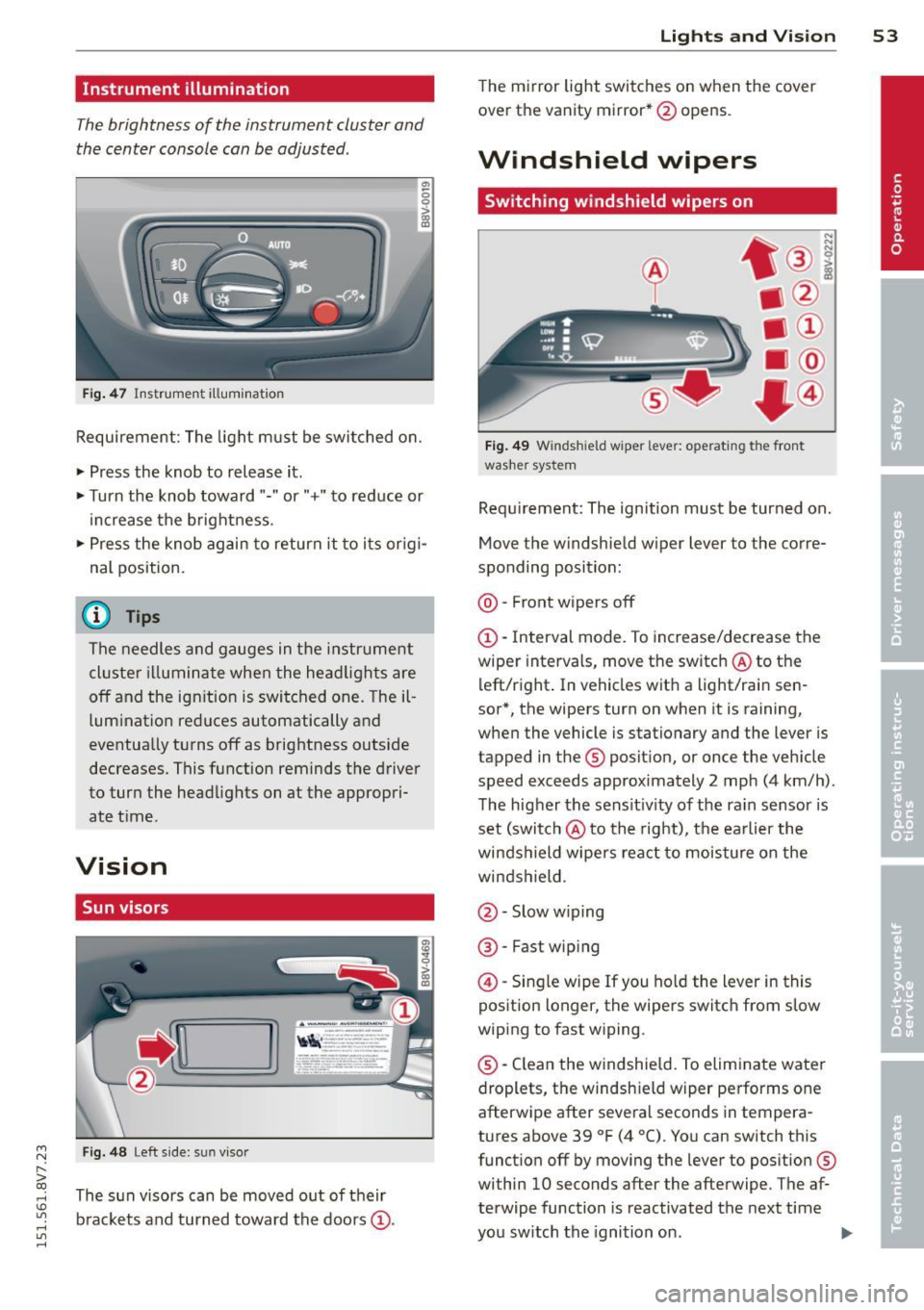
Fig. 47 Instrument illum ination
Requirement: The light must be switched on.
• Press the knob to release it.
• Turn the knob toward"." or"+" to reduce or
increase the brightness .
• Press the knob again to return it to i ts or ig i·
nal position.
(D Tips
The needles and gauges in the instrument
cluste r illuminate when the head lights are
off and the ign ition is switched one. Theil
lumination reduces automatically and
eventua lly turns off as brightness outside
decreases. This function reminds the driver
to turn the headlights on at the appropri·
ate t ime.
Vision
Sun visors
F ig. 48 Left s ide: sun vi sor
The s un visors can be moved out of their
b rackets and turned toward the doors
(D.
Lights and Vision 53
The mirror light switches on when the cover
over the vanity mirror* @opens.
Windshield wipers
Switching windshield wipers on
Fig. 49 Windsh ield wiper lever: operating the front
washer system
Requ irement: The ignition must be turned on.
Move the windshield w iper lever to the corre
sponding position:
@ · Front wipers off
(D-Interval mode. To increase/decrease the
wiper intervals, move the switch @to the
left/right . In vehicles wit h a light/rai n sen
sor*, the wipers turn on when it is raining,
when the vehicle is stationary and the lever is
tapped in the ® position, or once the vehicle
speed exceeds approximately 2 mph (4 km/h).
The higher the sens itiv ity of the ra in sensor is
set (switch @to the right), the earlier the
winds hield wipers react to moisture on the
windshield.
@ · Slow w iping
@ · Fast wip ing
@ -Single wipe If you hold the lever in this
position longer, the wipers switch from slow
wiping to fast wiping.
® -Clean the windshield. To eliminate water
droplets, the windsh ield wiper performs one
afterwipe after several seconds in tempera
tures above 39 °F (4 °(). You can switch this
function off by moving the lever to position ®
within 10 seconds after the afterwipe . The af
terwipe function is reactivated the next time
you switch the ignition on.
II>
Page 60 of 302
58 Light s a nd V is ion
• Press the button @repeated ly to select the
correct magnetic zone. The selection mode
turns off after a few seconds.
Calibrating the compass
Applies to vehicles: with dig ital compass
You must recalibrate the compass if it does
not display the correct direction .
• Press and ho ld the button @~ page 57,
fig . 53
until a C appears in the rearview mir
ror.
• Drive in a circle at about 5 mph ( 10 km/h)
until a direction is disp layed in the rearview
mirror .
A WARNING
- To avoid endangering yourself and other
dr ivers, calibrate the compass in an area
whe re there is no traffic.
- The digital compass should only be used
as an or ientat ion aid. If you want to
check the compass while dr iving, you
must still pay attention to traff ic, the
road, the weather and any other possible
hazards.
Page 73 of 302
....,
N
r--. > co
rl I.O
"' rl
"' rl
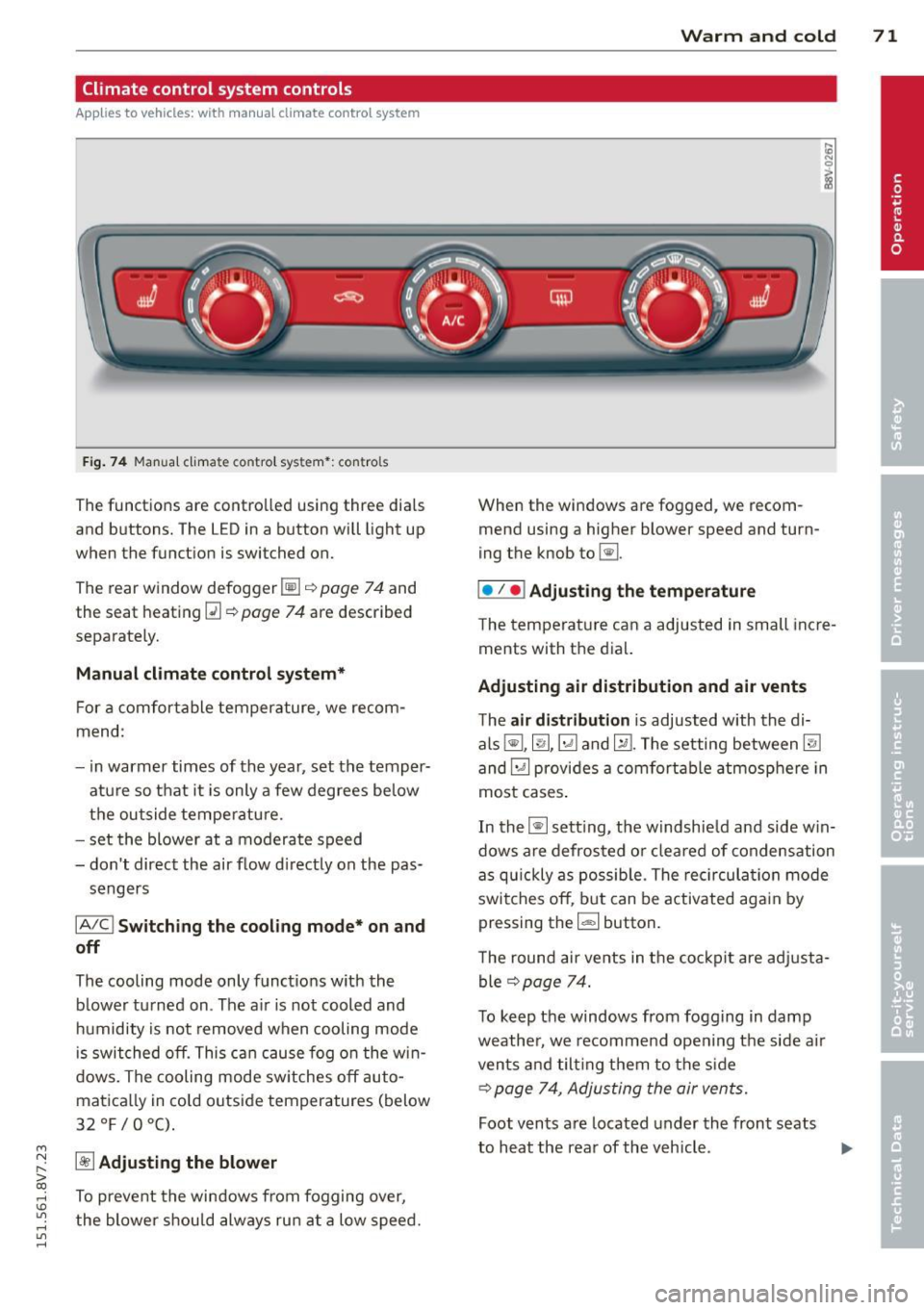
Climate control system controls
App lies to ve hicles: with manu al cl im ate c ontrol syst em
F ig . 7 4 Man ual cl ima te con tro l sy ste m•: con tro ls
The functions are contro lled using three dia ls
and buttons. The L ED in a button will light up
when the function is switched on.
The rear window defogger~¢
page 7 4 and
the seat heating~
c::> page 74 are described
separate ly.
Manual climat e control system*
For a comfortable temperature, we recom
mend :
- in warmer times of the yea r, set the temper
atu re so that it is only a few degrees be low
the outside tempe ratu re.
- set the blower at a moderate speed
- don't direct the air flow d irectly on the pas-
sengers
IA/C l Switching the cooling mode* on and
off
The cooling mode only f unct ions w ith the
b lower turned on . The a ir is not cooled and
h umidity is not removed when cooling mode
i s swit ched off. This c an cause fog o n the w in
dows. The cooling mode sw itches off auto
matica lly in co ld outside temperatures (below
32 °F/0°C) .
~ Adjusting the blower
To prevent the windows from fogging over,
the blower sh ou ld always ru n at a low speed.
W arm and cold 71
When the w indows are fogged , we recom
mend using a h igher blowe r speed and tu rn
ing t he knob to~-
I• I • I Adjusting the temperature
T he tempera ture can a adjusted in small inc re
ments with t he dial.
Adjusting air distribution and air vents
The air di stribution is adjusted with the di
als ~'~ .~ and ~-T he setting between
@J
and~ provides a comf ort abl e atmosphere in
most cases .
In the~ setting, the windshie ld and side w in
dows are defros ted o r cleared of condensation
as q uickly as possib le . The rec ircul ation mode
swi tche s off , bu t can be activated aga in by
pressing the
l d;) I button.
T he round air ve nts in t he coc kpit are adj usta
ble
¢ page 74.
To keep the windows from fogg ing in damp
weathe r, we recomme nd open ing the side a ir
vents and tilt ing them to the s ide
c::> page 7 4, Adjusting the air vents.
Foot vents a re located under the front seats
to h eat the rear of the v eh icle . ...,
Page 74 of 302
7 2 Warm and cold
1- 1 Sw itching r ecircul ation mode on and
off
In recirculation mode, the air inside the vehi
cle is circu lated and filtered. This prevents the
unfiltered air outside the vehicle from enter ing the vehicle inter ior. We recommend
switch ing recirculation mode on when driving
through a tunnel or when sitt ing in traffic
c::> ,& .
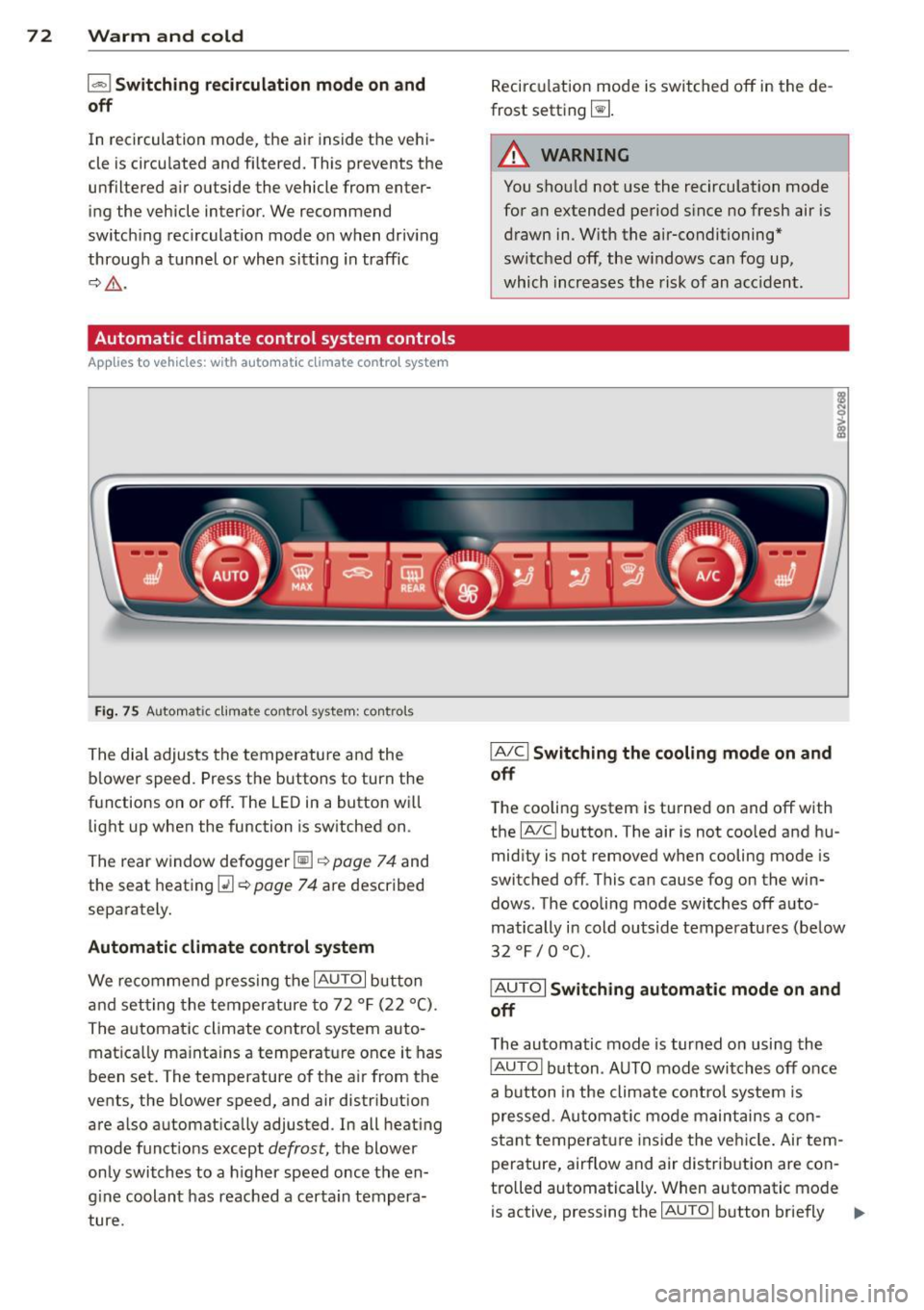
Automatic climate control system controls
App lies to vehicles: with a utomat ic climate contro l system
Fig . 75 A ut oma tic cl ima te co ntro l sy ste m: con trols
The dial adjusts the temperature and the
blower speed. Press the buttons to turn the
functions on or off . T he LED in a button w ill
light up when the function is sw itched on .
The rear window defogger~
c::> page 7 4 and
the seat heating
Q] c::> page 74 are described
separately.
Automatic climate control syst em
We re commend pressing the IAU TO I button
and setting the temperature to 72
°F (22 °() .
The automatic climate control system auto
matica lly ma inta ins a temperature once it has
been set. The temperature of the air from the
vents, the b lower speed, and air distribution
are also automat ically adju sted . In all heat ing
mode funct ions except
defrost, the blower
only switches to a h igher speed once the en
g ine coolant has reached a certa in tempera
ture . Recirculation mode is switched off in the de
frost setting ~-
.&_ WARNING
-You shou ld not use the recirculation mode
for an extended period s ince no fresh air is
drawn in. With the air-conditioning*
switched off, the w indows can fog up,
which increases the risk of an acc ident .
IA/ Cl Switching th e cooling mode on and
off
T he cooling system is turned on and off with
the
IA/C l button. The air is not coo led and hu
mid ity is not removed when cooling mode is
switched off . This can cause fog on the win
dows . The cooli ng mode switches off auto
matically i n cold outside temperatu res (be low
32 °F / 0 °() .
IAUTOI Switch ing automatic mode on and
off
The automatic mode is turned on using the
IAUTOI button . AUTO mode switches off once
a b utton in the climate control system is
pressed. Automatic mode maintains a con
sta nt temperature ins ide the ve hicle . Air tem
perature, airflow and air d istribution are con
trolled automatically . When automatic mode
is active, pressing the
IAU TO I button briefly IJJ,-
Page 75 of 302
M N
" > co ,...., \!) ..,.,
activates the "eco" mode*1>. I n "eco" mode*,
a ll settings are lowered slightly to save fuel.
When in "eco" mode* ,
eco is shown in the dis
play. To ex it "eco" mode*, press the
!AU TO !
button again .
I• I • I S etting the temperatu re
The temperature can be adjusted individually
for the driver and front passenger using the
dials . Temperatu res between 60 °F (+16 °C)
and 84 °F (+28 °C) can be set . Outs ide of this
range,
Lo or Hi will appear in the climate con
trol system display. In both settings, the cli mate control runs with constantly at the max
i mum cooling or heating level. The tempera
ture is not regu lated.
Syn chroni zation: By pressing the !AU TO I but
ton for two seconds , the temperat ure setting
for the driver is transferred to the front pas
senger's side. This applies a temperature
change to the front passenger's side.
~ Adjusting the blower
To prevent the windows from fogging over,
the blower shou ld always run at a low speed.
You ca n adj ust the volume of air generated by
the blower to you r preference. To have the
b lower regu la ted automatically, press the
!AU TO! button.
Adjusting th e air d istribution
The a ir distribution is adjusted with the~, [Ml
and ~ buttons. To have the air d istr ibut io n
r eg ulated automatically, press the
!AUTO ! but
ton .
The ro und air vents in the cockpit are adjusta
b le
~ page 74.
To keep the w indows from fogging in damp
weather, we recommend opening the side air
vents and t ilting them to the side
~ page 7 4, Adjusting the air vents.
Foot vents are located under the front seats
and adjustable vents on the end of the center
console to heat the rear of the vehicle.
,....,
"' l) This func tio n is not ava ilable in a ll coun tri es . ,....,
Warm and c old 73
~ Switching th e defro ster on and off
T he w indshield and side windows are defrost
ed or cleared of condensation as quickly as
poss ible . The maximum amount of air flows
main ly from the vents below the windshield.
Recircu lation mode switches off. The tempera
ture is controlled automatically. In the
[i] set
ting, the
! AIC ! cooling mode sw itches on auto
matically, depending on the outside air tem
perature .
The
! AU TO ! button sw itches the defroster off.
l""'I Sw itching recirculation mode on and
off
The recircu lation mode can be turned on man
ually or automatically* .
- Switching manual recirculation mode on and
off: Press the~ button. The LED light up
when switched on.
- Automatic* recircu lation mode: The recircu
lation mode must be activated in the MMI.
Select: the
I MENU I button >C ar> Sys tems *
contro l bu tton> A C> Auto recirculat ion .
The a ir quality sensor that is des igned for
diesel and gasoline exhaust automatically
sw itches the rec irculat ion mode on or off
depending on the leve l of po llutants in the
outs ide air .
In recirculation mode, the air inside the vehi
cle is circulated and filtered . This prevents the
unfiltered air outs ide the veh icle from e nter
ing the vehi cle interior. We recommend
switching recircu lation mode on when driving
th rough a tunne l or when sitting in traffic
~ .&. .
The 1- 1 button, IAU TO ! or the [i] bu tton
switches rec irculation mode off.
The system switches to recirculation mode
whe n driving in reve rse when the engine is
cold.
•
Page 86 of 302
84 Driving
Emergency braking function
This is used if the conventional brake system
fails or locks up.
... To brake your veh icle in an emergency, pu ll
the @switch ¢
page 82, fig. 82 and hold it
pulled .
... As soon as you releas e the @ switch or ac-
cele rate, the braking p rocess stops.
Pulling and holding the @switch while driv
in g at a speed of about 2 mph (3 km/h) or
h igher in itiates the emergency b rak ing func
tion . The vehi cle is braked at all fou r whee ls
by activat ing the brak ing hydrau lics. The brake
performance is s imilar to heavy bra ki ng. ¢.&.
To help prevent act ivat ing the emergency
b rak ing by mis take, an audib le wa rning tone
(b uzzer) sounds when the @switch is pulled.
E me rgency braking s tops as soo n as the @
switch is released or the accelerator peda l is
p ressed.
&_ WARNING
Emergency braking shou ld only be used in
an emergency, when the normal brake
pedal has failed or the brake pedal is ob
structed . Du ring emergency braking, your
vehicle will brake similar to heavy braking.
ESC and the assoc iated components (ABS,
ASR, EDL) cannot overcome the laws of
physics. In corners and w hen road or
weather conditions are bad, a full brake
application can cause the vehicle to skid or
the rear end to b reak away, which increas
es the risk of an acc ident.
Hill hold
Applies to vehicles: with H ill Hold
Hill hold makes it easier to start on hills .
Requirement: The driver door must be closed
and the engine must be r unning .
The system is act iva ted when the brake pedal
i s pressed wh ile the veh icle is s ta tionary .
To prevent the vehicle from ro ll ing back when
start ing , the bra ke power is he ld for a br ief moment afte
r releasing the brake pedal. D ur
ing t his time, you can easi ly begin to move
you r vehicle .
A WARNING
"---
-The intelligent technology of Hi ll Hold
cannot overcome the limitations im posed by natural physical laws . The in
creased comfort offered by H ill Hold
should not cause you to take safety r is ks.
- Hill Hold cannot hold the vehicle in all
h ill sta rt situations (fo r example, if the
g round is slippery o r icy).
- If you do not beg in moving immediately
after releasing the brake pedal, the vehi
cle could begi n to roll ba ckward unde r
certain ci rc u ms tances. Press the brake
pedal or set the pa rk ing brake immedi
ately.
- If the eng ine "stalls", press the b ra ke
pedal or set the pa rking brake immedi
ately.
- Starting on inclines in stop-and-go t ra f
fic: To help prevent the vehicle from ro ll
in g back when starting, press and ho ld
the brake pedal fo r several seconds when
the vehicle is stationary.
(D Tips
You can find o ut if yo ur vehicle is equ ipped
with Hill Hold by checking at an a uthorized
A udi dealer or qualified repair facility.
Speed warning system
Introduction
The speed warning system helps you to stay
under a specified maximum speed .
The speed warning system war ns you if you
are exceeding the maximum speed that you
have set . You will hear a warning tone when
yo ur speed exceeds the stored value by ap
proximate ly 3 mph (3 km/h). The . (U SA
models)/ . (Canada models) ind icator light
and the message
Speed limit e xceeded! ap
pear in the instrument cluster display at the
same time. The./. indicator light turns ..,.
Page 87 of 302
....,
N
r--. > co
rl I.O
"' rl
"' rl
off when the speed decreases below the stor
ed maximum speed.
Setting a thresho ld is recommended if yo u
wo uld like to be reminded when you reach a
certain maximum speed . Situations where you
may want to do so include d riving in a country
with a general speed limit or if there is a
specified max imum speed for winter tires.
@ Tips
Regard less of the speed warning system,
you shou ld always mon itor your speed us
ing the speedometer and make sure you
are following the legal speed limit.
Setting the threshold
You con set, change and delete the threshold
in the MMI.
• Se lect : the
IMENU ! button> Car> System s*
control button > Driv er assist an ce > Speed
w arning .
You can set any thresho ld between 20 mph
(30 km/h) and 150 mph (240 km/h). Settings
can each be adjusted in increments of 6 mph
(10 km/h).
Cruise control system
Description
Appl ies to vehicles : with cruise con trol system
The c ruise control system makes i t possible to
d rive at a constant speed starting at lS mph
(20 km/h).
The speed is kept constant by modify ing en
g ine power or through an a ct ive brake in ter
vention.
A WARNING
- Always pay attention to the traffic
around you when the cruise control is in
operation. You are always responsible for
your speed and the distance between
your vehicle and other vehicles.
- For reasons of safety, cruise contro l
should not be used in the c ity, in stop-
Dri vin g 85
and-go traffic, on winding roads and
when road cond itions are poor (such as
ice, fog, gravel, heavy rain and hydro
plan ing) -you could have an accident.
- Switch the cruise control off temporarily
when dr iv ing in turning lanes, h ighway
e xits or in construction zones.
- Please note that unconsc iously "resting"
your foot on the accelerator pedal p re
vents t he cr uise control from b raking.
This is due to the control system be ing
over ridden by the dr iver's acceleration .
- If the re is a brake system malfunct ion
such as overheating when the spee d
warn ing system is switched on, the bra k
ing f unction in the system w il l be deac ti
vated . The remaining speed warning sys
tem fu nctions will remain active, as long
as the
Ill ( U SA mode ls) I l'I (Canada
models) indicator light is on.
(D Tips
- T he cr uise control system is ideal fo r
st retches wit h speed limits. The driver is
responsib le for adhering to the correct
speed.
- The cr uise control remains act ive when
shift ing gears.
- The b ra ke lights turn on when the b rakes
are act ivated.
Switching on
Applies to vehicles: with cruise control system
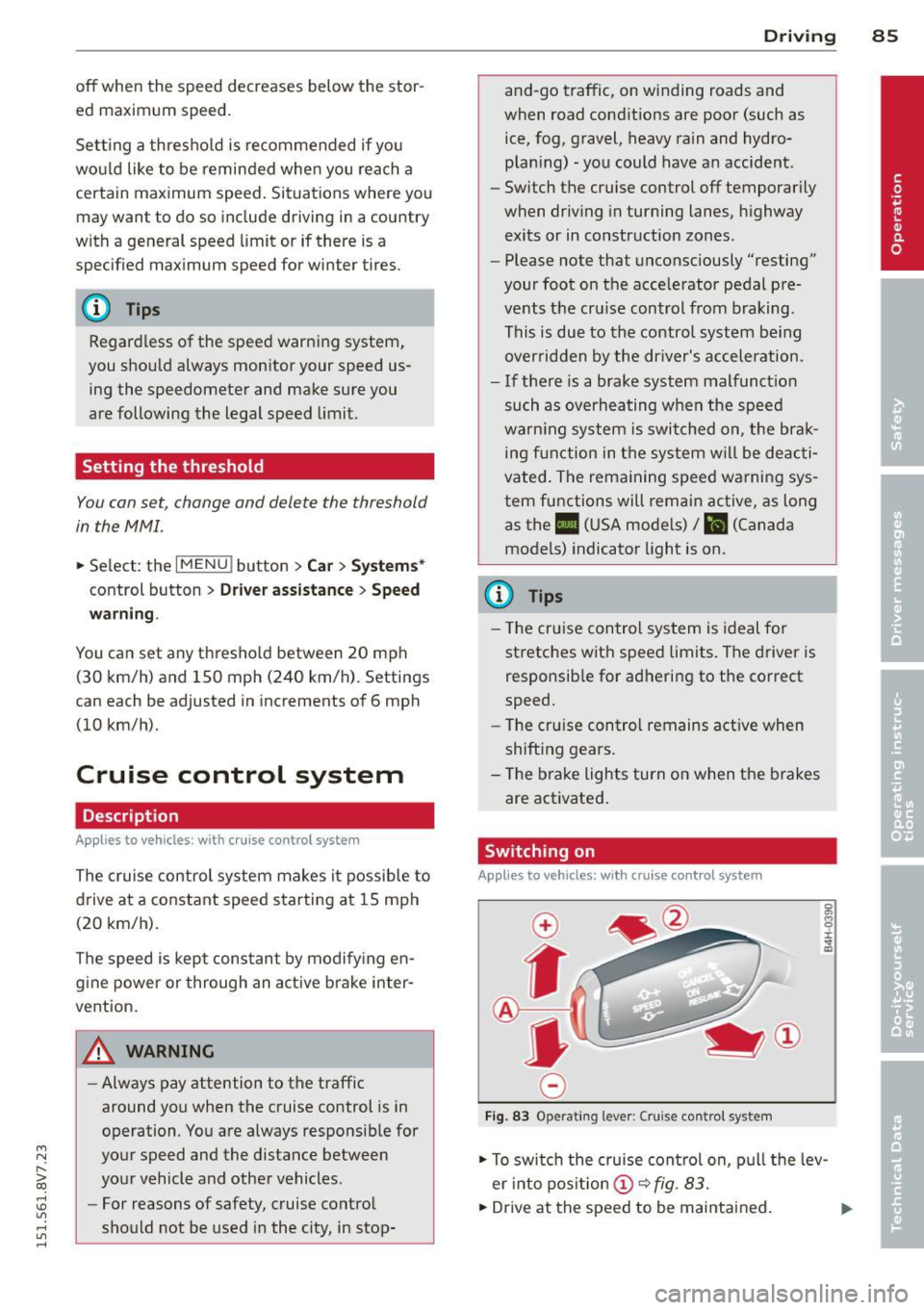
Fi g. 83 Operat ing lever: Cruise control system
• To swi tch the cruise cont ro l on, p ull the lev
er into pos it ion @
~fig. 83.
• Dr ive at the speed to be maintained.
Page 88 of 302
86 Driving
• To store the speed, p ress the button @. T he
II (USA models) I i'I (Canada models)
turns on in the instrument cluster.
Changing speed
Applies to vehicles: with cru ise control system
• To increase or decrease the speed in incre
ments,
t ap the lever in the 010 direction
c:> page 85, fig. 83.
• To increase or decrease the speed qu ickly,
h o ld the leve r in the 010 direction until
the des ired speed is reached .
Overriding the speed
You can press the acce lerator pedal down to
increase your speed, for example if you want
to pass someone . The speed you saved earlier
will resume as soon as you release the acceler
ator pedal.
I f, however, you exceed your saved speed by 5
mph (10 km/h) for longer than 6 minutes, the
cruise contro l turns off temporari ly. The
Ill
(USA models) I El (Canada models) indicator
light in the instrument cluster turns off and
the stored speed is retained.
Preselecting the speed
Applies to vehicles: with cruise control system
You can preselect your desired speed when
the vehicle is stationary.
• Switch the ignition on.
• Pull the lever into position
(D c:> page 85,
fig. 83.
• To increase or decrease the speed, tap the
lever in the
0 10 d irect io n.
This funct ion makes it possible, for example,
to save the speed you want before driving on
the highway . Once on the highway, activate
the cruise contro l by pull ing the lever towa rd
(D .
Switching off
Applies to vehicles: with cruise control system
Temporary deactivat ion
• Press the brake pedal, or
• Press the leve r into position @(not clicked
into p lace)
~ page 85, fig. 83, or
Switching off completely
• Press the lever into position @(clicked into
place), or
• Switch the ignit ion off.
The speed you stored will be retained if the
c ruise control has been switched off tempora
rily . To resume the stored speed, re lease the
brake pedal and pu ll the lever into position
(D.
The stored speed is erased when the cruise
control is sw itched off complete ly or the igni
t ion is switched off .
,&. WARNING
You should only resume the stored speed if
i t is not too high for ex isting traffic con di
tions . Othe rwise you r is k an acc ident.
(D Tips
- If the bra kes become too heated whi le
dr iving, t he cr uise control sw itches off. If
t his happens w hile d riving downhill, you
can relieve t he b rakes by shifting into a
lower gear.
- W hen the cruise cont rol is activa ted, E SC
sport mode cannot be switched on .