steering wheel AUDI A3 CABRIOLET 2015 Owners Manual
[x] Cancel search | Manufacturer: AUDI, Model Year: 2015, Model line: A3 CABRIOLET, Model: AUDI A3 CABRIOLET 2015Pages: 302, PDF Size: 73.83 MB
Page 5 of 302
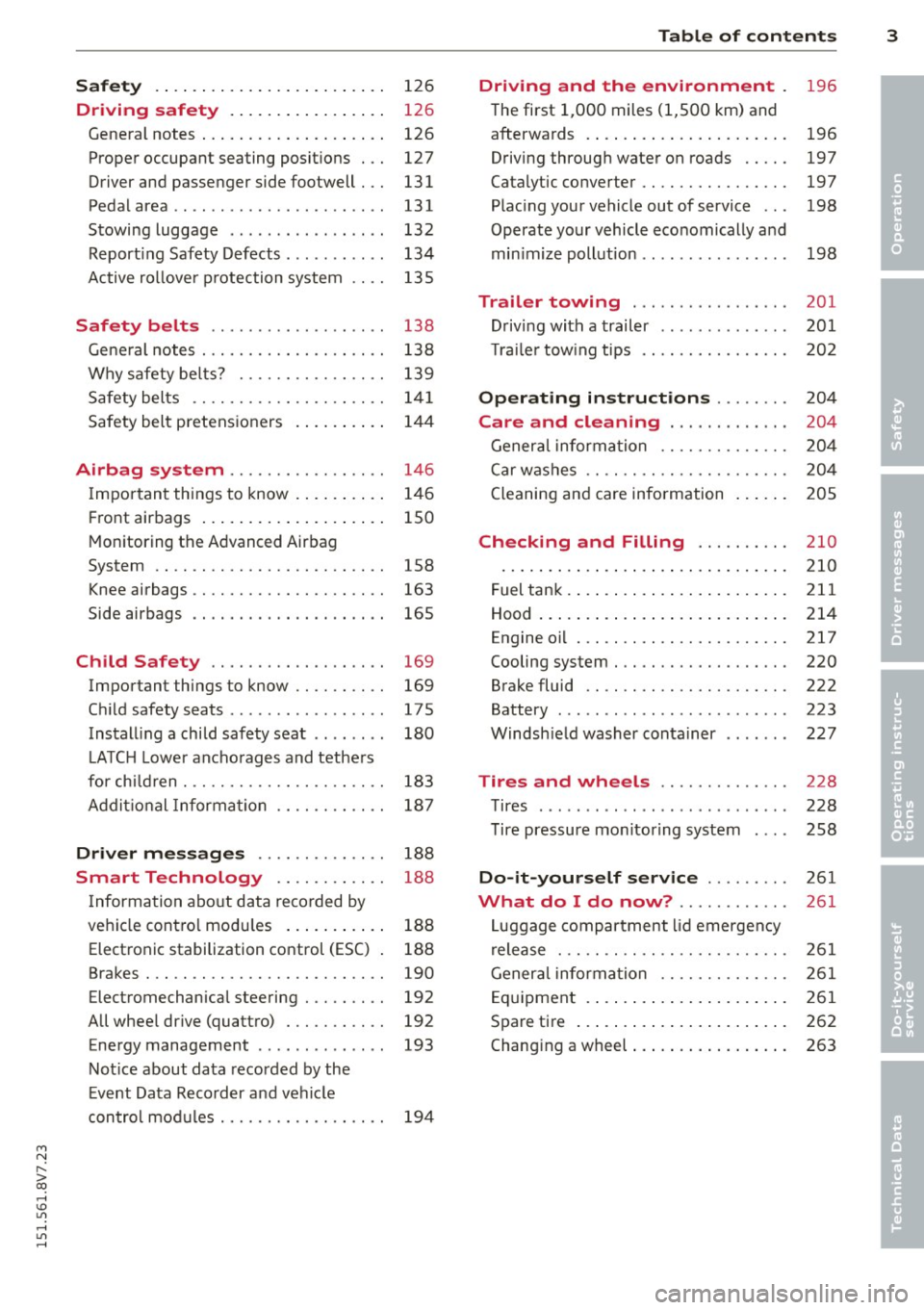
Safety . . . . . . . . . . . . . . . . . . . . . . . . . 126
Driving safety . . . . . . . . . . . . . . . . . 126
General notes . . . . . . . . . . . . . . . . . . . . 126
Proper occupant seating posit ions . . . 127
Driver and passenger side footwell . . . 131
Pedalarea .. .. .............. ... .. 131
Stowing luggage . . . . . . . . . . . . . . . . . 132
R eport ing Safety Defects . . . . . . . . . . . 134
Active ro llover p rotection system 135
Safety belt s . . . . . . . . . . . . . . . . . . . 138
Gene ral notes . . . . . . . . . . . . . . . . . . . . 138
Why safety be lts? . . . . . . . . . . . . . . . . 139
Safety belts . . . . . . . . . . . . . . . . . . . . . 1 41
Safety bel t pretens ioners . . . . . . . . . . 14 4
Airbag system ......... .. .. .. . .
Impor tant things to know . ... .. .. . .
Fr ont airbags .... ..... ... .. .. .. . .
Monitoring the Advanced Airbag
System .. .. ................. .. . .
Knee airbags .. ........... .. .. .. . .
Side airbags .. .. .. .... .... . .... . .
Ch ild Safety ............... .. . .
Important things to know .. .. .. .. . .
C hi ld safety seats ............ .... .
Install ing a chi ld safety seat .. .. ... .
L A TC H L ower ancho rag es and tethe rs
fo r ch ild ren . ............. .... .. . .
A ddit io nal Informa tion 146
1
46
150
158
163
165
169 169
175
180
183
187
Driver messages . . . . . . . . . . . . . . 188
Smart Technology . . . . . . . . . . . . 188
I nforma tion abo ut data reco rded by
ve hicl e cont ro l mod ules . . . . . . . . . . . 188
Elect ron ic stabilization control (ESC) 188
Brakes . . . . . . . . . . . . . . . . . . . . . . . . . . 190
Electromechanical steering . . . . . . . . . 192
All whee l drive (quatt ro) . . . . . . . . . . . 192
Energy management . . . . . . . . . . . . . . 193
Not ice about data recorded by the
E vent Data R eco rder and ve hicle
con tro l mod ules . . . . . . . . . . . . . . . . . . 194
Table of contents 3
Driving and the environment
196
T he first 1,000 miles (1 ,500 km) and
afterwa rds . . . . . . . . . . . . . . . . . . . . . . 196
Driving through wate r on roads . . . . . 197
Catalytic converter . . . . . . . . . . . . . . . . 197
Plac ing your vehicle out of service . . . 198
Operate your vehicle eco nomically and
min imize poll ution . . . . . . . . . . . . . . . . 198
Trailer towing . . . . . . . . . . . . . . . . . 201
D rivi ng with a trailer . . . . . . . . . . . . . . 201
T ra ile r tow ing t ips . . . . . . . . . . . . . . . . 202
Operating instructions . . . . . . . . 204
Care and cleaning . . . . . . . . . . . . . 204
Genera l infor mation . . . . . . . . . . . . . . 20 4
C ar w ashes .. .. .. .. . ............ .
Cleaning and care information
Checking and Filling ......... .
Fuel tank . ... .... .. . .. .. ..... ... .
Hood ... .. .. .. .... . ... ...... ... .
Engine oi l ... .. .. .... ........... .
Cooling system . .. .. ............. .
Brake fluid .. .. .. .... ........... .
Battery ......... .. ..... ........ .
Windsh ie ld washer container
Tires and wheels ............. .
Tires ... .. .. .. .... .. ........ ... . 2
0 4
20 5
210
210
2 11
214
217
220
222
223
22 7
228
228
T ire pressure mo nitoring system 258
Do-it-yourself service . . . . . . . . . 261
What do I do now? . . . . . . . . . . . . 261
L uggage compartment lid emergency
r elease . . . . . . . . . . . . . . . . . . . . . . . . . 261
Gener al infor mation . . . . . . . . . . . . . . 261
E q uipment . . . . . . . . . . . . . . . . . . . . . . 261
Spare tire . . . . . . . . . . . . . . . . . . . . . . . 262
Changi ng a wheel . . . . . . . . . . . . . . . . . 263
•
•
M a N ,....
> co ,...., \!) 1.1'1 ,...., 1.1'1 ,....,
Page 28 of 302
26 Driver information system
Driver information
system
Overview
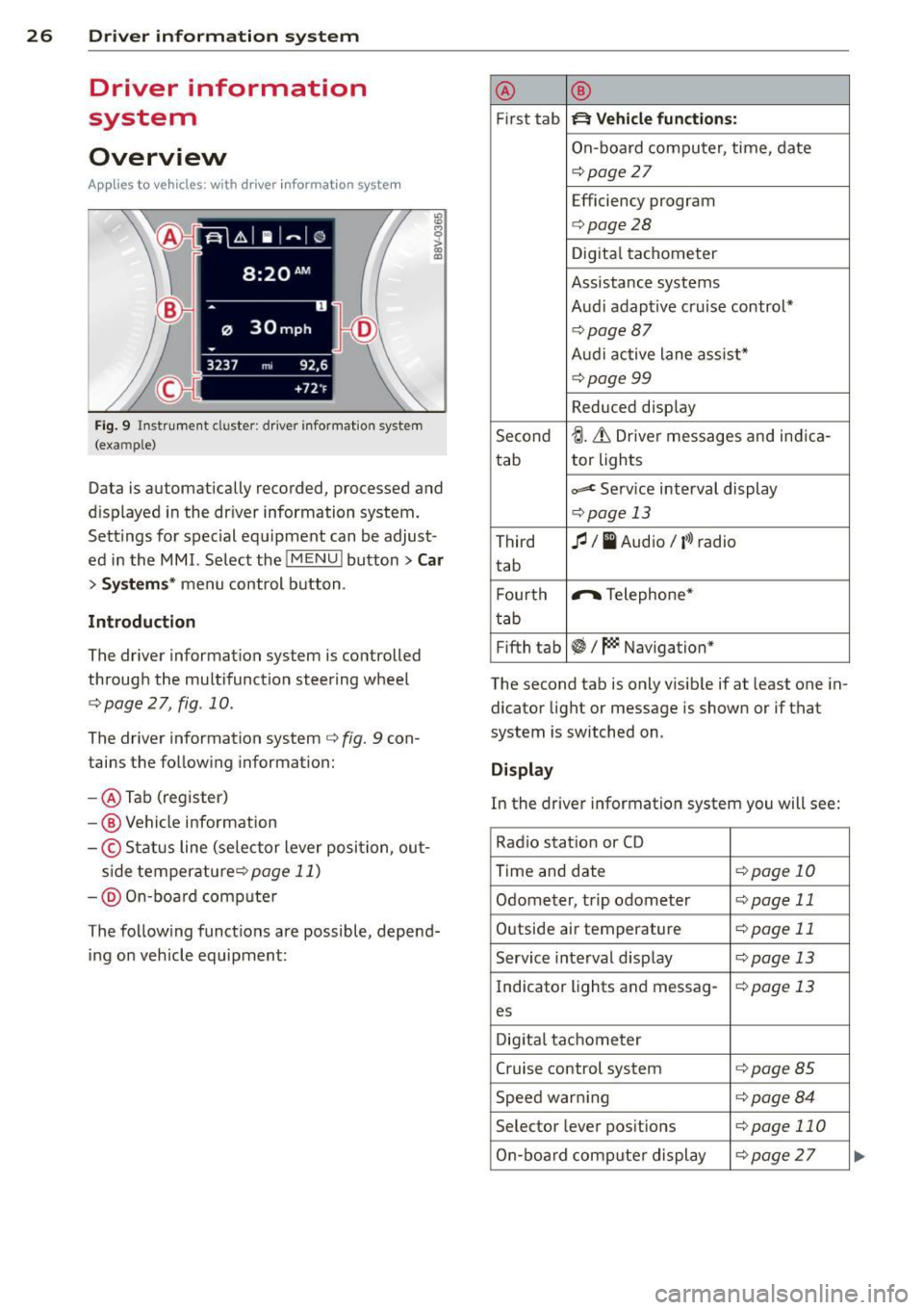
Ap plies to vehicles: with d river in format ion syste m
Fig. 9 Instrument cluster: driver informat ion system
(example)
Data is automatically recorded, processed and
d isplayed in the driver information system.
Sett ings for special equipment can be adjust
ed in the MMI. Select the
I MENU ! button> Car
> Systems* menu control button .
Introduction
The driver information system is controlled
through the multifunction steering wheel
c::;, page 2 7, fig. 10.
The driver information system c;, fig. 9 con
tains the following information:
- @ Tab (register)
-@ Vehicle information
-© Status line (se lector lever posi tion, out-
s ide temperaturec:=;,
page 11)
-@ On-board compute r
The following functions are possible, depend ing on vehicle equipment: @
®
First tab ~ Vehicle
functions:
On-board computer, time, date
c:=;,page 27
Efficiency program
c:=;,page28
Digital tachometer
Assistance systems
Audi adaptive cruise control*
¢page87
Audi active lane ass ist*
¢page99
Reduced display
Second
tJ. 6 Driver messages and ind ica-
tab tor lights
c,,..c Service interval display
c:=;,pag
e 13
Third fl I I Audio/ i»> radio
tab
F ourth .,..,.
Telephone*
tab
Fifth tab
~I~ Navigation*
The second tab is only visible if at least one in
dicator light or message is shown or if that
system is switched on .
Display
In the driver information system you will see:
Radio station or CD
Time and date
¢page 10
Odometer, trip odometer ¢page 11
Outside air temperature ¢page 11
Service interval display c::;, page 13
Indicator lights and messag-¢page 13
es
Digital tachometer
Cruise control system
c:=;,page 85
Speed warn ing c:=;,page 84
Selector lever positions c::;, page 110
On-board computer display c::;, page 27 ...
Page 29 of 302
....,
N
r--. > co
rl I.O
"' rl
"' rl
On-board computer display
The on-boa rd comp uter display monitors the
d iffe rent memory levels:
- Sho rt-term memory (on-board computer
1)
- Long-term memory (on-board computer 2)
-Eff iciency p rogram
The fo llowing information can be displayed in
on-boa rd compute r
1 and 2 one after the oth
er.
- Date
- Estimated range based on current fuel leve l
- T rave l time
- Average consumption
- Average speed
- Distance
- Current fuel consumption
On-board computer D (short -te rm
mem ory )
The sho rt-term memory co llects d riving infor
mation from the time the ignition is switched
on until it is switched off . If you continue driv
ing
w ith in two hours after switc hing the igni
tion off, the new values a re included when cal
culating the cu rrent trip information .
If stop
ped for more the two hours, the short term
memory is automatically erased once you be
g in d riving.
On-board computer fJ (long-term
memory )
Unlike the short-term memory , the long -term
memory is not erased automa tica lly. You can
selec t the time pe riod for evaluat ing t rip in
formation yo urself.
Efficiency program ii
The eff ic iency program can help you to use
l ess fuel ¢
page 28.
(D Tips
-The on-board computer is controlled by
the left but ton fields on the multifunc
tion steering wheel.
- For information on using the other but
ton fields, such as the aud io, telephone*
Dr iver in formation system 2 7
and navigation* f unct ions, see the M MI
owner's manual.
Operation
Applies to veh icles: w ith driver information system
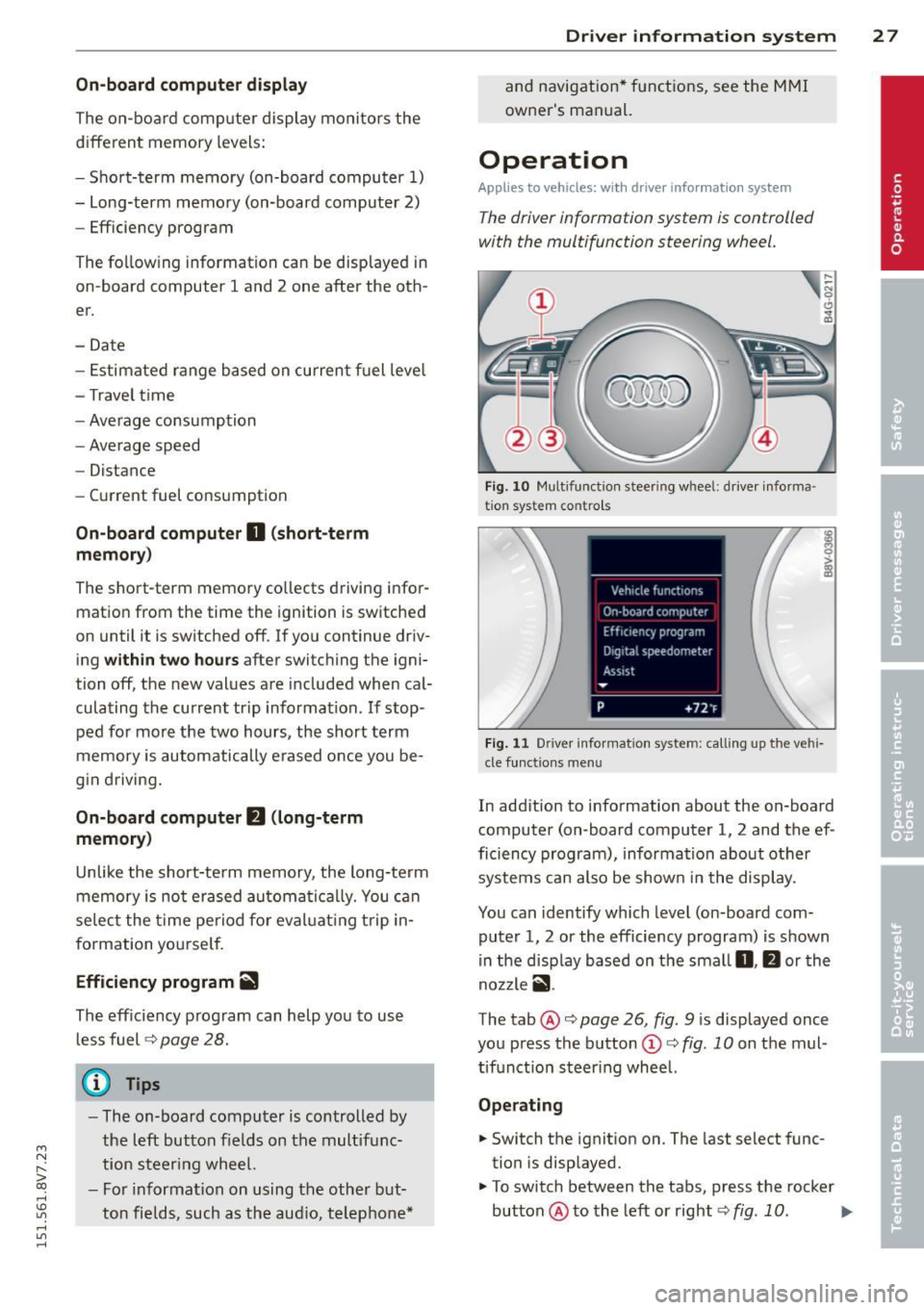
T he dr iver information system is controlled
with the multifunction steering wheel.
F ig . 1 0 Mu lt ifun ction s tee rin g w heel : d river i nforma
t ion s ystem c ontro ls
F ig . 1 1 Driv e r in forma tion syst em: calling up the vehi
cle funct io ns me nu
In add ition to information about the on-board
computer (on -board computer 1, 2 and the ef
ficiency program), informa tion about othe r
systems can also be show n in the display .
You can identify which level (on-board com
puter 1, 2 or the efficiency program) is shown
i n the d isp lay based on the sma ll
0, fJ or th e
no zzle
ii .
The tab@¢ page 26 , fig. 9 is displayed once
you press the b utton
(D ¢ fig. 10 on the mul
tif unctio n steer ing wheel.
Operating
.. Switch the ignit ion on. The last select func
tion is disp layed.
.,. To switch between the tabs, press the rocker
button @to the left or right¢
fig. 10. IJJJ,
Page 30 of 302
28 Driver information system
• To access additional in formation be low or
above, rotate the thumbwheel @dow n or
up .
• To confirm a se lection, press the thumb
whee l@ .
• To select a fu nction programmed to a steer
i ng w heel button, p ress the bu tto n@ . Fo r
additional information, see
9 page 28, As
signing a fun ction to the programmable
s teering wheel button
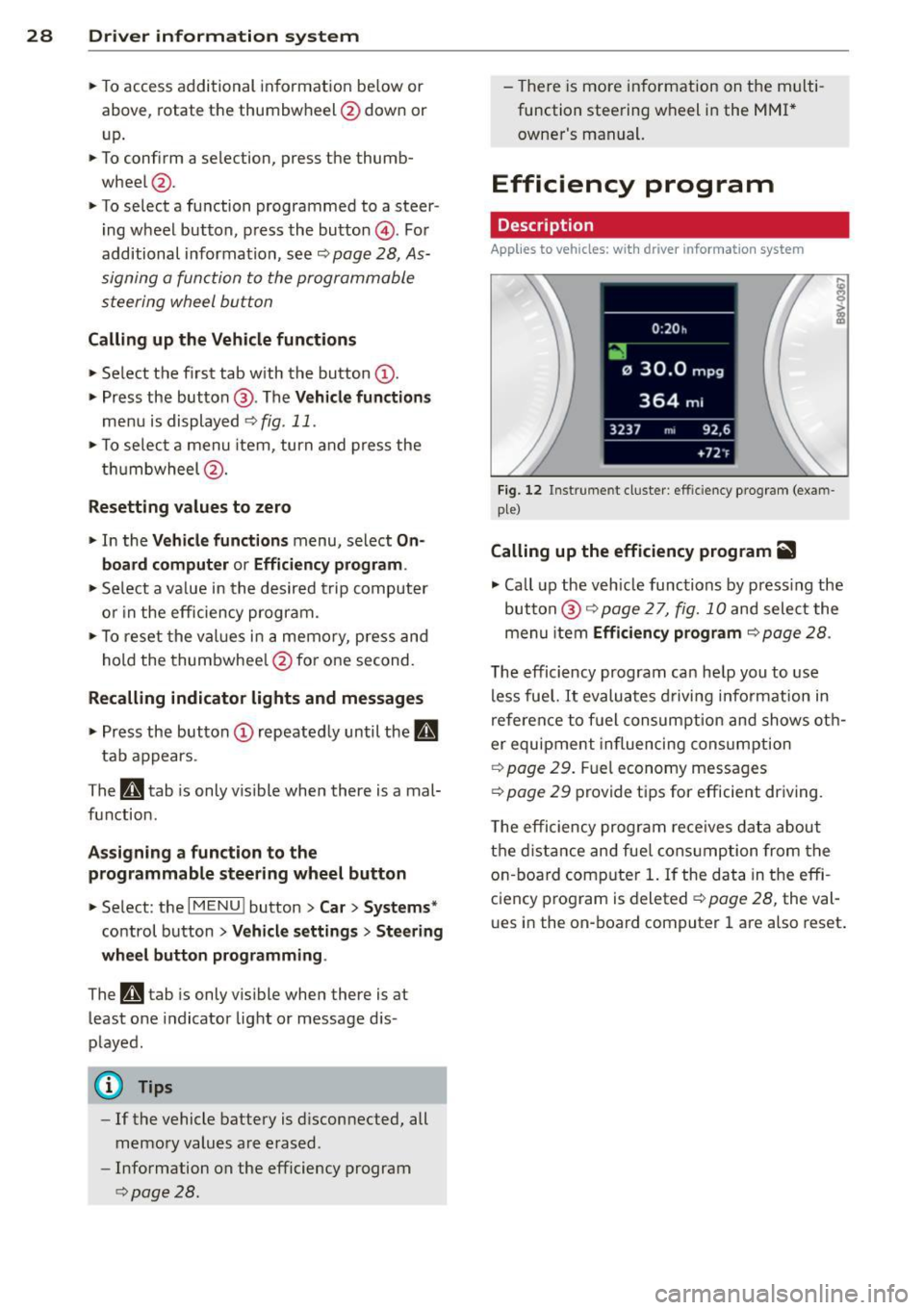
Calling up the Vehicle functions
> Se lect the first tab w ith the button @.
• Press the button @. The
Vehicle functions
me nu is displayed 9 fig . 11 .
• To se lec t a menu item, turn and p ress the
t hu mbwheel @.
Resetting values to zero
• In the Vehicle functions menu, se lect On
board computer or Efficiency program .
• Se lect a va lue in th e desired t rip computer
o r i n the efficiency program.
• To reset the va lues i n a memo ry, press and
ho ld the thumbwhee l@ for one second.
Recalling indicator lights and messages
.. Pr ess the button CD repeate dly until the a
tab appears .
The
U tab is only vis ible whe n there is a mal
f u nction.
Assigning a functi on to the
programmable steering wheel button
> Se lect: the I MENU ! button >Car > Systems*
co ntrol button > Vehicle settings > Ste ering
wheel button programming .
The U tab is only visible whe n there is at
least one i ndicator light or message d is
p layed .
@ Tips
-If the vehicle battery is d iscon nected, all
memo ry values are e rased .
- Informati on on the efficiency program
¢ page 28.
- There is more in formation on the m ulti
function stee ring w heel in the
M MI*
owne r's manual.
Efficiency program
Description
Applies to vehicles: with driver informat ion system
Fig . 12 Instrume nt cluste r: effi cie ncy progra m (exa m
p le)
Calling up the efficiency program ii
• Call up the veh icle func tions by press ing the
bu tton @
9 page 2 7, fig. 1 0 and select the
menu item
Efficiency program 9 page 28.
The effici ency program ca n he lp you to use
less fue l.
It evaluates d riving info rmation in
refe ren ce to f uel consum ption and shows ot h
er equipment in fluencing cons umption
9 page 2 9. Fuel economy messages
9 page 29 prov ide t ips for efficie nt dr iv ing .
T he efficiency progr am re ce ives da ta abou t
t h e di sta nce and fue l cons ump tion from the
on -board com puter
1. If the data in the effi
c iency p rog ram is deleted
¢ page 28, the va l
u es i n the on -board computer 1 are a lso reset .
Page 52 of 302
50 Lights an d Vi sion
Audi adapt ive light *
The adaptive light on ly functions when the
light switch is in the AU TO position. You can
deactivate adaptive light in the MMI
r::!.> poge
51 .
When switched on, adapt ive light adjusts to
curves depending on the vehicle speed and
steering wheel ang le . This provides better
lighting throug h the curve . The system oper
ates in a speed r ange from approximately
6 mph (10 km/h) to 68 mph (110 km/h).
Static co rnering light* (vehicles with adaptive
light) -the corn ering light switches on auto
matica lly when the steering wheel is turned at
a certa in angle at speeds up to approximately
44 mph (70 km/h) and when the turn signal is
activated at speeds up to approximately
25 mph (40 km/h). The area to the s ide of the
vehicle is il luminated better when turning .
Speed dependent light distr ibution* -The
speed dependent light distribution adapts the
light in towns and on highways or express
ways. Intersect ions can also be ill uminated on
ve hicl es w ith a navigation system *.
Highwa y light funct ion *
(Vehicles with adaptive light or L ED head
lights) -This function adapts the light ing for
h ighway driving based on vehicle speed .
_&. WARNING
-Automati c headlights* are only intended
to assist the dr iver . T hey do not re lieve
the drive r of responsibility to check the
head lights and to turn them on man ually
according to the current light and visibili
ty conditions. For examp le, fog cannot
be detected by the light sensors. So al
ways switch on the low beam under
these weather conditions and when driv ing in the dark
fD.
- Acc idents could occur if you cannot see
the road ahead of you well and if others
on the road cannot see you . A lways
swit ch you r headlights o n so that yo u can see the road ahead of you and others can
see your vehicle from beh
ind.
- Please observe legal regulations when
using the lighting systems described.
(D Note
The rear fog lights shou ld only be turned
on in accordance with t raffic regu lations,
to prevent glare for traffic behind your ve hicle.
(D Tips
- The light sensor for the automatic head
lights * is in the rea rview mir ror mount.
Therefore, do not place any stickers in
this area o n the windshield .
- Some functions of the exterior lighting
can be adjusted
c> page 51.
-If you tu rn off the ignition whi le the ex
terior lights are on and open the door,
you will hear a warning tone.
- The tail lights do not sw itch on when the
daytime r unning lights switch on.
- In cool or damp weather, the inside of
the headlights, turn signals and tail
lights can fog over due to the tempera
ture difference between the inside and
outside. They w ill clear shortly after
switching them on . This does not affect
the serv ice life of the lighting.
- A message w ill appea r in the i nstrument
cluster if there is a malfunction in the
light senso r
r::!.> page 24.
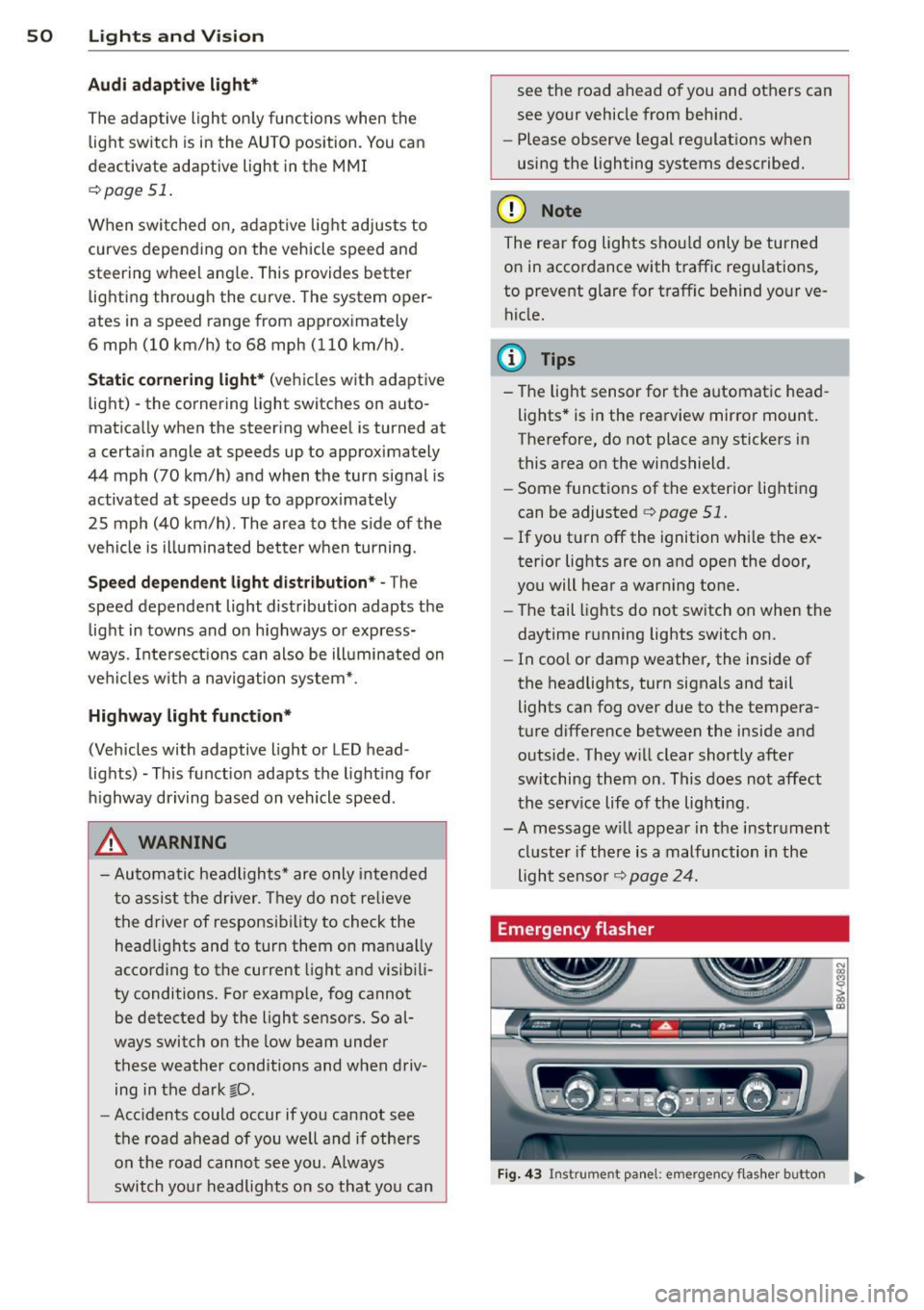
Emergency flasher
Fig . 4 3 Ins trume nt panel: e mergency f las her button
N
I
Page 61 of 302
M N ,....
> co ,...., \!) ..,.,
,...., ..,., ,....,
Seats and storage
General information
Important information
A WARNING
Refer to the chapter Driving Safely
¢ page 126, Driving safety for important
information, tips, suggestions and warn
ings that you should read and follow for
your own safety and the safety of your pas sengers.
The safety belts and the airbag system con
only provide maximum protection if the front
seats ore correctly adjusted.
There are various ways of adjusting the front
seats to provide safe and comfortable support
for the driver and the front passenger. Adjust
your seat properly so that :
- you can easily and quick ly reach all the
switches and controls in the instrument
panel
- your body is properly supported thus reduc
ing physical stress and fatigue
- the safety be lts and airbag system can offer
maximum protection
¢ page 146.
In the following sections, you will see exactly
how you can best adjust your seats .
There are special regulations and instructions
for installing a child seat on the front pas
senger's seat. Always follow the information
regarding chi ld safety provided in
¢ page 169, Child Safety.
A WARNING
Incorrect seating position of the driver and
all other passengers can result in serious
personal injury.
- Always keep your feet on the floor when
the vehicle is in motion -never put your
feet on top of the instrument panel, out
of the window or on top of the seat cush ion. This applies especially to the passen-
Seats and storage 59
gers. If your seating position is incorrect,
you increase the risk of injury in the case
of sudden braking or an accident. If the
airbag inflates and the seating position is incorrect, this could result in pe rsonal
injury or even death.
- It is important for both the driver and
front passenger to keep a distance of at
least 10 inches (25 cm) between them
selves and the steering wheel and/or in
strument panel. If you're sitting any
closer than this, the airbag system can
not protect you properly. In addition, the
front seats and head restraints must be
adjusted to your body height so that they
can give you maximum protect ion.
- Always try to keep as much distance as
possible between yourself and the steer
ing wheel or instrument panel.
- Do not adjust the driver's or front pas
senger's seat whi le the vehicle is moving.
Your seat may move unexpectedly, caus
ing sudden loss of veh icle control and
personal injury. If you adjust your seat
while the veh icle is moving, you are out
of posit ion.
Driver's seat
The correct seat position is important for safe
and relaxed driving .
We recommend that you adjust the dr iver's
seat in the follow ing manner:
"" Adjust the seat in fore and aft direction so
that you can easily push the pedals to the
floor wh ile keeping your knees slightly bent
¢ &, on page 59.
"" Adjust the backrest so that when you sit
w ith your back against the backrest, you can
still hold the top of the steering wheel.
""For adjustab le head restra ints: adjust the
head restraint so the uppe r edge is as even
as possible with the top of your head. If that
is not possible , try to adjust the head re
straint so that it is as close to this position ..,_
•
Page 78 of 302
76 Driving
Driving
Steering
Adjusting the steering wheel position
The steering wheel position is fully adjustable
up and down and forward and bock .
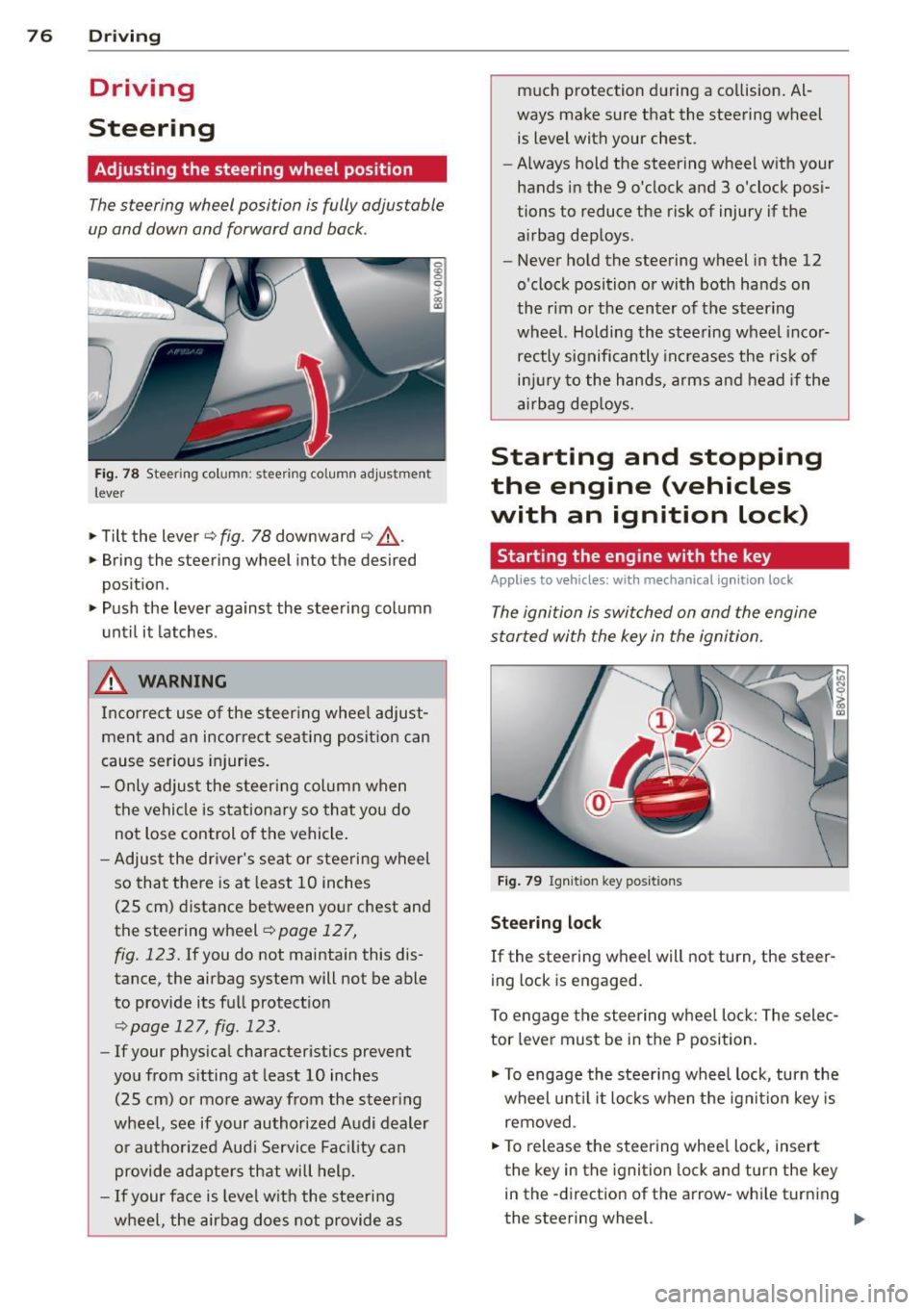
Fig. 78 Steering column: stee ring column adjustmen t
lever
.. Tilt the lever ¢ fig. 78 downward ¢ &_.
.. Bring the steering wheel into the desired
position .
.. Push the lever against the steering column
until it latches .
_& WARNING
Incorrect use of the steer ing whee l adjust
ment and an incorrect seating position can
cause serious injuries.
- Only adjust the steering column when
the vehicle is stationary so that you do
not Lose control of the vehicle.
- Adjust the driver's seat or steering wheel
so that there is at least 10 inches
(25 cm) distance between your chest and
the steering wheel
r=.> page 12 7,
fig. 123. If you do not maintain this dis
tance, the airbag system will not be able
to provide its full protection
<=> page 127, fig. 123.
- If your physical characteristics prevent
you from sitting at least 10 inches
(25 cm) or more away from the steering
wheel, see if your authorized Audi dealer or authorized Audi Service Fac ility can
provide adapters that will help.
- If your face is level with the steering
wheel, the airbag does not provide as much protection during a collision. Al
ways make sure that the steering wheel
is level with your chest .
- Always hold the steering wheel with your
hands in the 9 o'clock and 3 o'clock posi
tions to reduce the risk of injury if the
airbag deploys.
- Never hold the steering wheel in the 12
o'clock position or with both hands on
the rim or the center of the steering
wheel. Holding the steering wheel incor
rectly significantly increases the r isk of
injury to the hands, arms and head if the
airbag deploys.
Starting and stopping
the engine (vehicles
with an ignition lock)
Starting the engine with the key
Applies to vehicles: wit h mechanical ignition loc k
The ignition is switched on and the engine
started with the key in the ignition.
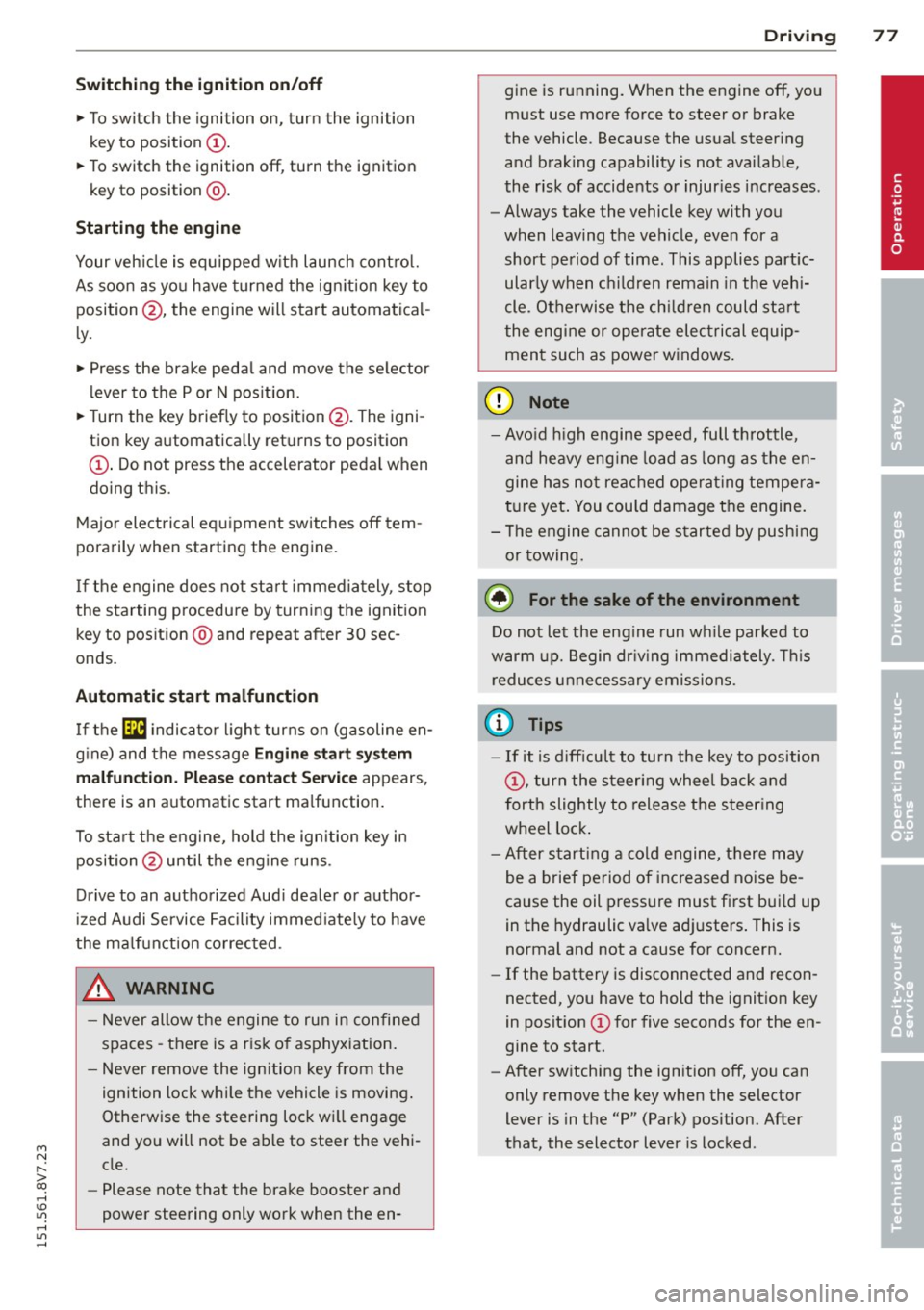
Fig. 79 Ignit ion key positions
Steering lock
If the steering wheel will not turn, the steer
ing lock is engaged.
To engage the steering wheel Lock: The selec
tor lever must be in the P position.
"' To engage the steering wheel lock, turn the
wheel until it locks when the ignition key is
removed .
"' To release the steering wheel Lock, insert
the key in the ignition lock and turn the key
in the -direction of the arrow-whi le turning
the steering wheel. ""
Page 79 of 302
M N ,....
> co ,...., \!) 1.1'1 ,...., 1.1'1 ,....,
Switchin g th e ig nition on /off
"'T o sw itch the ignition on, turn the ignition
key to position
(D .
"'To switch the ignition off, turn the ignition
key to position @.
Starting the engin e
Your vehicle is equipped w ith launch cont ro l.
As soon as you have turned the ign ition key to
position @, the engine will start automatical
l y.
"' Press the brake peda l and move the se lector
lever to the P or N pos it ion.
"'T urn the key briefly to position @. The igni
t ion key automatically r eturns to posit ion
(D . Do not press the accelerator pedal wh en
doing this .
Major electrical equipment switches off tem
porarily when starting the eng ine.
If the engine does not sta rt immedia tely , stop
the starting procedure by turning the ignition key to position @and repeat after 30 sec
onds .
Automatic start m alfunction
If the ~ indicator l ight turns on (gasoline en
g ine) and the message
Engin e start sys te m
m alfu nction. Ple ase contac t Se rvice
appears ,
there is an automatic start ma lfunction.
To start t he eng ine, hold the ignition key in
position @until the engine runs .
Drive to an authorized Aud i dealer or author
ized Audi Service Facility immed iate ly to have
the ma lfunction corrected .
_& WARNING
-Never allow the engine to run in confined
spaces -there is a risk o f asphyxiation.
- Never remove the ign ition key from the
ignition lock whi le the vehicle is moving .
Otherw ise the steering lock wi ll engage
and you will not be able to steer the vehi
cle.
- Please note that the brake booster and
power steering only work when the en-
Dri vin g 77
gine is running. When the engine off, you
must use more force to steer or brake
the vehicle. Because the usual steering
and brak ing capability is not avai lab le,
the risk of accidents or injur ies increases.
- Always take the vehicle key with you
when leaving the vehicle, even for a
short period of time. This applies part ic
ularly when children remain in the veh i
cle. Otherwise the ch ild ren could start
the engine or operate electrical equip
men t such as power w indows.
(D Note
- Avo id h igh engine speed, full throttle,
and heavy eng ine load as long as the en
gine has no t reached operat ing tempera
t u re yet . You could damage the engine.
- T he engine cannot be started by pushi ng
or towing.
(® For the sake of the environment
Do not let the eng ine run w hile pa rked to
warm u p. Begin driv ing immediately . T his
r educes unne cessary emissions.
(D Tips
- If it is d iff icult to turn the key to position
(D , turn the steering wheel back and
forth slightly to release the s teer ing
wheel lock .
- After s tarting a cold engine, there may
be a brief period of inc reased no ise be
cause the oil press ure must first bui ld up
in the hydraulic va lve adj usters . This is
normal and not a cause for concern.
- If the battery is disconnected and recon
nected, you have to hold the ignition key
in posit ion
(D for five seconds for the en
gine to start.
- After sw itching the ignition off, you can
only remove the key when the selector
lever is in the "P" (Park) position. After
that, the selector lever is locked.
•
Page 80 of 302
78 Driving
Stopping the engine with the key
A pplies to vehicles: with mechanical ignit ion lock
Stopp ing the engine
> Bring the vehicle to a ful l stop .
> Turn the key to position @.
Rele asing the steering lock
Requirement : The selector lever must be in
the P pos ition .
> Remove the ignit ion key in position @
Q page 78, fig. 80 Q _&.
> Turn the steering wheel until you hear the
stee ring wheel lock.
The locked steering helps prevent vehicle
theft.
A WARNING
- Never turn off the eng ine before the ve
hicle has come to a complete stop . The
full function of the brake booster and the powe r steering is not guaranteed. You
must use more fo rce to turn or brake, if
necessary. Because you cannot steer and
brake as you usually would, this could
lead to acc idents and se rious injuries.
- Never remove the ign ition key from the
ign ition lock whi le the vehicle is movi ng .
Otherwise, the steering lock co uld sud
denly engage and you would not be able
to steer the vehicle.
- Please note that the brake booster and
power steering only work when the en
gine is runn ing. When the engine off, you
must use more force to steer or brake
the vehicle. Because t he usual steering
and braking capability is not available,
the risk of accidents or injuries increases .
- Always take the vehicle key with you
when leaving the veh icle, even for a
short per iod of time. This applies partic
ularly when chi ldren remain in the vehi
cle. Otherwise the children could start
the engine or operate electrical equip
ment such as power windows .
- For safety reasons, always park the vehi
cle with the selector lever in the P posi- tion. Otherwise, there is the risk t
hat the
veh icle could roll.
- After the engine has been switched off,
the radiator fan can continue to run for
up to 10 minutes -even with the ignition
sw itched off. It can also sw itch on again
after some t ime if the coolant tempera
ture rises as a resu lt of heat buildup or if
the engine compartment is heated by
sunlight and the engine is hot.
(D Note
- If the engine has been under heavy load
for an extended per iod of t i me, heat
builds up in the engine compartment af
ter the engine is switched off - there is a
r isk of damaging the engine . For this
reason, let the engine r un for at id le for
approximately two minutes before shut
ting it off .
Starting and stopping
the engine (vehicles
with a convenience key)
St t· th · ith the
button
Appl ies to vehicles: wit h co nvenience key
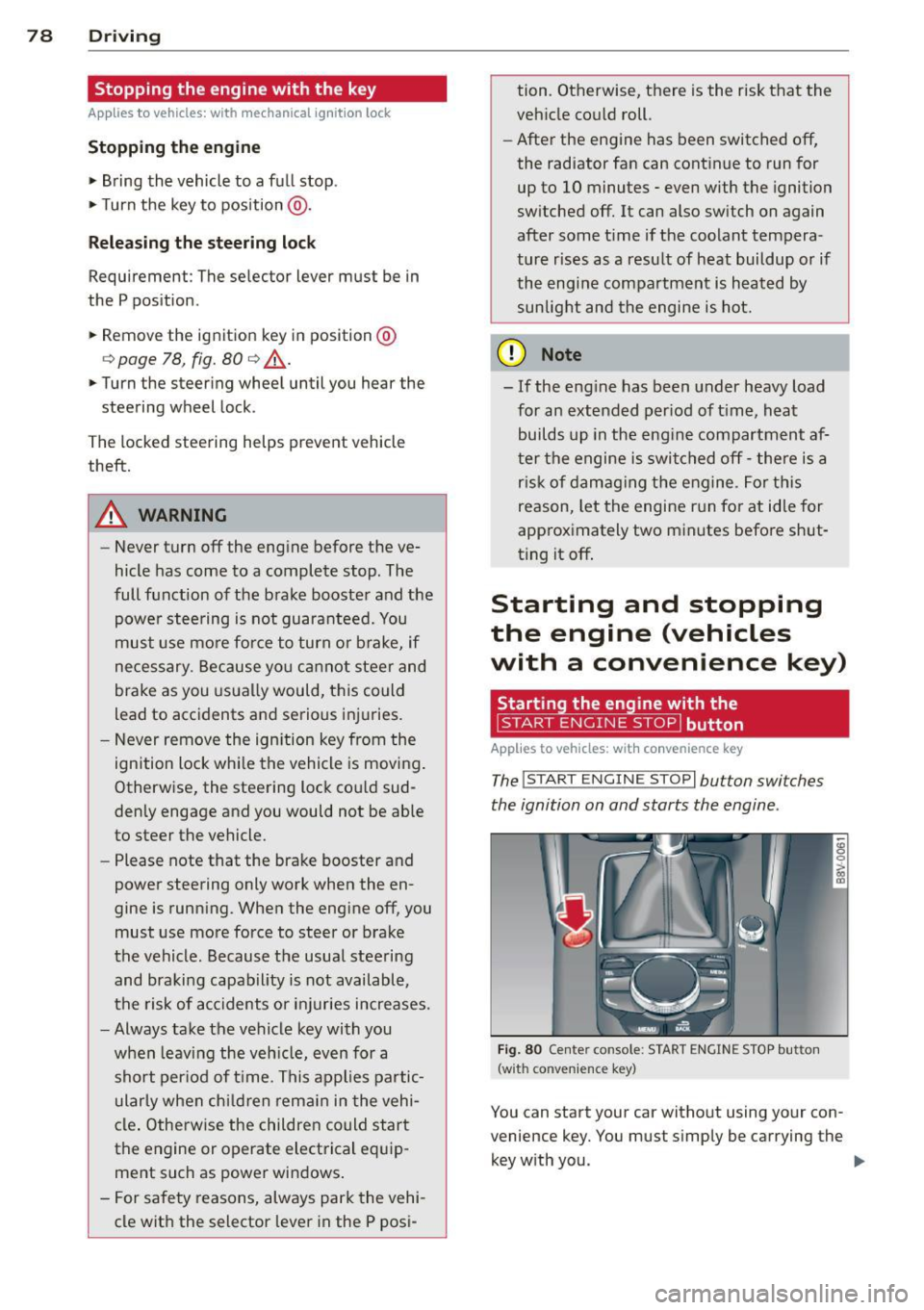
The !START E NGIN E STOPI button switches
the ignition on and starts the engine .
Fig. 80 Center conso le: STAR T ENGIN E STOP bu tton
(w ith co nvenie nce key)
You can start your car without using your con
venience key. You must s imply be carrying the
key with you. .,._
Page 81 of 302
M N ,....
> co ,...., \!) 1.1'1 ,...., 1.1'1 ,....,
Switchin g th e ig nition on /off
If the> ,:r- u indicator l ight blinks and the mes
sage
Ple ase move s teering wheel appea rs
when switching the ignition on, the steering is locked by th e steering lock. In this case, turn
the steering wheel slight ly to the left/ right.
.. To switch the ignition on or
off, press the
I S TAR T ENG INE S T OPI button. Do not press
the brake pedal whil e doing this .
Starting the engin e
Your vehicle is equipped with launch cont ro l.
The engine starts automa tically when you
press the
I S T AR T ENG INE S T OP I button brief
l y.
.. Press the brake peda l and move the se lector
lever to the P or N pos ition .
.. Press the
I STAR T ENGINE STOP I button
briefly . The eng ine will star t.
Majo r electrical equ ipment switches
off tem
porarily when starting the eng ine .
I f the engine does not start immediately , stop
the starting procedu re by push ing the
I S TAR T ENGINE ST OP ! button again and re
peat after 30 seconds .
Automatic start m alfunction
If the Ila indicator l ight turns on (gasoline en
g ine) when you start the engine, there is an
automatic sta rt malfunction .
To start the eng ine, press and hold the
!STAR T ENGIN E STOP ! button until the eng ine
runs.
Drive to an authorized Aud i dealer or author
i z ed Audi Service Fac ility immed iately to have
the malfunction corrected .
A WARNING
-Never allow the engine to ru n in confined
spaces -there is a r isk of asphyxiation.
- Always take the veh icle key with you
when leaving the vehicle, even for a
short per iod of t ime . This applies partic
ularly when chi ldren remain in the vehi
cle . Otherwise the children could start
Dri vin g 79
the engine or operate electrical equip
ment such as power w indows.
- Please note that the brake booster and
power steering only work when the en
gine is running. When the engine
off, you
must use more force to steer or brake
the vehicle . Because the usual steer ing
and brak ing capability is not avai lable,
the risk of accidents or injur ies increases .
(D Note
-Avo id h igh engine speed, full throttle,
and heavy eng ine load as long as the en
gine has not reached operat ing tempera
ture yet. You could damage the engine .
- The engine cannot be started by pushing
or towing .
@ For the sake of the environment
Do not let the eng ine run wh ile parked to
warm up . Begin dr iv ing immediately . Th is
reduces unnecessary emissions .
(D Tips
-After starting a cold engine, there may
be a brief period of increased no ise be
cause the oil press ure must f irst bu ild up
in the hydraulic va lve ad justers. This is
normal and not a cause for concern.
- If the . indicator light blinks in the in
st rument cluste r before switching the ig
nition
off, the ignit ion wi ll not switch on
again .
qpoge 192
- If you leave your vehi cle wit h the ignition
switched on, the ign it ion w ill switch
off
after a certain amount of time . Make
sure that electrical equipment such as
the exterior lights are switched
off .
T · th · ff using the
button
App lies to vehicles: wit h convenience key
.. Bring the veh icle to a full stop .
.. Move the se lector lever into the P posit ion .
.. Press the
I STA RT E NGINE ST OP ! button
q page 78, fig. 80. ..,.
•