lights AUDI A3 CABRIOLET 2016 User Guide
[x] Cancel search | Manufacturer: AUDI, Model Year: 2016, Model line: A3 CABRIOLET, Model: AUDI A3 CABRIOLET 2016Pages: 272, PDF Size: 67.88 MB
Page 22 of 272
<( co .... N ,.__
N .... 0 ,.__
> co
A WARNING 1=
- Light bu lbs are under pressu re and can ex-
plode when bulbs are replaced, which in
c reases the risk of injury.
- With gas-disc harge lamps" (xe no n head
lights), the hig h-voltage component mus t
be hand led ap propr iately. Otherw ise, t her e
is a r is k of fatal in jury.
-
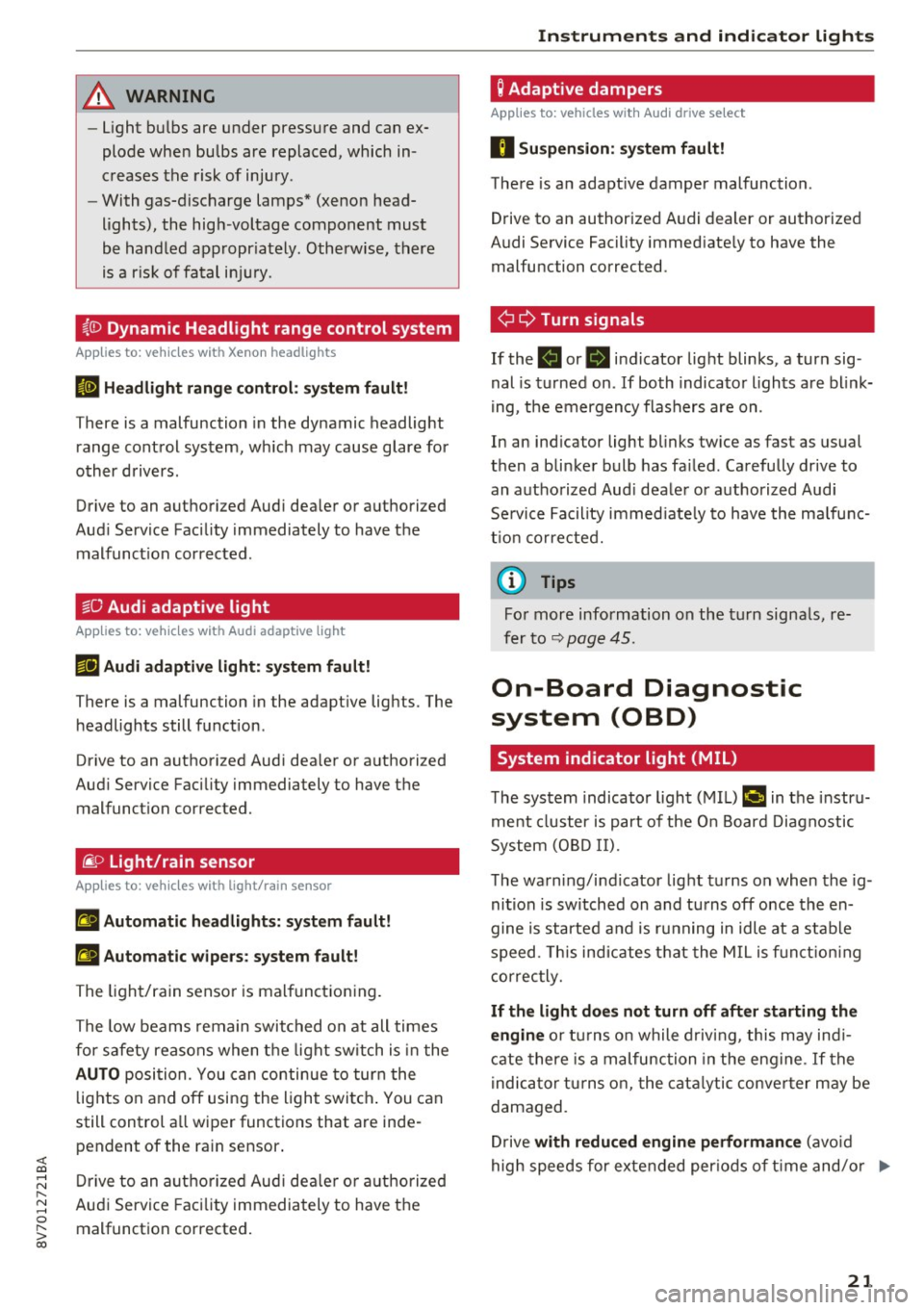
~(i) Dynamic Headlight range control system
App lies to: vehicles with Xenon headlights
El Headlight range control : sy stem fault!
There is a malfunction in the dy namic headlight
range cont rol sys tem, w hich may cause glare for
o ther driv ers .
Drive to an authorized Aud i dea ler or a uthorized
Aud i Service Fac ility immediately to have t he
mal funct ion corrected .
~O Audi adaptive light
Applies to: vehicles with Audi adaptive light
m;J Audi adaptive light: system fault!
There is a malfunction in the adapt ive lights. The
h eadlights still f unction .
Drive to an autho rized Aud i dea le r or a uthorized
Aud i Service Faci lity immediately to have the
malfunct ion corrected.
~ D Light/rain sensor
App lies to: vehicles with light/rain sensor
II Automatic headlights: system fault!
El Automatic wipers: system fault!
The ligh t/ra in senso r is ma lfunct io ni ng.
The low beams remain swi tched on at all times
fo r safety reasons when t he lig ht switch i s in the
AUTO posi tion. You can con tinue to tur n t he
lights on and
off usi ng the light swi tch . You can
still control a ll wiper functions that are inde
pendent of the ra in sensor .
Dr ive to an a utho riz e d Aud i de aler o r au thor ized
Aud i Service Faci lity immediately to have t he
malfunct ion corrected.
Instruments and ind icator lights
Q Adaptive dampers
Applies to: vehicles with Audi drive se lect
II Su spension : system fault!
The re is an adapt ive damper malfunction .
Drive to an authorized A udi dealer or authorized
A udi Se rvice Facility immed iate ly to have the
malfunction corrected.
¢i ¢ Turn signals
If the . or. in dicator light blinks, a tur n sig
nal is tu rned on .
If both indicato r ligh ts a re blink
i ng, t he e mergency flas hers are on .
In an ind icator light blinks tw ice as fast as usual
t h en a bli nke r bulb has fa iled. Carefu lly drive to
an a uth o rize d Aud i deale r or a uth ori zed Aud i
Se rvice Facility i mmed iate ly to have the ma lfu nc
t ion co rre cte d.
(D Tips
Fo r mor e information o n the turn signa ls, re
fer to
q page 4 5 .
On-Board Diagnostic
system (OBD)
System indicator light (MIL)
The system indicato r ligh t (M IL) ¢4 in t he instru
me nt cl uster is part of the O n Boar d D iagnostic
System (O BD II).
T he warn ing/i nd icator lig ht tu rns on when the ig
ni tion is sw itched on and tu rns
off once the en
gine is started a nd is r unning in idle at a s tab le
s p eed. This in dica tes t hat the MIL is f un ct io ning
correc tly.
If the light does not turn off after starting the
engine
o r tur ns o n while d riv in g, this may ind i
ca te there is a m alfunction in the en gine . If the
i ndica tor t urns o n, the cat alytic conve rter m ay be
damaged.
Dr ive
with reduced engine performance (avo id
hig h speeds for exte nded per io d s of t ime and/o r .,.
21
Page 23 of 272
Instruments and indicator lights
fast acceleration) and have the malfunction cor
rected . See an authorized Audi dealer or
author ized Audi Service Facility .
The indica tor may turn on if the electronic speed
limiter is fau lty. For additional information, refer
to
¢ page 88, Electronic speed limiter .
The MIL may also turn on if the fuel filler cap is
not closed correctly
¢ page 186.
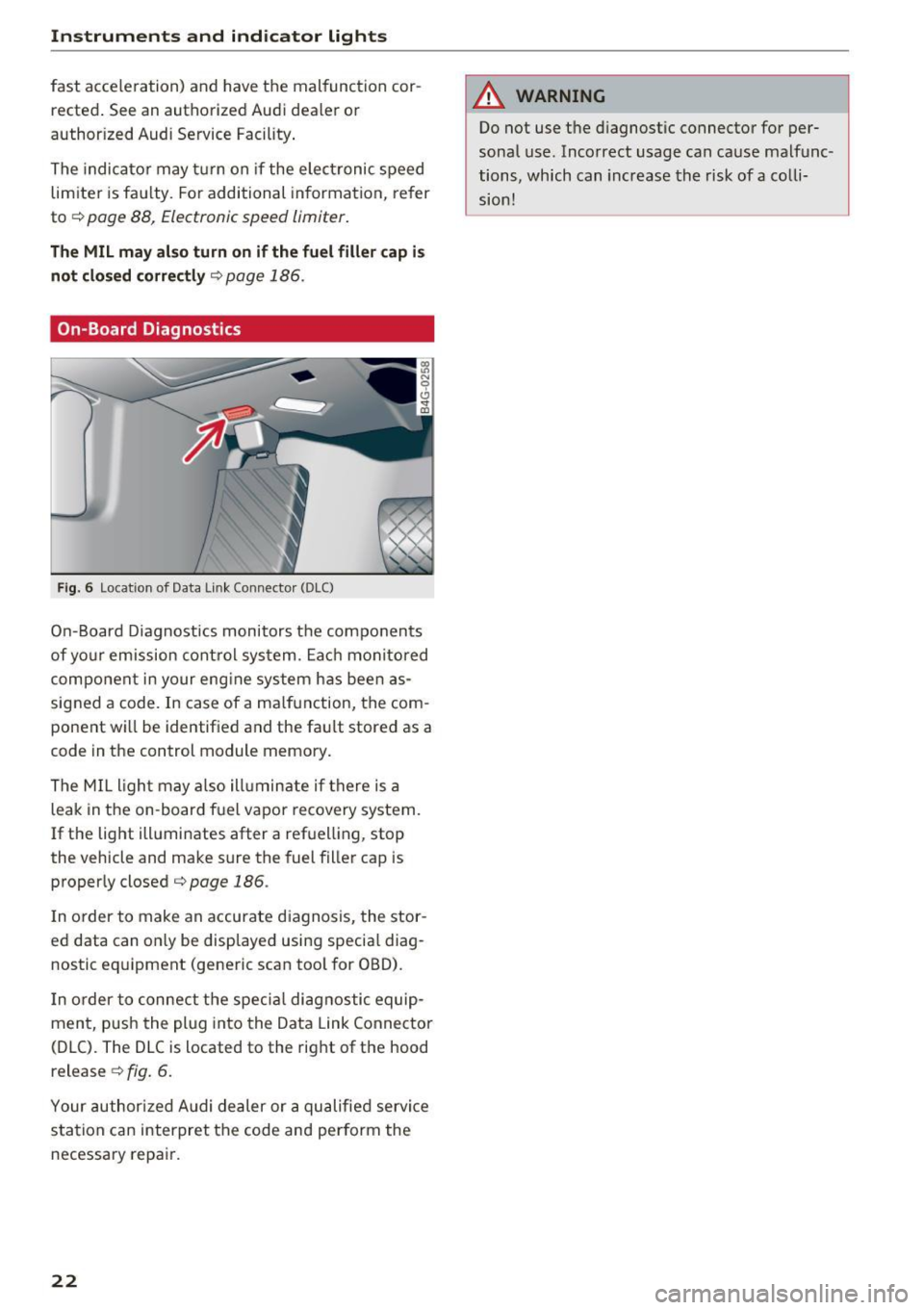
On-Board Diagnostics
F ig. 6 Location of Data Link Connecto r (DLC)
On-Board Diagnostics monitors the components
of yo ur emission control system. Each monitored
component in your eng ine system has been as
signed a code. In case of a ma lfunction, the com
ponent wi ll be identified and the fault stored as a
code in the control module memory.
The MIL light may also ill uminate if there is a
leak in the on -board fuel vapor recovery system.
If the light illuminates after a refuelling, stop
the vehicle and make sure the fuel filler cap is
properly closed¢
page 186.
In order to make an accurate diagnosis, the stor
ed data can on ly be displayed using specia l diag
nostic eq uipment (generic scan tool for OBD).
I n order to connect the specia l diagnostic equip
ment, push the plug into the Data Link Connector
(DLC). The DLC is located to the right of the hood
release ¢
fig. 6.
Your authorized Audi dealer or a qualified servi ce
station can interpret the code and perform the
necessary repair.
22
A WARNING
Do not use t he diagnostic connector for per
sonal use. Incorrect usage can cause malfunc
tions, which can increase the risk
of a colli
sion!
Page 24 of 272
<( co ..... N
" N ..... 0 r--. > 00
Driver information
system
Overview
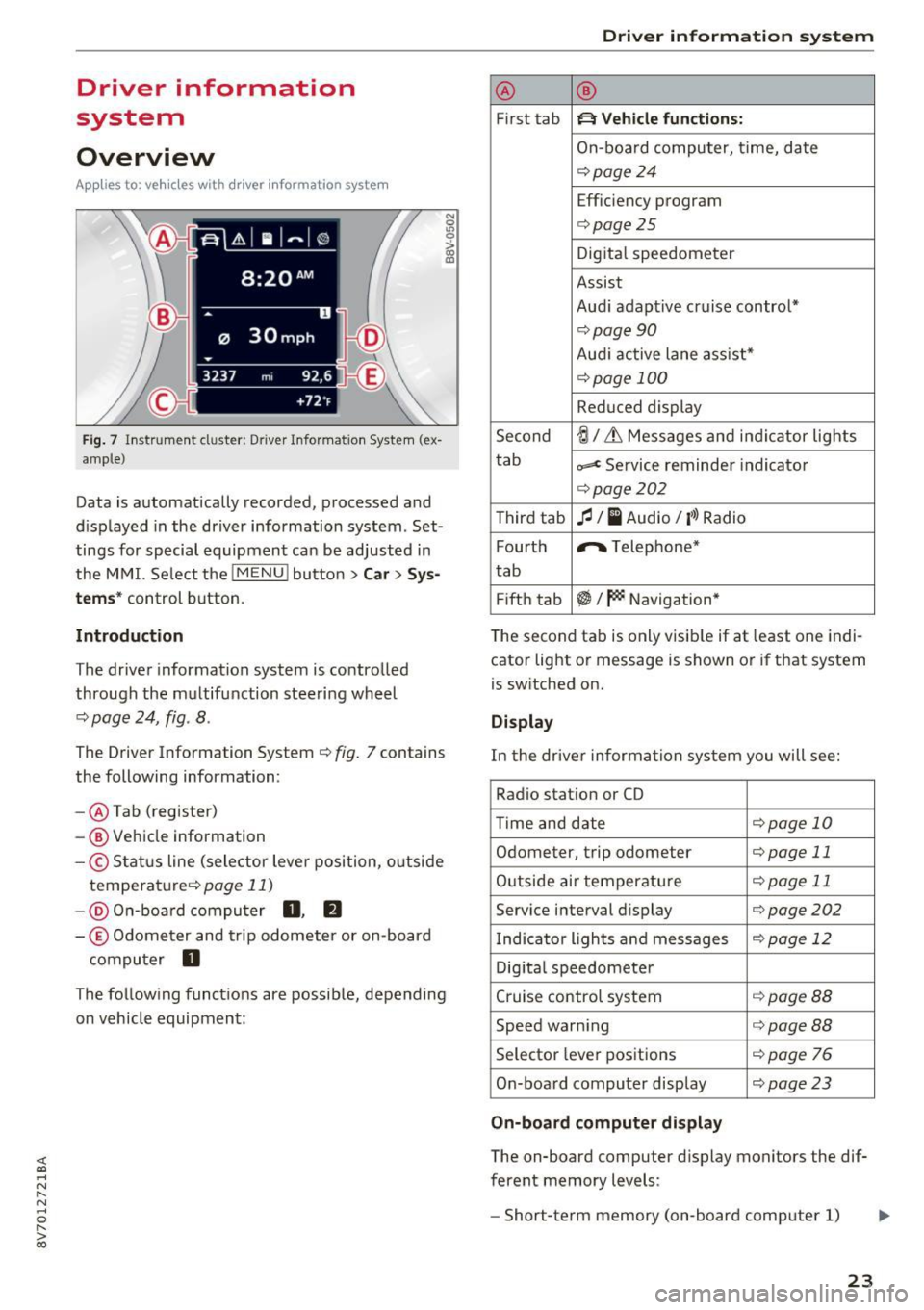
Applies to: ve hicles with driver information system
Fig. 7 Instrument cluster : Driver Information System (ex
ample)
Data is automatically recorded, processed and
displayed in the driver information system . Set·
tings for special equipment can be adjusted in
the MMI. Select the
I MENU I button >Car > Sys
tems*
control button.
Introduction
The driver information system is controlled
through the multifunction steering wheel
¢ page 24, fig . 8 .
The Driver Information System ¢ fig. 7 contains
the following information:
- @ Tab (register)
- @ Vehicle information
-© Status line (selector lever position, outside
temperat ure¢ page
11)
-@ On-board computer D , fJ
-© Odometer and trip odometer or on-board
computer
D
The following functions are possible, depending
on vehicle equipment:
Driver in forma tion system
@ ®
First tab ~ Vehicle functions:
On-boa rd computer, time, date
¢page24
Efficiency program
¢page25
Digital speedometer
Assist
Aud i adaptive cruise control*
¢page 90
Audi active lane ass ist*
¢ page 100
Reduced display
Second
ti/ & Messages and indicator lights
tab
c,,,d Service reminder indicator
¢ page202
Third tab fl I I Audio/ I'>) Radio
Fourth ,.,.
Telephone*
tab
Fifth tab
$I~ Navigation*
The second tab is only visible if at least one indi
cator light or message is shown or if that system
is switched on.
Display
In the driver information system you will see:
Radio station or CD
Time and date
¢page 10
Odometer, trip odomete r ¢page 11
Outside air temperature ¢page 11
Service interval display ¢page202
Indicator lights and messages ¢ page 12
Digital speedometer
Cruise control system
¢page BB
Speed warning <=:>page BB
Selector lever positions ¢ page 76
On-board computer display ¢page 23
On-board computer display
The on-board computer display monitors the dif
ferent memory levels :
- Short-term memory (on-board computer 1)
23
Page 26 of 272
<( co ..... N
" N ..... 0 r--. > 00
"'To conf irm a sele ction, press the th umbwhee l
@.
"'To select a f unction programmed to a steering
whee l button , press the button @. For addi
tiona l information, see¢
page 25, Assigning
a function to a programmable steering wheel
button
Opening the Vehicle functions
"' Se lect the f irst tab with the button(!).
"' Press the button @. The
Veh icle functions
menu is displayed¢ fig. 9.
"' To select a menu item , turn and press the
t hu mbwheel @.
Resetting values to zero
"'In the Vehicle functions menu, se lect On
board computer or Efficiency program .
"'Select a value in the desired tr ip computer or in
t h e efficiency program .
"'T o reset the va lues in a memory, p ress and ho ld
t h e thu mbw heel @for one secon d.
Recalling indicator lights and messages
"'Press the button CD repeatedly unt il the a tab
appears.
The
a tab is only vis ible when there is a mal
function.
Assigning a function to a programmable s teering wheel button
"' Se lect: the IMENU j button> Car> Systems *
control button > Vehicle settings > Steering
wheel button p rogramming .
The a tab is only visi ble when there is at least
one ind icator light or message displayed .
Driver informa tion system
Efficiency program
Description
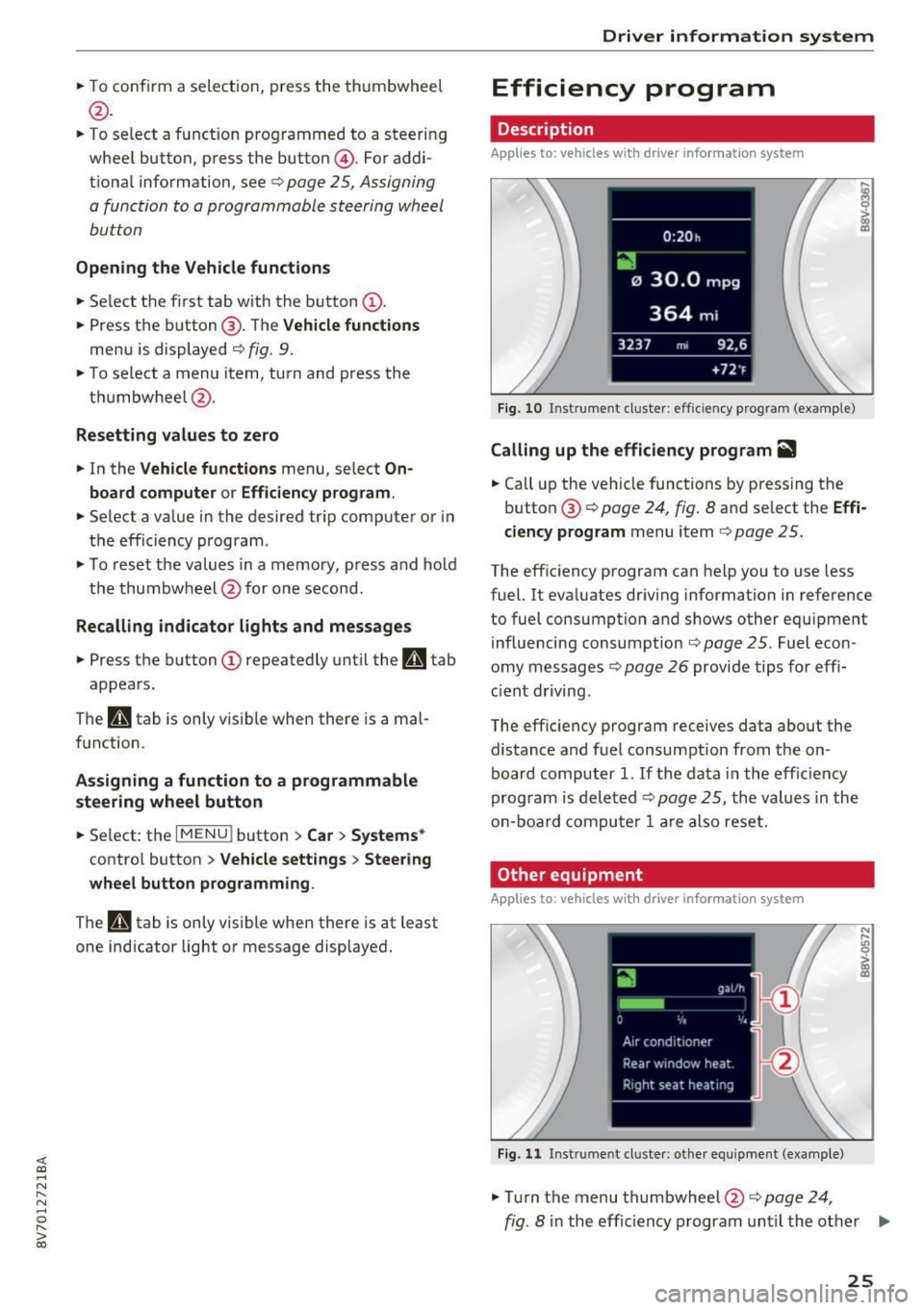
Applies to: vehicles with driver information system
Fig. 10 Inst rume nt cl uste r: eff icie ncy progra m (exa mple)
Calling up the efficiency program ii1
"'Call up the veh icle functions by pressing the
button @¢
page 24, fig . 8 and se lect the Effi
ciency program
menu i tem ¢ page 25.
The eff ic iency program can he lp you to use less
fuel. It eva luates dr iving information in reference
to fuel consumption and shows other equ ipme nt
i nfluencing consumption ¢
page 25. Fuel econ
omy messages ¢
page 26 provide tips for effi
ci ent driving .
The eff ic iency p rogram receives data about the
distance a nd fuel consumpt ion from the on
board computer
1. If t he data i n the eff iciency
program is deleted¢
pag e 25 , the values in the
o n-b oar d co mpu ter 1 ar e als o re se t.
Other equipment
Applies to: vehicles with driver information system
Fig. 11 Inst rume nt cl uste r: other e quipment (exa mple)
"' Tur n the menu th umbwheel @c::> page 24,
N ,..
! m
fig. 8 in the effic iency program unti l the other .,.
25
Page 44 of 272
Lights and Vision
Exterior Lighting
Switching lights on and off
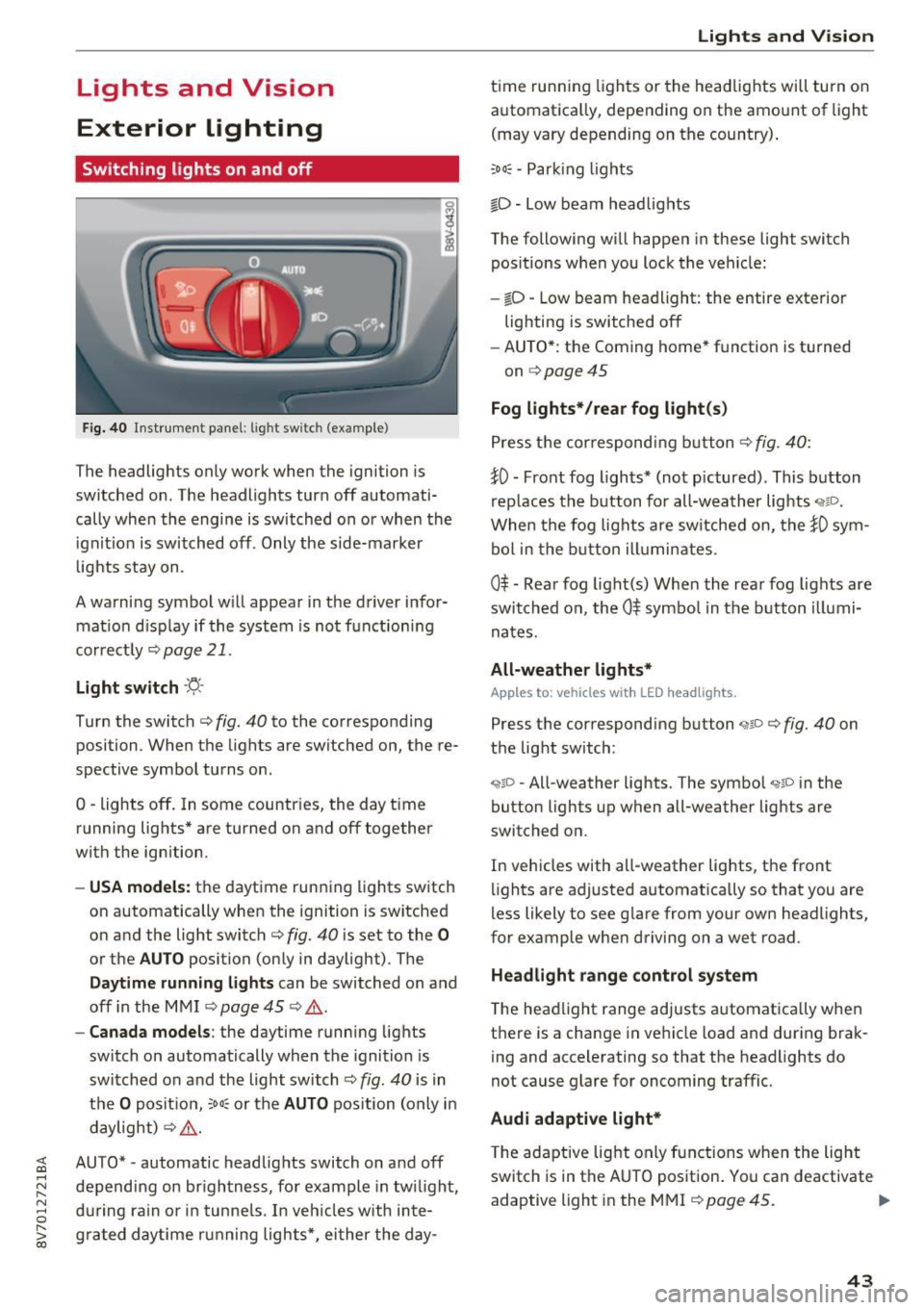
Fig. 40 Instrument panel: l ig ht switc h (example)
The headlights only work when the ignition is
switched on . The headlights turn
off automati
cally when the engine is switched on or when the
i gn it ion is switched off . Only the side-marker
l ights stay on.
A warning symbol will appear in the driver infor mat io n disp lay if the system is not f unction ing
correctly
¢ page 21.
Light s witch ·'ti- ·
Turn the switch c:> fig. 40 to the corresponding
position . When the lights are switched on, the re·
spective symbol turns on .
0 -lights off . In some countries, the day time
running lights* are turned on and
off together
with the ign ition.
- USA model s: the daytime running lights switch
on automatically when the ignition is switched
on and the light switch <=>
fig. 40 is set to the 0
or the AUTO position (only in daylight) . The
Daytim e runn ing ligh ts can be switched on and
off in the MMI ¢ page 45 ¢ .&. .
-Canada model s: the daytime running lights
switch on automatically when the ignition is
switched on and the light switch ¢
fig. 40 is in
the
O posit ion, :oo: or the AUTO position (on ly in
daylight)
c:> ,&. .
;;§ AUTO* -automatic headlig hts switch on and off .....
~ depending on brightness, for example in tw ilight ,
8 during ra in or in tunne ls. In veh icles with inte-
S; g rated day time running lights*, ei ther the day-co
Lights and V ision
t ime running lights or the headlights will turn on
automatica lly, depending on the amo unt of light
(may vary depending on the country) .
:oo: -Par king ligh ts
io -Low beam headlights
The following will happen in these light switch pos itions w hen you lock the vehicle:
- iD -Low beam headlight: the entire exterior
lighting is switched
off
- AU TO *: the Coming home* function is turned
on
¢ page 45
Fog lights* /rear fog light(s )
Press the correspondi ng b utton c:> fig. 40:
tO -Front fog lights* (not pictured) . This b utton
rep laces the b utton for all-wea ther lights
When the fog lights are sw itched on, the tO sym
bol in the b utton ill umin ates .
0$ -Rear fog light(s) When the rea r fog lights are
swi tched on, the
0$ symbo l in the b utton illumi
nates.
All-weather light s*
Apples to : vehicles wit h LED he adlights.
Press the corresponding button ,;ii o ¢ fig. 40 on
the light switch :
"1~D -All-weather lights . The symbol "11D in the
button lights up when all-weather lights are
switched on.
In vehicles with all -weather lights, the front
lights are adjusted automatically so that you are
less likely to see g lare from your own headlights,
for example whe n driving on a wet road.
Headlight range control system
The headlight range adjusts a utomat ically when
t h ere is a change in ve hicle load and during brak
ing and accelerating so that the headlights do
not cause glare for oncoming traffic.
Audi adaptive light*
T he ada ptive lig ht only functions when the light
switch is in the AUTO pos ition . You can deactivate
adaptive light in the MMI
¢ page 45 . ..,.
43
Page 45 of 272
Lights and Vision
When switched on, adaptive light adjusts to
curves depending on the vehicle speed and steer
ing wheel angle. This provides better lighting
through the curve. The system operates in a
speed range from approximately 6 mph (10 km/
h) to 68 mph (110 km/h) .
Static cornering light* -the cornering light
switches on automatically when the steering
wheel is turned at a ce rtain angle at speeds up to
approximately 44 mph (70 km/h) and when the
turn signal is activated at speeds up to approxi
mately 25 mph (40 km/h) . The area to the side of
the vehicle is illuminated better when turning.
Speed dependent light distribution* -The speed
dependent light distribution adapts the light in
towns and on highways or expressways . Intersec
tions can also be illuminated on vehicles with a
navigation system* .
Highway light function*
This function adapts the lighting for highway
driving based on vehicle speed .
A WARNING
-Automatic headlights* are only intended to
assist the driver. They do not relieve the
driver of responsibility to check the head
lights and to turn them on manually accord
ing to the current light and visibility condi
tions. For example, fog cannot be detected by the light sensors . So always switch on the
low beam under these weather conditions
and when driving in the dark ~D.
- Accidents could occur if you can not see the road ahead of you well and if others on the
road cannot see you . Always switch your
headlights on so that you can see the road
ahead of you and others can see your vehicle
from behind.
- The rear fog lights should only be turned on
in accordance with traffic regulations, to
prevent glare for traffic behind your vehicle.
-If the battery has been discharging for a
while, the parking light may switch off auto
matically. Always make sure your vehicle is
parked and adequately lit according to the
44
laws. Avoid using the parking lights for sev
eral hours.
- Please observe legal regulations when using
the lighting systems described.
(D Tips
- The light sensor for the automatic head
lights* is in the rearview mirror mount.
Therefore , do not place any stickers in this
area on the windshield.
- Some exterior lighting functions can be ad
justed
Q page 45.
- If you turn off the ignition while the exterior lights are on and open the door, you will
hear a warning tone.
- In some market-specific versions, the tail
lights do not turn on when switching on the
daytime running lights .
- In cool or damp weather, the inside of the
headlights, turn signals and tail lights can
fog over due to the temperature difference between the inside and outside. They will
clear shortly after switching them on . This
does not affect the service life of the light
ing.
-A message will appear in the instrument
cluster if there is a malfunction in the light
sensor
Q page 21 .
Emergency flasher
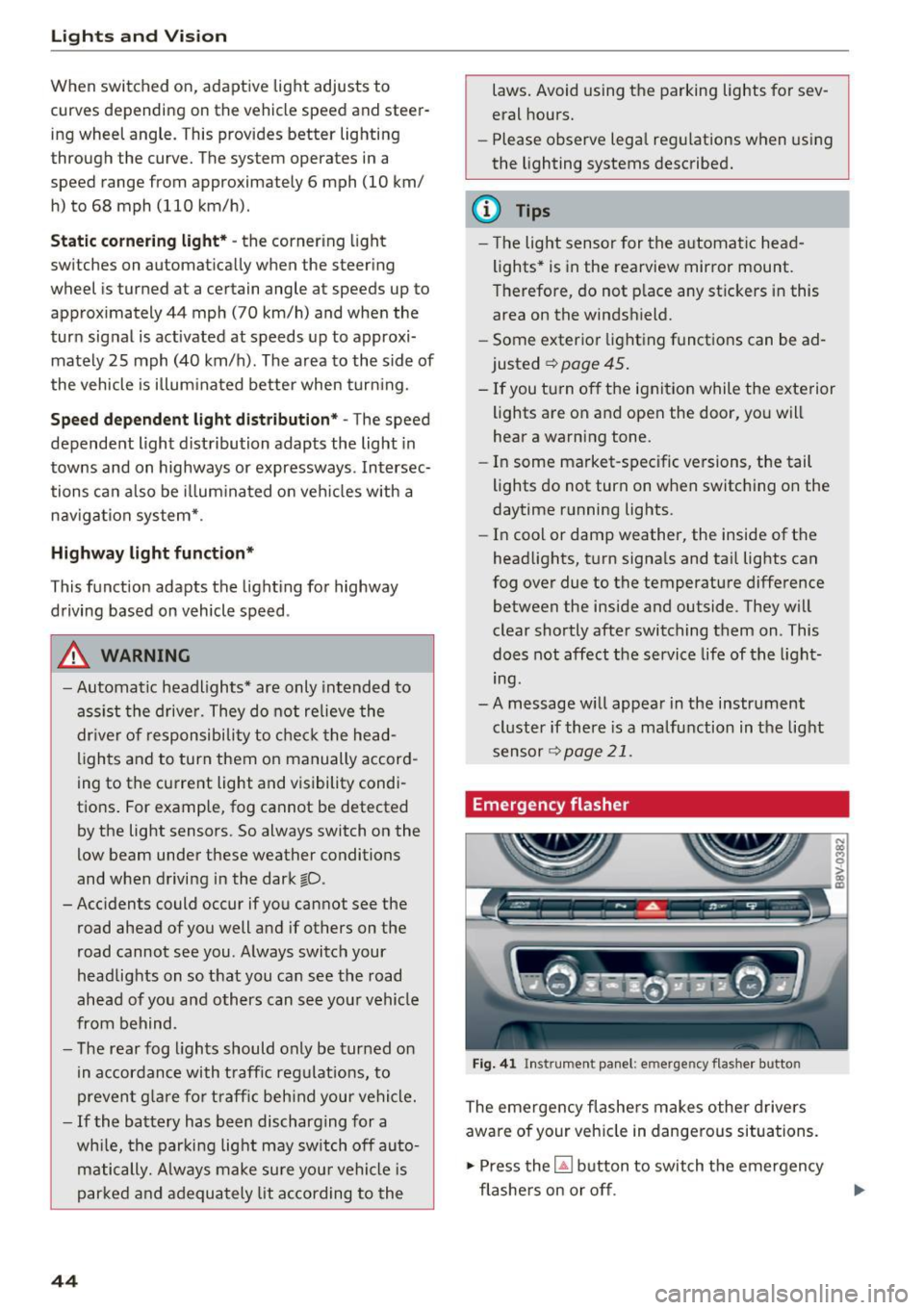
Fig. 41 Ins trumen t panel: e merge ncy flasher butto n
The emergency flashers makes other drivers
aware of your vehicle in dangerous situations.
.,. Press the~ button to switch the emergency
flashers on or off .
Page 46 of 272
<( co ..... N
" N ..... 0 r--. > 00
You can indicate a lane change or a tu rn when the
emergency flas hers are sw itche d on by us ing the
turn sig nal lever . The emergency flashers stop
tempo rarily.
The emergency flashers also work when the igni
tion is tur ned off.
@ Tips
You should s witch the e merge ncy fla shers on
if:
- Y ou a re the la st c ar in a tra ffic j am so th at
a ll ot her vehicles appro ach ing from be hind
ca n see you, or if
- You r vehicle has br oke n do wn or y ou ar e
h aving an eme rgency, or i f
- Y our vehi cle is bei ng towe d or if yo u are
tow ing anot her vehicle.
Turn signal and high beam lever
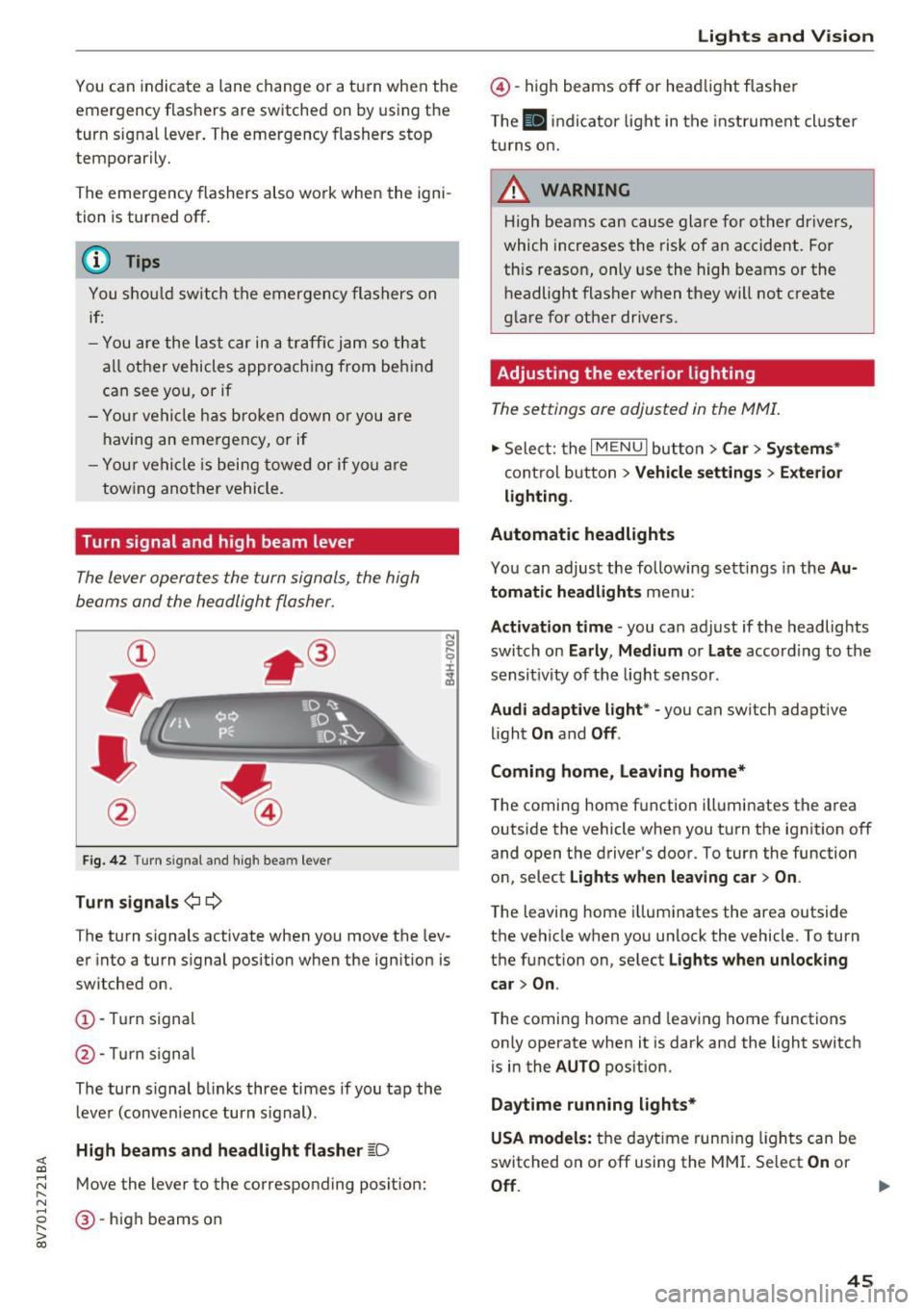
The Lever operates the turn signals, the high
beams and the headlight flasher.
F ig . 42 Turn signal an d high bea m lever
Turn signals ¢i ¢
The turn s ignals activate when you move the lev
er into a turn s ignal position w hen the ignition is
switched on.
(D -Tur n signa l
@-Tur n sign al
The tu rn s ignal bl inks three times if you tap th e
l eve r (conve nience turn s ignal) .
High beams and headlight flasher ~D
Move the lever to the correspond ing posit ion:
@ -high beams on
Lights and V ision
@ -high beams off or he adlight flasher
T he
El in di cato r light in t he inst rument cl uste r
tu rns o n.
_& WARNING
H ig h be ams can cau se gla re fo r ot her dr ivers,
which increases the risk of an accident. Fo r
this reason, only use the high beams or the
h eadlight flasher when they will not create
g la re for ot her dr ivers.
Adjusting the exterior lighting
The settings are adjusted in the MMI.
.,. Sele ct: the I MENU I but to n > Car > Systems *
control b utton > Vehicle settings > Exterior
lighting .
Automatic headlights
Yo u can adjust the following s ettings in the Au
tomatic headlights
menu:
Activation time -you can adjust if the headlights
switch on
Early , Medium or Late accord ing to the
sensit ivity of th e light s ensor .
Audi adaptive light * -you can switch adaptive
li ght
On and Off .
Coming home, leaving home*
T he coming home f unction ill uminates the area
outside the vehicle when you turn the ignit ion off
and open the driver 's door. To turn the function
o n, select
Lights when leaving car > On .
The leaving home i llum inates the area outside
the vehicle when yo u unlock the vehicle. To turn
t h e function on , se lect
Lights when unlocking
car > On .
The coming home a nd leav ing home functions
on ly operate when it is dark and the light switch
is in the
AUTO pos ition.
Daytime running lights*
USA models:
t h e dayt ime run ning lights can be
switched on or off using the MM I. Select
On or
Off . ..,_
45
Page 47 of 272
Lights and Vision
Canada models : this function cannot be switched
off . They activate automatica lly each time the ig
n ition is switched on. T his menu item is shown
with a "gray background".
Travel mode*
The headlig ht beam is asymme trical. This pro
vides stronge r ill uminat ion on the side of the
road on w hich you are driving . In ve hicles with
Xenon headlights* with tu rni ng light* or LED
headl ights* ,
you must adjust the headlights
when you are driv ing in a country where th e traf
fic direction is oppos ite from your own country .
Otherw ise, oncoming traffic will be blinded by
the glare from the headlights . An a djustment is
not needed in veh icles with Xenon headlights
w it h out t urni ng lig hts .
To prevent glare:
- Travel mode must be activated in vehicles w ith
Xenon headlights* and turning light* or LED
headlights*. Select: the
I M ENU I button> Car >
Sy stem s*
cont rol button > Vehicle settings >
Exterior lighting > Light for driving on left , for
example .
After you have adjusted the headlights , the fol
low ing message w ill appear:
II Headlight converter active for driv ing on
left. Range reduced!
(D Tips
When travel mode is activated, a disp lay in
the dr ive r information system indicates this
each t ime you switch the ignition on.
46
Interior lighting
Interior lights
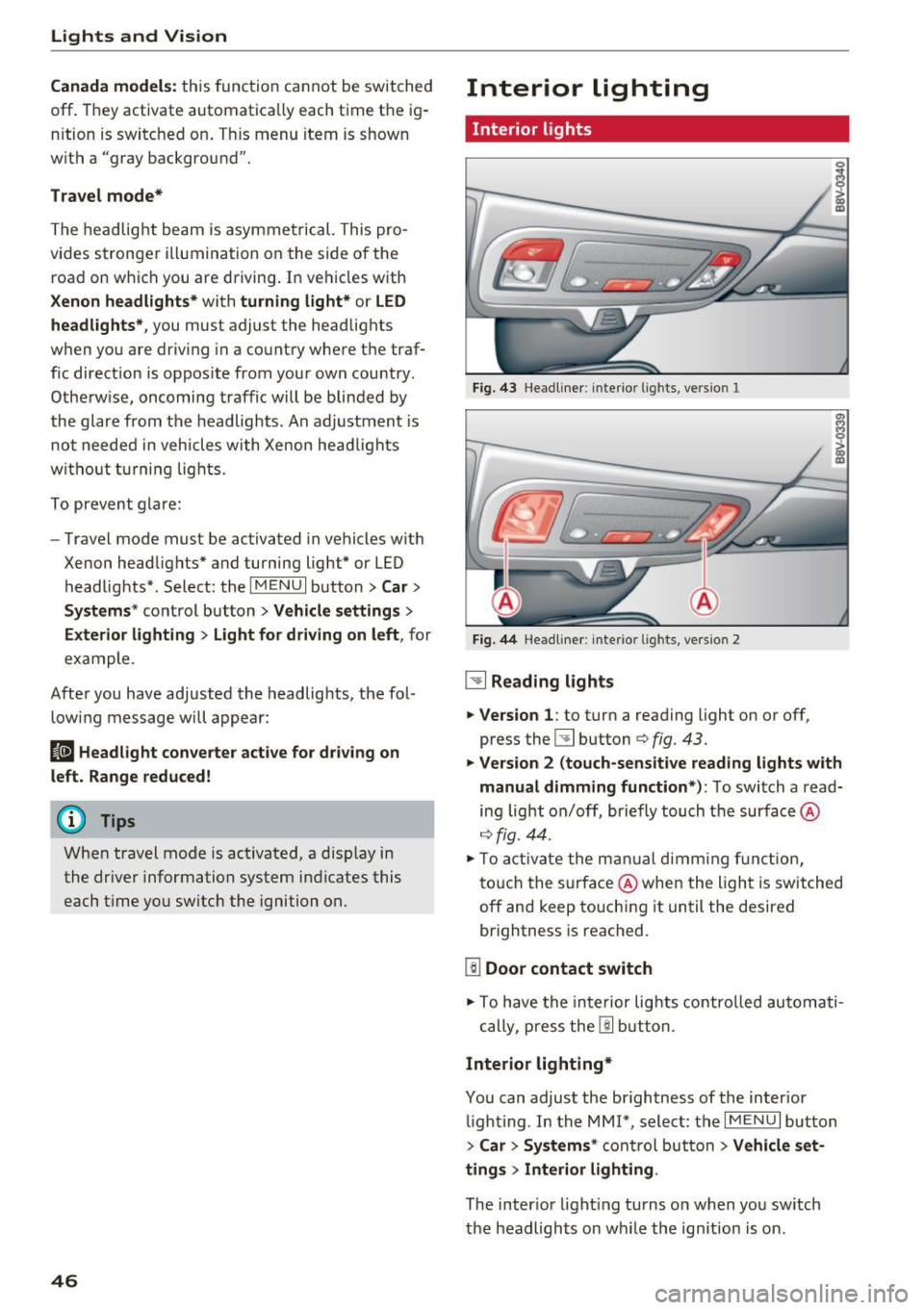
Fi g. 43 Headliner: interior ligh ts, version 1
Fig. 44 Headline r: inte rior l ights, ve rs io n 2
~ Reading lights
.,. Ve rsion 1 :
to turn a reading light on or off,
press the
l!J button c:> fig. 43.
.,. Version 2 (touch-sensitive read ing lights w ith
manual dimming function *):
To switch a read
ing light on/off, briefly touch t he surface @
c:>fig. 44 .
.,. To acti vate the m anual dimmi ng f unc tion,
t o uch the s urfa ce @ when the ligh t is switched
off and keep touchi ng it un til the desired
brightness is reached.
[!I Door contact switch
.,. To have the in te rior lig hts contro lled automati -
cally, p ress the
I!] b utt on.
Interior lighting*
You can adjust the brightness of the inter ior
ligh ting . In the MMI*, select: the
I MENU I button
>
Car > System s* control but ton > Vehicle s et
tings > Interior lighting .
The interior light ing turns on when you sw itch
the headlights on w hile the ignition is on.
Page 48 of 272
<( co ..... N
" N ..... 0 r--. > 00
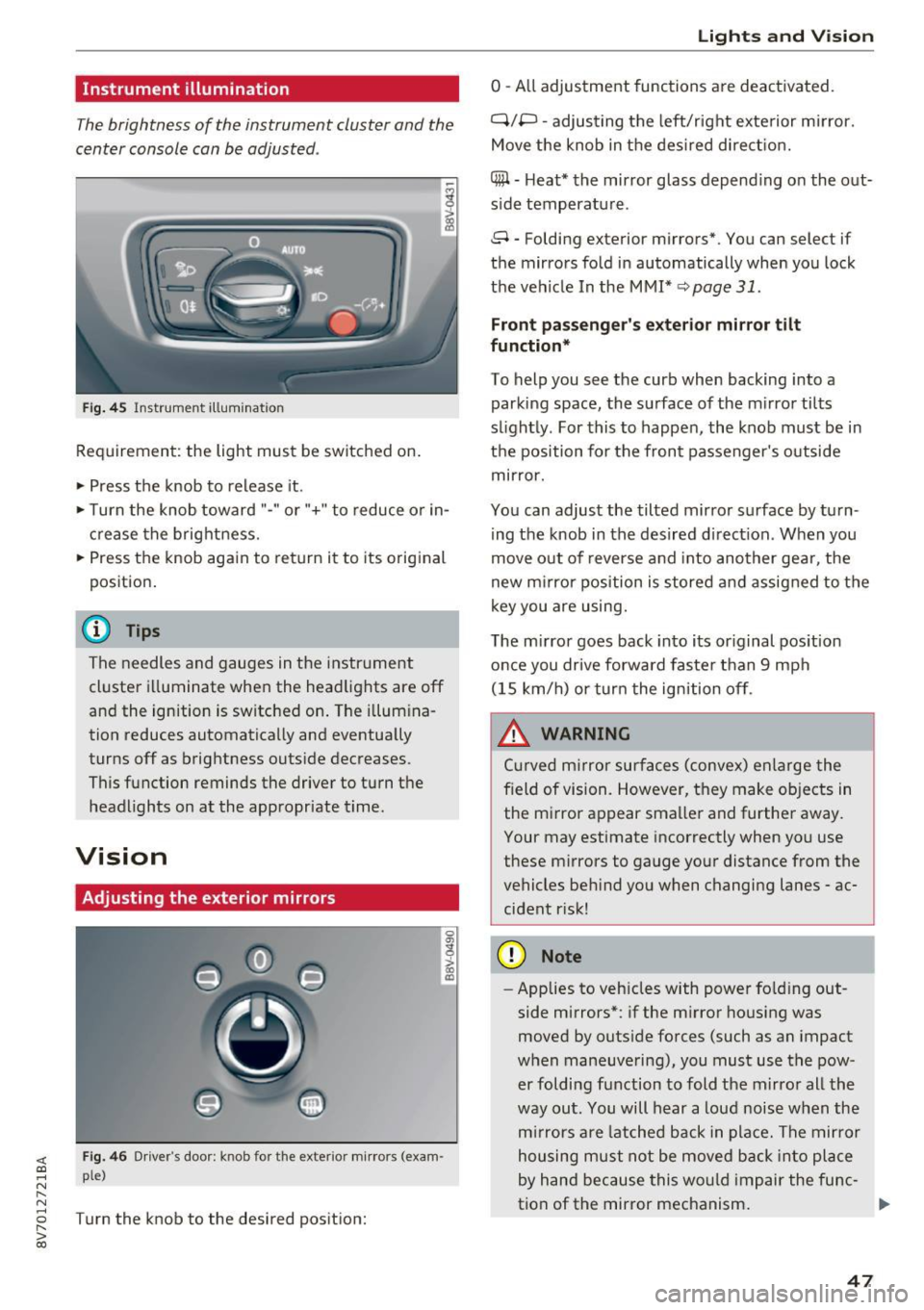
Instrument illumination
The brightness of the instrument cluster and the
center console can be adjusted .
Fig. 45 Instrumel'lt illumination
Requirement: the light must be switched on.
.. Press the knob to release it.
.. Turn the knob toward "-"or"+" to reduce or in
crease the brightness.
.. Press the knob again to return i t to its original
position .
@ Tips
The needles and gauges in the instrument
cluste r illuminate when the headlights are off
and the ignition is switched on . The illumina
tion reduces automatically and eventua lly
turns off as brightness outside decreases.
This function reminds the driver to turn the
headlights on at the appropriate time.
Vision
Adjusting the exterior mirrors
0
g
>
Fig. 46 Driver's doo r: knob fo r th e exterior mirrors (exam
ple)
Turn the knob to the desired position:
a, (X)
Lights and V ision
0 -All adjustment functions are deactivated.
Q/P -adjusting the left/r ight exte rior m irror.
Move the knob in the desired direction.
(@ -Heat* the mirror glass depend ing o n the out
s ide temperatu re.
8 -Folding exterior mirrors*. You can select if
the mirrors fold in automatically when you lock
the vehicle In the MMI*
q page 31.
Front passenger 's exterior mirror tilt
function*
To help you see the curb when backing into a
parking space, the surface of the m irror tilts
s li ghtly. For this to happen, the knob must be in
the position for the front passenger's outside
mirror .
You can adjust the tilted mirror surface by turn
ing the knob in the desired d irect ion . When you
move out of reverse and into another gea r, the
new mirror position is stored and assigned to the
key you are using.
The mirror goes back into its or iginal position
once you drive forward faste r than 9 mph
(15 km/h) or turn the ignition off.
_& WARNING
Cur ved m irror surfaces (convex) enlarge the
f ield of vision. However, they make objects in
the m irror appear smaller and further away.
Your may estimate incorrectly when you use
these mirrors to gauge your distance from the
vehicles beh ind you when changing lanes -ac
cident r isk!
(D Note
- Applies to vehicles with power fo lding out
side mirrors*: if the mirror housing was
moved by outside forces (such as an impact
when maneuvering), you must use the pow
er foldi ng function to fold the mirror all the
way out. You will hear a loud noise when the
mirrors are latched back in place. The mirror
housing must not be moved back into place
by hand because this would impair the func-
tion of the mirror mechanism. ..,.
47
Page 49 of 272
Lights and Vision
-Applies to vehicles without power folding
outside mirrors: if the mirror housing was
moved by outside forces (such as an impact
when maneuvering), you must move it back
in place by hand.
-If you wash the vehicle in an automatic car
wash, you must fold the exterior mirrors in to reduce the risk of damage to the mirrors.
Never fold power folding exterior m irrors*
by hand . Only fold them in and out using
the power controls.
@ Tips
If the power adjustment fails, both m irrors
can be adjusted by hand by pressing on the
edge of the mirror surface.
Dimming the mirrors
Your vehicle is equipped with a manual or auto
matic* dimming rearview mirror.
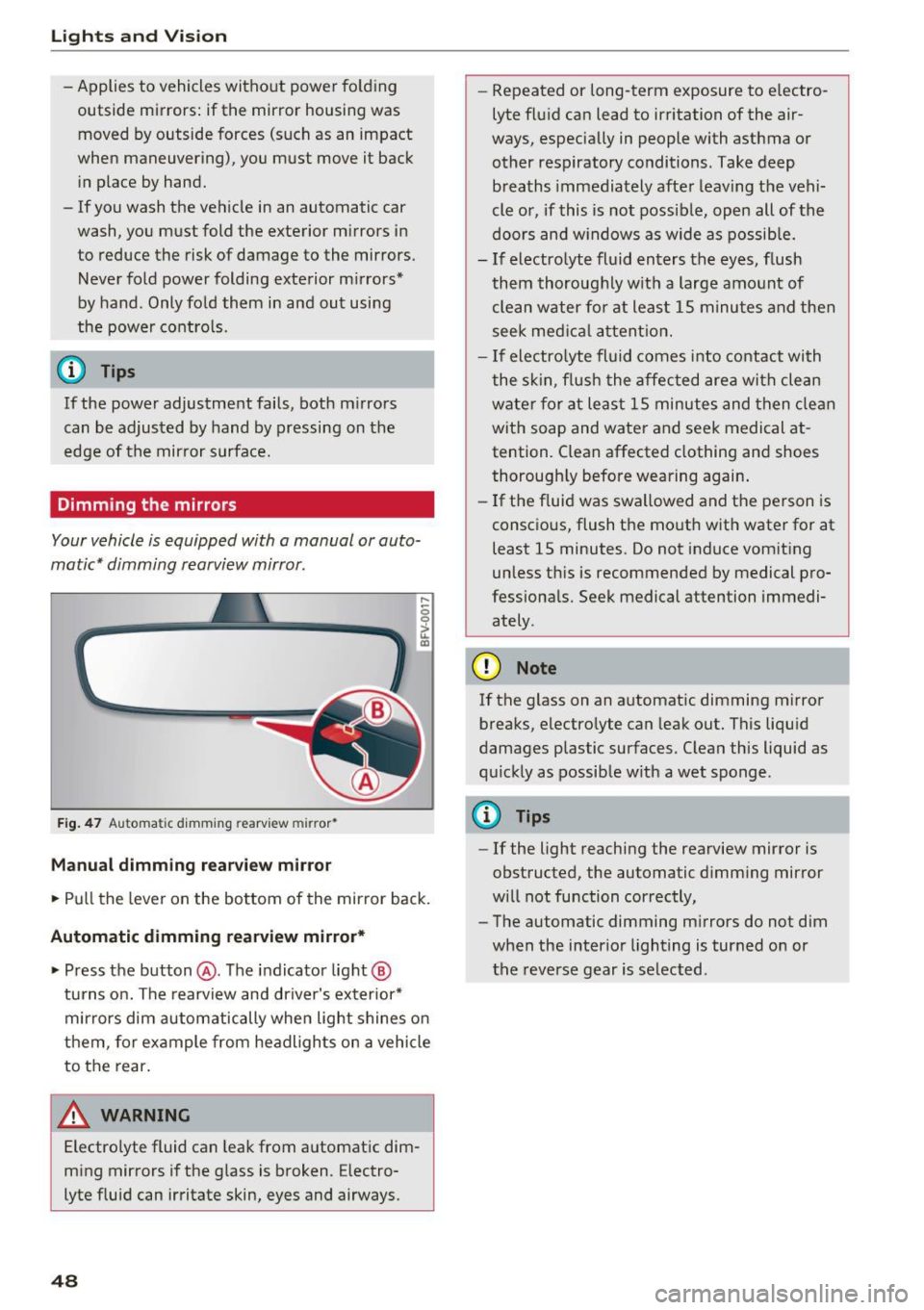
F ig . 47 Au toma tic dimming rearv iew mirr or•
Manual dimming rearvi ew mirror
,....
0 0
> u. a,
.. Pull the lever on the bottom of the mirror back.
Automatic dimming rearview mirror* .. Press the button @. The indicator light@
turns on. The rearview and driver's exterior*
mirrors dim automatically when light shines on
them, fo r example from headligh ts on a vehicle
to the rear.
A WARNING
Electrolyte fluid can leak from automatic dim
ming mirrors if the glass is broken. Electro
lyte fluid can irritate skin, eyes and airways.
48
- Repeated or long-term exposure to electro
lyte fluid can lead to irritation of the air
ways, especially in people with asthma or other respiratory conditions. Take deep breaths immediately after leaving the vehi
cle or, if this is not possible, open all of the
doors and w indows as wide as possible.
-If electrolyte fluid enters the eyes, flush
them thoroughly w ith a large amount of
clean water fo r at least 15 m inutes and then
seek medical attention.
- If electro lyte fluid comes into contact with
the skin, flush the affected area with clean
water for at least 15 minutes and then clean
with soap and water and seek medical at
tention. Clean affected clothing and shoes
thorough ly before wearing again .
- If the fluid was swallowed and the person is
consc ious, flush the mouth with water for at
least 15 minutes . Do not induce vomiting
unless th is is recommended by medical pro
fessionals. Seek medical attention immedi ately .
CI) Note
If the glass on an automatic dimming mirror
breaks, electro lyte can leak out. This liquid
damages plastic surfaces. C lean this liquid as
quickly as possible with a wet sponge .
(D Tips
- If the light reaching the rearview mirror is
obstructed, the automatic dimm ing mirror
will not function correctly,
- The automatic dimming m irrors do not dim
when the interior lighting is turned on or
the reverse gear is selected .