towing AUDI A3 SEDAN 2017 User Guide
[x] Cancel search | Manufacturer: AUDI, Model Year: 2017, Model line: A3 SEDAN, Model: AUDI A3 SEDAN 2017Pages: 400, PDF Size: 67.32 MB
Page 145 of 400
@ Tips
-You can cance l the automatic brake activa
tion w ith increasing bra king fo rce if you ap
ply the brakes y ourse lf or accelerate cons id
erab ly.
- In some sit uations, rea r cross-traffic assist
may warn yo u even if there is no cross traffic
i n a cr itical a rea , for examp le w hen back ing
i nto a parki ng space or ma neuver ing.
- The rea r cross-traffic ass ist also switches off
whe n you switch off the ESC.
- The rea r cross traffic assist switches on and
off thro ugh the pa rking aid
qpage 146.
- The system is not available when towin g a
trailer.
Messages
A ppl ies to: ve hicles with Audi side assist
If t he side assist switches off automatically, a
message appea rs in the ins trumen t clus ter dis
pl ay.
@j Aud i side assist: System fault!
The system can not guarantee that it wi ll detect
ve hicles co rrectly and it has switched off. The
sensors have been moved o r are faulty. Have t he
system checked by an authorized Audi dea ler or
author ized Audi Service Facility soon .
@j Audi side assist: currently unavailable. No
sensor vision
@j Audi side assist: currently unavailable. Sen
sor vision restricted due to surroundings . See
owner 's manual
The radar senso r vis io n i s im paire d. Do not cove r
the area i n front of t he senso rs with bike wheels,
stickers, dirt o r othe r objects. C lean the area in
fron t of t he senso rs, if necessary
q page 140,
fig. 147.
@j Audi side assist: currently unavailable
S ide assis t cann ot be swi tched o n at thi s time be
c a use t here is a mal func tion (fo r ex amp le, the
~ ba ttery ch arge level may be too low) .
....
~ @j Audi side assist: unavailable in towing mode
....
~ @j Audi side assist: unavailable in towing mode
00
Assistance systems
Sid e ass ist swi tches off automatically a fter a
s h ort time when a factory -insta lled tra ile r h itch
i s connected to the e lectrica l connecto r on the
t railer . T here is no gua rantee the system will
switch off when using a retrofitted trailer h itch.
Do not use side assist when tow ing a trailer .
Ill Rear parking aid : obstacle detection restrict
ed
T he rea r cross -tra ffic ass is t is not available. Ei
t h er th e ESC is sw itched off, or the rada r senso rs
may be cove red by a bike rack, st icke rs, leaves,
snow o r other objects. Switch the ESC on, or
clean the area in front of the senso rs if necessa ry
q page 140, fig . 147. If t his message continues
to be displayed , dr ive immed ia tely to a n author
iz ed Audi dea ler or author ized Audi S ervic e Facili
ty to ha ve the m alfunc tion re paire d.
Audi drive select
Introduction
Applies to : vehicles wit h Audi drive se lec t
Audi dr ive select makes it poss ible to experience
diffe rent types of vehicle settings in one vehicle.
T he dr iver can select from three modes,
Comfort ,
Auto
and Dynamic , using t he r:;~, bu tton in the
c en te r c onsole o r by usin g the Info ta in m ent sys
te m. T hi s a llow s yo u t o swi tch between a sporty
and a com fo rt ab le driv ing mode, fo r ex am ple. In
t h e
Individual* mode , the settin gs ca n be adjus t
ed to yo ur persona l preferences . T his makes it
p oss ible to com bine settings such as a spo rty en
gine setting with light steer ing.
Description
App lies to : vehicles wi th Audi drive se lect
The veh icle set up i n eac h mode depends on the
vehicle's features. However, the eng ine a nd
stee ring are always affec ted .
Engine and automatic transmission
Depend ing on the mode, the engine an d auto
matic transm ission* respond more q uickly o r in a
more ba la nced manner to acce lerato r pedal
movements . In the sporty dynam ic mode, th e
t ransm iss io n shifts at higher spe ed ranges .
..,.
143
Page 343 of 400
CX> CX> ... N .... N ... 0 N > a:,
including the weight of a trail
er hitch and the tongue
weight of a loaded trailer
-
does not make the vehicle heavier than the vehicle's
Gross Vehicle Weight Rating.
Determining correct load
limit
Use the example below to calcu
late the total weight of the pas
sengers and luggage or other
things that you plan to transport
so that you can make sure that
your vehicle will not be overload ed.
Steps for Determining Correct Load Limit
1. Locate the statement "THE
COMBINED WEIGHT OF OCCU
PANTS AND CARGO SHOULD
NEVER EXCEED XXX KG OR XXX
LBS" on your vehicle's placard
(tire inflation pressure label)
¢ page 336, fig. 280.
2. Determine the combined
weight of the driver and pas
sengers that will be riding in
your vehicle.
3. Subtract the combined weight
of the driver and passengers
from
"XXX" kilograms or "XXX"
Wheels
pounds shown on the sticker
¢ page 336, fig. 280.
4. The resulting figure equals the
available amount of cargo and luggage load capacity. For ex
ample, if the
"XXX" amount
equals
1400 lbs. and there will
be five
150 lbs . passengers in
your vehicle, the amount of
available cargo and luggage
load capacity is
650 lbs.
(1400-750 (5 X 150) =
650 lbs.)
S. Determine the combined weight of luggage and cargo
being loaded on the vehicle.
That weight may not safely ex
ceed the available cargo and
luggage load capacity calculat
ed in Step 4.
6. If your vehicle will be towing a trailer, load from your trailer
will be transferred to your ve hicle. Consult this manual to
determine how this reduces
the available cargo and lug
gage load capacity of your vehi
cle.
.,.Check the tire sidewall
(¢page 328, fig . 278) to deter
mine the designated load rating
for a specific tire.
341
Page 347 of 400
CXl CXl .... N ,.__
N .... 0 N > 00
label, you should determine the proper tire infla
tion pressure for those tires).
As an added safety feature, your veh icle has been
eq uipped w ith a t ire pressu re monitoring system
(TPMS) that illuminates a low tire press ure te ll
tale when one or more of your tires is significant l y under- inflated. Accordingly, when the low tire
pressure tellta le illuminates, you should stop and
check your tires as soon as possible, and inflate
them to the proper pressure . Driving on a s ignifi
cantly under- inflated tire causes the tire to ove r
h eat and can lead to t ire failure. Unde r-inflation
a lso reduces fuel efficiency and tire tread life,
and may affec t the vehicle's handling and stop
p ing ability .
P lease note that the TPMS is not a substitute for
p roper tire maintenance, and i t is the d rive r's re
sponsib ility to ma inta in cor rec t tire p ressure,
even if under-inflation has not reached the leve l
to trigger illumination of the TPMS low tire pres
sure tellta le .
Your veh icle has also been eq uipped w ith a TPM S
mal funct ion indicator to indicate when the sys
tem is not operating properly . The TPMS ma l
function indicator is combined with the low tire
pressure tellta le. When the system detects a
malfunct ion, the telltale will flash for approxi
mately one minute and then remain cont inuously
i l lum inated . This sequence will continue upon
subseq uent ve hicle start-ups as long as the ma l
function ex ists .
When the malfunct ion indicator is illuminated,
the system may not be ab le to detect or signal
low t ire press ure as intended. TPM S malf unctions
may occur for a var iety of reasons, including the
i nstalla tion of replacement o r alte rnate t ires o r
wheels o n the vehicle that prevent the TPM S
from func tioning properly. Always chec k the
TPMS malfunction telltale afte r rep lacing one or
more tires or whee ls on your ve hicle to ensure
that the replacement or alternate tires and
wheels allow the TPMS to cont inue to function
properly.
Wh eel s
If the tire pressure indicator appears
App lies to : vehicles wi th Tire Pressure Monito rin g Syste m in
dicator
The tire pressure indicator in the instrument
cluster informs you if the tire pressure is too low
or if there is a system malfunction.
U sing the ABS sensors, the tire pressure monitor
ing system compares the tire tread c ircumfer
ence and vibration characterist ics of the ind ividu
al tires. If the pressure changes in one or more
t ires, th is is indicated in the instrument cluster
display with an
[I] indicator light and a message .
If only one tire is affected, the location of that
t ir e will be indicated.
The tire pressures must be stored in the menu display again each t ime the p ressures change
(swi tching between partial and full load pres
s ur e) o r after changing or replacing a ti re o n your
vehicle
Q page 346. T he tire p ressure mo nitor
ing system on ly monitors the t ire pressure you
have stored. Refer to the tire pressure label for
the recommended tire pressure for yo ur vehicle
c:> page 336, fig. 281.
T ire tread c ircumference and vibra tion characte r
istics can change and ca use a tire press ure wa rn
ing if:
- t he t ire pressure in one or more ti res is too low.
- the t ire has str uctural damage.
- t he t ire was replaced or the t ire pressure was
changed and it was not stored
c:> page 346.
- one side of the vehicle is more heavi ly loaded
than the othe r.
- the wheels on one axle are more heavily loaded
than the othe rs (for example, when towing a
t ra ile r or when driving up and down hi lls).
- snow chains are installed .
- the spare tire* is installed.
- only one tire was replaced on eac h axle.
Indicator lights
[I] -Loss of pressu re in at least one tire c:> ,&. .
Check the tires and replace or re pair if necessary .
Check/correct the pressures of all fou r tires . Then
store the tire pressures in the menu
Q page 346 .
m (T ire Pressure Mon itor ing Sys tem) Tir e
pre ssure: System malfunction!.
If m appears 1JJ,,
345
Page 358 of 400
Emergency assistance
A WARNING
-Read and follow the manufacturer's safety
precautions on the compressor and in the
instructions on the bottle of sealant .
- If a t ire pressure of 29 ps i (200 kPA) cannot
reached after inflating for 6 minutes, then
the tire is too severely damaged. Do not
continue driving.
- If the t ire cannot be repaired with the tire
sealant, see an authorized Audi dealer or au
thorized Aud i Serv ice Facility fo r ass istance.
@ Tips
Do not operate the compressor for more than
six m inutes continuously, or it can overheat.
Once the compressor has cooled, you can con
tinue to use it.
Completing
App lies to: vehicles with tire mobility kit
.,. Affix the sticker that says "max. SO mph (max .
80 km/h)" that is provided with the tire mobili
ty kit within the driver's field of vision .
.,. Stop the vehicle after driving for about 10 mi
nutes and check the tire pressure.
.,. If the tire pressure is lower than 19 ps i (130
kPA), then the tire is too severely damaged. Do
not cont inue driving. See an authorized Audi
dealer or authorized Audi Service Fac il ity for as
s istance.
.,. If the tire pressure is at least 19 psi (130 kPA),
adjust the tire pressure to the spec ified value
<:!'v page 336, Tire pressure . Store the tire pres
sures
¢ page 346, Storing tire pressures. Drive
to the nearest authorized Aud i dea le r or au
thorized Audi Service Facility to have the tire re placed.
A WARNING
If the tire pressure is less than 19 psi
(130 kPA) afte r 10 minutes of driving, then
the tire is too severely damaged. Do not con
tinue driving. See an authorized Audi dealer
or authorized Audi Service Facility for assis
tance.
356
A WARNING
-
Pay attention to the following after repairing
the tire:
- Do not drive faster than SO mph (80 km/h).
- Avoid hard acceleration, braking sharply,
and fast cornering.
- The vehicle may become more difficult to
control.
- If the tire is too severe ly damaged, see an
authorized Audi dealer or authorized Audi
Serv ice Facility for assistance.
@ For the sake of the environment
You can give the used tire sealant bottle to an
a uthorized Audi dea ler or authorized Audi
Service Facility for disposal.
(D Tips
Remember to obtain a new bott le of sealant
from an authorized Audi dealer or authorized
Audi Service Facility after repairing a tire .
Replacing wheels
Before changing a wheel
Observe the following precautions for your own
and your passenger's safety when changing a
wheel.
.,. After you experience a t ire failure, pull the car
well away from moving traffic and try to reach
level ground before you stop¢.&_ .
.,. All passengers should leave the car and move
to a safe location (for instance, behind the
guardrail)¢ .&_.
.,. Engage the parking brake to prevent your vehi
cle from rolling
unintentiona lly¢ ,&.
.,. Move selector lever to position P ¢ ,& .
.,. If you are towing a trai ler, unhitch the trailer
from your vehicle.
.,. Ta ke the jack ¢ page 353 and the spare tire
<:!'v page 362 out of the luggage compartment . ..,.
Page 370 of 400
Emergency situations
Emergency situations
General
Thi s chapter is intended for trained eme rgency
crews and working per sonnel who have the nec
essary tool s and equipment to perform these
ope rations.
Starting by pushing or
towing
(D Note
Vehicles wi th an au tomat ic tra nsmission can
not be starte d by pushi ng or towi ng.
Starting with jumper
cables
If necessary, the engine con be started by con
necting it to the battery of another vehicle .
Plug -In hybrid drive* : The con nection poin ts for
the jump start cables vary ¢
page 104.
If t he engine sho uld fa il to s tart because of a dis
c har ged o r we ak battery, the batt ery c an be con
nected to the ba ttery of
another vehicle, using a
pair of jumper cable s to start the engine .
Jumper cables
Use only jumper cables of suffi cien tly large cross
se ction
to car ry the s tarter cur rent safely. Refer
t o the man ufact urer 's spe cifica tions.
Use o nly jumper cables with
insulated te rm inal
clamps whi ch a re distin ct ly ma rked :
positive (+ ) cable , in most cases colored red
negative(-) cable ,
in most cases colo red black.
A WARNING
Plug-in hybr id d rive*: you must not give a
jump start with your vehicle. This could cause sign ifica nt damage to the electrical system in
your vehicle
¢ pag e 104.
368
A WARNING ,_ -
Batteries conta in e lectr ic ity, acid, and gas.
A ny of these ca n cause very ser ious or fatal in
ju ry . Follow the ins truct io ns be low for safe
h andling of you r ve hicle's bat tery.
- Always sh ie ld your eyes and avo id leaning
over the battery w henever p ossible .
- A dead battery can freeze at temperatures
around 32 °F (0 °C) .
If the vehicle batte ry is
fro zen, yo u m ust t haw i t befo re connect ing
t he jump s tart cables. If y ou do no t, t his in
creases the r isk of an explos io n and chemi
c a l bur ns. A fter jump st art in g the vehicle,
drive to an aut ho riz e d Au di dea ler o r auth o r
ized Au di Service Faci lity immediately to
have the vehicle batte ry c hecked.
- Do not allow battery ac id to contact eyes or
skin. Fl ush any contacte d area with water
immed iate ly.
- Improper use of a booste r batte ry to sta rt a
veh icle may cause an exp losion.
- Veh icle batteries gene rate exp losive gases.
K eep s parks, flame an d lig hte d ciga rettes
away from batter ies .
- Do not t ry to jump start any vehicle with a
low acid level in the batte ry .
- The vo ltage of the booster batte ry must a lso
have a 12-volt rat ing. The capacity (Ah) of
the booster battery should not be lower
than that of the discharged battery. Use of
batter ies of diffe re nt voltage or substantial
ly diffe rent
"A h" rating may cause an exp lo
sion and perso na l inju ry .
- Never cha rge a frozen battery. Gas trapped
in the ice may cause an ex plosion .
- Never cha rge o r use a battery that has been
frozen . The battery case may have be w eak
e ned.
- Use of batter ies of different voltage or sub
s tan tially d if f eren t capacity (Ah) ra t ing may
cause an exp losion and injury. T he capac ity
(Ah) of the booste r ba ttery sho uld not be
l o wer th an that of the dis ch arged battery .
- B efore you c heck anyth ing in the eng ine
co mpart me nt, alw ays re ad and h eed all
W AR NING S
¢page 316.
Page 372 of 400
Emerg enc y s it uati ons
9. In the ve hicle that is being jump started,
switch the heater fan and rear window de
froster on to reduce any voltage peaks that
may occur when disconnecting the jumper
cables. The headlights must be switched off.
10. With the engines running, remove the cables
i n
reverse order of the way they were instal
l ed. Make sure the cables do not get caught
in mov ing engine components.
11. Sw itch the heater fan and rear w indow de-
froster off.
12. C lose the battery cover .
The battery is vented to the outside so that gases
do not enter the passenger compartment. Make
sure that the connected positive termina l clamps
on the jump start cab le have sufficient contact
with metal.
A WARNING
Follow the warnings and instructions from
the jump start cab le manufacturer to reduce
the risk of ser ious injuries and vehicle dam
age. If you are unsure about anything, call
roads ide ass istance.
- The jump start cables must be long enough
so that the veh icles do not touch.
-
- Route the jump start cables so they cannot
get caught in the moving parts in the engine
compartment.
- Always read and follow the warnings before check ing anything in the engine compart
ment
~page 316.
(D Note
Connecting jump start cables incorrectly can
damage the alternator .
- Always connect the positive terminal(+) to
the positive term inal(+) and the negative
term inal(-) to the negat ive terminal(-) on
the body ground po int, but not the negative
terminal on the battery.
- Make su re the screw plugs on the battery
cells are installed securely. If not, tighten
the plugs before connecting the clamps to
the negat ive termina l on the b attery.
- Please note t hat the connecting p rocess de
scribed below for the jump sta rt cab les is
in-
370 tended for when your vehicle is being jump
started. If you are jump starting another ve
hicle, do not connect the negat ive cab le to
the negative term inal (-) on the dra ined
battery, but rather connect it to a large
metal component that is bolted secure ly to
the engine block, or to the engine block it
self.
If the battery in the vehicle being jump
sta rted is not vented to the outside, there is
a risk of explosion due to hyd rogen gas.
- Make sure that the connected pos itive ter
minal clamps have suff icient contact with
metal.
- Do not use the battery negative terminal fo r
jump starting or a ma lfunction co uld occ ur
in the vehicle electrical system.
Towing with a tow truck
General tips
Your Audi requires special handling for towing.
The following information is to be used by com mercia l tow truck operators who know how to op
erate their equipment safely.
-Never tow your Audi. Towing will cau se dam
age to the engine and t ran smi ssi on.
- Nev er wrap the safet y ch ains or winch cables
aroun d the br ake lines .
- To pr event unne ce ssa ry damag e, your Audi
must be tran sported with a flat be d tru ck .
- To load th e vehicle on to the flat bed , use th e
towing l oop found in the vehicl e tool s and at
t a ch to the front or rear an chorage
.=;,page 371 and ~page 371.
A WARNING
A veh icle being towed is not safe for passen
gers. Never allow anyone to ride in a vehicle
being towed, fo r any reason.
Page 373 of 400
a, a, ..... N
" N ..... 0 N > 00
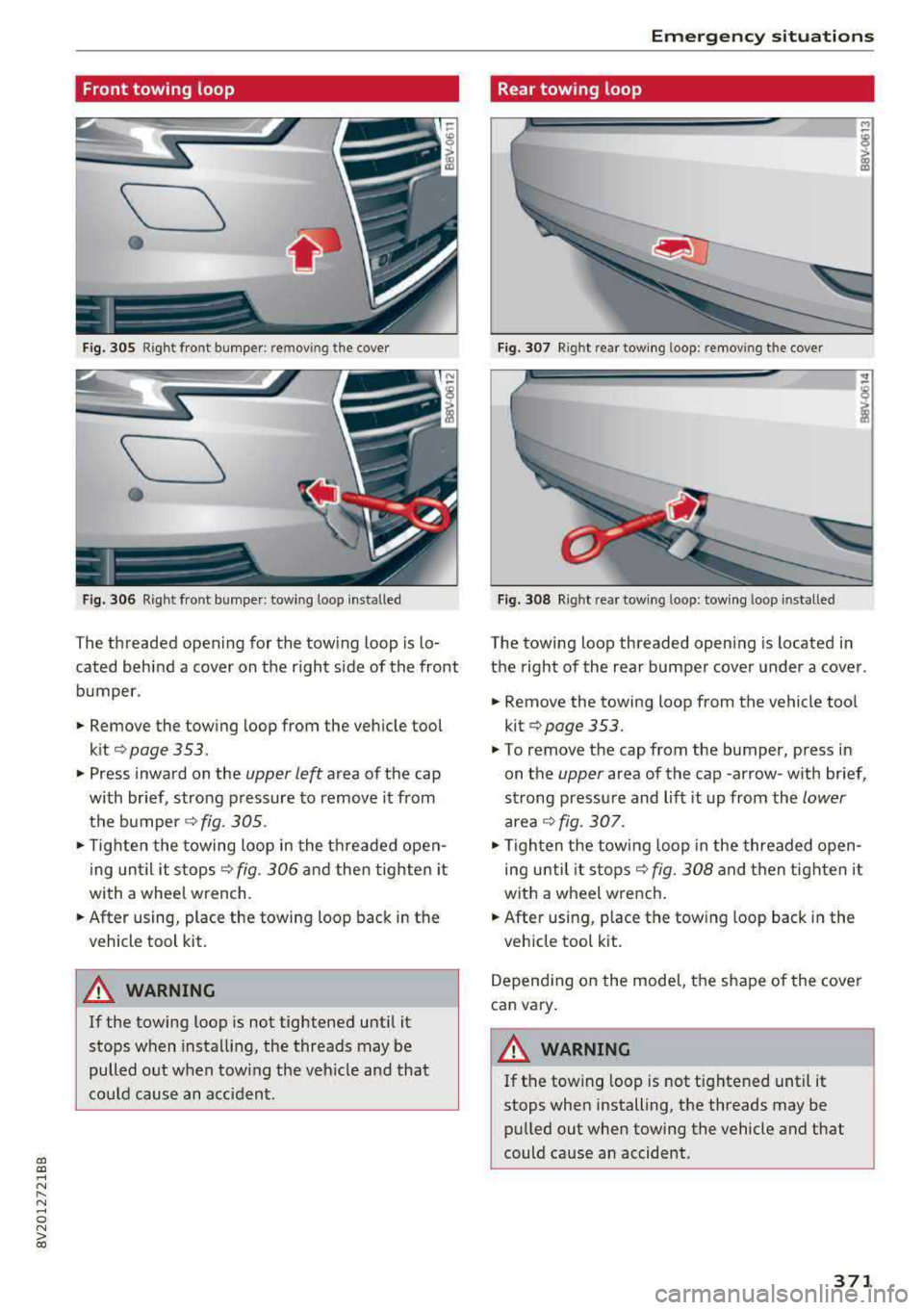
Front towing loop
____
•
Fig. 305 Right fro nt bumper : rem ov ing the cover
\___,
•
Fig. 306 Right front bumper: towing loo p installed
The threaded opening for the towing loop is lo
cated behind a
cover on the right side of the front
bumper .
• Remove the towing loop from the vehicle tool
kit
¢ page 353 .
• Press inward on the upper left area of the cap
with br ief , strong pressure to
remove it from
the
bumper ¢ fig. 305 .
• Tighten the towing loop in the threaded open
ing until it stops
¢ fig. 306 and then tighten it
with a whee l wrench.
• After using, place the towing loop back in the
v ehicl e tool kit.
A WARNING
If the towing loop is not tightened until it
stops when installing, the threads may be
pulled out when tow ing the veh icle and that
could cause an accident .
-
Emergency situations
Rear towing loop
Fig. 307 R ig ht re ar towing loo p: remov ing the cover
Fig. 308 Right rea r towing loop: towing loop insta lled
The towing loop threaded opening is located in
the right of the rear bumper cover under a cover .
• Remove the tow ing loop from the vehicle tool
kit ¢
page 353 .
.,. To remove the cap from the bumper, press in
on the
upper area of the cap -arrow -with br ief,
strong pressure and lift it up from the
lower
area¢ fig. 307.
• Tigh ten the towing loop in the threaded open
ing until it stops ¢
fig. 308 and then tighten it
with a wheel wrench .
• After using, place the tow ing loop back in the
v e hicle tool k it.
Depending on the model, the shape of the cover
can vary.
WARNING
If the tow ing loop is not tightened until it
stops when installing, the threads may be
pulled out when towing the vehicle and that
could cause an accident .
371
Page 380 of 400
Consumer information
Consumer information
Warranty coverages
Your Audi is covered by the following warran
ties:
- New Vehicle Limited Warranty
- Limited Warranty Against Corrosion Perfora-
tion
- Emissions Control System Warranty
- Emissions Performance Warranty
- California Emissions Control Warranty (USA
vehicles only)
- California Emissions Performance Warranty
(USA vehicles only)
Detailed information regarding your warranties
can be found in your
Warranty & Maintenance
booklet .
Operating your vehicle
outside the U.S.A. or
Canada
Government regulati ons in the United States and
Canada require that automobi les meet specific
emission regulations and safety standards.
Therefore, vehicles built for the U.S.A. and Cana
da differ from vehicles sold in other countries.
If you plan to take your vehicle outside the conti
nenta l limits of the United States or Canada,
there is the poss ibility that:
- un leaded fue ls for vehicles with catalytic con
verter may not be available;
- fuel may have a considerably lower octane rat
ing . Improper fuel may cause engine damage;
- service may be inadequate due to lack of proper
service facilities, tools or testing equipment;
- r eplacement parts may not be readily available.
- Nav igation systems for veh icles built for the
U.S .A . and Canada will not necessarily work in
Europe, and may not work in other countries
outside North America.
378
(D Note
Audi cannot be responsib le for mechanical
damage that could result from inadequate
fuel, service or parts ava ilability.
Audi Service Repair
Manuals and Literature
Audi Official Factory Service Manuals and Litera
ture are published as soon as poss ible after mod
el introduction . Service manuals and literature
are available to order from the Audi Technical Lit
erature Ordering Center at :
www.audi.techliterature .com
Maintenance
General '
Your vehicle has been designed to help keep
maintenance requirements to a minimum. How
ever, a certain amount of regular maintenance is
still necessary to assure your vehicle's safety,
economy and reliability . For detailed vehicle
maintenance consult your Warranty & Mainte
nance booklet .
Under difficult operating conditions, for exam
ple at extremely low outside temperatures, in
very dusty regions, when towing a trailer very fre
quently, etc., some service work should be per
formed between the intervals specified. This ap
plies particularly to:
- oil changes, and
- cleaning or replac ing the a ir filter .
'
@) For the sake of the environment
By regularly maintain ing your vehicle, you
help make sure that em iss ion standards are
maintained, thus minimizing adverse effects
on the environment .
Important considerations for you and your
vehicle
The increasing use of electronics, sophisticated
fuel injection and emission control systems, and
the generally increas ing technica l complexity of
..,_
Page 390 of 400
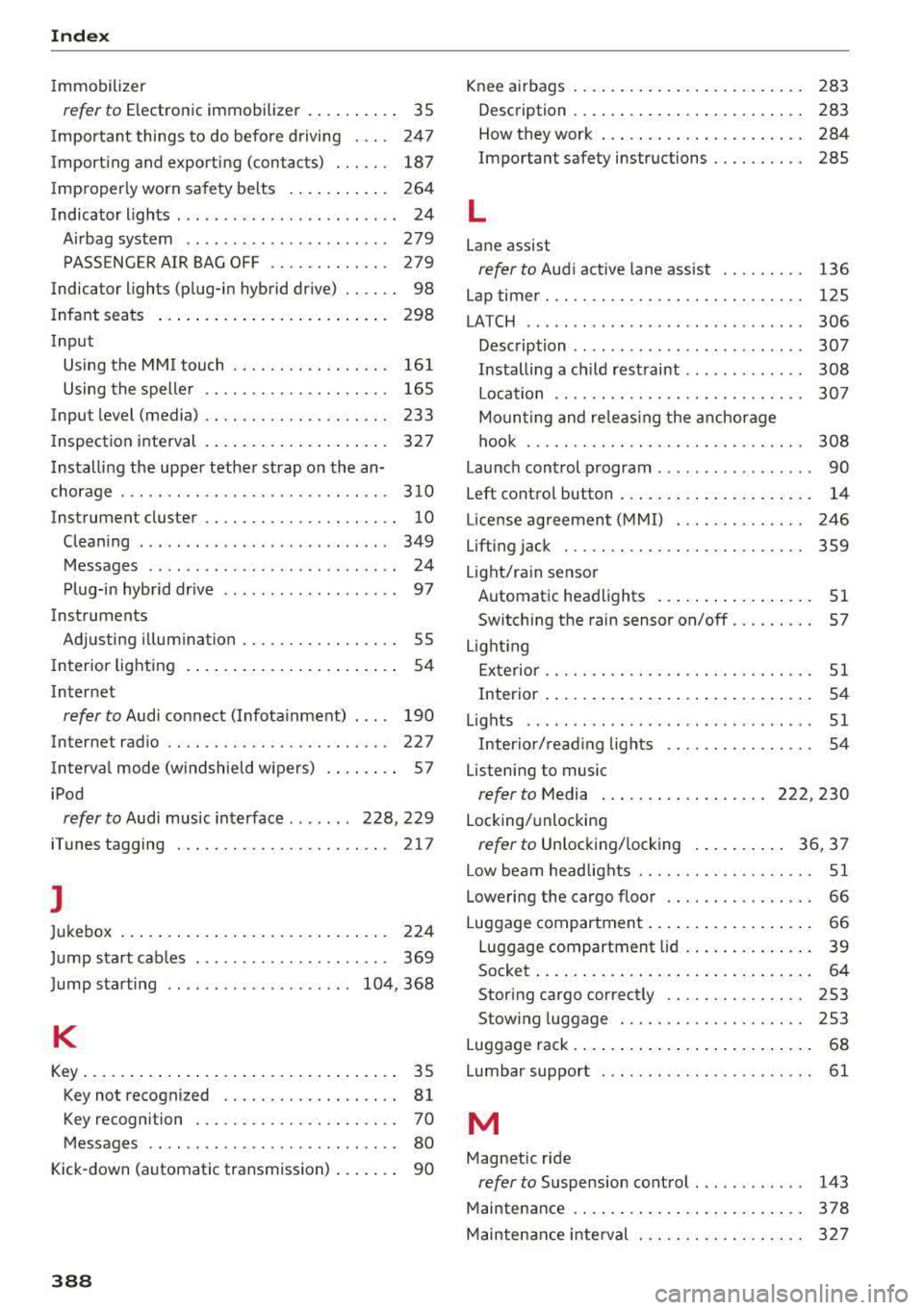
Index
Immobilizer
refer to Electronic immobilizer . . . . . . . . . . 35
I mportant things to do before driving . . . . 247
Importing and exporting (contacts) . . . . . . 187
I mproperly worn safety belts . . . . . . . . . . . 264
Indicator lights . . . . . . . . . . . . . . . . . . . . . . . . 24
Airbag system . . . . . . . . . . . . . . . . . . . . . . 279
PASSENGER AIR BAG OFF . . . . . . . . . . . . . 279
Indica tor lights (plug-in hybrid drive) . . . . . . 98
I nfant seats . . . . . . . . . . . . . . . . . . . . . . . . . 298
Input Using the MMI touch . . . . . . . . . . . . . . . . . 161
Using the speller . . . . . . . . . . . . . . . . . . . . 165
Inpu t level (media) . . . . . . . . . . . . . . . . . . . . 233
Inspection interval . . . . . . . . . . . . . . . . . . . . 327
Installing the upper tether strap on the an
chorage . . . . . . . . . . . . . . . . . . . . . . . . . . . . . 310
Instrument cluster . . . . . . . . . . . . . . . . . . . . . 10
Cleaning . . . . . . . . . . . . . . . . . . . . . . . . . . . 349
Messages . . . . . . . . . . . . . . . . . . . . . . . . . . . 24
Plug-in hybrid drive . . . . . . . . . . . . . . . . . . . 97
Instruments Adjusting illumination . . . . . . . . . . . . . . . . . 55
I nterior lighting . . . . . . . . . . . . . . . . . . . . . . . 54
Internet
refer to Audi connect (Infotainment) . . . . 190
Internet radio . . . . . . . . . . . . . . . . . . . . . . . . 227
I nterval mode (windshield wipers) . . . . . . . . 57
iPod
refer to Audi music interface . . . . . . . 228, 229
iTunes tagging . . . . . . . . . . . . . . . . . . . . . . . 217
]
Jukebox . . . . . . . . . . . . . . . . . . . . . . . . . . . . . 224
Jump start cables . . . . . . . . . . . . . . . . . . . . . 369
Jump starting . . . . . . . . . . . . . . . . . . . . 104, 368
K
Key...... ... .... ................ ..... 35
Key not recognized . . . . . . . . . . . . . . . . . . . 81
Key recognition . . . . . . . . . . . . . . . . . . . . . . 70
Messages . . . . . . . . . . . . . . . . . . . . . . . . . . . 80
Kick -down (automatic transmission) . . . . . . . 90
388
Knee airbags . . . . . . . . . . . . . . . . . . . . . . . . . 283
Description . . . . . . . . . . . . . . . . . . . . . . . . . 283
How they work . . . . . . . . . . . . . . . . . . . . . . 284
Important safety instructions . . . . . . . . . . 28S
L
Lane assist
refer to Audi active lane assist
136
Lap timer. . . . . . . . . . . . . . . . . . . . . . . . . . . . 125
LA TCH ........ ... ... ............. ... 306
Description . . . . . . . . . . . . . . . . . . . . . . . . . 307
Installing a child restraint . . . . . . . . . . . . . 308
Location . . . . . . . . . . . . . . . . . . . . . . . . . . . 307
Mounting and releasing the anchorage
hook ....... .. .. .. .. ... .......... .. 308
Launch control program . . . . . . . . . . . . . . . . . 90
Left control button . . . . . . . . . . . . . . . . . . . . . 14
L icense agreement (MMI) . . . . . . . . . . . . . . 246
Lifting jack . . . . . . . . . . . . . . . . . . . . . . . . . . 359
Light/rain sensor Automatic headlights . . . . . . . . . . . . . . . . . 51
Switching the rain sensor on/off. . . . . . . . . 57
Light ing
Exterior . . . . . . . . . . . . . . . . . . . . . . . . . . . . . 51
Interior . . . . . . . . . . . . . . . . . . . . . . . . . . . . . 54
Lights . . . . . . . . . . . . . . . . . . . . . . . . . . . . . . . 51
Interior/read ing lights . . . . . . . . . . . . . . . . 54
Listening to music
refer to Media . . . . . . . . . . . . . . . . . . 222, 230
Locking/unlocking
refer to Unlocking/locking . . . . . . . . . . 36 , 37
Low beam headlights . . . . . . . . . . . . . . . . . . . 51
Lowering the cargo floor . . . . . . . . . . . . . . . . 66
Luggage compartment . . . . . . . . . . . . . . . . . . 66
Luggage compartment lid . . . . . . . . . . . . . . 39
Socket....... ... .. .. ................ 64
Storing cargo correctly . . . . . . . . . . . . . . . 253
Stowing luggage . . . . . . . . . . . . . . . . . . . . 253
Luggage rack . . . . . . . . . . . . . . . . . . . . . . . . . . 68
Lumbar support . . . . . . . . . . . . . . . . . . . . . . . 61
M
Magnetic ride
refer to Suspension control . . . . . . . . . . . . 143
Maintenance . . . . . . . . . . . . . . . . . . . . . . . . . 378
Maintenance interval . . . . . . . . . . . . . . . . . . 327
Page 396 of 400
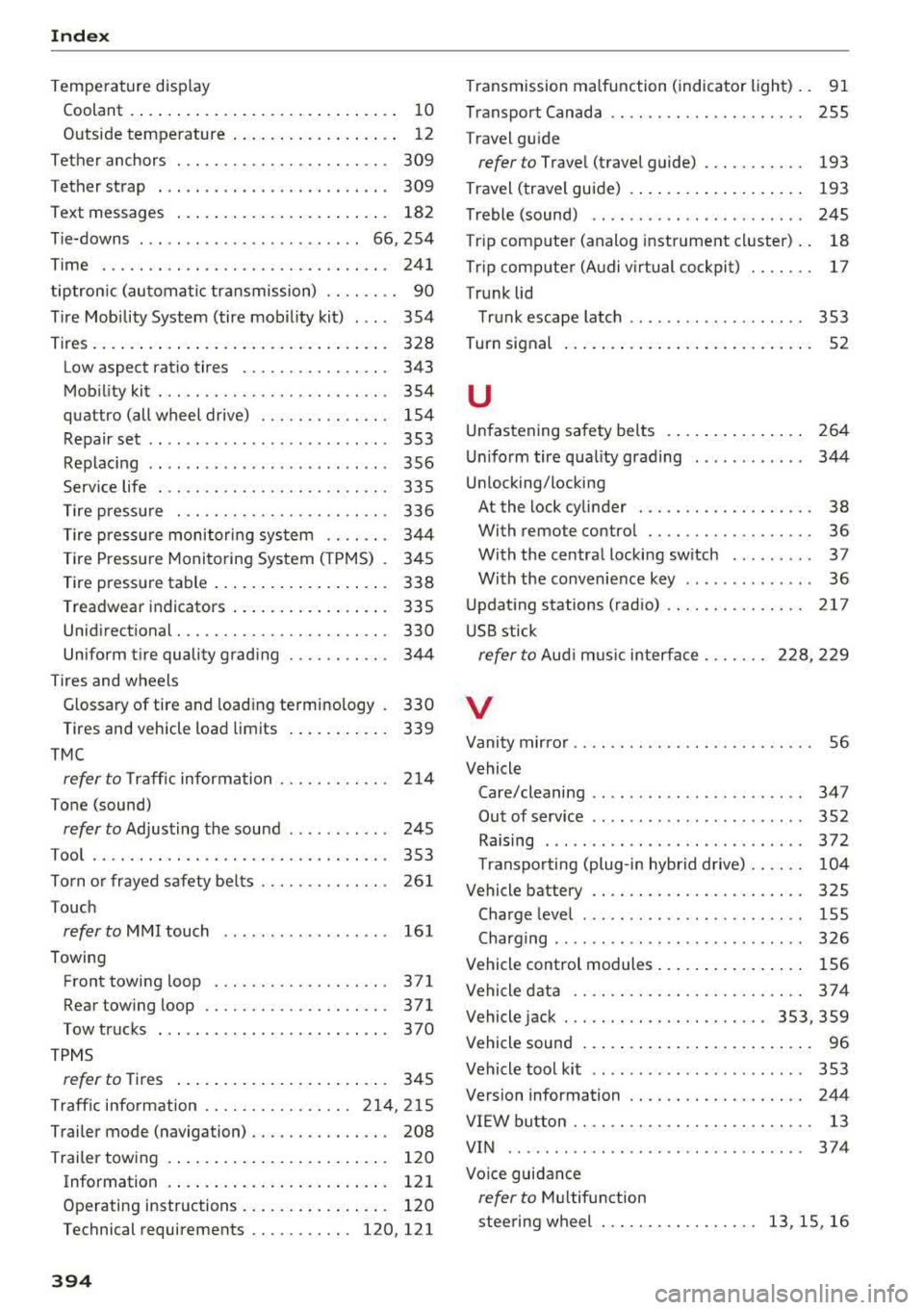
Index
Temperature display Coolant . . . . . . . . . . . . . . . . . . . . . . . . . . . . .
10
Outside temperature . . . . . . . . . . . . . . . . . . 12
Tether anchors . . . . . . . . . . . . . . . . . . . . . . . 309
Tether strap . . . . . . . . . . . . . . . . . . . . . . . . . 309
Text messages . . . . . . . . . . . . . . . . . . . . . . . 182
Tie-downs . . . . . . . . . . . . . . . . . . . . . . . . 66, 254
Time . .... .. .. ............... .... ... 241
tiptron ic (automatic transmission) . . . . . . . . 90
Tire Mobility System (tire mobility kit) . . . . 354
Tires. . . . . . . . . . . . . . . . . . . . . . . . . . . . . . . . 328
Low aspect ratio tires . . . . . . . . . . . . . . . . 343
Mobility kit . . . . . . . . . . . . . . . . . . . . . . . . . 354
quattro (all wheel drive) . . . . . . . . . . . . . . 154
Repair set . . . . . . . . . . . . . . . . . . . . . . . . . . 353
Replacing . . . . . . . . . . . . . . . . . . . . . . . . . . 356
Service life . . . . . . . . . . . . . . . . . . . . . . . . . 335
Tire pressure . . . . . . . . . . . . . . . . . . . . . . . 336
Tire pressure monitoring system . . . . . . . 344
Tire Pressure Monitoring System ( TPMS) . 345
Tire pressure table . . . . . . . . . . . . . . . . . . . 338
Treadwear indicators . . . . . . . . . . . . . . . . . 335
Unidirectional. . . . . . . . . . . . . . . . . . . . . . . 330
Uniform tire quality grading . . . . . . . . . . . 344
Tires and wheels Transmission malfunction (indicator light)
. .
91
Transport Canada . . . . . . . . . . . . . . . . . . . . . 255
Travel guide
refer to Travel (travel guide) . . . . . . . . . . . 193
Travel (travel guide) . . . . . . . . . . . . . . . . . . . 193
Treble (sound) . . . . . . . . . . . . . . . . . . . . . . . 245
Tr ip computer (analog instrument cluster) . . 18
Tr ip computer (Audi v irtual cockpit) . . . . . . . 17
Trunk lid
Trunk escape latch . . . . . . . . . . . . . . . . . . .
353
Turn signal . . . . . . . . . . . . . . . . . . . . . . . . . . . 52
u
Unfastening safety belts
Uniform tire quality grading ......... .. .
Unlocking/locking 264
344
At the lock cylinder . . . . . . . . . . . . . . . . . . . 38
With remote control . . . . . . . . . . . . . . . . . . 36
With the central locking switch . . . . . . . . . 37
With the convenience key . . . . . . . . . . . . . . 36
Updating stations (radio) .. ........... .. 217
USB stick
refer to Audi m usic interface . . . . . . . 228, 229
Glossary of tire and loading terminology . 330 V
Tires and vehicle load limits . . . . . . . . . . . 339
TMC
refer to T raff ic information . . . . . . . . . . . . 214
Tone (sound)
refer to Adjusting the sound . . . . . . . . . . . 245
Tool . . . . . . . . . . . . . . . . . . . . . . . . . . . . . . . . 353
Torn or frayed safety be lts . . . . . . . . . . . . . . 261
Touch
refer to MMI touch 161
Towing
Front towing loop ................ ...
371
Rear towing loop . . . . . . . . . . . . . . . . . . . . 371
Tow trucks . . . . . . . . . . . . . . . . . . . . . . . . . 370
TPMS
refer to Tires . . . . . . . . . . . . . . . . . . . . . . . 345
Traffic information ............. ... 214, 215
Trailer mode (navigation) . . . . . . . . . . . . . . . 208
Trailer towing . . . . . . . . . . . . . . . . . . . . . . . . 120
Information . . . . . . . . . . . . . . . . . . . . . . . . 121
Operating instructions . . . . . . . . . . . . . . . . 120
Technical requirements ........... 120, 121
394
Vanity mirror . . . . . . . . . . . . . . . . . . . . . . . . . . 56
Vehicle
Care/cleaning .. .. .. .. ........ ..... ..
347
Out of service . . . . . . . . . . . . . . . . . . . . . . . 352
Raising . . . . . . . . . . . . . . . . . . . . . . . . . . . . 372
T ransporting (plug-in hybrid drive) . . . . . . 104
Vehicle battery . . . . . . . . . . . . . . . . . . . . . . . 325
Charge level . . . . . . . . . . . . . . . . . . . . . . . . 155
Charging . . . . . . . . . . . . . . . . . . . . . . . . . . . 326
Vehicle control modules . . . . . . . . . . . . . . . . 156
Vehicle data . . . . . . . . . . . . . . . . . . . . . . . . . 374
Vehicle jack . . . . . . . . . . . . . . . . . . . . . . 353, 359
Vehicle sound . . . . . . . . . . . . . . . . . . . . . . . . . 96
Vehicle tool kit . . . . . . . . . . . . . . . . . . . . . . . 353
Version information . . . . . . . . . . . . . . . . . . . 244
VIEW button . . . . . . . . . . . . . . . . . . . . . . . . . .
13
VIN . . . . . . . . . . . . . . . . . . . . . . . . . . . . . . . . 374
Voice guidance
refer to Multifunction
steering wheel . . . . . . . . . . . . . . . . .
13, 15, 16