key AUDI A3 SEDAN 2017 Owner's Guide
[x] Cancel search | Manufacturer: AUDI, Model Year: 2017, Model line: A3 SEDAN, Model: AUDI A3 SEDAN 2017Pages: 400, PDF Size: 67.32 MB
Page 133 of 400
a, a, ..... N
" N ..... 0 N > 00
Inte rr upting crui se control while driving
• Move the lever into posit ion @. The message
AC C: standb y appears. Or
• press the brake pedal.
• To resume the stored speed, move the lever in
to position
@ .
In te rrupting crui se contr ol when stopped
• Push the lever away from you into position @.
The message
A CC: sta ndb y appears.
• To resume cruise control, press the brake pedal
and pull the lever toward you into position @.
A WARNING
It is dangerous to activate cruise control and
resume the stored speed when the current
road, traffic or weather conditions do not per
m it this . This inc reases the risk of an acc ident.
Setting the distance
Applies to: vehicles with Audi adaptive cruise contro l
,
0
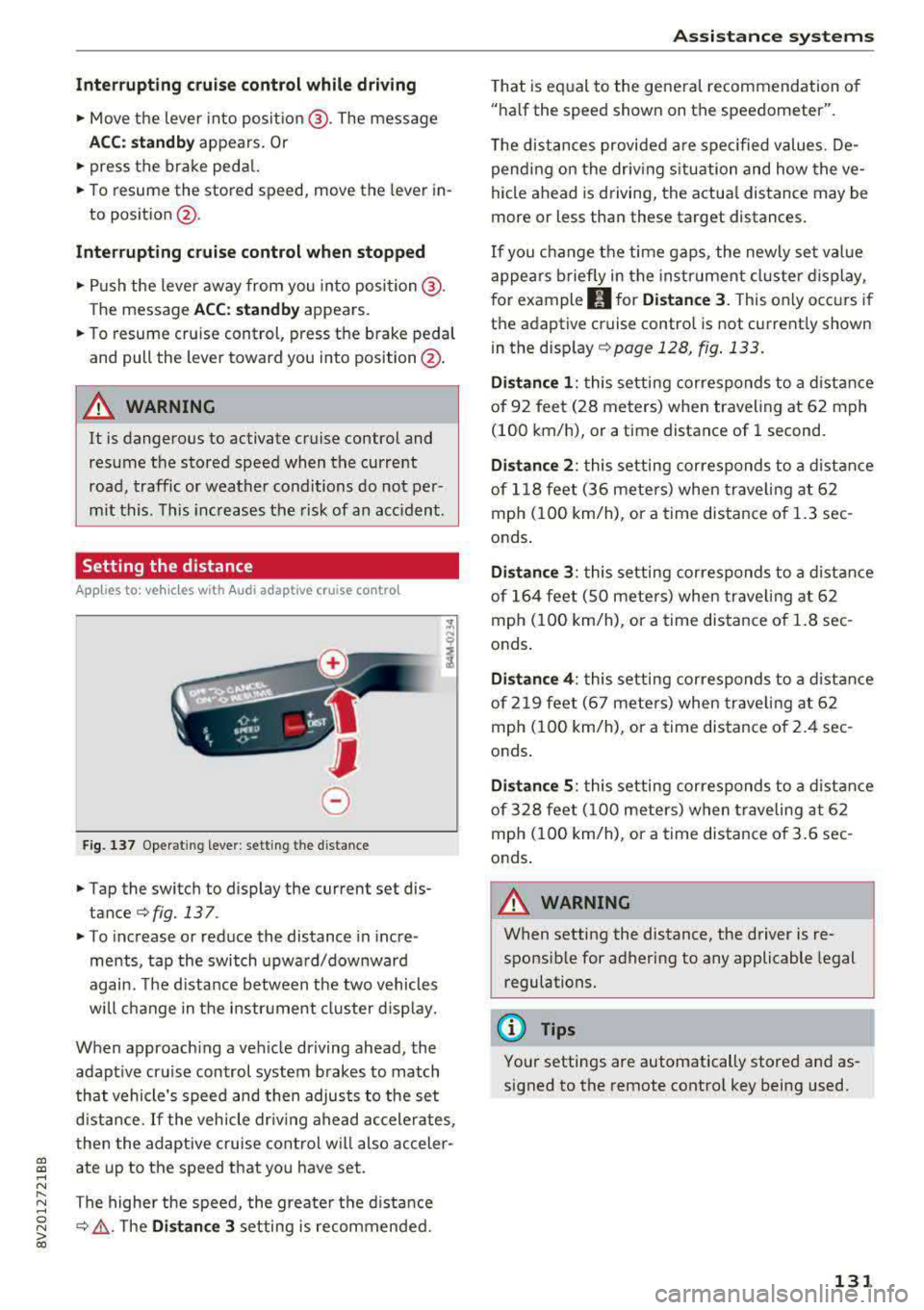
Fig. 137 Operat ing lever : setting the d istance
• Tap the switch to display the current set dis
tance
¢fig. 137 .
• To increase or reduce the distance in incre
ments, tap the switch upward/downward
again. The d istance between the two vehicles
wi ll change in the instr ument cluster d isp lay.
When approach ing a vehicle driving ahead, the
adapt ive cruise control system brakes to match
that vehicle's speed and then adjusts to the set
d istance.
If the vehicle dr iv ing ahead ac celerates,
then the adaptive cruise control wi ll also acceler
ate up to the speed that you have set.
The higher the speed, the greate r the d ista nce
¢ &, .T he Di stan ce 3 setting is recommended.
A ss is ta nce syst ems
That is equal to the general recommendation of
"ha lf the speed shown on the speedometer".
T he distances provided a re specified values. De
pend ing on the driv ing s ituation and how the ve
hicle ahead is d riving, the actua l distance may be
more or less than these target distances.
If you change the time gaps, the newly set value
appea rs briefly in the instrument cl uster d isplay,
f or example
II for Di stan ce 3 . This only occurs if
the adaptive cruise contro l is not current ly shown
i n the display ¢
page 128, fig. 133.
Dista nce 1 : this setting corresponds to a distance
of 92 feet (28 meters) when traveling at 62 mph
(100 km/h), or a time distance of 1 second.
Di stance 2 : this setting corresponds to a dist ance
of 118 feet (36 mete rs) when traveling at 62
mph (100 km/h), or a time distance of 1.3 sec
onds .
Distance 3: this setting corresponds to a distance
of 164 feet (SO mete rs) when traveling at 62
mph (100 km/h), or a time distance of 1.8 sec
onds .
Distance 4 : this setting corresponds to a dist ance
of 219 feet (67 mete rs) when traveling at 62
mph (100 km/h), or a time distance of 2.4 sec
onds .
Distance 5 : this setting corresponds to a distance
of 328 feet (100 meters) when traveling at 62
mph (100 km/h), or a time distance of 3.6 sec
onds .
A WARNING
-
When setting the distance, the driver is re -
sponsible for adhering to any applicable legal
regulations.
(D Tips
Your settings are automatically stored and as
signed to the remote control key being used.
131
Page 134 of 400
Ass is tance sy stems
Setting the driving program
Applies to: ve hicles w ith Audi adaptive cruise co ntro l
Depending on the se lected dr iv ing program and
d istance, driving behav ior when accelerating w il l
vary from dynamic to com fortable.
Setting the driv ing pro gram on vehicles
without dri ve s ele ct *
• Se lect in the Infotainment system : I MENU I but
ton
> Vehi cle > left contro l bu tton > Driver a s
s is ta nc e
> Audi adapt iv e cr uise contr ol > Dr iv
i ng p rogram
> Com fort , Standard or Dynami c.
Setting the driv ing mode on vehicles w ith
d riv e se le ct*
Refer to ~ page 144.
@ Tips
Your sett ings are automa tically stored and as
signed to the remote control key being used.
Driver intervention request
A pp lies to: ve hicles with Audi adaptive cruis e co ntrol
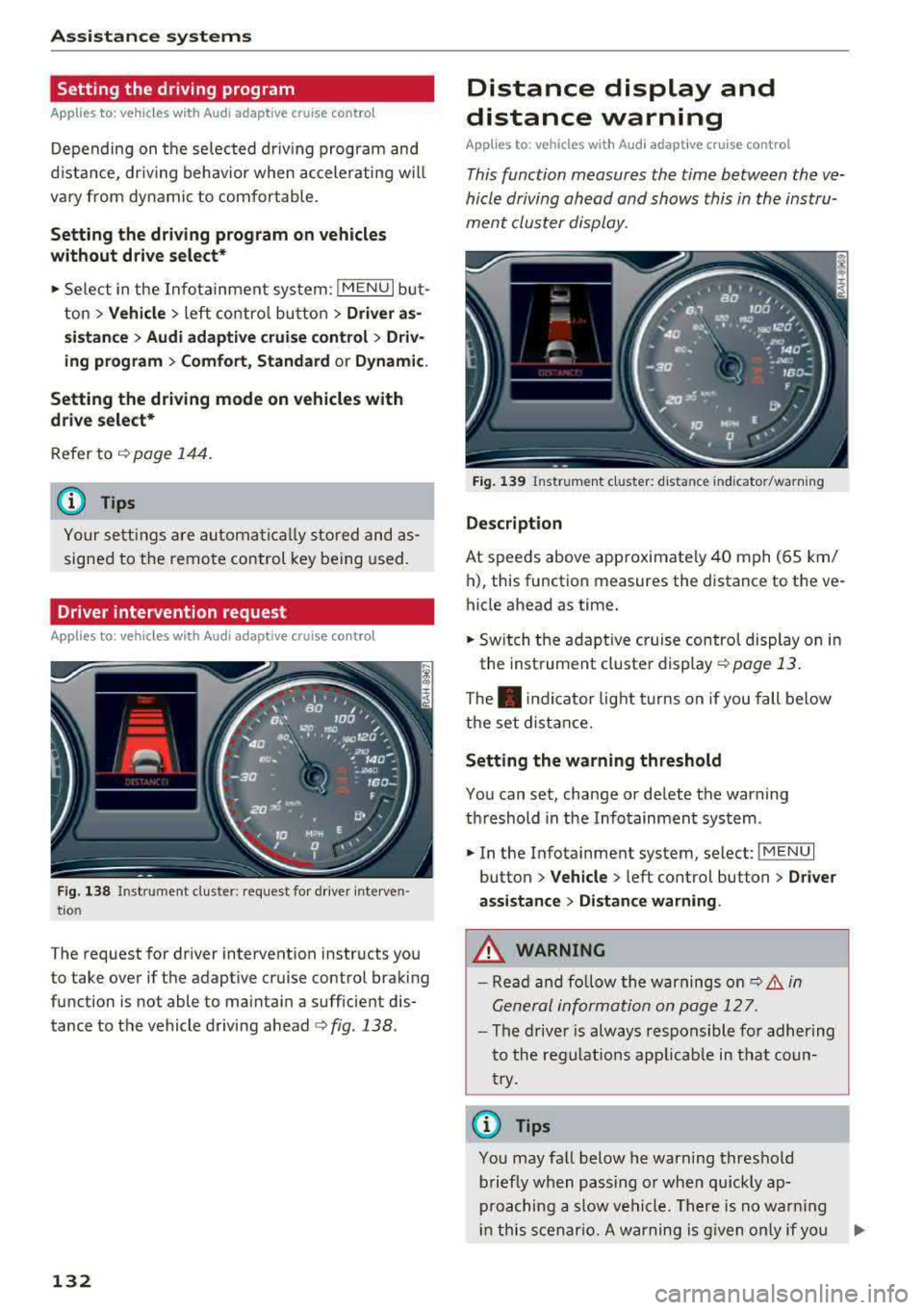
F ig . 138 Instrument cluster: request for drive r interven
t io n
The request for driver intervention instructs you
to take over if the adaptive cruise control braking
function is not able to maintain a sufficient dis
tance to the vehicle driving
ahead ¢ fig. 138.
132
Distance display and
distance warning
App lies to : vehicles wit h Audi ada ptive c ru ise con trol
This function measures the time between the ve
hicle driving ahead and shows this in the instru
ment cluster display.
Fig . 139 Instrument cluster: dista nce indicato r/warning
D es cript ion
At speeds above approximately 40 mph (65 km/
h), this function measures the distance to the ve
hicle ahead as time.
• Switch the adaptive cruise control display on in
the instrument cluster
display ~ page 13.
The . indicator light t urns on if you fall below
the set distance.
Sett ing the w arnin g thre shold
You can set, change or delete the warning
threshold in the Infotainment system.
• In the Infotainment system, select: I MENU I
button > Vehicle > left control button > Driver
assis ta nc e > Di st a nc e wa rning.
,& WARNING
-Read and fo llow the warnings on q .&. in
General information on page 127.
- The driver is always responsible fo r adher ing
to the regulat ions app licab le in tha t coun
try.
(D Tips
You may fa ll below he warning threshold
briefly when passing o r when qu ickly ap
proaching a slow vehicle. There is no warn ing
in this scenar io. A warning is g iven only if you
Page 141 of 400
a, a, ... N
" N ..... 0 N > 00
This message appears if you are not steering by
yourself . Active lane assist is activated, but is not
ready to give warning
Setting the vibration warning
Ap plies to: ve hicles with Audi active lane assist
You con adjust individual Audi active lone assist
settings in the Infotainment system .
.,. Select in the Infotainment system: !MENUI but
ton
> Vehicle > left control button > Driver a s
sistance > Audi active lane assist.
Vibration warning
You can switch the additional vibration warning
in the steering wheel on or off.
_& WARNING ,..__
With the vibration warning switched off,
there will also be no visual warning in the in
strument cluster display when crossing a lane
marker line.
(D Tips
Your settings are automatically sto red and as
signed to the remote contro l key being used.
Audi side assist
Description
Applies to: vehicles with Audi side assist
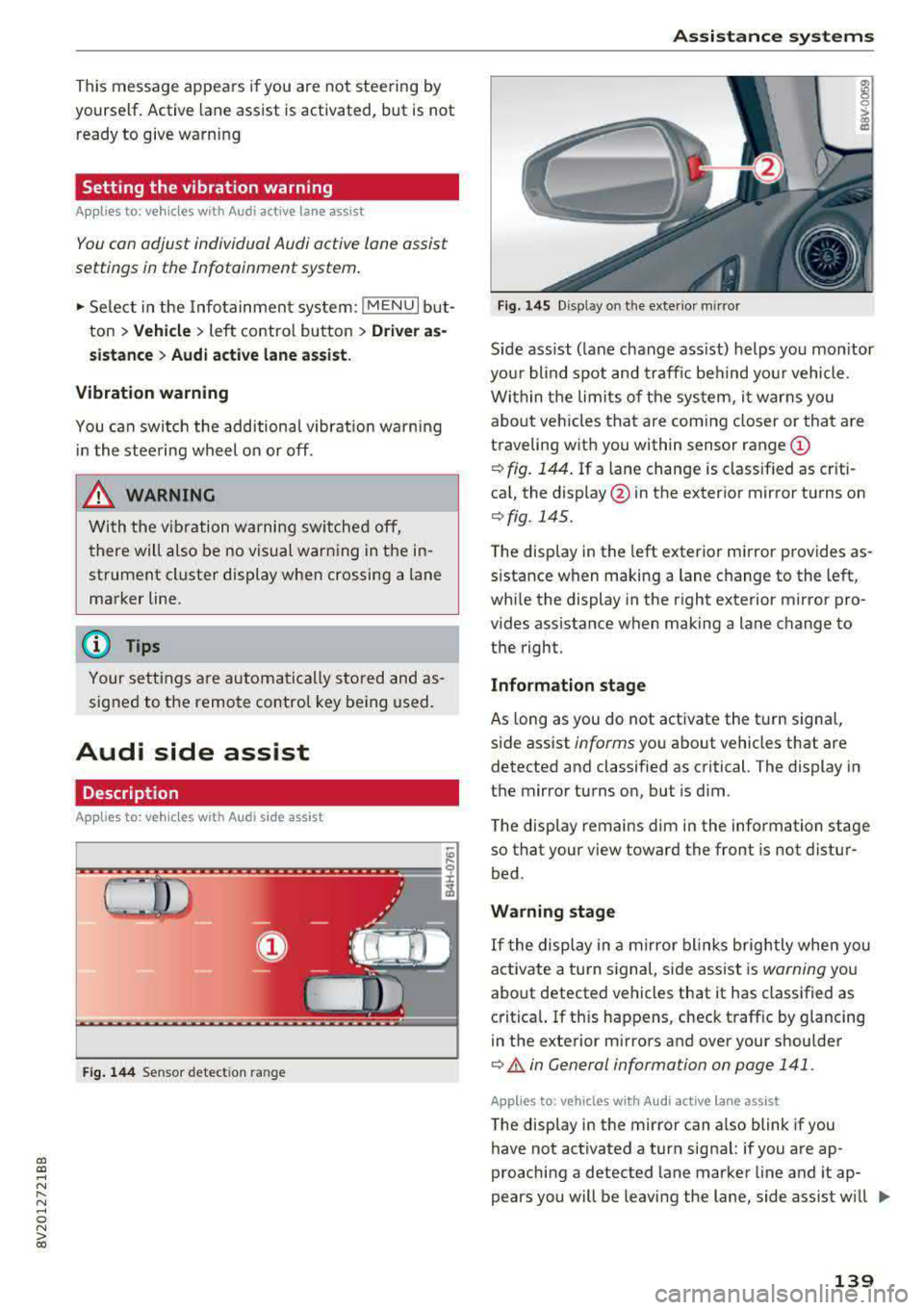
Fig. 144 Sensor detect ion ran ge
Assistance systems
Fig. 145 Disp lay on t he exterio r m irr or
ffl 0 0
> (X)
"'
Sid e assist (lane change ass ist) helps you mon itor
your blind spot and traffic behind yo ur vehicle .
Within the limits of the system, it warns you
about vehicles that are com ing closer or that are
traveling with you within sensor range
(D
¢ fig. 144. If a lane change is classified as criti
cal, the display @in the exterior mirror turns on
¢ fig . 145.
The display in the left exterior mirror provides as
s istance when making a lane change to the left,
while the display in the right exterio r mir ror pro
vides assistan ce when making a lane change to
the righ t.
Information stage
As long as you do not activate the tu rn signal,
side assist
informs yo u about vehicles that are
detected and classified as critical. The display in
the mirror turns on, but is dim .
The display remains dim in the information stage
so that your view toward the front is not distur
bed.
Warning stage
If the display in a mirror blinks brightly when you
activate a turn signal, side assist is
warning you
about detected vehicles that it has classified as
critical. If this happens, check traff ic by glancing
in the exterior m irrors and over your shoulder
¢ & in General information on page 141 .
Applies to: vehicles with Audi act ive lane ass ist
The display in the mirror can also blink if you
have not activated a turn signal: if you are ap
proaching a detected lane marker line and it ap
pears you will be leaving the lane, side assist w ill
liJl,,
139
Page 143 of 400
CXl CXl .... N r--N .... 0 N > 00
A WARNING 1=
- Always pay attention to traffic and to the
area around your vehicle. Side assist cannot
replace a dr iver's attention. The dr iver alone
is always responsible for lane changes and
similar driving maneuvers.
- In some situat ions, the system may not
function or its funct io n may be limited. For
example:
- If vehicles are approaching or being left
behind very quickly. The display may not
turn on in time.
- In poor weather conditions such as heavy
rain, snow or heavy mist.
- On very wide lanes, in tight curves, or if
there is a rise in the road surface. Vehicles
in the adjacent lane may not be detected
because they are outside of the sensor
range.
(D Note
The sensors can be displaced by impacts or
damage to the bumper, wheel housing and
underbody. Th is can impa ir the system. Have
an authorized Audi dealer or authorized Audi
Serv ice Facility check their function .
(Di Tips
If the window glass in the driver's door or
front passenger's door has been tinted, the
disp lay in the exterior mirror may be incor
rect.
Switching on/off
A ppl ies to: ve hicles with Audi side assis t
The system can be switched on/off in the Info
tainment system.
-
If the system is activated, the displays in the ex
terior mirrors will turn on briefly when the ign i
tion is sw itched on .
.,. Select in the Infotainment system: !MENUI but
ton
> Vehicle > left control button > Driver as
sistance
> Audi side assist . Off switches the
system off.
Assistance systems
Setting the display brightness
Applies to : vehicles wi th Audi side ass ist
The display brightness can be adjusted in the In
fotainment system .
.. Select in the Infotainment system: I MENU! but
ton
> Veh icle > left control button > Driver as
sistance
> Audi side assist .
The display brightness adjusts automatically to
the brightness of the surroundings, both in the
information and in the warning stage. In very
dark or very bright surround ings, the automatic
adjustment will set the display to the minimum
or max imum level. In such cases, you may notice
no change when adjusting the brightness, or the
change may only be noticeab le once the sur
roundings change.
Adjust the br ightness to a level where the display
in the information stage will not disrupt yo ur
view ahead. If you change the brightness, the dis
play in the exterior mirror will briefly show the
brightness level in the information stage. The
brightness of the warning stage is linked to the
brightness in the information stage and is adjust
ed along with the information stage.
Q') Tips
- Side ass ist is not act ive while you are mak
ing the adjustment.
- Your settings are automatically stored and
assigned to the remote control key being
used.
141
Page 147 of 400
CXl CXl .... N ,.__
N .... 0 N > 00
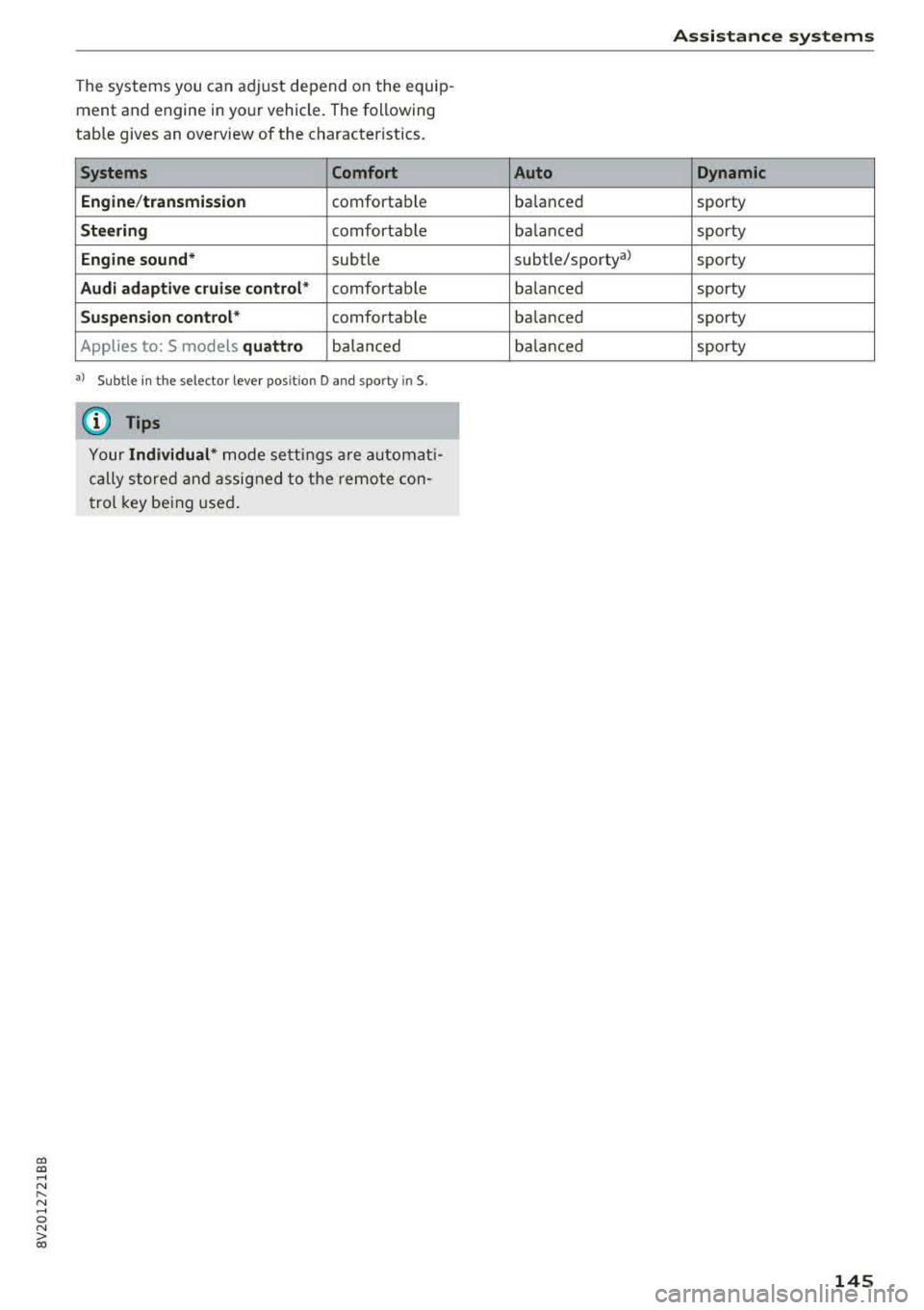
The systems you can adjust depend on the equip
ment and engine in yo ur vehicle. The following
table gives an overview of the character istics.
Systems Comfort
Engine /transmission
comforta ble
Steering comfortab le
Engine sound * subtle
Audi adaptive cruise control * comfortable
Suspension control * comfortable
Applies to: S models
quattro ba la nce d
a) Sub tle in th e se lector le ver pos it io n D an d s po rty in S.
(D Tips
You r Individual * mode setting s are automa ti
c a lly store d and as signed to the re mote con
t rol key be ing used .
Assistance systems
Auto Dynamic
balance d sporty
ba lanced sporty
subtle/sportyal sporty
ba lanced sporty
ba lanced sporty
ba lanced sporty
145
Page 152 of 400
Parking sy stem s
extension of the vehicle's outline by approxi
mately 16 ft (5 meters) to the rear.
~ While driv ing in reverse gear, adjust the steer
ing wheel ang le to fit the parking space using
the orange orientation lines for ass istance
c> .&. in General information on page 148, c> (D
in General information on page 149. ® repre
sents the rear bumper . Stop the veh icle, at the
latest, when the red or ientat ion line
@ bo rders
an object.
Adjusting the parking aid
Applies to: vehicles with parking system plus/rearview cam
era
The functions are adjusted in the Infotainment
system.
~ Select in the Infotainment system: IM ENU I but
ton
> Vehicle > left contro l button > Driv er a s
sistan ce > Parking aid . Or
~ When the parki ng aid is act ive, se lect in the I n-
fot ainment system : rig ht cont ro l bu tton* .
End system * -stop the parking aid
Acti vate automatically -switch automatic act iva
tion on/off
Front volume * -vo lume for the front area
Rear volume -volume for the rear area
Entertainment f ader -the volume of the aud io/
video source is lowe red w hen t he pa rking system
is tu rned on .
The newly selected level is demonstrated br iefly
by the sound generator.
(D Tips
- Seve ral menus can be accessed w ith the
right contro l button only when the park ing
a id is act ive.
- The settings for volume and automatic act i
vation are automatically stored and as
signed to the remote co ntrol key being
used.
150
Error messages
Applies to: vehicles with parking system plus/rea rv iew cam
era
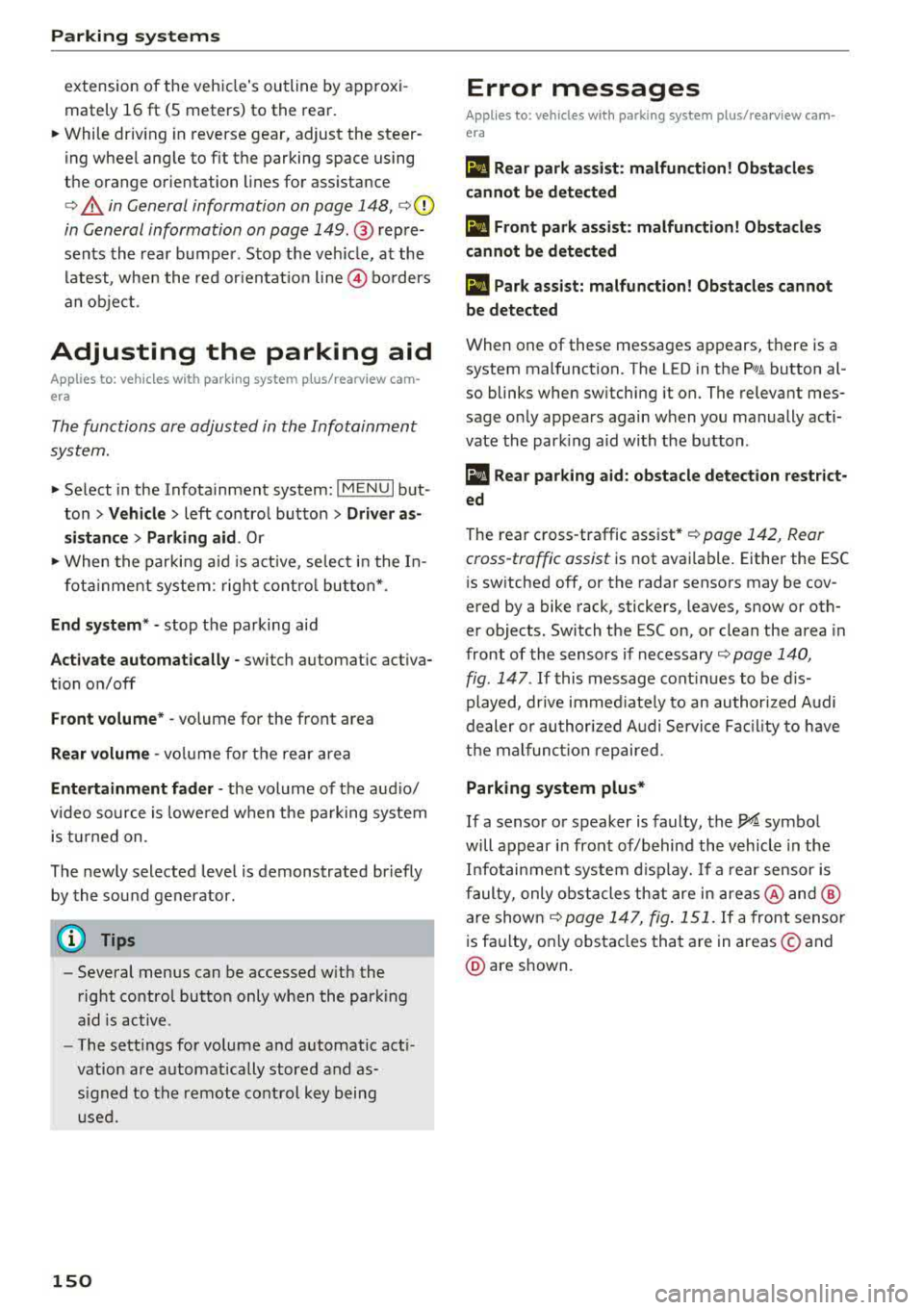
Ill Rear park assi st : malfun ction! Ob stacles
cannot be detect ed
Ill Front park a ssist : malfunct ion! Ob st a cles
cannot be detected
Ill Park assist: mal function! Obstacles cannot
b e detect ed
When one of these messages appears, there is a
system malfunction. The LED in the
P'#! button al
so blinks when sw itching it on. The relevant mes
sage on ly appea rs again when you manually acti
vate the park ing aid with the button .
[ill Rear parking aid : obstacle detection restr ict
ed
The rear c ross-traffic assist* c> page 142, Rear
cross-traffic assist
is not available. Either the ESC
i s sw itched off, or the radar sensors may be cov
ered by a bike rack, stickers, leaves, snow or oth
er objects. Switch the ESC on, or clean the area in
front of the sensors if necessary c> page 140,
fig . 147 . If this message cont inues to be d is
played, drive immed iate ly to an authori zed A udi
dealer or au thor ized A udi Servi ce Fac il ity to have
t h e mal funct ion repaired .
Parking system plus*
If a senso r or speaker is faulty, the J¼ symbo l
will appear i n front of/behind the vehicle in the
I nfotai nment system d isplay. If a rear sensor is
faulty, only obs tacles th at are in areas @and @
a re shown
c> page 147, fig . 151. If a front sensor
is fa ulty, only obstacles that are in areas © and
@ are shown.
Page 158 of 400
Intelligent Technology
and at cold times of the year. A lot of energy is
used but little is generated. It is also critical
when the engine is not running but electrical
equipment is switched on. In this case, energy is
used but none is generated.
In situations like this, energy management will
actively regulate the distribution of energy.
Long periods without use
If you do not drive your vehicle for several days or
weeks, electrical equipment is gradually scaled
back or switched off. This reduces energy use and
ensures the vehicle will be able to start after long
periods of time. Some convenience functions
such as opening with the remote control key may not be available. These convenience functions
will be available again once you switch the igni tion on and start the engine.
With the engine switched off
The vehicle battery will drain if you use Infotain
ment functions such as listening to the radio
while the engine is switched off.
If the vehicle's ability to start may be impaired by
the energy use, a message will appear in the In
fotainment system display. The message indi
cates that the system will switch off automatical ly soon . If you would like to continue using the
functions, you must start the engine.
With the engine running
Although electrical energy is generated while
driving, the vehicle battery can drain . This can
happen if little energy is generated but much is
used, and the charge level of the vehicle battery
is not optimal.
To restore the balance of energy, components that require large amounts of energy are temporar ily scaled back or switched off. Heating sys
tems in part icular require a great deal of energy .
If you notice, for example, that the seat heating*
or rear window defogger is not working, then it
has been temporarily reduced or switched off.
These systems are available again as soon as the
energy supply has been restored .
In addition , you may notice that the idle speed
has slightly increased. That is normal and no
156
cause for concern . By increasing the idling speed,
the additional required energy will be generated
and the vehicle battery will be charged.
Notice about data
recorded by the Event
Data Recorder and
vehicle control modules
Event Data Recorder
This vehicle is equipped with an Event Data Re
corder (EDR). The main purpose of an EDR is to
record, in certain crash or near crash-like situa
tions, such as an airbag deployment or hitting a road obstacle, data that will assist in understand
ing how a vehicle's systems performed . The EDR
is designed to record data related to vehicle dy
namics and safety systems for a short period of
time, typically 30 seconds or less. The EDR in this
vehicle is designed to record such data as:
- How various systems in your vehicle were oper
ating;
- Whether or not the driver and passenger safety
belts were buckled/fastened;
- How far (if at all) the driver was depressing the
accelerator and/or brake pedal; and,
- How fast the vehicle was traveling.
These data can help provide a better understand
ing of the circumstances in which crashes and in
juries occur. NOTE: EDR data are recorded by your
vehicle only if a non-trivial crash situation occurs;
no data are recorded by the EDR under normal
driving conditions and no personal data (e.g .,
name, gender, age, and crash location) are re
corded . However, other parties, such as law en
forcement, could combine the EDR data with the
type of personally identifying data routinely ac
quired during a crash investigation .
To read data recorded by an EDR, special equip
ment is required, and access to the vehicle or the
EDR is needed . In addition to the vehicle manu
facturer, other parties, such as law enforcement,
that have the special equipment, can read the in
formation if they have access to the vehicle or the EDR.
~
Page 201 of 400
CXl CXl .... N r--N .... 0 N > 00
-If a t least two minutes have passed after
the last time the ignition was switched
off,
you can reset the access counter back to "O" as needed after switching the ignition on/
off again .
Vehicle status report
Applies to: veh icles with Audi connect e·tron services
You can access various vehicle statuses using the
services, such as:
- high-voltage battery charge level,
- electri c range,
- mileage,
- next inspection .
For addit ional information,
see ¢ page 97, Power
meter overview
and ¢ page 99, Range display .
A WARNING
Do not ignore messages and warning or indi
cator lights that turn on in the vehicle
be
cause of the information in the status report.
T his could le a d to b reak downs in on the ro ad,
ac cidents and serious injuries .
Car Finder
Applies to: vehicles with Audi connect e-tron services
The vehicle collects data under certa in conditions
a n d se nds it to a se rver.
When data is stored, you can access values such
as these us ing the service :
- Vehicle location d isplay,
- Display of one's own locat ion,
- Ro ute to your vehicle.
I f yo ur mobile device also has a navigation f unc
tion, yo u can navigate to your last know n pa rking
l ocat ion .
(D Tips
-The new pa rking location canno t be dete r
mined with this service if the vehicle is
moved after shutt ing the ve hicle
off and
without switching the ignition on and
off
again, for example when being towed o r if
the veh icle is stolen.
Audi connect e-tron s erv ic es
- If the vehicle is moved and shut off again
using the second key, for example, t he new
park ing location is transmitted to the server
after sw itching the ign ition
off.
Charging
Applies to: vehicles with Audi connect e-t ron services
You can contro l and access the hig h-voltage bat
tery charging process remotely using these serv ices. You have the followi ng options:
- check the battery charge level,
- start/end the cha rging p rocess,
- program the charging t imer with/wit hout cl i-
mate con trol,
- deactivate/activate the cha rg ing timer.
Fo r additional information,
see ¢ page 108,
Charging the battery with the Audi e-tron charg
ing system .
A WARNING
Only perform c harg ing f unct io ns on t he h igh
vol tage battery if t he ve hicl e is shut
off co r
r e ct ly, is con nected to a suitable socket an d if
the ignition is switched
off.
Temperature control
Applies to: vehicles with Audi connect e-tron services
You can co ntro l the clima te control in your vehi
cl e remo tely using these serv ices:
- start/end climate control,
- program the timer,
- deactivate/activate the timer.
For additional information,
see ¢ page 118 , Cli
mate control.
A WARNING "---
Only perform the climate cont rol functions i f
your vehicle was shut
off cor rectly and the ig
ni tion is switched off .
199
Page 263 of 400
CXl CXl .... N ,.__
N .... 0 N > 00
Although your Audi is equipped with airbags, you
still hav e to wear the safety belts provided. Front
airbags, for example, are activated only in some
frontal collisions. The front airbags are not acti
vated in all frontal collisions, in side and rear col lisions, in roll overs or in cases where there is not
enough deceleration through impact to the front
of the vehicle . The same goes for the other airbag
systems in your Audi . So, always wear your safety
belt and make sure everybody in your vehicle is
properly restrained!
Important safety instructions about safety
belts
Safety belts must always be correctly positioned
across the strongest bones of your body.
.,. Always wear safety belts as illustrated and de
scribed in this chapter.
.. Make sure that your safety belts are always
ready for use and ar e not damag ed.
A WARNING
Not wearing safety belts or wearing them im·
properly increases the risk of serious personal
injury and death . Safety belts can work only
when used correctly.
- Always fasten your safety belts correctly be
fore driving off and make sure all passen gers are correctly restrained .
- For maximum protection, safety belts must always be positioned properly on the body.
- Never strap more than one person, includ
ing small children, into any belt .
- Never place a safety belt over a child sitting
on your lap.
- Always keep feet in the footwell in front of
the seat while the vehicle is being driven.
- Never let any person ride with their feet on
the instrument panel or sticking out the
window or on the seat.
- Never remove a safety belt while the vehicle
is moving. Doing so will increase your risk of
being injured or killed.
- Never wear belts twisted.
- Never wear belts over rigid or breakable ob- jects in or on your clothing, such as eye
Safety belts
glasses, pens, keys, etc., as these may cause
injury.
- Never allow safety belts to become dam
aged by being caught in door or seat hard
ware.
- Do not wear the shoulder part of the belt
under your arm or otherwise out of position.
- Several layers of heavy clothing may inter
fere with correct positioning of belts and re duce the overall effectiveness of the system .
- Always keep belt buckles free of anything
that may prevent the buckle from latching
securely.
- Never use comfort clips or devices that cre
ate slack in the shoulder belt. However, spe
cial clips may be required for the proper use
of some child restraint systems .
- Torn or frayed safety belts can tear, and
damaged belt hardware can break in an acci
dent . Inspect belts regularly.
If webbing,
bindings, buckles, or retractors are dam
aged , have belts replaced by an authorized
Audi dealer or qualified workshop.
- Safety belts that have been worn and loaded
in an accident must be replaced with the
correct replacement safety belt by an au
thorized Audi dealer. Replacement may be
necessary even if damage cannot be clearly
seen. Anchorages that were loaded must al
so be inspected.
- Never remove, modify, disassemble, or try
to repair the safety belts yourself.
- Always keep the belts clean. Dirty belts may
not work properly and can impair the func
tion of the inertia reel
¢ table Interior
cleaning on page 349.
261
Page 265 of 400
a, a, ..... N
" N ..... 0 N > 00
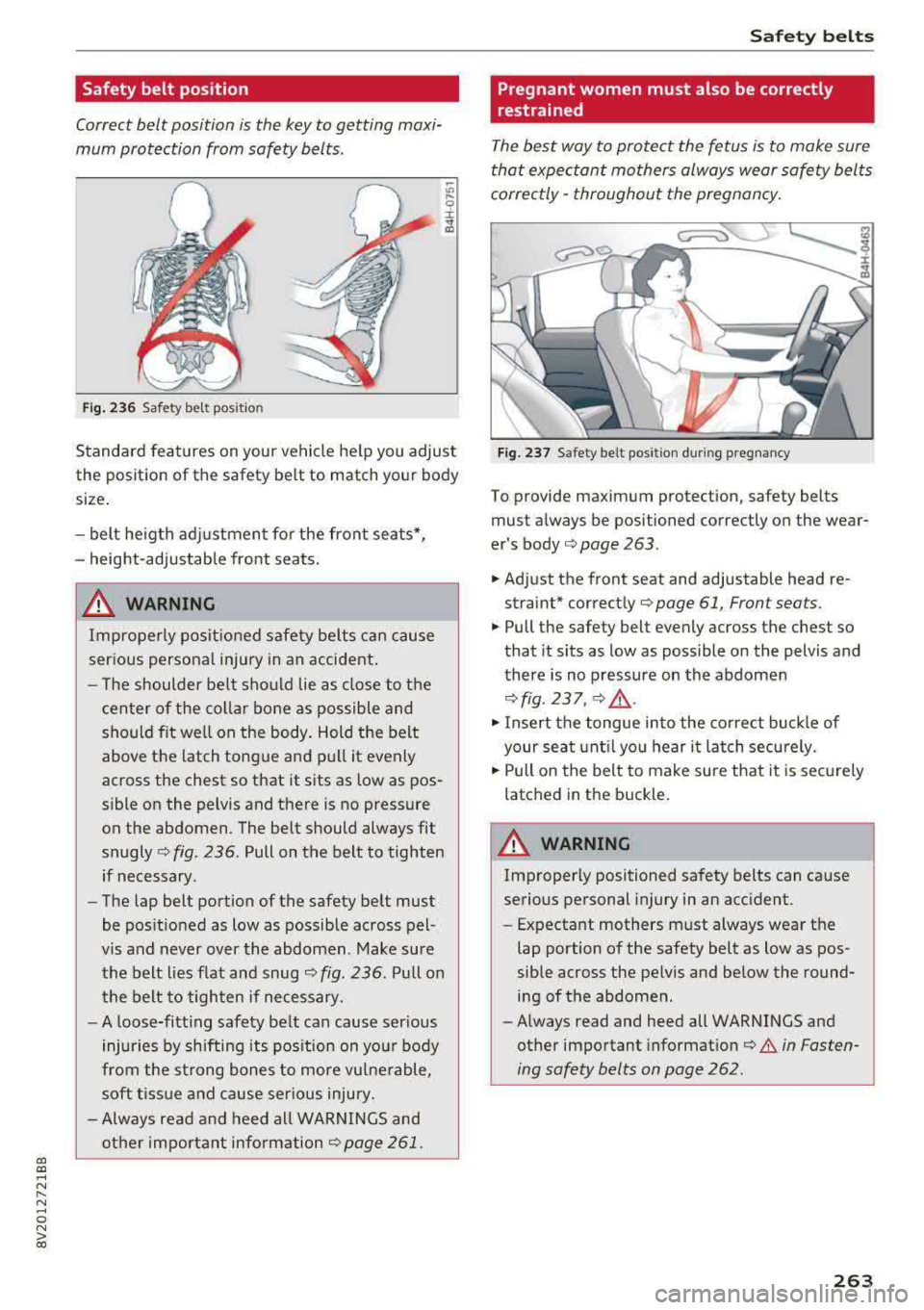
Safety belt position
Correct belt position is the key to getting maxi
mum protection from safety belts .
~
"' l'-9 r .. a,
Fig. 236 Safety bel t pos it io n
Standard feat ures on your vehicle he lp you ad just
the posit ion of the safety belt to match your body
size .
- belt he igth adj ustmen t for the front seats *,
- height-adjustable front seats.
.&, WARNING
Improperly pos it ioned safety be lts ca n ca use
ser ious personal inj ury in an accident .
- T he shoulder belt sho uld lie as close to the
cen ter of the colla r bone as possible and
should fit we ll on the body. Hold t he belt
above the latch tong ue a nd pu ll it evenly
across the chest so that it sits as low as pos
sible on the pelvis and there is no press ure
on the abdomen . The belt should always fit
snugly
Q fig. 236. Pull on the belt to tighten
if necessary.
- The lap belt portion of the safety belt must
be pos itioned as low as possib le across pel
vis and never over the abdomen. Make sure
the belt lies flat and snug
Q fig . 236 . Pull on
th e belt to tighten if necessary.
- A loose-fitt ing safety belt can cause ser ious
injuries by shift ing its pos ition on you r body
from the st rong bones to more vu lne rable,
soft tiss ue a nd cause ser ious injury.
- Always read and heed all WARN INGS and
other importa nt inform ation
<=? page 261.
Safet y bel ts
Pregnant women must also be correctly
restrained
The best way to protect the fetus is to make sure
that expectant mothers always wear safety bel ts
correctly
-throughout the pregnancy.
F ig. 237 S af ety belt position duri ng pregnancy
To provide maximum protection, safety belts
must always be positioned correctly on the wear
er's
body ¢ page 263 .
.. Adjust the front seat and adjustable head re
straint*
c orrec tly¢ page 61, Front sea ts .
.,. Pull the safety belt evenly across the chest so
that it sits as low as possible on the pelvis and
there is no pressure on the abdomen
Q fig. 237 , ¢ .&,.
.,. Insert the tongue into the co rrect buc kle of
your sea t until yo u hear i t latch secu rely.
.,. Pull on the belt to make sure that it is sec urely
latched in the buckle.
_& WARNING
Improperly positioned safety belts can cause
serious pe rsonal injury in an acc ident.
-Expectant mothers must always wear the
lap portion of the safety belt as low as pos
sible across the pe lvis and below the round
ing of the abdomen.
- Always read and heed all WARNINGS and
other important
i nformation¢ .&. in Fasten
ing safety belts on page 262 .
263