engine AUDI A3 SEDAN 2018 User Guide
[x] Cancel search | Manufacturer: AUDI, Model Year: 2018, Model line: A3 SEDAN, Model: AUDI A3 SEDAN 2018Pages: 404, PDF Size: 62.3 MB
Page 26 of 404
Cockpit overv ie w
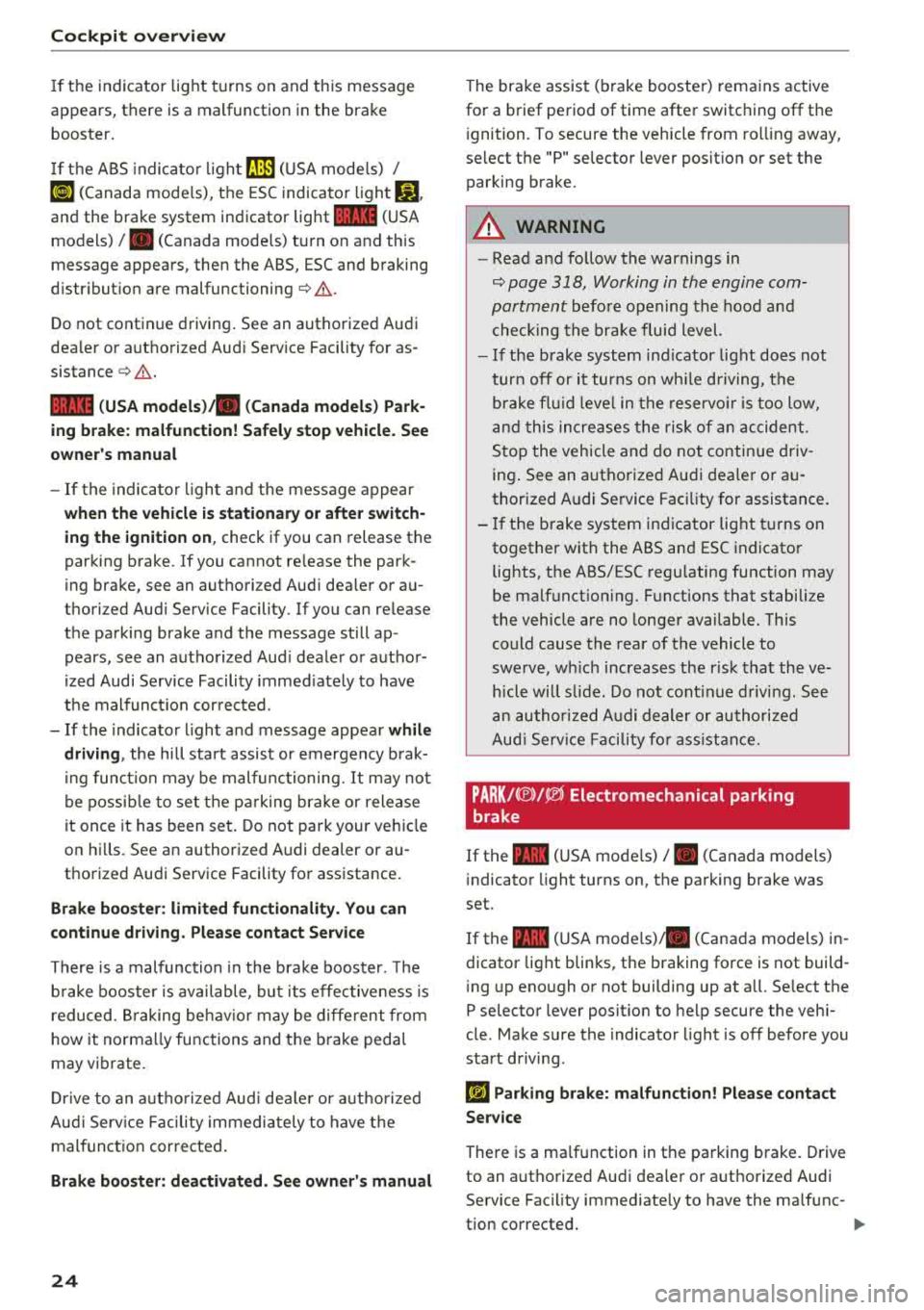
If th e indicator light t urns on and th is message
appears, there is a malfunction in the brake booster.
I f t he ABS indica to r li ght
rlll) (USA mode ls) /
«~a (Canada mode ls), the ESC indicator light Bl
and the brake system indicator light 11111 (USA
models)
I . (Canada mode ls) turn on and this
message appears, then the ABS, ESC and braking
d istr ibut ion are
malfunctioning¢ &.
Do not continue driving . See an authorized Audi
dea ler or aut horized Aud i Serv ice Facility for as
sistance
¢ & .
11111 (USA models )/. (Canada model s) Park
ing brake: malfunction! Safely stop vehicle. See
o w ner 's manual
- If the indica to r li ght a nd the message appear
when the vehicle is stationar y or after switch
ing the ignition on ,
check if you can release the
parking brake . If you cannot re lease the park
ing brake, see an authori zed Aud i dea ler or au
thorized Audi Serv ice Facility. If you can re lease
the parking brake and the message still ap
pears, see an authorized Aud i dealer or author
ized Audi Service Facility immed iately to have
t h e malfunct ion corrected.
- If the indicato r light and message appea r while
drivin g,
the hill sta rt assist or emergency b rak
i ng func tion may be malfunctioning. It may no t
be possib le to set t he pa rking bra ke or release
it once it has been set . Do not pa rk your ve hicle
on hi lls. See an authorized Audi dealer or au
thorized Audi Service Facility for assistance .
Brake b oost er: limited fun cti onality . You can
con tinue d riv ing. Ple ase contact Service
There is a malfunction in the brake booster. The
b rake booster is available, but its effec tiveness is
reduced . B raking be hav io r may be diffe rent from
how it norma lly functions and t he b rake pedal
may vibrate.
Dr ive to an a uth o rized Aud i dea le r or a uth orized
Aud i Serv ice Facil ity immediately to have t he
mal funct ion corrected .
Brake booster: deactivated . S ee own er's manual
24
The brake assist (brake booster) rema ins active
for a brief period of time after switc hing
off the
i gnition. To secure the vehicle from ro lling away,
select the "P" selector lever posit ion or set the
parking brake .
A WARNING
-Read and fo llow the warnings in
¢ page 318, Working in the engine com
partment
befo re opening the hood and
checking the brake fluid level.
- If the brake system indicator light does not
turn
off or it turns on wh ile driving, the
brake flu id leve l in the reservo ir is too low,
an d this incre ases the risk of an accident.
Stop the vehicle and do not continue driv
ing . See an authorized Audi dea ler or a u
thorized A udi Service Facility for assistance.
- I f the brake system indicator light t urns on
together with the ABS and ESC indicator lights, the ABS/ESC regu lating function may
be malfunct ion ing. Functions that stabilize
the vehicle are no longer available. This
could cause the rear of the vehicle to
swerve, wh ich increases the r is k that the ve
hicle will slide. Do not cont inue driving. See
an authori zed A udi dealer or authori zed
Aud i Serv ice F acility fo r ass ist ance.
PARK/(®)/~ Electromechanical parking
brake
If the -(USA mode ls) I. (Canada models)
i ndicator light turns on, the parking brake was
set.
If the
-(USA mode ls)/ . (Canada models) in
dicator light blinks, the braking force is not build
i ng up eno ugh or not building up at a ll. Se lect the
P selector lever posit ion to help secure the vehi
cle . Make sure the indicator light is
off before you
start driving.
riJ Parking brake: malfunction! Please contact
Ser vice
There is a ma lfunction in the parking brake. Drive
to an authorized Audi dea ler or authorized Audi
Service Facility immediate ly to have the malfunc-
tion corrected.
.,..
Page 27 of 404
![AUDI A3 SEDAN 2018 User Guide u. 00 .-< N l N .-< 0 N > 00
~ (USA models) / 6] (Canada mod
els ) Pa rking brake auto release una vailable
If t his message appea rs, press the brake pedal
fi rst and then relea](/img/6/57548/w960_57548-26.png "AUDI A3 SEDAN 2018 User Guide u. 00 .-< N l N .-< 0 N > 00
~ (USA models) / 6] (Canada mod
els ) Pa rking brake auto release una vailable
If t his message appea rs, press the brake pedal
fi rst and then relea")
u. 00 .-< N l' N .-< 0 N > 00
~ (USA models) / 6] (Canada mod
els ) Pa rking brake auto release una vailable
If t his message appea rs, press the brake pedal
fi rst and then release the pa rking bra ke.
~ll. PARK BRAKE (USA model s) / [<~) ( Can ada mod
e ls) Parking brake : caution! V ehicle park ed too
s tee p
If the indicator light blinks and the message ap
pea rs, the re is not enough brak ing power to se
cure the veh icle . T he brakes have ove rheated. The
ve hicl e co uld ro ll away even on a small incli ne.
@ Tips
For addit iona l information on the park ing
b rake, see¢
page 81.
- L Cooling system
• Turn off engine and che ck coo lant le vel! See
o wner 's manual
• Stop v ehicl e and check coolant le ve l! S ee
owner 's manual
The coolant level is too low .
Do not cont inue driving and switch the engine
off. Check the coolant level ¢
page 324.
Plug-in hybrid drive *: refer to ¢page 102.
- If the coolant level is too low, add coolant
¢page 325. O nly cont inue dr iv ing o nce the in
dicato r light turns off .
• Coolant temp eratur e too high! Let engine
run with vehicle stationar y
Let the eng ine run at idle for a few minutes to
cool off, until the ind icator light turns off.
- If the indicator light does not turn off, do not
continue driving the vehicle. See an authorized
Audi dealer or authorized Audi Service Facility
for assistance .
A WARNING
-Never open the hood if you ca n see o r hear
steam o r coolant escap ing fro m the eng ine
compartment. This inc reases the risk of
Coc kpit o ver view
burns. Wait until yo u no longer see o r hear
steam or coo lant escaping.
- The engine compartment in any vehicle can
be a dangerous area. Stop the engine and
allow it to cool before working in the eng ine
compartment. Always follow the informa
tion found in
¢ page 318, Working in the
engine comportment .
@ Note
Do not continue dr iv ing if the . indicator
light turns on as this increases the risk of en
gine damage.
Stop the engine and do not continue driving.
Check the eng ine oi l level ¢
page 322 .
-If the engine oi l level is too low, add engine oil
¢
page 321 . Only continue driving once the in
dicator light turns off.
- If the engine o il level is correct and the indica
tor light still turns on, turn the engine off and
do not cont inue driving. See an authorized Audi
dealer or authorized Audi Service Facility for as
sistance .
(D Tips
The oil pressure warni ng is not a n oil leve l in
d icator. Always check the oil level regularly .
1:::1 Generator/Vehicle battery
• Electrical system: malfunction! Batt ery is
not charging
There is a malfunction in the alternator or the ve
hicle electr ical system .
Drive to an authorized Audi dealer or authorized
Audi Service Facility immed iate ly. Turn off a ll un
necessary electrical equipment because it will
dra in the battery . See an author ized Audi dealer
o r authorized Aud i Serv ice Facility if the battery
c h arge leve l is too low.
(•] F.lectrical sy stem: malfunction! Re start not
po ssible . Plea se cont act Ser vice
.,.
25
Page 28 of 404
Cockpit overv ie w
The vehicle battery was disconnected from the
ve hicle electrical system and will no longer
charge . Drive to an authorized A udi dealer or au
thor iz ed Audi Service Facility immediate ly.
Do not stop the engine, or you will not be able to
start it again. If you can no longer start the en
g ine, see an authorized Audi dealer or authorized
Aud i Serv ice Facility for assistance.
(•) Elect rical system: malfuncti on! Plea se con
tact Se rvice
Dr ive to an a uth o rized Aud i dea le r or a uth orized
Aud i Serv ice Fac ility immediately. Because the ve
hicle battery is discha rging, turn
off a ll u nneces
sary e lectrica l equipment such as the radio. See
an author ized Audi dealer or authorized A udi
Serv ice Facility if the battery charge level is too
low.
(•) Elect rical system: low b atter y charge. Bat
tery will be charged while d rivi ng
The sta rt ing ability may be impaired .
I f th is message turns
off after a litt le while , the
ve hicl e battery charged enough w hile d rivi ng.
If the message does not turn off, have an author ized Aud i dealer or authorized Aud i Serv ice Fac ili
ty repa ir the malfunct ion .
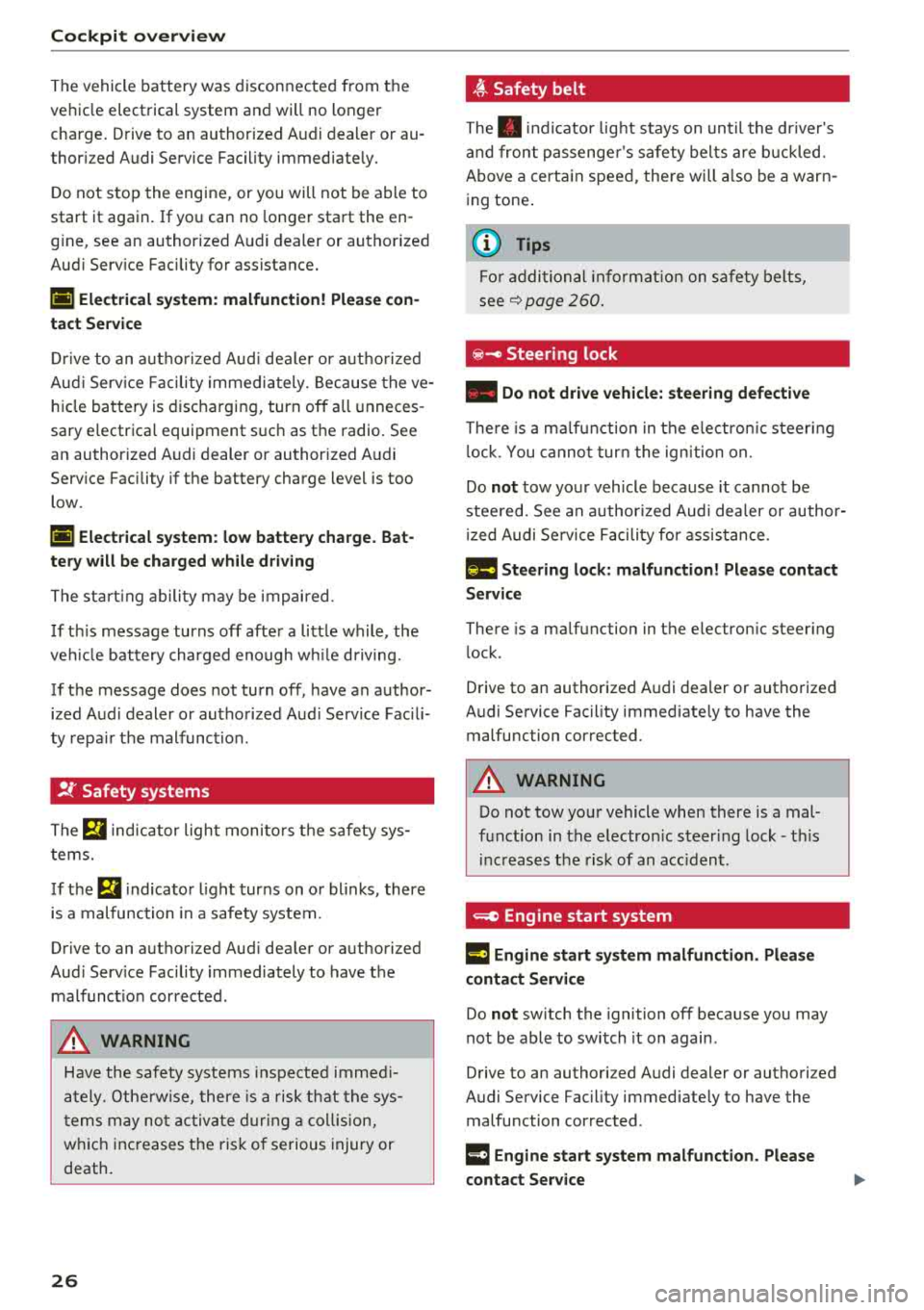
!f Safety systems
The E,I ind icator light monito rs t he safety sys
t ems.
If the
E,I i ndicator l ight turns on o r bl inks, there
is a malfunction in a safety system .
Drive to an authori zed Aud i dealer or authori zed
Aud i Serv ice Facility immediately to have the
malfunct ion corrected .
A WARNING
Have the safety systems inspected immed i
ately. Othe rw ise, there is a risk t hat the sys
t ems may no t activ ate du rin g a co llision,
w hich increases t he ris k of serious injury or
death.
26
-
~ Safety belt
The . indicator lig ht stays on unt il the dr iver's
and front passenge r's safety bel ts are b uckled.
Above a certa in speed, the re will a lso be a warn
ing tone .
(D Tips
Fo r addi tional info rmat ion on safe ty belts,
see
q page 260.
e -Steering lock
• Do not dri ve vehicle: steering defect ive
There is a m alfu nction in the e lectro nic steer ing
l ock. You canno t tur n the ign ition on.
Do
not tow you r vehicle because it cannot be
stee red. See an a uthorized Audi dea ler or author
i zed Audi Se rvice Facility for assistance .
1!!11 Steering lock : malfun ction! Pl ease conta ct
S erv ice
There is a ma lfunction in the e lectron ic steering
l ock .
Drive to an authorized Audi deal er or authorized
Audi Service Facility immediate ly to have the
malfunction corrected .
A WARNING
Do not tow your vehicle when there is a mal
funct ion in the electron ic steer ing lock
-t hi s
i nc reases the risk of an acc ident.
~ Engine start system
¥·I Engine st art sy stem malfunction . Pl ease
contact Servi ce
Do not sw itch the ignition off because you may
not be able to switch it on again .
Drive to an authori zed Audi dealer or authori zed
Audi Service Facility immediate ly to have the
malfunction corrected .
¥·I Engin e start sy stem malfunction . Plea se
contact Ser vice
-
Page 29 of 404
u. 00 .-< N l' N .-< 0 N > 00
There is a malfunction in the eng ine start ing sys
tem .
Dri ve to an autho rized Aud i dea le r o r a uth o rized
Aud i Serv ice Fac ility immedia tely to have t he
mal funct ion corrected.
~ Engine stop while driving
• Engine stopped! Power stee ring and b rake
boo ster not possible
There is a malfunction in the eng ine or in the fue l
supp ly system.
M ore fo rce is needed to s teer and bra ke the mov
in g vehi cle when the engine is stopped. If the ve
hi cle is roll ing , try to bring it to a stop off to the
side from moving traffic. See an authorized Audi
dea ler or authorized Audi Service Facility for as
sistance .
A WARNING -
If the eng ine stops whi le dr iv ing, yo u will
need to use more fo rce to brake the vehicle.
Th is increases the r isk of an accident . There
w ill still be power steer ing if t he ignit io n is
sw itched on wh ile the vehicle is rolling an d
t here is s ufficie nt vehicle batte ry c har ge. Oth
erwise, yo u m ust use g re ate r fo rce when
steer in g.
~ Hood
• Warning! Hood is not locked. Stop vehicle
and check the lock
I f t he in dicator lig ht tur ns on and t he message
appears, the hood loc king mechanism is no t en
gaged correctly .
Stop immed iate ly a nd close the hood
q page 320.
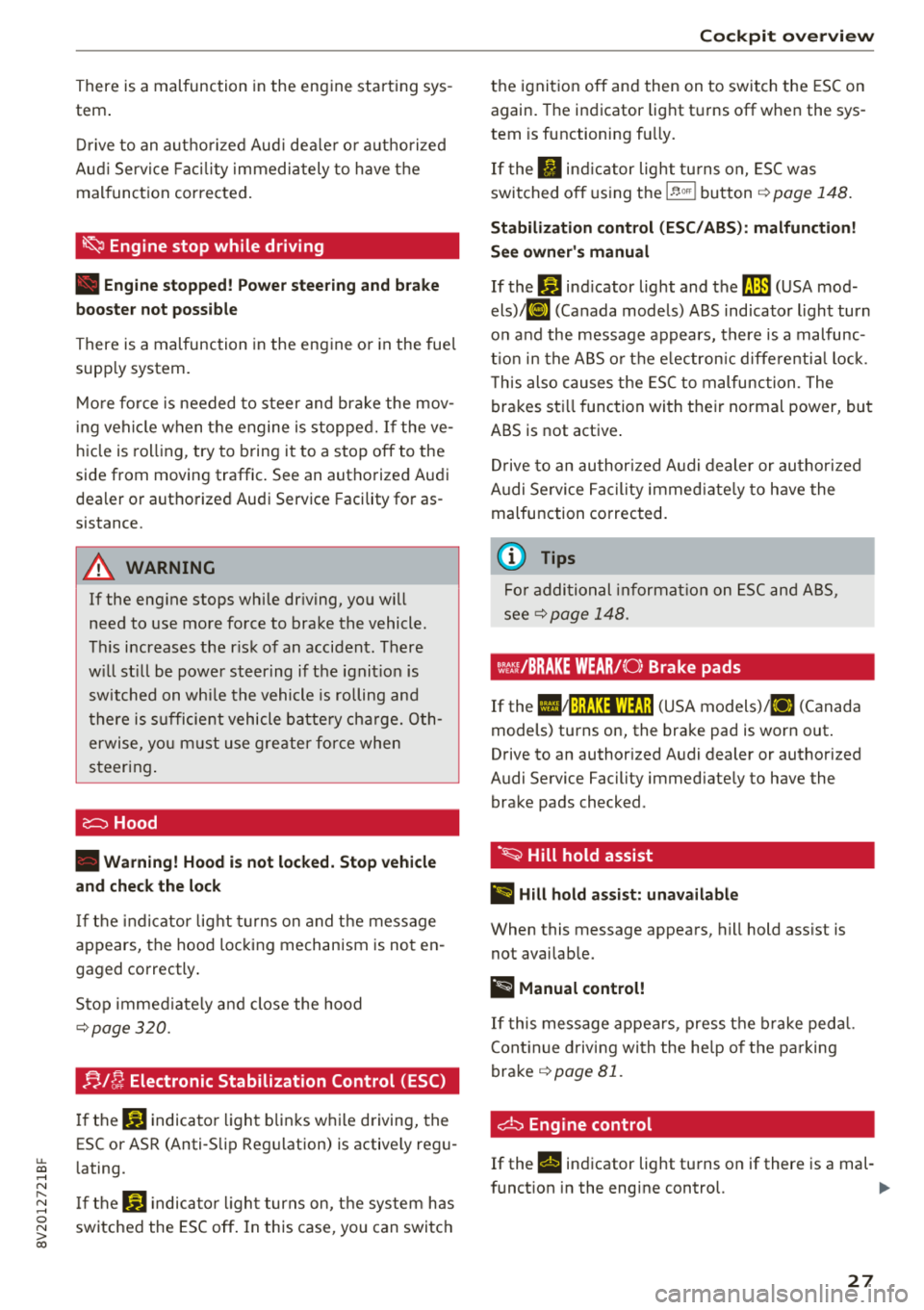
B l~ Electronic Stabilization Control (ESC)
If the G) indicato r light b lin ks w hile driving, the
ESC or AS R (Anti -S lip Regu lation) is active ly reg u
l ating.
I f t he
G) indica to r li ght turns on, the sys tem has
switched the ESC off . In this case, you can switc h
Cockpit o ver view
the ignit ion off and then on to switch the ESC on
again. The indicator light t urns off whe n the sys
tem is functioning fu lly.
If the II ind ic a tor light tu rns on, ESC was
switched o ff using t he
1~ 00'1 b utton ¢ page 148.
Stabilization con trol (ESC /ABS ): malfunction!
S ee owner's manual
If the If] ind icator light and the llB (USA mod
els) ;tlJ (Canada mode ls) ABS indicator light turn
o n and the message appears, there is a malfunc
t io n in the A BS o r th e e lectron ic diffe re nti al loc k.
T his also causes the ES C to malfunc tion . The
brakes st ill function with t he ir normal power, but
ABS is not active .
Dr ive to an author ized A udi dealer or au tho riz ed
A udi Se rvice Faci lity immed iate ly to h ave the
malfunction corrected.
(D Tips
F o r a ddi tio na l in format io n on E SC an d ABS,
see
qpage 148.
Wt:: /BRAKE WEAR/( 0: Brake pads
If the IIJ~:);f;131WfJ;! (USA models)/ [I] (Canada
models) turns on, the bra ke pad is worn out .
Drive to an authorized A udi dealer or authorized
Audi Se rvice Facility immed iate ly to have the
brake pads checked .
·~ Hill hold assist
II Hill hold a ssist: unavailable
When this message appea rs, hill hold ass ist is
not avai lab le.
@ t.ilanual control!
If t his message appea rs, press t he bra ke peda l.
Cont in ue driv ing wi th the he lp of t he parking
brake
q page 81.
d:::i Engine control
If the II indicator light tu rns on if there is a mal -
f unct ion in the engine control.
Iii"
27
Page 30 of 404
Cockpit overv ie w
Drive s low ly to an authorized A udi dealer or au
thorized Audi Service Facility to have the engine
checked.
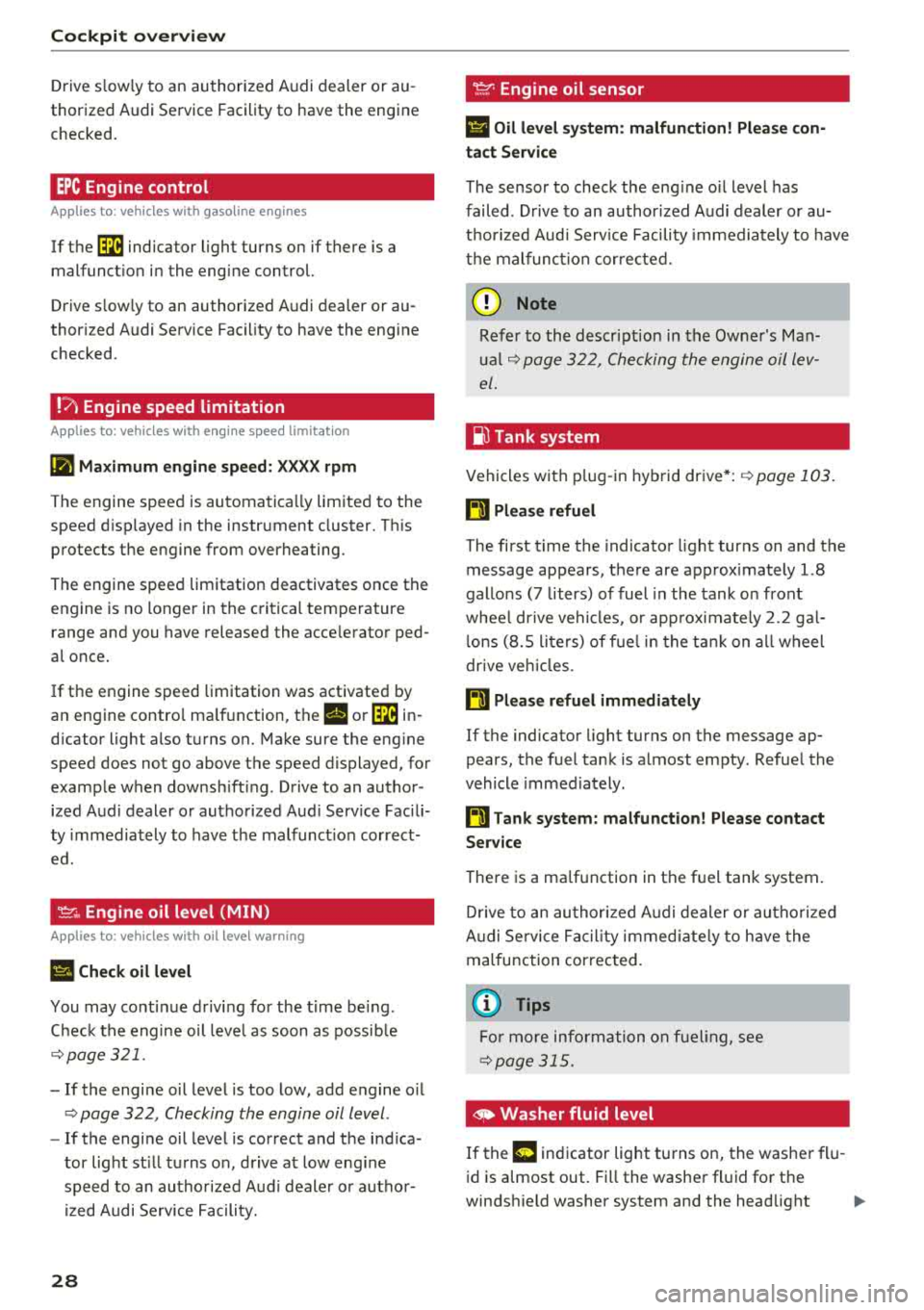
EPC Engine control
Applies to: vehicles with gasoline engines
If the ~ indicator light turns on if there is a
malfunct io n in the engine control.
Drive s low ly to an authorized Audi dealer or au
thor ized Audi Service Facility to have the engine
checked.
! ?' Engine speed limitation
Applies to: vehicles with engine speed limitation
(II M ax imum engine sp eed: XXXX rpm
The engine speed is automatica lly limited to the
speed d isplayed in the instrument cluster. Th is
protects the engine from overheating.
The engine speed limitation deactivates once the
engine is no longer in the critical temperature range and you have released the acce lerator ped
al once.
If the engine speed limitation was activated by
an engine contro l ma lfunction, the
II or ~ in
d icator light also turns on. Make sure the eng ine
speed does not go above the speed displayed, for
example when downsh ift ing . Drive to an author
ized Aud i dealer or authorized Aud i Serv ice Fac ili
ty immediately to have t he malfunct ion correct
ed.
'!=:?' ., Engine oil level (MIN)
Applies to: vehicles with oil level warning
Ill Check oil level
You may continue d riving for the t ime be ing .
C heck the engine oil leve l as soon as possib le
¢ page 321.
-If the engine oil level is too low, add engine o il
¢ page 322 , Checking the engine oil level .
-If the engine oil level is correct and the indica
tor light st ill turns on, drive at low eng ine
speed to an authorized Aud i dealer o r autho r
ized Audi Se rvice Facility.
28
tact Service
The sensor to check the eng ine o il level has
failed . D rive to an author ized Audi dealer or au
t h orized Aud i Serv ice Facility immediately to have
t h e malfunct ion cor re cted.
(Llj) Note
Refer to the descr ipt ion in the Owne r's Man
u a l
¢ page 322, Checking the engine oil lev
el.
ju Tank system
Vehicles with p lug -in hybrid dr ive *: ¢ page 103.
ll'J Pleas e refuel
The first t ime the indicator light turns on and the
message appears, there are approx imately 1.8
gallons
(7 liters) of fuel in the tank o n front
whee l dr ive vehicles, or app roxi mately
2. 2 ga l
l ons
(8.5 lite rs) of f uel in the ta nk on a ll wheel
d rive ve hicles.
ll') Please refuel immediatel y
If the indicato r light turns on the message ap
pears, the fuel tank is a lmost empty . Refue l the
vehicle immediately .
ll') Tank system: malfunction! Please cont act
Ser vice
There is a ma lfunction in the f uel tank system .
D rive to an au thor ized A udi dealer or au tho riz ed
Audi Se rvice Fa cility immed iate ly to have the
malfunction correc ted.
(D Tips
F o r more info rmation on f ueli ng, see
¢ page 315.
,. Washer fluid level
If the C·w$ indicator light turns on, the washer flu
id is almost out. Fill the washer fl uid for the
winds hield washer system and the headlight
..,.
Page 33 of 404
u. 00 .-< N l' N .-< 0 N > 00
Opening and closing
Central locking
Description
You can lock and un lock the veh icle centrally . You
h ave the following options:
-Remote control key c> page 33, or
-Sensors in the front door hand les"
c> page 34, or
-Lock cylinder on the driver's door c> page 36,
or
-Interior central locking switch c> page 34.
Turn sign als
The turn s ignals flas h twice when yo u un lo ck the
vehicle and flash once when you lock the vehicle.
I f t hey do not flas h, then the ignition may still be
sw itched on o r one of the doo rs, the luggage
compa rtme nt, o r the hood may be open, for ex
ample.
Automatic locking (Auto Lock )
The Auto Lock funct io n locks all doors and the
l uggage compartment lid once the speed has ex
ceeded approx imately 9 mph (lS km/ h).
The vehicle will unlock aga in if the ign it ion key is
removed, the opening function in the centra l
l o cki ng switch is act ivated , or one of t he door
h andles is operated. The A uto Lock f unc tion can
be sw itched on and off in t he Infotainment sys
tem
c> page35 .
In the event of a crash with a irbag deployment,
the doo rs will a lso automa tica lly unloc k to allow
access to t he ve hicle.
Selective door unlocking
The doors and luggage compartment lid w ill lock
when they close . You can set in the Infotainment
sys tem whether
only the d river's doo r or the en
tire ve hicl e should be unlocked w hen unlocking
c> page 35 .
Unintentionally locking yourself out
Only lock your veh icle when all of the doors and
the luggage compa rtment lid a re closed and the
Open ing and cl osing
remote cont rol key is not in t he ve hicle . Thi s
helps to prevent you from locking yourself out
accidentally .
T he following condi tions p revent yo u from lock
ing yo ur remote control key in the vehi cle:
-If the d river's door is open, the vehicle cannot
be locked by press ing t he
lil button on t he re
mote co ntro l key o r by touching the locking
sensor* on a doo r.
-If the most recently used conve nience key* is in
the luggage compa rtment, t he luggage com
partment lid a utomatically unlocks again after
closing it.
-If the convenience key* that was last used is de
tected inside the ve hicle, then the vehicle can
not be locked from the o utside .
A WARNING
--
-If you leave the vehicle, sw itch the ignition
off and take the ve hicle key with you. T his
app lies part ic u larly whe n children remain in
the vehicle . O therwise the children could
s tart the engine o r operate elect rical eq uip
men t such as power w indows.
-N o one, especially c hild re n, should stay in
t he vehicle whe n it is loc ked from the out
side, because the windows can no longe r be
opene d from the inside
c> page 3 6. Locked
doors ma ke it more diffic ult for emergency
wo rkers to get into the vehicle, which puts
lives at risk .
(D Tips
-Do not leave v aluables u natten ded i n the ve
hicle. A lo cked vehi cle is not a sa fe!
-Th e LE D in t he dr iver's door ra il blink s when
yo u lock the veh icle . If th e LED li ghts up for
app roximate ly 30 seconds a fter locking,
there is a malfunction in the centra l locking
system . Have the prob lem corrected by an
authorized Audi dealer or authorized Aud i
Service Facility.
31
Page 35 of 404
Replacing the remote control key battery
.,. Pry the cover@off of the key (Dusing a coin
¢fig.17.
... Insert the new battery with the" +" facing up.
... Press the cover back onto the key until it clicks
into place .
@) For the sake of the environment
Discharged batteries must be disposed of
us·
ing methods that will not harm the env iron
ment. Do not dispose of them in household
trash.
(D Tips
The replacement battery must meet the same
specif ications as the original battery in the re
mote control key .
Synchronizing the remote control key
The remote control key must be synchronized if
the vehicle does not lock/unlock with the remote
control.
... Press the remote control key button [:@:].
.,. Insert the key in the driver's door lock within 30
seconds c::> page 36 .
.,. Press the ~ button or~ button .
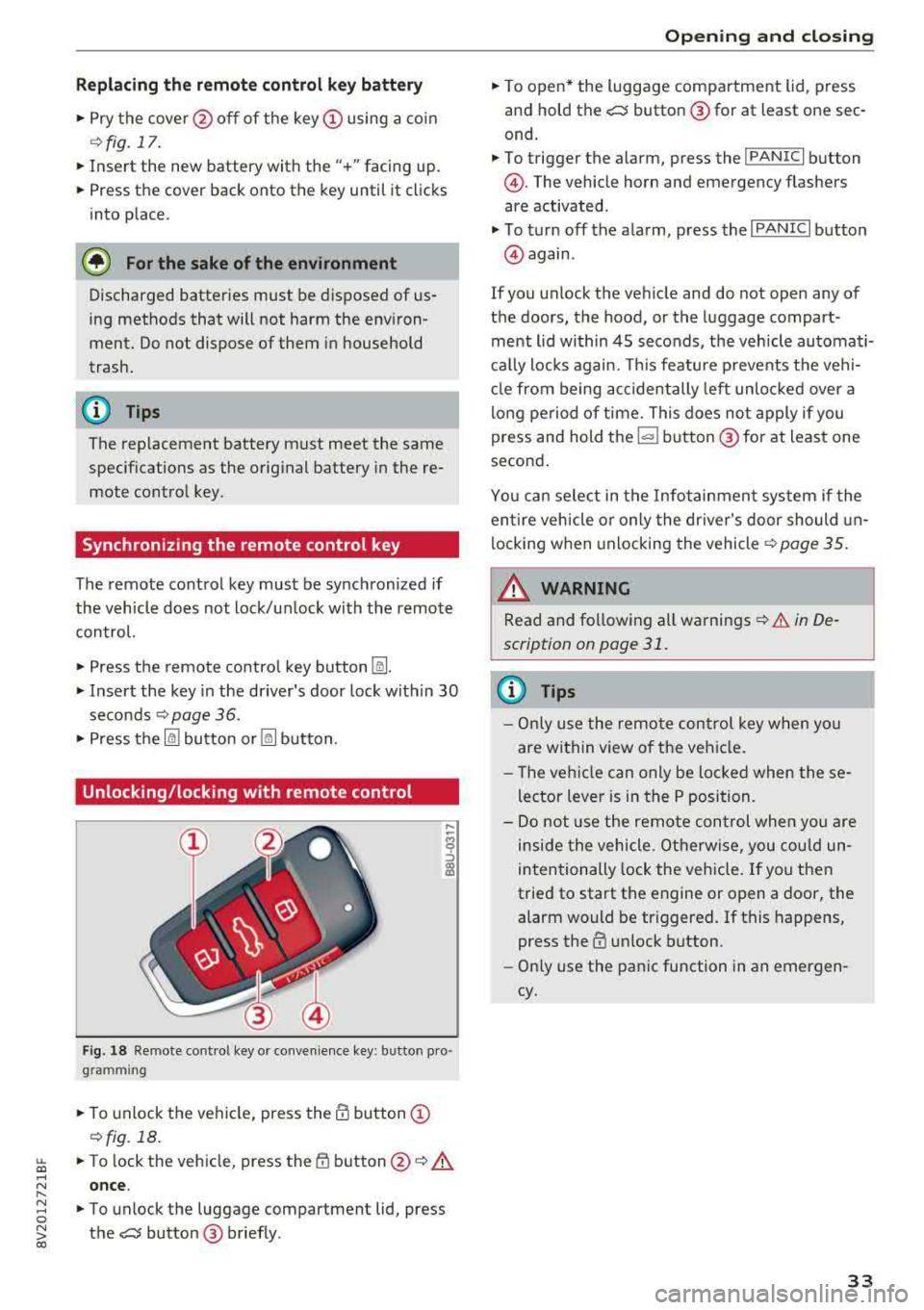
Unlocking/locking with remote control
F ig . 18 Re mote cont ro l key or convenience key : b utto n pro
g ram ming
.,. To unlock the vehicle, press the@ button (D
c::> fig. 18.
~ ... To lock the veh icle, press the {f) button @c::> A
.... N once .
" ~ ... To unlock the luggage compartment lid, press 0
~ the e:5 button @ briefly . co
Opening and closing
.,. To open* the luggage compartment lid, press
and hold the
e:5 button @for at least one sec
ond.
... To trigger the a larm, press the ! PANIC I button
@ . The vehicle horn and emergency flashers
are activated .
.,. To turn off the alarm, press the I PANIC I button
@again .
If you unlock the veh icle and do not open any of
the doors, the hood, or the luggage compart ·
ment l id within 45 seconds, the vehicle automati·
cally locks again. This feature prevents the vehi·
cle from being accidentally left unlocked over a
long period of time. This does not apply if you
press and hold
the~ button @for at least one
second .
You can select in the Infotainment system if the
entire vehicle or only the driver's door should un
locking when unlocking the
vehicle¢ page 35.
_&. WARNING
-Read and following all warnings c::> & in De·
scription on page 31 .
(D Tips
- Only use the remote control key when you
are within view of the vehicle .
- Th e vehicle can only be loc ked when these
lector lever is in the P position.
- Do not use the remote con trol when you are
inside the vehicle. Otherwise, you could un
intentionally lock the vehicle. If you then
tried to start the engine or open a door, the
alarm would be triggered. If this happens,
press the
III unlock button.
- Only use the panic function in an emergen
cy.
33
Page 42 of 404
Opening and clo sin g
® Central switc h* for opening or closing all side
windows at the same t ime
A WARNING
- If you leave the vehicle, switch the ignit ion
off and take the vehicle key with you . This
applies particularly when children remain in
the vehicle. Otherwise the children could
start the engine or operate electr ical equip
ment such as power windows.
- Pay careful attention when closing the win
dows . Pinching could cause serious injuries.
- When locking the vehicle from outside, the
vehicle must be unoccupied since the win dows can no longer be opened in an emer
gency .
@ Tips
After turning the ignition off you can still
open and close the windows for approximate-
ly 10 seconds. The power w indows do not
sw itch off until the dr iver's door or front pas
senger's door has been opened.
Convenience opening/closing
App lies to: ve hicles w ith conve nience opening/clos ing
All of the windows and the panorama glass roof*
can be opened/closed at the same time.
For power top conven ience opening/closing, refer
to the information in
Q page 43 .
Convenience opening feature
.. Press and hold the open button Im on the re
mote con trol key until all w indows and the pan
orama glass roof* have reached the desired po
s ition . Or
.,. Hold t he key in the d river's door lock unt il all
windows and the panorama g lass roof* have
reached the desired pos ition.
Convenience closing feature
.. Press the Im button on the remote control key
u nt il all windows and the panorama glass roof *
are closed
¢ _&.. . Or
.,. Applies to: vehicles wi th conven ience key: touch
the sensor on one of the fro nt door hand les and
continue touching it until a ll of the w indows
40
and the panorama glass roof* are closed . Do
not p lace your hand in th e door hand le when
doing this.
.. Ho ld the key in the dr iver 's door lock in the lock
position unti l all windows and the panorama
glass roof* are closed
¢ _&.. .
The funct ion can be switched on/off in the Info
ta inment system
Q page 35.
A WARNING
- Never close the w indows or panorama glass
roof* ca relessly or in an uncontrolled man
ne r, because this increases the risk of in jury.
- For secur ity reasons, the windows and the
panorama g lass roof* can only be opened
and closed with the remote control key at a
maxim um distance of app roximately 6.5
feet (2 m) away from the vehicle . Always
pay atten tion when using
t he ~ button to
close the windows and the panorama g lass
roof* so that no one is pi nched. The closing
process w ill stop immediately when
the ~
button is re leased.
Correcting power window malfunctions
You can reactivate the one-touch up/down func
tion if it malfunctions.
.. Pull the power wi ndow switch until the window
is completely raised .
.. Release the sw itch and pu ll it up again for at
least one second .
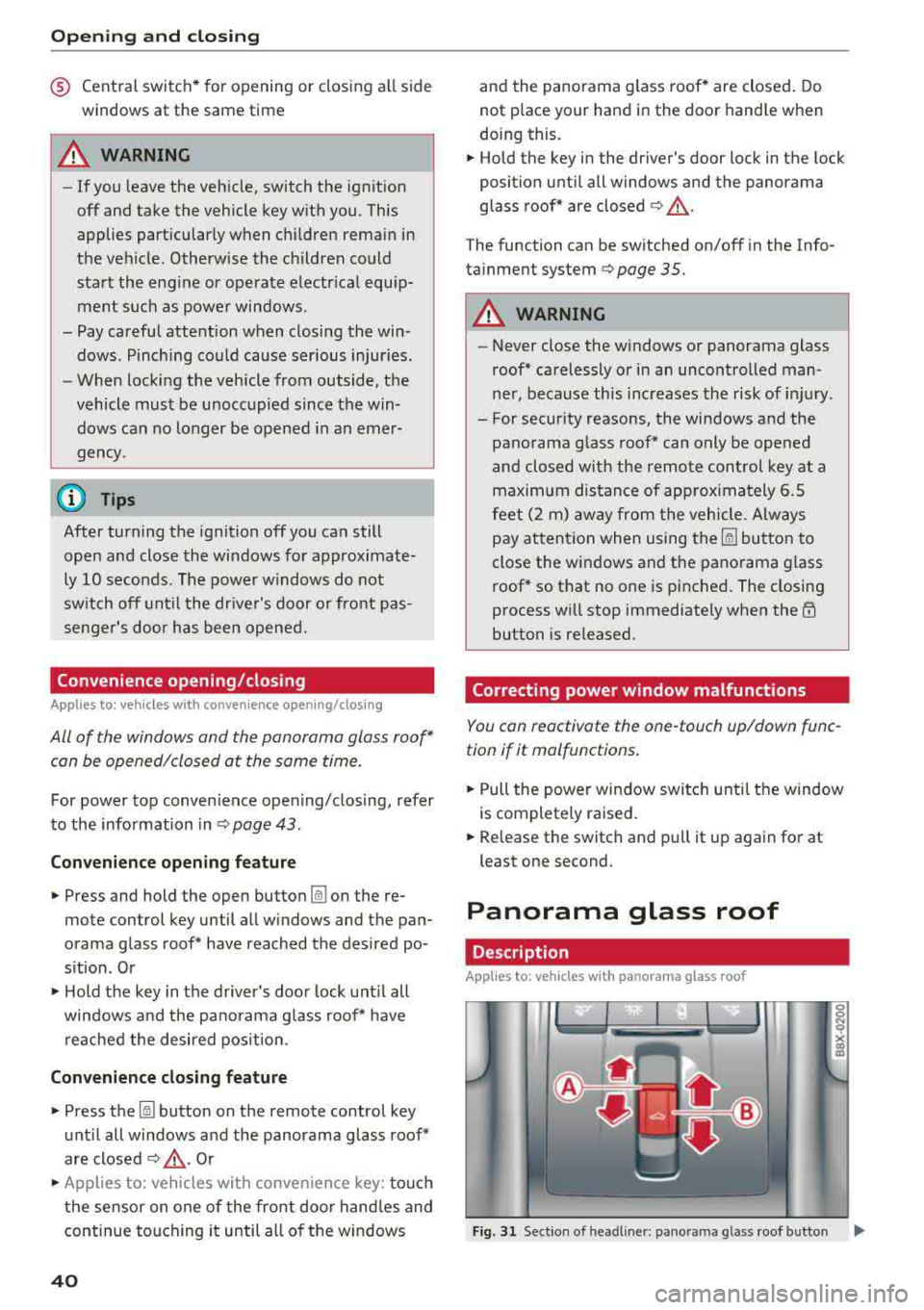
Panorama glass roof
Description
Applies to: vehicles with panorama glass roof
Fig. 31 Sect ion o f headl iner: pan orama glass roof button IJ,>
Page 45 of 404
LL co .... N
" N .... 0 N > co
-Visibility to the r ear is limited when operat
ing the power top. Avoid operating the top
while driving in reverse .
(D Note
-To prevent damage to the power top:
- do not store any objects in the power top
storage compartment .
- make sure there is enough space above
the vehicle when opening or closing the
power top .
- To reduce the risk of damage, make sure
there are no sensit ive objects in the power
top storage compartment's range of
mo
tion.
(D Tips
- To prevent the vehicle battery from draining unnecessari ly, do not open or close the
pow
er top repeatedly when the engine is switch
ed off.
- A message will appear in the instrument cluster if there is a malfunction in the power
top
¢ page 44 .
-The powe r top can also be operated manual
l y temporari ly if there is a malfunction
¢ page 46, Power top emergency opera
tion .
An authorized A udi dealer or author
ized Audi Service Facility should diagnose
and correct the cause of the ma lfunction as
soon as possible.
- If the vehicle is parked with the power top
open, the vehicle interior is not protected
from damaging weather or unauthorized ac
cess. lock any items you leave behind in the
luggage compartment. Close the power top
before leaving the vehicle .
- The side windows automat ically lower
slight ly when opening or closing the power
top .
Powe r top
Power top convenience opening/closing
Applies to : veh icles w it h power top
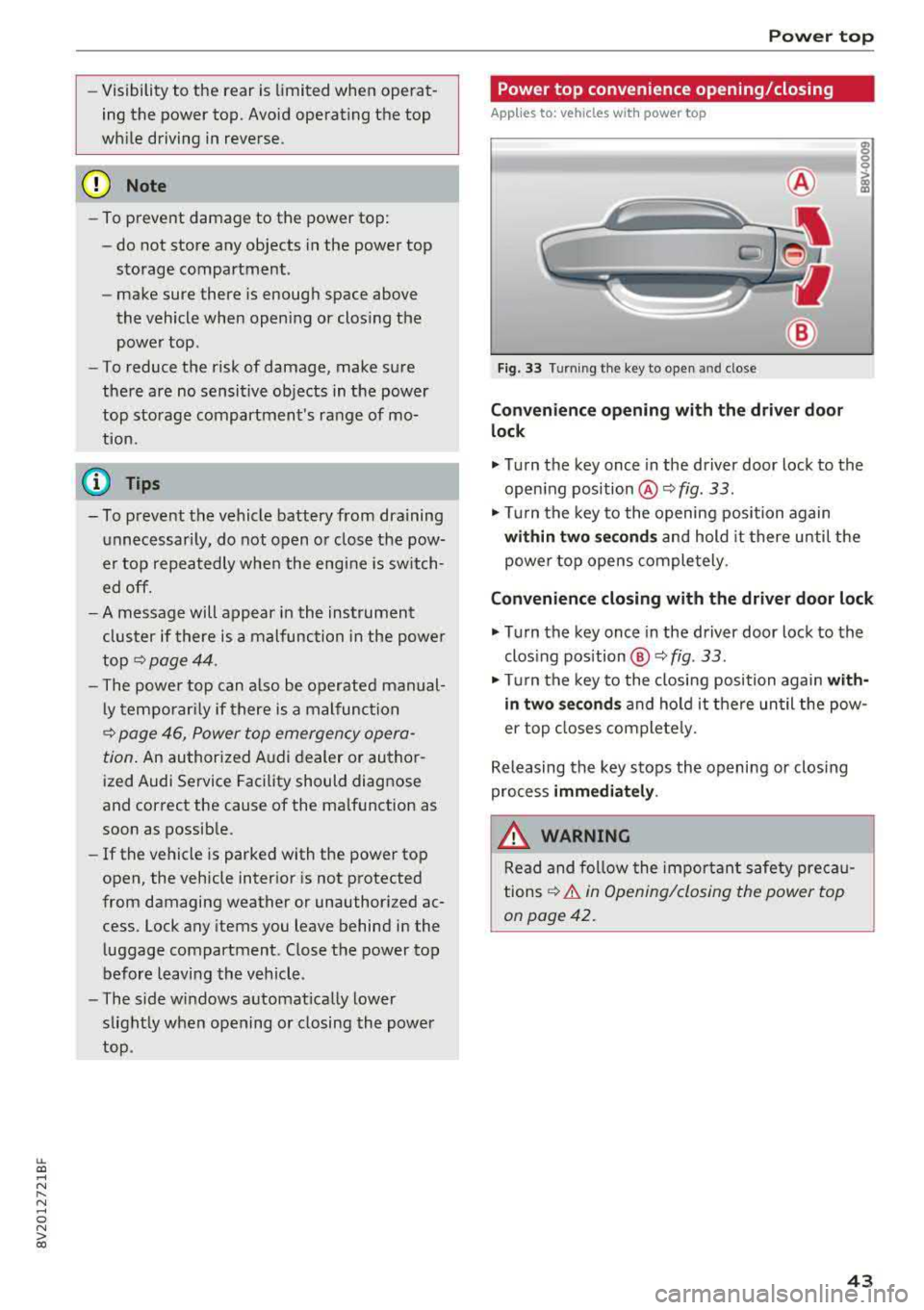
Fig. 33 Turnin g the key to open and close
Conven ien ce opening with the dri ver do or
lock
.,. Turn the key once in the driver door lock to the
open ing position
@ ¢fig . 33 .
.,. Tur n the key to the opening position again
within tw o second s and hold it there until the
power top opens comple tely .
Conven ienc e closing with the driver door lock
.,. Turn the key once in the driver door lock to the
clos ing position @¢
fig. 33.
"Tu rn the key to the closing position again w it h
in two se co nd s and hold it there until the pow
er top closes completely.
Releasing the key stops the opening or clos ing
process
immediat ely .
.&_ WARNING
Read and follow the important safety pre ca u
tions
¢ & in Opening/closing the power top
on page 42.
43
Page 72 of 404
Warm and cold
driver 's side is transferred to the front passeng
er's side. This applies a temperature change to
the front passenger 's side .
8/r Blower
Using the regu lator 8f?, you ca n manually adjust
the vo lume of a ir generated by the blower to your
p reference . The blowe r shou ld always run at a
low setting to prevent the windows from fogging
and to ensure a continuous exchange of air inside
t he vehicle . To h ave the blower regu lated au to
mat ically , press the AUTO button.
~/ :01 ~ Air distribution
The air distribution can adjusted with t he but
tons. To have the air distribution regulated auto matica lly, press the AU TO button.
The round air vents in t he cockpit are adjustable
q page 71 .
To keep the front s ide windows from fogging up
in damp weathe r, we recommend opening the
side air vents and tilting them to the side .
Foot vents are located under the front seats and
adjustab le vents o n the end of t he center console
t o heat the re ar of the vehicle .
3fx Defrosting
The windshield and s ide windows are defrosted
or cleared of condensation as qu ickly as possible .
The max imum amo unt of air flows ma inly from
the vents below the w indshield. Recircu lation
mode switches off. The temper ature s hou ld be
set at +72°F (22°() or higher. The temperat ure is
controlled automatica lly. In the
;Ix setting, the
A/C cooling mode switches on a utomatically , de
pending on the outside air temperature.
The A UTO button switches the defroster off.
~ Recirculation mode
The recircu lation mode can be turned on manua l
ly or automat ica lly*.
- Swi tc h ing man ua l rec irculat ion mode on and
off: press
t h e ~ button .
70
-Automatic * reci rcu lat ion mode : auto recircula
tion needs to be activated in the Infotainment
system. Se lect in the Infotainment system:
I MENU I button > Veh icle > left control button >
Air cond itioning > Aut o recircul ation
The air
quality sensor that is designed for d iesel and
gasoline exhaust automatically sw itches the re
circulation mode on or off depending on the level of pollutants in the o utside air.
In rec irculat ion mode, the air inside the vehicle is
c ir culated and filte red . T his prevents the unfil
te red air outs ide t he ve hicle from enteri ng the
vehicle inte rior. Switching rec irculat io n mode on
whe n driving throug h a tu nnel o r whe n sitting in
traffic is recommended
q & .
Pressing the~ button, A UTO o r the ;Ix button
switches recirculation mode off .
T he system switches to recirculation mode when
driv ing in reverse when the engine is cold .
SP. Rear window defogger
If the rear window defogger is act ivated when
the ignit ion is swi tched on, the battery manage
ment determines based on the battery charge if
i t is possible to turn on . Otherwise, the rear w in
dow defogger funct ions w it h the eng ine runni ng
and switches off automat ically after approxi
mately 1 0 - 20 m inutes, depending on the out
s ide temperat ure.
To p reve nt the rear window defogger from
switching off automat ica lly, press and hold the
!fP. button for more tha n two seconds. This re
mai ns sto red up to approxim ate ly lS m in utes af
te r turning off the ignition.
J Seat heating*
P ressing the J button switches the seat heat ing
o n at t he hi ghest sett ing (level 3) . The L EDs ind i
c a te the temperat ure level. To reduce the tem
per atu re , press t he button again . T o swi tc h t he
seat heating off, press the bu tton repeatedly un
ti l the LED turns off .
After approximate ly 10 m inu tes, the sea t heat ing
a utomat ic all y switches from leve l 3 to leve l 2.
..,_