fuel AUDI A4 2013 User Guide
[x] Cancel search | Manufacturer: AUDI, Model Year: 2013, Model line: A4, Model: AUDI A4 2013Pages: 302, PDF Size: 75.61 MB
Page 30 of 302
28 Drive r in form ation d ispl ay
messages ¢ page 29 provide tips for effi
cient driving .
The effic iency program uses distance and con
sumption data from tr ip computer
1. If the
data are deleted in the efficiency program,
those values are also reset in trip computer
1.
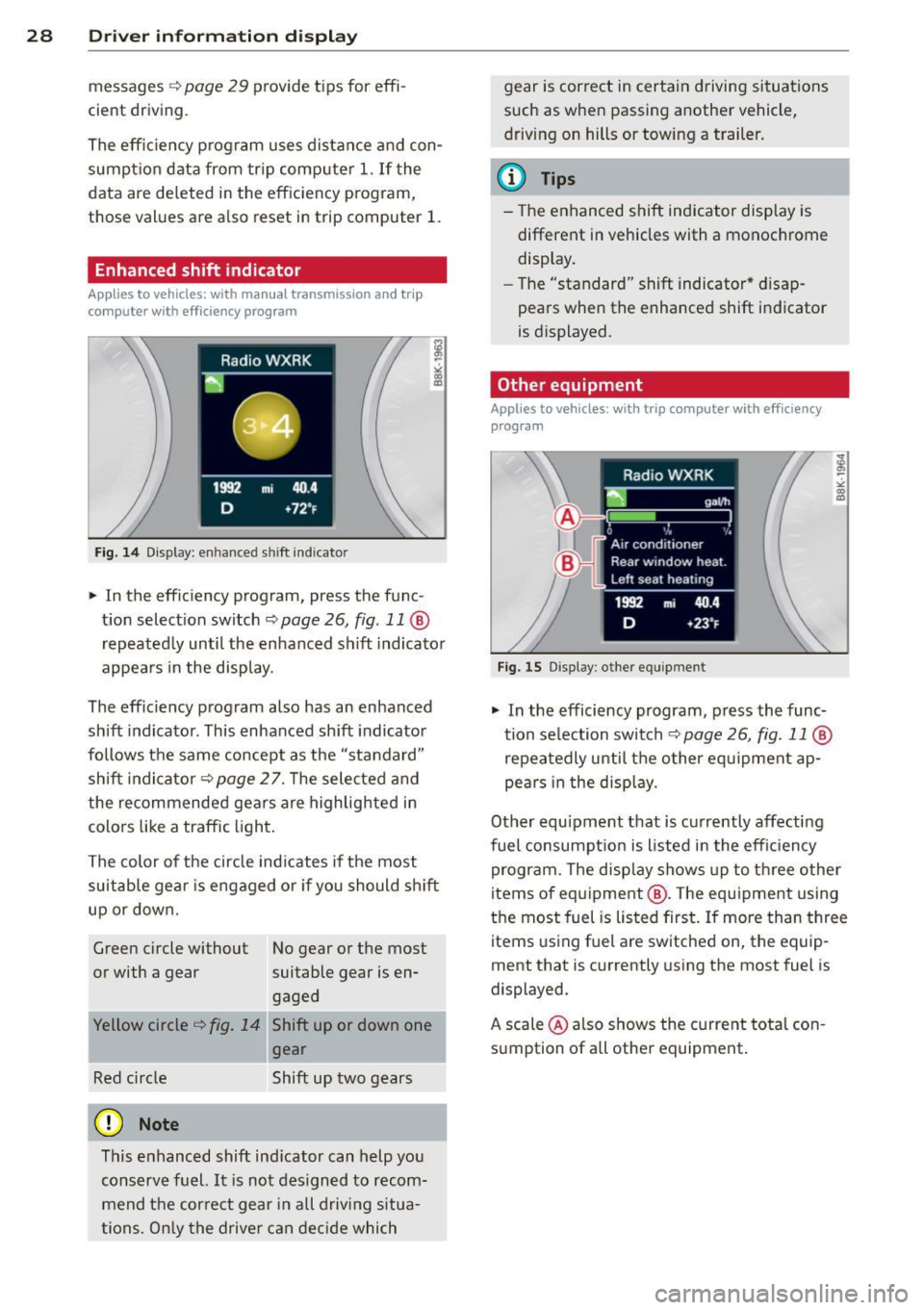
Enhanced shift indicator
Applies to vehicles: with manual transmission and trip
computer with efficiency program
Fig. 14 Display: enhanced shift indicator
" In the effic iency program, press the func
t ion select ion switch ¢
page 26, fig. 11 @
repeated ly until the enhanced shift indicato r
appea rs in the display.
The eff ic iency program also has an enhanced
shift indicator . This enhanced shift indicator
follows the same concept as the "standard"
shift indicator¢
page 27. The selected and
the recommended gears are highlighted in
colo rs like a traffic light.
The color of the circle indicates if the most
suitable gear is engaged or if you should sh ift
up or down.
Green circle without No gear or the most
or with a gear suitable gear is en gaged
Yellow circle¢
fig. 14 Shift up or down one
gear
Red circle Shift up two gears
(D Note
This enhanced shift ind icator can help you
conserve fuel.
It i s not des igned to recom
mend the correct gear in all driving situa
tions. O nly the drive r can decide which gear is correct in certain driving situations
such as when passing another vehicle,
driving on hills or towing a trailer.
(D Tips
- T
he enhanced shift indicator display is
different in vehicles with a monochrome
disp lay.
- The "standard" sh ift indicator* d isap
pears when the enhanced shift indicator
is displayed.
Other equipment
Applies to vehicles: with trip computer with efficiency program
F ig. 15 Display: other equipment
" In the efficiency program, press the func
tion selection switch¢
page 26, fig. 11@
repeatedly until the other equipment ap
pea rs in the display.
Other equ ipment that is currently affecting
fuel consumpt ion is listed in the eff iciency
program. The disp lay shows up to three other
items of equipment @. T he equipment using
the most fuel is listed first. If more than three
items using fuel are switched on, the equip
ment that is currently using the most fuel is
displayed.
A scale @also shows the current tota l con
sumption of all other equipment.
Page 31 of 302
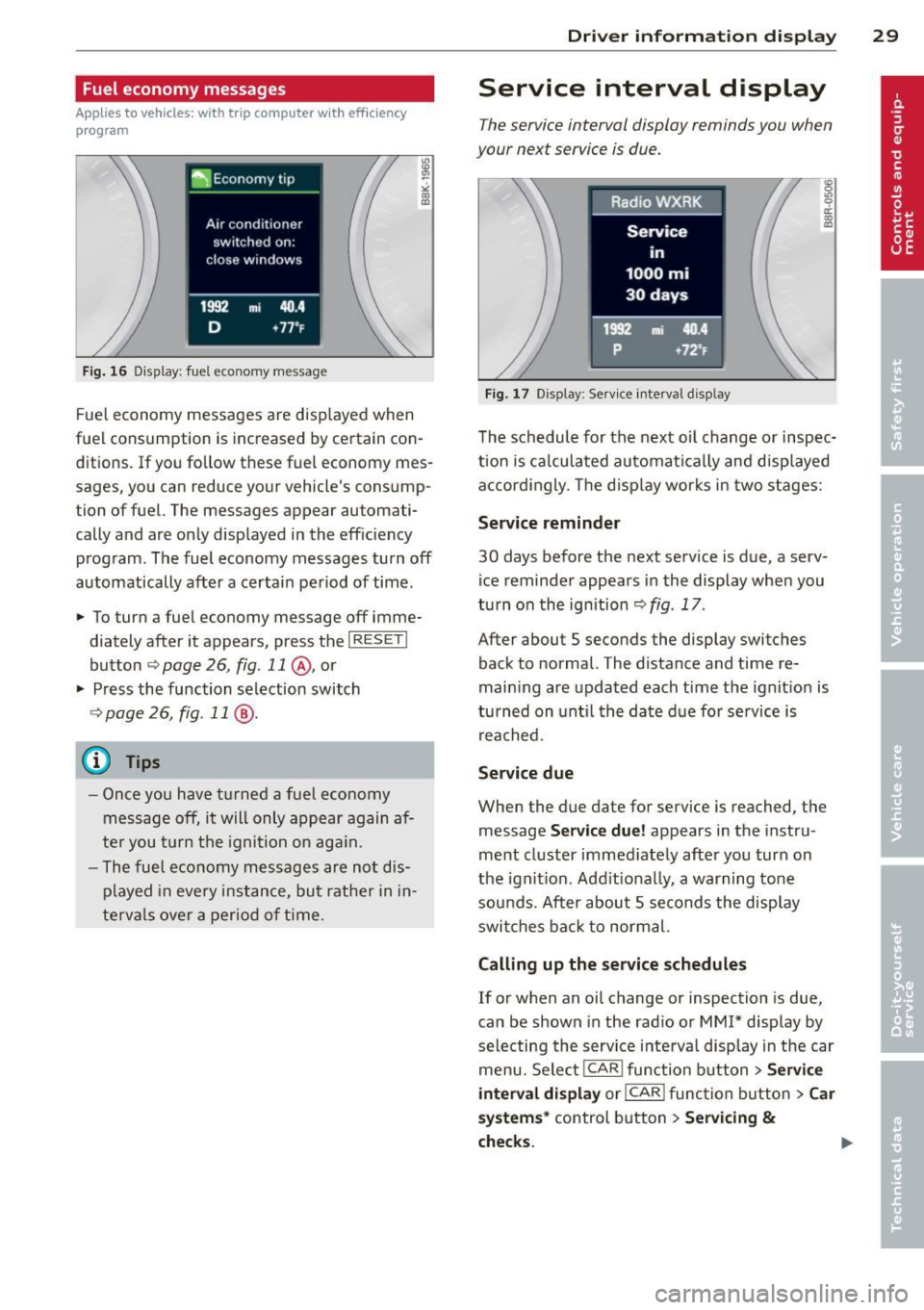
Fuel economy messages
Applies to vehicles: with trip computer w ith efficiency
program
Fig . 16 Display: fuel eco nomy me ssage
F ue l economy messages are disp layed when
fuel consumption is increased by certa in con
ditions. If you follow th ese fu el economy mes
sages, you can reduce your vehicle's consump
tion of fuel. The messages appear automati
cally and are only displayed in the eff ic iency
program . The fuel economy messages turn off
automatically after a certain period of time .
• To turn a fuel economy message off imme
diately after it appear s, press the
I RES ET I
button ¢ page 26, fig . 11 @ , or
• Press the function selection switch
¢ page 26, fig. 11 @ .
(D Tips
- Once you have turned a fuel economy
message off, it will only appear again af
te r you turn the ignition on aga in.
- The fuel economy messages are not dis
played in every instance, but rathe r in in
te rva ls over a period of time .
Driver inform ation di spl ay 29
Service interval display
The service interval display reminds you when
your next service is due .
Fig. 17 Disp lay: Se rvice i nterval d is pl ay
The schedule for the next oi l change or inspec
tion is ca lculated automatica lly and disp layed
accord ingly. The d isp lay works in two stages:
Service reminde r
30 days before the next service is due, a serv
ice reminder appears in the display whe n you
turn on the ignition ¢
fig. 17 .
After about S seconds the display switches
back to normal. The distance and time re
main ing are updated each time the ignit ion is
tu rned on unt il th e date due for service is
reached.
Service due
When the due da te for service is reached , the
message
Ser vice due! appears in the in stru
ment cluster immed iately after you turn on
the ignit ion. Add it iona lly, a warning tone
sou nds . After about S seconds the disp lay
switches bac k to normal.
Calling up the service schedule s
If or when an oil change or inspection is due,
can be shown in the rad io or
MMI* disp lay by
selecting the service interva l display in the car
menu. Select !CAR ! func tion button>
Servic e
interval d ispl ay
o r! CAR ! function button> C ar
sys te m s*
control button > Serv icing &
check s.
Page 32 of 302
30 Driver information display
Resetting the service interval display
Your authorized Audi dealer will reset the cor
responding service schedule after performing
the appropriate service on yo ur vehicle . Yo u
also have the possibility to reset the oil
change schedule after having performed an
oil change according to Audi specifications.
Select
I CAR I function button > Service interval
display > Reset oil change interval
or ICARI
function button> Car systems* control but
ton
> Servicing & checks > Reset oil change
interval.
(D Note
If you disconnect the battery terminals, no
calculations can be made for the serv ice
interval display during this time and no
service rem inder wi ll appear. Remember
that observing the proper service intervals
is vitally important to extend ing the life of
your vehicle, particu larly the eng ine, and
maintaining its value. Even if the mileage
driven is low, the maximum period of one
yea r from one service to the next must not
be exceeded .
@ Tips
-Do not reset the display between oil
changes, otherwise the display will be in
correct.
- The information in the Service Reminder
r ema ins stored even when the vehicle
battery is disconnected.
On-Board Diagnostic
system (OBD)
Malfunction Indicator Lamp (MIL)
The Malfunction Indicator Lamp (MIL) (4 i n
the instrument cluster is part of the On-Board
Diagnostic (OBD II) system.
The warning/indicator light illuminates when
the ignition is switched on and goes out after
the engine starts and the idle has stabilized .
This indicates that the MIL is working proper
ly.
If the light does not go out after the engine
is started, or illuminates while you are driv
ing, a malfunction may exist in the eng ine sys
tem . If the light illuminates, the catalytic con
verter could be damaged .
Continue driving
with reduced power (avoid
ing sustained high speeds and/or rapid accel
erations) and have the cond ition corrected.
Contact your authorized Audi dealer.
If the light illuminates, the electronic speed
limiter may also be malfunct ioning. For more
information
c:> page 31 , Electronic speed
limiter.
An improperly closed fuel filler cap may also
cause the
MIL light to illuminate
c:>page 217.
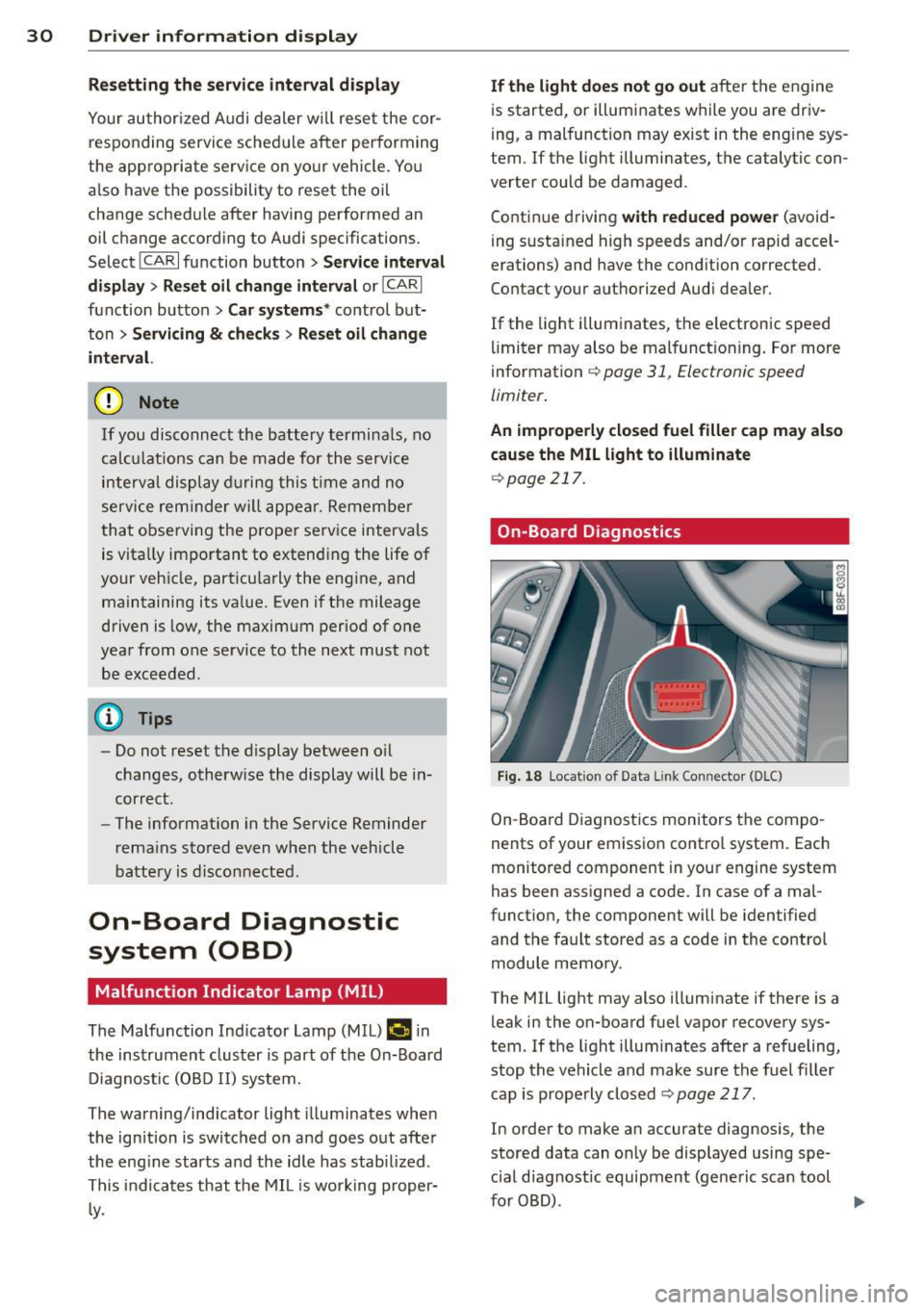
On-Board Diagnostics
Fig. 18 Locat io n of Data Link Con nector (D LC)
On-Board Diagnostics monitors the compo
nents of your emission control system . Each
monitored component in your engine system
has been assigned a code. In case of a mal
function, the component will be identified
and the fault stored as a code in the control
module memory.
The MIL light may also illuminate if there is a leak in the on-board fuel vapor recovery sys
tem. If the light illuminates after a refueling,
stop the vehicle and make sure the fuel filler
cap is properly closed
c:> page 217.
In order to make an accurate diagnosis, the
stored data can on ly be displayed using spe
c ial diagnostic equipment (generic scan tool
furOBD) .
~
Page 69 of 302
Roof rack
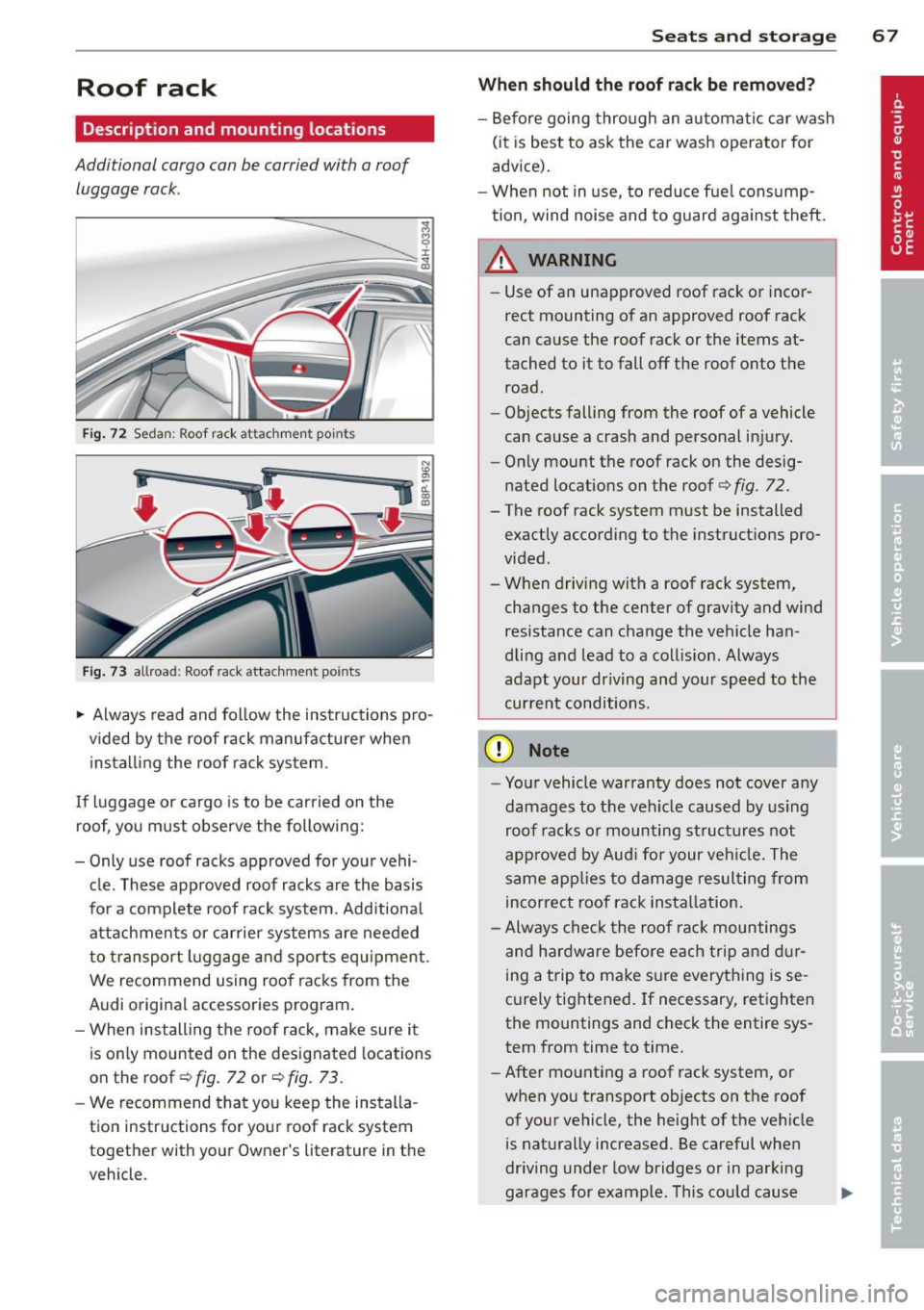
Description and mounting locations
Additional cargo can be carried with a roof
luggage rack .
Fig. 72 Seda n: Roof ra ck atta chmen t po ints
Fig. 73 allroa d: Roof ra ck atta chm ent points
~ Always read and follow the instructions pro
vided by the roof rack manufacturer when
installing the roof rack system.
If luggage or cargo is to be carried on the roof, you must observe the following:
- Only use roof racks approved for your vehi
cle. These approved roof racks are the basis
for a complete roof rack system. Additional
attachmen ts or carrier systems are needed
to transport luggage a nd sports equ ipment .
We recommend using roof racks from the
Audi original accessories program.
- When installing the roof rack, make sure it
is only mounted on the designated locations
on the roof ¢
fig. 72 or¢ fig. 73 .
-We recommend that you keep the installa
tion instructions for your roof rack system
together with your Owner 's literature in the
veh icle .
Sea ts a nd s to rage 67
Wh en should th e ro of rack be r emo ved ?
-Before going through an automatic car wash
(it is best to ask the car wash operator for
advice).
- When not in use, to reduce fuel cons ump
tion, wind noise and to guard against theft.
A WARNING
=
- Use of an unapproved roof rack or incor-
rect mounting of an approved roof rack
can cause the roof rack or the items at
tached to it to fall off the roof onto the road.
- Objects falling from the roof of a vehicle
can cause a crash and personal injury.
- Only mount the roof rack on the desig
nated locations on the roof
i:> fig . 72.
- The roof rack system must be installed
exactly according to the instruct ions pro
vided.
- When driving with a roof rack system,
changes to the center of gravity and wind
resistance can change the vehicle han
dling and lead to a collision . Always
adapt your driving and your speed to the
cur ren t conditions.
(D Note
- Your vehicle warranty does not cover any
damages to the veh icle caused by using
roof racks or mounting structures not
approved by Aud i for your veh icle. The
same app lies to damage resulting from
incorrect roof rack installation.
- Always check the roof rack mountings
and hardware before each trip a nd d ur
ing a trip to make sure everything is se
curely tightened. If necessary, retighten
the mountings and check the entire sys
tem from time to time.
- After mounting a roof rack system, or
when you transport objects on the roof
of your vehicle, the height of the veh icle
is naturally increased. Be careful when
dr iving under low bridges or in parking
garages for example . This cou ld cause
111>
Page 70 of 302
68 Seats and stor age
damage to the load and even the vehicle
itself.
- Make sure that the open rear lid and the
sunroof do not come into contact with
objects on the roof.
Loading the roof rack
Always distribute loads evenly. J\llake sure
anything on the roof rock is securely tied
down.
.. Always distribute the loads on the roof rack
evenly .
.. Always attach items to the roof rack secure-
l y before you drive off.
The maximum permissible roof weight is
200 lb (90 kg). The roof weight is the total of
the we ight of the roof rack, the attachments
and the cargo you are carrying. You must also not exceed the maximum load weight for the
roof rack you are using .
When using a roof rack system which has a
lower load carrying capacity, you must not use
up the total maximum permissible load carry
ing capacity specified above. Instead, you
should load the roof rack system only to the
maximum capacity specified by the manufac
turer of the roof rack system.
A WARNING
Weak, damaged or improper straps used
to secure items to the roof rack can fail
during hard braking or in a collision and
cause serious personal injury.
- Make sure the roof rack is installed exact
ly as specified above
~ page 67.
- Always use suitable mounting straps for
securing items to the roof rack to help
prevent items from shifting or flying for
ward.
- Items on the roof rack must always be
securely mounted.
- The use of a roof rack can negatively af
fect the way a vehicle handles. Cargo
that is large, heavy, bulky, long or flat
will have a greater negative influence on
.
the vehicle's aerodynamics, center of
gravity and overall handling. Always
drive slowly, avoid sudden braking and maneuvers when transporting cargo on
the roof of your vehicle.
- Never exceed the maximum permissible
load carrying capacity of the roof of your
vehicle, the permissible axle weights and
the permissible total weight of your vehi
cle~
page 2 75, Weights.
(D Note
Make sure that the opened rear lid does
not come in contact with the cargo on the
roof.
@ For the sake of the environment
As a result of the increased wind resist
ance created by a roof rack, your vehicle is
using fuel unnecessarily. So remove the
roof rack after using it.
Luggage compartment
General information
A WARNING
Read and follow the important safety pre
cautions on
~ page 133, Stowing lug
gage.
Page 78 of 302
76 Warm and cold
Warm and cold Climate controls
Description
The climate control system warms, cools and
adds humidity to the air in the vehicle interior.
It is the most effect ive when the windows and
sunroof are closed . If there is a build-up of
heat inside the vehicle, ventilation can help to
speed up the cooling process.
I n all heating mode functions except
defrost,
the blower on ly switches to a higher speed
once the engine coolant has reached a certain
temperature.
Condensat ion from the cooling system can
drip and form a puddle of water under the ve
hicle. This is normal and does not mean there
is a leak.
Pollutant filter
The pollutant filter removes pollutants s uch
as dust and pollen from the air.
The air pollutants filter must be changed at
the intervals spec ified in you r Warranty
&
Maintenance booklet, so that the air condi
tioner can properly work.
If you drive your vehicle in an area with h igh
a ir po llution, the fi lter may need to be
changed more frequent ly than specified in
your Aud i Wa rranty
& Ma intenance booklet. If
in doubt, ask your authorized Audi Service Ad
visor for advice .
Key coded settings
The climate control settings are automat ically
stored and assigned to the remote control key
that is in use.
A WARNING
Reduced visibility is dangerous and can
cause accidents.
-
- For safe driving it is very important that
all windows be free of ice, snow and con
densation.
- Comp letely familiarize yourself with the
proper use and function of the heating
and ventilation system and especially how to defog and defrost the windows.
- Never use the windshield wiper/washer
system in freez ing weather unt il you
have warmed the windshield first, using
the heating and ventilation system. The
washer solution may freeze on the wind shie ld and reduce visib ility.
(D Note
- If you suspect that the air conditioner
has been damaged, switch the system
off to avoid further damage and have it
inspected by a qualified dealership.
- Repairs to the Audi air conditioner re
quire special technical know ledge and
special tools. Contact an authorized Aud i
dea ler fo r assistance.
@ For the sake of the environment
By reducing the amount of fuel you use,
you also reduce the amount of pollutants
emitted into the air.
(D Tips
-Keep the air intake s lots (in fro nt of the
w indshield) free from ice, snow and de
bris in order to maintain the proper func
tion of the climate control system.
- T he energy management system may
switch the seat heating* or rear window
defroster off temporarily . These systems
are available again as soon as the energy
balance has been restored.
- Air escapes through vents under the rear
window. When placing items of clothing
on the luggage compartment cover, en
sure that the openings are not covered.
Page 93 of 302
Transmission Manual transmission
Gearshift lever
App lies to vehicles: with manual transmission
The clutch pedal must be depressed all the
way before you can start the engine.
T he manual transmission in your Audi is
equipped with an
interlock-feature.
~ Depress the clutch pedal all the way.
~ Start the engine with the gearshift lever in
Neutral and the clutch pedal depressed.
(D Note
Always depress the clutch pedal fully when
changing gears . Do not hold the vehicle on
a hill with the clutch pedal partially de
pressed. This may cause premature clutch
wear or damage .
@ Tips
-Resting your hand on the gearshift lever
knob while driving will cause premature
wear in the transmission.
- The back-up lights go on when you shift
into Reverse w ith the ignition on.
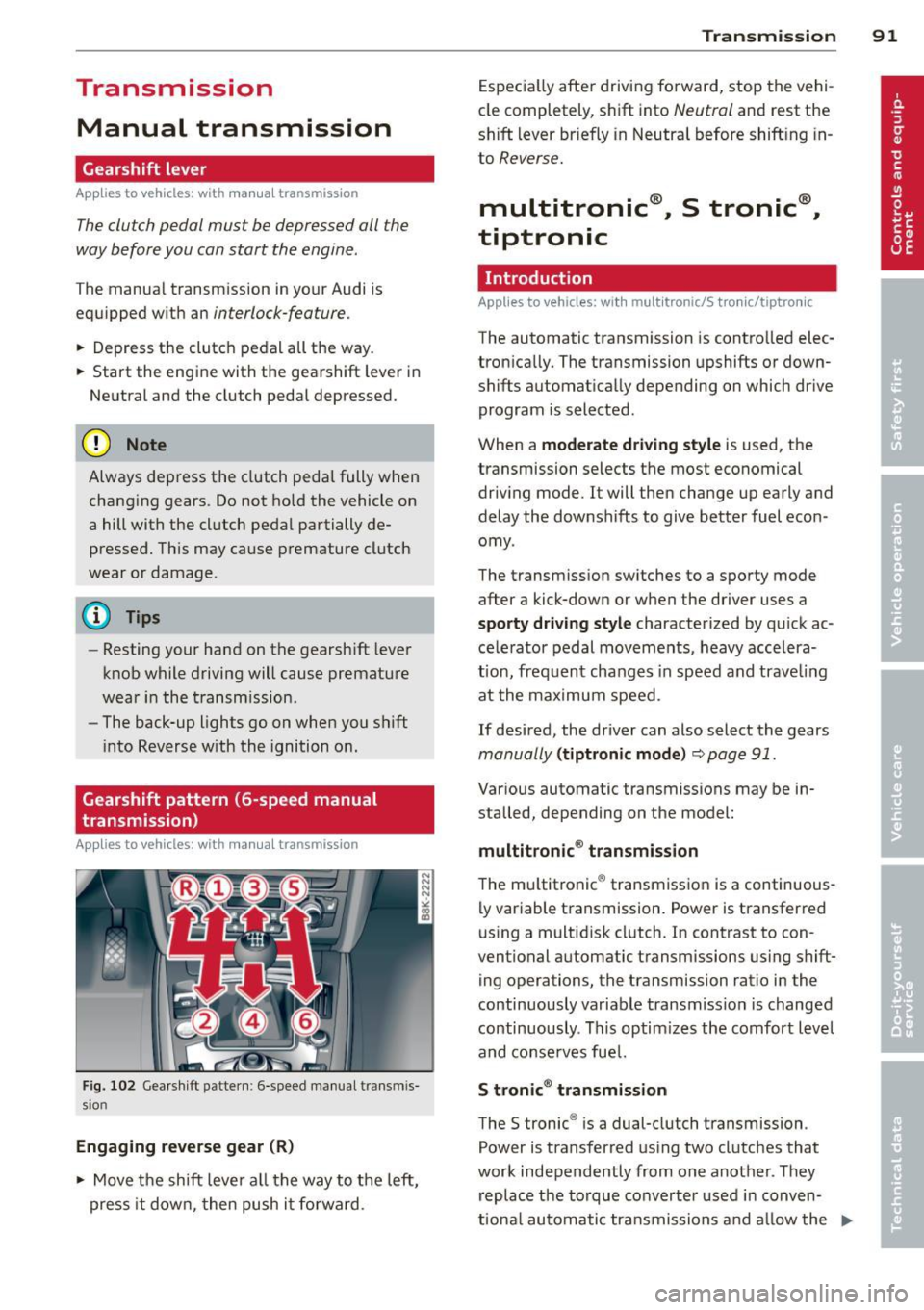
Gearshift pattern (6-speed manual
transmission)
Applies to vehicles: with manual transmission
Fig. 102 Gearshift pattern : 6-speed manual transmis
sio n
Engaging reverse gear (R)
~ Move the shift lever all the way to the left,
press it down, then push it forward .
Transmission 91
Especially after driving forward, stop the vehi
cle completely, shift into
Neutral and rest the
shift lever br iefly in Neutral before shift ing in
to
Reverse.
multitronic ®, S tronic ®,
tiptronic
Introduction
Applies to vehicles: with mult itronic/5 tronic/tiptronic
The automatic transmission is controlled elec
tronically. The transmission upshifts or down
shifts automatically depending on which drive
program is selected .
When a
moderate driving style is used, the
transmission selects the most economical
driving mode. It will then change up early and
delay the downshifts to give better fuel econ
omy .
The transmission switches to a sporty mode
after a kick-down or when the driver uses a
sporty driving style characterized by quick ac
celerator pedal movements, heavy accelera
t ion, frequent changes in speed and trave ling
at the maximum speed.
If desired, the driver can also select the gears
manually (tiptronic mode) ~ page 91.
Various automatic transmissions may be in
stalled, depending on the model:
multitronic ® transmission
The multitronic ® transmission is a continuous
ly variable transmission. Power is transferred
using a multidisk clutch. In contrast to con
ventional automatic transmissions using shift ing operations, the transmission ratio in the
continuously variable transmiss ion is changed
continuously . This optimizes the comfort level
and conserves fuel.
S tronic® transmission
The S tronic ® is a dual-clutch transmission .
Power is transferred using two clutches that
work independently from one another_ They
replace the torque converter used in conven
tiona l automatic transmissions and allow the ..,_
Page 196 of 302
194 Driving and environment
Driving and
environment
The first 1,000 miles
(1,500 km) and
afterwards
New engine
The engine needs to be run-in during the first
1,000 miles (1,500 km).
For the fir st 600 miles (1,000
kilometers ):
.,. Do not use full throttle.
... Do not drive at engine speeds that are more
than 2/3 of the max imum permitted RPM.
From 600 to 1,000 miles (1 ,000 to
1,500 kilometers):
.,. Speeds can gradually be increased to the
max imum pe rm iss ible road or eng ine speed .
During and after break-in per iod
... Do not rev the eng ine up to h igh speeds
when it is cold. Th is app lies whether the
transmission is in N (Neutral) or in gear.
After the break- in period
... Do not exceed max imum eng ine speed un
der any circumstances .
... Upshift into the next higher gear
before
reaching the red area at the end of the tach
ometer scale¢
page 10.
During the first few hours of driving, the en
g ine's inter na l friction is higher tha n later
when alt the moving parts have been broken
i n. How welt this break- in process is done de
pends to a conside rable extent on the way the
ve hicl e is driven du ring the first 1,000 miles
(1, 500 kilome ters).
(D Note
E xtremely high engi ne speeds are auto
mat ica lly re duced. However, these rpm
lim its are programmed for a n engine welt
r u n- in, not a new eng ine.
{® For the sake of the environment
Do not drive with unnecessarily high en
g ine speeds - upshifting ear ly saves fuel,
reduces no ise and protects the environ
ment.
, New tires
If your vehicle is runni ng on new tires, drive
very carefully for the first 350 miles (500 kilo meters) after fitting.
_& WARNING
N ew tires tend to be slip pery a nd mus t al
so be "broken -in" . Be s ure to remembe r
this dur ing the fi rst 350 mi les (500 kilo
meters) . Brake gently . Avoid fo llow ing
closely behind other vehicles or other sit
uations that m ight require sudden, hard
braking.
Avoid damaging the
vehicle
When you a re d rivi ng on poo r roads, or over
cu rbs, ste ep ramps, etc., ma ke certai n that
low- ly ing parts s uch as spoile rs and ex ha ust
s ystem parts do not bot tom o ut and get dam
aged.
T his is espec ially true for veh icles with low
s lu ng chassis (s por ts chassis)* and fully load
ed vehicles.
Driving through water
on roads
Note th e following to avoid vehicle damage
whe n driving through water, for examp le on
flooded roads:
- The wa ter must not be any hig he r th an the
bottom of the vehicle body .
- Do not dr ive faste r than walk ing speed.
Page 197 of 302
A WARNING ,~ ~
After driving through water, mud, slush,
etc., the brakes may be slow to take effect
because of wet brake rotors and pads. Dry
the brakes first by braking carefully to re
store the full brak ing effect.
([) Note
Vehicle components such as the engine,
transmiss ion, suspension or electrical sys
tem can be severely damaged by driving
through wate r.
@ Tips
- Check the depth of the water before dr iv
i ng through it.
- Do not stop the veh icle, dr ive in reverse
or switch the engine off when driving
th rough water.
- Keep in mind that oncoming vehicles
may create waves that raise the water
level and make it too deep for you r vehi
cle to drive th rough safely.
- Avoid dr iving through sa lt water because
i t can ca use corrosion.
Catalytic converter
It is very important that your emission con
trol system (catalytic converter) is function
ing properly to ensure that your vehicle is run
ning in an environmentally sound manner.
11-Always use lead-free gasoline q page 214,
Fuel supply .
"'" Never run the tank down a ll the way to
empty.
11-Never put too much motor oil in your en-
gine
q page 224, ~ Adding engine oil .
11-Never try to push -or tow-start your veh icle .
The catalytic converter is an efficient "clean up" device built into the exhaust system of
the vehicle . The catalytic converter burns
many of the pollutants in the exhaust gas be
fore they are released into the atmosphere .
Drivin g and en vironm ent 195
The exclusive use of unleaded fuel is critically
important for the life of the catalytic convert
er and proper funct ion ing of the engine.
A WARNING
-
- Do not park or operate the vehicle in
areas where the hot exhaust system may
come in contact with dry grass, brush,
fuel spill or other mate rial wh ich can
cause a fir e.
- Do not apply additional undercoating or rustp roof ing on or near the exhaust
manifold, exhaust pipes, catalytic con
ve rter or heat shields. During driv ing, the
substance used for undercoating co uld
overheat and cause a fire.
(D Note
- Be aware that just one tank filling with
leaded fu el w il l already ser iously de
gra de the performance of the catalytic
c onverte r.
- Do not ex ceed t he cor rect eng ine oil level
qpage 224.
- Do not drive until the fue l tank becomes
comple tely empty. The engine co uld m is
fire . Unburned fuel could also get in to
the exhaust system and th is co uld cause
the catalytic converter to overheat .
- Do not turn off the ignition while the ve
hicle is moving.
- Do not continue to ope rate your veh icle
unde r these conditions, as otherwise fuel
can reach the catalytic converte r. T his
cou ld result in overheating of the con
verter, requir ing its replacement.
- To assure efficient operation of the Emis
sion Control System:
- H ave you r vehicle maintained prope rly
and in accorda nce w ith the serv ice rec
ommendat ions in yo ur Warranty &
M ain tenance boo klet.
- L ack of prope r maintenance as we ll as
improper use of the vehi cle w ill impair
the function of the em ission contro l
system and could lead to damage . ..,. •
•
Page 198 of 302
196 Driving and en vironm ent
@ For the sa ke of the environment
Even when the Emission Contro l System is
operating properly, the exhaust gas can
have a sulfur-like exhaust gas smell under
some operating states. This depends on
the sulfur content of the fue l being used .
Using a different brand of fuel may help,
or filling the tank w ith lead-free super
grade gasoline.
Operate your vehicle
economically and minimize pollution
General
Your personal style of driving will determine
t he economy of your vehicle, as well as ex
haust and noise levels.
Fue l economy, environmental impact , and
wear on you r engine, bra kes and t ires la rgely
depend on th ree factors:
= yo ur personal dr iv ing sty le
- operating conditions
- technical lim itations
If yo u anticipate what you need to do next and
drive economically, you can easi ly cut your
fue l consumption by 10-15 percent. This sec
tion will give you some t ips on how you ca n
he lp the environmen t and your pocketbook.
(D Tips
The consumpt ion estimates as published
by ENVIRONMENTAL PROTECTION AGENCY
(EPA) and Transport Canada may not co rre
spond to your actual consumption on the
road, wh ich will vary depending upon vehi
cle load an d speed, road and weather con
ditions, tr ip le ngth, etc.
Drive smoothly and keep a lookout
ahead
Vehicles use the most fuel when they are ac
celerating .
.,. Avoid unnecessa ry accelerating and braking. Vehicles use the most fuel when they are ac
ce le rating. If you anticipate what is going to
happen next, you will need to brake less and,
th us, acce lerate less. Let the vehicle coast
whenever possible -for example when you see
that the next traff ic light is red .
· Avoid full throttle
Driving at moderate speeds saves fuel and
improves your mileage.
.. Try and keep well below your car's maxi-
m um speed .
Acce lerat ing gently red uces fue l cons ump
tion, engine wear, and does not disturb the
environment.
F uel consumpt ion, exhaust emissions a nd en
gine noise inc rease disproportionate ly at high
speeds . If yo u drive at approximately th ree
quarters of top speed, fuel consumption w ill
be reduced by one half. Never drive faster
than the posted speed limit and weathe r con
ditions pe rm it.
Reducing unnecessary idling
Even when your car is jus t idling it burns up
fuel.
.. Shut the eng ine off when you are not driv
ing the vehicle .
.. Do not warm up the vehicle by letti ng the
eng ine run at idle .
It makes sense to shut off the engine in traffic
jams, when wa it ing for tra ins to pass at rail
r oad crossings, or at traffic lig hts that have
long wai ts on red . Tu rn ing the eng ine off for
j ust 30-40 seconds saves more fuel tha n is
burned start ing t he e ngine aga in.
It takes a long t ime for the engine to warm up
fully when it is ru nning at id le. However, wea r
and noxious emissions a re espec ia lly high
whe n the eng ine is wa rm ing up. So you s hou ld
dr ive away as soon as yo u start the engine and
avo id running at high rpms whi le the engine is
still warming up.
ll-