park assist AUDI A4 2016 User Guide
[x] Cancel search | Manufacturer: AUDI, Model Year: 2016, Model line: A4, Model: AUDI A4 2016Pages: 278, PDF Size: 70.26 MB
Page 118 of 278

Parking System
The rear acoustic park assist system is integrated
in the rear of the vehicle and the rear view cam
era is integrated in the rear lid
~ page 117.
A WARNING
-
-The rear view camera has blind spots, in
wh ich objects cannot be detected. Be espe
c ially careful to check fo r small children and
animals before back ing up. Small children
and animals w ill not always be detected by
the se nsor s.
General Information
Applies to vehicles: with park ing system (rear, wit h rear view
camera)
F ig . 1 32 Covered area(!) and uncovered area@of th e rear
v iew camera
• 0
F ig . 133 Trunk lid: Locat ion of the rear view came ra
Sensors in the bumper
Sensors are located in the rear bumpers . If these
detect an obstacle, audible s ignals warn you . The
range a t which t he sensors beg in to measu re is
approx ima tely:
To the side 2 ft (0.60
m)
Center rear 5.
2 ft (1.60 m)
Distance warning when reversing starts when an
obstacle is detected in the range of the pa rking
116
assist system. As the distan ce decreases, t he
time interval between the audib le tones becomes
sho rter.
When the distance is less than 1ft (0.30 m), the
tone becomes cont inuo us. At th is point you
shou ld stop backing up .
If the distance to an obstacle stays t he sa me, the
vo lume of the dis tan ce signal chime is g radua lly
reduced after a bout
4 seconds (does not a ffect
the continuous signal tone). Approaching anoth
er obstacle will cause the distance s ignal to
sound again at the normal volume.
Rear view camera coverage area
The MMI display shows t he area cove red by the
rear view camera
¢fig . 132 (!). Objects that are
not in the a rea covered @are not shown on the
MMI display.
We recommend tha t you prac tic e parking wit h
the rear view camera in a traffic -free location or
parking lot to become familiar with the system,
the orientat ion lines, and their function. When
do ing this, there should be good light and weath
er condit ions.
In the MMI display, objects or vehicles appear closer or further away if:
- you a re dr iv ing in reve rse gear from a level s ur
face onto an incline, or a downward slope,
- you a re dr iving in reve rse gear tow ard prot rud
ing objects,
- t he vehicle is car rying too much load in the
rear.
The acc uracy of the or ie ntation lines and blue
s ur faces dim inishes if:
- the rear v iew camera does not provide a reliab le
image, fo r example, in poor visib ility co ndi tions
or if the le ns is dirty,
- the image on the screen is not v isible due to
sun glare and reflectio n.
Caring fo r the rear v iew camera lens
The rear view camera is located above the rear li
cense plate bracket. For the parking assist to op-
erate, the lens¢
fig. 133 must be kept clea n: .,..
Page 119 of 278
..... N
0 :.:: co ..... oJ) Lil
..... oJ) .....
-Dampen the lens wi th a house ho ld alcoho l
based glass cl eaner , and clean the l ens with a
dry cloth
¢ (i) .
-Remove snow with a hand brush and ice pref
erab ly with a de-icing spray
¢ (i).
A WARNING
- The parking aid cannot replace the driver's
attent ion. The driver a lone is responsible for
park ing and s imilar driving maneuvers.
-Always keep your eyes on the vehicle's sur round ings, using the rear view m irror as
we ll.
- Do not a llow yourse lf to be d istracted from
traff ic by the rear view camera p ictures.
- If the posit ion and the installat ion ang le of
the camera has changed, for example, after
a rear end collision, do not continue to use
the system for safety reasons. Have it
checked by a qualified dealersh ip .
@ Note
- Low obstacles already s ignaled by a warn ing
ca n disappear from the system's detection
range as they are approached and will not
continue to be signa led. Objects such as
barrier chai ns, t rai ler d raw ba rs, thin pa int
ed verti cal poles o r fences may not be de
tec ted by t he sys tem, posing r isk o f dam
age.
- Neve r use warm or hot water to remove
snow or ice from the rear view camera lens -
danger of crack format ion on t he lens!
- When cleaning the lens, never use p roduc ts
that are abrasive.
Switching on/off
Applies to vehicles: with pa rk ing system (rear, with rear view
camera)
The rear view camera switches on automatically
togeth er with the acoustic park assist when you
put the vehicle in reverse.
Sw itching on
.,. Put the vehicle in reverse gear , th e acoustic
parking system w it h rear view camera is acti
vated a utomat ically . Act ivation of the acoust ic
Parking S ystem
parking system is confirmed by a brief acknow l
edgement sound.
Switching off
.,. Dr ive faste r than 9 mp h (15 km/h), o r
.,. take the ve hicle out of reve rse gear. The acous
t ic parking sys tem is immed iately deactivated,
and the rear view camera pictu re is deactivated
automatically after a period of abo ut 15 sec
onds, or
.,. sw itch off the ignit ion.
The delay in deactivating the camera provides an u ninterrupted view be hind th e vehicle especia lly
when maneuvering in t ight pa rking spaces and
prevents the picture from turning off the every
t ime you shift o ut of reverse .
If the warning messag e appears in the display
but not the rear view camera picture, read and
confirm the warning message . The acoustic dis
tance sig nal is always active.
If you press a f unction button on the M MI control
console , the rear view camera picture disappears.
The rear view camera picture reappears the next
time you pa rk .
Further in format ion on th e warning message and
the MMI control console can be found in the MMI instruct ion booklet.
A WARNING
--
- On ly use the rearv iew camera to ass ist you if
it shows a good, clear pictu re . Fo r example,
the image may be affected by the sun shin i n g into the lens, dirt on the lens o r if t he re
is a defec t.
- Us e th e rearv iew cam era on ly w ith th e rear
lid comple tely closed . Make s ure any obje cts
you m ay h ave moun ted on t he rear lid do
not block the rearv iew camera.
(D Tips
- The rear view camera picture is available as
soo n as the M MI D ispla y or the MM I is
s w itched on, or the s tart- up phase is com
p le ted.
- Th e se nsors m ust be kep t clean and free of
s now and ice fo r th e park ass is t to operate .
117
Page 122 of 278

Parking System
swings out more than the vehicle rear. Main
tain plenty of distance from an obstacle so
that your outside mirror or a corner of your
vehicle does not collide with any obstacles -
danger of accident!
(D Tips
The left or right orientation lines and surfaces
will be displayed, depending on the turn sig
nal being used.
Adjusting the display and warning tones
Applies to vehicles: w ith parking system (rear, with rear view
camera)
The display and warning tones ore adjusted in
the radio or MMI*.
.,. Select: ICARlfunction button> Parking system.
Or
.. Select: ICARI function button> Car systems*
control button > Driver assist > Parking aid.
Display
- Off -when the parking system is switched on,
only audible signals are given.
-On -when the parking system is switched on,
the picture from the rear view camera is dis
played.
Warning tones
- Rear volume -
rear sensor volume
-Rear frequency -rear sensor frequency
-Music volume while parking -when the park-
ing system is switched on, the volume of the
active audio source is lowered.
The newly adjusted value is briefly heard from
the signal generator. The settings are automati
cally stored and assigned to the remote control
key.
A WARNING
- Always make sure that the volume and fre quency of the warning tones is adjusted so
that you can easily hear the acoustic dis
tance signal even if the radio is playing, the
air-conditioner blower is on High or there is
a high level of outside noise.
120
- Check the settings whenever someone else
has driven the vehicle before you.
@ Tips
-The warning tones can also be adjusted di
rectly from the rear view camera image.
Simply press the Settings* control button.
- Changed settings are activated when park
ing assist is switched on again.
Error messages
Applies to vehicles: with parking system (rear, with rear view
camera)
If a warning tone is audible for about five sec
onds when you turn on the ignition, there is a
malfunction in the system. Have the problem
corrected by your authorized Audi dealer .
Keep the sensors in the rear bumper clean and
free from ice so that the acoustic park assist sys
tem can function properly.
Page 213 of 278
,....,
N
0
""' CX) ,....,
I.Cl U"I ,....,
I.Cl ,....,
-To avoid being burned, do not spill anti
freeze or coolant on the exhaust system or hot engine parts. Under certain condi
tions, the ethylene glycol in engine cool ant can catch fire.
- Antifreeze is poisonous. Always store anti
freeze in its original container and well out
of the reach of children.
- If you drain the coolant, it must be caught
and safely stored in a proper container
clearly marked "poison".
(D Note
-Do not add coolant if the expansion tank is
empty . Air could enter the cooling system
and damage the engine. If this is the case,
do not continue driving. Seek professional
assistance.
- Coolant pollutes the environment and could
cause an engine fire. Excess coolant will be
forced out through the pressure relief valve
in the cap when the engine becomes hot.
- If, in an emergency, only water can be add
ed, the correct ratio between water and an
tifreeze
c::> page 208 must be restored as
soon as possible.
@) For the sake of the environment
Drained coolant should not be reused. Always
dispose of used coolant while observing all
environmental regulations.
Radiator fan
The radiator fan switches on automatically by it
self.
The radiator fan is driven by the engine via the V
belt . The viscous clutch regulates the speed of
the fan according to the temperature of the cool
ant.
An auxiliary electric radiator fan* switches on and
off depending on coolant temperature and other
vehicle operating conditions.
After you switch the engine off, the auxiliary fan
can continue running for up to 10 minutes -even
Checking and Filling
with the ignition off. It can even switch on again
later by itself
c::> & , if
- the temperature of the engine coolant rises due
to the heat build-up from the engine in the en
gine compartment, or
- the engine compartment heats up because the
vehicle is parked in intense sunlight.
A WARNING
-To reduce the risk of personal injury never
touch the radiator fan.
- The auxiliary electric fan is temperature
controlled and can switch on suddenly even
when the engine is not running.
- The auxiliary radiator fan switches on auto
matically when the engine coolant reaches a
certain temperature and will continue to run
until the coolant temperature drops.
Brake fluid
Checking brake fluid level
The broke fluid level con be checked with o quick
glance .
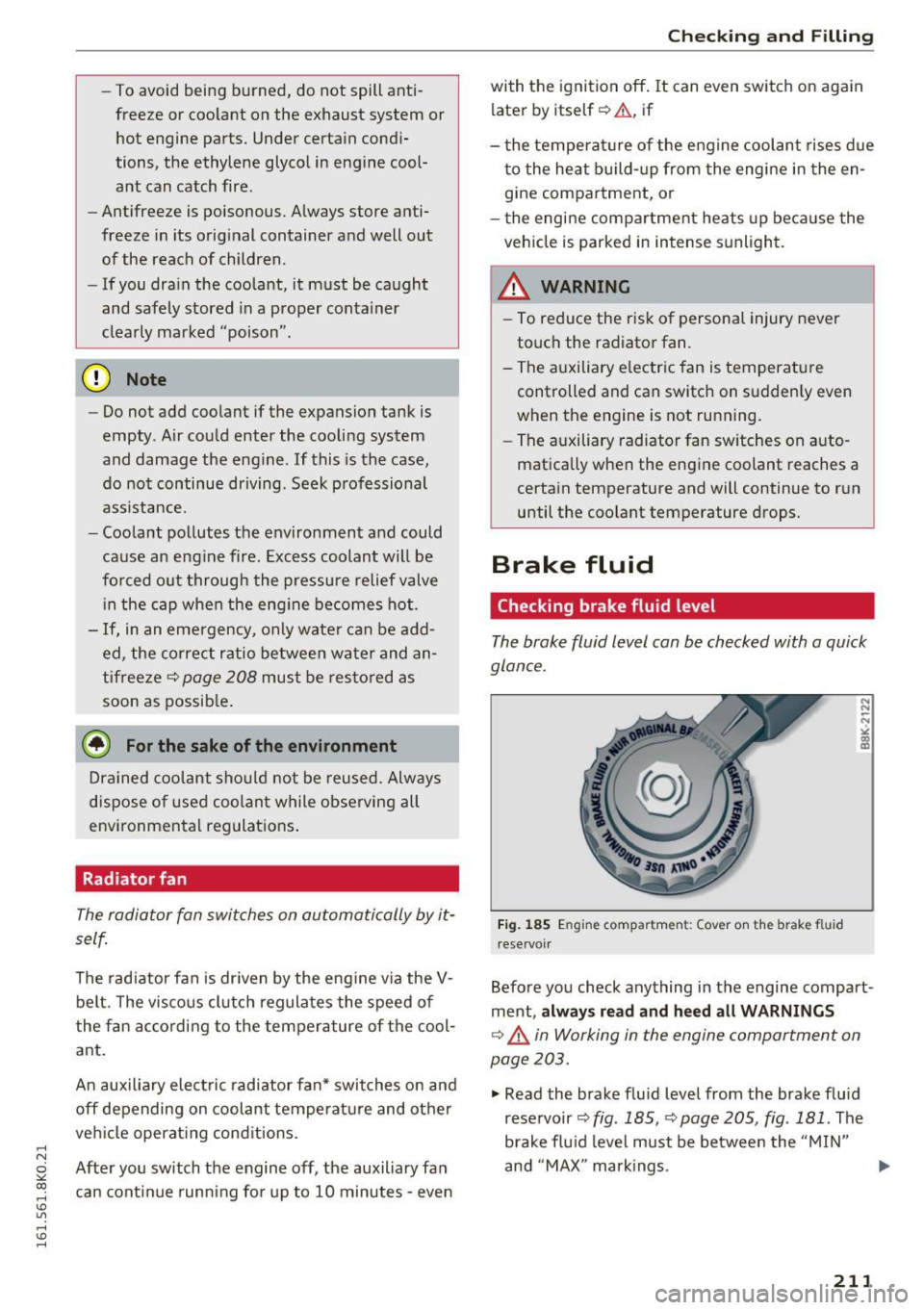
Fig. 185 En gi ne compartmen t: Cover on the b rake fl uid
reservoir
Before you check anything in the engine compart
ment,
always read and heed all WARNINGS
c::> _.& in Working in the engine comportment on
page 203.
.,. Read the brake fluid level from the brake fluid
reservoir
c::> fig. 185, c::> page 205, fig . 181 . The
brake fluid level must be between the "MIN"
and "MAX" markings.
211
Page 242 of 278
Emergency assistance
"'Let the compressor run until the va lue specified
on the tire pressure label is reach ed
¢ page 227, fig. 191 . Switch the compressor
off after running for 12 minutes at the mos t -
danger of overheating!
A WARNING
The compressor and the tire filler hose can become extremely hot while they are running
- danger of burns!
CD Note
Switch the compressor off after running for
12 minutes at the most -danger of overheat
ing! Allow the compressor to cool down for a
few minutes before you use it again.
Replacing wheels
Before changing a wheel
Observe the following precaut ions for your own
and your passenger's safety when changing a
wheel.
"' After you experience a tire failure, pull the car
well away from moving traffic and try to reach
level ground before you stop ¢.&_ .
"' All passengers shou ld
leave the car and move
to a safe location (for instance, behind the
guardrail) ¢.&_ .
"' Engage the
parking brake to prevent your vehi
cle from rolling unintentionally ¢&_ .
"' Sh ift into
1st gear on vehicles w ith manual
transmission, or move the
selector lever to the
P position
on vehicles with automatic transmis
sion .
"' If you are towing a trailer: unhitch the trailer
from your vehicle.
"' Take the
jack¢ page 237 and the spare tire
¢ page 238 out of the luggage compartment .
A WARNING
You or your passengers could be injured wh ile
chang ing a wheel if you do not follow these
safety precautions :
- If you have a flat tire, move a safe distance
off the road . Turn off the engine, turn the
240
emergency flashers on and use other warn
ing devices to alert other motorists.
- Make sure that passengers wait in a safe
place away from the vehicle and well away
from the road and traffic.
- To help prevent the vehicle from moving
suddenly and possibly slipping off the jack,
always fully set the parking brake and block
the wheel diagonally opposite the wheel be ing changed with the folding chocks or oth
er objects . When one front whee l is lifted
off the ground, placing the Automat ic
T ransmission in "P" (Par k) w ill
not prevent
the vehicle from moving.
- Before you change a wheel, be sure the
ground is level and firm . If necessary, use a
sturdy board under the jack.
- Always store the vehicle tool kit, the jack*
and the replaced tire in the luggage com
partment
¢ page 126.
CD Note
If you a re changing the wheel on a steep in
cline, use a rock or similar object to block the
opposite wheel to prevent the vehicle from
moving.
(D Tips
Obey all laws.
Changing a wheel
When you change a wheel, follow the sequence
described below step-by-step and in exactly that
order .
1. Remove the decorative wheel cover* or the
wheel bolt caps* . For more details see also
¢ page 241, Decorative wheel covers or
¢ page 241, Wheels with wheel bolt cops.
2. Loosen the wheel bolts ¢page 242.
3. Locate the proper mounting point for the
jack and align the jack below that point
¢ page 242.
4. Lift the car with the jack¢ page 242.
5. Remove the wheel with the flat tire and then
install the
spare tire ¢page 243.
6. Tighten all whee l bolts lightly .
Page 244 of 278
Emergency assistance
The caps are to protect and keep the whee l bolts
clean.
Loosening and tightening the wheel bolts
The wheel bolts must be loosened before raising
the vehicle.
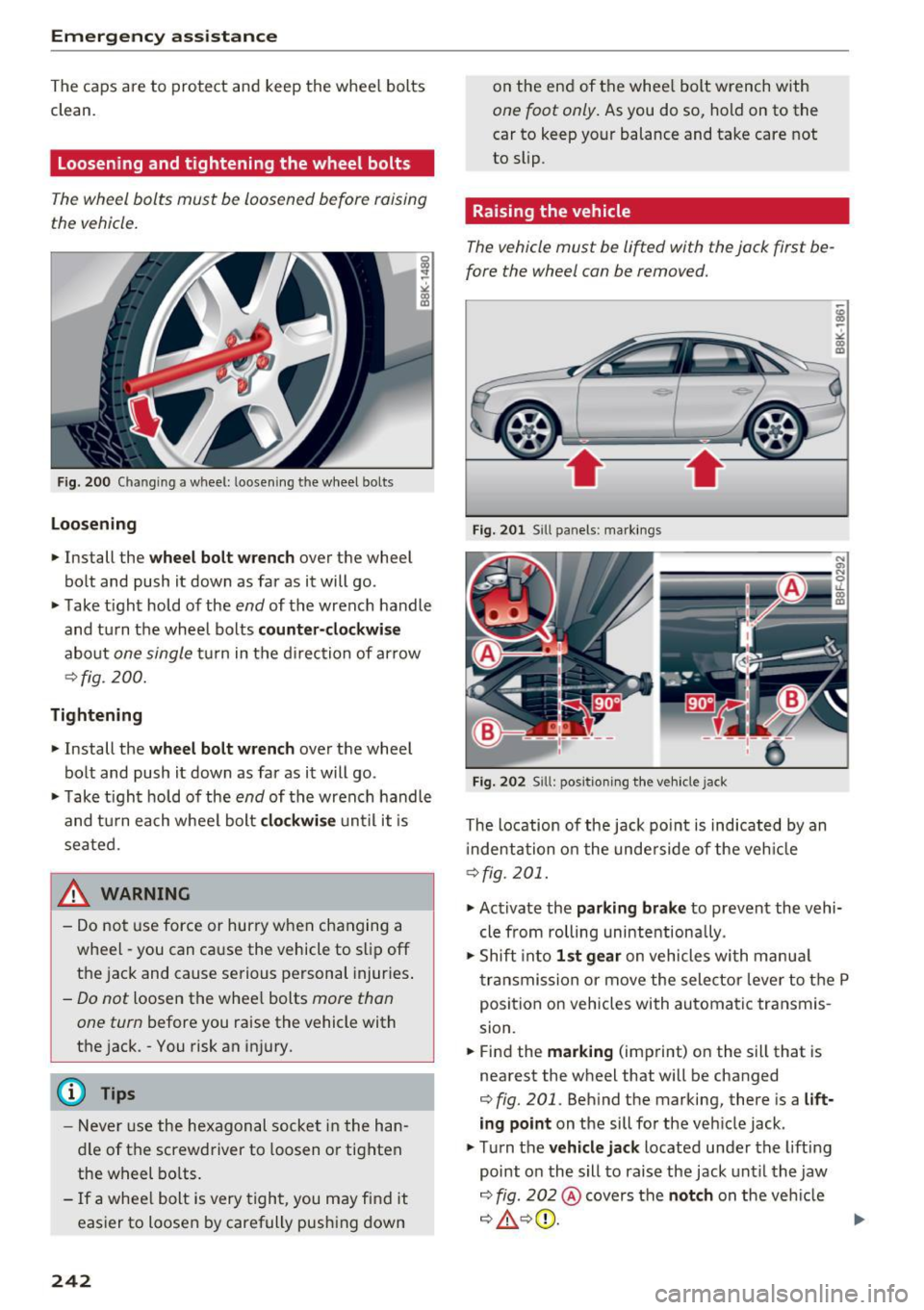
Fig . 200 Changing a wheel: loosening the wheel bolts
Loosening
• Install the wheel bolt wrench over the wheel
bolt and push it down as far as it will go.
• Take tight hold of the
end of the wrench handle
and turn the wheel bolts
counter-clockwise
about one single tur n in the direction of ar row
¢fig. 200.
Tightening
• Install the wheel bolt wrench over the wheel
bolt and push it down as far as it will go.
• Ta ke tight hold of the
end of the wrench handle
and turn each whee l bolt
clockwise until it is
seated.
_& WARNING
- Do not use force or hurry when changing a
wheel -you can cause the vehicle to slip off
the jack and cause serious personal injuries.
-Do not loosen the whee l bolts more than
one turn
before you raise the vehicle with
the jack. -You risk an injury .
(D Tips
-Never use the hexagonal socket in the han
dle of the screwdriver to loosen o r tighten
the wheel bolts.
- If a whee l bolt is very tight, you may find it
easier to loosen by carefully push ing down
242
on the end of the whee l bolt wrench with
one foot only. As you do so, hold on to the
car to keep your balance and take care not
to slip.
Raising the vehicle
The vehicle must be lifted with the jack first be
fore the wheel can be removed.
Fig. 201 Sill panels: marking s
Fig. 202 Sill: positio ning the vehicle jack
The location of the jack point is indicated by an
i ndentation on the underside of the vehicle
¢fig. 201.
• Activate the parking brake to prevent the vehi
cle from rolling unintentionally.
• Shift into
1st gear on vehicles with manua l
transmission or move the selector lever to the P
position on vehicles with automatic transmis
sion.
• Find the
marking (imp rint) on the sill that is
nearest the wheel that will be changed
¢ fig. 201. Behind the marking, there is a lift
ing point on the sill for the vehicle jack.
• Turn the
vehicle jack located under the lifting
point on the sill to raise the jack until the jaw
¢ fig. 202@covers the notch on the veh icle
¢ ~ ¢©. ~
Page 249 of 278

.... N
0
""' CX)
.... I.Cl U"I
.... I.Cl ....
Fuse panel @ (black)
No . Consumer
1 Dynamic steering
2 Electronic Stabilization Cont rol (mod ule)
A/C system press ure sensor, elect rome -
chan ica l park ing brake , Homelink, auto-
3 mat
ic dimming interior rear v iew mirror,
air q uality/outside a ir sensor, Electronic
Stabili zation Cont rol (button)
5 Sound actuator
6 Headlight range control/
headlight (cor-
ne ring light)
7 Headlight (corner ing light)
Con trol modules (e lectrom echan ica l par k-
8 ing brake , s hock ab so rbe r, q uattro s port),
DCDC converter
9 Adapt ive cru ise control
1 0 Shift ga te/clu tch se nsor
1 1 Side assist
12 Headlight range control
, p arkin g sys tem
13 Airbag
14 Rear wiper (a
llroad)
1 5 Auxiliary fuse (instrument panel)
1 6 Auxiliary fuse terminal 15 (engine area
)
Fuse panel@ (brown)
No . Consumer
2 Brake light senso r
3 Fuel pump
4 Clutch sensor
5
Left seat heating w it h /w it h out seat venti-
l a tion
6 Electronic Stabili zation Cont rol (e lectr ic)
7 Ho rn
8
F ront left door (window regulator, central
locki ng, mirror, switch, lig hting)
9 Windshield wiper moto r
10 Electronic Stabilization Cont rol (va lves)
Fuses and bulbs
No . Consumer
Two-door mode ls: rear left w indow reg ula-
1 1 tor; Four-door mode
ls: rear left door (w in-
dow regu lator, central locking, switch,
li ght ing)
1 2 Rain and
light sensor
Fuse panel © (red)
No . Consumer
3 Lumbar support
4 Dynam ic steering
5 Inter
io r ligh ting ( Cabr io let)
6 W
indshie ld washer system, headlight
wash er system
7 Vehicle e lectrica l system control module 1
8 Ve hicl e e lec trica l sy stem con trol module 1
9
Left rear window regu lator motor (Cabr io-
l et)/s unroof
1 0 Vehicle e lec tric al system con trol module 1
1 1 R
ight rear window regulator (Cabriolet)/
su n shade motor
1 2 A
nti- theft alarm warning system
Right cockpit fuse assignment
Fig. 20 7 Rig h t cockp it : f use pane l wit h plast ic cl ip
247
Page 265 of 278
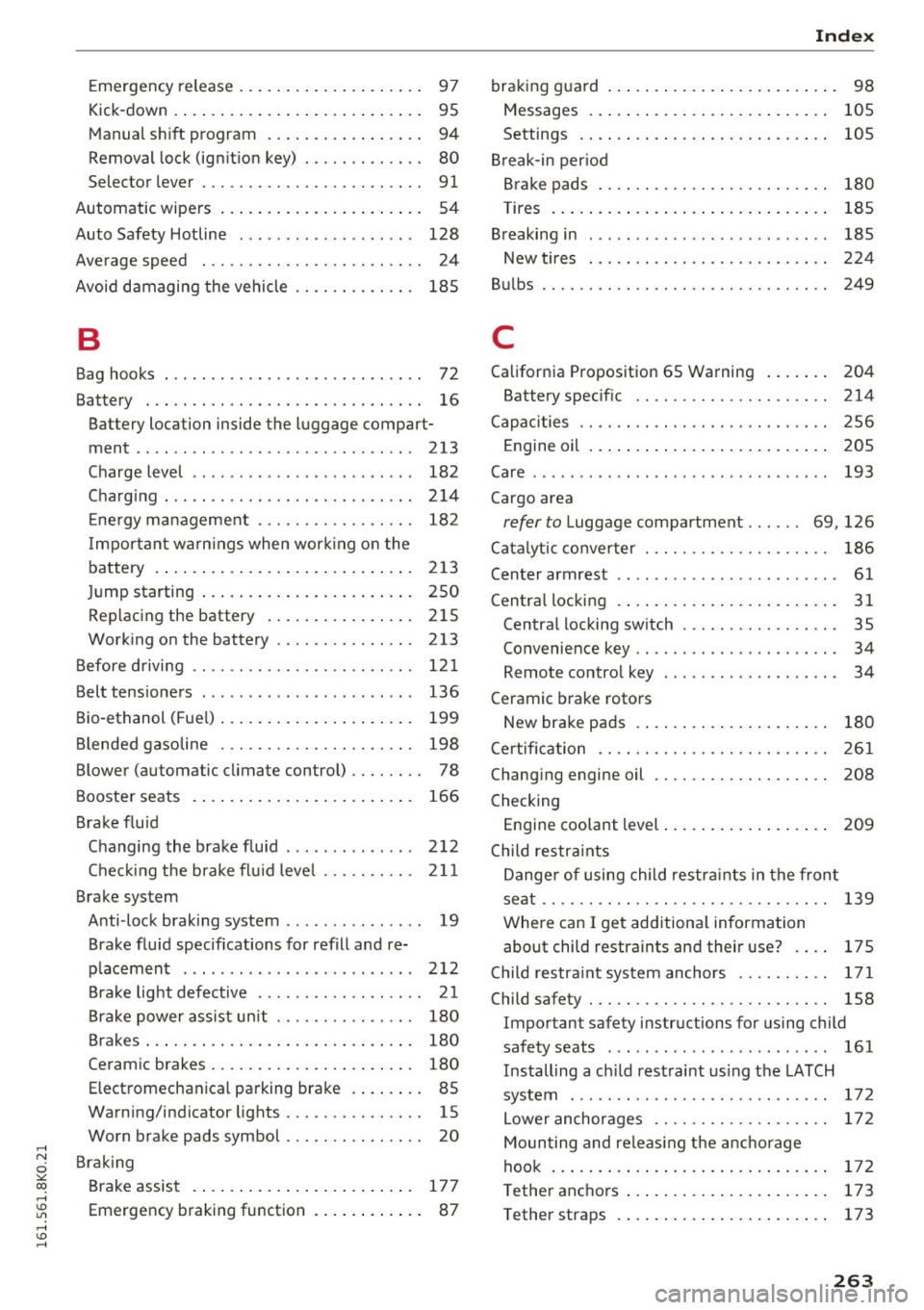
..... N
0 ::..:: co .....
Kick -down . . . . . . . . . . . . . . . . . . . . . . . . . . . 95
Manual shift program . . . . . . . . . . . . . . . . . 94
Removal lock (igni tion key) . . . . . . . . . . . . . 80
Selector lever . . . . . . . . . . . . . . . . . . . . . . . . 91
Automatic wipers . . . . . . . . . . . . . . . . . . . . . . 54
Auto Safety Hotline . . . . . . . . . . . . . . . . . . . 128
Average speed . . . . . . . . . . . . . . . . . . . . . . . . 24
Avoid damaging the vehicle . . . . . . . . . . . . . 185
B
Bag hooks . . . . . . . . . . . . . . . . . . . . . . . . . . . . 72
Battery . . . . . . . . . . . . . . . . . . . . . . . . . . . . . . 16
Ba ttery location inside the luggage compart-
ment .. ... ................... .... .. 213
Charge level . . . . . . . . . . . . . . . . . . . . . . . . 182
Charging . . . . . . . . . . . . . . . . . . . . . . . . . . . 214
Energy management . . . . . . . . . . . . . . . . . 182
I mportant warn ings when work ing on the
battery . . . . . . . . . . . . . . . . . . . . . . . . . . . . 213
Jump starting . . . . . . . . . . . . . . . . . . . . . . . 250
Replacing the battery . . . . . . . . . . . . . . . . 215
Working on the battery . . . . . . . . . . . . . . . 213
Before driving . . . . . . . . . . . . . . . . . . . . . . . . 121
Belt tensioners . . . . . . . . . . . . . . . . . . . . . . . 136
Bio-ethanol (Fuel) . . . . . . . . . . . . . . . . . . . . . 199
Blended gasoline . . . . . . . . . . . . . . . . . . . . . 198
Blower (automatic climate control) . . . . . . . . 78
Booster seats . . . . . . . . . . . . . . . . . . . . . . . . 166
Brake fluid
Changing the brake fluid . . . . . . . . . . . . . . 212
Checking the brake flu id level . . . . . . . . . . 211
Brake system Anti -lock brak ing system . . . . . . . . . . . . . . . 19
Brake fluid specifications for refill and re
p lacement . . . . . . . . . . . . . . . . . . . . . . . . . 212
Brake light defective . . . . . . . . . . . . . . . . . . 21
Brake power assist unit . . . . . . . . . . . . . . . 180
Brakes . . . . . . . . . . . . . . . . . . . . . . . . . . . . . 180
Ceramic brakes . . . . . . . . . . . . . . . . . . . . . . 180
Electromechanical parking brake . . . . . . . . 85
Warning/indicator lights . . . . . . . . . . . . . . . 15
Worn brake pads symbol . . . . . . . . . . . . . . . 20
Braking Brake assist . . . . . . . . . . . . . . . . . . . . . . . . 177
Emergency braking function . . . . . . . . . . . . 87
Index
braking guard . . . . . . . . . . . . . . . . . . . . . . . . . 98
Messages . . . . . . . . . . . . . . . . . . . . . . . . . . 105
Settings . . . . . . . . . . . . . . . . . . . . . . . . . . . 105
Break-in period
Brake pads . . . . . . . . . . . . . . . . . . . . . . . . . 180
T ires . . . . . . . . . . . . . . . . . . . . . . . . . . . . . . 185
Breaking in . . . . . . . . . . . . . . . . . . . . . . . . . . 185
New t ires . . . . . . . . . . . . . . . . . . . . . . . . . . 224
Bulbs . . . . . . . . . . . . . . . . . . . . . . . . . . . . . . . 249
C
California Proposition 65 Warning . . . . . . . 204
Battery specific . . . . . . . . . . . . . . . . . . . . . 214
Capacities . . . . . . . . . . . . . . . . . . . . . . . . . . . 256
Engine oil . . . . . . . . . . . . . . . . . . . . . . . . . . 205
Care . . . . . . . . . . . . . . . . . . . . . . . . . . . . . . . . 193
Cargo area
refer to Luggage compartment . . . . . . 69, 126
Catalytic converter . . . . . . . . . . . . . . . . . . . . 186
Center armrest . . . . . . . . . . . . . . . . . . . . . . . . 61
C entral locking . . . . . . . . . . . . . . . . . . . . . . . . 31
Central locking switch . . . . . . . . . . . . . . . . . 35
Convenien ce key . . . . . . . . . . . . . . . . . . . . . . 34
Remote control key . . . . . . . . . . . . . . . . . . . 34
Ceramic brake rotors
New brake pads . . . . . . . . . . . . . . . . . . . . . 180
Certification . . . . . . . . . . . . . . . . . . . . . . . . . 261
Changing engine oil . . . . . . . . . . . . . . . . . . . 208
Checking Engine coolant level . . . . . . . . . . . . . . . . . . 209
Child restraints
Danger of using child restraints in the front
seat . . . . . . . . . . . . . . . . . . . . . . . . . . . . . . . 139
Where can I get additional information
about child restraints and their use? . . . . 175
Child restraint system anchors . . . . . . . . . . 171
Child safety . . . . . . . . . . . . . . . . . . . . . . . . . . 158
Impor tan t safety ins tructions for using child
safety seats . . . . . . . . . . . . . . . . . . . . . . . . 161
Installing a child restraint using the LATCH
system . . . . . . . . . . . . . . . . . . . . . . . . . . . . 172
Lower anchorages . . . . . . . . . . . . . . . . . . . 172
Mounting and releas ing the anchorage
hook .............................. 172
Tether anchors . . . . . . . . . . . . . . . . . . . . . . 173
Tether straps . . . . . . . . . . . . . . . . . . . . . . . 173
263
Page 267 of 278
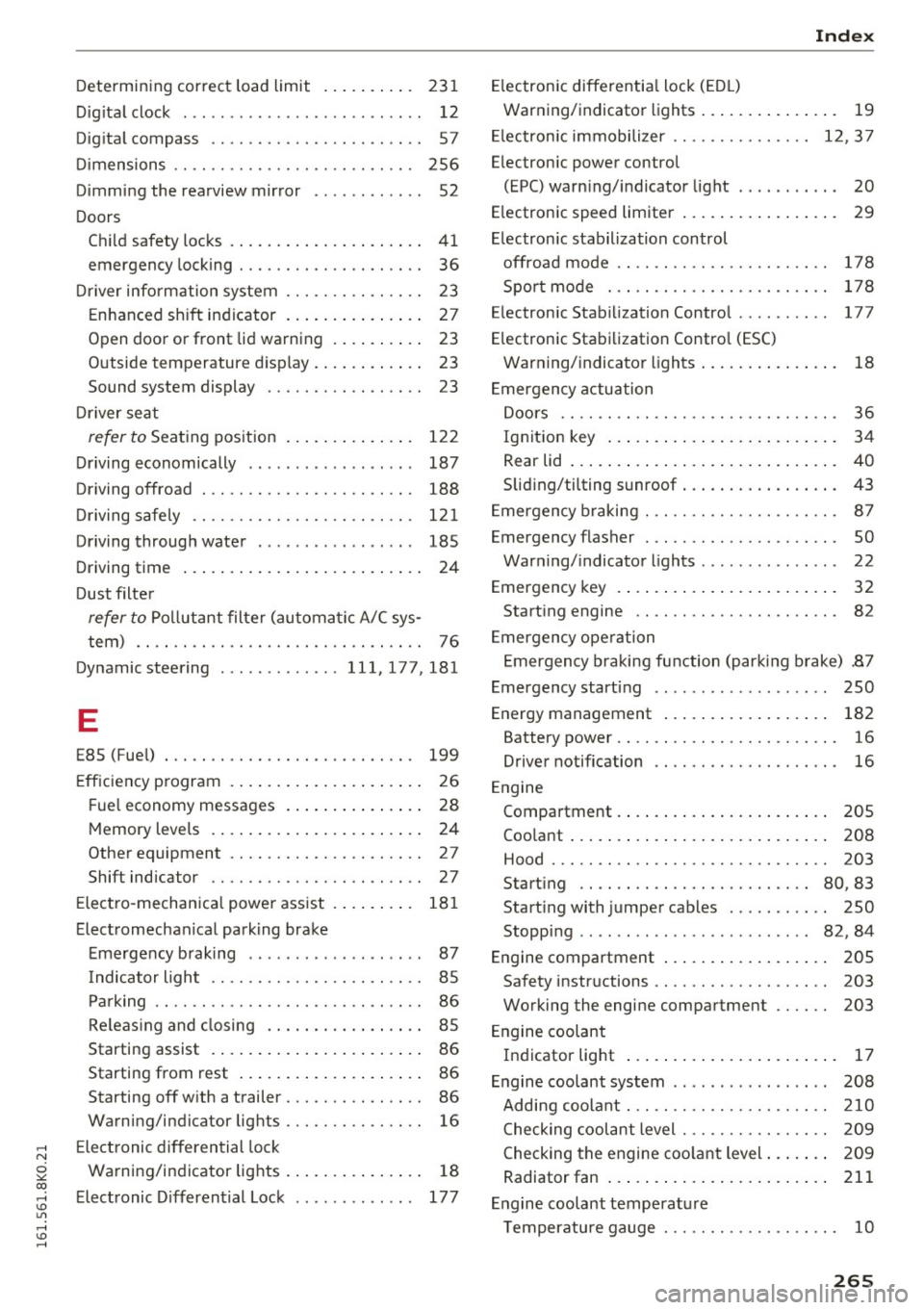
..... N
0 ::..:: co .....
Dig ita l clock . . . . . . . . . . . . . . . . . . . . . . . . . . 12
Dig ita l compass . . . . . . . . . . . . . . . . . . . . . . . 57
Di mensions . . . . . . . . . . . . . . . . . . . . . . . . . . 256
Dimming the rearview mirror . . . . . . . . . . . . 52
Doors Chil d safety loc ks . . . . . . . . . . . . . . . . . . . . . 41
emergency locking . . . . . . . . . . . . . . . . . . . . 36
Dr iver information system . . . . . . . . . . . . . . . 23
E nhanced s hift ind icator . . . . . . . . . . . . . . . 27
Open door or front lid warning . . . . . . . . . . 23
Outside temperature disp lay. . . . . . . . . . . . 23
Sound system display . . . . . . . . . . . . . . . . . 23
D river seat
refer to Sea ting pos ition . . . . . . . . . . . . . . 122
Dr iving economically . . . . . . . . . . . . . . . . . . 187
Driving offroad . . . . . . . . . . . . . . . . . . . . . . . 188
D riving s afe ly . . . . . . . . . . . . . . . . . . . . . . . . 12 1
Driving through wate r . . . . . . . . . . . . . . . . . 185
Driving time . . . . . . . . . . . . . . . . . . . . . . . . . . 24
Dust filte r
refer to Pollutant filte r (automat ic A/C sys-
tem) . . . . . . . . . . . . . . . . . . . . . . . . . . . . . . . 76
Dynamic steering ............. 111,177,181
E
E85 (Fu el) . . . . . . . . . . . . . . . . . . . . . . . . . . . 199
E ff iciency p rogram . . . . . . . . . . . . . . . . . . . . . 26
Fu el economy messages . . . . . . . . . . . . . . . 28
M emory levels . . . . . . . . . . . . . . . . . . . . . . . 24
Other equipment . . . . . . . . . . . . . . . . . . . . . 27
Shift indicator . . . . . . . . . . . . . . . . . . . . . . . 27
E lect ro-mechan ica l powe r ass ist . . . . . . . . . 18 1
E lect romechan ical park ing brake
E me rgency brak ing . . . . . . . . . . . . . . . . . . . 87
I ndicator ligh t . . . . . . . . . . . . . . . . . . . . . . . 85
Par king . . . . . . . . . . . . . . . . . . . . . . . . . . . . . 86
Re leas ing and closing . . . . . . . . . . . . . . . . . 85
Starting assist . . . . . . . . . . . . . . . . . . . . . . . 86
Starting from rest . . . . . . . . . . . . . . . . . . . . 86
Starting
off w ith a trailer . . . . . . . . . . . . . . . 86
Wa rning/indicator lights . . . . . . . . . . . . . . . 16
E le ctronic differential lock
Wa rning/indicator lights . . . . . . . . . . . . . . . 18
E lect ronic D ifferential Lock . . . . . . . . . . . . . 177
Index
Electron ic differentia l lock (ED L)
War ning/indicator lights . . . . . . . . . . . . . . . 19
El ectron ic immobili zer . . . . . . . . . . . . . . . 12 , 3 7
E lectron ic power control
(EPC) warn ing/ indicator light . . . . . . . . . . . 20
E lectron ic speed limiter . . . . . . . . . . . . . . . . . 29
El ectron ic stabilization control
offroad mode . . . . . . . . . . . . . . . . . . . . . . . 178
Spo rt mode . . . . . . . . . . . . . . . . . . . . . . . . 178
E lectron ic Stab ilization Contro l . . . . . . . . . . 177
E lectronic Stabilization Contro l (ESC)
War ning/ indicato r lights . . . . . . . . . . . . . . . 18
E mergency actuation
D oo rs . . . . . . . . . . . . . . . . . . . . . . . . . . . . . . 36
Ign it ion key . . . . . . . . . . . . . . . . . . . . . . . . . 3 4
Rear lid . . . . . . . . . . . . . . . . . . . . . . . . . . . . . 40
Sliding/ti lting sunroof . . . . . . . . . . . . . . . . . 43
E mergency b raking . . . . . . . . . . . . . . . . . . . . . 87
Emergency flasher . . . . . . . . . . . . . . . . . . . . . 50
Warning/ indicato r lights . . . . . . . . . . . . . . . 22
Emergency key . . . . . . . . . . . . . . . . . . . . . . . . 32
Start ing engine . . . . . . . . . . . . . . . . . . . . . . 82
E mergency ope ration
E mergency braking function (par king b rake) .87
E mergency start ing . . . . . . . . . . . . . . . . . . . 250
Energy management . . . . . . . . . . . . . . . . . . 182
Battery power. . . . . . . . . . . . . . . . . . . . . . . . 16
Driver notif ication . . . . . . . . . . . . . . . . . . . . 16
E ngine
Compartment . . . . . . . . . . . . . . . . . . . . . . . 205
Coo lant . . . . . . . . . . . . . . . . . . . . . . . . . . . . 208
Hood . . . . . . . . . . . . . . . . . . . . . . . . . . . . . . 203
Start ing . . . . . . . . . . . . . . . . . . . . . . . . . 80, 83
Start ing with jumper cables . . . . . . . . . . . 250
Stopp ing . . . . . . . . . . . . . . . . . . . . . . . . . 82, 84
Engine compartment . . . . . . . . . . . . . . . . . . 205
Safety instr uctions . . . . . . . . . . . . . . . . . . . 203
Working the engine compartment
203
E ngine coolant
Ind icator light . . . . . . . . . . . . . . . . . . . . . . . 17
E ngine coolant system . . . . . . . . . . . . . . . . . 208
Adding coo lant. .. .. ............... .. 210
Checking cool ant level . . . . . . . . . . . . . . . . 209
C hecking the engine coo lant level . . . . . . . 2 09
Radiator fan . . . . . . . . . . . . . . . . . . . . . . . . 211
E ngine coolant temperat ure
T emperatu re gauge . . . . . . . . . . . . . . . . . . . 10
265
Page 270 of 278
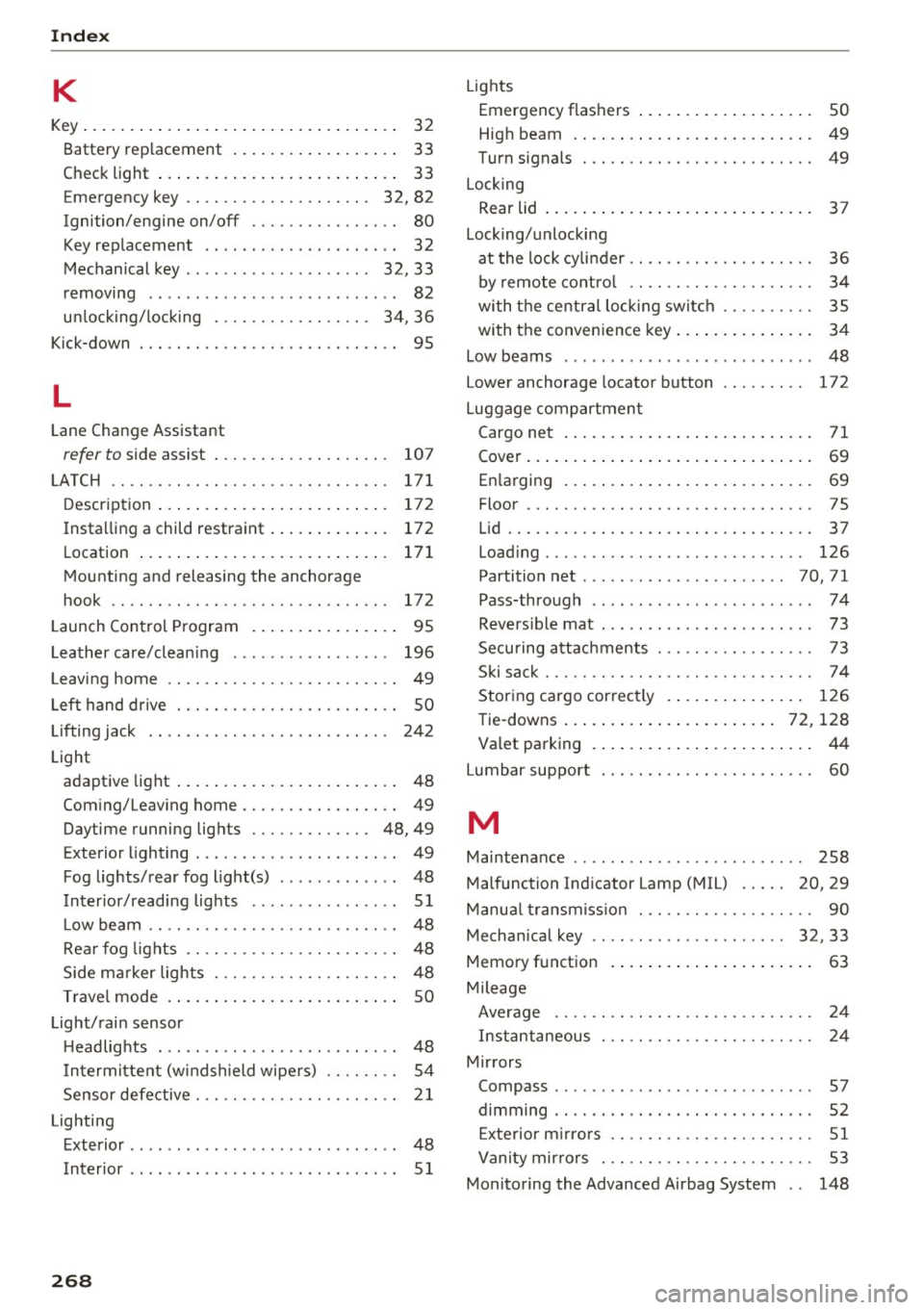
Index
K
Key........... .................. ..... 32
Battery replacement . . . . . . . . . . . . . . . . . . 33
Check light . . . . . . . . . . . . . . . . . . . . . . . . . . 33
E mergency key . . . . . . . . . . . . . . . . . . . . 32, 82
Ignition/engine on/off . . . . . . . . . . . . . . . . 80
Key replacement . . . . . . . . . . . . . . . . . . . . . 32
Mechanical key . . . . . . . . . . . . . . . . . . . . 32, 33
removing . . . . . . . . . . . . . . . . . . . . . . . . . . . 82
un locking/locking . . . . . . . . . . . . . . . . . 34, 36
Kick-down . . . . . . . . . . . . . . . . . . . . . . . . . . . . 95
L
Lane Change Assistant
refer to side assist . . . . . . . . . . . . . . . . . . . 10 7
LATCH . . . . . . . . . . . . . . . . . . . . . . . . . . . . . . 171
Description . . . . . . . . . . . . . . . . . . . . . . . . . 172
Installing a child restraint......... .... 172
Location . . . . . . . . . . . . . . . . . . . . . . . . . . . 171
Mounting and releasing the anchorage
hook . . . . . . . . . . . . . . . . . . . . . . . . . . . . . . 172
Launch Control Program . . . . . . . . . . . . . . . . 95
Leather care/cleaning . . . . . . . . . . . . . . . . . 196
Leaving home . . . . . . . . . . . . . . . . . . . . . . . . . 49
Left hand dr ive . . . . . . . . . . . . . . . . . . . . . . . . 50
Lifting jack . . . . . . . . . . . . . . . . . . . . . . . . . . 242
Light adaptive light . . . . . . . . . . . . . . . . . . . . . . . . 48
Coming/Leaving home......... .. .. .... 49
Daytime running lights . . . . . . . . . . . . . 48, 49
Exterior lighting . . . . . . . . . . . . . . . . . . . . . . 49
Fog lights/rear fog light(s) . . . . . . . . . . . . . 48
Interior/reading lights . . . . . . . . . . . . . . . . 51
L ow beam .. .. .... ........... .. .. .. .. 48
Rear fog lights .. .. .. .. .. .. .. .. .. .. .. . 48
Side marker lights . . . . . . . . . . . . . . . . . . . . 48
Travel mode . . . . . . . . . . . . . . . . . . . . . . . . . 50
Light/rain sensor Headlights . . . . . . . . . . . . . . . . . . . . . . . . . . 48
I ntermittent (w indshield wipers) . . . . . . . . 54
Sensor defective . . . . . . . . . . . . . . . . . . . . . . 21
Lighting Exterior . . . . . . . . . . . . . . . . . . . . . . . . . . . . . 48
Interior . . . . . . . . . . . . . . . . . . . . . . . . . . . . . 51
268
Lights
Emergency flashers . . . . . . . . . . . . . . . . . . . 50
High beam . . . . . . . . . . . . . . . . . . . . . . . . . . 49
Turn signals . . . . . . . . . . . . . . . . . . . . . . . . . 49
Locking Rear lid . . . . . . . . . . . . . . . . . . . . . . . . . . . . . 37
Locking/unlocking at the lock cylinder . . . . . . . . . . . . . . . . . . . . 36
by remote control . . . . . . . . . . . . . . . . . . . . 34
with the central lock ing switch . . . . . . . . . . 35
with the convenience key. . . . . . . . . . . . . . . 34
Low beams . . . . . . . . . . . . . . . . . . . . . . . . . . . 48
Lower anchorage locator button 172
Luggage compartment Cargo net . . . . . . . . . . . . . . . . . . . . . . . . . . . 71
Cover........ ... .. .. ................ 69
Enlarging . . . . . . . . . . . . . . . . . . . . . . . . . . . 69
Floor . . . . . . . . . . . . . . . . . . . . . . . . . . . . . . . 75
Lid . . . . . . . . . . . . . . . . . . . . . . . . . . . . . . . . . 37
Loading . . . . . . . . . . . . . . . . . . . . . . . . . . . . 126
Partition net . . . . . . . . . . . . . . . . . . . . . . 70, 71
Pass-through . . . . . . . . . . . . . . . . . . . . . . . . 7 4
Reversible mat . . . . . . . . . . . . . . . . . . . . . . . 73
Securing attachments . . . . . . . . . . . . . . . . . 73
Ski sack . . . . . . . . . . . . . . . . . . . . . . . . . . . . . 74
Storing cargo correctly . . . . . . . . . . . . . . . 126
Tie-downs . . . . . . . . . . . . . . . . . . . . . . . 72, 128
Valet parking . . . . . . . . . . . . . . . . . . . . . . . . 44
Lumbar support . . . . . . . . . . . . . . . . . . . . . . . 60
M
Maintenance . . . . . . . . . . . . . . . . . . . . . . . . . 258
Malfunction Indicator Lamp (MIL) . . . . . 20, 29
Manua l transmiss ion . . . . . . . . . . . . . . . . . . . 90
Mechanical key . . . . . . . . . . . . . . . . . . . . . 32, 33
Memory function . . . . . . . . . . . . . . . . . . . . . . 63
Mileage Average . . . . . . . . . . . . . . . . . . . . . . . . . . . . 24
Instantaneous . . . . . . . . . . . . . . . . . . . . . . . 24
Mirrors Compass ........ ... ............. .... 57
dimming .. .. .. .. .. .. ... .. ..... ... .. . 52
Exterior mirrors . . . . . . . . . . . . . . . . . . . . . . 51
Vanity mirrors . . . . . . . . . . . . . . . . . . . . . . . 53
Monitoring the Advanced Airbag System . . 148