warning light AUDI A4 2016 User Guide
[x] Cancel search | Manufacturer: AUDI, Model Year: 2016, Model line: A4, Model: AUDI A4 2016Pages: 278, PDF Size: 70.26 MB
Page 22 of 278
Instruments and indicator lights
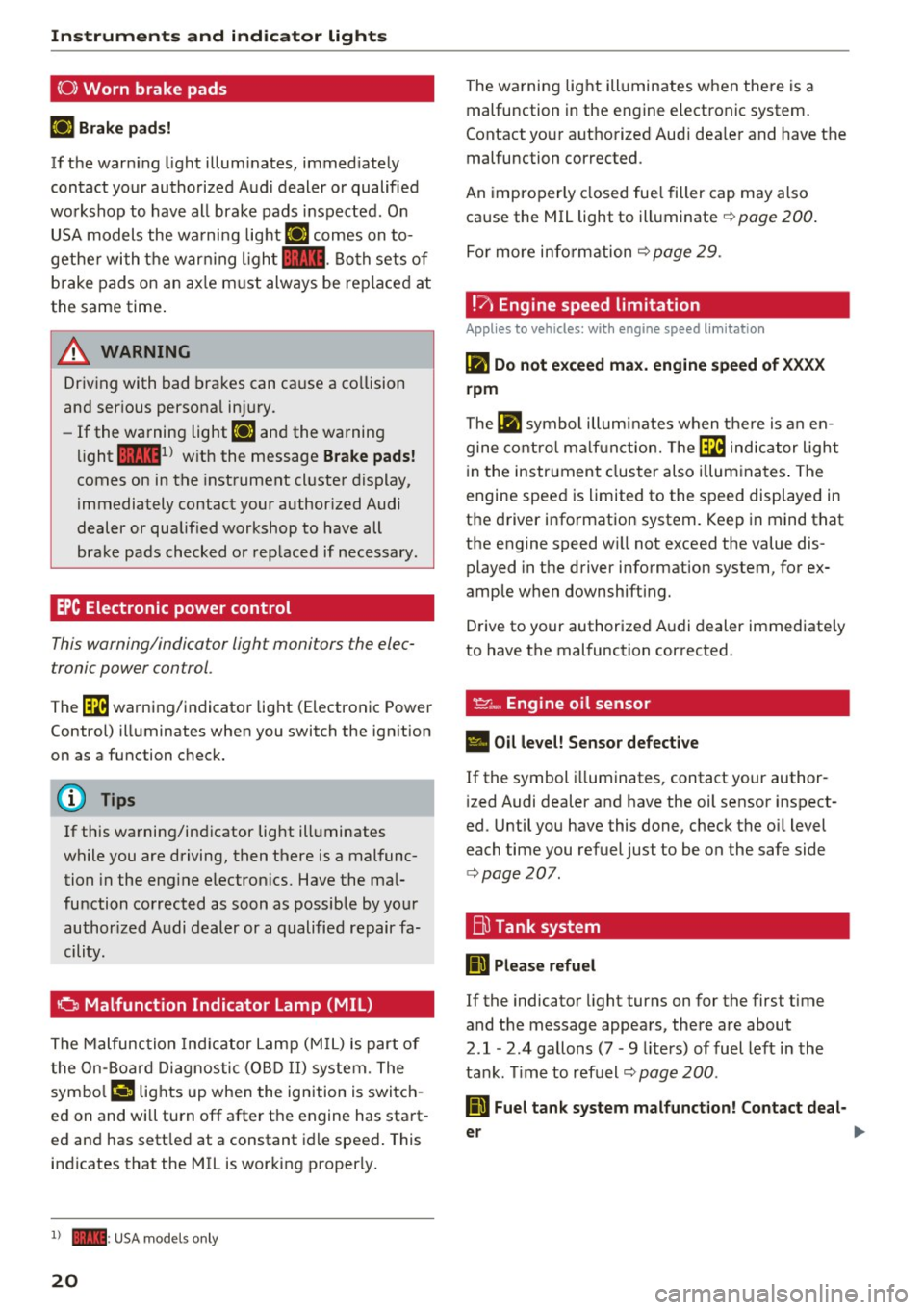
(0) Worn brake pads
EiJ Brake pads!
If the warn ing light illum inates, immed iate ly
contact your authorized A ud i dealer o r qualified
wo rkshop to have all brake pads inspected. O n
USA models the wa rni ng lig ht
EiJ comes on to
gethe r wi th the war ning l igh t
1111 . Both sets of
b rake pads on an ax le m ust always be rep lace d at
the same time .
A WARNING
Driv ing with bad bra kes can ca use a co llision
and ser ious personal in jury.
- If the wa rning light
EiJ and the warning
light
11111 ) w ith the message Brake pads !
comes on in the instrument cl uster display,
i mmediately contact your author ized Audi
dealer or qualified workshop to have all
bra ke pads checked o r rep laced if necessary.
EPC Electronic power control
This warning/indicator light monitors the elec
tronic power control .
-
The~ warni ng/indicator light (Electronic Powe r
Control) ill uminates when you switch the ign ition
on as a function check.
(D} Tips
If this wa rning/in dicator light ill uminates
wh ile you are driving, then there is a mal func
tion in the eng ine electron ics. Have the ma l
function corrected as soon as possib le by yo ur
author ized A udi dealer or a qualified repair fa
cility .
0 Malfunction Indicator Lamp (MIL)
The Malfunc tion Ind ica tor Lam p (M IL) is part of
the On-Boa rd Di ag nosti c (O BD II) system. The
symbo l
('4 lights up whe n the ignition is swi tch
e d on and wi ll turn off after the engine has sta rt·
e d and has sett led at a constant idle speed . This
i n dicates that the MIL is working p roperly.
l ) - : USA mode ls o nly
20
The wa rning lig ht ill uminates w hen the re is a
malfunction in the engine electronic system.
Contact yo ur aut ho rized Aud i dea le r and have the
malfunction corrected.
An impro per ly closed fue l filler cap may also
ca use the MIL light to illuminate ¢
page 200 .
For more info rm ation c::> page 29 .
!?) Engine speed limitation
App lies to vehicles : wi th engine speed limitatio n
lfl Do not exceed max. engine speed of XXXX
rpm
The lfl symbo l illu min ates when the re is an en
gine co ntro l ma lf u nct ion. The~ indica tor ligh t
in the instrument clus ter also illum ina tes . T he
engine spee d is limited to the s peed displayed in
the d river info rmation system. Keep in mind t hat
the engine speed w ill not exceed the value dis
played in the driver information system, for ex
amp le w hen downshifting.
D rive to your authorized A udi dealer immediate ly
to have the mal function cor rected .
~~. Engine oil sensor
• Oil level! Sensor defective
If the symbol illuminates, contact your author
i zed Audi dealer and have the oil sensor inspect
ed. Until yo u have this done, chec k the oi l level
each time you refuel just to be on the safe side
¢ page 207.
Bu Tank system
Ii] Please refuel
If the indicato r light turns on for the first time
and t he message appea rs, the re are about
2.1- 2.4 gallons (7 • 9 lite rs) of fuel left in the
ta nk. Time to refuel¢
page 200 .
Ii] Fuel tank system malfunct ion! Contact deal -
er ..,.
Page 23 of 278
..... N
0 ::..:: co .....
appears, there is a malfunction in the tank sys
tem.
Drive to your authorized Audi dealer immediately
to have the malfunction corrected.
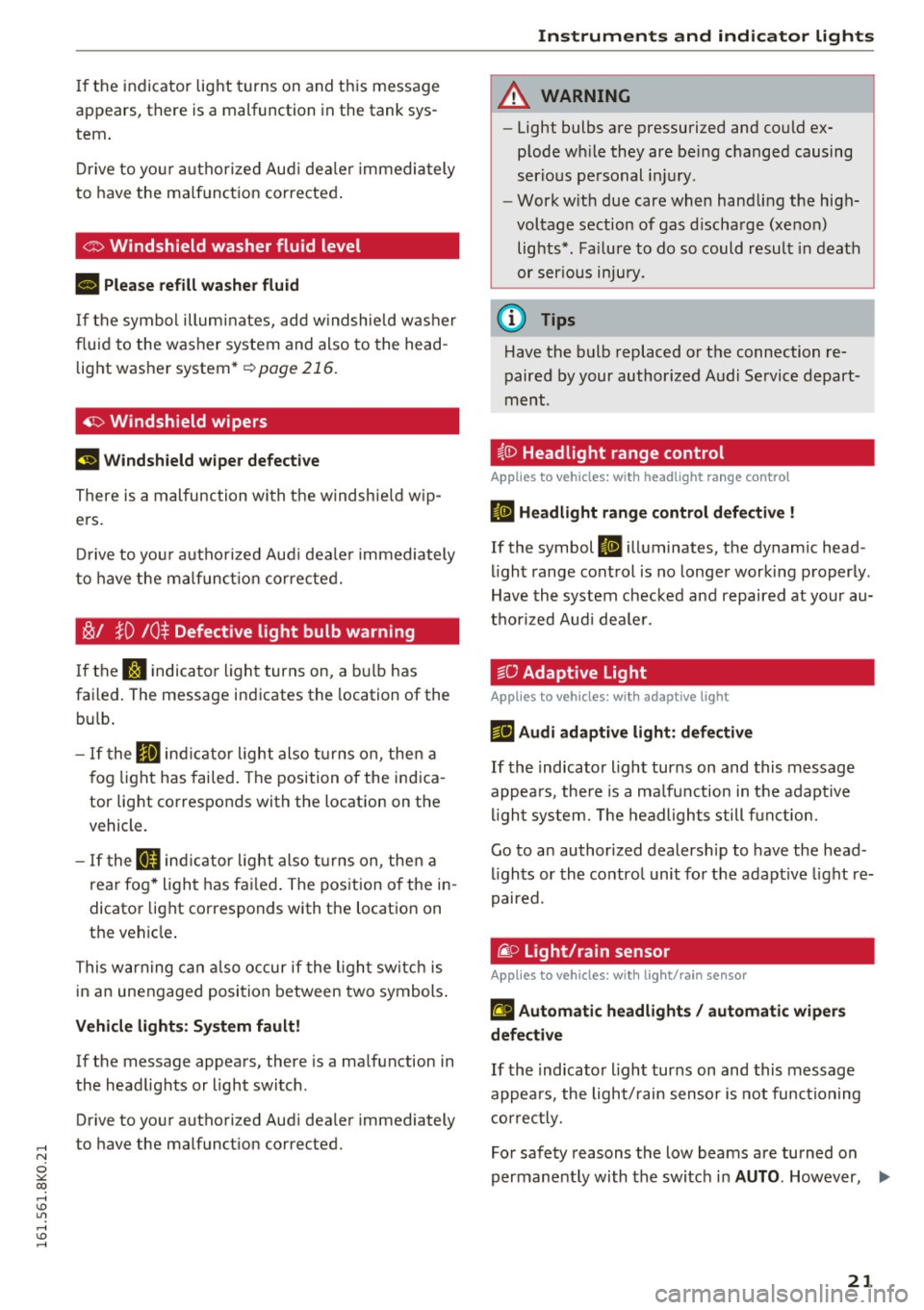
Ci:> Windshield washer flu id level
ra, Please refill washer fluid
If the symbol illuminates, add windshield washer
fluid to the washer system and also to the head
light washer system*
I:!) page 216.
~ Windshield wipers
El Windshield wiper defective
There is a malfunction with the windshield wip
ers.
Drive to your authorized Audi dealer immediately
to have the malfunction corrected.
~/ }D 10$ Defective light bulb warning
If the r.:I indicator light turns on, a bulb has
failed. The message indicates the location of the
bulb.
- If the Im indicator light also turns on, then a
fog light has failed. The position of the indica
tor light corresponds with the location on the
v eh icl e.
- If the II indicator light also turns on, then a
rear fog* light has failed. The position of the in
dicator light corresponds with the location on
th e vehicle.
This warning can also occur if the light switch is
in an unengaged position between two symbols.
Vehicle lights: System fault!
If the me ssage appears, there is a malfunction in
the headlights or light switch .
Drive to your authori zed Audi dealer immediately
to have the malfunction cor rected.
Instruments and indicator lights
A WARNING
- Light bulbs are pressurized and could ex
plode while they are being changed causing
serious personal injury .
-
-Work with due care when handling the high
voltage section of gas discharge (xenon)
lights* . Failure to do so could result in death
or serious injury.
@ Tips
Have the bulb replaced or the connection re
paired by your authorized Audi Service depart
ment.
i,0 Headlight range control
Applies to vehicles: with headlight range control
B Headlight range control defective !
If the symbol B illuminates, the dynamic head
light range control is no longer working properly .
Have the system checked and repaired at your au
thorized Audi dealer.
§0 Adaptive Light
Applies to vehicles: with adaptive light
r!J Audi adaptive light: defective
If the indicator light turns on and this message
appears , there is a malfunction in the adaptive
light system. The headlights still function.
Go to an authorized dealership to have the head
lights or the control unit for the adaptive light re
paired.
@. o Light/rain sensor
Applies to vehicles: with light/rain sensor
II Automatic headlights/ automatic wipers
defective
If the indicator light turns on and this message
appears , the light/rain sensor is not functioning
correctly.
For safety reasons the low beams are turned on
permanently with the switch in
AUTO. However, .,.
21
Page 24 of 278
Instruments and indicator lights
you can continue to turn the lights on and off us
ing the light switch . You can still control a ll func
tions that are independent of the rain sensor
through the w indshield wiper lever.
Contact your author ized Audi dealer as soon as
possible to have the problem corrected.
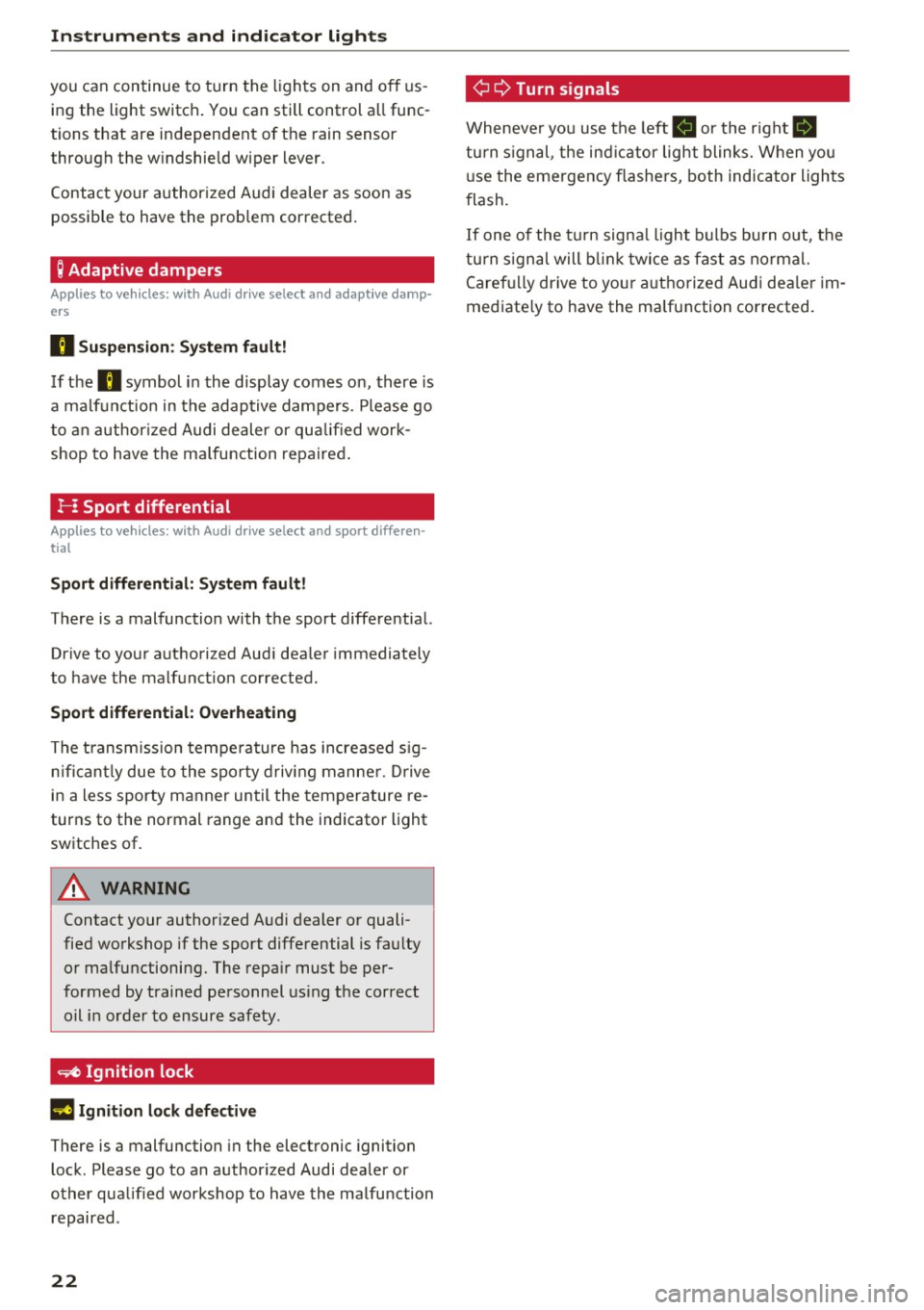
; Adaptive dampers
Applies to vehicles: with Audi drive select and adaptive damp
ers
B Su spen sion : S yst em fault!
If the B symbol in the display comes on, there is
a ma lf u nction in the adaptive dampers . P lease go
to an author ized Audi de aler or qu alified work
shop to have the ma lfunction repaired .
!-: Sport differential
Applies to vehicles: with Audi drive select and sport differen
tial
Sport differ ential: Syst em fault!
There is a malfunction with the sport differential.
Drive to your authorized Aud i dea ler immediately
to have the malfunct ion corrected.
Sport differential: Overhe ating
The transmission tempe rature has increased s ig
n ificant ly due to the sporty driv ing manne r. D rive
i n a less sporty manner until the temperature re
turns to the normal range and the indicator light
switches of.
A WARNING
Contact your authorized A udi dealer or quali
fied workshop if the sport differential is faulty
or ma lfunctioning. The repa ir must be per
formed by trained personnel us ing the correct
oil in order to ensure safety .
~ Ignition lock
II Ignition lock defective
There is a malfunction in the electronic ignition
lock . Please go to an authorized Audi dea ler or
other qualified workshop to have the malfu nction
repaired .
22 ¢
Q Turn
signals
Wheneve r yo u use the left B or the right Ill
turn s ignal , the ind ic a tor light blinks. When you
u se the emergency flashe rs, both indicator ligh ts
f lash.
If one of the tu rn signa l ligh t bulbs bu rn out, the
turn s ignal will b link t wice as fast as no rmal.
Caref ully drive to yo ur a uth o rized Aud i dea ler im
mediate ly to have the malfunction corrected.
Page 25 of 278
,....,
N
0
""' CX) ,....,
I.Cl U"I ,....,
I.Cl ,....,
Driver information
system
Introduction
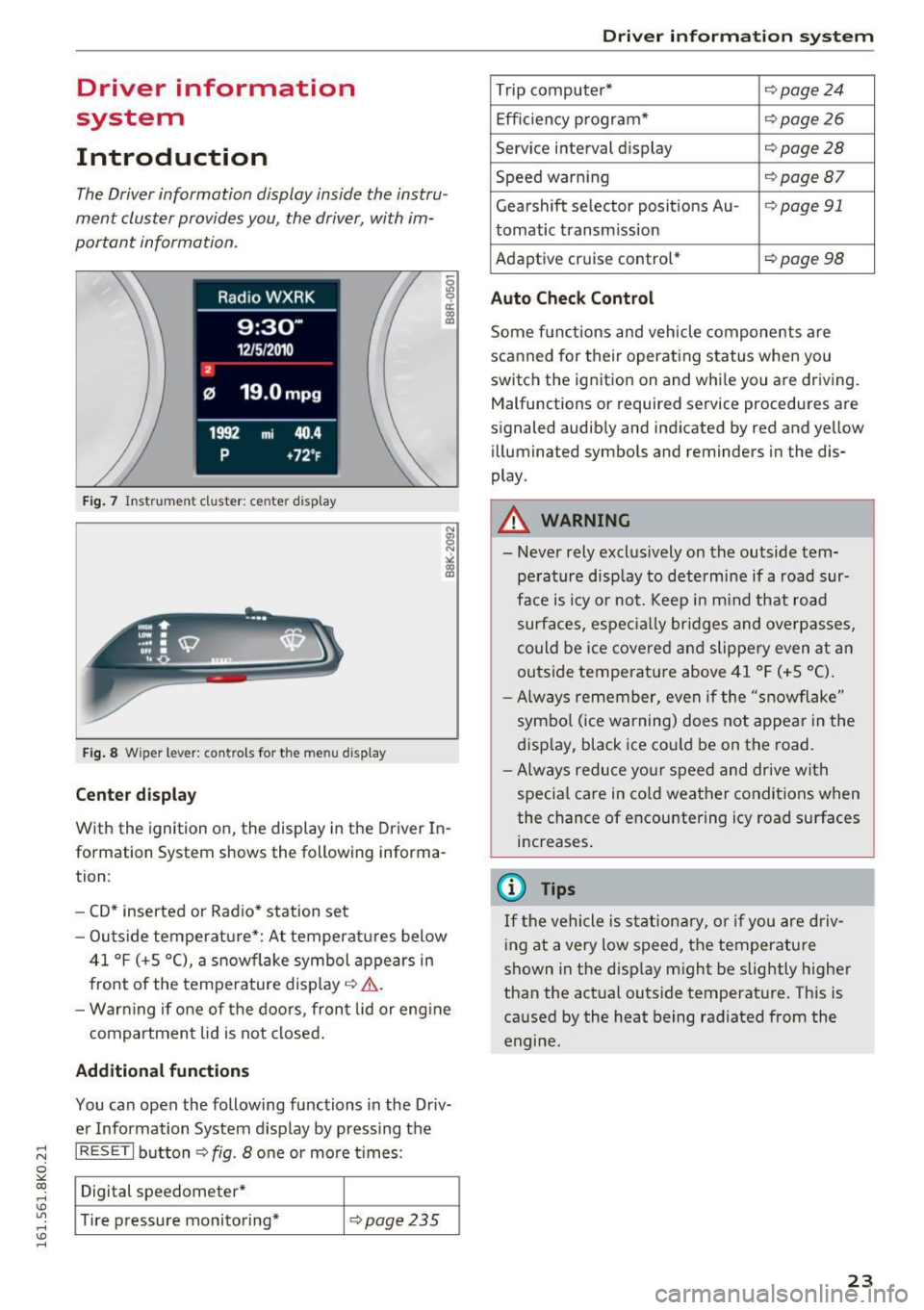
The Driver information display inside the instru
ment cluster provides you, the driver, with im
portant information.
Fig. 7 Instrument cluster: ce nter display
Fig. 8 Wipe r lever: contro ls for the menu display
Center display
With the ignition on, the display in th e Driver In
formation System shows the following informa
tion :
- CD* inserted or Radio* station set
- Outs ide temperature*: At temperatures below
41 °f (+S
0
(), a snowflake symbol appears in
front of the temperature display¢ ,1,. .
- Warning if one of the doors, front lid or engine
compartment lid is not closed.
Additional functions
You can open the following functions in the Driv
er Information System display by pressing the
I RESETI button¢ fig. 8 one or more t imes :
Digital speedometer*
Tire pressure monitoring*
¢pag e235
Driver in forma tion system
Trip computer* ¢page24
Efficiency program* ¢page26
Service interval display ¢page28
Speed warning ¢page Bl
Gearshift selector posit ions Au -i=>page 91
tomatic transm ission
Adaptive cruise control*
¢ page 98
Auto Check Control
Some functions and vehicle components are
scanned for their operating status when you
switch the ignition on and while you are driving. Malfunctions or required service procedures are
signaled audibly and indicated by red and yellow
illum inated symbols and reminders in the dis
play.
A WARNING
--
- Never rely exclus ively on the outside tem
pe rature display to determine if a road sur
face is icy or not. Keep in m ind that road
surfaces, especially bridges and overpasses,
could be ice covered and slippery even at an
outside temperat ure above 41 °f (+S °C).
- Always remember, even if the "snowflake"
symbol (ice warning) does not appear in the
display, black ice could be on the road.
- Always reduce your speed and dr ive with
specia l care in cold weather conditions when
the chance of encountering icy road surfaces
increases.
(j) Tips
If the vehicle is stationary, or if you are driv
ing at a very low speed, the temperature
shown in the disp lay might be slightly higher
than the actual outside temperature. This is
caused by the heat being radiated from the
engine.
23
Page 31 of 278
,....,
N
0
""' CX) ,....,
I.Cl U"I ,....,
I.Cl ,....,
vehicle, particularly the engine, and main
taining its value. Even if the mileage driven
is low, the maximum period of one year
from one service to the next must not be ex
ceeded.
@ Tips
The informat ion in the Service Rem inder re
mains stored even when the vehicle battery is
disconnected.
On Board Diagnostic
System (OBD)
Malfunction Indicator Lamp (MIL)
The Malfunction Indicator Lamp (MIL) ¢..ift in the
instrument cluster is part of the On-Board Diag
nostic (OBD II) system .
The warning/indicator light illuminates when the
ignition is switched on and goes out after the en
gine starts and the idle has stabilized. This indi
cates that the MIL is working properly .
If the light does not go out after the engine is
started, or illuminates while you are driving, a malfunction may exist in the engine system.
If
the light illuminates, the catalytic converter
could be damaged.
Continue driving
with reduced power (avoiding
sustained high speeds and/or rapid accelera
tions) and have the condition corrected. Contact
your authorized Audi dealer.
If the light illuminates, the electronic speed limiter may also be malfunctioning. For more infor
mation
¢ page 29, Electronic speed limiter.
An improperly closed fuel filler cap may also
cause the MIL light to illuminate ¢
page 200.
Driver in forma tion system
On-Board Diagnostics
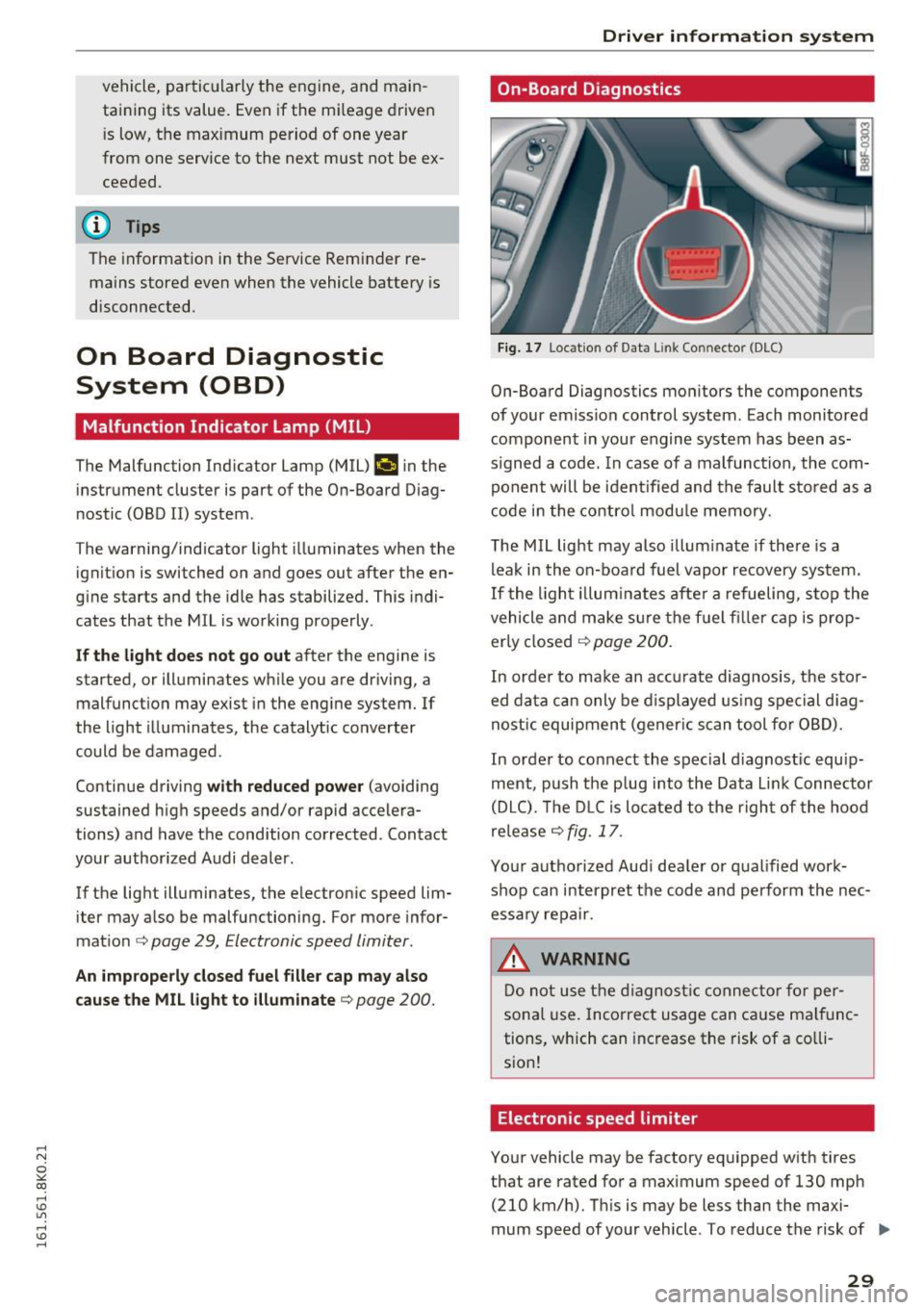
Fig. 17 Loca tion of Data Link Connector (DLC)
On-Board Diagnostics monitors the components
of your emission control system. Each monitored
component in your engine system has been as
s igned a code. In case of a malfunction, the com
ponent will be identified and the fault stored as a
code in the control module memory.
The MIL light may also illuminate if there is a
leak in the on-board fuel vapor recovery system.
If the light illuminates after a refueling, stop the
vehicle and make sure the fuel f iller cap is prop
erly closed
¢ page 200.
In order to make an accurate diagnosis, the stor
ed data can only be displayed using special diag
nostic equipment (gener ic scan tool for OBD).
In order to connect the special d iagnost ic equip
ment, push the p lug into the Data L ink Connector
(DLC). The DLC is located to the right of the hood
release
¢ fig. 17.
Your authorized Audi dealer or qualified work
shop can interpret the code and perform the nec
essary repair.
.&, WARNING
Do not use the diagnostic connector for per
sonal use. Incorrect usage can cause malfunc
tions, which can increase the risk of a co lli
sion!
Electronic speed limiter
Your vehicle may be factory equipped with tires
that are rated for a maximum speed of 130 mph (210 km/h). This is may be less than the maxi
mum speed of your vehicle . To reduce the risk of .,.
29
Page 32 of 278

Driver information s ystem
sudden tire failure and loss of contro l if the vehi
cle is operated at excessive speeds, your vehicle has an electronic speed limiter . The e lectronic
speed limiter prevents your veh icle from go ing
faster than the t ire speed rating. For more infor
mat io n
¢ page 217 .
If the engine contro l unit receives faulty vehicle
roadspeed signa ls, the Malfunct ion Indicator
Light (MIU
¢'4wil l illuminate. If this occurs, con
tact the nearest author ized Audi dealer for assis
tance .
A WARNING
Always observe the posted speed limits and
adjust you r speed to s uit prevailing road, traf
fic and we athe r con ditions. Never drive you r
vehicle fas ter than the maximum speed rat ing
of the tires installed.
30
-
Page 37 of 278
.... N
0
""' CX)
.... I.Cl U"I
.... I.Cl ....
"'To lock the vehicle, close the door and touch
the sensor in the door hand le
once ~ fig. 22
~ A in General description on page 31 . Do not
reach inside the door handle .
The vehicle can be locked and un locked at any
door . The remote control key cannot be more
than 1.5 m away from the door handle. It makes
no difference whether the master key is in your
jacket pocket or in your brief case .
If you grip the door handle while locking, this can
adversely affect the locking function.
It is not possible to re-open the door for a b rief
period directly after closing it. This allows you to
ensure that the doors are properly locked.
It depends on the settings in the radio or MMI*
whether the entire vehicle is unlocked or one of
the doors
~ page 36.
A WARNING
Read and follow all WARNINGS~&. in Gener
al description on page 31.
@ Tips
If your vehicle has been standing for an ex
tended period, please note the following:
- The proximity sensors are deactivated after
a few days to save power. You then have to
pull on the door handle once to unlock the
vehicle and a second time to open the vehi
cle.
- To p revent the battery from being dis
charged and to preserve your vehicle's abili
ty to start for as long as possible, the ener
gy management system gradua lly switches
off unnecessary convenience functions. It is
possible that you will not be ab le to unlock
your vehicle using these convenience func
tions .
- Fo r Decla ration of Comp liance to United
States FCC and Industry Canada regu lations
~page 261.
Open ing and closing
Locking and unlocking the vehicle from
inside
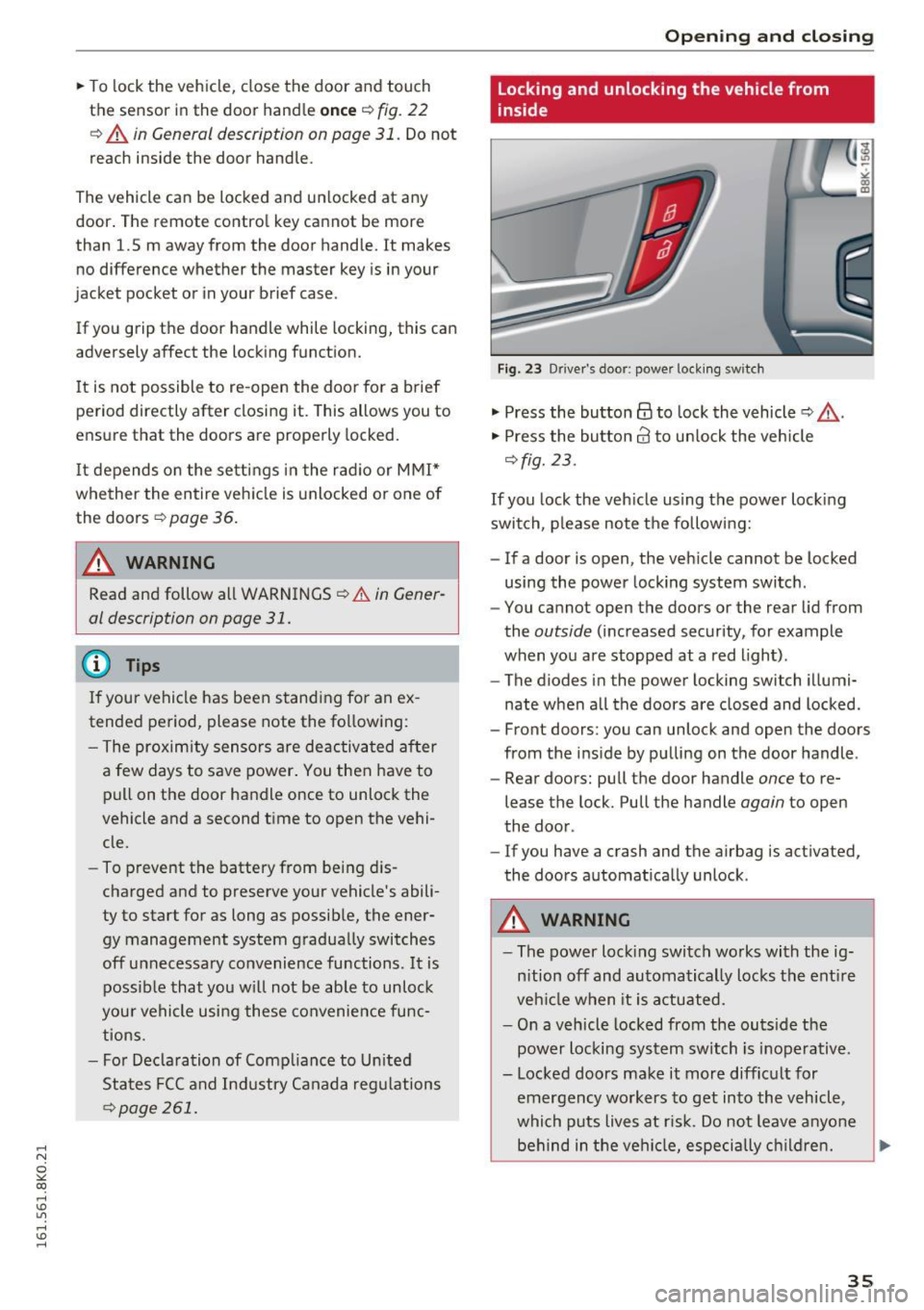
Fig. 23 Drive r's door; power lock ing sw itch
"' Press the button@ to lock the vehicle ~ &,.
"' Press the button 63 to unlock the veh icle
~ fig. 23.
If you lock the veh icle using the power lock ing
switch , please note the following:
- If a door is open, the veh icle cannot be locked
using the power locking system switch .
- You cannot open the doors or the rear lid from
the
outside (increased security, for example
when you are stopped at a red light).
- The diodes in the power locking switch illumi
nate when a ll the doors are closed and locked .
- Front doors : you can unlock and open the doors
from the inside by pulling on the door handle.
- Rear doors: pull the door handle
once to re
lease the lock. Pull the handle
again to open
the door .
- If you have a crash and the airbag is activated,
the doors automat ically unlock .
A WARNING ,-
-The power locking switch works with the ig-
n ition off and automatically locks the entire
vehicle when it is actuated.
- On a vehicle locked from the ou tside the
power locking system switch is ino perative.
- Locked doors make it more difficult for
emergency workers to get in to the vehicle,
which puts lives at ris k . Do not leave anyone
behind in the vehicle, especially children. ""
35
Page 40 of 278

Opening and clo sin g
Open ing th e re ar lid
.. Press the b utton cs on the remote control
master key for at least one second. The rear lid
unlocks and op ens slight ly. Or
.. Pr ess th e handle on th e rear lid¢
fig. 26. Or
.. Sedan : Pull the rele ase button
cs in the driv
er 's doo r ¢
fig. 2 7
Cl osi ng the rear lid
.. Pu ll th e rear lid down at th e grip on the inside
and allow it to drop gently to close it¢ ,&. .
A WARNING
-After closing the rear lid, always pull up on
it to make sure that it is properly closed .
Otherwise it could open suddenly when the
vehicle is mov ing .
- To help prevent poisonous exhaust gas from
being drawn into the vehicle, always keep
the rear lid closed while driving . Never
transport objects larger than those which fit
comple tely into t he luggage area, because
then the rear lid cannot be fully closed.
- Never leave yo ur vehicle unatte nded espe
c ia lly with the rea r lid left open . A chi ld
c ould cra wl into the car thro ugh the luggage
compartment and pull the lid shut, becom
ing trapped and unable to get out. To re
duce the r isk of persona l injury, never let
children p lay in or around your veh icle . Al
ways keep the rear lid as well as the vehicle
doors closed when not in use.
- Always ensure that no one is within range of
th e rear lid when it is moving, in particular
close to the hinges -fingers or hands can be
pinched .
(D Tips
When the vehicle is locked, the rear lid can be
opened separately by pressing the button
cs
on the master key. When you close the rear
lid again, it locks automatically .
38
Power opening/closing rear lid
Applies to vehicles: with automatic rear lid operat ion
The open posi tion can be adjusted .
Fig. 2 8 Dri ver 's doo r: U nlocki ng th e rear lid
-
Fig . 29 Lock ing switc h in t he rear lid
Opening rear lid
.. Press the bu tton cs on the remote key for at
least one second . Or
.. Pull the unloc k button
cs in the dr iver 's door
¢ fig. 28. Or
.. Press the hand le on the rear lid
¢ page 37,
fig . 26.
Closing rear lid
.. Press the close bu tton in the open rear lid
<=:> fig. 29 . T he rear lid moves to the closed posi
tion by itself and soft close locks it automati
cally
c::> ,&. .
Saving the opening angle of the rear lid
.. Br ing the luggage compar tment lid into the de
sired open position. The posi tion can only be
stored w hen the lid is above a certain height .
.. Press and hold the
c::> fig . 29 button for at least
fou r seconds unt il the lights blink to store the
desired open pos ition.
Page 41 of 278
..... N
0 ::..:: co .....
compartment lid upward .
~ Press and hold the¢ fig. 29 button again for at
least four seconds and this will store the new
open position .
T he settings in the radio or
MM!* determine if
the rear lid can be opened using the handle
¢ page 36.
Opening will be stopped immediately when :
- You press the~ button on the remote control
master key for at least one second, or
- You press the~ button in the rear lid, or
- You push the handle in the rear lid, or
- You pull the~ button in the driver's door, or
- When something blocks the rear lid o r makes it
difficult for the lid to move .
If you press one of the buttons~ now, the rear
lid will either open or close, depending on its an
gle.
If yo u pull light ly on its handle, the rear lid will
close.
C lo sing will be stopped immediately when:
- You press the~ button in the rear lid, or
- You push the handle in the rear lid, or
- You release the~ button on the driver's door,
or
- When something blocks the rear lid or makes it
difficult for the lid to move.
If you press one of the buttons~ now, the rear
lid will either close or open, depending on its an
gle.
If you pull light ly on its handle, the rear lid will
close.
You can manually stop the a utomat ic opening/
closing of the luggage compartment lid. The au
tomatic closing process begins if you push down
on the rear lid.
A WARNING
- Never close the rear lid inattentively or with
out checking first . Although the closing
Op ening and cl osing
force of the rear lid is limited, you can still
seriously injure yourself or others.
- Always ensure that no one is within range of
the rear lid when it is moving, in particu lar
close to the hinges and the upper and lower
edges - fingers or hands can be pinched.
- To help prevent poisonous exhaust gas from
be ing drawn into the vehicle, a lways keep
the rear lid closed while dr iving. Never
transport objects larger than those which fit
comp letely into the luggage area, because
then the rear lid cannot be fully closed.
- Never leave your veh icle unattended espe
cially with the rear lid left open. A child
could crawl into the car through the luggage
compartment and pull the lid shut, becom
ing trapped and unab le to get out. To re
duce the risk of personal in jury, never let
children play in or around your vehicle . Al
ways keep the rear lid as we ll as the veh icle
doors closed when not in use .
- If there is a luggage rack or bicycle rack
mounted on the rear lid, it may not be able
to open comp letely or an opened rear lid
may close by itself because of the added
weight . So the open rear lid must be sup
ported or the we ight must be removed from
the l uggage rac k first.
(!) Tips
- When the vehicle is locked, the rear lid can
be unlocked separately by pressing the but
ton~ on the master key . When the rear lid
is closed again, it locks automatically.
- The following applies to vehicles equ ipped
w ith the convenience key* feature : if the re
mote contro l key is left in the luggage com
partment , luggage compartment will auto
matically unlock itse lf after you lock the ve
hicle. This prevents you from unintentiona l
ly locking your key in the luggage compart
ment.
- If the vehicle battery charge drops below a
certain level, you can still open or close the
rear lid manually, however, you will need to
app ly more force to close it.
39
Page 43 of 278
,....,
N
0
""' CX) ,....,
I.Cl U"I ,....,
I.Cl ,....,
Child safety lock
Child safety locks in the rear doors
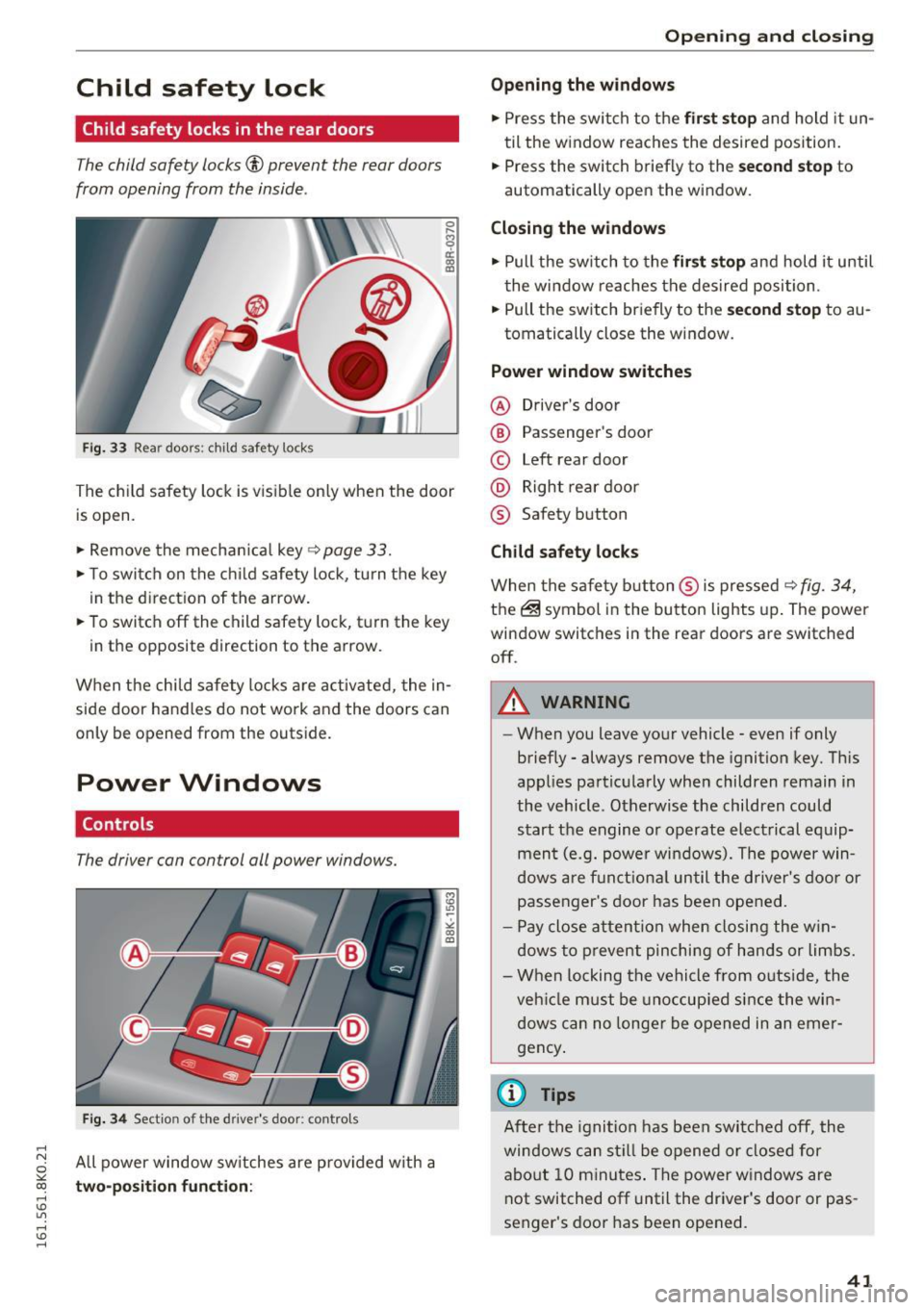
The child safety locks© prevent the rear doors
from opening from the inside .
Fig. 33 Rear doors: child safety locks
0 ,.._ O') 0
i a,
The child safety lock is visible on ly when the door
is open .
.,. Remove the mechanical key
~ page 33.
.,. To switch on the child safety lock, tu rn the key
in the direction of the arrow.
.,. To switch off the child safety lock, t urn the key
in the opposite direction to the arrow.
When the child safety locks are activated, the in
side door handles do not work and the doors can
only be opened from the outside.
Power Windows
Controls
The driver can control all power windows.
Fig. 34 Section of the driver's door: contro ls
All power window switches are provided with a
two-position function:
Open ing and closing
Opening the windows
.,. Press the switch to the first stop and hold it un
til the window reaches the desired position.
.,. Press the switch briefly to the
second stop to
automatically open the window.
Closing the windows
.,. Pull the switch to the first stop and hold it until
the window reaches the desired position .
.,. Pull the switch briefly to the
second stop to au-
tomatically close the window.
Power window switches
@ Driver's door
@ Passenger's door
© Left rear door
@ Right rear door
® Safety button
Child safety locks
When the safety button ® is pressed ~ fig. 34,
the@symbol in the button lights up. The power
window switches in the rear doors are switched off .
A WARNING
--When you leave your vehicle - even if only
briefly - always remove the ignition key. This
applies particularly when children remain in
the vehicle. Otherwise the children could
start the engine or operate electrical equip
ment (e.g. power windows). The power win
dows are funct ional until the driver's door or
passenger's door has been opened.
- Pay close attention when closing the win
dows to prevent pinching of hands or limbs.
- When locking the vehicle from outside, the
veh icle must be unoccupied since the win
dows can no longer be opened in an emer
gency .
(0 Tips
After the ignition has been switched off, the
windows can still be opened or closed for
about 10 minutes. The power windows are
not switched off until the driver's door or pas
senger's door has been opened.
41