ignition AUDI A4 2017 User Guide
[x] Cancel search | Manufacturer: AUDI, Model Year: 2017, Model line: A4, Model: AUDI A4 2017Pages: 386, PDF Size: 96.32 MB
Page 39 of 386
Opening and closing
Central Locking
Description
You can lock and unlock the veh icle centrally . You
have the following choices:
- Remote control key¢
page 40,
-Sensors in the door handles * ¢ page 40
- Lock cylinder on the driver's door¢ page 42,
or
- Interior central locking switch ¢
page 41.
Turn signals
The turn s ignals flash twice when you unlock the
veh icle and flash once when you lock the veh icle.
If they do not flash, then one of the doors, the
rear lid or the hood is not closed.
Automatic locking (Auto Lock)
The Auto Lock funct ion locks all doors and the
luggage compartment lid once the speed has ex
ceeded approximately 9 mph (15 km/h).
The vehicle can be unlocked if the opening func
tion in the central locking system sw itch is used
or one of the door handles is pulled.
In the event of a crash with airbag deployment,
the doors will a lso automat ically unlock to allow
access to the vehicle.
Selective door unlocking
The doors and luggage compartment lid will lock
when they close . You can set in the Infotainment
system whether
only the driver's door or the en
tire vehicle should be unlocked when unlocking
¢page 41.
Unintentionally locking yourself out
The following conditions prevent you from lock
ing your remote control key in the vehicle:
- If the driver's door is open, the vehicle cannot
be locked by pressing the~ button on the re
mote control key or by touching the locking
<( a:i sensor* on a door . .... N ,....
N .... 0 0
3 a,
Opening and closing
- When locking using the~ button in the central
locking switch, the vehicle will not lock if a door
is open ¢
page 41.
-On vehicles with a convenience key*, the lug
gage compartment lid unlocks again after clos
ing if the most recently used key is in the lug
gage compartment. The emergency flashers blink four times.
Do not lock your vehicle with the remote control
key or convenience key* until all doors and the
luggage compartment lid are closed. This helps
to prevent you from locking yourself out acciden
tally .
A WARNING
-
-When you lock your vehicle from outs ide,
nobody -espec ially children -should rema in
inside the vehicle. Remember, when you
lock the vehicle from the outside the win
dows cannot be opened from the inside .
- When you leave the vehicle, always take the
ignition key with you. This will prevent pas
sengers (children, for examp le) from acci
dentally being locked in the vehicle should
they accidentally press the power locking
switch in the doors.
- Do not leave children inside the vehicle un
supervised. In an emergency it would be im
possible to open the doors from the outside
without the key.
(D Tips
- Do not leave valuables unattended in the ve
hicle. A locked vehicle is not a safe!
- The LED in the driver's door rail blinks when
you lock the vehicle. If the LED lights up for
approximately 30 seconds after locking,
there is a malfunction in the central locking
system . Have the problem repaired by an
authorized Audi dealer or authorized Audi
Service Facility.
37
Page 40 of 386
Opening and closing
Key set
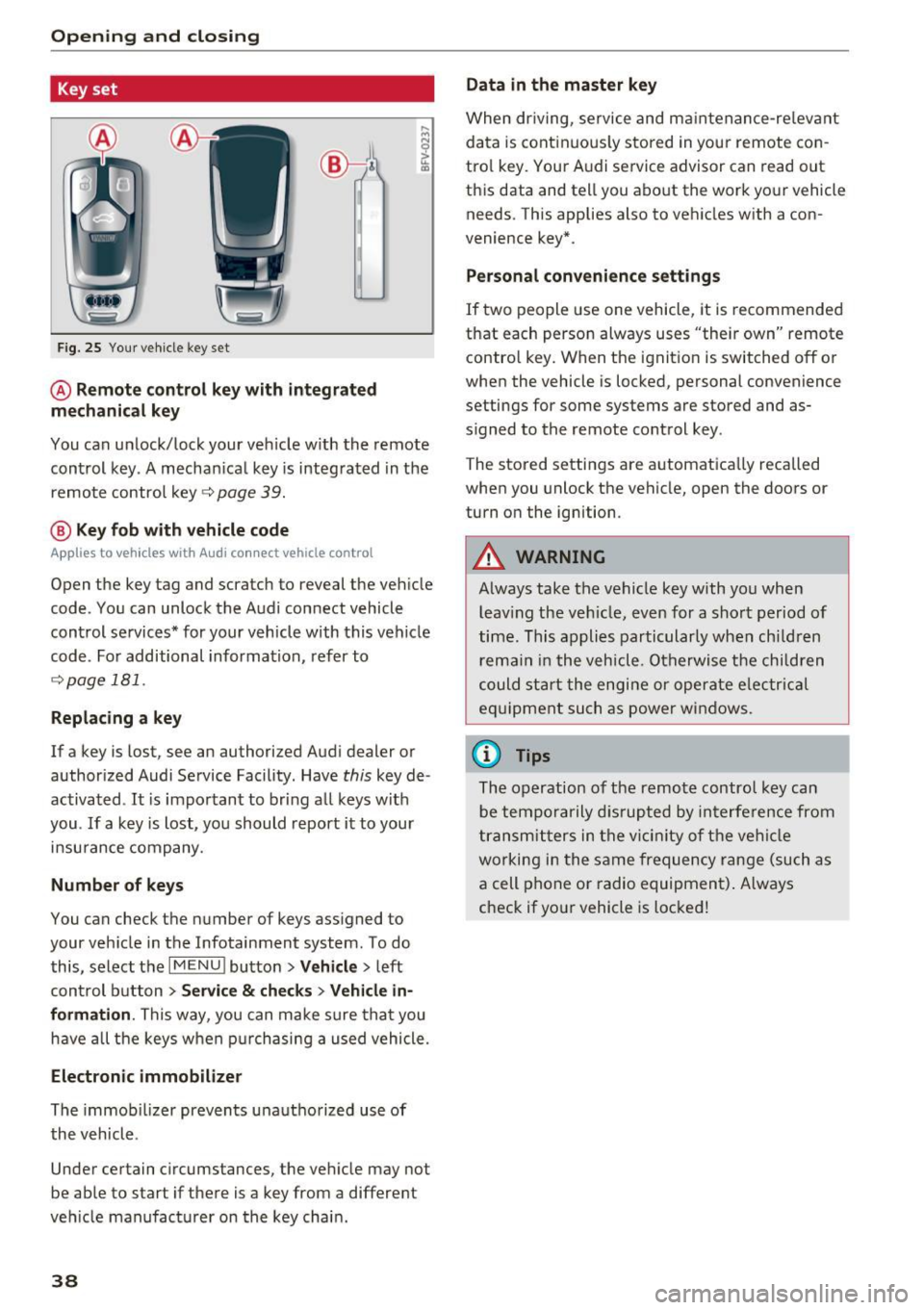
Fig. 25 Your veh icle key set
@ Remote control key with integrated
mechanical key
You can unlock/lock your veh icle w ith the remote
control key . A mechan ical key is integrated in the
remote control key~
page 39.
@ Key fob with vehicle code
Applies to veh icles with Audi connect vehicle control
Open the key tag and scratch to reveal the veh icle
code . You can unlock the Audi connect vehicle
control se rvices* for your vehicle with this vehicle
code . For additional information, refer to
~ page 181 .
Replacing a key
If a key is lost, see an authorized Audi dealer or
authorized Audi Service Facility. Have
this key de
activated .
It is important to bring all keys with
you .
If a key is lost, you should report it to your
insurance company.
Number of keys
You can check the number of keys assigned to
your vehicle in the Infotainment system . To do
this, select the
IM ENU I button > Vehicle > left
control button
> Service & checks> Vehicle in·
formation .
This way, you can make sure that you
have all the keys when purchasing a used vehicle.
Electronic immobilizer
The immob ilizer prevents unauthorized use of
the vehicle .
Under certain circumstances, the vehicle may not
be able to start if there is a key from a different
veh icle manufacturer on the key chain.
38
Data in the master key
When driving, service and maintenance-re levant
data is continuously stored in your remote con
trol key. Your A udi service advisor can read out
this data and tell you about the work your vehicle
needs . This applies also to vehicles with a con
venience key*.
Personal convenience settings
If two people use one vehicle, it is recommended
that each person always uses "their own" remote contro l key. When the ignition is switched off or
when the vehicle is locked, personal convenience
settings for some systems are stored and as
s igned to the remote control key .
The stored settings are automatically recalled
when you unlock the vehicle, open the doors or
turn on the ignition.
_&. WARNING
Always take the vehicle key with you when leaving the vehicle, even for a short period of
time. This applies particularly when children
r ema in in the vehicle . Otherwise the children
could start the engine or operate elec trical
equipment such as power windows.
(D Tips
-
The operation of the remote control key can
be temporarily disrupted by interference from
transmitters in the vicinity of the vehicle
working in the same frequency range (such as
a cell phone or radio equipment) . Always
check if yo ur vehicle is locked!
Page 43 of 386
The door cannot be opened for a brief period directly after locking it. This way you have the op
portunity to check if the doors locked correctly .
The settings in the Infotainment system deter
mine if the entire vehicle or only one of the doors
is unlocked when unlocking the vehicle
~ page 41.
A WARNING
Read and follow all WARNINGS¢&. in De
scription on page 37.
@ Tips
If your vehicle is left standing for a long peri
od of time, note the following:
- The proximity sensor switches off after a
few days to save energy. You then have to
pull once on the door handle to unlock the
vehicle and a second time to open it.
-
- The energy management system gradually
turns off unnecessary convenience functions
to prevent the battery from draining and to
maintain the vehicle's ability to start for as
long as possible. You may not be able to un
lock your vehicle using the convenience key.
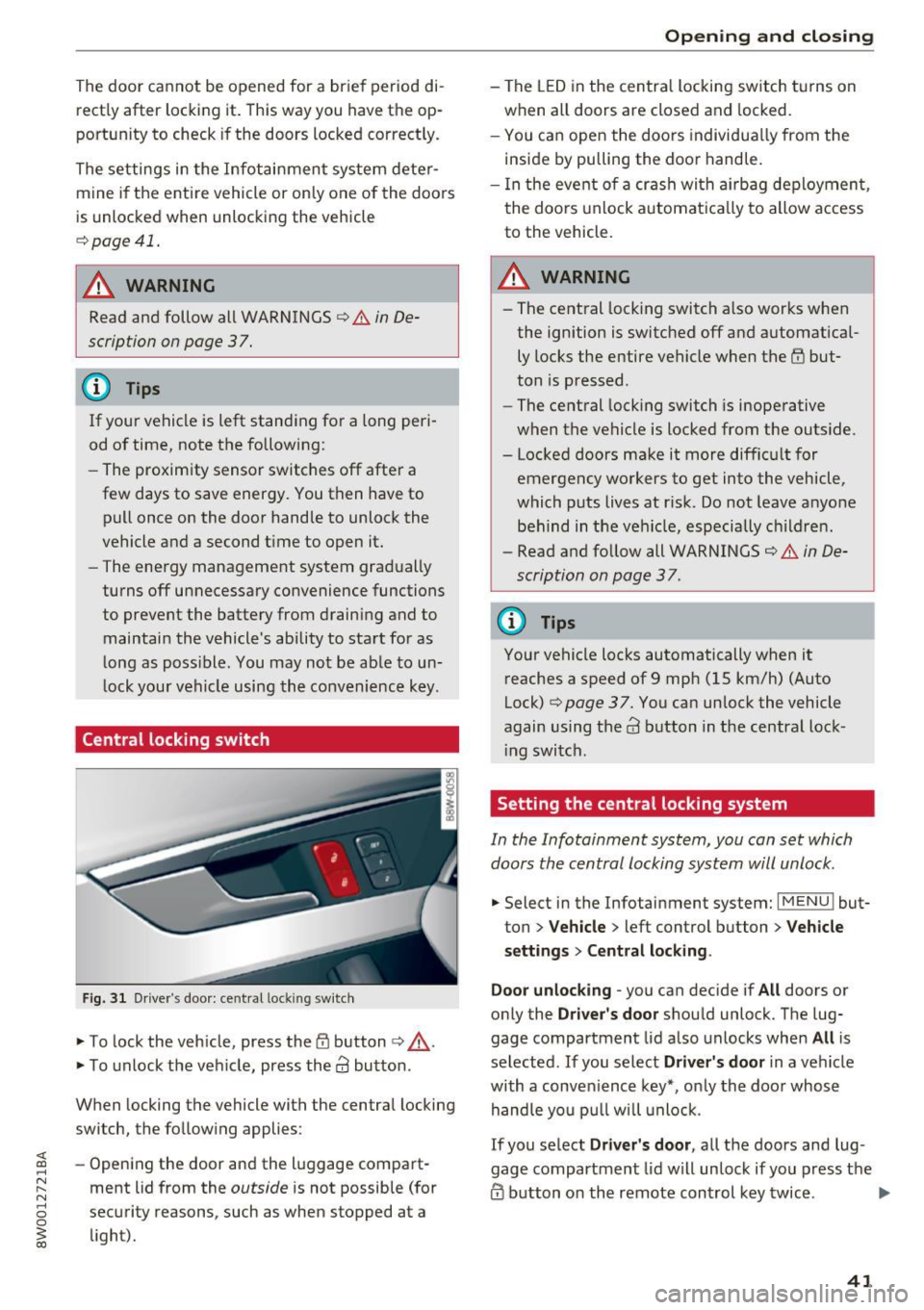
Central locking switch
Fig. 31 Driver 's door: central lock ing switch
.,. To lock the vehicle, press the tfl button ¢,& .
.,. To unlock the vehicle, press the
63 button.
When locking the vehicle with the central locking
switch, the following applies :
- Opening the door and the luggage compart
ment lid from the
outside is not possible (for
security reasons , such as when stopped at a
light).
Opening and closing
- The LED in the central locking switch turns on
when all doors are closed and locked.
- You can open the doors individually from the
inside by pulling the door handle.
- In the event of a crash with airbag deployment,
the doors unlock automatically to allow access
to the vehicle.
A WARNING
-- The central locking switch also works when
the ignition is switched off and automatical
ly locks the entire vehicle when the
tfl but
ton is pressed.
- The central locking switch is inoperative
when the vehicle is locked from the outside.
- Locked doors make it more difficult for
emergency workers to get into the vehicle,
which puts lives at risk. Do not leave anyone
behind in the vehicle, especially children.
- Read and follow all WARNINGS¢&.
in De
scription on page 3 7.
@ Tips
Your vehicle locks automatically when it
reaches a speed of 9 mph (15 km/h) (Auto
Lock)¢
page 37. You can unlock the vehicle
again using the
63 button in the central lock-
ing switch.
Setting the central locking system
In the Infotainment system, you can set which
doors the central locking system will unlock .
.,. Select in the Infotainment system: I MENU ! but
ton
> Vehicle > left control button > Vehicle
settings> Central locking .
Door unlocking
-you can decide if All doors or
only the
Driver's door should unlock. The lug
gage compartment lid also unlocks when
All is
selected . If you select
Driver's door in a vehicle
with a convenience key*, only the door whose
handle you pull will unlock.
If you select
Driver's door, all the doors and lug
gage compartment lid will unlock if you press the
@ button on the remote control key twice. .,.
41
Page 44 of 386
Opening and closing
Lock exterior trunk handle -If you select On, the
luggage compartment lid hand le is locked. In
this case, the luggage compartment lid can be
opened with the
<=S button on the remote con
trol key or with the
<=S button in the driver's
door. In vehicles w ith a convenience key*, you can
still open the luggage compartment lid using the
handle if an author ized remote control key is
near the proximity sensor* .
Fold mirrors* -If you select On, the exterior rear
v iew mirrors fold in automatically when you press
the@ button on the remote control key or touch
the sensor* in the hand le.
Tone when locking1> -If you se lect On , a tone
will sound when you lock the ve hicle.
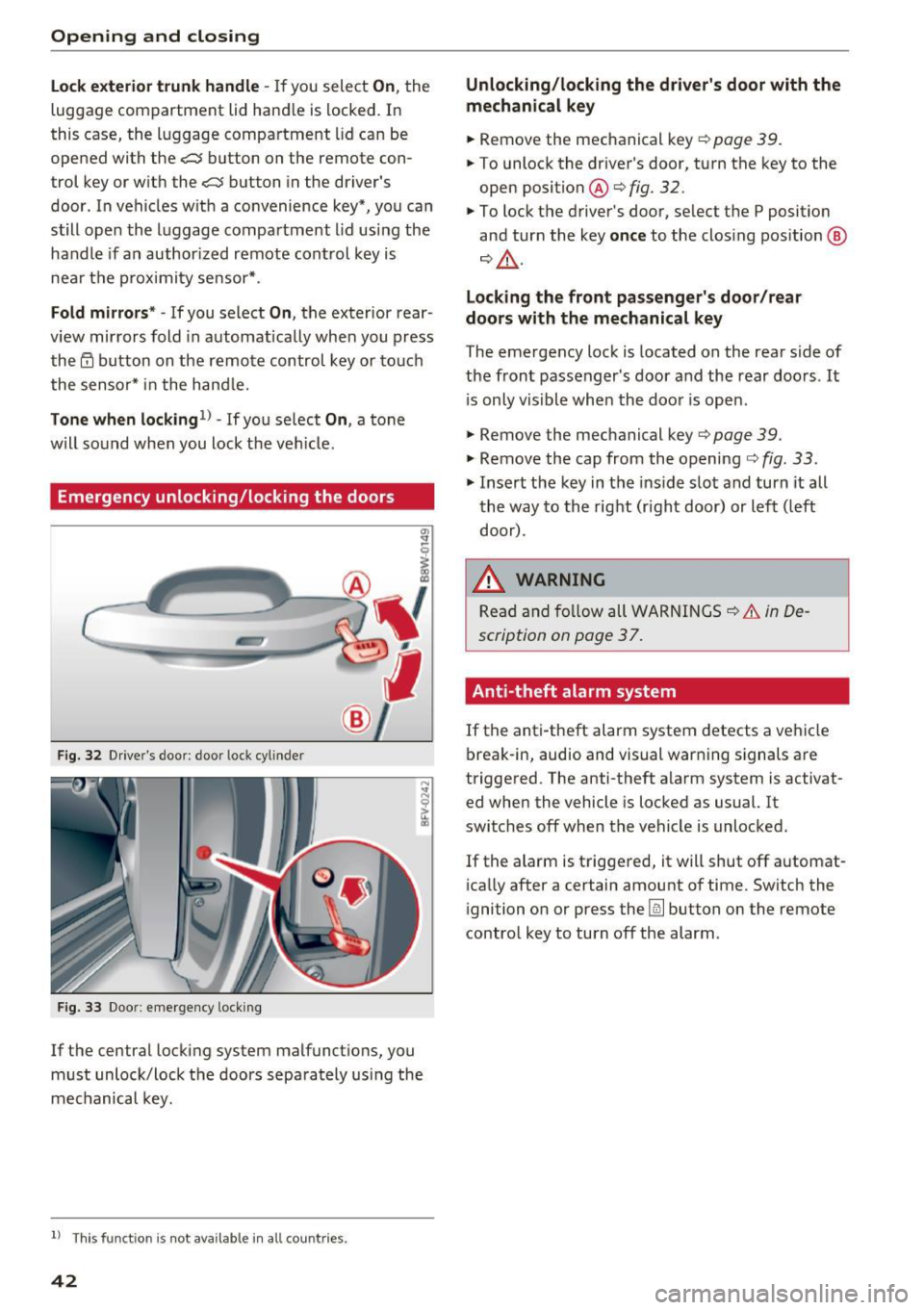
Emergency unlocking/locking the doors
Fig . 32 Drive r's door : door lock cylinder
Fig. 33 Doo r: eme rgency locking
If the central locking system malfunct ions, you
must unlock/lock the doors separately using the
mechanical key.
l) This fun ctio n is not availab le in all c ount ries.
42
Unlocking/locking the driver's door with the
mechanical key
... Remove the mechanical key¢ page 39.
... To unlock the driver's door, turn the key to the
open position @¢fig .
32.
... To lock the driver's door, select the P position
and turn the key
once to the clos ing position @
¢&, .
Locking the front passenger's door /rear
doors with the mechanical key
The emergency lock is located on the rear side of
the front passenger 's door and the rear doors . It
i s only visible when the door is open.
... Remove the mechanical key¢
page 39.
... Remove the cap from the opening ¢ fig. 33 .
... Insert the key in the inside slot and turn it all
the way to the right (right door) or left (left
door) .
.&_ WARNING
Read and follow all WARNINGS~.&. in De
scription on page 3
7.
Anti-theft alarm system
If the anti-theft alarm system detects a vehicle
break-in, audio and visual warning signals are
triggered. The anti -theft alarm system is activat
ed when the vehicle is locked as usual. It
switches off when the vehicle is unlocked.
If the alarm is triggered, it will shut off automat
ically after a certain amount of time. Switch the
ignition on or press the @] button on the remote
control key to turn off the alarm .
Page 45 of 386
Luggage compartment
lid
Opening and closing the luggage
compartment lid
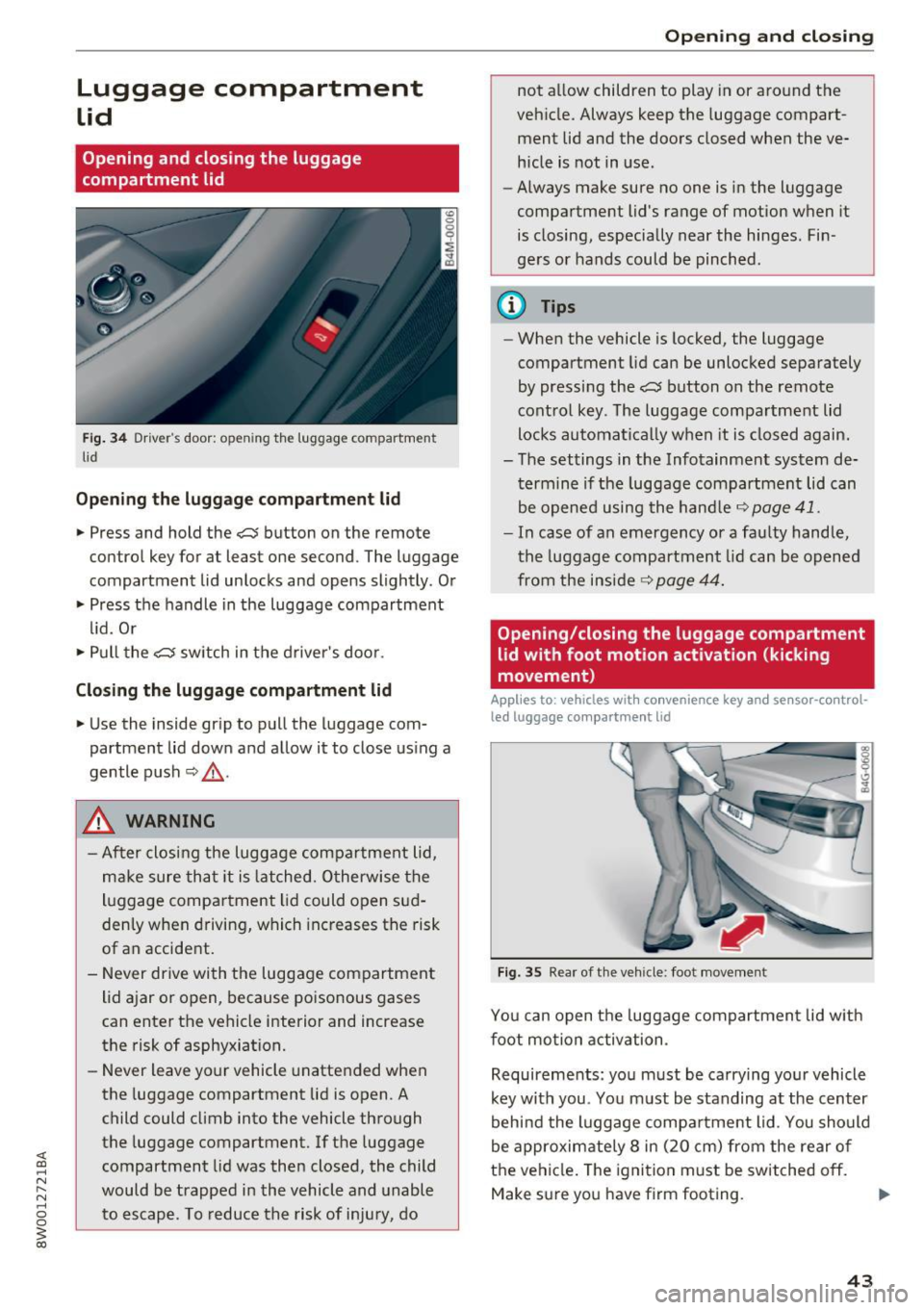
Fig. 34 Driver 's door : opening the luggage compartment
li d
Opening the luggage compartment lid
.. Press and hold the c::$ button on the remote
control key for at least one second . The luggage
compartment lid unlocks and opens slightly. Or
.. Press the handle in the luggage compartment
lid. Or
.. Pull the
c::$ switch in the driver 's door .
Closing the luggage compartment lid
.. Use the inside gr ip to pull the luggage com
partment lid down and allow it to close using a
gentle push
Q _&. .
A WARNING
-After closing the luggage compartment lid,
make sure that it is latched. Otherwise the
luggage compa rtment lid could open sud
denly when driving, which increases the risk
of an accident.
- Never drive with the luggage compartment
lid ajar or open, because poisonous gases
can enter the vehicle interior and increase
the risk of asphyxiation.
- Never leave your vehicle unattended when
the luggage compartment lid is open. A
child could climb into the vehicle through
the luggage compartment. If the luggage
compartment lid was then closed, the child
would be trapped in the vehicle and unable
to escape . T o reduce the risk of injury, do
Open ing and closing
not allow children to play in or around the
vehicle. Always keep the luggage compart
ment lid and the doors closed when the ve
hicle is not in use.
- Always make sure no one is in the luggage
compartment lid's range of motion when it
is closing, especially near the hinges. Fin
ge rs or hands could be pinched .
@ Tips
-When the vehicle is locked, the luggage
compartment lid can be unlocked separately
by pressing the
c::$ button on the remote
control key . The luggage compartment lid
locks automatical ly when it is closed again.
- The settings in the Infotainment system de
termine if the luggage compartment lid can
be opened using the hand le
c::> page 41.
- In case of an emergency or a faulty handle,
the luggage compartment lid can be opened
from the inside~
page 44.
Opening/closing the luggage compartment
lid with foot motion activation (kicking
movement)
Applies to : vehicles wit h convenience key an d senso r-co ntrol
led luggage compa rt m ent lid
Fig. 35 Rear of the vehicle : foot movement
You can open the luggage compartment lid with
foot motion activation .
Requirements: you must be carrying your vehicle
key with you . You must be standing at the center
behind the luggage compartment lid . You should
be approximately 8 in (20 cm) from the rear of
the vehicle. The ignition must be switched
off.
Make sure you have firm footing.
43
Page 48 of 386
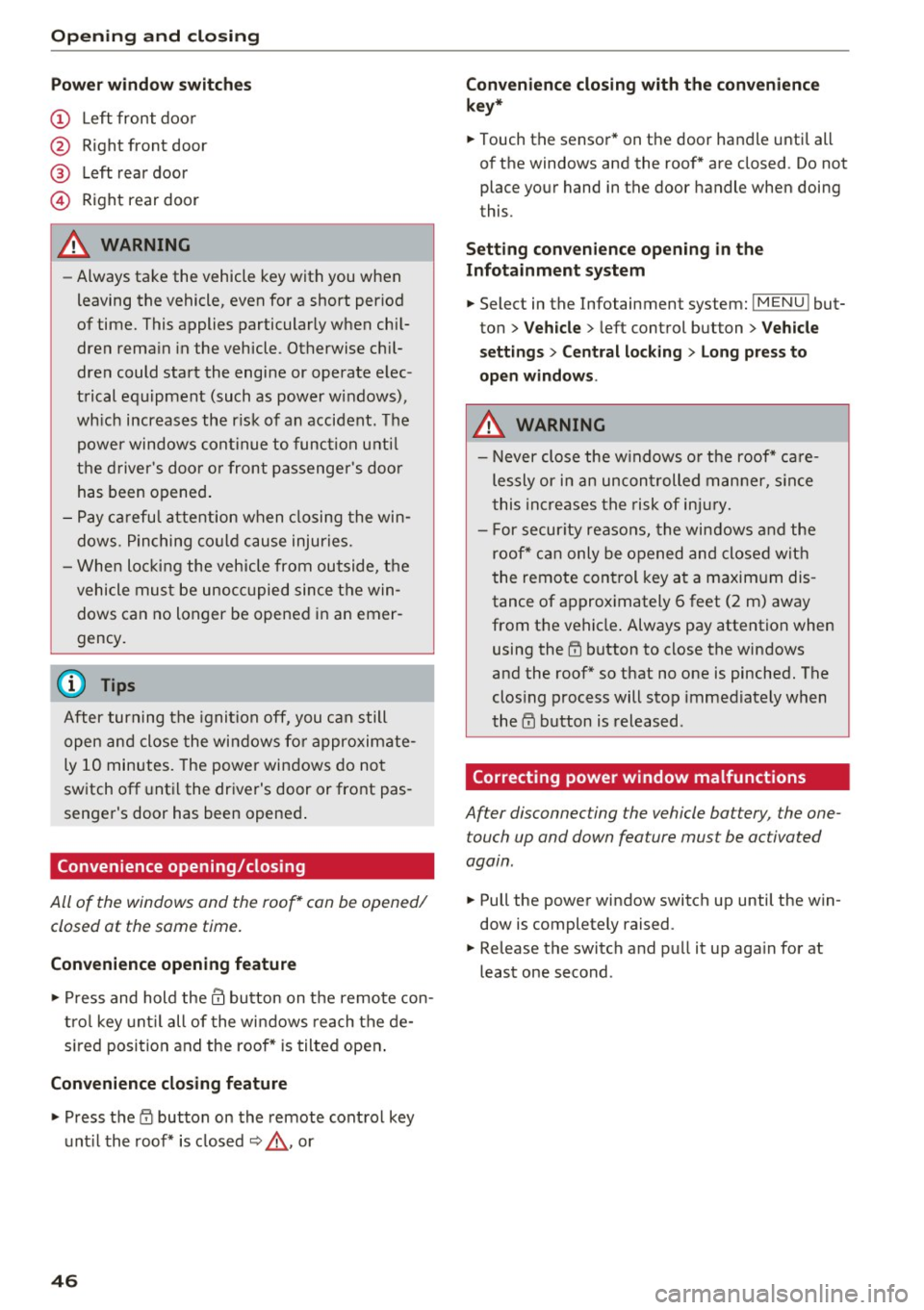
Opening and closin g
Pow er wind ow s witch es
® Left rear door
© Right rear door
A WARNING
- Always take the vehicle key with you when
leaving the vehicle, even for a short period
of time. This applies particularly when chil
dren rema in in the vehicle . Otherwise ch il
dren could start the engine or operate elec
trical equipment (such as power windows),
wh ich increases the r isk of an accident. The
power windows continue to function unti l
the driver 's door or front passenger 's doo r
has been opened .
- Pay carefu l attention when closing the win
dows . Pinching co uld cause injuries.
- When loc king the vehicle from outside, the
vehicle must be unoccupied since the win dows can no longer be opened in an emer
gency .
(D Tips
After turning the ignition off, you can still
open and close the windows for approximate
ly 10 minutes. The power windows do not
switch off unt il the driver's door or front pas
senger's door has been opened .
Convenience opening/closing
-
All of the windows and the roof* can be opened/
closed at the same time.
Conv eni ence opening feature
.,.. Press and hold them button on the remote con
tro l key unt il all of the windows reach the de
s ired position and the roof* is tilted open .
Conveni ence closing feature
.. Press the i'.D button on the remote control key
unt il the roof* is closed¢,& , or
4 6
Conveni ence closing with the convenience
k ey*
.. Touch the sensor* on the door handl e until all
of the windows and the roof* are closed . Do not
place your hand in the door handle when doing
this .
Setting conv en ience openin g in the
Infota inment system
.. Select in the Infotainment system: IMENU l but
ton
> Veh icle > left control button > V ehicle
se tting s
> Centr al lo cking > Lon g press to
op en windo ws.
A WARNING
-Never close the w indows or the roof* ca re
lessly or in an uncontrolled manner, s ince
this increases the risk of inju ry.
- For secur ity reasons, the windows and the
roof* can only be opened and closed with
the remote control key at a maxim um dis
tance of approximately 6 feet (2 m) away
from the vehicle . Always pay attention when
using the
rn button to close the windows
and the roof* so that no one is pinched. The
clos ing process will stop immediately when
the
l'.D button is released .
Correcting power window malfunctions
After disconnec ting the vehicle bat tery , the one
touch up and down fea ture mus t be ac tiva ted
again .
.. Pull the power window switch up until the win
dow is completely raised .
.. Release the switch and pull it up aga in for at
least one second .
-
Page 49 of 386
Sliding/tilting sunroof
Operating
Applies to: vehicles with sliding/ti lting sunroof
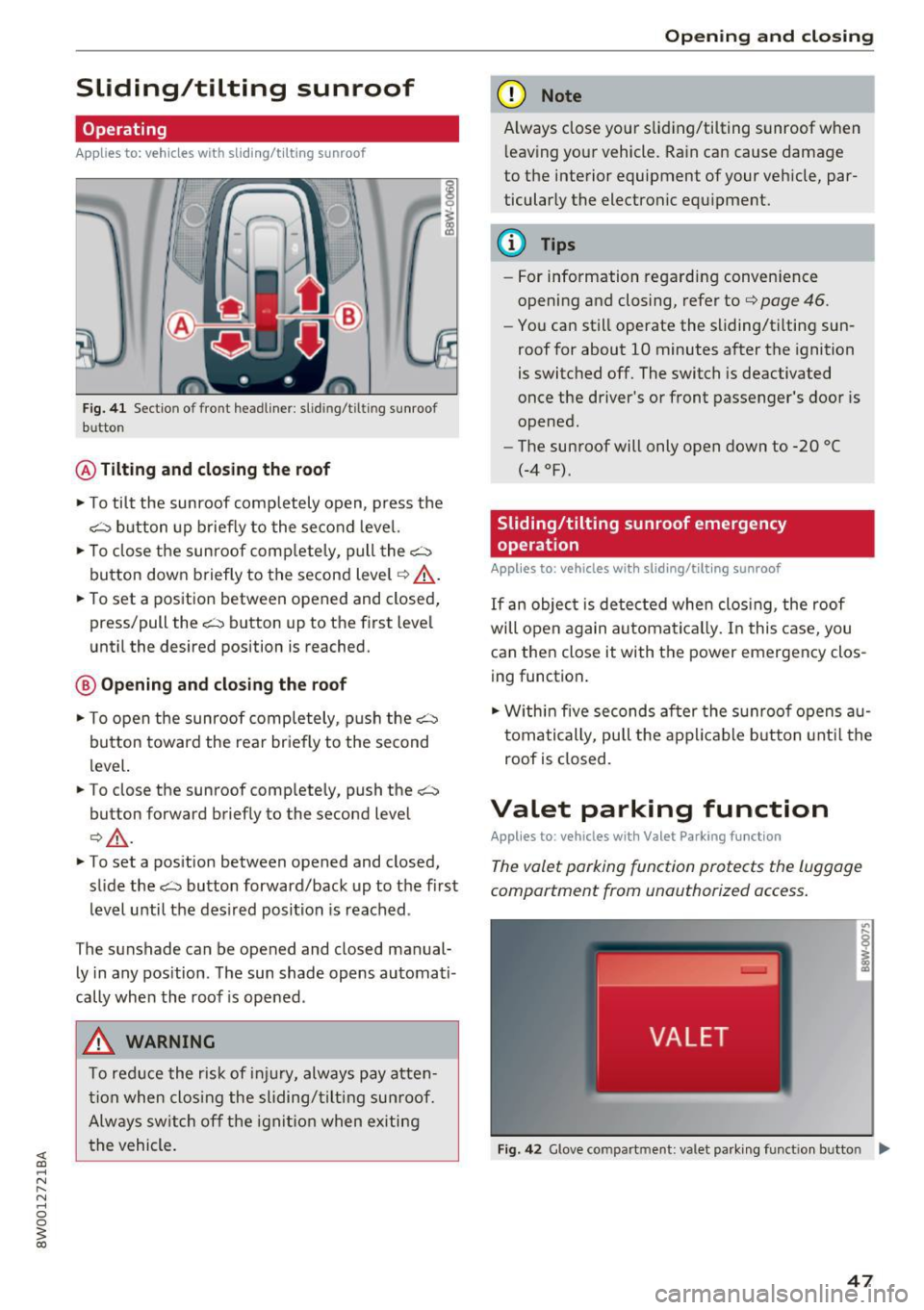
F ig. 41 Sect io n of fro nt headl iner : s lid in g/t ilt in g sunroo f
b utto n
® Tilting and closing the roof
.. To tilt the sunroof completely open, press the
~ button up briefly to the second level.
.. To close the sunroof comp letely, pull the~
button down briefly to the second level
¢ .&,. .
.. To set a position between opened and closed,
press/pull the~ button up to the first level
until the desired position is reached.
@ Opening and clos ing the roof
.. To open the sunroof completely, push the G'.'.-:::i
button toward the rear briefly to the second
level.
.. To close the sunroof completely, push the~
button forward briefly to the second level
Q .&,. .
.. To set a position between opened and closed,
slide the~ button forward/back up to the first
level until the desired position is reached .
The sunshade can be opened and closed manual ly in any position . The sun shade opens automati
cally when the roof is opened .
A WARNING
To reduce the risk of injury, always pay atten
tion when closing the sliding/tilting sunroof.
Always sw itch off the ignition when exiting
the vehicle.
Open ing and closing
(D Note
Always close your sliding/tilting sunroof when
l eaving your vehicle. Rain can cause damage
to the interior equipment of your vehicle, par
ticularly the electronic equipment.
(D Tips
- For information regarding conven ience
opening and closing, refer to
¢ page 46.
-You can still operate the sliding/tilting sun
roof for about 10 minutes after the ignition
is switched off. The switch is deactivated
once the driver's or front passenger's door is
opened.
- The sunroof will only open down to -20
°(
(-4 °F) .
Sliding/tilting sunroof emergency
operation
Applies to: vehicles with sliding/tilt ing sunroof
If an object is detected when closing , the roof
will open again automatical ly. In this case, you
can then close it with the power emergency clos
ing function.
.,. Within five seconds after the sunroof opens au
tomatically, pull the applicable button until the
roof is closed.
Valet parking function
Applies to: vehicles with Valet Parking function
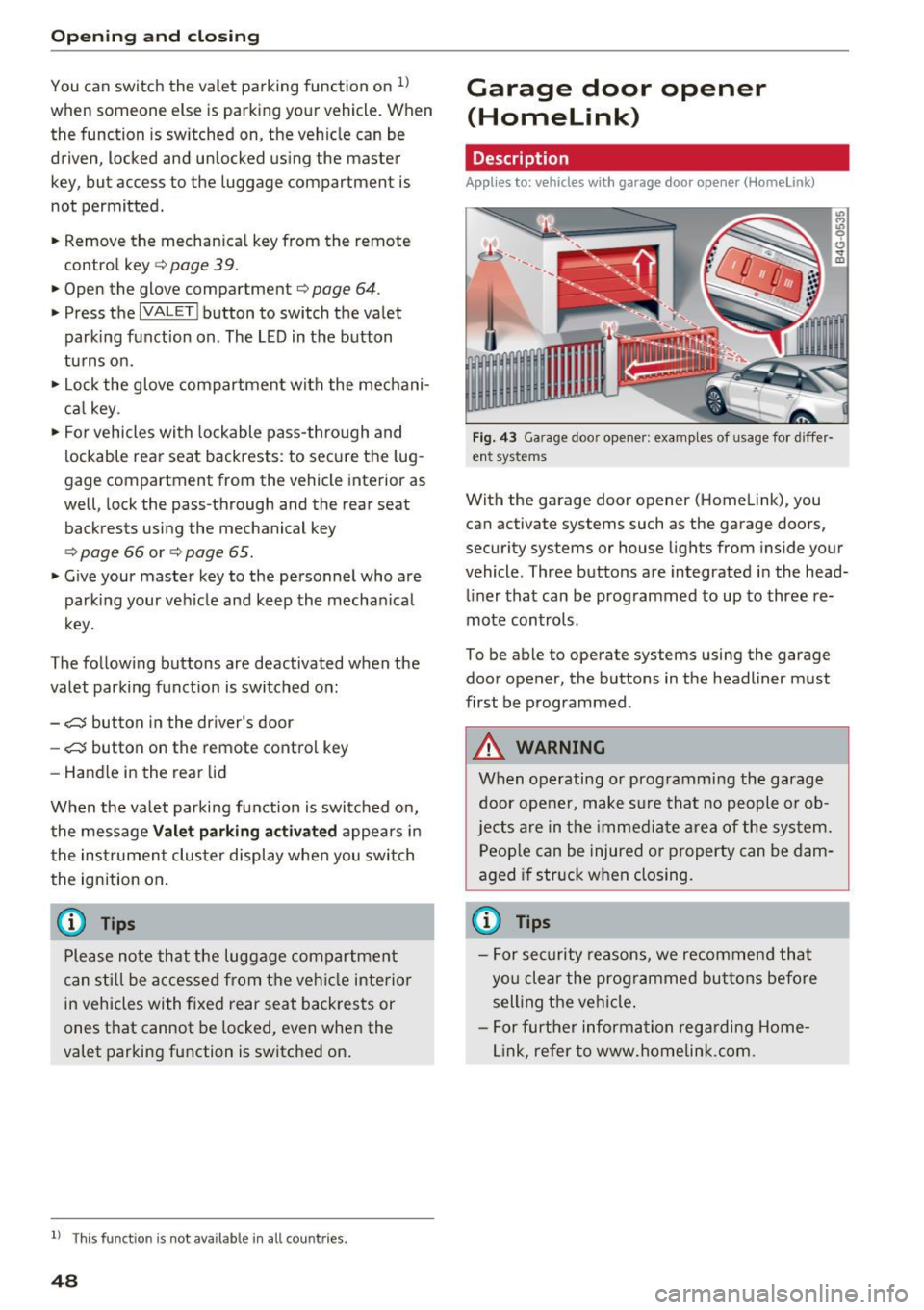
The valet parking function protects the luggage
compartm ent from unauthorized access.
Fig. 42 G love compart ment: va let parking funct ion b utto n ....
47
Page 50 of 386
Opening and clo sin g
You can switch the valet parking function on l )
when someone else is parking you r veh icle . When
the function is sw itched on, the vehicle can be
driven, locked and unlocked us ing the master
key, but access to the luggage compartment is not permitted .
.. Remove the mechan ica l key from the remote
control key¢
page 39 .
.. Open the glove compartment¢ page 64 .
.. Press the I VA LET I button to switch the valet
parking function on . The LED in t he button
turns on .
.,. lock the glove compartmen t with the mechani
ca l key .
.. For vehicles with lockable pass-thro ugh and
lockable rear seat backrests : to secure the lug
gage compartment from the veh icle interior as
well, lock the pass-through and the rear seat
backrest s using the mechanical key
¢
page 66 or¢ page 65.
.. Give your maste r key to the personnel who are
parking your ve hicle and keep the mecha nical
key.
The follow ing buttons are deactivated when the
valet parking funct ion is switched on:
- C::J button in the dr iver 's door
- C::J button on the remote control key
- Handle in the rear lid
When the valet parki ng f unction is swi tched on,
the message Valet parking a cti va te d appears in
the instrument cluster display when you switch
the ignition on .
(l) Tips
Please note that the luggage compartment
c a n sti ll be accessed from t he vehi cle interior
in vehicles with fixed rear seat backres ts or
ones t hat cannot be locked, even when the
valet parking function is switched on .
l) This fun ctio n is not a vailab le in a ll coun tries.
48
Garage door opener
(Homelink)
Description
Applies to: vehicles with garage door opene r (Horne Link)
F ig. 43 Ga rage doo r opene r: exa mples of usage fo r di ffer·
en t syste ms
With the garage door op ener (Homelink) , you
can activate systems such as the garage doors,
security systems or house lights from inside your
vehicle. Three buttons are integrated i n the head
liner that can be programmed to up to three re
mote controls .
To be able to operate systems using the garage door opener, the buttons in the headliner must
first be programmed .
A WARNING
When operating or programming the garage
door opener, make sure that no people o r o b
jects a re in the immediate area of the sys tem.
P eop le can be injured or property can be dam
aged i f str uck when closing.
(D Tips
- For sec urity reasons, we recommend that
yo u clear the prog rammed but tons before
sell ing t he ve hicl e.
- For furthe r information rega rding Home
link, refer to www.homelink .com.
Page 51 of 386
Operation
Applies to: vehicles wit h garage door opener (Homelink)
Requirements: the button in the headline r must
be programmed ~page
49 and the vehicle
must be within range of the system, such as the
garage door.
.. Press the b utton to open the garage door. The
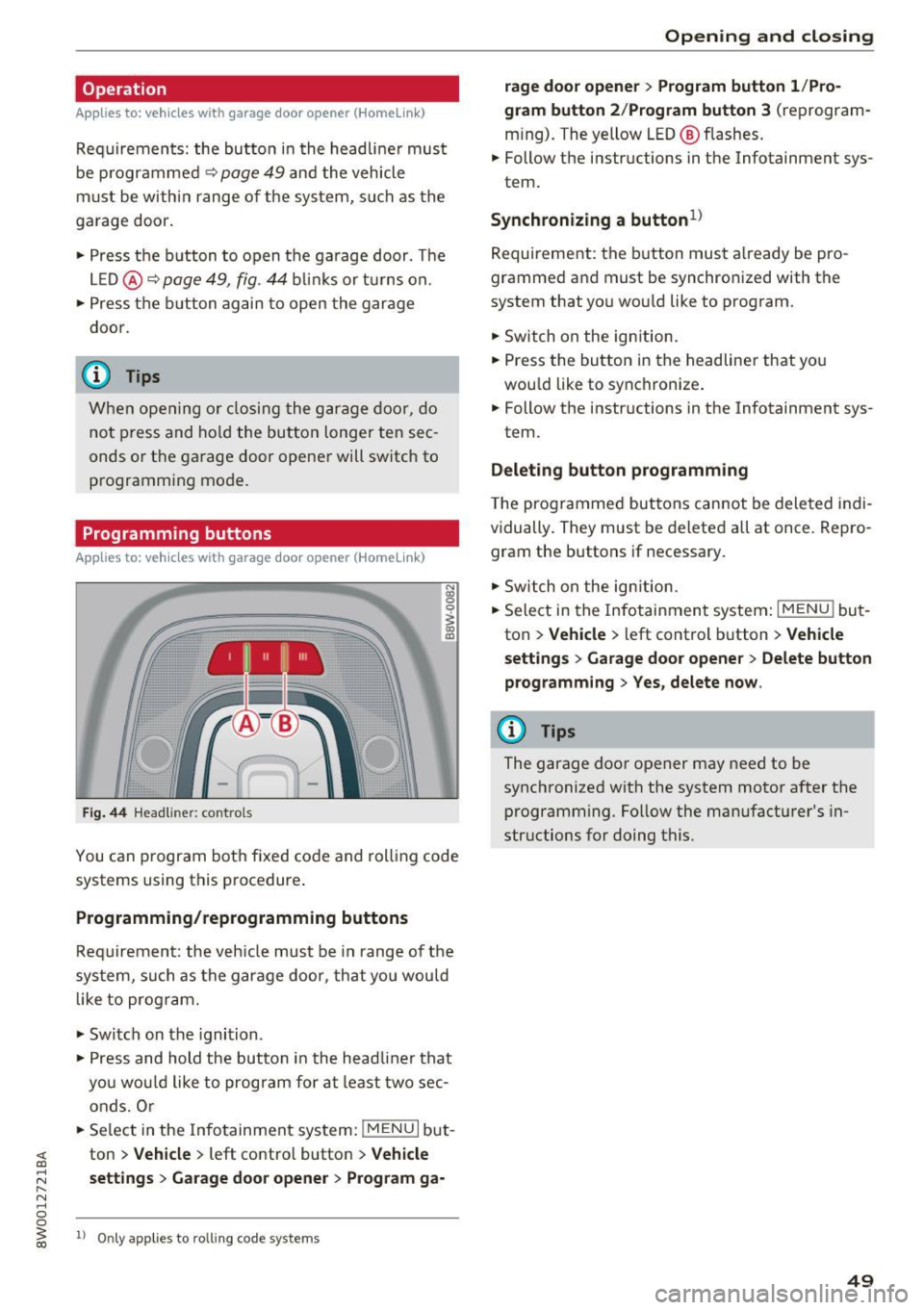
L E D @ ~ page
49, fig. 44 blink s or t urns on.
.. Press the b utton again to open the garage
door.
@ Tips
When opening o r closing the garage door, do
not press and hold the butto n longer ten sec
onds or the garage door opene r will switch to
programming mode.
Programming buttons
Applies to: vehicles wit h ga rage door opener (Homeli nk)
1 ~ 111 111
Fig. 44 Headli ner: co ntro ls
N
"' 0
~ a,
You can p rogram both fixed code and roll ing code
systems using this procedure .
Programming/reprogramming buttons
Req uirement : the vehicle must be in range of the
sys tem, such as the garage door, that you would
like to prog ram .
.. Switch on the ignition .
.. Press and hold the button in the headliner that
you wou ld like to program for at least two sec
onds. O r
.. Se lect in the Infotainment system:
!MENU I but
ton
> V ehi cle > left contro l button > V ehicle
s ettings
> G ara ge d oor op ener > Pr og ra m ga-
ll Onl y appl ies t o ro lling cod e syst em s
Op enin g an d clos ing
rage doo r opene r > Program button 1 /Pro
g ram button 2 /P ro gram button 3
(reprogram
m ing). The yellow LED @ flashes.
.. Follow the instructions in the Infotainment sys-
tem.
S ynch ron izing a button1
)
Requirement: the button must already be pro
grammed and must be synchronized with the
system that you wou ld like to program .
.. Switch on the ign ition .
.. Press the button in the headliner that you
wou ld like to synchronize .
.. Follow the instructions in the Infotainment sys-
tem.
D ele ting butt on programming
The programmed buttons cannot be deleted indi
vidually. They must be deleted all at once. Repro gram the buttons if necessary.
.. Switch on the ign ition.
.. Select in the Infotainment system:
I MENU ! but
ton
> Vehicle > left control b utton > V ehicle
s etti ng s
> G arage doo r opene r > Delete button
p rog ramm ing
> Y es , delet e no w.
@ Tips
The garage door opener may need to be
synchronized with the system motor after the
programming . Follow the manufacturer's in
structions for doing this.
49
Page 52 of 386
Lights and Vision
Lights and Vision
Exterior lighting
Switching the lights on and off
--- --------...... ~
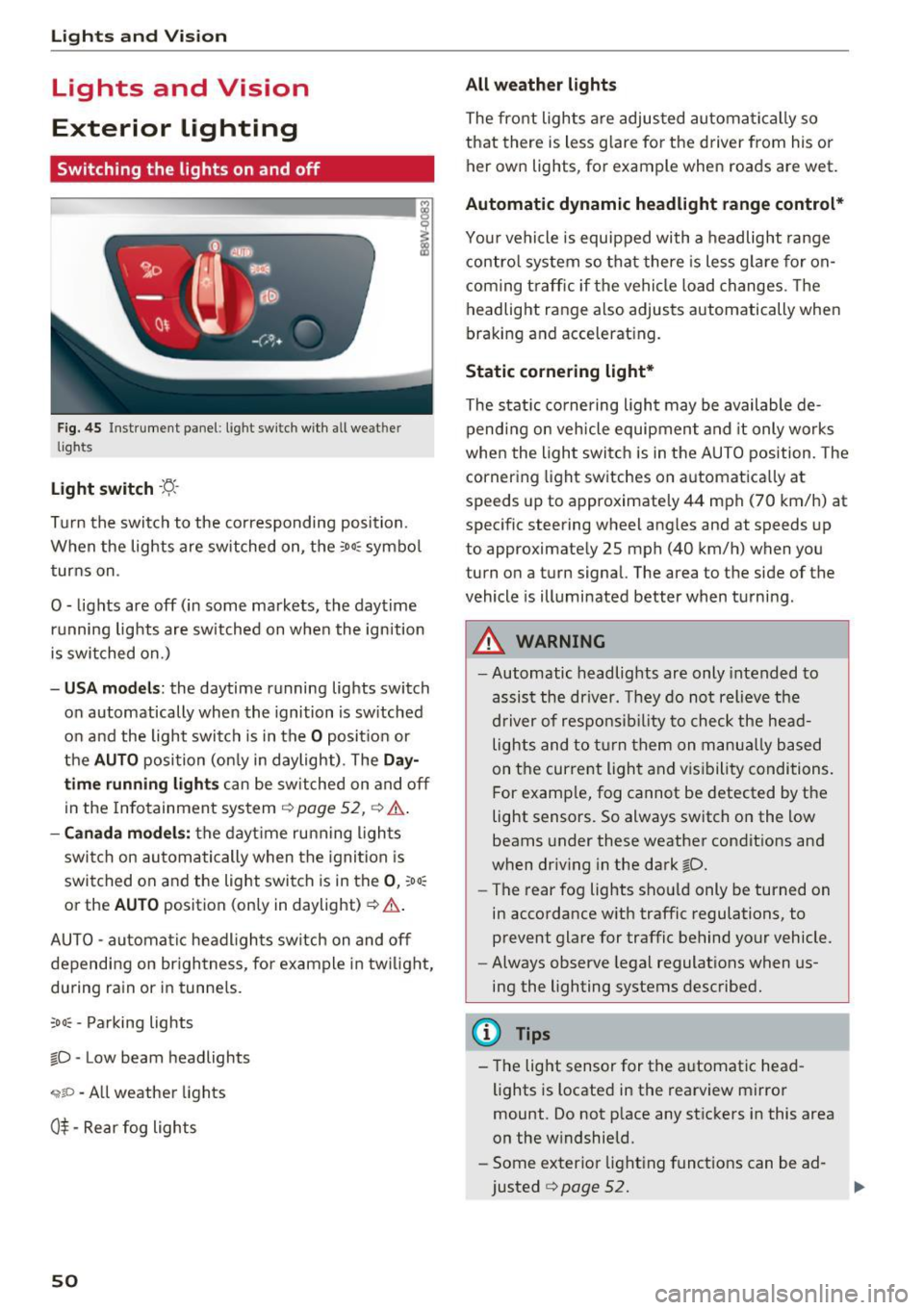
Fig. 45 Instrument panel : lig ht sw it c h with all we ath er
li gh ts
Light switch ·t:/.. ·
I
Tu rn the switch to the corresponding posi tion .
When the lights are sw itched on, the
:o o:c symbo l
turns on .
0 - lights are off (in some markets, the daytime running lights are switched on when the ignition
is switched on.)
- USA mode ls: the daytime running lights switch
on automatically when the ignition is sw itched
on and the light switch is in the
O posit ion or
the
AUTO position (on ly in daylight) . The Da y
time running lights can be switched on and off
in the Infotainment system ¢
page 52, ¢ .&..
-Canada mo del s: the dayt ime ru nning ligh ts
switch on au tomatically when the igni tion is
switched on and the light swi tch is in the
0 , :oo:
or the AU TO position (only in daylight) ¢ .&. .
AUTO -automa tic headl igh ts switch on and off
depending on br igh tness , for example in tw ilight,
du ring rain or in tunne ls.
;o o: -Pa rking lights
~D -Low beam headlights
,;;iiP -All weather lights
0$ -Rear fog lights
50
All weather lights
The front lights a re adjusted au toma tically so
that there is less g lare fo r the d river from his o r
her ow n lights , fo r example when roads are wet .
Automatic dynamic headlight range control*
Your vehicle is equipped with a headlight range
contro l system so that there is les s glare fo r on
com ing t raff ic if the vehicle load changes . Th e
headlight range also adjusts automatically when
braking and accelerat ing.
Static cornering light *
The static co rnering light may be available de
pend ing on veh icle equipment and it only works
whe n the light swi tc h is in the AUTO position. The
cornering light switches on automatica lly at
spe eds up to approximately 44 mph (70 km/h) at
spec ific steering wheel ang les and at speeds up
to approximate ly 25 mph (40 km/h) when you
turn on a turn signal. The a rea to the side of the
vehicle is illuminated better when turni ng.
_& WARNING
- Automatic headlights are only intended to
assis t the driver. They do not relieve the
d river of respo nsib ility to chec k the he ad
lights and to t urn them on m anu ally based
on t he cur re nt ligh t and v is ib ility condi tions.
F or e xamp le, fog cannot be detected by t he
light sensors . So always switch on the low
beams under these weather condit ions and
when dr iv ing in the dark
~D.
- The rear fog lights sho uld only be turned on
in accordance w ith traffic regulations, to
prevent glare for traffic behind your vehicle.
- Always observe lega l regulat ions when us
ing the lighting systems desc ribed.
(D Tips
- The lig ht sensor for the a utomat ic head
lights is located in the rearview mi rror
mount. Do not p lace any st ic kers in this area
on the w indshield.
- Some exter ior light ing funct io ns can be ad
justed
¢ page 52.