light AUDI A4 2018 Owners Manual
[x] Cancel search | Manufacturer: AUDI, Model Year: 2018, Model line: A4, Model: AUDI A4 2018Pages: 403, PDF Size: 66.81 MB
Page 372 of 403

a co .... N ,....
N .... 0 0
3 co
Fuse panel @ (brown)
No . Equipment
2
Mass airflow sensor, camshaft adjust-
ment, charge air cooler pump
3 Exhaust doors, fuel injectors, radiator inlet
4 Vacuum pump, hot water pump, particu-
late sensor, biodiesel sensor
5 Brake light sensor
6 Engine va lves, camshaft adjustment
7
Heated oxygen sensor, mass airflow sen-
sor
8
Water pump, high pressure pump, high
pressure regulator va lve
9 Hot water pump
10
Oil pressure sensor, oil temperature sen-
sor
11 Clutch pedal position sensor
12 Engine valves
13 Radiator fan
14 Fuel injectors
15 Ignition coils
16 Fuel pump
Fuse panel @ (red)
No . Equipment
1 Anti-theft alarm system
2 Eng ine control module
3 Lumbar support
Automatic transmission selector mecha -
4
nism
5 Horn
6 Electromechanical park ing brake
7 Gateway control module
8 Interior headliner lights
10 Airbag control module
11 Electronic Stabilization Control (ESC)
12 Diagnostic connector, light/rain sensor
13 Climate control system
14 Right front door control module
15 A/C compressor
Fuses and bulbs
Fuse panel © (black)
No . Equipment
1 Front seat heating
2 Windshield wipers
3 Left head light electronics
4
Panorama glass roof I sliding/t ilting sun-
roof
5 L eft front door control module
6 Sockets
7 Right rear door control module
8 All wheel drive
9 Right headlight electronics
10
Windshield washer system/headlight
washer system
11 Left rear door control module
Fuse panel @ (black)
No. Equipment
Seat ventilation, rearv iew mirror, climate
1 control system, rear climate control sys-
tern controls, windshield defogger
2 Gateway, climate control system
3 Sound actuator/exhaust sound tuning
4 Clutch pedal posit ion sensor
5 Engine start
7 Rear USB charg ing port
8 Homelink
9 Adaptive cruise contro l
11 Video camera
12 Matrix LED headlight/right LED headlight
13 Matrix LED headlight/left LED headlight
14 Rear window wipe r
Fuse panel © (red)
No . Equipment
1 Ignition coils
5 En gine mount
6 Automat ic transmission
7 Instrument panel
8 Climate control system (blower)
10 Dynamic steering
11 Engine start
371
Page 373 of 403
Fuses and bulbs
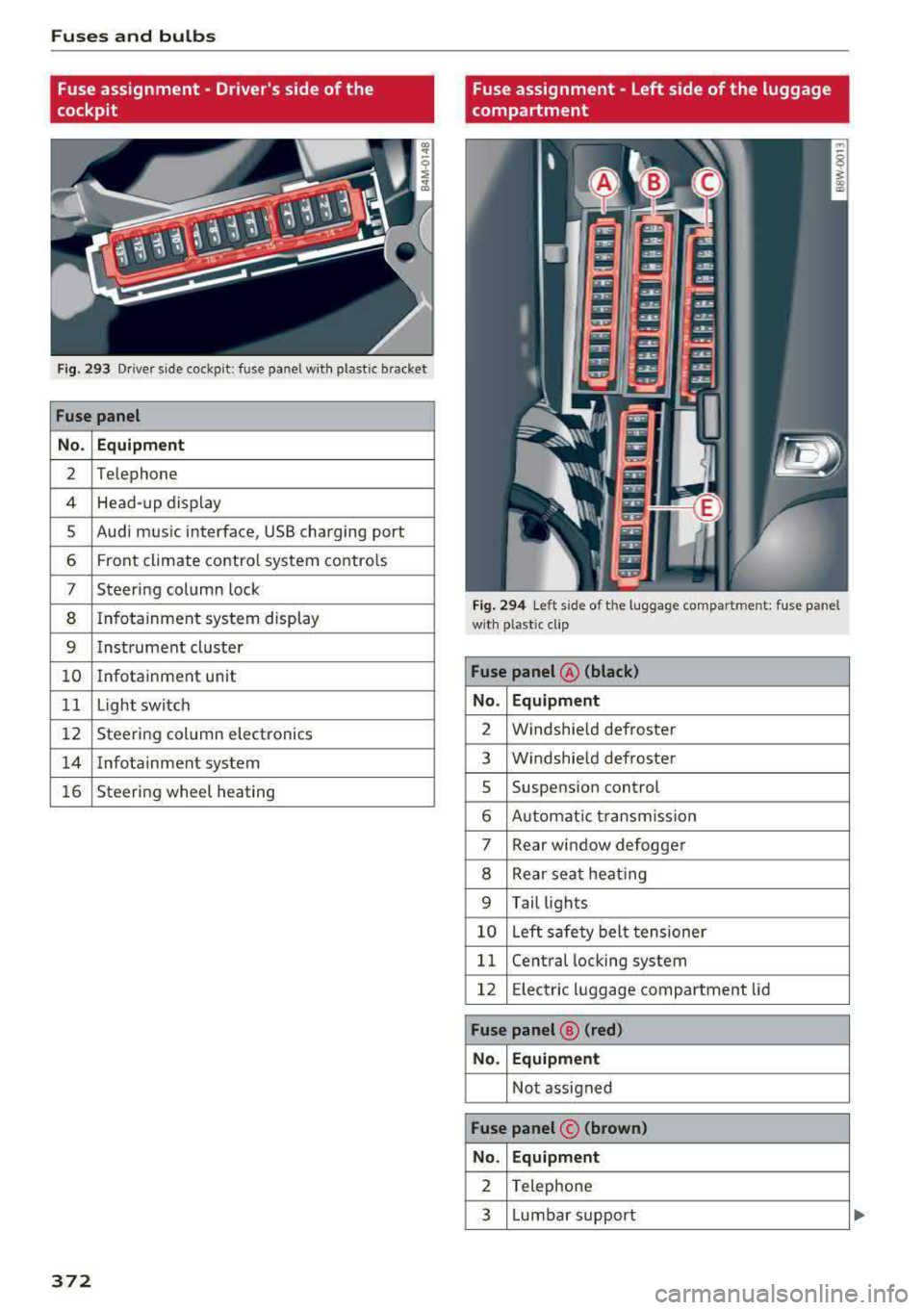
Fuse assignment - Driver's side of the
cockpit
Fig. 293 Driver sid e coc kp it : fuse pa nel w ith plastic bracket
Fuse panel
No. Equipment
2 Telephone
4 Head-up display
5 Audi mus ic interface, USB charging port
6 Front climate control system contro ls
7 Steering column lock
8 I nfotainment system display
9 Instrument cluster
10 Infotainment unit
11 Light switch
12 Steering column electronics
14 Infotainment system
16 Steering wheel heating
372
Fuse assignment - Left side of the luggage
compartment
Fig. 294 Left side of t he luggage compartme nt: fuse pane l
w ith plastic cl ip
Fuse panel @ (black)
No. Equipment
2 Windshield defroster
3 Windshield defroster
5 Suspension control
6 Automat ic transmission
7 Rear window defogger
8 Rear seat heating
9 Tail lights
10 Left safety belt tensioner
11 Central locking system
12 Electric luggage compartment lid
Fuse panel® (red)
No. Equipment
Not assigned
Fuse panel © (brown)
No. Equipment
2 Telephone
3 Lumbar support
Page 374 of 403
a co .... N ,....
N .... 0 0
3 co
Fuse panel © (brown)
4 Audi side assist
8 Smart module (tank)
11 12 Volt battery
12 Homelink
13 Rearview camera, peripheral cameras
14 Right tail lights
16 Right safety belt tensioner
Fuse panel © (red)
No . Equipment
2 Sound-amp
lifier
3 AdBlue heating
5 Trailer hitch (right light)
7 Trailer h
itch
8 Trailer hitch (left light)
9 Trailer h itch (socket)
10 Sport differential
11 AdBlue heating
Bulbs
Replacing light bulbs
For your safety, we recommend that you have
your authorized Audi dealer replace any bulbs for
you.
It is becoming increasingly more and more diffi
cult to replace vehicle light bulbs since in many
cases, other parts of the car must first be re moved before you are able to get to the bulb.
This applies especially to the light bulbs in the
front of your car which you can only reach
through the engine compartment.
Sheet metal and bulb holders can have sharp
edges that can cause serious cuts, parts must be
correctly taken apart and then properly put back
together to help prevent breakage of parts and
l ong term damage from water that can enter
housings that have not been properly resealed.
For your safety, we recommend that you have
your author ized Audi dealer replace any bulbs for
you, s ince your dealer has the proper tools, the
correct bulbs and the expert ise.
Fuses and bulbs
Gas discharge lamps (Xenon lights) :
Due to the high e lectr ical voltage, have the bulbs
replaced by a qualified technician. Headlights
with Xenon light are identified by the high volt
age sticker .
LED headlights*
LED headlights require no maintenance. Please
contact your authorized Audi dealer if a bulb
needs to be replaced .
.&, WARNING
Changing Xenon lamps without the necessary
equipment can cause serious personal injury.
- Bulbs are pressurized and can explode when
be ing changed. Potential risk of injury!
- On veh icles equipped with gas discharge
bu lbs (Xenon light) life-threatening injuries
can resu lt from improper handling of the
h ig h-vo ltage portions of such lamps!
- Only your authorized Audi dealer or quali
fied workshop should change the bulbs in
gas discharge lamps. There are parts with
sharp edges on the openings and on the
bulb holders that can cause serious cuts. If
you are uncertain about what to do, have the work performed by an authorized Audi
dealer or qualified workshop. Ser ious per
sonal injury may result from improperly per
formed work.
(D Tips
- If you st ill prefer to replace the light bulbs
yourself, be aware that the engine compart ment is a hazardous area to work
in¢ A in
Working in the engine compartment on
page 323.
- It is best to ask your authorized Audi dealer
whenever you want to change a bulb .
373
Page 375 of 403

Emergency situations
Emergency situations
General
This chapter is intended for trained emergency crews and working personnel who have the nec
essary tools and equipment to perform these
operations.
Starting by pushing or
towing
(D Note
Vehicles with an automatic transmission
cannot be started by pushing or towing.
Starting with jumper
cables
If necessary, the engine con be started by con
necting it to the battery of another vehicle.
If the engine should fail to start because of a dis
charged or weak battery, the battery can be con
nected to the battery of
another vehicle, using a
pair of jumper cables to start the engine.
Jumper cables
Use only jumper cables of sufficiently large cross
section
to carry the starter current safely. Refer
to the manufacturer's specifications.
Use only jumper cables with
insulated terminal
clamps which are distinctly marked :
plus(+) cable in most cases colored red
minus(-) cable
in most cases colored black.
A WARNING
Batteries contain electricity, acid, and gas.
Any of these can cause very serious or fatal in
jury. Follow the instructions below for
safe
handling of your vehicle's battery.
-Always shield your eyes and avoid leaning
over the battery whenever possible.
-A dead battery can freeze at temperatures
around 32 °F (0 °C) . If the vehicle battery is
frozen, you must thaw it before connecting
the jump start cables.
If you do not, this in-
374
creases the risk of an explosion and chemi
cal burns. After jump starting the vehicle,
drive to an authorized Audi dealer or author ized Audi Service Facility immediately to
have the vehicle battery checked.
- Do not allow battery acid to contact eyes or
skin . Flush any contacted area with water
immediately.
- Improper use of a booster battery to start a
vehicle may cause an explosion .
- Vehicle batteries generate explosive gases.
Keep sparks, flame and lighted cigarettes
away from batteries.
- Do not try to jump start any vehicle with a
low acid level in the battery.
- The voltage of the booster battery must also
have a 12-Volt rating. The capacity (Ah) of
the booster battery should not be lower
than that of the discharged battery. Use of
batteries of different voltage or substantial
ly different
"Ah" rating may cause an explo
sion and personal injury.
- Never charge a frozen battery. Gas trapped
in the ice may cause an explosion.
- Never charge or use a battery that has been
frozen. The battery case may have be weak
ened.
- Use of batteries of different voltage or sub
stantially different capacity (Ah) rating may
cause an explosion and injury. The capacity (Ah) of the booster battery should not be
lower than that of the discharged battery.
- Before you check anything in the engine
compartment, always read and heed all
WARNINGS
r=:> poge 323.
([) Note
-Applying a higher voltage booster battery
will cause expensive damage to sensitive electronic components, such as control
units, relays, radio, etc.
- There must be no electrical contact between
the vehicles as otherwise current could al
ready start to flow as soon as the positive
(+) terminals are connected.
Page 376 of 403

@ Tips
The discharged battery must be properly con
nected to the vehicle's electrical system .
When jump starting or charg ing the battery,
never connect the negative ground cable to
the battery negative post because the battery
manager system must be able to detect the
battery's state of charge. Always connect the
negative ground cable to the negative ground
post of the battery manager control unit.
Using the jump start
cable
Both jump start cables must be connected in the
correct order!
Fig. 295 Engine compartment: connec tors for jump start
cables and a charger
Fig. 296 Ju mp starting us ing a battery in another vehicle:
@ -providing current, @-drained
The procedure described below for connecting
jumper cables is intended to prov ide a jump start
for your vehicle .
Vehicle with discharged battery
•Turnoff lights and accessories, move the auto
matic transmission* selecto r lever to N (Neu
tral) or P (Par k), and set the park ing brake.
Emergency situations
Connecting the positive cable (red) to the
positive terminal
• Open the red cover on the positive terminal
c:>fig. 295 .
1. Secure one end of the positive cable (red) to
the jump start pin
c:> fig. 296 (D (pin under
the red cover = "posit ive") on the vehicle that
needs to be started @.
2. Secure the other end of the positive cable
(red) to the positive termina l@ on the
bat
tery provid ing the current @.
Connecting the negative cable (black) to the
negative terminal
3. Secure one end of the negative cable (black)
to the nega tive term inal @ on the battery
that is providing the current @.
4. Secure the other end of the negative cable
(black) to the jump start
pin @ (hex head pin
= "negative") on the vehicle that needs to be
started @.
Starting the engine
• Start the engine on the vehicle providing the
jump start @and let it run at idle.
• Now start the engine on the vehicle with the
drained battery @.
• If the engine does not start, stop the starting
procedure after 10 seconds and then repeat it
after approx imately 30 seconds.
• Remove the cables when the engines are run
ning. Remove them in reverse order from the
way they were installed.
• Close the red cover on the positive terminal.
T he battery is vented to the outside to prevent
gases from enter ing the vehicle interior . Make
sure that the jumper clamps are well connected
with their
metal parts in full contact with the
battery terminals.
_& WARNING
-To avoid serious personal injury and damage to the vehicle, heed all warnings and instruc
tions of the jumper cable manufacturer. If in
doubt, call for road service.
-Jumper cables must be long enough so that
the vehicles do not touch .
..,_
375
Page 382 of 403
a co ..... N ,....
N ..... 0 0
3 co
Capacities
Fuel tank, front wheel drive
Fuel tank, all wheel drive
Windshield and headlight washer system*
Gasoline engines
A4 Sedan 2.0, 4 cylinder (190 hp)
Maximum output SAE net
Maximum torque SAE net
Displacement
Engine oil with filter change
1 )
Fuel
A4 Sedan 2.0, 4 cylinder (252 hp)
Maximum output SAE net
Maximum torque SAE net
Displacement
Engine oil with filter changell
Fuel
S4 Sedan 3.0, 6 cylinder
Maximum output SA E net
Maximum torque SAE net
Displacement
Engine oil with filter change
1
)
Fuel
allroad 2.0, 4 cylinder
Maximum output SA E net
Maximum torque SAE net
Displacement
Engine oil with fil ter change
1
)
Fuel
Techn ical data
Approximate capaci-
ties
14.3 gal (54 L)
15.3 gal (58 L)
5.1 qt (4.8 L)
hp@ rpm 190@ 4200 -6000
l b-ft@ rpm 236@ 1450 -4200
CID (cm
3 ) 121 (1984)
q page 315, Gasoline
hp@ rpm 252@ 5000 -6000
l b-ft@ rpm 272@ 1600 -4500
CID (cm
3 ) 121 (1984)
q page 315, Gasoline
hp@ rpm 3 54 @ 5400 -6400
lb-ft@ rpm 369@ 1370 -4500
CID (cm
3 ) 182 (2995)
q page 315, Gasoline
hp@ rpm 252@ 5000 - 6000
lb-ft@ rpm 272@ 1600 - 4500
CID (cm
3 ) 121 (1984)
q page 315, Gasoline
381
Page 386 of 403
a co .... N ,....
N .... 0 0
3 co
@ For the sake of the environment
-Changing the engine settings wi ll adversely
affect emission leve ls. Th is is detrimental to
the env ironment and increases fuel con
sumption.
- Always observe environmental regu lations
when disposing of old engine o il, used brake
flu id, d irty engine coolant, spent batteries
or worn out tires .
- Undeployed airbag modules and pretension
ers might be classified as Perchlorate Mate
rial -spec ial handling may apply, see
www .dtsc.ca.gov/hazardouswaste/perchlo
rat e. When the vehicle or pa rts of the re
straint system including airbag modules
safety be lts with pretens ioners are scrap
ped, a ll applicab le laws and regulations
must be observed. Your a uthorized Audi
dealer is familiar with these requirements
and we recommend that you have your deal er perform this service for you.
Accessories and
technical changes
Additional accessories and parts
replacement
Always consult on authori zed Audi dealer before
purchasing accessories.
Audi vehicles that are constructed w ith advanced
materials like Steel/Aluminum (Hybrid construc
tion), Aluminum (Audi Space Frame), and/or Alu minum/Carbon Fiber (Ultra Advanced Light
We ight Materials) are as unique as the ir drivers .
Therefore, the ava ilability of certain parts needed
for repair , restoration , or reconstruction wi ll be
restricted , or parts will be unava ilable, if the ve
hicle is not repaired at an a uthorized Audi colli
sion repair facility. This includes but is not limit
ed to structura l parts which require specialized
training and equipment to restore their crash
worthiness back to the original NHTSA and IIHS performance.
Your vehicle incorporates the latest safety design
features ensuring a high standard of active and
passive safety.
Consumer Inf ormation
This safety could be compromised by non-ap
proved changes to the vehicle. For this reason, if
parts have to be rep laced, please observe the fol
lowing points when install ing additional accesso
ries:
Approved Audi accessories and genuine Audi parts are avai lab le from authorized Aud i dea lers.
T hese dea le rs also have the necessa ry facilities,
tools and trained specialists to install the parts
and accessories properly .
A WARNING
-Using the wrong spare parts or using non-ap-
proved accessories can cause damage to the
vehicle and serious personal injury.
- Use on ly accessories expressly approved by
Aud i and genuine Audi spare parts
- These parts and accessor ies have been spe
cially designed to be used on your vehicle.
- Do not use license plate brackets in the
front area that are different from the one
installed at the factory, or add additional
li
cense plate brackets.
- Never install accessor ies such as telephone
cradles or beverage holders on airbag covers
or w ith in the airbag deployment zones . Do
ing so will increase the risk of injury if a ir
bags are triggered in an accident!
- Before you check anyth ing in the engine
compartment, always read and heed all
WARNINGS
9poge 323.
(D Note
- If items other than genu ine Audi spare
parts, add -on equipment and accessory
items are used or if repair work is not per
formed according to specified methods, this
can result in seve re damage to your vehi
cle's engine and body (such as corrosion)
and adversely affect your vehicle's warranty.
- If emergency repa irs must be performed
elsewhere, have the vehicle exam ined by an
authorized Audi dealer as soon as possib le .
- The manufacturer cannot be held liable for
damage which occurs due to failure to com
ply with these stipulations .
385
Page 388 of 403

a co .... N ,....
N .... 0 0
3 co
A
A/C MAX (button) ................ .... .. 78
A/C (button) ... .. . ..... ..... ... ... .. . 77
ABS .. .. ... . .. .. ............. .. .. .. . 146
Accessories 68 ,385
Active lane assist
Cleaning the camera area . . . . . . . . . . . . .
355
also refer to Audi active lane assist . . . . . 125
Adaptive cruise control . . . . . . . . . . . . . . . . . 108
Cleaning sensors . . . . . . . . . . . . . . . . . . . . 355
Distance indicator and distance warning . 118
Messages . . . . . . . . . . . . . . . . . . . . . . . . . . 118
Predictive control . . . . . . . . . . . . . . . . . . . . 115
Traffic jam assist . . . . . . . . . . . . . . . . . . . . 116
AdBlue .. .. .. .. ............... .. ..... 319
Messages
Additional accessories
Adjusting air distribution (automatic climate
control)
. .. .. .. ............... .. .. .. ..
Adjusting the sound ............ .. .. .. .
319
385
78
252
Adjusting the temperature (automatic climate
control) . . . . . . . . . . . . . . . . . . . . . . . . . . . . . .
78
Advanced key
refer to Convenience key . . . . . . . . . . . . . . . 83
Airbag .. .. .. .. ............... .. ..... 271
Airbag system . ................. .. 271,291
Advanced Airbag System components . . . 278
Care . . . . . . . . . . . . . . . . . . . . . . . . . . . . . . 286
Children . . . . . . . . . . . . . . . . . . . . . . . . . . . 297
Child restraints . . . . . . . . . . . . . . . . . . . . . 297
Components (front airbags) .. ..... ... .
Danger of fitting a child safety seat on the
front passenger seat ................ .
D. l 1sposa ... .. ............... .. .. .. .
Front airbags . .. ........... .. .. .... .
H ow do the front airbags work? ....... .
How many airbags does my vehicle have?
How the Advanced Airbag System compo-
nents work together ........ .. .. .... .
Important safety instructions on the knee
airbag system .... .. ..... ..... .. .... .
Indicator light ............ ...... ... .
Knee airbags .. ............ ...... ... .
Monitoring . .. ............. .. .. .... .
PASSENGER AIR BAG light ....... .. .. .
Repairs .. .. .. .. ........... .. .. .... .
278
272
286
276
281
278
280
289 283
287
283
283
286
Index
Safety instructions . . . . . . . . . . . . . . . . . . . 285
When must the system be inspected? 283
Air pressure
Tires ..... .. .. .. .. ............. .. ..
344
Alignment pin (changing the wheel) . . . . . . 360
All season tires . . . . . . . . . . . . . . . . . . . . . . . 349
All weather lights . . . . . . . . . . . . . . . . . . . . . . 54
All wheel drive
Indicator light . . . . . . . . . . . . . . . . . . . . . . .
35
also refer to quattro . . . . . . . . . . . . . . . . . 150
AMI
refer to Audi music interface . . . . . . . 233, 234
Android Auto
refer to Audi smartphone interface . .. ..
Anti -freeze
Windshield washer system ........... .
Anti- lock braking system
refer to ABS ..... .. ................ .
Anti-Slip Regulation
refer to ASR ... .. .................. .
Apple CarP lay
refer to Aud i smartphone interface ... ..
Arrow view
ASR
Audi active lane assist Messages
Audi connect emergency call and service ..
Online roadside assistance .......... . .
Audi connect vehicle contro l ........... .
Parking location .. .................. .
Remote locking and unlocking ..... .. . .
Vehicle status report ............... . .
246
332 146
146
246 23
146
125
127
202
203
198
199
199
199
Audi connect (Infotainment) . . . . . . . . 188, 195
Data protection . . . . . . . . . . . . . . . . . . . . . 196
Services overview ' .. ................ .
Starting ...... .. .. ................ .
Audi drive select
... .. ............. .. ..
Audi Entertainment mobile ...... ... .. . .
Audi music interface
.................. .
Audi music stream
refer to Wi-Fi .... .. ............... . .
Audio files
. . .... .. .. ............... . .
Audio player
B luetooth audio player .............. .
Wi-Fi audio player . ................. .
Audio track
189
189
133
235
233
231
236
230
231
239
387
Page 389 of 403
Index
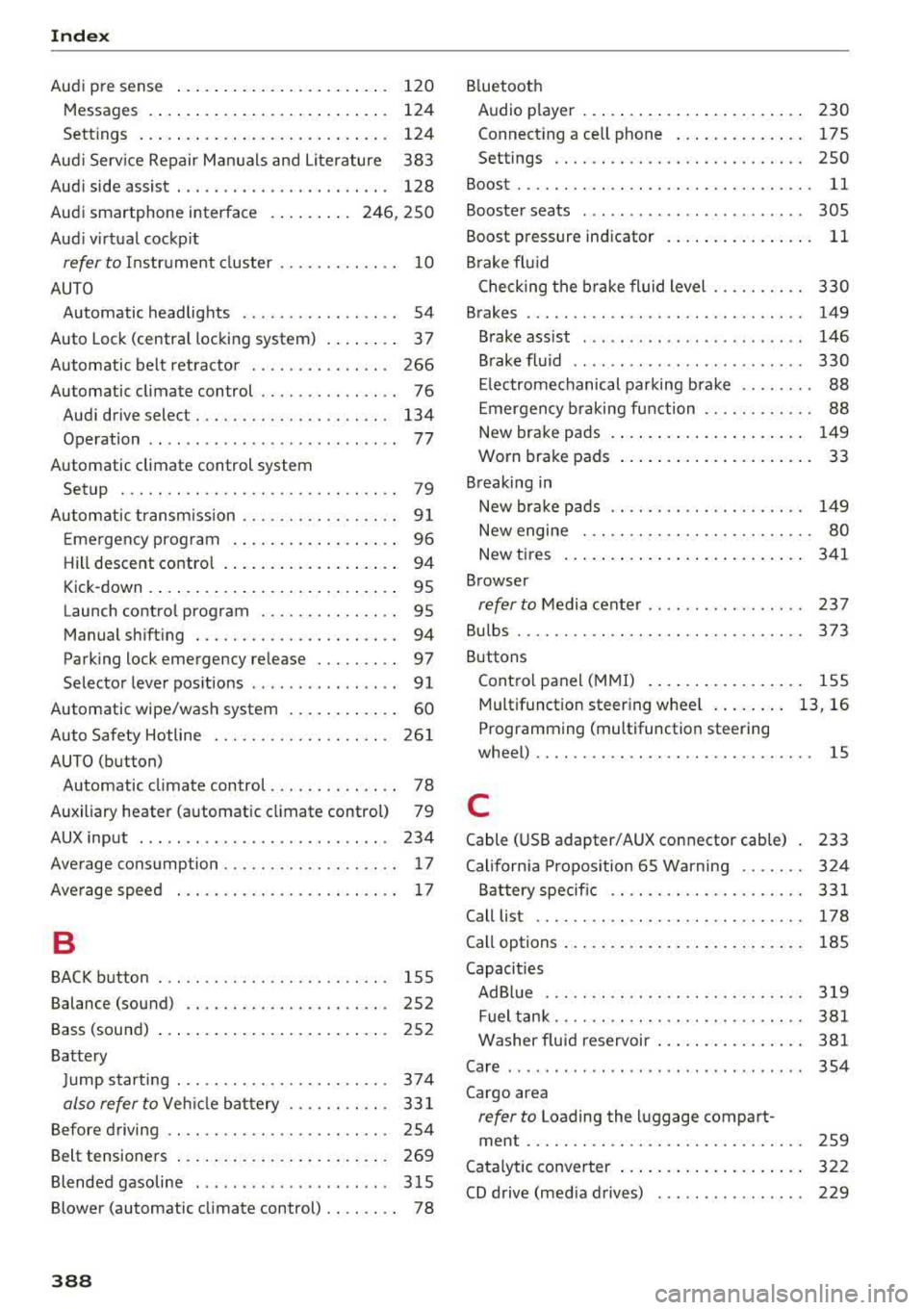
Audi p re sense . . . . . . . . . . . . . . . . . . . . . . . 120
Messages . . . . . . . . . . . . . . . . . . . . . . . . . . 124
Sett ings . . . . . . . . . . . . . . . . . . . . . . . . . . . 124
Aud i Serv ice Repair Ma nuals and Literature 383
Aud i side assist . . . . . . . . . . . . . . . . . . . . . . . 128
Aud i smartphone interface . . . . . . . . . 246, 250
Aud i virt ua l cockp it
refer to Instr ume nt cl uster . . . . . . . . . . . . . 10
AUTO Automatic headlights . . . . . . . . . . . . . . . . . 54
Auto Lock (centra l locki ng system) . . . . . . . . 37
Automatic belt ret ractor . . . . . . . . . . . . . . . 266
Automatic climate control . . . . . . . . . . . . . . . 76
Aud i drive select. . . . . . . . . . . . . . . . . . . . . 134
Operation . . . . . . . . . . . . . . . . . . . . . . . . . . . 77
Automatic climate control system Setup . . . . . . . . . . . . . . . . . . . . . . . . . . . . . . 79
Automatic transm ission . . . . . . . . . . . . . . . . . 9 1
E me rgency prog ram . . . . . . . . . . . . . . . . . . 96
Hill descent contro l . . . . . . . . . . . . . . . . . . . 94
Kick -down . . . . . . . . . . . . . . . . . . . . . . . . . . . 95
Launch control program . . . . . . . . . . . . . . . 95
Manual sh ift ing . . . . . . . . . . . . . . . . . . . . . . 94
Parking lock emergency re lease . . . . . . . . . 97
Selector lever pos itions . . . . . . . . . . . . . . . . 91
Automatic wipe/wash system . . . . . . . . . . . . 60
Auto Safety Hotline . . . . . . . . . . . . . . . . . . . 26 1
AUTO (button) Automatic climate control . . . . . . . . . . . . . . 78
Auxiliary heater (automatic climate control) 79
AUX input . . . . . . . . . . . . . . . . . . . . . . . . . . . 234
Average consumption . . . . . . . . . . . . . . . . . . . 17
Ave rage spee d . . . . . . . . . . . . . . . . . . . . . . . . 17
B
BACK button . . . . . . . . . . . . . . . . . . . . . . . . . 155
Balance (sound) . . . . . . . . . . . . . . . . . . . . . . 252
Bass (sound) . . . . . . . . . . . . . . . . . . . . . . . . . 252
Ba tte ry
J u mp starting . . . . . . . . . . . . . . . . . . . . . . . 374
also refer to Veh icle bat tery . . . . . . . . . . . 33 1
Before driving . . . . . . . . . . . . . . . . . . . . . . . . 254
Belt tensione rs . . . . . . . . . . . . . . . . . . . . . . . 269
Blended gasoline . . . . . . . . . . . . . . . . . . . . . 315
Blower (automatic cl imate control) . . . . . . . . 78
388
B luetoot h
Audio player . . . . . . . . . . . . . . . . . . . . . . . . 230
Connect ing a cell phone . . . . . . . . . . . . . . 175
Settings . . . . . . . . . . . . . . . . . . . . . . . . . . . 2SO
Boost...... .. .. .. .. .. ............. ... 11
Booster seats . . . . . . . . . . . . . . . . . . . . . . . . 305
Boost pressure indicator . . . . . . . . . . . . . . . . 11
B rake fl uid
Check ing the b rake fluid level . . . . . . . . . . 330
Brakes . . . . . . . . . . . . . . . . . . . . . . . . . . . . . . 149
Brake ass ist . . . . . . . . . . . . . . . . . . . . . . . . 146
B rake fl uid . . . . . . . . . . . . . . . . . . . . . . . . . 330
El ec trome chanical parking b rake . . . . . . . . 88
E mergency b raking function . . . . . . . . . . . . 88
New brake pads . . . . . . . . . . . . . . . . . . . . . 149
Worn brake pads . . . . . . . . . . . . . . . . . . . . . 33
Breaking in New bra ke pads . . . . . . . . . . . . . . . . . . . . . 149
New engine . . . . . . . . . . . . . . . . . . . . . . . . . 80
New t ires . . . . . . . . . . . . . . . . . . . . . . . . . . 3 41
Browser
refer to M edia center . . . . . . . . . . . . . . . . . 237
Bu lbs ............................... 373
Buttons Cont ro l panel (M MI) . . . . . . . . . . . . . . . . . 155
Multifunctio n steering whee l . . . . . . . . 13, 16
P rogramming (multifunction steering
whee l) . . . . . . . . . . . . . . . . . . . . . . . . . . . . . . 15
C
Cable ( USB adapter/AUX connector cab le) 233
Californ ia Pr opos ition 65 Wa rning . . . . . . . 3 24
Battery specific . . . . . . . . . . . . . . . . . . . . . 331
Call list . . . . . . . . . . . . . . . . . . . . . . . . . . . . . 178
Call options . . . . . . . . . . . . . . . . . . . . . . . . . . 185
Capacities AdBl ue ... .. .. .. .. .. ... .......... .. 319
Fuel t ank . . . . . . . . . . . . . . . . . . . . . . . . . . . 381
Washer fluid reservoir . . . . . . . . . . . . . . . . 381
Care . . . . . . . . . . . . . . . . . . . . . . . . . . . . . . . . 354
Cargo area
refer to Loading the luggage compart-
ment .............................. 259
C atalytic converter . . . . . . . . . . . . . . . . . . . . 322
CD d rive (med ia d rives) . . . . . . . . . . . . . . . . 229
Page 391 of 403
Index
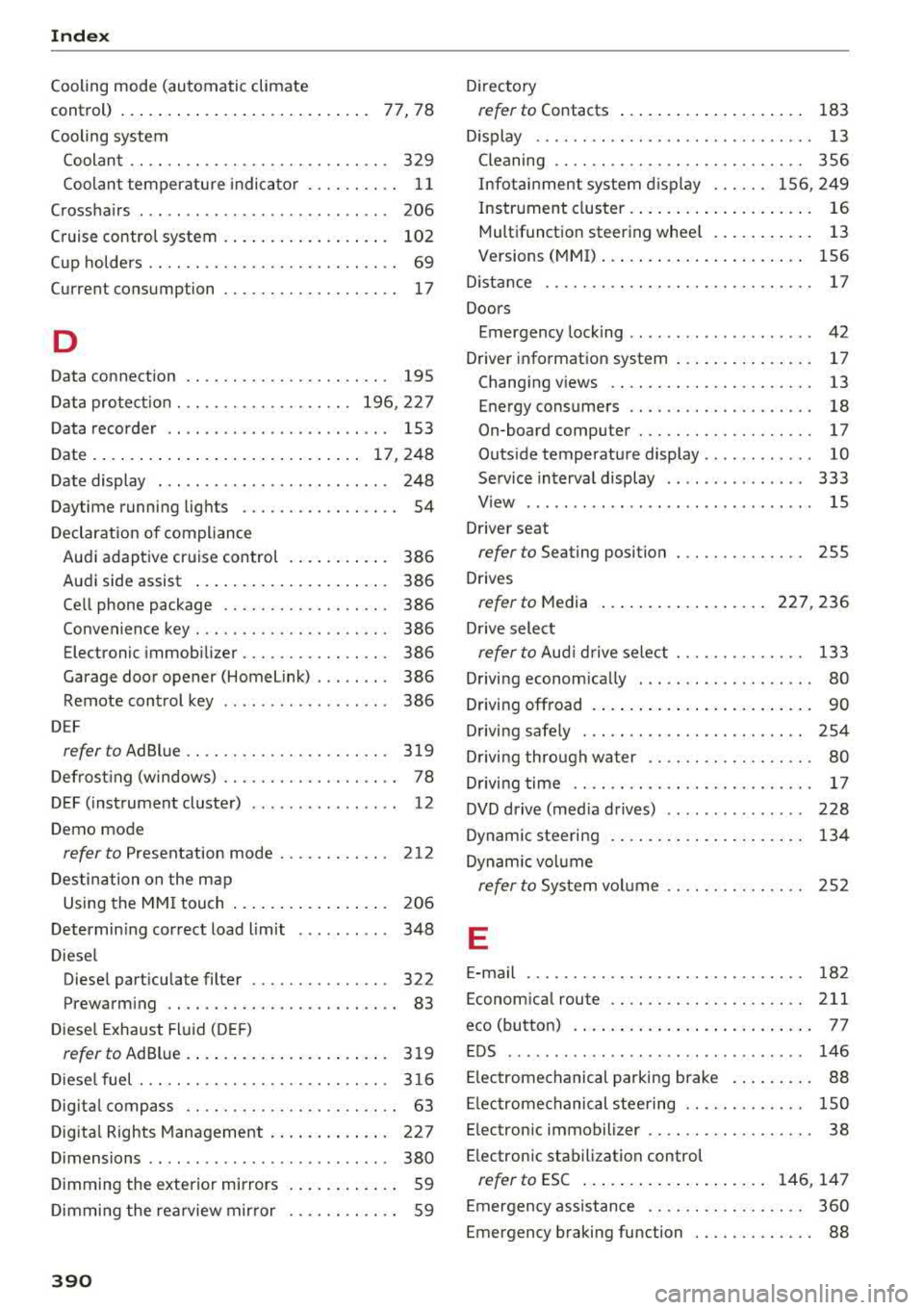
Cooling mode (automatic climate
control) . . . . . . . . . . . . . . . . . . . . . . . . . . .
77, 78
Cooling system
Coolant . . . . . . . . . . . . . . . . . . . . . . . . . . . .
329
Coolant temperature indicator . . . . . . . . . . 11
Crosshairs . . . . . . . . . . . . . . . . . . . . . . . . . . . 206
Cruise control system . . . . . . . . . . . . . . . . . . 102
Cup holders . . . . . . . . . . . . . . . . . . . . . . . . . . . 69
Current consumption . . . . . . . . . . . . . . . . . . . 17
D
Data connection . . . . . . . . . . . . . . . . . . . . . . 195
Data protection . . . . . . . . . . . . . . . . . . . 196, 227
Data recorder . . . . . . . . . . . . . . . . . . . . . . . . 153
Date ..... ..... .. ................ . 17,248
Date display . . . . . . . . . . . . . . . . . . . . . . . . . 248
Daytime running lights . . . . . . . . . . . . . . . . . 54
Declaration of compliance
Audi adaptive cruise control . . . . . . . . . . .
386
Audi side assist . . . . . . . . . . . . . . . . . . . . . 386
Ce ll phone package . . . . . . . . . . . . . . . . . . 386
Convenience key . . . . . . . . . . . . . . . . . . . . . 386
Electronic immobilizer.. . . . . . . . . . . . . . . 386
Garage door opener (Home Link) . . . . . . . .
386
Remote control key . . . . . . . . . . . . . . . . . . 386
D EF
refer to AdBlue ... ............ .... .. . 319
Defrosting (windows) . . . . . . . . . . . . . . . . . . . 78
DEF (instrument cluster) . . . . . . . . . . . . . . . . 12
Demo mode
refer to Presentation mode . . . . . . . . . . . . 212
Destination on the map
Using the MMI touch . . . . . . . . . . . . . . . . .
206
Determining correct load limit . . . . . . . . . . 348
Diesel
Diese l particulate filter . . . . . . . . . . . . . . .
322
Prewarming . . . . . . . . . . . . . . . . . . . . . . . . . 83
Diesel Exhaust Fluid (DEF)
refer to AdBlue.. ................ .... 319
Diesel fuel ... .. .. ... .......... .. .. .. . 316
Digita l compass . . . . . . . . . . . . . . . . . . . . . . . 63
Digital Rights Management . . . . . . . . . . . . . 227
Dimensions . . . . . . . . . . . . . . . . . . . . . . . . . . 380
Dimming the exterior mirrors . . . . . . . . . . . . 59
Dimming the rearview mirror . . . . . . . . . . . . 59
390
Directory
refer to Contacts . . . . . . . . . . . . . . . . . . . . 183
D isplay . . . . . . . . . . . . . . . . . . . . . . . . . . . . . . 13
Cleaning . . . . . . . . . . . . . . . . . . . . . . . . . . . 356
Infotainment system display . . . . . . 156, 249
Instrument cluster . . . . . . . . . . . . . . . . . . . . 16
Multifunction steering wheel . . . . . . . . . . . 13
Versions (MMI) . . . . . . . . . . . . . . . . . . . . . . 156
D istance . . . . . . . . . . . . . . . . . . . . . . . . . . . . . 17
Doors
Emergency locking . . . . . . . . . . . . . . . . . . . .
42
Driver information system . . . . . . . . . . . . . . . 17
Changing views . . . . . . . . . . . . . . . . . . . . . . 13
Energy consumers . . . . . . . . . . . . . . . . . . . . 18
On-board computer . . . . . . . . . . . . . . . . . . . 17
Outside temperature display . . . . . . . . . . . . 10
Service interval display . . . . . . . . . . . . . . . 333
View . . . . . . . . . . . . . . . . . . . . . . . . . . . . . . . 15
Driver seat
refer to Seating position 255
Drives
refer to Media ... .. .. ........... 227, 236
Drive select
refer to Aud i drive select . . . . . . . . . . . . . . 133
Driving economically . . . . . . . . . . . . . . . . . . .
80
Driving offroad . . . . . . . . . . . . . . . . . . . . . . . . 90
Driving safe ly . . . . . . . . . . . . . . . . . . . . . . . . 254
Driving through water . . . . . . . . . . . . . . . . . . 80
Driving time . . . . . . . . . . . . . . . . . . . . . . . . . . 17
DVD drive (med ia drives) . . . . . . . . . . . . . . . 228
Dynam ic steering . . . . . . . . . . . . . . . . . . . . . 134
Dynamic volume
refer to System volume . . . . . . . . . . . . . . . 252
E
E-mail . . . . . . . . . . . . . . . . . . . . . . . . . . . . . . 182
Economical rou te .. .. .. ............. .. 211
eco (button) . . . . . . . . . . . . . . . . . . . . . . . . . . 77
EDS . . . . . . . . . . . . . . . . . . . . . . . . . . . . . . . . 146
Electromechanical parking brak e . . . . . . . . . 88
Electromechanical steering . . . . . . . . . . . . . 1 SO
Electronic immobili zer . . . . . . . . . . . . . . . . . .
38
E lectronic stabilization control
refer to ESC . . . . . . . . . . . . . . . . . . . . 146, 147
Emergency assistance . . . . . . . . . . . . . . . . . 360
Emergency braking function . . . . . . . . . . . . . 88