reset AUDI A4 2018 Owner's Manual
[x] Cancel search | Manufacturer: AUDI, Model Year: 2018, Model line: A4, Model: AUDI A4 2018Pages: 403, PDF Size: 66.81 MB
Page 231 of 403
Media
When importing, the audio files are automatical
ly sorted into the media center categories based
on the stored addit ional information
¢ page 237. The copied video files are stored in
t he media center under the
Videos category.
Playing the Jukebox
Requirement: the Jukebox must contain audio/
video fi les
¢ page 229, Adding files to the Juke
box.
The Jukebox is accessed and operated through
the
MMl (D¢page236, fig . 215.
Displaying Jukebox memory capacity
Select: right control button > Jukebox memory
capacity .
Information about the Jukebox memory
cap acity and the number of sto red tracks is dis
p la yed.
Deleting tracks from the Jukebox1
)
Requ irement: the Jukebox must contain audio/
video fi les.
- Delet ing an entry: select an entry from the
Jukebox media center . Select: right control but
ton
> Delete from jukebox > This entry or En
tire list.
- The status of the deleting process is shown in
the MMI. Jukebox playback stops during the de
leting process and starts again automatically
once the dele tion is complete .
0 Note
Do not import aud io/video files when the en
gine is t urned off because this will drain the
veh icle battery.
(D Tips
- Tracks from aud io CDs cannot be imported
to the Jukebox for legal reasons .
- Files that have already been imported are
automat ically recognized and cannot be
copied to the Jukebox again.
- It is not possible to play audio/v ideo* files
in the CD/DVD* drive while importing them.
1> N ot i n t he Playback view.
230
- Th e Juk ebox does not provide an export
function due to legal reasons .
- Files or tracks without additional stored in
formation a re listed as
Unknown . Audi rec
ommends adding additional information
(such as ID3 tags) to audio files.
- Reset the
Jukebox to the factory defau lt
settings when selling your vehicle
¢ page 249.
Bluetooth audio player
App lies to: vehicles wi th Blue toot h audio playe r
With the Bluetoo th audio player, you can play
music wirelessly from your Bluetooth-capable
device (such as a cell phone) through the MMI .
Requirement: the vehicle must be stationary and
the Bluetooth function on your Bluetooth device
and the
Bluetooth audio player ¢ page 250 in
the
MMI must both be sw itched on .
-Connecting a Bluetooth device: press the
!MEDIA ! button. Press the left control button
until the sources overview is displayed . Select
and confirm
Bluetooth audio player @
¢page 236, fig. 216 .
-If necessary, select and confirm, Not connected
> Connect Bluetooth audio player . The Blue
tooth device search starts. Follow the instruc
tions in the MMI.
- Select and confirm the desired Bluetooth de
vice from the list. The
MMI generates a PIN for
the connection.
- Select and confirm
Yes.
-Enter the PIN for connecting on your Bluetooth
dev ice.
Or : if the PIN is already displayed on
your Bl uetoo th device , confi rm it in the Blue
tooth device and in the
MMI. The time allowed
for entering the PIN is limited to approximately
30 seconds.
The media is started and operated thro ugh the
mobile device o r the
MMI, depending on the de-
vice being used.
..,.
Page 236 of 403
a co .... N ,....
N .... 0 0
3 co
-Functionality is not guaranteed for mobile
devices that do not conform to the USB 2.0
specification.
-USB hubs are not supported.
-Some versions of the iPod such as the iPod
shuffle cannot be connected to the USB
adapter for devices with Apple Dock connec
tor. Connect these devices using a AUX con nector cable.
-Changed content on a mobile device l) that
is connected to the Audi music interface
may not be displayed in the media center.
In this case, reset the
Media settings back
to
Factory settings <=> page 249.
-Video playback through the Audi music in
terface is only supported if the connected
device is recognized as a USB storage device
(for example a USB stick). Apple devices and
MTP devices (such as smartphones) are not
recognized as USB storage devices.
-iPod/iPhone malfunctions also affect the
operation of the MMI. Reset your iPod/
iPhone if this happens.
-Audi recommends updating the iPod/iPhone
software to the latest version. For impor
tant information on operating your iPod/
iPhone, refer to the user guide for the de
vice.
-The USB adapter on the Audi music inter
face will support iPod touch/iPhone from
the Sth generation or later with the light
ning connector.
-For more information about the Audi music
interface and supported devices, check the
Audi database for mobile devices at
www.audiusa.com/mp3 or contact an au
thorized Audi dealer or authorized Audi
Service Facility.
1 > A pplies onl y to MTP devices. Does not app ly to App le dev i
ces and USB mass storage devices.
Media
Rear Seat Entertainment preparation
Applies to : vehicles wi th Rear Seat Enter ta inm ent preparat ion
The Rear Seat Entertainment preparation in
cludes cables and a mount for Audi Entertain
ment mobile in the driver's and front passenger's
seat backrests.
The suitable Audi Entertainment mobile Rear
Seat Entertainment package is available through
Audi Genuine Accessories.
Using Audi Genuine Accessories is recommended.
Audi has established their reliability, safety and
suitability.
We cannot evaluate or endorse other products in
t his way, even if the product is approved by acer
tified testing agency or government agency .
(D Note
Only use devices that are approved for the
Rear Seat Entertainment preparation. Unap
proved devices may cause damage to the vehi
cle electronics .
(D Tips
-Contact an authorized Audi dealer or au
thorized Audi Service Facility for additional
information about
Audi Entertainment mo
bile .
-Always read the chapter<=:> page 385.
-The Rear Seat Entertainment preparation is
not intended to charge external electronic
devices .
235
Page 242 of 403
a co .... N ,....
N .... 0 0
3 co
Show DVD menu
The DVD main menu opens in t he Infotainment
system display.
- Sele cting a m enu it em : select and confirm a
menu item.
O r: move your finger on the M MI
touch contro l pad* and press the control knob.
Aud io track1
)
You can manually set the audio track (language
and audio format). The language and aud io for
mat options depend on the video DVD.
Subtitle sl)
You can set subtit les for playback manually. The
l anguages available depend on the DVD.
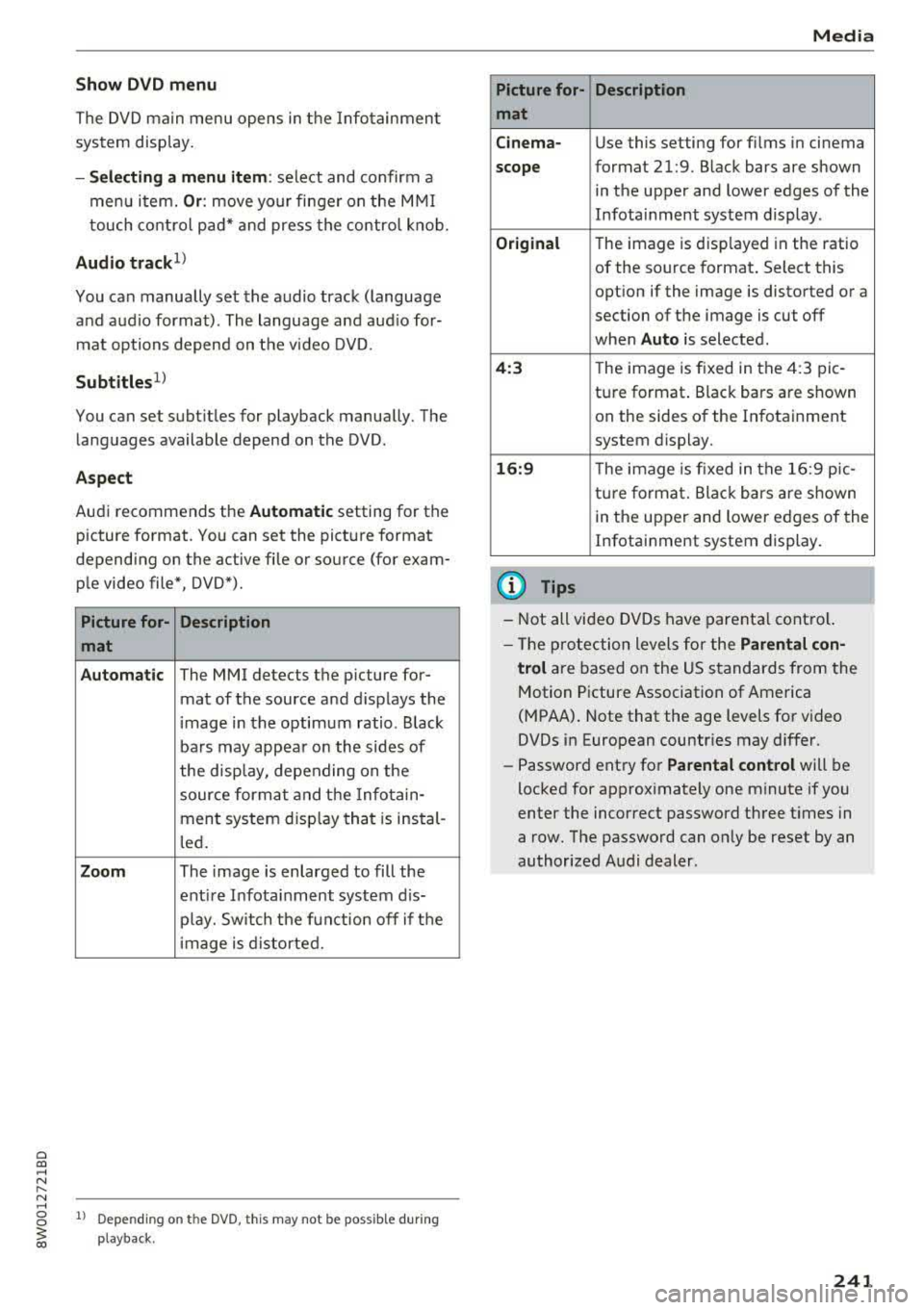
A sp ect
Aud i recommends the Automat ic setting for the
picture format. You can set the picture format
depending on the active file or source (for exam
p le video file*, DVD*).
Picture for- Description
mat
Automatic
The MMI detects the picture for-
mat of the source and d isplays the
image in the optimum ratio . B lack
ba rs may appea r on the sides of
the display, depending on the
source format and the Info tain-
ment system d isp lay that is instal-
l ed .
Zoom The image is enlarged to fill the
ent ire Infota inment system d is-
p lay. Switch the function off if t he
image is distorted.
l ) Depe ndi ng o n the DVD, t his may not be poss ib le dur ing
playback .
Media
Picture for- Description
mat
Cinem a-
Use this setting for fil ms in cinema
scope format 21:9. Black bars are shown
in the upper and lower edges of the
Infotainment system display .
Original The image is disp layed in the ratio
of the source format . Select this
opt ion if the image is distorted or a
section of the image is cut off
when
Auto is selected .
4:3 T he image is f ixed i n the 4:3 pie -
ture format . Black bars are shown
on the sides of the Infotainment
system display.
16 :9 The image is fixed i n the 16:9 p ie-
t ur e format. Blac k ba rs are shown
in the upper and lower edges of the
Infotainment system display.
(D Tips
- Not all video DVDs have parenta l cont ro l.
- The p rotection levels for the
Parental con-
trol
are based on the US s tandards from the
Motion Picture Association of America
(MPAA) . Note that the age levels for video
DVDs in European countr ies may di ffer.
- Password ent ry for
Parental control will be
locked for approx imately one m inute if you
enter the incorrect password th ree t imes in
a row. The password can on ly be reset by an
authorized Audi dealer.
241
Page 245 of 403
Media
Problem Solution
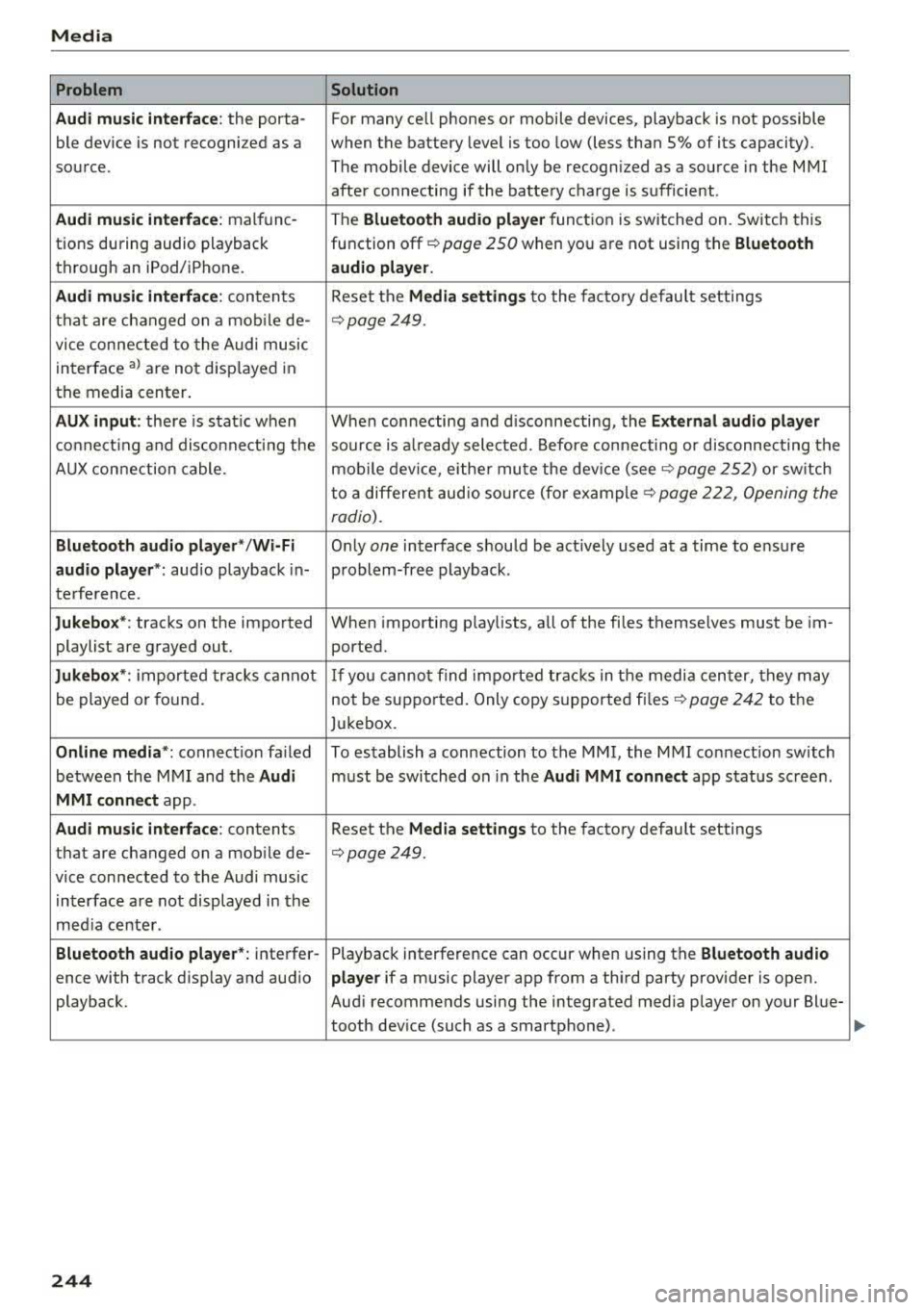
Audi music inte rface :
the porta- For many ce ll phones or mobile devices, playback is not possible
ble device is not recognized as a when the battery level is too low (less than 5% of its capacity).
source. The mobile device will only be recognized as a source in the MMI
after connecting if the battery charge is sufficient .
Audi music interface: malfunc-The Bluetooth audio player function is switched on. Switch this
tions during audio playback function
off¢ page 250 when you are not using the Bluetooth
through an iPod/ iPhone. audio player.
Audi music interface:
contents Reset the Media settings to the factory default settings
that are changed on a mobile de-
¢page 249.
vice connected to the Audi music
interface
al are not disp layed in
the media center.
AUX input: there is stat ic when When connecting and disconnecting, the External audio player
connecting and disconnecti ng the source is already selected. Before connecting or disconnecting the
AUX connection cable. mobile device, either mute the device
(see¢ page 252) or sw itch
to a different audio sourc e (fo r
example ¢ page 222, Opening the
radio).
Bluetooth audio player* /Wi-Fi Only one interface should be act ively used at a time to ensure
audio player*: audio playback in- problem-free playback.
terference.
Jukebox*: tracks on the imported When importing playlists, all of the fi les themselves must be im-
playlist are grayed out. ported.
Jukebox*: imported tracks ca nnot If you cannot find imported tracks in the media center, they may
be played or found. not be supported. Only copy supported
files¢ page 242 to the
Jukebox.
Online media *: connection fa iled To establish a connection to the MMI, the MMI connection switch
between the MMI and the
Audi must be switched on in the Audi MMI connect app status sc reen.
MMI connect app.
Audi music interface: contents Reset the Media settings to the factory default settings
that are changed on a mob ile de-
¢page 249.
vice connected to the Audi music
interface are not displayed in the
med ia center .
Bluetooth audio player *: interfer- Playback interference can occur when using the Bluetooth audio
ence with track d isp lay and aud io player if a music player app from a third party provider is open.
playback. Audi recommends using the integrated media player on your Blue-
tooth device (such as a smartphone) .
244
Page 250 of 403
wait for the signal tone (beep) to say a new
command.
Volum e: you can adjust t he volume of the
prompts by turning the control knob.
Indi vidual sp eech training (only when the vehi
cle is stationary): yo u can adapt the vo ice recog
ni tion system to yo ur vo ice or pronunc iation in
order to improve the system 's ability to recognize
your speech . Individua l train ing is comprised of
20 speech entries that consist of commands and
sequences of numbers. Yo u can delete the pro
grammed voice training w ith the
Reset indi vidu
al speech training
function.
Display brightnes s
You can adjust the brightness of the Infotain
m ent system disp lay by turning the control knob.
Factory s ettings
The fo llow ing funct ions can be reset to the facto
r y default settings :
-Sound setting s
- Rad io
- Media sett ings
- Jukebo x*
- Directory
-Tel ephone
- Bluetooth and Wi -Fi *
- Nav igat ion sett ings *
- Nav iga tion and onlin e mem ory *
- Voice recognition s ystem *
- Shortcut ke ys
- Me ssage se ttings *
-A pps*
- Tool tips
- Aud i conn ect *
- Aud i smartphone in terface *
You can se lect the desired functions individually
or all at once with the option
S ele ct all ent rie s.
Select and confirm Res tore factor y settings .
(D Tips
~ Make sure that not only the settings were de-....
~ leted but also the stored data, if applicable.
N .... 0 0
3
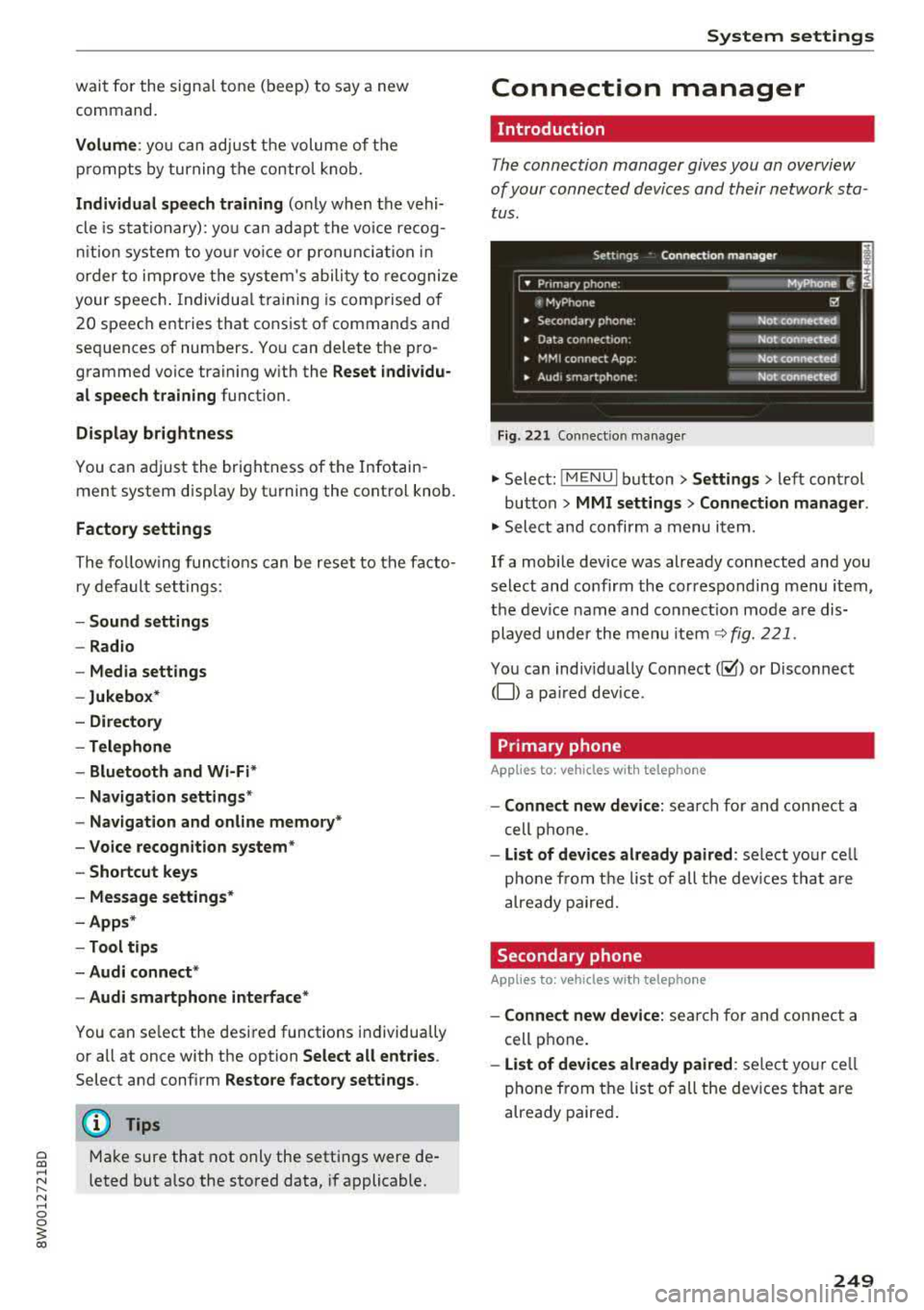
Connection manager
Introduction
The connection manager gives you an overview
of your connected devices and their network sta
tus .
Settings Connection mana ger I
====-... · • Prima hone: MyPhone ..
c M yPhone
• Secondary phone :
" Data connection:
• MM I connect App :
• Audi smartphone:
Fig. 221 Co nnect io n manager
@
Not connected
Not connected
Not connected
Not
connect"d
.,. Select: ! M EN UI button> Settings > left control
button >
MMI setting s> Connection manager .
.,. Select and confirm a menu item.
If a mobile device was already connected and you
select and confirm the corresponding menu item,
the device name and connect ion mode a re dis
played under the menu item
~ fig. 221.
You can indiv idually Connect(~ or Disconnect
(0) a pa ired dev ice .
Primary phone
Applies to : veh icles w ith telep hone
- Connect new de vice : search for and connect a
cell phone.
- List of d evic es alre ady pai red : select you r cell
phone from the list of all the dev ices that a re
already paired.
Secondary phone
Appl ies to: veh icles w ith telep hone
- Connect new device: sea rch fo r and connect a
cell phone .
-List of devi ces alre ad y paired : select yo ur ce ll
phone from the list of all the devices that a re
already paired .
249
Page 252 of 403
a co .... N ,....
N .... 0 0
3 co
for the MMI to be visib le to o ther dev ices . Se
l ect
Invisible fo r the MMI to not be vis ible to
othe r devices. Howeve r, it is still possib le to es
tab lish a Bl uetooth connection w ith paired de
v ices when the v is ibility is switched off. Se lect
Off to tur n visib ility off . The n a B luetooth con
nect io n is no t possible .
-Bluetooth audio player : when this function is
switched
on~ , the Bluetooth aud io player is
available as a source in the
Media menu .
-Bluetooth name : the MMI Bluetooth name (for
example
,,AUDI MM I 2016") is displayed and
can be changed .
Online settings*
- Data usage counter :
the amount of data pack
ets that are sent a nd received through the MMI
is d is pl ayed . You can reset t he data usage infor
mation to zero using the
Reset data counter
opt io n.
- Network status : the mobile netwo rk provider
f o r da ta se rvice as well as t he network status
are disp laye d.
Wi-Fi settings*
See ¢ page 194, Wi-Fi hotspot.
Storing as a default telephone
Applies to: vehicles with telephone
Requ irement: a cell phone must be connec ted to
the M MI
¢ page 175 .
As soo n as the cell phone is i n range and the
B lue too th func tion on t he ce ll phone and in the
M MI is swi tched on, this ce ll phone is given pr io r
ity over the other Bluetoot h dev ices and is con
n ected direct ly to the MMI. The connected cell
p hone is displayed f irst in the device list.
Network settings*
- Login :
you ca n chose an Automatic lo gin to
yo ur cell phone serv ice p rov ider's ne twork, o r
yo u can choose a
Manual login from t he list of
available networ ks.
- Network selection : available networks in t he
p resent location can be se lected unde r networ k
se lection. Th is function is only available for the
Manual login sett ing.
System settings
Apple CarPlay sound settings/ Android Auto
sound settings
Applies to: vehicles with Aud i smartphone interface
See c::> page 2 52.
About Apple CarPlay/ About Android Auto
Applies to: vehicles wi th Audi smartphone interface
Here you w ill fin d leg al informa tio n r egarding
th e use of App le Car Pla y or Andro id A uto an d in
f o rmat io n a bou t devi ce-s peci fic data exc hange .
Delete CarPlay device/Delete Android Auto
device
A ppl ies to: vehicles with Audi smartphone interface
Req uireme nt: your c ell pho ne mu st n ot be con
ne cted to t he Au di music in terf ace wi th a US B
adapter .
Se le ct :
Audi smartphone > a d evice from t he list
> r igh t co ntrol button.
T o re mov e your cell p hon e from the list , se lect
and confir m
Delete CarPlay device or Delete An
droid Auto device .
System update
.. Select: !ME NUI bu tton> Settings > left con trol
bu tton >
System maintenance .
- System update :
slid e the s torage device with
t h e u pdate da ta into the appro priate driv e
¢ page 228 . Sele ct and co nfi rm t he dr ive>
Start update . The leng th o f the pro cess de
pe nd s o n th e siz e of the updat e.
- Reset driver installation: the sele cte d medi a
d river p ack age i s reset to t he se ttings at the
t ime o f delivery .
-Version information : info rm ation on t he M MI
so ftwar e ve rsi on and the navig ation datab ase *
so ftware version is displ ayed. The
Software in
formation
f u nction also prov ides informat ion
on t he softwa re co ntai ned in the M MI and t he
licensing agreement .
251
Page 254 of 403
a co .... N ,....
N .... 0 0
Telephone
Applies to: vehicles with telephone
Mute telephone : messages and ring tones are se t
to mute .
Ringtone : see¢ page 185, Ringtone and volume
se ttings .
Ringtone volume :
you can adjust the volume of
the selected ringtone by turning the co ntro l
knob.
Message volume : you can ad just the volume of
the no tifica tion for an i ncoming tex t message by
turn ing t he control knob .
Microphone input level : you can adjust the call
volume during a phone ca ll by tu rning the co ntro l
knob .
Navigation
Applies to: veh icles with navigation system
Voice guidance : see ¢page 213.
Voice guidance during phone call : see
¢page 213.
Voice guidanc e volume : you can adjust the voice
g ui dance vo lume by turn ing t he con trol knob. Or:
you can adj ust the vo ice gu idan ce vo lume durin g
active rou te gu idance by tu rning the On/Off
knob.
Entertainment fader: t he v olume of audi o play
ba ck can be tempo rarily lowe red when the p ark
in g system or voi ce g uidance is active.
Voice recognition system
App lies to: vehicles with voice recognition system
Command display : see¢ page 248 .
Short dialog : see¢ page 248.
Volume: see ¢ page 248.
Individual speech training : see ¢page 248 .
Parking aid*
You can ad just the vo lume of the signal tone by
turn ing t he control knob.
3 1) Not avai lab le in all ve hicle s. co
System settings
-Adjusting th e Front volume : select and con
fi rm
High , Medium or Low .
- Adjusting
the Rear volume : select and con firm
High , Medium or Low .
MMI touch volume*
Yo u can adjus t the vol ume of t he p romp ts fo r the
MM I touch* by turnin g the cont rol k nob.
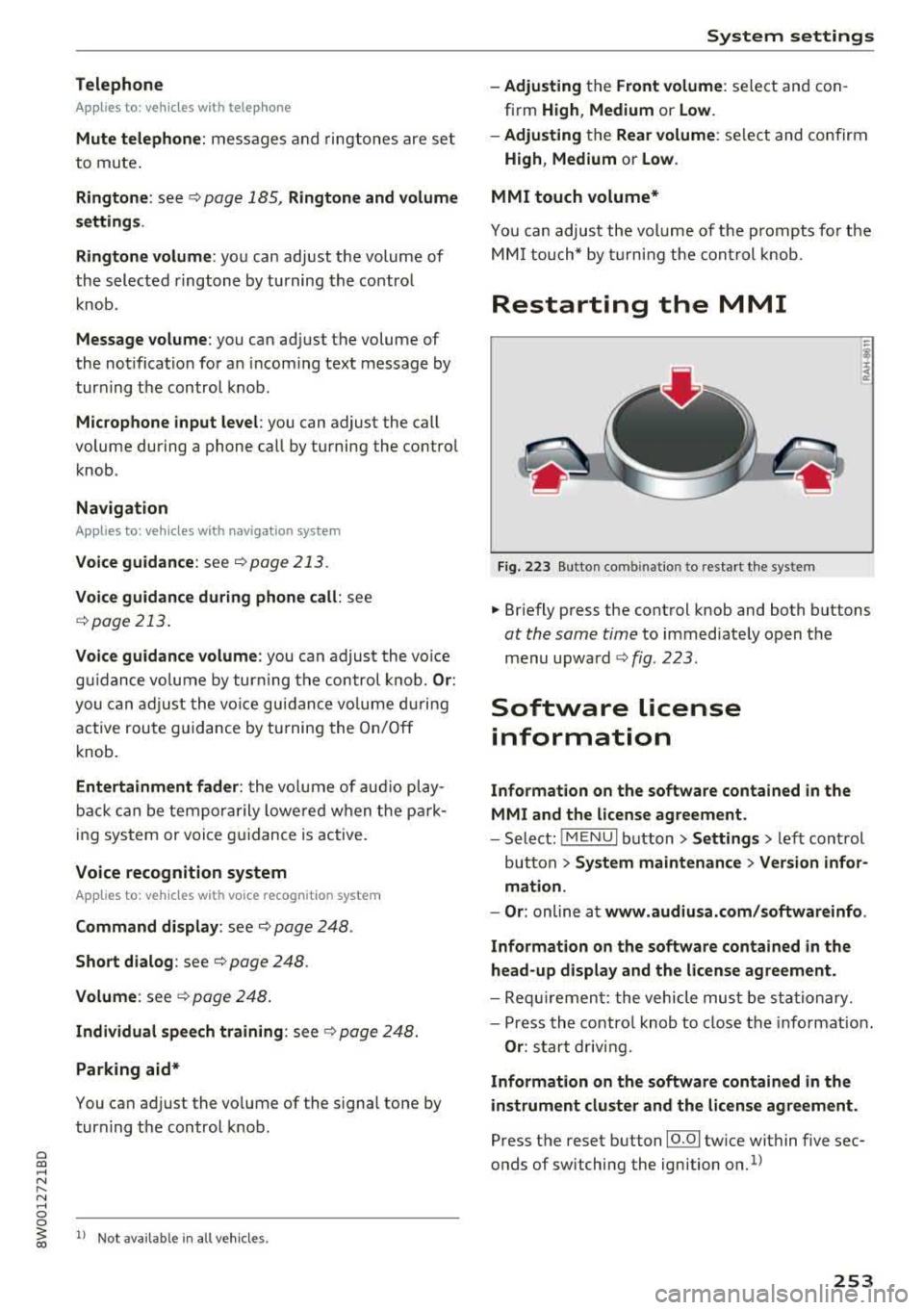
Restarting the MMI
Fig . 223 Button co mbinatio n to res ta rt t he syste m
.,. Briefly p ress the cont rol knob and both buttons
at the same time to immediate ly open t he
menu upward
<:;> fig. 223 .
Software license
information
Information on the software contained in the
MMI and the license agreement.
- Select : !ME NUI bu tton> Settings > le ft con trol
button >
System maintenance > Version infor
mation.
- Or :
online a t www.audiusa.com /softwareinfo .
Information on the software contained in the
head-up display and the license agreement .
-Re quir emen t: the vehicle mus t be sta tion ary.
- Press th e co ntro l knob to close the info rmat ion .
Or : sta rt dr ivin g.
Information on the software contained in the
instrument cluster and the license agreement.
Press t he reset button 10.01 twice within five sec
onds of switching the ign ition
on.1>
253
Page 334 of 403
a co .... N ,....
N .... 0 0
3 co
-Do not use a glass cleaner that contains
paint solvents, because this could damage
the paint.
Service interval display
The service interval display detects when your ve
hicle is due for service.
Checking service intervals
You can check the remaining distance or time un
til the next oil change or next inspection in the
Infotainment system .
.,. Select in the Infotainment system: the I MENU I
button >
Vehicle > left control button > Service
& checks > Service intervals.
Resetting the indicator
An authorized Audi dealer or authorized Audi
Service Facility will reset the service interval dis
play after performing service.
If you have changed the oil yourself, you must re
set the oil change interval.
.,. Select in the Infotainment system: the !MENUI
button >
Vehicle > left control button > Service
& checks > Service intervals > Reset oil change
interval.
If an oil change or inspection is due, you can ac
cess it in the Infotainment system. The display
works in two stages:
-Service reminder: after a certain distance is
driven, a message appears in the instrument
cluster display every time the ignition is switch
ed on. The remaining distance and time is dis
played briefly.
- Service due: if your vehicle has reached a serv
ice interval , a message appears briefly after
switching the ignition on.
(D Note
-Only reset the oil change indicator if the oil
was changed.
- Following the service intervals is critical to
maintaining the service life and value of
your vehicle, especially the engine. Even if
Checking and Filling
the mileage on the vehicle is low, do not ex
ceed the time for the next service.
333
Page 396 of 403
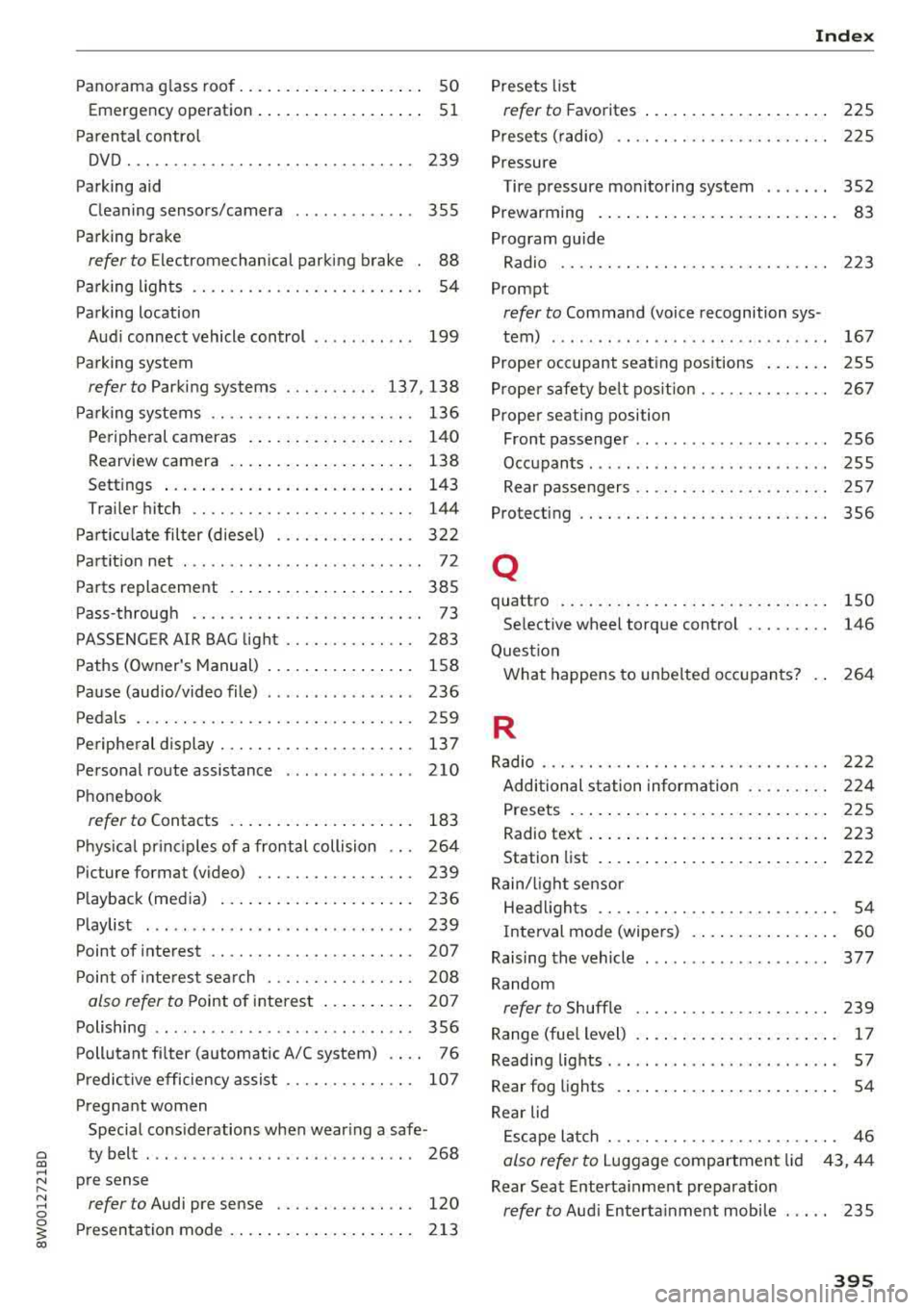
Panorama glass roof. . . . . . . . . . . . . . . . . . . . 50
Emergency operation........... ..... .. 51
Parental control
DVD ... .. .. .. .. ........... .. .. .... . 239
Parking aid
Cleaning sensors/camera . . . . . . . . . . . . .
355
Parking brake
refer to Electromechanical parking brake . 88
Par king lights . . . . . . . . . . . . . . . . . . . . . . . . . 54
Parking location Audi connect vehicle control . . . . . . . . . . .
199
Parking system
refer to Parking systems ....... .. . 137, 138
Parking systems . . . . . . . . . . . . . . . . . . . . . . 136
Peripheral cameras . . . . . . . . . . . . . . . . . . 140
Rearview camera . . . . . . . . . . . . . . . . . . . .
138
Settings . . . . . . . . . . . . . . . . . . . . . . . . . . . 143
Trai ler hitch . . . . . . . . . . . . . . . . . . . . . . . . 144
Particulate filter (diesel) . . . . . . . . . . . . . . .
322
Partition net . . . . . . . . . . . . . . . . . . . . . . . . . . 72
Parts replacement . . . . . . . . . . . . . . . . . . . . 385
Pass-through . . . . . . . . . . . . . . . . . . . . . . . . . 73
PASSENGER AIR BAG light . . . . . . . . . . . . . . 283
Paths (Owner's Manual) . . . . . . . . . . . . . . . . 158
Pause (audio/video file) . . . . . . . . . . . . . . . . 236
Pedals . . . . . . . . . . . . . . . . . . . . . . . . . . . . . . 259
Peripheral display . . . . . . . . . . . . . . . . . . . . . 13 7
Personal route assistance . . . . . . . . . . . . . . 210
Phonebook
refer to Contacts . . . . . . . . . . . . . . . . . . . . 183
Physical princ iples of a frontal collision . . . 264
Picture format (video) . . . . . . . . . . . . . . . . .
239
Playback (media) . . . . . . . . . . . . . . . . . . . . . 236
Playlist . . . . . . . . . . . . . . . . . . . . . . . . . . . . . 239
Point of interest . . . . . . . . . . . . . . . . . . . . . . 207
Point of interest search . . . . . . . . . . . . . . . . 208
also refer to Point of interest . . . . . . . . . . 207
Polishing . . . . . . . . . . . . . . . . . . . . . . . . . . . . 356
Pollutant filter (automatic A/C system) . . . . 76
Predictive efficiency assist . . . . . . . . . . . . . . 107
Pregnant women Special considerations when wearing a safe -
a ty belt . . . . . . . . . . . . . . . . . . . . . . . . . . . . . 268 co .... ~ pre sense
:::l refer to Audi pre sense . . . . . . . . . . . . . . . 120 0
3 Presentation mode . . . . . . . . . . . . . . . . . . . . 213
co
Index
Presets list
refer to Favorites . . . . . . . . . . . . . . . . . . . . 225
Presets (radio) . . . . . . . . . . . . . . . . . . . . . . . 225
Pressure
Tire pressure monitoring system . . . . . . .
352
Prewarming . . . . . . . . . . . . . . . . . . . . . . . . . . 83
Program guide
Radio .... .... .. .. ............... ..
223
Prompt
refer to Command (voice recognition sys -
tem) . . . . . . . . . . . . . . . . . . . . . . . . . . . . . .
167
Proper occupant seating positions . . . . . . . 255
Proper safety be lt pos ition . . . . . . . . . . . . . . 267
Proper seating position
Front passenger . . . . . . . . . . . . . . . . . . . . .
256
Occupants . . . . . . . . . . . . . . . . . . . . . . . . . . 255
Rear passengers . . . . . . . . . . . . . . . . . . . . . 257
Protecting . . . . . . . . . . . . . . . . . . . . . . . . . . . 356
Q
quattro
Se lective wheel torque control ....... . .
Question 150
146
What happens to unbelted occupants?
264
R
Radio . . . . . . . . . . . . . . . . . . . . . . . . . . . . . . . 222
Additional station information . . . . . . . . . 224
Presets . . . . . . . . . . . . . . . . . . . . . . . . . . . . 225
Radio text . . . . . . . . . . . . . . . . . . . . . . . . . . 223
Station list . . . . . . . . . . . . . . . . . . . . . . . . . 222
Rain/l ight sensor
Headlights . . . . . . . . . . . . . . . . . . . . . . . . . . 54
Interval mode (wipers) . . . . . . . . . . . . . . . . 60
Raising the vehicle . . . . . . . . . . . . . . . . . . . .
377
Random
refer to Shuffle . . . . . . . . . . . . . . . . . . . . . 239
Range (fue l level) . . . . . . . . . . . . . . . . . . . . . . 17
Reading lights . . . . . . . . . . . . . . . . . . . . . . . . . 5 7
Rear fog lights . . . . . . . . . . . . . . . . . . . . . . . . 54
Rear lid Escape latch . . . . . . . . . . . . . . . . . . . . . . . . .
46
also refer to Luggage compartment lid 43, 44
Rear Seat Entertainment preparation
refer to Audi Entertainment mobile . . . . . 235
395
Page 397 of 403
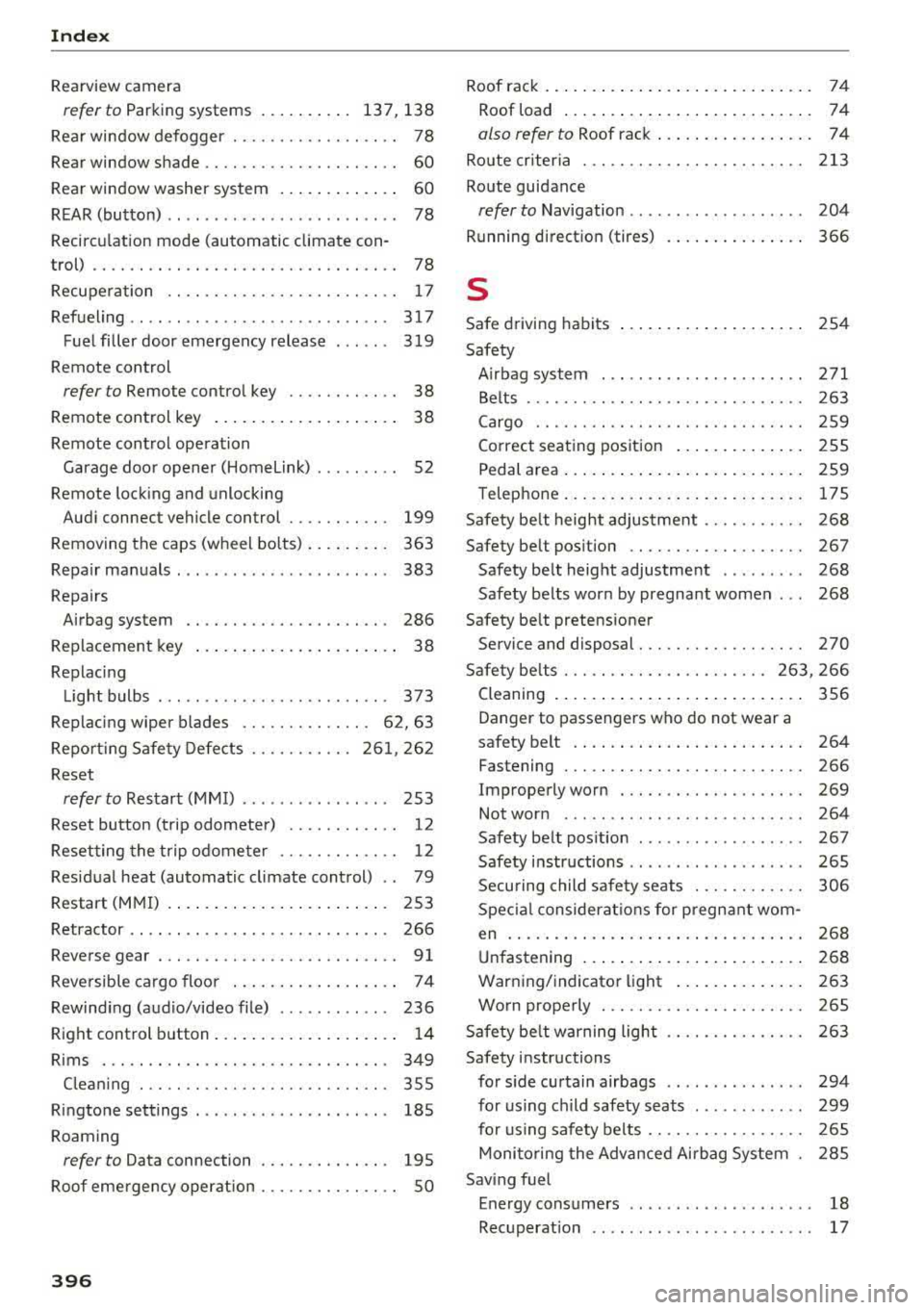
Index
Rearview camera
re fer to Parking systems . . . . . . . . . . 137, 138
Rear window defogger . . . . . . . . . . . . . . . . . . 78
Rear window sh ade . . . . . . . . . . . . . . . . . . . . .
60
Rear window washer system . . . . . . . . . . . . . 60
REAR (button) . . . . . . . . . . . . . . . . . . . . . . . . . 78
Recircu lation mode (automatic climate con-
t rol) . . . . . . . . . . . . . . . . . . . . . . . . . . . . . . . . . 78
Recuperation . . . . . . . . . . . . . . . . . . . . . . . . . 17
Refueling ....... ........... ........ .. 317
Fuel filler door emergency release 319
Remote control
refer to Remote control key . . . . . . . . . . . . 38
Remote control key . . . . . . . . . . . . . . . . . . . . 38
Remote control operation Garage door opener (Homelink) . . . . . . . . . 52
Remote locking and unlocking
Audi connec t vehicle control . . . . . . . . . . . 199
Removing the caps (wheel bolts) . . . . . . . . . 363
Repair manuals . . . . . . . . . . . . . . . . . . . . . . . 383
Repairs Airbag system . . . . . . . . . . . . . . . . . . . . . . 286
Replacement key . . . . . . . . . . . . . . . . . . . . . . 38
Replacing Light bulbs . . . . . . . . . . . . . . . . . . . . . . . . . 373
Replacing wiper b lades . . . . . . . . . . . . . . 62, 63
Reporting Safety Defects . . . . . . . . . . . 261, 262
Reset
refer to Restart (MMI) . . . . . . . . . . . . . . . . 253
Reset button (trip odometer) . . . . . . . . . . . . 12
Resetting the trip odometer . . . . . . . . . . . . . 12
Residual heat (automatic climate control) . . 79
Resta rt (MMI) . . . . . . . . . . . . . . . . . . . . . . . . 253
Retractor . . . . . . . . . . . . . . . . . . . . . . . . . . . . 266
Reverse gea r . . . . . . . . . . . . . . . . . . . . . . . . . . 91
Reversible cargo floor . . . . . . . . . . . . . . . . . . 7 4
Rewinding (audio/video file) . . . . . . . . . . . . 236
Right control button . . . . . . . . . . . . . . . . . . . . 14
Rims ..... .. .. .... ... ... ..... .. .. .. . 349
Clean ing . . . . . . . . . . . . . . . . . . . . . . . . . . . 355
Ringtone settings . . . . . . . . . . . . . . . . . . . . . 1 85
Roaming
refer to Data connection . . . . . . . . . . . . . . 1 95
Roof emergency operation . . . . . . . . . . . . . . . 50
396
Roof rack . . . . . . . . . . . . . . . . . . . . . . . . . . . . . 7 4
Roof load . . . . . . . . . . . . . . . . . . . . . . . . . . .
7 4
also ref er to Roof rack . . . . . . . . . . . . . . . . . 7 4
Route criteria . . . . . . . . . . . . . . . . . . . . . . . . 213
Route guidan ce
refer to Navigation . . . . . . . . . . . . . . . . . . . 204
Running direc tion (tires)
s
Safe driving habits
Safety 366
254
Airbag system . . . . . . . . . . . . . . . . . . . . . . 271
Belts . . . . . . . . . . . . . . . . . . . . . . . . . . . . . . 263
Cargo . . . . . . . . . . . . . . . . . . . . . . . . . . . . . 259
Correct seating position . . . . . . . . . . . . . . 255
P edal area . . . . . . . . . . . . . . . . . . . . . . . . . . 259
T ele phone. . . . . . . . . . . . . . . . . . . . . . . . . . 175
Safety belt height adjustment . . . . . . . . . . . 268
Safety belt position . . . . . . . . . . . . . . . . . . . 267
Safety belt height adjustment . . . . . . . . . 268
Safety belts worn by pregnant women . . . 268
Safety belt pretensioner Serv ice and d isposal. . . . . . . . . . . . . . . . . . 270
Safety be lts . . . . . . . . . . . . . . . . . . . . . . 263, 266
Cleaning . . . . . . . . . . . . . . . . . . . . . . . . . . . 356
Danger to passengers who do not w ear a
saf ety b elt . . . . . . . . . . . . . . . . . . . . . . . . . 264
Fas tening . . . . . . . . . . . . . . . . . . . . . . . . . . 266
Improperly worn . . . . . . . . . . . . . . . . . . . . 269
Not worn . . . . . . . . . . . . . . . . . . . . . . . . . . 264
Safety belt position . . . . . . . . . . . . . . . . . . 267
Safety instructions . . . . . . . . . . . . . . . . . . . 265
Securing child safety seats . . . . . . . . . . . .
306
Special considerat ions for pregnant wom -
en .......... ..... .. ............... 268
Unfastening . . . . . . . . . . . . . . . . . . . . . . . . 268
Warning/indicator light . . . . . . . . . . . . . . 263
Worn p roperly . . . . . . . . . . . . . . . . . . . . . . 265
Safety belt warning light . . . . . . . . . . . . . . . 263
Safety instructions for side curtain airbags . . . . . . . . . . . . . . . 294
for using child safety seats . . . . . . . . . . . . 299
for using safety belts . . . . . . . . . . . . . . . . . 265
Monitoring the Advanced Airbag System 285
Saving fuel Energy consumers . . . . . . . . . . . . . . . . . . . . 18
Recuperation . . . . . . . . . . . . . . . . . . . . . . . . 17