navigation AUDI A4 2021 Owner´s Manual
[x] Cancel search | Manufacturer: AUDI, Model Year: 2021, Model line: A4, Model: AUDI A4 2021Pages: 304, PDF Size: 107.89 MB
Page 193 of 304
8W1012721BC
Navigation
OTN eee late celeurl ela)
Applies to: vehicles with navigation system and online traffic
information
The MMI can receive real-time online traffic infor-
mation about congestion, accidents, road con-
struction, and other incidents.
Requirement: the MMI must be connected to the
Internet > page 173, Audi connect. Traffic infor-
mation must be switched on in the MMI
>page 191.
Traffic information will be displayed on the
standard map > page 185, fig. 142.
Online traffic information is also displayed on the
standard map > page 188.
G) Tips
— Having the online traffic information func-
tion switched on provides the most accurate
reports of traffic situations and traffic fore-
casting. Your vehicle transmits and process-
es its anonymous, encrypted position infor-
mation at regular intervals to the traffic da-
ta provider. You can switch off data transfer
at any time > page 278.
— The online traffic information network is
not available in all countries, and the cover-
age is not nationwide.
Settings
Applies to: vehicles with navigation system
You can adjust the navigation system settings in
the instrument cluster and in the MMI display
separately. The settings depend on the country
and vehicle equipment.
Accessing settings
> Applies to: MMI: Select on the home screen:
NAVIGATION > ©}.
Accessing settings using the multifunction
steering wheel
> Applies to: multifunction steering wheel: Select
in the instrument cluster: Navigation tab >
button.
Please note that a setting applied to the multi-
function steering wheel is only valid for the in-
strument cluster map.
Map settings
Satellite map: see > page 188.
Traffic: you can display current traffic informa-
tion on the map.
— Free flowing traffic
— Traffic obstructions
— Traffic incidents
Map colors
— Automatic: the map display adapts to the light-
ing conditions (for example, by changing from
day to night when driving through a tunnel).
— Day or Night
Map orientation
— 2D heading-up map/2D north-up map: the
current vehicle position is displayed. The map is
oriented in the direction of travel or to the
north.
— 3D heading-up map: the current vehicle posi-
tion is shown on a three-dimensional map and
is aligned to the direction of travel.
— Overview: the entire route from the vehicle po-
sition to the destination or the next stopover is
displayed on the map. The map is oriented to
the north.
Automatic zoom
— On: the map scale is adapted automatically de-
pending on the type of road being traveled (ex-
pressway, highway, other roads) so that you al-
ways have an optimal overview of the road
ahead. When route guidance is active, the scale
is adjusted automatically for a better detailed
view when there are upcoming maneuvers.
— Intersection: when route guidance is active, the
scale is adjusted automatically for a better de-
tailed view when there are upcoming maneu-
vers.
— Off
MMI map contents/Map content: you can switch
the display of additional information (such as
POIs) on the map in the center display on or off. >
191
Page 194 of 304
Navigation
Voice guidance
Voice guidance: you can adjust the navigation
prompts. With the Traffic setting, the MMI will
only give prompts if there are traffic incidents on
your route.
Voice guidance during phone call
Entertainment fader during navigation: the au-
dio playback volume is temporarily lowered when
navigation prompts are active.
Route criteria
You can adjust which route criteria should be al-
lowed or avoided for the route calculation.
HOV/carpool lanes
Highways
Toll roads
Ferries
Route information
When this function is switched on and route
guidance is active, route information
=> page 185, fig. 142 is displayed. The next ma-
neuver will be displayed at the bottom. POIs and
traffic information will also be displayed. Press
route information to display a preview of the next
maneuver on the map. You can switch the follow-
ing information on or off in route information.
— Points of interest along the route
— Traffic incidents
Presentation mode
In presentation mode, the system simulates driv-
ing on the display along the planned route with-
out the vehicle actually moving. You can use
Specify starting point when you would like to
calculate a route starting from a location other
than the current vehicle position, for example.
Simulating route guidance: start route guidance
and press presentation mode.
@ Tips
You can change the volume of navigation an-
nouncements while one is playing > page 29.
192
Page 199 of 304

8W1012721BC
Radio
Opening radio text
> Applies to: MMI: Select on the home screen:
RADIO > select a frequency band (such as FM)
> select a station > More > Radio text.
Depending on vehicle equipment, the following
functions
may be available:
Displaying previous radio text entries
> Swipe downward with one finger. The last radio
text entries are displayed if they are available.
Scrolling through radio text entries
> Swipe upward or downward with one finger.
Showing Radio Text Plus information
If a radio text entry is displayed with a color, a
phone number or a navigation destination for the
station is available as radio text plus information.
You have the following options:
Selecting the destination
> Select: a navigation destination marked in col-
or > Set as destination.
Call
> Select: d phone number marked in color > Call.
@ Tips
A call to a phone number stored in the radio
text will start immediately.
Online radio
General information
Applies to: vehicles with Audi connect Infotainment and on-
line radio
You can listen to various radio stations or pod-
casts on the Internet using online radio.
Requirement: the MMI must be connected to the
Internet. A data plan must be available
=> page 177.
Accessing online radio through the MMI
> Applies to: MMI: Select on the home screen:
RADIO > Source > Online.
The following functions are available:
Previous selection
The station/podcast list for the last station or
podcast that was playing will be displayed.
Top stations
The favorite online radio stations are displayed.
Filter list
> Select: 2 > (a category) > a station/podcast.
The following categories are available:
— Countries
— Genres
— Languages
— Editor's picks
— Themes
— Nearby
@) Note
Read the information about Audi connect, and
be sure to note the connectivity costs section
=@ in General information on page 173.
@) Tips
— Depending on the Internet connection and
network traffic, the connection may be lost
when online radio is playing.
— Online radio reception may not be possible
if Internet service is throttled.
— Online media usage depends on the service
availability of the third party provider.
—The range and screen display of online me-
dia services from third party providers in the
vehicle can vary.
— Please note that it may not be possible to
play some online radio stations in certain
countries.
— Audi only provides access to online radio
and does not assume any responsibility for
the content of these services.
197
Page 212 of 304
Audi smartphone interface
Audi smartphone
interface
Setup
Applies to: vehicles with Audi smartphone interface
You can connect your smartphone to the MMI
with a cable or wirelessly* using the Audi smart-
phone interface. Certain content on your smart-
phone is adapted in the MMI while driving and
can be operated through the MMI.
Requirement: the vehicle must be stationary and
the ignition must be switched on. iPhone genera-
tion 5 or higher with Lightning connector and iOS
7.1.2 operating system or higher, or smartphone
with Android Auto app and Android 5.0 Lollipop
operating system or higher.
> Applies to: MMI: Select on the home screen:
SETTINGS > Connected devices > Audi smart-
phone interface > New connection.
> Connect your smartphone to the Audi music in-
terface > page 202 using a USB adapter
=> page 202, fig. 150, or
> To connect your iPhone wireless*, switch on the
Bluetooth function and Wi-Fi on your iPhone.
Open the Apple CarPlay settings in your iPhone.
In the MMI, press on your iPhone in the list of
displayed devices.
> To update the list, press O.
> Follow the system instructions.
> Pay attention to any additional system prompts
on your smartphone, if applicable.
> Applies to: MMI: If you declined use of Apple
CarPlay or Android Auto the first time you con-
nected your smartphone, then select on the
home screen: SETTINGS > Connected devices >
Audi smartphone interface > a smartphone.
> Follow the system instructions.
Z\ WARNING
Driving requires your complete and undivided
attention. As the driver, you have complete re-
sponsibility for safety in traffic. Never operate
mobile devices while driving, because this in-
creases the risk of an accident.
210
@) Note
Read the information about Audi connect, and
be sure to note the connectivity costs section
=> page 173.
@) Tips
— The functions that can be used depend on
the following factors, among others:
— The brand of your smartphone
— The version of the operating system in
your smartphone
— The software version of the app used
— The USB adapter cable and correct connec-
tion
— Your cell phone service provider
— The customized settings on your smart-
phone
— One of the factors above or a combination
of any of them could cause your smart-
phone to be incompatible with the Audi
smartphone interface. Compatibility cannot
be guaranteed for all types of smartphones.
For more information and assistance, refer
to the user guide and the manufacturer of
your smartphone.
— Please note that you can only connect your
smartphone via the front Audi music inter-
face in order to use the Audi smartphone in-
terface.
— Wireless Apple CarPlay* is not available in
all countries.
— Wireless Apple CarPlay* was a planned func-
tion at the time this manual was printed.
Wireless Apple CarPlay* is not available in
your vehicle.
— Wireless Apple CarPlay* is only possible in
vehicles without a navigation system or
without a detected vehicle position (GPS da-
ta) if the following requirement is met: the
embedded SIM card for the vehicle must be
logged into the mobile phone network
=> page 173.
— If the connected smartphone has voice con-
trol, you can operate your smartphone using
the external voice recognition system
=> page 27.
Page 214 of 304
Additional settings
Additional settings
System settings
Introduction
General settings are described in this chapter.
You can find specific settings in the chapters
about those settings. The available settings de-
pend on the vehicle equipment.
Date and time
» Applies to: MMI: Select on the home screen:
SETTINGS > General > Date & time.
Possible settings:
— Automatically set date and time
— Date format
— Time format
— Automatic time zone
— Time zone
Cental ah ey
» Applies to: MMI: Select on the home screen:
SETTINGS > General > Measurement units.
Possible settings:
— Speed
— Distance
— Temperature
— Volume
— Pressure
— Consumption (engine)
Language and keyboard
» Applies to MMI: Select on the home screen:
SETTINGS > Language & keyboard.
Language
You can change the languages for the display,
navigation announcements, and the voice recog-
nition system.
212
Keyboard
See > page 23.
Requirement: an audio source must be active.
» Applies to MMI: Select on the home screen:
SETTINGS > Sound.
Possible settings:
— Treble
— Bass
— Balance/fader
— Speed dependent volume control
— Subwoofer
— Surround level
Focus
You can optimize the sound distribution for vari-
ous locations in the vehicle.
3D effect
You can adjust the intensity of the 3D effect.
With the Medium setting, you will hear an opti-
mal 3D effect for all sources.
Plea ee ely
> Applies to: MMI: Select on the home screen:
SETTINGS > Announcements & tone.
Possible settings:
— Announcement volume
— Welcome sound
ZA WARNING
Adjust the volume of the audio system so that
signals from outside the vehicle, such as po-
lice and fire sirens, can be heard easily at all
times.
Gi) Tips
The volume is automatically adjusted to a pre-
set level when the MMI is switched on.
Page 215 of 304
8W1012721BC
Additional settings
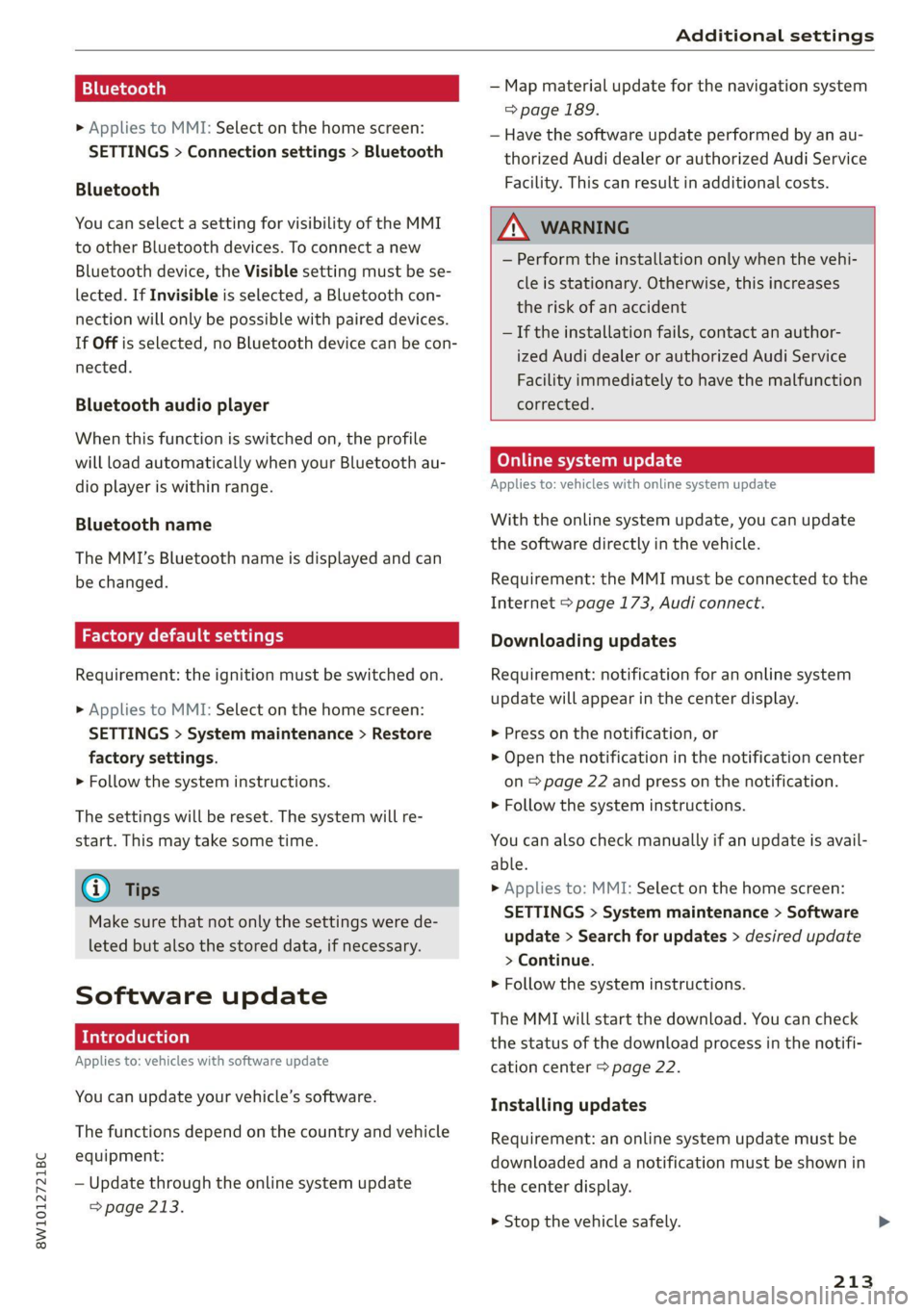
Bluetooth
> Applies to MMI: Select on the home screen:
SETTINGS > Connection settings > Bluetooth
Bluetooth
You can select a setting for visibility of the MMI
to other Bluetooth devices. To connect a new
Bluetooth device, the Visible setting must be se-
lected. If Invisible is selected, a Bluetooth con-
nection will only be possible with paired devices.
If Off is selected, no Bluetooth device can be con-
nected.
Bluetooth audio player
When this function is switched on, the profile
will load automatically when your Bluetooth au-
dio player is within range.
Bluetooth name
The MMI’s Bluetooth name is displayed and can
be changed.
Factory default settings
Requirement: the ignition must be switched on.
> Applies to MMI: Select on the home screen:
SETTINGS > System maintenance > Restore
factory settings.
> Follow the system instructions.
The settings will be reset. The system will re-
start. This may take some time.
@ Tips
Make sure that not only the settings were de-
leted but also the stored data, if necessary.
Software update
Introduction
Applies to: vehicles with software update
You can update your vehicle’s software.
The functions depend on the country and vehicle
equipment:
— Update through the online system update
=> page 213.
— Map material update for the navigation system
=> page 189.
— Have the software update performed by an au-
thorized Audi dealer or authorized Audi Service
Facility. This can result in additional costs.
ZA\ WARNING
— Perform the installation only when the vehi-
cle is stationary. Otherwise, this increases
the risk of an accident
— If the installation fails, contact an author-
ized Audi dealer or authorized Audi Service
Facility immediately to have the malfunction
corrected.
Online system update
Applies to: vehicles with online system update
With the online system update, you can update
the software directly in the vehicle.
Requirement: the MMI must be connected to the
Internet > page 173, Audi connect.
Downloading updates
Requirement: notification for an online system
update will appear in the center display.
> Press on the notification, or
> Open the notification in the notification center
on page 22 and press on the notification.
> Follow the system instructions.
You can also check manually if an update is avail-
able.
> Applies to: MMI: Select on the home screen:
SETTINGS > System maintenance > Software
update > Search for updates > desired update
> Continue.
> Follow the system instructions.
The
MMI will start the download. You can check
the status of the download process in the notifi-
cation center > page 22.
Installing updates
Requirement: an online system update must be
downloaded and a notification must be shown in
the center display.
> Stop the vehicle safely.
213
Page 283 of 304
8W1012721BC
Accessories and technical changes
Accessories and
technical changes
Warranty
Your vehicle is covered by various warranties:
— New Vehicle Limited Warranty
— Limited Warranty Against Corrosion Perforation
— Emissions Control System Warranties: Federal
Emissions Control System Defect Warranty,
Federal Emissions Performance Warranty
— Applies to: USA models: Kansas Safety Belt
Limited Warranty
— Applies to: USA models: California Emissions
Control Warranties: Short-term Emissions De-
fects Warranty, Long-term Emissions Defects
Warranty, TZEV models Emissions Defects
Warranty, California Emissions Performance
Warranty
You can find detailed information in your Warran-
ty & Maintenance Booklet and in the California
Emissions Booklet*.
Audi Literature Shop
Service information is made available as soon as
possible after a model is introduced and can be
ordered in the Audi Literature Shop: http://
literature.audiusa.com
Driving in other
countries
Government regulations in the United States and
Canada require motor vehicles to comply with
emissions regulations and safety standards.
Therefore, vehicles that were produced for the
U.S. and Canadian markets are different from
vehicles produced for other countries.
If you plan to use your vehicle outside of the
United States or Canada, it is possible that:
— Fuel may have a significantly lower octane rat-
ing. Unsuitable fuels can cause engine damage.
— Proper maintenance and repair work may not
be possible because special service equipment,
tools, or measuring devices needed for your ve-
hicle may not be available.
— Replacement parts may not always be availa-
ble.
— Navigation systems for vehicles built for the
U.S.A. and Canada will not necessarily work in
Europe, and may not work in other countries.
() Note
Audi is not liable for damage to the vehicle re-
sulting from these country-specific differen-
ces.
Maintenance, repairs,
and technical modifi-
cations
Observe the safety precautions > page 221, Gen-
eral information and > page 264, Raising the ve-
hicle.
General information
Due to the increasing complexity of technology in
these vehicles, as well as the safety and environ-
mental standards that apply, you can only per-
form a very limited amount of repairs and modifi-
cations to the vehicle yourself.
Proof of maintenance work may be required to
submit a claim within the warranty period.
We recommend that you have your vehicle serv-
iced by an authorized Audi dealer or authorized
Audi Service Facility and that Audi Genuine Parts
and Audi Genuine Accessories are used. This
helps to ensure that your vehicle's functionality,
performance, and safety are not impaired.
Maintenance and repairs
Your vehicle was designed to help keep mainte-
nance requirements to a minimum. Some regular
maintenance is required to help ensure that your
vehicle runs in a safe, economical, and reliable
manner. Please refer to your Warranty & Mainte-
nance Booklet for more detailed information
about vehicle maintenance.
When operating the vehicle under more extreme
operating conditions, for example when outside
temperatures are very low or in very dusty envi-
ronments, certain maintenance should be per-
formed between the specified intervals.
281
Page 294 of 304
Index
ExteriOmmirrorssecs os asco w 6 aeons vo ween 9 we 55
Folding settings............. eee eee eee 34
External voice operation................. 27
F
Factory default settings
Multi Media Interface................. 213
Fast route............ 0.0.0.0. . cee eee 182
Favorites... 0.2.0.0... cee eee eee eee 21
BIW@tOOth): < seca ss ceca s i yews se ees 2s 215
NaViGatiOnices ss sescsus so aves + ware eo nena 183
Telephone ..........0 00 cece eee eee 167
Federal Communications Commission (FCC) . 284
File formats (media drives).............. 207
Filling
Tank capacities.......... eee eee eee 287
For the sake of the environment
Disposing of engine oil................ 226
FOGUING's « « supe ¢ ¢ cause 5s same 7 2 eee a eae 218
LOAKS ice ie x erences = 6 caenene a 6 aueuioe we axons 6 eae 222
Forward gear
refer to Gears... . eee eee eee 97
Free text search
Media... .... eee ee eee eee 206
RadiO sys = ¢ seove + © sees ¢ crews ge pew Es 195
also refer to Intelligent search.......... 182
Freeze protection
Coolant... ... 2... eee eee eee 227
Windshield washer system............. 233
Frequency band..........-....--.000-5 193
also refer to Frequency band........... 193
Front center armrest..............02 0005 66
Front passenger’s seat adjustment
REAR « ieiam co nasi 3 onan + wR Ts HeEEE Be RO 65
Front wiper blades
Changing.......... 00. c eee ee eee eee 59
Cleaning... .. cece eee 59
Fuel... 2. eee eee eee 217
AGGItIVES: = ess = ven e = sees os owen ee xe 218
CUFrFeENE CONSUMPTION ¢ & sesso 6 3 ese ao eee 16
Fueldisplay....... 2... cece eee eee eee 12
GaSOliNGs « sees ss ween oe eee ce een es es 217
Reducing fuel consumption............ 102
Tank capacity...........0 ee eee eee eee 287
292
Fueling
Fuel filler door. ....... 0... cece eee eee 218
Fuel filler door emergency release....... 220
Functions on demand...............4.. 175
Functions that require a license.......... 75S
also refer to Functions on demand....... 175
Fuses
ASSIQNMENKS « & senses o 8 mnmors & & mamens @ & inerer 273
Replacing......... 0. cece eee eee eee 272
G
Garage door opener...........0..000 eee 48
Garment hooks ...... 2... 0c e eee eee eee 83
GaSOUME sscwee a 2 evarnes a a omawwes vx amos ow vase 2 217
Additives... 0.0.0... eee e cece eee eee 218
GasOliNe MIXtURE cnn « : seam ct same & 2 Hew 217
GAWR
refer to Gross Axle Weight Rating (GAWR) . 287
GOSTSics + nayss = = pees = yeu se eeUR GE ROUSE 97
Glossary of tire and loading terminology... 238
Glove compartment.............--000-05 83
Valet parking: « < ews + ¢ sees se news oe ees 48
Gross Axle Weight Rating (GAWR)........ 287
Gross Vehicle Weight Rating (GVWR)...... 287
GVWR
refer to Gross Vehicle Weight
Rating (GVWR) .............0000.0005 287
H
Handstreess «sss x i souness 6 0 annwine «a auaware x 163
Hands Free: Profiles «3 inisa ao inesow a vow & 163
Head-up display
Adjusting. ........... 0c cee eee eee eee 25
Adjusting the brightness................ 55
Operatings « : vem « x ewe 5 ¢ eee g 7 eee oe 25
Headlight range control................0. §1
H@AdLIQtS: ¢ = xcs ¢ < eees x = Resa cB eS ea 51
Gleanings « 2 svc so wes 2 wea ee res ees 256
Headlight range control................ 51
Washer system.........--00 eee eee eee 58
Washer system (filling washer fluid) .... . 233
Head restraints < seus « s ems s + sates =v egops se 67
Heated rear window...........0 eee eee 93
Heated steering wheel..............000.. 93
Heating...........0.. 00.0. cee 90
Page 295 of 304
8W1012721BC
HFP
refer to Hands Free Profile............. 162
High beams
High beam assistant.................4. 52
Highway lights ....... 0... cece eee eee ee ee 51
Hill descent assist..............02-000. 108
Hill descent control............0 eee eee 107
Hill hold assist... 0.0.2... ee ee eee eee 97
Home
refer to Home address...........-000% 187
Home address ....... 0.00.0. c eee eee ee 187
HomeLink
refer to Garage door opener............. 48
Home screen... ... 2. eee e eee eee eee eee 18
HOM... eee eee 6
Hotspot
refer to Wi-Fi...........0. 2.0 e eee eee 176
I
Idle
fefer to Gears ewes ¢ s ewes ce seen cs wees 8: 97
Ignition
Switching onvand Off". wes x y says « ¢ caver « 9 95
Imbalance (wheels) ............000000 0s 244
Immobilizer
refer to Electronic immobilizer........... 37
Indicatorlights » neow ¢ a wes ¢ ewer ws wares ao ee 7
INSpPectionintetWals ¢ ssw < gapen g x paves se ne 233
INStroMment ClUStErs = wasn s x wom » x eowe sy ew 12
Adjusting the layout................00. 13:
Cleaning........ 0... eee eee eee eee 258
ENGin@: code: « = sas ¢ seas ¢ eee ae Heese 215
Failures: «osc 2s mene oe pews se ee ¥ ee 12
On-board computer............00200 eee 16
Operating...............2.. 0.02.0 000 13
Service interval display................ 233
Software information................. 215
Switching tabs..................200005 13
Switching the view............ 00ers 13
Vehicle functions................00000- 16
Version information...............0-5 215
Instruments
Adjusting illumination.................. 55
Integrated Toll Module................. 125
Intelligent search
Navigation’: « s sxe 5 ¢ caw + + seein s o tees = 182
Interior lighting « . esccms ve ewe ve mes vw 54,55
Interior MONitOriNg’s + 2 wesw ce wows s ween a ae 36
Intermittent mode (windshield wipers) ..... 58
International’ travel... seessieivaseveuea Li?
Internet
veferto:connects =» ssw ss wees eo wes 2 oe 173
Internet radio
refer to Online radio.............. 197,198
iPhone
refer to Audi music interface........... 202
J
Jump starting......................00. 268
K
ROY". ccanees i a: sonra i ot samme +o anames o 9 ames @ 33,37
Convenience opening and closing......... 46
Key replacement.........c:eecceeeeees 37
Mechanical key...........0...000 02000 37
PANIC button ....... 2.20... 00 cece eee eee 38
Replacing the battery.................. 39
Unlocking and locking.............e eee 38
Vehicle code... 6.2.2... eee eee eee eee 37
Key user... 2... ee eee ee eee 31
RICK EOWING. « ccenerts «a: eames 0 a ayngen eo acne 9 me 99
L
Lane assist
refer to Audi active lane assist.......... 141
Lane departure warning
refer to Audi active lane assist.......... 141
Laptimer........... 0.000000. 0.0 2000. 124
Evaluating s « saws « & cae & & eee so ees os 125
StANEIINGsis 6 & conse w o owen 7 cummins & 7 aE & > 124
LATCH (securing child safety seats)......... 78
Leather care and cleaning............... 258
Legal information
License subscriptions................. 215
Software information................. 215
Software licenseSicx « s wews ss wee s genes 215
Version information...............000- 21S
License plate: brackets + scies 6 seen 3 6 ser 283
Lifting points (vehicle jack).............. 264
293
Page 296 of 304
Index
Light/rain sensor
Automatic headlights...............00. 51
Intermittent mode (windshield wipers).... 58
CIGHEING': « = sex & = eees & 3 Raw & HeieE 2 F eee 51
EXteriOr’s + cess 2 vem av cen a 2 ee a 2 es 51
TCORIOR ccioe + 0 soniane » : semcace wo wsesure aw ececeat as 54
Listening to music
referto Media................-4- 201, 203
Load... . i.e eee ee 287
E@GAULUSERS ti « sietas oo exansie a « ainsi o x avesiee 8 8 30
Locking and unlocking
By remote control..............-.000-- 38
Using the lock cylinder................. 36
With the convenience key............... 38
Low beam headlights.................00. 51
LTE
refer to Exterior antenna.............. 165
Luggage compartment.................. 83
Cover (power)... ... ce eee eee eee eee 85
Increasing the size................. 85, 86
Passethroughiis « essen s sons a o cos @ sens 6 86
Power SOUrCES .... 1 ee eee eee eee 82
TIG-COWNS sss = ses & z gars se peen st wen ee 87
Valet parking’: « cca es weve ae seme se corre 48
also refer to Luggage compartment...... 83
Luggage compartment lid................ 44
Closing button... ..... 0. cee eee eee eee 4l
General information.................05 40
Mechanically unlocking..............45. 43
Opening and closing................... 41
Opening and closing with foot motion..... 42
Opening from the inside in an emergency... 44
Power opening and closing.............. 41
Luggage compartment net............... 87
Lumbar support...........2.-.000 eee eee 64
M
Maintenance’. » seica i sce ov aveasc vo acanans os 281
Maintenance intervals................-5 233:
Malfunction Indicator Lamp (MIL)........ 220
Manual SHIMING:: « « cows a « cows a x cow a 2 Hew 99
Map
Changing the scale........... 000. seen 184
Display.... 2.0... ee eee eee eee 186
Operating: « asx s x news ¢ o Rew 2 b eRe Fe 185
Setting the destination................ 184
294
MAP
refer to Message Access Profile......... 170
Map preview............0..0 0000000008 184
Map update................02..000 00 189
myAudi app... .. eee c cece eee ee eee 189
ONUNG:: s sexe + 2 wees 2 Ree es Sea Gof Here 189
USBiGONMECEION sxicase s % suncane « © sxenass « © sons 190
Massage function
Front... cece eee eee ees 65
Mechanical key........ 0.0.0 e eee eee eee 37
Media « sisi s ccinene vo anvensa we ot aweseni a aie 201, 203
Supported formats.................-- 207
Media
center.................00000 eee 204
Memory function. ......... 0.0 eee eee eee 71
Menu language
refer to Setting the language........... 212
Menu paths......... 0.0.0... eee eee eee ee 18
Message Access Profile................. 170
MesSagesins « « sows so cavewse 9 a exmnsue wv oss ¥ 6 170
Mitrorcompassy oe sic 3 2 miss oo mar 2 8 aw 61
Mirrors
Adjusting exterior mirrors............... 55
Dimming... 06... cee e eee eee eee 56
Vanity mitror's « wax » ¢ anes 2 y tows © s ewe 57
MMI Navigation plus
refer to Multi Media Interface........... 19
MMI radio
refer
to Multi Media Interface........... 19
MMI Radio plus
refer to Multi Media Interface........... 19
Mobile device
refer to Telephone.............00e000 162
Mobile device reminder signal............ 166
Mountain passes...................00. 107
Mountain roads................0000 eee 107
Multifunction steering wheel
Buttons... 0... 02... cee eee eee 13,29
Operating: « s ws « x eeu sy eee so ewe se 13
Programming buttons...............05- 29
Voice recognition system.............-. 26
Multi Media Interface................... 19
Menus and symbols...............--04- 20
Operating’: « owes 2 wae o 6 wore oo were 17,20
Switching on or off..............02.00. 19
MWC Gpceie 3 5 coveine 6 & cxemens «4 carves ww sagan © & ome 29
MYAUG Es. : aseuore & csesain o cauees oe wrens woo 30,174