brake AUDI A4 AVANT 2008 User Guide
[x] Cancel search | Manufacturer: AUDI, Model Year: 2008, Model line: A4 AVANT, Model: AUDI A4 AVANT 2008Pages: 368, PDF Size: 46.19 MB
Page 36 of 368
Driver inf ormation di spl ay
priority 2 malfunction is detected, al l symbols will appear one after
t he other for about two seconds. •
Applie s to ve hicles: with Ligh ting pac kage
Light/rain* sensor defective fif>
~o Aut om atic hea dlig ht s/a utom atic w ipers defe ct iv e
If the symbol il luminates, the light /rain sensor has failed. For safety
reasons the low beams a re turned on permanently with the switch
in
AUTO. H owever, you can continue to turn the lights on and off
using the light sw itch . In the case of a defect in the ra in se nsor, the
windshield wiper lever functions are still available. Have the
l ight/ra in sensor checked as soon as poss ible at a dealersh ip .•
Fuel supply too low flt)
When the .ffi symbol illuminates, th is means there is about 2 to 2 .5
gallons (8 to 10 l itres) of fue l left in the fue l tank. Time to refuel!
=> page 268 . •
Checking the engine oil level ~ ..
When the ~ symbol illum inates, check the engine o il leve l as soon
as
possib le => page 277. Top off the oil at your ear liest opportunity
=> page 278 . •
Engine oil sensor defective ~ ...
If the ~-symbo l il lum inates, contact your authorized Audi dea ler
and have the oil sensor inspected . Until you have this done, check
the oi l leve l each t ime you refuel just to be on t he safe side
=> page 277. •
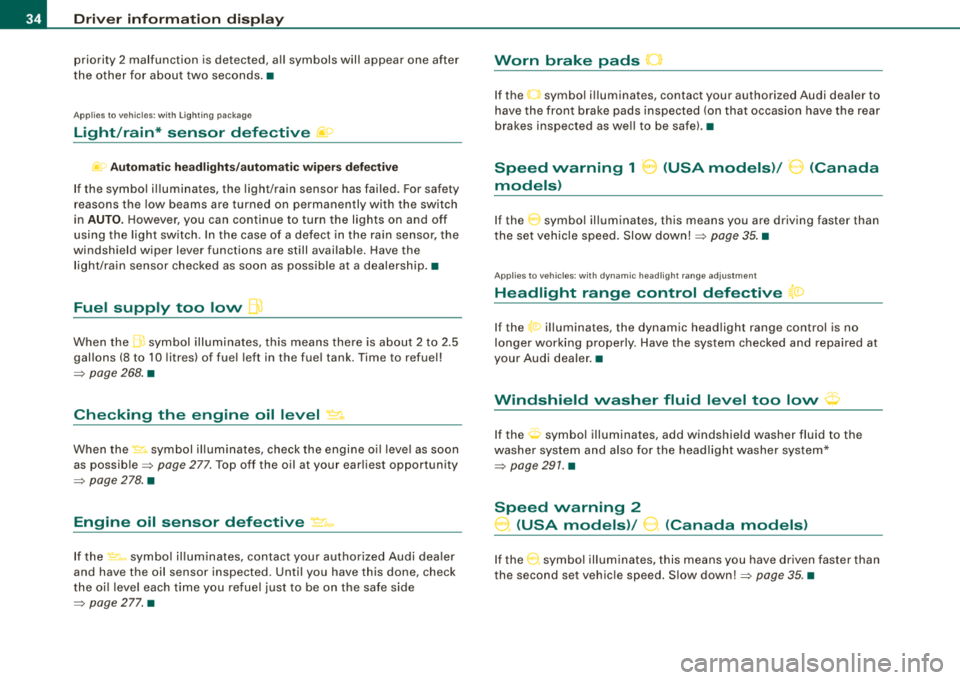
Worn brake pads 0
If the O symbo l illuminates, contact your authorized Audi dealer to
have the front brake pads inspected (on that occasion have the rear
brakes inspected as we ll to be safe) .•
Speed warning 1 8 (USA models)/ 0 (Canada
models)
I f the 0 symbo l il luminates, this means you are driving faster than
the set vehicle speed. Slow
down! => page 35. •
Applies to ve hicles : w ith d ynami c head light rang e adjus tment
Headlight range control defective {a:>
If the t0 illuminates, the dynamic head light range control is no
longer working properly. Have the system checked a nd repaired at
your Audi dealer .•
t·,···
Windshield washer fluid level too low <;p
If the O symbol illuminates, add windshield washer fluid to the
washer system and a lso fo r the headlight washer system*
=> page 291. •
Speed warning 2
0, (USA models)/ 9. (Canada models)
If the 0 symbol illum inates, this means you have driven faster than
the second set vehic le speed . S low
down!=> page 35 . •
Page 98 of 368
Seats and storage
-Position the head restraints according to the occupant's
height. For maximum protection, the upper edge of the
head restra ints should be at least at eye level, or higher
=:> page 105, fig. 106.
& WARNING
Never place any objects in the driver's footwell. An object could
get into the pedal area and interfere with pedal function . In case
of sudden braking or an accident, you would not be able to brake
or accelerate! •
Front passenger's seat
Always move the front passenger seat into the rearmost
position.
To avoid contact with the airbag while it is unfolding, do not
sit any closer to the instrument panel than necessary and
always properly wear the three point safety belt provided.
We recommend that you adjust the driver's seat in the
following manner:
-Adjust the front passenger seat into the rearmost posi
tion of the fore and aft adjustment range
=:> & in "W hy
is your seat adjustment so important?" on page
95.
-Adjust the backrest to the upright position . Do not
recline.
-Adjust the head restraint so the upper edge of the
restraint is level with the top of your head, but no lower
than eye
level =:> page 105, fig. 106.
-Place your feet on the floor in front of the passenger's
seat. •
Adjusting the front seats manually
Applies to veh icles: with manua l seat adjustment
Adjustment actions
Position, angle and shape of the manual seats can be
adjusted to provide safe and comfortable seating.
Fig . 96 Adjustment
controls: locations on
driver's seat
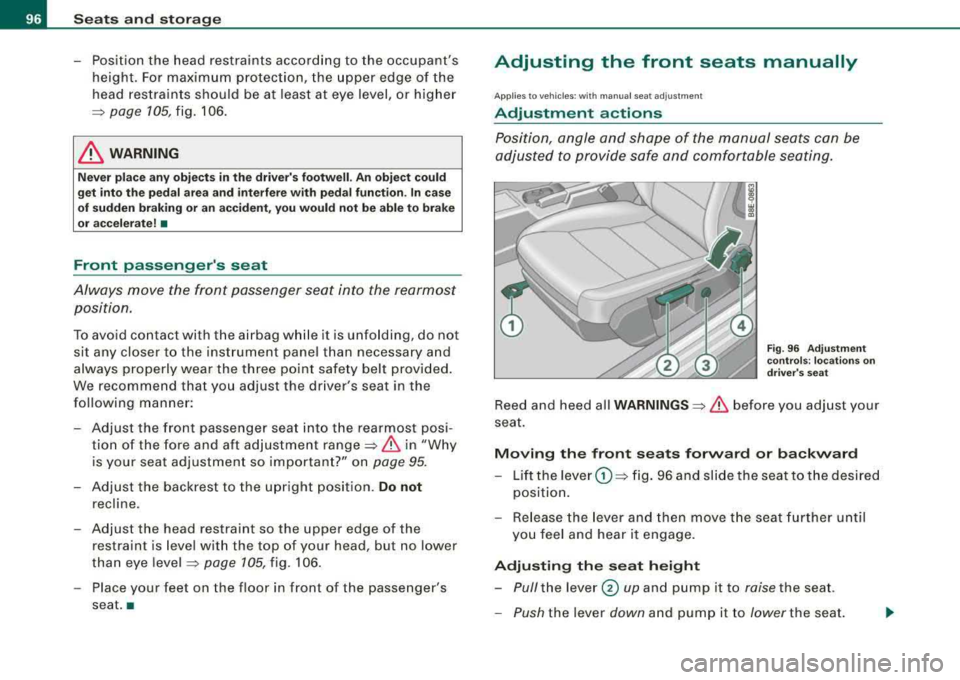
Reed and heed all WARNINGS =:> & before you adjust your
seat.
Moving the front seats forward or backward
-Lift the lever G) =:> fig. 96 and slide the seat to the desired
position.
-Release the lever and then move the seat further until
you feel and hear it engage.
Adjusting the seat height
-Pull the lever 0 up and pump it to raise the seat.
-Push the lever down and pump it to lower the seat.
Page 124 of 368
![AUDI A4 AVANT 2008 User Guide -
Seats and storage
----=---------------
0 Note
To avoid damaging the socket, only use plugs that fit properly.
[ i] Tips
When the engine is off and accessories are still plugg](/img/6/57552/w960_57552-123.png "AUDI A4 AVANT 2008 User Guide -
Seats and storage
----=---------------
0 Note
To avoid damaging the socket, only use plugs that fit properly.
[ i] Tips
When the engine is off and accessories are still plugg")
-
Seats and storage
----=---------------
0 Note
To avoid damaging the socket, only use plugs that fit properly.
[ i] Tips
When the engine is off and accessories are still plugged in and are
on , the vehicl e battery can still be drained .•
Storage
General overview
There are numerous places to store items in your vehicle.
Glove compartment
Center console
Owner's Literature
Compartments in the door trims
Coat hooks
Compartments in the door trims ::, page 122
=:> page 123
=:> page 123
------::, page 124
=:> page 124
=:> page 114
Some of the storage locations are only found on specific vehicle
models or are optional equipment.
& WARNING
• Always remove objects from the instrument panel. Any items
not put away could slide around inside the vehicle while driving or
when accelerating or when applying the brakes or when driving
around a corner.
• When you are driving make sure that anything you may have
placed in the center console or other storage locations cannot fall
& WARNING (continued)
out into the footwells. In case of sudden braking you would not be
able to brake, depress the clutch or accelerate.
• Any pieces of clothing that you have hung up must not interfere
with the driver's view. The coat hooks are designed only for light
weight clothing . Never hang any clothing with hard, pointed or
heavy objects in the pockets on the coat hooks. During sudden
braking or in an accident
-especially if the airbag is deployed -
these objects could injure any passengers inside the vehicle. •
Glove compartment
The glove compartment is illuminated and can be locked .
•
To open glove compartment
Fig. 132 Glove
compartment
- Pull the handle in the direction of the arrow ~ fig. 132
and swing the cover down to open.
_,,,
Page 138 of 368
___ o_ n_ t_h _e _ r_o _a_ d __________________________________________________ _
temporarily interrupted to conserve battery power. After the engine
has started, release the key and it will return to position
0-
Before the starter can be operated again the key must be turned
back to position
G) . The non-repeat lock prevents you from
damaging the starter when the engine is running.
_& WARNING
• Never remove the key from the ignition lock while the vehicle is
moving. The steering wheel will lock causing loss of control.
• If you have to leave your vehicle-even for just a minute- always
remove the ignition key and take it with you. This is especially
important if you are going to leave children behind in the vehicle.
The children could start the engine or use other vehicle controls.
Unsupervised use of vehicle controls (for example, power
windows) can cause serious personal injuries.
[ i] Tips
If the vehicle battery has been disconnected and then reconnected,
then you must leave the key in position
0 for about 5 seconds
before you can start the engine. •
Ignition key safety lock
The ignition key can only be removed when the selector
lever is in the
"P" (Park) position.
After switching off the ignition, the ignition key can only be
removed from the ignition lock when the selector lever is in the
"P"
(Park) position. After you have removed the key, the selector lever is
locked and cannot be moved. •
Starting and stopping the engine
Starting the engine
The engine can only be started with your original Audi
key.
-Set the parking brake.
-Move the selector lever to the neutral position (automatic
transmission: selector lever in P or N)
=> & .
-On vehicles with manual transmission, fully depress the
clutch pedal.
-Turn the ignition key to position 0 => page 135, fig. 143
- do not depress the gas pedal when starting the engine!
-Let go of the key as soon as the engine starts.
A cold engine may at first be loud after it has been started. This is
due to the hydraulic valves building up the oil pressure . This is
normal and no need for concern.
If the engine does not start immediately, stop trying after 10
seconds and then try to restart the engine about 30 seconds later.
What to do if the engine does not start
• ~ page 330
• ~ page 332, "Emergency towing with commercial tow truck"
_& WARNING
Never start or let the engine run in a confined or enclosed area.
Exhaust fumes from the engine contain carbon monoxide, a color
less and odorless gas. Carbon monoxide can be fatal if inhaled.
• Never leave the engine idling unattended. An unattended
vehicle with a running engine poses a danger of personal injury or
theft.
~
Page 139 of 368
_________________________________________________ O_ n_ t_h _e _ ro_ a_d _ __._
0 Note
• Avo id high eng ine speeds, fast acceleration or heavy e ngine
loads while the engine is still cold . This could damage the engine!
• The engine cannot be started by pushing or towing the vehic le.
ffi For the sake of the environment
To avoid unnecessary e ngine wear and to reduce exhaust emis
sions, do not let your vehic le stand and warm up. Be ready to drive
o ff immediate ly aft er starting your vehicle. Mai ntain mode rate
speed until the engine is completely warm. R emember, the engine
per forms bes t at opera ting temperature .•
Stopping the engine
- Tur n t he ignitio n ke y t o posit io n G) => page 135 , fig. 14 3.
& WARNING
• Nev er turn off the engine until the vehicle has come to a
complete stop.
• The brake boo ster and servotronic only work when the engine
is running . With the ignition turned off , you have to app ly more
force when steering or braking . Since you cannot steer and stop
normally, th is can lead to accidents and seriou s injurie s.
• The radiator fan can continue to run for up to 10 minutes even
afte r you have turned off the engine and removed the ignition key .
The radiator fan can also turn on again if the engine coolant heats
up because of intense sunlight or heat build-up in the engine
c ompartment.
Controls and equip
ment
0 Note
Do not stop the e ng ine immed iately after hard or extended drivin g.
Keep the engine running for appro ximate ly two minutes to prevent
e xcessive heat build -up. •
Parking brake
Parking brake
When the parkin g brake is set , it prevents the vehicle from
rolling aw ay unin tentionally.
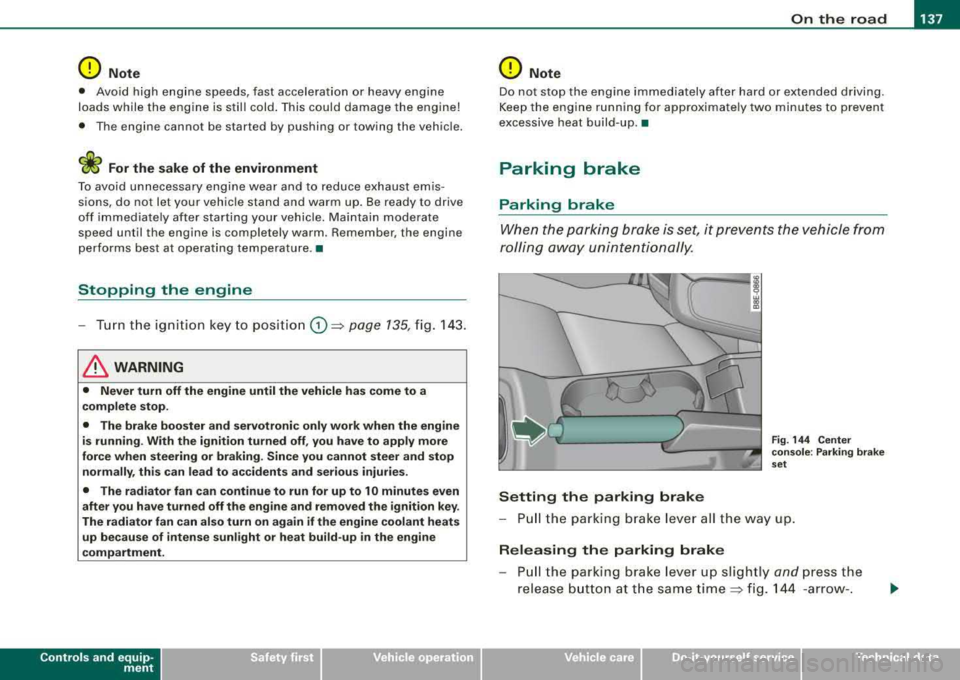
Setting the parking brake
Fig . 144 Cent er
co nso le : P ark ing bra ke
set
- Pull the p arking brak e lever all the way up.
Releasing the parking brake
Pull t he pa rkin g brake lever up sligh tly and press the
release butto n at th e s ame tim e::::> fig . 144 -ar row- .
irechnical data
Page 140 of 368
___ o_ n_ t_h _e _ r_o _a_ d __________________________________________________ _
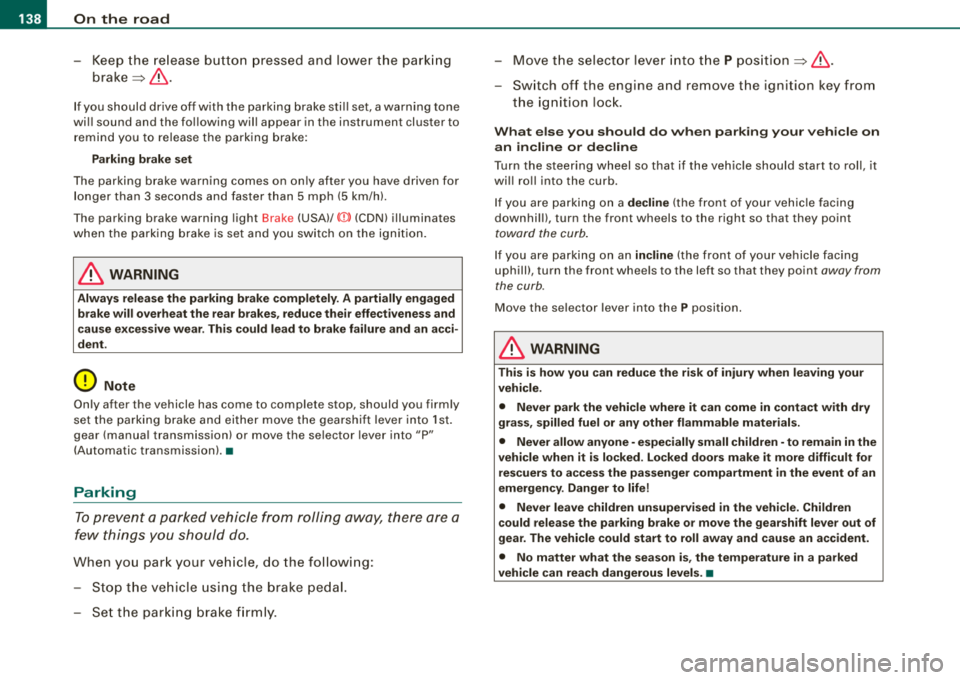
-Keep the release button pressed and lower the parking
brake~ &.
If you should drive off with the parking brake still set, a warning tone
will sound and the following will appear in the instrument cluster to
remind you to release the parking brake:
Parking brake set
The parking brake warning comes on only after you have driven for
longer than 3 seconds and faster than 5 mph (5 km/h).
The parking brake warning light Brake (USA)/
«Dl (CDN) illuminates
when the parking brake is set and you switch on the ignition.
& WARNING
Always release the parking brake completely. A partially engaged
brake will overheat the rear brakes, reduce their effectiveness and
cause excessive wear. This could lead to brake failure and an acci
dent.
0 Note
Only after the vehicle has come to complete stop, should you firmly
set the parking brake and either move the gearshift lever into 1st.
gear (manual transmission) or move the selector lever into
"P"
(Automatic transmission).•
Parking
To prevent a parked vehicle from rolling away, there are a
few things you should do.
When you park your vehicle, do the following:
-Stop the vehicle using the brake pedal.
-Set the parking brake firmly.
-Move the selector lever into the P position ~ &.
-Switch off the engine and remove the ignition key from
the ignition lock.
What else you should do when parking your vehicle on
an incline or decline
Turn the steering wheel so that if the vehicle should start to roll, it
will roll into the curb.
If you are parking on a
decline (the front of your vehicle facing
downhill), turn the front wheels to the right so that they point
toward the curb.
If you are parking on an incline (the front of your vehicle facing
uphill), turn the front wheels to the left so that they point
away from
the curb.
Move the selector lever into the P position.
& WARNING
This is how you can reduce the risk of injury when leaving your
vehicle.
• Never park the vehicle where it can come in contact with dry
grass, spilled fuel or any other flammable materials.
• Never allow anyone -especially small children -to remain in the
vehicle when it is locked. Locked doors make it more difficult for
rescuers to access the passenger compartment in the event of an
emergency. Danger to life!
• Never leave children unsupervised in the vehicle. Children
could release the parking brake or move the gearshift lever out of
gear. The vehicle could start to roll away and cause an accident.
• No matter what the season is, the temperature in a parked
vehicle can reach dangerous levels. •
Page 142 of 368
___ O_ n_ t_h _e_ r_o _ a_ d ____________________________________________________ _
Cruise control
General information
The cruise control system allows you to maintain a
constant speed.
The cruise control system allows you to maintain and constant
driving speed when driving faster than 18 mph (30 km/h) -to the
extent this is possible with the given engine power and braking
characteristics. This allow you to take your foot off the "gas" and
rest it, especially on long trips .
The indicator light CRUISE (USA)/
•l'l (CDNl in the instrument cluster
illuminates when the system is on .
& WARNING
• To help keep the vehicle under control, do not use the cruise
control system when driving on winding or slippery roads (as
caused by heavy rain or loose gravel on the road surface), or in
heavy or varying traffic.
• Only use the cruise control when traffic, road and weather
co nd itions allow you to drive at a steady speed.
[ i] Tips
The cruise control cannot maintain a constant speed when driving
downhill. The vehicle will accelerate under its own weight. Down
shift to a lower gear or use the brakes to slow down .•
Storing a speed
You must set and then store a vehicle speed using the
cruise control.
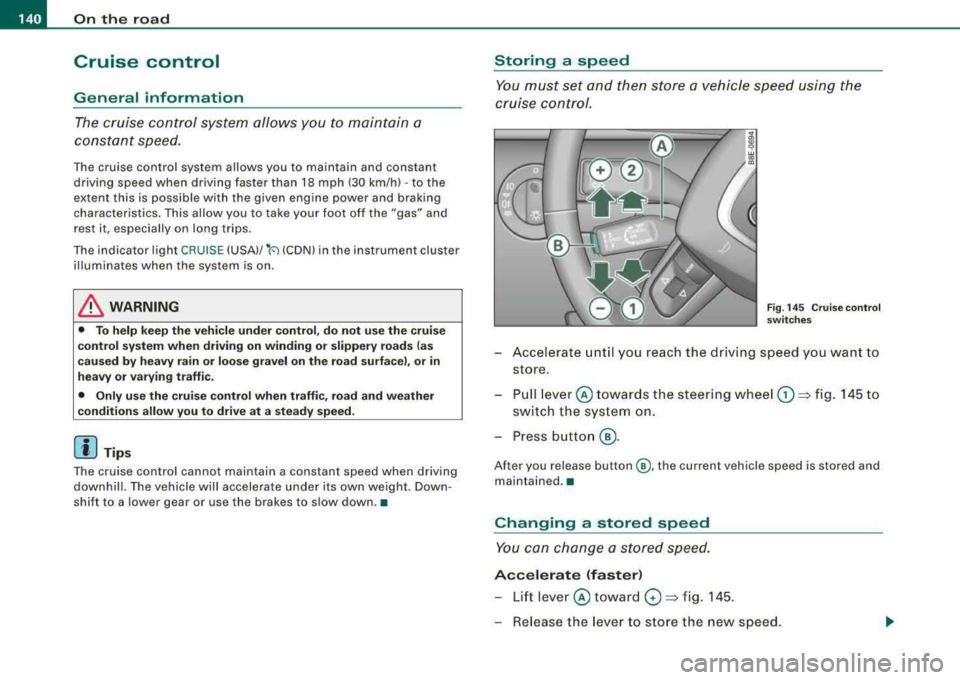
Fig. 145 Cruise control
switches
- Accelerate until you reach the driving speed you want to
store.
- Pull
lever © towards the steering wheel G) => fig. 145 to
switch the system on.
- Press button
@.
After you release button @, the current vehicle speed is stored and
maintained .•
Changing a stored speed
You can change a stored speed.
Accelerate (faster)
-Lift lever © toward 0 => fig. 145 .
- Release the lever to store the new speed.
Page 143 of 368
_________________________________________________ O
_ n_ t_h _e _ r_o _a _d __ ftllll
D ece le rat e (slow er)
- Lower lever @ toward Q => page 140, fig. 145.
- Release the lever to store the new speed.
You can a lso increase the vehic le speed by depressing the acce ler
ator pedal. The vehicle speed wil l increase as long as you keep the
accelerator pedal depressed . When you let up on the accelerator
pedal, t he veh icle speed w ill automatica lly return the to previously
stored vehicle speed in th e cruis e control.
I f the actua l veh icle speed exceeds the stored vehicle speed in the
cruise control for longer than five minutes and by more than 6 mph
(10 km/h), the c ruise control wil l auto matica lly erase the stored
veh ic le speed and you w ill have to rese t the cruise contro l again.
T apping the lever lightly
@
By lightly tapping the lever @toward 0 => page 140, fig. 145, you
can increase ve hicle speed by approximately 1 mph (2 km/h).
By lightly tapp ing the lever @toward
O => page 140, fig. 145, you
can decrease vehicle speed by approximately 1 mph (2 km/h). •
Switching the system off temporarily
Either of the follow ing actions will tempora rily deact ivate
the cru ise con trol:
- press ing t he brake pedal, or
- p ressing t he c lutch pedal (on manua l transmission
mo dels), or
- pu shing the
lever @ towa rds the instrume nt panel 0
(n ot engaging)=> page 140, fig. 14 5.
When you tempo rari ly deac tiva te the cru ise co ntrol fo r a brie f
period, th e previous ly s tored vehicle speed remains in the memory .
Controls and equip
ment T
o resume the previously stored vehicle speed, release the brake (or
clutch) pedal, or you pull lever @toward t he stee ring wheel
G) .
If no veh ic le speed was stored when you switched off the system
temporarily, you must reset a new vehicle speed : Acce lerate to the
des ired speed and press
button @ (SET) => page 140, fig. 145.
& WARNING
Do not use the cruise control if the stored veh icle speed is faster
than exi sting traffic condition s permit .•
Switching off the cruise control system
While driving
- Pu sh lever © towa rds the inst rument p anel 0 un til it
e n gages => page 140, fig . 1 45.
When the vehicle is at a standstill
- Sw itch off the ignit ion. •
Page 145 of 368
____________________________________________________ T_ r_
a _n _s_ m_ i_ s _ s_ i_ o _ n _ ___.ftlll
tiptronic ® (6-speed automatic
transmission)
Ap plies to ve hicles : with 6 -speed autom atic tra nsm iss io n
General information
Your vehicle is equipped with an electronically controlled 6 -speed
automatic transmission . Upshifting and down shift ing
automa tically
occurs .
You can also
manually select a shift program (tiptronic®)
~ page 7 47. •
Ap plies to ve hicles: wit h 6-speed automa tic transm iss ion
Driving the 6-speed automatic transmission
Starting the engine
-The selector lever must be in N or P.
Starting off
-Press and hold the brake pedal.
Controls and equip
ment
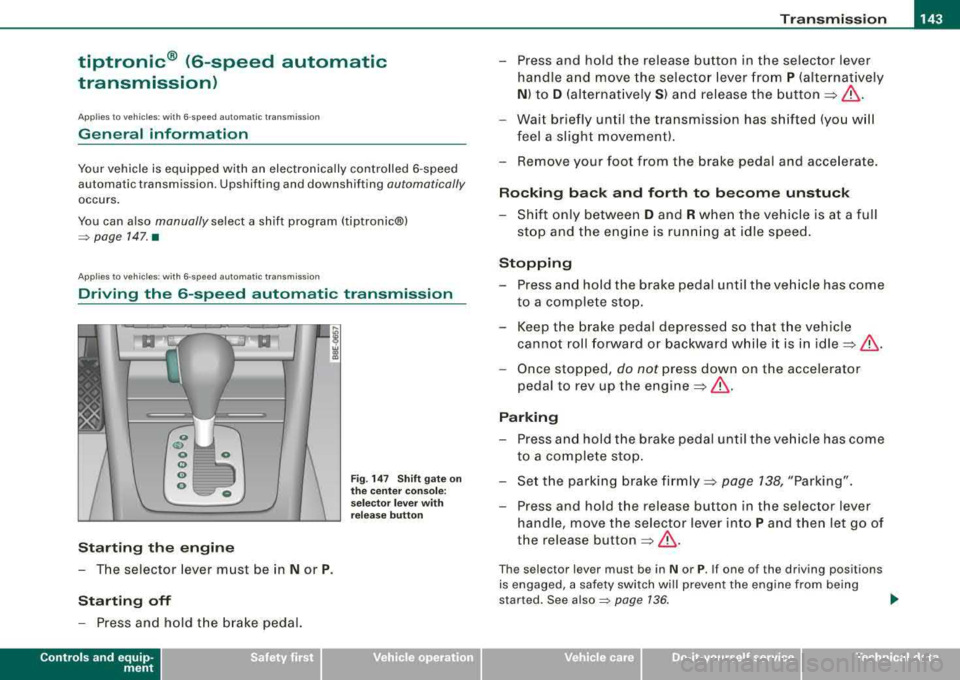
Fig . 14 7 Shift gate on
the center console :
selecto r lever with
release button
-Press and hold the release button in the selector lever
handle and move the selector lever from
P (alternative ly
N ) to D (alternat ively S ) and release the button ==> &.
-Wait briefly unt il the transm ission has shi fted (you w ill
feel a slight movement).
-Remove your foot from the brake pedal and acce lerate.
Rocking back and forth to become unstuck
-Shift only between D and R when the vehicle is at a full
stop and the eng ine is running at idle speed.
Stopping
-Press and hold the brake pedal until the vehicle has come
to a complete stop .
-Keep the brake pedal depressed so that the vehicle
cannot roll forward or backward whi le it is in
idle ==>& .
-Once stopped , do not press down on the accelerator
pedal to rev up the
engine ==>& .
Parking
-Press and hold the brake pedal until the vehicle has come
to a complete stop .
-Set the parking brake firmly==> page 138, "Parking".
-Press and hold the release button in the selector lever
handle, move the selector lever into
P and then let go of
the release button
==> &.
The se lector lever mus t be in N or P. If one of the dr iving positions
is engaged, a safety switch will prevent the engine from being
s tar ted. See
also~ page 736 . .,
irechnical data
Page 146 of 368

___ T_ r_a _ n_ s_m_ i_ s _s_ i_ o_ n ________________________________________________________ _
Before you move the selector lever from the P position, you must
always apply the break peda l before and wh ile depressing the
button in the handle of the selector lever.
& WARNING
• Unintended vehicle movement can cause serious injury .
- When the selector lever is in a driving position , the vehicle
may creep even at idle speed . Therefore do not release the
parking brake or foot brake until you are ready to move ,
becau se power is transmitted to the wheels as soon as a
driving po sition is engaged .
- Do not accelerate while se lecting a driving po sition . At this
time the engine must run at idle speed so that no undue stress
will be pla ced on the automatic clutche s in the tra nsmiss ion .
- Remember :
-even when stopped briefly with the automatic
transmis sion in
"D ", "S ", or "R ", eng ine power i s being tran s
mitted to the wheels . Your vehicle could
" creep " forward or
back ward . When at a stop , keep the bra ke pedal fully
depressed and use the parking brake if necessar y to keep the
vehicle from rolling.
• If the selector lever i s unintentionally moved into N while you
a re driving , take your foot off the ac ce lerator pedal and wait to idle
speed before select ing a driving pos ition.
• Never shift into
"R " or "P " when the vehicle is in motion .
• Never get out of the driver 's seat when the engine is running .
• If you mu st get out of the veh icle , move the selector lever
securely into the P position and apply the parking brake firmly.
• If the engine mu st keep running , never h ave any driving posi
tion engaged when checking under the hood. Make sure the selecto r lever has securely engaged and locked on
"P " with the
parking brake firmly set.
=> page 265 , "Engine compartment ".
Otherwise , an y increase in engine speed may set the vehicle in
motion , even with the parking brake applied. •
Applies to vehic les : w it h 6- spee d aut omat ic t ra n smi ssio n
Selector lever positions
This sec tion describes t he selecto r lever positions and
drivin g ranges.
Fig . 14 8 Display in the
in strument clu ste r:
s e lec to r lev er in pos i
tion D
The selector lever position engaged appears next to the selector
lever as well as in the ins tru ment c luste r disp lay.
P -Park
In this selector lever position the t ransmission is m echanically
locked .
En gage
P on ly when the veh icle i s completely stopped => & in
"Drivin g the 6 -speed automatic transmiss ion" on page 143.
To shift in or out of position
P , you must first press and hold the
brake peda l and then press the release bu tton in the selector lever
handle while moving the selector lever to
P .
R -Reverse
The transmission will automatically select the lowest gear rat io
wh en y ou shi ft into reverse .