wheel AUDI A4 CABRIOLET 2009 User Guide
[x] Cancel search | Manufacturer: AUDI, Model Year: 2009, Model line: A4 CABRIOLET, Model: AUDI A4 CABRIOLET 2009Pages: 340, PDF Size: 77.32 MB
Page 48 of 340
Driver inf orma tion d ispl ay
Your tire change is incomplete if you do not access the Driver Infor
mation System menu, and select and confirm
Wh eel ch ange. You
must do this each time to change a tire . The procedure can take up
to 20 minutes driving time. During this time, the sensors are read
justing to the new wheel/tire combination, and the new pressures are stored.
During the learning phase, the tire pressure monitoring system is
not available. •
Applies to vehic les: with tire pressure monitor ing system
Malfunctions
A malfunction can have various causes.
Fig . 35 Dis pl ay:
Syst em m alfu nct ion
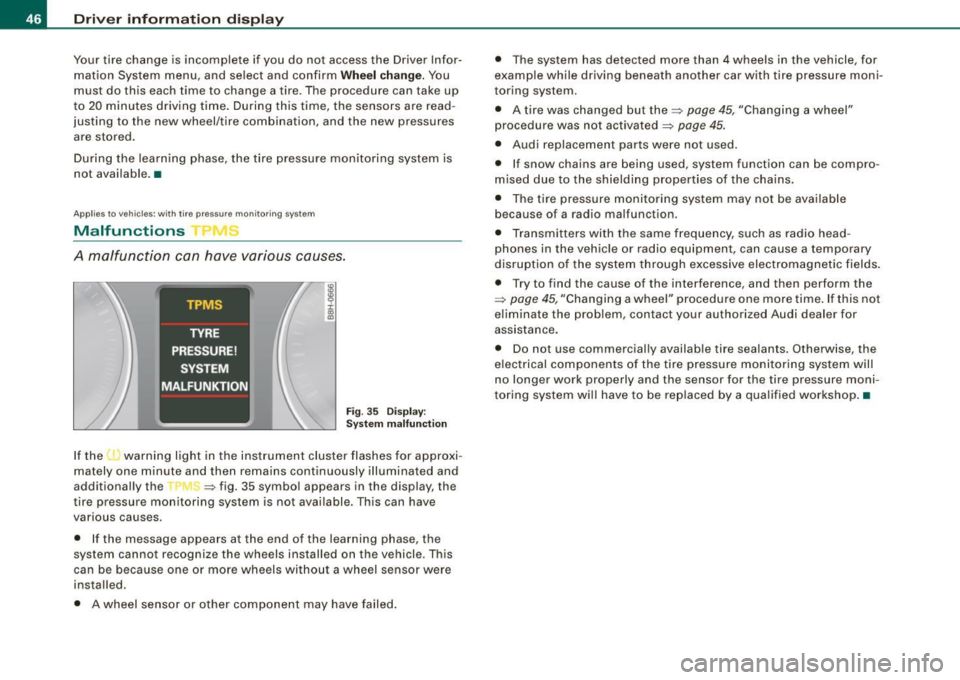
If the 'warning light in the instrument cluster flashes for approxi
mately one minute and then remains continuously illuminated and
additional ly the --, -=> fig. 35 symbol appears in the display, the
tire pressure monitoring system is not available. This can have
various causes.
• If the message appears a t the end of the learning phase, the
system cannot recognize the wheels installed on the vehicle . This
can be because one or more wheels without a wheel sensor were
installed.
• A wheel sensor or other component may have failed. •
The system has detected more than 4 wheels in the vehicle, for
example while driving beneath another car with tire pressure moni
toring system.
• A tire was changed but the=>
page 45, "Changing a wheel"
procedure was not activated =>
page 45.
• Audi replacement parts were not used.
• If snow chains are being used, system function can be compro
m ised due to the shielding properties of the chains.
• The tire pressure monitoring system may not be ava ilable
because of a radio malfunction.
• Transmi tters with the same frequency, such as radio head
phones in the vehicle or radio equipment, can cause a temporary
disruption of the system through excessive electromagnetic fields.
• Try to find the cause of the interference, and then perform the
=>
page 45 , "Changing a wheel" procedure one more time . If this not
e liminate the prob lem, contact your authorized Audi dealer for
assistance .
• Do not use commercial ly availab le tire sealants . Otherwise, the
e lec trical components of the tire pressure monitoring system will
no longer work properly and the sensor for the tire pressure moni
toring system wi ll have to be rep laced by a qua lified workshop .•
Page 85 of 340
Turn signals -¢ Q and high beam ~D lever
The lever on the left side of the steering column is used to
operate the turn signals and the high beam as well as the
headlight flasher.
Fig . 94 Turn signal and
high beam lever
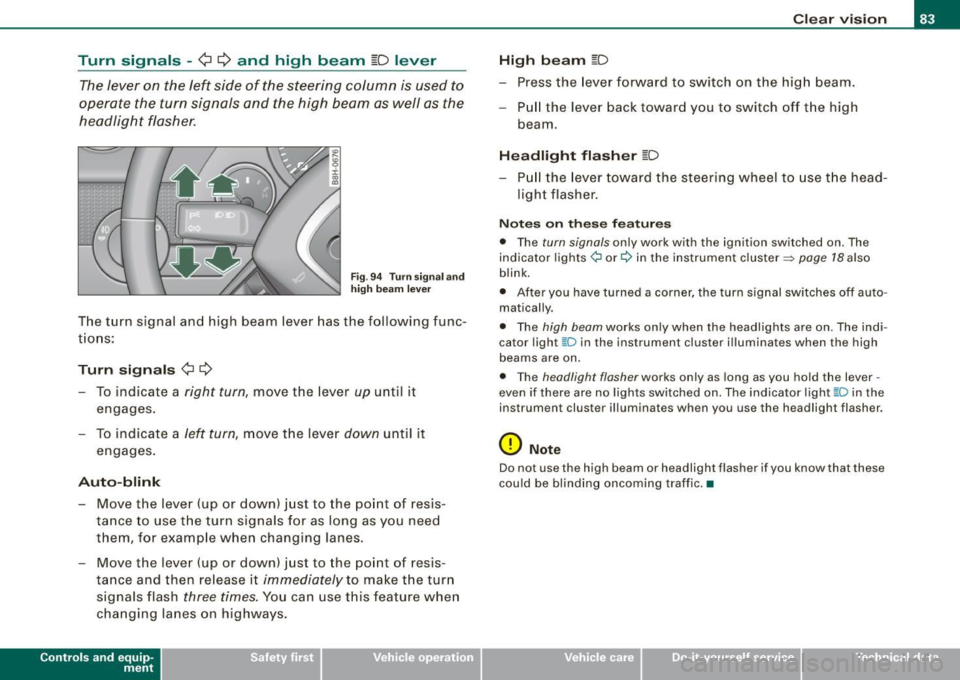
The turn signal and high beam lever has the following func
tions:
Turn signals ¢ ¢
- To indicate a right turn, move the lever up until it
engages.
- To indicate a
left turn, move the lever down until it
engages.
Auto-blink
- Move the lever (up or down) just to the point of resis
tance to use the turn signals for as long as you need
them, for example when changing lanes.
- Move the lever (up or down) just to the point of resis
tance and then release it
immediately to make the turn
signals flash
three times. You can use this feature when
changing lanes on highways.
Contro ls and eq uip
ment
Clear vision
High beam
[D
- Press the lever forward to switch on the high beam.
- Pull the lever back toward you to switch off the high
beam .
Headlight flasher [D
-Pull the lever toward the steering wheel to use the head
light flasher.
Notes on these features
• The turn signals only work with the ignition switched on. The
indicator lights¢ or¢ in the instrument cluster~ page 18 also
blink.
• After you have turned a corner, the turn signal switches off auto
matically.
• The high beam works only when the headlights are on. The indi
cator light ~Din the instrument cluster illuminates when the high
beams are on.
• The headlight flasher works only as long as you hold the lever -
even if there are no lights switched on. The indicator light ~D in the
instrument cluster illuminates when you use the headlight flasher.
0 Note
Do not use the high beam or headlight flasher if you know that these
could be blinding oncoming traffic.•
~ehicle care irechnical data
Page 94 of 340
Seats and storage
Seats and storage
General recommendations
Why is your seat adjustment so important?
The safety belts and the airbag system can only provide
ma ximum protection if the front
seats are correctly
a djusted.
There are var ious ways of adjusting the front seats to provide safe
and c omfortable support for the driver and the front passenger.
Adjust your seat properly so that:
• you can easily and quickly reach all the switches and controls in
the instrumen t pa nel
• your body is proper ly supported to reduce physical stress and
f atigue
• the safety belts and airbag system can offe r maximum protec
tion=>
page 768.
I n the fo llowing chapters, you wil l see exact ly how you can best
adjust your seats.
There are special regulations and instructions for instal ling a child
safety seat on the front passenger seat. A lways heed the informa
tion regarding child safety provided in=>
page 790, "Child Safety".
& WARNING
Inco rrect se ating po sition of the driver a nd all other pa ssengers
c an result in serious per sonal injury.
• Alway s keep your feet on the floo r when the vehi cle is in motion
- never put your feet on top of the in strument panel , out of the
window o r on top of the seat cushio n! This appl ies espe ciall y to
the pa ssenger s. If your seating position i s incorre ct you increase
the ri sk of inju ry in the c ase of sudden br aking or an accident .
If
& WARNIN G (continued )
the airb ag inflate s and the seating position is incorre ct thi s could
r e sult in per sonal injury or even death.
• It is important for both the driver and front p assenger to keep
a distan ce of at least 10 inche s (25 cm) betw een them se lve s and
the steering wheel and /or in strument p anel . If you are sitting any
closer than this , the airbag system cannot protect you properly . In
a ddition to this , the front se ats and head re str aints mu st be
adjusted to your body height so th at they can give you maximum
protection .
• Alway s try to keep as much distan ce as possible between your
s elf and the steerin g wheel or in strument p anel.
• Do not adjust the driver's or front pas senger seat while the
vehicle is mov ing . You r seat may mo ve unexpect edly , ca usin g
s udden los s of vehicle control and per sonal injury.
If you adjust
your seat while the vehi cle i s moving , you a re out of position .
0 Note
When the front seats are in the reclined position, make certain that
the seatbacks are not pushed against the built -in air deflector *
when you run the sea ts back toward the rear of the vehicle and
when you lower the seatback. This can damage the air deflector and
the latching mecha nis m. •
Driver seat
The correct seat position is importan t for safe and relaxed
drivin g.
We recomme nd tha t yo u adjust the dr iv e r's sea t in the
fol lowing ma nne r:
Page 95 of 340
- Adjust the seat in fore and aft direction so that you can
easily push the pedals to the floor while keeping your
knee slightly bent==>
& in "Why is your seat adjustment
so important?".
- Adjust the seatback so that when you sit with your back against the seatback, you can still grasp the top of the
steering wheel.
- Position the head restraints according to the occupant's
height. For maximum protection, the upper edge of the
head restraints should be at least at eye level, or higher
==>
page 757,fig.156.
& WARNING
Never place any objects in the driver's footwell. An object could
get into the pedal area and interfere with pedal function. In case
of sudden braking or an accident, you would not be able to brake
or accelerate! •
Front passenger seat
Always move the front passenger seat into the rearmost
position.
To avoid contact with the airbag while it is deploying, do not
sit any closer to the instrument panel than necessary and
always wear the three-point safety belt provided adjusted
correctly. We recommend that you adjust the passenger's
seat in the following manner:
- Move the front passenger seat into the rearmost position
of the fore and aft adjustment range ==>
& in "W hy is
your seat adjustment so important?" on
page 92.
Controls and eq uip
ment
Seats and storage
- Bring the backrest up to an (almost) upright position . Do
not ride with the seat reclined.
- The ideal position for the head restra int is with the upper
edge of the restraint level with the top of your head
==>
page 95 and ==> page 98. You should not lower the top
of the rest ra int below the level of your eyes.
- Place your feet on the floor in front of the passenger's
seat. •
Manual seats
Applies to veh ic les: with manua lly adjustab le seats
Adjustment controls
Various controls on the manual seats provide a wide
range for individual adjustments.
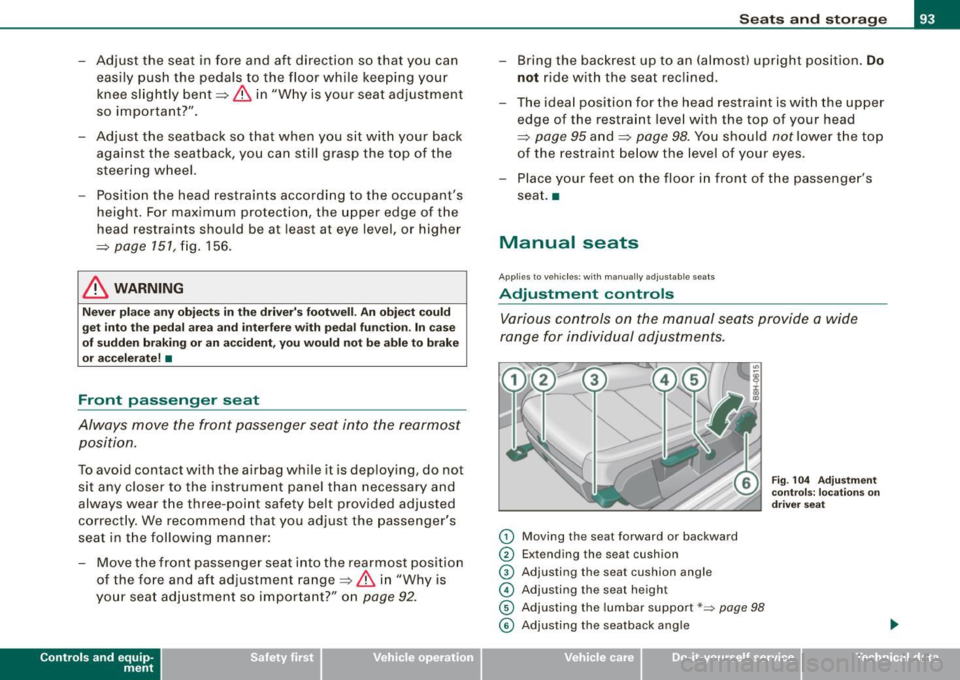
0 Moving the seat forward or backward
0 Extending the seat cushion
© Adjusting the seat cushion angle
© Adjusting the seat height
© Adjusting the lumbar support*~ page 98
Fig. 104 Adjustment
controls: locations on
driver seat
© Adjusting the seatback angle .,
~ehicle care irechnical data
Page 96 of 340
![AUDI A4 CABRIOLET 2009 User Guide Seats and storage
[ i] Tips
Some of the controls are fitted on certain model s only or they are
opt ional equipment. •
Applies to vehic les: w ith man ually adjustab le sea ts](/img/6/57553/w960_57553-95.png "AUDI A4 CABRIOLET 2009 User Guide Seats and storage
[ i] Tips
Some of the controls are fitted on certain model s only or they are
opt ional equipment. •
Applies to vehic les: w ith man ually adjustab le sea ts")
Seats and storage
[ i] Tips
Some of the controls are fitted on certain model s only or they are
opt ional equipment. •
Applies to vehic les: w ith man ually adjustab le sea ts
Adjusting the manual seats
Position, angle and shape of the manual seats can be
adjusted to provide safe and comfortable seating.
Reed and heed all WARNINGS ~ & before you adjust your
seat.
Moving the seat forward or backward
Lift lever G) ~ page 93, fig. 104 and slide the seat to the
desired position.
- Release the lever
(D and then move the seat further until
you feel and hear it engage .
Extending/shortening the seat cushion*
-Grab the handle just below the front edge of the seat®
~ page 93 , fig. 104.
- Slide the seat cushion extens ion backward or forward to
the desired position. Release the handle to lock the
extension in place.
Adjusting the seat cushion angle
- Pull the lever 0 ~ page 93, fig. 104 up and pump it to
raise the front of the seat cushion.
- Push the lever
0 down and pump it to lower the front of
the seat cushion. -
In either case, shift your weight in the direction you want
the seat to tilt to support the adjustment action.
Adjusting the seat height
- Pull the lever © up and pump it to raise the seat .
- Push the lever © down and pump it to lower the seat.
Adjusting the lumbar support
-Press the corresponding depression on the switch shell
© to adjust the height and contour of the lumbar
support, see~ page 98.
Adjusting the seatback angle
- Lean forward to take your weight off the seatback.
- Turn the hand wheel © in the direction you want the
seatback to ti It.
& WARNING
• Never adjust the driver or front passenger seat while the
vehicle is moving. If you do this while the vehicle is moving, you
will be out of position. Always adjust the driver's or front
passenger seat when the vehicle is not moving.
• Be careful when adjusting the seat height. Check to see that no
one is in the way, or serious injury could result!
• To reduce the risk of injury in the case of sudden braking or
accident, front passengers must never ride in a moving vehicle
with the seatback reclined. Safety belts and the airbag system
only offer maximum protection when the seatback is upright and
the safety belts are properly positioned on the body. The more the
seatback is reclined, the greater the risk of personal injury from an
incorrect seating position and improperly positioned safety
belts! •
Page 117 of 340
Warm and cold -_______________ ____,
Each of the three buttons has its own specific function (the refer
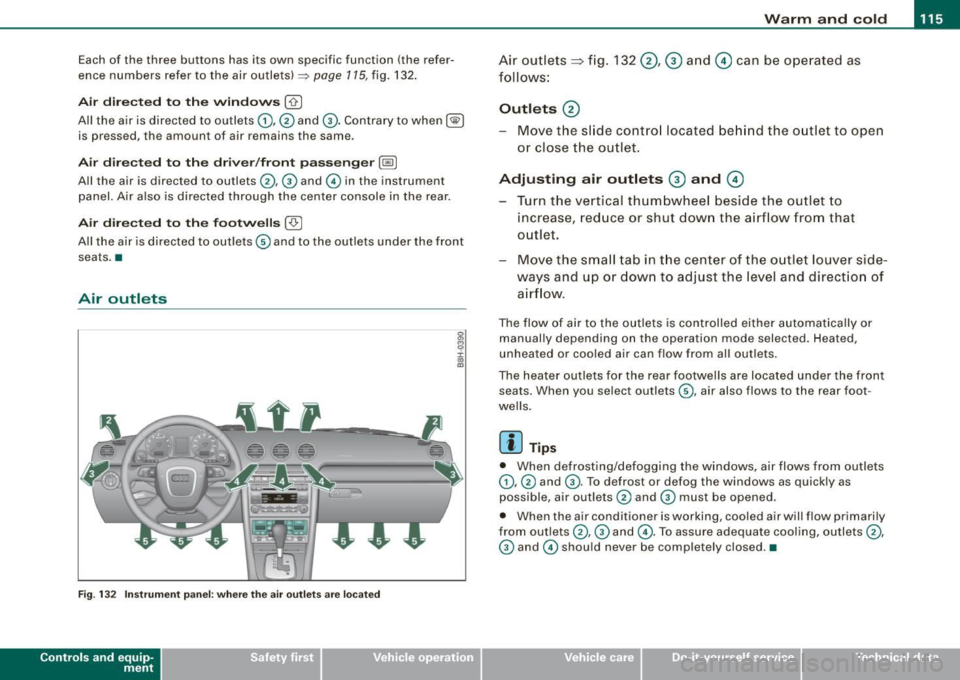
ence numbers refer to the air outlets)
~ page 115, fig . 132 .
Air di recte d t o th e w indows [-0 ]
All the air is directed to outlets 0),@ and G). Contrary to when [@I
is pressed, the amount of air remains the same.
Ai r d irecte d to th e driv er /fr ont passe nge r[~ ]
All the air is directed to outlets @,© and © in the instrument
panel. Air also is directed through the center console in the rear .
Air directed to th e fo otwell s ( ,O. I
All the air is directed to outlets © and to the outlets under the front
seats. •
Air outlets
Fig. 132 Instr ume nt pane l: w here t he ai r outlets are l ocate d
Contro ls and eq uip
ment
Air outlets => fig . 132 @ , ® and 0 can be o perated as
follows :
Outlets @
Move the slide contro l located be hind the outlet to open
or close the outlet .
Adjusting air outlets ® a nd 0
Turn the vertical thumbwheel beside the ou tlet to
increase, red uce o r shut down the a irflow from that
o utlet.
Move the small tab in t he center of the o utlet louver side
ways and up or dow n to adjust the level and direct io n of
a irfl ow.
The flow of air to the outlets is controlled either automa tically or
manually depending on the opera tion mode selected . Heated,
unheated or cooled air can flow from all out le ts.
The heater outlets for the rear footwells are located under the front seats . When you select outlets
G) , air also flows to the rear foot
we lls.
[ i ] Tips
• When defrosting/defogging the windows, air flows from outlets
0) , © and ®· To defrost or defog the windows as quickly as
possible, air outlets © and © must be opened.
• When the air conditione r is working, cooled air will flow primarily
from outlets @, G) and
@. To assure adequate cooling, outlets@,
© and © should never be completely closed .•
~ehicle care irechnical data
Page 119 of 340
_________________________________________________ W_ a_ r_ m __ a_n_ d_ c_ o_l d _ ___,_
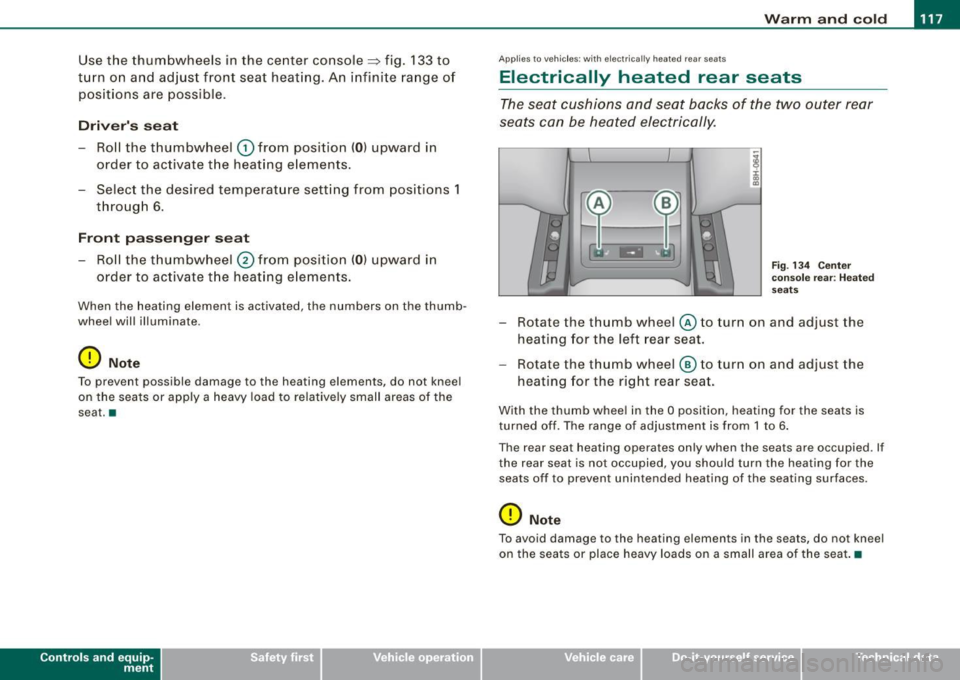
Use the thumbwheels in the center console::::, fig . 133 to
t u rn on and ad just front seat heat ing . An i nfini te ra nge o f
positions are possible.
Driv er's s eat
-Roll the thumbwheel 0 from pos ition ( 0 ) upward in
order to activate the heating elements .
- Select the desired temperature setting from posit ions 1
through 6 .
Front passeng er s eat
- Roll the thumbwheel 0 from position (0 ) upward in
order to activate t he heating e lements .
When the heating element is activated, the numbers on the thumb
wheel will illuminate .
0 Note
To preven t possible damage to the hea ting elemen ts, do not kneel
on the seats or apply a heavy load to relative ly small areas of the
sea t.•
Contro ls and eq uip
ment
A pp lies to veh ic les: with e lectricall y heate d rear seats
Electrically heated rear seats
The seat cushions and seat backs of the two outer rear
seats can be heated electrically .
Fig . 13 4 Cente r
co nso le rear : Hea ted
seats
- Rotate the thumb wheel © to turn on and adjust the
heat ing for the left rear seat.
- Rotate the thumb wheel
® to turn on and adjust t he
heat ing for the right rear seat.
With th e thumb whee l in the O position, heating for the seats is
turned off. The range of adjustment is from 1 to 6 .
The rear sea t heating operates only when the seats are occupied . If
the rear seat is not occupied, you should turn the heating for the
seats off to prevent unintended heating of the seating sur faces .
0 Note
To avo id damage to the heating elements in the seats, do not kneel
on the seats or place heavy loads on a small area of the seat .•
~ehicle care irechnical data
Page 120 of 340
• .___O_ n_ t_h _e _ r_o _a_ d __________________________________________________ _
On the road
Steering
Adjusting the steering wheel column
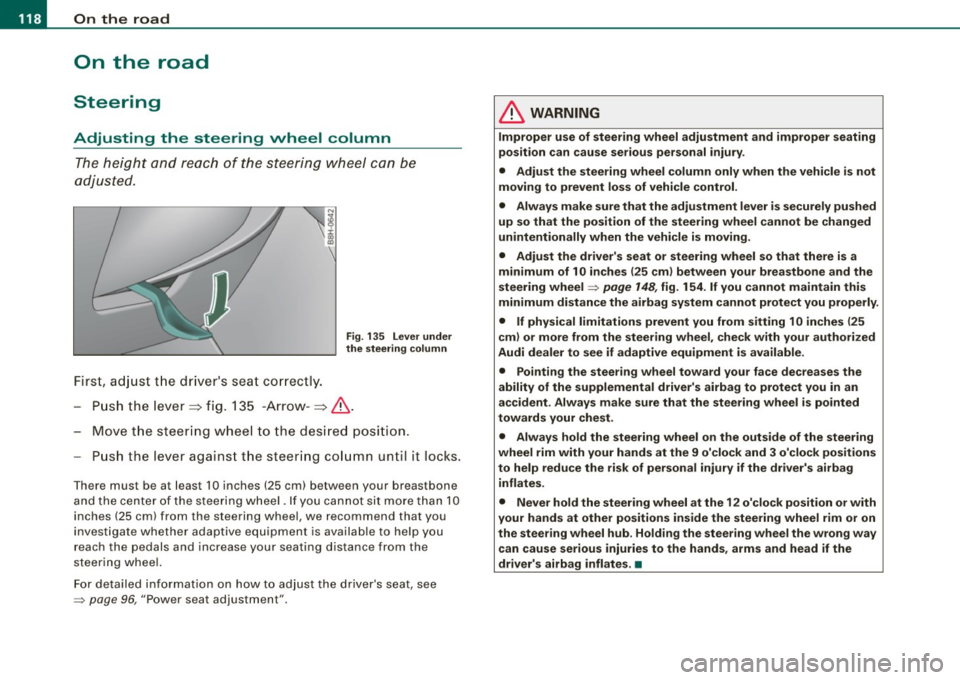
The height and reach of the steering wheel can be
adjusted.
First, adjust the driver's seat correctly.
Fig . 135 Lever under
the steering column
-Push the lever~ fig. 135 -Arrow- ~& .
- Move the steering wheel to the desired position.
- Push the lever against the steering column unt il it locks.
Th ere mus t be at least 10 inches (25 cm) betw een your br eastbone
and the center of the steering wheel. If you cannot sit more than 10
inches (25 cm) from the steering wheel, we recommend that you
investigate whether adaptive equipment is available to help you
reach the pedals and increase your seating distance from the
steering wheel.
For detailed information on how to adjust the driver's seat, see
=> page 96, "Power seat adjustment" .
& WARNING
Improper use of steering wheel adjustment and improper seating
position can cause serious personal injury .
• Adjust the steering wheel column only when the vehicle is not
moving to prevent loss of vehicle control.
• Always make sure that the adjustment lever is securely pushed
up so that the position of the steering wheel cannot be changed
unintentionally when the vehicle is moving.
• Adjust the driver's seat or steering wheel so that there is a
minimum of 10 inches
125 cm) between your breastbone and the
steering wheel=> page 148, fig.
154. If you cannot maintain this
minimum distance the airbag system cannot protect you properly.
• If physical limitations prevent you from sitting 10 inches
125
cm) or more from the steering wheel, check with your authorized
Audi dealer to see if adaptive equipment is available.
• Pointing the steering wheel toward your face decreases the
ability of the supplemental driver's airbag to protect you in an
accident. Always make sure that the steering wheel is pointed
towards your chest.
• Always hold the steering wheel on the outside of the steering
wheel rim with your hands at the 9 o'clock and 3 o'clock positions
to help reduce the risk of personal injury if the driver's airbag
inflates.
• Never hold the steering wheel at the
12 o'clock position or with
your hands at other positions inside the steering wheel rim or on
the steering wheel hub. Holding the steering wheel the wrong way
can cause serious injuries to the hands, arms and head if the
driver's airbag inflates. •
Page 121 of 340
___________________________________________________ O_ n_ t_h _e_ r_o _a_ d _ ___,11111
Ignition lock and ignition switch
Ignition lock
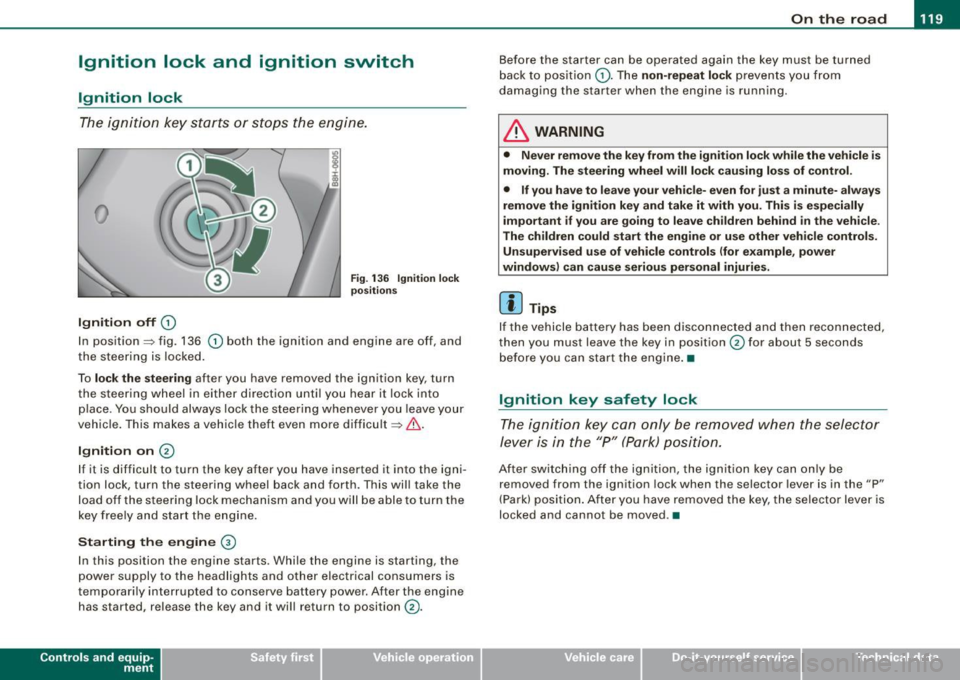
T he i gnition k ey sta rts or st ops t he e ngin e.
0
Ignition off 0
Fig. 13 6 Ignition lock
positi ons
In position~ fig. 136 0 both the ignition and engine are off, and
t he stee rin g is locke d.
To
lo ck the steering after you have removed the ignit ion key, turn
t he stee rin g wheel in either direc tion un til you hear it loc k into
p lace . You should always lock the steering whenever you leave your
vehicle . This ma kes a vehic le theft even more difficult ~ & .
Ignition on 0
If it is difficult to turn the key afte r yo u have inserted it into the igni
tion lock, turn the steering wheel back and forth. This will take the
load off the steering lock mechanism and you will be able to turn the
key free ly an d start the engine.
Starting the engine @
In th is position the engine starts . While the engine is starting, the
power supply to the headlights and other electrical consumers is
temporarily interrupted to conserve battery power. After the engine has started, release the key and it wi ll return to position
(v.
Contro ls and eq uip
ment
Before the starter can be operated again the key must be turned
b ack to position
(D . Th e non -repeat lock p re vents y ou fr om
damag ing the starter when the engine is running .
& WARNING
• Never remove the key from the ignit ion lock while the vehicle is
moving. The steering wheel will lock causing loss of control .
• If you have to leave your vehi cle- even for just a minute- always
remove the ignition key and take it with you. This is especially
important if you are going to leave children behind in the vehicle.
The children could start the engine or use other vehicle controls. Unsupervised use of vehicle controls (for e xample , power
windows) can cause serious personal injuries.
[ i ] Tips
If the vehicle battery has been disco nnec ted and then recon nected,
then you must leave the key in position
0 for about 5 seconds
be fore you can start the eng ine .•
Ignition key safety lock
T he i gnit ion key ca n only be remove d when the se lector
lever is in the "P " (Pa rk) pos itio n.
A fte r swi tc h ing o ff th e ig nition, the ig nition key can only be
removed from the ignition lock when the selector lever is in the "P"
(Park) posi tio n. Af ter y ou h ave remo ved the key, the selec to r lever is
locked and cannot be moved. •
~ehicle care irechnical data
Page 124 of 340

-L___:O~ n'.... t ~h~ e~r ~o~a ~ d:...._ _______________________________________________ _
-Swit ch off the e ngine an d rem ove the ignitio n key f rom
t h e ig nition loc k.
What else you should do when parking your vehicle on
an i ncline o r de clin e
Turn the s teering wheel so that if the vehic le sh ould start to ro ll, it
wi ll ro ll into the curb .
I f you are parking on a
decline (the fron t of your vehicle facing
downhil l), turn the front wheels to the right so that they point
toward the curb.
If you are par king on an incline (the font of your vehic le fac ing
uphill), turn the front whee ls to the lef t so that they point
away from
the curb .
Move the selector lever into the P position.
LJ}. WARNING
This is how you can redu ce the r isk of injury when leaving your
vehicle .
• Never par k the vehi cle where it c an come i n contact with dry
gra ss, spilled fuel or any other flammable materials .
• Never allow an yone -especi ally s mall ch ildren -to remain in the
vehicle when it i s locked . Locked doors make it more difficult for
res cuer s to acce ss the pas senger compartment in the e vent of a n
emergency _ Danger to life!
• Never leave children unsupervised in the vehicle . Children
c ould release the parking brake or move the gear shift lever out of
gear . The vehi cle could st art to roll awa y and cau se an a ccident .
• No matter wha t the sea son i s, the temperature in a parked
vehi cle can reach d angerous levels . •
Acoustic park assist
A pplies to vehicles : with 4 -ch an nel a co ustic park ass is t
Rear acoustic park assist
The rear acoustic park assist warns you of obstacles or
objects behind your car.
How it works
The acoustic park assist warning system (4-channel acoustic park
assist) uses ultr asonic sensors to warn yo u when you are
backing
your vehicle close to an obstacle . The system 's 4 sensors are located
inside the rear bumper .
Acti va ting
The rear acoustic park assist is ac tivated whenever you shift into
Reverse . You will hear a warn ing tone when the system is on .
Reverse
With the car backing up in reverse gear, the col lision warning sound
sets in at the fol lowing
approximate d istances to obstacles :
straight aft 5ft(1.5m)
angling aft off vehicle corners 2 ft (0
.6 m)
As the dis tance shr inks, the time interva l between the audible tones
grows shorter.
The sound changes to a continuous tone as soon as the remaining distance to an obstacle closes to less than about 1 ft. (0 .3 ml. The
steady tone cautions you that you have backed up hazardously
close and you ris k co llision by backing up any further .
Malfunctions in the system
If a warning tone is audible for about five seconds when you turn on
the ignit ion, there is a malfunction in the system . Have the prob lem
corrected by your authorized Audi dea ler. _,.