ECO mode AUDI A4 CABRIOLET 2009 Owners Manual
[x] Cancel search | Manufacturer: AUDI, Model Year: 2009, Model line: A4 CABRIOLET, Model: AUDI A4 CABRIOLET 2009Pages: 340, PDF Size: 77.32 MB
Page 7 of 340
Vehicle literature
In addition to this Owner's Manual, your Audi comes with a
Warranty
& Maintenance booklet.
Moreover, depending on the model and the equ ipment, there may
be additional instruction booklets delivered with your vehicle (for
example, Operating Instructions for your Sound System, Navigation
System etc .) .
If you are missing one of these publications, or if you believe that
the information is not comp lete, contact your authorized Audi
dea ler for assistance.
The Warranty & Maintenance booklet
exp lains how you can keep your Audi in top driving condition by
having it serviced regularly and contains detai led information about
the warranties covering your Audi . Always have the booklet with you
when you take your vehicle to an authorized Audi dea ler for service.
Your Audi Service Adviser will record each scheduled service and
can answer any questions you may have regarding how to ma inta in
your vehicle.
In Canada,
the vehicle literature is a lso available in French. To obtain a copy,
contact your dealer or write to :
Au Canada, on peut se procurer un exemplaire en frarn;ais de ce
document aupres du concessionnaire ou de:
Volkswagen Canada, Inc .
Client Assistance
Assistance a la Clientele
777 Bay ly Street, West,
Ajax, Ontario L 1 S 7G7
If you sell your Audi
a ll l iterature should be left in the vehicle to make the Warranty ter ms
as wel l as all operating, safety and maintenance information avail
able to the next owner.
Controls and equip ment Safety first Vehicle operation
V
ehi cle litera tur e
If you change your address or if you bought this
Audi used
be sure to send in a "Notice of Address Change"/ "Notice of Used
Car Purchase" post card. This card can be found in the Warranty
&
Maintenance booklet or obtained from your authorized Aud i dealer.
It i s in you r own inte re st th at w e are abl e to cont act you should the
n eed aris e.•
Vehicle care Do-it-yourself service Technical data
Page 16 of 340
Instruments and warning/indicator lights
ffi For the sake of the environment
Upshifting early saves fuels and reduces engine noise .•
Digital clock with date display
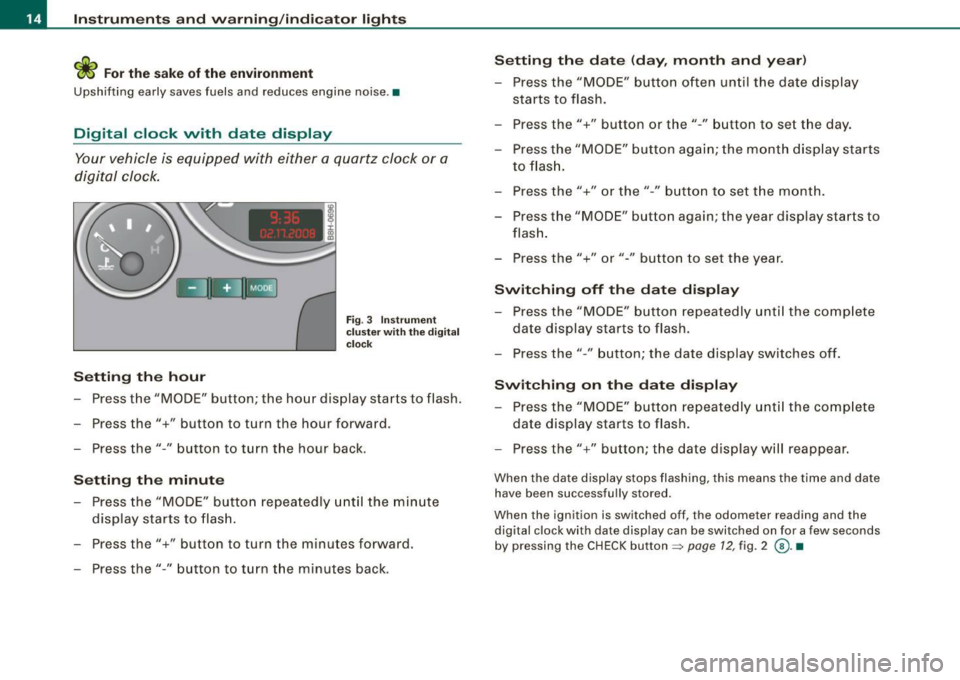
Your vehicle is equipped with either a quartz clock or a
digital clock.
Setting the hour
Fig. 3 Instrument
cluster with the digital
clock
- Press the "MODE" button; the hour display starts to flash.
- Press the"+" button to turn the hour forward .
- Press the"-" button to turn the hour back.
Setting the minute
- Press the "MODE" button repeatedly until the minute
display starts to flash.
- Press the"+" button to turn the minutes forward.
- Press the"-" button to turn the minutes back.
Setting the date (day, month and year)
-Press the "MODE" button often until the date display
starts to flash.
- Press the"+" button or the"-" button to set the day.
- Press the "MODE" button again; the month display starts to flash.
- Press the"+" or the" -" button to set the month.
- Press the "MODE" button again; the year display starts to
flash.
- Press the"+" or"-" button to set the year.
Switching off the date display
-Press the "MODE" button repeatedly until the complete
date display starts to flash.
- Press the" -" button; the date display switches off.
Switching on the date display
- Press the "MODE" button repeatedly until the complete
date display starts to flash.
- Press the"+" button; the date display will reappear.
When the date display stops flashing, this means the time and date
have been successfully stored .
When the ignition is switched off, the odometer reading and the
digital clock with date display can be switched on for a few seconds
by pressing the CHECK button =>
page 12, fig. 2 @ . •
Page 17 of 340
Instrument cluster illumination
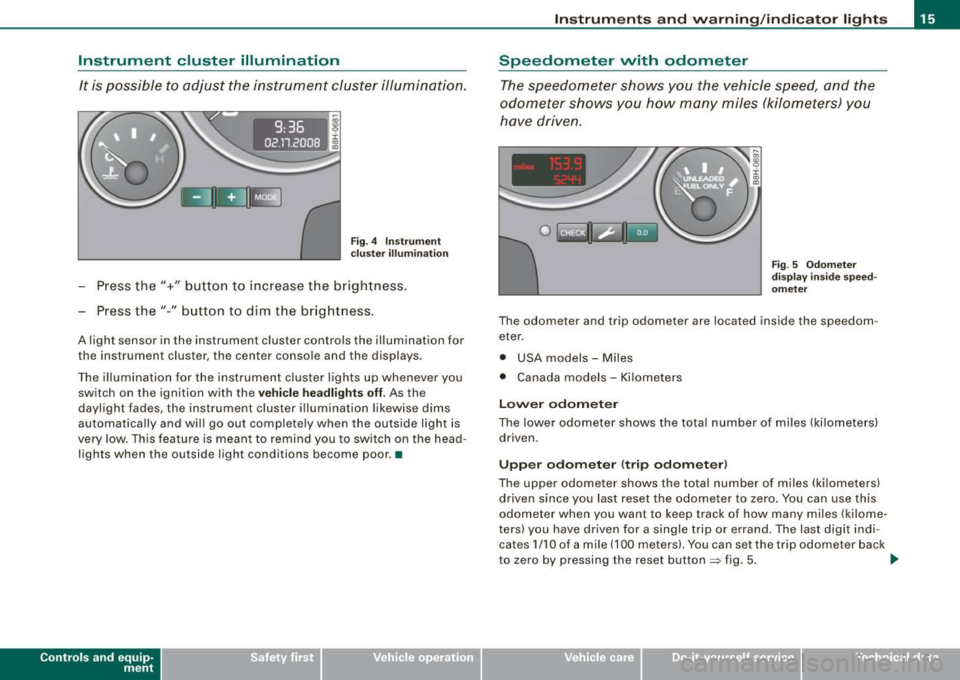
It is possible to adjust the instrument cluster illumination.
9:36
02 .11.200
Fig. 4 In strum ent
c lus ter illum inat io n
- Press the"+" button to increase the brightness.
Press the"-" button to dim the br ightness.
A light sensor in the instrument cluster controls the illumination for
the instrument cluster, the center conso le and the displays.
The illumination for the instrument cluster lights up whenever you switch on the ignition with the
ve hic le head lights off. As the
daylight fades, the instrument c luster illumination likewise dims
automatically and wi ll go out complete ly when the outside light is
very low . This feature is meant to remind you to switch on the head
lights when the outside light conditions become poor. •
Controls and eq uip
ment
In st ru m ent s a nd w arning /indi cator li ght s
Speedometer with odometer
The speedometer shows you the vehicle speed, and the
odometer shows you how many miles (kilometers) you
have driven .
0 1mUc::1 Uni3
Fi g. 5 Odome ter
di sp la y in side s pee d
o m eter
The odometer and trip odometer are located inside the speedom
eter.
• USA models - Miles
• Canada models - Ki lometers
Lo wer odomet er
The lower odometer shows the tota l number of miles (ki lometers)
driven.
Upp er odom ete r (t rip odo m ete r)
The upper odometer shows the total number of miles (kilometers)
driven since you last reset the odometer to zero. You can use this
odometer when you want to keep track of how many miles (kilome
ters) you have driven for a single trip or errand. The last digit indi cates 1/10 of a mile (100 meters). You can set the trip odometer back
to zero by pressing the reset button
~ fig. 5. _,.
~ehicle care Technical data
Page 22 of 340
Instruments and warning/indicator lights
Airbag system ~
This warning/indicator light monitors the airbag and the
tensioner systems.
The GA warning light illuminates for a few seconds each time you
switch on the ignition.
If the
ffl warning light does not go out, or if it illuminates while you
are driving, or if it starts to flash, then there is a malfunction some
where in the system. If the light does not illuminate when you
switch on the ignition, this also means there is a malfunction.
& WARNING
If you have a malfunction in the airbag system, contact your autho
rized Audi dealer immediately. Otherwise the airbag or the belt
tensioner may not work properly in an accident. •
Tire pressure monitoring system -telltale
indicator lamp
D
The warning/indicator light appears in the event of a
significant loss of air pressure.
The warning/indicator light illuminates for a few seconds after
the ignition is turned on as function check and then goes out.
If the ( symbol appears, pressure is too low in at least one tire.
When the system detects a malfunction, the warning/indicator light
will flash for approximately one minute and then remain continu
ously illuminated. This sequence will continue upon subsequent
vehicle starts up as long as the malfunction exists. Contact your
authorized Audi dealer and have the malfunction corrected.
For more information
=> page 43. •
Cruise control
CRUISE (USA models) / •0 (Canada models)
The CRU ISE warning/indicator light illuminates when the cruise
control is activated. •
Anti-lock brake system
(USA models) / (Canada models)
This warning/indicator light monitors the ABS and the
electronic differential lock (EDL).
The A S warning light will come on for a few seconds when the igni
tion is switched on. The light will go out after an automatic check
sequence is completed.
There is a malfunction in the ABS when:
• the warning/indicator light does not illuminate when you switch
on the ignition.
• the warning/indicator light does not go out after a few seconds.
• the warning/indicator light illuminates while driving.
Without the electronic assistance of the ABS, the brake system will
still respond and brake the car. Have the brake system checked and
restored to its full performance by an authorized Audi dealer as
soon as possible.
For more information regarding the ABS see
=> page 216.
Since any malfunction of the ABS also affects the ESP, that system's
warning symbol.,
=> page 22 will light up along with the n /
(Canada models) warning light.
Unspecific malfunction in the brake system
If both the brake warning light=> page 23 and the c.., warning light
illuminate when the parking brake is released, the likely cause is a
serious malfunction in the brake system beyond an inoperative ABS
=> & . ~
Page 23 of 340
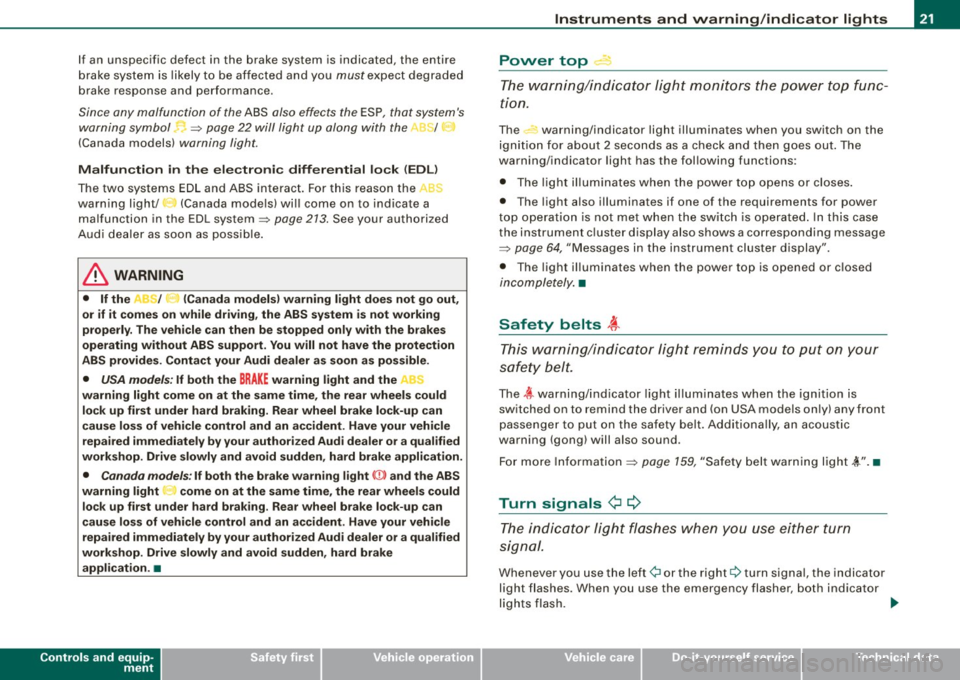
If an unspecific defect in the brake system is indicated, the entire
b rake system is likely to be a ffec ted a nd y ou mus t ex pec t degra ded
brake response and performance .
Since any malfunction of the ABS also effects the ESP, that system's
w arning symbol
=> page 22 w ill light up alo ng w ith t he ->-1 t
(Canada models) warning light.
Malfun ction in the electronic diff erential lock
(EDL)
The two systems E DL and ABS inte ract. For this reason the ,t.
warning light/ 3 (Canada mode ls) wi ll come on to indicate a
malfunction in the EDL system~
page 213. See your authorized
Aud i deale r as soo n as poss ib le.
& WARNING
• If the ,.r;_/ :· (Canada models) warning light does not go out ,
or if it comes on while driving, the ABS system is not working
properly . The vehicle can then be stopped only with the brakes
operating without ABS support . You will not have the protection
ABS provides. Contact your Audi dealer as soon as pos sible.
• USA models : If both the BRAKE warning light and the "
warning light come on at the same time , the rear wheels could
lock up first under hard braking. Rear wheel brake lock-up can
cau se loss of vehicle control and an a ccident. Have your vehicle
repaired immediately by your author ized Aud i dealer or a qualified
work shop. Drive slowly and avoid sudden , hard brake application.
• Canada models : If both the brake warn ing light ((j)) and the ABS
warning light come on at the same time , the rear wheels could
loc k up first under hard braking . Rea r wheel brake lock-up can
cause loss of vehicle control and an accident. Have your vehicle
repaired immediately by your authorized Audi dealer or a qualified
workshop. Drive slowly and avoid sudden, hard brake
application . •
Controls and equip
ment
Instrum ents and warning /indi cator lights
Power top.--·
Th e w arning/i ndicator lig ht m oni tors the power top fu n c
tion .
The warning/indicator light illuminates when you switch on the
i gni tion f or about 2 seconds as a c heck a nd the n goes out . T he
warning/indicator light has the follow ing functions:
• The ligh t illu mina tes whe n the power top opens or c loses.
• T he light also illuminates if one of the requirements for powe r
t o p o per ation is not m et when the swi tc h i s ope rate d. In th is case
the instrument c luster display also shows a corresponding message
=> pag e 64, "M essage s in th e ins trum ent clus ter d isplay" .
• T he light illuminates when the power top is opened or c losed
inco mple tely. •
Saf ety belts i
Th is warn ing/i ndic ator l ight re minds you to p ut o n you r
s af ety b elt.
The ~ wa rning/ ind icator lig ht illum inates when the i gni tion is
switched on to remind the driver and (on USA models on ly) any front
p ass enge r to put on t he sa fety belt. A ddi tionally, a n acous tic
warning (gong ) will also sound .
F o r m ore Infor mati on =>
page 159, "Safe ty belt wa rning l ig ht ,(,.". •
Turn signals ¢ ¢
The indic ator l ight flas hes whe n you use either turn
si gnal.
When eve r y ou u se th e left ¢i o r the right 9 tu rn signa l, the indicato r
light flashes. When you use the emergency flasher, both ind icator
l ig ht s flas h. ...
Page 25 of 340
![AUDI A4 CABRIOLET 2009 Owners Manual [ i] Tips
If this warning/indicator light illuminates while you are driving, then
there is a malfunction in the engine electronics. Have the malfunc
tion corrected as soon as pos](/img/6/57553/w960_57553-24.png "AUDI A4 CABRIOLET 2009 Owners Manual [ i] Tips
If this warning/indicator light illuminates while you are driving, then
there is a malfunction in the engine electronics. Have the malfunc
tion corrected as soon as pos")
[ i] Tips
If this warning/indicator light illuminates while you are driving, then
there is a malfunction in the engine electronics. Have the malfunc
tion corrected as soon as possible by your authorized Audi dealer or qualified workshop. •
Brake system BRAKE (USA models)/ (CD)
(Canada models)
This warning/indicator light illuminates when the brake
fluid level is too low or when there is a malfunction in the
ABS, or when the parking brake is set.
The light illuminates when the ignition is turned on. It goes out after
the engine has been started and the parking brake is fully released.
This indicates that the brake warning light is functioning properly.
If the brake warning light does not light up when the engine is
cranking or the parking brake is applied, there may be a malfunction
in the electrical system. In this case, contact your Audi dealer.
(USA models): If the warning light BRAKE and the warning light
illuminate together, immediately contact your authorized Audi
dealer or qualified workshop to have all brake pads inspected
=:> page 33.
When the light comes on, an audible warning signal is also given.
Parking brake set
The BRAKE or ((D) (Canada) warning/indicator light illuminates when
the parking brake is set=:>& .
& WARNING
• USA models: If the BRAKE warning light and the . J'l warning
light come on together, the rear wheels could lock up first under
hard braking. Rear wheel lock-up can cause loss of vehicle control
Controls and equip
ment
Instruments and warning/indicator lights
& WARNING (continued)
and an accident. Have your vehicle repaired immediately by your
authorized Audi dealer or a qualified workshop. Drive slowly and
avoid sudden, hard brake applications.
• Canada models: If the brake warning light (CD) and the ABS
warning light _. come on together, the rear wheels could lock up
first under hard braking. Rear wheel lock-up can cause loss of
vehicle control and an accident. Have your vehicle repaired imme
diately by your authorized Audi dealer or a qualified workshop.
Drive slowly and avoid sudden, hard brake applications.
• If the brake warning/indicator light does not go out after a few
seconds and the parking brake released, or lights up while you are
driving, the fluid level in the brake fluid reservoir is too low. If you
believe that it is safe to do so, proceed immediately at low speed
to the nearest authorized Audi dealer or qualified repair facility
and have the brake system inspected .
• Always keep in mind that after several brake applications, you
will need greater pressure on the brake pedal to stop your vehicle.
Do not rely on strained brakes to respond with maximum stopping
power in critical situations . You must allow for increased braking
distances. The extra distance used up by fading brakes could lead
to an accident. •
Page 32 of 340
Driver inf orma tion d ispl ay
Parking brake warning
- Release the parking brake.
If you should drive off with the parking brake sti ll engaged, a
warning tone wi ll sound to remind you to release the parking brake.
Also , the following message will appear in the display:
H and bra ke is a ppl ied
The parking brake warning is activated when you drive longer than
3 seconds and faster than 3 mph (5 km/h) .•
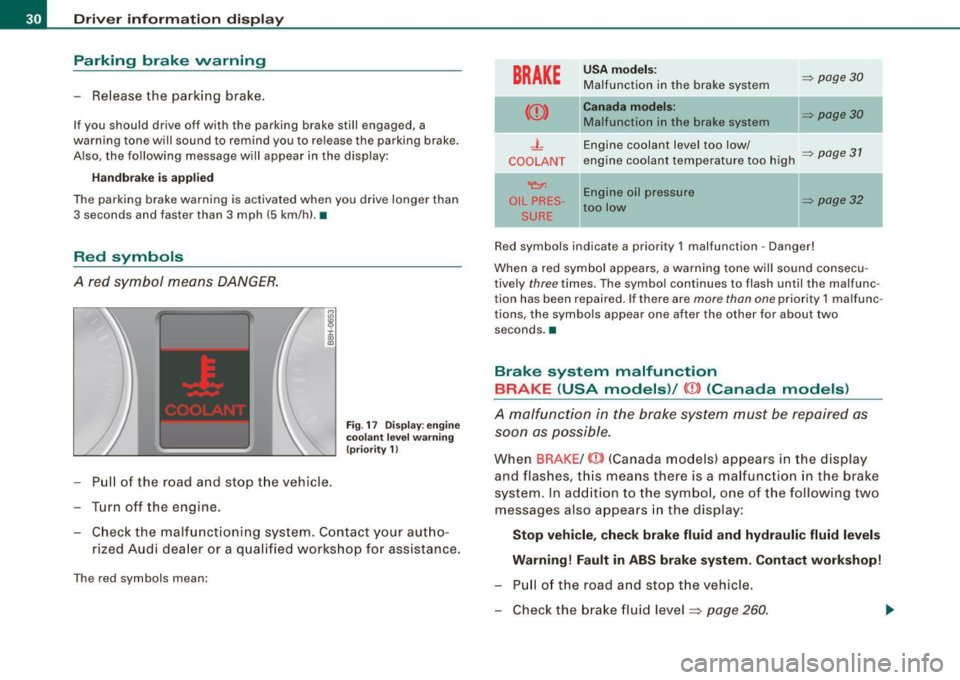
Red symbols
A red symbol means DANGER.
- Pull of the road and stop t he vehicle.
- Turn off the engine .
Fig . 17 Disp lay : eng ine
coola nt le v el wa rning
(p riority 1)
- Check the malfunctioning system. Contact your aut ho-
rized Audi dea ler or a qualified workshop for assistance.
The red symbols mean:
BRAKE
U SA m od els: => page30 Ma lfunction in the brake system
Can ada m od els: => page30 Ma lfunction in the brake system
- L Engine coolant level too low/ => page 31 COOLANT engine coolant temperature too high
~ Engine oil pressure
OIL PRES -=> page 32 too low
SURE
Red symbols indicate a priority 1 malfunction -Danger!
When a red symbol appears, a warning tone w ill sound consecu
tively
three times. The symbo l continues to flash until the malfunc
tion has been repaired . If there are
more than one priority 1 malfunc
tions, the symbols appear one after the other for about two
seconds. a
Brake system malfunction
BRAKE (USA models) /
(CD) (Canada models )
A malfunction in the brake system must be repaired as
soon as possible.
When BRAKE /
and flashes, this means there is a ma lfunction in the brake
system. In add ition to the symbo l, one of the following two
messages also appears in the display:
Stop v ehi cle, che ck br ake flu id and hydrauli c fluid lev els
Warning! Fault in ABS brak e system. Contact workshop!
- Pu ll of the road and stop the vehicle.
- Check the brake fluid level ~
page 260 .
Page 36 of 340
Driver information display
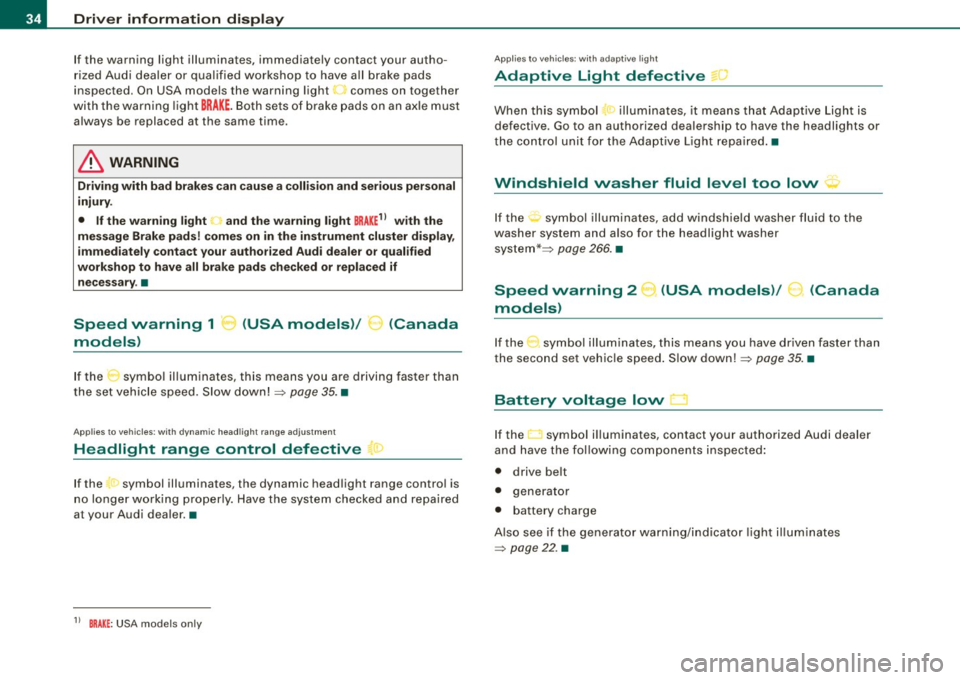
If the warning light illuminates, immediately contact your autho
rized Audi dealer or qualified workshop to have all brake pads
inspected. On USA models the warning light
O comes on together
with the warning light
BRAKE. Both sets of brake pads on an axle must
always be replaced at the same time .
& WARNING
Driving with bad brakes can cause a collision and serious personal
injury.
• If the warning light , and the warning light
BRAKE11 with the
message Brake pads! comes on in the instrument cluster display,
immediately contact your authorized Audi dealer or qualified
workshop to have all brake pads checked or replaced if necessary .•
Speed warning 1 ~ (USA models)/
models) (Canada
If
the symbol illuminates, this means you are driving faster than
the set vehicle speed . Slow down! =>
page 35. •
Applies to vehicles : wit h dynami c h ea d light ran ge ad ju stment
Headlight range control defective C.1
If the symbol illuminates, the dynamic headlight range control is
no longer working properly. Have the system checked and repaired
a t your Audi dealer. •
11 BRAKE : USA models only
App lies to vehicles: w it h ada ptive li gh t
Adaptive Light defective ~ ,
When this symbol I illuminates, it means that Adaptive Light is
defective . Go to an authorized dealership to have the headlights or
the control unit for the Adaptive Light repaired. •
Windshield washer fluid level too low ¢;>
If the-;... symbol illuminates, add windshield washer fluid to the
washer system and also for the headlight washer
system *=>
page 266. •
Speed warning 2
models) (USA models)
/
(Canada
If the symbol illuminates, this means you have driven faster than
the second set vehicle speed. Slow down! =>
page 35. •
Battery voltage low ....J
If the C:::-symbol illuminates, contact your authorized Audi dealer
and have the following components inspected:
• drive belt
• generator
• battery charge
Also see if the generator warning/indicator light illuminates
=>
page 22. •
Page 37 of 340
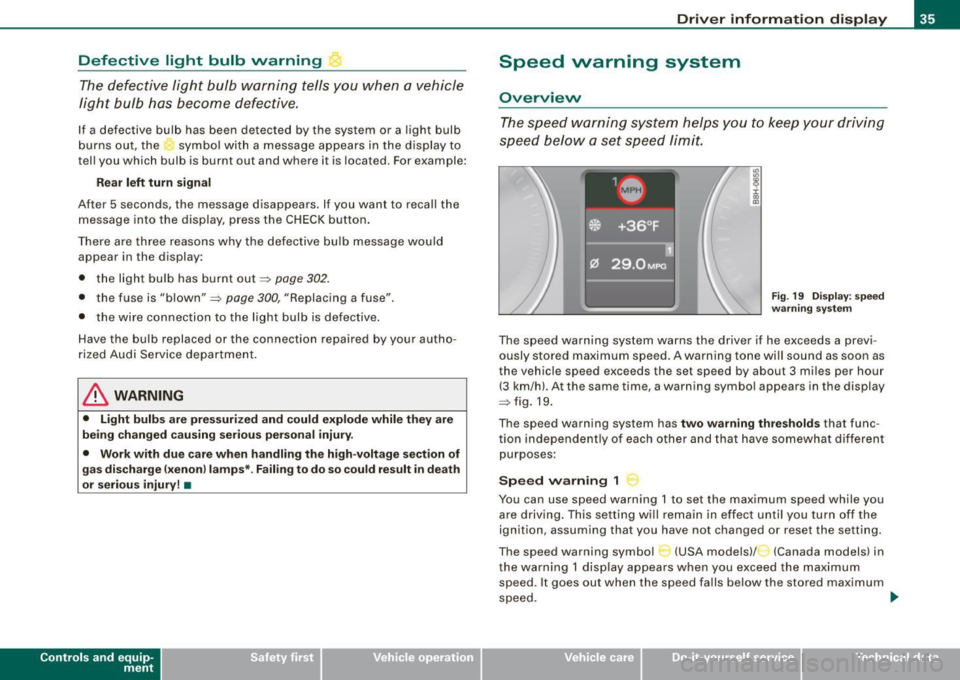
Defective light bulb warning The defective light bulb warning tells you when a vehicle
light bulb has become defective.
If a defective bulb has been detected by the system or a light bulb
burns out, the symbol with a message appears in the display to
tell you which bulb is burnt out and where it is located. For example:
R ear left tu rn signal
After 5 seconds, the message disappears . If you want to reca ll the
message into the display, press the CHECK button .
There are three reasons why the defective bulb message would appear in the display:
• the light bu lb has burnt out~
page 302.
• the fuse is "blown"~ page 300, "Replacing a fuse" .
• the wire connection to the light bulb is defective .
Have the bulb replaced or the connection repaired by your autho
rized Audi Service department .
& WARNING
• Light bulb s are pre ssur ized and cou ld e xplode while they are
being changed causing se rio us pe rsona l injury .
• Work with du e care when h andling the high -voltage sect ion of
gas disc ha rg e !x enon ) la mp s* . F a il ing to do so cou ld r esult in death
o r seriou s inju ry! •
Contro ls and eq uip
ment
Dri ver informa tio n di spl ay
Speed warning system
Overview
The spee d warning system helps you to keep your driving
speed below a set speed limit.
Fig. 19 D ispl ay : s pee d
wa rning sy st em
The speed warning system warns the driver if he exceeds a previ
ously stored maximum speed . A warning tone wi ll sound as soon as
the vehicle speed exceeds the set speed by about 3 miles per hour (3 km/hl. At the same time, a warning symbo l appears in the display
~fig.19.
The speed warning system has
two warning thre sh old s that func
tion independently of each other and that have somewhat different
purposes :
Speed warning 1
You can use speed warning 1 to set the maximum speed while you
are driving . This setting will remain in effect un til you turn off the
ignition, assuming that you have not changed or reset the setting.
The speed warning symbol
C-~ (USA models)/ (Canada models) in
the warning 1 display appears when you exceed the maximum speed . It goes out when the speed falls below the stored maximum
speed. .,
~ehicle care Technical data
Page 38 of 340
Driver inf orma tion d ispl ay
The speed warning symbol will also go out if the speed exceeds the
stored maximum speed by more than about 25 mph (40 km/h) for at
least 10 seconds. The stored maximum speed is de leted .
Setting speed warning 1
~ page 36 .
Speed warning 2
Storing warning 2 is recommended if you
always want to be
reminded of a certain speed, for example when you are traveling in
a country that has a general maximum speed limit, or if you do not
want to exceed a specified speed for winter tires.
The speed warning 2 symbol,
~ (USA models)/ :, (Canada models)
appears in the disp lay when you exceed the stored speed limit.
Unlike warning 1, it will not go out until the vehicle speed drops
below the stored speed limit.
Setting speed warning 2
=> page 36.
[ i ) Tip s
Even though your vehicle is equipped with a speed warning system,
you should still watch the speedometer to make sure you are not
driving faster than the speed limit .•
Speed warning 1 : setting a speed limit
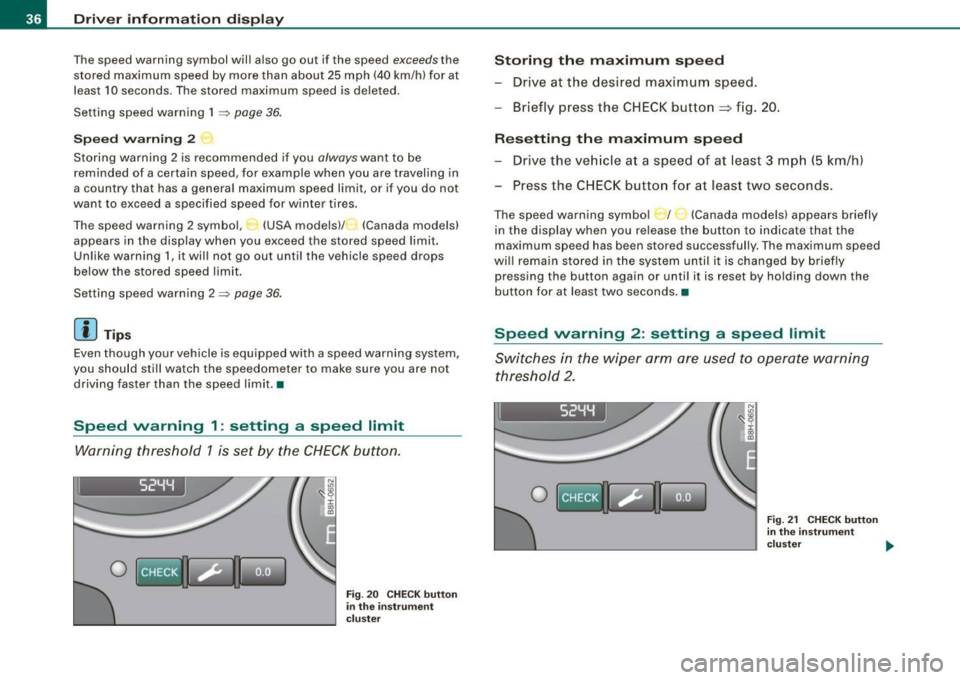
Warning threshold 1 is set by the CHECK button.
I 52YY
0
N
"' :8 i 00
"'
Fig . 20 C HECK but to n
in th e ins trume nt
c lu ster
Storing th e maximum speed
- Drive at the desired maximum speed.
- Briefly press the CHECK button
=> fig . 20.
R es etting th e m aximum spe ed
- Drive the veh icle at a speed of at least 3 mph (5 km/h)
- Press the CHECK button for at least two seconds.
The speed warning symbol _ f _ _ (Canada models) appears briefly
in the display when you release the button to indicate that the
maximum speed has been stored successful ly. The maximum speed
wi ll remain stored in the system until i t is changed by briefly
pressing the button again or unti l it is reset by holding down the
button for at least two seconds. •
Speed warning 2: setting a speed limit
Switches in the wiper arm are used to operate warning
threshold 2 .
I 52YY
0
Fig. 21 CHECK button
in the in st rum ent
clu ste r .,,.