instrument cluster AUDI A5 CABRIOLET 2010 User Guide
[x] Cancel search | Manufacturer: AUDI, Model Year: 2010, Model line: A5 CABRIOLET, Model: AUDI A5 CABRIOLET 2010Pages: 364, PDF Size: 86.51 MB
Page 25 of 364

The following information is continuously evaluated by the trip
computer and can be displayed sequentially in the instrument cluster
display:
Fuel range
The estimated cruising range in miles (km) appears in the display .
This tells you how far your vehicle will be able to travel on the current
tank of fuel and with the same driving style . The display changes in
increments of 6 miles (10 km).
The cruising range is calculated based on the fuel consumption for
the last 18 miles (30 km). If you drive conservatively, the cruising
range will increase.
Average fuel mileage
The average fuel economy in MPG (l/100 km) s ince you last cleared
the memory appears in this disp lay. You can use this display to adjust
your dr iv ing techn ique to ach ieve a desired mileage.
Current fuel mileage
The instantaneous fuel consumption in miles per ga llon {l/100 km) is
shown in this display. You can use this display to adjust your driving
technique to achieve a desired mileage .
Fuel consumption is recalculated at intervals of 33 yards (30 meters).
This display switch es to gallons/hour (liters/hour) when the vehicle is
not moving .
Average speed
The average speed in mph (km/h) since the last time the display was
reset appears in the display.
Elapsed time
Th e length of time that you have been driving since you last reset the
memory appears in this display.
Distance
The d istance that has been covered since the last time the memory
was cleared appears in the display .
Controls and equip
ment Safety first
Driver information display
(I] Tips
•
Fuel consumptions (average and current), range and speed are
displayed in metric units on Canadian models .
• All stored values will be lost if the vehicle battery is
disconnected. •
Memories
The trip computer is equipped with two fully automatic
memones.
Radio WXRK
Fig. 17 Trip computer
display: memory level
1
You can switch between the trip computer 1 and 2 by pressing the
Reset button @=>
page 24, fig. 18 .
You can tell which memory level is currently active by the number in
the display => fig. 17. The data from the single-trip memory (memory
level 1) is being displayed if a
1 appears in the display . If a 2 is shown,
t hen the data from the total-trip memory is being displayed (memory
level 2) .
Single-trip memory (Trip computer 1)
The sing le-trip memory stores the trip information from the t ime the
ignition is turned on until it is turned off. If the trip is continued
within 2 hours from the time the ignit ion was turned off, the new
data will be included in the calculation of the current trip informa-
I,,,
Vehicle care Technical data
Page 26 of 364

Driver information display
tion. If the trip is interrupted for more than 2 hours the memory is
reset automatically.
Total-trip memory (Trip computer 2)
Unlike the single-trip memory, the total-trip memory is not reset
automatically. Th is permits you to evaluate your driving data for the
entire pe riod between manual resets. •
Operation
The trip computer is controlled by two switches on the
windshield wiper lever.
Fig. 18 Windshield
wiper l ev er : controls
for th e trip comput er
- Pushthefunctionselectorswitchupordown @~fig.18 .
This will cause the five distinct trip computer functions to
be displayed one after another.
The trip computer will not operate unless the ignition is on. When you
turn on the ignition, the function that was in use when yo u last tu rned
the ignition off will be d isplayed.
In addition to information on the on-board computer (on-board
computer 1 or 2), the dig ital speedometer a nd information regarding
the navigation system* can also be displayed. To switch the display
between the different information, tap the Reset button@ briefly.
Setting values to zero
To delete one current value from the trip computer, select the
desired function and press the Reset button @ for at least one
second. The following values can be set to zero
individually using the
Reset button:
• Average fuel mileage
• Average speed
• Elapsed time
• Distance
In addition,
all the values in the single-trip or the total-trip memory
can be deleted simultaneously=>
page 24.
[ i ] Tips
All stored values will be lost if the vehicle battery is disconnected. •
Basic Settings for the trip computer
The MMI* or the radio operating unit is used for setting
the trip computer's basic settings .
-Select: Function button [CARI> Instrument cluster > On-
board computer 1
or On-board computer 2.
Th e values in the single-trip or the total-trip memory can all be reset
to zero at the same time under
Reset in the menu.
In addition, you can determine what information from the trip
computer should be shown in the instrument cluster display. If one
of the pieces of driver information is turned
off , that driver informa
tion will not be shown in the display. The info rmation w ill continue to
be calculated by the trip computer and can be turned back
on at any
time. •
Page 27 of 364
Speed warning system
Overview
The speed warning system helps you to keep your driving
speed below a set speed limit.
The speed warning system warns if the driver exceeds a previously
stored maximum speed. A warning tone will sound as soon as the
vehicle speed exceeds the set speed by about 3 mph (3 km/h) . At the
same time, a warning symbol appears in the display. The symbol 's
appearance might be different in some models .
The speed warning system has
two warning thresholds that function
independently of each other and that have somewhat different
purposes:
Speed warning 1
You can use speed warning 1 to set the maximum speed while you are
driving. This setting w ill remain in effect until you turn off the igni
tion, assuming that you have not changed or reset the setting .
The speed warning symbo l
0 (USA models)/0 (Canada mode ls) in
the warning 1 display appears when you exceed the maximum speed .
It goes out when the speed falls be low the stored maximum speed.
The speed warning symbol will also go out if the speed
exceeds the
stored maximum speed by more than about 25 mph
(40 km/h) for at
least
10 seconds. The stored maximum speed is deleted.
Setting speed warning 1
=> page 25.
Speed warning 2
Storing warning 2 is recommended if you always want to be reminded
of a certain speed, for example when you are travel ing in a country
that has a general maximum speed limit, or if you do not want to
exceed a specified speed for winter tires.
The speed warning 2 symbol,
8, (USA models)/ 8, (Canada models)
appears in the display when you exceed the stored speed limit. Unlike
Contro ls a nd e quip
m en t Vehicle
OP-eration
Driver information display
warning 1, it will not go out until the vehicle speed drops below the
stored speed limit.
Setting speed warning 2
=> page 26 .
(I) Tips
Even though your veh icle is equipped with a speed warn ing system,
you should still watch the speedometer to make sure you are not
dr iv ing faster than the speed limit.•
Speed warning 1 : setting a speed limit
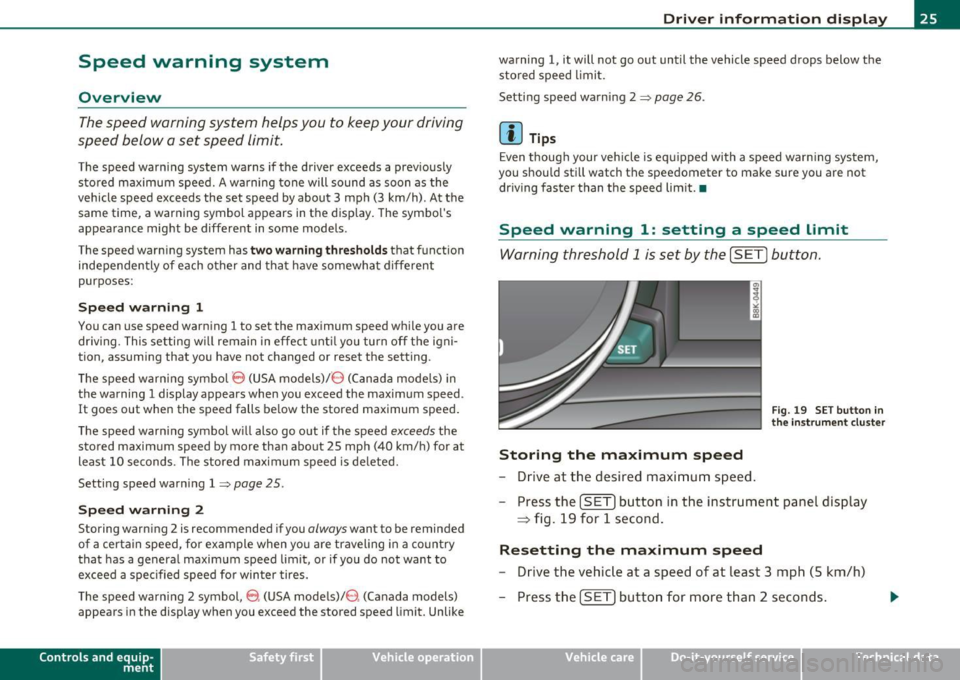
Warning threshold 1 is set by the [SET] button.
Fig. 19 SET button in
the instru men t cluster
Storing the maximum speed
- Drive at the desired maximum speed.
- Press the
[SETI button in the instrument panel display
~ fig. 19 for 1 second .
Resetting the maximum speed
-Drive the vehicle at a speed of at least 3 mph (5 km/h)
- Press the
[SET) button for more than 2 seconds .
Vehicle care Do-it-yourselt service iTechnical data
Page 28 of 364
Driver information display
The speed warning symbol '8 (USA models) /8 (Canada models) will
appear briefly in the display when you release the
I SETJ button to
indicate that the maximum speed has been stored successfully .
The maximum speed remains stored until it is changed by pressing
the
I SETJ button again briefly or until it is deleted by a lengthy push
on the button .•
Speed warning 2: setting a speed limit
The /11/111* or the radio control unit is used to set, change
or delete warning threshold 2.
- Select: Function button I CAR]> Instrument cluster>
Speed warning.
• Speed warning -the warning threshold can be turned on or off .
• Speed warning -a warning tone will sound if you exceed the speed
you have set.
Warning threshold 2 can be set in the speed range starting from
18
mph to 150 mph (30 km/h to 240 km/h). Settings can each be
adjusted in intervals of 6 mph (10 km/h). •
Auto Check Control
Introduction
The Auto-Check control monitors the function of certain vehicle
features and components. It simply makes sure these features and
components are working properly. The Auto-Check control works as
long as the ignition is on, as well as whenever the veh icle is driven.
If a component is malfunctioning or if the need for an urgent repair
has been detected, this will appear in the instrument cluster display.
You will also hear an audible warning tone. The displays are color
coded in e ither red or yellow depend ing on their level of priority . A
red symbol means
Danger, a yellow symbol indicates Warning . In
certain situations, information message for the driver appear in addi
tion to the red and yellow symbols.
Th e Auto-Check Contro l will automatically perform a test each time
you switch on the ignition. With the selector lever in
P or N, the
following message appears in the display:
When stationary apply footbrake while selecting gear.
When you a select a different gear (for example: R, D, etc.), the
message will disappear and the Auto-Check function is displayed.
If there is a malf unction, then the malfunction message will appear
about 15 seconds after you start the vehicle. At the same time you
w ill hear a wa rning tone. •
Driver information messages
Driver information messages are shown in the instru
ment cluster display in addition to symbols.
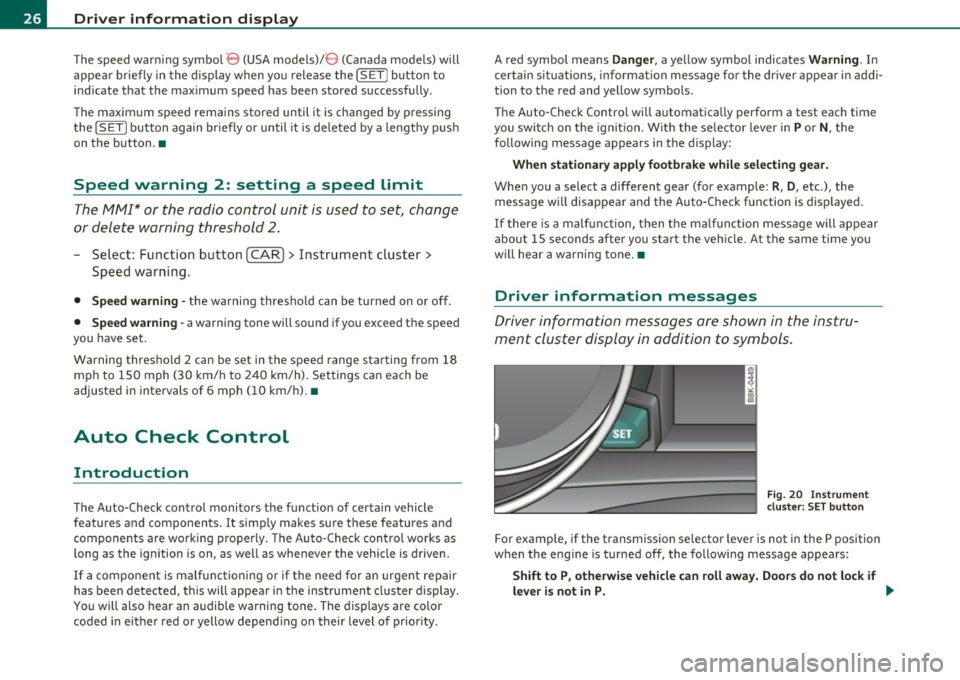
Fig. 20 Instrument
cluster: SET button
For examp le, if the transmission selector lever is not in the P position
when the eng ine is turned off, the following message appears:
Shift to P , otherwise vehicle can roll away. Doors do not lock if
lever is not in P. .,._
Page 30 of 364
Driver information display
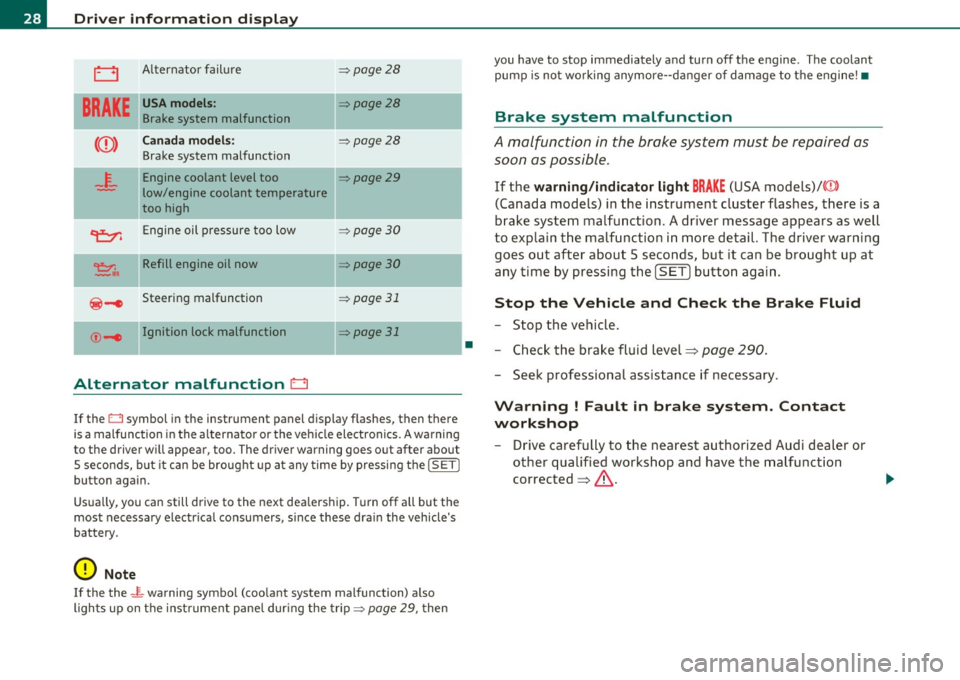
0 Alternator failure => page 28
BRAKE
USA models: ::::>page28
Brake system malfunction
Canada models: ::::>page28
Brake system malfunction
4.
Engine coolant level too ::::>page29
low/engine coolant temperature
too high
II
~ Engine oil pressure too low =:>page 30
~,. Refill engine oil now =:> page 30
@-e Steering malfunction => page 31
©-1 Ignition lock malfunction II=> page 31
Alternator malfunction D
If the O symbol in the instrument panel display flashes, then there
is a malfunction in the alt ernator or the vehicle electronics. A warning
to the driver will appear, too. The driver warning goes out after about
5 seconds, b ut it can be brought up at any time by pressing the
!SET I
button again.
Usually, you can still drive to the next dealership. T urn off all but the
most necessary e lectr ica l consumers, s ince these dra in the vehicle's
battery.
0 Note
If the the _ i,_ warning symbo l (coo lant system malfunction) a lso
lights up on the instrument panel during the trip::::>
page 29, then
•
you have to stop immediately and turn off the engine . The coolant
pump is not work ing anymore- -danger of damage to the engine! •
Brake system malfunction
A malfunction in the brake system must be repaired as
soon as possible .
If the warning/indicator light BRAKE (USA models)/ ((D)
(Canada models) in the instrument cluster flashes, there is a
brake system malfunction. A driver message appears as well
to explain the malfunction in more detail. The driver warning
goes out after about 5 seconds, but it can be brought up at
any time by pressing the
[SET ] button again.
Stop the Vehicle and Check the Brake Fluid
-Stop the vehicle.
- Check the brake fluid level=>
page 290.
-Seek professional assistance if necessary .
Warning ! Fault in brake system. Contact
workshop
- Drive carefully to the nearest authorized Audi dealer or
other qualified workshop and have the malfunction
corrected =>,& .
Page 35 of 364

This driver message and the symbol,;;:;,. appear when a system
malfunction occurs during travel. You can continue to drive carefully
at a reduced speed to a qualified workshop. Steering can be more
difficult or sensitive than usual. The steering whee l can also be at an
angle when driving straight .
Dynamic steering: initialization
If this driver message appears and the indicator lightl, is flash ing on
the instrument panel, dynamic steering is being reinitialized . Once
you start the engine after this is finished, the steering wheel wi ll be
easy to move. Re -initializat ion might be necessary if the steering
wheel was moved hard to the left and right while the vehicle was not
moving. The display goes out as soon as initial izat io n is complete.
& WARNING
Have the dynamic steering system malfunction repaired as soon
as possible by an authorized Audi dealer or any qualified workshop
- risk of accident!
[I) Tips
The dynamic steer ing stability systems are not ava ilab le in the event
of a system ma lfunct ion .•
Ap plies to ve hicles : w it h c onven ien ce key
Key not in vehicle
Key not in vehicle
This reminder appears along with the symbol if the master key is
removed from the vehicle with the engine running. It is int ended to
remind you (e.g. when chang ing drivers) not to continue the journey
without the master key.
If the master key is no longer in the veh icle, you cannot sw itch off the
ignition after stopping the engine and you a lso cannot start the
engine again. You also cannot lock the veh icle from the outs ide .•
Controls and equip
ment Safety first
Driver information display
Light/rain sensor defective
·)
Automatic headlights/automatic wipers defective
If the symbol ill um inates , the light sensor has failed. For safety
reasons the low beams are turned o n permanently with the switch in
AUTO . However, you can continue to turn the lights on and off using
the light switch . In the case of a defect in the ra in sensor, the wind
shield wiper lever functions are still avai lable . Have the light/rain
sensor checked as soon as possib le by an autho rized Audi dealer. •
Worn brake pads ~
Brake pads!
If the warning light illuminates, immediately contact your authorized
Audi dealer or qualified workshop to have all brake pads inspected .
On USA mode ls the warning light comes on together with the
war ning light BRAKE . Both sets of b rake pads on an axle must always
be replaced at the same time.
& WARNING
Driving with bad brakes can cause a collision and serious personal
injury .
• If the warning light and the warning light
BRAKE1> with the
message Brake pads! comes on in the instrument cluster display,
immediately contact your authorized Audi dealer or qualified
workshop to have all brake pads checked or replaced if necessary. •
ll BRAKE : USA mode ls on ly
Vehicle care Technical data
Page 40 of 364

Opening and closing
(I) Tips
• The operation of the remote control key can be temporarily
disrupted by interference from transmitters in the vicinity of the
vehicle working in the same frequency range (e.g . a cell phone, radio
equipment).
• If you open the driver's door with the key left in the ignition lock,
a chime will sound. This is your reminder to remove the key and lock
the door .
• For security reasons, replacement keys are only available from
Audi dealers.
• For Declaration of Compliance to United States FCC and Industry
Canada regulations=>
page 346 . •
Check Light in the master key
The check light in the master key provides information
about different conditions.
Fig. 24 Check light in
t he master key
The check light comes on briefly once when a button is pressed, and
during an "inquiry" by the convenience key system. If the check
light does not come on, the battery is dead and has to be
replaced. In addition, when the battery is dead the symbo l appears
in the instrument cluster display as well as the message :
Please change key battery
Battery replacement => page 38. •
Master key battery replacement
•
Fig. 25 Remote
master key: Removing
the mechanical key
Fig. 26 Remote
master key: Removing
the battery holder
We recommend having the battery changed by an authorized
Audi dealer. However, if you wish to replace the dead battery
yourself, proceed as follows:
- Press the release button©~ fig. 25 . ..,.
Page 49 of 364

& WARNING (continued)
compartment and pull the lid shut, becoming trapped and unable
to get out. To reduce the risk of personal injury, never let children
play in or around your vehicle. Always keep the rear lid as well as
the vehicle doors closed when not in use.
• Always ensure that no one is within range of the rear lid when
it is moving, in particular close to the hinges· fingers or hands can
be pinched.
[ i ] Tips
• When the vehicle is locked, the rear lid can be opened separately
by pressing the button~ on the master key. When you close the rear
lid again, it locks automatically .
• If the rear l id is open or not properly closed when the ignition is
turned on, the door and rear lid warning:::::,
page 20 appears in the
instrument cluster display.•
Emergency unlocking of the
luggage compartment lid
There is an emergency release for the rear lid.
Con tro ls a nd e quip
m en t
Fig. 38 Rear lid: Lock
cylinder
Vehicle OP-eration
Opening and closing
-Remove the mechanical key from the master key
=;,page 39.
-Insert the key in the lock cylinder and turn it in the direc
tion of the arrow .•
Power windows
Controls
The driver can control all power windows.
Fig. 39 Section of the
driver's door: Controls
Fig. 40 Center
console: central power
window switch
All power window switches=> fig . 39 are provided with a two-
position function:
~
Vehicle care Do-it-yourselt service iTechnical data
Page 53 of 364

• A message in the instrument cluster display will alert you if a
protection function was activated or if there is a malfunction
~page 51.
• The power top can also be operated manuall y if there is a malfunc
tion~
page 56, "Power top emergency operation". Have you autho
r iz ed A udi dealer correct the cause of the malfunction as soon as
possible.
• If park ing the vehicle with the power top open, remember that the
vehicle interior will not be protected from the weather or from unau
thorized entry. Closing the power top before leaving the vehicle is
recommended. If you leave items in the vehicle, lock them in the
trunk. •
_ Power top operation
The indicator light monitors the power top.
The 4' indicator light illuminates for approximately 2 seconds when
the ignition switches on to check the function and then goes out
again . The indicator light also:
• illuminates when the powe r top opens or closes.
• blinks if the power top switch is operated but the conditions for
opening or clos ing the powe r top are not met . A wa rning message
also appears in the instrument cluster display~
page 51, "Error
message in the instrument cluster display ".
• if the power top did not open or close completely.
[ i ] Tips
The ind icator light stays on if the power top was opened manually. •
Controls and equip
ment Safety first
Power top
Error message in the instrument cluster
display
An error message appears if the power top cannot open
or close.
Several conditions must be met for the power top to open or close
automatically.
An error message in the instrument cluster display indicates if one of the conditions is not met or there is a malfunction.
Power top: please close rear lid
The luggage compartment l id must be closed when the power top is
opening or clos ing. This error message appears in the instrument
cluster display if the luggage compartment lid is not closed.
Storage bay not lowered. Please remove
obstruction
The power top storage bay must lower when the power top is
opening. Th is error message appears in the instrument cluster
display if the storage bay is not lowered.
If the storage bay does not
lower automatically because of objects in the lug gage compartment,
remove the objects that are in the way from the storage bay area.
Otherwise, you can operate the power top storage bay manually
~page 54.
Power top: cannot be used
This error message appears if the convertib le cannot open or close
automatically because of safety reasons or if there is a malfunction.
The follow ing causes are poss ible:
• Vehicle speed too high: Power top operat ion is deactivated and an
error message appears if the vehicle speed is too high . Reduce the
vehicle speed and operate the switch again to open or close the power
top.
• Battery voltage too low: The power top cannot be operated if the
battery voltage is too low . This ensures there w ill be enough battery .,,
Vehicle care Technical data
Page 64 of 364

Clear vision
Clear vision
Lights
Switching the lights on and off ·'t/..·
Fig. 65 Instrument
panel: Headlight
control switch
Switching on AUTO -Automatic headlight
controls*
- Turn the light switch to AUTO=> fig. 65.
Turning on the side marker Lights
-Turn the head light control switch to ~oo~.
Switching on low beams
-Turn the headlight control switch to @:D .
Switching off the Lights
- Turn the headlight control switch to 0.
The low beams only illuminate with the ign it ion turned on.
With the side marker lights or headlights switched on, the symbol next to the light switch illuminates
;o o: .
AUTO -Automatic headlight control*
With the switch in the AUTO position, the low beams are switched on
automatically depending on the ambient light, for example in a
tunnel, at dusk and when it is raining or snowing . When the low
beams are switched on, the
;oo :: symbol comes on. The low beams
remain switched on regardless of the ambient light when you turn on
the fog lights.
When you turn off the ignition, the low beams are automatically
switched off .
On vehicles w ith a rain sensor the headl ights switch on automatically
after a few windshield wiper passes . However, the instrument
lighting will not be switched on.
With automat ic headlight control, you also have the high-beam func
tion available. However, if you have not switched high beams back to
low beams while driving with automatic headlight contro l, only the
low beams come on the next time you turn on automatic headlight
control. In order to return to high beams again, you first have to pull
the high beam lever back to the normal position and then push the lever forward.
Light sensor malfunction
In the event of a light sensor malfunction, the driver is notified in the
instrument cluster display:
Automatic driving lights/automatic wipers defective
For safety reasons, the low beams are turned on permanently w ith
the switch in
AUTO . However, you can continue to turn the lights on
and off using the light sw itch. Have the light sensor checked as soon
as possible at an authorized Audi dealer or other qualified workshop . .,_