door lock AUDI A5 CABRIOLET 2010 Owner's Manual
[x] Cancel search | Manufacturer: AUDI, Model Year: 2010, Model line: A5 CABRIOLET, Model: AUDI A5 CABRIOLET 2010Pages: 364, PDF Size: 86.51 MB
Page 108 of 364

ffl..__O_ n_ t_h _e_ r_o _ a_ d _________________________________________________ _
Ignition Lock and ignition switch
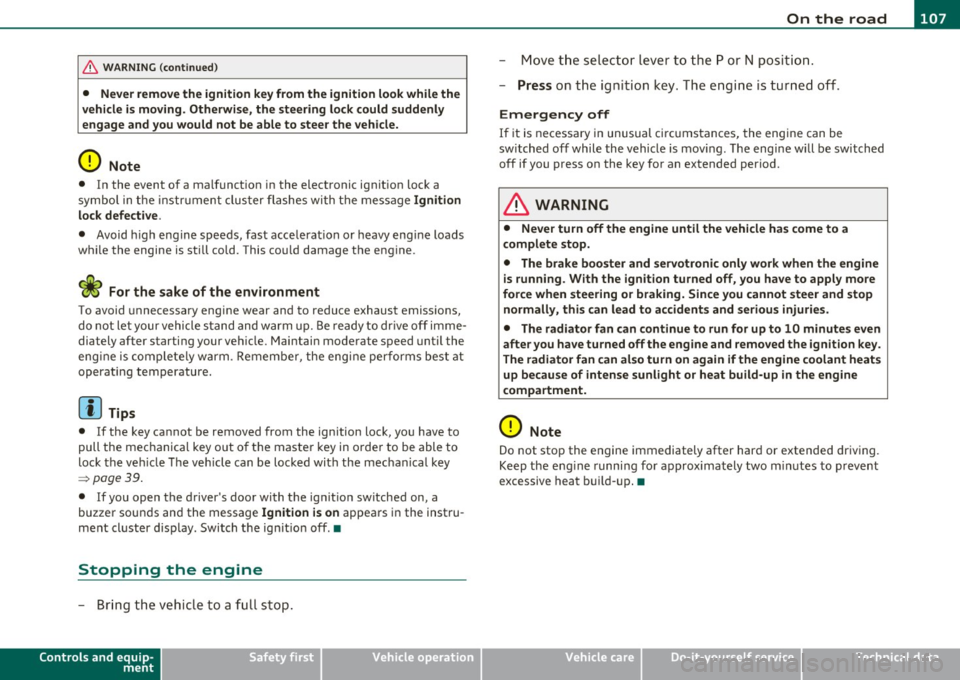
Starting engine with the key
The ignition is switched on and the engine started with
the ignition key.
F ig. 10 8 Igniti on k ey
-Inse rt the key in to the ig n ition lock.
- Step on th e brake pedal and mov e th e selec tor lev er to th e
P or N posi tion.
- Press the key=> fig. 108 -the engine wi ll start.
By pressing the key without stepp ing on the clutch or the b rake, the
ign itio n is switc hed on and o ff . With the ignition on, the steeri ng
w heel is unlocked.
You can o nly remove the key with the ig nition switc hed off . To do this,
you have to press on the key ag ain. Wi th an a utomat ic transm iss io n,
the selector lever must be in the P pos ition.
W hen s tarting the engine, major electrica l loads a re swi tched off
temporarily .
After startin g a cold engine, there may be a brief period of increased
noise be cause the oil p ress ure mu st firs t b uild up in t he hydr auli c
valve adjuste rs. This is normal and not a cause for concern. If
the eng ine s hould not start immediately, the starting process is
a u tom atically st op ped aft er a sh ort t ime. Re peat sta rtin g p ro cedu re.
Driver message in the instrument cluster display
Press brake pedal to start engine
T h is message ap pears i f yo u do not step on the brake pedal to start
t he engine on a vehicle w ith an au toma tic transmission.
Engage N or P to start engine
This message appea rs when at tempti ng to start the eng ine if the
sele ctor lever fo r the au tomatic t ransm ission is no t in the P or N po si·
t ion. The engine can on ly be sta rted wi th the selecto r in these posi
tions.
Shift to P , otherwise vehicle can roll away. Doors do not lock if lever
is not in P .
This message app ears fo r sa fe ty reasons along with a wa rning sig nal.
It appea rs if the selector lever for t he automat ic transm iss io n is not
in the P posi tion af ter the ignition is sw itched off . M ov e t he se lector
lever to the P pos itio n, ot herw ise the vehicle is not secured against
rolling away . You a lso ca nnot lo ck th e ve hi cle u sing the locking
button on the door hand le or us ing the remote key.
& WARNING
• Always take the key with you whenever you leave your vehicle.
Otherwise, the engine could be started or electrical equipment
such a s the power windows could be operated . This can lead to
serious in jury.
• Never leave children or per sons requiring assistan ce unat
tended in the vehicle. The doors can be locked u sing the remote
transmitter, p reventing people from escaping from the vehicle on
their own in the event of an emergency. Depending on the time of
year, people inside the vehicle can be exposed to very high or very low temperatures. ..,
Page 109 of 364
_________________________________________________ O_ n_t_ h _ e_ ro_ a_d __ ffl'II
& WARNING (co ntinued )
• Never remo ve the ignition key from the ignition look while the
vehicle is moving. Otherwi se, the steering lock could suddenly
engage and you would not be able to steer the vehicle.
0 Note
• In the event of a malfunction in the electronic ignit ion lock a
symbo l in th e instr umen t cluster flashes with the message
Ignition
lock defective .
• Avoid h igh eng ine speeds, fast acce lerat ion or heavy eng ine loads
whi le the engine is still co ld. This cou ld damage the engine .
<£> For the sake of the environment
To avoid unnecessary engine wear and to reduce exhaust emiss ions,
do not let your vehicle s tand and w arm up. Be re ady to dr ive off i mme
diately after starting your ve hicle. Mai ntain mode rate speed until the
eng ine is complete ly w arm . R emembe r, the eng ine per forms best at
operat ing temperature.
[I) Tips
• If the key ca nnot be removed from the ignition lock , yo u have to
pull the mec hanica l key o ut o f the maste r key in o rde r to be able to
lock the ve hicle Th e veh icle can be locked with the mec han ical key
=> page 39.
• If you open the driver's door with the ig nit io n switched on, a
buzze r soun ds and the message
Ignition is on appea rs in the instru
ment cl uster d is p lay . Switch t he ig nitio n off .•
Stopping the engine
- Bring the vehic le to a fu ll s top.
Controls and equip
ment Safety first
M
ove the select or lever to the P or N po sit ion .
- Press on t he igni tion key. The engi ne is tu rned of f.
Emergency off
If it is necessary in unusual circ umstances, the engine can be
switched off while the vehicle is mov ing . The eng ine will be switched
off if you press on the key for an extended period.
& WARNING
• Never turn off the engine until the vehicle has come to a
complete stop .
• The brake booster and servotronic only work when the engine
is running . With the ignition turned off, you ha ve to apply more
force when steering or braking. Since you cannot steer and stop
normally, this can lead to accident s and serious injuries.
• The radiator fan can continue to run for up to 10 minute s even
after you have turned of f the engine and removed the ignition key.
The radiator fan can also turn on a gain if the engine coolant heats
up becau se of intense sunlight or heat build-up in the engine
compartment.
0 Note
Do not stop the engine immediately after har d or extended dr iving.
Keep the eng ine runni ng fo r approx imately two m in utes to p revent
excessive heat b uild -up. •
Vehicle care Technical data
Page 110 of 364

ffl..__O_ n_ t_h _ e_ r_ o_ a_ d _________________________________________________ _
Starting and stopping the engine
with convenience key
A pplies to veh ic le s: w ith conven ience ke y
Starting the engine with the
[START ENGINE S TOP] button
This button switches on the ignition and starts the
engine.
Fig. 109 Convenience
key: START ENGINE
STOP button
-Step on the brake pedal and move the selector lever to P
orN =>& .
- Press onthe[START ENGINE STOP)button::::>fig. 109-
the engine will start .
By pressing the [START ENGINE STOP] button without depressing
the clutch or the brake peal, the ignition is switched on and sw itched
off by pressing it again .
If the engine does not start immediately, stop trying after 10 seconds
and then try to restart the engine about 30 seconds later.
After a co ld engine is started, there may be a brief period of increased
noise because oil pressure must first build up in the hydraulic valve
adjusters. This is normal and not a cause for concern.
Driver message in the instrument cluster display
No key identified
This message appears when the !START ENGINE STOP] button is
pressed if there is no master key ins ide the veh icle or if the system
does not recognize it. For example, the master key cannot be recog
nized if it is covered by an object (e.g. aluminum brief case) which
screens the radio signal. Electronic devices such as cell phones can
also interfere with the radio signal.
Press brake pedal to start engine
This message appears if you press the !STAR T ENGINE STOP)
button to start the engine and do not depress the brake pedal. The
eng ine can only be started if the brake peda l is depressed.
Engage N or P to start engine
This message appears when attempting to start the engine if the
selector lever for the automatic transmission is not in the P or N posi
tion. The engine can on ly be started with the selector in these posi
tions.
Key not in vehicle
This message appears along with the.:! symbol if the master key is
removed from the vehicle with the engine running. It is intended to
remind you (e.g. when changing drivers) not to continue the journey
without the master key .
If the master key is no longer in the vehicle, you cannot switch on the
ignition after stopping the engine and you also cannot start the
eng ine again. Moreover, you cannot lock the vehicle from the outside
w ith the key.
Shift to P, otherwise vehicle can roll away. Doors do not lock if lever
is not in P .
This message appears for safety reasons along with a wa rning signal.
It appears if the selector lever for the automatic transmission is not
in the P position when switching off the ignition with the
!START ENGINE STOP] button. Move the selector lever to the P _..
Page 111 of 364
___________________________________________________ O_ n_ t_h _e_ r_o _a_ d __ _
position, otherwise the vehicle is not secured aga inst rolling away.
Y ou also ca n not lock t he vehi cle using th e locking button on the door
hand le or us ing the remote key .
Convenience key defe ctive ! Use ignition lock
T hi s message appears if t he veh icle has to be sta rted not w ith the
! STAR T EN GINE STO PJ bu tton bu t with the ig nition key.
& WARNING
• Never allow the engine to run in confined spaces -danger of
asphyxiation.
• Never turn off the engine until the vehicle has come to a
complete stop.
• The brake booster and servotronic only work when the engine
is running . With the ignition turned off , you have to apply more
force when steering or braking. Since you cannot steer and stop normally, this can lead to accidents and serious injuries.
0 Note
• Avoid high engine rpm, full throttle and heavy engine loa ds until
t he e ngi ne h as r eache d op erat ing temperat ure -oth erwi se you ri sk
eng ine damage.
• Th e en gine ca nnot be sta rted by p us hi ng or tow ing t he veh icle.
• If the eng ine has bee n un der h eavy load for a n ex tended per iod,
heat b uilds up i n the engin e compartmen t after the engine is
switched off- there is a risk o f damag ing the engine. Allow the engine
t o r un at idle for abou t 2 min utes before sw itc hing it off.
[I) Tips
If y ou open t he dr iver 's door wi th th e ig nit io n sw itche d on, a bu zzer
so unds and the message
Ignition is on appears in the instrument
clu ster displa y. Swi tch t he ig nition o ff.•
Controls and equip
ment Safety first
App
lies to vehicles : w ith con venience key
Sw itching engine off with the
[ START ENGINE S TOP] button
- Bring yo ur ve hic le to a co mplete sto p.
- Aut omat ic tra nsmissi on*: Mo ve the select or l eve r to the P
o r N posit ion.
- Press the !ST ART EN GI NE STO P] but to n => page 108,
fig . 109 .
Emergency OFF function
If necessary, the eng ine ca n be switched off with the se lecto r lever in
t he R, Dor S* po sitio ns. To d o so, step o n the b rake pedal and pr ess
and ho ld the
! ST ART ENGINE STOPJ button (vehicle speed must be
les s than 6 mph / 10 km /h.
& WARNING
• Never turn off the engine until the vehicle has come to a
complete stop.
• The brake booster and servotronic only work when the engine
is running . With the ignition turned off , you have to apply more
force when steering or braking. Since you cannot steer and stop normally , this can lead to accidents and serious injuries .
• For safety reasons, you should always park your vehicle with
the selector lever in P . Otherwise, the vehicle could inadvertently
roll away .
• After the engine has been switched off , the radiator fan can
continue to run for up to 10 minutes -even with the ignition
switched off. It can also switch on again after some time if the
coolant temperature rises as the result of a heat buildup or if the
engine is hot and the engine compartment is additionally heated
by the sun's rays.
~
Vehicle care Technical data
Page 113 of 364

On the road -
----------------
more detail. If the driver message Parking brake! appears, there is an
operat ing malfunction in the parking brake which you should have
repaired immediately by an authorized Audi dealer or other qualified
workshop ~
page 28.
[I] Tips
• You can apply the parking brake at any time -even with the igni
tion turned off. The ig nition must be turned on in order to release the
parking brake.
• Occasional noises when the parking brake is applied and released
are normal and are not a cause for concern.
• When the vehicle is parked, the parking brake goes through a self
test cycle at regular intervals . Any associated noises are normal. •
Parking
Various rules apply to prevent the parked vehicle from
rolling away accidentally.
Parking
-Stop the vehicle with the foot brake.
- Pull the switch to apply t he parking brake.
- Move the selector lever to P.
- Turn the engine off::::>&.
In addition on inclines and grades
-Turn the steering wheel so that your vehicle will ro ll
against the curb in case it should start to move.
_& WARNING
• When you leave your vehicle -even if only briefly· always
remove the ignition key. This applies particularly when children
Controls and equip
ment Safety first
& WARNING
(continued )
remain in the vehicle. Otherwise the children could start the
engine, release the parking brake or operate electrical equipment
(e.g. power windows). There is the risk of an accident.
• When the vehicle is locked, no one -particularly not children
should remain in the vehicle. Locked doors make it more difficult
for emergency workers to get into the vehicle -putting lives at
risk. •
Starting from rest
The starting assist function ensures that the parking
brake is released automatically upon starting.
Stopping and applying parking brake
-Pull the switch to apply the parking brake.
Starting and automatically releasing the
parking brake
- When you start to drive as usual, the parking brake is auto -
matically released and your vehicle begins to move.
Whe n stopping at a tra ffic signal or stopping in city traffic on ve hicles
with an automatic transmission, the parking brake can be applied.
Th e vehicle does not have to be held with the footbrake. The parking
brake eliminates the tendency to creep with a drive range engaged.
As soon as you drive off as usual, the parking brake is released auto
matically and the vehicle starts to move.
Starting on slopes
When starting on inclines, the starting assist prevents the vehicle
from unintentionally rolling back. The braking force of the parking
brake is not released until sufficient driving force has been built up at
the whee ls. ..,
Vehicle care Technical data
Page 186 of 364
• ....__D_ r_iv _i_ n_, g=-- S_ a _ f_e _,Ly _ ______________________________________________ _
Loose items in the luggage compartment can shift suddenly,
changing vehicle handling characteristics. Loose items can
also increase the risk of serious personal injury in a sudden
vehicle maneuver or in a collision.
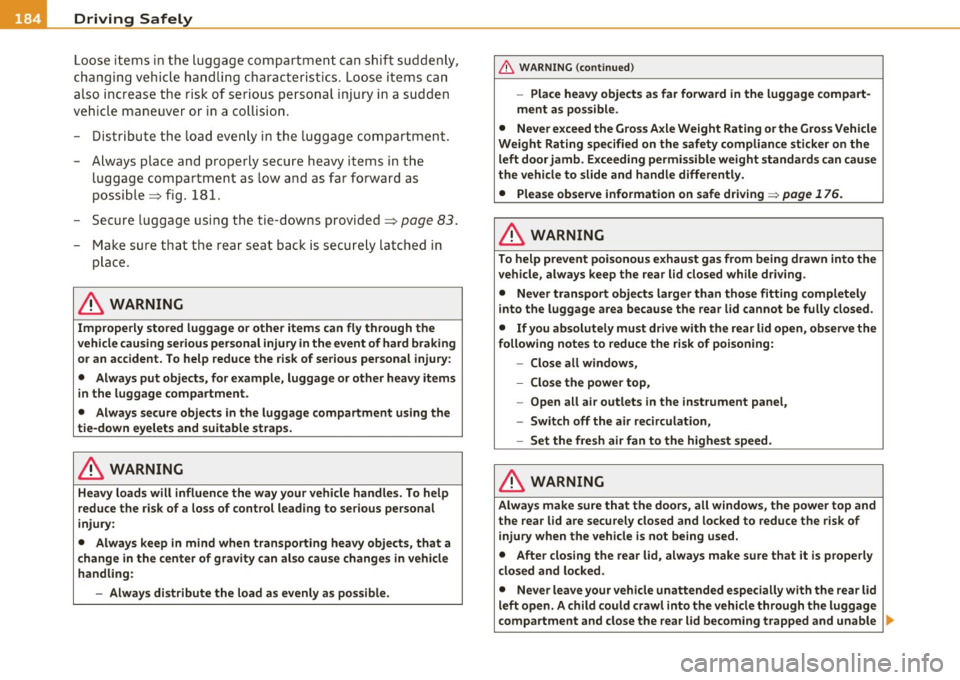
- Distribute the load evenly in the luggage compartment.
- Always place and properly secure heavy items in the luggage compartment as low and as far forward as
possible => fig . 181.
- Secure luggage using the tie-downs provided=>
page 83.
- Make sure that the rear seat back is securely latched in
place.
& WARNING
Improperly stored luggage or other items can fly through the
vehicle causing serious personal injury in the event of hard braking or an accident. To help reduce the risk of serious personal injury:
• Always put objects, for example, luggage or other heavy items
in the luggage compartment.
• Always secure objects in the luggage compartment using the
tie-down eyelets and suitable straps.
& WARNING
Heavy loads will influence the way your vehicle handles. To help
reduce the risk of a loss of control leading to serious personal
injury:
• Always keep in mind when transporting heavy objects, that a
change in the center of gravity can also cause changes in vehicle
handling:
- Always distribute the load as evenly as possible.
& WARNING (continued)
-Place heavy objects as far forward in the luggage compart
ment as possible.
• Never exceed the Gross Axle Weight Rating or the Gross Vehicle
Weight Rating specified on the safety compliance sticker on the
left door jamb. Exceeding permissible weight standards can cause
the vehicle to slide and handle differently.
• Please observe information on safe driving~
page 176.
& WARNING
To help prevent poisonous exhaust gas from being drawn into the
vehicle, always keep the rear lid closed while driving .
• Never transport objects larger than those fitting completely
into the luggage area because the rear lid cannot be fully closed.
• If you absolutely must drive with the rear lid open, observe the
following notes to reduce the risk of poisoning:
-Close all windows,
- Close the power top,
- Open all air outlets in the instrument panel,
- Switch off the air recirculation,
- Set the fresh air fan to the highest speed.
& WARNING
Always make sure that the doors, all windows, the power top and
the rear lid are securely closed and locked to reduce the risk of
injury when the vehicle is not being used.
• After closing the rear lid, always make sure that it is properly
closed and locked.
• Never leave your vehicle unattended especially with the rear lid
left open. A child could crawl into the vehicle through the luggage
compartment and close the rear lid becoming trapped and unable .,_
Page 231 of 364

Fig. 20 7 S chem atic
o verview : in stallati on
o f the seat usi ng t he
v e h icl e's s afety belt
system
- Whe n usi ng th e v ehicle safety belt to ins tall a c hild safety
seat , you mus t first activ ate the convert ible locking
f ea ture on the s afe ty b elt to preve nt the child s afe ty seat
fro m moving==>
page 232 or install t he seat usi ng t he
L A T CH a ttac hments .
- P ush the child saf ety s eat dow n with yo ur full weight to
get the safety be lt rea lly t ight so that the se at ca nnot
mov e fo rward o r sideways more than o ne i nch ( 2.5 cm)
=> page 232.
A tod dler or ch ild is usu a lly too large for a n in fant rest raint if it is
more tha n on e year old and weig hs mo re than 20 lbs. (9 kg).
Todd le rs and children who are older than one year up to about 4 years
old and weig h m or e th an 20 l bs ( 9 kg) up t o 40 l bs. (1 8 kg) mus t
always be properly restrained in a chi ld safety seat certif ied for the ir
si ze and weig ht =>
p age 2 28, fi g. 206 and => page 229, fig . 207 .
Th e a irbag on the passenger side makes the front seat a pot entia lly
dange rous p lace for a child to ride . The front seat is not t he safest
pla ce fo r a child in a forwa rd-f acin g ch ild sa fe ty seat . It is a very
dange rous p lace for an infant or a large r chi ld in a rearward -facing
se at.
Safety first Vehicle OP-eration
Child Safety
& WARNING
Not using a child safety seat, using the wrong child safety seat or
improperly installing a child restraint increases the risk of serious
personal injury and death in a collision or other emergency situa
tion .
• Children on the front seat of any car, even with Advanced
Airbags, can be seriously injured or even killed when an airbag inflates. A child in a rearward-facing child safety seat installed on
the front passenger seat will be seriously injured and can be killed
if the front airbag inflates - even with an Advanced Airbag
System .
• The inflating airbag will hit the child safety seat or infant
c arrier with great force and will sma sh the child safety seat and
child against the backrest, center arm rest, door or roof.
• Always install rearward-facing child safety seats on the rear
seat .
• If you must install a rearward facing child safety seat on the
front passenger seat because of exceptional circumstances and
the PASSENGER AIR BAG
OFF light does not come on and stay on,
immediately install the rearward-facing child safety seat in a rear
seating position and have the airbag system inspected by your
authorized Audi dealer .
• Always read and heed all WARNINGS whenever u sing a child
restrained in a vehicle is being used=>
page 190, "Safety belts ",
=> page 200, "Airbag system " and => page 222, "Important
things to know ".
& WARNING
If exceptional cir cumstances require the use of a forward-facing
c hild restraint on the front passenger's seat, the child' s safety and
well-being require that the following special precautions be
taken:
9J,,
Vehicle care Do-it-yourselt service iTechnical data
Page 236 of 364
ffl.___C_ h_ il_d _ S_a _ f_ e _ t--= y '------------------------------------------------
& WARNING (continued)
• A child in a rearward-facing child safety seat installed on the
front passenger seat will be seriously injured and can be killed if
the front airbag inflates -even with an Advanced Airbag System.
• The inflating airbag will hit the child safety seat or infant
carrier with great force and will smash the child safety seat and
child against the backrest, center arm rest, door or roof.
• Always be especially careful if you must install a rearward
facing child safety seat on the front passenger seat in exceptional
circumstances.
• A tight tether strap on a rearward-facing child restraint
attached to the front passenger seat can put too much pressure on
the weight-mat in the seat and register a heavier weight in the
Advanced Airbag System. The heavier weight registered can make
the system work as though an adult were on the seat and deploy the Advanced Airbag when it must be suppressed causing serious
or even fatal injury to the child.
• Make sure that the PASSENGER AIR BAG OFF light comes on
and stays on all the time whenever the ignition is switched on.
• If the PASSENGER AIR BAG OFF light does not come on and
stay on, immediately install the rearward-facing child safety seat
in a rear seating position and have the airbag system inspected by
your authorized Audi dealer. •
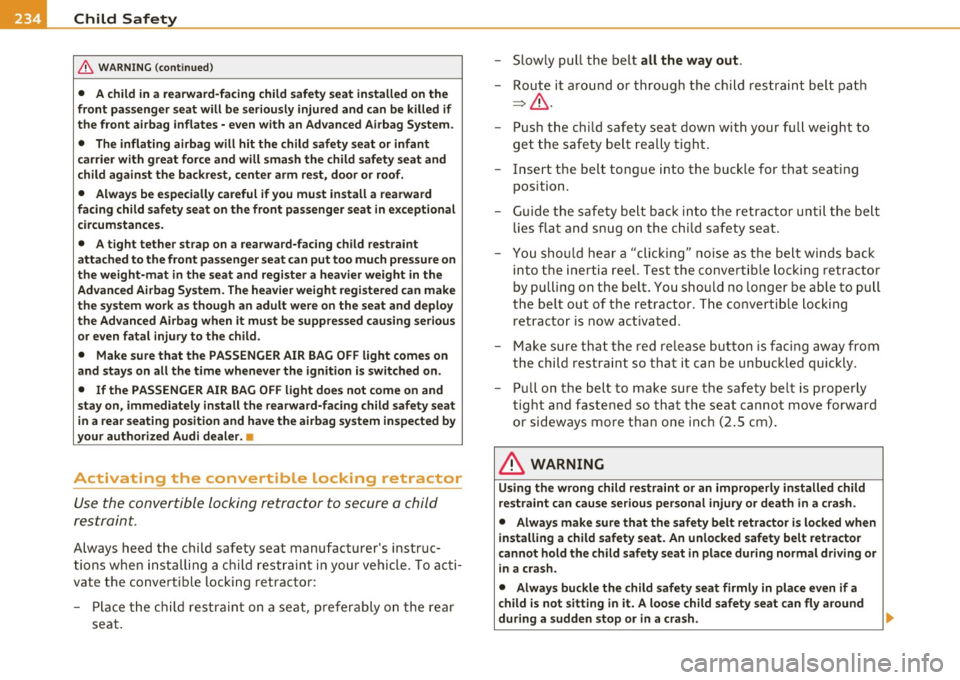
Activating the convertible locking retractor
Use the convertible locking retractor to secure a child
restraint.
Always heed the child safety seat manufacturer's instruc
tions when installing a child restraint in your vehicle. To acti
vate the convertible locking retractor:
- Place the child restraint on a seat, preferably on the rear
seat. -
Slowly pull the belt
all the way out.
- Route it around or through the child restraint belt path
=>& .
- Push the child safety seat down with your full weight to
get the safety belt really tight.
- Insert the belt tongue into the buckle for that seating
position.
- Guide the safety belt back into the retractor until the belt
lies flat and snug on the child safety seat.
- You should hear a "clicking" noise as the belt winds back
into the inertia reel. Test the convertible locking retractor
by pulling on the belt. You should no longer be able to pull
the belt out of the retractor. The convertible locking
retractor is now activated.
- Make sure that the red release button is facing away from
the child restraint so that it can be unbuckled quickly.
- Pull on the belt to make sure the safety belt is properly
tight and fastened so that the seat cannot move forward
or sideways more than one inch (2.5 cm).
& WARNING
Using the wrong child restraint or an improperly installed child
restraint can cause serious personal injury or death in a crash.
• Always make sure that the safety belt retractor is locked when
installing a child safety seat. An unlocked safety belt retractor
cannot hold the child safety seat in place during normal driving or
in a crash.
• Always buckle the child safety seat firmly in place even if a
child is not sitting in it. A loose child safety seat can fly around
during a sudden stop or in a crash.
Page 264 of 364
-~_C_ le_ a_n_ i_ n_ g=- a_ n_d___. p_ ro_ t_e _c_ t_ i_o _n ___________________________________________ _
& WARNING (conti nu ed )
• Alway s read and heed all WARNINGS and other information
~ page 260 .
0 Note
• N ever try to remove dirt, mud o r d ust if the su rface of the vehicle
is dry . Never use a dry cloth or sponge, since this could scratch your
veh icle's pai nt or windows.
• Never was h your car in bright sunlight . D rops of water act as
magni fyi ng lenses and may damage your pa int.
• When you was h yo ur c ar in the winter: i f you rinse your vehicle wit h
a hose, be care ful not to a im the stream of wate r d irectly at locks, or
at door or hatch openings -they can freeze shut.
• Never use sponges des igned to remove insects, or any kitchen
s co ur ing sponges or s imilar pro ducts. They can damage your paint
fin ish ,
• You shou ld remove debris (s uch as inse cts) from the he adlight
lenses on a regu lar bas is, for example when refuelling yo ur vehicle .
• N ever use a d ry cl oth o r sponge to clean t he he adlig hts . Only use
wet cloths or sponges to prevent scratches. It is best to use soapy
wate r.
~ For the sake of the environment
In the in terest o f th e envi ronme nt, the ve hicl e should o nly be washed
in special wash bays. •
Washing your vehicle with a power washer
Clea ning the ex teri or of y our c ar with a high- pre ssu re
po wer washer is safe as long as y ou obser ve a fe w sim ple
rul es.
- Before using the powe r washer, make su re you have read
a nd unders tood the WARN IN GS=>
& in "General info r
ma tio n" on
page 260.
- Alw ays fo llow t he operat ing i nst ructions fo r the powe r
washer.
- Make sure t hat the jet o n the spray hose produces a "fa n
shaped sp ray".
- Do
not ho ld t he spr ay no zz le too close t o sof t ma terials .
Never use a power wa sher to cl ean the powe r to p itself.
When cleaning the vehicle with a powe r washe r
always follow the
operat ing inst ruct ions . T his app lies part icu larly to the
operating
pres sure
and the spraying distance. M ain tain a suff ic ient distance to
soft mater ia ls s uch as rubbe r hoses an d so und/v ibration deaden ing
m ater ials (pa rt icula rly on t he un derside o f th e e ng ine hood). Do not
use a jet which sprays water in a
direct stream or one that has a
rotating j et.
Water temperature s hou ld not exceed 140
°F (60 °().
& WARNING
Never wash tires with a jet that sprays water in a direct stream.
This could cause invisible damage to the tires and weaken them ,
even if the spray is from a relatively long distance and for a short
time . Damaged and weakened tires can fail and cause accident s
and personal injury . .,_
Page 270 of 364

lffll,.___C_ le_ a_n_ i _n_ g=- a_ n_d__, p_ ro_ t_e _c_ t_ i_ o _ n ___________________________________________ _
Your authorized Audi dealer can provide cleaning products that have
been tested and approved for your vehicle.•
Care of interior
MMI display
- Clean the MMI display with a soft clean cloth and an LCD
cleaner.
The MMI display can be cleaned with a professionally available "LCD
cleaner". The cloth shou ld be slightly dampened with the cleaning
fluid to clean the d isplay.
0 Note
T o avoid scratch ing the MMI display, you should never clean it dry.•
MMI control console
-First clean the MMI control console with a brush to
remove dust from the housing.
- Then wipe the MMI control console with a clean, soft,
slightly damp cloth.
The MM I control console should be cleaned with a brush fi rst so that
no dirt is trapped between the buttons and the housing. We recom
mend g iv ing the MMI control console a final wipe with a cloth moist
ened with water and dish washing detergent.
0 Note
To prevent damage, make sure that no fluid ever gets into the MMI
control console. •
Aluminum trim
Use only neutral-pH products to remove spots and deposits from
alumi num surfaces. Chrome care products and alkaline cleaners will
attack aluminum surfaces and can damage them over time .
& WARNING
Always read and heed all WARNINGS and other information
=:>page 260. •
Fabrics and fabric coverings
Fabrics and fabric coverings (e .g . seats, door tr im panels, etc.) should
be cleaned at regular intervals with a vacuum cleaner . This removes
surface dirt particles wh ich could become embedded in the fabric
through use. Steam cleaners should not be used, because the steam
tends to push the d irt deeper into the fabric and lock it there.
Normal cleaning
Generally, we recommend using a soft sponge or a lint-free
microfiber cloth to the clean fabric. Brushes should only be used for
carpets and floor mats, since other fabric surfaces could be harmed
by brushes.
Normal surface stains can be cleaned using a commercially available
foam cleaner . Spread the foam on the surface of the fabric with a soft
sponge and work it in gently. Do not saturate the fabric. Then pat the
foam dry using absorbent, dry cloths (e .g. m icrofiber cloth) and
vacuum it after it has dr ied completely.
Cleaning stains
Stains caused by beverages (e.g. coffee, fru it juice, etc.) can be
treated with a mild detergent solut ion. Apply the detergent solution
with a sponge. In the case of stubborn stains, a detergent paste can
be applied d irectly to the stain and worked into the fabric. After
wards, use copious amounts of clean water to remove the remaining _..,