warning lights AUDI A5 CABRIOLET 2011 User Guide
[x] Cancel search | Manufacturer: AUDI, Model Year: 2011, Model line: A5 CABRIOLET, Model: AUDI A5 CABRIOLET 2011Pages: 364, PDF Size: 86.48 MB
Page 19 of 364
• If the slope of the ground is too steep to park the ve hicle, the addi
tional d rive message appears
Caution: Vehicle parked too steep .
• In the event of a parking brake malfunction, the ye llow symbol
appea rs in the ins trument cl uster d isp lay and the driver message
Parking brake malfunction! is displayed . Have the malfunction
repaire d as soon as possible by an au thori zed A udi dealer o r any o ther
qualified workshop .•
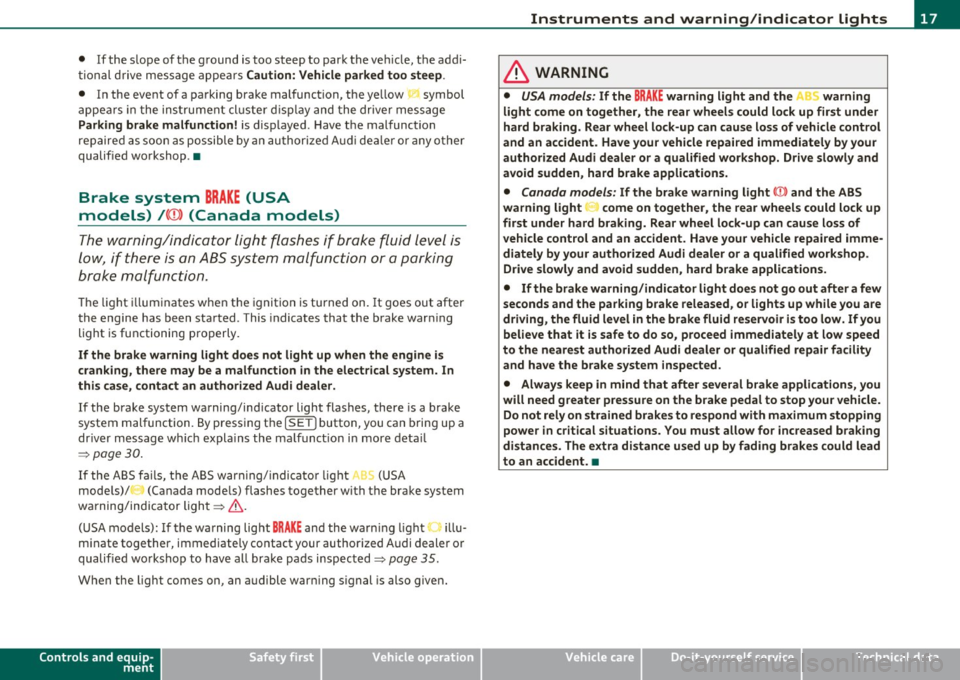
Brake system BRAKE (USA
models)
/ (CD) (Canada models)
The warning/indi cat or li ght flas hes if brake fluid le vel is
lo w, if there is an AB S syst em malf unctio n or a parki ng
brak e malfunction.
Th e light illum inates w he n th e ignition is turned on. It goes out after
the engine has been started . This indicates that the brake war ning
light is functioning properly.
If the brake warning light does not light up when the engine is
cranking , there may be a malfunct ion in the electr ical system. In
this ca se, contact an authorized Audi dealer.
If the brake system warning/ind icator light flashes, there is a brake
system malfunction. By press ing the [SET ] button, you can bring up a
dr iver message w hich expl ains the ma lfun ct io n in more deta il
:::>page 30.
If the A BS fails, t he A BS warn ing/ indi cato r light ....
s., (U SA
mode ls)/ (Canada mode ls) flashes together with the brake system
wa rning/indica tor ligh t==> & .
(USA models):
If the wa rning lig ht BRAKE and the warn ing l ight f'l ill u
minate together, immediate ly contact your author ized Audi dealer or
qualif ied wo rkshop to have all bra ke pads inspected::::>
page 35.
When the light comes on, an audible warn ing signal is also given.
Controls and equip
ment Safety first
Instruments and warning
/indicator lights
& WARNING
• USA models: If the BRAKE warning light and the I warning
light come on together, the rear wheel s could lock up first under
hard braking . Rear wheel lock-up can cause loss of vehicle control
and an accident. Have your vehicle repai red immediately by you r
authorized Audi dealer or a qualified workshop. Drive slowly and
avoid sudden, hard brake applications.
• Canada models : If the brake warning light ((j)) and the ABS
warning light
~ come on together , the rear wheels could lock up
first under hard braking . Rear wheel lock-up can cause loss of
vehicle control and an accident. Have your vehicle repaired imme
diately by your authorized Audi dealer or a qualified workshop .
Drive slowly and avoid sudden , hard brake applications.
• If the brake warning /indicator light does not go out after a few
second s and the parking brake released , or lights up while you are
driving , the fluid level in the brake fluid reservoir i s too low. If you
believe that it is safe to do so , proceed immediately at low speed
to the neare st authorized Audi dealer or qualified repair facility
and have the brake system inspected .
• Always keep in mind that after several brake applications, you
will need greater pressure on the brake pedal to stop your vehicle.
Do not rely on strained brake s to re spond with maximum stopping
power in critical situations. You must allow fo r increased braking
di stan ce s. The extra distance used up by fading brakes could lead
to an accident. •
Vehicle care Technical data
Page 33 of 364

& WARNING (continued)
first under hard braking. Rear wheel lock-up can cause loss of
vehicle control and an accident. Have your vehicle repaired imme diately by your authorized Audi dealer or a qualified workshop.
Drive slowly and avoid sudden, hard brake applications. •
Engine cooling system malfunction -•-
A malfunction in the engine cooling system must be repaired as soon as possible.
If the - t-symbol flashes in the display, either the engine
coolant
temperature is too high or the engine coolant level is
too low. A driver message appears as well to explain the
malfunction in more detail. The driver warning goes out after
about 5 seconds, but it can be brought up at any time by
pressing the
[SET] button again.
Switch off engine and check coolant level
- Pull off the road.
- Stop the vehicle.
- Turn off the engine .
- Check coolant level==>
page 287.
- Add coolant if necessary ==> page 288.
- Continue driving only after the engine coolant
warning/indicator light goes out.
- Contact your authorized Audi dealer for assistance if
necessary .
If the engine coolant level is correct, then the radiator fan may be the
cause of the malfunction.
Controls and equip
ment Safety first
Driver information display
& WARNING
•
If your vehicle should break down for mechanical or other
reasons, park at a safe distance from moving traffic, turn off the
engine and turn on the hazard warning lights=>
page 67, "Emer
gency flashers
A".
• Never open the hood if you see or hear steam or coolant
escaping from the engine compartment· you risk being scalded.
Wait until you can no longer see or hear steam or coolant
escaping.
• The engine compartment of any vehicle is a dangerous area.
Before you perform any work in the engine compartment, turn of
the engine and allow it to cool. Follow the warning stickers
=> page 2 72, "Engine compartment".
0 Note
Do not continue driving if the-~- symbol illuminates. There is a
malfunction in the engine cooling system -you could damage your
engine. •
Engine oil pressure malfunction
immediate service or repair. Driving with a low oil pres
sure indication is likely to cause severe engine damage.
If the 'l=:7: symbol on the display flashes, the engine oil pres
sure is too low. A driver message appears as well to explain
the malfunction in more detail. The driver warning goes out
after about 5 seconds, but it can be brought up at any time by
pressing the
[SET] button again.
Switch off engine! Oil pressure too low
-Stop the vehicle.
Vehicle care Technical data
Page 34 of 364

Driver information display
- Turn the engine off.
- Check the engine oil level=>
page 284.
-Contact your authorized Audi dealer if necessary.
Engine oil level too low
If the engine oil level is too low, add engine oil=> page 284.
Engine oil level correct
If the symbol 't=7: flashes even though the engine oil level is correct,
please seek professional assistance . Do not continue driving . Do not
leave the engine running
idle, either.
(I] Tips
• The engine oil pressure symbol~ is not an indicator for a low
engine oil level. Do not rely on it. Instead, check the oil level in your
engine at regular intervals, preferably each time you refuel, and
always before going on a long trip.
• The yellow oil level warning indication ... :lo requires oil refill or
workshop service without delay. Do not wait until the red oil pres
sure warning ~ starts to flash before you respond to the low oil
level warning . By then, your engine may already have suffered
serious damage. •
Fill engine oil now~
~-Please replenish oil now
If the ~ symbol lights up, then the oil has to be replenished right
now =>
page 284. •
Steering malfunction ~-
If there is a malfunction in the electronic steering column
lock, the steering cannot be unlocked.
If the @l- symbol in the display blinks, there is a malfunction
in the electronic steering column lock . A driver message
appears as well to explain the malfunction in more detail.
The driver warning goes out after about 5 seconds, but it can
be brought up at any time by pressing the (SET] button
again.
Stop the vehicle and turn off the engine. Steering
defective
- Obtain professional assistance.
- Do
not tow your vehicle .
& WARNING
Your vehicle must not be towed in the event of a malfunction in
the electronic steering column lock because it cannot be steered
due to the locked steering. If it is towed with the steering locked,
there is the risk of an accident.
(I] Tips
The symbol's appearance might be different in some models. •
Ignition lock malfunction©-
A malfunction in the ignition lock must be repaired imme
diately.
If the ©- symbol in the display blinks, there is a malfunction
in the electronic ignition lock. A driver message appears as
well to explain the malfunction in more detail. The driver
~
Page 37 of 364
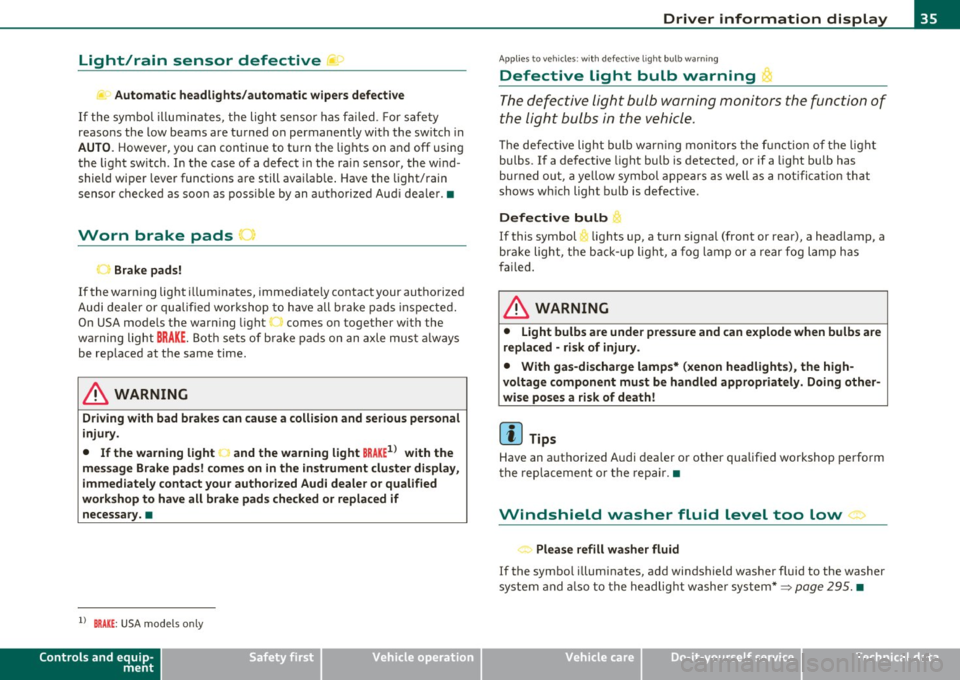
Light/rain sensor defective ~c.,
Automatic headlights/automatic wipers defective
If the symbo l illumina tes, the ligh t senso r has fa iled. For s afe ty
reasons the low beams are turned on permanently with the sw itch in
AUTO . However, you can continue to t urn the lights on and off usi ng
the light sw itch . In the case of a defect in the ra in sensor, the wi nd
shield wiper lever functions are still avai lab le . Have the light/rain
senso r chec ked as soo n as poss ible by an a utho riz ed Aud i dea le r.•
Worn brake pads u
Brake pads!
If the warn ing light illum inates, immediately contact your autho rized
Audi dea ler or qu alified wor kshop to h ave all b rake pad s in sp ecte d.
On USA mode ls the warn ing light comes on together w it h the
w ar ning light
BRAKE . Both se ts of b rake pads on an axle mus t always
be rep laced at the same time.
& WARNING
Driving with bad brakes can cause a collision and serious personal
injury .
• If the warning light J and the warning light BRAKE1> with the
message Brake pads! comes on in the instrument cluster di splay,
immediately contact your authorized Audi dealer or qualified
workshop to have all brake pads checked or replaced if
necessary. •
ll BRAKE: USA mode ls on ly
Controls and equip
ment Safety first
Driver information display
A
pp lies to veh icles : wit h defective ligh t bulb wa rning
Defective Light bulb warning t
Th e def ective light bul b warning monitors the function of
the li ght bulbs in the vehicle.
Th e defe ct ive light bulb war ning moni tor s the functio n of the lig ht
bulbs. If a de fective light bu lb is detected, or if a light bu lb has
bur ned out, a ye llow symbol appears as well as a n otifi cat io n that
shows w hich light bu lb is defective.
Defective bulb
~ If this symbol lights up, a t urn signa l (front or rear), a headlamp, a
br ak e light, t he b ack- up ligh t, a fog lamp o r a rear f og l am p has
fai led.
& WARNING
• Light bulbs are under pressure and can explode when bulbs are
replaced -risk of injury .
• With gas-discharge lamps* (xenon headlights ), the high
voltage component must be handled appropriately . Doing other
wise poses a risk of death!
[ i ] Tips
Have an a uth orized Audi dea ler o r other qualified workshop pe rform
t he rep lacemen t or t he repai r.•
Windshield washer fluid level too low >
< . .., Please refill washer fluid
If the symbo l illum inates, add windsh ield washer f luid to the washer
sy ste m a nd also to the he adlig ht w ashe r system* =>
page 295. •
Vehicle care Technical data
Page 38 of 364

Driver information display
Fuel supply too low I
When the symbol illuminates, this means there are about 2.1
gallons (8 liters) of fuel left in the fuel tank. Time to refuel!
=;, page 275.
If the symbol lights up, even when there is ample fue l in the tank, and
the text
TANK SYSTEM MALFUNCTION! CONTACT WORKSHOP
appears in the display, there is a fault in the system. Contact a quali
fied workshop to have the fault rectified. •
Applies to veh icles: w ith batte ry vol tage warning
Battery voltage L:
If battery power drops into the range where it can limit the ability of
the engine to start, this the symbol appears in the instrument
cluster display with the following driver message battery charge low:
Indicates charging by being driven.
While this driver notification is displayed, you have to be prepared for
limited starting capability.
Driver message appears and goes out again
If this driver message appears after the ignition is turned on or while
driving and it goes out again after a while, the battery has been
adequately recharged.
Driver message appears and does not go out again
If this driver notification appears after the ignition is turned on or
wh ile driving and does not go out again, the battery's state of charge
is not in the optimal range. Starting capability is restricted. Have the
battery checked at an authorized Audi dealer or other qualified work
shop as soon as possible. •
Check engine oil ~
, Add oil, max x qt (l). You may continue driving
If the . symbol lights up displaying this driver message, then add a
maximum of 1 liter at your earliest opportunity~
page 284. •
Engine oil level ~i.
c,,-Please check oil level
When the symbol illuminates, check the engine oi l level as soon as
possible~
page 284. Top off the oil at your earliest opportunity
~page284. •
Engine oil sensor defective
Oil level! Sensor defective
,., _,..
If the symbol illuminates, contact your authorized Audi dealer and
have the oi l sensor inspected. Until you have this done, check the oil
level each time you refuel just to be on the safe side~
page 284. •
Applies to vehicles: with engine speed limitation
Engine speed limitation -~
Do not exceed max. engine speed of XXXX rpm
Th e ·, symbol illuminates when there is an engine control malfunc
tion . The ind icator light 'in the instrument cluster also illuminates.
Th e engine speed is limited to the speed displayed in the driver infor
mation system. Keep in mind that the engine speed will not exceed
the va lue displayed in the driver information system, for example
when downshifti ng.
Please go to an author ized Audi dealer or other qualified workshop to
have the malfunction repaired. •
Page 66 of 364

Clear vision
& WARNING
Automatic headlights are only intended to assist the driver. They
do not relieve the driver of his responsibility to check the head
lights and to turn them on manually according to th e current light
and visibility conditions . For example, fog cannot be detected by
the light sensors. So always switch on the headlights under these
weather conditions and when driving in the dark
io.
[ i ) Tips
• The light sensor for headlight cont rol is located in the rear view
m irror mo unt. You s hou ld therefore not apply a ny st ic kers to the
windshield in th is area in order to prevent malfunct ions or fa ilures.
• T he sensitivity leve l for the light se nsor set a t the factory ca n be
changed in the MMI menu~
page 65 in the automatic driving lights
fu nction .
• When you remove your key from t he ign itio n while the veh icle's
lights a re tu rned on, a bu zzer sounds as long as t he driver's doo r is
open.
• Please obey a ll laws when us ing t he lig htin g systems desc ribed
here.
• The coming home/ leav ing home function is ava ilab le only with the
switch in the AU TO position. •
Appli es to veh icles : w ith fog lights
Fog lights
Fig . 67 Fog light
switch
- To tur n on the fog lights }D, press bu tton (D ~ fig. 6 7.
- To turn on the rear fog ligh ts
0$ , press butto n@ .
Fog lights
The side marker lights or low beams must be switc hed on . W hen the
fog lights are switc hed on, the gree n check light at t he edge of the
switch co m es on.
If automat ic dr iv ing light control AUTO is activated , the low beams
a re sw itched on whe n the fog lights are t urned on.
Rear fog lights
Low beams o r side m arke r lig hts w ith fog ligh ts m ust be t urned on .
When the rear fog lig hts are tur ned on, the ye llow check lig ht at the
edge of the swi tch comes on.
0 Note
Th e rear fog lights sho uld on ly be tur ned o n in accordance with traff ic
reg ulat io n, as the lights a re br ight for following traffic. •
Page 67 of 364
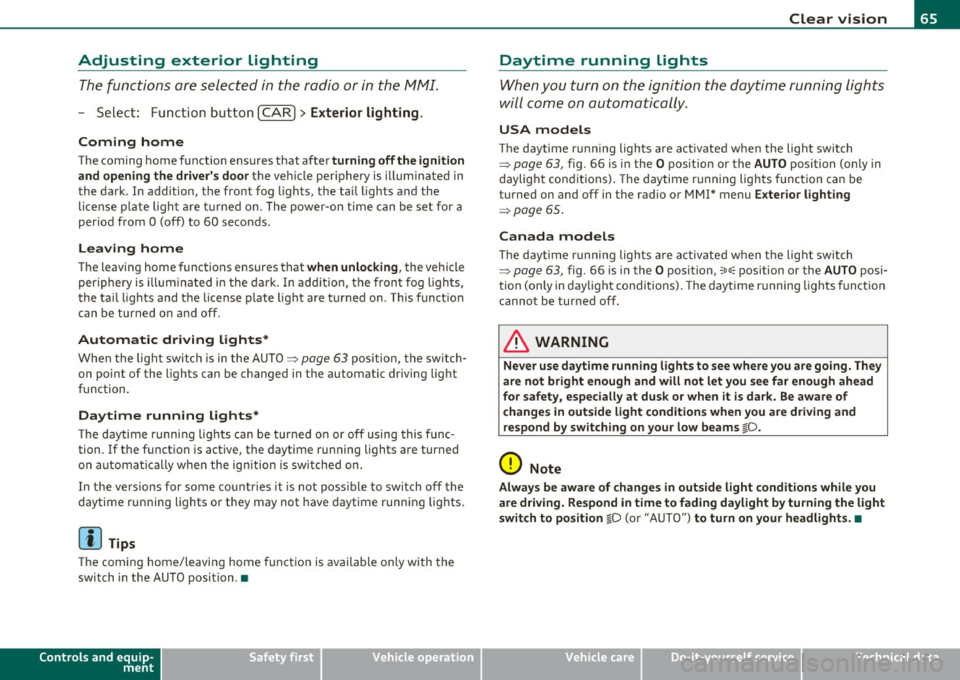
Adjusting exterior Lighting
The functions are selected in the radio or in the fv1fv1I.
- Select: Function button [CAR)> E xterior lighting .
Coming home
The coming home function ensures that after
turn ing off the ignit ion
and ope ning the dri ver' s door
the ve hicle per iphery is illuminated in
the dark . In add ition, the fron t fog lights, the ta il ligh ts and the
l icense p late ligh t are t urned on . The powe r-on time can be set for a
period from O (off) to 60 seconds .
Leaving home
The leaving home functions ensures that
when unloc king , the vehicle
periphery is illum inated in the da rk. In add it io n, the fron t fog ligh ts,
the tai l lights and the license p late light are turned on . This funct ion
can be turned on and off.
Autom atic driving light s*
When the lig ht sw itc h i s in the AUTO => page 63 pos it ion, the switch
on po int of the lights can be changed in the automatic driving light
function.
Daytime running lights*
Th e daytime running lig hts ca n be turned on or off using this func
tion. If the funct ion is act ive, the daytime running l ights are tu rned
on a utoma tica lly w hen the ignition is sw itche d on .
In the versions for some countr ies it is not poss ible to switch off the
daytime running lights or they may not have dayt ime runn ing lig hts.
[ i ] Tips
The coming home/leaving home function is available on ly with the
switch in the AU TO position .•
Controls and equip
ment Safety first
Clear v
ision
Daytime running Lights
When you turn on the ignition the daytime running lights
will come on aut omatically .
USA models
Th e daytime running lights a re a ct ivated when t he lig ht swit ch
=>
page 63, fig. 66 is in the O position or the AUTO position (on ly in
daylig ht condit ions) . The daytime running lights function ca n be
turned on and off in the radio or MMI* menu
E xterior lighting
=> page 65 .
Canada models
Th e daytime r unning lights are activ ated w hen the light switch
=> page 63 , fig . 66 is in the O position, oo oc position or the AUTO posi
tion (only in day light condit ions) . The dayt ime running lights funct ion
cannot be turned off .
& WARNING
Never use daytime running lights to see where you are going. They
are not bright enough and will not l et you see far enough ahead
for s afety , especiall y at dusk or wh en it is dark. Be aware of
change s in outside light condition s when you are dri ving and
respond b y switching on your low beams
io.
0 Note
Always be aware of change s in outside light condition s whil e you
are driving. Respond in time to fading d aylight by turning the light
s witch to po sition
io (or "AUTO ") to turn on your headlight s.•
Vehicle care Technical data
Page 68 of 364

Clear vision
Instrument lighting
The basic brightness of the illumination for the instru
ments, the center console and the display can be
adjusted .
-Press the knob to release it.
N ~ 0 0 ,;
"'
lighting
Rotating the knob to the right"+" will increase the basic
brightness when it is dark.
- Rotating the knob to the left"-" will decrease the basic
brightness when it is dark.
- Pressing the knob will prevent unintentional changes.
(I] Tips
The illumination for the instrument cluster lights up whenever you
switch on the ignition with the vehicle headlights off . As the daylight
fades, the instrument cluster illumination likewise dims automati
cally and will go out completely when the outside light is very low.
This feature is meant to remind you to switch on the headlights when
outside light conditions become poor. •
Appli es to veh icles : wi th xenon headlights
Xenon headlights
After starting the engine , the xenon headlights are automatically
adjusted to the load and angle of the vehicle (for example, during
acceleration and braking). This prevents oncoming traffic from expe
riencing unnecessary headlight glare from your xenon headlights .
If the system is not operating properly, a warning symbol in the Auto
Check Control is displayed~
page 37. •
Ap plies to vehi cles: with adap tive light
Adaptive light
When driving around bends, the relevant area of the road
is better illuminated.
Fig. 69 Adaptive light
when driving
The benefit of adaptive light is that the curve and the edge of the road
are better illuminated ~ fig. 69. Dynamic adaptive light is controlled
automat ically, depending on vehicle speed and steering wheel angle.
When driving around bends, the headlights are controlled according
to steering wheel angle . So that there is no black hole ahead of the
vehicle , the two main beams pivot at different angles. .,.
Page 72 of 364
Clear vision
©·Single wipe
© -Clean the windshield. To eliminate water droplets, the wind
shield wiper performs one afterwipe operation after several seconds
while driving. You can switch this function off by moving the lever to
posit ion© within 10 seconds of the afterwipe operation. The after
wipe function is reactivated the next time the ignition is switched on.
Cleaning the headlights*. The headlight washer system* only func
tions when the light is switched on. The headlights are automat ically
cleaned the first time and every fifth time the lever is moved to posi
tion ®· They are also cleaned every time you hold the lever in pos it ion
© for longer than 2 seconds.
& WARNING
• The rain sensor is only intended to assist the driver . The driver
is still responsible for manually switching the wipers on according
to the visibility conditions.
• The windshield may not be treated with water-repelling wind
shield coating agent s. Unfavorable conditions, such as wetness,
darkness, low sun, can result in increased glare. Wiper blade
chatter is also possible.
• Properly functioning windshield wiper blades are required for
a clear view and safe driving=>
page 71, "Replacing windshield
wiper blades" .
0 Note
• In the case of frost, check whether the windshield wiper blades are
frozen to the windshie ld . Switching on the windshield wipers can
damage the wiper blades!
• Prior to using a car wash, the windshield wiper system must be
switched off (lever in position 0). This helps to prevent unintentional
switching on and damage to the windshield wiper system .
[I] Tips
• The w indshield wipe rs are switched off when the ignition is turned
off . Activate the windshield wipers after the ignition is switched back
on by mov ing the windshield w iper lever to any position.
• Worn or dirty windshield wiper blades result in streaking. This can
affect the rain sensor* function. Check your windshie ld wiper blades
regularly.
• The washer fluid nozzles of the w indshield washer system are
heated at low temperatures when the ignition is on .
• When stopping temporar ily, e.g . at a traffic light, the set speed of
the windshield w ipers is automatically reduced by one speed .•
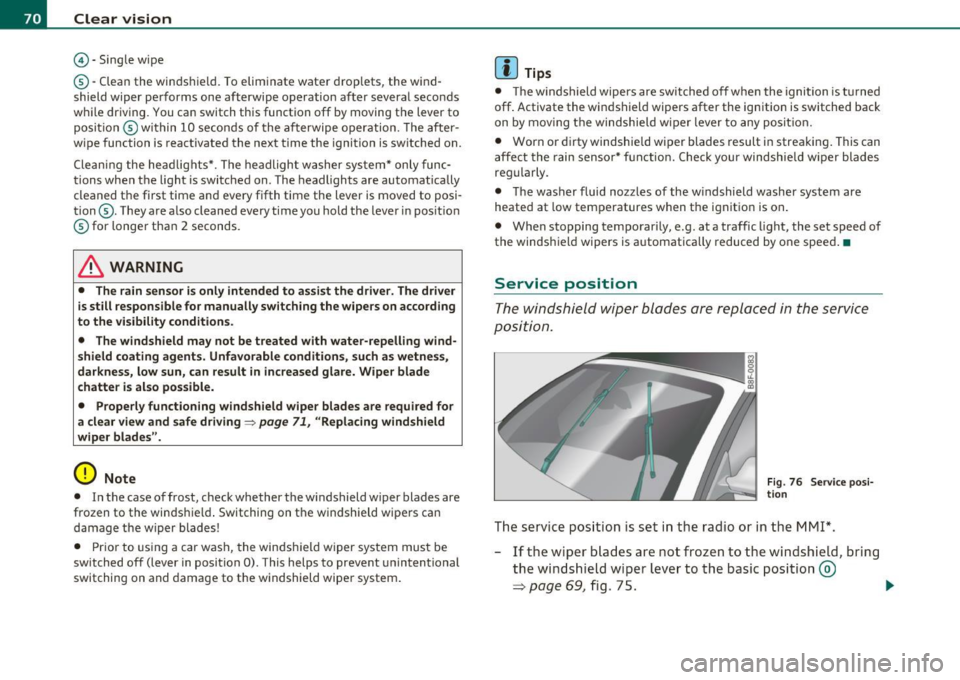
Service position
The windshield wiper blades are replaced in the service
position.
Fig . 76 Service posi
tion
The service position is set in the radio or in the MMI*.
- If the wiper blades are not frozen to the windshield, bring
the windshield wiper lever to the basic position ®
=> page 69, fig. 75. .,_
Page 75 of 364

headligh ts from rearward a pproachi ng veh icles). E ven in dimming
mod e, the mirr or s urf ac e tur ns b rig ht whe n:
• t he in ter ior light is swi tc he d o n
• reve rse gear i s eng ag ed.
& WARNING
Broken glass of automatic dimming mirror can cause electrolyte
fluid leakage. Electrolyte fluid can irritate skin, eyes, and respira
tory system.
• Repeated or prolonged exposure to electrolyte can cause irrita
tion to the respiratory system, especially among people with asthma or other respiratory conditions. Get fresh air immediately
by leaving the vehicle or, if that is not possible , open windows and
doors all the way.
• If electrolyte gets into the eyes, flush them thoroughly with
large amounts of clean water for at least 15 minutes; medical
attention is recommended.
• If electrolyte contacts skin, flush affected area with clean
water for at least 15 minute s and then wash affected area with
soap and water; medical attention is recommended. Tho roughly
wash affected clothing and shoes before reuse.
• If swallowed and person is conscious, rinse mouth with water
for at least 15 minutes. Do not induce vomiting unless instructed
to do so by medical professional. Get medical attention immedi ately .
0 Note
Liquid elec tro ly te le aked from a b roken mirr or glass will d am age a ny
plas tic surfaces it comes in contact wi th . Clean up spi lled electro lyte
immediately wit h clear wate r and a spon ge.
Con tro ls a nd e quip
m en t Vehicle
OP-eration
Clear vision
(I) Tips
• If you switch off the automatic dimming function on the inside
mirror , automatic dimming of the outside mirrors will likewise be
disabled.
• Check to make sure there are no o bjects prevent ing lig ht from
reach ing the inside mirror.
• Do not attach any st ic kers to the w indshield in fro nt of t he lig ht
sensor, as thi s would interf ere with both the a utomatic operatio n of
the headlights a nd the automatic dimm ing of the inside mirror.•
Outside mirrors
Th e outside mirr ors are elec tricall y adju ste d (pow er
mirr ors)
Adjusting exterior mirrors
Fig. 79 Fo rward
section of driver 's
armrest : power mirror
controls
- R otate the knob to t he (0 pos ition (driver's exter ior
m irror) or t o the@ pos it io n (passenger's e xterior mi rror)
=> fi g. 79 .
- Rotate the k nob a nd th e mirror so t hat you ha ve a clear
v iew to the r ear. .,
Vehicle care Do-it-yourselt service iTechnical data