warning light AUDI A5 CABRIOLET 2015 User Guide
[x] Cancel search | Manufacturer: AUDI, Model Year: 2015, Model line: A5 CABRIOLET, Model: AUDI A5 CABRIOLET 2015Pages: 268, PDF Size: 66.88 MB
Page 21 of 268
M N
ci u.. co ,...., \!) 1.1'1
N 1.1'1 ,....,
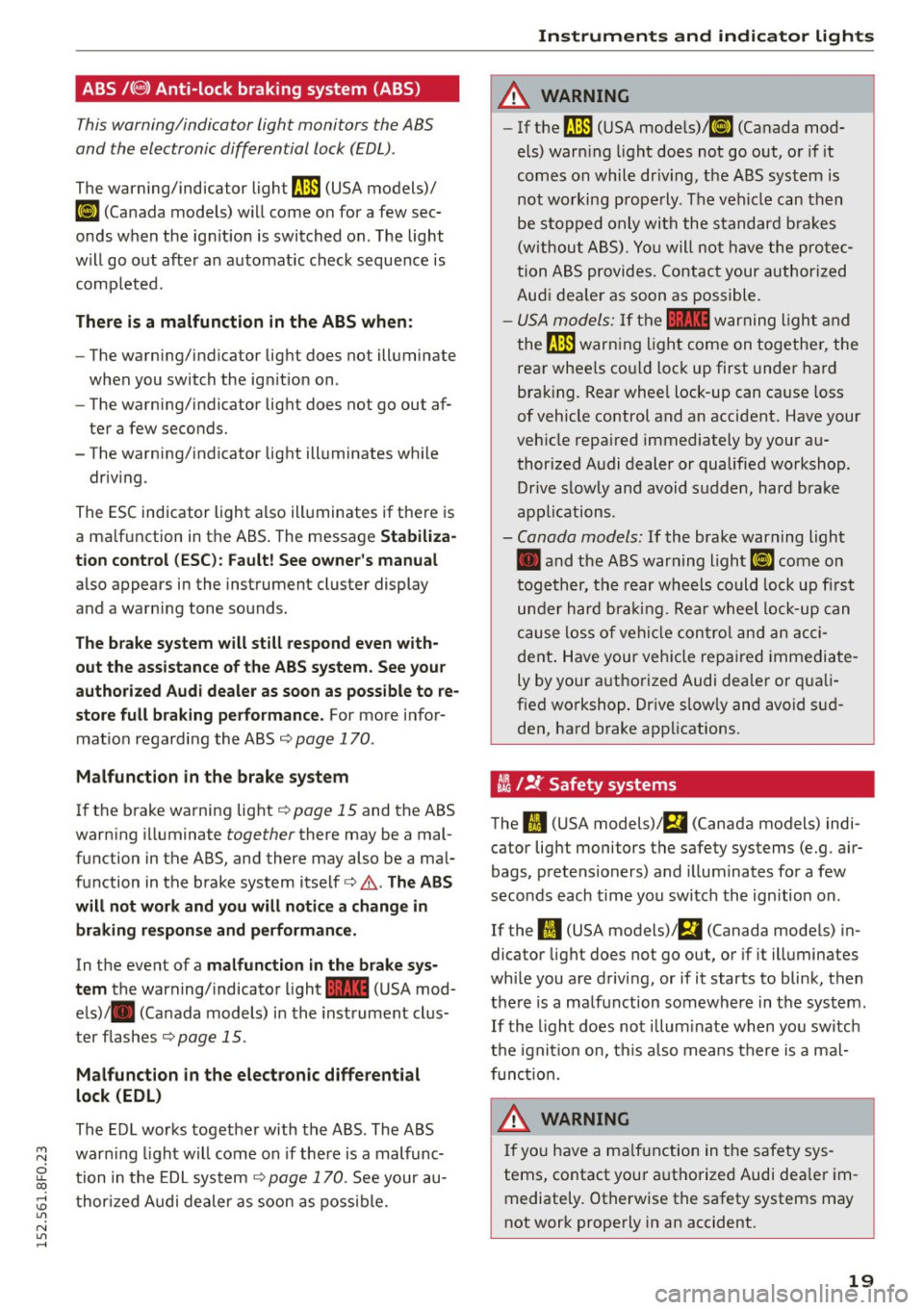
ABS/(@) Anti-lock braking system (ABS)
This warning/indicator light monitors the ABS
and the electronic differ ential lock (EDL) .
The warning/indicator light fJ]l (USA models)/
ti] (Ca nada models) w ill come on for a few sec
onds when the ig nition is switched on. The light
w ill go out afte r an automatic check sequence is
comp leted.
The re is a malfunction in the ABS when :
-The warning/indicator lig ht does not illuminate
when you switch the ig nition on .
- The warning/indicator lig ht does not go out af
ter a few seconds.
- The warning/indicator lig ht ill uminates wh ile
driv ing .
The ESC indicator light a lso ill uminates if the re is
a ma lf u nction in the ABS . The message
Stabiliza
tion cont rol (ESC ): Fault! See owner 's manual
also appears in the instrument cluste r display
and a warning tone sounds.
The brake system will still respond even with
out the assistance of the ABS system. See your
authorized Audi dealer as soon as poss ible to re
store full braking performance.
For more i nfo r
mat io n regarding the ABS¢
page 170 .
Malfunction in the brake system
If the b rake wa rning light ¢ page 15 and the ABS
warn ing illuminate
together there may be a mal
function in the ABS, and there may also be a ma l
function in the brake system itself ¢ ,& .
The ABS
will not work and you will notice a change in braking respons e and performance.
In the event of a malfunct ion in the b rake sys
tem
the warning/ indicator light 1111 (USA mod
e ls)/ . (Canada models) in the inst rument clu s
ter f lashes ¢
page 15 .
Malfunction in the electronic differential
lock (EDL)
The ED L works toget her with the ABS . The ABS
war ning light w ill come on if there is a malfunc
tion in the EDL system
c::> page 170 . See your au
t hor ized Audi dealer as soon as poss ible.
Instruments and indicator lights
A WARNING
- If the fJ]l (USA mode ls)/ tl] (Canada mod
els) war ning light does not go out, o r if it
comes on while dr iv ing, the ABS syst em is
not working prope rly . The vehi cle can t hen
be s topped o nly with the s tandard bra kes
(without A BS) . Yo u will no t have the pro tec
tion A BS provides. Contac t your a uthorized
Aud i dea le r as soon as possible.
- USA models: If the 1111 warning light and
the
fJ]l warn ing ligh t come on togethe r, the
rea r whee ls co uld loc k up first under hard
brak ing. Rear whee l lock-up can ca use loss
of vehicle control and an accident. Have your
veh icle repa ired immediately by your au
thorized A udi dealer or qualified workshop.
Drive s low ly and avoid sudde n, hard bra ke
ap pli cations .
-Canada models : If the brake warning light
• and t he ABS warning light
ti] come o n
togeth er, t he rear w heels could lock up fi rst
un der hard bra kin g. Rear wheel lock-up can
c a use loss of vehi cle con tro l a nd a n acci
dent . Have your veh icle repa ired immediate
ly by your authorized Audi dea ler or qua li
f ied wo rkshop . Dr ive s low ly and avoid su d
den, hard brake app lications.
tli I !i: Safety systems
The fl (USA models) ;fll (Canada models) indi
cator lig ht monitors the safety systems (e.g. a ir
bags, pretensioners) and illuminates fo r a few
seco nds each t ime you swi tc h the ignition on .
-
If the II (USA models)/E,I (Canada mode ls) in
dicator light does not go out, or if it ill uminates
wh ile you a re d riving, or if it starts to blink, then
t h ere is a ma lf u nction somewhere in the system.
If th e light does not illum inate when you sw itch
t h e igni tion on, t his a lso means there is a ma l
f unc tion.
A WARNING ~
If yo u have a ma lfun ction in t he safety sys-
tems, contact you r authorized Audi dea le r i m
mediately. Otherwise the safety systems may
not wor k properly in an accident.
19
Page 22 of 268
Instruments and indicator lights
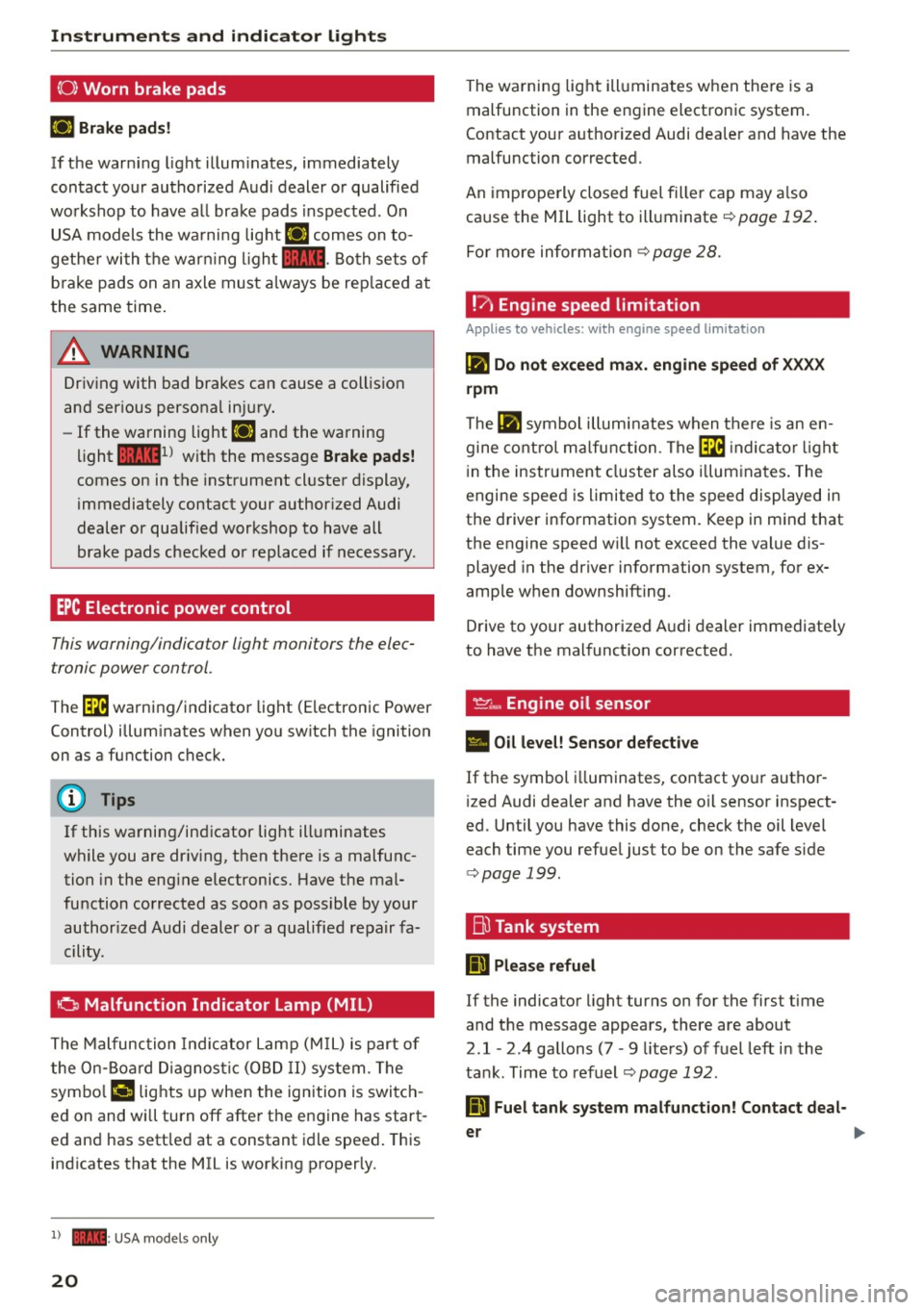
(0) Worn brake pads
El Brak e pads!
If th e warn ing lig ht illum ina tes, imme diately
c o ntact your authorized Aud i dealer or qualified
workshop to have a ll brake pads i nspected. On
USA models the wa rni ng light
El comes on to
gethe r with the war ning l igh t
1111 . Both sets of
b ra ke pads on an axle must a lways be rep laced at
the same time .
A WARNING
Driv ing with bad brakes can cause a collis ion
and ser ious personal in jury.
- If the warning light El and the warning
light
11111 ) w ith the message Brake pads!
comes on in the instrument cl uster display,
immediately contact your author ized Audi
dealer or qualified workshop to have all
brake pads checked o r replaced if necessary .
EPC Electronic power control
This warning/indicator ligh t monitors the elec
tronic power control .
The~ warning/indicator light (Electronic Power
Control) illum inates when yo u sw itch the ignition
on as a function check.
(D Tips
If this wa rning/ind icator light ill uminates
while you are dr iv ing, then the re is a malfunc
tion in the eng ine electronics. Have the mal
function corrected as soon as possible by your
author ized A udi dealer or a qualified re pair fa
cility.
0 Malfunction Indicator Lamp (MIL)
T he Malfunc tion Ind ica tor Lamp (M IL) is part o f
the On-Board Diagnos tic (O BD II ) system . The
symbo l
('4 lights up when the ignition is switch
e d on and wi ll turn off afte r the engine has start
e d an d has sett le d at a constant i dle speed . This
indicates that the MIL is working p roperly.
l) - : USA mo dels o nly
20
The wa rning lig ht ill uminates when the re is a
malfunction in the engine electronic system.
Contact your a uthorized Audi dea ler and have the
malfunction corrected.
An imprope rly closed fuel fille r cap may a lso
ca use the MIL light to ill uminate
¢ page 192.
For more inform ation ¢ page 28.
!?) Engine speed limitation
Applies to vehicles: wi th engine speed limitation
(II Do not exceed max. engine speed of XXXX
rpm
The (II symbo l illu min ates when t here is an en
gine co ntro l m alfu nction . The ~ indica tor light
in the instrument clus ter also i llum ina tes . T he
engine spee d is limited to the speed displayed in
t h e d river i nfo rmation system. Keep in m ind that
the engine speed w ill not exceed the value dis
played in the driver information system, for ex
amp le w hen downshifting .
D rive to your authorized A udi dealer immediate ly
to have t he mal funct ion corrected.
~~. Engine oil sensor
• Oil level! Sensor defective
If the symbol illuminates, contact yo ur autho r
i zed Audi dealer and have the oil sensor inspect
ed . Until you have this done, check t he oil level
each time you refue l just to be on the safe s ide
¢ page 199.
Bu Tank system
ID Please refuel
If the indicator light turns on for the first time
and the message appea rs, there are about
2
.1 -2 .4 gallons (7 -9 liters) of fuel left in the
ta nk . Time to refuel
¢page 192.
ID Fuel tank system malfunction! Contact deal -
er
~
Page 23 of 268

M N
ci u.. co ,...., \!) ..,.,
N ..,., ,....,
If the indicator light turns on and this message
appears, there is a malfunction in the tank sys
tem.
Drive to your authorized Audi dealer immediately
to have the malfunction corrected.
Ci:> Windshield washer flu id level
B Please refill washer fluid
If the symbol illuminates, add windshield washer
fluid to the washer system and also to the head
light washer system*
~ page 208.
~ Windshield wipers
(•j Windshield wiper defective
There is a malfunction with the windshield wip
ers.
Drive to your authorized Audi dealer immediately
to have the malfunction corrected.
~/ }D 10$ Defective light bulb warning
If the r.:J indicator light turns on, a bulb has
failed. The message indicates the location of the
bulb.
- If the Im indicator light also turns on, then a
fog light has failed. The position of the indica
tor light corresponds with the location on the
vehicle.
- If the II indicator light also turns on, then a
rear fog* light has failed. The position of the in
dicator light corresponds with the location on
the vehicle.
This warning can also occur if the light switch is
in an unengaged position between two symbols.
Vehicle lights: System fault!
If the message appears, there is a malfunction in
the headlights or light switch.
Drive to your authorized Audi dealer immediately
to have the malfunction corrected.
Instruments and indicator lights
A WARNING
-Light bulbs are pressurized and could ex
plode while they are being changed causing
serious personal injury.
-
- Work with due care when handling the high
voltage section of gas discharge (xenon)
lights*. Failure to do so could result in death
. . . or serious inJury.
@ Tips
Have the bulb replaced or the connection re
paired by your authorized Audi Service depart
ment.
i,0 Headlight range control
Applies to vehicles: with headlight range control
II Headlight range control defective !
If the symbol II illuminates, the dynamic head
light range control is no longer working properly.
Have the system checked and repaired at your au
thorized Audi dealer.
§0 Adaptive Light
Applies to vehicles: with adaptive ligh t
rlJ Audi adaptive light: defective
If the indicator light turns on and this message
appears, there is a malfunction in the adaptive
light system. The headlights still function.
Go to an authorized dealership to have the head
lights or the control unit for the adaptive light re
paired.
@. o Light /rain sen sor
Applies to vehicles: with light/ra in sensor
II Automatic headlights/ automatic wipers
defective
If the indicator light turns on and this message
appears, the light/rain sensor is not functioning
correctly.
For safety reasons the low beams are turned on
permanently with the switch in
AUTO . However, Ii),,
21
Page 24 of 268
Instruments and indicator lights
you can continue to turn the lights on and off us
ing the light switch . You can still control a ll func
tions that are independent of the rain sensor
through the windshield wiper lever .
Contact your authorized A udi dealer as soon as
possible to have the problem corrected.
; Adaptive dampers
Applies to veh icles: w ith Audi drive select and adapt ive damp ·
ers
B Suspen sion : S ystem fault!
If the B symbol in the display comes on, there is
a ma lf u nction in the adaptive dampers. P lease go
t o an author ized Audi dealer or qua lified work
shop to have the malfunction repaired .
!-: Sport differential
Applies to vehicles: w ith Audi drive select and sport differen
tial
Sport differential: Sy ste m fault!
There is a malfunct ion wit h the sport differential.
Drive to yo ur authori zed Aud i dea ler immediately
to have the malfunction corrected .
Sport differential: Overheating
The transmission tempe ratu re has increased sig
n ifican tly due to the sporty dr iv ing manner. D rive
in a less sporty manner unti l the temperature re
turns to the normal range and the indicato r light
switches of.
A WARNING
Contact yo ur authorized Aud i dealer or quali
fied workshop if the sport differential is faulty
or ma lfunctioning. The repa ir must be per
formed by trained personnel using the co rrect
oil in orde r to ensure safety .
~ Ignition lock
II Ignition lock defective
There is a malfunct ion in the electron ic ignition
lock . Please go to an authorized Audi dealer or
other qualified workshop to have the malfunction repair ed .
22 ¢
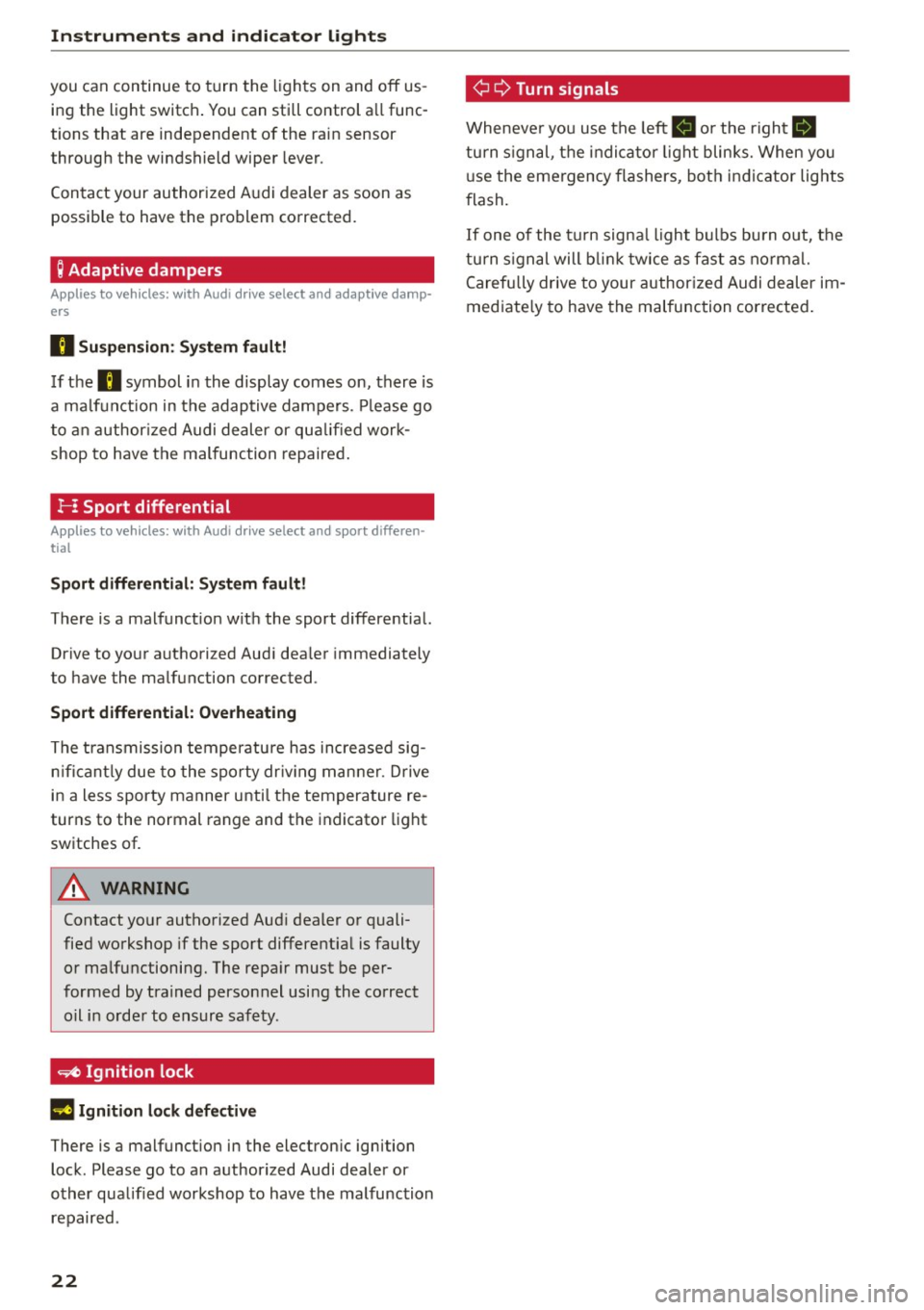
Q Turn s
ignal s
Wheneve r you use the left B o r the right Ill
turn s ignal, t he indica to r li ght blinks. When you
u se the emergency flashers, bot h indicator lights
flash.
If one of the tu rn signa l ligh t bulbs bu rn out, the
turn s ign al will b link t wice as fast as normal.
Carefully drive to your author ized Audi dealer im
mediate ly to have the malfunction corrected .
Page 25 of 268
M N
ci LL co
rl I.O
"' N
"' rl
Driver information
system
Introduction
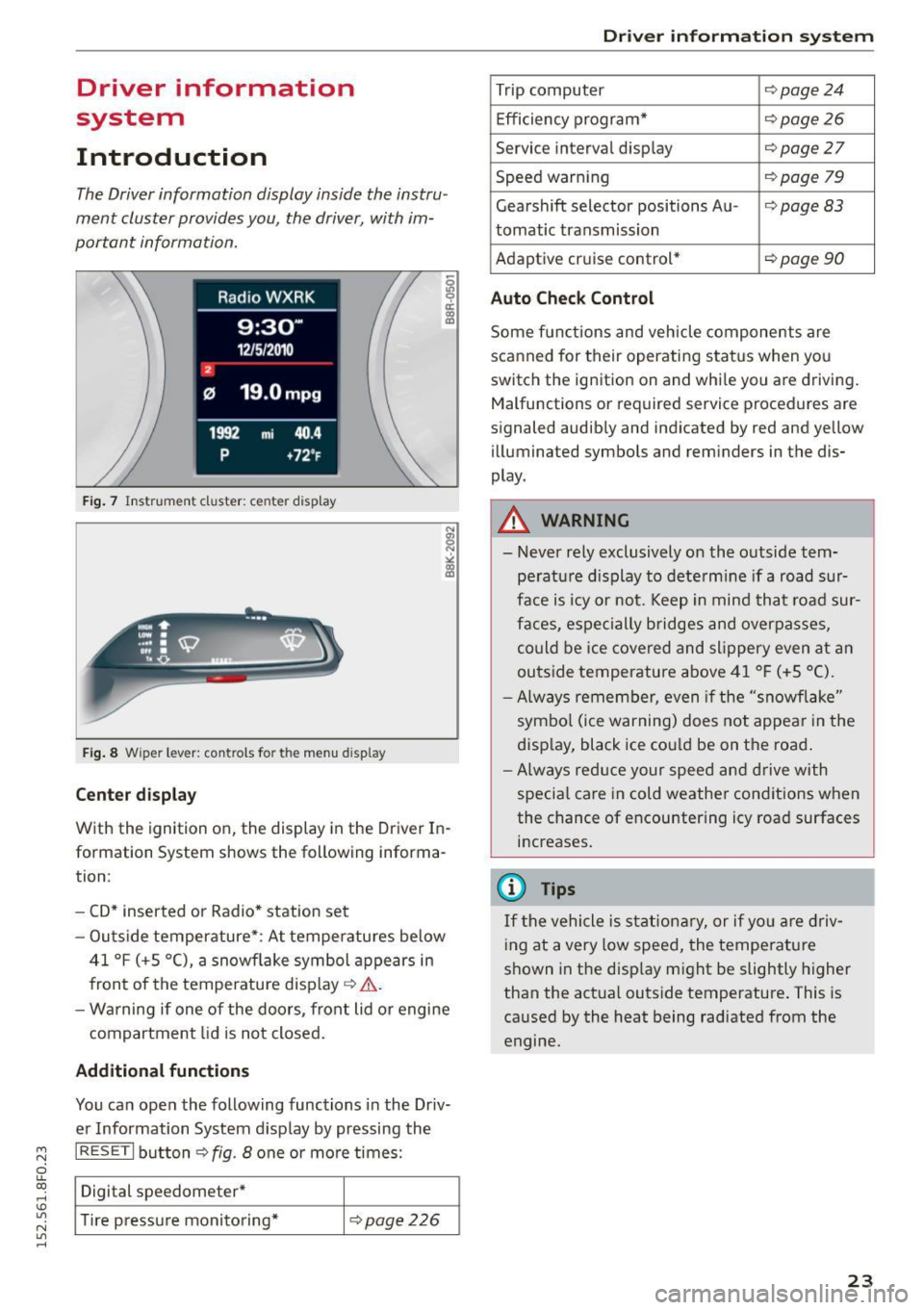
The Driver information display inside the instru
ment cluster provides you, the driver, with im
portant information.
Fig. 7 Instrument cluster: ce nter display
Fig . 8 Wipe r lever: controls fo r the men u display
Cent er dis play
With the ignition on, the display in the Driver In
formation System shows the following informa
tion :
- CD* inserted or Radio * station set
- Outs ide temperature* : At temperatures below
41 °f (+S
0
(), a snowf lake symbol appears in
front of the temperature display¢&. .
- Wa rning if one of the doors, front lid o r engine
compartment lid is not closed.
Additional function s
You can open the following functions in the Driv
er Information System display by pressing the
I RESET I button ¢ fig. 8 one or more times:
Digital speedometer*
T ire pressure monitoring*
¢page226
Dr iver inform atio n sy stem
Trip computer Q page24
Efficiency program* ¢page26
Service interval display Qpage27
Speed warning ¢page 79
Gearshift selector positions Au -i=>page83
tomatic transmission
Adaptive cr uise control*
¢ page 90
Auto Chec k Control
Some functions and vehicle components are
scanned for their operating status when yo u
switch the ignition on and whi le you are driving.
Malfunctions or required service procedures are
signaled audibly and indicated by red and yellow
illuminated symbols and reminders in the dis
play.
A WARNING
--- Never rely exclusively on the outside tem pe ratu re d isplay to dete rm ine if a road sur
face is icy or not. Keep in mind that road sur
faces, espe cially bridges and overpasses,
could be ice covered and slippery even at an
outside temperature above 41 °f (+S °C).
- Always remember, even if the "snowflake"
symbo l (ice warning) does not appear in the
display, black ice cou ld be on the road .
-Always red uce your speed and d rive with
specia l care in cold weather conditions when
the chance of encountering icy road surfaces
increases.
(j) Tips
If the vehicle is stationary, or if yo u are driv
ing at a very low speed, the temperature
shown in the disp lay might be slightly higher
than the actual outside temperature . This is
caused by the heat being radiated from the
engine.
23
Page 30 of 268
Driver information system
On Board Diagnostic
System (OBD)
Malfunction Indicator Lamp (MIL)
The Malfunction Indicator Lamp (MIL) ¢• in the
instrument cluster is part of the On-Board Diag
nostic (OBD II) system.
The warning/indicator light i lluminates when the
ignition is switched on and goes out after the en
gine starts and the idle has stabilized. This indi
cates that the MIL is working properly.
If the light does not go out after the engine is
started, or illuminates while you are driving, a malfunction may exist in the engine system. If
the light illuminates, the catalytic converter
could be damaged.
Continue driving
with reduced power (avoiding
sustained high speeds and/or rapid acce lerations)
and have the condition corrected. Contact your
authorized Audi dealer.
I f the light illuminates, the electronic speed lim
iter may also be malfunctioning. For more infor
mation
c::> page 28, Electronic speed limiter.
An improperly closed fuel filler cap may also
cause the MIL light to illuminate
c::> page 192.
On-Board Diagnostics
Fig. 16 Loca tion of Data Link Connec tor (DLC)
On-Board Diagnostics monito rs the components
of your emission control system. Each monitored
component in your engine system has been as
signed a code. In case of a malfunction, the com
ponent will be identified and the fault stored as a
code in the control module memory .
28
The MIL light may also illuminate if there is a
l eak in the on-board fuel vapor recovery system.
If the light illuminates after a refueling, stop the
vehicle and make sure the fuel filler cap is prop
erly closed
c::> page 192.
In order to make an accurate diagnosis, the stor
ed data can only be displayed using spec ia l diag
nostic equipment (generic scan tool for 080).
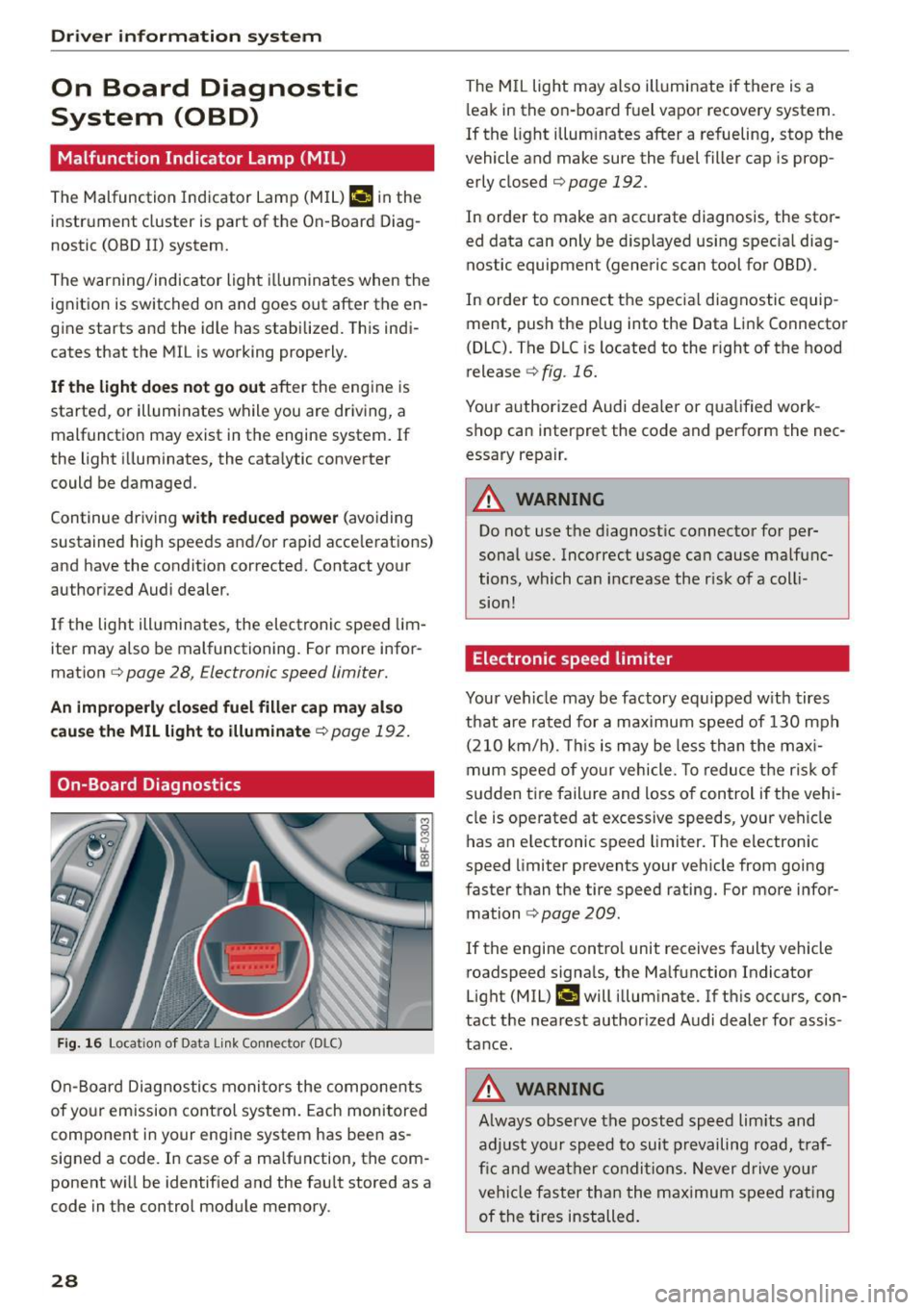
In order to connect the specia l diagnostic equip
ment, push the plug into the Data Link Connector
(DLC). The DLC is located to the r ight of the hood
release
c::> fig. 16.
Your authorized Audi dealer or qualified work
shop can interpret the code and perform the nec
essary repair.
A WARNING
Do not use the diagnostic connector for per
sonal use. Incorrect usage can cause malfunc
tions, which can increase the risk of a colli
sion!
Electronic speed limiter
Your vehicle may be factory equ ipped with tires
that are rated for a maximum speed of 130 mph
(210 km/h) . This is may be less than the maxi
mum speed of your vehicle. To reduce the risk of
sudden tire failure and loss of control if the vehi
cle is operated at excessive speeds, your vehicle
has an e lectronic speed limiter. The electronic
speed limiter prevents your vehicle from going
faster than the tire speed rating. For more infor
mation
c::> page 209.
-
If the engine contro l unit receives faulty vehicle
roadspeed signals, the Malfunction Indicator
Light (MIL)
II will illuminate. If this occurs, con
tact the nearest author ized Audi dealer for assis
tance.
A WARNING
Always observe the posted speed lim its and
adjust your speed to suit prevailing road, traf
fic and weather conditions. Never drive your
vehicle faster than the maximum speed rating
of the tires installed.
-
Page 35 of 268
M N
ci LL co
rl I.O
"' N
"' rl
~ & in General description on page 29. Do not
reach inside the door handle.
The vehicle can be locked and unlocked at any door. The remote control key cannot be more
than 1.5 m away from the door handle. It makes
no difference whether the master key is in your
jacket pocket or in your brief case.
If you grip the door handle while locking, this can
adversely affect the locking function.
It is not possible to re-open the door for a brief
period directly after closing it. This allows you to
ensure that the doors are properly locked.
It depends on the settings in the radio or MM!*
whether the entire vehicle is unlocked or one of
the doors
~ page 34.
A WARNING
Read and follow all WARNINGS~ &. in Gener
al description on page 29.
@ Tips
If your vehicle has been standing for an ex
tended period, please note the following:
- The proximity sensors are deactivated after
a few days to save power. You then have to
pull on the door handle once to unlock the
vehicle and a second time to open the vehi
cle.
- To prevent the battery from being dis
charged and to preserve your vehicle's abili
ty to start for as long as possible, the ener
gy management system gradually switches
off unnecessary convenience functions. It is possible that you will not be able to unlock
your vehicle using these convenience func tions.
- For Declaration of Compliance to United
States FCC and Industry Canada regulations
~page 251.
Opening and closing
Locking and unlocking the vehicle from
inside
Fig. 22 Driver's door; power locking switch
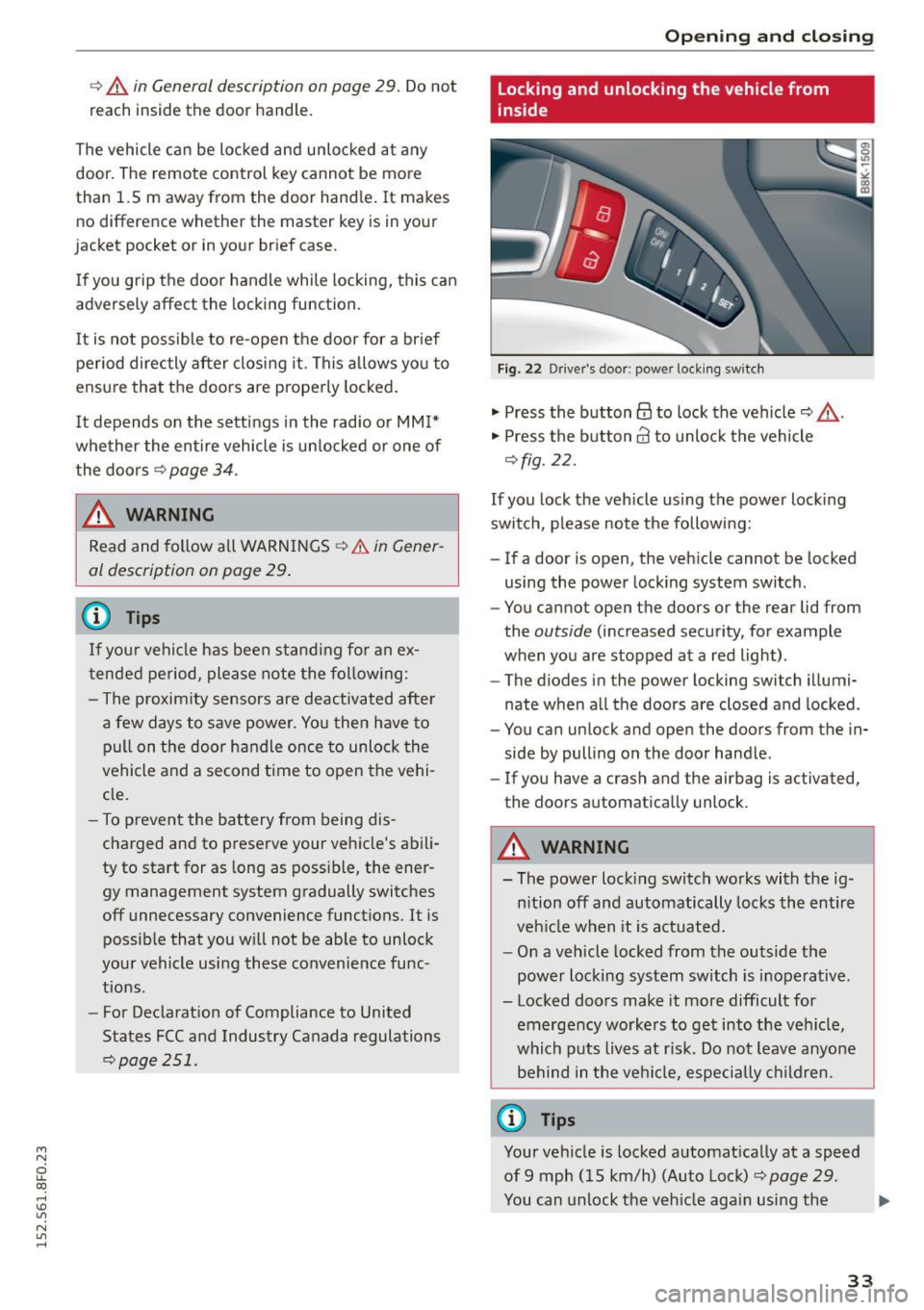
"' Press the button@ to lock the vehicle~ ,&..
"' Press the button@ to unlock the vehicle
~fig. 22.
If you lock the vehicle using the power locking
switch, please note the following:
- If a door is open, the vehicle cannot be locked
using the power locking system switch.
- You cannot open the doors or the rear lid from
the
outside (increased security, for example
when you are stopped at a red light).
- The diodes in the power locking switch illumi
nate when all the doors are closed and locked.
- You can unlock and open the doors from the in
side by pulling on the door handle.
- If you have a crash and the airbag is activated,
the doors automatically unlock.
A WARNING "-
- The power locking switch works with the ig-
nition off and automatically locks the entire
vehicle when it is actuated.
- On a vehicle locked from the outside the
power locking system switch is inoperative.
- Locked doors make it more difficult for
emergency workers to get into the vehicle,
which puts lives at risk. Do not leave anyone
behind in the vehicle, especially children.
@ Tips
Your vehicle is locked automatically at a speed
of 9 mph (15 km/h) (Auto Lock)
~ page 29.
You can unlock the vehicle again using the .,.
33
Page 37 of 268

M N
ci LL co
rl I.O
"' N
"' rl
Once the front passenger's door has been closed,
you cannot open it again from the outside. The
doo r can be opened from the inside by pulling
t he door hand le.
A WARNING
Read and follow all WARNINGS q .&. in Gener
al description on page 29 .
@ Tips
After the ignition is switched on, the power
locking system sw itch is enabled.
Electronic immobilizer
The immobilizer prevents your vehicl e from b eing
started by unauthor ized persons .
Inside the key there is a computer chip . This chip
automatically activates/deactivates the electron ic immobilizer .
Applies to vehicl es with ignition lock :
The electron ic immobilizer deactivates automati
cally when you insert the remote control key into
the ignition lock . It activates again automatically
when you remove the remote control key from
the ignition lock .
Applies to vehicl es with conveni ence k ey :
If the remote control key is located inside the ve
h icle and you press the
! S TAR T ENGINE STOPI
button , the electronic immobilizer deactivates
automatically. If yo u switch the ignit ion off and
remove the remote control key from the vehicle,
the elec tronic immobili zer ac tivates again au to
mat ically .
A WARNING
Always take the key with you when you leave
the vehicle . The key can disa rm the electron ic
engine immob ilizer and permit an unau thor
i z ed person to start the eng ine and enable op
eration of the veh icle systems such as power
w indow o r powe r su nroof leading to serious
personal inj ury .
Open ing and clo sing
(D Tips
- The vehicle cannot be started if an unau
thorized key is used . The vehicle may not
start if another radio device such as a key
for another veh icle or a transponder is locat
ed on the key ring.
- For Declaration of Comp liance to United
States FCC and Industry Canada regulations
¢ page 251.
Luggage compartment
Lid
Opening /closing rear lid
Fi g. 25 Rea r l id: han d le
Opening the r ear lid
.. Press the button cs on the remote control
master key for at least one second. The rear lid
unlocks and opens slightly . Or
.. Press the handle on the rear lid
¢ fig. 25.
Clo sing the rear lid
.,. Pull the rear lid down at the grip on the ins ide
and allow it to drop gent ly to close it¢
A .
A WARNING
-After closing the rear lid, always p ull up on
it to make sure that it is proper ly closed.
Otherwise it could open suddenly when t he
veh icle is moving.
- To help prevent poisono us exhaust gas from
be ing drawn into the veh icle, always keep
the rear lid closed while driving. Neve r
transport objects la rger than those which fit
comp letely into the l uggage area, because
then the rear lid canno t be fu lly closed.
~
35
Page 40 of 268

Opening and closing
• Turn the key to position ¢ fig . 30 @ until all
the windows have reached the des ired position.
Convenience closing feature
• Use the emergency key or pull the mechanical
key out of the master key
¢ page 31.
• Turn the key in the lock of the dr iver's door to
the lock pos ition @ unt il the windows are
closed
¢ _A .
.&_ WARNING
- Never close the windows inattentive ly and
without checking -there is r isk of injury.
- You must always watch when the windows
are being ra ised so that no one can be trap
ped.
If you release the key, the closing ac
tion is immediately canceled.
- Always read and heed WARNING ¢
& in
General description on page
29 .
Correcting window regulator malfunction
-
After disconnect ing the vehicle battery, the one
t ouch up and down feature mus t be activated
again.
• Pull and hold the power window switch until
the window is complete ly closed.
• Release the switch and pull the switch again for
one second .
Valet parking
Applies to vehicles: with valet parking functio n
The valet parking feature protects the luggage
compartment from unauthorized access .
-
Fig. 31 Glove compar tment: valet parking bu tton
38
You can switch the "valet parking function" on
when someone else is park ing your vehicle. When
the function is switched on, the vehicle can be
driven , locked and unlocked using the master key,
but access to the luggage compartment is not
permitted.
• Take the mechanical key out of the master key
¢page 31 .
• Open the glove compartment¢ page 65.
• Activate ¢ fig. 31 the "valet parking" feature by
press ing the
!VA LET I button . The indicator light
in the switch illuminates.
• Close the glove compartment and lock it w ith
the mechan ical key.
• Leave the master key with the service personnel
for parking and keep the mechanical key with
you.
The following buttons are deactivated when the
valet parking function is switched on :
-
~ button on the master key
- Handle in the rear lid
When the valet parking feature is activated, the message
Valet parking activated appears in the
instrument cluster display when you switch the
i gnition on.
Garage door opener
(Homelink)
Description
App lies to vehicles: with garage door opener (Homelink)
Fig. 32 Garage door ope ne r: examples o f us ing w ith d iffer
ent systems
You can activate various systems such as garage
doo rs, security systems and home lighting from
i nside your vehicle using the garage door opener .,.
Page 44 of 268
Power top
Power top
Automatic power top
General information
The power top opens and closes automatically.
The entire power top is stored in the power top
compartmen t. The powe r top may be opened or
closed at speeds up to 30 mph
(SO km/h).
Under normal conditions, the power top is wind
and waterp roof. In rare cases, smal l droplets of
water may form under extreme weather cond i
tions such as torrential or pro longed rain. That is
norma l and no cause for concern .
Follow the care instructions to keep the roof from
leaking and to maintain its appearance over time
¢ page 184, Care and cleaning . Also observe the
following:
- Only open and store the power top when it is
clean and dry. Sharp d irt part icles can cause
damage to the rear window and the power top .
If the power top is stored when damp, dents
can form. If left stored for a long period of
time, mildew and other damage can develop.
- Do not leave the power top open for several
weeks or the creases in it may become discol
ored .
- Remove ice and snow before opening the power
top. Do not use any sharp edged objects to re move ice and snow or the power top could be
scratched or damaged. The rear window may be cleared with a standard ice scraper .
- Do not open the power top when temperatures
are below 32 °F
(0 °() . The fabric used in the
power top loses its elastic ity when tempera
tures are be low freezing.
42
Opening /closing the power top
Fig. 35 Center co nsole : power top sw itch
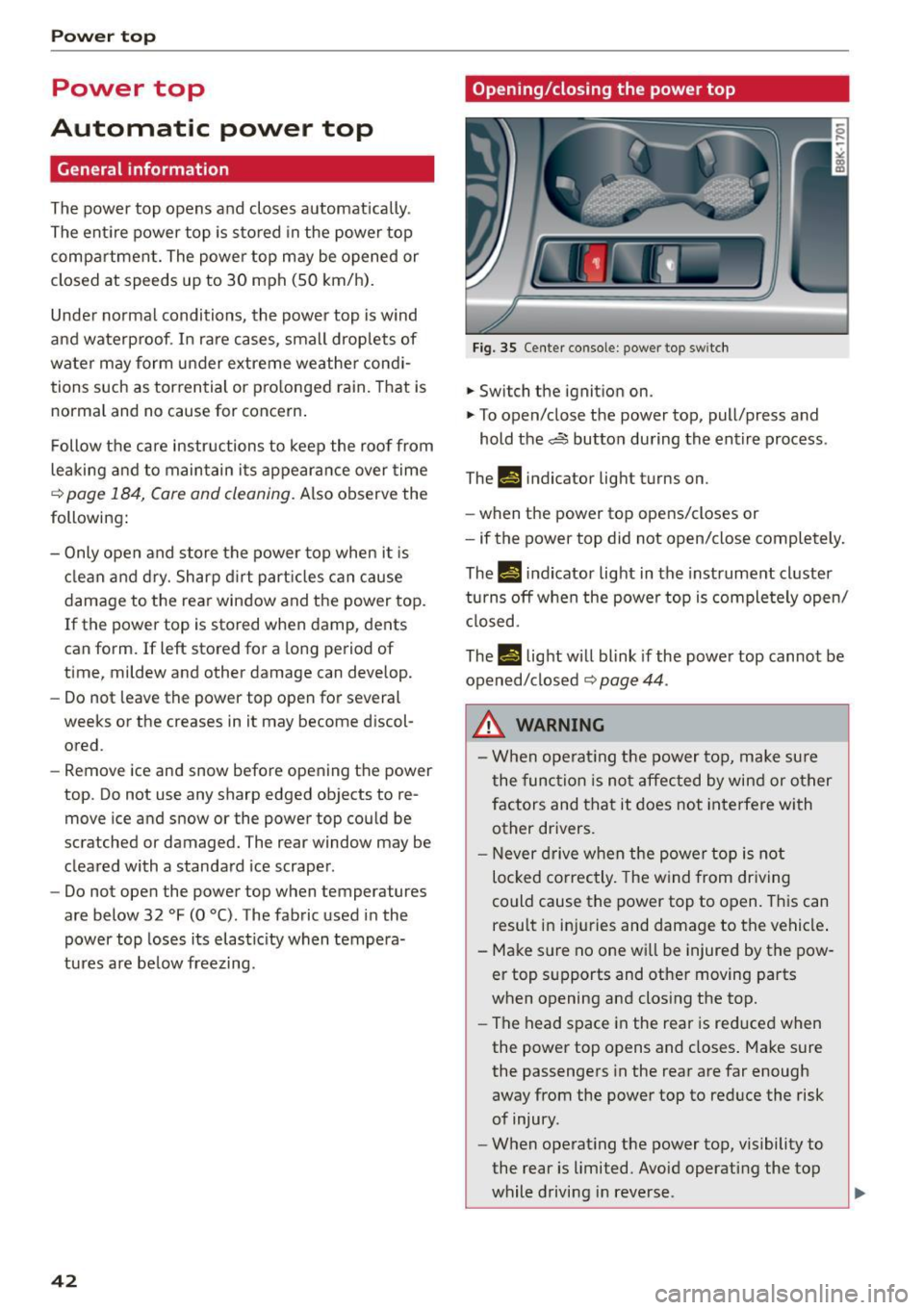
.. Switch the ignition on .
.. To open/close the power top, pull/press and
hold the~ button during the entire process .
Th-f!.-) indicator light turns on.
- when the power top opens/closes or
- if the power top did not open/close completely.
Th.,
14 indicator light in the instrument cluster
turns off when the power top is completely open/
closed.
The
II light will blink if the power top cannot be
opened/closed
¢ page 44 .
.&_ WARNING
- When operating the power top, make sure
the function is not affected by wind or other
factors and that it does not interfere with
other drivers .
- N ever drive when the powe r top is not
locked co rrectly. The wind from driving
could cause the power top to open. This can
result in inj uries and damage to the vehicle .
- Make sure no one wi ll be injured by the pow
er top supports and othe r moving parts
when opening and closing the top.
- The head space in the rear is reduced when
the power top opens and closes . Make sure
the passengers in the rear are far enough
away from the power top to reduce the risk
of injury.
- When operat ing the power top, visibility to
the rear is limited. Avoid operating the top
while driving in reverse .