automatic transmission AUDI A5 CABRIOLET 2015 Owners Manual
[x] Cancel search | Manufacturer: AUDI, Model Year: 2015, Model line: A5 CABRIOLET, Model: AUDI A5 CABRIOLET 2015Pages: 268, PDF Size: 66.88 MB
Page 4 of 268
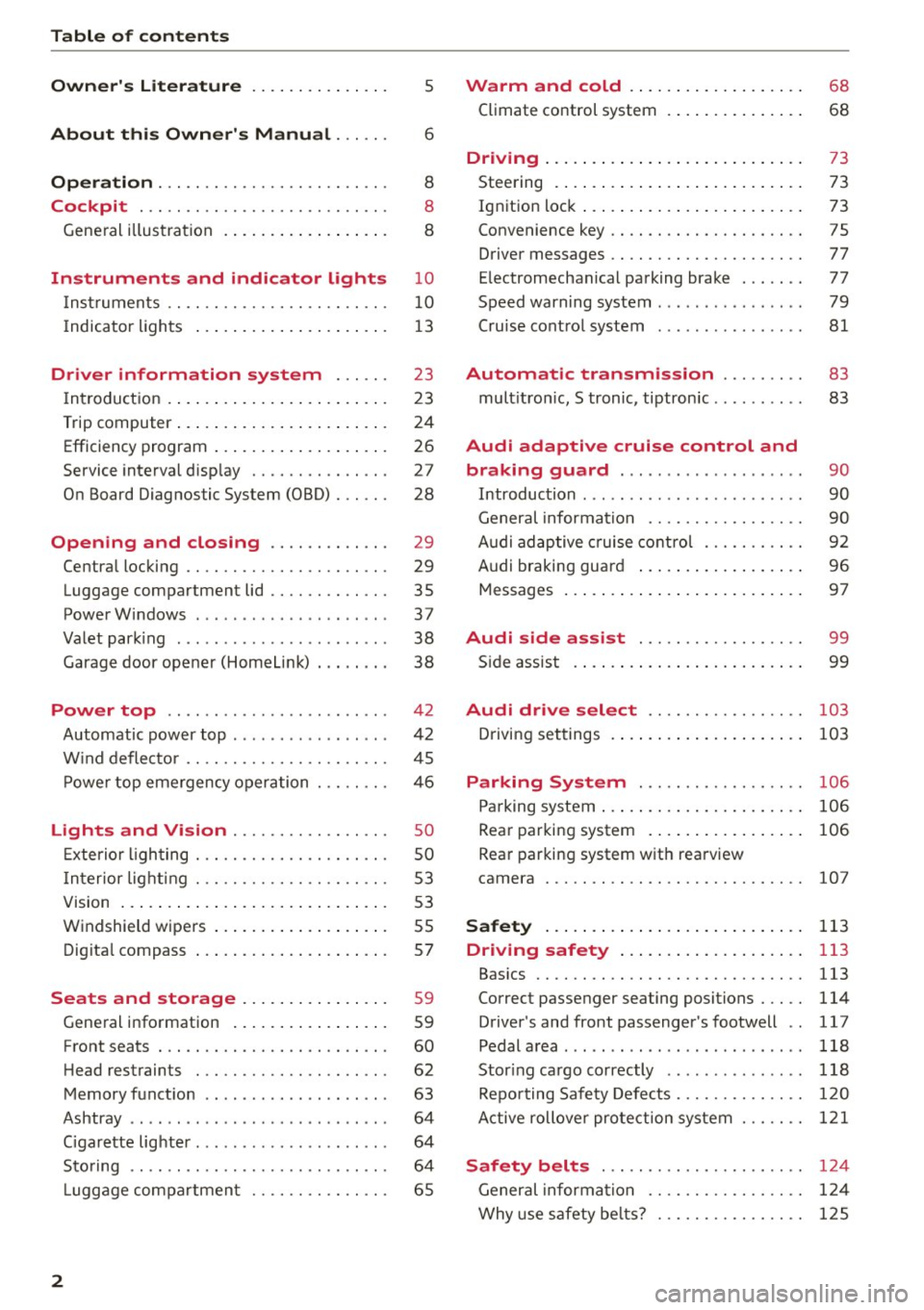
Table of contents
Owner's Literature
5
About this Owner's Manual . . . . . . 6
Operation . . . . . . . . . . . . . . . . . . . . . . . . . 8
Cockpit . . . . . . . . . . . . . . . . . . . . . . . . . . . 8
Gene ral illus tra tion . . . . . . . . . . . . . . . . . . 8
Instrument s and indicator lights 10
I nstruments . . . . . . . . . . . . . . . . . . . . . . . . 10
I ndicator ligh ts . . . . . . . . . . . . . . . . . . . . . 1 3
Driver information system . . . . . . 23
I n troduct ion . . . . . . . . . . . . . . . . . . . . . . . . 23
Trip computer . . . . . . . . . . . . . . . . . . . . . . . 24
Efficiency program . . . . . . . . . . . . . . . . . . . 26
Service interval disp lay . . . . . . . . . . . . . . . 2 7
On Board Diagnos tic System (OBD) . . . . . . 28
Opening and closing . . . . . . . . . . . . . 29
Centra l locking . . . . . . . . . . . . . . . . . . . . . . 29
Luggage compar tment lid . . . . . . . . . . . . . 35
PowerWindows . . . . . . . . . . . . . . . . . . . . . 37
Va let park ing . . . . . . . . . . . . . . . . . . . . . . . 38
Garage door opener (HomeLi nk) . . . . . . . . 38
Power top . . . . . . . . . . . . . . . . . . . . . . . . 4 2
Automatic power top . . . . . . . . . . . . . . . . . 42
W ind defle ctor . . . . . . . . . . . . . . . . . . . . . . 45
P owe r top eme rgency operation . .. .. .. .
Lights and Vision ............ .. .. .
Exterio r lighting .............. .. .. .. .
I n terior light ing ... ... .. .... .. .. .. .. . 4
6
so
so
5 3
V1s1on . . . . . . . . . . . . . . . . . . . . . . . . . . . . . 5 3
W indshield wipers . . . . . . . . . . . . . . . . . . . 5S
Dig ita l compass . . . . . . . . . . . . . . . . . . . . . 57
Seats and storage ....... .. .. ... . .
Gene ral info rmation ..... ... .. .. .. .. .
Front seats . .. .. ............. .. .. .. .
H ead restrain ts ... ... .. ...... .. .. .. .
Memory f unct io n ........ ... .. .. .. .. .
Ashtray ...... .. ................ ... .
C igarette lig hter .... .. ... ..... .. .. .. . 59
59
60
62
63
64
64
Sto ring . . . . . . . . . . . . . . . . . . . . . . . . . . . . 64
L uggage compa rtmen t . . . . . . . . . . . . . . . 65
2
Warm and cold .. .. ... . .... ... .. . .
Climate control system . ... .... ... .. . .
68
68
Dr1v1ng ... .. .... .. .. .. .. .. .... ... .. 73
Steering . . . . . . . . . . . . . . . . . . . . . . . . . . . 73
Ignition loc k . . . . . . . . . . . . . . . . . . . . . . . . 73
Convenience key . . . . . . . . . . . . . . . . . . . . . 75
Driver messages . . . . . . . . . . . . . . . . . . . . . 77
E lectromechanical pa rking brake . . . . . . . 77
Speed warning system . . . . . . . . . . . . . . . . 79
Cru ise cont ro l system . . . . . . . . . . . . . . . . 81
Automatic transmission . . . . . . . . . 83
mult itron ic, S tronic, tiptron ic . . . . . . . . . . 83
Audi adaptive cruise control and
braking guard . . . . . . . . . . . . . . . . . . . .
90
Introduction . . . . . . . . . . . . . . . . . . . . . . . . 90
General informa tio n . . . . . . . . . . . . . . . . . 90
Audi adaptive cruise cont rol . . . . . . . . . . . 92
Audi braking guard . . . . . . . . . . . . . . . . . . 96
Messages . . . . . . . . . . . . . . . . . . . . . . . . . . 97
Audi side assist . . . . . . . . . . . . . . . . . . 99
S ide assist . . . . . . . . . . . . . . . . . . . . . . . . . 99
Audi drive select . . . . . . . . . . . . . . . . . 103
Driving set tings . . . . . . . . . . . . . . . . . . . . . 10 3
Parking System ... ........... .. . .
Parking system ..... .... .. .... ... .. . .
Rear par king system . .... . .... ... .. . .
Rea r par king syst em with rea rview
came ra 106
106
106
10
7
Safety . . . . . . . . . . . . . . . . . . . . . . . . . . . . 113
Driving safety . . . . . . . . . . . . . . . . . . . . 113
Bas ics .... .. .. .. .. .. ............. . .
Correct p assenger seating positions . .. . .
D river's and front passenger's footwell ..
Pedal a rea ..... ... ................. .
Stor ing ca rgo correctly ... ... ... ... .. .
Repo rting Safety Defe cts .......... .. . .
A ctive rollove r pro tect ion system 113
114
1
17
118
118
120
1 2 1
Safety belts . . . . . . . . . . . . . . . . . . . . . . 124
General informa tion . . . . . . . . . . . . . . . . . 1 24
Why use safety be lts? . . . . . . . . . . . . . . . . 1 25
Page 34 of 268

Opening and closing
Emergency unlocking of the ignition key
In the event of malfunctions in the electrical sys
tem, it may happen that you cannot remove the
ignition key.
.,. Remove the mechanical key <=>page 31.
.,. Lock the vehicle using the mechanical key
<=>page 34.
.,. Have the electrical system inspected by an au
thorized Audi dealership.
Locking and unlocking the vehicle with the
remote control
Fig. 20 Remote master key: function bu tt ons
:8
"' 0 ±
"' OJ
.,. Press button ill to unlock the vehicle <=> fig. 20.
... Press button m to lock the vehicle ¢ A in Gen
eral description on page
29 .
.,. Press button c::5 briefly to unlock the rear lid .
.,. Press the button
c::5 for at least one second to
open the rear lid .
.,. Push the red
!PANIC I button to activate the
panic function. The horn sounds and the turn
signals flash . Push the red
I PANIC! button again
to deactivate the panic function .
If the vehicle is unlocked and no door, the rear lid
or the hood is opened within 60 seconds, the ve
hicle locks itself again automatically . This feature
prevents the vehicle from being accidentally left
unlocked over a long period of time .
It depends on the settings in the radio or
MM!*
whether the entire vehicle is unlocked or only cer
tain doors
<=> page 34 .
On vehicles with automatic transmission, these
lector lever must be in the P position, otherwise
the vehicle cannot be locked .
32
A WARNING
Read and follow all WARNINGS
<=> .&. in Gener
al description on page
29 .
(D Tips
-In order to make sure the locking function is
working, you should always keep your eye
on the vehicle to make sure it is properly
locked .
- Do not use the remote control if you are in
side the car, otherwise you may unintention
ally lock the vehicle, and then you would set
off the anti-theft alarm when you try to
start the engine or open a door. In case this
happens anyhow, push the unlock button@.
- Use the panic function only if you are in an
emergency situation.
- Additional remote control key functions
¢page 37.
Locking and unlocking with convenience
key
Applies to vehicles: wit h co nvenience key
The doors and the rear lid can be unlocked and
locked without operating the master key .
Fig. 21 Door handle : lock ing t he vehicle
Unlocking vehicle
.,. Ta ke hold of the door handle. The door is un-
locked automatically.
.,. Pull the handle to open the door .
Locking vehicle
.,. Move the selector lever to the P position, other
wise the vehicle cannot be locked.
.,. To lock the vehicle, close the door and touch
the sensor in the door handle
once <=> fig. 21
Page 36 of 268
Opening and closing
opening f unct ion in the power lock ing system
switch
l:@J .
Setting power locking
In th e radio/MM!*, you can set which doors the
central locking system will unlock .
.,. Se lect : ICA RI funct ion button > Central locking .
Or
.,. Se lect : IC AR I functio n button> Car sy stem s*
control button > Vehicle settings > (Central
loc king )*.
Single door unlocking /Unl ock door s* -
you can
specify which doo rs unlock whe n you open the ve
hicle.
- Se lecting
off / All and pressing the~ button o n
the remote con tro l key unlocks the entire veh i
cle .
- Se lecting
on/ Driver and pressing the~ button
on the remote control key once unlocks on ly the
driver 's door. In vehicles with a conve nience
key*, only the door whose handle you pull will
u nlock . If you press the[@] button twice , the en
tire vehicle w ill unlock. If you press the [@) but
ton, the ent ire vehicle will always lock .
Luggage comp. lock/Lock ex terior trunk handle
-If you se lect On , you can no longe r open the
luggage compartment using the rear lid handle
c::> page 35, fig. 25 . In this case, the rear lid can
be opened wi th the ~ button on the master key
c::> page 32, fig . 20 .
Tone when locking -if you select On , a tone w ill
sound w hen you Lock the vehicle.
Auto Loc k/Lock when driving -if you select On,
the entire vehicle will lock automatically when
the speed reaches 9 mph ( 15 km/h).
34
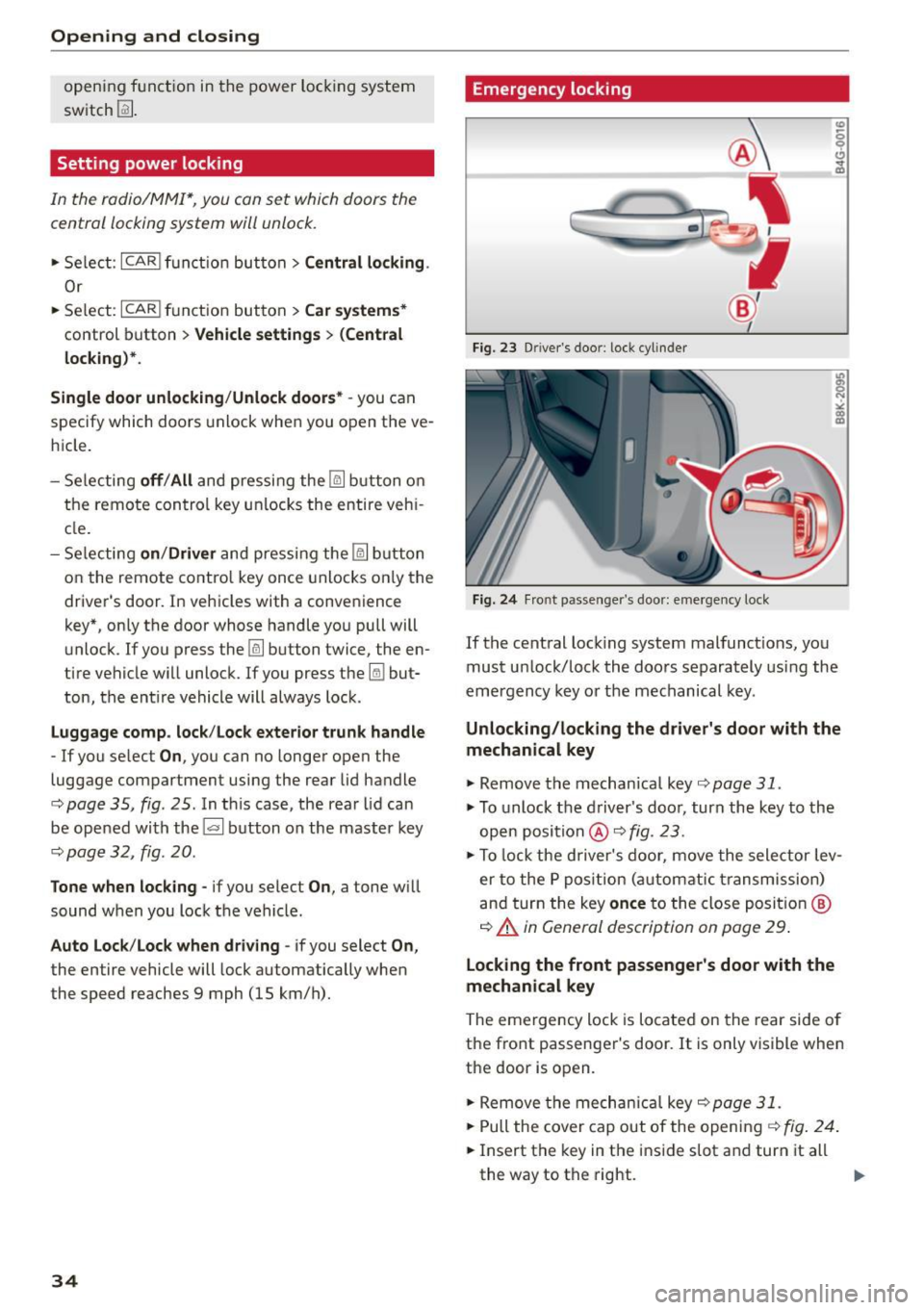
Emergency locking
Fi g. 23 Drive r's doo r: lock cylind er
Fig. 2 4 Fro nt p assenge r's doo r: e merge ncy lock
If the cent ral lock ing system malfunct ions, you
must un lock/Lock the doo rs separately using the
emergency key o r the mechanical key .
Unlocking/locking the driver' s door with the
mechanical key
.,. Remove the mechanical key c::> page 31 .
.,. To unlock the driver's doo r, turn the key to the
open position @
c::> fig. 23 .
.,. To lock the driver's door, move the selector lev
er to the P pos ition (automatic transmission)
an d tur n the key
once to the close posit io n @
c::> A in General description on page 29 .
Locking the front passenger's door with the
mechanical key
The emergency lock is located on the rear side o f
the fro nt passenger 's door. It is only visible when
the door is open .
.,. Remove the mechanica l key
c::> page 31 .
.,. Pull the cover cap out of the open in g c::> fig . 24 .
.,. Insert the key in the i nside s lot a nd turn it all
the way to th e right. ..,.
Page 77 of 268

M N
ci LL co
rl I.O
"' N
"' rl
.. Tak e the adapter for the emergency key out of
the glove compartment
r=:> fig. 89.
.. Push the emergency key r=:> fig. 90 fully into the
adapter. Make sure that the Audi rings are fac
ing up.
.. Press the emergency key in the adapter down
until it latches audibly.
.. Insert the adapter with the emergency key for
ward into the ignition switch . The engine can
now be started as usual.
Stopping the engine
Applies to vehicles: with ig ni tion lock
.. Bring the vehicle to a full stop.
.. Automatic transmission: Move the selector lev
er to the P or N position.
.. Press on the ignition key. The engine is turned
off .
.. You can now remove the key.
Steering lock
The steering locks when you remove the ignition
k ey. The locked steering helps prevent vehicle
theft.
Emergency off
If it is necessary in unusual circumstances, the
engine can be switched off while the vehicle is
moving. The engine will be switched off if you
press on the key for an extended period.
A WARNING
- Never turn off the engine before the vehicle
has come to a complete stop. The full func
tion of the brake booster and the power
steering is not guaranteed . You must use
more force to turn or brake if necessary. Be
cause you cannot steer and brake as you
usually would, this could lead to crashes
and serious injuries.
- For safety reasons, you should always park
your vehicle with the selector lever in P. Oth
erwise, the vehicle could inadvertently roll
away.
- The radiator fan can continue to run for up
to 10 minutes even after you have turned
off the engine and removed the ignition key.
Driving
The radiator fan can also turn on again if the
engine coolant heats up because of intense
sunlight or heat build-up in the engine com
partment.
- Always take the key with you whenever you
leave your vehicle. Otherwise, the engine
could be started or electrical equipment
such as the power windows could be operat
ed. This can lead to serious injury.
- Never leave children or persons requiring as
sistance unattended in the vehicle. The
doors can be locked using the remote trans
mitter, preventing people from escaping
from the veh icle on their own in the event of
an emergency. Depending on the time of
year, people inside the vehicle can be ex
posed to very high or very low tempera
tures.
(D Note
If the engine has been under heavy load for
an extended period, heat builds up in the en
gine compartment after the engine is switch
ed off -there is a risk of damaging the engine.
Allow the engine to run at idle for about two minutes before switching it off.
Convenience key
Starting the engine
Applies to vehicles: wi th convenience key
The !START E NGIN E STOPI button switches the
ignition on and starts the engine.
Fig. 91 Center console : START ENGINE STOP button
Starting the engine
.. Step on the brake pedal and move the selector
lever to P or N
¢ &_ . .,.
75
Page 79 of 268

M N
ci LL co
rl I.O
"' N
"' rl
-For safety reasons, you should always park
your vehicle with the selector lever in P. Oth
erwise, the vehicle could inadvertently roll
away .
- The rad iator fan can continue to run for up
to 10 m inutes even after you have turned
off the engine and removed the ignition key .
The rad iator fan can also turn on aga in if the
engine coolant heats up be cause of intense
s u nlight or heat bui ld-up in the engine com
partment.
- Always ta ke t he key with you wheneve r you
leave your vehicle. Otherwise, the eng ine
cou ld be started or electrical eq uipment
s u ch as the power windows cou ld be operat
ed. This can lead to serious injury.
(D Note
If the e ng ine has been under heavy load for
an extended per iod, heat builds up in the en
gine compartment after the engine is swi tch
ed off -there is a risk of damag ing the engine.
Allow the engine to run at idle for about two
m inutes before switch ing it off.
Driver messages
Ignitio n is on
This message appears and a war ning tone sounds
if you open the driver's door when the ignition is
switched on.
No ke y ide ntifi ed
This message appears when the
I STAR T ENGIN E STOP I button is pressed if t here
i s no master key inside the vehicle o r if the sys
tem does not recogni ze it. For example, the mas
ter key ca nnot be recognized if it is covered by an
object (e .g . alum inum br ie f case) which
screens
the radio signal. Electronic devices such as cell
phones can also interfere w ith the rad io signa l.
Press br ake pedal to sta rt engine
This message appears if you do not press the
b rake peda l to s tart the engine.
Shift to N or P to start engine
Dr ivi ng
This message appears when attempt ing to start
t h e engine if the se lector lever for the automatic
transmission is not in the P or N position. The en
gine can on ly be started w ith the selector in
these positions.
El I s the key in the vehicle?
T his mess age appears if the mas ter key is re
moved from the vehicle wi th the e ngine runn ing .
If the master key is no longer in the ve hicle, you
cannot switch on the ignition after stopping the
engine and you also cannot start the engine
again . Moreover, you cannot lock the vehicle from
t h e outside with the key.
Shift to P otherwise vehicle can roll away . Door s
do not lo ck
if le ve r is not in P.
This message appears for safety reasons along
with a warning signal. It appea rs if the selector
lever for the automatic transmission is not in the
P position when switch ing off the ignition. Move
the selector lever to the P position, otherwise the
vehicle is not secured against rolling away. You
also cannot lock the vehicle us ing the locking
button* on the door handle o r us ing t he remote
key .
Convenience key defe cti ve! Use ign ition lock
This message appears if the engine must be
started or stopped using the ign ition key and not
the
I STAR T ENGINE ST OP ! button.
Electromechanical
parking brake
Operation
The electromechanical parking broke replaces
the hand broke.
Fig . 92 Center co nso le: Pa rk in g b ra ke
77
Page 85 of 268
M N
ci u.. co ,...., \!) 1.1'1
N 1.1'1 ,....,
Automatic transmission
multitronic, S tronic,
tiptronic
Introduction
Appl ies to vehicles: with multitronic/5 tronic/tiptronic
The automatic transmission is controlled elec
tronically. The transmission upshifts or down
shifts automatically depending on which drive
program is se lected.
When a
moderate driving style is used, the
transmission selects the most economica l driving
mode. It will then change up early and delay the
downshifts to give better fuel economy .
The transmission switches to a sporty mode after
a kick-down or when the driver uses a
sporty driv
ing style
characterized by quick accelerator pedal
movements, heavy acceleration, frequent
changes in speed and traveling at the maximum
speed .
If desired, the driver can also se lect the gears
manually (tiptronic mode) q page 83.
Various automatic transmissions may be instal
led, depending on the model:
multitronic transmission
The multitronic transmission is a continuously
variable transmission. Power is transferred using
a mu ltidisk clutch. In contrast to conventional
automatic transmissions using shifting opera
tions, the transmission ratio in the continuously
variable transmission is changed continuous ly.
This optimi zes the comfort level and conserves
fuel.
S tronic transmission
The 5 tronic is a dual-clutch transmission. Power
is transferred using two clutches that work inde
pendently from one another. They replace the
torque converter used in conventional automatic
transmissions and allow the vehicle to accelerate
without a noticeable interruption in traction .
tiptronic transmission
In the tiptronic transmission, power is transfer
red by a torque converter.
Automatic transmission
Selector lever positions
Applies to vehicles: with multitronic/S tronic/tiptronic
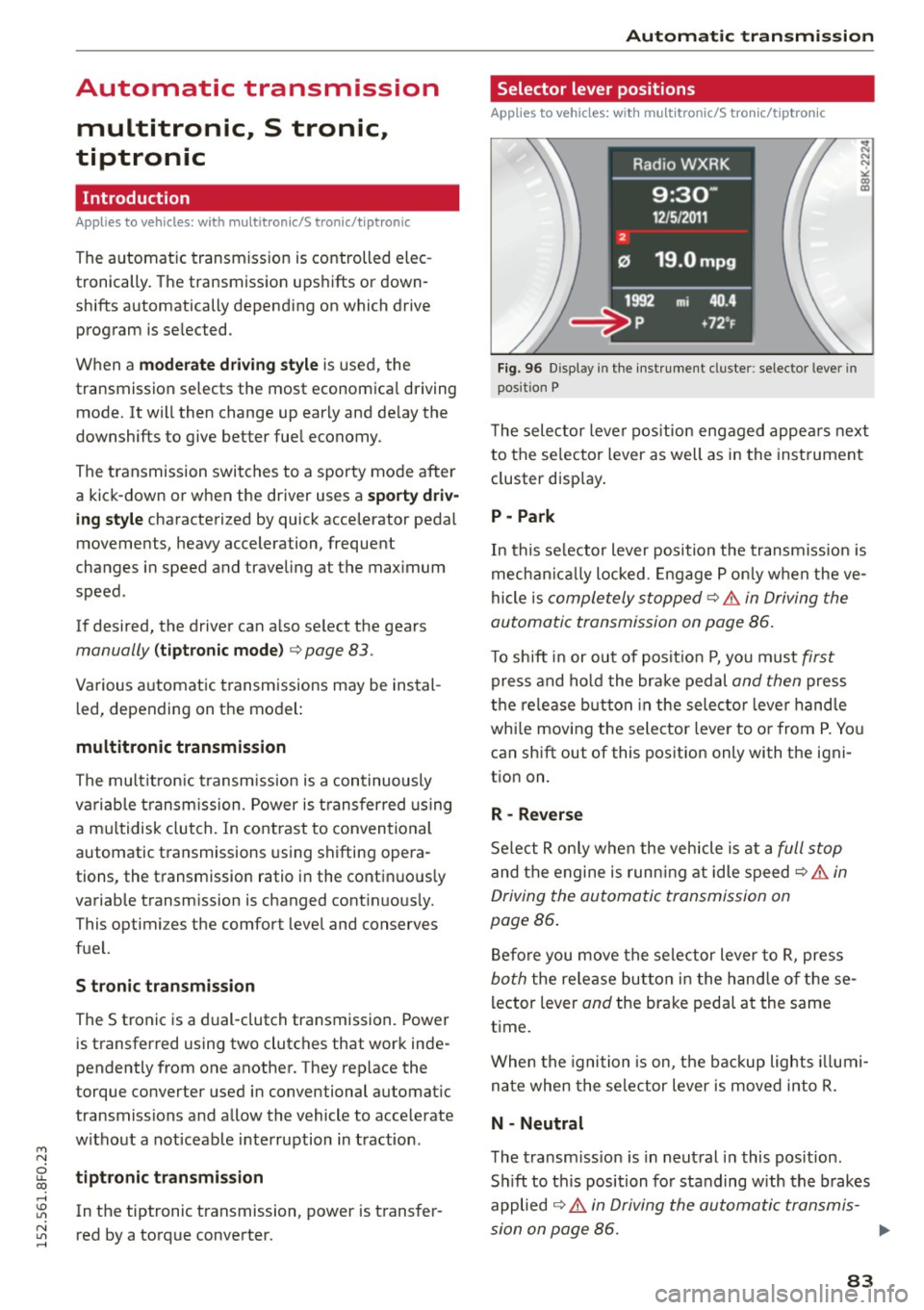
Fig. 96 Disp lay in the instrument cluster: selec tor lever in
position P
T he selector lever position engaged appears next
to the se lector lever as well as in the instrument
cluster display.
P -Park
In this se lector lever position the transmission is
mechanically locked . Engage P only when the ve
hicle is
completely stopped~.&. in Driving the
automatic transmission on page 86.
To shift in or out of posit ion P, you must first
press and hold the brake pedal and then press
the release button in the selector leve r handle
whi le moving the selector lever to or from P. You
can shift out of this position only with the igni
tion on.
R - Reverse
Select R only when the vehicle is at a full stop
and the engine is running at idle speed~ .&. in
Driving the automatic transmission on
page 86 .
Before you move the selector lever to R, press
both the release button in the hand le of these
lector lever
and the brake pedal at the same
time .
When the ignition is on, the backup lights illumi
nate when the selector lever is moved into R.
N -Neutral
The transmission is in neutral in this position .
Sh ift to this position for standing with the brakes
applied
~ .&. in Driving the automatic transmis-
sion on page 86. .,.
83
Page 86 of 268

Automatic transmission
When the vehicle is stationary or at speeds below
1 mph (2 km/h), you must always apply the foot
brake before and while moving the lever out of N.
DIS -Normal position for driving forward
In the D/S position, the transmission can be oper
ated either in the normal mode Dor in the sport
mode S . To select the sport mode S, pull these
lector lever back brief ly. Pulling the lever back
again will se lect the normal mode D . The inst ru
ment cluster display shows the selected driving
mode.
In the
normal mode D , the transmission auto
matically selects the suitable gear ratio . It de
pends on engine load, vehicle speed and driving
style.
Select the
sport mode S for sporty driving. The
vehicle makes full use of the engine 's power .
Shifting may become noticeable when accelerat
ing.
When the vehicle is stationary or at speeds below 1 mph (2 km/h), you must a lways apply the foot
brake before and while moving the lever to D/S
out of N.
A WARNING
Read and follow all WARNINGS¢.&. in Driv
ing the automatic transmission on
page 86.
(D Note
Coast ing downh ill with the transmission in N
and the engine not running will result in dam
age to the automatic transmission and possi
bly the catalytic converter.
@ Tips
- On vehicles with drive select* , you can ad
just the sporty sh ift characteristics in the
Dynamic driving mode .Swill appear in the
instrument cluster display instead of D.
-If you accidentally select N while driving,
take you r foot off the accelerator pedal im
mediately and wait for the engine to slow
down to idle before selecting D/S.
84
-If there is a power fai lure, the selector lever
wi ll not move out of the P position. The
emergency release can be used if this hap
pens ¢
page 89.
Automatic Shift Lock (ASL)
Applies to vehicles: with mult itronic/5 tronic/tiptron ic
The Automatic Shift Lock safeguards you against
occidentally shifting into a forward or the re
verse gear and causing the vehicle to move unin
tentionally.
Fig. 97 Sh ift gate: se lector lever lock pos it ions and re lease
button high lig hted
The selector lever lock is released as follows:
.,. Turn the ignition on.
.,. Step on the brake pedal.
At the some time
press and hold the release button on the side of
the gear selector knob¢
fig. 97 with your
thumb until you have moved the selector lever
to the desired position .
Automatic selector lever lock
The selector lever is locked in the P and N posi
tions when the ignition is turned on . You must
press the brake pedal and the release button to
select another posit ion. As a reminder to the
driver, the following warning appears in the in
strument cluster display when the selector is in P
and N:
When stationary apply brake pedal while select
ing gear
The Automatic Shift Lock only functions when the
vehicle is stat ionary or at speeds below 1 mph
(2 km/h).
Page 87 of 268

M N
ci u.. co ,...., \!) 1.1"1
N 1.1"1 ,....,
At speeds above about 1 mph (2 km/h) the Auto
matic Shift Lock is automatically deactivated in
the N position.
A time delay element prevents the selector lever
from locking when it is moved through the N po
sition (going from R to D/S). The locking element
will lock the se lector lever if the lever is left in N
(Neutral) for more than approximate ly 2 seconds,
without the brake pedal being pressed.
Release button
The release button on the selector lever prevents
the lever from being accidentally shifted into cer
tain positions. Depending on the direction of the
shift, the selector lever locks at different posi
tions. The positions are highlighted in the illus
tration
c> fig . 97.
Ignition key safety interlock
The key cannot be removed from the ignition un
l ess the se lector lever is in the P park posit ion.
When the ignit ion key is removed, the selector
lever will be locked in the P position.
Driving the automatic transmission
Applies to vehicles: with m ultit ron ic/S tronic/t iptronic
F ig . 98 S hift gate on t he center conso le: selector lever w ith
re lease button
Starting the engine
~ The selector lever must be in P or N.
Starting off
~ Press and ho ld the brake pedal.
~ Press and hold the release button in the selec
tor lever handle, select the des ired selector lev
er posit ion such as D/S and release the button.
Automatic transmission
~ Wait briefly until the transmission has shifted
(you will fee l a slight movement).
~ Remove your foot from the brake pedal and ac
celerate.
Stopping temporarily
~ Keep the vehicle stationary using the braking
pedal, for example at traffic lights.
~ Do not press the accelerator peda l when doing
this.
~ To prevent the vehicle from rolling when you
start driving, set the parking brake when stop
p in g on steep inclines
c> .&_.
~ The parking brake will release automat ically
and the vehicle will start mov ing once you press
t he acce lerator pedal.
Stopping/parking
If the selector lever is not in the P position when
you open the dr iver's door, the vehicle could roll.
The message
Transmission: Car may roll! Shift
to park!
appea rs.
~ Press and hold the brake pedal until the vehicle
has come to a complete stop .
~ Apply the parking brake c:;. page 78, Parking .
~ Select the P selector lever posit ion c> .&_ .
Stopping on an incline
~ Always press the brake pedal to hold the vehi
cle in place and prevent it from "rolling back"
c:;. .&_ . Do not try to prevent the veh icle from
"rolling back" when a gear is engaged by in
creasing the engine speed
c> 0 .
Starting on an incline
~ Activate the parking brake.
~ With the driving gear selected, press the accel
erator pedal carefully. The parking brake w ill re
lease automat ically if your seat belt is fastened .
Under certain circumstances, such as driving in
the mounta ins, it may be useful to sw itch tempo
r ar ily to the manual shift program in order to ad
just the gears to the dr iv ing conditions by hand
c>page 87.
On slopes, activate the parking brake first and
then move the selector lever to the P position .
85
Page 88 of 268
Automatic transmission
This prevents too much stress from being placed
on the locking mechanism.
Vehicles with multitronic transmission: Your vehi
cle is equipped with
hill hold assist allowing you
to start while on an incline. The system is activat
ed when the brake pedal is pressed down and
held
for a few seconds. The brake pressure will
hold for
a momen t after the brake pedal loosens
t o preven t the vehicle from rolling backwards
while starting up .
A WARNING
- The vehicle can also roll when the engine is
stopped .
- Unintended vehicle movement can cause se rious injury .
- Never leave your vehicle with the engine
running while in gear.
If you must leave your
vehicle when the engine is running, activate
the parking brake and move the selector lev
er to
P.
-Power is still transmitted to the wheels
when the engine is running at idle. To pre
vent the vehicle from "creeping", you must
keep your foot on the brake when the engine
is running and the selector lever is in 0/5 or
R or "tiptronic" mode is selected.
- Do not press the accelerator pedal when changing the selector lever position while
the vehicle is stationary and the engine is
running .
- Never shift into R or P while driving.
- Before driving down a steep slope, reduce
your speed and shift into a lower gear with
"tiptronic".
- Do not ride the brakes or press the brake
pedal too often or too long when driving
down a hill. Constant braking causes the
brakes to overheat and substantially re
duces braking performance, increases brak
ing distance or causes complete failure of
the brake system .
- To prevent the vehicle from rolling back
when stopping on inclines, always hold it in
place with the brake pedal or parking brake.
- Never hold the vehicle on an incline with a
slipping clutch. The clutch opens automati-
86
cally when it becomes too hot from the
overload. An indicator lamo
[ O ] illuminates
and a driver message appears
¢ page 88
when the clutch is overloaded.
- If the engine must remain running, never
have any driving position engaged when
checking under the hood . Make sure these
lector lever has securely engaged and is
locked in P with the parking brake set
¢ page 195. Otherwise, any increase in en
gine speed may set the vehicle in motion,
even with the parking brake applied.
(D Note
- 5 tronic- and tiptronic transmission: When
stopping on an incline, do not try to hold
the vehicle in place by pressing the accelera
tor pedal while a driving gear is selected.
This can cause the transmission to overheat
and can damage it. Activate the parking
brake or press the brake pedal to prevent
the vehicle from rolling.
- 5 tronic- and tiptronic transmission: Allow
ing the vehicle to roll when the engine is
stopped and the selector lever is in N will
damage the transmission because it is not
lubricated under those circumstances .
(D Tips
For safety reasons, the parking brake is re
leased automatically only when the driver's
safety belt is engaged in the buckle .
· Hill descent control
App lies to vehicles: wit h mult itronic/S tronic/tiptronic
The hill descent control system assists the driver
when driving down declines.
Hill descent control is activated when the selec
tor lever is in 0/5 and you press the brake pedal.
The transmission automatically selects a gear
that is suitable for the incline. Hill descent con
trol tries to maintain the speed achieved at the
time of braking, within physical and technical
limitations.
It may still be necessary to adjust the
speed with the brakes. .,.
Page 89 of 268
M N
ci LL co
rl I.O
"' N
"' rl
Hill descent control switches off once the decline
levels out or you press the accelerator pedal.
On vehicles w ith the cruise control system*
¢ page 81, hill descent control is also activated
when the speed is set.
&,_ WARNING
H ill descent control cannot overcome physical
limitations, so it may not be able to maintain
a constant speed under all conditions. Always
be ready to apply the brakes.
Manual shift program
A ppl ies to vehicles: w ith mul titr onic /S tronic/t iptronic
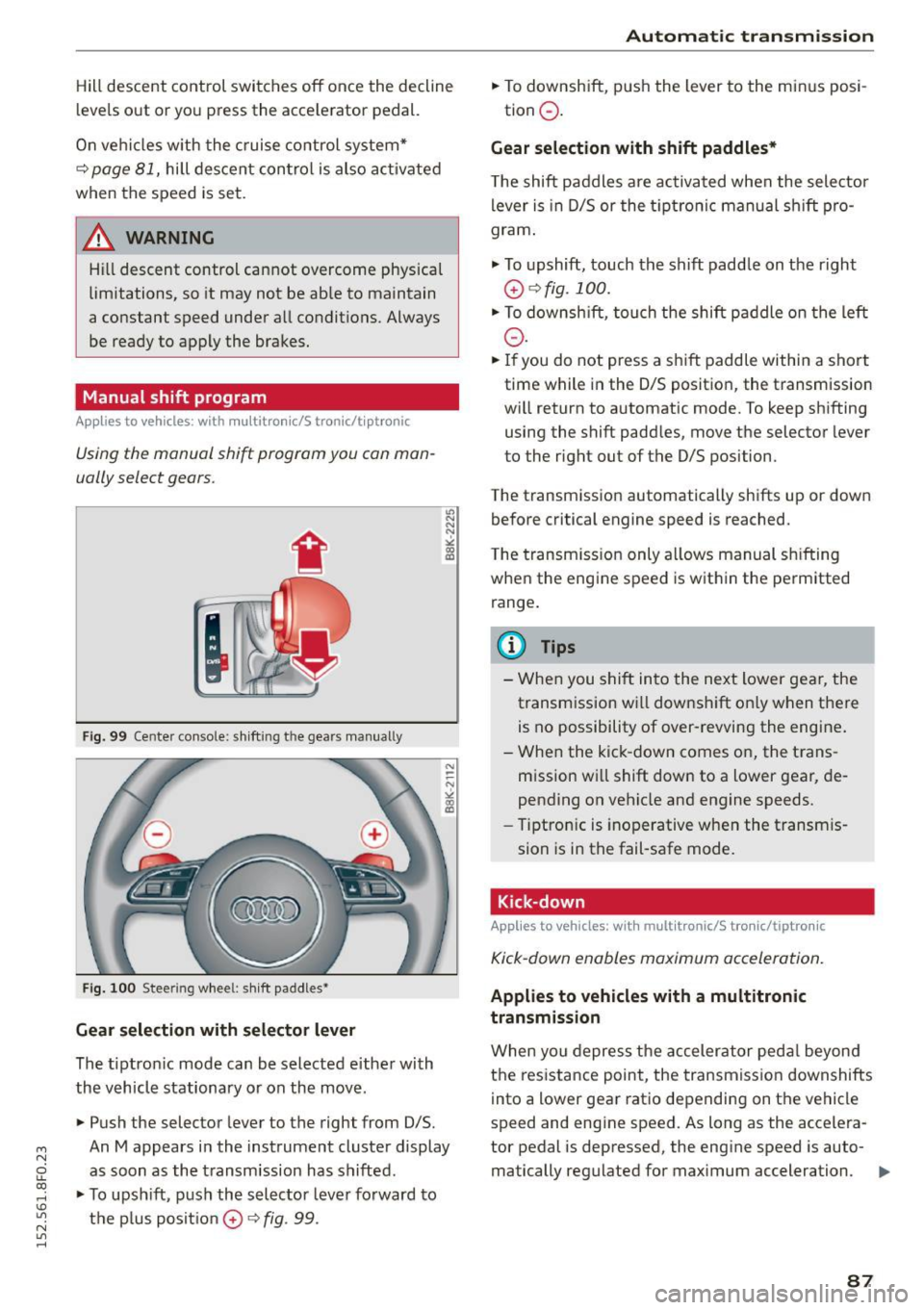
Using the manual shift program you can man
ually select gears.
Fig. 99 Center console: shift ing t he gears manually
Fig. 100 Steer ing wheel : sh ift paddles•
Gear selection with selector lever
The tiptronic mode can be selected either with
the vehicle stationary or on the move.
• Push the selector lever to the right from 0/5.
"' N N N ,.:i
~
An M appears in the instrument cluster display
as soon as the transmission has shifted .
• To upshift, push the selector lever forward to
the plus posit ion
0 ¢ fig . 99.
Automatic transmission
• To downshift, push the lever to the minus posi-
tion
0 .
Gear selection with shift paddles*
The shift paddles are activated when the selector
lever is in D/5 or the tiptronic manual sh ift pro
gram .
.,. To upshift, touch the shift padd le on the right
0 ¢ fig. 100.
• To downshift , touch the shift paddle on the left
0-
• If you do not press a shift paddle within a short
time while in the 0/5 position, the transmission
will return to automatic mode. To keep shifting using the shift paddles, move the selector lever
to the rig ht out of the 0/5 position.
The transmission automatically shifts up or down before critical engine speed is reached.
The transmission only allows manual shifting
when the engine speed is within the permitted
range.
@ Tips
- When you shift into the next lower gear, the
transm ission wi ll downshift on ly when there
is no possibility of over-revving the engine.
- When the kick -down comes on, the trans
mission will shift down to a lower gear, de
pending on vehicle and engine speeds.
- Tiptronic is inoperative when the transm is
sion is in the fail-safe mode.
Kick-down
Applies to vehicles: wit h mult itronic/S tro nic/tiptro nic
Kick-down enables maximum acceleration.
Applies to vehicles with a multitronic
transmission
When you depress the accelerator pedal beyond
the resistance point , the transmission downshifts
into a lower gear ratio depending on the vehicle
speed and engine speed. As long as the accelera
tor pedal is depressed, the engine speed is auto-
matically regulated for maximum acceleration.
1111>-
87