ECO mode AUDI A5 CABRIOLET 2017 User Guide
[x] Cancel search | Manufacturer: AUDI, Model Year: 2017, Model line: A5 CABRIOLET, Model: AUDI A5 CABRIOLET 2017Pages: 266, PDF Size: 66.64 MB
Page 69 of 266

a:,
a:,
...... N
" N ...... 0
0
LL co
Warm and cold
Operation
We recommend pressing the !AUTO ! button and setting the temperature to 72 °F (22 °C).
Fig. 82 Automatic climate control system: control
Fig. 83 3-zone deluxe automatic climate contro l*: controls
Press the buttons to turn the functions on or off.
Use the dials to adj ust the temperature, the
b lower speed and the air distrib ution. The LED in
a button will light up when the function is
switched on. The settings are displayed for a few
seconds in the radio or MM!* display.
In vehicles with a 3-zone deluxe automatic cli
mate control systems*, the driver and front pas
senger side can be adjusted separately. The set
tings are also displayed in the climate control system display. I OFFI Switching the climate control system
on/off
T he iOFF i button switches the climate control
system on or off.
It also switches on when you
press the knob. Airflow from outside is blocked
when the climate control system is switched off.
IA/C l Switching cooling mode on/off
The air is not coo led and humidity is not removed
when cooling mode is switched off . This can
cause fog on the windows. The cooling mode is
switched off automat ically at low outside tem-
peratures.
IJl,,
67
Page 70 of 266
Warm and cold
1- 1 Switching recirculation mode on/off
In r ecirculation mode, the air inside the vehicle is
circu lated and filtered. This prevents the unfil
tered air outside the vehicle from entering the
ve hicl e interior. We recommend switching recir
culation mode on when driving through a tunnel
or when sitting in traffic¢.&,.
The
IAUTOI button or l
IAUTO I Switching automatic mode on
Automatic mode maintains a constant tempera
ture inside the vehicle. Air temperature, airflow
and air distribution are controlled automatically.
Adjusting the temperature
Temperatures between 60 °f (+16 °C) and 84 °f
( + 28 °C) can be set. Outside of this range,
LO or
HI will appear in the climate control system dis
p la y. At both of these settings, the climate con
trol system runs continuously at maximum cool
ing or heating power. There is no temperature
regulation.
~ Adjusting the airflow
You can adjust the airflow manually to suit your
needs. To have the airflow regulated automati
cally, press the
IAU TO I button.
~ Adjusting the air distribution
You can manually select the vents where the air
will flow. To have the air dist ribution regulated
automatically , press the
IAU TO I button.
QJ Adjusting seat heating*
Pressing the button switches the seat heating on
at the highest setting (level 3) . The LEDs indicate
the temperature level. To reduce the tempera
ture, press the button aga in. To switch the seat
heating off, press the button repeated ly until the
L ED turns off.
After 10 minutes, the seat heating automatically
switches from level 3 to level 2.
~ Adjusting seat ventilation*
Pressing the button switches the seat vent ilation
on at the highest setting (level 3). The LEDs indi-
68
cate the ventilation level. To reduce the venti la
tion level, press the button again. To switch the
seat ventilation off, press the button repeatedly
until the LED turns off.
I@ FRONT I Switch the defroster on/off
The windshield and side windows are defrosted
or cleared of condensation as quick ly as possible.
The maximum amount of air f lows mainly from
the vents below the windshield. Recirculation
mode switches off. The temperature should be
set to 72 °f (22 °C) or higher. The temperature is
controlled automatically.
The
! AU TOI button switches the defroster off.
lliil REAR I Switching rear window heater on/
off
The rear window heater only operates when the
engine is running. It switches off automatically
after a few m inutes, depending on the outside
temperature.
To prevent the rear window heater from switch
ing off automatica lly, press and hold the
loo REARI
button for more than 2 seconds. T his remains
stored until the ignition is sw itched off.
Air vents
You can open and close the center and rear air
vents using the thumbwheels. The levers adjust
the direction of the airflow from the vents.
In vehicles with a 3-zone deluxe automatic cli
mate contro l system*, you can adjust the air tem
perature in the rear by turning the thumbwheel
toward the red side to make it warmer or toward
the blue side to make it cooler.
A WARNING
- Do not use the rec irculat ion for extended
periods of time. The windows could fog up
since no fresh air can enter the vehicle . If
the windows fog up, press the air recircula
tion button again immediate ly to switch off
the air recirculat ion function or select de
frost.
- Individuals with reduced sensitiv it y to pain
or temperature could develop burns when
using the seat heating function. To reduce
-
Page 80 of 266
Driving
had made a fu ll brake application. The laws of
physics cannot be suspended even with ESC
and its associated components ( ABS, ASR,
EDS) . In corners and when road or weather
conditions are bad, a ful l brake application
can cause the vehicle to sk id or the rea r end to
break away- r isk ing an accide nt.
Speed warning system
Overview
The speed warning system helps you to keep your
driving speed below a set speed limit.
The speed warning system warns if the driver ex
ceeds a prev ious ly stored max imum speed. A
warn ing tone wi ll sound as soon as the vehicle
speed exceeds the set speed by about
3 mph
(3 km/h) . At the same time, a warning symbo l
appears in the display. The symbol 's appearance
might be d ifferent in some models.
The speed warning system has two warn ing
thresho lds that funct ion independent ly of each
other and that have somew hat different purpos
es:
Speed warn ing 1
You can use speed warn ing 1 to set the maximum
speed wh ile you are dr iving . This setting wi ll re
main in effect unti l yo u turn
off the ignition, as
sum ing that you have not changed or reset the
sett ing .
The . (USA models)/ . (Canada mode ls)
speed warning symbol in the wa rning
1 display
appears when you exceed the maximum speed . It
goes out when the speed falls below the stored
maximum speed .
The speed warning symbo l will also go out if the
speed
exceeds the stored maximum speed by
more than about 25 mph (40 km/h) for at least
10 seconds . The stored maximum speed is de let
ed.
Speed warn ing 2
Stor ing warning 2 is recommended if yo u always
want to be reminded of a certain speed, for ex
ample when you are traveling in a country that
78
has a general maximum speed limit, or if you do
not want to exceed a specified speed for winter
tires.
The . (USA models)
I. (Canada models)
speed warning 2 symbol appears in the display
when you exceed the stored speed limit. Unlike
warning
1, it will not go out unt il the vehicle
speed drops below the stored speed limit.
Setting speed warning
2 c;, page 79.
(D Tips
Eve n t hough yo ur vehicle is e quipped w ith a
speed w arning system, you should still wa tch
the speedome ter to ma ke sure you are no t
d rivin g faste r than the speed lim it.
Speed warning 1: setting a speed limit
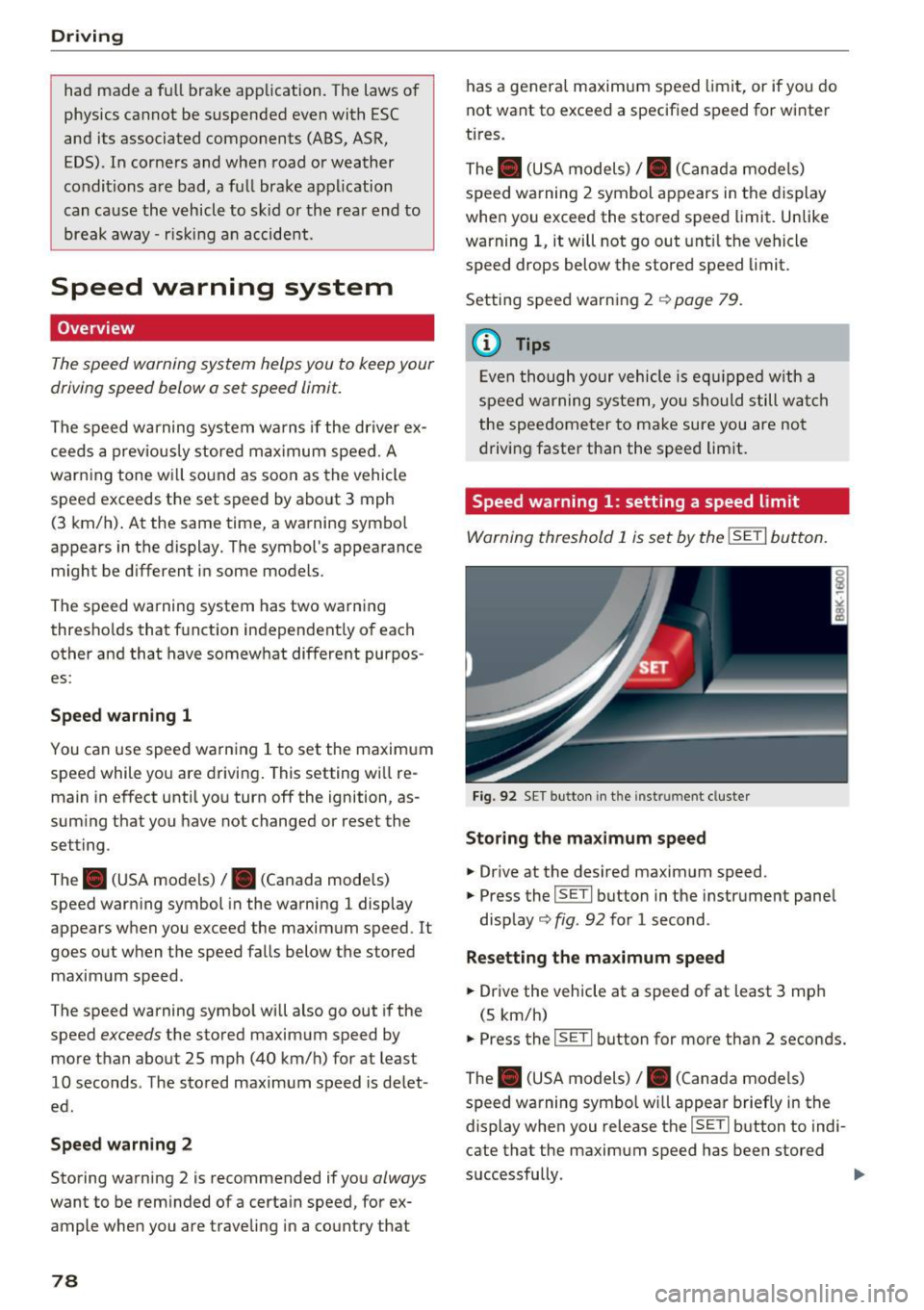
Warning threshold 1 is s et by the !SE TI button.
Fig. 92 SET butt on in t he in strum en t cl uste r
Storing the maximum speed
.. Drive at the desired maximum speed .
.. Press the
!SET I button in the instrument pane l
disp lay
c;, fig. 92 for 1 second .
Resetting the maximum speed
.. Drive the vehicle at a speed of at least 3 mp h
(5 km/h)
.. Press the
~ 1s=E T= I button for more than 2 seconds.
The . (USA models)
I. (Canada mo dels)
speed warning symbo l w ill appear brief ly in the
display when you release the
!SE TI button to indi
cate that the maximum speed has been stored
successfully.
Page 83 of 266
Automatic transmission multitronic, S tronic,
tiptronic
Introduction
Applies to: vehicle s with multitronic/S tronic/tiptronic
The automatic transmission is cont rolled e lec
tronica lly. The transmission upshifts or down
shifts automatically depending on which drive program is selected.
When a
moderate drivi ng style is used, the
transmission selects the most economical driving
mode. It will then change up early and delay the
downshifts to give better fuel economy.
The transm ission switches to a sporty mode afte r
a kick -down or when the driver uses a
s po rt y
d riv ing sty le
characterized by quick accelerator
pedal movements, heavy acce leration, frequent
changes in speed and traveling at the maximum
speed.
If desired, the driver can also select the gears
manually { tip tron ic mode) 9 page 81.
Various automatic transmissions may be instal
led, depending on the model :
multitronic transmission
The multitronic transmission is a cont inuous ly
va riable t ransmiss ion. Power is transferred using
a mu ltidisk clutch. In contrast to conventiona l
automatic transmissions using shifting opera
tions, the transmission ratio in the continuous ly
variable transmiss ion is changed continuously.
This optimizes the comfort level and conserves
fuel.
S tr onic transmi ssion
The S tronic is a dua l-clutch transmiss ion . Power
is transferred using two clutches that work inde
pendently from one another. They replace the
torque converter used in conventional automatic
transmissions and allow the vehicle to accelerate
without a noticeable interruption in tract ion.
a:,
a:,
...... tip tron ic tran smis sion N r--.
~ In the tiptron ic transmission, power is transfer-
fi:' red by a torque converter. 00
Autom atic tran sm iss ion
Selector lever positions
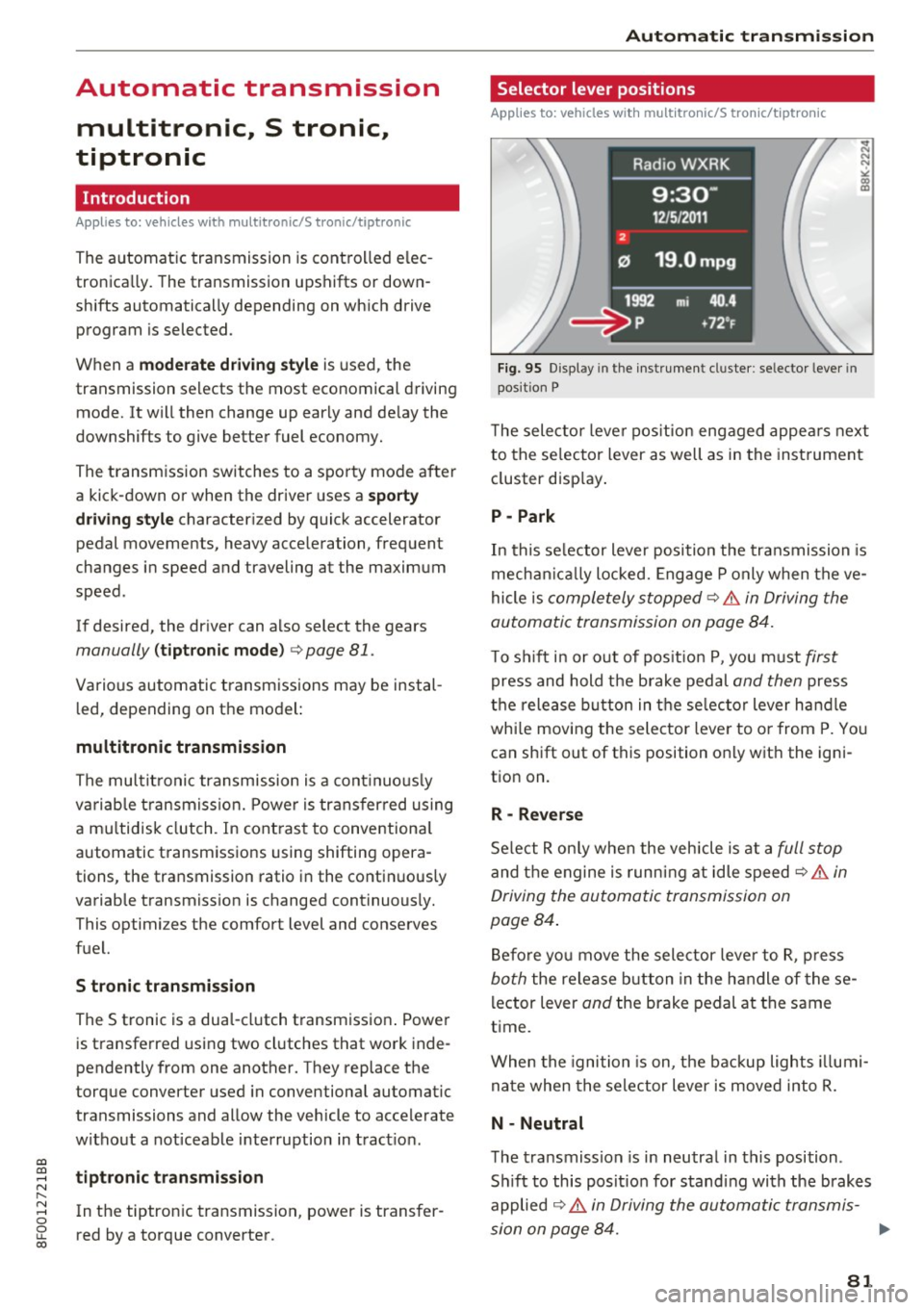
Applies to: vehicles wit h mult itron ic/S tro nic/t iptronic
F ig. 95 Display in the instrument cl uste r: se lector lever in
posit ion P
T he selector leve r pos ition engaged appea rs next
to the se lector lever as well as in the instrument
cluster disp lay .
P -Park
In this se lector lever position the transmission is
mechan ica lly locked. Engage P only when the ve
hicle is
completely stopped~.&. in Driving the
automatic transmission on page 84.
T o s hift i n or out of pos it ion P, you must first
press and hold the brake pedal and then press
t h e release button in the se lec tor lever ha ndle
whi le mov ing the selector lever to o r from P. Yo u
can shift out of this position on ly with the igni
tion on.
R -Reverse
Se lect R on ly when the vehicle is at a full stop
and the engine is runn ing at idle speed C? .&. in
Driving the automatic transmission on
page 84 .
Before yo u move the selector leve r to R, p ress
both the release b utton in the handle of these
l ector lever
and the brake pedal at the same
time.
When the ignition is on, t he backup lights illumi
na te when the selector lever is moved into R.
N -Neutral
The transmiss ion is in neutral in this position .
S hi ft to this posit io n for standing with the brakes
applied
~ .&. in Driving the automatic transmis-
sion on page 84. ..,
81
Page 84 of 266

Automatic transmission
When the vehicle is stationary or at speeds below 1 mph (2 km/h), you must always app ly the foot
brake before and while moving the lever out of N.
D /S -Normal position for driving forward
In the D/S posi tion, the transmission can be op
erated e ither in the no rma l mode Do r in the
sport mode S. To select the sport mode S, pull
the selector lever back briefly. P ulling the lever
back again w ill select the normal mode D. The in
strument cluster display shows the selected dr iv
ing mode.
In the
normal mode D, the transmission auto
mat ica lly selects the suitab le gear ratio. It de
pends on eng ine load, vehicle speed and driving
style.
Select the
s port mode S for sporty driving. The
veh icle makes fu ll use of the engine 's power.
Shifting may become noticeab le when acce lerat
ing.
When the vehicle is stationary or at sp eeds below
1 mph (2 km/h), you must always app ly the foot
brake before and while moving the lever to D/S
out of N.
A WARNING
Read and follow all WARNINGS cc> .& in Driv
ing the automatic transmission on
pag e 84.
(D Note
Coasting down hill with the transm iss ion in N
and the engi ne not run ning will result in dam
age to the automatic transmission and poss i
bly the catalytic converte r.
@ Tips
- On vehicles wit h drive select*, you can ad
ju st the sporty shift characteristics in the
Dynamic dr iv in g mod e.Swi ll appea r in th e
in st ru ment cl uster display instead of D.
-If you accide nta lly select N while driv ing,
take yo ur foot off the a cceler ator ped al im
med iately an d wait for the e ngine to slow
d own to idle bef ore se lec ting D/S.
82
- If there is a powe r failure, t he se lector lever
wi ll not move out of the P position. The
eme rgency re lease can be used if th is hap
pens
q page 8 7 .
Automatic Shift Lock (ASL)
App lies to : vehicles wi th mult itro nic/S t ro ni c/ tip tronic
The Automatic Shift Lock safeguards you against
accidentally shifting into a forward or the re
verse gear and causing the vehicle to move unin
tentionally.
Fig. 96 Sh ift gate : se lec to r lever lock pos it io ns and re lease
but ton high lig hted
The selector lever lock is re leased as follows:
.,. Tur n the ignition on.
.,. Step on the bra ke pedal.
At the same time
press and hold the release button on the side of
the gear selector knob
cc> fig. 96 with your
thumb until you have moved the selector lever
to the desired position .
Automatic selector leve r lock
The selector lever is locked in the P and N posi
tions when the ign itio n is turned on . You must
press the brake peda l and the release button to
select another posit ion. As a rem inder to the
driver, the following warn ing appears i n the in
str ume nt cluster d isp lay when the se lector is in P
and N:
When stat ionary apply brake pedal while select
ing gear
The Automatic Shift Lock only functions whe n the
vehicle is stat ionary or at speeds be low 1 mph
(2 km/h) .
Page 86 of 266
Automatic transmission
This prevents too much stress from being placed
on the locking mechanism.
Vehicles with multitronic transmission: Your ve hicle is equipped with
hill hold assist allowing
you to start while on an incline. The system is ac
tivated when the brake pedal is pressed down
and held
for a few seconds. The brake pressure
will hold for
a moment after the brake pedal
loosens to prevent the vehicle from rolling back
wards while starting up.
A WARNING
- The vehicle can also roll when the engine is
stopped.
- Unintended vehicle movement can cause se rious injury.
- Never leave your vehicle with the engine
running while in gear. If you must leave
your vehicle when the engine is running, ac tivate the parking brake and move the selec
tor lever to P.
- Power is still transmitted to the wheels
when the engine is running at idle. To pre
vent the vehicle from "creeping", you must
keep your foot on the brake when the en
gine is running and the selector lever is in 0/
Sor R or "tiptronic" mode is selected.
- Do not press the accelerator pedal when changing the selector lever position while
the vehicle is stationary and the engine is
running.
- Never shift into R or P while driving.
- Before driving down a steep slope, reduce
your speed and shift into a lower gear with
"tiptronic".
- Do not ride the brakes or press the brake
pedal too often or too long when driving
down a hill. Constant braking causes the
brakes to overheat and substantially re
duces braking performance, increases brak
ing distance or causes complete failure of
the brake system.
- To prevent the vehicle from rolling back
when stopping on inclines, always hold it in
place with the brake pedal or parking brake.
- Never hold the vehicle on an incline with a
slipping clutch. The clutch opens automati-
84
cally when it becomes too hot from the
overload. An indicator lamo
[O ] illuminates
and a driver message appears
c::;, page 86
when the clutch is overloaded.
- If the engine must remain running, never
have any driving position engaged when
checking under the hood. Make sure these
lector lever has securely engaged and is
locked in P with the parking brake set
¢page 193. Otherwise, any increase in en
gine speed may
set the vehicle in motion,
even with the parking brake applied.
(D Note
- S tronic- and tiptronic transmission: When
stopping on an incline, do not try to hold
the vehicle in place by pressing the accelera
tor pedal while a driving gear is selected.
This can cause the transmission to overheat
and can damage it. Activate the parking
brake or press the brake pedal to prevent
the vehicle from rolling.
- S tronic- and tiptronic transmission: Allow
ing th@ vehicle to roll when th@ engine is
stopped and the selector lever is in N will
damage the transmission because it is not
lubricated under those circumstances.
(D Tips
For safety reasons, the parking brake is re
leased automatically only when the driver's
safety belt is engaged in the buckle.
· Hill descent control
App lies to: vehicles with mult itron ic/S tron ic/t iptronic
The hill descent control system assists the driver
when driving down declines .
Hill descent control is activated when the selec
tor lever is in D/S and you press the brake pedal.
The transmission automatically selects a gear
that is suitable for the incline. Hill descent con
trol tries to maintain the speed achieved at the
time of braking, within physical and technical
limitations. It may still be necessary to adjust the
speed with the brakes. ..,..
Page 88 of 266

Automatic transmissio n
Appli es to vehicl es with a S troni c-/ tiptronic
t ran smissi on
When you depress the accelerator peda l beyond
the resistance point, the automatic t ransmission
downshifts into a lower gear, depending on vehi
cle s peed and engi ne speed. The upshift into the
next h igher gear takes place once the maximum
specif ied e ngine speed is reached.
A WARNING
Please note that the drive whee ls can spin if
kick-down is used on a smooth s lippery road -
there is a risk of skidding.
Launch Control Program
A pp lies to: ve hicles w ith S tro nic
The Launch Control Program provides the best
acceleration possible when starting from a stop.
Requirement: The engine must be at operating
temperature and the steer ing wheel must not be
turned .
"' Press the
lfl O FF ! button ¢ page 168 while the
engine is run ning . T he
II indicator light illumi
nates in the instrument cluste r and
Stabil iza
tion control (ESC ): Sp ort. Warning! R estricted
s tab ilit y
appears in the d river informat ion sys
tem display.
"' Move the selecto r lever to the D/S position to
select sport mode (S) or select the
d ynami c
driving mode in drive select * ¢page 102.
"'Press the brake pedal strongly with your left
foot and hold it down fo r at least 1 second.
"' At the same t ime, press the acce lerator pedal
down completely with your right foot until the engine reaches and maintains a high RPM .
"' Remove your foot from the b rake pedal within
S seconds ¢
&-
A WARNING
-Always adapt yo ur driv ing to the traffic flow.
- Only use the La unch Control Prog ram when
ro ad and tra ffic conditions allow it and oth
er drivers will not be endangered or an
noyed by you r driving and the vehicle 's ac
celeration.
86
- Please note that the d riving wheels can spin
and the vehicle can b reak away when sport
mode is switched on, espec ially when the
road is slippery .
- Once you have acce lerated, you should
sw itch sport mode off by pressing the
I ~ OFFI button .
(D Tips
-The transmission temperat ure may increase
significant ly after using the Launch Contro l
Program. If that happens, the program may
not be ava ilable for a few minutes . It will be
available again afte r a cool-down period .
- When accelerating using the Launch Control
program, all vehicle pa rts a re subject to
heavy loads . This ca n result in increased
wea r.
Transmission malfunction
App lies to: vehicles wi th mult itro nic/S tro nic/ tip tronic
I>] Tran smi ssion : Pres s brake ped al and select
gear again.
P ress the b rake peda l and select the desired se
l ector lever posi tion again. Yo u can then co nti nu e
driv ing.
I>] Tran smiss ion ov erheating: Plea se drive con
servativel y.
The transmission temperature has increased sig
nificantly due to t he sporty dr iving ma nner . Drive
i n a less spo rty manner unti l the temperature re
turns to t he norma l range and the i ndicator light
switches of.
I>] Tran smiss ion malfun ct ion : You can co ntinue
driv ing
There is a system malfunction in the transmis
s io n. You may continue driving. Dr ive to your au
thorized Audi dea ler or qua lified repair facility
soon to have the ma lfunction corrected .
I>] Transmission malfunct ion : Limited dri ving
functional ity
There is a system malfunction in the transmis-
s ion. The t ransmission is switch ing to emergency
mode. This mode only s hifts into certain gears or ..,_
Page 95 of 266

a:,
a:,
...... N
" N ...... 0
0
LL co
Audi adaptive cruise control and braking guard
~--- ~-Di stance 3: This setting corresponds
to a distance of 164 feet/SO meters when travel
ing at 62 mph (100 km/h), or a time interval of
1.8 seconds.
~ ---- ~ Distance 4: This setting corresponds
to a distance of 210 feet/64 meters when travel
ing at 62 mph (100 km/h), or a time interval of
2 .3 seconds.
A WARNING
Following other vehicles too closely increases
the risk of collisions and ser ious personal in
jury.
- Setting short distances to the traffic ahead
reduces the time and distance available to
br ing your vehicle to a safe stop and makes
it even more necessary to pay close atten
tion to traffic.
- Always obey applicable traffic laws, use
good judgment, and select a safe following
distance for the traffic, road and weather
conditions.
¢j) Tips
- Distance 3
is set automatically each time
you switch the ignition on.
- Your standard sett ings are automat ically
stored and assigned to the remot e control
k ey be ing used.
Setting the driving program
Applies to: vehicles with Audi adaptive cruise control
Depending on the selected dr iv in g program and
d istance, driving behavior when accelerating w ill
vary from dynamic to comfortable.
Setting the driving program for vehicles
without Audi drive select*
~ In the radio/MM!*, select: !CARI function but
ton >
Adaptive cruise control > Driving prog. >
comfort, standard or dynamic . Or
~ Select: ICARI function button> Car systems*
contro l button > Driver ass ist > Adaptive cruise
control > Driving program* > Comfort, Stand
ard or Dynamic . Setting the driving mode for vehicles with
Audi drive select*
Refer to c!:>poge 102 .
(D Tips
Your settings are automatically stored and as
s ig ned to the remote control key being used.
Request for driver intervention
Applies to: vehicles with Audi adaptive cruise control
Fig. 111 Instrument cluster: request fo r driver interven
tion
In certain situa tions, the system will prompt yo u
to take action . This could happen, for example, if
braking by the adaptive cruise control system is
not enough to maintain enough distance to the
vehicle ahead.
T he instrument cluster will warn you about the
danger
c!:> fig. 111:
-A red vehicle is pictured in the display.
- The text
DISTANCE ! appears in the status bar.
- The red indicator light . blinks.
- In addition, a warning tone sounds.
93
Page 103 of 266

Audi drive select Drive settings
Introduction
Applies to: vehicles with Audi drive select
Drive select provides the possibility to experience
d iff erent types of vehicle settings in one veh icle.
F or instance, using the three
Comfort, Auto and
Dynamic modes, the driver can switch from a
sporty to a comfortab le driving mode with the
press of a button.
Addit ionally, in vehicles with MM I*, the vehicle
setup for
Individual* mode can be customized by
you. This makes it possible to combine settings
such as a sporty engine tuning with comfortable
steering.
A WARNING
-
Improper use of the Audi drive select can
cause collisions, other accidents and serious
personal injury .
Description
Applie s to: vehicles with Audi drive select
The vehicle setup in each mode depends on the
veh icle's features . However, the engine, auto
matic transmission and steering are always in
volved.
Engine and automatic transmission
Depending on the mode, the engine and the au
tomatic transm ission respond quicker or in a
more balanced manner to accelerator pedal
movements . In the sporty dynam ic mode, the au
tomatic transmission shifts at higher RPMs .
Steering
The steering adapts in terms of steering effort
and steering ratios. Indirect steer ing that moves
eas ily, like the steering in comfort mode, is best
suited to long drives on a highway. In contrast,
dynamic mode provides sporty, direct steering.
gi The follow ing applies to vehicles with dynam ic
;:::: steering*: the steering rat io changes based on
r--.
~ vehicle speed in order to ma inta in optim um 0
fi:' steering effort for the driver at all times. This 00
Audi drive select
sets the steering to be less sensitive at higher
speeds in order to provide improved vehicle con
tro l. At reduced speeds, however, steering is
more direct in order to keep the steering effort as
minimal as possible when the driver is maneuver
ing the vehicle. At low and average speeds, dy
nam ic steering additionally prov ides more re
sponsive steering performance .
Adaptive dampers*
The adaptive dampers* use sensors to record in
formation regarding steering movements, brak
ing and acceleration operations by the driver,
road surface, driving speed, and load . This makes
it possible to adapt damping to the driving situa
t ion virtua lly in real time. Drive select also makes
it possible to sat isfy the desire for sporty suspen
sion (Dynamic) and comfortable suspension
(Comfort) without giving up balanced tuning (Au
to).
Sport differential*
As a component of the all whee l dr ive system
(quattro)
c::> page 172, the sport different ial* dis
tributes the driving power to the rear axle de
pending on the situation. The distribution of
power varies depending on the mode selected.
The goal is a high level of ag ility and ability to ac
celerate on curves. The vehicle is very responsive
to steering.
Audi adaptive cruise control*
The behavior when accelerating can be adjusted
from comfortable to sporty, depending on the
drive select mode. Adaptive cruise control also
responds to the driving behavior of the vehicle
ahead in a more conservative or sporty manner .
Engine sound*
The sound of the engine is adapted to the select
ed mode and ranges from subtle to sporty.
(D Tips
- In some models, the maximum vehicle
speed can only be reached in the
Auto and
Dynamic modes.
- For vehicles with an automatic transmis-
sion, se lecting the
Dynamic mode resu lts in ...,
101
Page 142 of 266
Airbag syste m
-Never place or attach accessories or other
objects (such as cupholders, telephone
brackets, large, heavy or bulky objects) on
the doors, over or near the area marked "AIRBAG" on the steering wheel, instru
ment panel, seat backrests or between
those areas and yourself. These objects
could cause injury in a crash, especially
when the airbags inflate.
- Never recline the front passenger's seat to
transport objects. Items can also move into
the area of the side airbag or the front a ir
bag during braking or in a sudden maneu
ver. Objects near the airbags can become projectiles and cause injury, particularly
when the seat is reclined.
A WARNING
The fine dust created when airbags deploy can
cause breath ing problems for people w ith a
history of asthma or other breathing condi
t ions.
- To reduce the risk of breathing problems,
those w ith asthma or other respiratory con
ditions should get fresh air right away by
gett ing out of the vehicle o r opening w in
dows or doors.
- If you are in a collision in which airbags de
ploy, wash your hands and fa ce with mild
soap and water before eat ing.
- Be careful not to get the dust into your eyes,
o r into any cuts or sc ratches.
- If the resid ue should get into yo ur eyes,
flush them with water.
Monitoring the
Advanced Airbag System
~i ( USA model s) /!f (Canada models )
Airbag monitoring indicator light
Two separate indicators monitor the function of
the Advanced Airbag System: the airbag moni
toring indicator light and the
PASSENGER AIR
BAG OFF
light.
The Advanced Airbag System (including the elec
tron ic co ntrol unit, senso r ci rcuits and system
wiring) is monitored continuously to make su re
140
that it is functioning properly whenever the igni
tion is on. Every time you turn on the ignition, the
airbag system indicator light
II (USA models) I
E,I (Canada models) will come on for a few sec
onds (function check).
The system must be in spected wh en th e
indicator light
fl ( USA models) 1m
( Canada models ):
- does not come on when the ignition is sw itched
on,
- does not go out a few seconds after you have
sw itched on the igni tion, or
- comes on while driving .
If an airbag system malfunction is detected the
indicator light will come on to serve as a constant
reminder to have the system inspected immedi
ately.
If a malfunction occurs that turns the front air
bag on the passenger side off, the
PAS SEN GER
AI R BAG OFF
light will come on and stay on
whenever the ignition is on .
A WARNING ...
An airbag system that is not functioning prop-
e rly cannot provide supplemental protect ion
in a fro nta l crash.
- If the a irbag ind icator light ~ page 17
comes when the veh icle is being used, have
the system inspected immediately by your
author ized Audi dealer. It is possib le tha t
the airbag will i nflate when it is not sup
posed to, or wi ll not inflate when it should .
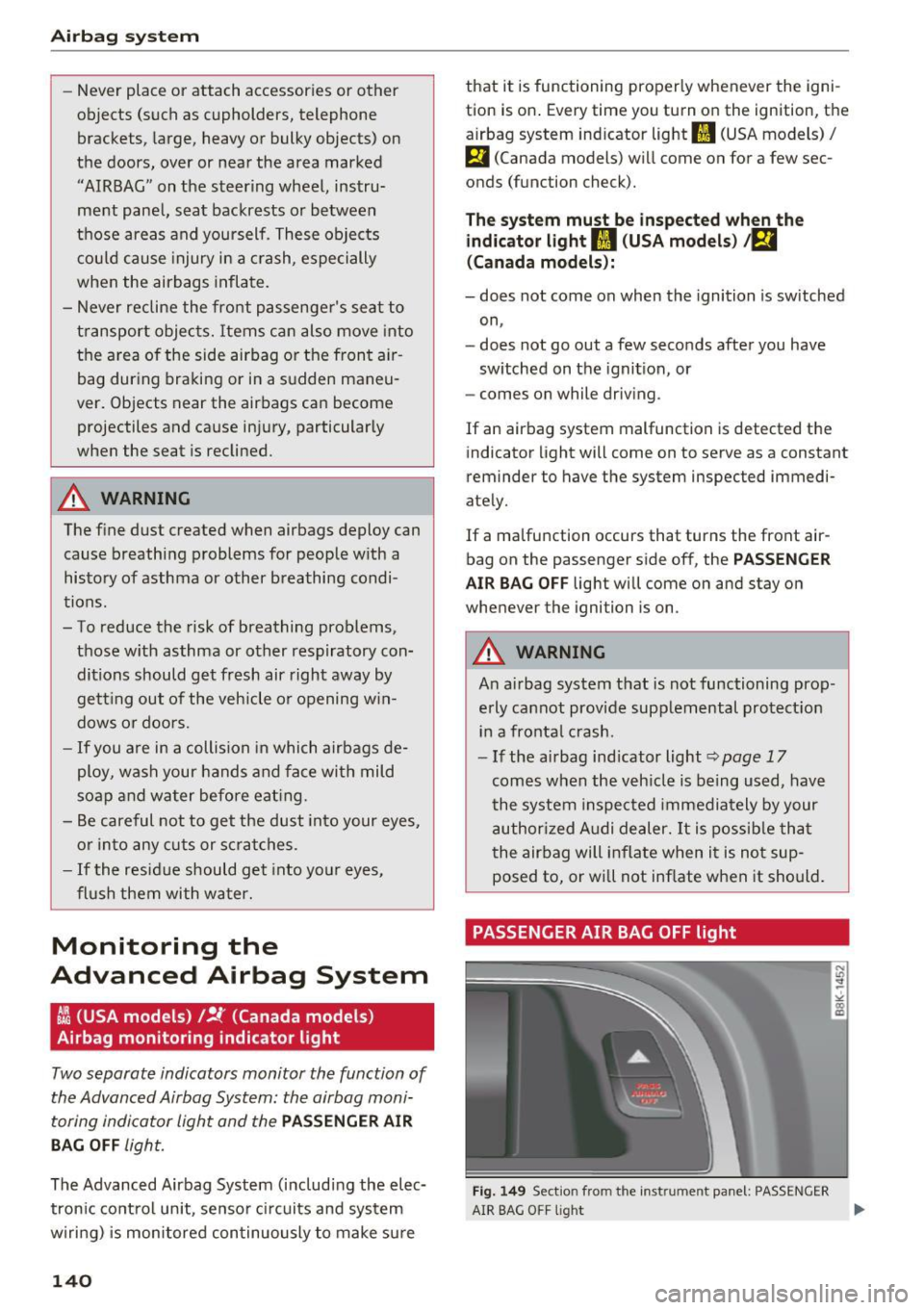
PASSENGER AIR BAG OFF light
Fig. 1 49 Section from the instrume nt panel: PASSENGER
N
"' .. ~ ' "" (X) ID
AIR BAG OFF light ....