warning lights AUDI A5 CABRIOLET 2017 User Guide
[x] Cancel search | Manufacturer: AUDI, Model Year: 2017, Model line: A5 CABRIOLET, Model: AUDI A5 CABRIOLET 2017Pages: 266, PDF Size: 66.64 MB
Page 21 of 266
a:,
a:,
...... N r--. N ...... 0
0
LL 00
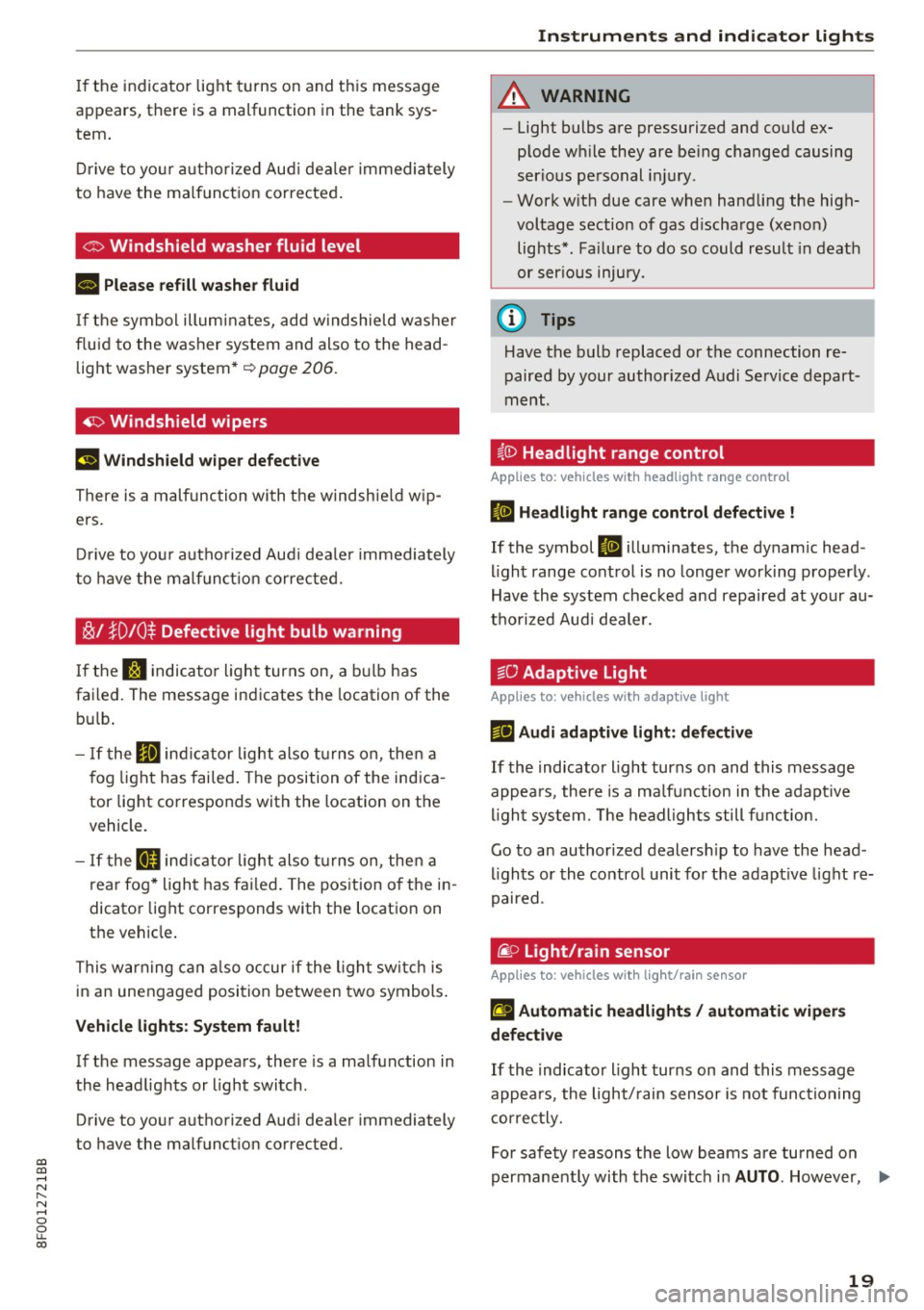
If the indicator light turns on and this message
appears, there is a malfunction in the tank sys
tem.
Drive to your authorized Audi dealer immediately
to have the malfunction corrected.
C> Windshield washer flu id level
B Please refill washer fluid
If the symbol illuminates, add windshield washer
fluid to the washer system and also to the head
light washer system*
~ page 206.
~ Windshield wipers
El Windshield wiper defective
There is a malfunction with the windshield wip
ers.
Drive to your authorized Audi dealer immediately
to have the malfunction corrected.
~I }D10$ Defective light bulb warning
If the S:I indicator light turns on, a bulb has
failed. The message indicates the location of the
bulb.
- If the Im indicator light also turns on, then a
fog light has failed. The position of the indica
tor light corresponds with the location on the
vehicle.
- If the II indicator light also turns on, then a
rear fog* light has failed. The position of the in
dicator light corresponds with the location on
the vehicle.
This warning can also occur if the light switch is
in an unengaged position between two symbols.
Vehicle lights: System fault!
If the message appears, there is a malfunction in
the headlights or light switch.
Drive to your authorized Audi dealer immediately
to have the malfunction corrected.
Instruments and indicator lights
A WARNING
-Light bulbs are pressurized and could ex
plode while they are being changed causing
serious personal injury.
-
- Work with due care when handling the high
voltage section of gas discharge (xenon)
lights*. Failure to do so could result in death
or serious injury.
@ Tips
Have the bulb replaced or the connection re
paired by your authorized Audi Service depart
ment.
§.0 Headlight range control
Applies to: vehicles with headlight range control
II Headlight range control defective !
If the symbol II illuminates, the dynamic head
light range control is no longer working properly.
Have the system checked and repaired at your au
thorized Audi dealer.
go Adaptive Light
Applies to: vehicles with adaptive light
rlJ Audi adaptive light: defective
If the indicator light turns on and this message
appears, there is a malfunction in the adaptive
light system. The headlights still function.
Go to an authorized dealership to have the head
lights or the control unit for the adaptive light re
paired.
@. o Light/rain sensor
Applies to: vehicles with light/rain sensor
El Automatic headlights/ automatic wipers
defective
If the indicator light turns on and this message
appears, the light/rain sensor is not functioning
correctly.
For safety reasons the low beams are turned on
permanently with the switch in
AUTO. However, .,.
19
Page 22 of 266
Instruments and indicator lights
you can continue to turn the lights on and off us
ing the light switch . You can still control a ll func
tions that are independent of the rain sensor
through the w indshield wiper lever.
Contact your author ized Audi dealer as soon as
possible to have the problem corrected.
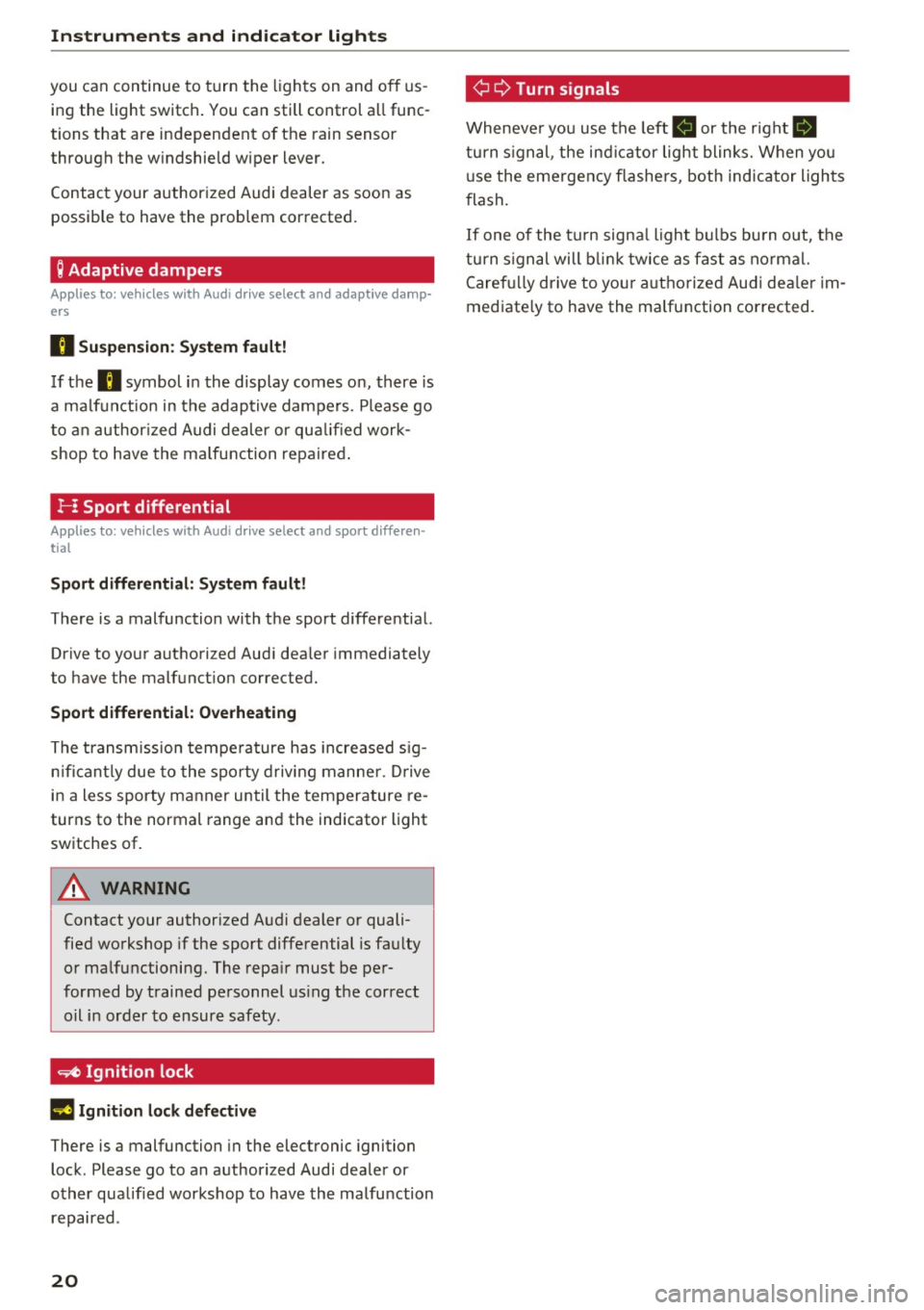
; Adaptive dampers
Applies to: veh icles with Audi drive select and adaptive damp·
ers
B Su spen sion : S yst em fault!
If the B symbol in the display comes on, there is
a ma lf u nction in the adaptive dampers . P lease go
to an author ized Audi dealer or qu alified work
shop to have the ma lfunction repaired .
J--: Sport differential
Applies to: vehicles with Audi drive select and sport differen ·
tial
Sport differ ential: Syst em fault!
There is a malfunction with the sport differential.
Drive to your authorized Aud i dea ler immediately
to have the malfunct ion corrected.
Sport differ ential: Overhe ating
The transmiss ion tempe rature has increased s ig
n ificant ly due to the sporty driv ing manne r. D rive
i n a less sporty manner until the temperature re
turns to the normal range and the indicator light
switches of.
A WARNING
Contact your authorized A udi dealer or quali
fied workshop if the sport differential is fau lty
or ma lfunctioning. The repa ir must be per
formed by trained personnel us ing the correct
oil in order to ensure safety .
~ Ignition lock
l3 Ignition lock defective
There is a malfunction in the electronic ignition
lock . Please go to an authorized Audi dea ler or
other qualified workshop to have the malfu nction
repaired .
20
¢ Q Turn signals
Wheneve r yo u use the left B or the right Ill
turn s ignal , the ind ic a tor light blinks. When you
u se the emergency flashe rs, both indicator ligh ts
f lash.
If one of the tu rn signa l ligh t bulbs bu rn out, the
turn s ignal will b link t wice as fast as no rmal.
Caref ully drive to yo ur a uth o rized Aud i dea ler im
mediate ly to have the malfunction corrected.
Page 50 of 266
Lights and Vision
Lights and Vision
Exterior lighting
Switching the lights on and off
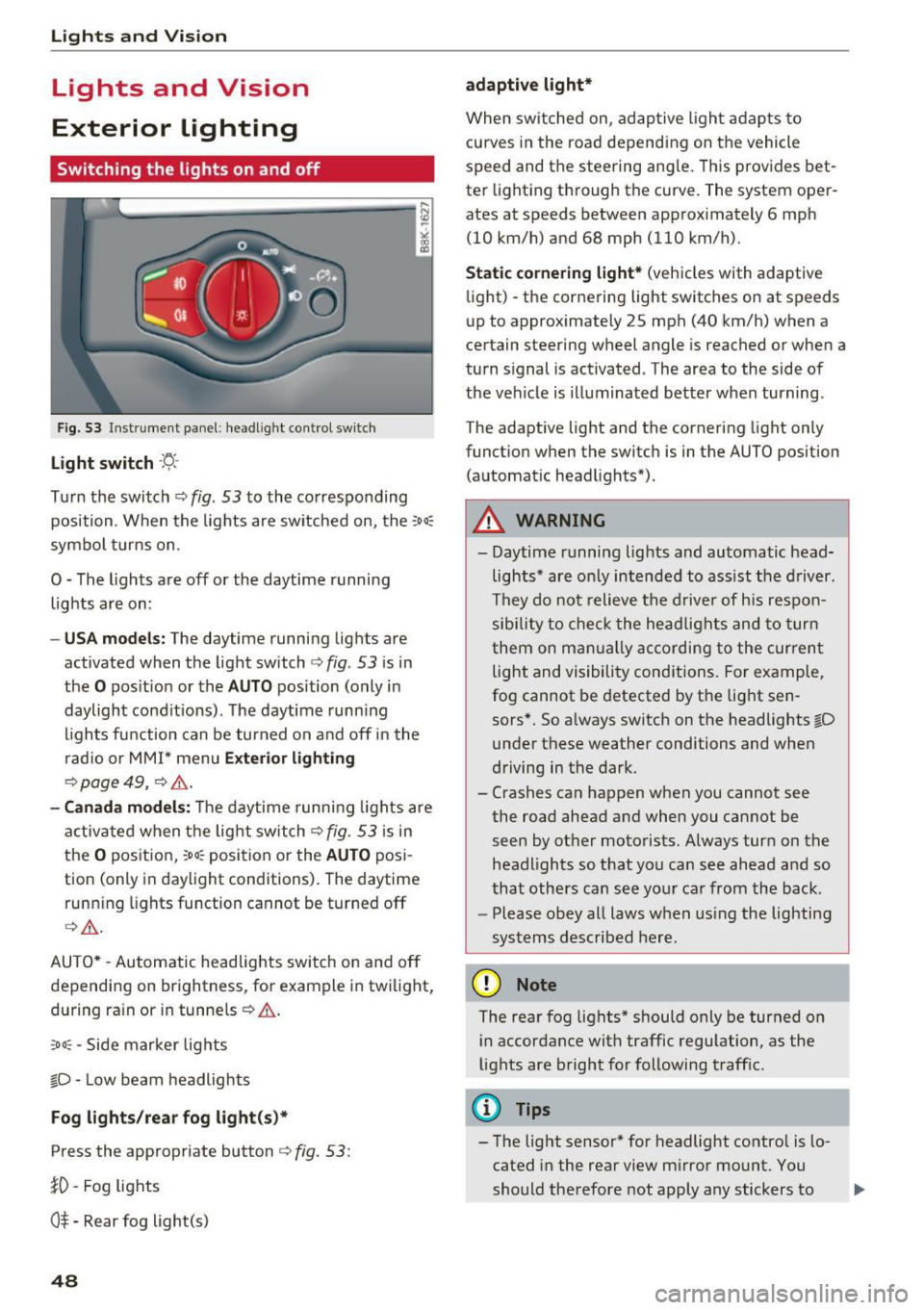
Fig. 53 Instrument panel : headlig ht co ntrol switch
Light switch ·'t/;
T u rn the switch c::> fig. 53 to the co rresponding
position . When the lights are switched on, the :
00
:
symbo l turns on.
O -The lights are off or the daytime r unning
lights are on :
-USA mode ls: The daytime running lig hts are
activated when the light switch
c:) fig . 53 is in
the
O pos it ion or the AUTO position (only in
daylight cond it ions) . The daytime runn ing
l ights fu nction can be turned on a nd off in the
r ad io or MM I* menu
Exterior lighting
c:) page 49, c::> & .
-Canada mo del s: T he daytime runn ing lights are
activ ated when t he lig ht switch
c:) fig . 53 is in
t h e
o pos it ion, :oo : position or the AUTO pos i
tion (only in daylight condit ions). The dayt ime
runn ing lights fu nction cannot be tur ned off
c> & .
AUTO * -Automatic headlights switch on and off
depending on brightness, for example in twilight,
du ring ra in or i n tunne ls
c::> & .
;o o: -Side marker lights
fD -Low beam headlights
Fog lights /rear fog light (s)*
Press the appropriate button c::> fig. 53 :
}0 -Fog lights
O* -Rear fog light(s)
48 adaptive light*
When switched on
, adap tive ligh t ad ap ts to
curves in the roa d depending on the vehicle
speed and the steering ang le. Th is prov ides bet
ter light ing th rough th e curv e. The system oper
ates at speeds between approximately 6 mph (10 km/h) and 68 mph (110 km/h).
Static cornering light* (vehicles with adaptive
li ght) -the corne ring light switches on at spe eds
up to approximately 25 mph (40 km/h) when a
ce rtain steering wheel angle is reached or when a
turn signal is act ivated . The area to the side of
the veh icle is illuminated better when turning .
T he adaptive light and the cornering light only
funct ion when the switc h is in the AUTO position
(automat ic head lights*) .
A WARNING
- Daytime r unning lights and au tomatic head
lights* are o nly intended to ass ist the d river .
They do not relieve the d rive r of his res pon
sibility to check t he headlights and to tur n
t hem on m anually accordi ng to the curren t
light and visibili ty cond itions. For example,
fog cannot be detected by the light sen
sors*. So a lways switch on the headlights
io
unde r these weather conditions and when
driving in the dark .
- Crashes can happen when you cannot see
the road ahead and when you cannot be
seen by ot her motorists. Always tur n on the
headlights so that yo u can see ahead a nd so
that others can see yo ur ca r from the back .
- Please obey all laws w hen us ing the lighting
sys tems described here.
(D Note
The rear fog lights* shou ld only be turned on
i n accordance with traffic regu lation, as the
lights are bright for following traff ic.
{!) Tips
- The light sensor* for headlight contro l is lo
cated in the rear view m irror mount. You
should the refore not apply any stickers to .,.
Page 51 of 266

a:,
a:,
...... N
" N ...... 0
0
LL co
the windshield in this area in order to
prevent malfunctions or failures .
- Some exterior lighting functions can be ad
justed
c:, page 49.
- When you remove your key from the igni
tion while the vehicle's lights are turned on,
a buzzer sounds as long as the driver's door
is open.
- In cool or damp weather, the inside of the
headlights, turn signals and tail lights can
fog over due to the temperature difference
between the inside and outside. They will
clear shortly after switching them on. This does not affect the serv ice life of the light
ing .
- In the event of a light sensor malfunction,
the driver is notified in the instrument clus
ter display
c:, page 19.
Turn signals and high beam lever
The lever operates the turn signals, the high
beams and the headlight flasher.
Fig . 54 Turn signal and high beam lever
Turn signals¢¢
g N
0
~ CD
The turn signals activate when you move the lev
er into a turn signal position when the ignition is
switched on.
@ -right turn signal
@-left turn signal
The turn signal blinks three times if you just tap
the lever.
High beams and headlight flasher ~D
Move the lever to the corresponding position:
@ -high beams on
Lights and Vision
@-high beams off or headlight flasher
The indicator light
II in the instrument cluster
turns on.
Notes on these features
-The turn signals only work with the ignition
turned on. The indicator lights . or
II in the
instrument cluster also blink.
- After you have turned a corner, the turn signal
switches off automatically.
- The
high beam works only when the headlights
are on. The indicator light
II in the instrument
cluster illuminates when the high beams are
on.
- The
headlight flasher works only as long as you
hold the lever -even if there are no lights
switched on . The indicator light
II in the in
strument cluster illuminates when you use the
headlight flasher.
WARNING
Do not use the high beam or headlight flasher
if you know that these could blind oncoming
traffic.
Adjusting exterior lighting
The functions are selected in the radio or MMI* .
.,. Select: !CAR I function button> Exterior light
ing .
Or
.,. Select: 1-C~A ~ R-.l function button > Car systems*
control button > Vehicle settings > Exterior
lighting .
Coming home (light when leaving car)*,
Leaving home (light when unlocking car)*
The coming home function illuminates the area
around the vehicle when the ignition is switched
off and the driver's door is opened. Depending on
vehicle equipment, the function can be switched on and off or the length of time the lights remain
on* can be adjusted .
The
leaving home function illuminates the area
around the vehicle when unlocking it. This func-
tion can be switched on and off.
ll>
49
Page 54 of 266
Lights and Vision
Q/P -Adjusting the left/right exterior mirror.
Move the knob in the desired direction.
4ill -Heat ing the m irro r glass depending on the
ou tside temperat ure*.
.9 -Folding exterior mirrors* . In the Infotain
men t system, you can select if the mirrors fold in
automatically when you lock the veh icle
¢page 32.
Front passenger's ext erior mirror tilt
function*
To help you see the c urb when ba cking in to a
p ar king space, the surface of the mirror tilts
slightly. Fo r this to happen, the knob must be in
the posit ion for the front passenger's outs ide
mirror.
You can adjust the ti lted mi rror sur fa ce by turn
ing the knob in the desired direction. When you
move out of reverse and into another gear, the
new mirror position is stored and assigned to the
key yo u are us ing.
The mirror goes back into its original position
once yo u drive forward faster than 9 mph
(15 km/h) or tu rn the ignition
off .
A WARNING
Curved mir ror surfaces (convex or spherical *)
increase your f ield of view. Remember that
vehicles o r other objects will appear sma ller
and farther away than when seen in a flat mir
ror. If you use t his mirror to est imate d istan
ces of following vehicles whe n cha nging
lanes, yo u co uld estimate incor rec tly and
c ause an accident .
(D Note
-If the mir ror housing was moved by force
(fo r example, by r unning into an object
when maneuvering the vehi cle), the mirror
must be folded all the way in using the pow
er fold ing function . The mirror housing
must not be moved back into place by hand
beca use this would impair the f unction o f
the mirro r mechan ism.
- If you wash the ve hicle in an automatic car
wash, you m ust fold the exterior mi rrors in
52
to reduce the r isk o f damage to the m irrors .
Never fold power folding exterior mirrors*
by hand . On ly fold them in and out using
the power controls.
(D Tips
- If the power adjusting function malfunc
tions, the glass in both mirrors can be ad
justed by pressing on the edge of it by hand.
- The e xterior m irro r settings are sto red w it h
the memory funct ion *¢
page 61.
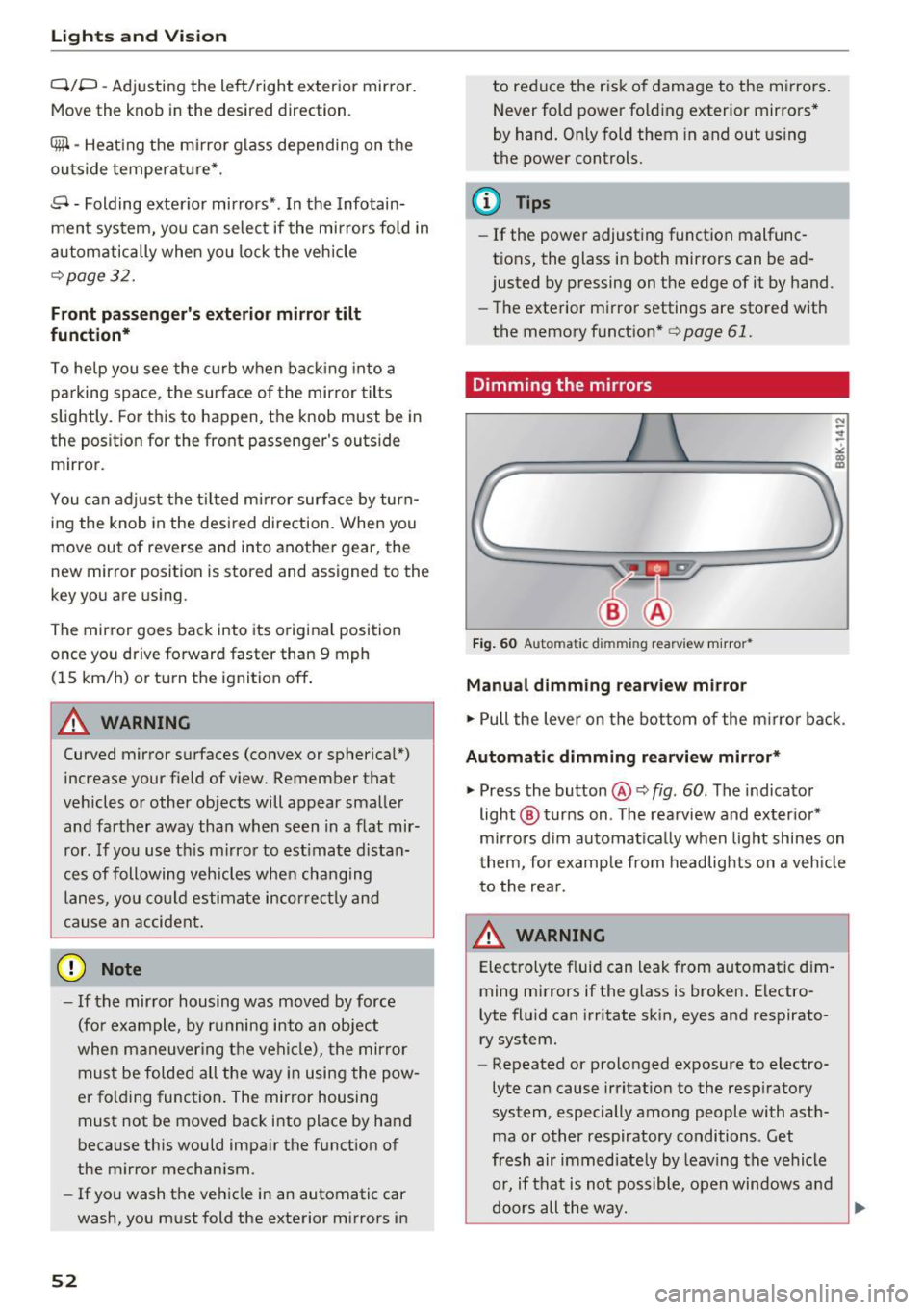
Dimming the mirrors
Fig. 60 Automatic dim ming rearview m ir ror *
Manual dimming rearview mirror
.,. Pull the lever on the bot tom of the m irror bac k.
Automat ic dimming rearvi ew mirror*
.,. Press the button@¢ fig. 60. The indicator
light @ turns on . The rea rview and ex ter ior*
m irrors d im au tomat ically when light shines on
them, for examp le from headlights on a veh icle
t o the rea r.
~ WARNING
Electrolyte fluid can leak from automatic d im
ming mirrors if the glass is broken . Electro
lyte fluid can irritate sk in, eyes and respirato
ry system.
- Repeated or prolonged exposure to electro
lyte can cause irritat ion to the resp iratory
system, especially among people with ast h
ma or other respiratory conditions. Get
fresh air immediate ly by leaving the vehicle
or, if that is not possible, open windows a nd
d oors all the way.
llll>
Page 56 of 266

Lights and Vi sion
the afterwipe operation . The afterwipe function
is reactivated the next time the ignition is switch
ed on.
Clean ing the headlights*. The headlight washer
system* operates on ly when the headlights are
on. If you move the lever to position @, the
headlights are washed in intervals .
A WARNING
-The rain sensor is only intended to assist the
dr iver. The driver is still responsib le for
ma nually switching the wipers o n accord ing
to the v is ibility conditions.
- The w indshield may not be treated with wa
ter-repelling windsh ield coating agents . Un
favorable conditions, such as wetness, dark ness, low sun, can result in increased glare.
Wiper b lade chatter is also possible.
- Properly f unctioning windsh ie ld wiper
blades are required for a clear view and safe
dr iv ing¢
page 54, Replacing windshield
wiper blades.
(D Note
- In the case of frost, check whethe r th e
windsh ie ld wiper b lades are froze n to the
windsh ield. Sw itching on the winds hield
wipers can damage the wiper blades!
- Prior to using a ca r w ash, the win dshi eld
wiper system m ust be switched o ff (lever in
pos ition @). This helps to p revent uninten
tiona l switching on and damage to the
windshie ld wiper system .
@ Tips
-The windshield wipers are switched off
when the ignition is turned off. Activate the
windsh ie ld wipers after the ign ition is
switched back on by moving the windsh ield
wiper leve r to any pos it ion.
- Wo rn or dirty windshield wiper blades result
i n streak ing. This can affect the ra in sensor*
funct ion. Check your windshield wiper
blades regularly .
- The washe r fluid nozzles of the windshield
washer system are heated at low tempera
tures when the ignition is on .
54
-When stopping temporari ly, (e.g. at a traf
fic light) the set speed of the windshield
wipers is automatically reduced by one
speed.
Cleaning windshield wiper blades
Clean the windshie ld w iper blades when they be
gin to leave streaks. Use a soft cloth and glass
cleaner to clean t he windsh ie ld w iper blades .
.,. Place the windshie ld w iper arms in the service
position. Refer to¢
page 54.
.,. Lift the w iper arm away from the front w indow.
'
A WARNING
Di rty windshie ld w iper blades can impa ir yo ur
v iew. This can lead to accidents.
Replacing windshield wiper blades
F ig. 63 Re moving w indsh ield w ipe r blade
Wiper serv ice position /blade replacement
posit ion
0, ... M 9
~ m
.,. Switch the ignit io n off and move the w indshield
w iper lever to position©¢
page 53, fig. 62.
The windsh ie ld wipers move in to the service po
si tion.
.,. To br ing the wipers back into the origina l posi
tion, switch the ignition on and press the wind
shie ld wiper lever .
You can also turn the se rvice posit ion on o r off in
the radio/ MM!* :
.,. Switch the windshie ld w ipers off (posit ion @
¢ page 53, fig . 62).
.,. Select: !CAR ! function button> Win dshiel d
wipers
> Ser vice position > on /off . Or
Page 57 of 266
a:,
a:,
...... N
" N ...... 0
0
LL co
.. Se lect: I CARI function button> Car system s*
contro l button > S erv ici ng & checks > Wip er
s ervice po sition
> On /Off .
Removing th e wiper blade
.. Lift the windshield wipe r a rm up from the
windsh ield.
.. Press the locking knob@¢
fig. 63 on the wiper
blade. Hold the wiper blade firm ly.
.. Remove the wiper blade in the direct ion of the
arrow.
Attaching the wiper blade
.. Install the new wiper b lade in the reta iner on
the wiper arm @unti l you hear it click into
place on the wiper arm .
.. Place the wiper arm back on the windshie ld.
.. Turn the serv ice position off.
A WARNING
For your safety, you should rep lace the wipe r
blades once or tw ice a year . See yo ur aut ho r
ized Aud i dea le r fo r rep lacement blades.
(D Note
- The windshield wiper blades must only be
replaced when in the service position! Oth
erwise, you risk damag ing the pa int on the
hood or the windshield wipe r motor .
- You should not move yo ur vehicle o r press
the w indshie ld w iper lever when the wiper
a rms are fo lded away from the w indshield .
The w inds hield wipers would move back in
to their orig inal posi tion and cou ld damage
t h e hood and windshield.
- To hel p prevent d amage t o th e wiper sys
tem, always loosen blades which are frozen
to the windshie ld befo re operating wipers .
- To hel p preve nt d amage to wiper blades, do
not use gasoline, kerosene, pain t thinner, o r
other solvents on or nea r th e wiper blades .
- To he lp preve nt damage to t he wiper arms
or othe r compo nents, do not a ttempt to
move the wipers by hand .
Lights and Vision
(D Tips
- Commercia l hot waxes applied by automatic
car washes affect the how easily the glass
surface can be cleaned.
- Yo u ca n also use the service posit io n, for ex
ample, if you want to protect the windshield
from icing by using a cover .
Digital compass
Switching the compass on and off
Applies to: veh icles w ith dig ital compass
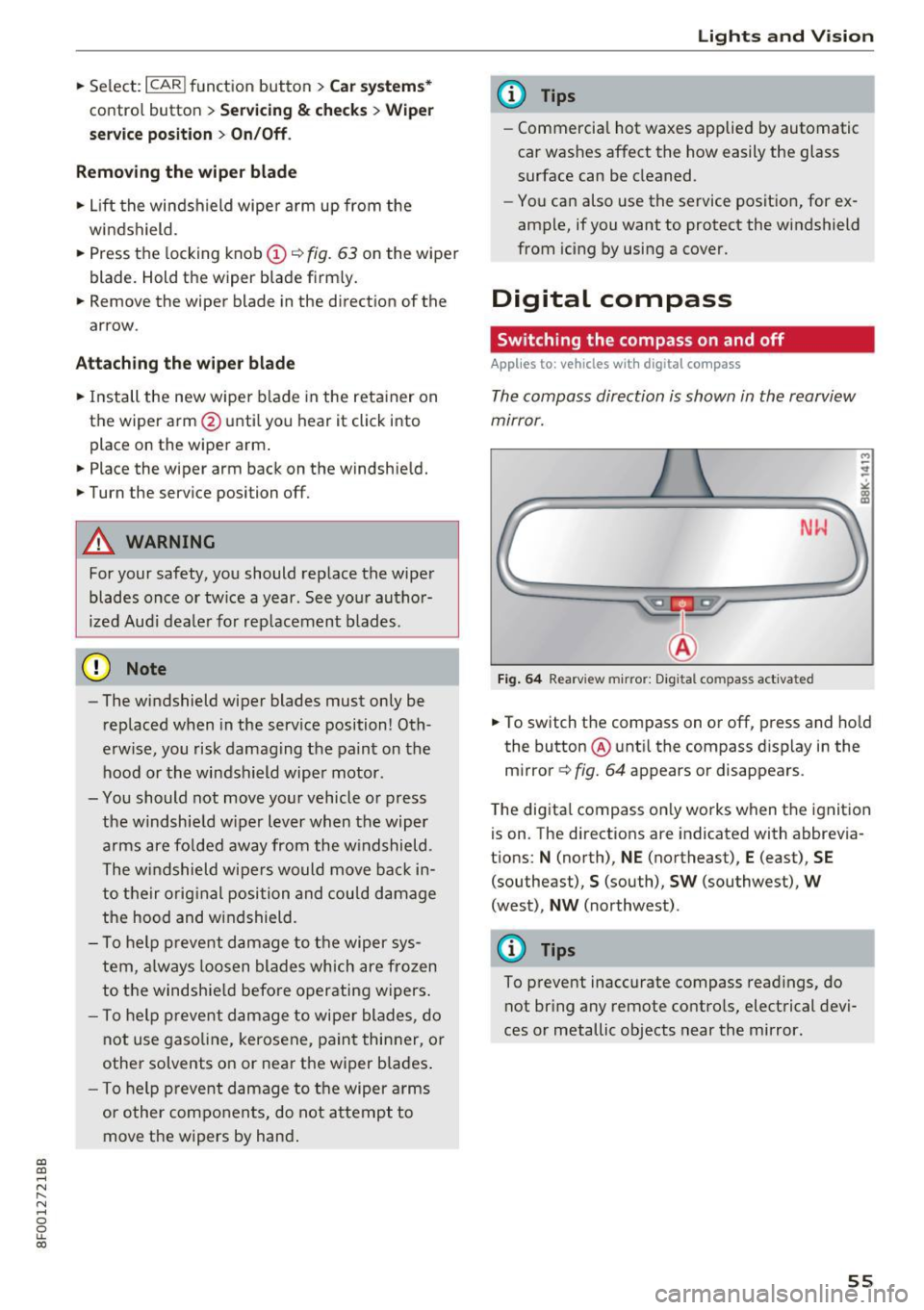
The compass direction is shown in the rearview
mirror.
Fig. 64 Rearview mirror: Digital compass activated
M
-
.. To switch the compass on or off, press and ho ld
the button ® unti l the compass disp lay in the
m irror ¢
fig. 64 appears or disappea rs.
T he dig ita l compass on ly works when t he ignit ion
is on. The directions are indicated with abbrevia
t ions: N (north), NE (northeast), E (east), SE
(southeast) ,
S (south), SW (southwest), W
(west), NW (northwest) .
@ Tips
To prevent inaccurate compass read ings, do
not br ing any remote contro ls, electrical devi
ces or metallic objects near the mirror.
55
Page 58 of 266

Lights and Vision
Adjusting the magnetic zone
Applies to: ve hicles w ith d ig ital compass
The magnetic zone must be adjusted correctly
for the compass to read accurately .
~
LIU ®
Fig. 65 No rt h Amer ica : ma gnetic def lect ion zone bounda
ri es
"' Press and hold the button@~ fig. 65 unt il the
number of the magne tic zone appears in t he
rearview mirro r.
"' Press the b utton @ repeatedly to select the
correct magnetic zone . The selection mode
turns off after a few seconds.
Calibrating the compass
A pp lies to: ve hicles w ith d ig ital compass
You must recalibrate the compass if it does not
display the correct direction.
"' Press and hold the button @until a C appears
in the rearview mirror .
"' Drive in a circle at about 6 mph (10 km/h) unti l
a d irection is displayed in the rearview mirror .
A WARNING
-To avo id endangering yourse lf and other
dr ivers, calibrate the compass in an area
whe re t here is no traffic.
56
- The digital compass is to be used as a direc
tional a id on ly. Even though you may want
to look at it while you are driving, you must
still pay attent ion to traffic, road and
weather conditions as well
as other possible
hazards .
Page 63 of 266
a:,
a:,
,....,
N
" N ,....,
0
0
LL co
Memory function
Description
Applies to: vehicles with memory function
The memory funct ion allows yo u to qu ickly and
eas ily store and recall personal seat ing profi les
for the driver. The memory function is operated
through the master key and the memory buttons
in the driver 's door.
The drive r's seating profile is stored and assigned
to the maste r key each t ime the vehicle is locked.
When you open the door, the seat profile is auto
matica lly recalled.
If two people use one vehicle,
it is recomm ended that each person a lways uses
"their own" master key .
Up to 2 seat prof iles can be stored in the memory
buttons in the driver 's door . Once they are stor
ed, these s eat profiles can be selected at any
time.
I n addition to the driver 's seat settings, you can
a lso store and access the exterior mirror adjust
ment settings* using the remote control key or
memory button .
Remote control key
Applies to: veh icles with seat memory
To assign the driver 's seat settings to the remote
control key when locking the vehicle, the function
must be act ivated in the rad io or MMI*
.. Select :
I CARI function button > Seat adjust
ment > Driver's seat > Remote con trol ke y
>
on .Or
.,. Select :
- 1 C_ A_ R_ I funct io n button > Car sy stem s*
contro l button > Vehicl e sett ing s > Seat s>
Driv er' s s eat > Remote control key > On .
@ Tips
If you do not wa nt another driver 's settings to
be assigned to the remo te key, switch off the
memory fu nction us ing t he radio o r MMI* or
t he
I ON/OF F I button ¢ page 61.
Seats and storag e
Memory buttons
Applies to: vehicles with seat memory
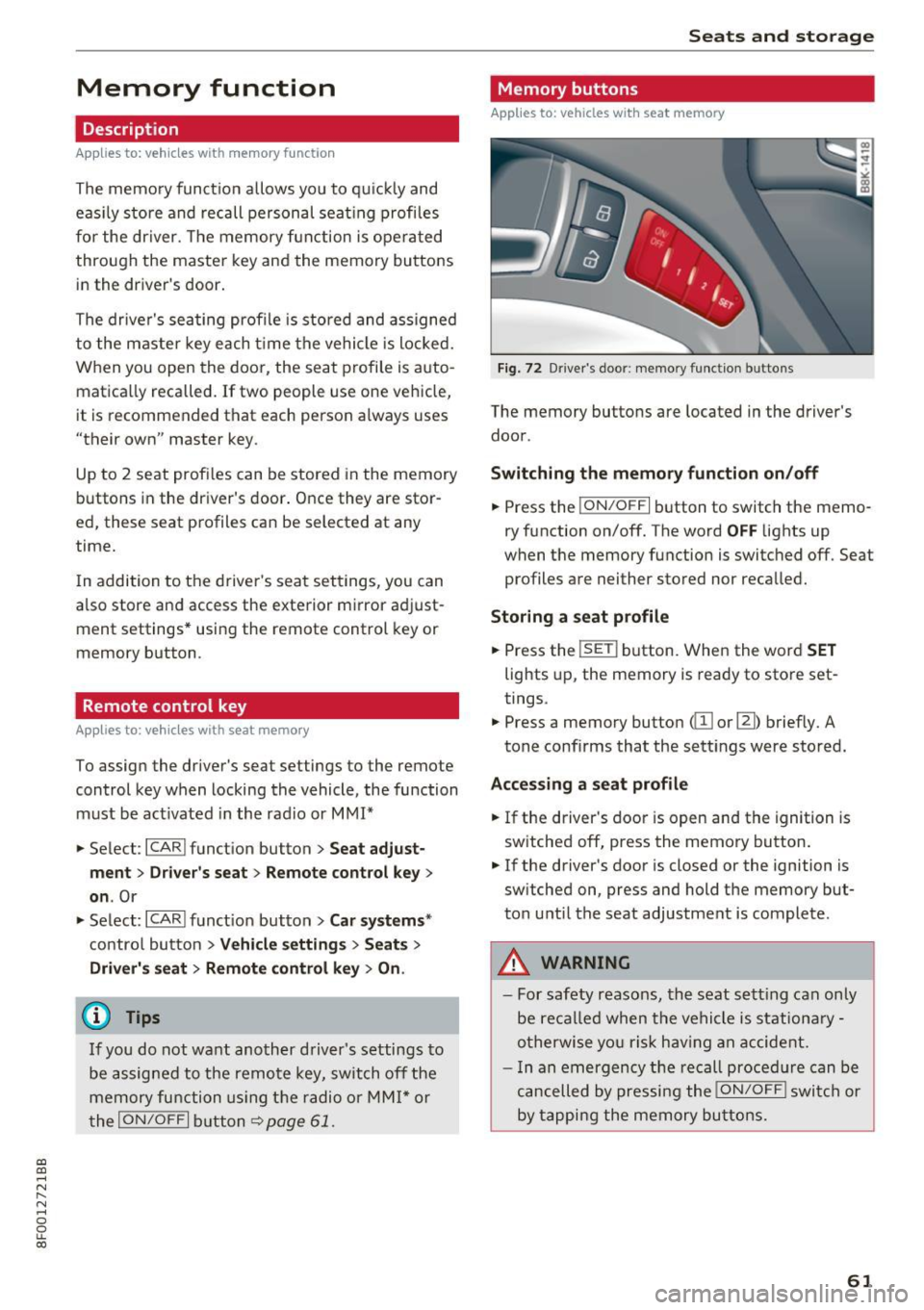
Fig. 72 D river 's doo r: memo ry fu ncti on butto ns
The memory buttons are located in the driver's
door .
Switching th e m emo ry functi on on /off
.. Press the ION/O FF I button to switch the memo
ry function on/off. The word
OFF lights up
when the memory function is swit ched off . Seat
profiles are nei ther stored nor recalled.
Storing a seat p rofil e
.. Press the ISE TI button. When the word S ET
lights up, the memory is ready to store set
tings.
.,. Press a memory button
Accessing a sea t profile
.. If the driver's door is open and the ignition is
switched off, press th e memory button .
.. If the driver's door is closed or the ignition is
sw itched on, press and hold the memory but
ton u ntil the seat adjustment is complete .
.&_ WARNING
-For safety reasons, the seat sett ing can only
be reca lled when the vehicle is st ationa ry -
o therwise yo u ris k hav ing an accident.
- I n an emergency the recall proced ure can be
cancelled by pressi ng the
I ON/OF F I switch or
by tapping the memory bu ttons.
61
Page 74 of 266

Driving
Sw it c hing the ignit ion on /off
If you would like to switch the ignition on with
out starting the engine, follow these steps:
• Insert the key into the ignition lock.
• Press the key br iefly
withou t pressing the b rake
pedal.
• To switc h the ignition off, press the key again.
When start ing the engine, major electrical loads
are swi tched off temporarily.
You can only remove the key with the ignition
sw itched off.
If the engine should not start immed iate ly, the
starting process is automat ically stopped after a
short t ime . Repeat sta rting procedure.
A WARNING
- Never allow the engine to run in confined
spaces -dange r of asp hyxiation.
- Never remove the ignit ion key from the ign i
t ion loo k while the vehicle is moving. Other
wise, the steering lock cou ld sudden ly en
gage and you would not be able to stee r the
vehicle.
- Always ta ke the key wi th you whenever you
leave you r vehicle . Otherw ise, the engine
could be started or electrical equipment
suc h as the power windows cou ld be operat
ed. This can lead to serious injury.
- Never leave children or persons requiring as
sistance unattended in the vehicle. The doors can be locked using the remote trans
mitter, preventing people from escaping
from the vehicle on the ir own in the event o f
an emergency. Depend ing on the t ime of
year, people inside the vehicle can be ex posed to very hig h or very low tempera
t ur es.
([) Note
Avoid high engine rpm, fu ll thrott le and heavy
eng ine loads until the eng ine has reached op
era ting temperat ure -otherwise you r is k en
gi ne damage.
72
-
@) For the sake of the environment
Do not let the engine run while parked to
warm up. Beg in driving immed iate ly . Th is re
duces unnecessary emissions.
@ Tips
- If the key cannot be removed from the igni
t ion lock, you have to pull the mechan ica l
key out of the master key in order to be able
to lock the vehicle
c::, page 30.
-Some no ise after starting the engine is nor
ma l and is no cause for concern.
- If you leave the ve hicle w ith the ignition
switched on, the ignition w ill switch off af
ter a certain per iod of t ime. Please note that
electrical equipment such as exterior lights
w ill switch off as well when that happens .
Starting the vehicle with the emergency
key
Applies to: vehicles with ignition lock
You can use the emergency key as an ignition key
,n an emergency.
F ig . 88 Glove compartment: Adapter for emergency key
Fig . 89 Insert emerge ncy key into the adapter
• Take the adapter for the emergency key out of
the glove compartment
c::, fig. 88 . .,,_