mirror AUDI A5 CABRIOLET 2017 Owners Manual
[x] Cancel search | Manufacturer: AUDI, Model Year: 2017, Model line: A5 CABRIOLET, Model: AUDI A5 CABRIOLET 2017Pages: 266, PDF Size: 66.64 MB
Page 9 of 266
a:,
a:,
...... N r--. N ...... 0
0
LL 00
CD
@
®
©
®
®
Door handle
Power locking switch
Memory buttons (driver's seat) . .
Button for side assist
A ir outlets
Contro l lever for:
- Turn signal and high beam
0 Multifunction steering wheel with:
- Horn
- Driver's airbag ........... .. .
- Audio/v ideo, telephone and nav i-
gation buttons
- Rocker switches for tiptron ic op -
eration .. ............. .. .. .
@ ISETI button ................ . .
® Instrument cluster ........... .
@
@ Reset button for trip odometer
Switches for:
- Windsh ield wiper/washer
- Trip computer .............. .
I gnition lock ................ .
Adjustable steering column
Contro l lever for:
- Cruise control .............. .
- adaptive cruise control ..... . .
@ Instrument lighting ........ .. .
@ Release lever for the engine hood
@ Data Link Connector for On Board
Diagnostics (OBD II) ........ .. .
@ Light switch ..... ....... ..... .
@ Adjuste r contro l for outside
mirrors . ... ................ . .
@ Power window switches . .. .... .
@ Radio-Display1l or MMI -Display
31
61
97
49
134
85
9
8
10
53
22
71
71
79
88
51
193
25
48
51
35
ll The image in t he d is pl ay wil l appear either in m ultiple col
o rs or in a single colo r, depending on the vehicle e quip
ment. The multi co lor im age will be used in this Owne r's
Man ual bec ause both multi co lor and single co lo r ve rsio ns
ar e almo st identica l.
@ Depending on options:
- Radio system
- CD changer
Emergency flasher
G love compartment ( lockable) .. .
Front passenger's airbag ...... .
Depend ing on options, switches
for:
- drive select .. .............. .
- Electronic Stabilization Control .
@ Deluxe automatic climate control
@ Selector lever for automatic trans-
mission . ... .. .. ............ .
@ Ashtray with cigarette lighter
@ Depending on options:
- MMI control console or
- drive select . ... ............ .
- Elect ronic Stabilization Control
button .. .. .. .. ............ .
@ Centra l power window switch
@ Power top switch . ............ .
@ I S TAR T ENGINE S TOP I button .. .
@ Electromechanical parking brake
0) Tips
Cockpit
so
63
134
101
167
66
83
62,62
101
167
40
73
76
- Some of the equipment or features shown in the general illustration may be standard
equipment on your veh icle or may be op
tional equ ipment depending on your model.
Always ask your authorized Audi dealer if
you have a question about your vehicle.
- Operation of the Multi Media Interface
(MMI) is described in a separate manual.
7
Page 53 of 266
a:,
a:,
...... N
" N ...... 0
0
LL co
Interior Lighting
Front/rear interior lights
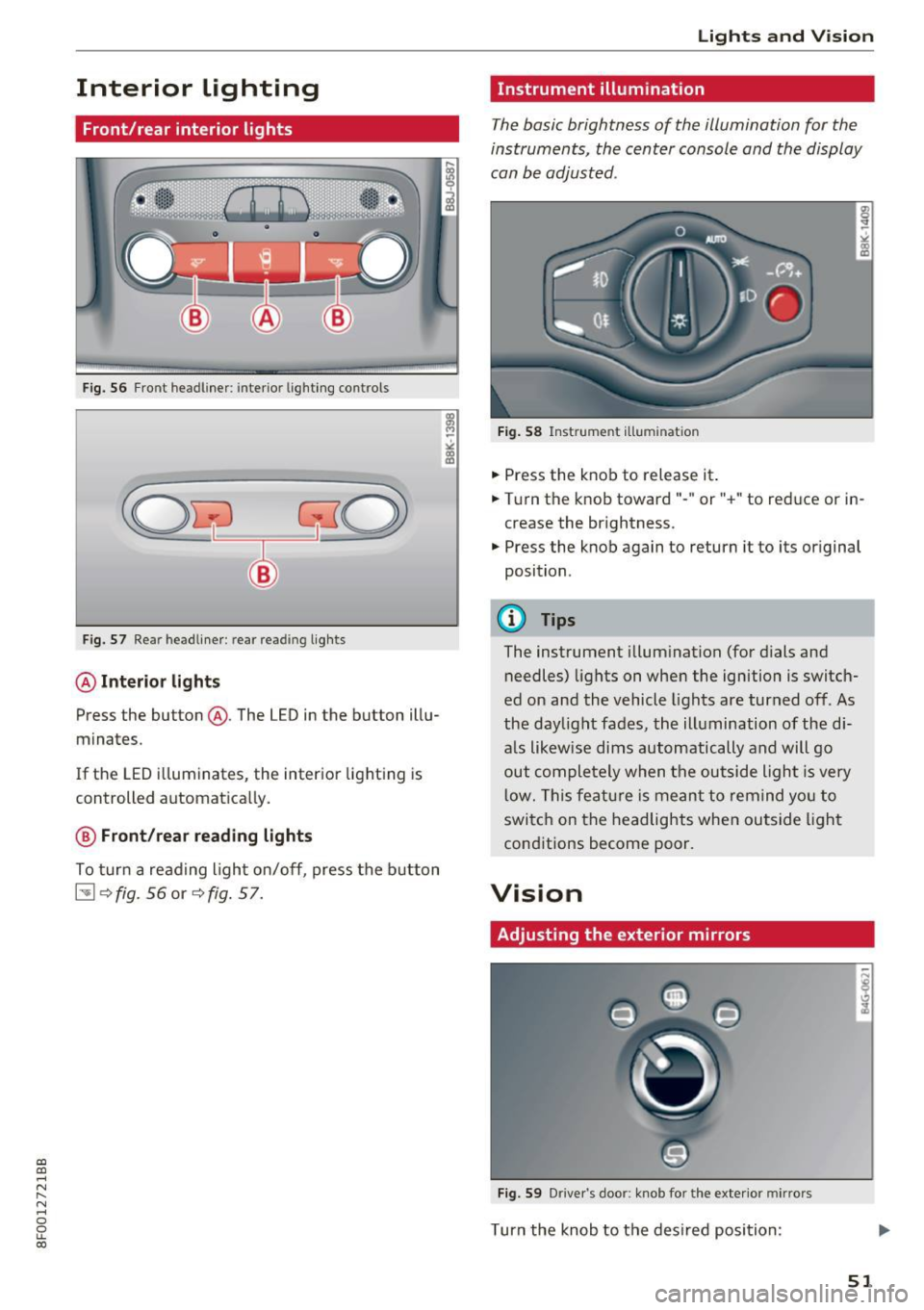
Fig. 56 Fro nt headliner: interio r lighting controls
Fig. 57 Re ar headliner: rear reading lights
@Interio r ligh ts
Press the button @. The LED in the button illu
minates.
If the LED i lluminates, the interior lighting is
controlled automatically.
@ Front /rear read ing light s
To turn a reading light on/off, press the b utton
~ <=>fig. 56 or <=>fig. 57.
Lights and V ision
Instrument illumination
Th e basic brightness of the illumination for the
instruments, the center console and the display
can be adjusted .
Fig. 58 Instrument ill umina tion
• Press the knob to release it.
• Turn the knob toward"- " or"+" to reduce or in
crease the brightness.
• Press the knob again to return it to its original
position .
@ Tips
The instrument illumination (for dials and
needles) lights on when the ignition
is switch
ed on and the vehicle lights are turned off. As
the daylight fades, the illumination of the di
a ls likewise dims automatically and will go
out completely when the outside light is very
low. This featu re is meant to remind yo u to
switch on the headlights when outside light
conditions become poor.
Vision
Adjusting the exterior mirrors
Fig. 59 Driver's door: knob for the exterior mirro rs
Turn the knob to the desired position :
51
Page 54 of 266
Lights and Vision
Q/P -Adjusting the left/right exterior mirror.
Move the knob in the desired direction.
4ill -Heat ing the m irro r glass depending on the
ou tside temperat ure*.
.9 -Folding exterior mirrors* . In the Infotain
men t system, you can select if the mirrors fold in
automatically when you lock the veh icle
¢page 32.
Front passenger's ext erior mirror tilt
function*
To help you see the c urb when ba cking in to a
p ar king space, the surface of the mirror tilts
slightly. Fo r this to happen, the knob must be in
the posit ion for the front passenger's outs ide
mirror.
You can adjust the ti lted mi rror sur fa ce by turn
ing the knob in the desired direction. When you
move out of reverse and into another gear, the
new mirror position is stored and assigned to the
key yo u are us ing.
The mirror goes back into its original position
once yo u drive forward faster than 9 mph
(15 km/h) or tu rn the ignition
off .
A WARNING
Curved mir ror surfaces (convex or spherical *)
increase your f ield of view. Remember that
vehicles o r other objects will appear sma ller
and farther away than when seen in a flat mir
ror. If you use t his mirror to est imate d istan
ces of following vehicles whe n cha nging
lanes, yo u co uld estimate incor rec tly and
c ause an accident .
(D Note
-If the mir ror housing was moved by force
(fo r example, by r unning into an object
when maneuvering the vehi cle), the mirror
must be folded all the way in using the pow
er fold ing function . The mirror housing
must not be moved back into place by hand
beca use this would impair the f unction o f
the mirro r mechan ism.
- If you wash the ve hicle in an automatic car
wash, you m ust fold the exterior mi rrors in
52
to reduce the r isk o f damage to the m irrors .
Never fold power folding exterior mirrors*
by hand . On ly fold them in and out using
the power controls.
(D Tips
- If the power adjusting function malfunc
tions, the glass in both mirrors can be ad
justed by pressing on the edge of it by hand.
- The e xterior m irro r settings are sto red w it h
the memory funct ion *¢
page 61.
Dimming the mirrors
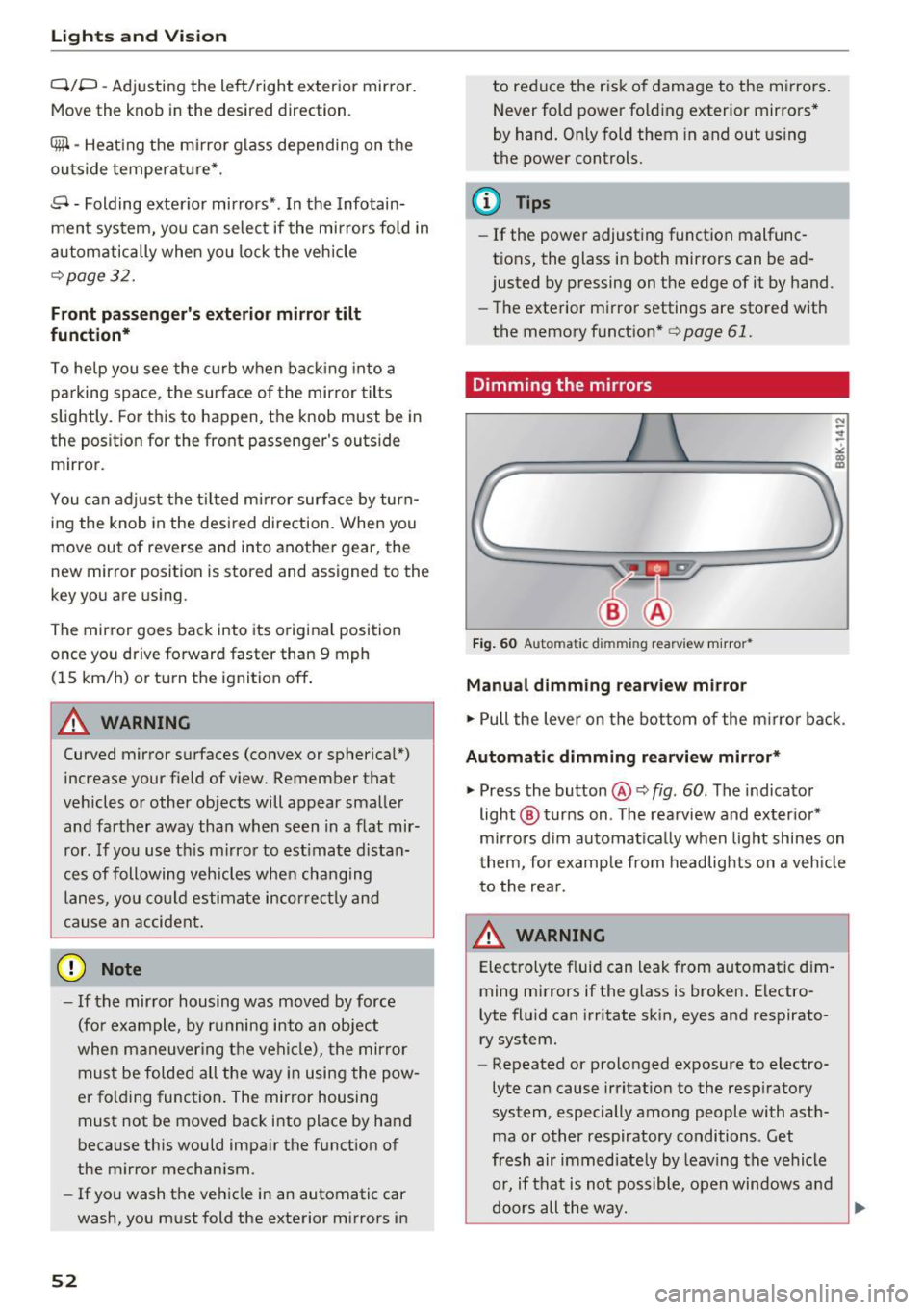
Fig. 60 Automatic dim ming rearview m ir ror *
Manual dimming rearview mirror
.,. Pull the lever on the bot tom of the m irror bac k.
Automat ic dimming rearvi ew mirror*
.,. Press the button@¢ fig. 60. The indicator
light @ turns on . The rea rview and ex ter ior*
m irrors d im au tomat ically when light shines on
them, for examp le from headlights on a veh icle
t o the rea r.
~ WARNING
Electrolyte fluid can leak from automatic d im
ming mirrors if the glass is broken . Electro
lyte fluid can irritate sk in, eyes and respirato
ry system.
- Repeated or prolonged exposure to electro
lyte can cause irritat ion to the resp iratory
system, especially among people with ast h
ma or other respiratory conditions. Get
fresh air immediate ly by leaving the vehicle
or, if that is not possible, open windows a nd
d oors all the way.
llll>
Page 55 of 266

a:,
a:,
...... N
" N ...... 0
0
LL co
-If electrolyte gets into the eyes, flush them
thoroughly with large amounts of clean wa
ter for at least 15 minutes; med ical atten
t ion is recommended .
- If electrolyte contacts skin, flush affected
area with clean water for at least 15 mi nutes and then wash affected area w ith
soap and water; medical attention is recom
mended. Thoroughly wash affected clothing
and shoes before reuse.
- If swallowed and person is conscious, rinse mouth with water for at least 15 m inutes.
Do not induce vomiting unless instructed to
do so by medical profession al. Get medical
attent ion immed iate ly.
(D Note
Liquid elect rolyte leaking from broken m irror
glass will damage any p lastic surfaces it
comes in co ntact wi th. C lean up sp illed ele c
t rolyte immediately with clean water and a
sponge .
@ Tips
-Switch ing off the dimming f unction of the
i nside rear v iew mirror also deactivates the
automatic dimming function of the exterior
mirrors.
- Automat ic dimming for the mirror on ly op
erates properly if the light striking the in
s ide mirror is not hindered by other objects.
- The automatic dimming mirrors do not dim
when the interior lighting is turned on or
the reverse gear is selected.
Sun visors
T.__~l
F ig . 61 Dr ive r's side: su n visor
Lights and V ision
The sun visors for the driver and passenger can
be pulled out of their brackets in the center of
the vehicle and turned towards the doors(!).
T he m irror light switches on when the cover ove r
the vanity mirror @opens.
Windshield wipers
Switching the windshield wipers on
®
Fig . 62 W inds hield w iper leve r
Move the windshield wiper lever to the corre
sponding position:
@ -Windshield wiper off
(!) -Interval mode. To extend/shorten the w iper
in tervals, move the switch @to the left/right. In
vehicles with a rain sensor* the wipers tu rn on in
the rain once the vehicle speed exceeds approxi mately 2 mph (4 km/h) . The higher the sensitivi
ty of the rain sensor* is set (switch @to the
right), the earlier the windshield wipers react to
moisture on the w indshield. In some models, you
can switch ra in sensor mode off and switch inter
mittent mode on in the MM I* . Select :
ICARI func
t ion button
> Car system s* control button > Driv
er assist > Rain sen sor.
In intermittent mode,
yo u can adjust the interval time using the@
switch.
@ -S low w ip ing
@ -Fast w iping
@ -Single wipe
® -Clean the w indshie ld. To eliminate wate r
droplets , the w indshield wiper performs one af
terwipe operation after several seconds whi le
driving. You can switch this function off by mov-
ing the lever to position ® within 10 seconds of ..,.
53
Page 57 of 266
a:,
a:,
...... N
" N ...... 0
0
LL co
.. Se lect: I CARI function button> Car system s*
contro l button > S erv ici ng & checks > Wip er
s ervice po sition
> On /Off .
Removing th e wiper blade
.. Lift the windshield wipe r a rm up from the
windsh ield.
.. Press the locking knob@¢
fig. 63 on the wiper
blade. Hold the wiper blade firm ly.
.. Remove the wiper blade in the direct ion of the
arrow.
Attaching the wiper blade
.. Install the new wiper b lade in the reta iner on
the wiper arm @unti l you hear it click into
place on the wiper arm .
.. Place the wiper arm back on the windshie ld.
.. Turn the serv ice position off.
A WARNING
For your safety, you should rep lace the wipe r
blades once or tw ice a year . See yo ur aut ho r
ized Aud i dea le r fo r rep lacement blades.
(D Note
- The windshield wiper blades must only be
replaced when in the service position! Oth
erwise, you risk damag ing the pa int on the
hood or the windshield wipe r motor .
- You should not move yo ur vehicle o r press
the w indshie ld w iper lever when the wiper
a rms are fo lded away from the w indshield .
The w inds hield wipers would move back in
to their orig inal posi tion and cou ld damage
t h e hood and windshield.
- To hel p prevent d amage t o th e wiper sys
tem, always loosen blades which are frozen
to the windshie ld befo re operating wipers .
- To hel p preve nt d amage to wiper blades, do
not use gasoline, kerosene, pain t thinner, o r
other solvents on or nea r th e wiper blades .
- To he lp preve nt damage to t he wiper arms
or othe r compo nents, do not a ttempt to
move the wipers by hand .
Lights and Vision
(D Tips
- Commercia l hot waxes applied by automatic
car washes affect the how easily the glass
surface can be cleaned.
- Yo u ca n also use the service posit io n, for ex
ample, if you want to protect the windshield
from icing by using a cover .
Digital compass
Switching the compass on and off
Applies to: veh icles w ith dig ital compass
The compass direction is shown in the rearview
mirror.
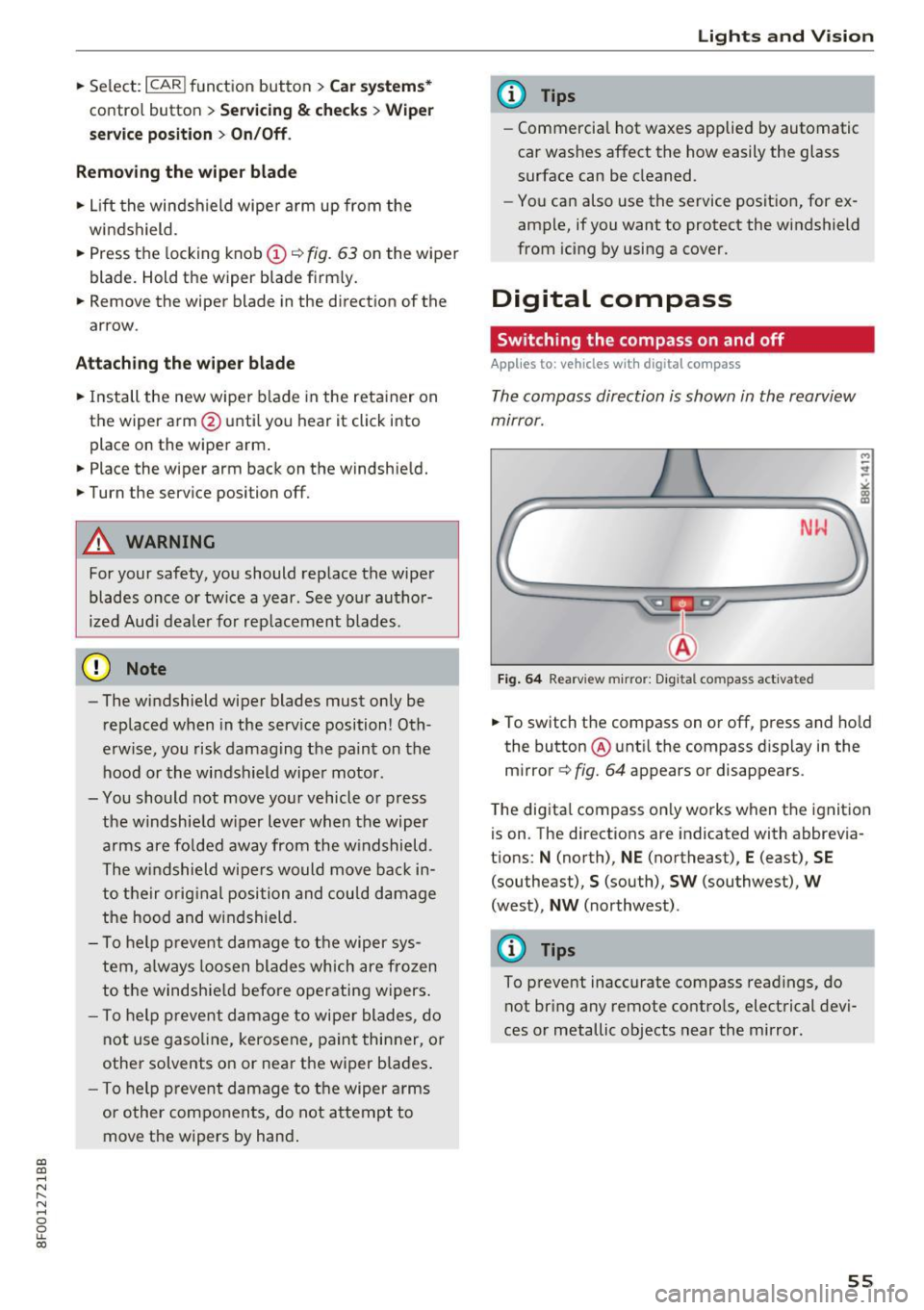
Fig. 64 Rearview mirror: Digital compass activated
M
-
.. To switch the compass on or off, press and ho ld
the button ® unti l the compass disp lay in the
m irror ¢
fig. 64 appears or disappea rs.
T he dig ita l compass on ly works when t he ignit ion
is on. The directions are indicated with abbrevia
t ions: N (north), NE (northeast), E (east), SE
(southeast) ,
S (south), SW (southwest), W
(west), NW (northwest) .
@ Tips
To prevent inaccurate compass read ings, do
not br ing any remote contro ls, electrical devi
ces or metallic objects near the mirror.
55
Page 58 of 266

Lights and Vision
Adjusting the magnetic zone
Applies to: ve hicles w ith d ig ital compass
The magnetic zone must be adjusted correctly
for the compass to read accurately .
~
LIU ®
Fig. 65 No rt h Amer ica : ma gnetic def lect ion zone bounda
ri es
"' Press and hold the button@~ fig. 65 unt il the
number of the magne tic zone appears in t he
rearview mirro r.
"' Press the b utton @ repeatedly to select the
correct magnetic zone . The selection mode
turns off after a few seconds.
Calibrating the compass
A pp lies to: ve hicles w ith d ig ital compass
You must recalibrate the compass if it does not
display the correct direction.
"' Press and hold the button @until a C appears
in the rearview mirror .
"' Drive in a circle at about 6 mph (10 km/h) unti l
a d irection is displayed in the rearview mirror .
A WARNING
-To avo id endangering yourse lf and other
dr ivers, calibrate the compass in an area
whe re t here is no traffic.
56
- The digital compass is to be used as a direc
tional a id on ly. Even though you may want
to look at it while you are driving, you must
still pay attent ion to traffic, road and
weather conditions as well
as other possible
hazards .
Page 63 of 266
a:,
a:,
,....,
N
" N ,....,
0
0
LL co
Memory function
Description
Applies to: vehicles with memory function
The memory funct ion allows yo u to qu ickly and
eas ily store and recall personal seat ing profi les
for the driver. The memory function is operated
through the master key and the memory buttons
in the driver 's door.
The drive r's seating profile is stored and assigned
to the maste r key each t ime the vehicle is locked.
When you open the door, the seat profile is auto
matica lly recalled.
If two people use one vehicle,
it is recomm ended that each person a lways uses
"their own" master key .
Up to 2 seat prof iles can be stored in the memory
buttons in the driver 's door . Once they are stor
ed, these s eat profiles can be selected at any
time.
I n addition to the driver 's seat settings, you can
a lso store and access the exterior mirror adjust
ment settings* using the remote control key or
memory button .
Remote control key
Applies to: veh icles with seat memory
To assign the driver 's seat settings to the remote
control key when locking the vehicle, the function
must be act ivated in the rad io or MMI*
.. Select :
I CARI function button > Seat adjust
ment > Driver's seat > Remote con trol ke y
>
on .Or
.,. Select :
- 1 C_ A_ R_ I funct io n button > Car sy stem s*
contro l button > Vehicl e sett ing s > Seat s>
Driv er' s s eat > Remote control key > On .
@ Tips
If you do not wa nt another driver 's settings to
be assigned to the remo te key, switch off the
memory fu nction us ing t he radio o r MMI* or
t he
I ON/OF F I button ¢ page 61.
Seats and storag e
Memory buttons
Applies to: vehicles with seat memory
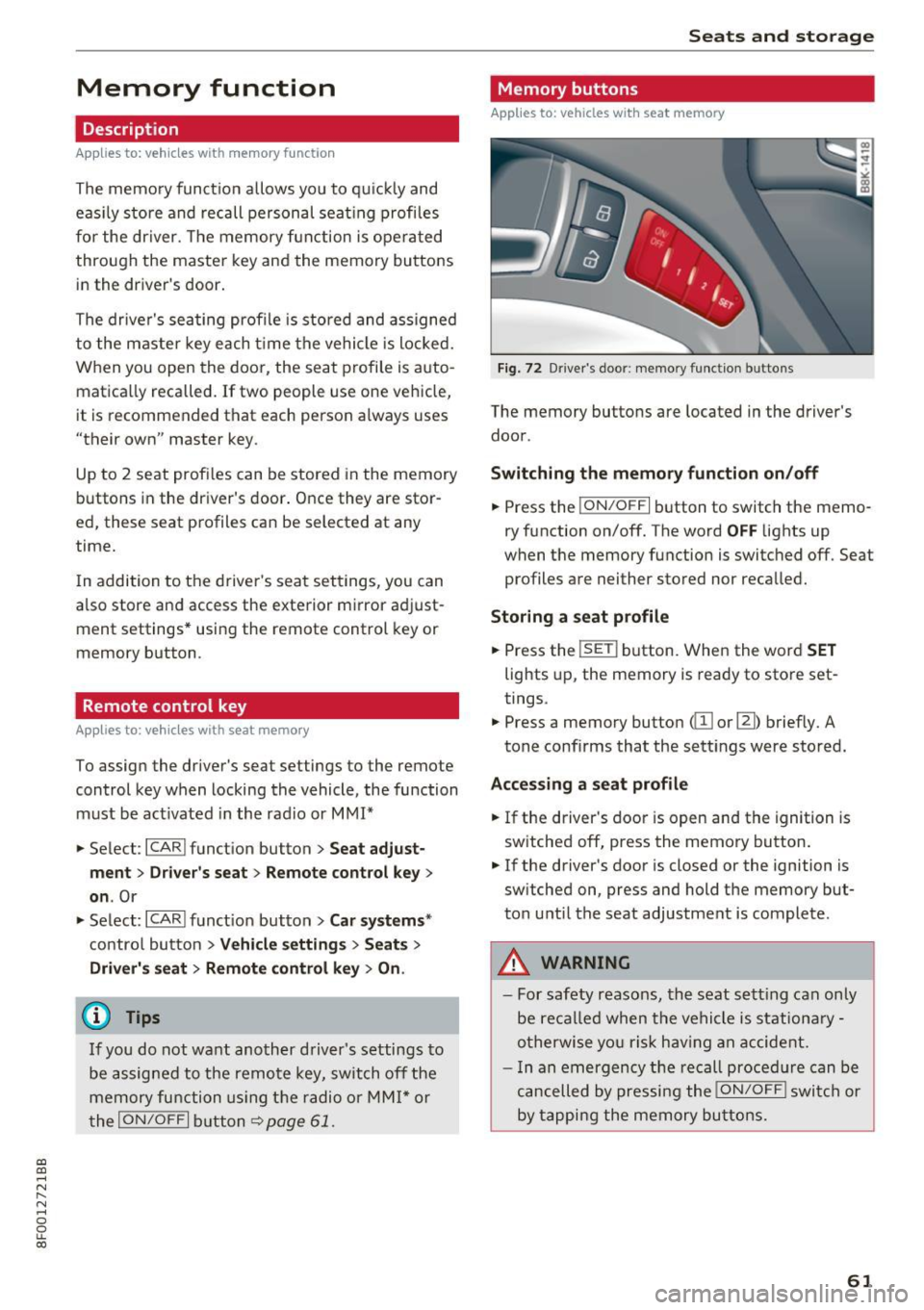
Fig. 72 D river 's doo r: memo ry fu ncti on butto ns
The memory buttons are located in the driver's
door .
Switching th e m emo ry functi on on /off
.. Press the ION/O FF I button to switch the memo
ry function on/off. The word
OFF lights up
when the memory function is swit ched off . Seat
profiles are nei ther stored nor recalled.
Storing a seat p rofil e
.. Press the ISE TI button. When the word S ET
lights up, the memory is ready to store set
tings.
.,. Press a memory button
Accessing a sea t profile
.. If the driver's door is open and the ignition is
switched off, press th e memory button .
.. If the driver's door is closed or the ignition is
sw itched on, press and hold the memory but
ton u ntil the seat adjustment is complete .
.&_ WARNING
-For safety reasons, the seat sett ing can only
be reca lled when the vehicle is st ationa ry -
o therwise yo u ris k hav ing an accident.
- I n an emergency the recall proced ure can be
cancelled by pressi ng the
I ON/OF F I switch or
by tapping the memory bu ttons.
61
Page 99 of 266

Audi side assist Side assist
Description
App lies to: veh icles with Audi side assist
Fig. 113 Se nsor dete ction rang e
Fig. 114 Display o n the exterio r mirror
Side assist helps you monitor your blind spot and
traffic behind your vehicle . Within the limits of
the system , it warns you about vehicles that are
coming closer or that are traveling with you with
in sensor range ©
¢fig. 113 : if a lane change is
classified as critical, the display @ in the exter ior
mirror
r:¢> fig . 114 turns on .
The display in the left exterior mirror provides as
sistance when making a lane change to the left,
while the d isp lay in the right exterior mirror pro
vides assistance when making a lane change to
the right .
Information stage
As long as you do not activate the turn signal,
side assist
informs you about vehicles that are
detected and classified as critica l. The disp lay in
~ the respective mirro r turns on, but is dim .
...... N
" N ...... 0
0
LL co
Aud i side assist
The display remains dim intentionally in the in
formation stage so that your view toward the
front is not disturbed.
Warning stage
If you activate the turn signal , side assist warns
you about vehicles that are detected and classi
fied as critical. The display in the respect ive mir
ror blinks bright ly. If this happens, check traffic
by glancing in the rearview mirror and ove r you r
shoulder
c::, .&. in General informa tion on
page 98.
{!) Tips
- You can adjust the brightness of the display
@ c:;, page 99.
-Please refer to the instructions for towing a
trailer located in
c::, page 98.
97
Page 100 of 266

Audi side assist
General information
Applies to: ve hicles w ith Aud i s ide ass is t
®
@
©
F ig . 115 Dr iving s itu atio ns
I AU DI
0 0
Fig. 116 Rear of the vehicle: pos it ion of the sensors
Side assist functions at speeds above approxi
mately 19 mph (30 km/h).
@ Vehicles that are approaching
In certain cases, a vehicle will be classified as
cr itical for a lane change even if it is still some
what far away. The faster a veh icle approaches ,
the sooner the display in the exterior mirror w il l
turn on.
@ Vehicles traveling with you
Vehicles traveling with you are indicated in the
exterior mirror if they are classified as critical for
a lane change. All vehicles detected by side assist
98
are indicated by the time they enter your "blind
spot", at the latest .
© Vehicles left behind
If you slow ly pass a vehicle that side assist has
de tected (the diffe rence in speed between the
vehicle and your vehicle is less than 9 mph
(15 km/h)), the display in the exterior mirror
turns on as soon as the vehicle enters your blind
spot .
The display wi ll not turn on if you quickly pass a
vehicle that side assist has detected (the differ ence in speed between the vehicle and your vehi
cle is greater than 9 mph (15 km/h)) .
Functional limitations
The radar sensors are designed to detect the left
and right adjacent lanes when the road lanes are
the normal width . In certain situations, the dis
play in the exterior mirror may turn on even
though there is no vehicle located in the area
that is crit ica l for a lane change. For example:
- if the lanes are narrow or if your are driving on
the edge of your lane. If this is the case, the
system may have detected the vehicle in anoth
er lane that is
not adjacent to your current lane.
- if you are driv ing through a curve. Side assist
may react to a vehicle that is one lane over
from the adjacent lane.
- if side assist reacts to other objects (such as
high or displaced guard rails) .
- In poor weather conditions. The side ass ist
functions are limited.
Do not cover the radar sensors
c:> fig. 116 with
stickers, deposits, bicycle wheels or other ob
j ects, because th is w ill affect the function . Do not
use side assist when towing a trailer. For infor
mation on cleaning, refer to
c:> page 182.
A WARNING
- Always pay attention to traff ic and to the
area around your vehicle. Side assist cannot
replace a driver's attention . The driver alone
is always responsible for lane changes and
-
similar driving maneuvers . IJ>-
Page 101 of 266

a:,
a:,
...... N
" N ...... 0
0
LL co
-Improper reliance on the side assist system
can cause collisions and serious personal in
jury:
- Never rely only on side assist when chang
ing lanes.
- Always check rear view mirrors to make
sure that it is safe to change lanes.
- Side assist cannot detect all vehicles under
all conditions- danger of accident!
- Please note that side assist indicates there
are approaching vehicles, or vehicles in your
blind spot, only after your vehicle has
reached a driving speed of at least 19 mph
(30 km/h).
- In certain situations, the system may not
function or its function may be limited. For
example:
- if vehicles are approaching or being left
behind very quickly. The display may not
turn on in time.
- in poor weather conditions such as heavy
rain, snow or heavy mist.
- on very wide lanes, in tight curves or if
there is a rise in the road surface. Vehicles
in the adjacent lane may not be detected
because they are outside of the sensor
range.
(D Note
The sensors can be displaced by impacts or
damage to the bumper, wheel housing and
underbody. This can affect the system. Have
your authorized Audi dealer or authorized
Audi Service Facility check their function.
(D Tips
-If the window glass in the driver's door or
front passenger's door has been tinted , the
display in the exterior mirror may be misin
terpreted.
- For Declaration of Compliance to United
States FCC and Industry Canada regulations
¢page 249.
Audi side assist
Activating and deactivating
App lies to : veh icles w it h Aud i s ide ass ist
Fig. 117 Driver 's do or: Side ass ist button
.,. Press the button ¢ & in General information
on page
98to switch the system on/off . The
LED in the button turns on when side assist is
switched on .
Adjusting the display brightness
Applies to: veh icles w it h Audi s ide assist
The signal brightness can be set in the radio or
MM!*.
.,. Select: !CAR ! function button> Audi side assist .
.,. Select: I CAR I function button > Car systems*
control button > Driver assist > Audi side as
sist.
The display brightness adjusts automatically to
the brightness of the surroundings, both in the
information and in the warning stage . In very
dark or very bright surroundings, the display is
already set to the minimum or maximum level by
the automatic adjustment. In such cases, you
may notice no change when adjusting the bright
ness, or the change may only be noticeable once
the surroundings change.
Adjust the brightness to a level where the display
in the information stage will not disrupt your
view forward. If you change the brightness, the
display in the exterior mirror will briefly show the
brightness level in the information stage. The
brightness of the warning stage is linked to the
brightness in the information stage and is adjust
ed along with the information stage adjustment.
Ill>
99