park assist AUDI A5 CABRIOLET 2017 Owners Manual
[x] Cancel search | Manufacturer: AUDI, Model Year: 2017, Model line: A5 CABRIOLET, Model: AUDI A5 CABRIOLET 2017Pages: 266, PDF Size: 66.64 MB
Page 4 of 266
Table of contents
About this Owner's Manual. . . . . .
5
Operation . . . . . . . . . . . . . . . . . . . . . . . . 6
Cockpit . . . . . . . . . . . . . . . . . . . . . . . . . . . 6
Gene ral illustration . . . . . . . . . . . . . . . . . . 6
Instruments and indicator lights 8
Inst ruments . . . . . . . . . . . . . . . . . . . . . . . . 8
Indicator lights . . . . . . . . . . . . . . . . . . . . .
1 1
Driver information system . . . . . . 21
Int roduction . . . . . . . . . . . . . . . . . . . . . . . . 2 1
On-boa rd computer . . . . . . . . . . . . . . . . . . 22
Eff iciency program . . . . . . . . . . . . . . . . . . . 24
Service interval display . . . . . . . . . . . . . . . 25
O n Board Diagnostic System (OBD) . . . . . 25
Opening and closing . . . . . . . . . . . . . 27
Central lock ing . . . . . . . . . . . . . . . . . . . . . . 27
L uggage com partment lid . . . . . . . . . . . . . 33
P owe r windows . . . . . . . . . . . . . . . . . . . . . 35
Va let par king . . . . . . . . . . . . . . . . . . . . . . . 36
G arage do or opener (Home link) . . . . . . . . 36
Power top . . . . . . . . . . . . . . . . . . . . . . . . 4 0
Autom atic power top . . . . . . . . . . . . . . . . . 4 0
W ind defle ct or . . . . . . . . . . . . . . . . . . . . . . 43
P ower top emergen cy opera tion ... .. .. .
Lights and Vision ............ .. .. .
Exterio r lighting .... . ...... ... .. .. .. .
I nterior lighting .. .. .. ..... ... .. .. .. .
4 4
48
48
5 1
V1s1on . . . . . . . . . . . . . . . . . . . . . . . . . . . . . 5 1
W indshield w ipers . . . . . . . . . . . . . . . . . . . 53
Dig ita l compass . . . . . . . . . . . . . . . . . . . . . 55
Seats and storage . . . . . . . . . . . . . . . . 57
Gene ral information . . . . . . . . . . . . . . . . . 57
Front seats . . . . . . . . . . . . . . . . . . . . . . . . . 58
H ead restra ints . . . . . . . . . . . . . . . . . . . . .
60
Memory function . . . . . . . . . . . . . . . . . . . . 6 1
Ashtray . . . . . . . . . . . . . . . . . . . . . . . . . . . . 62
Ciga ret te ligh te r . . . . . . . . . . . . . . . . . . . . 6 2
Sto ring . . . . . . . . . . . . . . . . . . . . . . . . . . . . 6 2
Lugg age compa rtment . . . . . . . . . . . . . . . 63
Warm and cold . . . . . . . . . . . . . . . . . . . 66
Climate con trol system . . . . . . . . . . . . . . . 66
2
Driving .... . .. .. .. .. ... . .. .... ... . .
Steering . ... .. .. .. .. .. .. .. .... ... . .
Ign it ion loc k ... .. .. .. .. . ... .... ... . .
Convenience key .. .. .. ............. . .
D river messages .. .. .. ............. . .
E lectromechanical parking brake ...... .
Speed warning system ......... ..... . .
Cru ise cont rol system .............. . .
Automatic transmiss ion
mul tit ronic, S t ronic, tiptron ic
Audi adaptive crui se control and
braking guard ................... .
Introduction ....................... .
Genera l information .. .. ........... . .
Audi ad aptive cruise cont ro l .......... .
A udi br aki ng g uard ... .. . ... .... ... . .
Messages ... .. .. .. ... .. .. ..... ... . .
Audi side assist ... .. .. .. .... .. .. .
S ide ass ist . ... .. .. .. ... .. ..... ... . .
71
71
7 1
73
75
76
78
79
81
81
88
88
88
90
94
95
97
97
Audi drive select . . . . . . . . . . . . . . . . . 101
Drive sett ings . . . . . . . . . . . . . . . . . . . . . . . 101
Parking System . . . . . . . . . . . . . . . . . . 104
Parking sys tem ... .. .. ... . .. .... ... . .
Rear parking system .. .. .. .. .... ... . .
Rear park ing system with rearview
camera
Safety
104
104
105
111
Driving safety . . . . . . . . . . . . . . . . . . . . 111
Bas ics . . . . . . . . . . . . . . . . . . . . . . . . . . . . . 111
Correct passenger seat ing positions... .. 112
D river's and front passenger's footwell . . 115
Pedal area .......................... 116
Stor ing cargo cor rec tly . . . . . . . . . . . . . . . 116
Reporting Safety Defec ts . . . . . . . . . . . . . . 118
A ctive rollover protec tion system 119
Safety belts . . . . . . . . . . . . . . . . . . . . . . 122
Gener al infor mation . . . . . . . . . . . . . . . . . 122
Why use safety be lts? . . . . . . . . . . . . . . . . 123
Safe ty be lts . . . . . . . . . . . . . . . . . . . . . . . . 125
Be lt tensioners . . . . . . . . . . . . . . . . . . . . . . 128
Page 9 of 266
a:,
a:,
...... N r--. N ...... 0
0
LL 00
CD
@
®
©
®
®
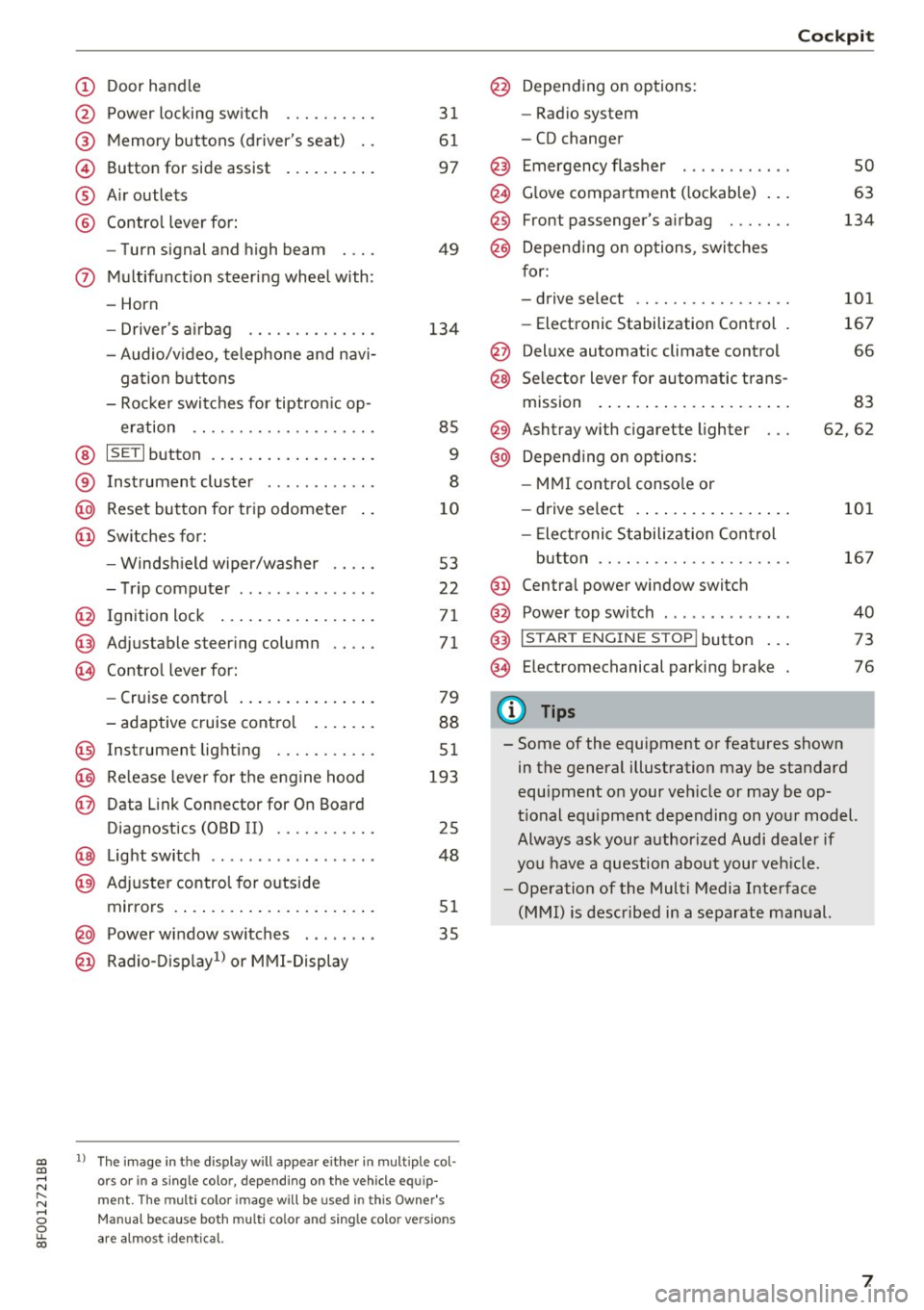
Door handle
Power locking switch
Memory buttons (driver's seat) . .
Button for side assist
A ir outlets
Contro l lever for:
- Turn signal and high beam
0 Multifunction steering wheel with:
- Horn
- Driver's airbag ........... .. .
- Audio/v ideo, telephone and nav i-
gation buttons
- Rocker switches for tiptron ic op -
eration .. ............. .. .. .
@ ISETI button ................ . .
® Instrument cluster ........... .
@
@ Reset button for trip odometer
Switches for:
- Windsh ield wiper/washer
- Trip computer .............. .
I gnition lock ................ .
Adjustable steering column
Contro l lever for:
- Cruise control .............. .
- adaptive cruise control ..... . .
@ Instrument lighting ........ .. .
@ Release lever for the engine hood
@ Data Link Connector for On Board
Diagnostics (OBD II) ........ .. .
@ Light switch ..... ....... ..... .
@ Adjuste r contro l for outside
mirrors . ... ................ . .
@ Power window switches . .. .... .
@ Radio-Display1l or MMI -Display
31
61
97
49
134
85
9
8
10
53
22
71
71
79
88
51
193
25
48
51
35
ll The image in t he d is pl ay wil l appear either in m ultiple col
o rs or in a single colo r, depending on the vehicle e quip
ment. The multi co lor im age will be used in this Owne r's
Man ual bec ause both multi co lor and single co lo r ve rsio ns
ar e almo st identica l.
@ Depending on options:
- Radio system
- CD changer
Emergency flasher
G love compartment ( lockable) .. .
Front passenger's airbag ...... .
Depend ing on options, switches
for:
- drive select .. .............. .
- Electronic Stabilization Control .
@ Deluxe automatic climate control
@ Selector lever for automatic trans-
mission . ... .. .. ............ .
@ Ashtray with cigarette lighter
@ Depending on options:
- MMI control console or
- drive select . ... ............ .
- Elect ronic Stabilization Control
button .. .. .. .. ............ .
@ Centra l power window switch
@ Power top switch . ............ .
@ I S TAR T ENGINE S TOP I button .. .
@ Electromechanical parking brake
0) Tips
Cockpit
so
63
134
101
167
66
83
62,62
101
167
40
73
76
- Some of the equipment or features shown in the general illustration may be standard
equipment on your veh icle or may be op
tional equ ipment depending on your model.
Always ask your authorized Audi dealer if
you have a question about your vehicle.
- Operation of the Multi Media Interface
(MMI) is described in a separate manual.
7
Page 15 of 266
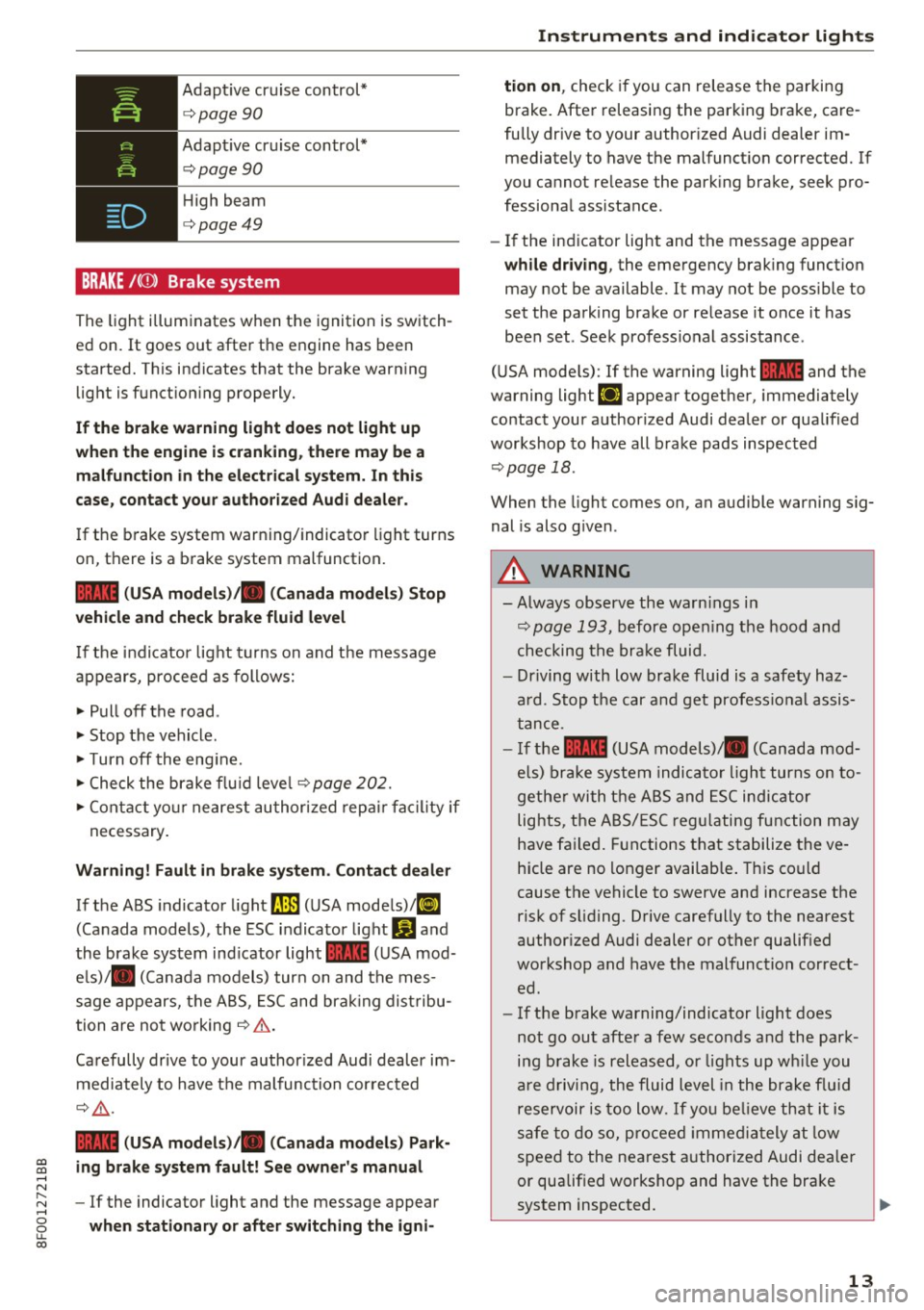
Adaptive cr uise control*
c:> page90
Adapt ive cr uise control*
c:> page90
High beam
c:> page49
BRAKE /((J)) Brake system
The light illuminates when the ignition is switch
ed on.
It goes out afte r the engine has been
started. T his indicates that the brake warn ing
light is f unct ion ing properly.
If the brake warning light does not light up
when the engine i s crank ing , there may be a
malfunction in the electrical system. In th is
case , contact your author ized Audi dealer .
If the b rake system warn ing/indicato r light turns
on, there is a b rake system malfunction.
1111 ( USA models )/. (Canada models) Stop
vehicle and check brake fluid level
I f the in dicator lig ht t urns on and t he message
appears, procee d as follows:
.,. Pull off the road .
.. Stop t he vehicle .
.,. Turn off the eng ine .
.,. Check the brake flu id leve l
c:>page 202.
.,. Con tact yo ur nearest au thor ized rep air f aci lity if
ne cessary.
Warning! Fault in brake system. Contact dealer
If the ABS indicato r light fJIE) (U SA mode ls)/ li]
(Canada models), the ESC indica tor light Wand
the brake sys tem ind icator light
1111 (USA mod
e ls)/ . (C anada models) tur n on and the mes
sage appears, t he A BS, ES C and bra king dis tribu
tion are no t wo rking
c:> .&. .
Ca refully drive to your author ized Audi dealer im
m ediately to have t he m alf unc tion cor rec ted
¢ .&, .
1111 (USA models )/. (Canada models ) Park-
gi ing brake system fault! See owner's manual ...... N
~ - If the indicator light and the message appear ......
8 when stationary or after switching the igni-LL 00
Instruments and ind icator lights
tion on , check if you can rele ase the parki ng
brake. After releasing the par king brake, care
fully dr ive to your author ized Audi dealer im
mediately to have the malfunct ion corrected. If
you cannot re lease the park ing bra ke, seek pro
fessiona l assistance.
- If the ind icator light and the message appear
while driving , the emergency brak ing funct ion
may not be available. It may not be poss ible to
set the pa rk ing brake or re lease it once it has
been set . See k profess ional assis tance.
( U SA mode ls) : If the warning light
1111 and the
warning light
EiJ appear togethe r, immediately
contact your author ized Audi dea ler or qualified
workshop to have all b rake pads inspec ted
c:> page 18.
When the light comes on, an audible warning sig
nal is also g iven .
A WARNING
--Always observe the warn ings in
c:> pag e 19 3, befo re open ing the hood and
checking the bra ke fluid.
- Driving with low bra ke fluid is a safety haz
ard. Stop the car an d get profess io nal assis
t a nce .
- I f the
1111 (USA models)/ . (Canada mo d
els) brake sys te m indic at or li ght tur ns on to
ge the r with the A BS and ESC indic ator
lig hts , the A BS/ES C regu latin g fun ction m ay
h ave fa iled . Functions t hat s ta b ilize the ve
hicle are no longer availab le . T his co uld
cause t he ve hicle to swerve an d increase the
risk of s liding. Drive carefully to the nearest
author ized Audi dealer or ot her qualified
wo rkshop and have t he malfunc tion c orrect
e d .
- If the b rake warning/indicator light does
not go ou t aft er a f ew seco nds and th e park
ing b rake is r eleased, o r lights up wh ile you
a re drivi ng, the flui d level in the bra ke f lu id
rese rv o ir i s too lo w.
If yo u be lieve th at it is
saf e to do so, proceed immedia tely at lo w
speed to the ne ares t au thorized Au di de aler
or qualified workshop and have the bra ke
sys tem inspected .
~
13
Page 30 of 266
Opening and clo sin g
- If the power locking system should fail, you
can still open the fuel tank flap in an emer
gency ¢
page 192.
-You are well advised not to keep val uables
inside an unatte nded vehicle, v is ible or not.
Even a properly locked vehicle cannot pro
v ide the security of a safe.
- If the LED in the upper edge of the driver's
door panel comes on for about 30 seconds
after t he vehicle is locked, there is a mal
funct ion in the power lock ing or the anti
theft warning system . Have the malf unct io n
cor rected by an authorized Audi dealership
or q ualified repair facility.
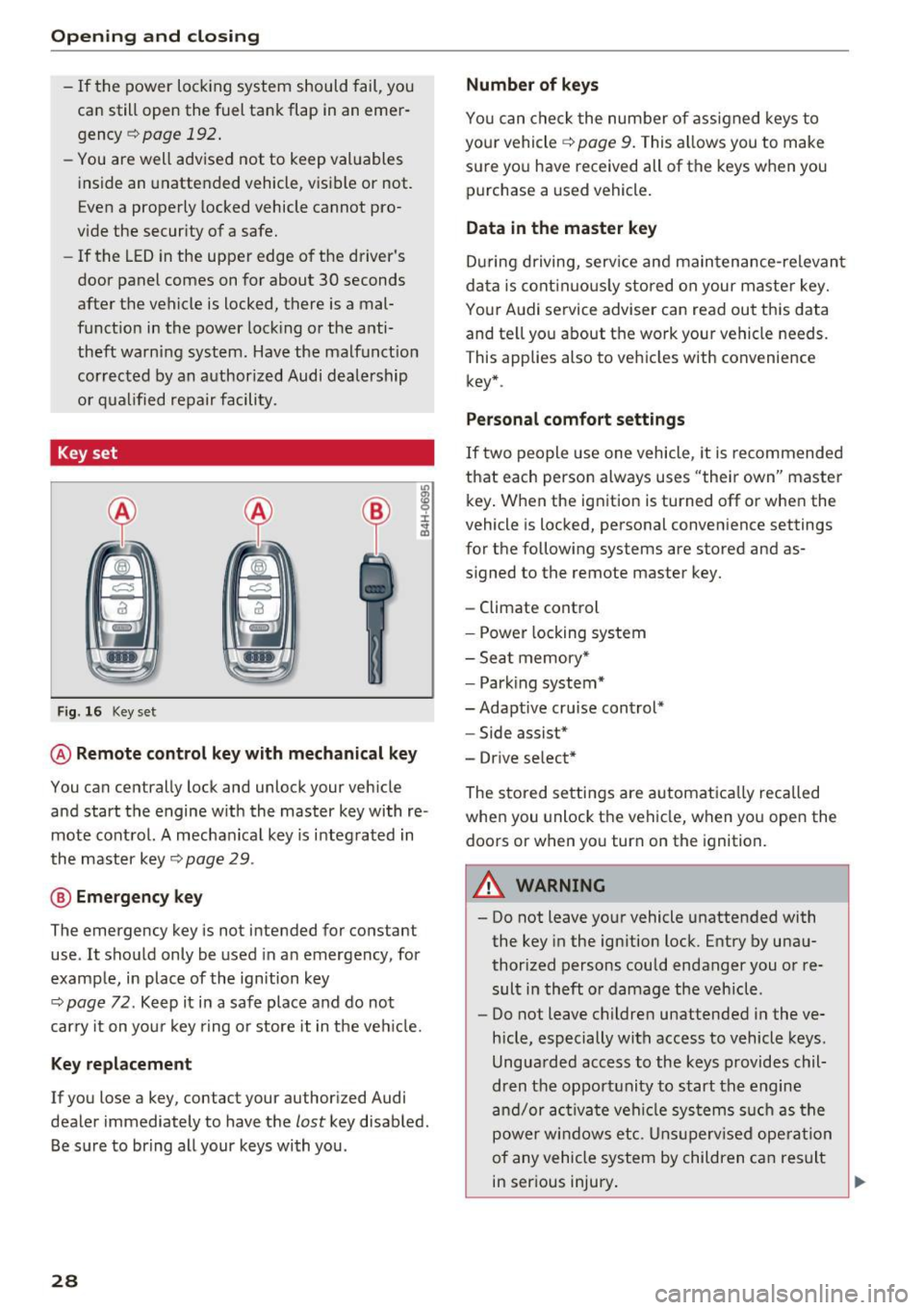
Key set
F ig . 16 Key set
m 0 ±
~
@ Remote control key with mechanical key
You can centrally lock and unlock your veh icle
and start the engine w it h the master key with re
mote cont rol. A mecha nical key is i nteg rated in
the master key¢
page 29.
@ Eme rgency key
The emergency key is not intended for constant
use . It shou ld only be used in an emergency, for
example, in place of the ign ition key
t:!:> page 72 . Ke ep it in a safe place and do not
car ry it on yo ur key r ing o r store it in the ve hicle.
Key replacement
If you lose a key, contact your author ized Audi
dealer immediately to have the
lost key disab led .
Be s ure to bring all your keys with you .
28
Number of keys
You can chec k the num ber of assigned keys to
your vehicle ¢
page 9. This allows you to make
sure yo u have received all of the keys when you
purchase a used vehicle .
Data in the master key
Dur ing driving, serv ice and maintenance-re levan t
da ta is cont inuous ly stored on your master key.
Your A udi service adviser can read out this data
and te ll yo u about the work your vehicle needs.
This applies also to veh icles with convenience
key *.
Personal comfort settings
If two people use one vehicle, it is recommended
that each person always uses "their own" maste r
k ey . W hen the ig nit ion is turned off or when the
vehicle is loc ked, personal conven ience settings
for the following systems are stored and as
s igned to the remote master key.
- Climate control
- Power locking sy stem
- Sea t memory *
- Park ing system*
-Adapt ive cr uise control*
- Side assist*
- Drive se lect*
The stored settings are a utomat ica lly rec alled
when you unlock t he vehicle, when yo u ope n the
doo rs or when yo u turn on the ignition.
A WARNING
- Do not leave you r vehicle unattended with
the key in the ignition lock. Entry by una u
thor ized persons could endanger you o r re
sult i n theft o r damage the vehicle .
- Do not leave childre n unattended in the ve
hicle, especially with access to vehicle keys .
Ungua rded access to the keys provides chil
dren t he opport unity to start the engine
a nd /or ac tiva te ve hicl e sys tems s uch as the
power wi ndows etc. Unsu perv ised ope ration
of any vehicle system by children c an res ult
in ser ious injury.
.
Page 78 of 266
Driving
Electromechanical
parking brake
Operation
The electromechanical parking brake replaces
the hand brake.
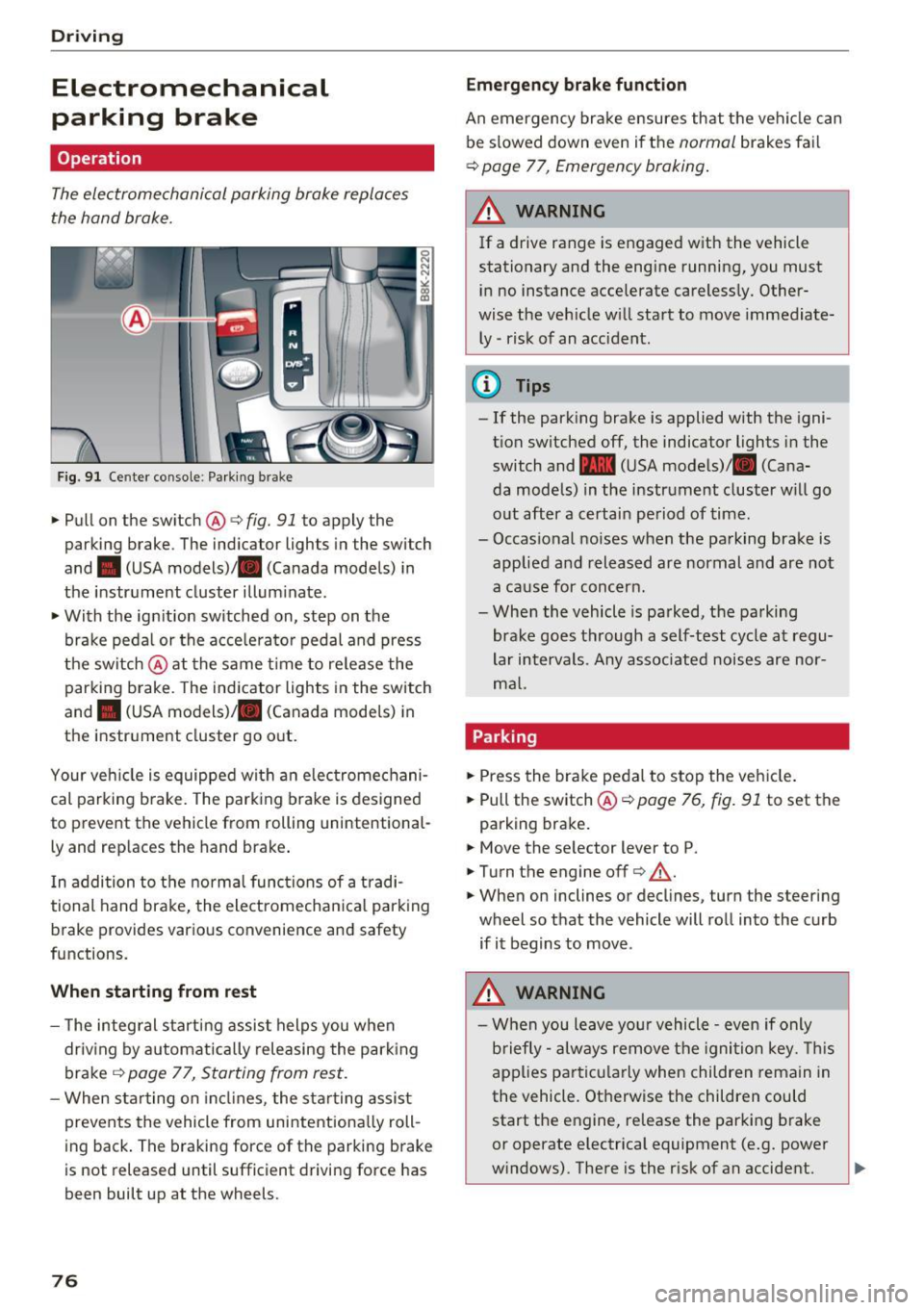
Fig. 91 Ce nter conso le: Park ing brak e
~Pullon the switch @c:>fig. 91 to apply the
parking brake . The ind icator lights in the switch
and . (USA
models) ;II (Canada models) in
the instr ument cluster illum inate.
~ With the ign ition switched on, step on the
brake peda l or the acce lerato r pedal and press
t he switch @at the same t ime to re lease the
parking brake . The indicator lights in the switch
and . (USA
models) ;II (Canada models) in
the instr ument cluster go o ut.
Your ve hicle is equipped wi th an elec tromechani
cal parking b rake. The park ing brake is designed
to prevent the vehicle from rolling un intent ional
ly and rep laces the hand brake .
I n addition to t he norma l func tions of a tradi
tional hand brake, the electromecha nica l park ing
b rake provides various convenience and safety
functions.
When starting from rest
- T he integ ral s tart ing assist helps you when
driv ing by a utomat ically releasing the park ing
brake ¢
page 77, Starting from rest .
-When starting on in cli nes, the sta rting assist
prevents the vehicle from unintentiona lly roll
ing back . The braking forc e of the park ing b rake
is not released until sufficient drivi ng force has
been built up at the wheels.
76
Emergency brake funct ion
An emergency bra ke ensures th at the vehicle can
be s lowed down even if t he
normal brakes fa il
c:> page 77, Emergency braking .
A WARNING
-
If a drive range is e ngaged w ith the vehicle
stationary and the engine running, you must
i n no instance accelerate careless ly. Other
wise the veh icle w ill start to move immediate
ly -risk of an accident.
(D Tips
- If the park ing brake is applied with the igni
t ion switched off, the indicator lights in the
switch and -(USA mode ls)/ . (Cana
da models) in the instrument cluster w ill go
o ut after a certai n pe riod of time.
- Occasional noises when the pa rking brake is
applie d and released are normal and are not
a ca use for conc ern.
- Whe n the vehicle is parked, the parking
brake goes through a self-test cycle at regu
lar intervals. Any associated noise s are nor
m al.
Parking
~ Press the bra ke peda l to stop the ve hicle.
~ Pull the switch@¢ page 76, fig. 91 to set the
parking bra ke .
~ Move the se lector lever to P.
~ T urn the engine off¢.&,. .
~ When on inclines or decl ines, turn the steer ing
wheel so that the vehicle will ro ll into the curb
if it begins to move .
.&_ WARNING
-W hen you leave yo ur vehicle -even if only
b riefly- always re move t he igni tion key. This
app lies p art ic ula rly when children remain in
the vehicle. Ot herwise the children could
start the e ngine, re lease the parking brake
or operate electrica l equipment (e .g. power
w indows) . The re is the r isk of an accident.
Page 79 of 266
a:,
a:,
...... N r--. N ...... 0
0
LL 00
-When the vehicle is locked, no one - part icu
larly not children should remain in the vehi
cle. Locked doors make it more diff icu lt for
emergency workers to get into the vehicle -
putt ing lives at risk.
Starting from rest
The starting assist function ensures that the
parking brake is released automatically upon
starting .
Stopping and applying parking brake
~ Pull the switch @9 page 76, fig. 91 to apply
the parking brake.
Starting and automatically releasing the
parking brake
~ When you start to drive as usual, the parking
brake is automatica lly released and your vehicle
begins to move.
When stopping at a traffic signal or stopping in
city traffic on vehicles w ith an automatic trans
miss ion, the park ing brake can be applied. The
vehicle does not have to be held with the foot brake . The park ing brake eliminates the tendency
to creep with a drive range engaged. As soo n as
you dr ive off as usual, the parking brake is re
leased automatically and the veh icle starts to
move.
Starting on slopes
When starting on inclines, the start ing assist pre
vents the vehicle from unintentionally rolling
back. The braking force of the parking brake is
not released until sufficient driving force has
been built up at the wheels.
(D Tips
For safety reasons, the parking brake is re
leased automatically only when the driver's
safety belt is engaged in the buckle.
Driving
Starting off with a trailer
To prevent rolling back unintentionally on an in
cline, do the following:
~ Keep the switch @9 page 76, fig. 91 pulled
and depress the accelerator. The parking brake
stays applied and prevents the vehicle from
rolling backwa rd .
~ You ca n release the sw itch @once you a re sure
that you are develop ing enough dr iv in g force at
t he wheels by depressing the accelerator.
Depending on the weight of the rig (vehicle and
trailer) and the severity of the incline, you may
roll backwards as you start. You can prevent roll
i ng backwards by holding the pa rking brake
swi tch @ pulled out and accelerating -just as
you wou ld when starting on a hill with a conven
t iona l hand brake .
Emergency braking
In the event that the conventional broke system
foils or locks.
~ I n an emergency, pull the switch@Q page 76,
fig. 91 and continue to pull it to slow your vehi
cle down with the parking brake.
~ As soon as you re lease the switch @or acceler-
ate, the braking process stops .
If you pull the switch @and hold it above a
speed of about 5 mph (8 km/h), the emergency
braking f unction is init iated. The vehicle is braked
at all four whee ls by activating the hydraulic
brake system . The brake performance is s imilar
to making an emergency stop
Q .& .
In order not to activate the emergency braking by
mistake, an audible warning tone (buzzer)
sounds when the switch @is pulled . As soon as
the switch @ is released, or the accelerator pedal
i s depressed, emergency braking stops .
A WARNING
Emergency braking should only be used in an
emergency, when the normal foot bra ke has
failed or the brake pedal is obstructed. Using
the parking brake to perform emergency
braking w ill slow your vehicle down as if you
77
Page 86 of 266
Automatic transmission
This prevents too much stress from being placed
on the locking mechanism.
Vehicles with multitronic transmission: Your ve hicle is equipped with
hill hold assist allowing
you to start while on an incline. The system is ac
tivated when the brake pedal is pressed down
and held
for a few seconds. The brake pressure
will hold for
a moment after the brake pedal
loosens to prevent the vehicle from rolling back
wards while starting up.
A WARNING
- The vehicle can also roll when the engine is
stopped.
- Unintended vehicle movement can cause se rious injury.
- Never leave your vehicle with the engine
running while in gear. If you must leave
your vehicle when the engine is running, ac tivate the parking brake and move the selec
tor lever to P.
- Power is still transmitted to the wheels
when the engine is running at idle. To pre
vent the vehicle from "creeping", you must
keep your foot on the brake when the en
gine is running and the selector lever is in 0/
Sor R or "tiptronic" mode is selected.
- Do not press the accelerator pedal when changing the selector lever position while
the vehicle is stationary and the engine is
running.
- Never shift into R or P while driving.
- Before driving down a steep slope, reduce
your speed and shift into a lower gear with
"tiptronic".
- Do not ride the brakes or press the brake
pedal too often or too long when driving
down a hill. Constant braking causes the
brakes to overheat and substantially re
duces braking performance, increases brak
ing distance or causes complete failure of
the brake system.
- To prevent the vehicle from rolling back
when stopping on inclines, always hold it in
place with the brake pedal or parking brake.
- Never hold the vehicle on an incline with a
slipping clutch. The clutch opens automati-
84
cally when it becomes too hot from the
overload. An indicator lamo
[O ] illuminates
and a driver message appears
c::;, page 86
when the clutch is overloaded.
- If the engine must remain running, never
have any driving position engaged when
checking under the hood. Make sure these
lector lever has securely engaged and is
locked in P with the parking brake set
¢page 193. Otherwise, any increase in en
gine speed may
set the vehicle in motion,
even with the parking brake applied.
(D Note
- S tronic- and tiptronic transmission: When
stopping on an incline, do not try to hold
the vehicle in place by pressing the accelera
tor pedal while a driving gear is selected.
This can cause the transmission to overheat
and can damage it. Activate the parking
brake or press the brake pedal to prevent
the vehicle from rolling.
- S tronic- and tiptronic transmission: Allow
ing th@ vehicle to roll when th@ engine is
stopped and the selector lever is in N will
damage the transmission because it is not
lubricated under those circumstances.
(D Tips
For safety reasons, the parking brake is re
leased automatically only when the driver's
safety belt is engaged in the buckle.
· Hill descent control
App lies to: vehicles with mult itron ic/S tron ic/t iptronic
The hill descent control system assists the driver
when driving down declines .
Hill descent control is activated when the selec
tor lever is in D/S and you press the brake pedal.
The transmission automatically selects a gear
that is suitable for the incline. Hill descent con
trol tries to maintain the speed achieved at the
time of braking, within physical and technical
limitations. It may still be necessary to adjust the
speed with the brakes. ..,..
Page 89 of 266
a:,
a:,
...... N
" N ...... 0
0
LL co
will no longer shift at all. The engine may sta ll.
D rive to yo ur aut horized Audi dea le r or q ualified
repair fac ility immediately to have the malfunc
tion corrected.
rm liJ Transmission malfunction: No reverse
You can continue driving
S t roni c tra nsmissi on: The re is a s ystem m alfu nc
tion in t he tra nsmission. The transmiss io n is
switch ing to emergency mode . This mo de only
shifts into certain gears or will no longer sh ift at
all. The engine may stall. You cannot engage the
reverse gea r. D rive to your authorized A udi dealer
or qua lified repa ir facility immed iate ly to have
the ma lfunction co rrected.
rm Transmission malfunction: Stop vehicle and
sh ift to park.
Do not cont inue driving . Selec t the P se lector lev
e r p osition and see you r authorized Audi dea ler
or qua lified repa ir facility for assistance.
([) Note
If the tr ansmi ssion swi tc h es to emer gency
mo de, you s ho uld take the ve hicle to a n au
t horized A udi dealersh ip as soon as poss ible
to have the condition c orrected.
Selector lever emergency release
Applies to: vehicles with multitronic/S tron ic/tiptronic
If the vehicle 's power supply foils, the selector
lever can be released in an emergency.
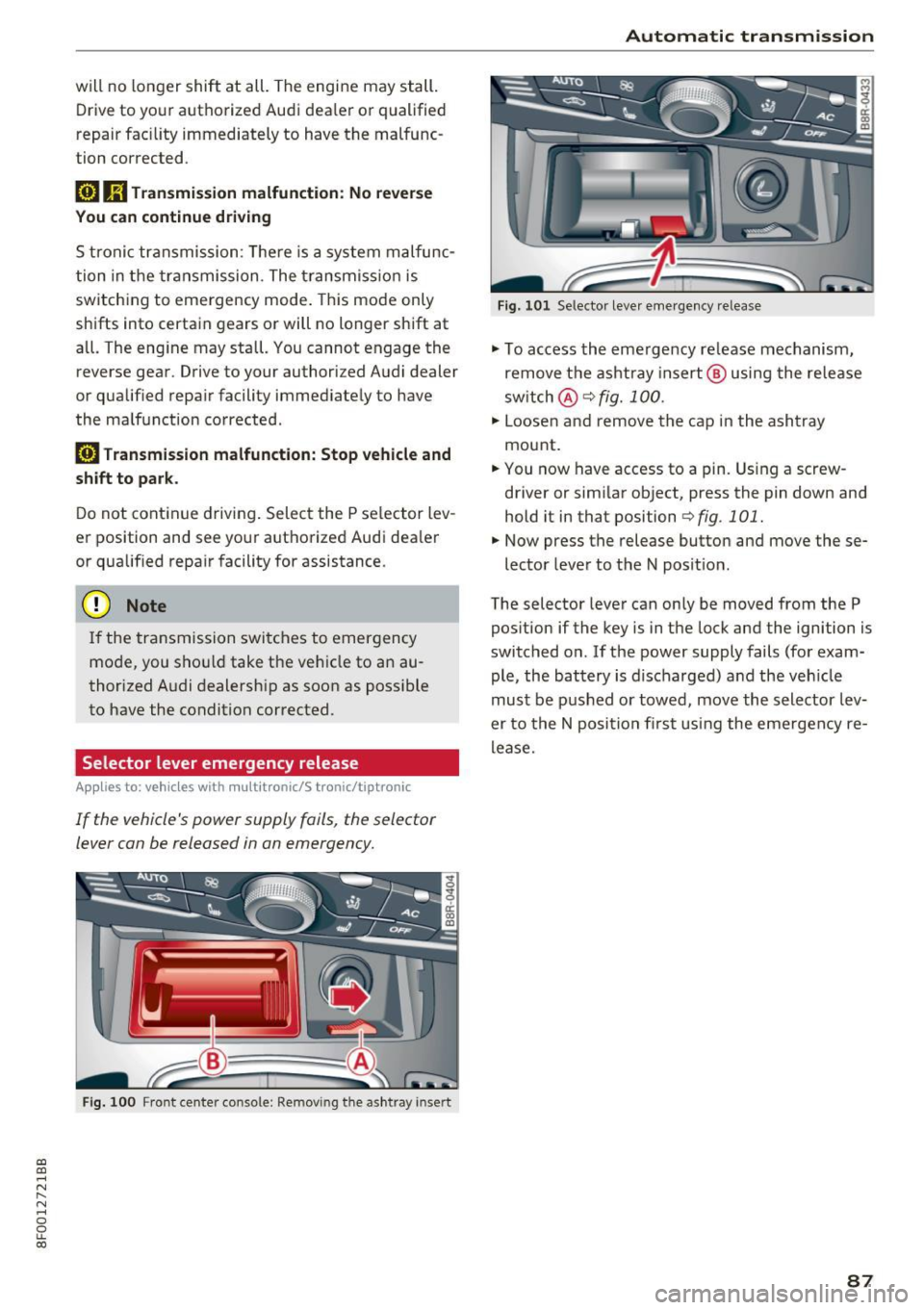
F ig . 100 Front center co nsole: Removing the ashtray insert
Automatic transmission
Fig. 10 1 Selec tor leve r em erge ncy re lease
"' To access the eme rg ency re lease me chanism,
remove t he ash tra y insert @ usin g the re lease
sw itch @
¢fig. 100.
"' Loose n and r emove the c ap in the ash tray
mount .
"' You now have access to a pin. Using a screw
driver or sim ila r ob ject, press the pin down and
hold it in that positi on
¢ fig. 101.
"' Now press the release button and move these-
lector leve r to the N pos it io n.
The selector leve r can on ly be moved from the P
pos ition if the key is in t he lock and the ign ition is
switched on. If the power supply fails (fo r exam
ple, the bat tery is d ischarged) a nd the veh icle
must be p ushed or towed, move th e selector lev
er to th e N posi tion first using the e merge ncy re
lease.
87
Page 106 of 266

Parking System
Parking System
Parking system
Applies to: vehicles with parking system
Different pork assist systems may be used for
parking or maneuvering, depending on the vehi
cle's features.
Parking system (rear )* :
For the parking system (rear), the aco ustic park
assist system is insta lled i n the rear of the vehicle
¢ page 104.
The rear parking assis t sys tem uses ultrason ic
sensors to determine the distance of the veh icle
from a detected obstacle . There are a tota l of
four sensors located on the rear b umpe r (two in
the middle and two on the sides).
Parking system (rear , with rear v iew
c a me ra)*:
For the parking system (rear, with rear view cam
era),
the rear acoustic park assist system is inte
grated in the rear of the ve hicle and the rear v iew
camera is integrated in the rear lid
¢ page 107 .
The parking system (rear, with rear view camera)
uses ultrasonic sensors to determine the distance
of the vehicle from a detected obstacle. There are
a total of four sensors located on the rear bump
er (two in the middle and two on the sides).
A WARNING -
Make sure the sensors are not covered by
st ic ke rs, depos its o r any othe r obstr uctions as
i t may impa ir the sensor function. For infor
mation on clean ing, refe r to¢
page 182 .
Rear parking system
Rear acoustic park assist
Applies to: veh icles w ith parking system (rear)
The rear acoustic pork assist warns you of obsta
cles or objects behind your car.
Description
The rear acous tic p arking assist system de ter
mines the d istance o f the veh icle from an obsta -
104 cle using ultrasonic sensors
. There are 4 sensors
in the rear bumper.
The range at whi ch the sensors s tart to measure
i s
abou t:
To the s ide 2 ft (0 .60 m)
Cente r rear 5.2 ft (1.60 m)
Activation
Acoustic parking assist is act ivated automatically
whe n
revers e gear is engaged. A brief tone con
firms that the system is a ctivated.
Warning tones
D istance warning is give n by warni ng tones wh ich
are generated by the rear signal generator . The
vo lume and the p itch of the warn ing tones can be
adjus ted in the M MI*
¢ page 105.
Rever sing
D istance warning when reversing starts when an
obstacle is detected in t he range of the parking
ass ist system . As the distance dec reases, the
time interva l between the audib le tones becomes
sho rter.
When the distance is less than 1ft (0 .30 m), the
tone becomes cont inuo us. At th is point you
shou ld stop backing up .
Please note that low objects already s ignalled by
a war ning can d isappear from the system's detec
tion range and wi ll not cont inue to be s ignalled .
If the distance to an obstacle remains the same,
the volume of the d istance warning is gradually
reduced after about 4 seconds (th is does not ap
ply i n the continous to ne range) . Approaching an
othe r obstacle will result in the distance warn ing
sounding at the normal volume aga in.
Malfunctions in the system
If a warning tone is audible for about five sec
o nds when you turn on the ignition, there is a
malfunction in the system . Have the prob lem
cor rected by you r authorized Audi dea le r.
Keep the sensors in the rear bumper clean and
free from ice so that the acoustic park ass ist sys -
tem can function properly . .,.
Page 107 of 266
a:,
a:,
...... N
l'
N
...... 0
0
LL co
,&_ WARNING
-Sensors have dead spaces in which objects
cannot be detected. Be especia lly alert for
small children and animals, since they are not always detected by the sensors.
- The acoustic parking system is not a substi
tute for the dr iver's own caution and alert
ness. Ultimate respons ibility always remains
with the driver during parking and sim ilar
maneuvers . Always watch where you are
dr iv ing .
- You should always adjust the volume and
frequency of the warning tones so that you
can eas ily hea r the acoustic distance wa rn
ing even if the radio is p lay ing, the air-cond i
tioner blower is on High or there is a high
level of ou ts ide no ise .
- Check the settings whenever anyone e lse
has driven the vehicle before you.
(D Note
- Remember that low obstacles for which a
warning has already been issued may "dive"
below the system's sensing zone if the vehi
cle is being backed up closer. In this case,
the war ning sound shutting off does
not in
dicate that you have cleared the obstacle.
Instead, impact is imm inent.
- Objects such as tra iler hitches, chains, nar
row posts or fences cove red by a th in laye r
of pa int may not always be detected by the
system. They can still damage your vehicle
wi thout warn ing.
{O) Tips
Keep the senso rs in the rear bumper clean
and free of snow and ice so that t he acous tic
parking assist sys tem can f unction properly.
Adjusting the warning tones
Applies to: vehicles with parking system (rear)
The warning tones can be adjusted in the MMI*.
• Select: ICARI funct ion button> Parking syst em .
Or
• Se lect :
I CARI funct ion button > Car systems *
co ntro l button > Driver a ssist > Pa rking aid .
Parking S ystem
-Rear volume -rear sensor volume
-Rear fr equ ency -rear sensor frequency
-Mu sic volume while parking -when the park-
ing system is switched on, the vo lume of the
active audio source is lowered.
The newly adjusted value is briefly heard from
the signal generator. The settings are automati ca lly stored and assigned to the master key with
remote cont rol.
Rear parking system
with rearview camera
Introduction
Applies to: vehicles with parking system (rear, with rear v iew
camera}
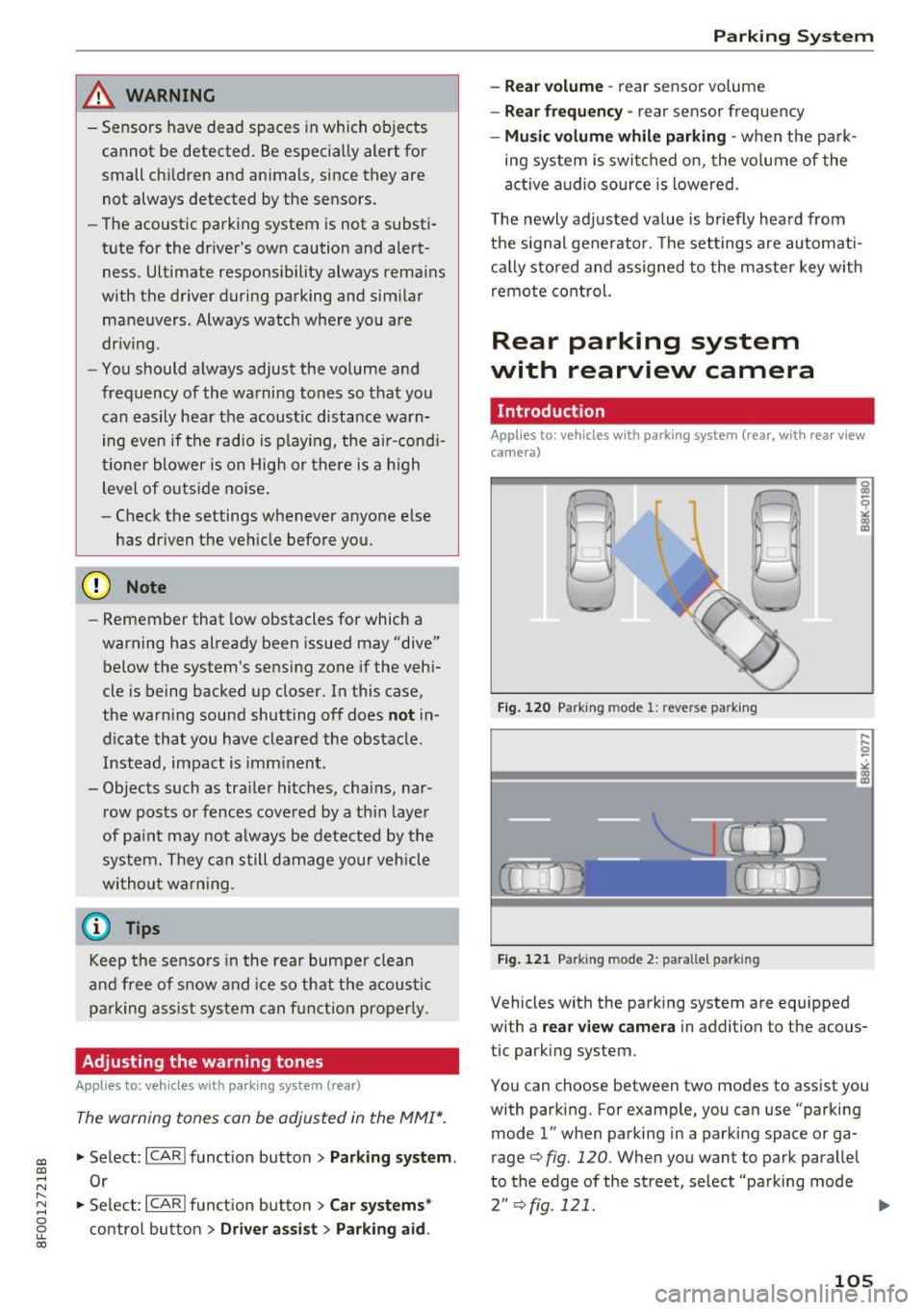
F ig. 12 0 Parking mode 1: reverse park ing
F ig . 1 21 Parking mode 2: parallel parking
Vehicles with the park ing system are equipped
with a
rear view ca mera in addition to the acous
tic parking system.
You can choose between two modes to assist you
with parking. For example, you can use "parking mode
l" when parking in a parking space or ga
rage¢
fig. 120 . When you want to park parallel
to the edge of the street, select "parking mode
2" ¢ fig. 121. II>-
105