park assist AUDI A5 CABRIOLET 2017 User Guide
[x] Cancel search | Manufacturer: AUDI, Model Year: 2017, Model line: A5 CABRIOLET, Model: AUDI A5 CABRIOLET 2017Pages: 266, PDF Size: 66.64 MB
Page 108 of 266

Parking System
The rear acoustic park assist system is integrated
in the rear of the vehicle and the rear view cam
era is integrated in the rear lid~
page 107 .
A WARNING
The rear view camera has blind spots , in which
objects cannot be detected. Be especially
careful to check fo r small ch ildren and ani
mals before backing up . Small children a nd
animals will not a lways be detected by the
sen sors .
General Information
Applies to: vehicles with parking system (rear, with rear view
camera)
F ig . 1 22 Cov ered area (!) an d un covered area @ of th e rear
v iew came ra
F ig . 12 3 Tru nk lid : Locat ion of t he rea r view came ra
Sensors in the bumper
Sensors are located in the rear bumpers . If these
detect an obstacle, audible s ignals warn you . The
range a t which t he sensors beg in to measu re is
approx ima tely:
To the side
2 ft (0.60 m)
C enter rear 5. 2 ft (1.60 m)
Distance warning when reversing sta rts when an
obstacle is detected in the range of the pa rking
106
assist system. As the distan ce decreases, t he
time interval between the audib le tones becomes
sho rter.
When the distance is less than 1ft (0 .30 m), the
tone becomes cont inuo us. At th is point you
shou ld stop backing up .
If the distance to an obstacle stays t he sa me , the
vo lume of the dis tan ce signal chime is g radua lly
reduced after a bout 4 seconds (does not a ffect
the continuous signal tone) . Approaching anoth
er obstacle will cause the distance s ignal to
sound again at the normal volume.
Rear view camera coverage area
The M MI display shows t he area cove red by the
rear view camera
¢ fig . 122 (!). Objects that are
not in the a rea covered @are not shown on the
MMI display.
We recommend tha t you prac tic e parking wit h
the rear v iew camera in a t raffic -free location or
parking lot to become familiar with the system,
the orientat ion lines, and their function . When
do ing th is, there should be good light and weath
er condit ions.
In the MMI display, objects or vehicles appear closer or further away if:
- you a re dr iv ing in reve rse gear from a level s ur
face onto an incline, or a downward slope,
- you a re dr iving in reve rse gear tow ard prot rud
ing objects,
- t he vehicle is car rying too much load in the
rear.
The acc uracy of the or ie ntation lines and blue
s ur faces dim inishes if:
- the rear v iew camera does not provide a reliab le
image, fo r example, in poor visib ility co ndi tions
or if the le ns is dirty,
- the image on the screen is not v isible d ue to
sun glare and reflect io n.
Caring fo r the rear v iew camera lens
T he rear view camera is located above the rear li
cense p late bracket . For the pa rking assist to op-
erate, the lens ¢
fig. 123 must be kept clea n: .,..
Page 109 of 266

a:,
a:,
...... N r--. N ...... 0
0
LL 00
-Dampen the lens wi th a house ho ld alcoho l
based glass cl eaner , and clean the l ens with a
dry cloth
¢ (i) .
-Remove snow with a hand brush and ice pref
erab ly with a de-icing spray
¢ (i).
A WARNING
- The parking aid cannot replace the driver's
attent ion. The driver a lone is responsible for
park ing and s imilar driving maneuvers.
-Always keep your eyes on the vehicle's sur round ings, using the rear view m irror as
we ll.
- Do not a llow yourse lf to be d istracted from
traff ic by the rear view camera p ictures.
- If the posit ion and the installat ion ang le of
the camera has changed, for example, after
a rear end collision, do not continue to use
the system for safety reasons. Have it
checked by a qualified dealersh ip .
@ Note
- Low obstacles already s ignaled by a warn ing
ca n disappear from the system's detection
range as they are approached and will not
continue to be signa led. Objects such as
barrier chai ns, t rai ler d raw ba rs, thin pa int
ed verti cal poles o r fences may not be de
tec ted by t he sys tem, posing r isk o f dam
age.
- Neve r use warm or hot water to remove
snow or ice from the rear view camera lens -
danger of crack format ion on t he lens!
- When cleaning the lens, never use p roduc ts
that are abrasive.
Switching on/off
Applies to: veh icles with pa rk ing system (rear, with rear view
camera)
The rear view camera switches on automatically
togeth er with the acoustic park assist when you
put the vehicle in reverse.
Sw itching on
.,. Put the vehicle in reverse gear , th e acoustic
parking system w it h rear view camera is acti
vated a utomat ically . Act ivation of the acoust ic
Parking S ystem
parking system is confirmed by a brief acknow l
edgement sound.
Switching off
.,. Dr ive faste r than 9 mp h (15 km/h), o r
.,. take the ve hicle out of reve rse gear. The acous
t ic parking sys tem is immed iately deactivated,
and the rear view camera pictu re is deactivated
automatically after a period of abo ut 15 sec
onds, or
.,. sw itch off the ignit ion.
The delay in deactivating the camera provides an u ninterrupted view be hind th e vehicle especia lly
when maneuvering in t ight pa rking spaces and
prevents the picture from turning off t he every
t ime you shift o ut of reverse .
If the warning messag e appears in the display
but not the rear view camera picture, read and
confirm the warning message . The acoustic dis
tance sig nal is always active.
If you press a f unction button on the M MI control
console , the rear view camera picture disappears.
The rear view camera picture reappears the next
time you pa rk .
Further in format ion on th e warning message and
the MMI control console can be found in the MMI inst ruct ion booklet.
A WARNING
--
- On ly use the rearv iew camera to ass ist you if
it shows a good, clear pictu re . Fo r example,
the image may be affected by the sun shin i n g into the lens, dirt on the lens o r if t he re
is a defec t.
- Us e th e rearv iew cam era on ly w ith th e rear
lid comple tely closed . Make s ure any obje cts
you m ay h ave moun ted on t he rear lid do
not block the rearv iew camera.
(D Tips
- The rear view camera picture is available as
soo n as the M MI D ispla y or the MM I is
s w itched on, or the s tart- up phase is com
p le ted .
- Th e se nsors m ust be kep t clean and free of
s now and ice fo r th e park ass is t to operate.
107
Page 112 of 266
Parking System
swings out more than the vehicle rear. Main
tain plenty of distance from an obstacle so
that your outside mirror or a corner of your
vehicle does not collide with any obstacles -
danger of accident!
(D Tips
The left or right orientation lines and surfaces
will be displayed, depending on the turn sig
nal being used.
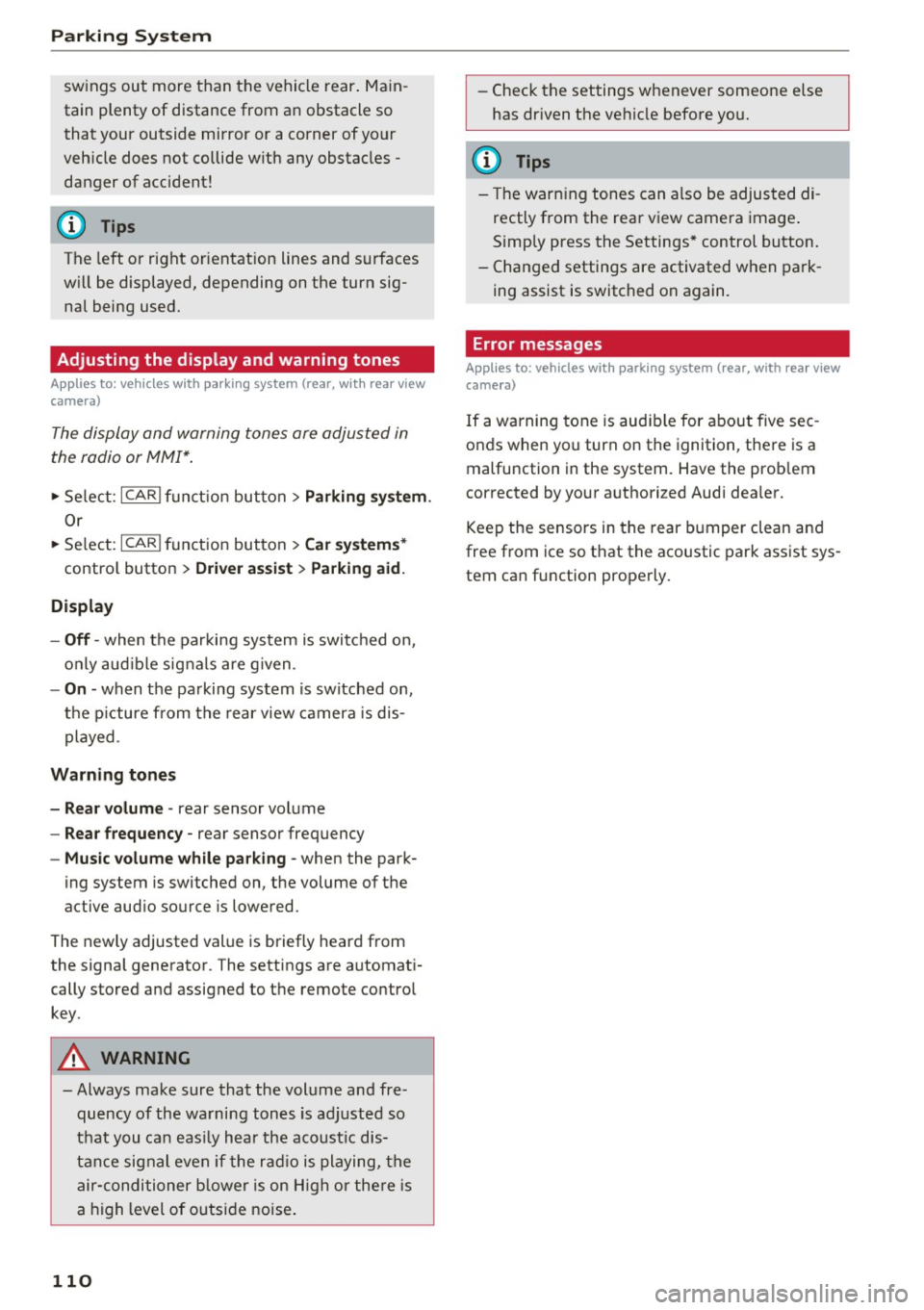
Adjusting the display and warning tones
A pp lies to: ve hicles w ith parkin g system (rear, wit h rear view
camera)
The display and warning tones ore adjusted in
the radio or MMI*.
.,. Select: ICARlfunction button> Parking system.
Or
.. Select: ICARI function button> Car systems*
control button > Driver assist > Parking aid.
Display
- Off -when the parking system is switched on,
only audible signals are given.
-On -when the parking system is switched on,
the picture from the rear view camera is dis
played.
Warning tones
- Rear volume -
rear sensor volume
-Rear frequency -rear sensor frequency
-Music volume while parking -when the park-
ing system is switched on, the volume of the
active audio source is lowered.
The newly adjusted value is briefly heard from
the signal generator. The settings are automati
cally stored and assigned to the remote control
key.
A WARNING
- Always make sure that the volume and fre quency of the warning tones is adjusted so
that you can easily hear the acoustic dis
tance signal even if the radio is playing, the
air-conditioner blower is on High or there is
a high level of outside noise.
110
- Check the settings whenever someone else
has driven the vehicle before you.
@ Tips
-The warning tones can also be adjusted di
rectly from the rear view camera image.
Simply press the Settings* control button.
- Changed settings are activated when park
ing assist is switched on again.
Error messages
App lies to: vehicles wit h parking system ( rea r, w ith rea r view
camera)
If a warning tone is audible for about five sec
onds when you turn on the ignition, there is a
malfunction in the system. Have the problem
corrected by your authorized Audi dealer .
Keep the sensors in the rear bumper clean and
free from ice so that the acoustic park assist sys
tem can function properly.
Page 231 of 266

always fully set the parking brake and block
the wheel diagonally opposite the wheel be ing changed with the folding chocks or oth
er objects. When one front wheel is lifted
off the ground, placing the Automatic
Transmission in "P" (Park) will
not prevent
the vehicle from moving.
- Before you change a wheel, be sure the
ground is level and firm. If necessary, use a
sturdy board under the jack.
- Always store the vehicle tool kit, the jack*
and the replaced tire in the luggage com
partment
r::!>page 116.
(D Note
If you are changing the wheel on a steep in
cline, use a rock or similar object to block the
opposite wheel to prevent the vehicle from
moving.
(D Tips
Obey all laws.
Changing a wheel
When you change a wheel, follow the sequence
described below step-by-step and in exactly that
order.
1.
Remove the decorative wheel cover* or the
wheel bolt caps*. For more details see also
r::!> page 229, Decorative wheel covers or
r::!> page 230, Wheels with wheel bolt caps .
2. Loosen the wheel bolts~ page 230.
3. Locate the proper mounting point for the
jack and align the jack below that point
r::!> page 2 31.
4. lift the car with the jack r::!> page 231.
5. Remove the wheel with the flat tire and then
in stall the
spare tire r::::> page 232.
6. Tighten all wheel bolts lightly .
7 .
lower the vehicle with the jack.
8 . Use the wheel bolt wrench and
firmly tighten
all wheel bolts in a crisscross pattern
r::!> page 230.
~ 9. Replace the decorative wheel cover* or the ......
~ wheel bolt caps*. N ...... 0
0
LL co
Emergency assistance
A WARNING
-Always read and follow all WARNINGS and in-
formation
r::!> .&. in Raising the vehicle on
page231
and r::::> page233.
After changing a wheel
A wheel change is not complete without the do
ing the following.
.. Always store the vehicle tool kit, the jack*, and
the replaced tire in the luggage compartment
r::::>page 116.
.. Check the tire pressure of the spare tire as soon
as possible .
.. As soon as possible, have the
tightening tor
ques
on all wheel bolts checked with a torque
wrench. The correct tightening torque is 90 ft
lbs .
(120 Nm).
.. Have the flat tire
replaced as soon as possible.
@ Tips
-If you notice that the wheel bolts are cor
roded and difficult to turn while changing a
tire, they should be replaced before you
check the tightening torque.
- Drive at reduced speed until you have the tightening torques checked.
Decorative wheel covers
Applies to: vehicles wit h deco rative w heel covers
The decorative wheel covers must be removed
first to access the wheel bolts.
Fig. 18S C ha nging a wheel: removing the wheel cover
229
Page 237 of 266

a:,
a:,
...... N
" N ...... 0
0
LL co
Fuse panel @ (black)
No . Consumer
1 Dynamic steering
2 Electronic Stabilization Cont rol (mod ule)
A/C system press ure sensor, elect rome -
chan ica l park ing brake , Homelink, auto-
3 mat
ic dimming interior rear v iew mirror,
air q uality/outside a ir sensor, Electronic
Stabili zation Cont rol (button)
5 Sound actuator
6 Headlight range control/
headlight (cor-
ne ring light)
7 Headlight (cornering light)
Con trol modules (e lectrom echan ica l par k-
8 ing brake, s hock ab so rbe r, q uattro s port),
DCDC converter
9 Adapt ive cru ise control
1 0 Shift ga te/clu tch se nsor
1 1 Side assist
12 Headlight range control
, p arkin g sys tem
13 Airbag
14 Rear wiper (a
llroad)
1 5 Auxiliary fuse (instrument panel)
1 6 Auxiliary fuse terminal 15 (engine area
)
Fuse panel@ (brown)
No . Consumer
2 Brake light senso r
3 Fuel pump
4 Clutch sensor
5
Left seat heating w it h /w it h out seat venti-
l a tion
6 Electronic Stabili zation Cont rol (e lectr ic)
7 Ho rn
8
Front left door (window regulator, central
locki ng, mirror, switch, lig hting)
9 Windshield wiper moto r
10 Electronic Stabilization Cont rol (va lves)
Fuses and bulbs
No . Consumer
Two-door mode ls: rear left w indow reg ula-
1 1 tor; Four-door mode
ls: rear left door (w in-
dow regu lator, central locking, switch,
li ght ing)
1 2 Rain and
light sensor
Fuse panel © (red)
No . Consumer
3 Lumbar support
4 Dynam ic steering
5 Inter
io r ligh ting ( Cabr io let)
6 W
indshie ld washer system, headlight
wash er system
7 Vehicle e lectrica l system control module 1
8 Ve hicl e e lec trica l sy stem con trol module 1
9
Left rear window regu lator motor (Cabr io-
l et)/s unroof
1 0 Vehicle e lec tric al system con trol module 1
1 1 R
ight rear window regulator (Cabriolet)/
su n shade motor
1 2 A
nti- theft alarm warning system
Right cockpit fuse assignment
Fig. 194 R ig h t cockp it : f use pane l wit h plast ic cl ip
235
Page 253 of 266
a:,
a:,
...... N r--. N ...... 0
0
LL 00
Automatic transmission . . . . . . . . . . . . . . . . . 81
Automatic Shift Lock (ASL) . . . . . . . . . . . . . 82
Driving . . . . . . . . . . . . . . . . . . . . . . . . . . . . . 83
Emergency mode . . . . . . . . . . . . . . . . . . . . . 86
Emergency release . . . . . . . . . . . . . . . . . . . . 87
Kick -down . . . . . . . . . . . . . . . . . . . . . . . . . . . 85
Manua l shift program . . . . . . . . . . . . . . . . . 85
Removal lock (ignition key) . . . . . . . . . . . . . 71
Selector lever . . . . . . . . . . . . . . . . . . . . . . . . 81
Automatic wipers . . . . . . . . . . . . . . . . . . . . . . 53
Auto Safety Hotline . . . . . . . . . . . . . . . . . . . 118
Average speed . . . . . . . . . . . . . . . . . . . . . . . . 22
Avoid damaging the vehicle . . . . . . . . . . . . . 175
B
Battery . . . . . . . . . . . . . . . . . . . . . . . . . . . . . . 14
Battery location inside the luggage compart-
ment ..............................
203
Charge level . . . . . . . . . . . . . . . . . . . . . . . . 173
Charging . . . . . . . . . . . . . . . . . . . . . . . . . . . 205
Energy management . . . . . . . . . . . . . . . . . 173
Important warnings when working on the
battery . . . . . . . . . . . . . . . . . . . . . . . . . . . .
203
Jump starting . . . . . . . . . . . . . . . . . . . . . . . 238
Replac ing the battery . . . . . . . . . . . . . . . . 206
Work ing on the battery . . . . . . . . . . . . . . . 203
Before driving . . . . . . . . . . . . . . . . . . . . . . . . 111
Belt positioner . . . . . . . . . . . . . . . . . . . . . . . 125
Belt tensioners . . . . . . . . . . . . . . . . . . . . . . . 128
Bio -ethanol (Fuel) . . . . . . . . . . . . . . . . . . . . . 189
Blended gasoline . . . . . . . . . . . . . . . . . . . . . 188
Blower (automatic climate control) . . . . . . . . 68
Booster seats . . . . . . . . . . . . . . . . . . . . . . . . 158
Brake fluid
Changing the brake fluid . . . . . . . . . . . . . .
202
Checking the brake fluid l evel . . . . . . . . . . 202
Brake system
Anti-lock brak ing system . . . . . . . . . . . . . . .
17
Brake fluid specifications for refill and re
placement . . . . . . . . . . . . . . . . . . . . . . . . .
202
Brake light defective . . . . . . . . . . . . . . . . . . 19
Brake power assist unit . . . . . . . . . . . . . . . 170
Brakes. .. .. .. ............... .. ..... 170
Ceramic brakes . . . . . . . . . . . . . . . . . . . . . . 170
Electromechan ical parking brake . . . . . . . . 76
Warning/indicator lights . . . . . . . . . . . . . . . 13
Worn brake pads symbol . . . . . . . . . . . . . . . 18
Index
Braking
Brake assist . . . . . . . . . . . . . . . . . . . . . . . .
167
Emergency braking function . . . . . . . . . . . . 77
braking guard . . . . . . . . . . . . . . . . . . . . . . . . . 88
Messages . . . . . . . . . . . . . . . . . . . . . . . . . . . 95
Settings . . . . . . . . . . . . . . . . . . . . . . . . . . . . 95
Break-in period
Brake pads .. .. .. .. ............. .. . .
Tires ..... .... .. .. ........ · · · · · · · · ·
Breaking in ... .. .. .. ............... . .
New tires
Bulbs
C
170
175
175
214
237
California Proposition 65 Warning . . . . . . . 194
Battery specific . . . . . . . . . . . . . . . . . . . . . 204
Capacities . . . . . . . . . . . . . . . . . . . . . . . . . . . 244
Engine oil . . . . . . . . . . . . . . . . . . . . . . . . . . 195
Care . . . . . . . . . . . . . . . . . . . . . . . . . . . . . . . . 182
Cargo area
refer to Luggage compartment ...... 63, 116
Catalytic converter . . . . . . . . . . . . . . . . . . . . 176
Center armrest . . . . . . . . . . . . . . . . . . . . . . . . 60
C en tral locking . . . . . . . . . . . . . . . . . . . . . . . .
27
Central locking switch . . . . . . . . . . . . . . . . . 31
Convenience key . . . . . . . . . . . . . . . . . . . . . . 30
Remote control key . . . . . . . . . . . . . . . . . . . 30
Ceramic brake rotors
New brake pads . . . . . . . . . . . . . . . . . . . . .
170
Certification . . . . . . . . . . . . . . . . . . . . . . . . . 249
Changing engine oil . . . . . . . . . . . . . . . . . . . 198
Checking
Engin e coolant level. . . . . . . . . . . . . . . . . .
199
Child restraints
Danger of using child restraints in the front
seat.... .. .. .. .. .. ............. ....
131
Where can I get add itiona l information
about child restra ints and their use? . . . .
166
Child restraint system anchors . . . . . . . . . . 163
Child safety . . . . . . . . . . . . . . . . . . . . . . . . . . 150
Impo rtant safety instructions for using child
safety seats . . . . . . . . . . . . . . . . . . . . . . . .
153
Installing a c hild restraint using the LATCH
system . . . . . . . . . . . . . . . . . . . . . . . . . . . .
165
251
Page 258 of 266
Index
L
Lane Change Assistant
refer to side assist . . . . . . . . . . . . . . . . . . . . 97
LATCH . . . . . . . . . . . . . . . . . . . . . . . . . . . . . . 163
Description . . . . . . . . . . . . . . . . . . . . . . . . . 164
I nstalling a child restraint . . . . . . . . . . . . . 165
Location . . . . . . . . . . . . . . . . . . . . . . . . . . . 164
Mounting and releasing the anchorage
hook . . . . . . . . . . . . . . . . . . . . . . . . . . . . . . 165
Launch Control Program . . . . . . . . . . . . . . . . 86
Leather care/cleaning . . . . . . . . . . . . . . . . . 185
Leaving home . . . . . . . . . . . . . . . . . . . . . . . . . 49
Left hand drive . . . . . . . . . . . . . . . . . . . . . . . . 50
Lifting jack .......................... 231
Light adaptive light . . . . . . . . . . . . . . . . . . . . . . . . 48
Coming/Leaving home............. .... 49
Daytime running lights . . . . . . . . . . . . . 48, 49
E xterior lighting . . . . . . . . . . . . . . . . . . . . . . 49
Fog lights/rear fog light(s) . . . . . . . . . . . . . 48
Low beam .. .. .. ................. .. .. 48
Rear fog lights . . . . . . . . . . . . . . . . . . . . . . . 48
Side marker lights . . . . . . . . . . . . . . . . . . . . 48
Travel mode . . . . . . . . . . . . . . . . . . . . . . . . . 50
Light/rain sensor Headlights . . . . . . . . . . . . . . . . . . . . . . . . . . 48
Intermittent (windshield wipers) . . . . . . . . 53
Sensor defective . . . . . . . . . . . . . . . . . . . . . . 19
Lighting Exterior . . . . . . . . . . . . . . . . . . . . . . . . . . . . . 48
Interior . . . . . . . . . . . . . . . . . . . . . . . . . . . . . 51
Lights Emergency flashers . . . . . . . . . . . . . . . . . . . 50
High beam . . . . . . . . . . . . . . . . . . . . . . . . . . 49
Interior/reading lights . . . . . . . . . . . . . . . . 51
Turn signals . . . . . . . . . . . . . . . . . . . . . . . . . 49
Locking Rear lid . . . . . . . . . . . . . . . . . . . . . . . . . . . . . 33
Locking/unlocking at the lock cylinder. . . . . . . . . . . . . . . . . . . . 32
by remote control . . . . . . . . . . . . . . . . . . . . 30
with the central locking switch . . . . . . . . . . 31
with the convenience key . . . . . . . . . . . . . . . 30
L ow beams . . . . . . . . . . . . . . . . . . . . . . . . . . . 48
Lower anchorage locator button . . . . . . . . . 164
256
Luggage compartment
En larging . . . . . . . . . . . . . . . . . . . . . . . . . . . 64
Lid . . . . . . . . . . . . . . . . . . . . . . . . . . . . . . . . . 33
Loading..... .. .. .. .. ............. .. 116
Ski sack . . . . . . . . . . . . . . . . . . . . . . . . . . . . . 65
Storing cargo correctly . . . . . . . . . . . . . . . 116
Tie-downs ... .. .. .. .. .... .... .... 64, 118
Valet parking . . . . . . . . . . . . . . . . . . . . . . . . 36
Luggage compartment lid Emergency unlocking . . . . . . . . . . . . . . . . . . 34
Lumbar support . . . . . . . . . . . . . . . . . . . . . . . 58
M
Maintenance . . . . . . . . . . . . . . . . . . . . . . . . . 246
Malfunction Indicator Lamp (MIL) . . . . . 18, 25
Mechanical key . . . . . . . . . . . . . . . . . . . . . 28, 29
Memory function . . . . . . . . . . . . . . . . . . . . . . 61
Mileage Average . . . . . . . . . . . . . . . . . . . . . . . . . . . . 22
Instantaneous . .. ... ............. .. .. 22
Mirrors Adjusting the exterior mir rors . . . . . . . . . . . 51
Compass.... .. .. .. .. .... ............ 55
dimming .. .. .. .. .. .. ............. ... 52
Vanity mirrors . . . . . . . . . . . . . . . . . . . . . . . 53
Monitoring the Advanced Airbag System . . 140
multitronic . . . . . . . . . . . . . . . . . . . . . . . . . . . 81
Automat ic Shift Lock (ASL) . . . . . . . . . . . . . 82
Driving . . . . . . . . . . . . . . . . . . . . . . . . . . . . . 83
Emergency mode . . . . . . . . . . . . . . . . . . . . . 86
Manual shift program . . . . . . . . . . . . . . . . . 85
Selector l ever . . . . . . . . . . . . . . . . . . . . . . . . 81
N
Natural leather care/cleaning
NHTSA 185
Contacting . . . . . . . . . . . . . . . . . . . . . . . . . 118
Numbe r of seats . . . . . . . . . . . . . . . . . . . . . . 122
0
Occupant seating pos itions 112
Octane rating . . . . . . . . . . . . . . . . . . . . . . . . 188
Odometer . . . . . . . . . . . . . . . . . . . . . . . . . . . . 10
OFF (automatic climate control) . . . . . . . . . . 67
Page 259 of 266
a:,
a:,
...... N r--. N ...... 0
0
LL 00
Oil
refer to Engine oil . . . . . . . . . . . . . . . 195, 197
O il consumption . . . . . . . . . . . . . . . . . . . . . . 197
On-Board Diagnostic System (OBD) Data L ink Connector (DLC) . . . . . . . . . . . . . . 26
Electronic speed limiter . . . . . . . . . . . . . . . . 26
Malfunction Indicator Lamp (MIL) . . . . . . . 25
Open door or front lid warning . . . . . . . . . . . 21
Opening. .. .. .. ............... .. .. .. .. 27
Opening/closing at the lock cylinder. . . . . . . . . . . . . . . . . . . . 32
by remote control . . . . . . . . . . . . . . . . . . . . 30
with the central locking sw itch . . . . . . . . . . 31
with the convenience key . . . . . . . . . . . . . . . 30
Other equipment (efficiency program) . . . . . 24
Outside temperature display . . . . . . . . . . . . . 21
p
Paint damage . . . . . . . . . . . . . . . . . . . . . . . . 184
Paint No. . . . . . . . . . . . . . . . . . . . . . . . . . . . . 243
Parking . . . . . . . . . . . . . . . . . . . . . . . . . . . . . . 76
Automatic transmission . . . . . . . . . . . . . . . 83
Vale t parking . . . . . . . . . . . . . . . . . . . . . . . . 36
Parking aid
C leaning sensors/camera lenses . . . . . . . . 183
Parking brake . . . . . . . . . . . . . . . . . . . . . . . . . 76
also refer to E lectromechanical
parking brake . . . . . . . . . . . . . . . . . . . . . . . . 76
Parking system . . . . . . . . . . . . . . . . . . . . . . . 104
Parking System . . . . . . . . . . . . . . . . . . . . . . . 104
Parking system (rear)
Adjusting the warning tones . . . . . . . . . . . 105
Parking system (rear, with rear view camera) Parking mode 1 . . . . . . . . . . . . . . . . . . . . . 108
Parking mode 2 . . . . . . . . . . . . . . . . . . . . . 109
Safety precautions . . . . . . . . . . . . . . . . . . . 106
Switching on/off . . . . . . . . . . . . . . . . . . . . 107
Sw itching rear view camera on/off . . . . . . 110
Parts replacement . . . . . . . . . . . . . . . . . . . . 248
PASSENGER AIR BAG OFF light . . . . . . . . . . 140
Pedals . . . . . . . . . . . . . . . . . . . . . . . . . . . . . . 116
Physical principles of a frontal collision . . . 123
Polishing . . . . . . . . . . . . . . . . . . . . . . . . . . . . 184
Pollutant filter (automatic A/C system) . . . . 66
Index
Power
seat adjustment . . . . . . . . . . . . . . . . . . . . . . 58
Windows . . . . . . . . . . . . . . . . . . . . . . . . . . . 35
Power locking system
Emergency locking . . . . . . . . . . . . . . . . . . . . 32
Power windows . . . . . . . . . . . . . . . . . . . . . . 35
Rear lid . . . . . . . . . . . . . . . . . . . . . . . . . . . . . 33
Se lective unlock featur e . . . . . . . . . . . . . . . 32
Settings . . . . . . . . . . . . . . . . . . . . . . . . . . . . 32
Power steering
refer to Electro-mechanical power assist . 171
Power top . . . . . . . . . . . . . . . . . . . . . . . . . . . . 40
Cleaning . . . . . . . . . . . . . . . . . . . . . . . . . . . 184
Closing . . . . . . . . . . . . . . . . . . . . . . . . . . . . . 40
Convenience closing . . . . . . . . . . . . . . . . . . . 41
Convenience opening . . . . . . . . . . . . . . . . . . 41
Emergency operation . . . . . . . . . . . . . . . . . . 44
General information . . . . . . . . . . . . . . . . . . 40
Malfunction . . . . . . . . . . . . . . . . . . . . . . . . . 42
Messages . . . . . . . . . . . . . . . . . . . . . . . . . . . 42
Opening . . . . . . . . . . . . . . . . . . . . . . . . . . . . 40
Variable power top storage bay . . . . . . . . . 42
Wind deflector . . . . . . . . . . . . . . . . . . . . . . . 43
Power window Convenience opening/closing . . . . . . . . . . . 35
Power windows
Malfunctions . . . . . . . . . . . . . . . . . . . . . . . . 36
Pregnant women Spec ial considerat ions when wearing a safe-
ty belt . . . . . . . . . . . . . . . . . . . . . . . . . . . . . 127
Pressure (tires) . . . . . . . . . . . . . . . . . . . . . . . 225
Proper occupant seat ing positions . . . . . . . 112
Proper safety be lt pos ition . . . . . . . . . . . . . . 127
Proper seating position Front passenger . . . . . . . . . . . . . . . . . . . . . 113
Occupants ....... .. ................. 112
Rear passengers . . . . . . . . . . . . . . . . . . . . . 114
Protecting . . . . . . . . . . . . . . . . . . . . . . . . . . . 184
Q
Quartz clock . . . . . . . . . . . . . . . . . . . . . . . . . . 10
quattro
refer to all-wheel drive . . . . . . . . . . . . . . . 172
Question What happens to unbelted occupants? . . 123
257