brake light AUDI A5 COUPE 2010 User Guide
[x] Cancel search | Manufacturer: AUDI, Model Year: 2010, Model line: A5 COUPE, Model: AUDI A5 COUPE 2010Pages: 360, PDF Size: 84.39 MB
Page 35 of 360
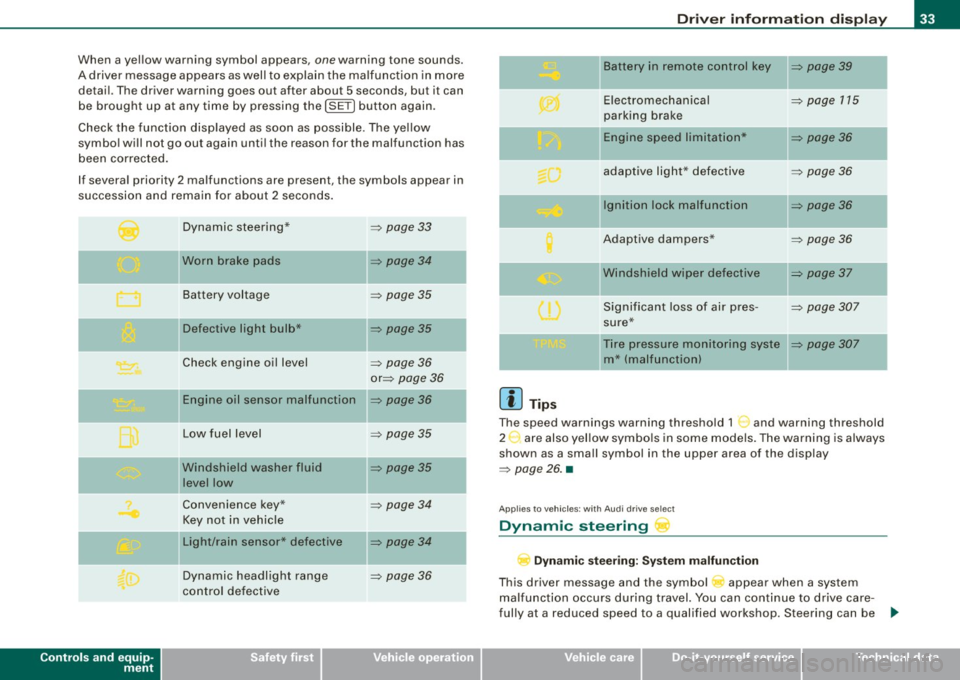
When a yellow warning symbol appears, one warning tone sounds.
A driver message appears as well to explain the malfunc tion in more
detail. The driver warning goes out after about 5 seconds, but it can
be brought up at any time by pressing the
!SE T) button again.
Check the function disp layed as soon as possible . The ye llow
symbol will not go out again until the reason for the malfunction has
been corrected.
If several priority 2 malfunctions are present, the symbols appear in
succession and remain for about 2 seconds .
Controls and equip
ment
Dynamic steering*
Worn brake pads
Battery voltage
II Defective light bulb*
Check engine oil level
Engine oil sensor malfunction
Low fuel level
Windshield washer fluid
level low
Convenience key*
Key not in vehicle
Light/rain sensor* defective
Dynamic headlight range
control defective =>
page 33
=> page 34
=>
page 35
=> page 35
-
=> page 36
or => page 36
=> page36
=> page 35
=> page 35
=> page 34
=> page 34
=> page 36
Dr ive r informat ion di spl ay
II Battery in remote control key => page 39
-
Electromechanical => page 115
parking brake
-Engine speed limitation* => page 36
adaptive light * defective => page 36
Ignition lock malfunction => page 36
Adaptive dampers* => page 36
"Windshield wiper defective => page 37
-
Significant loss of air pres -=> page 307
sure*
Tire pressure monitoring syste
=> page 307
m* (malfunction)
[ i ] Tip s
The speed warnings warning threshold 1 '") and warning threshold
2 :,. are also yel low symbo ls in some models. The warning is always
shown as a small symbol in the upper area of the display
=> page 26. •
Applies t o veh ic les: w ith Audi dri ve sele ct
Dynamic steering
D yn a m ic s te er ing : Syste m malfun cti on
This driver message and the symbol appear when a system
malfunction occurs during travel. You can continue to drive care
fully at a reduced speed to a qualified workshop. Steering can be .,_
I • •
Page 36 of 360
Driver information display
more difficult or sensitive than usual. The steering wheel can also
be at an angle when driving straight.
Dynamic steering: initialization
If this driver message appears and the indicator light is flashing
on the instrument panel, dynamic steering is being reinitialized.
Once you start the engine after this is finished, the steering wheel
wi ll be easy to move. Re-initialization might be necessary if the
steering whee l was moved hard to the left and right while the
vehicle was not moving. The display goes out as soon as initializa
tion is complete .
& WARNING
Have the dynamic steering system malfunction repaired as soon
as possible by an authorized Audi dealer or any qualified work
shop -risk of accident!
[ i ] Tips
The dynamic steering stability systems are not available in the event
of a system malfunction. •
Applies to vehi cles: wit h conven ienc e key
Key not in vehicle
Key not in vehicle
This reminder appears along with the symbol if the master key is
removed from the vehicle with the engine running. It is intended to
remind you (e .g. when changing drivers) not to continue the journey
without the master key.
If the master key is no longer in the vehicle, you cannot switch off
the ignition after stopping the engine and you also cannot start the
engine again . You also cannot lock the vehicle from the outside .•
Ap plies to vehi cles : w it h li ght/ ra in sensor
Light /rain sensor defective C../1
...i-Automatic headlights /automatic wipers defective
If the symbo l il luminates, the light sensor has failed . For safety
reasons the low beams are turned on permanently with the switch
in
AUTO . However, you can continue to turn the lights on and off
using the light switch. In the case of a defect in the rain sensor, the
windshie ld wiper lever functions are still available. Have the
light/rain sensor checked as soon as possible by an authorized Audi
dea ler. •
Worn brake pads
Brake pads!
If the warning light illuminates, immediately contact your autho
rized Audi dealer or qualified workshop to have all brake pads
inspected . On USA models the warning light 't comes on together
with the warning light
BRAKE . Both sets of brake pads on an axle must
a lways be replaced at the same time .
& WARNING
Driving with bad brakes can cause a collision and serious personal
injury.
• If the warning light and the warning lig ht
BRAKE1
l with the
message Brake pads! comes on in the instrument cluster display ,
immediately contact your authorized Audi dealer or qualified
workshop to have all brake pads checked or replaced if
necessary .•
1 1 BRAK£ : USA models only
Page 37 of 360
Applies to vehic les: with defective light bulb warn ing
Defective light bulb warning
The defective light bulb warning monitors the function of
the light bulbs in the vehicle.
The defective light bulb warning monitors the function of the light
bulbs. If a defective light bulb is detected, or if a light bulb has
burned out, a yellow symbol appears as well as a notification that
shows which light bulb is defective.
Defective bulb
If this symbol lights up, a turn signal (front or rear), a headlamp,
a brake light, the back-up light, a fog lamp or a rear fog lamp has
failed.
& WARNING
• Light bulbs are under pressure and can explode when bulbs are
replaced -risk of injury.
• With gas-discharge lamps* (xenon headlights), the high
voltage component must be handled appropriately. Doing other
wise poses a risk of death!
[ i] Tips
Have an authorized Audi dealer or other qualified workshop perform
the replacement or the repair. •
Windshield washer fluid level too low ->
Top off the washer fluid
If the symbol illuminates, add windshield washer fluid to the washer
system and also to the headlight washer system* =>
page 286. •
Controls and equip
ment
Driver information display
Fuel supply too low \l
When the symbol illuminates, this means there are about 2.1
gallons
(8 liters) of fuel left in the fuel tank. Time to refuel!
=>
page 266.
If the symbol lights up, even when there is ample fuel in the tank,
and the text
TANK SYSTEM MALFUNCTION ! CONTACT WORKSHOP
appears in the display, there is a fault in the system. Contact a qual
ified workshop to have the fault rectified. •
Applies to veh icles: with battery voltage warning
Battery voltage ..:J
If battery power drops into the range where it can limit the ability of
the engine to start, this the symbol appears in the instrument
cluster display with the following driver message
battery charge
low: Indicates charging by being driven .
While this driver notification is displayed, you have to be prepared
for limited starting capability.
Driver message appears and goes out again
If this driver message appears after the ignition is turned on or
while driving and it goes out again after a while, the battery has
been adequately recharged.
Driver message appears and does not go out again
If this driver notification appears after the ignition is turned on or
while driving and does not go out again, the battery's state of
charge is not in the optimal range. Starting capability is restricted.
Have the battery checked at an authorized Audi dealer or other qual
ified workshop as soon as possible. •
I • •
Page 90 of 360
Seats and storage
Before you purchase any accessories, always read and follow the
information in=> page 341, "Additional accessories and parts
replacement".
& WARNING
• Use care when using the cigarette lighter. Inattentive or unsu
pervised use of the cigarette lighter can cause burns -risk of
injury!
• The cigarette lighter works when the ignition is switched off or
with the ignition key removed . Children should never be left unsu
pervised in the vehicle, or there could be risk of fire!
• The power outlets and therefore the electrical accessories
connected to them operate only with the ignition on. Improper use
of the outlets or of electrical accessories can lead to serious inju
ries or cause a fire. For this reason, children should never be left
unattended in the vehicle -they could be injured!
0 Note
• To avoid damaging the socket, only use plugs that fit properly .
• Only use the cigarette lighter socket as a power source for elec
trical accessories for short durations . Use the sockets* in the
vehicle when a power source is needed for longer durations.
[ i] Tips
When the engine is off and accessories are still plugged in and are
on, the vehicle battery can still be drained .•
Storage
General overview
There are numerous places to store items in your vehicle.
Glove compartment => page 89
Storage compartment in the roof =>
page 89
Coat hooks => page 89
- -Storage in the trim panels in the luggage
compartment
& WARNING
• Always remove objects from the instrument panel. Any items
not put away could slide around inside the vehicle while driving or
when accelerating or when applying the brakes or when driving around a corner .
• When you are driving make sure that anything you may have
placed in the center console or other storage locations cannot fall
out into the footwells. In case of sudden braking you would not be
able to brake, depress the clutch or accelerate.
• Any pieces of clothing that you have hung up must not interfere
with the driver's view. The coat hooks are designed only for light
weight clothing. Never hang any clothing with hard, pointed or
heavy objects in the pockets on the coat hooks . During sudden
braking or in an accident - especially if the airbag is deployed -
these objects could injure any passengers inside the vehicle . •
Page 114 of 360
-On th
e ro ad
..___ ______________ _
& WARN ING (c ontinued )
• For safety rea son s, you sh ould alway s park y our v ehicle with
t he sele ctor le ver in P . Othe rwis e , the vehi cle cou ld in adve rtent ly
roll aw ay .
• Afte r the e ngine h as been s witched off , the radiator f an ca n
c ontinue to run for up to 10 minutes -even w ith the ignition
s wit ched off . It can also swit ch on again after some t im e i f the
c oolant temperatur e rises a s the re sult of a he at buildup or if th e
engin e is hot and the engine compartm ent i s addition ally heated
by the sun's rays .
0 Note
If the engine has been under heavy load for an extended period ,
heat bui lds up in the engine compartment after the engine is
switched off - there is a risk of damaging the engine. Allow the
engine to run a t idle for about 2 minutes before switching it off .•
Electromechanical parking brake
Operation
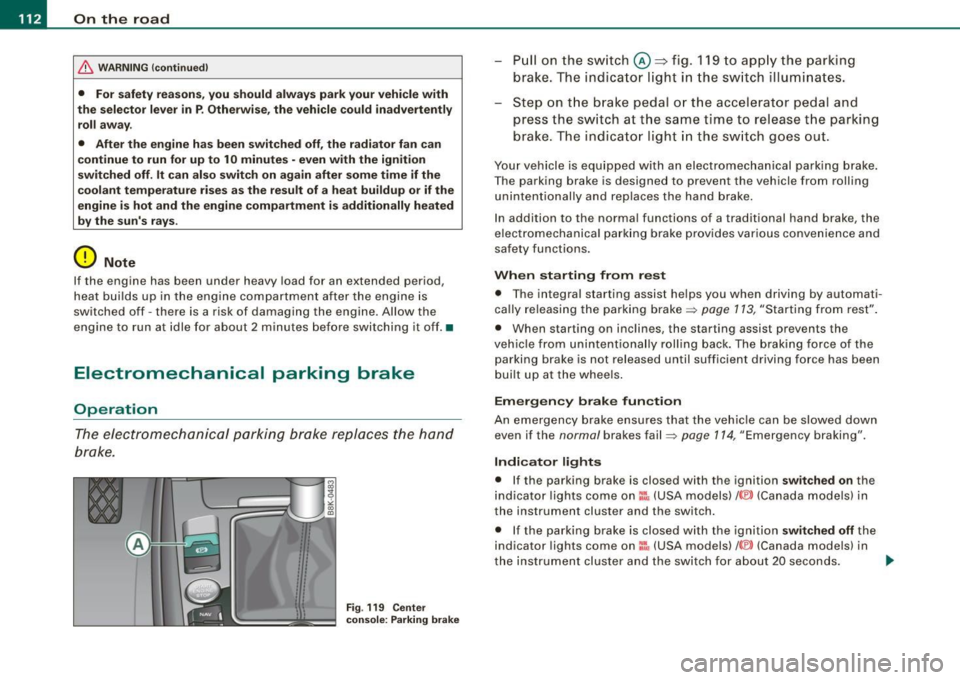
The electromechanical parking brake replaces the hand
brake .
Fig . 119 Cen ter
c onsol e: Park in g br ake
P ull on the sw it c h @ ~fig. 119 to app ly the parking
brake . The indi ca to r light in th e sw itch illum inates.
- Step on t he b rake peda l or the accele rator pedal and
press the switch at the same time to release t he pa rking
brake . The indicato r light in the sw itch goes out .
Your vehicle is equipped with an electromechanical parking brake.
The parking brake is designed to prevent the vehicle from roll ing
unintentionally and replaces the hand brake.
In addition to the normal functions of a traditional hand brake, the
elec tromechanica l pa rk ing brake provides various convenie nce and
safety functions.
When starting from rest
• T he integral starting assist he lps you when driving by automati
cally re leasing the parking brake~ page 113, "Starting from rest" .
• When starting on inclin es, the star ting assist prevents the
vehic le fro m unintentionally rolling back . The braking force of the
parking brake is not released until sufficient driving force has been
built up at the whee ls .
Em erg en cy b rake f uncti on
An emergency brake ensures that the vehic le can be slowed down
even if the normal brakes fail~ page 114, "Emergency braking".
Indicator light s
• If the parking brake is closed with the ignition switched on the
indicator lights come on:!, (USA models)/ ®) (Canada models) in
the instrument cluster and the switch.
• If the parking brake is closed w ith the ignition
s witched off the
indicator lights com e on =:, (USA models) /® ) (Canada models) in
the instrument clus ter and the switch for about 20 seconds. ._
Page 115 of 360

On the road -
----------------
& WARNING
If a gear or a drive range (automatic transmission) is engaged with
the vehicle stationary and the engine running, you must in no
instance accelerate or release the clutch carelessly . Otherwise the
vehicle will start to move immediately -risk of an accident.
0 Note
If the symbol (CD) in the display or the indicator light BRAKE (USA
models)/ {(i)) (Canada models) in the instrument cluster flashes, there
is a malfunction in the brake system. By pressing the
[SET] button,
you can bring up a driver message which explains the malfunction in more detail. If the driver message
Parking brake! appears, there
is an operating malfunction in the parking brake which you should
have repaired immediately by an authorized Audi dealer or other
qualified workshop ~
page 29.
[ i] Tips
• You can apply the parking brake at any time -even with the igni
tion turned off. The ignition must be turned on in order to release
the parking brake.
• Occasional noises when the parking brake is applied and
released are normal and are not a cause for concern.
• When the vehicle is parked, the parking brake goes through a
self -test cycle at regular intervals. Any associated noises are
normal. •
Parking
Various rules apply to prevent the parked vehicle from
rolling away accidentally.
Parking
- Stop the vehicle with the foot brake.
Controls and equip
ment
- Pull the switch to apply the parking brake.
- Automatic transmission*: Move the selector lever to
P.
- Turn the engine off=:,& .
- Manual transmission: Shift into 1st gear.
In addition on inclines and grades
-Turn the steering wheel so that your vehicle will roll
against the curb in case it should start to move.
& WARNING
• When you leave your vehicle -even if only briefly -always
remove the ignition key. This applies particularly when children
remain in the vehicle. Otherwise the children could start the
engine, release the parking brake or operate electrical equipment
(e.g. power windows). There is the risk of an accident.
• When the vehicle is locked, no one -particularly not children
should remain in the vehicle. Locked doors make it more difficult
for emergency workers to get into the vehicle -putting lives at
risk. •
Starting from rest
The starting assist function ensures that the parking
brake is released automatically upon starting.
Stopping and applying parking brake
-Pull the switch to apply the parking brake.
Starting and automatically releasing the parking
brake
-When you start to drive as usual, the parking brake is
automat ically released and your vehicle begins to move . .,..
I • •
Page 118 of 360
• .___O_ n_ t_h _e _ r_o _a_ d __________________________________________________ _
may vary, depending on the type of display in your vehicle. The indi
cator light
CRUISE (US model)/ (7)0 (Canadian model) will also light up
in the instrument cluster .
The speed is kept constant by modifying engine power or through
an active brake intervention.
& WARNING
• Always pay attention to the traffic around you when the cruise
control is in operation. You are always responsible for your speed
and the distance between your vehicle and other vehicles.
• For reasons of safety, cruise control should not be used in the
city, in stop-and-go traffic, on twisting roads and when road condi
tions are poor (such as ice, fog, gravel, heavy rain and hydro
planing) -you could have an accident.
• Switch the cruise control off temporarily when driving in
turning lanes, highway exits or in construction zones.
• Please note that unconsciously "resting" your foot on the
accelerator pedal causes cruise control not to brake. This is due to
the control system being overridden by the driver's acceleration.
[ i] Tips
• Vehicles with manual transmission: You can attain the set speed
only if the gear that is currently engaged will allow it, or if it does not tax the engine and allows it to run smoothly. Therefore shift into
a higher or lower gear in a timely manner.
• The brake lights illuminate as soon as the brakes apply
automatically .•
Changing speed
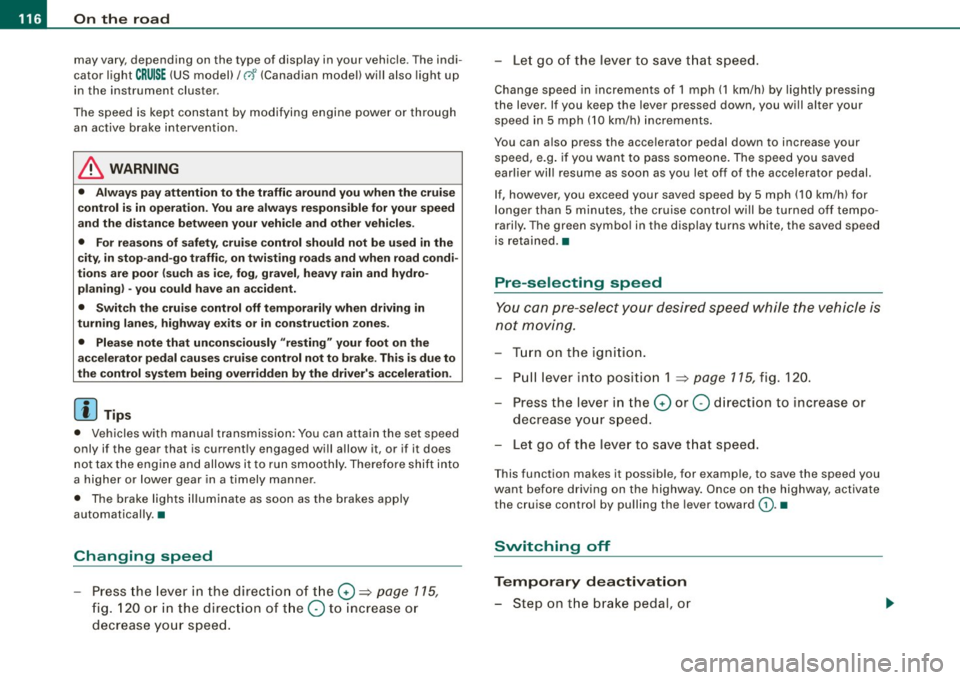
- Press the lever in the direction of the 0 ~ page 115,
fig. 120 or in the direction of the Q to increase or
decrease your speed. -
Let go of the lever to save that speed.
Change speed in increments of 1 mph (1 km/hi by lightly pressing
the lever . If you keep the lever pressed down, you will alter your
speed in 5 mph (10 km/hi increments.
You can also press the accelerator pedal down to increase your speed, e.g. if you want to pass someone. The speed you saved
earlier will resume as soon as you let off of the accelerator pedal.
If, however, you exceed your saved speed by 5 mph (10 km/h) for
longer than 5 minutes, the cruise control will be turned off tempo
rarily. The green symbol in the display turns white, the saved speed
is retained .•
Pre -selecting speed
You can pre-select your desired speed while the vehicle is
not moving.
Turn on the ignition.
- Pull lever into position 1
~ page 115, fig. 120.
Press the lever in the
0 or Q direction to increase or
decrease your speed.
- Let go of the lever to save that speed.
This function makes it possible, for example, to save the speed you
want before driving on the highway. Once on the highway, activate
the cruise control by pulling the lever toward
(D. •
Switching off
Temporary deactivation
- Step on the brake pedal, or
Page 123 of 360
Adaptive cruise control -____________ ____,_ __ ___.
Applies to vehic les : w ith ada ptive cru ise cont rol
How is the speed stored ?
Fig. 125 Control lever:
Storing speed
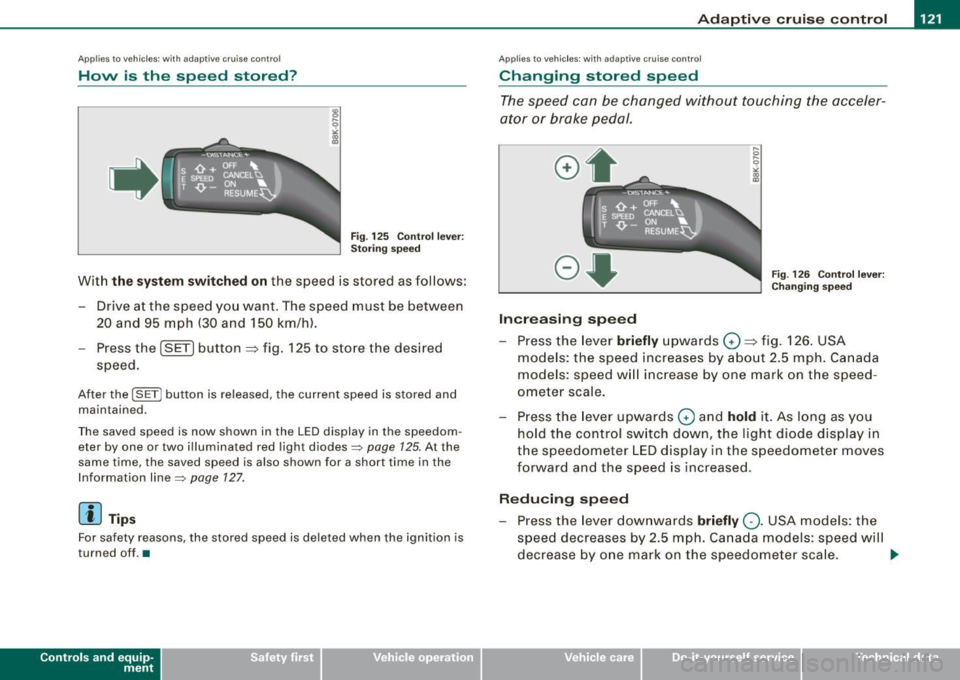
With the system switched on the speed is stored as follows:
- Drive at the speed you want. The speed must be between
20 and 95 mph (30 and 150 km/hl.
- Press the
I SET I button ~ fig. 125 to store the desired
speed.
After the I SET j button is released , the current speed is stored and
maintained .
The saved speed is now shown in the LED display in the speedom
eter by one or two illuminated red light diodes=>
page 125. At the
same time, the saved spe ed is also shown for a short time in the
Information line::::>
page 127.
[ i J Tips
For safety reasons, the stored speed is deleted when the ignition is
turned o ff . •
Con tro ls and eq uip
ment
A pp lies to veh ic les: with ada ptive cru ise cont rol
Changing stored speed
The speed can be changed without touching the acceler
ator or brake pedal.
Increasing speed
,... 0
~
ill
Fig . 126 Control lever:
Changing speed
- Press the lever briefly upwards G) ~ fig. 126. USA
models: the speed increases by about 2.5 mph . Canada
models : speed will increase by one mark o n the speed
ometer scale.
- Press the leve r upwards
0 and hold it. As long as you
hold the control switch down , the light diode display in
the speedometer LED display in the speedometer moves
forward and the speed is increased .
Reducing speed
- Press the lever downwards briefly Q. USA models: the
speed decreases by 2.5 mph. Canada models: speed will
decrease by one mark on the speedometer scale. _,.
Vehicle care I I irechnical data
Page 124 of 360
-Adaptive
cruise control "----'-----------------
- Press the lever downwards Q and hold it. As long as you
hold the control sw itch down, the light diode dis play in
the speedometer L ED display moves backward and the
speed is reduced.
After releasing the c ontro l switch, the system regulates the speed to
the value just set .
After each adjustment, the newly -set speed is shown for a short
t ime in the Information line => page 127.
[ i ] Tips
You can increase your speed at any time by stepping on the acceler
ator pedal. After you re leas e the accel erator pedal, the system
adjusts back down to the speed you previously se t.
A new desired
spe ed can be stored at any time by pressing th e [SET] button
~ page 121, fig. 125. •
A pplies to v ehi cles : with ada ptive cruis e contro l
Turning adaptive cruise control off
temporarily
In some situations it makes sense to turn ad aptive cruise
control off temporarily.
Fig . 127 C ontrol l ever :
T urnin g ad aptiv e
c rui se con trol off
temporari ly
Turning control off temporarily
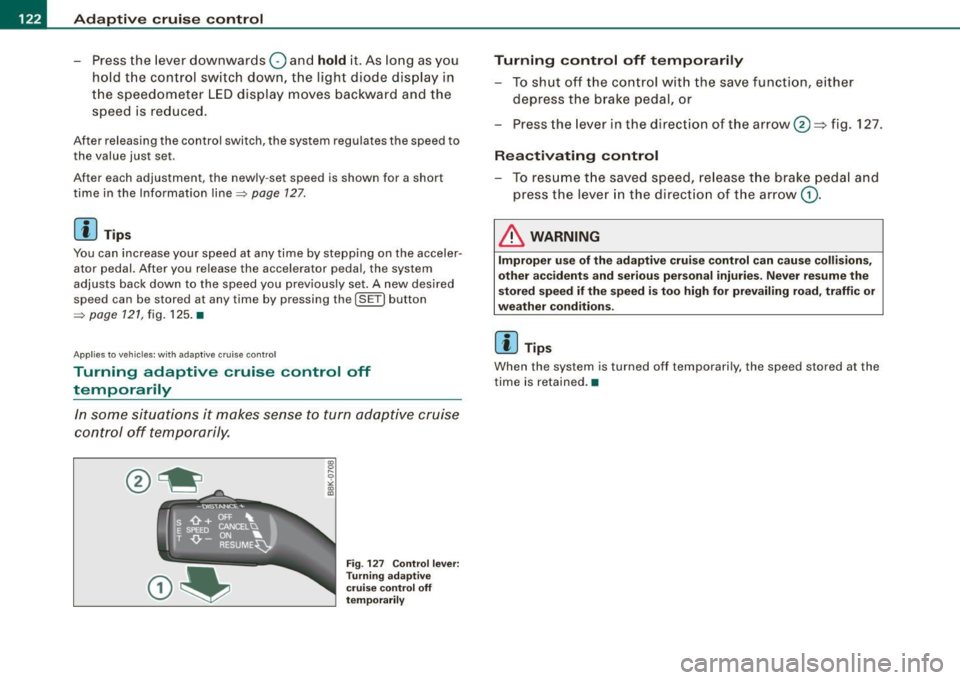
- To shut off the control wit h the save function, either
depress the brake pedal, or
- Press the lever in the direction of the arrow
0 =} fig. 127 .
Reactivating control
- To resume t he save d speed, re lease t he brake peda l and
p ress the lever in the directio n of the arrow
G) .
& WARNING
Improper u se o f the adaptive crui se control can cau se collision s,
other ac cidents and serious personal injur ie s. Never r esume the
s tored speed i f the speed i s too hig h for prevail ing road, traffic or
weathe r cond iti ons.
[ i ] Tip s
When the system is turned off tempo rari ly, the speed stored at the
time is retai ned .•
Page 127 of 360
Adaptiv e c ruis e co ntrol -
--------------=-----
@ Displ ay i n th e instrum ent clu ste r
In disp lay area @information from the navigation system * and the
trip computer is displayed in addi tion to informa tion about adaptive
cruise cont rol.
You can select among the different informat ion by repeated brief
taps on th e [
RESET) button on the w indshi eld wiper lever
=:> page 25 , "Operation" .
© Sta tus in dica tor
The information in area © is not displayed permanently. Informa
tion is displayed only if you set or change the sp eed setting , change
the time interval, when messages are disp layed or if the adaptive
cruise control is turned off for safety reasons. •
Applies to veh ic les: w ith ada ptive cru ise cont ro l
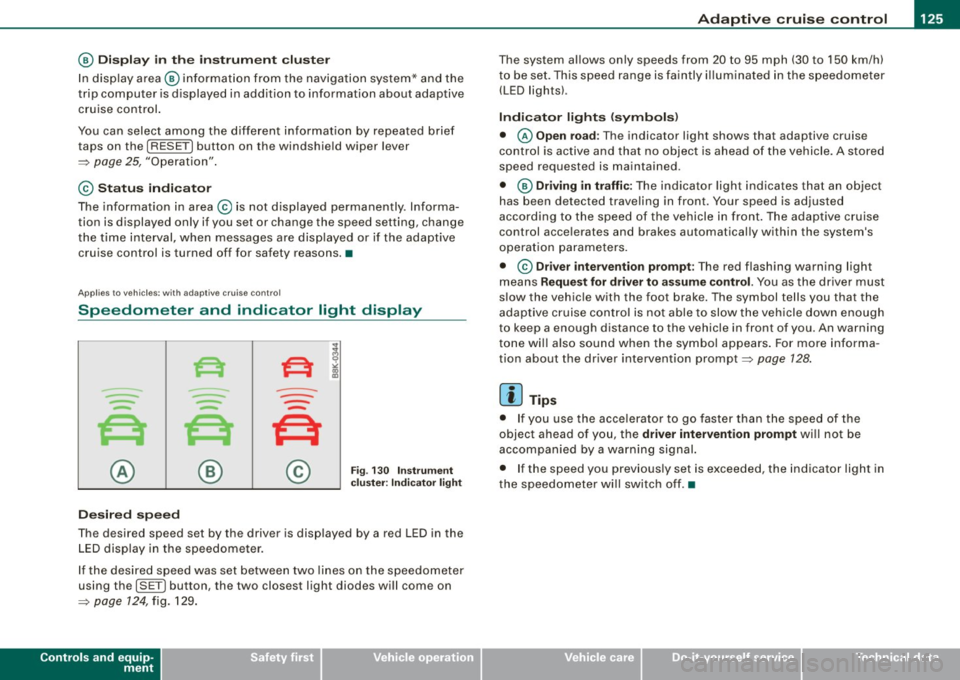
Speedometer and indicator light display
----
- -
- -
@ ®
Desir ed speed
- -
--
Fig . 130 I nstrum ent
c lus ter : Ind icato r ligh t
The desired speed set by the driver is displayed by a red LED in the
LED display in the speedometer.
If the desired speed was set between two lines on the speedometer
using th e
[S ET) button , the two closest light diodes will come on
=>
page 124 , fig. 129 .
Controls and equip
ment
The system al lows only speeds from 20 to 95 mph (30 to 150 km/h)
to be set. This speed range is faintly i lluminated in the speedometer
(LED ligh ts).
Indicator light s (symbols )
• © Open road : The indicator l ight shows that adaptiv e cruise
control is active and that no object is ahead o f the vehicle. A stored
speed requested is maintained .
• @ Driv ing in traffic : The indicator light indicates tha t an objec t
has been detected traveling in front. Your speed is adjusted
according to the speed of the vehicle in front . The adap tive cruise
control acce lerates and brakes automatical ly within the system's
operat ion parameters.
• ©
Driver inter venti on prompt : The red flashing warning l ight
means
Reque st for driver t o assume control. You as the driver must
slow the vehic le with the foot brake. The symbol tells you that the
adaptive cr uise control is not able to slow the vehicle down enough
to keep a enough distance to the vehicle in front of you . An warning
tone wi ll a lso sound when the symbol appears . For more informa
tion about the driver intervention prompt =>
page 128.
[ i ] Tip s
• If you use the acce lerato r to go faster than the speed of the
object ahead of you, the
dri ver intervent ion prompt wi ll not be
accompanied by a wa rning signal.
• I f the speed you previous ly set is exceeded, the indicator light in
the speedomete r wi ll switch off. •
I • •