instrument cluster AUDI A5 COUPE 2011 User Guide
[x] Cancel search | Manufacturer: AUDI, Model Year: 2011, Model line: A5 COUPE, Model: AUDI A5 COUPE 2011Pages: 362, PDF Size: 84.88 MB
Page 26 of 362
Driver information display
Resetting the service interval display
Your authorized Audi dea ler will reset the corresponding service
schedule after perform ing the appropriate service on your vehicle .
You a lso have the possibility to reset the oi l change schedule after
having performed an oil change according to Aud i specifications .
Select
I CAR I> Service interval display> Reset oil change interval.
0 Note
If you disconnect the battery te rm inals, no calculations c an be made
for the service interval display dur ing this time and no service
reminder will appear . Remember that observing the proper service
interva ls is v itally important to extending the life of your veh icle,
particularly the engine, and maintaining its value . Even if the mileage
dr iven is low , the max imum per iod of one yea r from one se rvice to the
next must not be exceeded .
[ i ] Tips
• Do not reset the display between oil changes, otherwise the
display will be incorrect .
• The information in the Service Reminder remains stored even
when the vehicle battery is disconnected .•
Trip computer
Introduction
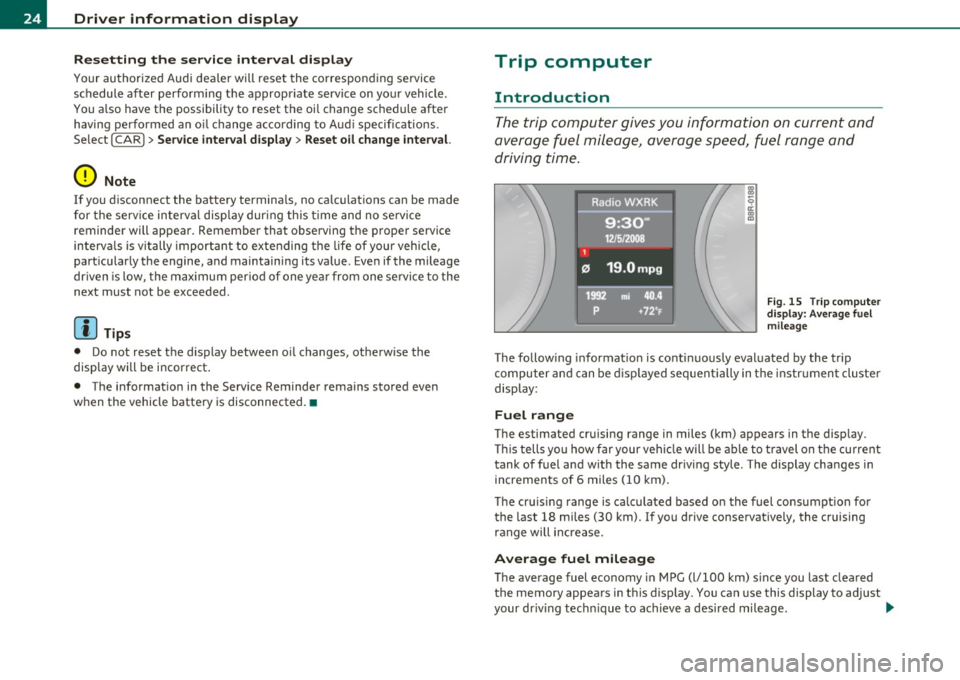
The trip computer gives you information on current and
average fuel mileage, average speed, fuel range and
driving time .
Fig. 15 Trip computer
di sp lay : Average fuel
mileage
The follow ing information is conti nuously evaluated by the trip
computer and can be displayed sequentially in the instrument cluster
display :
Fuel range
The estimated cruising range in miles (km) appears in the display.
Thi s tells you how far your vehicle will be able to travel on the current
tank of fuel and with the same driv ing style . The display changes in
increments of 6 miles (10 km).
The cruis ing range is ca lculated based on the fuel consumpt ion for
the last 18 miles (30 km). If you drive conservatively, the cruising
range will increase.
Average fuel mileage
The average fuel economy in MPG (l/100 km) s ince you last cleared
the memory appears in this d isp lay. You can use this d isplay to adjust
your dr iving tech nique to achieve a des ired mileage. .,,.
Page 28 of 362

Driver information display
Efficiency program*
The efficiency program can he lp you to use less fuel=> page 27. •
Operation
The trip computer is controlled by two switches on the
windshield wiper lever .
B
Fig. 17 Windshield
wiper l eve r: controls
for the trip computer
-To display the trip computer memory levels, press the
[ RESET) button @=> fig. 17 repeatedly until the desired
memory level is shown in the display.
- To display trip information within a memory level, press
the top or bottom part of the function se lection switch @.
The trip computer will not operate unless the ignition is on. When you
turn on the ignition, the function that was in use when yo u last turned
the ignition off will be d isplayed.
In addition to information on the trip computer (trip computer 1 and
2 and the efficiency program*), the dig ital speedometer and informa
tion regarding the navigation system* can also be displayed. To
switch the d isp lay between the different informat ion, tap the
[RESET I button @ briefly.
Setting values to zero
To delete one current value from the trip computer, select the
desired function and press the
I RESET I button @ for at least one
second. The following values can be set to zero
individually :
• Average fuel mileage
• Average speed
• Elapsed time
• Distance
All curre ntly displayed values are deleted in the effic iency program*.
In addition,
all the values in the single-trip or the total-trip memory
can be deleted simultaneous ly =>
page 26 .
(I) Tips
All stored values will be lost if the vehi cle battery is disconnected. •
Basic Settings for the trip computer
The radio or MM!* operating unit is used for setting the
trip computer's basic settings.
-Select: Function button [CARI> Instrument cluster > On-
board computer 1
or On-board computer 2.
Th e values in the single -trip or the total-trip memory can all be reset
to zero at the same time under
Reset in the menu.
In addition, you can determine what information from the trip
computer should be shown in the instrument cluster display.
If one
of the p ieces of driver information is turned
Off , that driver informa
tion will not be shown in the display. The information w ill continue to
be calculated by the trip computer and can be turned back
On at any
t ime. ._
Page 31 of 362

On-Board Diagnostic system (OBD)
Malfunction Indicator Lamp (MIL)
The Malfunction Indicator Lamp (MIL) in the instrument cluster
~ page 14, fig. 7 is part of the On-Board Diagnostic (OBD II) system.
The warn ing/ind icator light illuminates when the ignition is switched
on and goes out after the engine starts and the idle has stabilized.
This indicat es that the MIL is working properly.
If the light does not go out after the engine is started, or illuminates
while you are driving, a malfunction may exist in the engine system.
If the light illuminates, the catalytic co nverter could be damaged.
Continue driving
with reduced power (avoiding sustained high
speeds and/or rapid accelerations) and have the condition corrected.
Contact your authorized Audi dealer .
If the light illuminates, the electronic speed limiter may also be
malfunctioning. For more information~
page 29, "Electronic speed
limiter".
An improperly closed fuel filler cap may also cause the MIL light to
illuminate ~
page 271. •
On-Board Diagnostics
Contro ls a nd e quip
m en t
Fig. 22 Location of
Data Link Connector (DLC)
Vehicle OP-eration
Driver information display
On-Board Diagnostics monitors the components of your emission
control system . Each monitored component in your engine system
has been assigned a code. In case of a malfunction, the component
will be identified and the fault stored as a code in the control module
memory .
The MIL light may also illuminate if there is a leak in the on-board fue l
vapor recovery system. If the light illuminates after a refueling, stop
the vehicle and make sure the fuel filler cap is properly closed
=;, page 271 .
In order to make an accurate diagnosis, the stored data can only be
displayed using specia l diagnostic equipment (generic scan too l for
OBD).
In order to connect the special diagnostic equipment, push the plug
into the Data Link Connector (DLC). The DLC is located to the right of
the hood release=;, fig. 22.
Your authorized Aud i dealer or qualified workshop can interpret the
code and perform the necessary repair. •
Electronic speed limiter
Your vehicle may be factory equ ipped with tires that are rated for a
maximum speed of 130 mph (210 km/h). This is less than the
maximum speed of your vehicle. To reduce the risk of sudden tire
failure and loss of contro l if the vehicle is operated at excessive
speeds, your vehicle also has an electronic speed limite r. The elec
tronic speed limiter prevents your vehicle from going faster than the
tire speed rating . For more information =;,
page 303.
If the engine control unit receives faulty vehicle road speed signals,
the Malfunction Indicator Lamp (MIL) will illuminate . If this
occurs, contact the nearest authorized Audi dealer for ass istance. .,,_
Vehicle care Do-it-yourselt service iTechnical data
Page 33 of 362
- Press the [S ETI button in the instrument panel display
~ page 30, fig. 23 for 1 second.
Resetting the maximum speed
- Drive the veh icle at a speed of at least 3 mph (5 km/ h)
- Press the
[S ET ] button for more than 2 seconds .
The speed warning symbo l E, (USA models)/8 (Canada models) will
appear b riefly in the display when yo u release the
I SETI button to
indicate that the maximum speed has been stored s uccessfully.
T he maxim um speed rema ins sto red until it is changed by p ressing
the
[ SET I button again briefly or until it is de leted by a lengthy push
on the button. •
Speed warning 2: setting a speed limit
The radio or MM I* contro l unit is us ed to set, change or
delete warning threshold 2.
- Select: Funct ion button [CAR I> Instrument cluster >
Speed warning .
Warning thresho ld 2 can be set in the speed range starting from 20
mph to lS0 mph (30 km/h to 240 km/h) . Settings can each be
adjusted in interva ls of 6 mph (10 km/h). •
Auto Check Control
Introduction
The Auto-Check control monitors the function of certain vehicle
features and components . It simp ly makes su re these features and
components are work ing properly. The Auto-Check control works as
long as the ignition is on, as we ll as whenever the vehicle is driven.
Controls and equip
ment Safety first
Dri
ver information display
If a component is malfunctioning or if the need for an urgent repair
has bee n de tected, t his will appea r in t he inst rument clus ter display.
You will also hear an audible warn ing tone. The d isp lays are color
co ded in either red or yellow depending on their level of priority.
A red symbol means Danger, a yellow symbo l ind icates Warning . In
certain situations, information message for the driver appear in addi
ti on to t he red and ye llow symbo ls .
Function test: automatic transmission*
T he Auto-Check Contro l w ill a utomat ically perfo rm a test each time
you switch on the ignit ion. W ith the selector lever in
P or N , the
following message appears in t he d isp lay:
When stationary apply foot brak e while selecting gear .
When you a select a different gear (for example:
R , D , etc.), the
message w ill disappea r and the Auto-Check function is d isplayed .
If there is a ma lfunction, then the malfunct ion message will appear
abou t 15 seconds a fter you st art the vehicle. At the s ame time you
will hear a warning tone. •
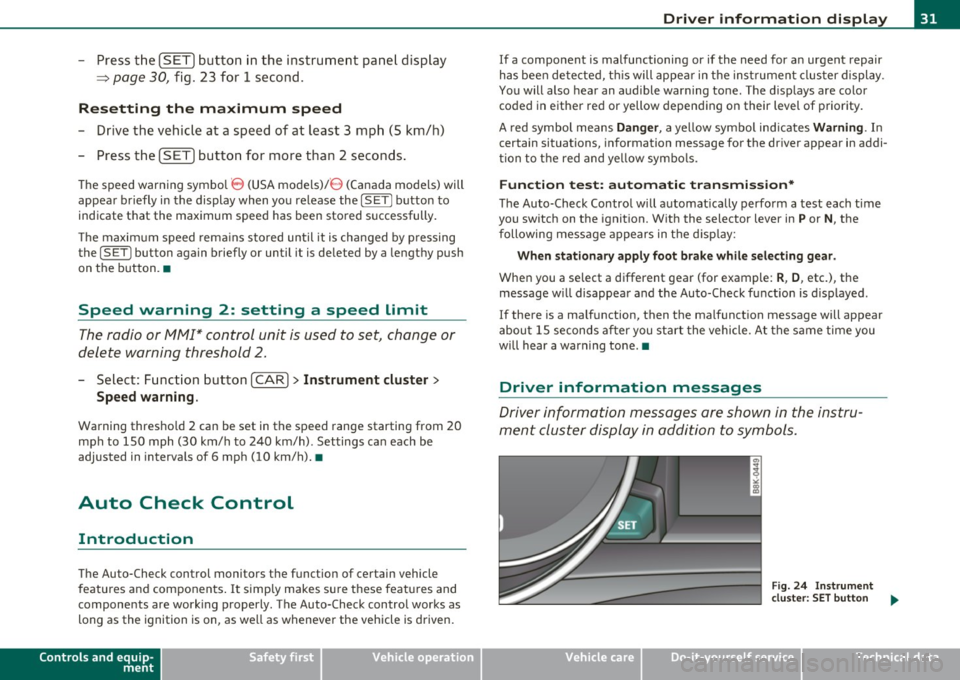
Driver information messages
Driv e r information messa ges are sho wn in the instru
ment cluster display in addition to symb ols.
Fig. 24 In strum ent
clu ster: SET button
~
Vehicle care Technical data
Page 35 of 362
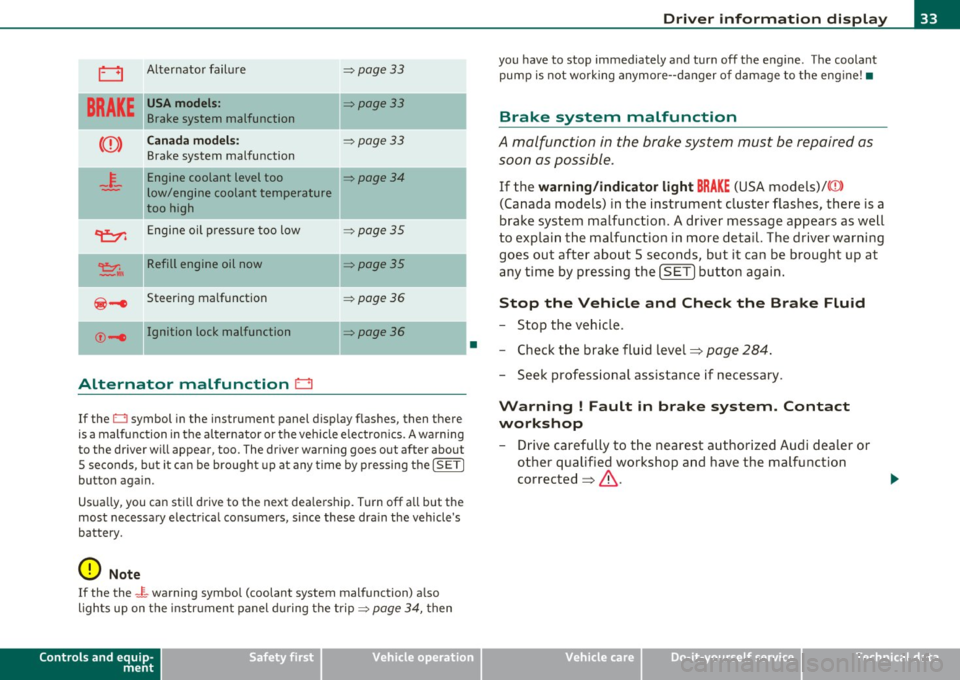
0 Alternator failure => page 33
BRAKE
USA models: =:>page 33
Brake system malfunction
Canada models: =:>page 33
Brake system malfunction
- -
4-
Engine coolant level too =:>page 34
low/engine coolant temperature
too high
~ Engine oil pressure too low =:>page 35
~ II Refill engine oil now =:>page 35
@-e Steering malfunction =:> page 36
©-1 Ignition lock malfunction ::::>poge36
-
Alternator malfunction 0
If the O symbol in the instrument panel display flashes, then there
is a malfunction in the alternator or the vehicle electron ics . A warning
to the driver will appear, too . The driver warning goes out after about
5 seconds, but it can be brought up at any time by pressing the
!SETI
button again.
Usua lly, you can sti ll drive to the next dea lership. Turn off all but the
most necessary e lectr ica l consumers, s ince these dra in the vehicle's
battery.
0 Note
If the the _ f_ warning symbol (coolant system malfunction) a lso
lights up on the instr ument panel during the trip =>
page 34, then
Controls and equip
ment Safety first
•
Driver information display
you
have to stop immediately and turn off the engine . The coolant
pump is not work ing anymore--danger of damage to the engine! •
Brake system malfunction
A malfunction in the brake system must be repaired as
soon as possible.
If the warning/indicator light BRAKE (USA models)/((D )
(Canada models) in the instrument cluster flashes, there is a
brake system malfunction . A driver message appears as well
to explain the malfunction in more detail. The driver warning
goes out after about 5 seconds, but it can be brought up at
any time by pressing the
[SET] button again.
Stop the Vehicle and Check the Brake Fluid
-Stop the vehicle .
- Check the brake fluid level=>
page 284.
-Seek professional assistance if necessary .
Warning ! Fault in brake system. Contact
workshop
- Drive carefully to the nearest authorized Audi dealer or
other qualified workshop and have the malfunction
corrected =>
&.
Vehicle care Technical data
Page 40 of 362
Driver information display
difficult or sensitive than usual. The steering wheel can also be at an
angle when driving straight.
Dynamic steering: initialization
If this driver message appears and the indicator light is flashing on
the instrument panel, dynamic steering is being reinitialized. Once
you start the engine after this is finished, the steering wheel will be
easy to move. Re-initialization might be necessary if the steering
wheel was moved hard to the left and right while the vehicle was not
moving. The display goes out as soon as initialization is complete.
& WARNING
Have the dynamic steering system malfunction repaired as soon
as possible by an authorized Audi dealer or any qualified workshop
- risk of accident!
rn Tips
The dynamic steering stability systems are not available in the event
of a system malfunction. •
Applies to vehic les: with con ven ie nce ke y
Key not in vehicle
Key not in vehicle
This reminder appears along with the 7 symbol if the master key is
removed from the vehicle with the engine running. It is intended to
remind you (e.g. when chang ing drive rs) not to continue the journey
without the master key.
If the master key is no longer in the vehicle, you cannot switch off the
ignition after stopping the engine and you also cannot start the
engine again. You also cannot lock the vehicle from the outside. •
App lies to veh icles : with light/ra in senso r
Light/rain sensor defective )
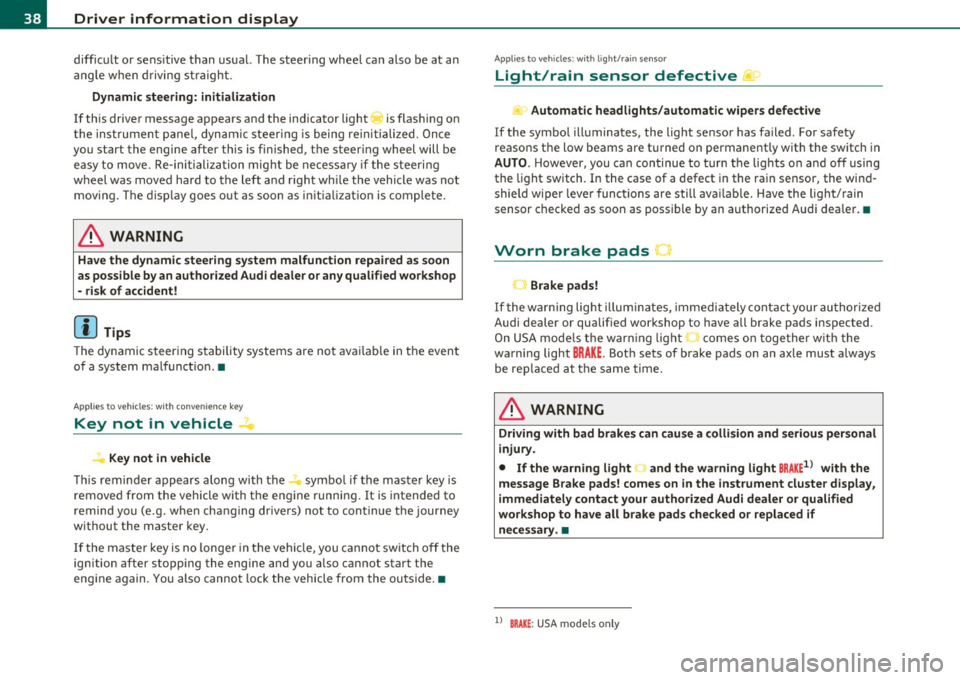
...i-Automatic headlights/automatic wipers defective
If the symbol illuminates, the light sensor has failed . For safety
reasons the low beams are turned on permanently with the switch in
AUTO. However, you can continue to turn the lights on and off using
the light switch. In the case of a defect in the rain sensor, the wind
shield wiper lever functions are still available. Have the light/ rain
sensor checked as soon as possible by an authorized Audi dea ler. •
Worn brake pads J
Brake pads!
If the warning light illum inates, immediately contact your authorized
Audi dealer or qualified workshop to have all brake pads inspected .
On USA models the warning light comes on together with the
warning light
BRAKE . Both sets of brake pads on an axle must always
be replaced at the same time.
& WARNING
Driving with bad brakes can cause a collision and serious personal
injury.
• If the warning light and the warning light
BRAKE1> with the
message Brake pads! comes on in the instrument cluster display,
immediately contact your authorized Audi dealer or qualified
workshop to have all brake pads checked or replaced if
necessary. •
l) BRAK£: USA mode ls only
Page 45 of 362
![AUDI A5 COUPE 2011 User Guide (]] Tips
• The operation of the remote control key can be temporarily
disrupted by interference from transmitters in the vicinity of the
vehicle wo rking in the same frequen](/img/6/57583/w960_57583-44.png "AUDI A5 COUPE 2011 User Guide (]] Tips
• The operation of the remote control key can be temporarily
disrupted by interference from transmitters in the vicinity of the
vehicle wo rking in the same frequen")
(]] Tips
• The operation of the remote control key can be temporarily
disrupted by interference from transmitters in the vicinity of the
vehicle wo rking in the same frequency range (e.g. a cell phone, rad io
equipment) .
• If you open the dr ive r's doo r with the key left in the ignit ion lo ck,
a ch ime will sound . This is your reminder to remove the key and lock
the doo r.
• For security reasons, replacement keys are only available from
Audi dealers.
• For Declaration of Complia nce to United States FCC and Industry
Canada regulations=>
page 343 . •
Check Light in the master key
The check li ght in the master key provides inform ation
about different conditions.
!
lJl
Fig. 2 8 Che ck lig ht in
t h e maste r key
The check light comes on brief ly once when a button is p ressed, and
during an "inquiry" by the convenience key system.
Con tro ls a nd e quip
m en t Vehicle
OP-eration
Opening and closing
If the check light does not come o n, the batte ry is dead and has to be
rep laced. In addi tion, when the batte ry is dead the • sym bol appears
in the instrument cluster d isp lay as well as the message :
Please change ke y batte ry
Battery replacement => page 43. •
Master key battery replacement
..
Fig . 2 9 R em ote
m aste r ke y: Rem ovin g
th e m ech anic al ke y
Fig. 30 Remot e
m as ter k ey: Rem oving
t he batte ry hol der
We recommend having the battery changed by an authorized
Audi dealer. However, if you wish to rep lace the dead battery
yourse lf, proceed as follows :
- P ress the release button©=> fig. 29.
~
Vehicle care Do-it-yourselt service iTechnical data
Page 60 of 362

Clear vision
Clear vision
Lights
Switching the lights on and off ·'t/..·
Fig. SO Instrument
panel: Headlight
control switch
Switching on AUTO -Automatic headlight
control*
- Turn the light switch to AUTO=> fig. 50.
Turning on the side marker Lights
-Turn the head light control switch to ~oo~.
Switching on low beams
-Turn the headlight control switch to @:D .
Switching off the Lights
- Turn the headlight control switch to 0.
The low beams only illuminate with the ign it ion turned on.
With the side marker lights or headlights switched on, the symbol next to the light switch illuminates
;o o: .
AUTO -Automatic headlight control*
With the switch in the AUTO position, the low beams are switched on
automatically depending on the ambient light, for example in a
tunnel, at dusk and when it is raining or snowing . When the low
beams are switched on, the
;oo :: symbol comes on. The low beams
remain switched on regardless of the ambient light when you turn on
the fog lights.
When you turn off the ignition, the low beams are automatically
switched off .
On vehicles with a rain sensor* the headlights switch on automatically
after a few windshield wiper passes . However, the instrument
lighting will not be switched on.
With automat ic headlight control, you also have the high-beam func
tion available. However, if you have not switched high beams back to
low beams while driving with automatic headlight contro l, only the
low beams come on the next time you turn on automatic headlight
control. In order to return to high beams again, you first have to pull
the high beam lever back to the normal position and then push the lever forward.
Light sensor* malfunction
In the event of a light sensor* malfunct ion, the driver is notified in
the instrument cluster display:
Automatic driving lights/automatic wipers defective
For safety reasons, the low beams are turned on permanently w ith
the switch in
AUTO . However, you can continue to turn the lights on
and off using the light sw itch. Have the light sensor checked as soon
as possible at an authorized Audi dealer or other qualified workshop . .,_
Page 63 of 362

Instrument lighting
The basic brightness of the illumination for the instru
ments, the center console and the display can be
adjusted.
- Press the knob to release it .
N ~ 0 0
i
"'
Fig. 52 Instrument
lighting
Rotating the knob to the right"+" will increase the basic
brightness when it is dark.
- Rotating the knob to the left"-" will decrease the basic
brightness when it is dark.
- Pressing the knob will prevent unintentional changes.
(I) Tips
The illumination for the instrument cluster lights up whenever you
switch on the ignition with the vehicle headlights off . As the daylight
fades, the instrument cluster illumination likewise dims automati
cally and will go out completely when the outside light is very low .
This feature is meant to remind you to switch on the headlights when
outside light conditions become poor.•
Contro ls a nd e quip
m en t Vehicle
OP-eration
Clear vision
App lies to veh icles : wi th xenon h ead lights
Xenon headlights
After starting the engine, the xenon headlights are automatically
adjusted to the load and angle of the vehicle (for example, during
acceleration and braking) . This prevents oncoming traffic from expe
riencing unnecessary headlight glare from your xenon headlights .
If the system is not operating properly, a warning symbol in the Auto
Check Control is displayed~
page 40. •
Ap plies to vehicles : wit h adap tive light
Adaptive light
When driving around bends, the relevant area of the road
is better illuminated.
Fig. 53 Adaptive light
when driving
The benefit of adaptive light is that the curve and the edge of the road
are better illuminated ~ fig. 53. Dynamic adaptive light is controlled
automatically, depending on vehicle speed and steering wheel angle.
When driving around bends, the headlights are controlled according
to steering wheel angle . So that there is no black hole ahead of the
vehicle, the two main beams pivot at different angles. ..,_
Vehicle care Do-it-yourselt service iTechnical data
Page 64 of 362

Clear vision
(I) Tips
The system works above a speed of about 6 mph (10 km/h) .•
Emergency flashers ~
The emergency flashers makes other motorists aware
that you or your vehicle are in an emergency situation.
Fig. 54 Emergency
flasher switch
- Press the switch ~=> fig. 54 to turn the emergency
flashers on or off.
When the emergency flashers are on, all four turn signals blink at the
same time. The turn signal indicator lights¢ Q in the instrument
cluster, as well as the light in the emergency flasher switch
d1. blink
likewise . The emergency flashers also work when the ignition is
turned off.
The emergency flashers will turn on automatically if you are in an
acciden t where the airbag has deployed.
[]] Tips
You should turn on the emergency flashers when:
• you are the last vehicle standing in a traffic jam so that any other
vehicles coming can see you, or when •
your vehicle has broken down or you are in an emergency situa
tion , or when
• your vehicle is being towed by a tow truck or if you are towing
another vehicle behind you .•
Turn signals -¢¢ and high beam l[D lever
The lever on the left side of the steering column is used to
operate the turn signals and the high beam as well as the
headlight flasher .
Fig. 55 Turn signal
and high beam lever
The turn signal and high beam lever has the following func
tions:
Turn signals¢ Q ©@
- Push the lever up as far as it can go to turn on the right
turn signal or down to turn on the left turn signal
=> fig. 55.
- Move the lever briefly until you meet resistance and
release it to flash three times .
- Move the lever (up or down) until you meet resistance and
hold it there to determine the flashing time for the turn
signals. _,,,