power steering AUDI A5 COUPE 2018 User Guide
[x] Cancel search | Manufacturer: AUDI, Model Year: 2018, Model line: A5 COUPE, Model: AUDI A5 COUPE 2018Pages: 409, PDF Size: 67.63 MB
Page 148 of 409
Parking systems
General information
Applies to: ve hicles w ith per ip heral cameras
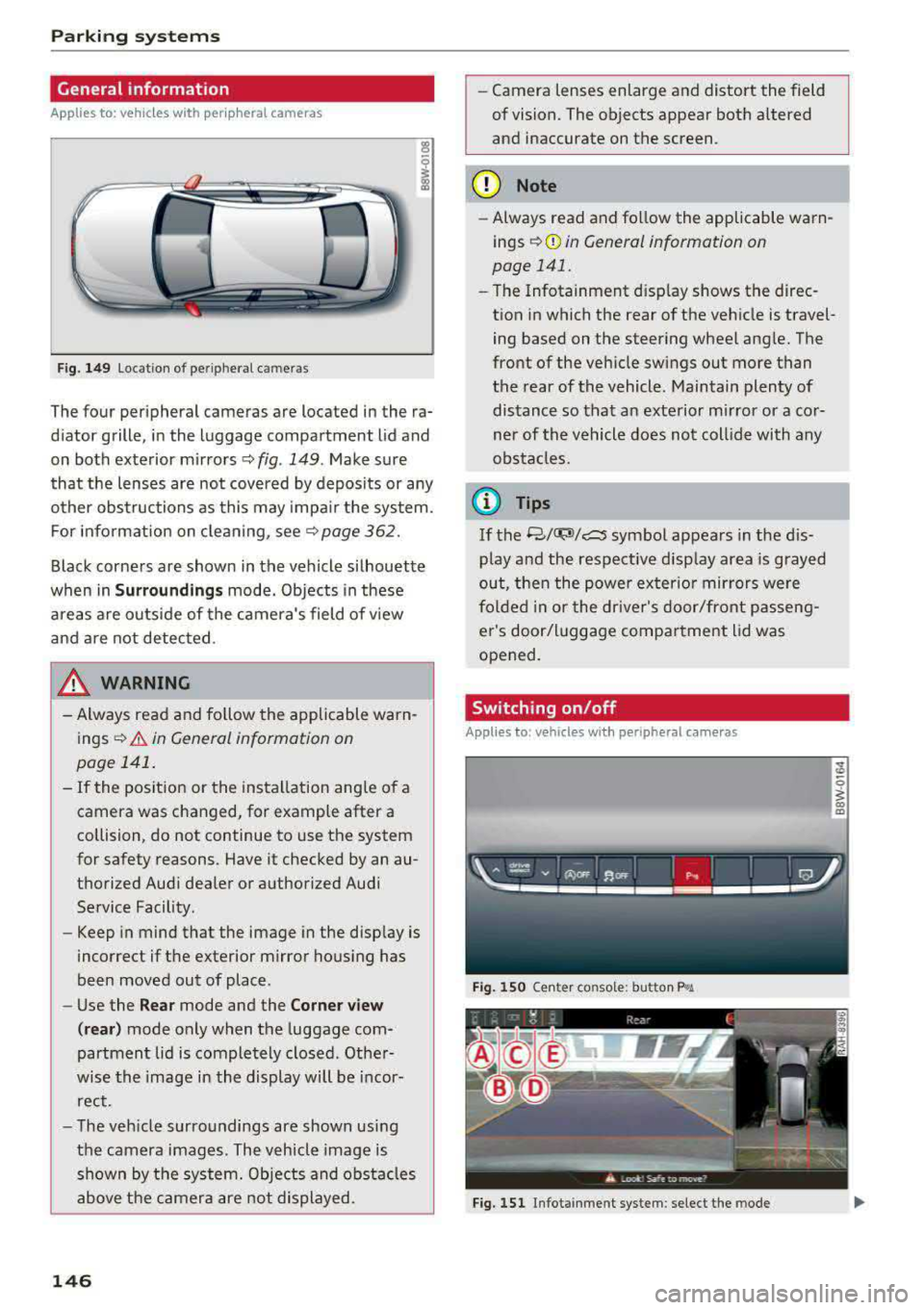
Fig . 149 Location of peripheral cam eras
The four periphe ral cameras are located in the ra
diator grille , in the luggage compartment lid and
on both exterior mirrors
Q fig . 149 . Make sure
that the lenses are not covered by deposits or any
other obstructions as this may impair the system.
For information on cleaning, see
Q page 362.
Black corners are shown in the vehicle silhouette
when in
Surroundings mode. Objects in these
areas are outside of the camera's field of view
and are not detected.
& WARNING
- Always read and follow the applicable warn
ings
Q .&. in General information on
page 141.
- If the position or the installation angle of a camera was changed, for example after a
collision, do not continue to use the system
for safety reasons. Have it checked by an au
thorized Audi dealer or authorized Audi
Service Facility.
- Keep in mind that the image in the display is
incorrect if the exterior mirror housing has
been moved out of place .
- Use the
Rear mode and the Corner view
(rear)
mode only when the luggage com
partment lid is completely closed . Other
wise the image in the display will be incor
rect.
- The vehicle surroundings are shown using
the camera images . The vehicle image is
shown by the system. Objects and obstacles above the camera are not displayed.
146
- Camera lenses enlarge and distort the field
of vision. The objects appear both altered
and inaccurate on the screen.
(D Note
-Always read and follow the applicable warn
ings
Q (i) in General information on
page 141.
- The Infotainment disp lay shows the direc
tion in which the rear of the vehicle is travel ing based on the steering wheel angle. The
front of the vehicle swings out more than
the rear of the vehicle. Maintain plenty of
distance so that an exterior mirror or a cor
ner of the vehicle does not collide with any
obstacles.
@ Tips
If the 8/~/c:s symbol appears in the dis
play and the respective display area is grayed
out, then the power exterior mirrors
were
folded in or the driver's door/front passeng
er's door/luggage compartment lid was
opened.
Switching on/off
Applies to: vehicles wit h peripheral ca meras
Fig. 150 Ce nte r console: butto n ~i
Fig. 151 Infot ainment system : select the mode
Page 153 of 409
Intelligent Technology Electronic stabilization
control (ESC)
Description
Ele ctronic stabilization control (ESC) supports
driver safety . It reduces the risk of slipping and
improves d riving stability. ESC detects critica l sit
uations such as when the vehicle is oversteering
and understeering or the wheels are spinn ing.
T he vehicle is stabilized by applying the brakes or
reducing eng ine torq ue. When the ESC engages,
the
J;,j ind icator light blinks in the instrument
cluste r.
T he follow ing systems are integrated in the ESC:
Ant i-loc k bra king s ystem (ABS)
ABS prevents the whee ls from locking when brak
ing. The vehicle can still be steered even during
hard brak ing. Apply steady pressure to the brake
pedal. Do not pump the pedal. A pulsing in the
b rake pedal indicates that the system is act ing to
stabilize the vehicle .
Br ake a ssist s ystem
The brake assist system can decrease braking dis
tance. It increases brak ing power when the driver
presses the brake pedal quickly in emergency sit
uations . You must press and hold the brake pedal
unti l the dangerous sit uat io n is ove r. In veh icles
with adaptive cr uise contro l*, the bra ke assist
system is more sensitive if t he d istance detec ted
to the veh icle dr iv ing ahead is too small.
Anti-Slip Regulation (ASR )
ASR red uces eng ine power when the drive wheels
begin spinning and adapts the force to the road
conditions . This makes it easie r to sta rt, acceler
ate and dr ive up hill s.
Electronic differenti al lock (EDL )
EDL applies the brakes to a wheel that starts
spi nning and t ransfers t he drive powe r to the
;;§ other driving wheels. This f unct ion is not availa-....
~ b lea t higher speeds.
N .... 0 \0
3
In extreme cases , ED L automat ica lly switches off
to keep the brake o n the braked wheel from over
heating. The veh icle is still working correct ly. ED L
will switch on again automatically when condi
tions have returned to normal.
Ste ering recommendation
The ESC he lps to stabilize the vehicle by changing
the steering torque.
In veh icles wi th dynamic steer ing*, ESC also
helps to stab ilize the steer ing in crit ica l sit ua
tions.
Selective wheel torque control
Se lective w heel to rque con trol is used w hen d riv
i ng on curves. Bra king is targeted towa rd t he
whee ls on the inside of the cu rve as needed. This
allows mo re precise driving in curves .
Automatic post -collision braking system
The "automat ic post-collision braking system "
can help to reduce the risk of sliding and of addi
tiona l co llisions after an acciden t. If the a irbag
contro l
module detects a co llision, the veh icle is
braked by the ESC.
T he veh icle does not bra ke automatically if:
- the dr iver presses the acce lerator pedal, or
- the ESC, the brake system or the veh icle elect ri-
cal system are not functioning.
A WARNING
=
- The ESC and its integrated systems cannot
overcome the lim its imposed by natural
phys ica l laws. This is especially important
on slippery or wet roads. If the systems be
gin acting to s tabilize yo ur vehicle, you
should immediately alter your speed to
match the road and traffic conditions. Do
not let the inc reased safety provided tempt
you into taking risks. This could increase
your r isk of a coll is ion.
- Please note the ris k of a collis ion increases
when dr iv ing fast, especially through curves
and on slippery or wet roads, and when dr iv-
ing too close to objects ahead . The ESC and
~
151
Page 156 of 409
Intelligent Technology
CJ) Note
- Neve r let the brakes "rub" by pressing the
pedal light ly when bra king is not actually
necessary. This causes the brakes to over
heat and increases braking d istance and
causes wear .
- Before driv ing downhill a long distance on a
steep hi ll, decrease your speed and select a
l ower gear. This makes use of the engine
b raking effect and re lieves the brakes . If
you need to b rake additionally , brake in in
te rvals and n ot co nti nu ously .
(J) Tips
-If the b rake booster is no t wo rking, you
must press the brake pedal with much more
fo rce th an norma l.
- If you re trofit you r vehicle with a fron t spoil
e r, whee l cove rs o r similar items, ma ke sure
th at t he ai r flow to the fron t wheels is not
i nte rr upt ed . Ot he rw ise the bra ke sys tem
ca n become too hot.
Electromechanical
steering, Dynamic
steering
The elec trome chanical steering supp orts the
driver 's steering movemen ts.
P owe r stee ring adapts electronically based on
t he vehicle speed.
Indicator lights and messages
• Steering: malfunction! Please stop vehicle
If th is indicator light t urns o n and stays on and
this message appears, the power steer ing may
have fa iled.
Stop the vehicle in a safe location as soon as pos
sib le. Do
not continue driving. See an author ized
Aud i dea ler or a uthori zed Aud i Serv ice Facility fo r
assistance .
E£4 Steering: malfunction! You may continue
dri ving
If t he i nd ic ator lig ht tur ns on and the message
a ppears, the stee ring wheel may be more diff i-
154 cu
lt to move o r mo re sensitive than usu a l. The
steering wheel may also be at an ang le when
driv ing straight.
Drive slowly to an au thorized Audi de aler or au
thorized Audi Service Facili ty to have t he mal
funct ion correcte d.
f:$JI Dynamic steering: correcting steering wheel
po sition
If the indica tor ligh t turns on and this message
appears, the dynamic steering* is re in it ia liz ing.
The steer ing whee l will be easy to move afte r
sta rt ing t he engine . Reinitiali zation might be
necessary if the steering wheel was moved while
the engine was switched off. The disp lay turns
off if the initialization was successf ul.
(D Tips
-If the . or ':r,y indica to r light only stays on
for a sho rt time, you may cont inue driving .
- T he dynamic steering s tability sys tems
q page 151 are not ava ila bl e in the event of
a system malfunction .
- For add itio na l information o n dynamic
steeri ng, see
c:;, page 138.
ALL-wheel drive (quattro)
General information
In all whee l drive, the dr iv ing power is dis trib ut
ed betwee n all fou r whee ls w hen needed . This
happe ns automatically depending on your driving
behavior as we ll as the c urrent road con ditions.
A lso see
c:;, page 151, Electronic stabili zation
control (ESC) .
The all-whee l dr ive system distr ibutes the dr iving
power va riably to the front and rear axle. It works
together with selective wheel torq ue control,
which act ivates when dr iv ing through c urves
q page 151. With the sport d ifferent ial*, power
distribution to the rear wheels is var iable and can
be adjusted using the drive select
q pag e 139 .
The all wheel drive concept is designed for high
engine power . Your vehicle is except iona lly pow
erfu l and has excellent driving characteristics
bot h unde r normal d riving conditions and on
IJII>
Page 380 of 409
Fuse assignment - Driver's side of the
cockpit
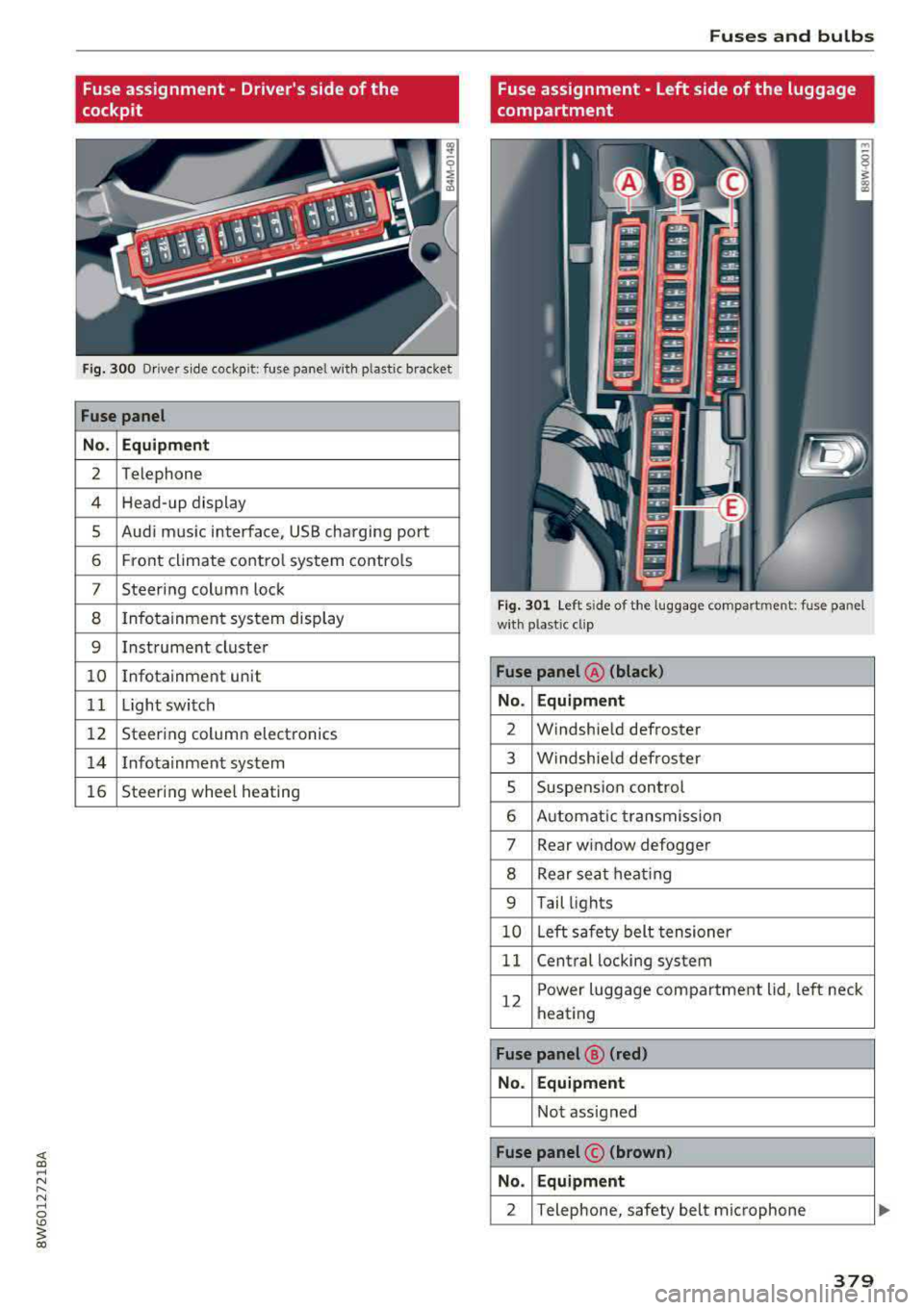
F ig. 300 D riv er s ide cockpit: fuse panel wit h plastic bracket
Fuse panel
No . Equipment
2 Telephone
4 Head-up display
5 Audi music interface, USB charging port
6 Front climate control system contro ls
7 Steering column lock
8 Infotainment system display
9 Instrument cluster
10 Info tainment un it
11 Light switch
12 Steering column electronics
14 Infotainmen t system
16 Steering wheel heating
Fuses and bulbs
Fuse assignment - Left side of the luggage
compartment
Fig. 301 L eft side of the l uggage compartment: fuse panel
wi th plastic cl ip
Fuse panel @ (black)
No . Equipment
2 Windshield defroster
3 W indshie ld defroster
5 Suspens ion control
6 Automat ic transmission
7 Rear window
defogger
8 Rear sea t heating
9 Tail lights
10 Left safety belt tens ioner
11 Central locking system
12
Power luggage compartment lid, left neck
heating
Fuse panel @ (red)
No. Equipment
Not assigned
Fuse panel © (brown)
No . Equipment
2 Telephone, safety belt micropho ne
379
Page 395 of 409
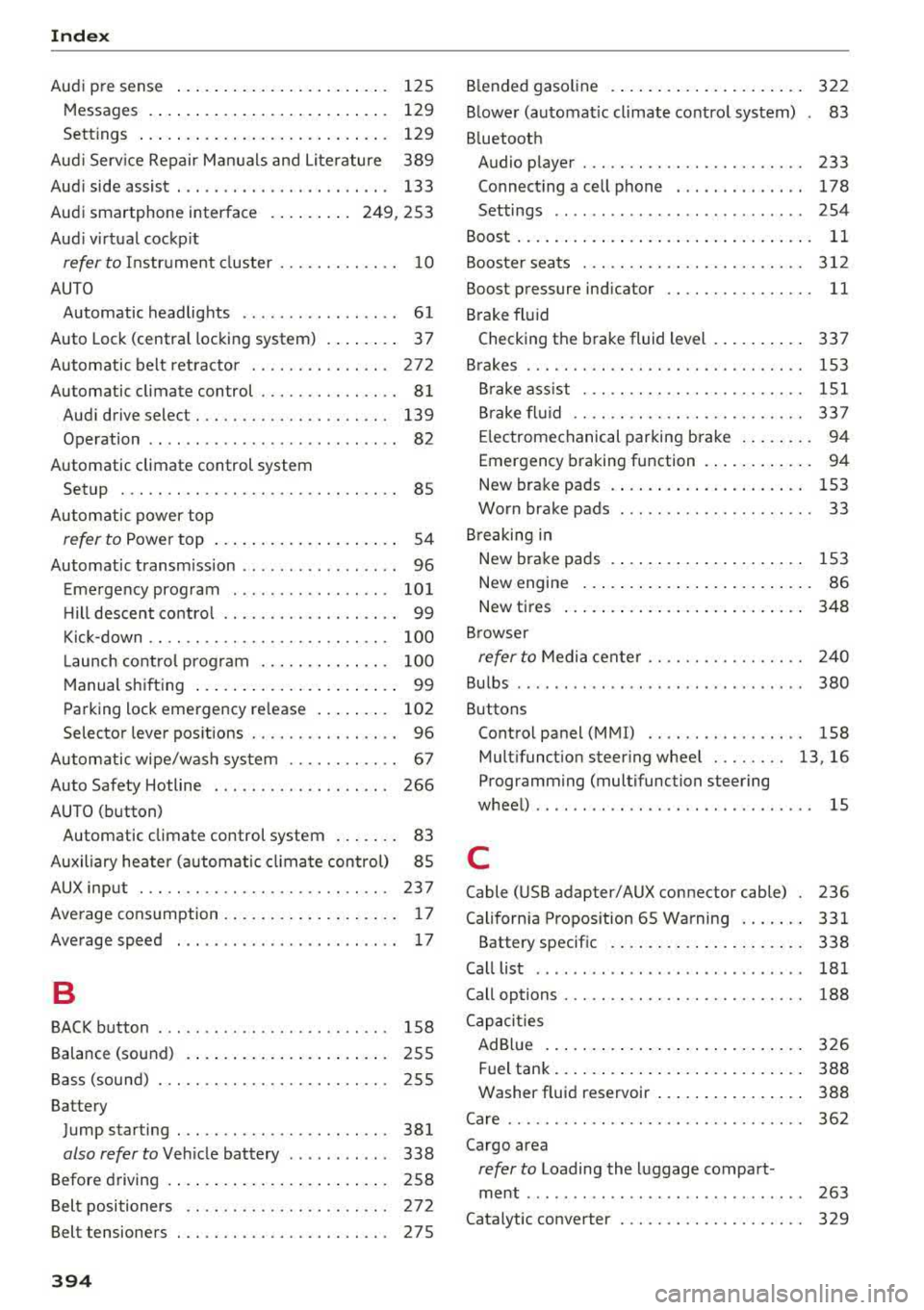
Index
Audi p re sense . . . . . . . . . . . . . . . . . . . . . . . 125
M essages . . . . . . . . . . . . . . . . . . . . . . . . . . 129
Sett ings . . . . . . . . . . . . . . . . . . . . . . . . . . . 129
Aud i Serv ice Repair Ma nuals and Lite rature 389
Aud i side assist . . . . . . . . . . . . . . . . . . . . . . . 133
Aud i smartphone interface . . . . . . . . . 249, 253
Aud i virt ua l coc kp it
refer to Instr ume nt cl uster . . . . . . . . . . . . . 10
AUTO Automatic headlights . . . . . . . . . . . . . . . . . 61
Auto Lock (centra l loc kin g system) . . . . . . . . 37
Automatic belt ret ractor . . . . . . . . . . . . . . . 27 2
Automatic climate control . . . . . . . . . . . . . . . 81
Aud i drive select. . . . . . . . . . . . . . . . . . . . . 139
Operation . . . . . . . . . . . . . . . . . . . . . . . . . . . 82
Automatic climate control system Setup . . . . . . . . . . . . . . . . . . . . . . . . . . . . . . 85
Automatic power top
refer to Power top . . . . . . . . . . . . . . . . . . . . 5 4
Automatic transm ission . . . . . . . . . . . . . . . . . 96
E me rgency prog ram . . . . . . . . . . . . . . . . . 10 1
H ill descent contro l . . . . . . . . . . . . . . . . . . . 99
Kick-down . . . . . . . . . . . . . . . . . . . . . . . . . . 100
La unch cont ro l prog ram . . . . . . . . . . . . . . 1 00
M anual s hifting . . . . . . . . . . . . . . . . . . . . . . 99
Parking lock emergency release . . . . . . . . 102
Selector lever pos itions . . . . . . . . . . . . . . . . 96
Autom atic wipe/wash system . . . . . . . . . . . . 67
Auto Safety Hotline . . . . . . . . . . . . . . . . . . . 266
AUTO (button) Automatic c limate control system . . . . . . . 83
Auxiliary heater (a utomat ic cl ima te control) 85
AUX input . . . . . . . . . . . . . . . . . . . . . . . . . . . 237
Ave rage cons umption . . . . . . . . . . . . . . . . . . . 1 7
Average speed . . . . . . . . . . . . . . . . . . . . . . . . 17
B
BACK button 158
Balance (sound) . . . . . . . . . . . . . . . . . . . . . . 255
B ass (sound) . . . . . . . . . . . . . . . . . . . . . . . . . 255
Battery Jump starting . . . . . . . . . . . . . . . . . . . . . . . 381
also refer to Veh icle battery . . . . . . . . . . . 338
Before driving . . . . . . . . . . . . . . . . . . . . . . . . 258
B el t positioners . . . . . . . . . . . . . . . . . . . . . . 27 2
Belt tensioners . . . . . . . . . . . . . . . . . . . . . . . 27S
394
Blended gasoline . . . . . . . . . . . . . . . . . . . . . 322
B lowe r (automat ic cl imate contro l system) . 83
B luetooth
Audio player . . . . . . . . . . . . . . . . . . . . . . . . 233
Connect ing a cell phone . . . . . . . . . . . . . . 178
Settings . . . . . . . . . . . . . . . . . . . . . . . . . . . 254
Boost . . . . . . . . . . . . . . . . . . . . . . . . . . . . . . . . 11
Boos te r seats . . . . . . . . . . . . . . . . . . . . . . . . 312
Boost pressure ind icator . . . . . . . . . . . . . . . . 11
B rake fl uid
Checking the brake fluid level . . . . . . . . . . 337
B rakes . . . . . . . . . . . . . . . . . . . . . . . . . . . . . . 153
B rake ass ist . . . . . . . . . . . . . . . . . . . . . . . . 151
B rake flu id . . . . . . . . . . . . . . . . . . . . . . . . . 33 7
E lectromechanical parking brake . . . . . . . . 94
Emergency braking function . . . . . . . . . . . . 94
New brake pads . . . . . . . . . . . . . . . . . . . . . 153
Worn brake pads . . . . . . . . . . . . . . . . . . . . . 33
B re aking in
New brake pads . . . . . . . . . . . . . . . . . . . . . 153
New engine . . . . . . . . . . . . . . . . . . . . . . . . . 86
New tires . . . . . . . . . . . . . . . . . . . . . . . . . . 348
B rowser
refer to M edi a cente r . . . . . . . . . . . . . . . . . 2 40
Bu lbs . . . . . . . . . . . . . . . . . . . . . . . . . . . . . . . 380
Buttons Contro l panel (MMI) . . . . . . . . . . . . . . . . . 158
Mult ifunct ion steer ing whee l . . . . . . . . 13, 16
Programming (multifunction steering
whee l) . . . . . . . . . . . . . . . . . . . . . . . . . . . . . . 15
C
Cable (USB adapter/AUX connector cable) 236
Cali forn ia Propos ition 65 W arning . . . . . . . 331
Battery specific . . . . . . . . . . . . . . . . . . . . . 338
Call list . . . . . . . . . . . . . . . . . . . . . . . . . . . . . 181
Call options . . . . . . . . . . . . . . . . . . . . . . . . . . 188
C apaci ties
AdB lue . . . . . . . . . . . . . . . . . . . . . . . . . . . . 326
Fuel tank. . . . . . . . . . . . . . . . . . . . . . . . . . . 388
Washer fluid reservoir . . . . . . . . . . . . . . . . 388
Care . . . . . . . . . . . . . . . . . . . . . . . . . . . . . . . . 362
Cargo area
refer to Loading the luggage compart -
ment ........ ... ... ............. ... 263
Catalytic converter . . . . . . . . . . . . . . . . . . . . 329
Page 401 of 409
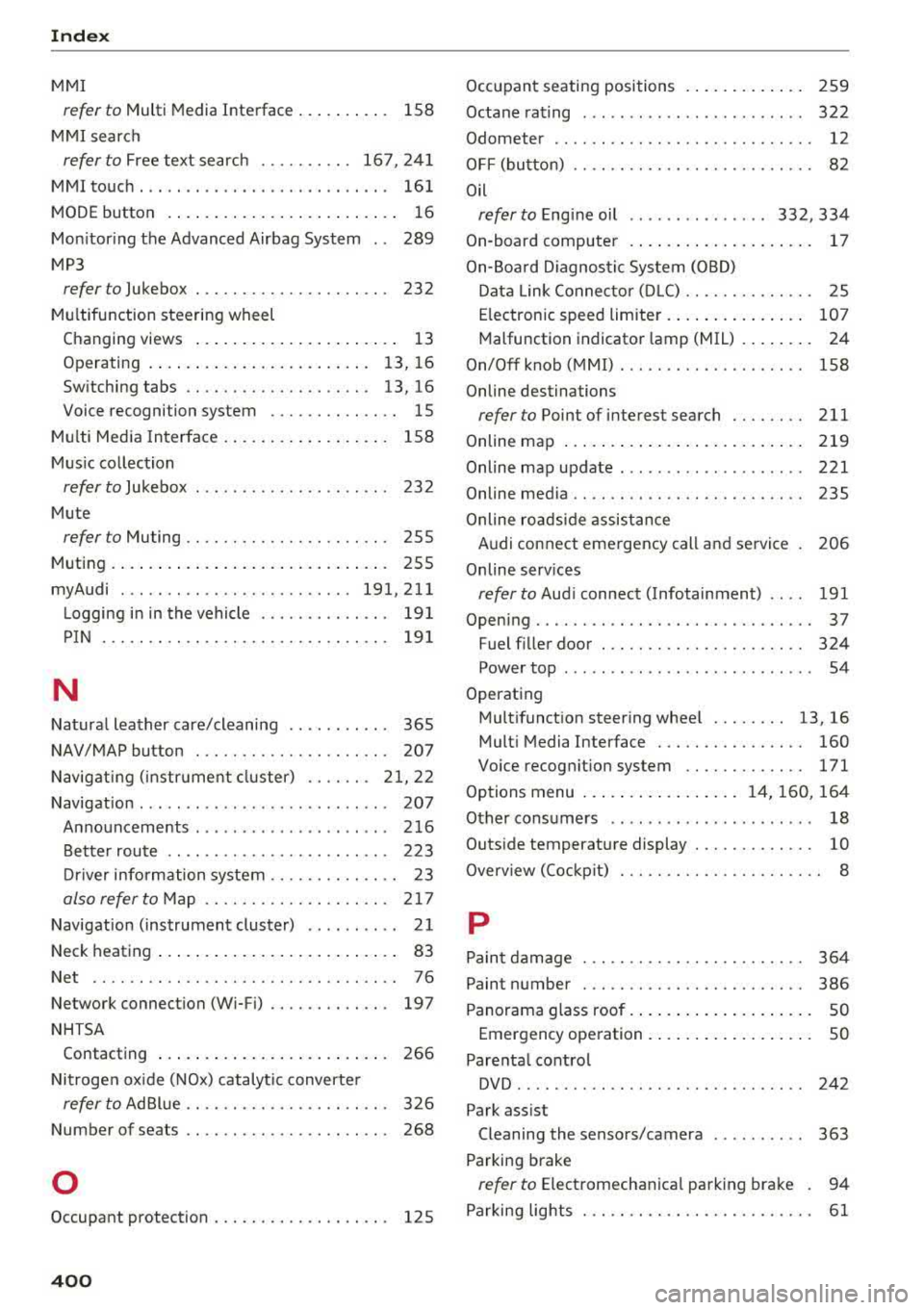
Index
MMI
refer to Multi Media Interface . . . . . . . . . . 158
MMI search
refer to Free text search . . . . . . . . . . 167, 241
MMI touch . . . . . . . . . . . . . . . . . . . . . . . . . . . 161
MODE button . . . . . . . . . . . . . . . . . . . . . . . . . 16
Monitoring the Advanced Airbag System 289
MP3
refer to Jukebox . . . . . . . . . . . . . . . . . . . . . 232
Multifunction steering wheel
Changing views . . . . . . . . . . . . . . . . . . . . . . 13
Operating . . . . . . . . . . . . . . . . . . . . . . . . 13, 16
Switching tabs . . . . . . . . . . . . . . . . . . . . 13, 16
Voice recognition system . . . . . . . . . . . . . . 15
Multi Media Interface . . . . . . . . . . . . . . . . . . 158
Mus ic collection
refer to Jukebox . . . . . . . . . . . . . . . . . . . . . 232
Mute
refer to Muting . . . . . . . . . . . . . . . . . . . . . . 255
Muting... .. ... .................. .... 255
myAudi ....... .. ................ 191,211
L ogging in in the vehicle . . . . . . . . . . . . . . 191
PIN . . . . . . . . . . . . . . . . . . . . . . . . . . . . . . . 191
N
Natural leather care/cleaning . . . . . . . . . . . 365
NAV/MAP button . . . . . . . . . . . . . . . . . . . . . 207
Navigating ( instrument cluster) . . . . . . . 21, 22
Navigation . . . . . . . . . . . . . . . . . . . . . . . . . . . 207
Announcements . . . . . . . . . . . . . . . . . . . . . 216
Better route . . . . . . . . . . . . . . . . . . . . . . . . 223
Driver information system . . . . . . . . . . . . . . 23
also refer to Map . . . . . . . . . . . . . . . . . . . . 217
Navigation (instrument cluster) . . . . . . . . . . 21
Neck heating . . . . . . . . . . . . . . . . . . . . . . . . . . 83
Net . . . . . . . . . . . . . . . . . . . . . . . . . . . . . . . . . 76
Network connection (Wi-Fi) . . . . . . . . . . . . . 197
NHTSA Contacting . . . . . . . . . . . . . . . . . . . . . . . . . 266
Nitrogen oxide (NOx) catalytic converter
refer to Ad Blue . . . . . . . . . . . . . . . . . . . . . . 326
Number of seats . . . . . . . . . . . . . . . . . . . . . . 268
0
Occupant protection . . . . . . . . . . . . . . . . . . . 125
400
Occupant seating positions . . . . . . . . . . . . . 259
Octane rating . . . . . . . . . . . . . . . . . . . . . . . . 322
Odometer . . . . . . . . . . . . . . . . . . . . . . . . . . . . 12
OFF (button) . . . . . . . . . . . . . . . . . . . . . . . . . . 82
Oil
refer to Engine oil . . . . . . . . . . . . . . . 332, 334
On-board computer . . . . . . . . . . . . . . . . . . . . 17
On-Board Diagnostic System (OBD)
Data Link Connector (DLC) . . . . . . . . . . . . . . 25
Electronic speed limiter. . . . . . . . . . . . . . . 107
Malfunction indicator lamp (MIL) . . . . . . . . 24
On/Off knob (MMI) . . . . . . . . . . . . . . . . . . . . 158
Online destinations
refer to Point of interest search . . . . . . . . 211
Online map .......................... 219
Online map update . ......... ........ .. 221
Online media . . . . . . . . . . . . . . . . . . . . . . . . . 235
Online roadside assistance
Audi connect emergency call and service 206
Online serv ices
refer to Aud i connect ( Infotainment) . . . . 191
Opening.... .. .. .. .. .. .. ........... .. . 37
Fuel filler door . . . . . . . . . . . . . . . . . . . . . . 324
Power top . . . . . . . . . . . . . . . . . . . . . . . . . . . 54
Operating Mult ifunction steer ing wheel . . . . . . . . 13, 16
Multi Media Interface . . . . . . . . . . . . . . . . 160
Voice recognition system . . . . . . . . . . . . . 171
Options menu ....... .. ........ 14, 160, 164
Other consumers . . . . . . . . . . . . . . . . . . . . . . 18
Outside temperature display . . . . . . . . . . . . . 10
Overv iew (Cockp it) . . . . . . . . . . . . . . . . . . . . . . 8
p
Paint damage . . . . . . . . . . . . . . . . . . . . . . . . 364
Paint number . . . . . . . . . . . . . . . . . . . . . . . . 386
Panorama glass roof . . . . . . . . . . . . . . . . . . . . SO
Emergency operation . . . . . . . . . . . . . . . . . . SO
Parenta l control
DVD .......... .. .. .. ... ............ 242
Park assist Cleaning the sensors/camera . . . . . . . . . . 363
Parking brake
refer to Electromechanica l parking brake . 94
Parking lights . . . . . . . . . . . . . . . . . . . . . . . . . 61