ECO mode AUDI A5 COUPE 2018 Owner's Guide
[x] Cancel search | Manufacturer: AUDI, Model Year: 2018, Model line: A5 COUPE, Model: AUDI A5 COUPE 2018Pages: 409, PDF Size: 67.63 MB
Page 218 of 409
Navig ation
a list o f gas stations in the area. When a gas sta
tion is selected, route guidance from the current
veh icle position is calc ulated.
Trail er mode *
Trailer mode is sw itched off at the factory.
When the function is switched
on~' the maxi
m um permitted speed for vehicles with trailers is
incorpo ra ted into the rou te g uidance and the ca l
culated arrival time is adjusted according ly. Trail
e r mode is disp layed using
symbols -~ in the side
menu on the map .
Personal route assistance *
Personal route assistance is sw itched off at the
factory.
Your trips are recorded and destinations are sug
gested by the MMI when this f unct ion is switched
on~ ¢ page 213 .
The personal route ass istance is indicated by the
~ symbol in the status line of the Infotainment
system display.
Notification when n ea rby *
The notification when nearby is switched off at
t he factory .
The MMI notifies you when you are approaching
selected po ints of int erest whe n this function is
sw itched
on~-You can a lso have a Notification
tone .
Presentation mode
The Presentation mode helps yo u to effect ively
p lan a trip and follow the p lanned route without
moving the ve hicle . You can
Select starting point
when you wou ld like to calculate a route starting
from a location other than the vehicle pos ition,
for example . Start
Pres entation mod e to simu
late route gu idance .
1> High occu pan cy vehi cle
216
' Route criteria
Applies to: vehicles with navigation system
J(
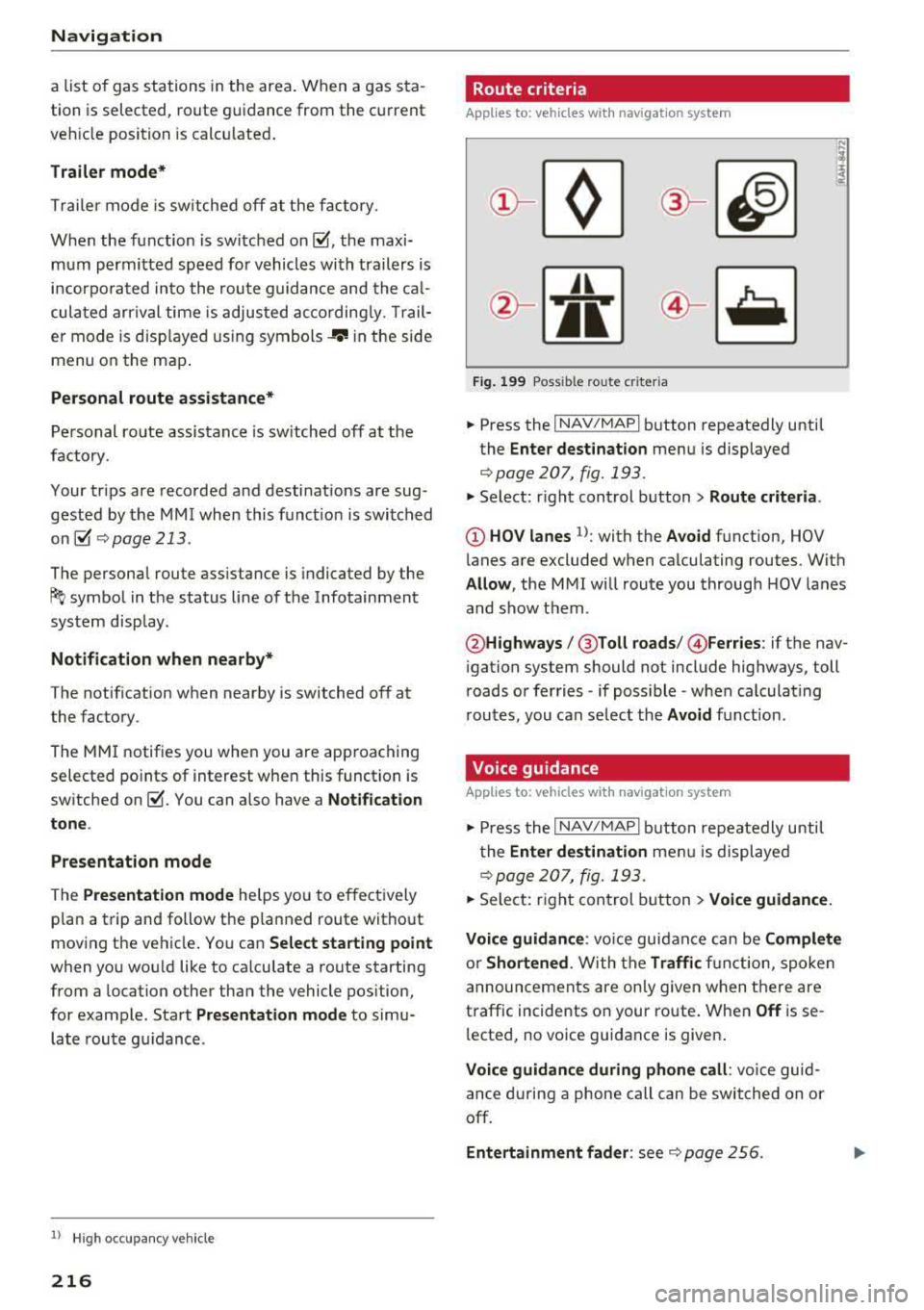
Fig . 199 Poss ible ro ute c riter ia
.. Press the I NAV /MAP I button repeatedly until
the
Enter des tinat ion menu is displayed
¢page 207, fig. 193 .
.. Select: r ight control button> Rout e criteria .
(D HOV lanes 1>: with the Avoid function, HOV
l anes are excluded when ca lculating routes. With
Allow , the MMI will route you through HOV lanes
and show them .
@Highways /@ Toll roads /@ Ferries : if the nav
i gation system should not include highways, toll
roads or ferries
-if poss ible -when calculat ing
routes, you can select the
Avoid f u nction.
Voice guidance
Applies to: vehicles with navigation system
.. Press the I NAV /MAPI button repeatedly unti l
the
En ter de stination me nu is displayed
¢page 207, fig. 193 .
.. Select: r ight con trol b utton> Voice guidance.
Voic e guidan ce :
vo ice guidance can be Comp let e
or Short ened . With the Traffic fu nction, spoken
announcements are only given when there are
traffic incidents on your ro ute . When
Off is se
l ected, no voice guidance is given .
Voice guidan ce during phone call : voice guid
ance d uring a phone call can be swi tched on or
off.
Entertainment fader : see c::> page 256.
Page 222 of 409
Navig ation
The map disp lay is based on data received from
the Internet in the form of satellite images,
which are then combined with the roadways from the
S tand ard map view . There are two g igabytes
of memory space in the MMI memory that can be
used to temporar ily store the map or navigation
data that was received . Th is is roughly the
amount required for the map/navigation data for
a
2,485 mile (4,000 km) route . As long as the
satellite images loaded fo r route g uidance are
stored, you can use them without having an ac
tive data connection.
Street View
W ith St reet V iew, you can exp lore many places in
the world through the eyes of a pedest rian.
S treet View is available whe n the symbol ©
¢ fig. 202 is d isp layed in the crosshai rs mode.
Activating str eet vi ew : turn the cont rol knob to a
scale less than
32 yards (30 m).
The fo llow ing funct ions are the n ava ilable:
- Ex plo ring an area step -by -step : press the con
trol knob when the
symbol @¢ fig. 203 is d is
played .
-Zooming in or out on the cur rent view in four
stages :
turn the control knob to the left or to
the
right @¢ fig. 203 .
-Na vigating in street view : move your finger in
the des ired direction on the MMI touc h control
pad* .
Additional informat ion
Showing additional information in the Infotain
ment system disp lay can be switched on in the
Map co ntent menu ¢ page 219. To disp lay any
applicable addit ional in formation, move the
crossha irs onto an item on the map and press the
control knob.
(D Tips
- The stored online map view data can be de
l eted in
Factory settings > Navigation and
online
m emory ¢ page 252 .
-The online map view is an Audi connect In
fotainment service and is regularly updated
when the function is opened . The p rocess
may ta ke several seconds.
220
- When the online map view is switched on
using the 3D map orientation, the MMI dis
play automat ica lly switches to the
2D map
orientation when driving through tunnels.
- For safety reasons, the Street View func
t ions can only be used when the vehicle is
stationary .
- Always read the
chapter ¢ page 198, Audi
connect (Infotainment) general informa tion.
- For add itiona l information, v is it
www .audiusa.com .
Map update
Introduction
Applies to: vehicles with navigat ion sys te m
The re are mu ltiple opt ions avai lable for updat ing
you r map material:
- Map updates through the
online map update*
¢ page 221 .
-Import map updates from the SD card* to your
M MI. Yo u can find add it io na l info rmation on
line a t www .aud iu sa. com /myaudi.
- Map update at an aut ho rized Aud i dea le r or a u
thori zed A udi Service Fac ility. This can resul t in
ad dit ion al c osts .
Page 253 of 409
System settings
Short dialog : when this function is switched on
~ ' a shorter form of the prompts is used.
Command during voice output*1>: this function
is switched on at the factory. When this function
is switched
on~' you can say new commands
during announcements . You do not need to wait
for the signal tone (beep) during an announce
ment. When the function is switched off
0, you
need to wait for the signal tone (beep) to say a
new command.
Volume: you can adjust the volume of the
prompts by turning the control knob.
Individual speech training (on ly when the vehi
cle is stationary): you can adapt the voice recog
n ition system to yo ur voice or pronunciat ion in
order to improve the system's ability to recognize
your speech. Individual train ing is comprised of
20 speech entries that consist of commands and
sequences of numbers . You can delete the pro
grammed voice tra ining w ith the
Reset individu·
al speech training
function.
Display brightness
You can adjust the brightness of the Infotain
ment system display by turning the control knob .
Factory settings
The following functions can be reset to the facto
ry default settings:
-Sound settings
- Radio
- Media settings
- Jukebox*
- Directory
- Telephone
- Bluetooth and Wi-Fi *
- Navigation settings*
- Navigation and online memory*
- Voice recognition system *
- Shortcut keys
- Message settings*
- Apps*
- Tool tips
1
> Please note that this func tion is not available in Cab rio
lets.
252
- Audi connect*
- Audi smartphone interface*
You can select the desired functions individually
or a ll at once with the option
Select all entries .
Select and confirm Restore factory settings.
(D Tips
Make sure that not only the settings were de
leted but also the stored data, if applicable.
Connection manager
Introduction
The connection manager gives you an overview
of your connected devices and their network sta
tus .
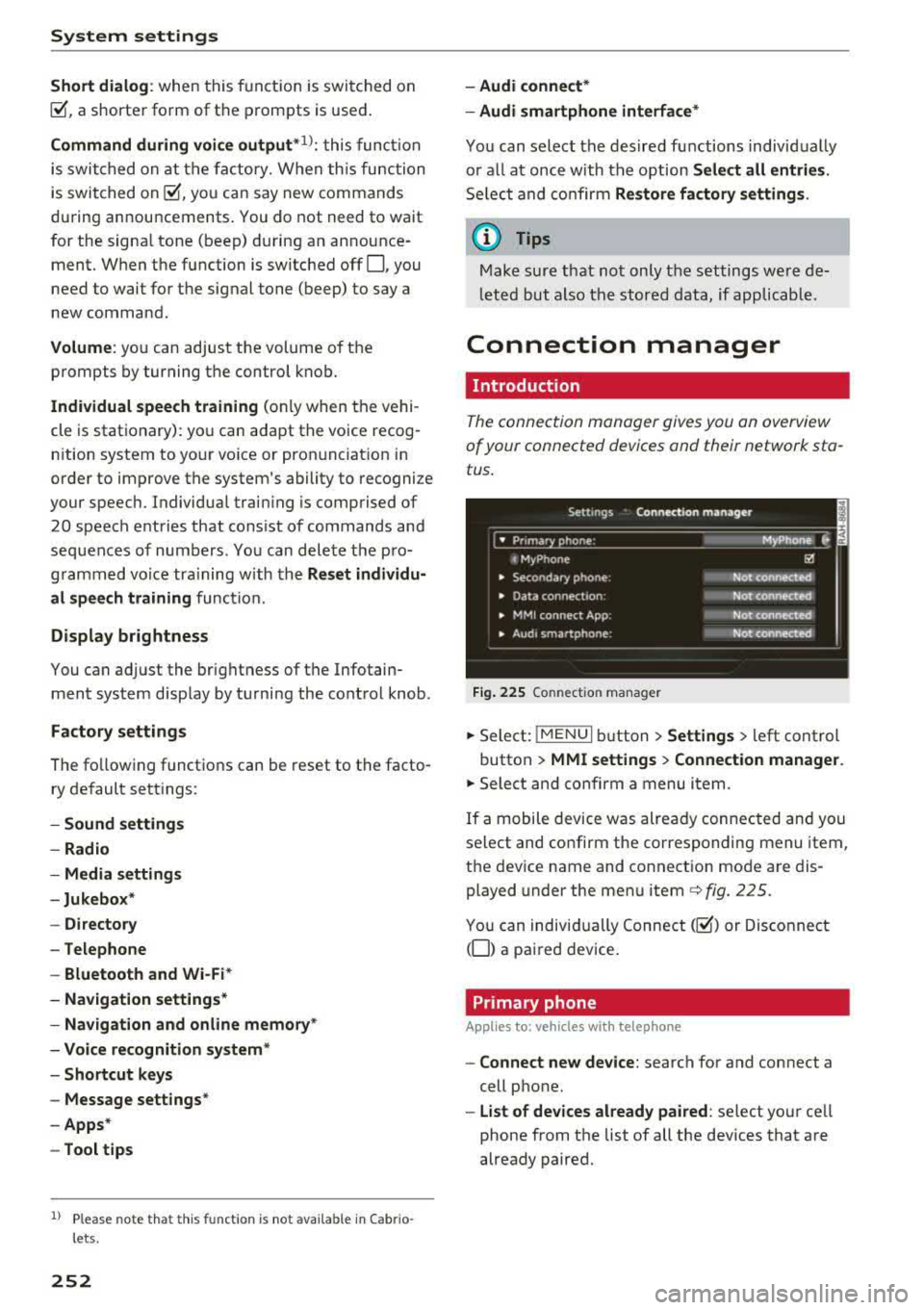
Fig. 225 Connection manager
.,. Select: !MENUI button> Settings > left control
button >
MMI settings > Connection manager.
.,. Select and confirm a menu item.
If a mobile device was already connected and you
select and confirm the corresponding menu item,
the device name and connection mode are dis
played under the menu
item¢ fig. 225.
You can individually Connect(~) or Disconnect
(0) a paired device.
Primary phone
App lies to: vehicles wi th telepho ne
- Connect new device: search for and connect a
cell phone.
- List of devices already paired : select your cell
phone from the list of all the dev ices that are
already paired.
Page 259 of 409
Driving sa fe ty
Driving safety
Basics
Safe driving habits
Please remember -safe ty first!
The individua l safety features of your vehicle can
work together as a system to help protect you
and your passengers in a wide range of accidents.
These features cannot work as a system if they
are not always correctly adjusted and correctly
used .
This chapter contains important informat ion,
tips, instruct ions and warn ings that you need to
read and observe for your own safety, the safety
of your passengers and others . We have summar
ized here what you need to know about safety
be lts , a ir bags, child restra ints as well as child
safety. Yo ur sa fe ty is for us
priority number 1 . Al
ways observe the information and wa rnings in
this section - for your own safety as well as that
of your passengers.
The informa tion in this section applies to all
model ve rsions of your vehicle . Some of the fea
tures described in th is sections may be standard
equipment on some models, or may be optional
equ ipment on others. If you are not sure, ask
your author ized Audi dealer.
A WARNING
- Always make sure that you follow the in
structions and heed the WARNINGS in th is
manual. It is in your inte rest and i n the in
te res t of your passengers .
- Always keep all of the Owner 's L iterature
man uals in yo ur Audi when you lend o r sell
yo ur vehicle so that this importan t info rma
t ion w ill always be availab le to the dr iver
and passenge rs.
- Alw ays keep t he Owner 's L ite ra tu re han dy
so that you can find i t easi ly if yo u have
questions .
258
· Important things to do before driving
Safety is everybody 's job! Vehicle and occupant
safety always depends on the informed and care
ful driver .
For your safety and the safety of your passen
gers,
before driving always:
.. Make sure that a ll lights and signals are operat
ing correctly .
.. Make sure tha t the tire pressure is correct .
.. Make sure that all windows are clean and afford
good vis ibility to the outs ide .
.,. Sec ure all luggage and othe r items ca refully
¢ page 263 .
.,. Mak e sure tha t noth ing ca n interfere with the
pedals .
.. Adjust front seat, head restraint and mirrors
correctly for your height.
.. Applies to: adjustable head restraints: Instruct
passengers to adjust the head restraints ac
cording to the ir height .
.. Make sure to use the rig ht child restraint cor
rectly to protect chi ldren
~ page 302, Child
safety.
.,. Si t properly in yo ur seat a nd make su re t hat
your passengers do the same ¢
page 71, Front
seats.
.. Fasten your safety belt and wear it properly . Al
so instruct your passenge rs to fasten thei r sa fe
ty belts properly ¢
page 268.
What impairs driving safety?
Safe driving is directly related to the condition of
the vehicle , the driver as well as the driver's abili
ty to concentra te on the road withou t being dis
tracted.
The driver is responsib le for the sa fety of the ve
hicle and a ll of its occupants . If your ability to
drive is impa ired, safety risks for everybody in the
vehicle increase and you a lso become a hazard to
everyone else on the road ¢
,&.. There fore:
.. Do not let yourse lf be distracted by passengers
or by using a cellular telephone .
.. NEVER dr ive whe n your driving ab ility is im -
paired (by med ications, alcohol, drugs, e tc.) .
..,.
Page 293 of 409
Airbag syste m
Make sure that the PASSENGER AIR BAG
OFF
11;; li ght comes on and stays on all t he
t ime whenever the ignition is switched on.
A WARNING
- If the PA SSEN GER AIR BAG OFF 11;; light
does not go out when an adult is si tting on
the front passe nger seat a fter ta king the
steps described above, make sure the adult is p roperly seated and restrained at one of
the rear seating positions.
- Have the airbag system inspected by your
authorized Aud i dealer before transporting
anyone on the front passenger seat.
@ Tips
If the capacitive passenger detection system
determines that the front passenger seat is
empty, the frontal airbag on the passenge r
side w ill be tu rned off, and the
PASSENGER
AIR BAG OFF
11;; light will stay on.
-
Repair , care and disposal of the airbags
Parts of the a irbag system are installed at many
different places on your Audi. Installing, remov ing, servic ing or repa iring a part in an area of the
ve hicle can damage a part of an airbag system
and prevent that system from working properly
i n a collision .
There are some important things you have to
know to make sure that the effectiveness of the
system w ill not be impaired and that discarded
components do not cause injury or pollute the
env ironment.
A WARNING
Improper care, serv icing and repai r proce
dures can increase the r is k of personal injury
and death by preventing an airbag from de
ploying when needed or dep loying an airbag
unexpectedly:
-
- Never cover, obstruct, or change the stee r
ing wheel horn pad or airbag cover or the in
strument pane l or modify them in any way.
292
- Never attach any objects s uch as c upholders
or telephone mountings to the surfaces cov
ering the a irbag un its.
- For cleaning the horn pad or instrument
panel, use only a soft, dry cloth or one mois
tened w ith plain water. Solvents or cleaners
could damage the airbag cover or change
the st iffness or strength of the material so
that the airbag canno t deploy and p rotect
properly.
- Never repair, adjust , or change any parts of
the airbag system.
- All work on the steering wheel, inst rument
panel, front seats or e lectr ica l system ( in
cluding the installation of a udio eq uipment,
cellular telephones and C B radios, etc.)
m ust be perfo rmed by a qualified techn ician
who has the training and specia l equipment
necessary.
- For any work on the airbag system, we strong ly recommend that you see your au
thorized A udi dealer or qualified workshop.
- Never modify the front b umper or parts of
the vehicle body.
- Always make sure that the side a irbag can
inflate w ithout interference:
- Never install seat covers or replacement
u pholstery over the front seatbacks that
have not been specifically approved by
A udi.
- Never use additional seat c ushions that
cover the areas where the side airbags in
flate.
- Damage to the orig inal seat cove rs or to
the seam in the area of the s ide airbag
module mus t always be repaired immedi
ate ly by an autho riz ed Au di dealer.
- The a irbag system can deploy on ly once. Af
ter an airbag h as been deployed, i t m ust be
repla ced with new replacement parts de
signed and approved espec ia lly for your
Audi model version . Replacement of com
plete airbag systems or airbag components
must be perfo rmed by qua lified workshops
only. Make su re that any airbag service ac
tion is entered in your A udi Warranty
&
Ma intenance boo klet under AIRBAG RE-
PLAC EM EN T RECORD.
~
Page 306 of 409
<( a, .... N ,....
N .... 0 \0
3 a,
manufacturer for use with an airbag. Always be
sure that the child restraint is properly installed
at one of the rear seating positions . If in excep
tional circumstances you must use it on the front
passenger seat, carefully read all of the informa
tion on child safety and Advanced Airbags and heed all of the appl icable WARNINGS . Make cer
tain that the child and ch ild restraint are correct
ly recognized by the capacitive passenger detec
tion system in the front passenger seat, that the
front passenger airbag is turned off, and that the
airbag status is always correctly signaled by the
PASSENGER A IR BAG OFF 1,;; light.
Many types and models of ch ild rest rai nts have
been available over the yea rs, new mode ls are in
troduced regularly incorporating new and im
proved designs and older mode ls are taken out of
product ion. Chi ld restraints are not standardized.
Ch ild restraints of the same type typically have
d ifferent weights and sizes and different "foot
prints", the s ize and shape of the bottom of the
chi ld restraint that sits on the seat, when they
are insta lled on a vehicle seat. These differences
make it virtually impossible to certify compliance
with the req uirements fo r advanced airbags wi th
each and every child restraint that has ever been
sold in the past or will be sold over the course of
the useful life of your vehicle.
F or this reason, the Un ited States National High
way Traffic Safety Administration has published a
list of specific type, makes and models of child
restraints that must be used to certify compli
ance of the Advanced Airbag System in your vehi
cle with the suppression requ irements of Federal
Motor Vehicle Safety Standard 208 . These child
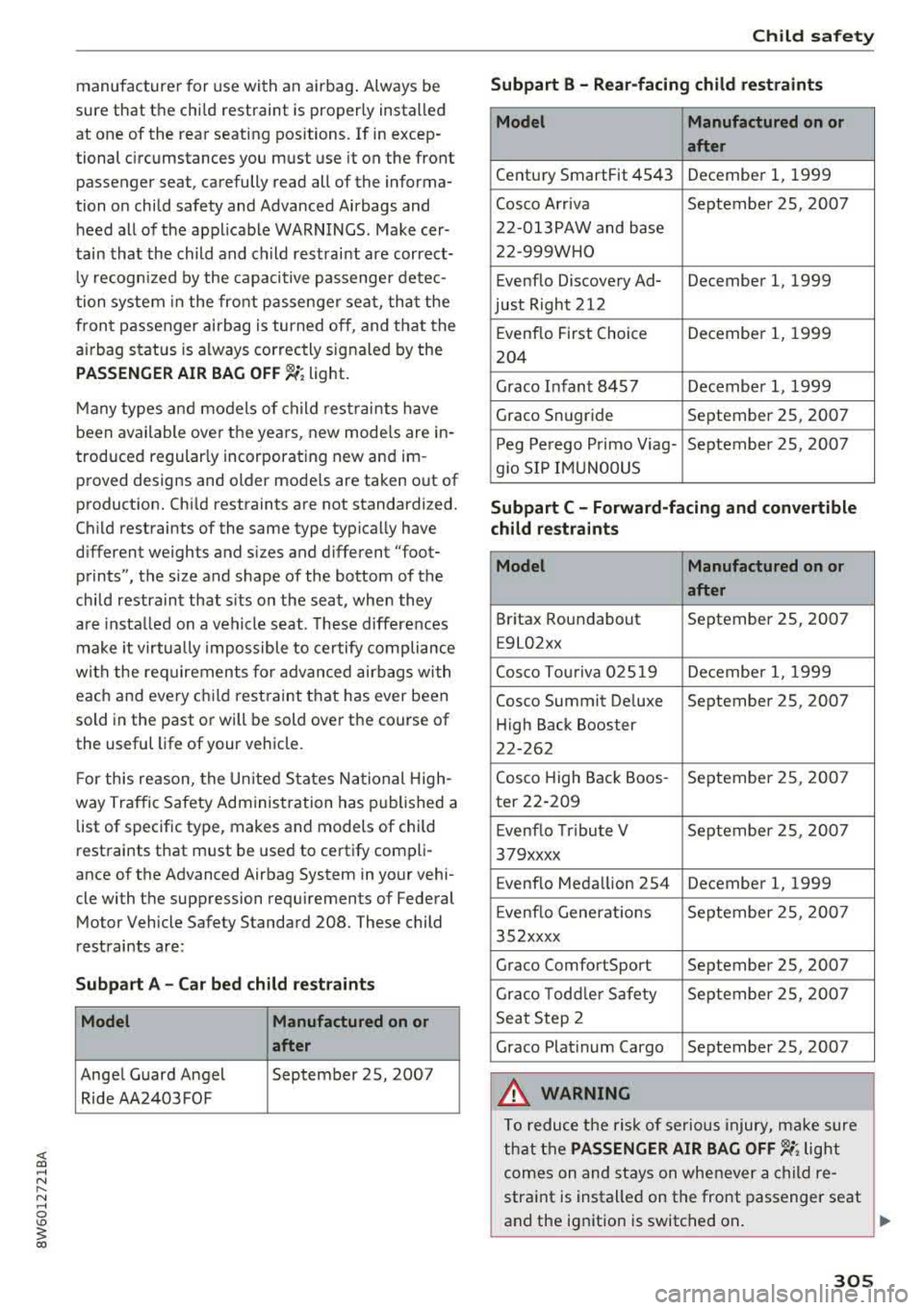
restraints are:
Subp art A - Car bed child re stra int s
Model Manufactured on or
after
Ange l Guard Angel September 25, 2007
Ride AA2403FOF
Ch ild safety
Subpart B - R ear -facing child restraints
Model Manufactured on or
after
Century SmartFit 4543 December 1, 1999
Cosco Arriva September 25, 2007
22-013PAW and base
22-999WHO
Evenflo Discovery Ad- December 1, 1999
just Right 212
Evenflo First Choice December 1, 1999
204
Graco Infant 8457 Decembe r 1, 1999
Graco Snugride September 25, 2007
P eg Pe rego P rimo Viag- September 25, 2007
g io SIP IMUNOOUS
Subpart C - Forward -facing and convertible
child restraints
Model Manufactured on or
after
Britax Roundabout September 25, 2007
E9L02xx
Cosco Tou riva 025 19 Decembe r 1, 1999
Cosco Summit De luxe September 25, 2007
H igh Back Booster
22-262
Cosco High Back Boos -September 25, 2007
ter 22-209
E venflo Tribute V September 25, 2007
379xxxx
Evenflo Medallion 254 December 1, 1999
E venflo Generat io ns September 25, 2007
352xxxx
Graco ComfortSport September 25, 2007
Graco Todd le r Safety September 25, 200 7
Seat Step 2
Graco Platinum Cargo September 25, 2007
A WARNING
To reduce the risk of serious injury, ma ke sure
that the
PASSENGER AIR BAG OFF 1,;; light
comes on and stays on whenever a child re
straint is installed on the front passenger seat
and the ignition is switched on .
..,.
305
Page 349 of 409
Wheels
for the number of seating positions. Refer to the table ¢
table
on page 353
for the number of
people that correspond to the ve
hicle normal load.
New tires or wheels
Audi recommends having all work
on tires or wheels performed by
an authorized Audi dealer or au
thorized Audi Service Facility.
These facilities have the proper
knowledge and are equipped with
the required tools and replace ment parts.
.. New tires do not yet have the
optimum gripping properties.
Drive carefully and at moderate
speeds for the first 350 miles
(500 km) with new tires.
.. use tires of the same construc
tion, size (rolling circumference)
and as close to the same tread pattern as possible on all four
wheels.
11>D0 not replace tires individually.
At least replace both tires on the
same axle at the same time.
11>Audi recommends that you use
Audi Original Tires. If you would like to use different tires, please
note that the tires may perform
348
differently even if they are the
same size ¢
&.-
.,. If you would like to equip your
vehicle with a tire/rim combina
tion that is different from what
was installed at the factory, con
sult with an authorized Audi
dealer or authorized Audi Service Facility before making a pur
chase¢ &,.
If the spare tire is different from
the regular tires installed on the
vehicle - for example, if winter
tires or wide tires are installed -
then only use the spare tire tem porarily in case of emergency and
drive carefully while it is in use. It
should be replaced with a regular
tire as soon as possible .
On
all wheel drive vehicles , all
four wheels must be equipped
with tires that are the same brand
and have the same construction
and tread pattern so that the
drive system is not damaged by
different tire speeds . For this rea
son, in case of emergency, only
use a spare tire that has the same
circumference as the regular
tires .
""
Page 359 of 409
Wheels
@ For the sake of the environment
Reinstall su mmer tires at the appropriate
time, because they pro vide better handling
when roads are free of snow and ice. Summer tires cause less road noise, tire wear and fuel
consumption.
@ Tips
You can also use all season tires instead of
w inter t ires. Please note that in some coun
tries where w inter tires are required, only
w inter t ires with the
& symbol may be per
m itted.
Snow chains
Snow chains not only imp rove the dr iving in w in
ter ro ad conditions, b ut also the brak ing .
.,. Only install snow chains o n the front wheels .
.,. Check and cor rect the seating of the snow
c h ains after dr iv ing a few feet, if ne cessa ry . Fo l
low the ins tructions from the m anufactu rer.
.,. Note the maximum permit ted speed when driv
ing with snow chains. Do not exceed 30 mp h
(SO km/h) .
Use of snow chains is o nly pe rmitted with certain
rim/tire combinations due to technical reasons .
Check with an authorized A udi dealer or author
ized Audi Service Fac ility to see if you may use
snow chains.
Use fine-mesh snow chain s. They must not add
more t han 0.53 in (13 .5 mm) in height, includ ing
the chain lock .
You mus t remove the snow chains on roads w it h
out snow . Otherwise, you could impai r dr iving
abi lity and damage the tires .
A WARNING
Us ing inco rrect snow chains or insta lling snow
chains incorrectly can result in loss of vehicle
control, which increases t he risk of an acc i
dent .
358
(D Note
Snow chains can damage the rims/whee l cov
ers * if the c ha ins come into direct contact
with them . Remove the whee l cove rs* first.
Use coated snow chains.
(D Tips
When using snow chains, it may be usefu l to
switch on sport mode
r=> page 152.
Low-profile tires
App lies to: vehicles with low-profi le tires
Your vehicle is equipped with low-profile t ires* at
the factory. Compared to other tire/r im combina
t ions, low-profi le tires offer a w ider t read surface
and a la rger r im diamete r with shorter tire side
walls. This results in an agile dr iv ing style. How
ever, i t may reduce the leve l of com fort and in
crease road noise whe n driving on roads in poo r
condition .
Low-p rofile ti res ca n become damaged mo re
q uickl y than st andar d tires when dr iv ing ove r
l a rge bumps, potholes, manhole covers, speed
b u mps and curbs . Therefore, it is particularly im
portant to maintain the correct tire pressure
r::> page 3 51.
To reduce the risk of damage to the tires and
rims, drive very caref ully on poor roads.
Check your wheels regu larly eve ry 2,000 m i
( 3 ,00 0 km) for d amage. For ex am ple, c heck for
bulges/crac ks on the tires or deformations/
c racks on the rims.
Af ter a heavy imp act o r damage, have the tires
and rims i nspected or replaced immedia tely by
an a uthorized Audi dea le r or authorized Audi
Service Facility .
Low-p rofile ti res c an wear out f aster than stand
a rd tires.
Summer tires are not suitable fo r cold weather,
snow or black ice. If yo u are d rivi ng in these con
d it ions, use wi nter or a ll season tires
r=> page 357.
Page 396 of 409
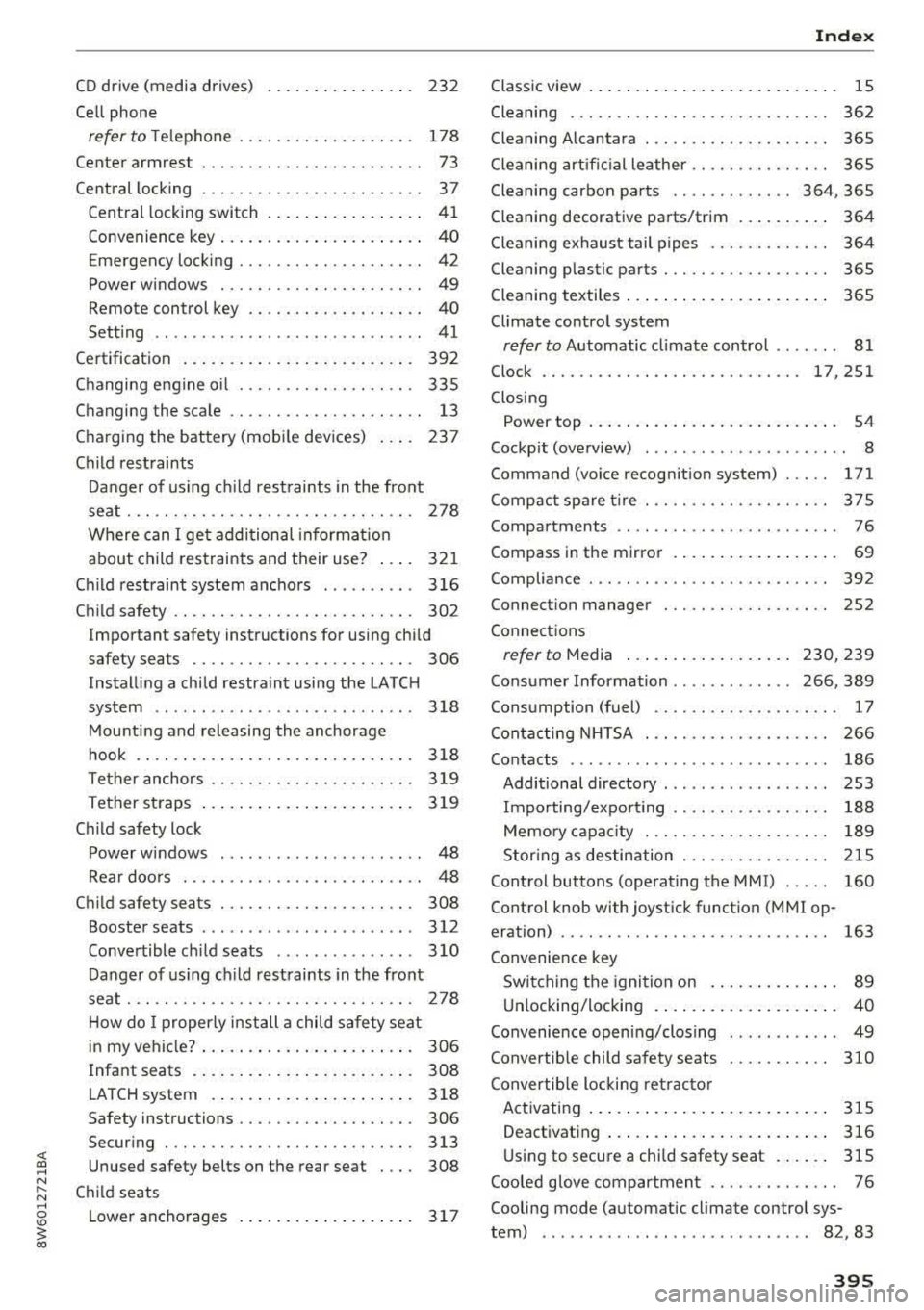
<( a, .... N ,....
N .... 0 \0
3 a,
CD drive (media drives) . . . . . . . . . . . . . . . . 232
Cell phone
refer to Te lephone . . . . . . . . . . . . . . . . . . . 178
Cente r armrest . . . . . . . . . . . . . . . . . . . . . . . . 73
Cent ral locking . . . . . . . . . . . . . . . . . . . . . . . . 3 7
Cent ral locking switch . . . . . . . . . . . . . . . . .
4 1
Convenience key . . . . . . . . . . . . . . . . . . . . . . 4 0
Emergency locking . . . . . . . . . . . . . . . . . . . . 42
Power windows . . . . . . . . . . . . . . . . . . . . . . 49
Remote control key . . . . . . . . . . . . . . . . . . . 40
Sett ing . . . . . . . . . . . . . . . . . . . . . . . . . . . . . 41
Ce rtification . . . . . . . . . . . . . . . . . . . . . . . . . 392
Changing e ng ine o il . . . . . . . . . . . . . . . . . . . 335
Changing the scale . . . . . . . . . . . . . . . . . . . . . 13
C ha rg ing the battery (mobile dev ices) . . . . 237
Chi ld restraints
D anger of us in g c hild rest raints in the front
se at. .. .. .. .. .. ............. .. .. .. .
278
Where can I ge t addi tio nal info rmat io n
about child res traints and their use? ....
321
Chi ld rest raint system ancho rs . . . . . . . . . . 3 16
Ch ild safety . . . . . . . . . . . . . . . . . . . . . . . . . . 302
Important safety instructions for using child
safety seats . . . . . . . . . . . . . . . . . . . . . . . . 306
Instal ling a chi ld restraint using the LATCH
sys tem . . . . . . . . . . . . . . . . . . . . . . . . . . . .
3 18
M ount ing and releasing the anchorage
hook . . . . . . . . . . . . . . . . . . . . . . . . . . . . . .
3 18
Tether anchors . . . . . . . . . . . . . . . . . . . . . . 3 19
Te ther straps . . . . . . . . . . . . . . . . . . . . . . . 319
C hil d safety lock
Power w indows . . . . . . . . . . . . . . . . . . . . . .
48
Rea r doo rs . . . . . . . . . . . . . . . . . . . . . . . . . . 4 8
Ch ild safety seats . . . . . . . . . . . . . . . . . . . . . 308
Booster seats . . . . . . . . . . . . . . . . . . . . . . . 312
Convertible c hild seats ........... ... . 3 10
Da nger of using c hild rest raints in the front
seat . . . . . . . . . . . . . . . . . . . . . . . . . . . . . . .
278
H ow do I properly i nstall a child safety seat
. h' l 7 306 in my ve 1 c e . .... .. ..... ... .. .. .... .
I nfant seats . . . . . . . . . . . . . . . . . . . . . . . .
308
LATCH system . .. .. ..... ... .. .. .... . 318
Safety instructions . . . . . . . . . . . . . . . . . . . 306
Secur ing . .. .. ............... .. .. .. . 313
Unused safety belts on the rear seat 308
Child seats
L owe r ancho rages . . . . . . . . . . . . . . . . . . .
317
Index
Class ic view . . . . . . . . . . . . . . . . . . . . . . . . . . . 15
Cleaning . . . . . . . . . . . . . . . . . . . . . . . . . . . . 362
Cleaning Alcantara . . . . . . . . . . . . . . . . . . . . 365
Cleani ng art ific ial le ather . . . . . . . . . . . . . . . 3 65
Cleaning carbon pa rts . . . . . . . . . . . . . 364, 365
Cleaning decorative parts/trim . . . . . . . . . . 364
Cleani ng exhaust tail pipes . . . . . . . . . . . . . 36 4
Cleaning plastic parts . . . . . . . . . . . . . . . . . . 365
C leaning textiles . . . . . . . . . . . . . . . . . . . . . . 365
Climate contro l system
refer to Automatic cl imate control . . . . . . . 81
Clock ............................ 17,251
Closing
Power top . . . . . . . . . . . . . . . . . . . . . . . . . . .
54
Cockp it (overview) . . . . . . . . . . . . . . . . . . . . . . 8
Command (vo ice recogn it ion system) . . . . .
171
Comp act spa re tire . . . . . . . . . . . . . . . . . . . . 3 75
Compartments . . . . . . . . . . . . . . . . . . . . . . . . 76
Compass in the mirror . . . . . . . . . . . . . . . . . . 69
Compliance . . . . . . . . . . . . . . . . . . . . . . . . . . 3 9 2
Connect ion manager . . . . . . . . . . . . . . . . . . 252
Connect ions
refer to M edia . . . . . . . . . . . . . . . . . . 230, 239
Cons umer Information . . . . . . . . . . . . . 266, 389
Cons umption ( fuel) . . . . . . . . . . . . . . . . . . . . 17
Contac ting NHTSA . . . . . . . . . . . . . . . . . . . . 2 66
Contacts . . . . . . . . . . . . . . . . . . . . . . . . . . . . 186
Additional directory . . . . . . . . . . . . . . . . . . 253
Im po rting/expo rt ing . . . . . . . . . . . . . . . . . 188
Memo ry c apaci ty . . . . . . . . . . . . . . . . . . . . 189
Stor ing as destin ation . . . . . . . . . . . . . . . . 2 15
Control buttons (opera ting the MMI) . . . . . 160
Control knob with joystick function ( MMI op
eration) . . . . . . . . . . . . . . . . . . . . . . . . . . . . .
163
Convenie nce key
Swi tch ing the igni tion on . . . . . . . . . . . . . .
8 9
U nlocking/locking . . . . . . . . . . . . . . . . . . . . 40
Convenience open ing/closing . . . . . . . . . . . . 49
Convertible child sa fety seats . . . . . . . . . . . 310
C onvertib le locki ng retr ac to r
Activating . . . . . . . . . . . . . . . . . . . . . . . . . .
315
Deact ivating . . . . . . . . . . . . . . . . . . . . . . . . 316
U si ng to secure a chi ld safety seat . . . . . . 315
Coo led g love compartmen t . . . . . . . . . . . . . . 76
Cooling mode (automatic climate control sys-
tem) . . . . . . . . . . . . . . . . . . . . . . . . . . . . .
82 , 83
395
Page 397 of 409
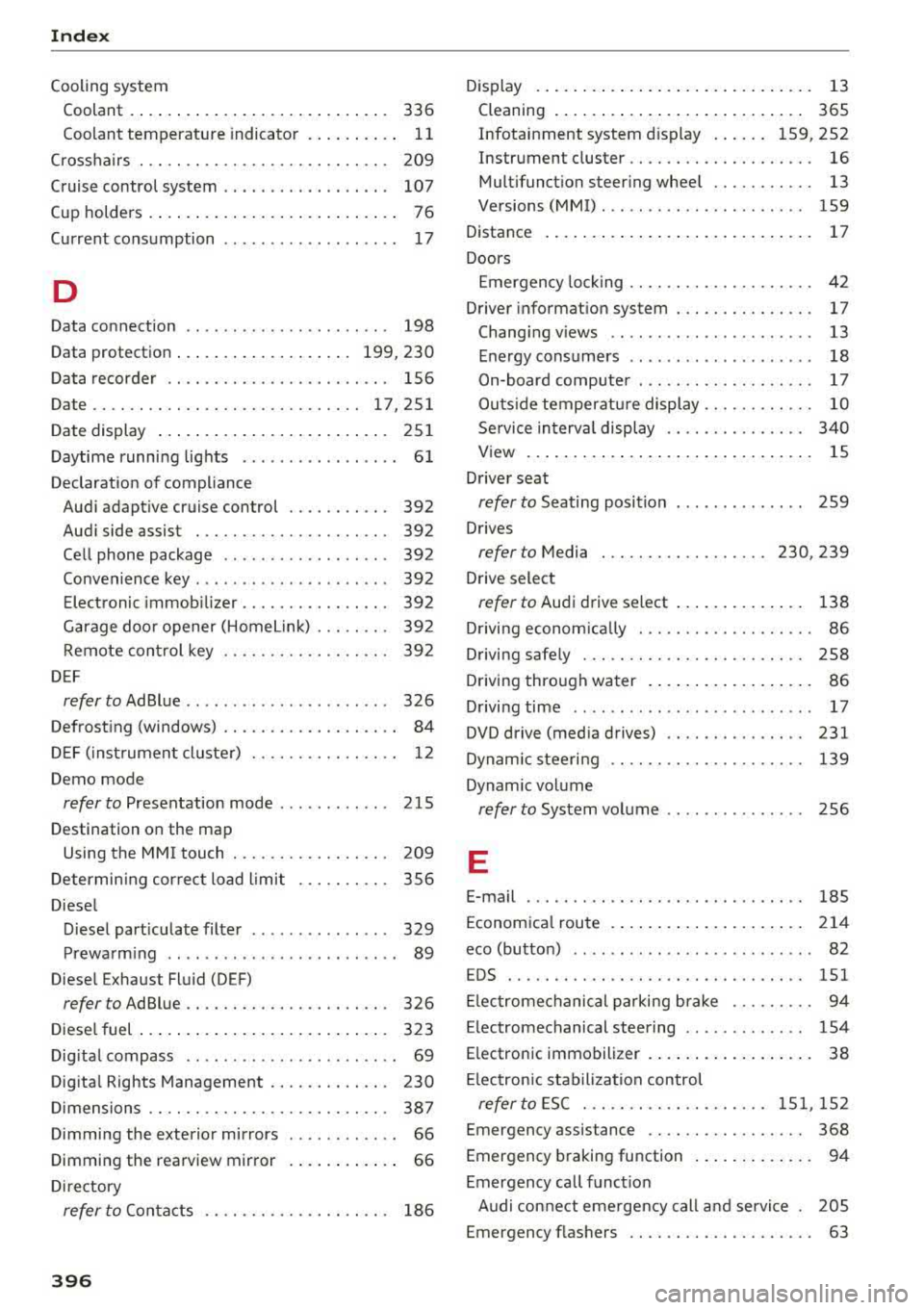
Index
Cooling system Coolant . . . . . . . . . . . . . . . . . . . . . . . . . . . .
336
Coolant temperature indicato r . . . . . . . . . . 11
C ross ha irs . . . . . . . . . . . . . . . . . . . . . . . . . . . 209
Cruise control system . . . . . . . . . . . . . . . . . . 107
Cup holders . . . . . . . . . . . . . . . . . . . . . . . . . . . 7 6
Curre nt cons umption . . . . . . . . . . . . . . . . . . . 17
D
Data connection . . . . . . . . . . . . . . . . . . . . . . 198
Data protectio n . . . . . . . . . . . . . . . . . . . 199, 230
D ata recorder . . . . . . . . . . . . . . . . . . . . . . . . 156
Date ...... .. .. ................... 17,251
Date display . . . . . . . . . . . . . . . . . . . . . . . . . 25 1
Daytime runni ng lig hts . . . . . . . . . . . . . . . . . 6 1
Declarat ion of compliance
Aud i adapt ive cruise control . . . . . . . . . . .
392
Aud i side assist . . . . . . . . . . . . . . . . . . . . . 392
Ce ll phone package . . . . . . . . . . . . . . . . . . 392
Convenience key . . . . . . . . . . . . . . . . . . . . . 392
Elect ronic immob ilizer . . . . . . . . . . . . . . . . 392
Garage doo r opener (Home link) . . . . . . . . 39 2
Rem ote con trol key . . . . . . . . . . . . . . . . . . 392
D EF
refer to AdBlue . . . . . . . . . . . . . . . . . . . . . . 326
Defrosting (windows) . . . . . . . . . . . . . . . . . . . 84
DEF (inst rument cluste r) . . . . . . . . . . . . . . . . 12
Demo mode
refer to Presentation mode . . . . . . . . . . . . 215
Destination on the map
Using the MMI touch . . . . . . . . . . . . . . . . .
209
Determin ing cor rec t load l imi t
Diese l 356
D iese l part iculate filte r . . . . . . . . . . . . . . . 329
Prewa rm ing . . . . . . . . . . . . . . . . . . . . . . . . . 89
Diese l Exhaust Fl uid (DEF)
refer to Ad Blue . . . . . . . . . . . . . . . . . . . . . . 326
Diese l fuel . . . . . . . . . . . . . . . . . . . . . . . . . . . 323
Dig ita l compass . . . . . . . . . . . . . . . . . . . . . . . 69
Dig ita l Rights Management . . . . . . . . . . . . . 230
D imensions . . . . . . . . . . . . . . . . . . . . . . . . . . 38 7
Dimming the exterior mirrors . . . . . . . . . . . . 66
D imming the rea rview mir ror . . . . . . . . . . . . 66
D ire ctory
refer to Con tacts . . . . . . . . . . . . . . . . . . . . 186
396
D isplay . . . . . . . . . . . . . . . . . . . . . . . . . . . . . . 13
Cleaning . . . . . . . . . . . . . . . . . . . . . . . . . . . 365
Infotainment system d isp lay . . . . . . 159, 252
Instrument cluster . . . . . . . . . . . . . . . . . . . . 16
Mult ifunct ion steer ing whee l . . . . . . . . . . . 13
Ve rsions (MMI) . . . . . . . . . . . . . . . . . . . . . . 159
Distance . . . . . . . . . . . . . . . . . . . . . . . . . . . . . 17
Doors
Emergency locking . . . . . . . . . . . . . . . . . . . . 42
Driver informat ion system . . . . . . . . . . . . . . .
17
Chang ing v iews . . . . . . . . . . . . . . . . . . . . . . 13
Ene rgy consumers . . . . . . . . . . . . . . . . . . . . 18
On-board computer . . . . . . . . . . . . . . . . . . . 17
Outs ide temperat ure display. . . . . . . . . . . . 10
Se rvice in terv al displ ay . . . . . . . . . . . . . . . 340
V iew . . . . . . . . . . . . . . . . . . . . . . . . . . . . . . . 15
D river seat
refer to Seating posi tion . . . . . . . . . . . . . . 259
D rives
refer to Media . . . . . . . . . . . . . . . . . . 230, 239
Drive select
refer to Audi d rive select . . . . . . . . . . . . . . 138
D rivi ng econom ica lly . . . . . . . . . . . . . . . . . . . 86
Driving safe ly . . . . . . . . . . . . . . . . . . . . . . . . 258
D riving through wa ter . . . . . . . . . . . . . . . . . .
86
D . .
t· 17 riving ,me
... ... .. .. ........ ..... .. .
DVD drive (med ia drives) . . . . . . . . . . . . . . .
231
Dynam ic steeri ng . . . . . . . . . . . . . . . . . . . . . 139
Dynam ic volume
refer to System volume . . . . . . . . . . . . . . . 256
E
E-mail 185
Econom ica l rou te . . . . . . . . . . . . . . . . . . . . . 2 14
eco (button) . . . . . . . . . . . . . . . . . . . . . . . . . .
82
EDS . . . . . . . . . . . . . . . . . . . . . . . . . . . . . . . . 151
El ec tromechanical parking b rake . . . . . . . . . 94
Electromechanical steering . . . . . . . . . . . . . 154
E lectronic immobilizer . . . . . . . . . . . . . . . . . .
38
El ectronic stabiliza tion control
referto ESC ..... .. .. ........... 151,152
Emergency assistance . . . . . . . . . . . . . . . . . 368
Emergency b raking function . . . . . . . . . . . . . 94
Emergency call funct io n
A udi con nect eme rgency call and service .
2 05
Emergency flashers . . . . . . . . . . . . . . . . . . . . 63