Cruise control AUDI A6 2011 User Guide
[x] Cancel search | Manufacturer: AUDI, Model Year: 2011, Model line: A6, Model: AUDI A6 2011Pages: 370, PDF Size: 87.15 MB
Page 124 of 370

-Adaptive C ruise Cont rol .J':fl..__..,____ _____________ _
toward you~ page 124, "Turning Adaptive Cruise Control off
temporari ly". •
Applies to ve hicles : w ith Adap tive Cru ise Contro l
Switching the system on and off
Switching the system on
-Pull the lever to position (D => fig. 109.
Sw itching the system off
F ig. 109 Contro l
lever: Sw itching on
and off
- Press the lever to position@ (latched) .•
A pplies to veh icles : wit h Ada ptive Cruise Control
How is the speed stored?
Fig. 110 Cont ro l
l ever: S tori ng speed
With th e syst em switched on the speed is stored as follows:
- Drive at the speed you want. The speed must be between
20 and 95 mph (30 and 150 km/h) .
- Press the
!SETI button => fig . 110 to store the desired
speed .
After the I SET I button is released, the current speed is stored and
maintained .
The saved speed is now shown in the LED disp lay in the speedometer
by one or two illuminated red light diodes~
page 127. At the same
time, the saved speed is also shown for a short time in the Informa
tion line~
page 129.
[I) Tips
For safety reasons, the s tored speed is erased when the ignit ion or
the ACC is turned off .•
Page 125 of 370

Adaptive Cruise Control IJI ____________ ___,__ __ ____.
App lies to vehicles : with Adaptive Cruise C ont rol
Changing stored speed
The speed can b e chang ed without touc hing th e acc eler
ator or brake p edal.
Increasing speed
Fig . 111 C ontrol
le ver: Cha ng in g speed
- Press the lever briefly upwards 0 => fig . 111. US A
models: the speed increases by abo ut 2 .5 mph . Canada
mode ls: spee d wi ll increase by one mar k on the speedom
eter sca le.
- Press the lever u pwards
0 and hold it . As long as you ho ld
t h e lever dow n, the light diode disp lay in the speedo meter
L E D d isp lay in the speedometer moves fo rward and t he
speed is increased.
Reducing speed
- Pres s the lev er briefly d ownwards Q . USA mod els : the
speed decreases by 2 .5 mp h. Ca nad a mo dels: sp eed will
decrease by one mark on t he speedo meter sca le .
Con trol s and equ ip
m ent Vehicle
OP-eration
-Press the lever downwards Q and hold it. As long as you
ho ld the lever down , the ligh t dio d e d isp lay in t he speed
ometer LE D display moves backward a nd the speed is
reduced .
After releasing the lever, the system regu la tes t he speed to the value
just set .
After each adjustment , th e newly-set sp eed is s hown fo r a sho rt tim e
in t he Informa tion line ~
page 129.
& WARNING
Improper use of the Adaptive Cruise Control features and inatten
tion can lead to an accident causing serious personal injury.
• It is dangerous to use the "RESUME" feature when the previ
ously set speed is too high f or existing road, traffic or weather
condition s.
• Alway s read and hee d the information and WARNINGS~
& in
" Des cription " on
page 119 .
W Tips
You ca n increase your speed at any time by stepping on the acceler
ator pedal. After yo u re lease the acce le rator peda l, t he system
adjusts back down to the speed yo u previously set . A new desired
speed can be stored at any tim e by p ressing the [SET ) button
~ page 122, fig . 110 . •
Vehicle care Do-it-yourselt service iTechnical data
Page 126 of 370
ffl..__A_ d_a_ p,__ t_iv _ e_ C_r _u _ i_ s _e _ C_ o_ n_t _ r_ o _ L ___________________________________________ _
Applies to veh icles : w ith Adapt ive C ru ise Contro l
Turning Adaptive Cruise Control off
temporarily
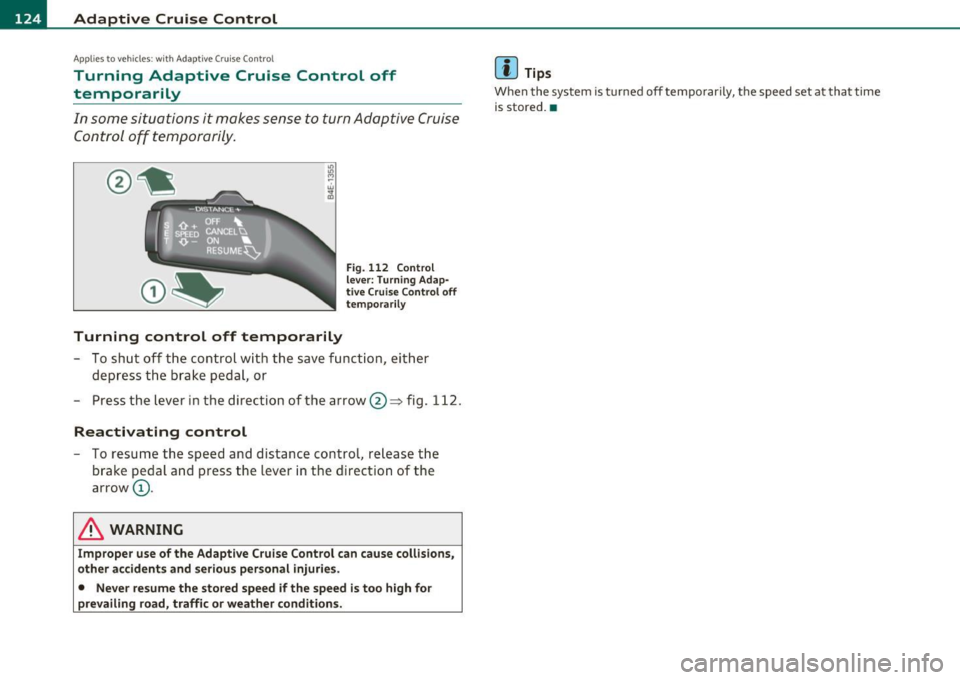
In some situations it makes sense to turn Adaptive Cruise
Control off tempo rarily.
Turning control off temporarily
Fi g. 112 Con trol
le ver: Turni ng Ada p·
tiv e C ruise C ontrol off
te mpor aril y
-To sh ut off t he control w it h the save funct ion, ei ther
depress the brake p edal, or
- Press the lever i n the direction of the arrow @=> fig. 112.
Reactivating control
- To resu me the speed and distance contro l, re lease t he
b ra ke pedal a nd press the lever in the directio n of t he
arrow (D.
& WARNING
Imp roper use of the Adapti ve Cruise Control can cause collisions ,
other accidents and seriou s per sonal injuries .
• Never re sume the sto red speed if the speed is too high fo r
prevailing road, traffic or weather condition s.
[I] Tips
When the system is turned off tempo rari ly , th e speed set at that time
i s sto red. •
Page 127 of 370

Adaptive Cruise Control -
----------------
App lies to vehicl es: wi th Adaptive Cru ise Con trol
How is the distance (time interval) set?
Distance con be set in four stages.
Incre as ing dist anc e
Fig . 113 Contro l
l ever : Sett ing distance
- Push the slider switch on ce to the r ight 0 ==> fig . 113 . The
distance currently set is shown for 3 seconds in the instru
ment cluster display.
- Push the slider switch
again to the rightG)to increase the
distance by one step.
Symbol
Dynam ics
Distance at 25 mph (40 km /h )
Di sta n ce at 50
mph (80 km /h )
Distance at 75 mph (120 km /h)
Controls and equip
ment Safety first
DISTANCE 1
c::::,
_ c::::, _ - -
1 second
Sporting
36 Feet ( 11 Meters)
_ ...
72 Feet (22 Meters)
108 Feet (33 Meters)
R educing di stance
Push the slider switch onc e to the left Q. The d istance
currently set is shown for 3 seconds in the instrument
cluster display.
Push the slider switch
again to the left Oto decrease the
distance by one step.
Th e d istance at wh ic h the Adaptive Cruise Control fo llows a vehicle in
front is determined by
time intervals. A time interval to a vehicle in
front is established and maintained. This produces a speed-depen
dent interval. The higher the speed, the greater the safety interval in
feet (meters)
=> & .
For example, if the interval DI STA NCE 3 is set, a vehicle in front is
followed at a time interval of 1.8 seconds.
For a speed of 50 mph (80 km /h ) this would be equ ivalent to a
distance of 131 feet (40 m ete rs) to the veh icle in front .
T he distances giv en here are nominal va lues. The vehicle speed may
exceed o r fall short of these target speeds , depending on the driving
situation and the d riving style of the vehicle ahead .
DISTANCE 2
~-- c::::, _ -
1.3 seconds
Standard
95 Feet (29 Meters)
144 Feet (44 Meters)
DISTANCE 3
~ ___ c::::,_
1.8 seconds
Standard
66 Feet (20 Meters)
131 Feet (40 Meters)
197 Feet (60 Meters)
DISTANCE 4
c::::,_ -- _c::::,
2.3 seconds
Comfortable
82 Feet (25 Meters)
16 7 F eet (51 Me ters)
249 Feet (76 Meters)
~
Vehicle care Technical data
Page 128 of 370
lffll.___A_ d_ a_,_ p_t _i_ v _e _ C_r_ u_ i_ s_ e_ C_ o_ n_ t_ r_ o_ l __________________________________________ _
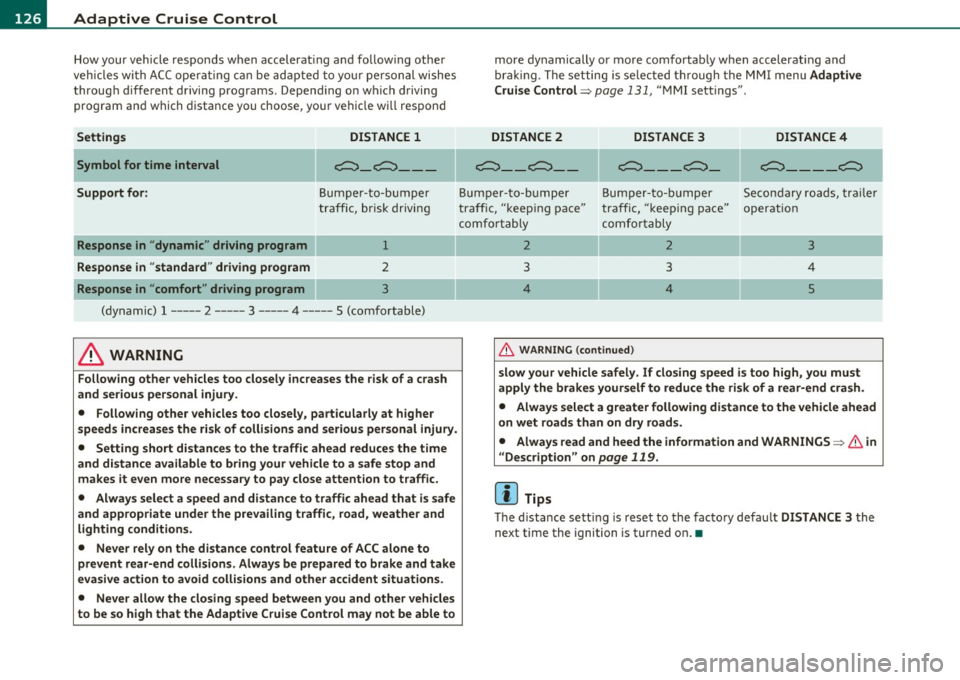
How your vehicle responds when accelerating and follow ing other
veh icles wi th AC C opera ting c an be ad apte d to you r person al wishes
through diffe rent driving programs. Depend ing o n which driving
pro gram an d which distance you choose, you r veh icle w ill respon d
Settings DISTANCE
1
Symbol for time interval c;:::::::::,_c;:::::::::, __ _
Support for: Bu mp er-t o-b um per
tra ff ic, br isk driving
Response in " dynamic " driving program 1
Response in "standard " driving program 2
Response in "comfort " driving program 3
(dy namic) 1 ----- 2 ----- 3 ----- 4 ----- 5 (comfortable)
& WARNING
Following other vehicles too closely increases the risk of a crash
and serious personal injury .
• Following other vehicles too closely , particularly at higher
s peeds increase s the risk of collisions and serious personal injury.
• Setting short distances to the traffic ahead reduces the time
and distance available to bring your vehicle to a safe stop and
makes it even more necessary to pay close attention to traffic.
• Always select a speed and distance to traffic ahead that is safe
and appropriate under the prevailing traffic, road , weathe r and
lighting conditions.
• Never rely on the distance control feature of ACC alone to
prevent rear-end collisions . Always be prepared to brake and take
ev asive action to avoid collisions and other accident situations .
• Never allow the closing spe ed between you and other vehicles
to be so high that the Adaptive Cruise Control may not be able to more dynamically or more com
fortab ly when accelerating a nd
bra king. The set ting is se lec ted t hrough the MMI m enu Adaptive
Cruise Control =>
page 131, "MM I sett ings" .
DISTANCE
2 DISTANCE 3 DISTANCE4
~- _ c;:::::::::,_ - c;:::::::::,_ - _ c;:::::::::,_
c;:::::::::,_ - - _c;:::::::::,
Bum p er-to- bum per Bum per -to- bum per Se co nd ary r oads, tr ail er
tra ff ic, "keep ing pace" traff ic, "k eep ing pace" o perat ion
c omf ortabl y comfort ab ly
2 2 3
3 3 4
4 4
5
&, WARNING (co ntinued )
slow your vehicle safely . If closing speed is too high, you must
apply the brakes yourself to reduce the risk of a rear-end cra sh .
• Always select a greater following distance to the vehicle ahead
on wet roads than on dry roads.
• Always read and heed the information and WARNINGS=>
& in
" Description " on
page 119.
[I) Tips
Th e d istance sett ing is reset to the facto ry defau lt DISTANCE 3 the
next time the ignition is turned on .•
Page 130 of 370

1111....__A_ d_ a_,_ p_t _i_ v _e _ C_r_ u_ i_ s_ e_ C_ o_ n_ t_ r_ o_ l __________________________________________ _
• .::::::,,,,,.::::::, Driving in traffic: The indicator light .::::::,11 .. .::::::, shows that a
veh icle moving in yo ur lane of tr ave l has been de te cte d up fron t in
your lane o f travel. Your speed is adjusted accord ing to the speed of
the vehicle up front. ACC accelerates and brakes automatically within
the system's capabilit ies.
• .::::::,,,,,.::::::, Driver intervention prompt : The red flashing w arning
light
.::::::,11 .. .::::::, means Request for driver to as sume control. You as the
driver must slow the vehicle with the foot brake . The symbo l
.::::::,11 .. .::::::,
tells you that the Adapt ive C ruise Contro l is not able to slow the
vehicle down eno ugh to keep a enough distance to the vehicle in front
of you. A warning to ne w ill a lso sound when the symbol appea rs . For
more info rmation about t he dr iver inte rvention prompt~
page 130.
& WARNING
Improper use of the Adaptive Cruise Control feature s and inatten
tion can lead to an crash and serious personal injury.
• Never allow the closing speed between you and other vehicles
to be so high that the Adaptive Cruise Control may not be able to slow your vehicle safely . If closing speed is too high , you must
apply the brakes yourself to reduce the ri sk of a rear-end crash .
• Always sele ct a greater following dis tance to the vehicle up
ahead on w et roads than on dry road s.
• Always read and heed the information and WARNINGS ~
& in
" Description " on
page 119.
[ i ] Tips
• If you use the accelerator to go faster tha n the speed of the
vehicle ahead of yo u, the drive r intervention prompt will not be
accompanied by a warning to ne.
• If the spee d you previously set is ex ceeded, t he i nd ic ato r light in
the speedometer will sw itch off .•
A pp lies to veh ic les: with Adapt ive Cru ise C ontrol
Display in the instrument cluster
Fig . 116 Di splay in
the instrum ent cluster
Scr oll throug h the available information displays by br iefly tapping
the
I RESE T) button at the end of the windshield w iper leve r. Yo u can
select info rmation from the tr ip comp uter, naviga tion system * or
Adaptive Cr uise Contro l.
© Vehicle symbol
® Distance
© Status
© Vehicle symbol
The ve hicle symbol indi ca tes whether the system h as de te cted an
object trave ling in front.
• Vehicle outline : Open road, no vehicle ahea d.
• White ve hicle: A vehicle is detected ahead.
• Red vehicl e: Request for dr iver to assume control.
® Distance
Us ing the a rrows and scale , you can det ect how fa r it is to the v ehi cle
in front of you.
• Open road : No arrow appea rs when the veh icle is on a n open ro ad
and there is no ve hicle ahead. .,,_
Page 131 of 370

__________________________________________ A_ d_ a_,_ p_t _iv _ e_C_ r_u _i _ s _e _C_ o_n_ t_ r_ o_ l __ _
• Driving in traffic: If a vehicle is detected ahead, the arrow moves
on the scale. The green area represents the distance set. When
approaching slowly, the arrow moves from the
gray zone to the green
zone on the scale.
• Driver intervention prompt: When approach ing rapidly, the
arrow serves as an early warning signal. If the distance se lected is
exceeded or possibly not reached, the arrow moves into the
red zone
on the scale. In certain driving situations, you as the driver will have
to take action=>
page 130, "Driver intervent ion prompt".
© Status
• Th e text ACC OFF appears in white letters when Adaptive Cruise
Control is turned off.
• The text
ACC AVAILABLE appears in wh ite letters when the
system is turned on but no desired speed has been set.
• The text
OVERRIDE appears in white letters when you exceed the
desired speed by accelerating .
• The text
DISTANCE! appears in red letters when the interval to a
vehicle traveling ahead is too short and you have to slow your vehicle
add itionally with the foot brake.
• Th e text messages
DISTANCE 1 to DISTANCE 4 appea r in green
letters to indicate the time interval you have set and Adaptive Cruise
Control is in management mode .
• If the driving program "standard" is replaced by "comfort" or
" dynamic" using the MMI, the above text message is supplemented
by an appropriate prompt, e.g.
DISTANCE 1 -dyn . . •
Controls and equip
ment Safety first
App
lies to vehicles : with Adaptive Cr uise Control
System status indicator
The text messages and symbols shown in this area of the
display are not displayed permanently.
Time intervals (such as c::::, ____ c::::,)
Fig. 117 System
status indicato r
The different symbols for the time intervals (distance) appear if you
change the settings=> fig . 117.
Thr ee wh ite dots ... appear if a setting cannot be made with the oper
ating lever . The following are possible reasons
• If you pull the control lever towards you to resume speed but no
requested speed was set.
• If you push the lever up to increase (or down to reduce) speed
when no speed has been set previously.
• If yo u push the lever up to increase (or down to reduce) speed and
this speed is outside the 20 to 95 mph (30 to 150 km/h) speed range.
ACC functionality Limited
The message ACC functional ity limited appears when the ACC
System does not detect any moving vehicles up ahead in your lane of
travel for a longer period of time. During this time, the distance to
moving veh icles in your lane of travel up ahead is not being main
tained . The ACC system is not sw itched off, and increased attent ion .,,
Vehicle care Technical data
Page 132 of 370

ffl..__A_ d_a_ p,__ t_iv _ e_ C_r _u _ i_ s _e _ C_ o_ n_t _ r_ o _ L ___________________________________________ _
to the traffic situation is absolutely necessary. The following may be
reasons why the message
ACC functionality limited appears:
• The ACC sensor is dirty . The ACC system is not reacting, or is not
reacting correctly, to moving vehicles up ahead in your lane of travel.
• There may be very light traffic on and there is nothing that marks
the side of the road (for example, guard rails, traffic signs, trees) . As
soon as a moving vehicle up ahead is detected aga in, ACC becomes
active again and the message disappears.
Th e ACC sensor is located in the area under the front license plate.
If
the ACC sensor is dirty or blocked, clean the area to restore system
operat ion.
ACC not available
The text message ACC not available appears, for example, if the
temperature of the brakes is excessive. Adaptive Cruise Control is
temporarily not available. A warning tone sounds as a reminder.
ACC not available!
The text message ACC not available! appears in the event of a
malfunction. Adaptive Cruise Control is turned off. A warn ing tone
so unds as a reminder. Have the system inspected by a qualified deal
ership.
ACC sensor blocked !
The text message ACC sensor blocked! appears when the ACC System
can no longer accurately detect vehicles moving up ahead in your lane
of travel. Adaptive Cruise Control is turned off. A warning tone also
so unds as a reminder.
To decide whether it is necessary to switch off the ACC (ACC sensor
blocked
!) or if it is only a temporary condition (ACC Functiona lly
limited), the system w ill also takes into consideration the outside
temperature and/or the windshield wiper operation .
Th e ACC sensor is dirty or blocked (e.g. leaves, snow) . The ACC sensor is located in the area under the front
license plate. If
the ACC sensor is dirty or bloc ked, clean the area to restore system
operation .
EPB activation
The text message EPB activation appears if emergency braking was
man ua lly initiated with the Electromechanical Parking Brake (EPB).
The Adaptive Cruise Control is turned off . Th is is accompanied by a
wa rning tone.
Speed
The set speed in mph (Canada km/h) always appears when saving or
changing the speed in Adaptive Cruise Control=:>
page 122, "How is
the speed stored?" and=:>
page 123, "Changing stored speed".
Selector lever position!
The text message Selector lever position! appears when the selecto r
lever is moved to position
N . In this position, Adaptive Cruise Control
is not available. •
Applies to vehicles: wit h Adapt ive Cruise Contro l
Driver intervention prompt
The driver intervention prompt calls on the driver to take
over the situation.
Fig. 118 I nstrument
cluster: Dr iver inter -
v ent ion prompt
~
Page 133 of 370

Adaptive Cruise Control -
----------------
In certain situations, the braking power of the Adaptive Cruise
Control is not enough to maintain an adequate distance to the vehicle
up ahead. In these situations, the Adaptive Cruise Control calls the
driver to take action.
The
driver intervention prompt alerts you visually and audibly to take
over.
• A red vehicle is shown in the instru ment cluster display
=>
page 130, fig. 118.
• Th e text
DISTANCE! appears in the status line.
• The indicator light
c:::>uuc:::> in the speedometer blinks red.
• A warning tone sounds .
[I) Tips
• If the Adaptive cruise control initiates braking, the hydraulic brake
system is under pressure . Therefore, the brake pedal distance is
shorter and the pedal "feels" harder .
• Adaptive Cruise Control is switched
off after pressing the foot
brake. The speed saved up this point can be resumed.
• To resume the saved speed, release the brake pedal and press the
control lever=>
page 124, "Turning Adaptive Cruise Control off
temporarily".
• If you use the accelerator to go faster than the speed of the
vehicle ahead of you, the
driver intervention prompt will not be
accompanied by a warn ing s ignal.
• If the speed you previously set is exceeded, the indicator light in
the speedometer will switch
off .•
Controls and equip
ment Safety first
A
pp lies to vehicles : w ith Ad apt ive Cr uise Cont rol
MMI settings
Individual settings for Adaptive Cruise Control can be
selected in the MMI.
Settings for the Driving program can be adjusted individually
to the particular user and saved in the MMI. This can only be
done with the engine running.
- Select: Function button
[CAR]> Systems*> adaptive
cruise control > Driving program .
Setting the driving program
In the Driving program menu you can adjust the character istics of
Adaptive Cruise Contro l to your own preferences using
Dynamic ,
Standard or Comfort.
Saving settings
Your individual settings are automatically saved and assigned to the
remote control key being used (remote key storage). If the key is
given to another person, the saved settings rema in as they are.•
System limitations
A pp lies to ve hicle s: with Ad apti ve Crui se Con tro l
General information
The radar sensor has limits that the driver must know to
be able to use ACC properly.
The Adaptive Cruise Control works within limits that are also related
to radar sensor range and sight distance. In some situations ACC may
reac t unusually or late from the driver's poin t of view . Therefore,
always be attentive to what is happen ing around you and a lways be
ready to intervene, if necessary:
• when driving around curves=>
page 132
Vehicle care Technical data
Page 134 of 370

IIIIL---=..A...;:.=: d:...:a ;;.i:p;;;... t.=. i:....: v :....: e::.....: C::.: r:....: u:;.:....: is:...e::.....: C;;;... o.::....:.. n:....:t :.:. r:....:o :....: l;__ ________________________________________ _
• when vehicles up fro nt are not in line wit h your veh icle
~ page 132
• when other ve hicles are chang ing lanes ~ page 133
• when other vehi cles are difficult to de tect~ pag e 133.
• when ve hicles up ahead are no t moving o r ob sta cles are in yo ur
t rav el lan e~
page 133
& WARNING
The radar sensor's function and range can be reduced by rain, snow
and heavy spray . Moving vehicles up ahead may not be promptly
detected or may not be detected at all.
• Always pay careful attention to the traffic situation and be
ready to intervene and be ready to take complete control when
ever necessary. •
Applies to ve hicle s: wit h Ad ap tive Cru is e Cont ro l
When driving around curves
Fig . 119 Vehicl e
enteri ng a cu rve
....
k ;::::::===============, !
~
Entering a curve
Fig. 120 Vehicle
le av ing a curve
When e nte ring a curv e, the Adapt ive Cruise Contro l may react to a
v ehicle in the n ext lan e and app ly the b rak es in your v ehicle
~ fig. 119 . The braking action can be overridden by dep ressing the
acc ele ra tor pe dal.
Leaving a curve
A t the end of very long curves , ACC's predict ive lane read ing c an c ause
ACC to react to anothe r veh icle in the next lane and ap ply the bra kes
on you r ve hi cle~ fig. 12 0. Th e br ak in g ac tion ca n be ov erridde n by
depressing the accelerator peda l.•
App lies to veh icles: w ith Adaptive Cruise Control
Vehicles offset to one side
Fig. 121 V ehicle trav
e ling ahead outside
the detection range of the rada r se nso r .,_