ABS AUDI A6 2011 Owner's Manual
[x] Cancel search | Manufacturer: AUDI, Model Year: 2011, Model line: A6, Model: AUDI A6 2011Pages: 370, PDF Size: 87.15 MB
Page 258 of 370
Trailer towing
"---------------------------------------------------
Trailer towing
Driving with a trailer
General information
Your Audi was designed primarily for passenger transpor
tation .
If you p lan to tow a t railer, p lease remember that the additional load
w ill affect durability, economy and performance.
Tr ailer towing not on ly p laces mo re s tress on the vehicle, it also calls
for more concentration from the driver.
For this reason, a lways follow the operating and dr iv ing inst ructions
prov ided and use common sense .
0 Note
If you are going to tow a trailer, you must activate the tra iler ope ra
tion mode =>
page 170, "Towing a tra iler". •
Technical requirements
Trailer hitch
Use a we igh t-car rying h itch co nform ing to the gross tra iler we ig ht.
The h itch must be suitab le for your vehicle and trailer and must be
mou nted securely o n th e vehi cle's ch assi s at a
techni cally sound loc a
tion . Use only a trailer hitch with a removab le ball mount. Always
check wit h the t railer h itch manufactu rer to make sure that yo u are
using the correct h itch .
Do not use a bumper hitch.
The h itch mus t be installed in such a way t hat it does not in terfe re
w ith t he impact-absorb ing bumper system. No modifications shou ld be made to t
he veh icle exha ust and bra ke systems. From t ime to
time, check that a ll hitch mounting bo lts rema in securely fastened.
W hen you are no t tow in g a tra ile r, remove the t railer hit ch ball
mount. This prevents the hitc h from caus ing damage should your
vehicle be str uck from behind=>& .
Trailer brakes
If your trail er is e quipped w ith a b raking system, che ck to be s ure t hat
it conforms to all regulations.
T he tra ile r hydrau lic brake system m ust not be directly connected to
t he vehicle's hyd raulic b rake sys tem .
Safety chains
Always use safety chains between your veh icle and t he tra ile r.
Trailer lights
Trailer lights must meet all regulations. Be sure to check w ith your
Audi de aler fo r corr ec t wir ing , sw itches and re lays.
Mirrors
If you are unab le to see t he t raff ic be hind you using t he regular
outs ide mirrors, then you
must install extended mi rrors. It is impor
t an t th at yo u
always ha ve clear vi sion to the re ar.
& WARNING
After removing the trailer hitch, do not store it in your vehicle. In
case of sudden braking , the hitch could fly forward and inju re you
or your passengers. •
Page 261 of 370

-With chocks in place, slowly release the brakes until the
wheel chocks absorb the load.
- Turn the whee ls towards the curb .
- Apply the parking brake.
- Move the selector lever to
P.
When restarting after parking:
- Apply the foot brake.
- Start the eng ine .
- M ove the selector lever to
D.
-Release the parking brake and slowly pu ll out and away
from the wheel chocks .
- Stop and have someone retrieve the wheel chocks .
[ i ) Tips
If you move the se lector lever of the automat ic t ransm ission to P
before applying the parking brake and before blocking the whee ls,
yo u may have to use mo re force later to move the leve r out of t he
P
position. •
Controls and equip
ment Safety first Vehicle operation
Vehicle care Do-it-yourself service Technical data
Page 269 of 370

____________________________________________ C_l_e _a_ n_ in--= g=-- a_n_ d_ p ,__r_o _t_ e_ c_ t _ io_ n __ lffll
Your authorized Audi dealer can provide cleaning products that have
bee n tested and approved for your veh icle. •
Care of interior
MMI display
- Clean the MMI display with a soft clean cloth and an LCD
cleaner .
The MMI display can be cleaned with a professionally available "LCD
cleaner". The cloth should be slightly dampened with the cleaning
fluid to clean the d isp lay .
0 Not e
To avoid scratching the MMI display, you should never clean it dry. •
MMI control console
- First clean the MMI control console with a brush to
remove dust from the housing.
- Then wipe the MMI control console with a clean, soft,
slightly damp cloth.
T he MM I control console sho uld be cleaned w ith a brush first so that
no dirt is trapped between the buttons and the housing. We recom
mend g iving the MMI contro l conso le a final w ipe with a cloth mois t
ened w ith water and dish washing detergent.
0 Note
To prevent damage, make sure that no fluid ever gets into the MMI
control console .•
Safety first
Aluminum trim
Use only neut ral-pH products to remove spots and deposits from
al uminum surfaces. Ch rome care prod ucts and al kaline cleaners w ill
attack aluminum surfaces and can damage them over t ime .
& WARNING
Alw ay s re ad and heed all WARNING S and other information
~ page 2 60. •
Fabrics and fabric coverings
Fabrics and fabr ic coverings (e .g . seats, door trim panels, etc.) should
be clean ed at regular interva ls with a vacuum cl eaner . T his removes
surfa ce di rt pa rt icl es which co uld become embedded in the fabr ic
through use . Steam cleaners should not be used, because the steam
tends to push the d irt deeper into the f abric and lock it there.
Norm al clean ing
Genera lly, we recommend using a soft sponge or a li nt-free
microfiber cloth to the clean fabric. Brushes should on ly be used for
ca rpets and floor mats , since other fab ric surfaces could be ha rmed
by brushes.
No rma l sur face sta ins can be cleaned us ing a commercially avai lab le
foam cleaner. Spread the foam on the surface of the fabr ic with a soft
sponge and work it in gently . Do not saturate the fabric. Then pat the
foam dry using absorbent , dry cloths (e .g. microfiber cloth) and
vacuum it after it has dried comp letely.
Clean ing stains
Sta ins caused by beverages (e .g. coffee, fruit juice, etc.) can be
treated with a mild detergent solut ion. Apply the detergent solut ion
with a sponge . In the case of stubborn stains, a detergent paste can
be applied directly to the stai n and worked into the fabric . After
wards, use copious amounts of clean water to remove the remaining .,.
Vehicle care Technical data
Page 270 of 370

-~_C_ le_ a_n_ i_ n_ g=- a_ n_d___. p_ ro_ t_e _c_ t_ i_o _n ___________________________________________ _
detergent. Apply the water with a damp cloth o r sponge a nd pat the
fabr ic dr y wi th a n ab sorb ent , dr y clot h.
Sta ins from choco late or makeup should have dete rge nt paste (e.g.
ox -gall soap) ru bbed into them . Afterwards, remove t he soap w ith
w at er ( damp s ponge).
Alcoho l can be used to treat sta ins from grease , oil, lipstick or a ba ll
po int p en. Melte d gre ase o r dye mus t be p atted o ff usi ng absorbe nt
material. It may be necessary to ret reat t he areas with detergent
paste a nd water .
In the case of ge nera l soili ng o f th e upholste ry an d cover mater ia l, we
recommend hiring a specialist that has the equ ipment to clean the
sea t cover s and o ther fab ric su rf a ces by sh am poo ing and s pray
extractio n.
& WARNING
Always read and heed all WARNINGS and the information
~ page 260 .
(I) Tips
Ope n Velcro fasteners on yo ur clothing can damage the sea t cover.
Please make su re t hat Velc ro fasteners are closed .•
Plastic parts and instrument panel
Always use a clean cloth moistened in clear water to clean t hese
a reas. For pers iste nt dirt use a n Audi appr oved
solvent-free plas tic
cleaner /protectant.
& WARNING
Solvents can change the properties of some plastics and make it harder for the airbag to deploy.
& WARNING (co ntinued )
• Never clean the instrument panel or the surface of airbag
modules with cleaning products that contain solvents.
• Products containing solvents will make the surface of this part
porous.
• Serious injuries can result if plastic parts come loose when the
airbag is deployed .
• Always read and heed all WARNINGS and other information
~page 260.
0 Note
Cleaning agents contai ning solvents will attack the mate rial and can
c hange the w ay it behave s.•
App lies to vehicles: with na tural leather
Natural leather
A udi makes gre at effo rts to main tain the propert ies,
natura l loo k and f eel of inte rio r le a th er .
General
We offe r m any di fferen t types o f lea ther on ou r ve hicl es. Most are
differen t types of nappa leat her, which has a smooth s urface and
comes in va rious co lo rs .
Th e int ensity of the colo r de ter min es th e vi sual cha ra cte ris tic s an d
appea rance. If the s urface o f the leathe r has a typical natu ral look,
t hen the le a the r is a nappa lea ther tha t has bee n left in a relat ively
natura l condition. This leat he r offers partic ularly good comfort a nd
brea thes wel l. Fine veins, closed gr ains, insec t bit e s, sk in fol ds , and
subt le variations i n color rema in v isib le. These character ist ics demon
stra te t hat the ma ter ia l is na tural.
N at ural nappa leat her i s not cov ered by a colo r finish.
It is therefor e
more sensitive to soiling and wea r, which is somethin g you need to ..,
Page 272 of 370
-~_C_ le_ a_n_ i_ n_ g=- a_ n_d___. p_ ro_ t_e _c_ t_ i_o _n ___________________________________________ _
Cleaning spots
- Remove fresh water-based spots (such as coffee, tea,
juices, b loo d) with a n absorben t cloth o r paper towel.
- R emove fresh
grease or oil-based spots (such as butter,
mayonnaise, chocolate) with an absorbent cloth or paper
towel, or use the clea ner from the leather care kit i f the
spot has not yet penetrated into t he s urface of the
leather.
- Use an oil/grease d isso lv ing spray, if
oil /grease spots
have dried on .
-Remove spec ific kinds of spots (ballpoint pen, felt marker,
fingernai l polish , water-based paint, shoe polish, etc .)
with a spo t remover specifica lly formulated for leather.
Leather care
- Ever y hal f year us e an ap proved leat her car e prod uct
(avai lable fr om you r A udi dea ler) to care f or th e le ather.
- Ap ply t he produ ct very spari ngly .
- W ipe it off with a da mp cloth.
If yo u have any quest ions about cleaning and caring for the leathe r in
your ve hicl e, i t is best to con tact you r au thor ized Audi dealer, who w ill
be glad to help yo u and tell you about our fu ll range of leather care
prod ucts, such as:
• Leathe r cleaning and ca re k it
• Creams to ca re for colo red leather
• Spot removers for ba llpoint pens, shoe polish, etc .
• Oil/g rease disso lv in g sp ray
• New and upcoming pro ducts.
& WARNING
Always read and heed all WARNINGS and other information
:=> page 260 .
0 Note
• N ever use chemical so lvents (e.g. lighte r fluid, turpentine), waxes,
shoe po lish or simi lar p roducts on the leathe r surfaces in your Aud i.
• T o avo id d amage, have st ubbor n st ains remove d by a commerc ial
cleaning specialist. •
Applie s to v eh icl es: with Alca ntara up hols ter y
Cleaning Alcantara ® (synthetic suede)
Removing dust and dirt
- Mois t en a clot h, squeez e out excess wat er a nd wipe down
the sea t surfaces .
Removing stains
-Mois te n a c loth wi th lukewarm water or wi th diluted ethyl
(rubbing) alcohol.
- Dab at t he stai n. S tart at the outside a nd wor k inwar ds.
- Once the sta in is no longer v isib le, use a soft dry cloth or
tissue to soak up t he m oisture .
Do not use leather cleanin g products on Alcantara.
You may use a s uit able sha m poo fo r remov ing dust and d irt.
Dust and grit i n the pores and seams ca n scratch and damage the
s u rface . If th e car is lef t stan ding in the s un for long periods, the
Alcan ta ra should be p rotected aga inst direct su nlight to preve nt i t
from fading . Slig ht co lor var iat ions wi ll deve lop in no rma l use and are
not a n in dicat ion of material dete rioration. .,_
Page 291 of 370

___________________________________________ C_ h _ e_c _k _ i_n -=g .._ a_n _ d_ f_i _ll _i _ n -=g '-- ........
Brake fluid
Checking brake fluid level
The b rake f lu id l eve l can be checke d wit h a qui ck g lanc e.
Fig . 212 E ngine
compartment : Br ake
fluid re se rv o ir
Before you c heck a nythi ng in the eng ine compartment ,
always read and heed all WARNINGS~ & in "Working in
the e ngi ne comp art ment" on
page 279.
- Read t he bra ke flu id level from the bra ke fluid reservoir
~ page 289, fig . 212. The brake flu id level must be
between the " MIN" and " MAX" mar kings.
The brake fluid reservoir is locate d at the rear pa rtition of the engine
compartmen t on the left s ide=>
page 280 .
The f luid leve l may drop slightly after some time d ue to the auto
m atic a dju stment of t he b rake pads. This is not c ause for ala rm.
If the brake flu id level falls
considerably be low the "M IN" mark, the
brake warni ng/ind icator light (U .S. models :
BRAKE, Canadia n mo dels:
(0) ) will come on=> page 18 and=> page 26. Do not continue to
operate t he vehicle. The complete brake system sho uld be thoroug hly
chec ked by an au thor ized A ud i d eale r or othe r qualified fac ility and
the cause corrected.
If the brake fluid level is too low, the brake
Vehicle OP-eration
warning/ind icator light will illum inate . Contact an au thoriz ed Aud i
de aler
immediately .•
Changing brake fluid
H av e the b rake fluid chang ed by an expe rie nc ed t echni
CJ an.
B ra ke flui d abso rb s moi stur e from the air. If the wa te r c on ten t in t he
brake fl uid is too high, corros ion in the b rake system may res ult after
a pe riod of time. The boili ng po int of the brak e flu id will also decrea se
co nsiderab ly and decrease brak ing perfo rmance.
Th erefore, the brake f lui d m ust be c hanged
every two years . Always
use new brake fluid w hich conforms to Fede ral Motor Veh icle Stan
dard "F MVSS 1 16 DOT 4" .
Th e br ake f luid reserv oir can be diffi cult to rea ch, there fore, we
recommend that you have the brake fluid changed by your authori zed
Audi dealer . Your deal er h as th e correc t tools, the rig ht bra ke flui d
and the know-how to do th is for you.
& WARNING
• Brake fluid is poisonous. It must be stored only in the closed
original container out of the rea ch of children!
• Brake
failure can result from old or inappropriate brake fluid .
Observe these precaution s:
- Use only b rake fluid that meets SAE specification
J 1703 and
conforms to Federa l Motor Vehicle Standard 116. Alway s check
with you r authorized Audi dealer to make sure you are using
the correct brake fluid. The corre ct type of brake fluid is also
indicated on the brake fluid rese rvoir.
- The brake fluid must be new . Heavy use of the brakes can
c ause a vapor lo ck if the brake fluid is left in the system too
long . Thi s can seriously affect the efficiency of the brakes as
well as your safety. This could result in an accident .
~
Vehicle care Do-it-yourselt service Technical data
Page 292 of 370
-L~C~ h~ e~c ~k :..!_i ~ n ~g ~ a~n ~d~ f~il ~l~in ~ g[_ ________________________________________ _
0 Note
Brake fluid will damage the paint of your vehicle.
the special tools required and the necessary expertise, we recom
mend that you have the brake fluid changed by your authorized Audi
dealer. •
Battery
General information
Under normal operating condit ions, the battery in your Aud i does not
need any maintenance. With
high outside temperatures or long daily
drives we recommend that you have the electrolyte level checked by
a service facility. The electrolyte level should also be checked each
time the battery is charged~
page 292.
Have the battery checked when you take your vehicle in for service.
You are well advised to replace a battery that is older than 5 years.
With certain types of a irbag deployment, the battery is disconnected
from the vehicle electrical system for safety reasons=>
& in "Repair,
care and disposal of the airbags" on
page 211.
Disconnecting the battery terminals
Some vehicle functions (power window regulators, for example) are
lost if the battery terminals are disconnected. These functions have
to be relearned after the battery terminals are connected aga in. To
prevent this, the battery should only be disconnected from the
vehicle electrical system when absolutely necessary for repairs.
Vehicles not driven for long periods
If you do not drive your veh icle over a period of severa l days or weeks,
electrical components are gradually cut back or switched off. This
reduces energy consumption and maintains starting capability over a
longer period~
page 249.
Take into consideration that when you unlock your vehicle, some
convenience functions, such as the master key remote function or
power seat adjustment, may not be available. The convenience func
tions will be available again when you turn on the ign ition and start
the engine.
Winter operation
During the winter months, battery capacity tends to decrease as
temperatures drop. This is because more power is also consumed
while starting, and the headlights, rear window defogger, etc., are used more often .
Avoid unnecessary power consumpt ion, particu larly in city traffic or
when traveling only short distances. Let your authorized Audi dealer
check the capacity of the vehicle battery before w inter sets in
=> page 292. A well charged battery will not only prevent starting
problems when the weather is cold, but will also last longe r.
(I] Tips
If your veh icle is left standing for several weeks at extreme ly low
temperatures, the vehicle battery should be removed and stored
where it will not freeze. This will prevent it from being damaged and
having to be replaced.•
Page 317 of 370

Tires and wheels Ill _______________ _____.
than the size indicated on the vehicle placard or tire inflation pressure
label , you sho uld determine the proper tire infla tion pressure fo r
those tires.)
As an added safety feature, your vehicle has been equipped with a tire pressu re monitoring sys tem (TPMS) that illuminates a low tire pres
sure telltale when one o r more of your t ires is s ignificantly under
inflated. Accord ingly, when the low tire pressure tellta le illumi nates,
you should stop and check your tires as soon as possib le, and inflate
them to the proper p ress ure. D riving on a sign ificantly under-inflated
tire causes the tire to overheat and can lead to tire fa ilure . Under
inflation also reduces f uel efficiency and tire tread life, and may
affect the vehicle's handling and stopping ability .
Please note that the TPMS is not a substitute for proper tire mainte
nance, and it is the d river's responsibility to mainta in correct tire
pressure, even if under-inflation has not reached the level to trigger
ill umination of the TPMS low tire press ure te lltale.
Your vehicle has also been equipped w ith a TPMS malfunction indi
cato r to indica te when the system is not operating properly . The
TP MS ma lf u nction indicator is combined with the low tire p ress ure
telltale. When the system detects a malfunct ion, the telltale will
fl ash for approximate ly one minute and then rema in continuously
illuminated. This sequence will continue upon subsequent vehicle
sta rt-ups as long as the malfunction exists.
When the ma lfunction indicator is illum inated, the system may not
be able to de tect or signa l low ti re pressure as intended . TPMS
ma lfunctions may occur fo r a var iety of reaso ns, includ ing the instal
lation of replacement o r alternate tires or wheels on the vehi cle that
prevent the T PMS from functioning properly . Always check the TPMS
ma lfunction tellta le after replacing one or more tires or whee ls on
yo ur vehicle to ensure that the replacement o r alte rnate t ires and
wheels allow the TPMS to continue to funct ion proper ly .•
Vehicle OP-eration
App lies to vehicles : wi th t ire p ressu re mon it ori ng system
Tire pressure indicator appears
The tire pressure indicator in the instrument cluster
informs you if the tire pressure is too low or if there is a
system malfunction.
Fi g. 221 D is pl ay:
un der infl ation
wa rning
Fi g. 2 22 Display :
Sys tem malfun ction
Us ing the ABS sensors, the tire pressure monitor ing system compares
the t ire tread c ircumference and vibration characteristics of the ind i
vidual tires .
If the pressure decreases in one or more tires, this is indi -
cated in the instrument cl uster with a warning symbol and a
message ~ fig. 221. The d river message in the display goes o ut after
5 seconds . The driver message can be displayed again by p ressing the
!C HECK ] button. If on ly one t ire is affected, the display will ind icate
its position. ._
Vehicle care Do-it-yourselt service iTechnical data
Page 318 of 370
IIIIL_T.:...:..: i r~ e:.: s~ a:::. n:..:..:: d:.....: w..:...:. h::e:.: e::.:: ls::::._ ______________________________________________ _
The tire pressure monitoring must be reset via MMI each t ime the
pressures are adjus ted (e.g. w hen swi tching between p art ial an d full
load pressure) or after chang ing o r replacing a tire o n your veh icle
~ page 31 6. Yo u can fi nd the recommended tire press ures for yo ur
veh icle on the label on the driver 's door pillar~ page
299 .
Tire tread circ umference and vibrat ion characteristics can change and
c a u se a tir e pressure war ning if:
• the t ire pressure in one o r more tires is too low,
• t he tire ha s structur al dam age,
• the tire press ure was changed, wheels rotated or rep laced but the
TPM S was no t reset~ page
316.
Warning symbols
1..1' Loss of press ure in at least one tire~ &. Check the tire or tires
and replace or repair if necessary. The indicator light (• in the instru
me nt clust er also illuminates~ page
12. Check/correct th e p res
sures o f all four tires and reset TPMS via MMI.
rr :; (T ire Pressu re M on itor ing System) Tire pres sure! System
malfunction.
If T ,.;> appears a fter switching the ignition on or w hile
dr iv ing ~ page
315, fig . 2 22 a nd t he indica to r lig ht 'in th e instr u
me nt clus ter b links for approx ima tely one m inute and the n stays on,
there is a system ma lf u nct io n. See your authorized Audi dealer as
soon as poss ible.
& WARNING
• If the tir e pres sure indicator appears in the instrument cluster
display, one or more of your tires i s significantly under-inflated.
Reduce your speed immediately and avoid any hard steering or
braking maneuvers. Stop as soon a s possible and check the tires
and their pressures . Inflate the tire pressure to the proper pres
sure as indicated on the vehicle 's tire pressure label~
page 299.
Driving on a significantly under -inflated tire causes the tire to
overheat and can lead to tire failure. Under -inflation also is likely
to impair the vehicle's handling and stopping ability.
& WARNING (co ntinued )
• The driver is re sponsible for maintaining the correct tire pres
sures . You must check the tire pres sures regularly .
• Under certain conditions (such as a sporty driving style , winter
conditions or unpaved roads) , the pressure monitor indicator may
be delayed.
• Ask your authorized Audi dealer if run-flat tires may be used on
your vehicle . Your vehicle registration becomes invalid if you u se
the se tires when not permitted. Damage to your vehicle or acci
dents could also result.
[ i ] Tips
• T he tire pressure monito ring system stops wor king when there is
an ES P/ABS malf u nctio n.
• Using snow cha ins may res ult in a system ma lf u n ct ion .
• The tire pressure mon itor ing system on your Au di was calibrated
using t ires with the "AO" or "RO " id ent ificat ion . We re comme nd
using these tires. •
Applies to vehicles: with tire p ressure monito ring system
Reset tire pressure monitoring system
I f the tire pressure is adjus ted, wheels are rotated or
changed, th e TPfvf S must b e re set via
fv1fv1 I.
-Turn on the ign it ion .
- Sele ct : Fu nct ion butt on
[C AR ]> Systems* > Tire pressure
monitoring
> Store now.
[ i ] Tips
Before resett ing the TPMS, the current pressures of all four t ires
mus t co rrespo nd to the specifie d val ues. A djust the tire pre ssure and
~
Page 354 of 370
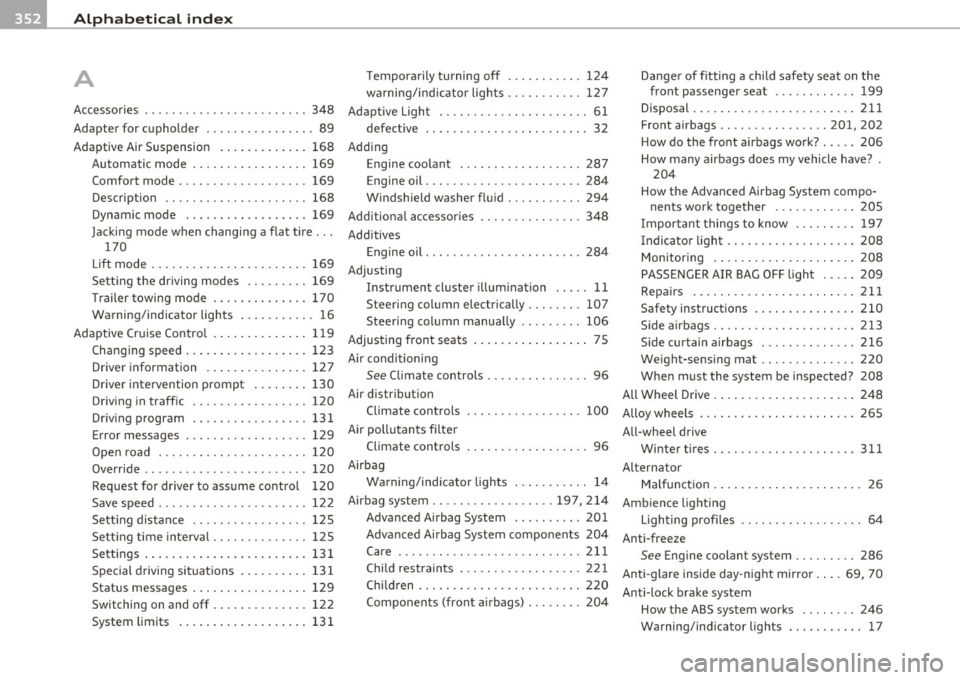
___ A_l_,_ p _ h_ a _ b_e _ t_ i_c __ a _l _i_n :...::d __ e::..: x:...::...,_ _________________________________________ _
A Temporarily turning off .......... . 124
warning/indicator lights .... ...... . 127
Danger of fitting a child safety seat on the
front passenge r seat ............
199
Accessories ..... ................... 348 Adaptive Light ......... ....... .. .. .. 61 Disposal .................. .. .... 211
Adapter for cupholder ................ 89 defective ........................ 32 Front airbags ......... ... .... 201, 202
Adaptive Air Suspension ............. 168
Automatic mode .. .. ... .... ...... 169
Comfort mode ................... 169
Description ..................... 168
Dynamic mode ... .. ... ...... .... 169
Jacking mode when changing a flat tire ...
170
Lift mode ....................... 169
Setting the driving modes ......... 169
Trailer towing mode .............. 170
Warning/indicator lights .... ....... 16
Adaptive Cruise Control ......... ... .. 119
Changing speed ....... ........... 123
Driver information .............. .
Driver intervention prompt ...... . . Adding
Engine coolant ........... ...... .
287
Engine oil ............ ...... ..... 284
Windshield washer fluid ........... 294
Additional accessories ............... 348
Additives
Engine oil ............ .. .........
284
Adjusting
Instrument cluster illum ination .....
11
Steering column electrically ........ 107
Steering column manually .. .. .. .. . 106
Adjus ting front seats ................. 75
Air conditioning
See Climate controls ...............
96
Air distribution How do the front airbags work?
.....
206
How many airbags does my vehicle have? .
204
How the Advanced Airbag System compo-
nents work together ............
205
Important things to know ... .. .. .. 197
Indicator light ................... 208
Monitoring ... .................. 208
PASSENGER AIR BAG OFF light ..... 209
Repairs ............ .. .. .. ...... 211
Safety instructions ............... 210
Side airbags .... .... ............. 213
Side curtain airbags .............. 216
Weight-sensing mat ..............
220
When must the system be inspected? 208
All Wheel Drive ... ... ............... 248 Dr iv ing in traffic ................ .
Driving program .. ...... ........ .
127
130
120
131
Climate controls 100 Alloy wheels ................. .... .. 265
Error messages . .. .. .... ........ .
Open road ... .. .. .. .. ....... ... . 129 Air pollutants filter
120 Climate controls .................. 96
All-wheel drive
Winter tire s .....................
311
Override ...................... .. 120 Airbag
Alternator
Request for driver to assume control
120 Warning/indicator lights ..... ...... 14 Malfunction ........ .............. 26
Save speed . ...... .. .. ........... 122 Airbag system .................. 197,214 Ambience lighting
Setting distance .. ...... ...... .. .
125 Advanced Airbag System .......... 201 Lighting profiles .. .. .............. 64
Setting time interval .............. 125 Advanced Airbag System components 204 Anti-freeze
Settings ...................... ..
131 Care ... .. .......... ....... .. .. . 211 See Engine coolant system ......... 286
Special driving situations .......... 131
Status messages ................. 129
Switching on and off .............. 122
System limits ................... 131
Child restraints .................. 221
Children ........................ 220
Components (front airbags) ... ..... 204
Anti-glare inside day-night mirror .... 69, 70
Anti-lock brake system
How the ABS system works ...... ..
246
Warning/indicator lights ........... 17