brake AUDI A6 2011 Service Manual
[x] Cancel search | Manufacturer: AUDI, Model Year: 2011, Model line: A6, Model: AUDI A6 2011Pages: 370, PDF Size: 87.15 MB
Page 156 of 370
IIJIL___!A~u~t~o~m~a~t~i~c ~t~ra~n~s~m~i~s~s~i~o~n~ -------------------------------------------
& WARNING (conti nu ed )
-When the selector le ver is in a driving position, the vehicle
may creep, even at idle speed. Therefore do not relea se the
parking brake or foot brake until you are ready to mov e,
becau se power is transmitted to the wheel s as soon a s a driving
po sition i s engaged .
- Do not a ccelerate while selecting a driving position . At this
time th e engine must be at idle sp eed so that undue stres s is
not placed on the clutche s in the tran smis sion .
- Remember: -even when stopped b riefly with the automatic
tran smi ssion in "D ", "S " or "R ", engine power is being tran s
mitted to the wheels . Your vehicle could "creep " forward or
ba ckward. When stopped , keep the brake pedal fully
depre ssed and use the parking brake if necessary to keep the
vehicle from roll ing.
- If the selector lever is unintentionally moved into N while
you are driving, take your foot off the accelerator pedal and
wait for the engine to return to idle speed before s electing a
driving pos ition .
- Never shift into "R " or "P " when the vehicle i s in motion .
- Never get out of the driver 's seat when the engine i s running.
- If you must get out of the vehicle , move the selector leve r
s ecurely into the P position and apply the parking brake firmly .
-If the engine must remain running , never have any driving
po sition engaged when checking und er the hood . Make sure
the selector leve r has securely engaged and is locked in "P"
with the parking brake firmly set=>
page 271, "Engine
compartment ". Otherwise , any increase in engine speed may
set the vehicle in motion, even with the parking brake
applied. a
Applies to vehicles: with mu lt itron ic® Continu ous ly Vari able Transmission (CVT)
Selector Lever positions
This section descri bes the selector lever positions and
driving r ang es .
Fig . 14 7 Displ ay in
the in strume nt clu ster :
selecto r leve r in posi
ti on P
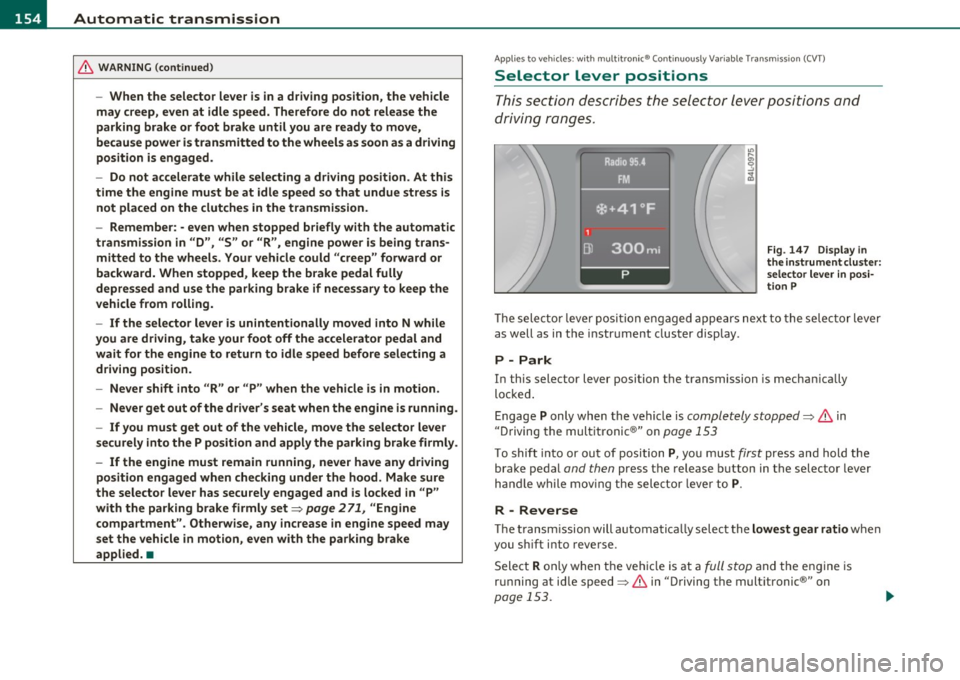
Th e sele cto r lever posi tio n engaged appears nex t to the se lec tor lever
as well as in the i nstr ument clus ter disp lay .
P - Park
In this selector lever position t he transmission is mechan ically
lo ck ed.
Engage P only wh en the vehicle is completely stopped=>
& in
" Dr iving the mult itronic ®" on page 153
T o shift into or out of position P, yo u mus t first press an d hold the
brake pedal and then press the release b utton in the selector lever
h andl e wh ile mov ing the sele cto r leve r to P.
R - Reverse
Th e tran smi ssion will a utoma tica lly selec t the lowest gear ratio when
you sh ift into reve rse.
Select R only when t he veh icle is at a full stop and the eng ine is
running at idle speed=>
& in "Driving the multitronic®" on
page 153.
~
Page 157 of 370

Automatic transmission Ill
----------------
Before you move the selector lever to R, press both, the button in the
hand le of the se lector lever
and the brake pedal at the same time.
When the ignition is on, the backup lights illuminate when the
selector lever is moved into
R.
N -Neutral
Shift to this position for standing with brakes applied=> page 155.
When the vehicle is stat ionary o r at speeds below 3 mph (5 km/h),
you must always apply the footbrake before and wh ile moving the
lever out of
N.
Do not use N for coasting downhill.
D -Normal driving position for forward
Depending on the load on the engine, vehicle speed and the dynamic
control program, the transmission will se lect the
optimal gear ratio.
In certa in circumstances it may be advantageous to temporarily
switch to the manual shift program to manually select gear ratios to
match specific driving conditions=>
page 157.
When the vehicle is stationary or at speeds below 3 mph (5 km/h),
you must always apply the footbrake before and while moving the
lever to
D out of N .
S -Sport position
Select this position for sportier performance. In this position, the
transmission will not upshift as soon, allowing the veh icle to use the
increased power available at higher engine speeds to achieve livelier
acceleration.
When the vehicle is stat ionary or at speeds below 3 mph (5 km/h),
you must always app ly the foot brake before and whi le moving the
lever to
S out of N.
& WARNING
Read and follow all WARNINGS=> & in "Driving the multi
tronic ®" on
page 153.
Controls and equip
ment Safety first
0 Note
Coasting downhill
with the transmission in N and the engine not
operating will result in damage to the automatic transmission and
poss ibly the catalytic converter.•
Applies to veh icles: w ith mult itronic ® Continuously Va riable T ransmiss ion (C VT)
Automatic Shift Lock (ASL)
The Automatic Shift Lock safeguards you against acci
dentally shifting into a forward or the reverse gear and
causing the vehicle to move unintentionally.
Fig. 148 Shift gate:
selector lever lock posi
tions and inter lock
button highlighted
The selector lever lock is released as follows:
- Turn the ignition on.
- Step on the brake pedal.
At the some time press and hold
the interlock button on the side of the gear se lector knob
=> fig. 148 with your thumb until you have moved the
selector lever to the desired position .
Automatic selector lever lock
The selecto r lever is locked in th e P and N positions when the ignition
is turned on. To move the lever from these pos itions the driver must
depress the brake pedal. As a reminder to the driver, the following .,_
Vehicle care Technical data
Page 158 of 370
1111....__A_ u_ t_o _m_ a_ t_ic _ t_ r_ a_ n_s _m_ i _s_ s_ i_ o_ n ____________________________________________ _
warning appears in the instrument cluster display when the selector
is in
P and N:
When stationary apply footbrake while selecting gear
A time delay element prevents the selector lever from locking when
it is moved through the
N position (going from R to D). The locking
element will lock the selector lever if the lever is left in N (Neutral) for
more than approximately 1 second, without the brake pedal be ing
pressed .
At speeds above about 3 mph (5 km/h) the Automatic Shift Lock is
automatically deactivated in the
N position.
Interlock button
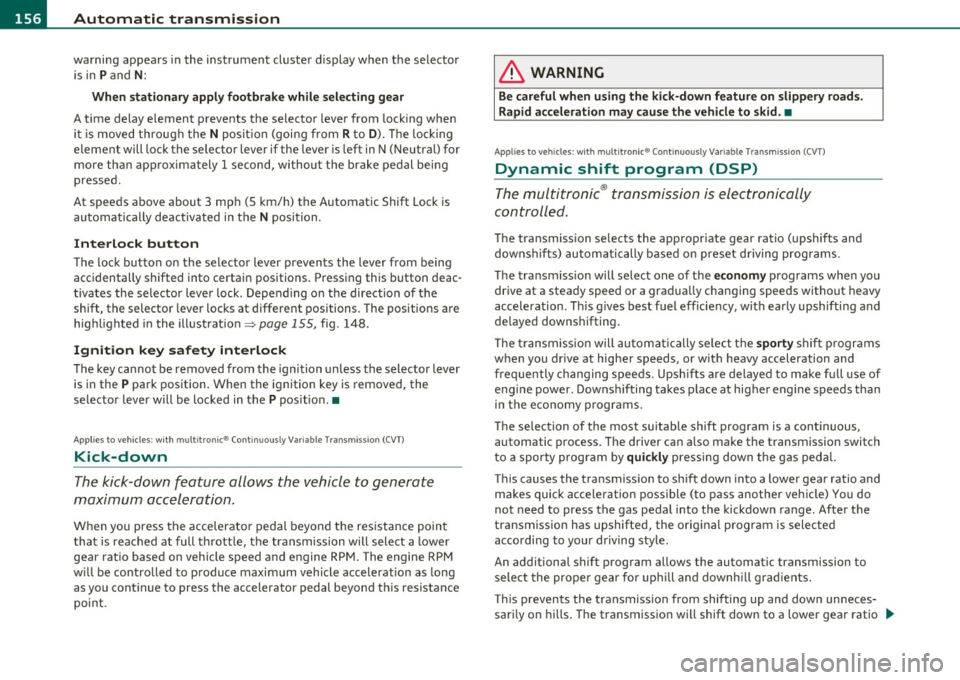
The lock button on the selector lever prevents the lever from being
accidentally shifted into certain positions. Pressing this button deac
tivates the selector lever lock. Depending on the direction of the
shift, the selector lever locks at different positions. The positions are
high light ed in the illustrat ion~
page 155 , fig. 148.
Ignition key safety interlock
The key cannot be removed from the ignition unless the selector lever
is in the
P park position. When the ignition key is removed, the
selector lever w ill be locked in the
P pos it ion .•
Ap plies to v ehicles : w ith mult itronic ® Contin uously Var iable Transm issio n (C VT)
Kick-down
The kick-down feature allows the vehicle to generate
maximum acceleration.
When you press the accelerator pedal beyond the resistance point
that is reached at full throttle, the transmission will select a lower
gear ratio based on vehicle speed and engine RPM . The engine RPM
w ill be contro lled to produce maximum vehicle acceleration as long
as you continue to press the accelerato r pedal beyond th is resistance
point .
& WARNING
Be careful when using the kick-down feature on slippery roads.
Rapid acceleration may cause the vehicle to skid. •
Applies to veh icl es: w it h mul tit ro nic® Con tin uous ly Va ria bl e Tran smis s io n ( CVT)
Dynamic shift program (DSP)
The multitronic ® transmission is electronically
controlled .
The transmission selects the appropriate gear ratio (upshifts and
downshifts) automatically based on preset d riving programs.
The transmission will select one of the
economy programs when you
drive at a steady speed or a gradua lly changing speeds without heavy
acceleration . Th is gives best fuel eff iciency, with early upshifting and
delayed downshifting.
Th e transmission will automatically select the
sporty shift programs
when you dr ive at higher speeds, or w ith heavy acceleration and
frequently changing speeds. Upshifts are delayed to make full use of
engine power . Downshifting takes place at higher engine speeds than
in the economy programs.
Th e selection of the most suitab le shift program is a continuous,
automatic process. The driver can a lso make the transmission switch
to a sporty program by
quickly pressing down the gas pedal.
This causes the transmiss ion to shift down into a lower gear ratio and
makes quick acceleration possible (to pass another vehicle) You do
not need to press the gas pedal into the kickdown range. After the
transmission has upshifted, the original program is selected
according to your driving style.
An additional shift prog ram allows the automatic t ransmission to
select the proper gear for uph ill and downh ill grad ients.
This prevents the transmiss ion from shifting up and down unneces
sari ly on hills. The transmission will shift down to a lower gear ratio _,,,
Page 159 of 370
______________________________________________ A_ u_ t_ o_ m_ a_ t_ ic_ t_r _a _n_ s_m _ i_s _s_ i_o _n _ ___.ftlll
when the driver presses the brake pedal on a downhill gradient . This
makes use of the braking effect of the engine w ithout the need to
shift down manually .
If you are driving in hills and mounta ins, the transmission will contin
uously adjust the gear ratio to the road grade. If you press the brake
pedal when driving downhill, the transmission will downshift auto
matically. This increases the brak ing effect of the engine.
If the cruise control is on when you are traveling downhill, the trans
mission will automatica lly select a lower gear ratio in order to main
tain the set vehicle speed. Th is will cause the engine speed to
increase. •
Applies to vehi cles : wit h mul tit ro nic ® Co nt in uous ly Variabl e Tra ns missi on (CVT )
tiptronic ® manual shift program
Using the manual shi~ program (tiptronic®) you can
manually shift between seven pre-programmed gear
ratios (transmission positions) .
Contro ls a nd e quip
m en t
Fig . 149 Center
console : shifting
manually
Vehicle OP-eration
I I
I
1
Dl
1 Radio 95.4 .
FM.
*•41°F
300mi
M4
Fig. 150 Display:
man ual shift program,
selected gear
Switching to manual shift program
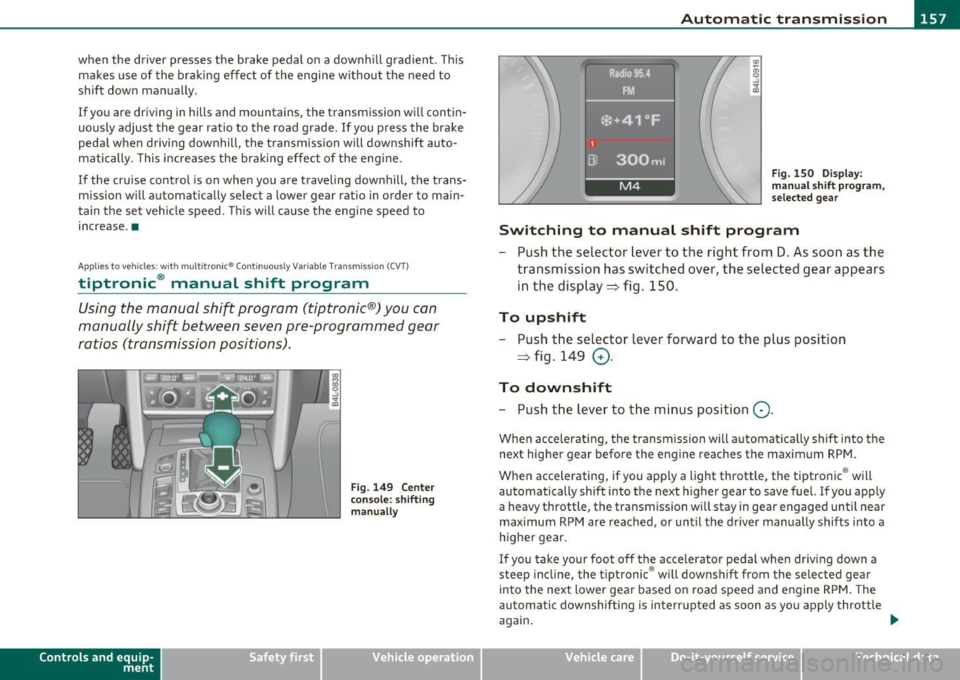
- Push the selector lever to the right from D. As soon as the
transmission has switched over, the selected gear appears
in the display ~ fig . 150.
To upshift
- Push the selector lever forward to the plus position
~ fig . 149
0 -
To downshift
- Push the lev er to the minus position Q.
When accelerating, the transmission will automatically shift into the
next higher gear before the engine reaches the maximum RPM .
When accelerating, if you apply a light throttle, the tiptronic ® will
automatically shift into the next higher gear to save fuel. If you apply
a heavy throttle, the transmiss ion wi ll stay in gear engaged until near
maximum RPM are reached, or until the driver manually shifts into a
higher gear.
If you take your foot off the accelerator pedal when driv ing down a
steep incline, the tiptronic ® will downshift from the selected gear
into the next lower gear based on road speed and engine RPM. The
automatic downshifting is interrupted as soon as you apply throttle
again.
Vehicle care Do-it-yourselt service iTechnical data
Page 173 of 370

HomeLink® -
----------------
Homelink ®
Universal remote control
Applies to veh icles: with Hom eli nk® universal remote control
General information
The Home link ® fe atu re can le arn th e up t o th ree ra dio
frequency codes for most current transmitters used for
operating garage doors, estate gates, home or outdoor
lighting systems, and other devices.
You must fi rst program the Homel ink ® transmitter before you can
use the system=>
page 172, "Programming the Homelink ® trans
mitter".
I n order to program the Homel ink ® transmitter for devices utiliz ing
rolling code, a second person on a ladder who can safe ly reach the
garage door opener motor is recommended. It is also necessary to
locate the "learn" button on your garage door opener motor. Refer to
the opera ting inst ructions for the opene r, as the loca tion and color of
this button may vary by manufacturer.
You can sti ll use the original remote contro l for the device at any
time.
& WARNING
• Never us e the Homelink '"' tr an smitter with any gar age door
op ene r that doe s have not the safet y stop and reve rse feature as
re quired by federal safe ty standard s. This inclu des any garage
doo r opener model manufactured before Aprill , 1982.
• A garage door opener which cannot detect an obj ect, signaling
the door to stop and reve rse doe s not meet current federal saf ety
s tandards. Using a garage door op ener without th ese featur es
increa ses risk of seriou s inju ry or death.
Controls and equip
ment Safety first
& WARNING
(continu ed)
• For safet y reasons nev er release the park ing brake or start the
engine while anyone is standing in front of the vehicle .
• A ga rage door o r an estate gate m ay sometimes be set in
moti on when the Ho melink ® remote c ontrol is being
programmed. If the dev ice is repeatedly acti vated, this can o ver
s train motor and damage its el ectri cal components -an over
heat ed motor is a fire hazard!
• To av oid po ssible injurie s or propert y damage, plea se always
make absolutely certain that no persons or objects are located in
the range of m otion of any equipment being operated .
rn Tips
• If you would like mo re in forma tion on Homel ink ®, where to
purchase the Homelink ® compatible products, or would like to
purchase the Homelink ® Home Lighting Package, p lease call toll
free: 1-800-355-3515.
• For Declaration o f Compliance to United Sta tes FCC and Industry
Canada regulations=>
page 349. •
Vehicle care Technical data
Page 174 of 370

Ill HomeLink® ..__ ______________ _
Applies to veh icles : w ith Homelin k® un iversa l remote control
Programming the Homel ink ® transmitter
The transmitter is programmed in two phases . For rolling
code transmitters, a third phase is also necessary .
illUl~~ . l
~-1 II I Ill
Fig. 163 Over head
conso le: Homelink ®
keypad
Fig. 16 4 Front
bumper, passenger
s ide: loc ation of trans
mitter unit
Phase 1: progr amming th e overhead k eypad
1. Make sure your vehicle is within operating range of the
remote controlled garage door opener .
2. Set the parking brake~
& in "General information " on
page 171 .
3. Turn the ignition on . Do not start the engine! 4
. Press and hold the two outside Homelink ® buttons
(D
and (@)for approximately 20 seconds until indicator l ight
@ ~ fig. 163 begins to flash . Then release both buttons .
Do not hold the buttons for longer than 30 seconds .
- This procedure only needs to be performed
once . It erases
the factory-set default codes and does not have to be repeated to program additional remote controls .
5. Press and hold the Homelink ® button
(D , @ or@ until
the indicator light © starts flashing
slowly . Release the
button .
-The system will now rema in in programming mode for 5
minutes.
Co to the front of the vehicle and proceed with
phase
2 .
Phase 2:
programming the bumper mounted transmit
ter
6 . Hold the original r emote control at a distance between 0-
6 in. (0 -15 cm) from the bumper below the appropriate
headlight for your vehicle~ fig . 164 (use the shortest
distance possible) .
7 . Aim the remote control just below the
passenger side
headlight .
8. Press and hold the activation button on the remote control.
- May be d ifferent in Canada . If so, press and re-press
(cycle) the activation button on yo ur remote control every
two seconds. .-,,
Page 184 of 370
• ....__D_ r_iv _i_ n_, g=-- S_ a _ f_e _,Ly _ ______________________________________________ _
The following bulletins list only some sample positions that will
increase the risk of serious injury and death. Our hope is that these
examples will make you more aware of seating positions that are
dangerous.
Therefore, whenever the vehicle is moving:
• never stand up in the vehicle
• never stand on the seats
• never kneel on the seats
• never ride with the seatback reclined
• never lie down on the rear seat
• never lean up against the instrument panel
• never sit on the edge of the seat
• never sit sideways
• never lean out the window
• never put your feet out the window
• never put your feet on the instrument panel
• never rest your feet on the seat cushion or back of the seat
• never ride in the footwe ll
• never ride in the cargo area
& WARNING
Improper seating positions increase the risk of serious personal
injury and death whenever a vehicle is being used.
• Always make sure that all vehicle occupants stay in a proper
seating position and are properly restrained whenever the vehicle
is being used. •
Pedal area
Pedals
The pedals must always be free to move and must never
be interfered with by a floor mat or any other object.
Make sure that all pedals move freely without interference and that
nothing prevents them from returning to their original positions.
Only use floor mats that leave the pedal area free and can be secured
with floor mat fasteners.
If a brake circuit fails, increased brake pedal travel is required to bring
the vehicle to a full stop.
& WARNING
Pedals that cannot move freely can cause loss of vehicle control
and increase the risk of serious injury .
• Never place any objects in the driver's footwell. An object could
get into the pedal area and interfere with pedal function. In case
of sudden braking or an accident, you would not be able to brake
or accelerate!
• Always make sure that nothing can fall or move into the
driver's footwell. •
Floor mats on the driver side
Always use floor mats that can be securely attached to
the floor mat fasteners and do not interfere with the free
movement of the pedals.
- Make sure that the floor mats are properly secured and
cannot move and interfere with the pedals~& .
Page 185 of 370

________________________________________________ D_ r_ i_ v _i_n ""'g "-- S_a_ f_ e_ l _,,y'-- __
Use only floor mats that leave the pedal area unobstructed and that
are firmly secured so that they cannot slip out of position . You can
obtain suitable floor mats from your authorized Audi Dealer.
Floor mat fasteners are installed in your Audi.
Floor mats used in your vehicle must be attached to these fasteners.
Properly securing the floor mats will prevent them from sliding into
positions that could interfere with the pedals or impair safe opera
tion of your vehicle in other ways .
& WARNING
Pedals that cannot move freely can result in a loss of vehicle
control and increase the risk of serious personal injury.
• Always make sure that floor mats are properly secured.
• Never place or install floor mats or other floor coverings in the
vehicle that cannot be properly secured in place to prevent them
from slipping and interfering with the pedals or the ability to
control the vehicle.
• Never place or install floor mats or other floor coverings on top
of already installed floor mats. Additional floor mats and other
coverings will reduce the size of the pedal area and interfere with
the pedals.
• Always properly reinstall and secure floor mats that have been
taken out for cleaning.
• Always make sure that objects cannot fall into the driver foot
well while the vehicle is moving. Objects can become trapped under the brake pedal and accelerator pedal causing a loss of
vehicle control. •
Controls and equip ment Safety first Vehicle operation
Stowing luggage
Loading the luggage compartment
All
luggage and other objects must be properly stowed
and secured in the luggage compartment.
Fig. 169 Safe load
positioning : heavy
cargo positioned as far
forward as possible.
Loose items in the luggage compartment can shift suddenly,
changing vehicle handling characteristics. Loose items can
also increase the risk of serious personal injury in a sudden
vehicle maneuver or in a collision.
- Distribute the load evenly in the luggage compartment.
- Always place and properly secure heavy items in the
luggage compartment as far forward as possible
=> fig. 169.
- Secure luggage using the tie-downs provided=>
page 84.
-Make sure that the rear seat back is securely latched in
place .
Vehicle care Do-it-yourself service Technical data
Page 244 of 370

Intelligent technology
'-----------------------------------------------
Intelligent technology
Notice about data recorded by
vehicle control modules
Your vehicle is not equipped with an Event Data Recorder (EDR),
installed by some manufacturers for the express purpose of
capturing data for retrieva l after an accident or crash event. ED R's are
sometimes called "crash recorders".
Some state laws restrict the retrieval or downloading of data stored
by ED R's that were installed in a vehicle for the express purpose of
retrieving data after an accident or crash event without the owner's
consent.
Although your vehicle is not equipped with an EDR, it is equipped w ith
a number of electronic control modu les for various vehicle systems
such as, for example, engine function, emission control, as well as for
the airbags and safety belts.
T hese electronic contro l modules also record vehicle-re lated data
during normal vehicle operation for diagnostic and repair purposes .
Th e recording capacity of the e lectronic control modu les is limited to
data (no sound is recorded) and only a sma ll amount of data is actu
ally recorded over a very limited period of time and stored when a
system fault or other condition is sensed by a control unit. Some of
the data then stored may relate to vehicle speed, direction, braking
as well as restraint system use and performance in the event of a
crash or other condition. Stored data can only be read and down
loaded with special equipment.
Electronic Stabilization Program
(ESP)
General information
The ESP improves the vehicle stability.
l, I
Fig. 201 Center
console with ESP
switch
ESP is des igned to help you maintain vehicle control in s ituations
where the car approaches the limits of "grip", especia lly when accel
erat ing and cornering. ESP reduces the risk of skidd ing and imp roves
stability under all road conditions.
Th e system operates across the entire speed range in combination
with the ABS system. If the Anti-Lock Brake System (ABS) malfunc
tions, the ESP will also shut down.
How the system works
The Anti-Lock Brake System (ABS), Electronic Differential Lock (EDL)
and the Anti-Slip Regulation System (ASR) are integrated in the elec
tronic stabilizatio n pro gram. In addition to the data provided by
these funct ions, the ESP control unit requires additional measure
ment data provided by high performance sensors. The rotational
speed of the vehicle about its vertical axis, veh icle acceleration in the ...
Page 245 of 370
Intelligent technology
--------------------------------------------------' '----'----
fore-and-aft and lateral directions, the brake pressure and the
steering angle are all measured.
The direction in which the driver wishes to travel is determined with
the aid of the steering angle and vehicle speed and is continually
compared with the actual behavior of the vehicle. If the two do not
match, for example , when the vehicle starts hydroplaning on a wet
road, ESP will automatically brake the appropriate wheel to correct
the problem.
The vehicle is then stabilized by the forces acting on the wheel during
braking. If the vehicle is
oversteering (rear tends to skid out of the
turn), the brakes are mainly applied on the wheel that is on the
outside of the curve. In the case of a vehicle that is
understeering
(tendency to slide out of the curve), the brakes are applied at the rear
wheel that is on the inside of the curve. An acoustic signal indicates
when ESP brake application cuts in =>
&.
The system operates across the entire speed range in combination
with the ABS system=>
page 246. If the Anti-Lock Brake System
(ABS) malfunctions, the ESP will be out of action as well.
Activating
When you turn on the engine, ESP will automatically be activated and
will perform a self-test . As soon as the test is completed, the system
is in normal operating mode.
You can activate a deactivated ESP or deactivated ESP/ ASR if required
by pressing the=>
page 242, fig. 201 button. When they are acti
vated, the message
ESP/ASR on appears briefly in the display .
Deactivating
The ESP should normally be activated all the time. If necessary , you
can deactivate Anti-Slip Regulation (ASR) or the Electronic Stabiliza
tion Program (ESP) by pressing the button =>
page 242, fig. 201.
• Deactivating ASR: Tap the but ton . In certain excep tional situa
tions (e.g. driving with tire chains) , the Anti-Slip Regulation (ASR) can
be deactivated=>
page 244 . The message ASR off appears in the
display as well.
Controls and equip ment Safety first Vehicle operation •
Deactivating ESP/ASR
Press the button for more than 3 seconds .
With the ESP/ASR deactivated, the ESP check light comes on, see
=>
page 14. The message ESP switched off appears in the display as
well.
& WARNING
The Electronic Stabilization Program is nevertheless subject to the laws of physics. It is particularly important to pay attention to
this fact on wet and slippery roads. It is therefore important that
you always adapt your driving to the condition of the road and traffic conditions. Do not allow the increased safety provided by
the Electronic Stabilization Program system to lull you into
accepting additional safety risks. •
Electronic differential lock (EDL)
The electronic differential lock monitors the rotational
speed of the drive wheels.
General notes
The electronic differential lock (EDL) helps the car to start moving,
accelerate and climb a gradient on surfaces providing poor or almost
no grip . Without EDL, this would be difficult, if not impossible .
How the system works
The EDL operates automatically . It monitors the rotational speed of
the drive wheels on an axle with the help of the ABS sensors
=>
page 246 . If a noticeable difference in rotational speed between
the drive wheels on one axle is detected (e.g. on slippery ground
on
one side),
the spinning wheel is braked, thereby transferring power to
the othe r drive wheel or wheels (all-wheel drive). This is done up to a
speed of about 60 mph (100 km/h) . Noises from the brake system
signal that wheel spin is being controlled.
Vehicle care Do-it-yourself service Technical data