belt AUDI A6 2013 User Guide
[x] Cancel search | Manufacturer: AUDI, Model Year: 2013, Model line: A6, Model: AUDI A6 2013Pages: 306, PDF Size: 76.92 MB
Page 78 of 306
76 On the road
Startin g and automati cally r ele a s ing the
p ark ing b rake
.. When you sta rt to drive as usua l, the park
ing brake is automatically re leased and your
vehicle begins to move.
When stopping at a traffic signa l or stopping
in city traffic, the parking brake can be ap
plied. The veh icle does not have to be held
with the footbrake. The park ing brake elimi
nates the tendency to creep with a drive range
engaged . As soon as you dr ive off as usual,
the park ing brake is released automatically
and the veh icle sta rts to move .
Starting on slope s
When starting on inclines, the starting assist
prevents the vehicle from unintentionally roll
ing back . The braking force of the parking
brake is not released until sufficient dr iv ing
fo rce has been bu ilt up at the whee ls.
(D Tips
For safety reasons, the park ing brake is re
leased automatically only when the dr iv
er 's safety belt is engaged in the buck le.
Starting off with a trailer
To prevent rolling back unintentionally on an
incline, do the following:
.. Keep the switch
accelerator. The park ing brake stays applied
and prevents the vehicle from ro lling back
ward.
.. You can release the switch
C®l once you are
sure that you a re develop ing enough for
ward momentum at the wheels as you de
press the accelerator .
Depending on the weight of the r ig (vehicle
and trai ler) and the seve rity of the incline, you
may roll backwards as you start. You can pre
vent rolling backwards by holding the parking brake switch(®) pulled out and acce lerating -
just as you would when starting on a hill with a conventional hand brake .
Emergency braking
In the event that the conventional brake sys
tem fails or locks .
.. In an emergency, pull the switch C®l and
con tinue to pull it to slow your vehicle down
w ith the park ing brake.
.. As soon as you release the switch (®) or ac-
celerate, the b rak ing process stops.
If you pull the switch C®l and hold it above a
speed of about 5 mph (8 km/h), the emergen
cy brak ing f unct ion is init iated . T he ve hicle is
braked at all fou r whee ls by activating the hy
draulic b rake sys tem. The brake performance
is similar to making an emergency stop~&. .
In order not to act ivate the emergency brak
ing by mis take, an audib le warning tone (buz
zer) sounds whe n the switch(®) is pulled . As
soon as t he sw itch C®l is re leased , or the accel
erator peda l is depressed, emergency braking
stops.
_& WARNING
-Emergency braking should only be used in
an emergency, when the norma l foot brake
has fa iled or the brake pedal is obstructed.
Using the parking brake to perform emer
gency b raking will slow your veh icle down
as if you had made a full bra ke application .
The laws of physics cannot be suspended
even with ESC and i ts associated compo
nents (ABS, ASR, EDL) . In corners and
when road or weathe r conditions are bad,
a full brake application can ca use the vehi
cle to sk id or the rear end to break away -
risking an accident.
Start-Stop-System
Description
Applies to vehicles: with Start -Stop -System
T he Start -Stop-Sys tem can help increase fuel
e conomy and reduce CO 2 emissions.
In the Start-Stop-mode, the engine shuts off
automat ica lly when the veh icle is stopped,
such as at a traffi c light. The igni tion remains .,.
Page 79 of 306
switched on during this stop phase. The en
gine will be automatically restarted when
needed.
The last Start-Stop-System setting (on/off us
ing the button
I CAJ ,.I) will be restored when the
ignition is turned on. The LED in the
l@ "'I but
ton turns on when the Start -Stop-System is
switched off manually.
Basic requirements for the Start-Stop
mode
- The driver's door is closed .
- The driver' seat belt is latched.
- T he hood is closed.
- The vehicle must have been driven faster
than 2.5 mph (4 km/h) since the last stop .
- A tra iler is not hitched to the vehicle.
_&, WARNING
-Never le t the vehicle roll with the engine
switched off. You could lose contro l over
the vehicle . This can lead to a collision
and serious injuries .
- The brake booster and the steering sup
port do not work wh ile the engine is
switched off. More force is required to
stop and to steer the vehicle .
- To reduce the risk of injuries, make sure
that the Start-Stop-System is turned off
when working in the engine compart
ment
q page 78.
(D Note
Always switch off the Start-Stop -System
when driving through water ¢page
78.
On the road 77
Starting/stopping the engine
Applies to veh icles: w it h Sta rt-Stop -System
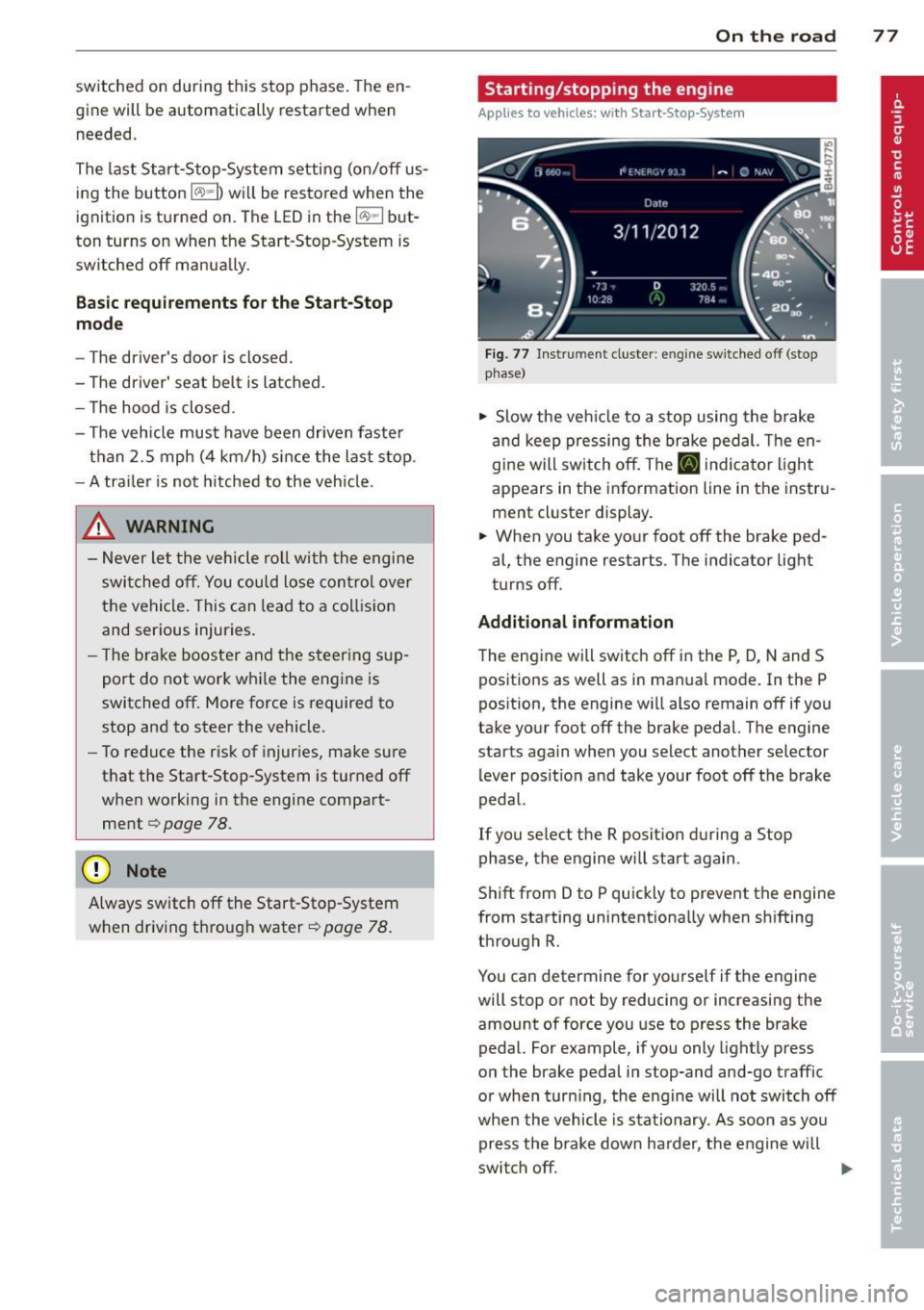
Fig. 77 Inst rument cluster: en g in e sw itched off (stop
p hase)
~ Slow the veh icle to a stop using the brake
and keep pressing the brake pedal. The en
gine w ill switch off. The
[I] i ndicato r light
appears in the information line in the instru
ment cluster display.
~ When you take your foot off the brake ped
al, the engine restarts . The indicator light
turns off.
Additional information
The eng ine will switch off in the P, D, N and S
positions as well as in manua l mode. In the P
position, the engine will also remain off if you
take your foot off the brake pedal. The engine
starts again when you select another selector
lever position and take your foot off the brake
pedal.
If you select the R position during a Stop
phase, the engine will start again .
Shift from D to P quickly to prevent the engine
from starting unintentionally when shifting
through R.
You can determine for yourself if the engine
will stop or not by reducing or increasing the
amount of force you use to press the brake
pedal. For example, if you only lightly press
on the brake pedal in stop-and and-go traffic
or when turn ing, the engine will not switch off
whe n the vehicle is stationary. As soon as you
press the brake down ha rder, the engine will
switch off.
lill>
Page 100 of 306
98 Audi drive select
Audi drive select
Driving settings
Introduction
Aud i d rive select mak es it possible to expe ri
ence diffe ren t types of vehi cle se ttin gs i n o ne
ve hicl e. The dr ive r can se lect th ree
Comfort ,
Auto and Dynamic modes in the M MI to
switch between a sporty and a comforta ble
driving mo de.
You c an a lso a djust the setti ng according to
your p re ferences in the
Individual mode . F o r
examp le, you ca n combine settings such as a
sporty en gine t uning with comfortab le steer
ing.
A WARNING
Improper use of the A udi drive select can
cause collisions, ot her acc idents and se ri
ous pe rsonal injury.
Description
The vehicle setup in each mode depends on
the veh icl e's featu res. The engine, t ransm is
sion, stee ring, reve rsible sa fe ty belt tension
e rs a nd adap tive air su spension are alw ays in
volved.
Engine and transmission
Depending on the mode, the e ng ine and the
tra nsmission respond quic ker or i n a more bal
an ced manne r to acce le rator pedal move
men ts. In the sporty dyn ami c mode, the
tra nsmission sh ifts at highe r RP Ms.
Air suspension*
The adaptive air suspens ion/adaptive air sus
pension spor t*
(Air suspen sion in the MM I) is
a n e lec tronic ally con trolled air suspension and
da mpi ng sys tem. They are adjus ted depend
ing on the se lected driving mode, the drive r's
steeri ng, braking an d acceleration input and
the road s urface, ve hicle speed and load. A
sporty setting is generally used in ve hicles
with adaptive air suspension sport*. T
he veh icle clearance varies depending on the
se lected mo de an d the speed .
T he highway setti ng is a ct ivated automatic ally
whe n you dr ive above 7 5 mph (120 km/ h) fo r
more than
3 0 seconds in the Auto or Dynamic
mode. The gro und clea rance is increased a uto
matically if the speed drops below
44 mph
(70 km/h) for more than 120 seconds.
Steering
T he s teer ing adap ts in terms of s teer ing effor t
and steering ratios . Indirect stee ring that
moves easily, like the steer ing in comfo rt
mode, is best suited to long drives on a high
way. In contrast, dynamic mode provides sporty, direct steer ing .
Sport differential*
As a component of the all whee l drive system
(quattro ®)
r=:> page 196, th e Sport differen
t ia l* distributes the driving powe r to the rear
axle depending on the situation. The distr ibu
t ion of power va ries depe nding on the select
ed mode, from balanced (comfort) to agile
(dyna mic) . Th e goa l is a high leve l of agility
and ability to acce le rate on cu rves . Th e vehicle
is ve ry re sponsive to st eer ing.
Curve light*
The curve light adapts to driving on curves .
T he pivo ting act io n and the lighting are also
adapt ed to the mode .
Adaptive cruise control*
The behav ior when accelerating can be adjust
ed from comfortab le to sporty, depending on
the drive select mode. Adaptive cru ise cont ro l
also responds to th e dr iv ing behavior o f th e
vehicle a head in a mo re co nse rvative o r sporty
man ne r.
Engine sound*
The sound of the eng ine is adapted to the se
lected mode and ranges from sub tle to sporty . .,.
Page 102 of 306
100 Audi drive select
The equipment in your veh icle w ill determine
which settings you ca n adj ust. The fo llowing
Engine /Trans mission
Air su spension *
Steering
Sport differential *
Curve light*
Belt tensioner *
Adapti ve cruise control *
Engine sound* Comfort balanced
comfortable
comfortable
balanced
comfortable
Standard
comfortable
table p
rov ides a n overview of the characteris
tics of eac h driving mode .
Auto Dynamic
balanced sporty
balanced sporty
ba lanced spo
rty
agile sporty
ba lanced spo
rty
---.. ,
Standard
ba lanced
subtle/sportya> Deployment time
adapted
sporty
-...
sporty
-
a l Subt le i n th e drivi ng pos it io n D an d sp o rty in t he d riving pos itio n S.
{DJ Tips
Your Individual mode se ttings are a uto
mat ica lly stored and assigned to t he re
mote co ntro l key being use d.
Raising/lowering the
vehicle
Raising the vehicle
You can ra ise your veh icle temporarily, for ex
ample to dr ive over a tall curb .
., Se lect the following i n the
MM I: ICAR I f u nc
tion button >
Raise cont ro l button .
., Wait for the a rrows in the display to stop
blinking and the vehicle to reach its fina l po
s it ion.
Lowering the vehicle
., To lowe r the veh icle, select the fo llow ing in
the
M MI: ICARlfunction button> Lowe r con
tro l button .
., Wait for the a rrows in the display to stop
blinking and the vehicle to lower complete
l y .
{(D Note
- Remember that your veh icle is not suita
ble for driving offroad even when it is
r aised . There is not enough ground clear
ance.
- If the vehicle is ra ised, it will lower auto
m atic ally when d riving 6 2 mph (1 00 km/
h) or faster .
Driver messages
Air suspen sio n: vehicl e currently too low .
Level control running
Air su spension : vehicle curr ently too high .
L e vel control running
The driver message switc hes off when the lev
el cont rol process is complete .
Page 109 of 306
The Automatic Shift Lock only functions when
the vehicle is stationary or at speeds below 1 mph (2 km/h).
At speeds above about 1 mph (2 km/h) the
Automatic Shift Lock is automatically deacti
vated in the N position.
A time delay element prevents the se lector
l eve r from locking when it is moved thro ugh
the N position (going from R to 0/5). The lock
ing e lement w ill lock the selector lever if the
lever is left in N (Neutral) for more than ap
prox imately 2 second, without the brake ped
al being pressed.
R elease button
The release button on the selector lever pre
vents the lever from being accidenta lly shifted
into certain positions. Depending on the di rec
tion of the shift, the se lector lever locks at d if
ferent positions. The positions are h ighligh ted
in the illustration
¢ fig . 112 .
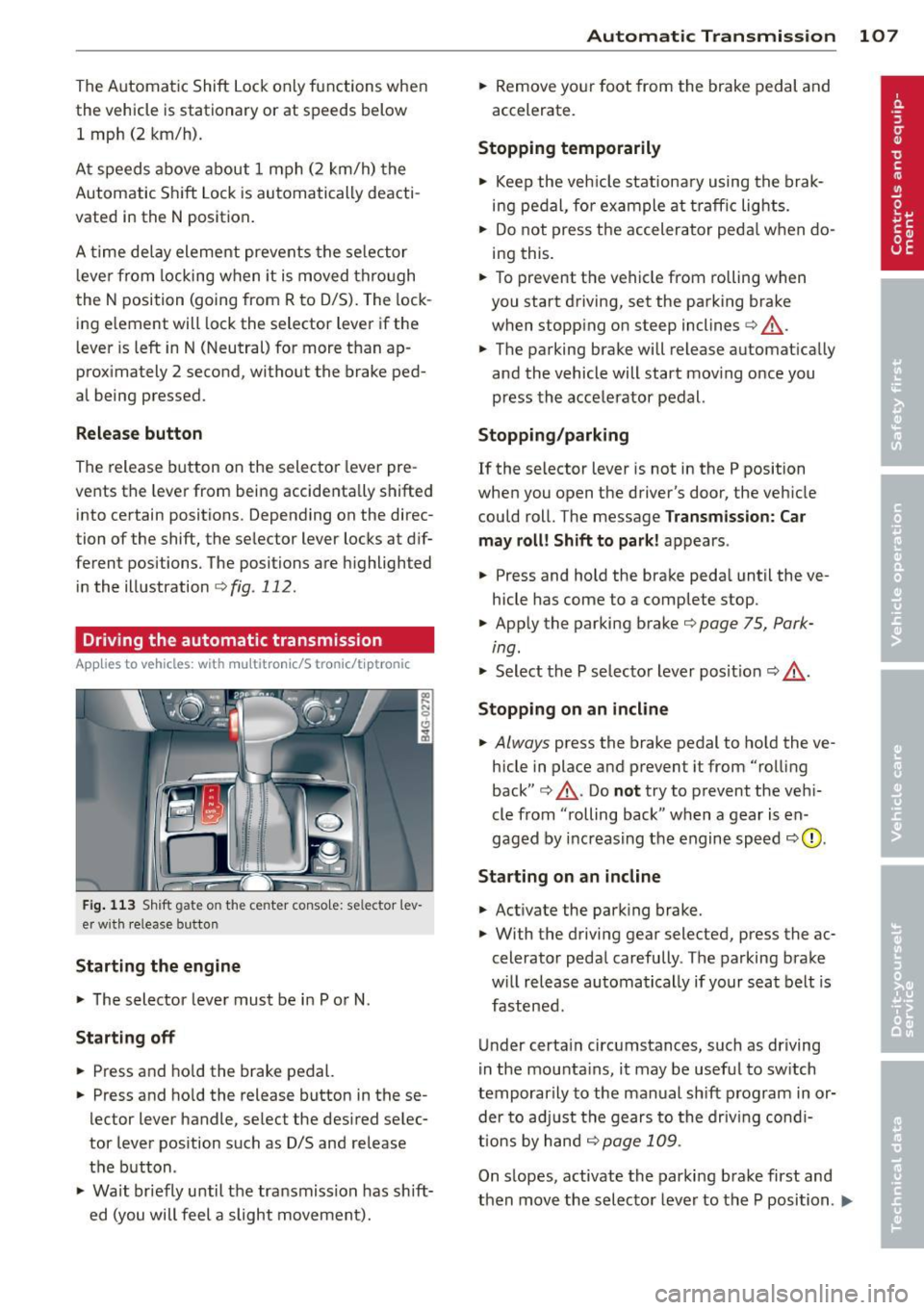
Driving the automatic transmission
Applies to vehicles: with multitronic/S tronic/t iptro nic
Fig. 1 13 Sh ift gate on the center conso le: se lector l ev
er w it h release button
Starting the engine
.., The selector lever must be i n P or N.
Starting off
.., Press and ho ld the brake pedal.
.., Press and ho ld the release button in these
lector lever handle , select the desired selec
tor lever pos ition such as D/S and release
the button .
.., Wait br iefly until the tra nsmission has sh ift
ed (you will feel a slight movement).
Automatic Tra nsmi ssi on 10 7
.., Remove yo ur foot from the brake pedal and
accelerate.
Stopping t emporarily
.., Keep the veh icle stationa ry using the brak
ing pedal , for example at traffic lights.
.., Do not press the accelerator peda l when do
i ng this .
.., To prevent the vehicle from rolling when
you start driving, set the parking brake
when stopp ing on steep inclines¢,&. .
.., The parking brake will release automat ically
and the vehicle will start mov ing once you
press the accelerator pedal.
Stopping /parking
If the selector leve r is not in the P position
when you open the driver's door, the veh icle
could roll. The message
Transm ission: Car
may roll! Shift to park !
appears.
.., Press and hold the brake peda l until the ve
hicle has come to a complete stop .
.., App ly the parking brake ¢
page 75, Park-
ing.
"' Select the P selecto r lever pos it ion <=:> ,&. .
Stoppin g on an incline
.., Always press the brake pedal to ho ld the ve
hicle in place and prevent it from "rolling
back" ¢,&. . Do
no t try to prevent the veh i
cle from "rolling back " when a gear is en
gaged by increasing the engine speed
<=:> 0 .
Starting on a n incline
.., Activate the park ing brake.
.., With the driving gear selected, press the ac
celerator peda l carefully . The parking brake
w ill release automatically if your seat belt is
fastened .
Under certa in circumstances, such as driving
i n the mounta ins , it may be usefu l to sw itch
temporarily to the manual sh ift p rogram in or
der to ad just the gears to the driv ing cond i
ti ons by hand
<=:> page 109 .
On slopes, activate the parking brake first and
then move the selecto r lever to the P position .
Ill-
Page 110 of 306
108 Automatic Transmission
This prevents too much stress from being placed on the locking mechanism.
multitronic transmission : Your vehicle is
equipped with
hill hold assist allowing you to
start while on an incline. The system is acti
vated when the brake pedal is pressed down
and held
for a few seconds. T he brake pres
sure will hold for
o moment after the brake
pedal loosens to prevent the vehicle from roll
ing backwards while starting up .
A WARNING
-The vehicle can also roll when the engine
is stopped .
- Unintended vehicle movement can cause serious injury.
- Never leave your vehicle with the engine
running while in gear. If you must leave
your vehicle when the engine is running, activate the parking brake and move the
selector lever to P.
- Power is still transmitted to the wheels
when the engine is running at idle. To
prevent the vehicle from "creeping ", you
must keep your foot on the brake when
the engine is running and the selector lever is in D/S or R or "tiptronic" mode is
selected.
- Do not press the accelerator pedal when
changing the selector lever position
while the vehicle is stationary and the
engine is running.
- Never shift into R or P while driving.
- Before driving down a steep slope, re-
duce your speed and shift into a lower
gear with "tiptronic".
- Do not ride the brakes or press the brake
pedal too often or too long when driving
down a hill. Constant braking causes the
brakes to overheat and substantially re
duces braking performance, increases
braking distance or causes complete fail
ure of the brake system.
- To prevent the vehicle from rolling back
when stopping on inclines, always hold it
in place with the brake pedal or parking
brake. -
Never hold the vehicle on an incline with
a slipping clutch. The clutch opens auto
matically when it becomes too hot from
the overload . An indicator lamp
[O] illu
minates and a driver message appears
~ page 110 when the clutch is overload
ed.
- If the engine must remain running, never
have any driving position engaged when
checking under the hood. Make sure the
selector lever has securely engaged and
is locked in P with the parking brake set
~ page 219, Engine comportment. Oth
erwise, any increase in engine speed may
set the vehicle in motion, even with the
parking brake applied.
(D Note
- 5 tronic ®- and tiptronic transmission :
When stopping on an incline, do not try
to hold the vehicle in place by pressing
the accelerator pedal while a driving gear
is selected . This can cause the transmis
sion to overheat and can damage it. Acti
vate the parking brake or press the brake
pedal to prevent the vehicle from rolling .
- 5 tronic ®- and tiptronic transmission : Al
lowing the vehicle to roll when the en
gine is stopped and the selector lever is
in N will damage the transmission be
cause it is not lubricated under those cir
cumstances.
(D Tips
For safety reasons, the parking brake is re
leased automatically only when the driv
er's safety belt is engaged in the buckle.
Hill descent control
Applies to vehicles: with mult itronic/5 tronic/tiptronic
The hill descent control system assists the
driver when driving down declines.
Hill descent control is activated when these
lector lever is in D/S and you press the brake
pedal. The transmission automatically selects .,.
Page 128 of 306
126 Driving Saf ely
Driving Safely
General notes
Safe driving habits
Please remember -safety first!
This chapter contains important information,
tips, instructions and warnings that you need
to read and observe for your own safety, the
safety of your passengers and others . We have
summarized here what you need to know
about safety belts, a irbags, ch ild restra ints as
well as child safety. Your safety is for us
priori
ty number 1.
Always observe the info rmat ion
and warn ings in th is sect ion -fo r yo ur own
safety as well as that of your passengers .
The information in this se ction app lies to all
model ve rsions of your veh icle . Some of the
feat ures described in this sec tions may be
standard equipment on some models, or may
be optional equipment on others . If you are
not sure, ask your authorized Audi dealer.
A WARNING
- Always make sure that you follow the in
struct ions and heed the WARNINGS in
this Manual. It is in your interest and in
the inte rest of you r passengers.
- Always keep the complete Owner's Liter
ature in your Audi when you lend or sell
your vehicle so that this important info r
mation will always be ava ilable to the
dr iver and passengers.
- Always keep the Owner's literature handy
so that you can find i t eas ily if you have
ques tions.
Safety equipment
The safety features are part of the occupant
restraint system and work together to help
redu ce the risk of injury in a wide variety of
accident situations.
Your safety and the safety of your passenge rs
should not be left to chance. Advances in
technology have made a varie ty o f fea tures
avai la bl e to he lp re duce the risk of injury in an accident
. The following is a list of just a few of
the safety features in your Audi:
- sophis tic ated s afety be lts fo r drive r and a ll
passenger sea ting pos it ions,
- safety belt prete nsioners ,
- safety belt force lim iters fo r the front seats,
- safety belt he ight adjustment systems for
the front seats ,
- front airbags,
- knee airbags for the front seats *
- side airbags in the front seats a nd outer rear
seats*,
- side curtain airbags ,
- specia l LATCH anchorages for child re-
straints,
- hea d restr aints for each sea ting pos ition,
- ad justab le s teer ing colum n.
These ind iv idual safety features, can work to
ge ther as a system to help protect you and
you r passengers in a wide range of accidents .
T hese features canno t wo rk as a system if
they are not always cor re ct ly adjusted and co r
rect ly used.
Safety i s everybody' s respon sibility!
Important things to do before driving
Safety is everybody 's job! Vehicle and occu
pant safety always depends on the informed and careful driver .
For your safety and the safety of your passen
gers,
befor e driv ing always:
.. Make s ure that all lig hts and signa ls are op
erating correctly.
.. Make sure that the tire pressure is correct .
.. Mak e sur e that all windows are clean and
afford good v is ibility to the outside .
.. Se cu re a ll luggage a nd o ther items carefu lly
<:!) page 61, ¢page 58.
.. Ma ke s ure that noth ing can interfere wi th
the peda ls .
.. Adjust front seat, head restraint and mir
rors correctly for your height.
.. Instruct passengers to adjust the head re-
straints according to the ir height . .,..
Page 129 of 306
.. Make sure to use the right child restraint
correct ly to protect children
Q page 171,
Child Safety.
.. Sit properly in your seat and make sure that
your passengers do the same¢
page SO,
General recommendations .
.. Faste n your safety belt and wear it properly.
Also instruct your passengers to fasten their
safety belts properly ¢
page 136.
What impairs driving safety?
Safe driving is directly related to the condi
tion of the vehicle, the driver as well as the
driver 's ability to concentrate on the road
without being distracted.
The driver is respons ible for the safety of the
veh icle and all of its occupants.
If your ability
to drive is impai red, safety r isks for everybody
in the vehicle increase and you also become a
hazard to everyone else on the road ¢ _&. .
Therefore:
.. Do not let yourself be dist racted by passen
gers or by using a cellular telephone.
.. NEVER drive when your driving ability is im
paired (by medications, alcohol, drugs, etc.).
.. Observe all traffic laws, rules of the road
and speed limits and plain common sense .
.. ALWAYS adjust your speed to road, traffic
and weather conditions .
.,. Take frequent breaks on long trips . Do not
drive for more than two hours at a stretch.
.. Do NOT drive when you are tired, under
pressure or when you are stressed.
A WARNING
Impaired driving safety increases the risk
of serious personal injury and death when
ever a vehicle is being used.
Driving Safely 12 7
Proper occupant
seating positions
Proper seating position for the driver
The proper driver seating position is impor
tant for safe, relaxed driving .
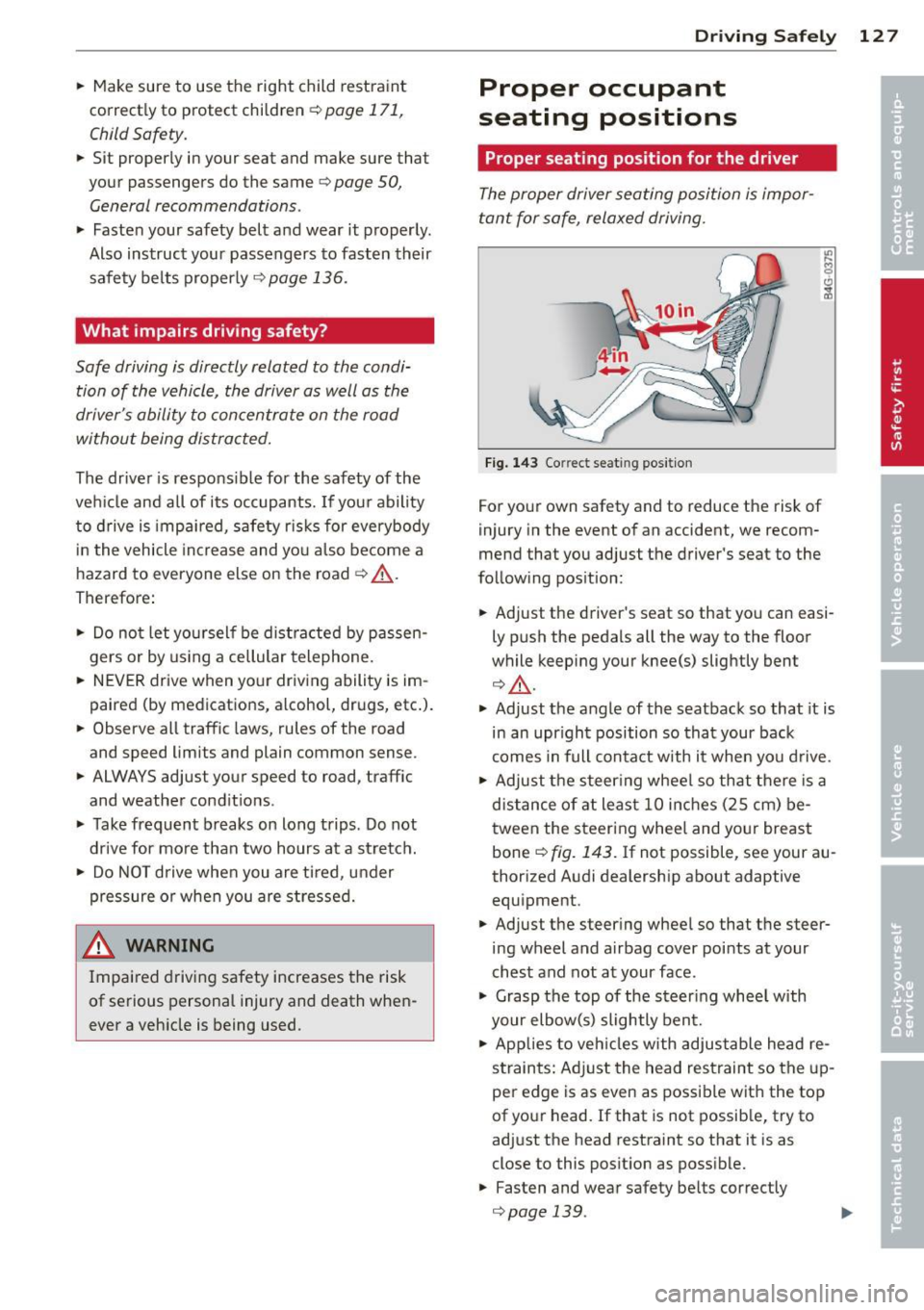
Fig. 143 Correct seat ing pos it ion
For your own safety and to reduce the risk of
injury in the event of an accident, we recom
mend that you adjust the driver's seat to the
follow ing pos ition:
.. Adjust the driver's seat so that you can easi
ly push the pedals all the way to the floor
wh ile keeping your knee(s) slightly bent
¢ _&. .
.. Adjust the angle of the seatback so that it is
in an upr ight position so that your back
comes in full contact w ith it when you drive.
.. Adjust the steering wheel so that there is a
distance of at least 10 inches (25 cm) be
tween the steering wheel and yo ur breast
bone
Q fig. 143. If not possible, see your au
thorized Audi dealership about adaptive
equipment .
.. Adjust the steer ing wheel so that the steer
ing wheel and airbag cover points at your
chest and not at your face.
.,. Grasp the top of the steering whee l with
your elbow(s) slightly bent.
.. Applies to vehicles with adjustable head re
straints: Ad just the head restraint so the up
per edge is as even as possible with the top
of your head. If that is not possible, try to
adjust the head restraint so that it is as
close to this posit ion as possible .
.. Fasten and wear safety be lts correctly
¢ page 139. .,.
Page 130 of 306
128 Driving Safely
• Always keep both feet in the footwell so
that you are in control of the vehicle at all
times.
For detailed information on how to adjust the
driver's seat, see
r:::> page 51.
A WARNING
Drivers who are unbelted, out of position
or too close to the airbag can be seriously
injured by an airbag as it unfolds. To help
reduce the risk of serious personal injury:
- Always adjust the driver's seat and the
steering wheel so that there are at least
10 inches (25 cm) between your breast
bone and the steering wheel.
- Always adjust the driver's seat and the
steering wheel so that there are at least
4 inches (10 cm) between the knees and
the lower part of the instrument panel.
- Always hold the steering wheel on the
outside of the steering wheel rim with
your hands at the 9 o'clock and 3 o'clock positions to help reduce the risk of per
sonal injury if the driver's airbag inflates.
- Never hold the steering wheel at the
12 o'clock position or with your hands at
other positions inside the steering wheel
rim or on the steering wheel hub. Hold
ing the steering wheel the wrong way
can cause serious injuries to the hands,
arms and head if the driver's airbag in
flates.
- Pointing the steering wheel toward your
face decreases the ability of the supple
mental driver's airbag to protect you in a
collision.
- Always sit in an upright position and nev
er lean against or place any part of your
body too close to the area where the air
bags are located.
- Before driving, always adjust the front
seats and head restraints properly and
make sure that all passengers are prop
erly restrained.
- Never adjust the seats while the vehicle
is moving. Your seat may move unexpect- edly and you could lose control of the ve
hicle .
- Never drive with the backrest reclined or
tilted far back! The farther the backrests
are tilted back, the greater the risk of in
jury due to incorrect positioning of the safety belt and improper seating posi
tion .
- Children must always ride in child seats
r:::> page 171. Special precautions apply
when installing a child seat on the front
passenger seat¢
page 145.
Proper seating position for the front
passenger
The proper front passenger seating position
is important for safe, relaxed driving .
For your own safety and to reduce the risk of
injury in the event of an accident, we recom
mend that you adjust the seat for the front
passenger to the following position :
• Adjust the angle of the seatback so that it is
in an upright position and your back comes in full contact with it whenever the vehicle is
moving.
• Adjust the head restraint so the upper edge
is as even as possible with the top of your
head. If that is not possibl e, try to adjust
the head restraint so that it is as close to
this position as possible¢
page 130.
• Keep both feet flat on the floor in front of
the front passenger seat .
• Fasten and wear safety belts correctly
r:::> page 13 9.
For detailed information on how to adjust the
front passenger's seat, see
r:::> page 50 .
A WARNING
-
Front seat passengers who are unbelted,
out of position or too close to the airbag
can be seriously injured or killed by the air
bag as it unfolds. To help reduce the risk of
serious personal injury:
Page 131 of 306
-Passengers must always sit in an upright
position and never lean against or place
any part of their body too close to the
area where the airbags are located.
- Passengers who are unbelted, out of po
sition or too close to the airbag can be
seriously injured by an airbag as it un
folds with great force in the blink of an
eye.
- Always make sure that there are at least
10 inches (25 cm) between the front
passenger's breastbone and the instru
ment panel.
- Always make sure that there are at least
4 inches (10 cm) between the front pas
senger's knees and the lower part of the
instrument panel.
- Each passenger must always sit on a seat
of their own and properly fasten and
wear the safety belt belonging to that
seat.
- Before driving, always adjust the front
passenger seat and head restraint prop
er ly.
- Always keep your feet on the floor in
front of the seat. Never rest them on the
seat, instrument panel, out of the win
dow, etc. The airbag system and safety
belt will not be able to protect you prop
erly and can even increase the risk of in
jury in a crash .
- Never drive with the backrest reclined or
tilted far back! The farther the backrests are tilted back, the greater the risk of in
jury due to incorrect positioning of the
safety belt and improper seating posi
tion.
- Children must always ride in child seats
¢
page 171. Special precautions apply
when installing a child seat on the front
passenger seat¢
page 145.
Driving Safely 129
Proper seating positions for passengers
in rear seats
Rear seat passengers must sit upright with
both feet on the floor consistent with their
physical size and be properly restrained
whenever the vehicle is in use.
To reduce the risk of injury caused by an incor
rect seating position in the event of a sudden
braking maneuver or an accident, your pas
sengers on the rear bench seat must always
observe the following:
.,. Adjust the head restraint so the upper edge
is as even as possible with the top of your
head. If that is not possible, try to adjust
the head restraint so that it is as close to
this position as possible¢
page 130 .
.,. Keep both feet flat in the footwell in front
of the rear seat.
.,. Fasten and wear safety belts properly
¢page 139.
.,. Make sure that children are always properly
restrained in a child restraint that is appro
priate for their size and age
r::, page 171.
,& WARNING
..-
Passengers who are improperly seated on
the rear seat can be seriously injured in a
crash.
- Each passenger must always sit on a seat
of their own and properly fasten and
wear the safety belt belonging to that seat.
- Safety belts only offer maximum protec
tion when the safety belts are properly
positioned on the body and securely
latched . By not sitting upright, a rear
seat passenger increases the risk of per
sonal injury from improperly positioned
safety belts!
- Always adjust the head restraint properly
so that it can give maximum protection.
•
•